Leaderboard




Popular Content
Showing content with the highest reputation on 11/12/25 in all areas
-
SHIELD Experience Upgrade 9.2.2 What's New in 9.2.2? Enhancements SHIELD TV is now more accessible to people with disabilities with design improvements and compatibility with assistive technologies: A pairing alert sound to assist users when pairing the SHIELD Remote and Controller in both OOBE and Settings Added Bounce Keys feature Accessibility Key Repeat feature implementation Added settings UI for accessibility timeout Support TalkBack TTS in 23 European languages Resolved Bugs Audio dropout with Disney+ https://www.nvidia.com/en-gb/shield/software-update/3 points
-
Funny, it works after clearing the browser cashe. Hey, thank you very much for your patience!2 points
-
Here you go. Releases · MediaBrowser/Emby.Releases2 points
-
It works just like screensaver logic. The timer is continually reset as long as there is activity such that it only "expires" after the set period of no activity. A long file transfer still works because the file system reports as the file is transferring (because the target is continually changing). The whole point is to just scan when the overall operation (however many files) is complete.2 points
-
Hi. There is only ever a single episode from a specific series in one of those displays. Considering this, the show thumb is massively more informative than a random screenshot from an episode. However, options for this should be coming in the future.2 points
-
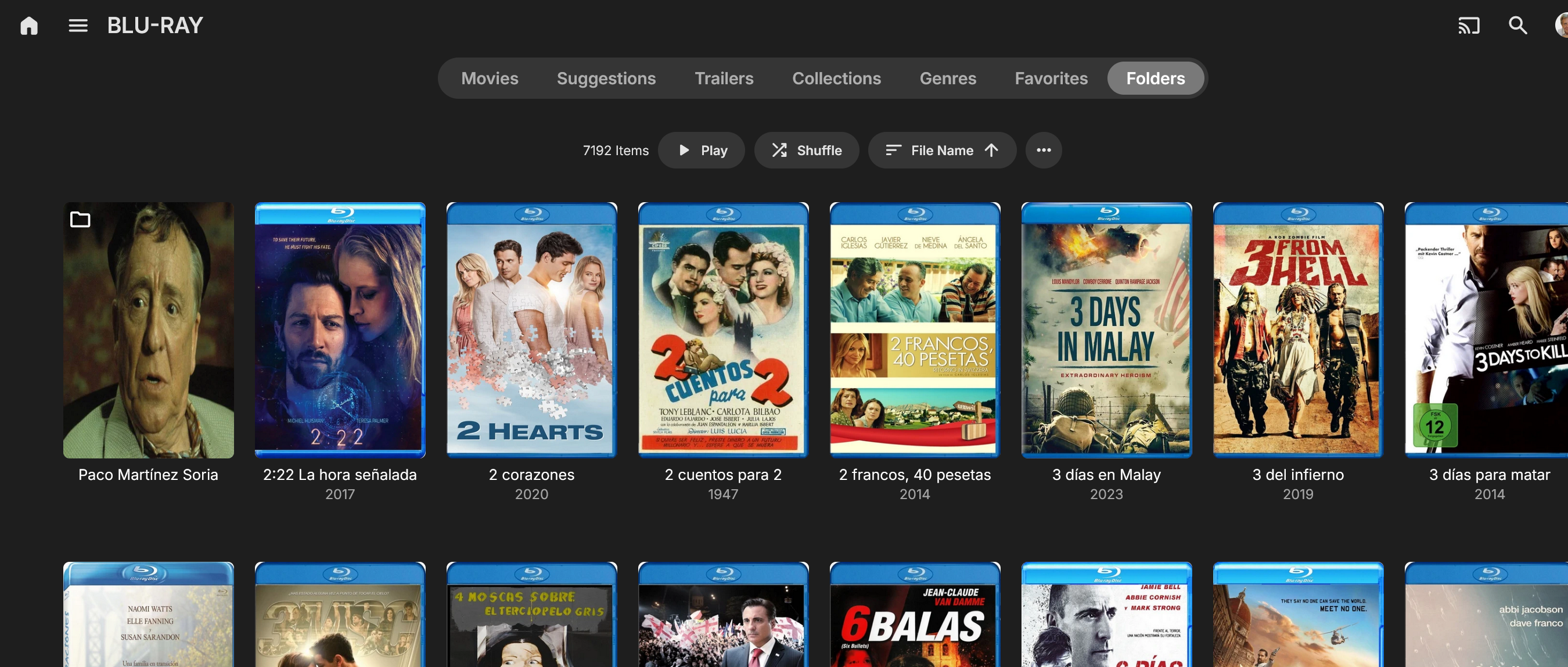
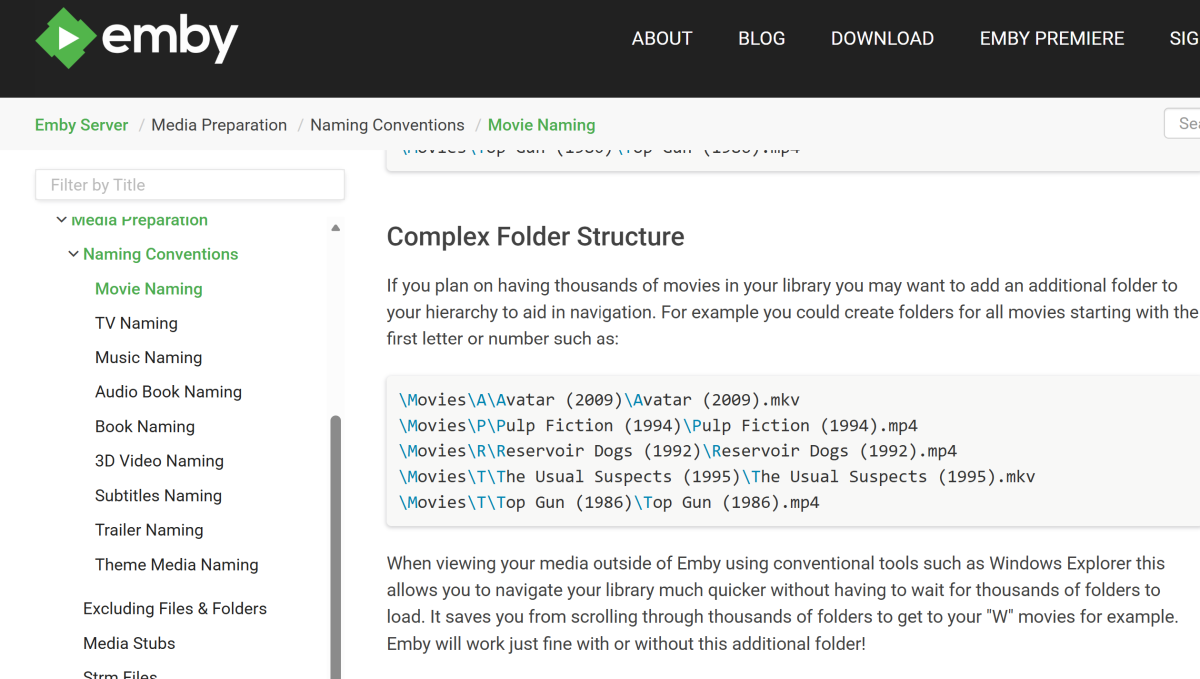
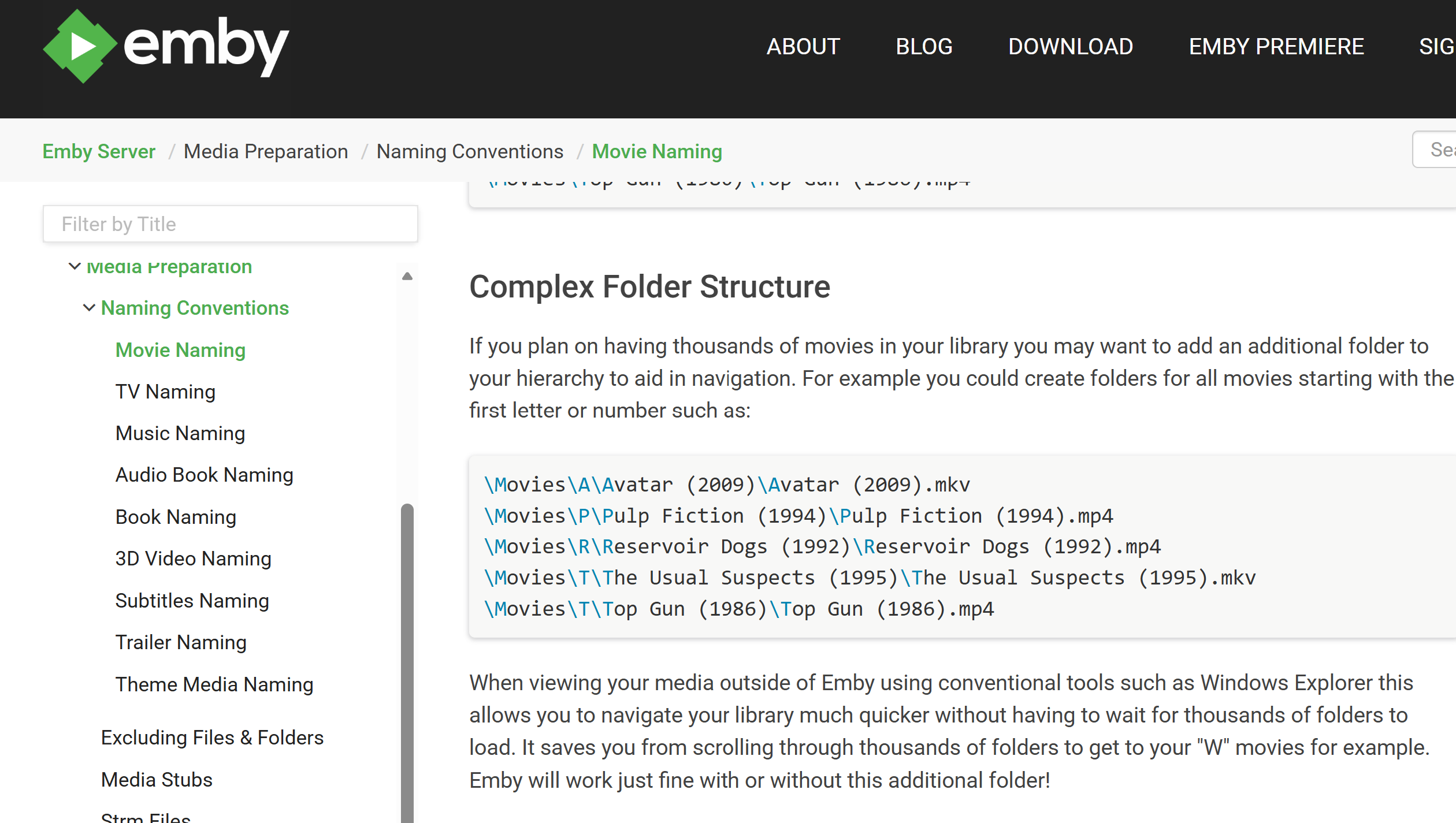
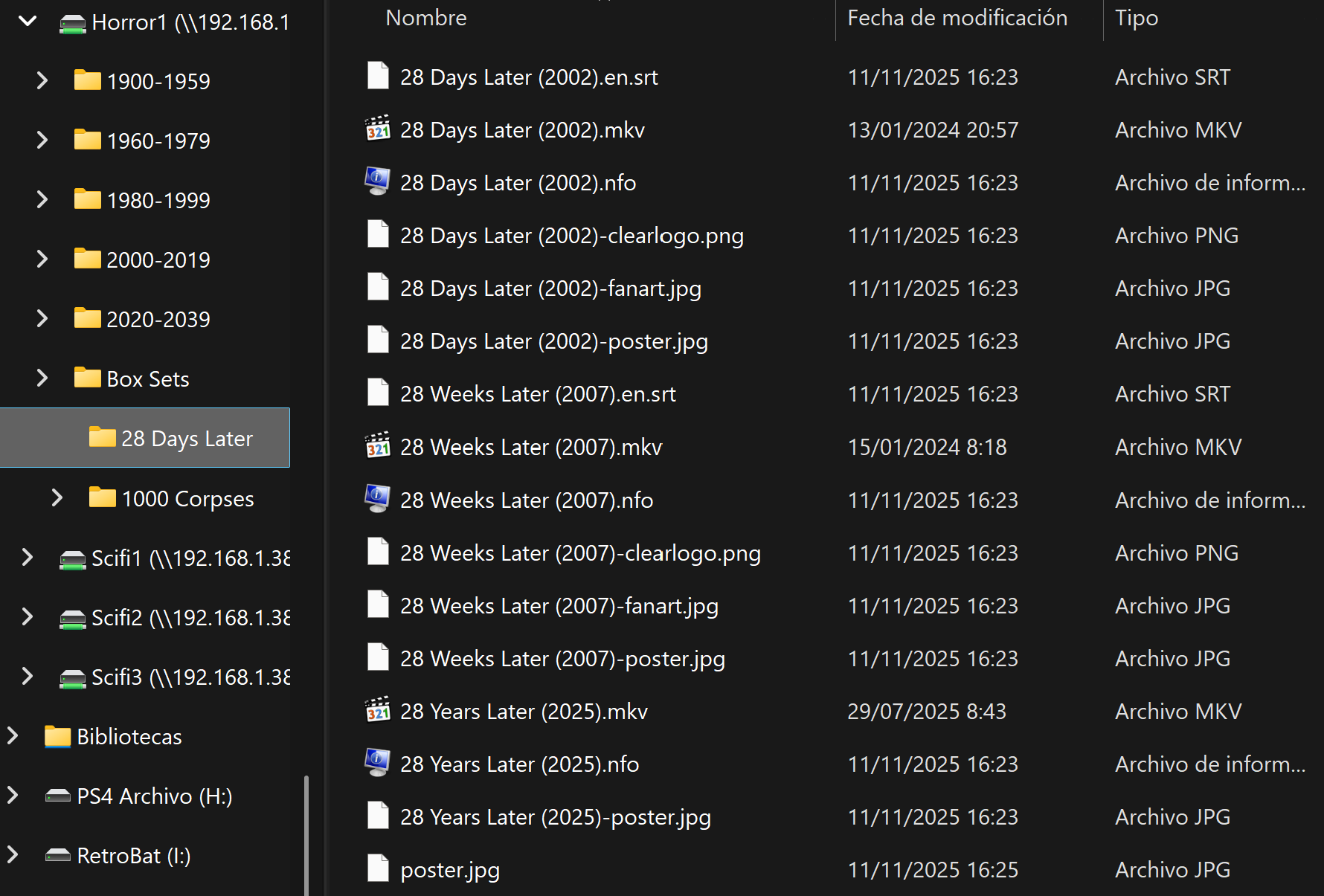
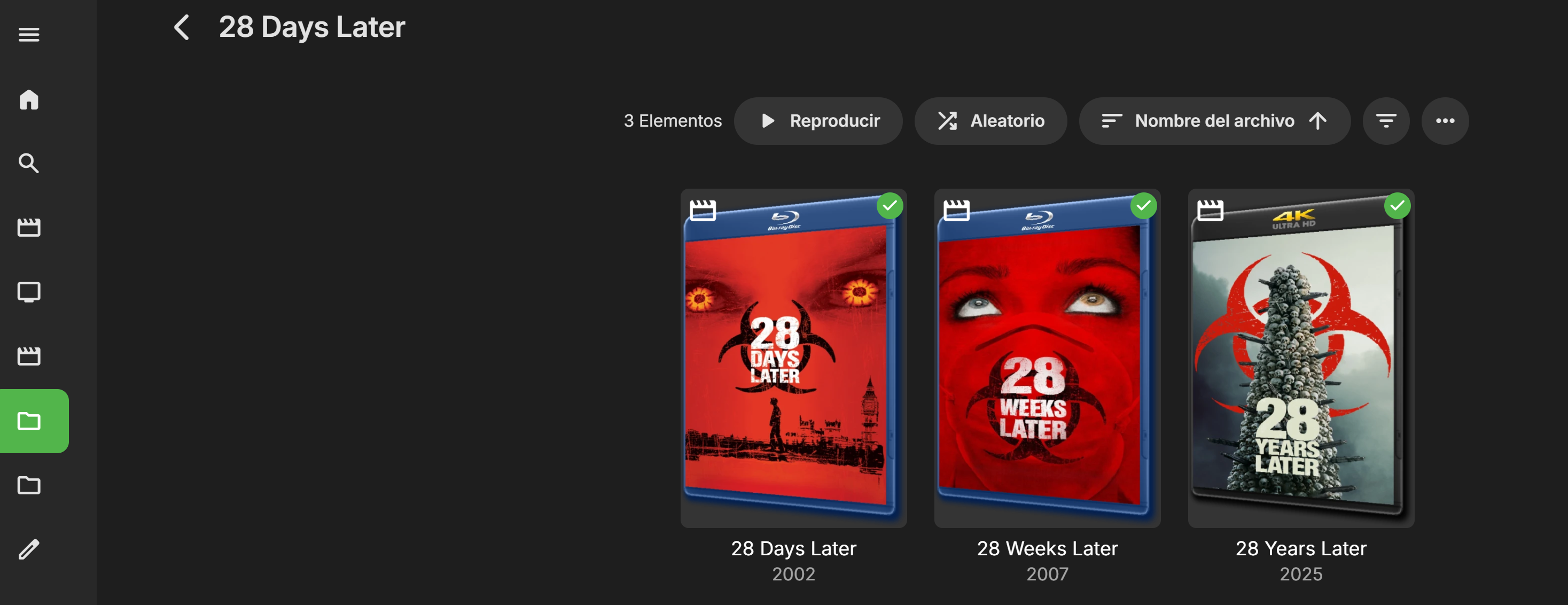
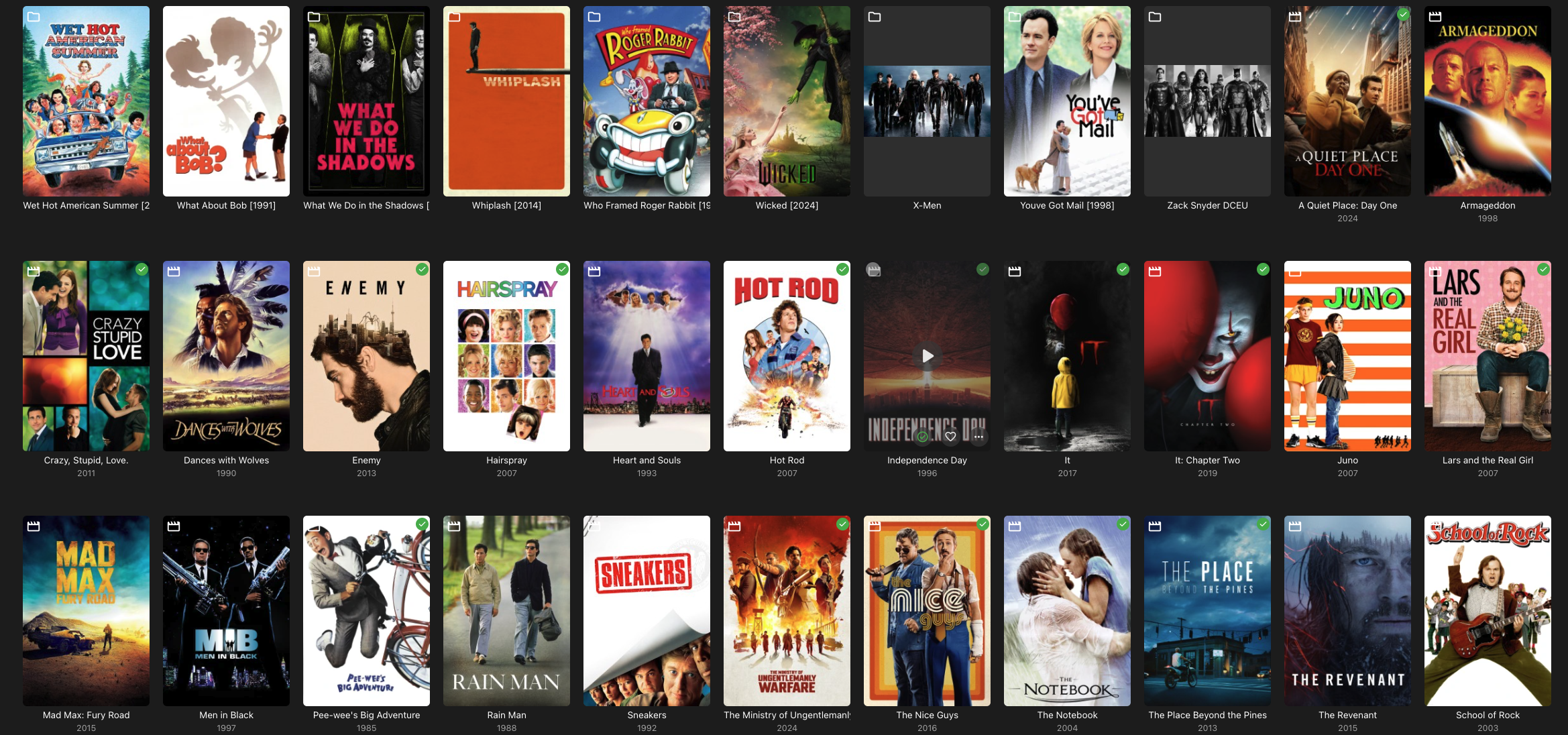
So far, the only solution I found to make things as they were is NOT to have the actual movies on it's own folder but all of them in the same folder. Like this: And you get a folder view like we used to: Even though the Emby Knowledge Base still recomends this: I've been using the recomended structure since the begining of time. Thousands of movies with this structure. THIS NO LONGER WORKS Since, as you say, it seems unlikely to go back in future releases to a usable EMBY.. Could someone, at least, post a detailed tutorial on how to go back to versión 4.8 because the other solution will take me forever
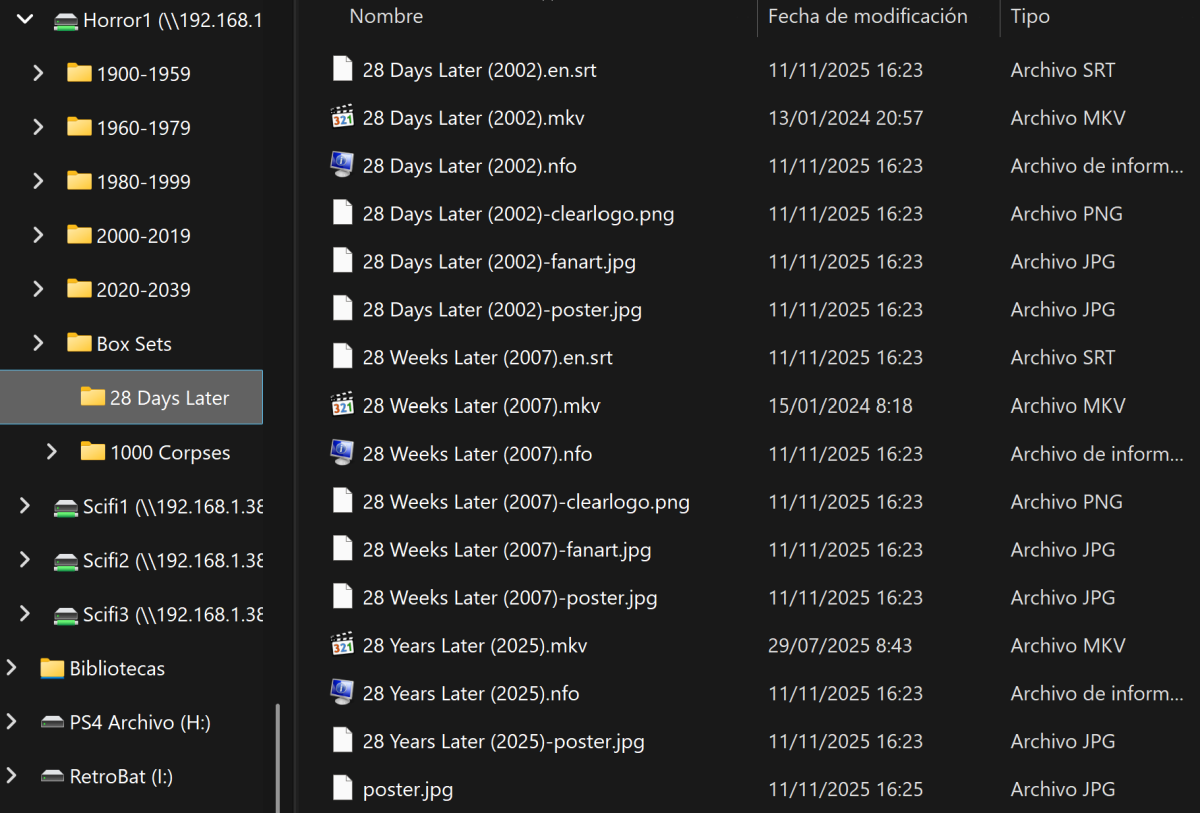
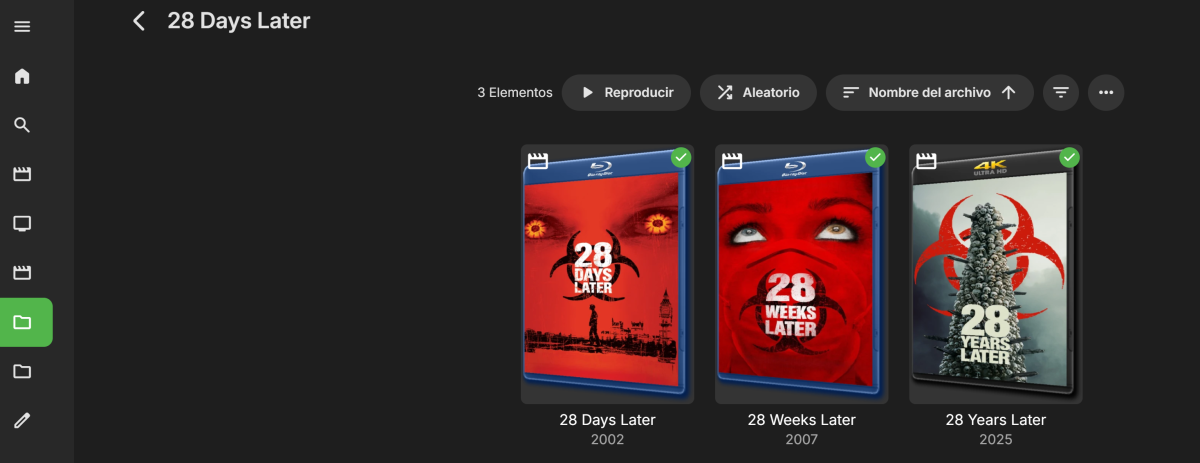 2 points
 -
FanArt is the only place that technically has Thumb images. As TMDB sort of does but are Backdrops with text ie language backdrops and are not collected by Emby or mapped to be used a Thumbs. FanArt only has one image for Communion Communion | Movie fanart | fanart.tv Can only get TMDB url from their site to use within Emby
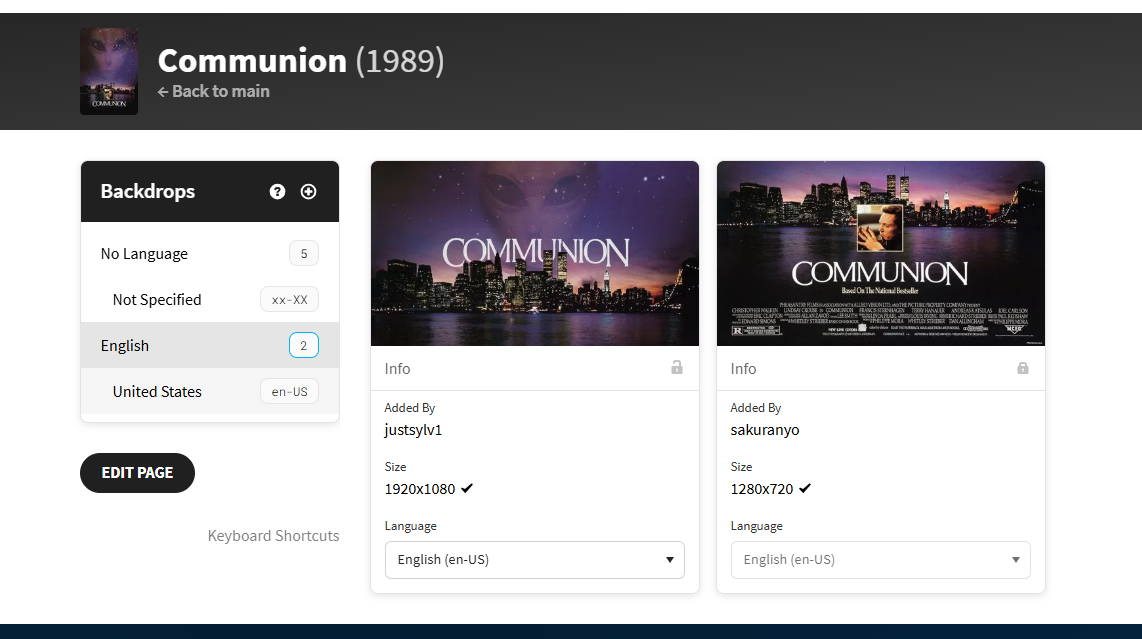 2 points
 -
HI, we are looking into it. Thanks.2 points
-
H Bob1969, Neil1972 here. From memory you were using the windows app. The passthrough feature works fine, Emby wont show the passthrough codec check boxes unless windows detects an HDMI connection to your receiver and support for HD audio formats. What version of windows are you using? Are you turning your receiver on before opening Emby? If Emby is running and I turn my receiver on I only get PCM output.2 points
-
TheTVDB now supports more alternative orders than just Aired/Absolute/DVD. Can Emby query these additional orders and add them as options? Two examples of shows I've seen this used are Re:Zero which has a "Director's Cut" display order and Money Heist which has a "Netflix" order. https://thetvdb.com/series/re-zero-starting-life-in-another-world https://thetvdb.com/series/la-casa-de-papel1 point
-
@LukeThe new way that you've developed for playing library items from VirtualTV as a live tv source is really great, but it's missing some features: The playback should auto advance to the next program in every available Emby app. There should be a way to start the current program from its live position instead of from the beginning. Ideally, the decision whether the program playback starts from the live position or from the beginning should not be a "static" channel setting in the plugin. Instead also the program itself should behave like a normal library item. That means that the program info dialog that we get from the EPG before playback and also the context menu should display a "Resume" and "Play From Beginning" button. Where "Resume" would start the program/library item from the live position and "Play From Beginning" from the start of course.1 point
-
For some reason, initiating playback via CarPlay always fails, while initiating it via IOS App, while connected to CarPlay always works. Maybe someone from Emby team can take a look, it is a bit frustrating, since technically (from end user perspective) Emby CarPlay "does not work". From logs, bunch of errors happen, around the time I attempted it, (search for string "Halo" which is track name) or Timestamp starting from 15:48 Client is latest from AppStore, connection is over Wireguard to the server (Emby unfortunately does not support CarPlay on downloaded files, yet) embyserver.txt
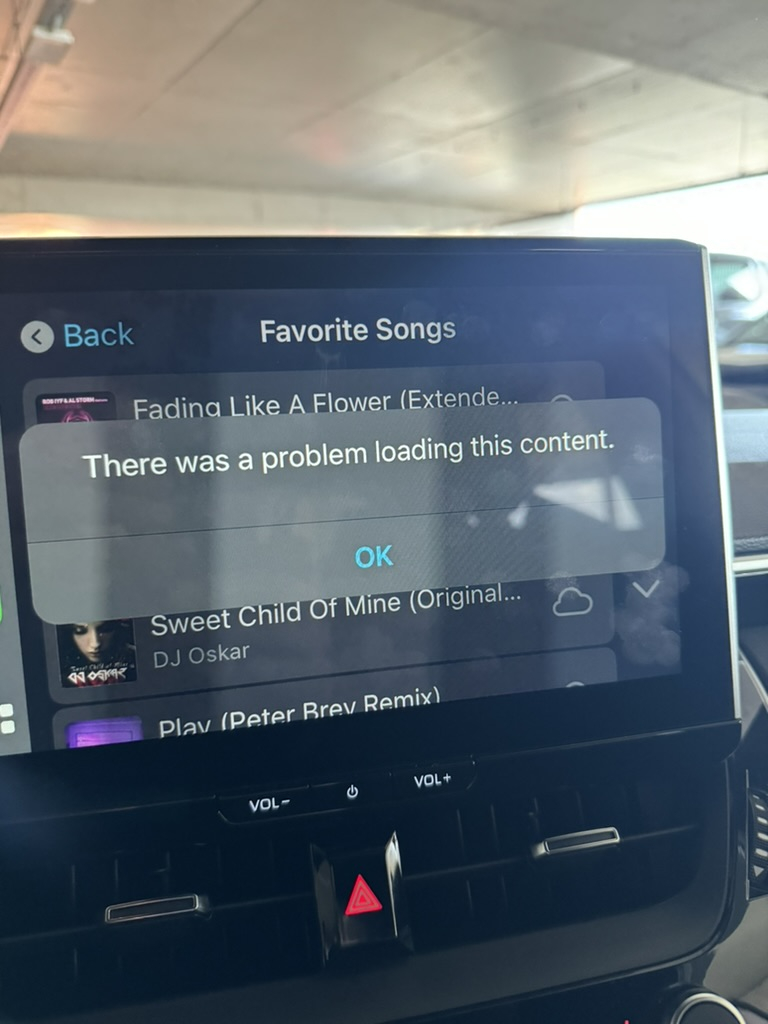 1 point
 -
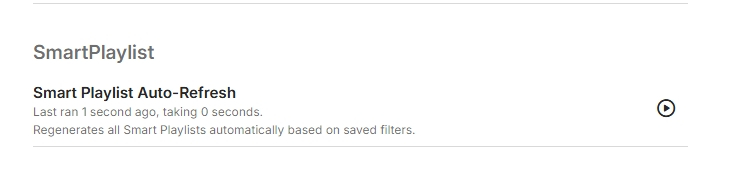
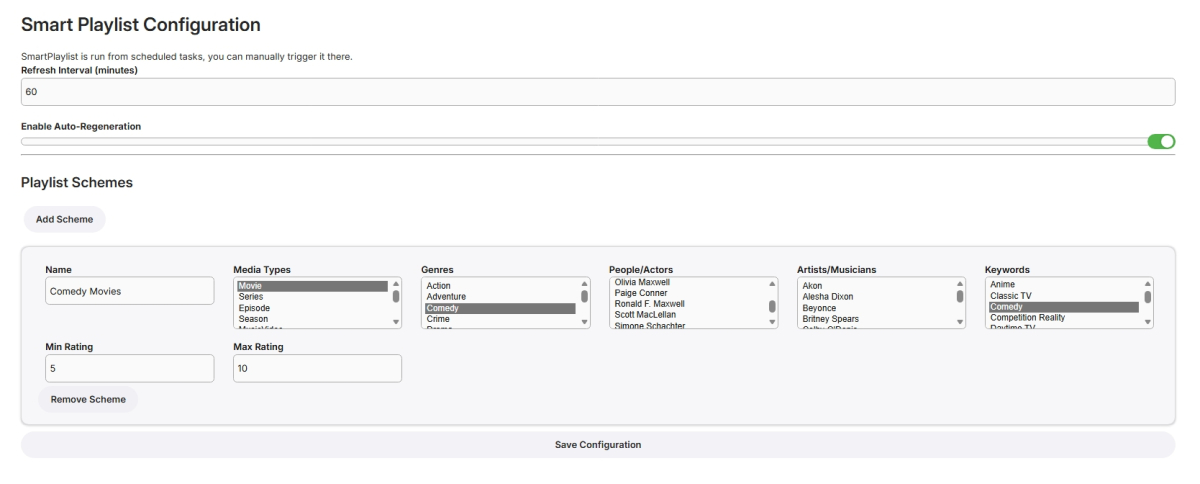
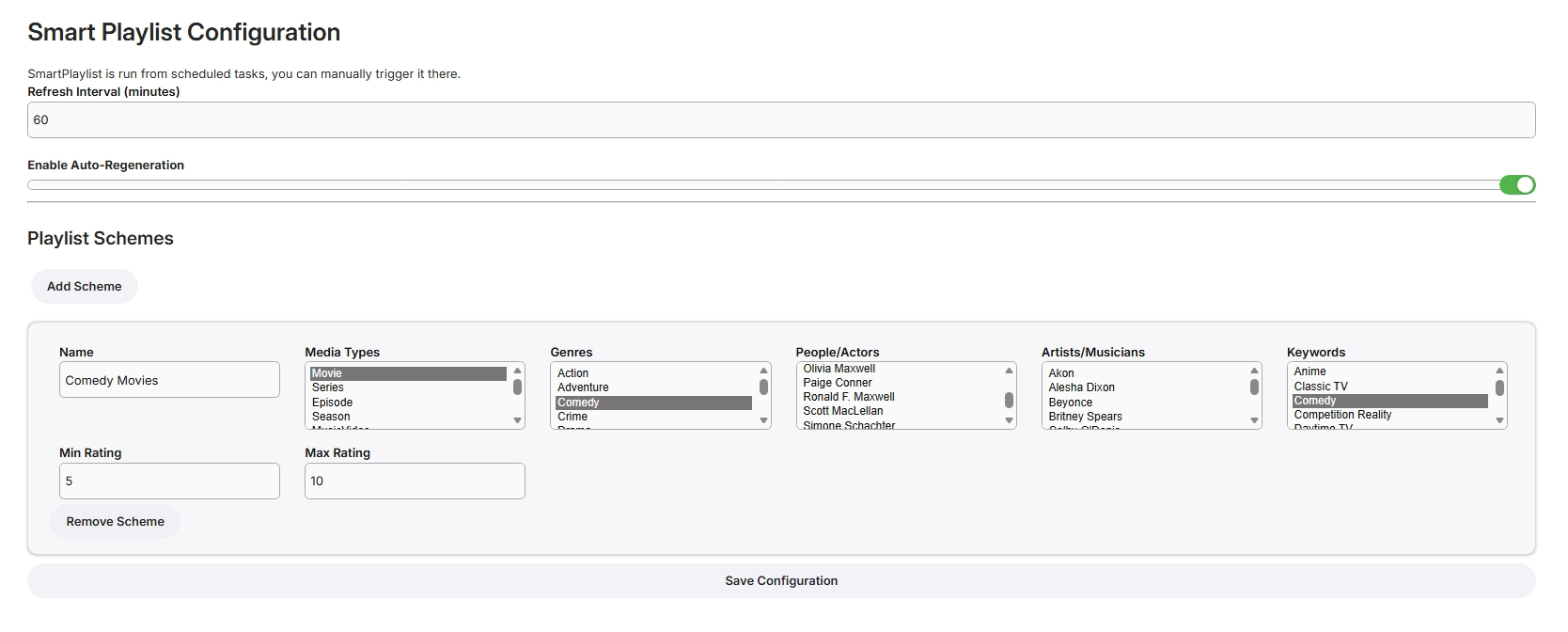
I have never used smart playlists so wasn't exactly sure what to build but here goes... Create Lists Here, add new schemes for more lists From scheduled Tasks Playlists are generated in the playlist library, only minimally tested! SmartPlaylistPlugin.dll
 1 point
 -
I would like to allow users to reset their passwords via a time-limited reset link sent to their email, similar to how Ombi does this. Each user can have an email address linked, and the server has SMTP details set; users can then press 'reset password' and enter an email to have a link sent to said email (assuming they entered a valid one and its linked a user) which takes them to a password reset page where they can enter and confirm a new password. Only if any of this isn't setup correctly does it request you contact the admin instead. I've had a few users somewhat frequently forgetting their passwords, especially when they don't use emby regularly. It would be nice to have a way for them to resolve this themselves. Currently the 'reset password' link on Emby just tells you to contact the admin (presumably it's more functional with connect users? Don't know, I don't use connect) and it involves manually resetting their password for them to something fairly complex, sending that password to them via text/email (neither of which I'm comfortable with, I just just don't have better options most of the time), then hoping/pestering them to change it to something only they know. It's far more of a hassle than it needs to be and rather insecure.1 point
-
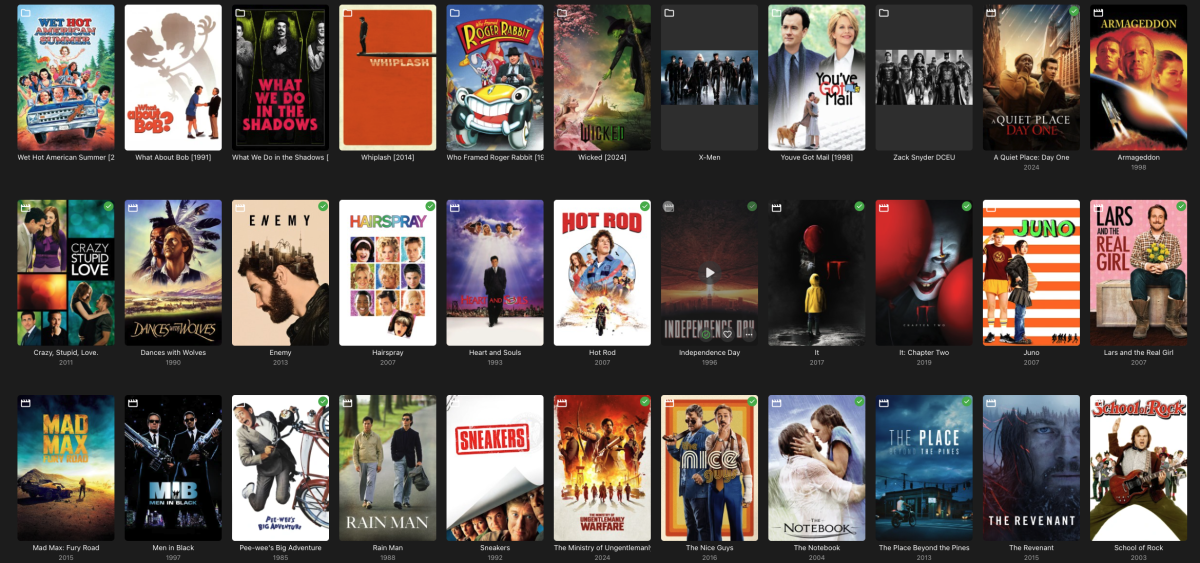
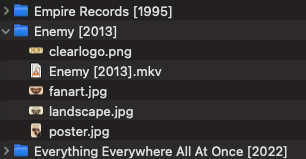
I stated before that there is some bug. I understand I mistook the folder icon for the media icon, but I still have a random set of movies (which are each in a folder) that still get identified as a single item. You can see that after all my "folders" end I start to have a set of movies that a treated like 4.8. And these files are definitely in folders (two examples below). There is nothing that I can tell is different from these folders than from the other ones. Yet these are not showing up consistently with the others.
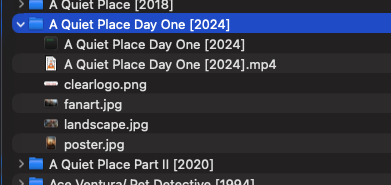
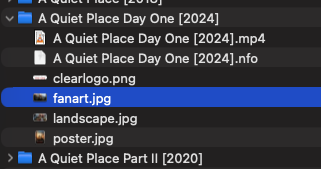 1 point
 -
Fixed in 4.9.1.901 point
-
Besides clearing browsing data, I'm about out of ideas. Maybe the Dev will have some. @Luke1 point
-
I'll take a look at it in case something has changed recently to cause this1 point
-
So have you tried this?1 point
-
@LukeGot it :^) @rechigoAny further issues no matter how minor keep 'em coming. Thanks. Reference: Fix #1744: [UiUtils] IMDB/Community Rating round to tenths instead of thousandths Edit: updated from hundredths to tenths1 point
-
Super fast searches with the 4.9.1.90 docker server. Great job team1 point
-
Hi Luke, Thanks for the quick reply. I'll take a look at this and play around with my files to see if this covers the bases for what I'm looking to stream.1 point
-
That would be a feature request for @Luketo map TMDB Language backdrops to Emby Thumbs as they were removed from backdrops as they have text on them.1 point
-
Problem solved. I just bought more RAM.1 point
-
yes thanks... sorry I forgot to mark solved1 point
-
While I can see the potential value of this in certain situations, in the context of all media and all Emby users, those situations would be extremely rare - which makes designing a display for this very tricky. We can't reserve valuable screen real estate for something that is almost never there...1 point
-
Looks like this was addressed in version 4.9.1.90 ya'll. "Fix lists scrolling back up to top after editing metadata"1 point
-
Strange. I tried reproducing this issue from a completely remote device but the dashboard seems to be working fine there. I am however receiving a javascript Mixed Content error due to app.emby.media wanting to connect via the local network IP which obviously isn't possible: Regardless, being completely remote seems to work fine. I'll check my local device again tonight to see if the issue still occurs. Perhaps it only happens when local devices connect via WAN. Reference The following websocket seems to control session data: wss://example.domain/embywebsocket?api_key=API_KEY Check again later locally if this socket can be established and what data is sent.
 1 point
 -
Yes its working fine any any formats i play are displayed correctly on my AVR1 point
-
Thanks for your advice and also for all the massive work you put in to Emby. I'm really impressed. I think it would be a very good idea to add support for the DuneHD player since it supports playing ISO-files, Dolby Atmos, Vision and external subtitles. I have tested the the MX player and I think it's a good player with a very nice user interface. However, it doesn't support Atmos and Vision. I have not tested the Pro version since you have to pay for it and I'm not sure it supports Vision and Atmos. Do you know? Is there some way for me to test the implementation for the MX Player with the DuneHD? How do I do that?1 point
-
Yes that is correct.1 point
-
Hey @luke, long time no talk. I should probably mention im running arch not unraid, but I didnt want to open a whole topic if the exact same thing is happening. Upon updating, the server still starts correctly, no errors in systemctl or anything. Remote connections indicate "webpage is not online or has permanently moved" something along those lines. Ive verified all ports are enabled, nothing has changed in the network configuration or any other configuration. Only difference is the emby server version. Local connections on :8096 work fine. I didnt bother checking :8920 as I would get an ssl error. I did end up downgrading to 4.8.10 and rebuilding the library to resolve my issue. The version above 4.8.10 had issues displaying any content of the webpage so I jumped two version.1 point
-
Here's the photos in my library. Video clearly states 4k but the badge is popping in as 2k. There's lots of other examples I could use.
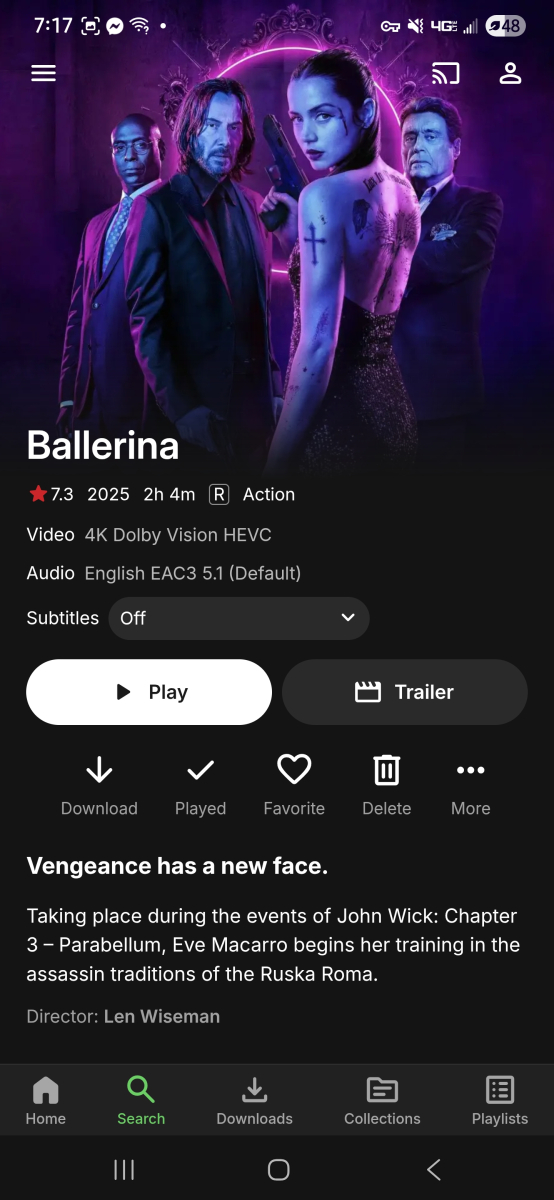
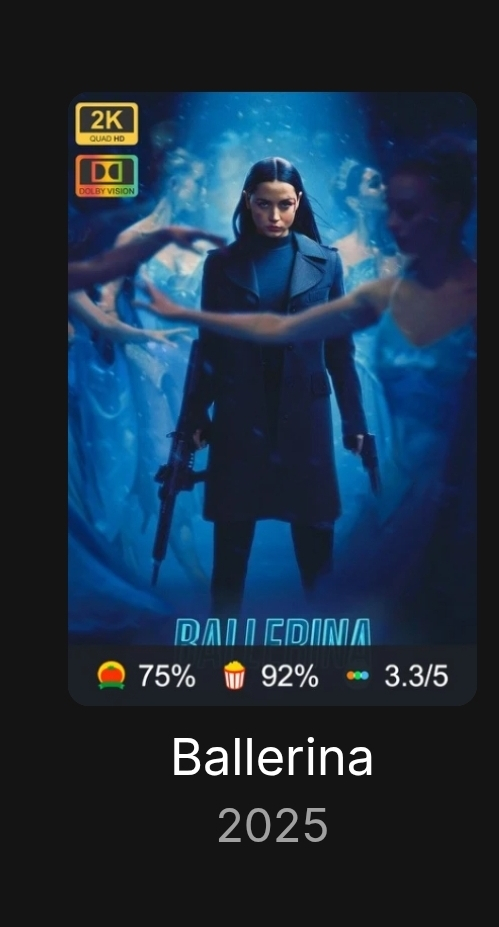 1 point
 -
If I was to do that I am posting nearly every second one. But sure as it occurs today I will start posting1 point
-
i'm running my server on windows 11. Today was the first day I noticed the sluggishness of the search so that makes since.1 point
-
Got mine in CASA OS.1 point
-
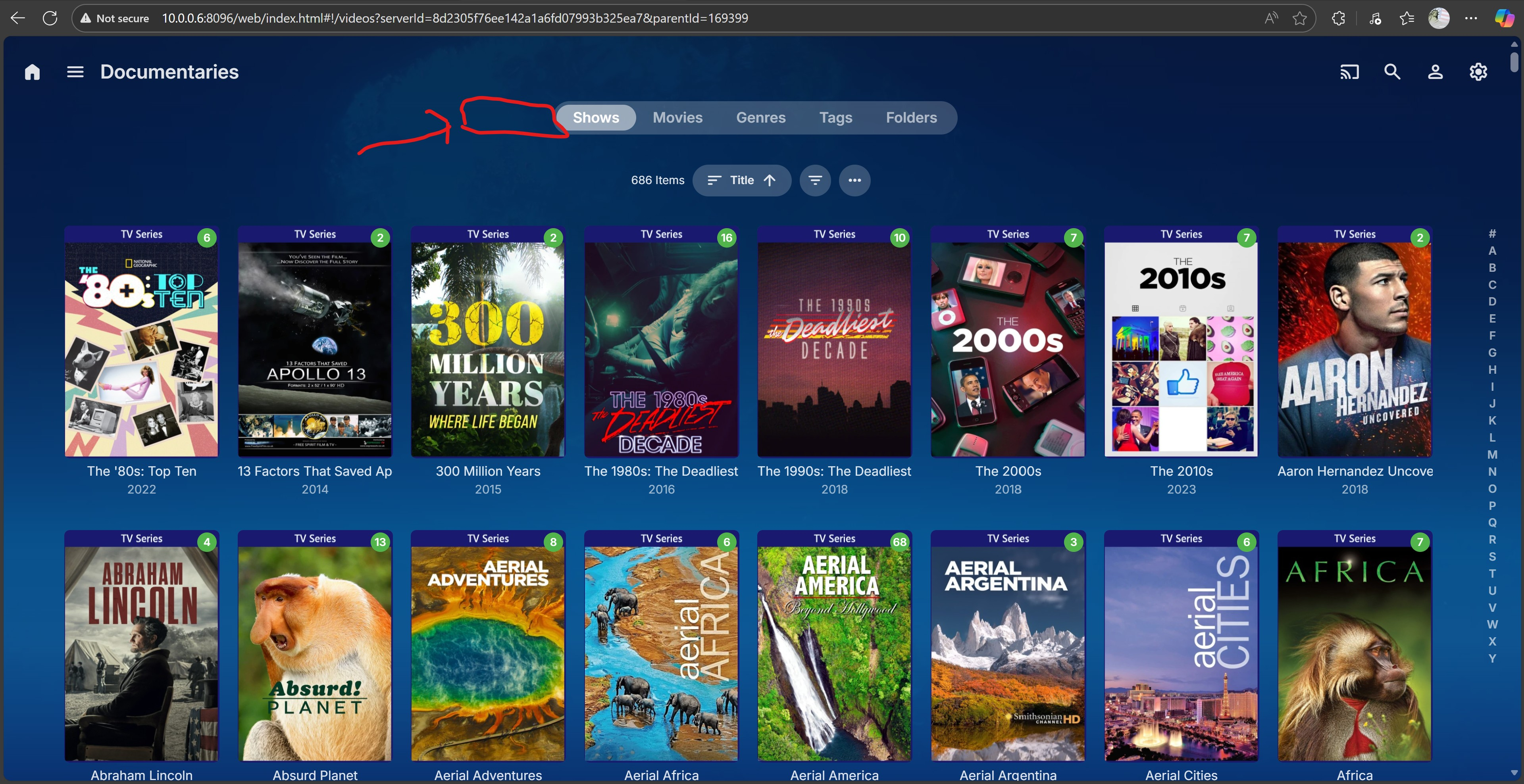
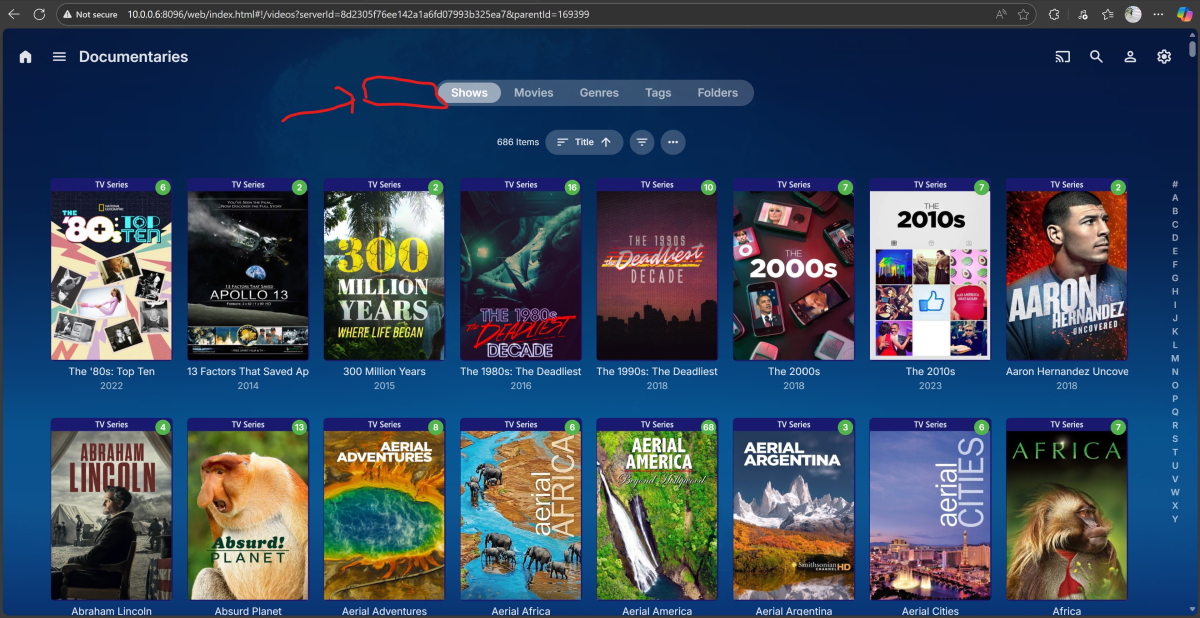
Since its a mixed directory I was thinking you could put a tab that says all. That way it would show both tv shows and movies together. If you look at the previous pics of the library you can see them individually by toggling between shows and movies.
 1 point
 -
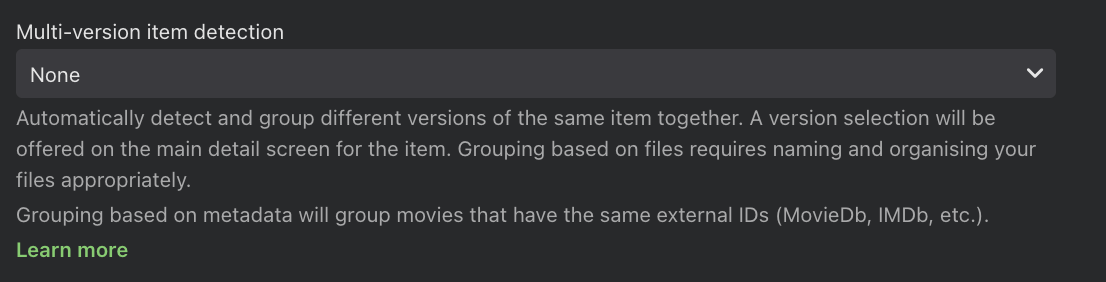
Hi Emby team. I don't know what you've done with versio 4.9 but it's a bad surprise after another. I've had specifically all movies that have more than 1 version (normal/open matte, etc) splitted into different movies because is how I WANT IT. With different pictures for each one and different naming. Why the hell v4.9 decided to put it all together with multi-version selection into 1 title ? Why this is enabled by default if I had a different configuration before ? I have dozens of movies with this and it's not specially easy to split them again, that means I have to remove identification, split them appart and then re-identify all of them and modify it again. (At least plex have a contextual menu for separate it). Really version 4.9 seems a poor beta product.
 1 point
 -
I have an extensive music library and set up playlists with hundreds of songs across many albums to play at work & elsewhere. I, too, find that I have to adjust the volume for many songs. At work, when I am sitting near my iPad, I can tap the volume button up or down easily enough (though annoying). I love the flexibility that EMBY provides to play my selections from my nearly 1.5 TB of recorded music, but the volume fluctuations are a real pain. I (and other users) would like to see a solution to this problem worked on in a timely fashion, PLEASE!!!1 point
-
Hi, Thanks for the suggestions . I have started to impliment some of them before the posts above.from the initial feedbacks, and I will add as many as I can. Just be aware though that I really don't have much time at all, so it will happen when I can allocate time to it. Thanks.1 point
-
Did you try playing something that needs passing through?1 point
-
It doesn't have to be this detailed, but I would like to have a button called "extras." Once you click on the button, the extras are presented in a "line-by-line" fashion as shown in the 3rd screenshot above. It would be great if the extras button could be available on both a season and episode level.1 point
-
And we appreciate your support GrimReaper, but understand that many of us have been trying to solve this issue for a long time through own tests, but ultimately only the developers can provide a solution, because when I installed beta 4.9, knowing that folders would behave this way, I downgraded to stable version 4.8, "praying" that the new stable version wouldn't work like this, but I haven't had any luck. I think most of us want an option in the new version on the server to make it work like 4.8 with folders.1 point
-
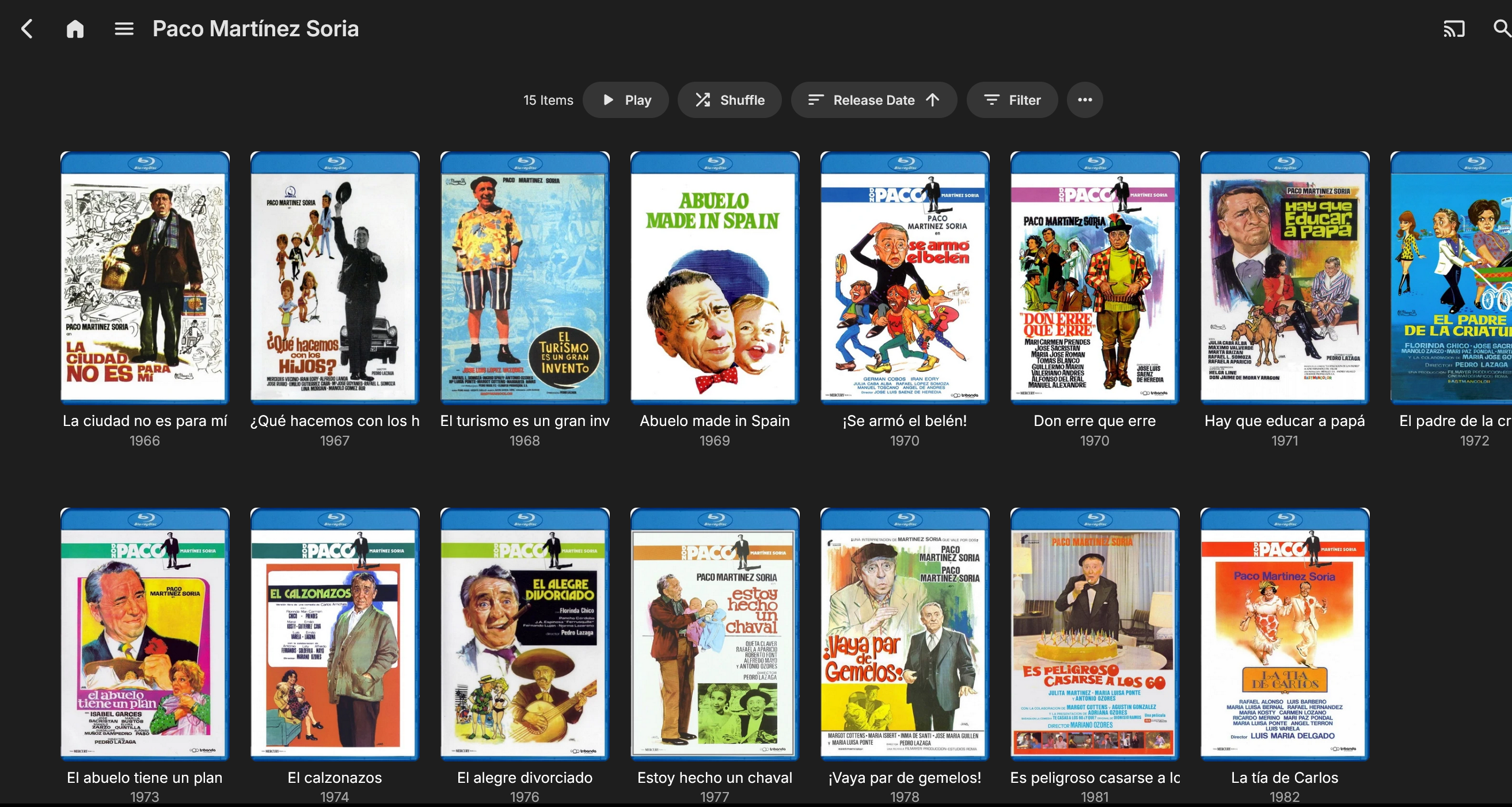
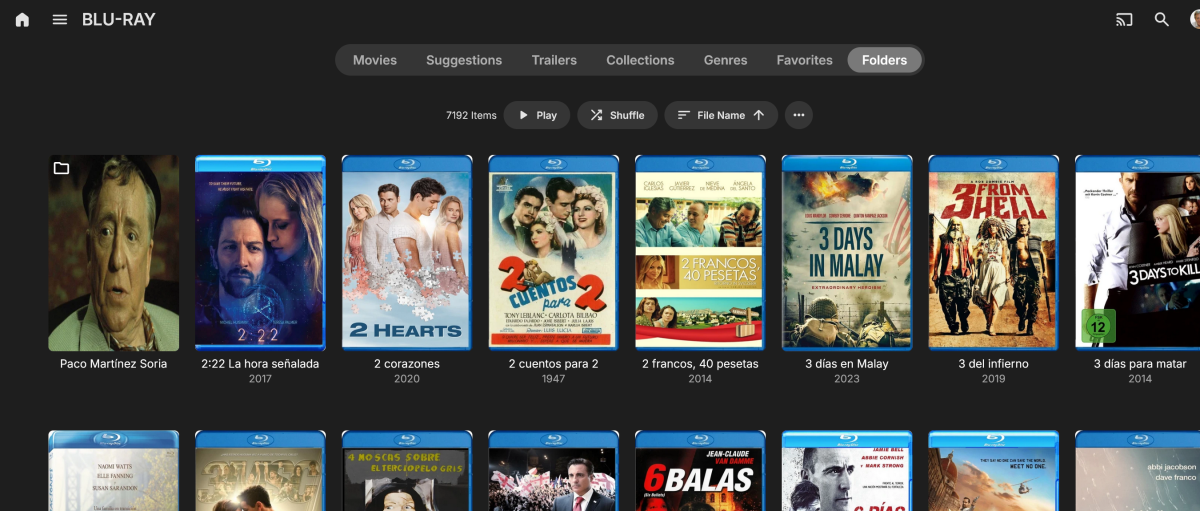
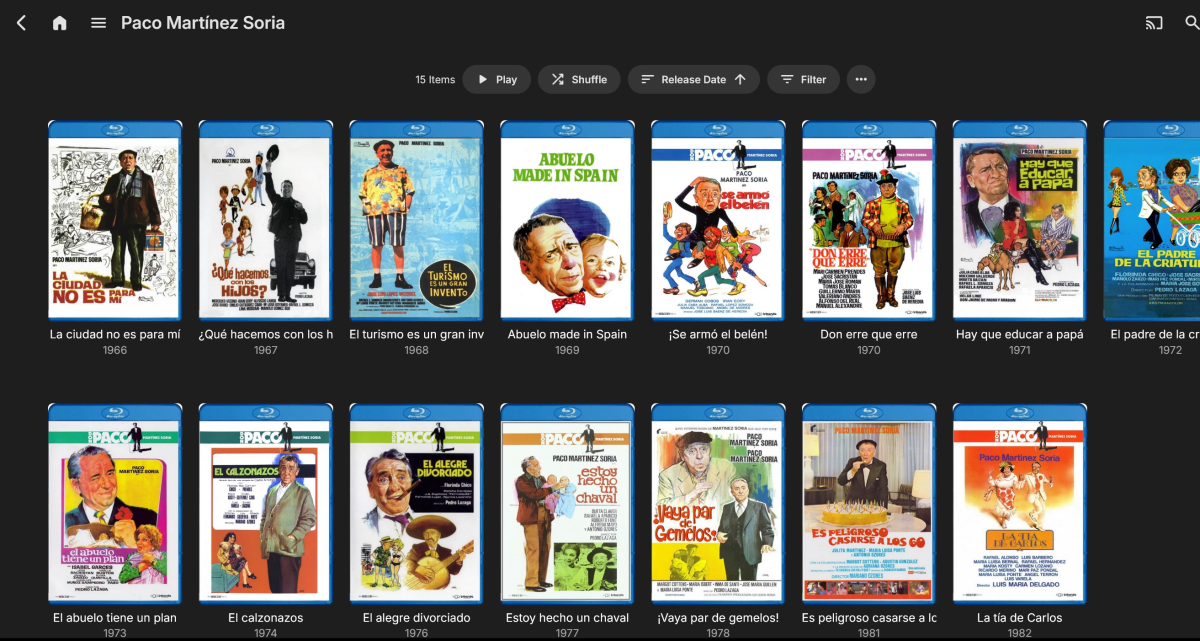
This might help explain the folder issue with version 4.9.1.80. With version 4.8.11.0, you could create a directory containing all the films of a particular actor, director, or genre, and within that directory, you could find the films related to that actor, as in the example I'm giving. In this case, the actor is Paco Martínez Soria, (first image) whose film automatically appears sorted at the top as a folder, while the other films as single movies. When I click on the Paco Martínez Soria folder, (second image) it displays all his movies, and I can choose which one I want to watch. With server version 4.9.1.80, this behavior is different and not possible. I've included a couple of images to help illustrate my point.
 1 point
 -
Yes, thank you. I knew about this function and had enabled it. It still is different from before the move to 4.9.1.80 because even though the extra layer is removed, the movie still gets treated like a folder in the "Folder" view and so the actual folders are now inline sorted with the rest of the movies instead of all presented first like before. I guess I prefer the old way and didn't know if that functionality was going to be restored as well.1 point
-
A filter for Years would be a nice addition if you are looking for suggestions. One way to do it could be the same as how you have already set up Min Rating and Max Rating to select a range.1 point
-
Is it possible to make a Startpage category that shows random movies and series to make the Startpage more useful?1 point
-
For Continue Watching, i strongly disliked episode thumbs, when that was the norm a few years back. Show thumbs are much more distinctive (main reason/my reason) than episode thumbs and avoid spoilers. still cant argue against an option...but I would hate to loose the current design...1 point
-
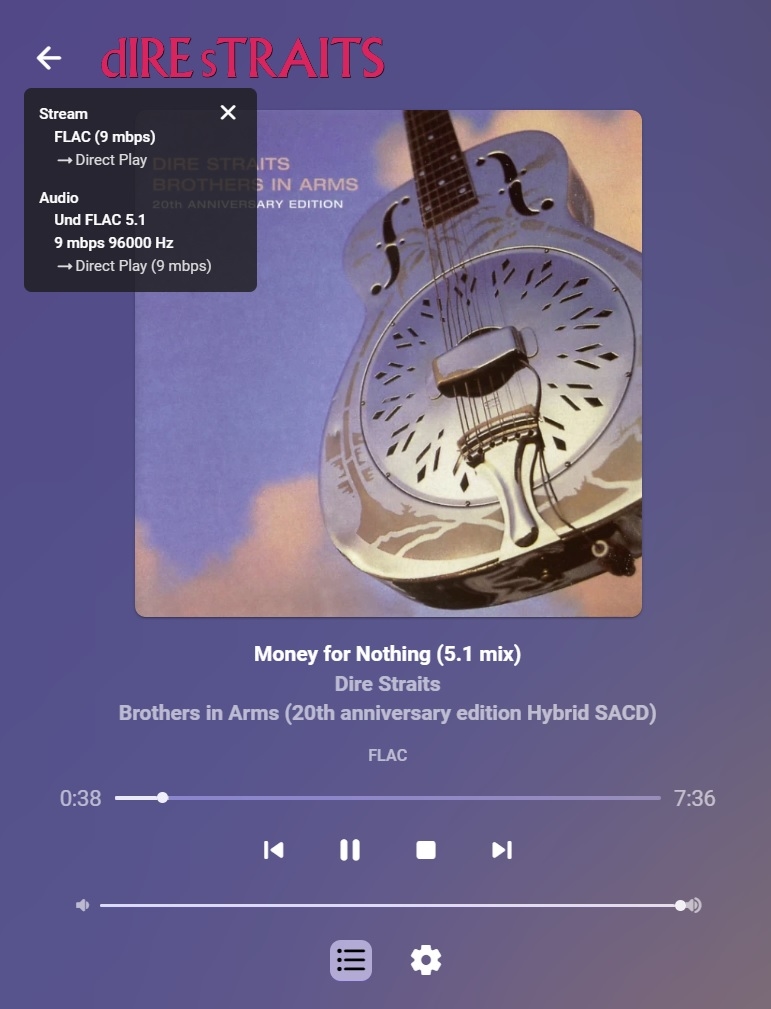
I'm sure this has been asked before, but my ninja search skills aren't working right now. I would add bit depth 16/24 next to Hz in SFN for those with HD audio and replace the mbps which is there 3 times for some reason.
 1 point
 -
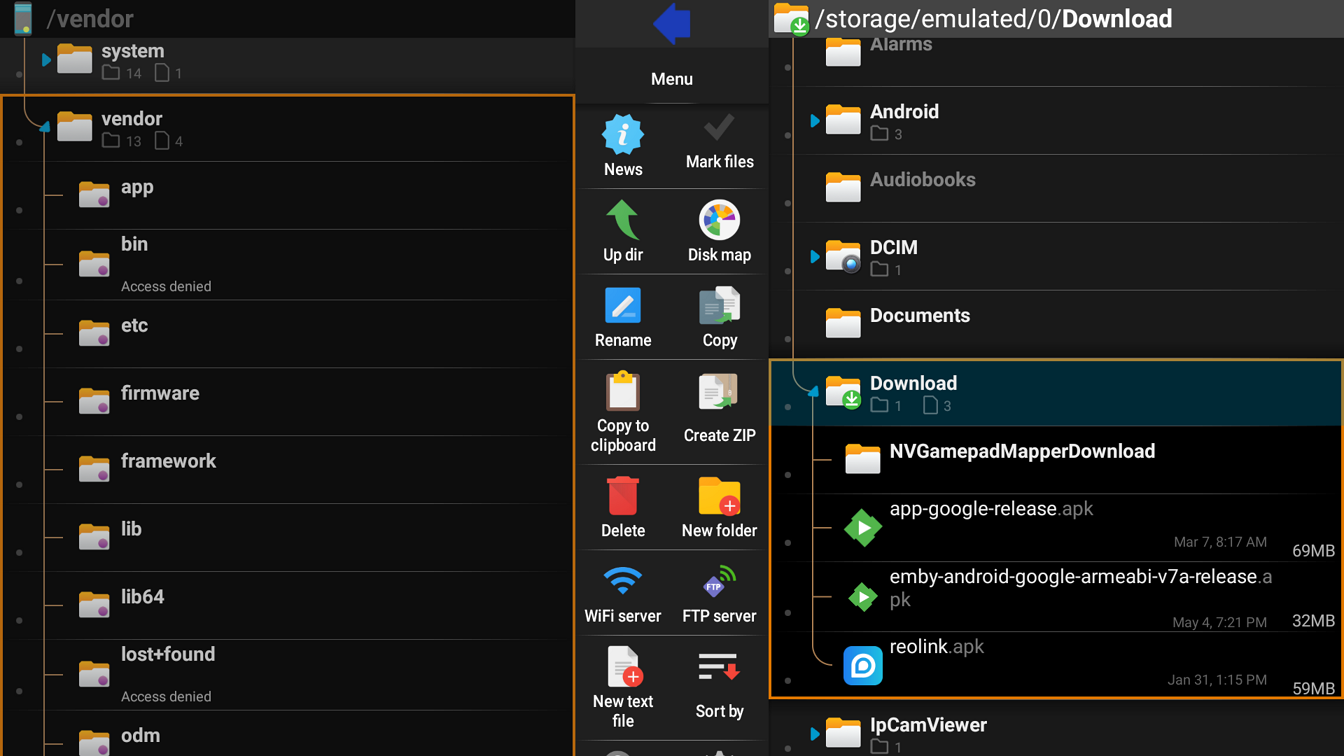
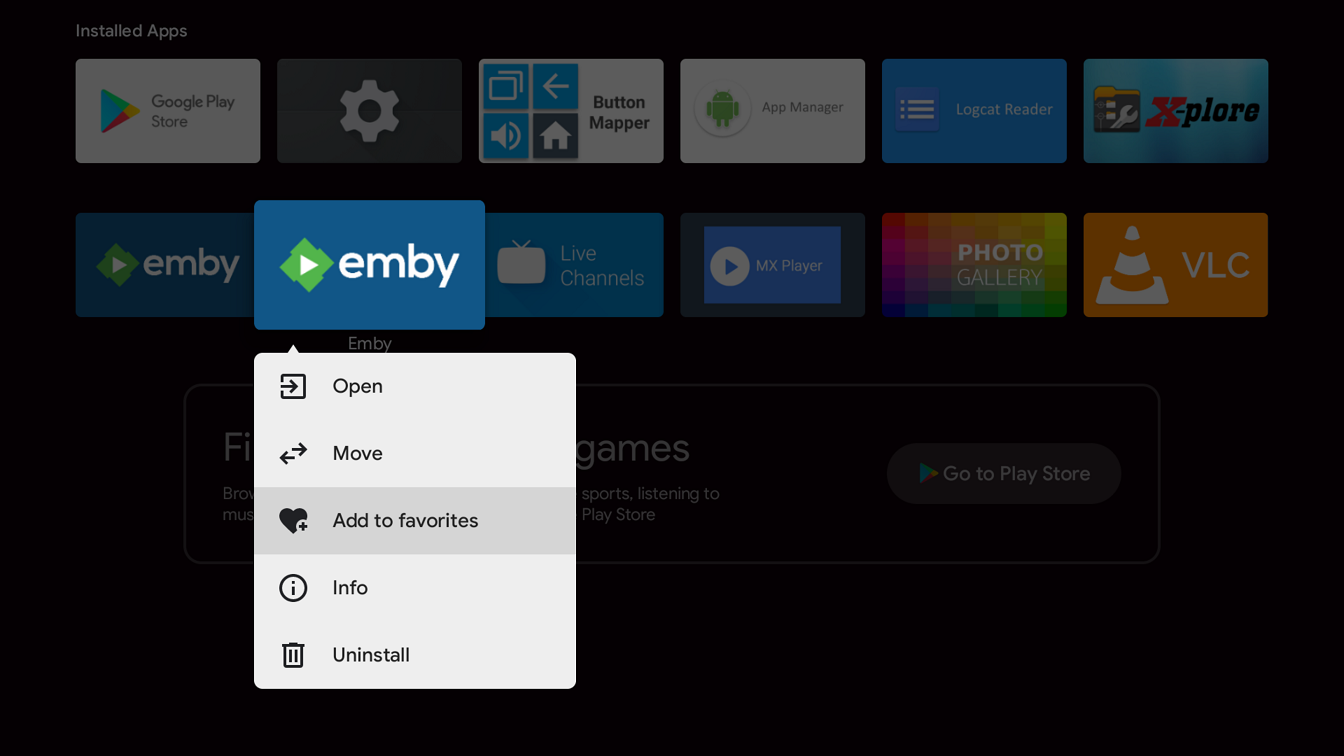
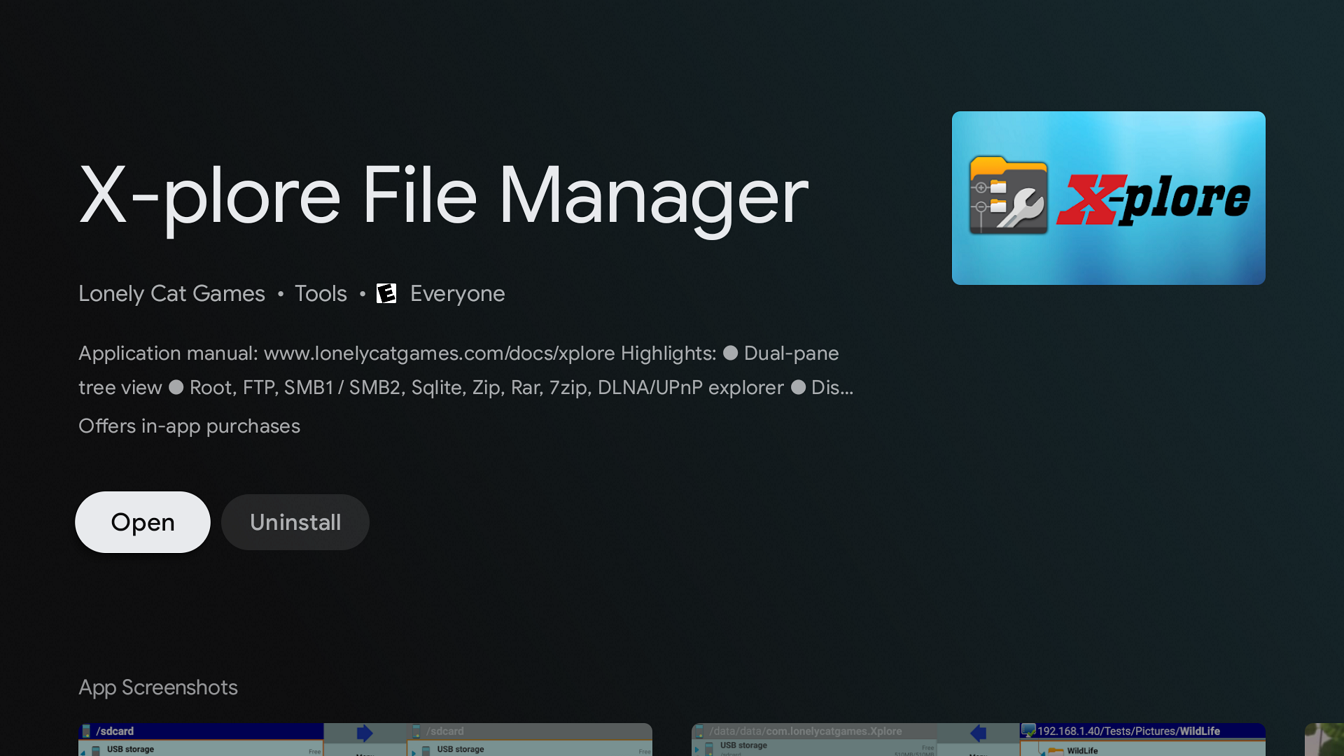
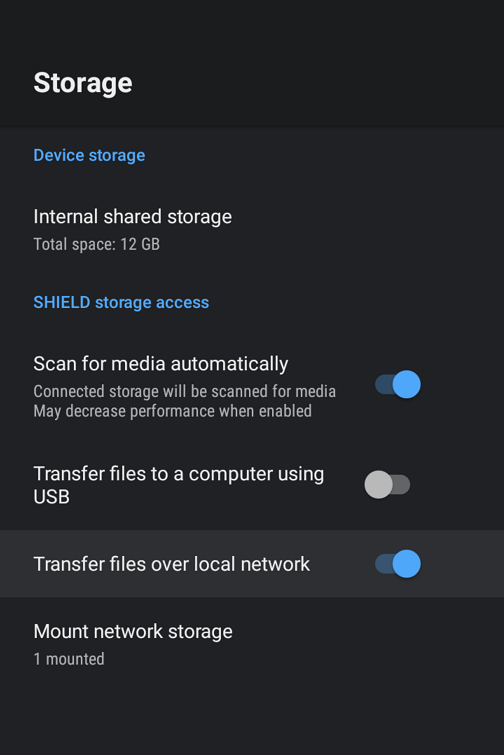
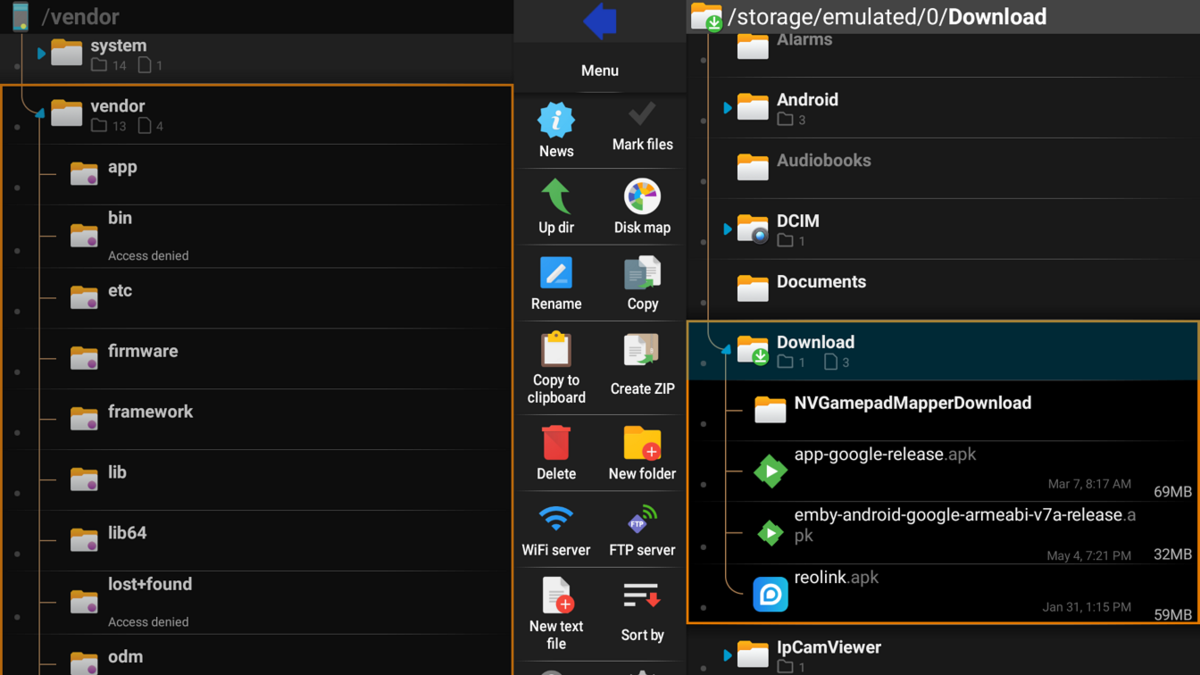
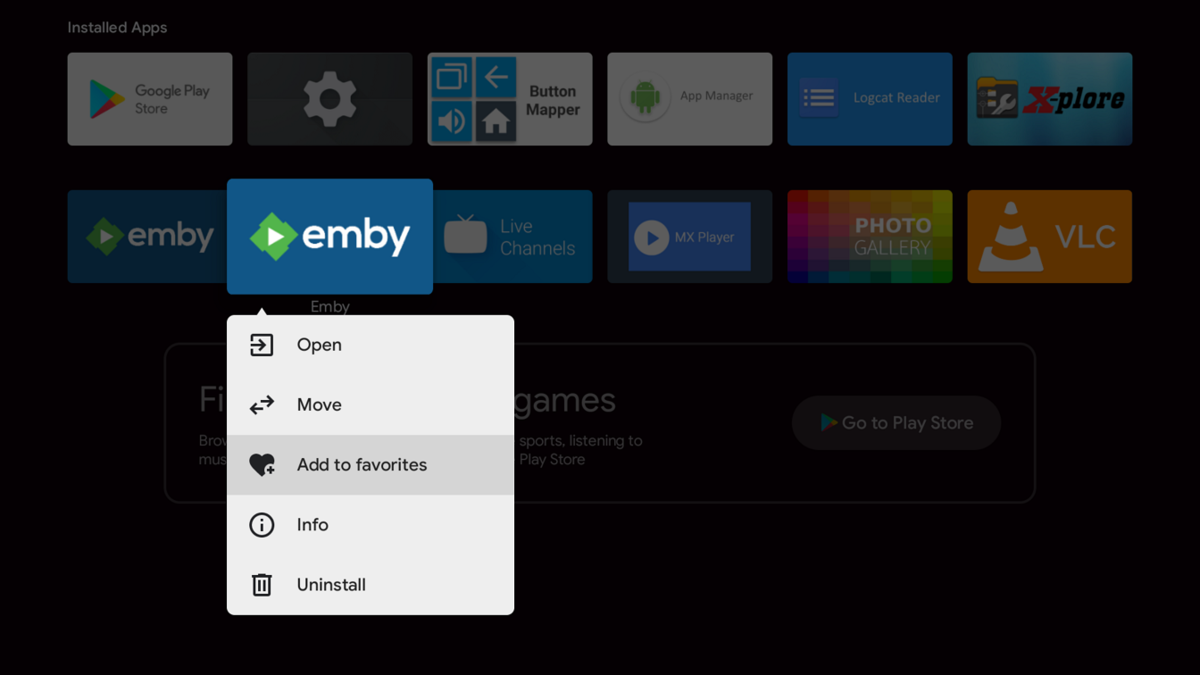
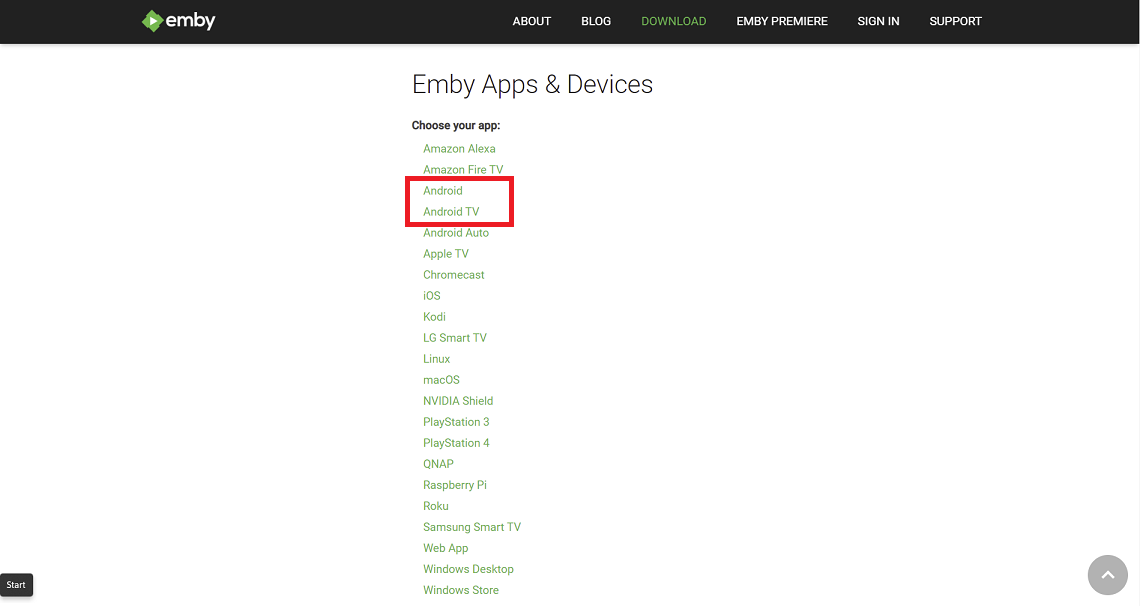
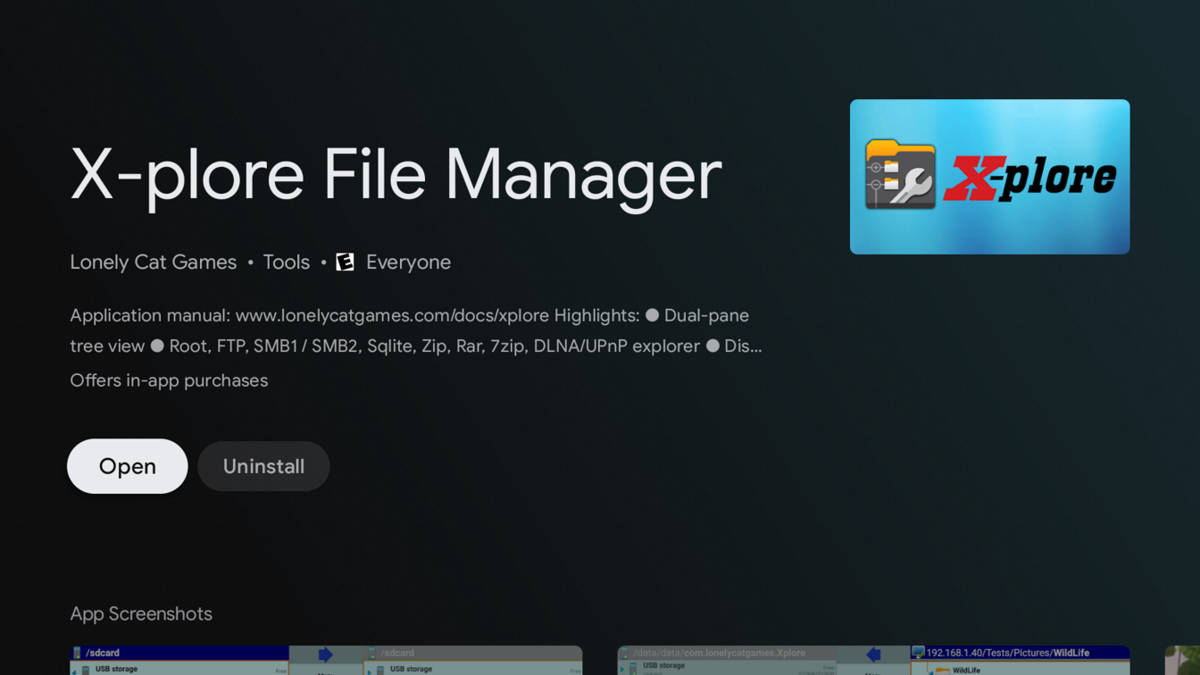
There are several methods to sideload an app on an Android TV device such as the nVidia Shield including by usb, smart phone, etc. The method described below uses smb3 from a Windows 11 client. Different Android devices and connecting clients may differ in steps The nVidia Shield uses smb3 as of SE8. If your Shield isn't upgraded to at least SE8 you should do so now. 1. Enable smb3 connections on nVidia Shield Go to Settings --- Device --- Storage Click and enable "Transfer files over local network" Note the Username and Password 2. Enable SMB3 on Windows client Windows 11 comes with smb3 already enabled. Older versions of Windows and other clients may require you to enable smb. 3. Download apk from website Both the standard Android (arm7 Shield, arm8 Shield pro) and Android TV apps work on the Shield. You can choose one or install both if you like. https://emby.media/download.html 4. Copy downloaded apk from Windows client to Shield (if you prefer to host the apk on a NAS see the second post) Start File Explorer Browse Shield by typing \\Shield (or IP address) in File Explorer (use the Username and Password from Step 1) Drag-and-drop downloaded apk from Window 11 to your folder on the Shield 5. Install X-plore File Manager on Shield start Google Play Store app search X-plore Install 6. Install Emby on Shield Start X-plore navigate to the folder where you copied the apk in Step 4 Click on the apk file Select Install and click OK 7. Add Emby to favorites on Shield Home Page (optional) navigate to Installed Apps hard press the Emby icon Select "Add to favorites"

 1 point



















.thumb.jpg.d1639af2d080f59454a5d8102bcb977e.jpg)