Leaderboard




Popular Content
Showing content with the highest reputation on 11/07/25 in all areas
-
@LessajI had done that before, but apparently not in conjunction with everything else i'd done. Now it worked. Thanks... Now on to the next issue on my list John2 points
-
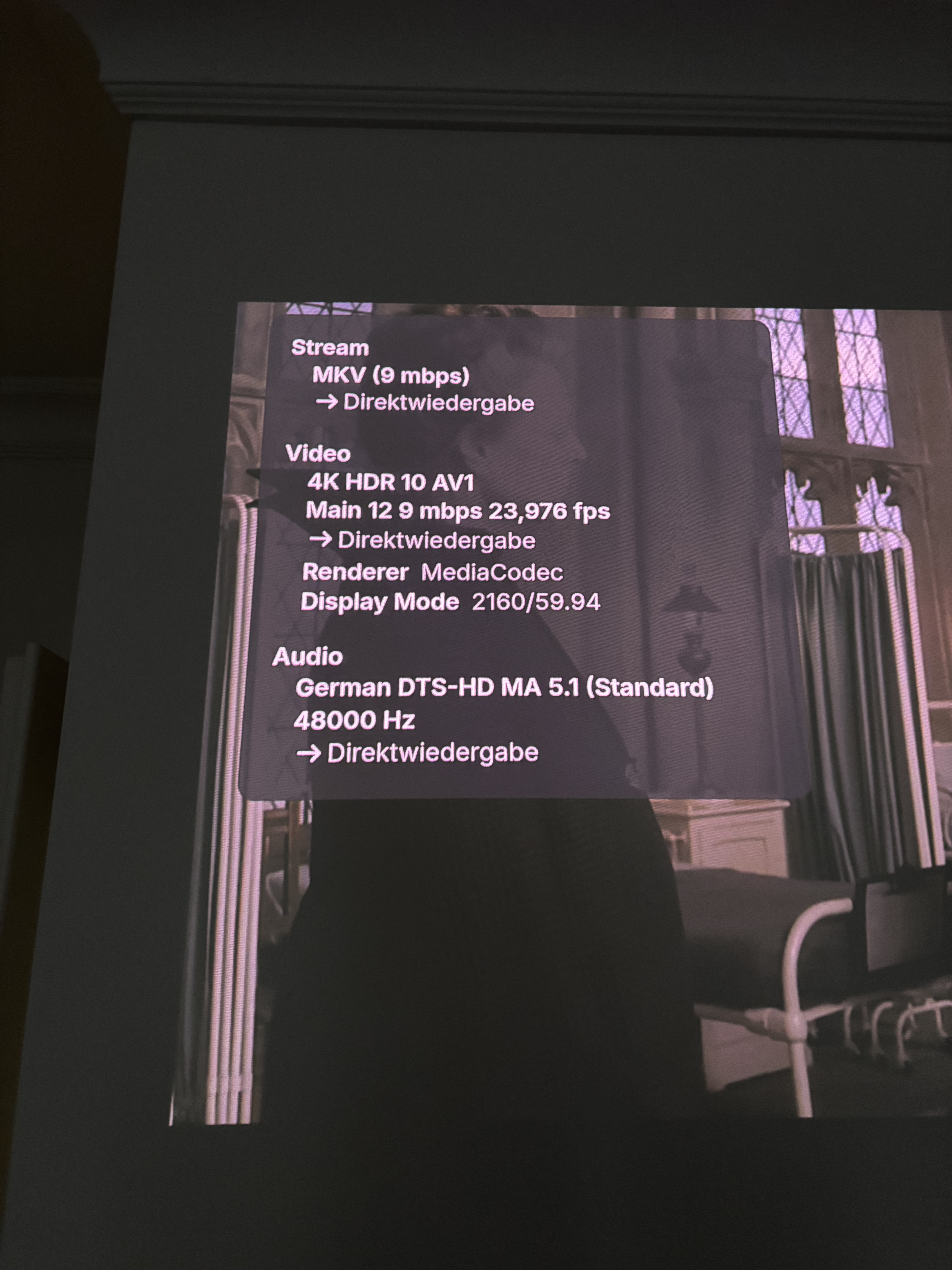
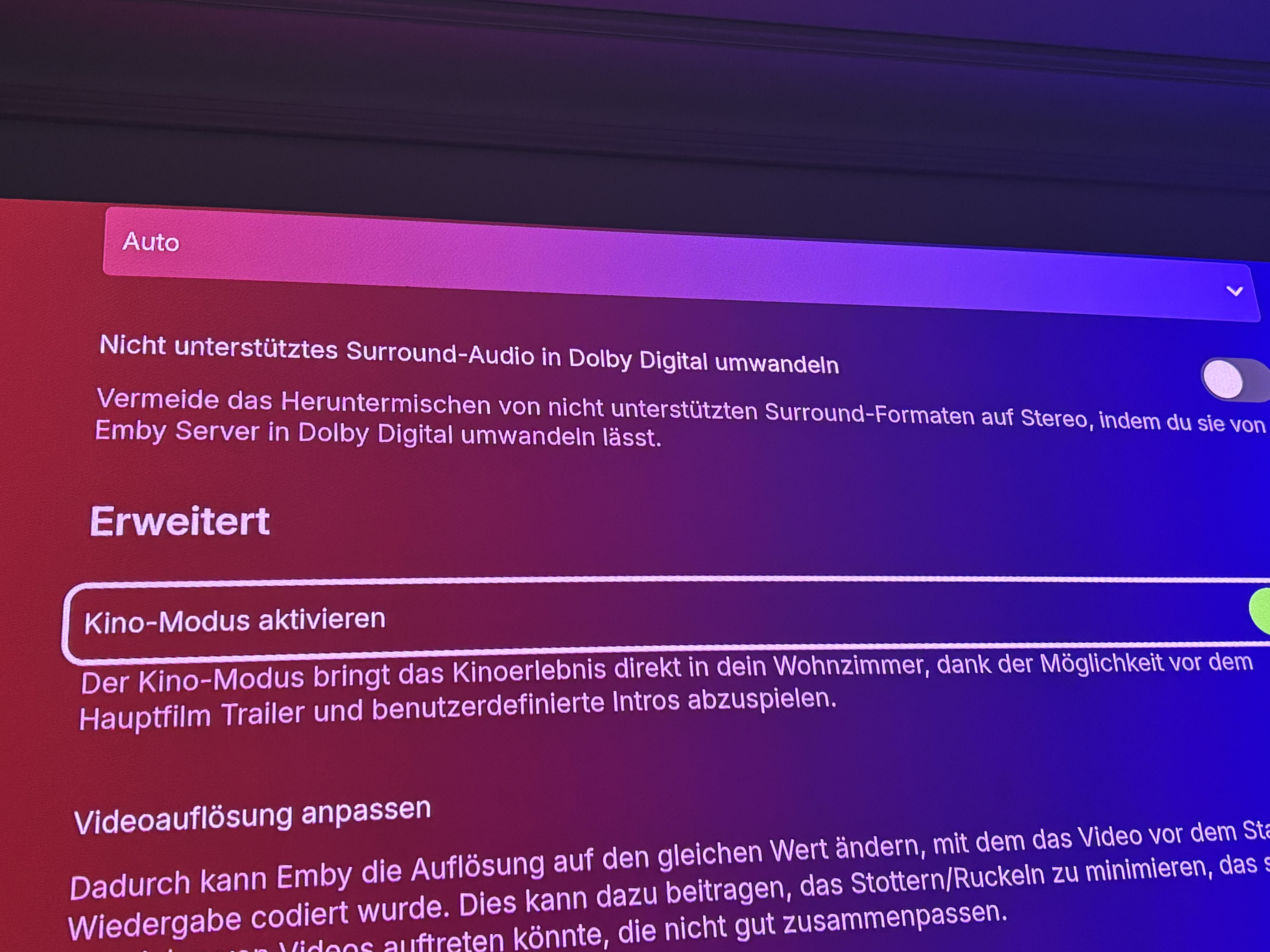
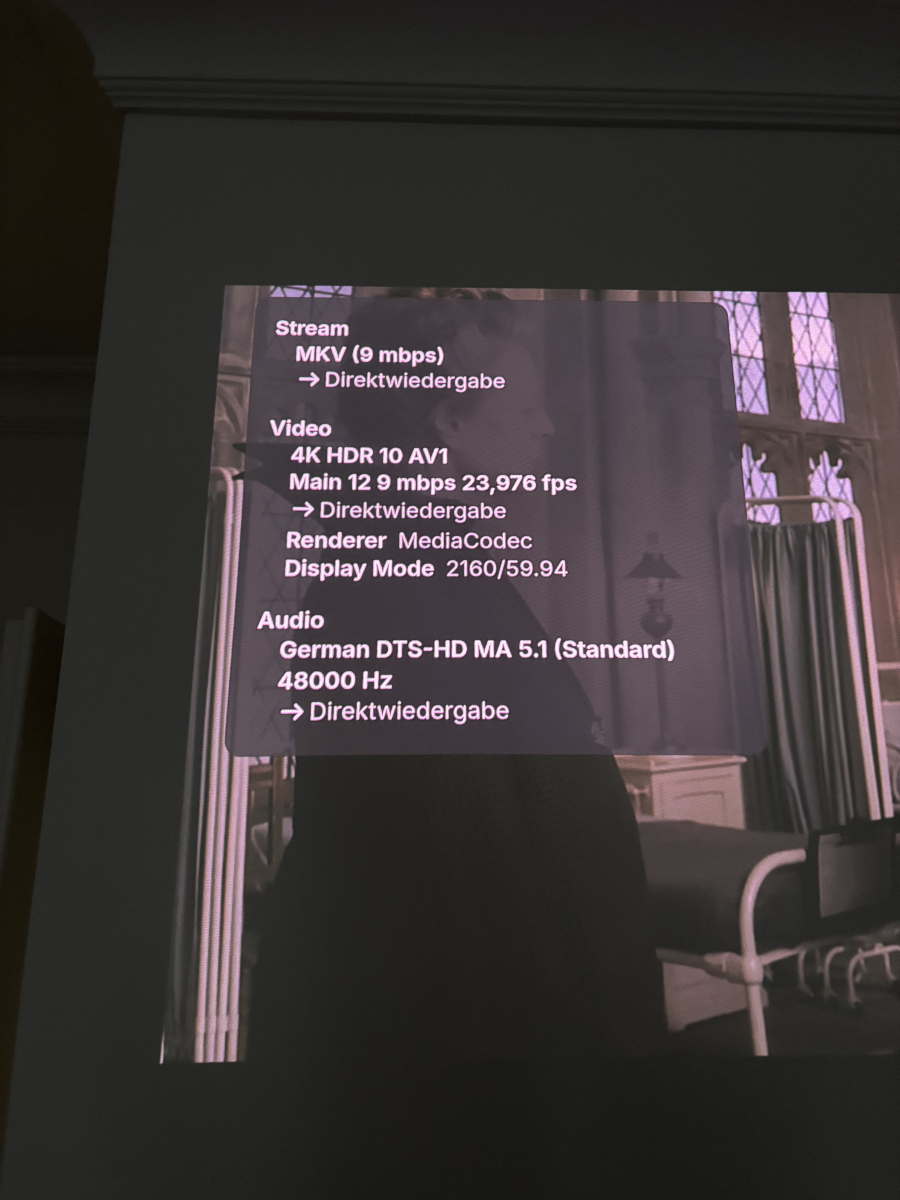
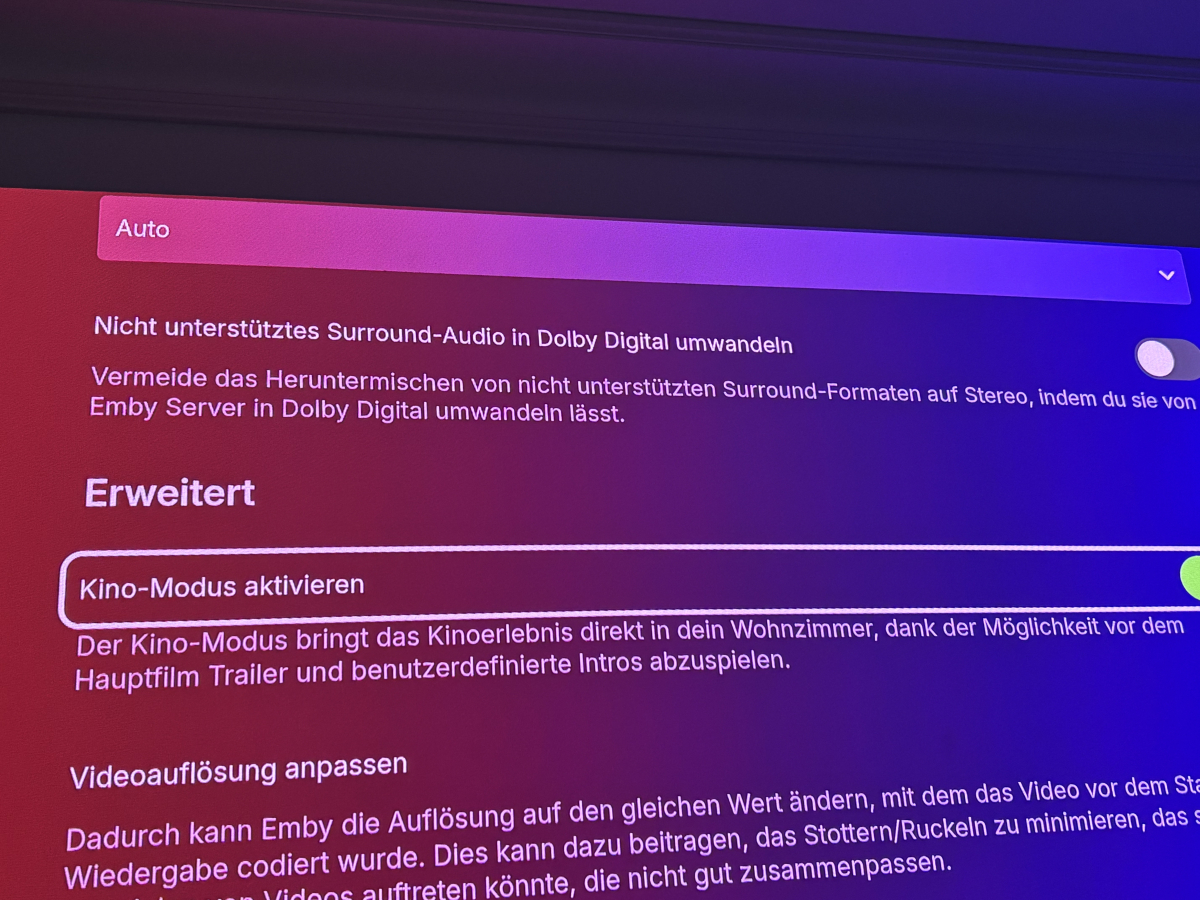
Turns out it wasn’t Emby after all – it was me I had the option “Convert unsupported surround audio to Dolby Digital” enabled in the Fire TV app settings. Once I disabled it, Emby started direct playing DTS just fine – no transcoding, no tone mapping, HDR10 stays intact. So… lesson learned: Sometimes the real transcoder was inside us all along. Big thanks again for your help and explanations – and I’ll still happily vote for fMP4/HLS + AV1 support in the future!
 2 points
 -
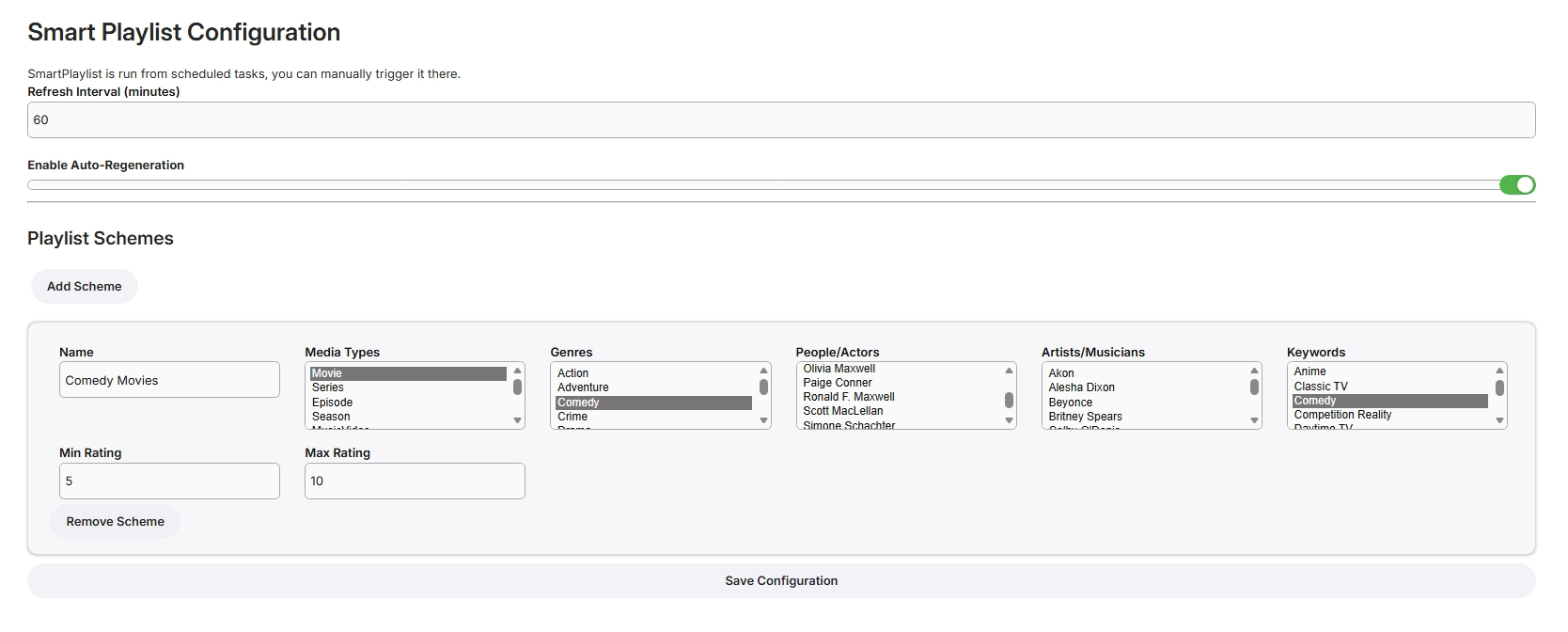
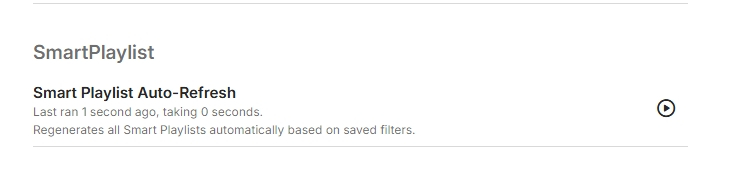
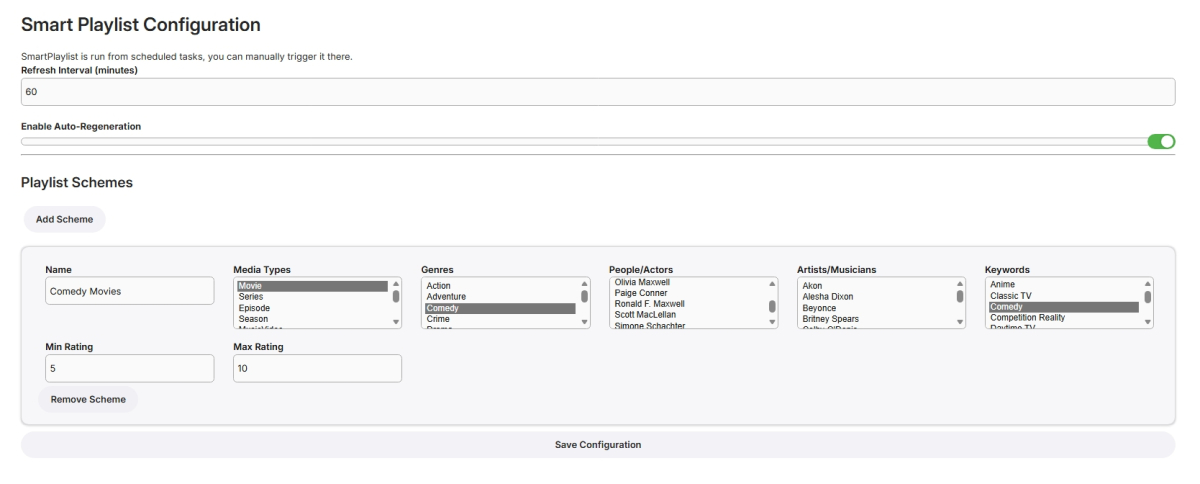
I have never used smart playlists so wasn't exactly sure what to build but here goes... Create Lists Here, add new schemes for more lists From scheduled Tasks Playlists are generated in the playlist library, only minimally tested! SmartPlaylistPlugin.dll
 1 point
 -
@Caliber It's time to stop and gather yourself. Make a plan before doing anything and start by shutting down and disconnecting your PC's. That key might have never been yours and even if it was it has been compromised. If you bought a key directly from Emby they should be able to revoke it and give you a new one. Otherwise consider it a loss. Whatever you paid and what was purchased with the money is no longer yours. Time to write if off unless you used a payment method that can be recovered. If you shared ANY passwords, logins, access to anything it's time to make a list and change them all.1 point
-
I hope everything goes well for you... but if you had waited, you could have saved that money... and as my friend said... no more trouble. Good luck.1 point
-
Hi Luke, any update on the Emby for Windows trailers button why they suddenly stopped working? Is youtube blocking requests, is that the issue?1 point
-
My libraries are setup to only refresh metadata for placeholder titles. What else could be prompting those calls? Edit: I disabled Sonarr and Radarr from triggering refreshes. They may have been the culprit.1 point
-
It seems the channel that was not working had changed frequency or something. I realized it was not even able to tune. So, I redid the whole setup of channel scan + mapping in Emby, and now it seems ok. We'll see. Thanks for your help @emveepee1 point
-
Check Schedule taskes and see if that happens when Scan media library task is running.1 point
-
Push this button
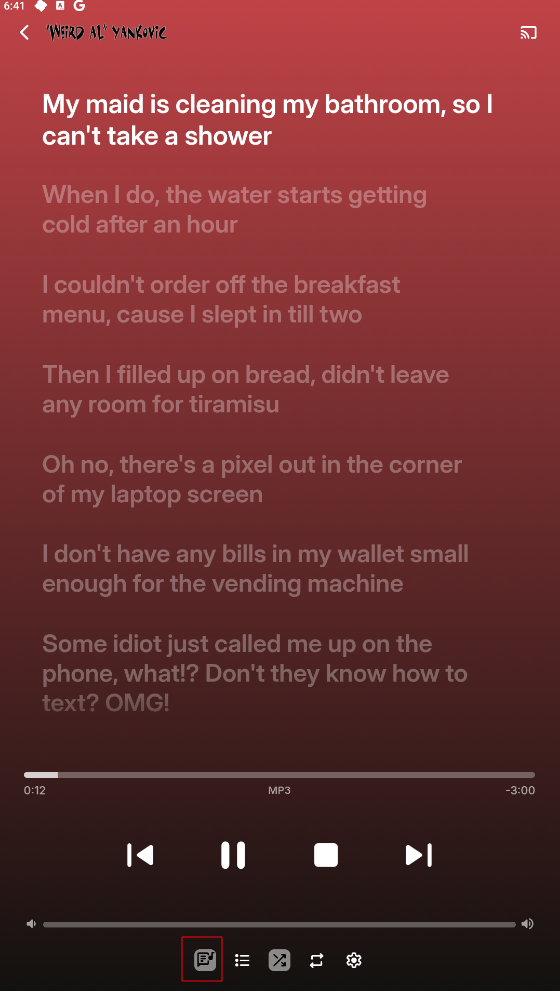
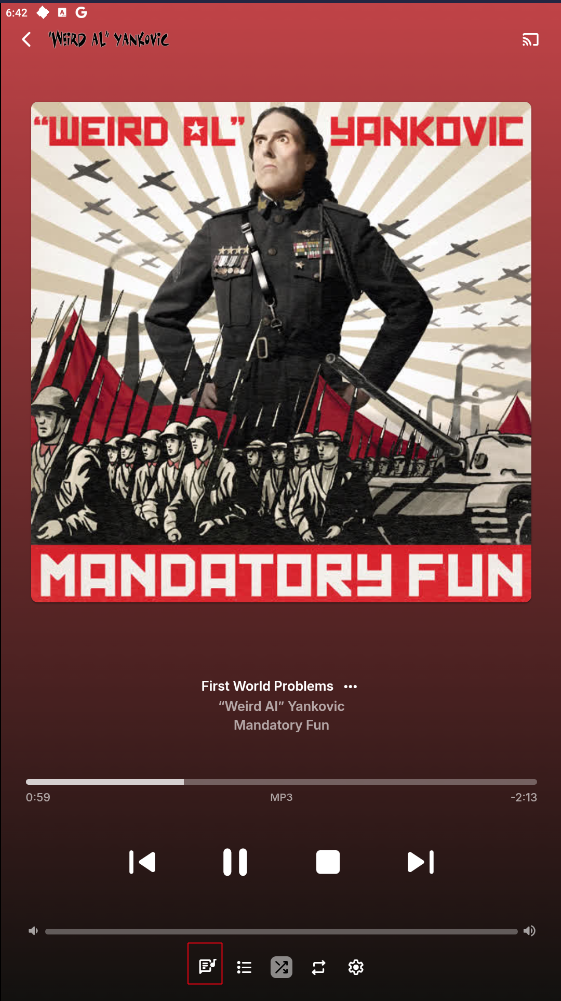 1 point
 -
We found the xml file and got rid of the ip address under the localaddress column. It worked, thanks1 point
-
Your Intel iGPU is way better than the 1050Ti, you shouldn't even be using the nvidia for transcoding.1 point
-
I feel so stupid. I did not try a different browser on the same machine. I moved to Edge and it works fine. Not sure what is blocking just chrome just on that computer. That fixed it (well it is not asking for the Premier key anymore). Now I need to find what is blocking the request. Thanks to all.1 point
-
Finally I solved, there's nothing wrong with the samsung and/or its app. I brought a Pi4 configured with Kodi and Emby plugin to the same place my friend's tv was. Dreadful performance but home it was really sparkling. Check the wi-fi network speed and was even worse (scarse 7mbit). So I connected his TV via ethernet cable and all was working as supposed to. Thanks everybody. Paolo1 point
-
Yes both 48.3 WAFFDT3 and 48.7 WAFFDT7 are linked to TSN. 48.7 should be linked to 365BLK. I will refer this to Gracenote1 point
-
Hi @Luke A quick update - I've noticed if the album name does not change, then other changes to the meta data are picked up. For example, I swapped out a track on a compilation of my own and it updated. Thanks, Paul1 point
-
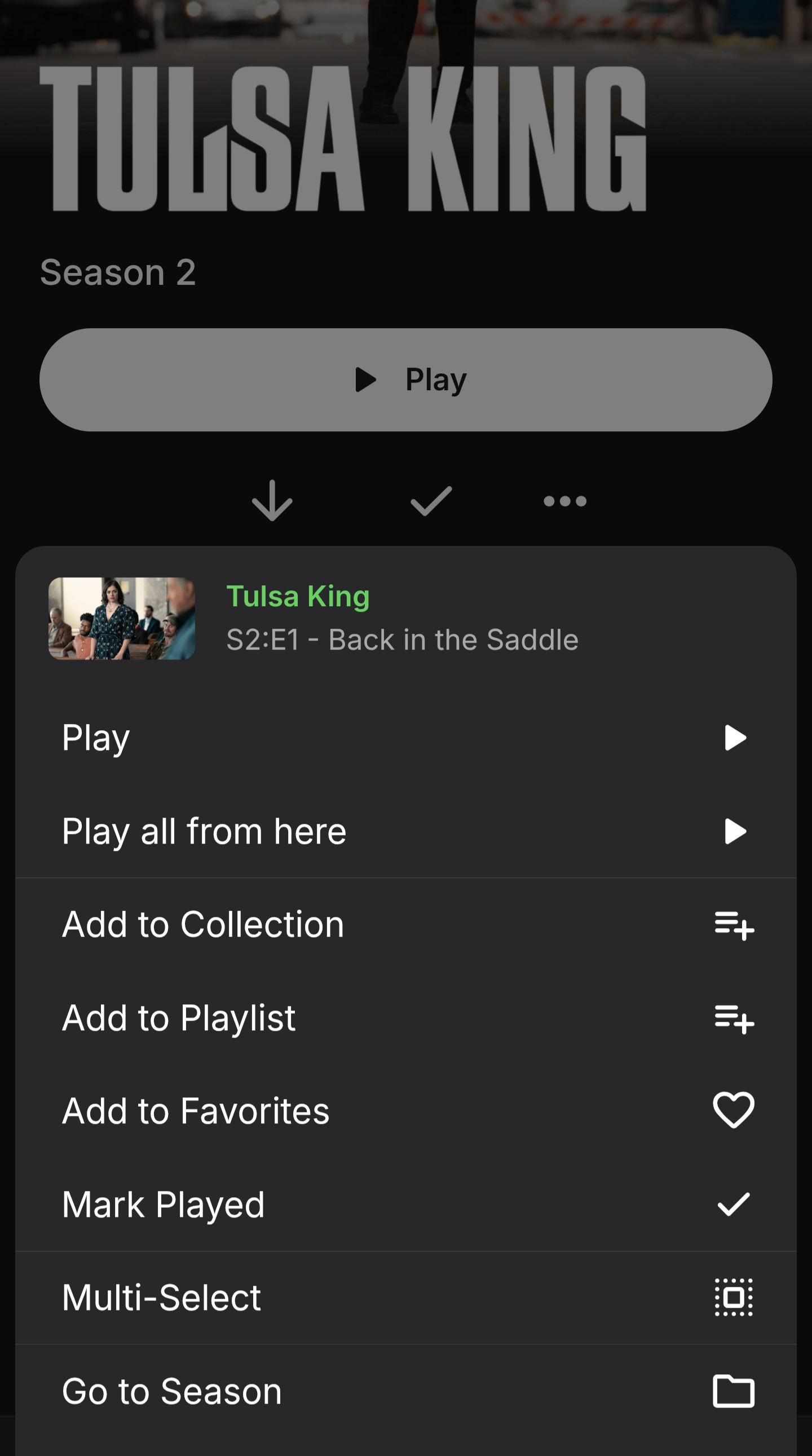
Hello, the dot menu on items has quite a bit of clutter. Can we clear it up a bit? Example 1: "Download" and "Download to" can be unified into one. Replace "Download" with "Download to" and have the selected device on the Download menu be the users current device Example 2 (episode specific): "Go to Season" button shows on episodes in season view - obviously this is unnecessary
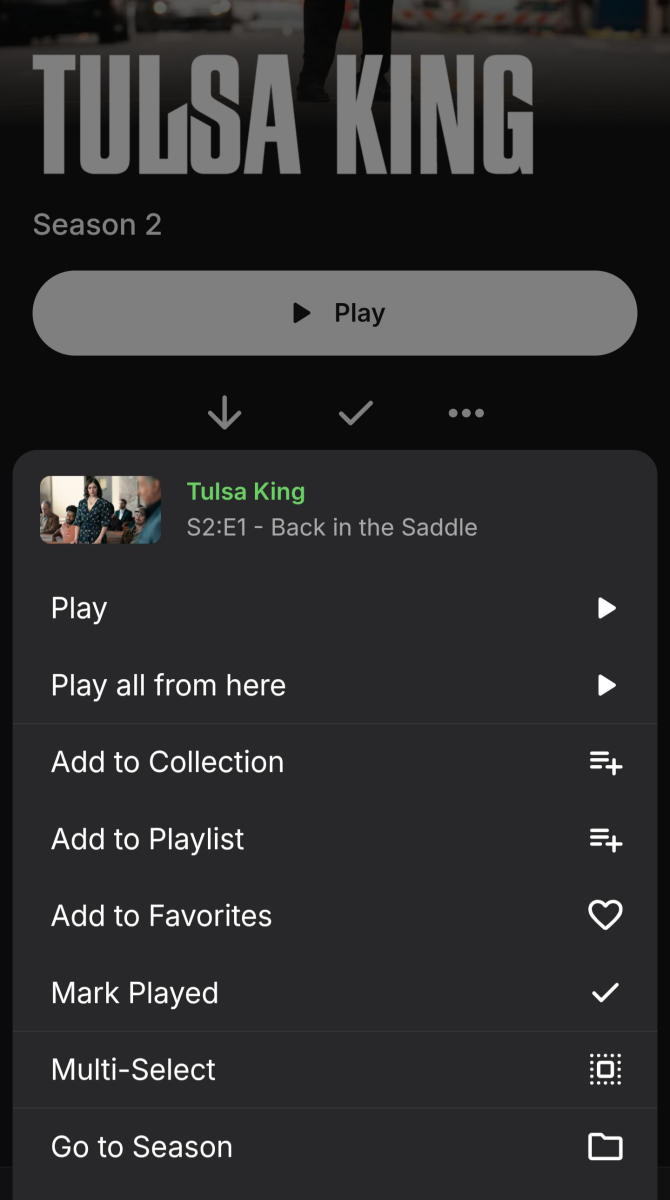 1 point
 -
1 point
-
Not all platforms can handle av1 in HLS, so we'll have to look at it for android. Thanks.1 point
-
I have a bunch of movies that have 5.1 AAC audio, which get sent to my receiver as 2.0 PCM. Is there an option or way to make Emby transcode 5.1 AAC to 5.1 AC3 to somewhat preserve multichannel audio? My receiver is connected over ARC.1 point
-
I guess you have enabled this feature.
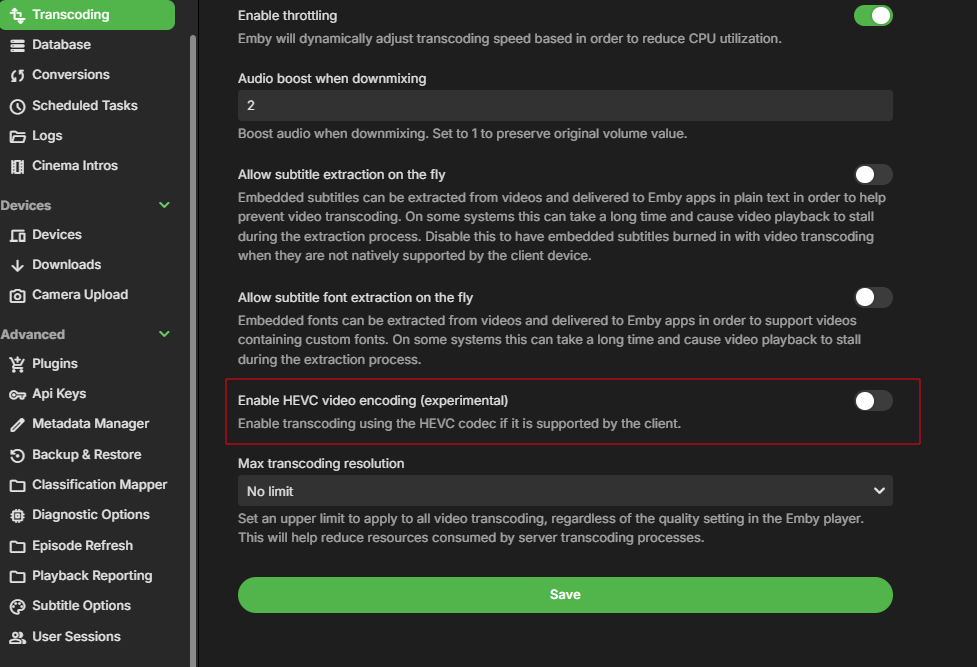 1 point
 -
This needs to be fixed on the Android TV app.1 point
-
Agree, hoping it makes it to the TV apps soon.1 point
-
I can understand that, but I think that 'exiting' with the home button isn't really the function of the home button . It's just to take you directly to the home screen and leaves the app in memory, as double pressing it takes you to the app switcher.1 point
-
Reading though these posts is like going back 5 years in time, where all of the questions have already been asked As most people here know, I am an ardent ATV app user, but even I have to admit that the Universal Android app has come a long way in those 5 years, but it still isn't as good as the ATV app! The ATV app is buttery smooth, as it has been built for a specific platform, whereas the Universal Android app has been shoe-horned into the same space. There are currenrtly 95+ pages discussing the differences between the app in the link above, with many items still outstanding. I can't see how 2 apps developed for the same device/platform are so different in the way they act, seeing as they were developed by the same team of developers. Anyway, until there is no other choice, I will continue to use the ATV app, and try and report all of the issues with the Universal Android app, when I see substantive changes.1 point
-
Here's to hopefully seeing this functionality added.1 point
-
Ok. No luck. Could not reverse to 4.8 This is what I did Stop the server Rename System folder to system.new Rename System.old folder to system Restart the server So far so good. Desable the automatic updates so it dosen't update to 4.9 On muy dashboard there nothing but my libraries but i cannot access them. Go to the libraries setup page but there's nothing there even when i can see muy librarieds on the dashboard. Try to create a new library but it keeps saying it can't access the drives so can't create nothing. Tried al types of media, all posible paths but nothing, it won't create a library But i still see them on the dashboard. So inmensly frustrated i activate the automatic update, so it updates to 4.9, it does and everything is ok. If anyone knows a method to revert to 4.8 from 4.9 please say so, I just can't stand this new folder view. It's totally useless for me Any word on if this is going to be dealt with or not?1 point
-
Thanks for your extensive feedback, I'm sure the Devs will appreciate it. I can only assume there wasn't enough of it during 4.9 beta cycle - and I know there were a number of users requesting for Folder view to more closely represent their actual filesystem structure (which, truth be told, maybe it should have from the beginning), I suppose they were simply quite vocal. Before replying to some of your actual queries, do note that I'm somewhat metadata-anal and devote considerable amount of time to curating my collection - but I understand that not all users have time/opportunity/willingness - or are simply lazy - to also do that, or simply have better things to do instead. And that's completely legit. But calling something unusable or broken because of it simply isn't argument enough in my book. I actually do have concerts in separate library, but even in Movie library - yes, Collections are the way to go, together with "Group items" from post above. Which is about exactly opposite to how I feel about it: I'd rarely consider a movie to be a single-genre item, I actually appreciate that same Action/Comedy movie can be found under both Genres; tbh, I don't think I've clicked on Folders tab in any of my Movies or TV show libraries for better part of a decade. I do keep my Genres quite tight, in line with TMDB Genres Bible, with the occasional custom genre few and far between. For everything else, there are Collections and something I haven't seen you mentioning so I assume you haven't get around to be using: tags. As far as I'm concerned, tags are almost single greatest Emby's feature, on my system practically everything is controlled by them: user access, grouping, "bridging" (between different content types), term-searching (as opposed to pure-title-search)... Between different libraries collections and tags, I have yet to find scenario in which Folder view would work better. Above paragraph basically covers this one as well. I'd say fundamental difference between our organizational structures is single vs. multiple libraries, in effect I imagine that whatever folders you have as your root folders/categories I'd likely have as libraries (also note that dedicated content libraries offer more features than mixed-content one) or a collection/tag-group within them. Create Animation library and they'll be reachable in single click. Add the collection as per above and they be displayed in-line with other movies. Practically everything you're currently accessing via folder view can be achieved through library management/organization (and in some instances it might require even less clicks) - but as said above, it does take some of your time. I'm typing from mobile so I hope you'll understand this would about be it. Regards1 point
-
There is: "Group items into collections" in your Movies tab three-dot menu, all those shorts will be displayed behind single entry, you Pixar collection, between other single movie items.1 point
-
The difference we have observed so far is only for folders that contain a single title. Folders that functioned as containers for organizing multiple titles work the same. Folders that only contain a single title are the ones that behave differently now. They used to essentially act as a conduit to the title, which made a lot of sense, since a single-title-folder setup would typically only be needed to streamline other aspects of folder organization (e.g. "extras" subfolders, etc.). Now, all folders are treated the same, which is much more limiting in terms of what you can do with the UI. Does this correspond to what you have observed in your setup, or do you have a different problem? Note that there is a limited option to get things to display the way they used to, but it's not a sustainable solution:1 point
-
"Avoid the extra click" only affects the actual act of navigating to the content. Every other aspect of doing anything in the UI is not the same: In a folder that has a mix of titles and single-title-folder, I used to be able to multi-select every item in the top-level folder, and add it to a collection. Now, because single-folder-titles are no longer merged with the underlying title, doing the same action will add the folders as "Folders", and the titles as "Movies". I now have to click into every single-title-folder and add each individual title to the collection. Identification/Metadata can no longer be managed at the top-level folder. I need to click into the folder to get to the new title level every time I want to change anything. As mentioned above, and in at least a few other posts, organization of the content display (filtering/sorting, etc.) is hopelessly broken now. Please give us an option to allow single-title-folders to work the way they used to.1 point
-
Correction: I referred to "Up Next" in my previous post, when I meant to call it "Continue Watching".1 point
-
Just to add a slightly different perspective-- I use playlists to curate a selection of tv shows for my kids. This way when they want to watch a series, it is easy to skip over boring or potentially scary episodes without me actually having to remove those particular episodes from my library. Echoing several of the comments above, I find Emby currently has limitations with this approach: When entering the playlist, the playlist display always starts at the top of the playlist, resulting in a need to scroll through lots of previously-watched titles to find the next unwatched one. (And ideally, the playlist ought to auto-scroll down to the first unwatched title after the latest watched title, in the event we decide to further skip over episodes in the playlist itself.) After picking and watching an episode from the playlist, "Up Next" will display the next episode from the series, not from the playlist, which means that by using the "Up Next" suggestion the viewer is now outside the curated playlist. Implementing the "Playlist Up Next" option as suggested above would be a good way to fix this issue. I understand that people who use playlists differently may not want the playlist to auto-scroll past all the watched titles. Assuming that the devs don't think this request warrants a per-playlist configuration setting (and it probably doesn't), I think implementing a global playlist auto-scroll toggle would be a good starting point, possibly also in tandem with a "return to top" button (which is slightly more useful than a "jump to next" button). I get that in order to implement the second bullet, Emby would need to track some additional context to know "how" a particular title was played; it would nevertheless be a very helpful change from a user perspective.1 point
-
Actually, previously, in a “mixed content” library containing both movies and TV shows, in the folders view, when you added a movie (by putting the movie inside a folder with its name), only the movie itself would be displayed — the containing folder was hidden. Now, when adding a movie, the containing folder is no longer hidden. I have to click on the folder to see my movie. The problem this creates is with collections: at the root of the library, when you enable the option to group items belonging to the same collection, both the collections and the movie folders appear. It turns into a complete mess.1 point
-
Correct, but Amazon has a solution for existing Fire OS apps that they select and they have selected ours.1 point
-
FYI our existing apps should work on the new OS initially as well.1 point
-
Hi, yes we are planning to support this.1 point
-
Hi. We suggest Emby for android on all devices. Thanks.0 points