Leaderboard




Popular Content
Showing content with the highest reputation on 11/03/25 in all areas
-
Hello, since 3.5.15 beta, I am experiencing distorted playback of FLAC audio. It sounds like a bunch of white noise with barely audible high-pitched voices. It doesnt happen to every video with FLAC, only certain ones. Let me know exactly what I need to provide to Debug this.3 points
-
We have been talking it over internally and it's going to be a little different from what I previously showed. Instead it's going to be a default remote auto quality per user, so that as long as they leave their quality setting on auto, you can control what that value will be.3 points
-
I hit "play all" on a collection and it doesn't show the next film in "Next Up" after I quit out of it. This is apparently intended behaviour, and the same applies to playlists. This is absurd. Why even have the "play all" option? Who's sitting down to watch a full collection's worth of films, or a full playlist? I have playlists for The Prisoner for its various episode orders, and there's no way I'm getting through them in one sitting. I was going to make that my next show to watch but if I'm going to have to keep track manually of my progress through the playlist it makes the playlist fairly pointless TBH. There's no reason playlists or collections shouldn't show up in Next Up.2 points
-
Shutdown emby and change Jellyfin port to something else. Jellyfin uses the same port as Emby. Since Jellyfin is a fork of Emby years ago, but Jellyfin never bothered to change the port.2 points
-
Sorry but you don't point to the full backup folder as that is the backup, you point to your Transfer folder that contains the actual backup. May need to see the content of the folder but correcting the level should show the backup assuming the backupinfo.json file is in /embyserver-backup-full.2 points
-
I tried something like that but never got a good result out of it. Emby should also work in that way it self, it does for me. It only gets stuck on rate occasions. But I can look into it.2 points
-
Here's to hopefully seeing this functionality added.2 points
-
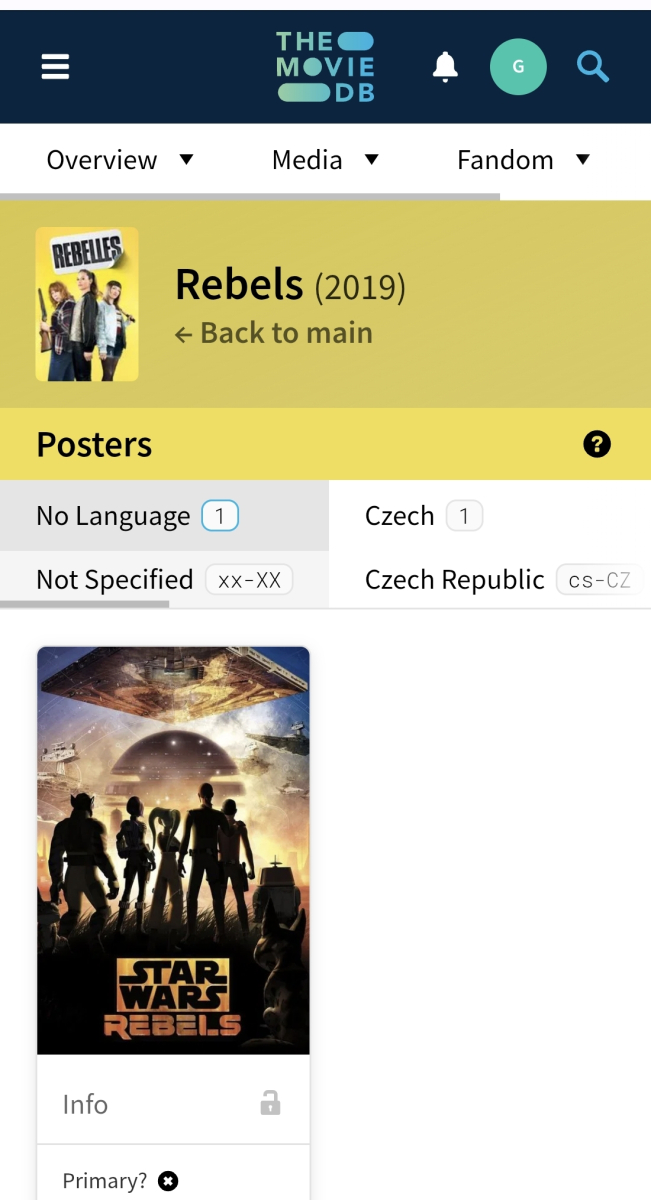
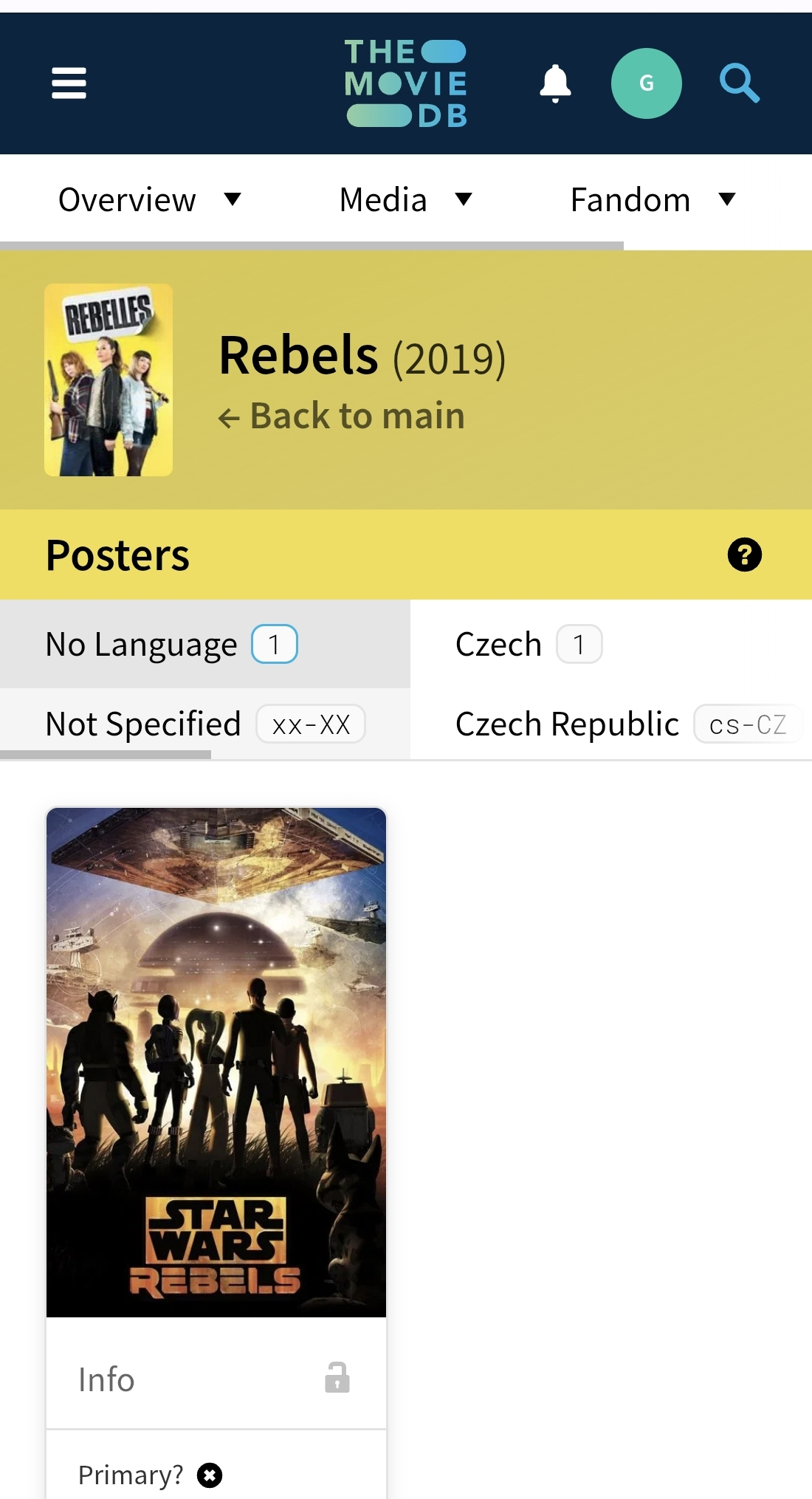
What is your preferred artwork download language set for? As someone added no-language Star Wars Rebels poster under that Rebelles (2019) movie; if you have blank/none, that's the one you'd get; if you have English, query is likely falling back to null as no English poster available.
 2 points
 -
Good Afternoon visproduction, I will take a look at testing some of these items that you sent over. As a note, I do have a TrueNAS server with the iX Emby app installed. I have an Intel Ultra 5 265K, which should be plenty to transcode these without issue. Again, I am not entirely sure how Emby functions, but Plex is able to transcode the file and present without issue, so I am unsure if it is necessarily a file / subtitle / transcoder issue? I could absolutely be wrong here of course, but if it was one of those, I would think Plex should have an issue as well. In both Emby and Plex, I have the hardware transcoder setup specifically as the Intel Ultra 5 265K. I'll try and get to testing some of this tomorrow. Thank you for your time.2 points
-
Any chance these can also be library-based or resolution-based? For example I am fine with 1080p transcodes but not with 4K transcodes (they may as well watch the 1080p copy instead), so if I could disable only 4K-source transcodes, it would be really helpful.2 points
-
Hi guys, I'm a user with a lifetime license for Emby. I'm sorry to see that the Android TV app has been completely abandoned. I don't understand why. Graphically, compared to the version you now call compatible with TVs, it's not even remotely comparable to the Android TV version. For example, on my LG TV with an Nvidia Shield box, the version you're now supporting often defaults to "start from scratch" when I stop playback, rather than "resume from where you were watching." This isn't good. It's also chaotic, and it's hard to figure out the correct settings, especially on TVs. I'm sorry, but the Android TV version, from my perspective, was and is much more refined, beautiful to look at, and simple to use. But is it possible that to exit the app on the TV, I always have to first hide the bar to the left of my entire library, when all I need to do is add an option that lets me exit directly without hiding it? I repeat, the app you're now supporting, for reasons I can only imagine, is horrible! I apologize for my disappointment, but as long as I can, I'll continue to use the version for the current operating system on my Nvidia Shield Pro. I also apologize for my poor English translation.1 point
-
@Luke@GrimReaperYeah, Metadata Manager will work for me fine. I need to get used to using it more. Used it a lot a couple of years ago and didn't think of it with TV shows. Thanks.1 point
-
Fixed it. I had to reboot the Emby Server (Synology) and now it works!!!1 point
-
I thought I had; but checking now, that does work. Maybe it's just a little counter intuitive. It's strange to me that the behaviour changes once you look at an item, especially once you switch tabs inside the player. Clicking on the video player should resume focus on the player and close the guide just as it does before you view an items details.1 point
-
Looks like it works!1 point
-
Thanks Luke1 point
-
Hi, again I don't have an ETA but we are working as hard and as fast as we can to make everyone as happy as possible. Thanks.1 point
-
Great. thank you so much. will do that now and post when i have the logs.1 point
-
great, I'm very tuned1 point
-
Luke, Thanks for that. I did give everything a once over and a few things were out of sorts (Networking) but other things were just fine (User Accounts, Libraries and Library Settings) Sorry for throwing up this topic without first trying the wizard. But I am glad that I did, because you gave me the confidence that I wasn't about to wipe all my server settings. The corruption probably occurred after the computer became unresponsive, and I wouldn't fault Emby for that at all. That was all on my machine. Thanks for the help and sorry again.1 point
-
Hi we are looking into this. Thanks.1 point
-
So now rolled back to Version: 3.5.12 and everything works as it should and no crackling so it is definitely the new android app update that has broken something. Saddly to prevent it from updating the only way I know is to turn off updates for all my apps on phone.1 point
-
I had private Kontakt with you both Thanks, i have to qait, maybe in the Future..1 point
-
Hi, for 80 please send a private message to @ebr Thanks !1 point
-
Hi, the new app is coming soon, so stay tuned.1 point
-
OK we are looking into it. Thanks.1 point
-
Please let us know how that goes. Thanks.1 point
-
I Posted This Topic Months Ago. And Then Deleted Because NO ONE HELPED. Everything Was Working Perfectly. Windows Firewall Rules Was Added, DHCP Reservation For Server Local IP Was Added, Emby Setting Was Correct, EVERYTHING WAS CORRECT And server Was Accessible On LAN Connection. Problem Was My Phone (Wireless) Couldn't connect To Server (LAN). It Was Because AP Isolation in Router Wireless Settings.My wireless Devices Couldn't Connect To WIRED Connection Server Disable AP Isolation OR Wireless Isolation in your Router Wireless Settings. So Your wireless Devices Can Talk To Wired PC/Servers. _______________ @ebr @Luke Try Help The Next Time. And Add This Disable AP Isolation in Emby Connection Guide Page.If It's Possible. https://emby.media/support/articles/Connectivity.html1 point
-
After double check you are right and Emby did it right ! My fault: I'm setup for french for subtitles but english for metadata and images so your explanations are all good I'll follow-up with tmdb to get the medias corrected for that movie Thanks for your very quick help1 point
-
Could've sworn I tried this already. I refreshed the Metadata for the show with the selection to replace all metadata, all the playstates came back properly. Sorry to bother you, but now others know. Only done it for individual shows.1 point
-
Es ist möglich, hat aber absolut keine Wirkung. Das Premiere-Abonnement ist eine Serverfunktion. Für den Kunden ergeben sich durch das Abonnement von Premiere keine Vorteile. Wenn der Server kein Premiere-Server ist, sind alle Client-Geräte auf kostenlose Funktionen beschränkt. Wenn es sich bei dem Server um einen Premiere-Server handelt, ermöglichen bestimmte Plattformen das Entsperren von Apps. In diesem Fall werden die Geräte nicht auf das Gerätelimit für die vollständige Wiedergabe angerechnet – alle anderen Einschränkungen bleiben in Kraft. Emby Premiere Feature Matrix Is there a limit to Emby Premiere?1 point
-
I do, as do some of my family members. Downloads help me as I spend a lot of time on planes. My family use it to reduce mobile data usage during travel to/from work, as data allocations in my area are pretty poor. So obviously this is a sample size of n=1, but judging by other solutions and their forums, downloading is a feature that is used by others too. Again, my posts are based on my assumptions and reading the documentation I've been able to find. So I might be completely mistaken. However, assuming I'm correct, I think it could be adjusted to find a better balance. The first question would be "Are the X264/x265 encoder settings from the transcoder tab applied to downloads?" Again, it's unclear as my settings use CRF, but it also exposes Libx264 options which could impact downloads. My view would be that the transcoder tab settings would only control real-time streaming. I'd update the Devices -> Downloads -> Settings tab to expose some profiles. 1 set for "HD and below", another for "UHD and above". Let's call them "High, Medium, Low". These could ship with some sensible settings, but allow the server admin to adjust. If it were presented like that, I'd choose something like: HD and below Low: Transcode down to 720p (or leave resolution if lower), stereo audio, 3Mbit. Medium: 1080p, stereo audio, 10Mbit High: 1080p, 5.1, 13Mbit UHD and above Low: Transcode to 1080p, etc, etc Medium: 4k, etc etc High: Original resolution, etc, etc The user, when presented with the download dialog, is then simply presented with a "High, Medium, Low" option, regardless of source resolution or codec. If the profiles were adjustable (in much the same way as the H.264 dialog box, which exposes the x264 options), admins who care can take the time to tweak, or just leave the defaults which have been selected by people who know what they're doing (ie, not my Mother-in-law). Perhaps they want to use CRF instead of CBR, perhaps their definition of quality is higher/lower than defaults. But the outcome is a clean and simple experience for the user, and an assurance sane options have been chosen.1 point
-
Hey guys, I am so sorry for the delay on this. Will be working on it again very soon. We are planning a new release shortly to address any pending issues with latest codebases. If you've got any requests etc, please submit them as soon as possible here in the forums! Kind regards, Anthony1 point
-
Hi I love your plugin, but there are 2 things I would love to see in the future if you could implement it somehow. 1. thing would be a catalog integration feature to see my recent added shows / movies 2. the use of an external player, I use it on Apple TV and infuse is by far the best player thanks for the great work1 point
-
It would be helpful if Emby had an option to rebuild metadata files (such as when you enable NFO saving on a library that didn't originally have it), so you can dump out a valid, new, true copy of the current configuration, WITHOUT refreshing metadata against online providers. This would allow you to generate all missing NFO files without blowing away any content that Emby would misidentify upon metadata refresh. I think it would also be useful when converting from an internal Emby cache and/or metadata folder to a custom external path "outside" of Emby's installation location. Slightly more context on my concerns regarding metadata refresh on a parallel topic:1 point
-
Hi Luke, any update on trailers? Latest versions of Emby for Windows & Server, trailers stopped working at approx the orgininal post date. I'm selecting the trailer tab from movie view, not using the trailer plugin so it might be a different issue. Trailers tab working fine on browsers and IOS apps its just Emby for Windows.1 point
-
I reconnected from the server and now it is showing both TV series and Movies under the latest. Thanks for the reply. All Solved.1 point
-
So I was able to make this work. The App cannot handle the connection so I changed my .config.yml file to include this ingress: # Empy app-friendly subdomain - hostname:<this is my subdomain on Cloudflare> service: http://localhost:8096 originRequest: noTLSVerify: true1 point
-
its gone and I miss it1 point
-
I had some weird audio issues recently and a simple unplug and plug back in of the AVR fixed it. No clue as to why, seems something in the decoder went weird and resetting the power got it right again.1 point
-
I understand that but it just doesnt look ok, having a full screen dialog with a few lines of text. the user also loses the context of where they are. there are also modal dialogs on the ATV app and many other tv apps, that don't work like this.1 point
-
Ok, yeah, that makes sense. Will have to see what happens, and run some tests.1 point
-
For anyone still having this issue, please try the 2.2.7 update and see if that helps: Thanks.1 point
-
I am just about finished flipping from Plex to Emby and 2FA is really the only big hole in the product. I know you are not going to force it but I would love to see a server side setting that we control individually that had the following 2FA: Optional, Required for Admins, Required for all users1 point
-
If you’re new to the world of media servers, you might be wondering what they are, why people use them, and where Emby fits in. Whether you have a collection of movies, TV shows, music, personal videos, photos, or all of the above, a media server helps you take control of your entertainment. Let’s break it down. So, What Is a Media Server? A media server is simply a system that allows you to store your media in one place and access it from anywhere — your TV, phone, tablet, computer, or even while on the go. Instead of hunting through drives, folders, or different apps, a media server organizes and presents your library in a clean, familiar interface with artwork, descriptions, cast info, and more. Think of it as your personal streaming service that is built around your collection, not someone else’s. An important note and one we can not stress enough, is that Emby does NOT provide any movies, shows, channels or other media. Emby is only for organizing and streaming YOUR own content. Why Choose Emby? There may be several media server solutions out there, but Emby has a philosophy that sets it apart: Your Media. Your Way. With Emby, you are in control! Your library is yours, your privacy is yours, and your server is yours. No forced cloud accounts. No data harvesting. No locked-down ecosystem. Emby is built around choice and customization, allowing you to decide: Where your media is store How your library looks Who can access it What devices you stream to Whether you want to manage media manually or automatically All while keeping your experience intuitive and easy. Beautiful and Powerful Emby automatically fetches artwork, metadata, and episode information to make your library look amazing. The apps are clean, fast, and available across: Smart TVs Streaming boxes like Fire TV, Apple TV, Shield, Android TV Android, iOS, and tablets Game consoles Web browsers And with Emby Premiere, there's even more! You can unlock powerful features like: Offline downloads DVR with Live TV Advanced parental controls Hardware transcoding for smooth streaming Whether you're just starting or you're a longtime media enthusiast, Emby scales with you. This Is Just the Beginning Over the next few days, we’ll walk through: How to install Emby How to add your media Tips for organizing your library And how to stream anywhere So stay tuned — your personal media journey is just getting started. Your Media. Your Way. Welcome to Emby. View the full article1 point
-
Hi. The key goes here: How is the Emby Premiere Key Delivered to Me?1 point
-
All sorted now, cheers. I was doing it manually, and realised I'd way more .ignore files than I thought I had. So, in end, I used the Terminal in Unraid to automate it for me. find /mnt/user -type f -name ".ignore" -execdir sh -c 'rm -f "$1" && echo "*" > .embyignore' _ {} \; ^^ This scans all my SMB shares for any .ignore files, and replaces them with .embyignore files that contain the asterix character within. Simple and effective. A full library scan then resolved any remaining unignored files.1 point
-
Ok as ebr said the plugin is no longer compatible. But please stay tuned for some new server features that will be coming that might allow you to achieve something similar.1 point
-
A playlist is great for Star Wars and Marvel to keep all the Movies/Shows in chronological order. Once you throw them all together you almost need a continue watching for the whole playlist because there is no way you're watching them all in one sitting.1 point
-
I'm surely not the only one for whom this would be helpful?1 point









(2).thumb.jpg.c39d91ebfd11bf5afd502f20dc2c7415.jpg)