Leaderboard




Popular Content
Showing content with the highest reputation on 10/31/25 in all areas
-
This has got the be the dumbest thing I've read today. Chill out and watch your media. You sound like that 90 year old complaining about a ball being hit into their yard.4 points
-
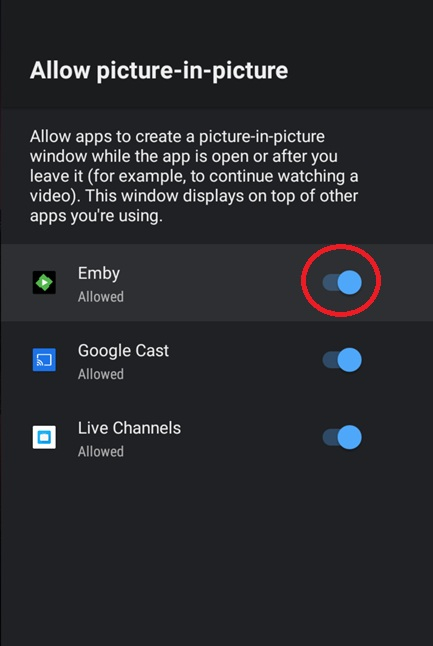
One of the features of the new Android app is the ability to use Android's PiP process when clicking the Home button on the remote. If you prefer not to use PiP with Emby then you can disable that ability in Android settings. Steps: Settings Apps Special app access Select and click on 'Emby' to disable PiP (slider in picture below will shift to the left) Exit settings
 3 points
 -
Haven't revisited this in some time, related discussion in another topic made me remember. Any movement on this, @Luke? If this: is the only concern, I reckon there's an easy compromise that I'm sure (mostly) everyone would agree on: make the ability to play/shuffle available only in the lowest/deepest collection, i.e. if no sub-collection - retain current behavior; if sub-collection present - hide play/shuffle on parent collection; ditto for sub-collection within sub-collection, however many layers you want to implement. There's no need to add/consider additional logic or necessity for further complexity, the only criteria should be: nested collection present yes/no? Play/shuffle available no/yes. And ultimately only collection containing items would be playable, just as it currently is. My 2c3 points
-
Great ! It works I will refresh all my vids metadata at once ! Thanks a lot for this fix !3 points
-
Geez some people have miserable lives that they have their knickers in a twist on something like this. I don’t celebrate halloween nor does it ger celebrated here very much. It is something that is interesting and cute to see for few days.3 points
-
Emby for Android TV is not the same as Emby for Android. Android appears fixed, hopefully the same fix will get into the Android TV version soon.2 points
-
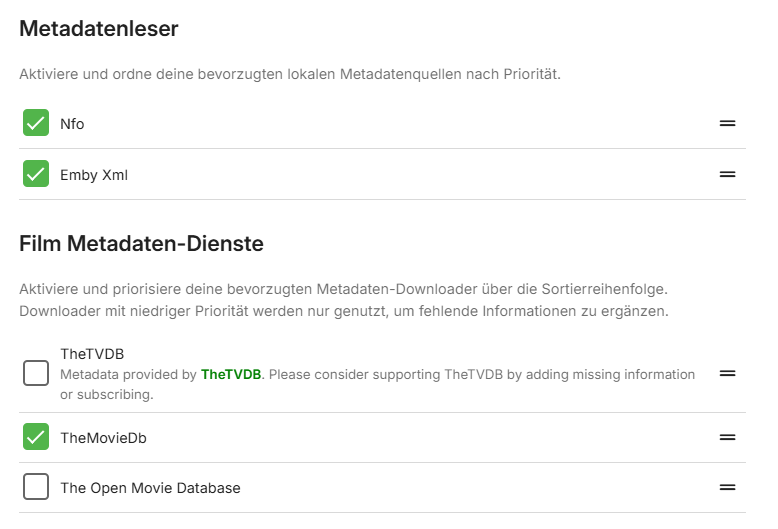
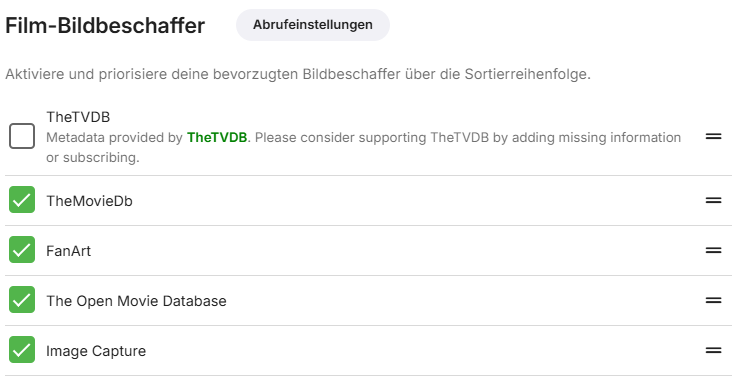
Genau genommen aktivierst du nur den "Nfo" "Metadatenleser", Metadaten-Dienste kannst du ggf. anlassen, falls du manuell scrapen bzw. nach-scrapen möchtest. Den Xml brauchst du nur, falls du noch (sehr) alte Metadaten Dateien hast (ich muss mal aufräumen). Dann solltest du natürlich das automatisch scrapen deaktivieren, falls nicht gewünscht Und die "Bildbeschaffer" kannst du auch aktivieren, falls du mal nachträglich Bilder scrapen willst Das ganze stellst du per Bibliothek ein und es ist ggf. unterschiedlich bei Serien und Filmen. Ciao, Alfred

 2 points
 -
I carefully reviewed your response and appreciate the time you took to reply. However, I noticed an issue: while a folder option could previously resolve a series of complex problems, the update to version 4.9.1.80 altered its original functionality, rendering it unusable. Now, multiple external tools must be combined to address these issues. Does this situation represent a decline in system efficiency? Can the loss of powerful functionality, necessitating external tools to compensate, be considered a significant regression in this version? Thank you again for your response.2 points
-
Can you please refresh the metadata for that file from the '...' menu on the details page? Notice in the stream properties, there is no rotation value. It has only been added in the last year or two. If you refresh the metadata then you should see the rotation value, then the app should rotate correctly. Currently, it doesn't know that it needs to rotate.2 points
-
I can hardly think of any less offensive temporary theme than this pumpkin. And since when did religion forbid non-religious celebrations? (Is it even a celebration? - it's just something that happens around a particular date, like a birthday does.) Or do they seriously think that people who enjoy Halloween are actually devil worshippers? Obviously, adding back the old option to refuse seasonal themes should be trivial, and upsetting to no one at all. Paul2 points
-
Is there a way to disable this? One of my users keeps asking me about this...2 points
-
Having collections gets very confusing for some of my users because if they have their library set to sort by "date added" in order to show the newest movies first, they will not see some of the latest movies because they were added to an existing collection. Sorting by "date added" just sorts by the date the collection was created. Would it be possible to sort collections by "Date of last addition" or something similar? I like the collections feature, but when the newest movies "disappear" into a collection down the list somewhere it makes it confusing for many users.1 point
-
I'd like to see a feature where on a piece of content there was a button to report a playback error or such. I have a lot of content that I haven't watched that friends have requested - if there was a simple button they could click that pings me a message letting me know there's an issue with the file that'd be great.1 point
-
Hi, no, but we’re going to be revamping Home Screen settings so stay tuned.1 point
-
I don’t have any new info yet sorry.1 point
-
I just retested it again. I'm not sure if it's because your Emby for Windows client updated to version 2.324.2.0 and fixed the previous issues, or if it's due to other reasons. After watching the same movie using Emby for Windows 2.324.2.0, the subtitle and audio issues are now resolved. However, subtitles still don't display properly and audio doesn't play when using the browser to play the movie1 point
-
YOUR RIGHT! My bad, I can confirm that my phone (ARM64) and FireTV (ARM7) apps when updated appear to be playing trailers properly now! Thanks for all the help! What a wonderful community! Much appreciated!1 point
-
I don't know if its a new thing, but I see the Halloween themed trick bar on the Android app on my tv. It was a very nice surprise Great job Emby devs and may you have lots of nice candy !!1 point
-
There's a long standing Feature Request that'd likely solve majority - if not all - of your issues (and not only yours, I suppose entire userbase would benefit from it), you can certainly lend your support there: That said, I understand your organization and how do you like/want/prefer your content to be presented - it certainly has its advantages and not everything is currently feasible within Emby. Meaning: is Emby perfect? It certainly isn't. Neither is Folder view, my biggest gripes with it: it's very rigid and heavily/extremely dependent on single user preferences in a multi user-environment - and I reckon no two persons see all the things in exactly the same way. Nor would expect to find them in exactly the same place. Hence fluidity that Emby provides carries a lot of weight in how I see it. And once one's media library grows as it tends to (you don't want to know size of my library), I can only imagine managing that through filesystem would become even greater nightmare than doing it front-end. But currently there's no equivalent to multi-layered folder structure, there's no doubt about it, as said several times: I do hope you get your old Folder view back, even at the expense of those users that wanted it more closely representing their actual structure. That doesn't make me impartial as I should be, eh? Keeping this short as I reckon everything has already been said on the topic, ball is in Dev's court, I'm positive they'll consider all the feedback received and will act accordingly. Regards1 point
-
I think random will do all tv shows. I’m looking for when you highlight a tv show bring up the context window and hit shuffle or random for that show and it selects a random episode.1 point
-
Thanks! It's work for me now1 point
-
@LukeCan you confirm that the folder view of movies not displaying metadata is not as expected, as it still works with TV shows. Or should it not be appearing for TV shows?1 point
-
You can edit items in bulk with Bulky plugin or you can use some external metadata manager, which would offer expanded feature set. You are partially correct there, there is difference in efficiency - not by order of magnitude but considerable, yes. It was pointed out above. As above: Bulky or TMM, you don't need to do it individually. You can easily sort that with previously mentioned Genre Cleaner plugin. As can custom collections, principle is basically/practically/exactly the same - with the added bonus that you can have multiples of them, same item can "fit" into however many collections/categories you'd like - and all of those would be presented practically at the top-level, not in a single folder 3-4 levels deep in your folder structure. Again, noone is disputing your request to get old Folders tab back - nor its validity. But for every argument you make there exists a counter-argument. Do some of those methods take more time? They do. Do they offer more flexibility in return, as opposed to very rigid folder structure/view? They also do. It's up to each user to weigh their pros and cons, I reckon it ultimately boils down to basically that.1 point
-
It's not an ideal solution, but for a workaround, putting your phone in flightmode before you first enter Emby stops it searching for servers. You can take it out of flight mode once in the app.1 point
-
Hi All, just a gentle reminder to remain civil and to respect each others differing opinions. Let's try to avoid any personal attacks on other members please. Thanks.1 point
-
It is not the function I object to it is the fact that it was introduced without my permission and no way is given to turn it off. If people choose to use it no problem for me it is just that I don't want it and it flies in the face of what Emby itself says "Your media your way" and turns it into "Your media our way." That is much like Plex with its user friendliness.1 point
-
It's slow because of the IPTV. This is not what Emby was intended for, and you should absolutely stop using it for that. It's a personal media server, it is not intended for you to use as an IPTV server.1 point
-
Update: When the background colour is enabled, the stuttering worsens. It’s like watching in slow motion.I hope this helps.1 point
-
Are you somehow watching with the controls visible all the time? That would seem a pretty annoying distraction in any case! Paul1 point
-
Hi, in my case I usually create images of my C drive using Acronis Backup. With this, I can restore the entire disk or individual files. What I've done is restore the entire disk, including version 4.8 with all the metadata, NFO files, etc. If you don't have this type of image backup, I think that if you replace the binaries in C:\Users\xxxxxx\AppData\Roaming\Emby-Server with those in C:\Users\xxxxxxx\AppData\Roaming\Emby-Server\system.old, after performing a Scan Media Library, everything should be exactly as it was when it was running version 4.8. I've never done it this way, but I think it should work for you.1 point
-
For what you are saying, I'm assuming that uninstalling 4.9 and installing 4.8 will resolve the issue for as long as you don't have automatic updates enabled I'm thing of doing the same thing. Have some questions if you don't mind: Where did you get the 4.8 installer?. Can you describe the metohod used? For example, How did you uninstalled the 4.9 server? Did you also delete the library files?. What about the .nfo files for the movies (I have them stored in the movie folder). Did you delete them too? Thanks man1 point
-
Thanks for your extensive feedback, I'm sure the Devs will appreciate it. I can only assume there wasn't enough of it during 4.9 beta cycle - and I know there were a number of users requesting for Folder view to more closely represent their actual filesystem structure (which, truth be told, maybe it should have from the beginning), I suppose they were simply quite vocal. Before replying to some of your actual queries, do note that I'm somewhat metadata-anal and devote considerable amount of time to curating my collection - but I understand that not all users have time/opportunity/willingness - or are simply lazy - to also do that, or simply have better things to do instead. And that's completely legit. But calling something unusable or broken because of it simply isn't argument enough in my book. I actually do have concerts in separate library, but even in Movie library - yes, Collections are the way to go, together with "Group items" from post above. Which is about exactly opposite to how I feel about it: I'd rarely consider a movie to be a single-genre item, I actually appreciate that same Action/Comedy movie can be found under both Genres; tbh, I don't think I've clicked on Folders tab in any of my Movies or TV show libraries for better part of a decade. I do keep my Genres quite tight, in line with TMDB Genres Bible, with the occasional custom genre few and far between. For everything else, there are Collections and something I haven't seen you mentioning so I assume you haven't get around to be using: tags. As far as I'm concerned, tags are almost single greatest Emby's feature, on my system practically everything is controlled by them: user access, grouping, "bridging" (between different content types), term-searching (as opposed to pure-title-search)... Between different libraries collections and tags, I have yet to find scenario in which Folder view would work better. Above paragraph basically covers this one as well. I'd say fundamental difference between our organizational structures is single vs. multiple libraries, in effect I imagine that whatever folders you have as your root folders/categories I'd likely have as libraries (also note that dedicated content libraries offer more features than mixed-content one) or a collection/tag-group within them. Create Animation library and they'll be reachable in single click. Add the collection as per above and they be displayed in-line with other movies. Practically everything you're currently accessing via folder view can be achieved through library management/organization (and in some instances it might require even less clicks) - but as said above, it does take some of your time. I'm typing from mobile so I hope you'll understand this would about be it. Regards1 point
-
I've only seen it in the Universal Android app and the Web Client. Fortunately not in the Android TV app.1 point
-
.......with an option to disable it.1 point
-
If I just had more time - I would love to restore the earlier Halloween theme, including its sound effects of course...1 point
-
Should only be applied for the relevant content, not everything. Please add an option to disable @Luke1 point
-
The point is that removing GUID without a replacement, and having links be guessable for years.... is something that should never have happened in the first place. It's such a basic concept for web apps security that it boggles the mind. And it hurts your credibility when it comes to making secure software.1 point
-
LOL I said something along those lines.1 point
-
If you’re new to the world of media servers, you might be wondering what they are, why people use them, and where Emby fits in. Whether you have a collection of movies, TV shows, music, personal videos, photos, or all of the above, a media server helps you take control of your entertainment. Let’s break it down. So, What Is a Media Server? A media server is simply a system that allows you to store your media in one place and access it from anywhere — your TV, phone, tablet, computer, or even while on the go. Instead of hunting through drives, folders, or different apps, a media server organizes and presents your library in a clean, familiar interface with artwork, descriptions, cast info, and more. Think of it as your personal streaming service that is built around your collection, not someone else’s. An important note and one we can not stress enough, is that Emby does NOT provide any movies, shows, channels or other media. Emby is only for organizing and streaming YOUR own content. Why Choose Emby? There may be several media server solutions out there, but Emby has a philosophy that sets it apart: Your Media. Your Way. With Emby, you are in control! Your library is yours, your privacy is yours, and your server is yours. No forced cloud accounts. No data harvesting. No locked-down ecosystem. Emby is built around choice and customization, allowing you to decide: Where your media is store How your library looks Who can access it What devices you stream to Whether you want to manage media manually or automatically All while keeping your experience intuitive and easy. Beautiful and Powerful Emby automatically fetches artwork, metadata, and episode information to make your library look amazing. The apps are clean, fast, and available across: Smart TVs Streaming boxes like Fire TV, Apple TV, Shield, Android TV Android, iOS, and tablets Game consoles Web browsers And with Emby Premiere, there's even more! You can unlock powerful features like: Offline downloads DVR with Live TV Advanced parental controls Hardware transcoding for smooth streaming Whether you're just starting or you're a longtime media enthusiast, Emby scales with you. This Is Just the Beginning Over the next few days, we’ll walk through: How to install Emby How to add your media Tips for organizing your library And how to stream anywhere So stay tuned — your personal media journey is just getting started. Your Media. Your Way. Welcome to Emby. View the full article1 point
-
All plugins - Scroller fixed, TV theme songs - down source removed Onto into ytrailers next1 point
-
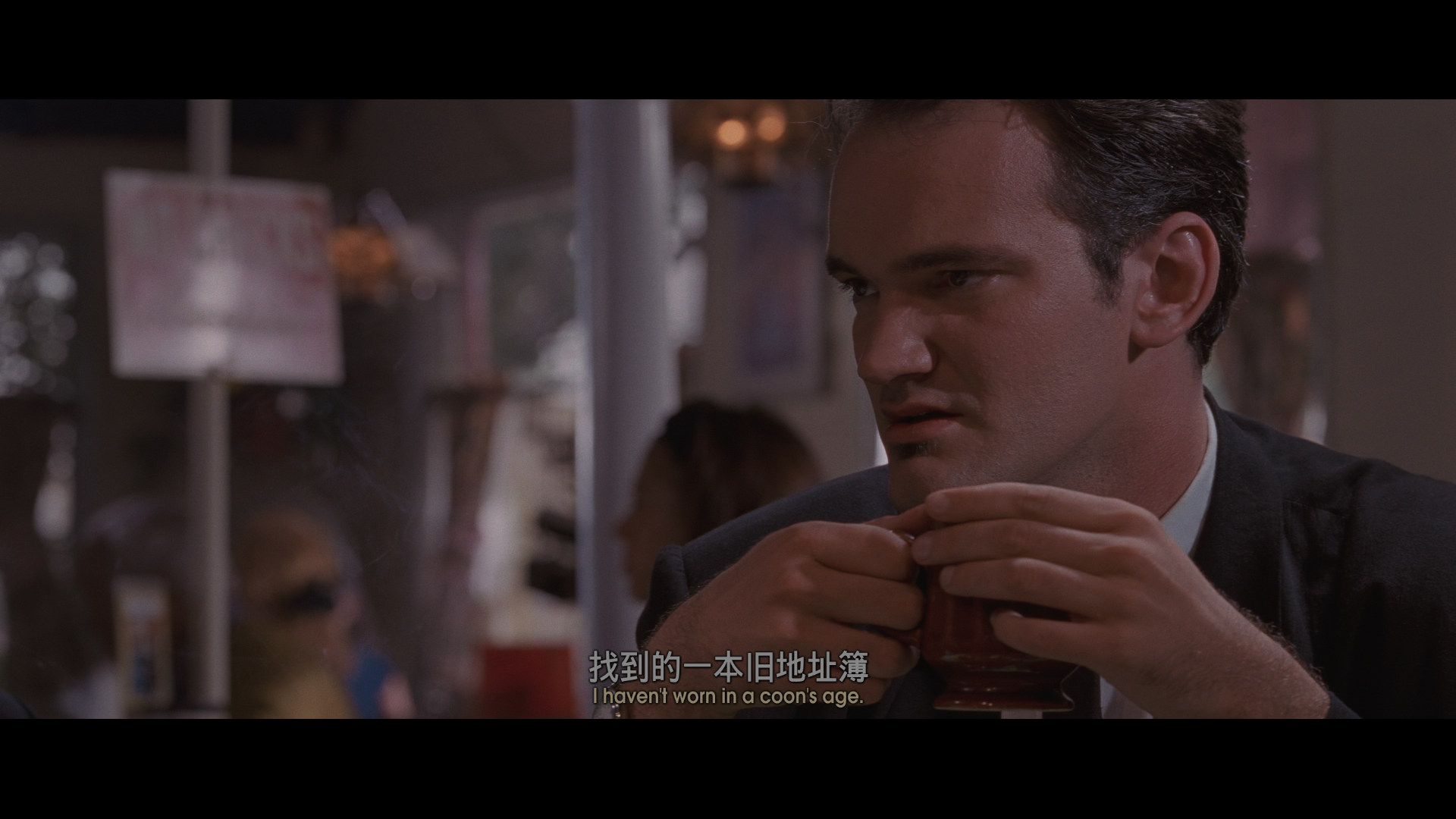
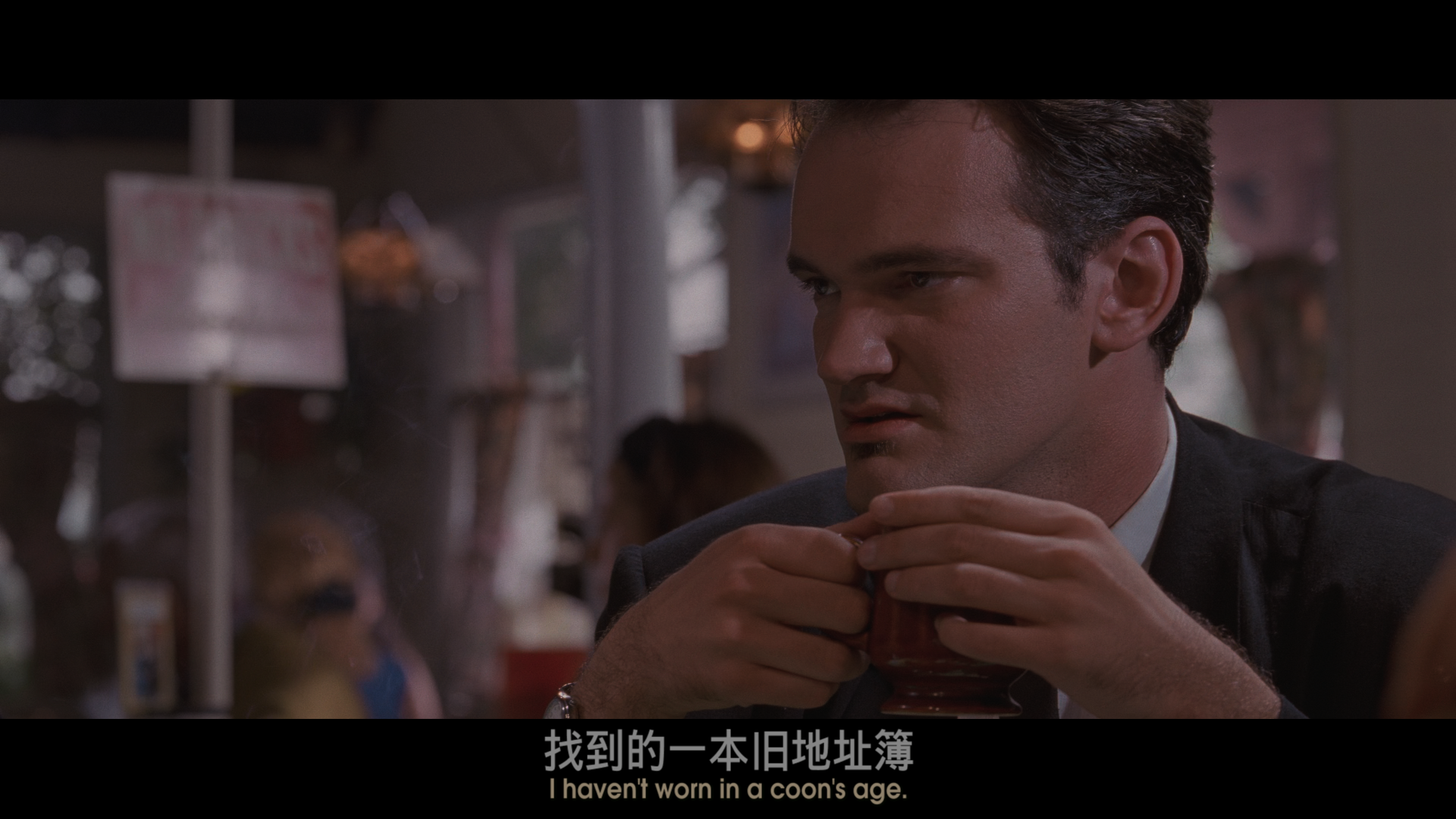
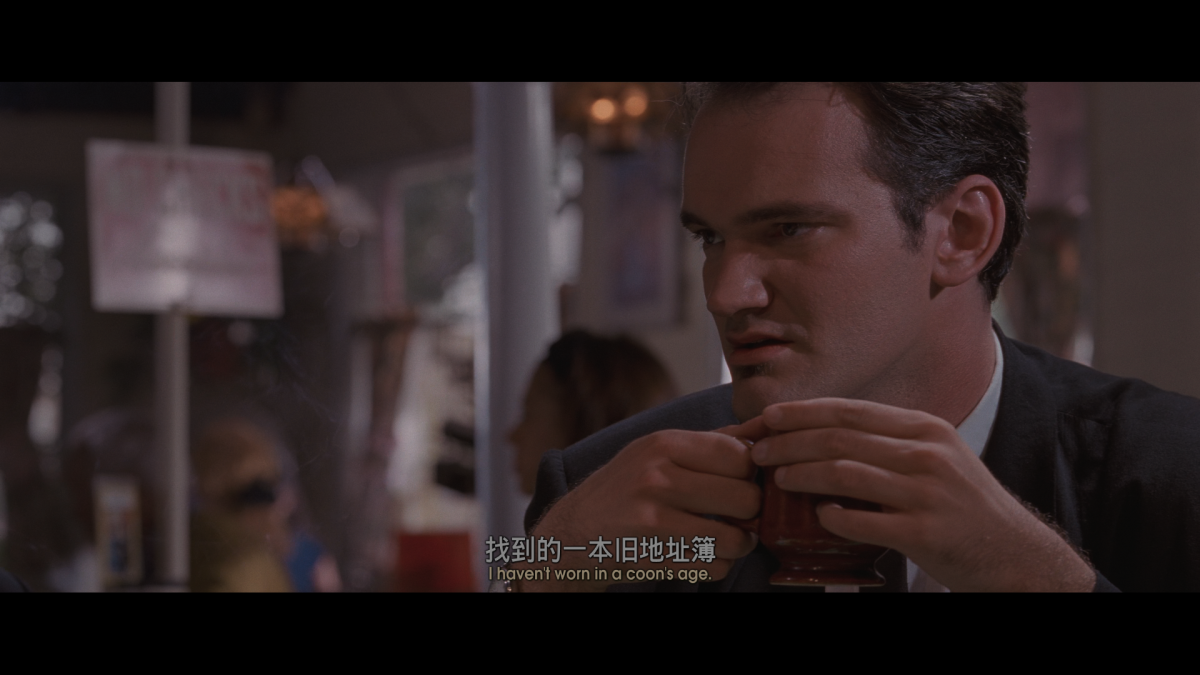
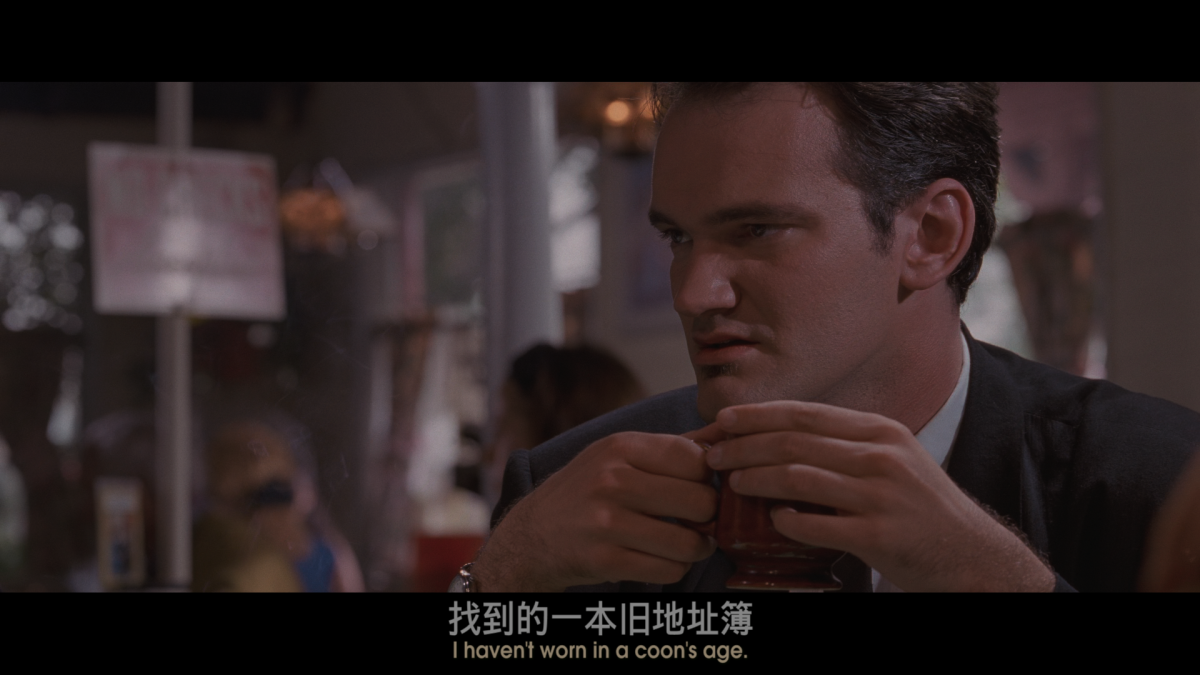
I also need this feature because it is too important. I think the subtitle position in the second picture is very perfect.
 1 point
 -
If I'm not mistaken; DolbyVision or DV is a patented technology and you can't just "add support" for it. For example some LG TV's support DV but almost none of the Samsung TV's support it because Samsung didn't want to get the DolbyVision license. This issue is much broader than just adding a value to al ist of values and enters copyright regions much like certain AAC codecs like libfdk_aac aren't natively supported by FFMPEG either. Even converting from DV to HDR is a pain because its requires the dovi integration in FFMPEG.1 point
-
ChapterAPI did - but it didn't get any traction. It didn't save the intro marker timings - but it stored the 'fingerprint' of the intro (a tiny binary fingerprint file) - and emby just had to find it on 'your' version of the file. Storing the actual timings (based off ALL the 'versions' of that file that are available) is one option - but the ChapterAPI method works for ANY file and generates it's own timings. The 'key' is the fingerprint - as that should be the same across any version. It worked perfectly and could also be used for 'recaps', 'credit/outro's' etc - as you simply applied the same concept across the file for the different marker types. A huge missed opportunity imo.1 point
-
Agree. I wouldn't have a problem with an intro database though, as it doesn't automatically mean logging and data harvesting but i can see why the Emby team wouldn't want to go that route. Maybe in the future some one makes something opensource like Bazarr but for intro markers.1 point
-
i would use emby full time but not having ability to have subtitles below black bars is a deal breaker for me I have installed the kodi for emby add-on (non-beta version) and it shows the subtitles below black bar but for some reason its performance is not as good as using emby android tv app directly (I also prefer the emby interface over kodi)1 point
-
The funny thing is that no-one thought about this when developing an application for organising media.....1 point
-
Count me in. Most basic functionility in any organising is the subfolder, virtual or otherwise.1 point
-
HI, yes I agree we should support this. Currently we use a combination of Skia and libvips for image processing, so the holdup on this would be related to them first adding support for it, e.g.: https://github.com/libvips/libvips/discussions/20551 point