Leaderboard




Popular Content
Showing content with the highest reputation on 10/10/25 in all areas
-
v0.0.4 online on Github - See plot overview when clicking the logoart - decreased the item pool to choose from to 100 Aufzeichnung 2025-10-10 180010.mp43 points
-
Don't worry, it'll be really really good one day week month ...3 points
-
@Lukejust installed the beta and it works! Thanks!!
 2 points
 -
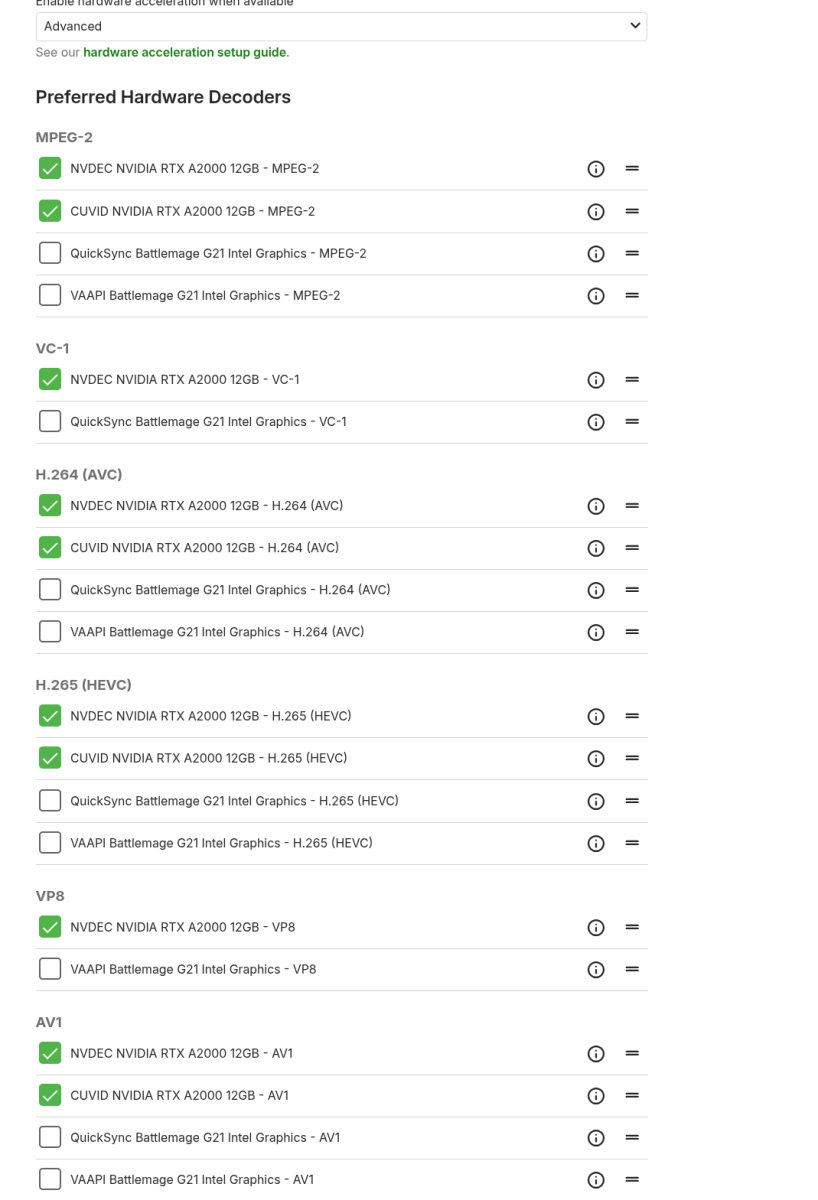
Hi, apologies for the delay. There is an updated Intel driver on the server beta channel in case that might help.2 points
-
@TheLivingBubbaI spoke with @Lukeand he told me that this concept cannot be implemented in Emby at the moment. I will keep this concept in mind and hopefully it will be implementable soon. I like your idea, and I will continue to think about how to build it for some time. Vic2 points
-
New version online with an optional spotlight-items.txt file, if the user wants to currate the items of the spotlight by himself. txt-File uses the item ID. Default behaviour as fallback when file is not present or empty. DL in Github Repo.2 points
-
The only way I notice / reproduced this issue was when (on my weak server) one user was transcoding a 4K video to 1080p and/or audio from 5.1 -> 2.0 which would take processing power actually getting in the way of other users that were using Direct Play. Perhaps there's something going on with users that transcode, "stealing" server capacity of Direct Play users? If ALL users are using Direct Play and regardless of weither one user is watching or multiple users are watching and it ALWAYS stutters, then there must be something up with your connection. Just doing a speedtest isn't enough in complex streaming cases as anything from a switch/router/modem to the ISP itself might be interfering. Also remember, mbit per second (mbps) and megabyte per second (MB/s) are two different things and the latter is a factor 8 of the first. Just because your ISP offers a 100mbit upload that also means that you'll have about 12,5 MB/s capability.2 points
-
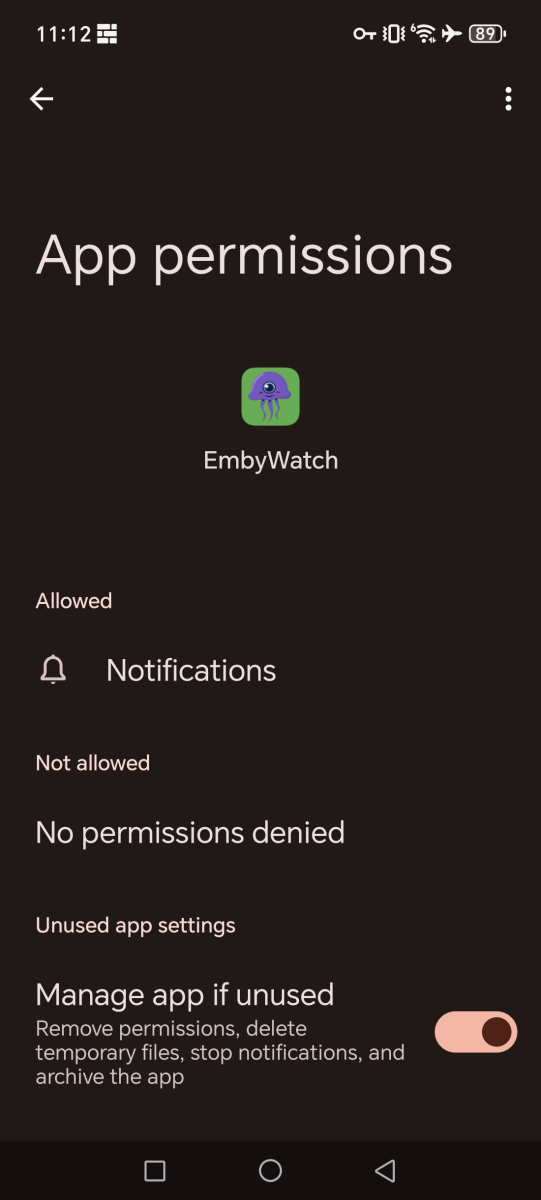
You'd need to support such statements with some proof, else it might just come off as slander. I'm sure anyone interested in the app would appreciate that info. I can second that, no additional permissions were required upon install.
 2 points
 -
Only reason I paid for emby was live tv. Only reason I left plex for emby was live tv.2 points
-
Yes it is weak excuse, at least we agree on that. But, how long are we waiting for tv next, how many years ? There is no excuse for that one whatever you quote from "real world of software developers". I would not say a word about tvnext or live tv in emby if it was not a premiere feature that is paying option on subscription or yearly. Maybe that bunch of users that pay for feature that is basically broken for years is also small proportion ? I wouldn't bet.... Lets focus on promises, paying feature that is broken, and less on buzzwords and "real world experiences" that defends emby team that did not deliver. Everybody, welcome pwhodges to emby team, on lawyer postion.2 points
-
They accomplished nothing but making emby basically annoying and unusable for anyone who has a large collection and is organized. They want you to throw all your files into one big folder for some reason. Emby as a business confuses me because they seem to care more about doing something a certain way, even if wrong and sometimes stupid, rather than making the customers' experience the best it can be...but they sure spend a lot of time on adding little features that I consider completely useless when all I want is the core functionality to work as best as it can and this latest release makes emby painfully slow and unusable for me. I am starting to think emby is more of a computer nerds vanity project more than an actual business because even when things get fixed it sometimes takes forever and ever and ever.2 points
-
Awesome. What it accomplished was making something that I've been using fine for the better part of a decade unusable.2 points
-
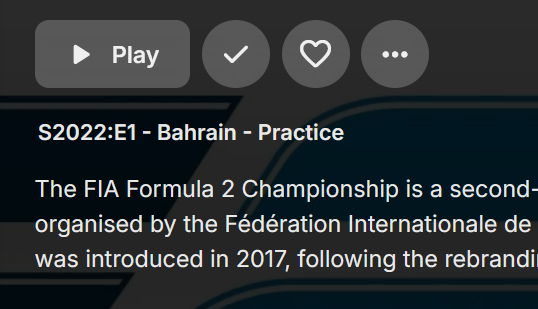
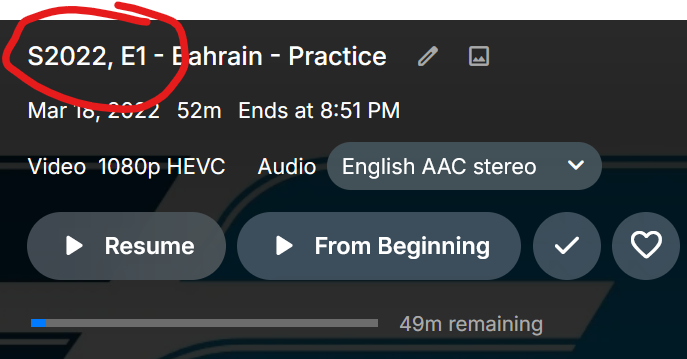
Is there any way to revert to the colon? Prior to 4.9: 4.9:
 1 point
 -
Hello After the Version 4.9.1.80 auto update some really annoying changes happened. Before the upgrade emby was working fine... It deleted the content of my playlists. The playlists were there but when I clicked the playlist there were no items in them anymore. But that's not the important issue. The important issue is this: I created some libraries. All the libraries include folders of directors or genres of my choice. As an example let's say there was a library "Must Watch" which had the folders of "Quentin Tarantino" "Martin Scorsese" etc. All those director folders had the films in subfolders which included the subtitles and artwork. When I added my "Must Watch" library I made the setting on main screen to show the "Folder" view and when I clicked the folder in that librqary view I got the "Films" view directly. So when I clicked "Quentin Tarantino" the view was directly the films. But now when I click the film it opens the film in the folder view and I have to click that too in order to get the detail page. When I created the libraries I added folders of directors or genres into those libraries and the films were in subfolders in those director or genre folders. It will take a lot of time to recreate the hole thing. Any suggestions?1 point
-
Hi All! Updated to v4.9.1.80 automatically on 9/30, but I don't remember using Emby immediately after then. Today I logged in, and I see a substantial amount of metadata gone, all art seems. I have tried to do a library scan, twice, actually I went to each library and did a metadata refresh. Just wanted to reach out if I have a corruption or system configuration or a bad update or if there is an issue with v4.9.80 If it's me, I'd appreciate guidance; if it isn't, I'll just sit tight. Thanks!1 point
-
If you edit the metadata in an item, once saved, the screen refreshes and you are taken to the first item in the Library. Not fun if you are 5000 deep in the library list. Was not like this until the update. Have tried 3 different browsers. Same in all 3. The Emby Windows app still holds your place as before.1 point
-
Thank you for your quick response. I really appreciate it...1 point
-
In this update, they've changed folders to function as actual folders when you view them rather than as a piece of media. The only option they're currently giving is to enable the "Add option for folder view to auto open single items in folders" option within your server settings under the display section. It will save you a click, but won't help with any sorting options or display any info found under the field options. This topic has been discussed a few times, as some users are running into similar issues with the change.1 point
-
Hello, thanks for answering. As far as I understood it, it works like this (please correct me if I'm wrong): The TV can play 4k, the Shield is also set to 4k output. When playing 1080p content in emby, the shield upscales it so it can send the 4k signal via HDMI to the TV. If the shield is set to 1080p then 1080p is sent to the TV via HDMI and the TV handles the rest. The "Match video resolution" in emby does nothing more than changing the resolution output setting of the shield to the resolution thats playing. I'm pretty sure it works like this because I can see the shields upscaling say something like "Active: No (No upscaling needed)" when emby set it to 1080p and just sends this to the TV. When the "Match video resolution" function in emby is off then the upscaling of the shield says it's active and it results in a worse quality in the end. I hope this explains the issue better.1 point
-
This is just getting better and better. Kudos, @sh0rty.1 point
-
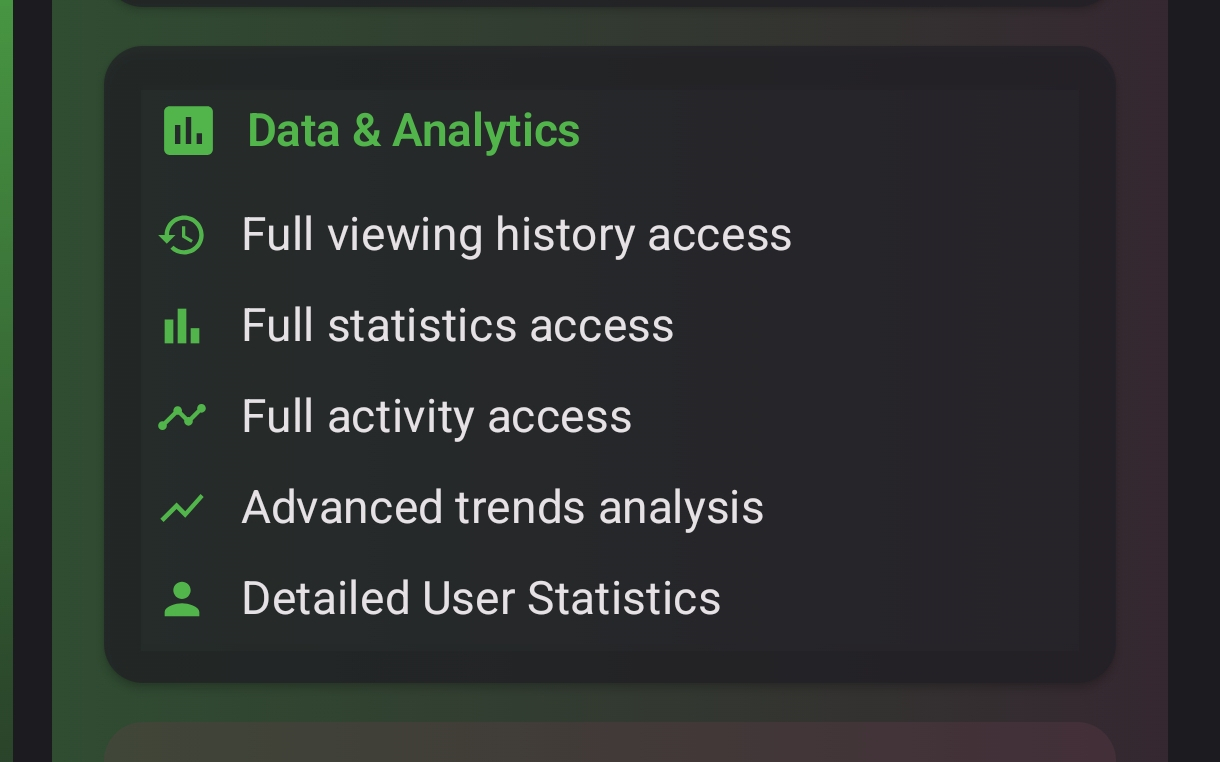
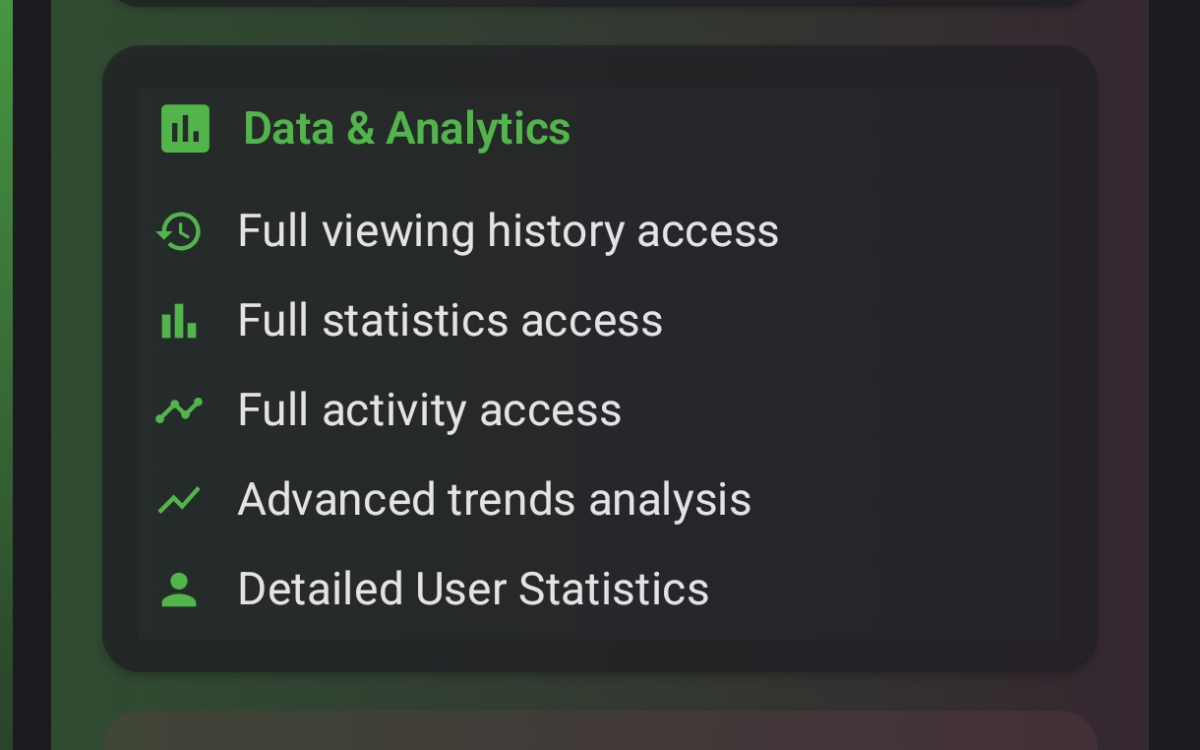
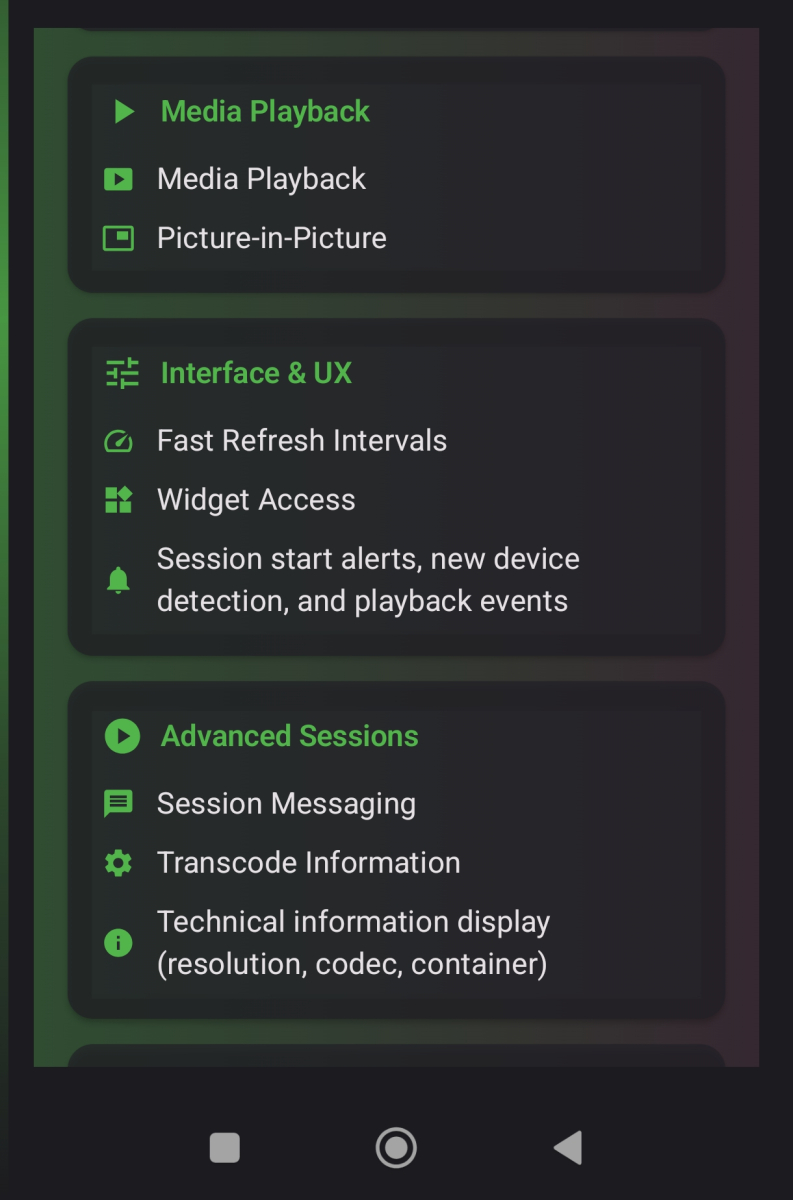
@vincenkindly share where you are seeing such information collection?1 point
-
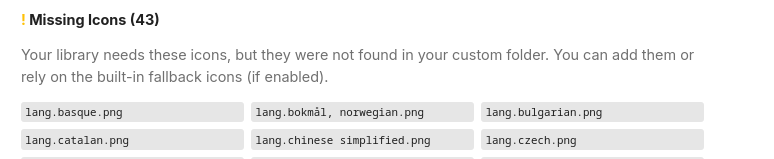
Thanks, this was the solution. Should have looked earlier there, sorry ^^ It shows indeed "lang.chinese simplified.png". Also there's "lang.bokmål, norwegian.png", so yeah i guess lang codes wouldn't be bad
 1 point
 -
Will test during weekend.1 point
-
Did you remember to embed the file so it gets included when compiled. (you most likely did but i have to ask as it's something i keep forgetting my self) The plugin uses Embys display naming scheme so what ever Emby reports the name as, that's what the plugin looks for. It made it this way so it was easier for most people to find out what to call their icon names as i guess most don't even know what language codes are. For example if Emby reports spanish then the plugin will look for lang.spanish.png. I tested the plugin with a movie made with MKVToolnix with the language set to "zh: chi" and it picked it up as chinese as it should. It might be an Emby or system regional thing that it doesn't work that way for you. You can try "lang_chinese simplified.png" (with the space) that should work if that's how Emby reports it. Also in the settings under "Icon Magement" you will be able to see precisely what icon names the plugin is looking for. As for changing the plugin. It's not top priority but i can look into making letter codes usable, it did use that once anyway but i changed it for simplicity sake. Maybe i could make some custom user mappings for it.. That way i don't have to maintain language compatibility. If you still can't get it to work then please write here and we will find out a solution.1 point
-
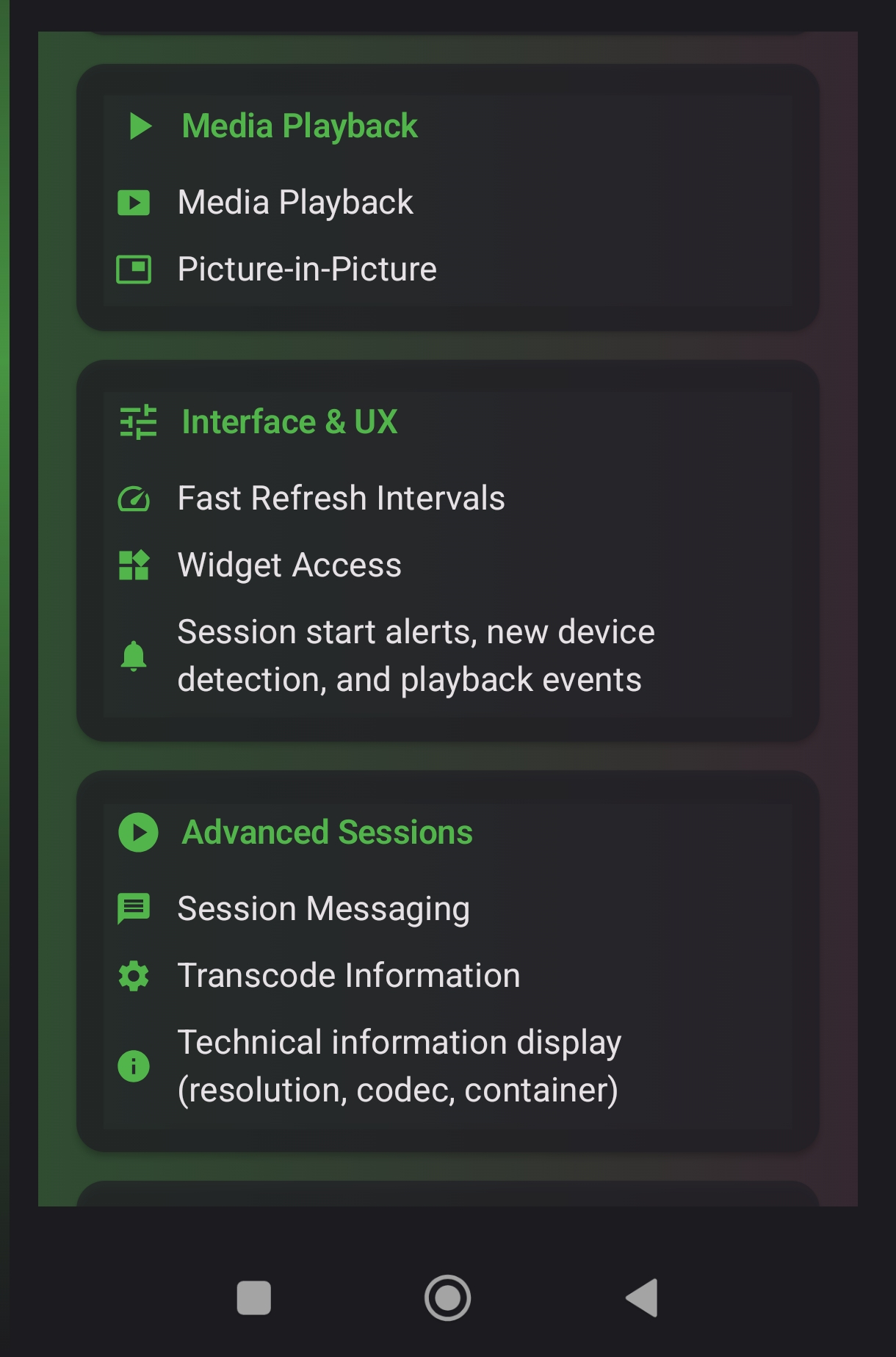
I tested it by sending a message to another user from my server, and it worked like a basic text messaging system. The message showed up in their dashboard right away, and they could reply directly. If they were watching something, they still got the message without any issue. It's pretty useful for quick communication between shared users without needing to leave Emby.1 point
-
can we get auto locking on threads that have no activity for two months. the necro pointless post to 6 month old threads with random extra questions are a pain and just add noise1 point
-
Just to add some more info, I can use the web app in Edge, Chrome, Firefox, Vivaldi and Brave to open a book on a local machine that is NOT also the server with no issues. This is a clean install of 4.9.1.80, not upgraded from a previous install.1 point
-
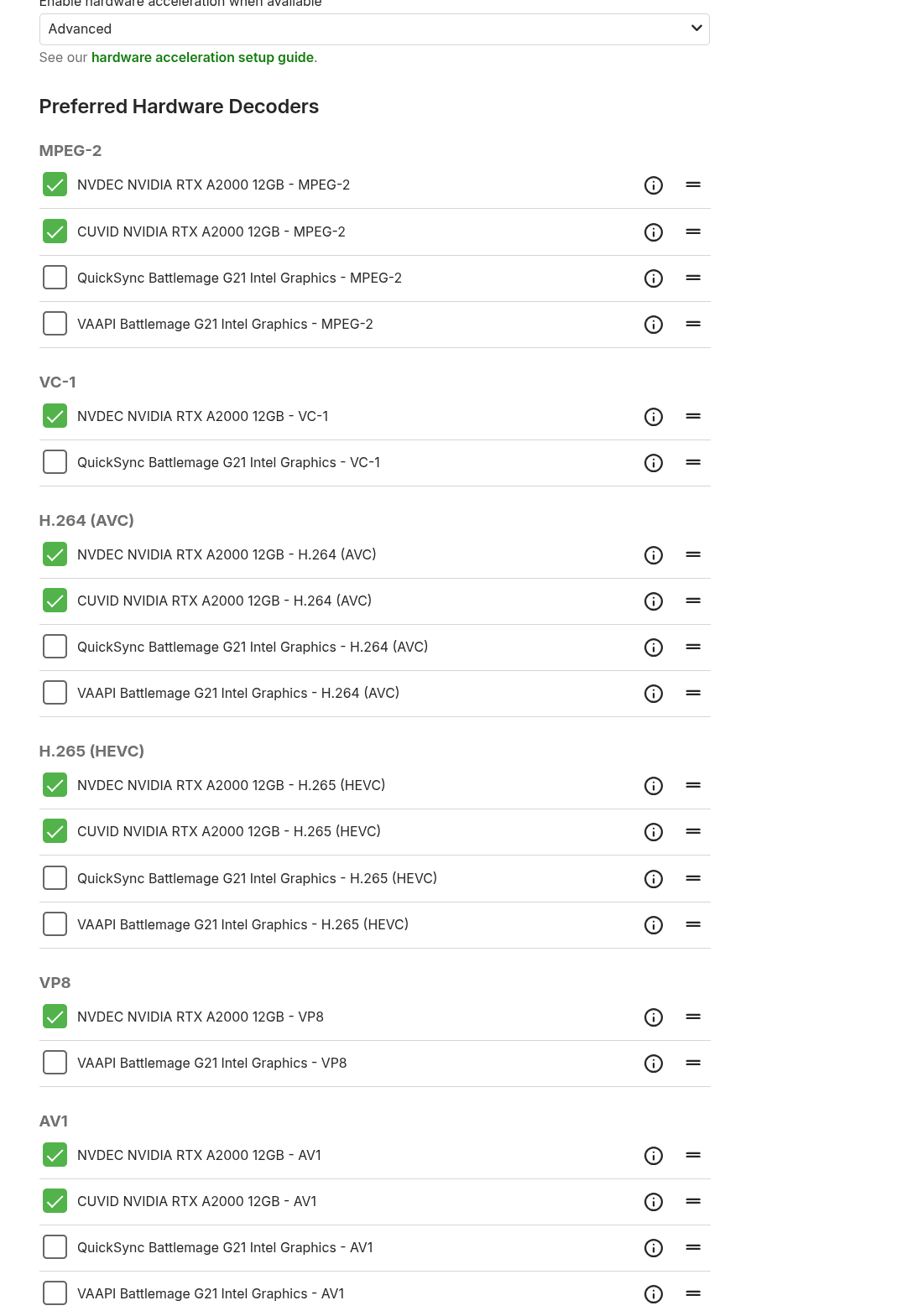
Yay, latest GPU driver seems to have fixed the issue! Sorry, I thought I had the latest. Thanks!1 point
-
As much as I don’t like people bringing back old topics, I know from experience that many are shy about creating their own separate topics. i would rather have them post somewhere then scare them off.1 point
-
Disagree. The old threads have value while locking them does not. There are some very old threads that get brought to the top have no real negative impact on this board and, actually quite often, prove to have value. Maybe one or two years is better but I do not really see the value of an automatic lock even then.1 point
-
here is the list
 1 point
 -
I tried a fresh install again and now it works!1 point
-
In my case, only some movies appear as folders, and the rest remain as before(4.8.11.0). And I don't understand the criteria.1 point
-
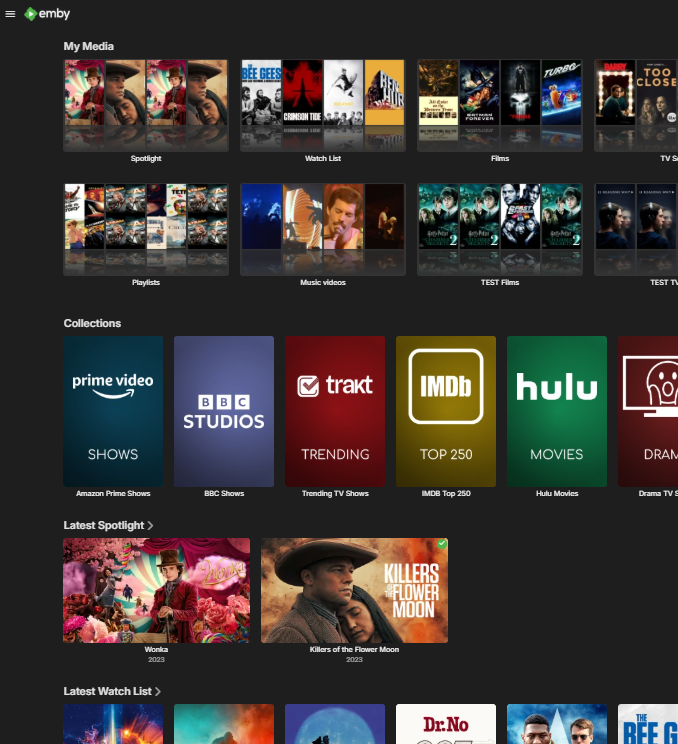
My understanding is 'Smart Views' (the next priority according to a recent post from @Luke) should be allowing us to display the results of smartlists on the home screen - but whether that includes enhancements to 'how' those objects lists are displayed remains to be seen. The ideas of 'Spotlights' is not new, it's been around for years to be honest and various 'hacks' have been attempted - but without a way to display them as spotlights, their effectiveness is limited. Heck, I've been running my own implementation for years (that works in all clients) simply by using playlists to add to a spotlight library (and a watchList as well) - works fine - but I want the contents of that spotlight library shown as the top 3rd of a page banner - like the CSS in the thread - not hidden in the 'Latest' section. If we have the flexability to add these new display types per library or Smart View and location for that row - then this enhancement will be extremly well received.
 1 point
 -
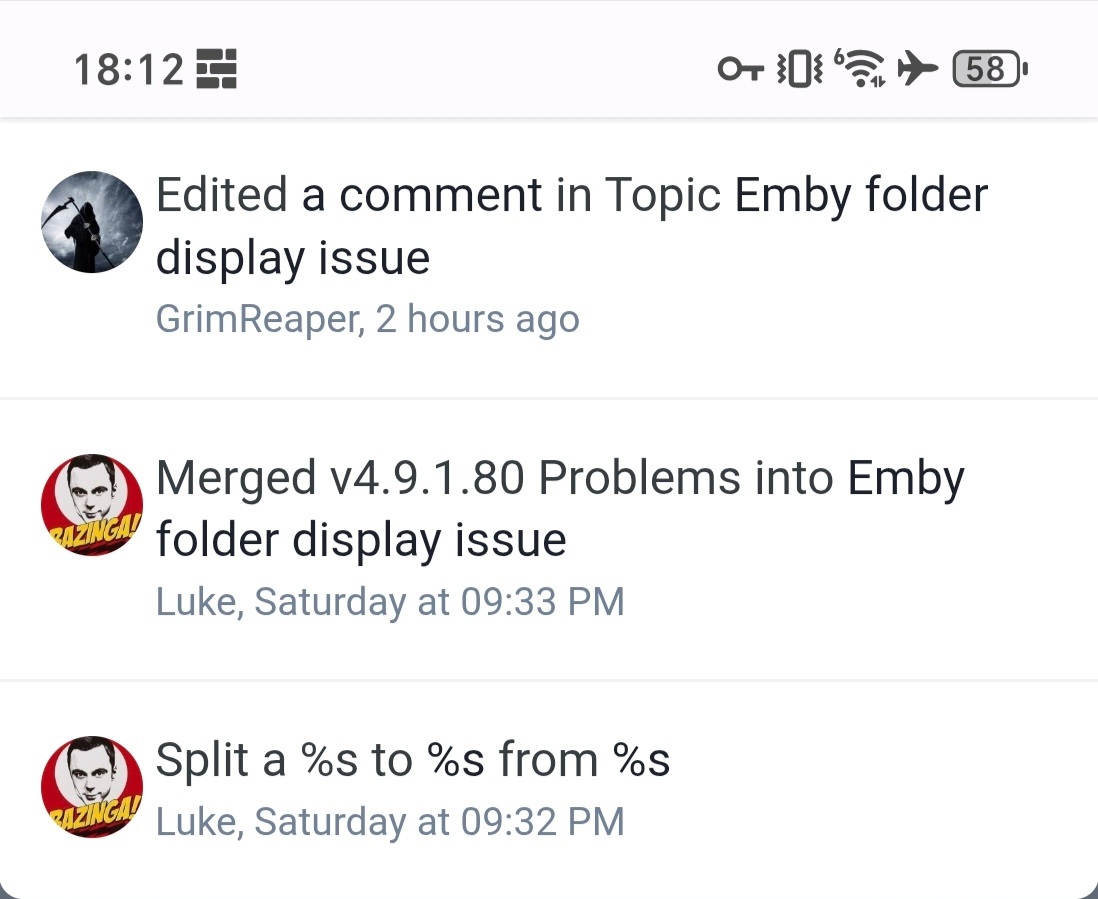
Thanks, as Moderation History shows no trace of that, hence the question. I'll track it down.
 1 point
 -
32nd of Neverember1 point
-
Sorry for spamming here but new beta version. v5.39.6 Changes: Should have some noticeable performance increases for most people. More efficient cache should keep memory usage lower. Deleting profiles works. Changed how Skiasharp is used (the part that draws the icons onto the posters) should increase performance and memory usage as well. Added a (real) memory usage meter in the troubleshooter section. This is mostly for testing the plugin and not really that useful for any one so you can ignore it. Please note: Enabling deep look up for collections (Icons for collections) will slow it all down a bit again. Sadly not much that can be done about that and is a trade off to be able to have icons on collections. As before: WARNING WARNING WARNING!! This is a beta and while it should work 100% and have been tested by my self, there might still be unforeseen bugs. If you encounter any problems while report them to me and i will look at it asap! EmbyIcons.dll1 point
-
*Mods* - this issue is flagged as 'Solved', but it is not solved.1 point
-
best get used to it, as someone who is still checking a radio button every single freaking time he wants to check for missing episodes I can assure you, this place does not ever revert shite decisions. it's the Emby way, or the highway.1 point
-
Now that 4.9 has been released when can we expect tvnext to be in beta channel for testing1 point
-
Hi Forum. I'm having an Issue like someone stated in this topic before: Many of my media just show a Logo or a black screen cause the intro of these shows is longer then 10 seconds. I cant find a good solution right now so I want to place it as a Feature request here. Possible solutions (at least for me, maybe not the best for all) could be: * Give the possibility to manually set the Time of when to pick the thumbnail from within the media file. (Seems to be 10 seconds right now) * Give the possibility to change the thumbnail manually by selecting a chapter thumbnail from the server Thanks a lot for reading.1 point
-
This gets dumber by the day. I just created a new collection, painfully slow...everything is now slow with this new version. But that is not the real problem. Because of my FOLDER STRUCTURE if I add all the movies at once in a folder to a collection when you go to the collection they don't show as movies, but as folders and are separate from the other movies added individually. So it appear I now have to turn off that setting that flattens the folders for LOOKS ONLY it appears, then click each folder to get to an individual movie, then select that movie to add to the collection. And I have to repeat this for 35 movies, instead of how it USED TO WORK where you just multi-selected all in the folder and created a collection. This new so called upgrade is a huge downgrade in productivity which totally negates any new features or fixes etc. This is totally ridiculous. Do the emby developers actually use their own product? What a huge waste of time jumping through hoops for a change that has ABSOLUTELY NO FUNCTIONAL PURPOSE. If it does then please illustrate.1 point
-
Bump to Version 1.4.1.0 https://codeberg.org/bjoerns1983/Emby.Plugin.TelegramNotification/releases/tag/1.4.1.0 Added automatic chat id retrieval (for most cases) Removed the unnecessary config.html Read the Readme for further instructions! @Lukewould it be possible that i get editing right for my starting post so i could update it by myself? @Abobader1 point
-
Keeping Entertainment Family-Friendly: Setting Up Kid Accounts and Parental Controls in Emby One of the most powerful features of Emby is the ability to create individual user accounts. This becomes especially useful for families as parents can give kids their own profiles while keeping control over what content they can access. In this guide, we’ll walk you through how to set up kid accounts and enable parental controls in Emby, step by step. Why Create Kid Accounts? Age-appropriate viewing: Ensure younger family members only see content suited to them. Personalized experience: Kids can have their own watchlists, progress tracking, and favorite shows. Peace of mind: Parents maintain control over what media is available while keeping the main library unrestricted. Step 1: Create a New User Log into your Emby Server Dashboard. Go to Users in the left-hand menu. Click + Add User. Give the account a name (e.g., “Kids” or your child’s name). Choose whether it will be a local user or linked to an Emby Connect account (for remote access). Step 2: Assign Libraries When setting up the account, you’ll have the option to choose which libraries the user can access. For example: Allow access to “Kids Movies” and “Cartoons.” Block access to “Horror,” “Adult Shows,” or any other unsuitable libraries. This ensures your child only sees the content you approve. Step 3: Enable Parental Controls Within the user’s settings, navigate to Parental Controls. Here you can: Set movie and TV show ratings (e.g., allow only PG or below). Restrict unrated content if you prefer. Block specific titles that you don’t want accessible, even if they meet rating criteria. Step 4: Add Playback Restrictions Emby also lets you manage how and where kids can watch content: Limit streaming devices (e.g., only the living room TV, not mobile). Set time restrictions for viewing. Disable certain features like live TV or external plugins. Step 5: Test the Account Once set up, log into the kid’s account yourself to confirm: Only age-appropriate content is visible. The playback settings behave as expected. The account has a fun, personalized feel for your child. This way, you can make adjustments before turning it over to your kids. Conclusion By creating dedicated kid accounts and using Emby’s robust parental controls, you’ll give your children a safe and customized experience while maintaining control over the family media server. It’s simple, effective, and ensures that everyone enjoys Emby their way. View the full article1 point
-
Download page too. https://emby.media/download.html1 point
-
using the forum device support list is probably a good start. Emby Apps - Emby Community1 point
-
Your Emby server is the heart of your home entertainment system, the engine that delivers your vast media library to all your devices. But what kind of hardware does it take to run a smooth and powerful Emby server? Let's dive into the essentials, from basic requirements to advanced setups. The Foundation: Operating Systems and Supported Platforms Emby is designed to be versatile, running on a wide range of operating systems, including: Windows: A popular choice for its ease of use and broad hardware compatibility. Linux: Offers flexibility and performance, favored by many power users. macOS: Seamless integration within the Apple ecosystem. Docker: For containerized deployments, providing portability and isolation. NAS Devices: Many NAS (Network Attached Storage) devices support Emby, simplifying setup and storage management. This platform flexibility allows you to choose the operating system that best suits your needs and existing hardware. The Core Components: CPU, RAM, and Storage The performance of your Emby server hinges on three key components: CPU (Central Processing Unit): The CPU is crucial for transcoding, the process of converting media files to a format compatible with your playback devices. For basic streaming of direct play content (where no transcoding is needed), a modest CPU is sufficient. However, if you plan to transcode multiple streams simultaneously, especially high-resolution content like 4K, a more powerful CPU (with built in iGPU or a dedicated graphics card) can be essential. RAM (Random Access Memory): Emby uses RAM for caching metadata, buffering streams, and other operational tasks. For most users, 8GB of RAM is a good starting point. If you have a large library or plan to transcode multiple streams, consider 16GB or more. Storage: The size of your storage needs depend on the size of your media library. Consider using dedicated hard drives or a NAS device for ample storage capacity. SSD storage for the Operating system and Emby metadata can drastically improve the responsiveness of the web interface. For optimal performance, use high-speed drives (e.g., 7200 RPM HDDs or SSDs). Hardware Acceleration: Dedicated Transcoding Performance Hardware acceleration offloads transcoding tasks from the CPU to dedicated hardware, significantly improving performance and reducing CPU usage. Intel Quick Sync Video: Integrated into many Intel CPUs, Quick Sync Video provides efficient hardware-accelerated transcoding. Quick Sync is also available on Intel's dedicated graphics cards. NVIDIA NVENC: Available on NVIDIA GPUs, NVENC offers high-quality hardware-accelerated transcoding. AMD VCE/VCN: AMD's hardware acceleration solutions on AMD GPUs. If you plan to transcode frequently, especially 4K content, taking the time to set up dedicated hardware transcoding can significantly improve performance. Choosing the Right Hardware for Your Needs The optimal hardware for your Emby server depends on your specific use case: Basic Streaming: A modest CPU, 8GB of RAM, and sufficient storage are adequate for streaming direct play content. Moderate Transcoding: A mid-range CPU with dedicated hardware acceleration (Intel QuickSync), 16GB of RAM, and high-speed storage will handle moderate transcoding loads. Heavy Transcoding: A powerful CPU with multiple cores and robust hardware acceleration or dedicated GPU as mentioned above, 32GB or more of RAM, and fast storage are essential for heavy transcoding of high-resolution content. NAS Devices: many modern NAS devices can run Emby. Research the specifications of your NAS to ensure it meets your performance requirements. Optimizing Your Server Beyond hardware, optimizing your Emby server involves: Network Connectivity: A stable and high-speed network connection is crucial for smooth streaming. Regular Updates: Keep your Emby server and operating system up-to-date for optimal performance and security. Server Location: Place your server in a well-ventilated area to prevent overheating. Conclusion Building a powerful Emby server is about understanding your needs and choosing the right hardware. By carefully considering CPU, RAM, storage, and hardware acceleration, you can create a seamless and enjoyable media streaming experience for your entire household. Also, always keep in mind the wonderful community of Emby users and admins that you can find always active on our forums that can help with any questions you may have about hardware and initial setup.1 point
-
Hi, yes we're looking into it. Thanks.1 point
-
@svdaseinthanks for the "workaround" that is quite crazy and yeah I'm with dual screen on both computers where I have the problem !1 point
-
Xzener's Emby Icons Xzener's Emby Reflection Icons Xzener's Emby EHS (Non-3D) Icons Xzener's Emby EHS Icons1 point