Leaderboard




Popular Content
Showing content with the highest reputation on 10/08/25 in all areas
-
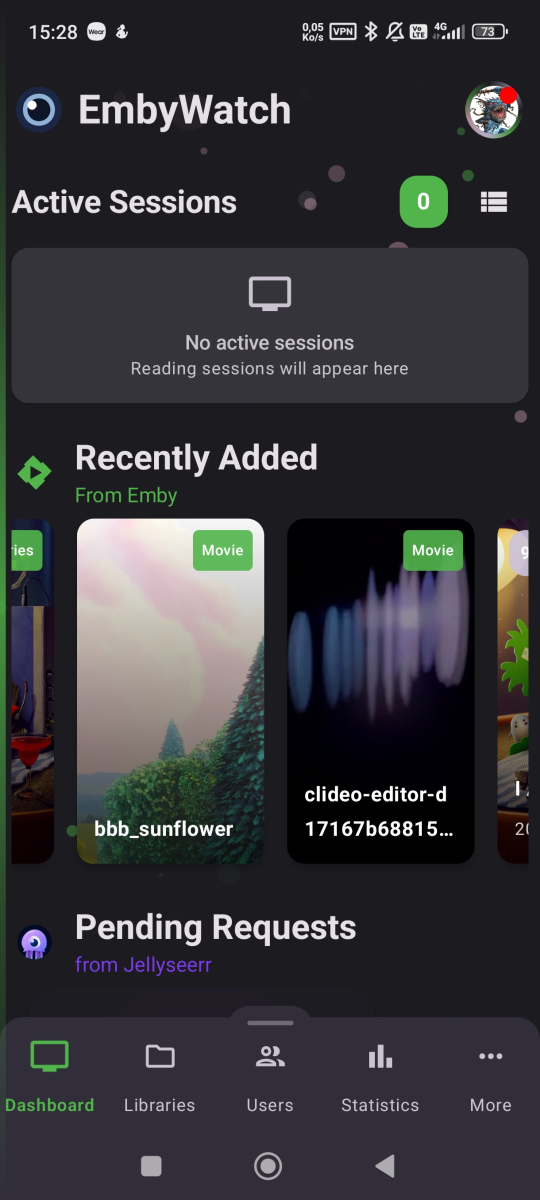
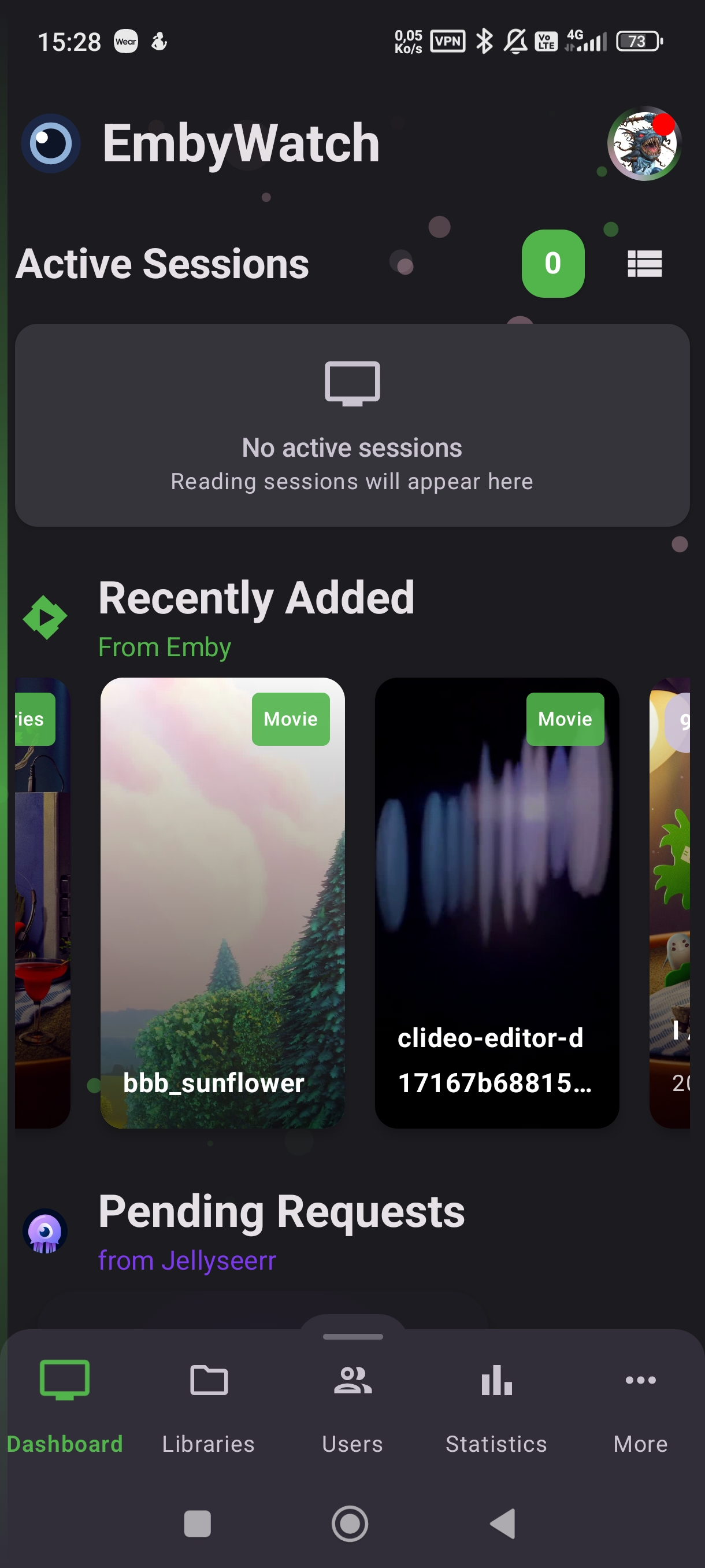
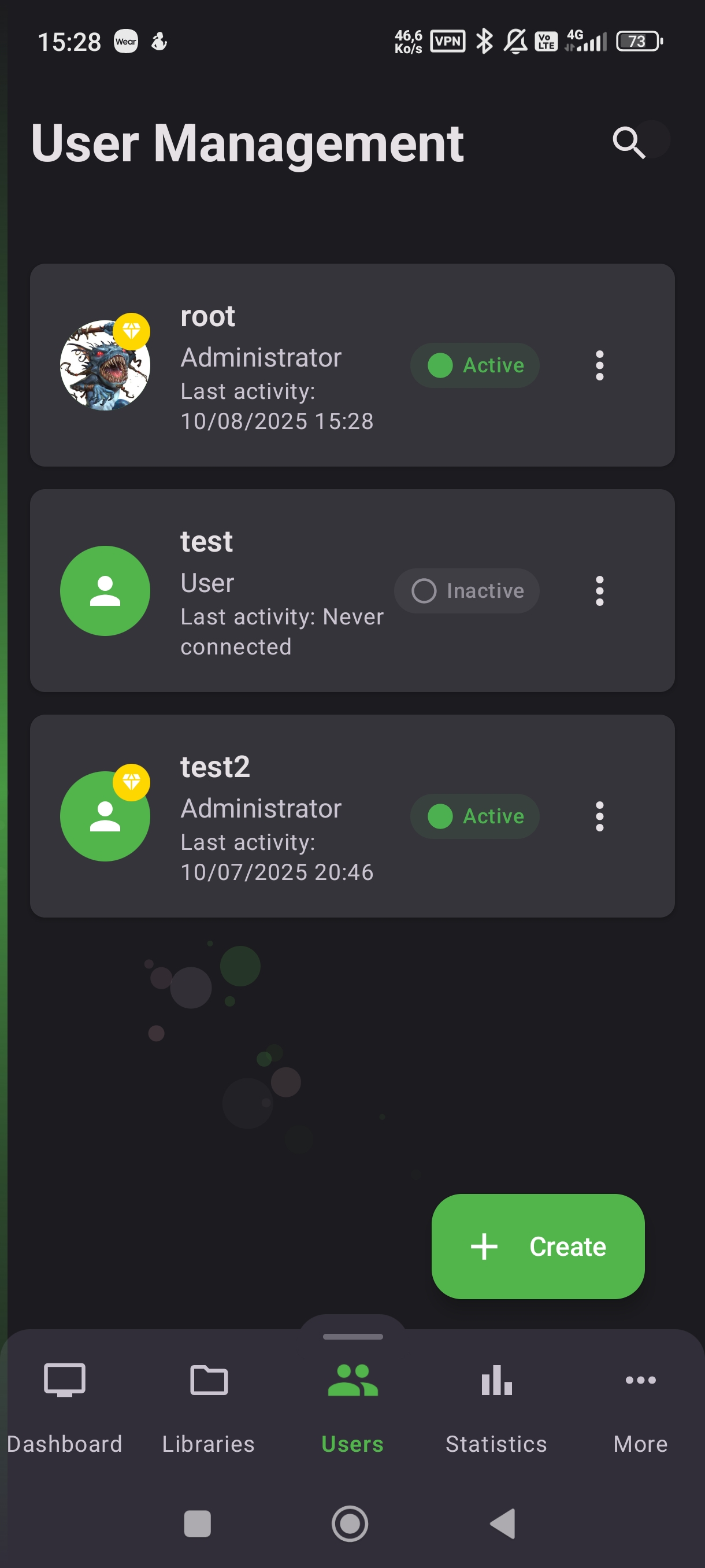
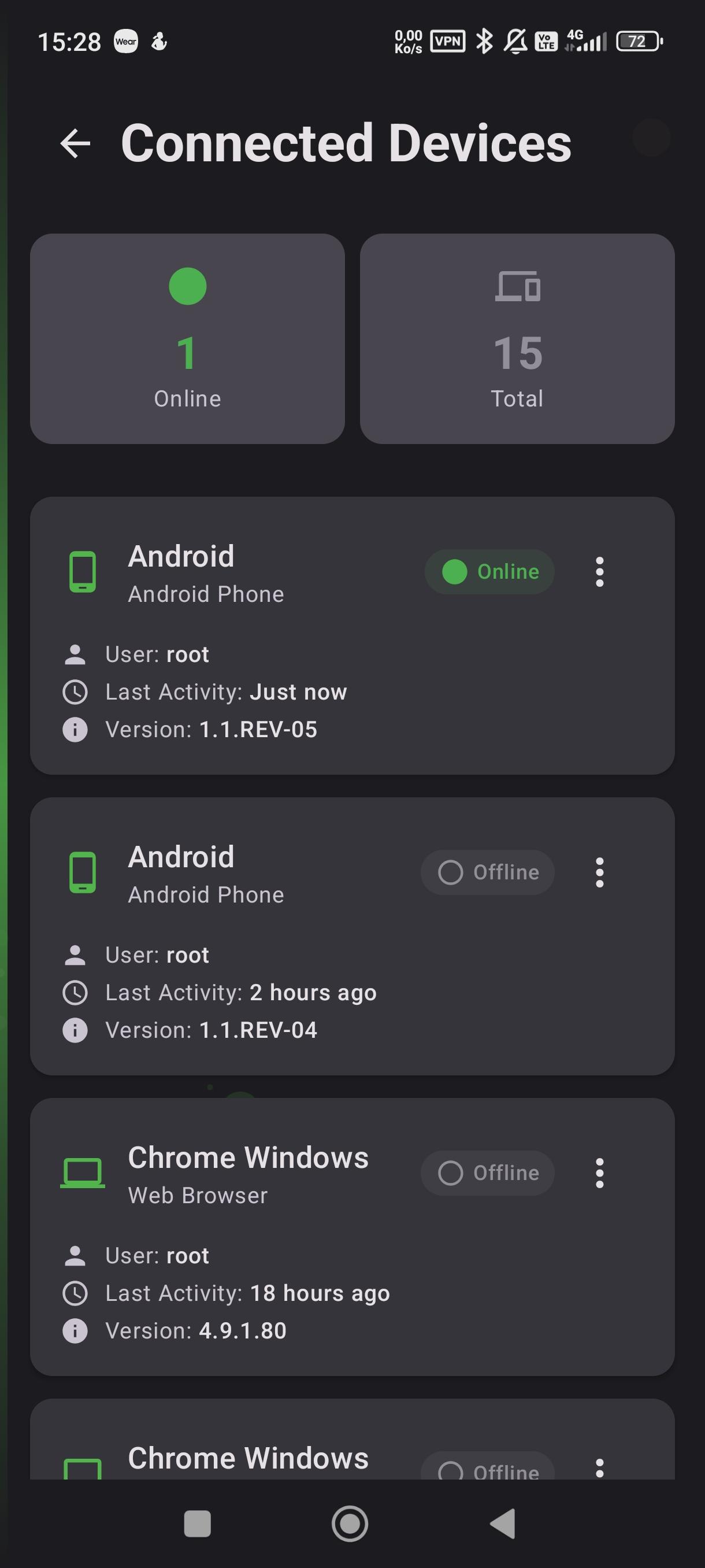
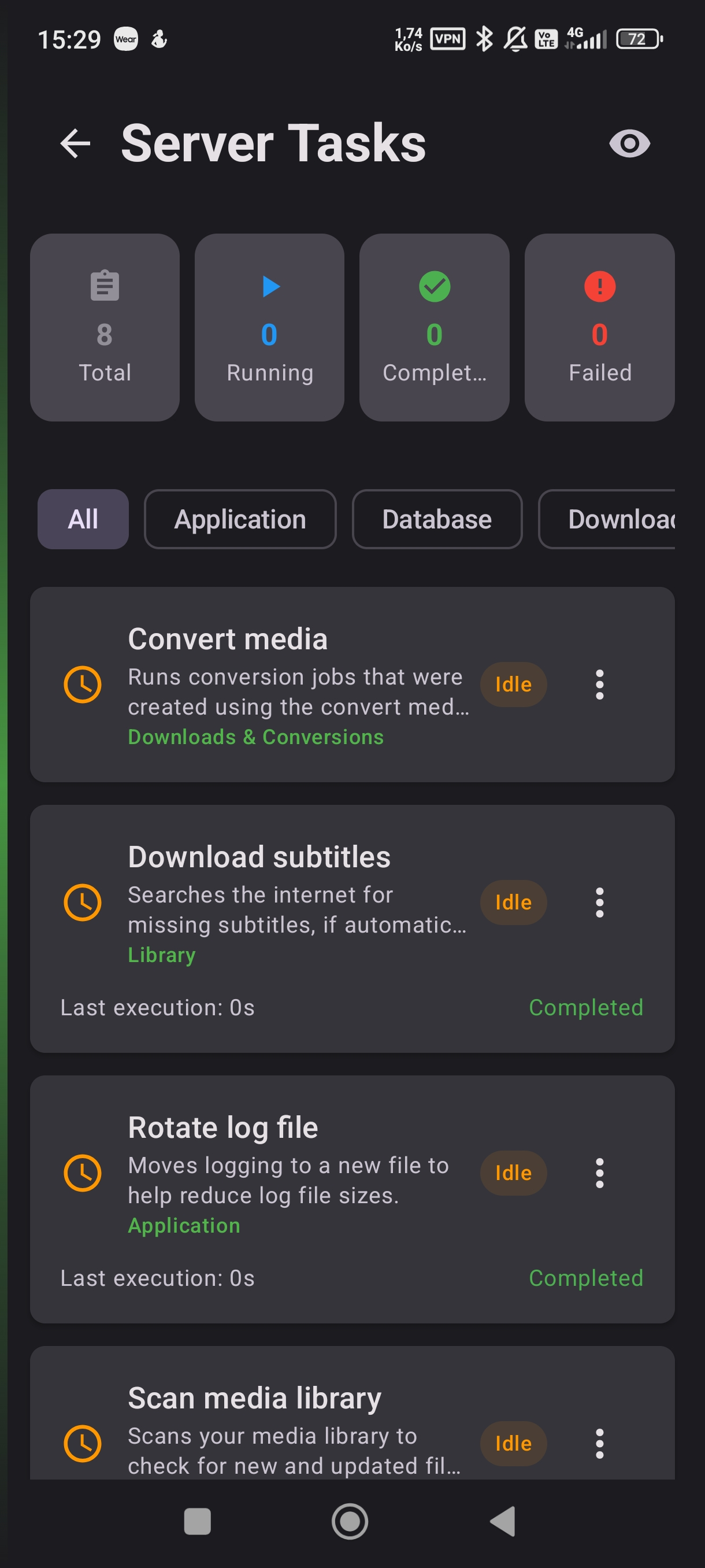
I'm sharing some pictures of the app with you!
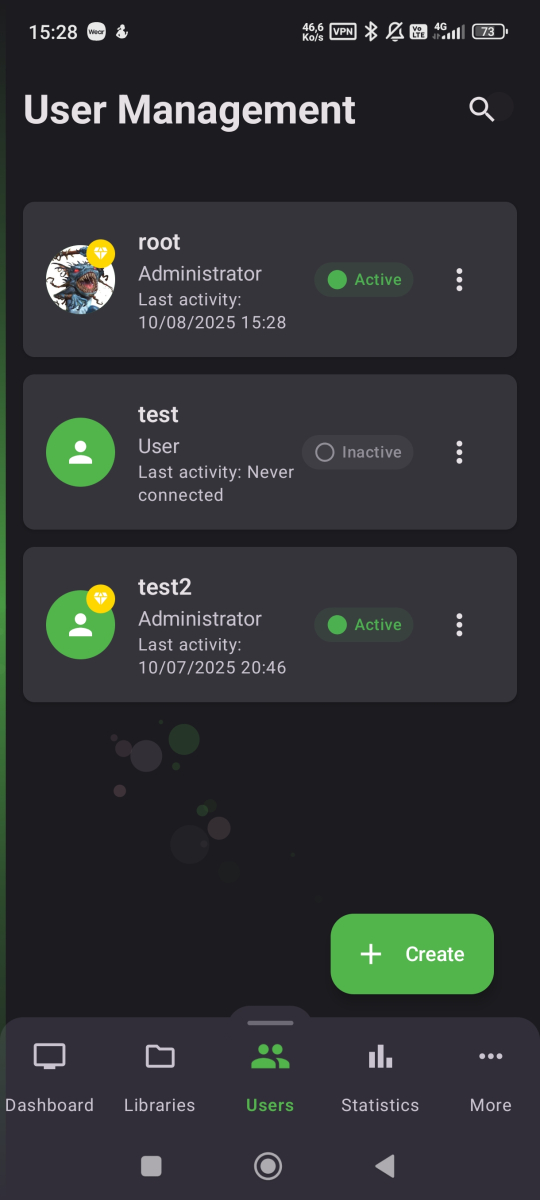
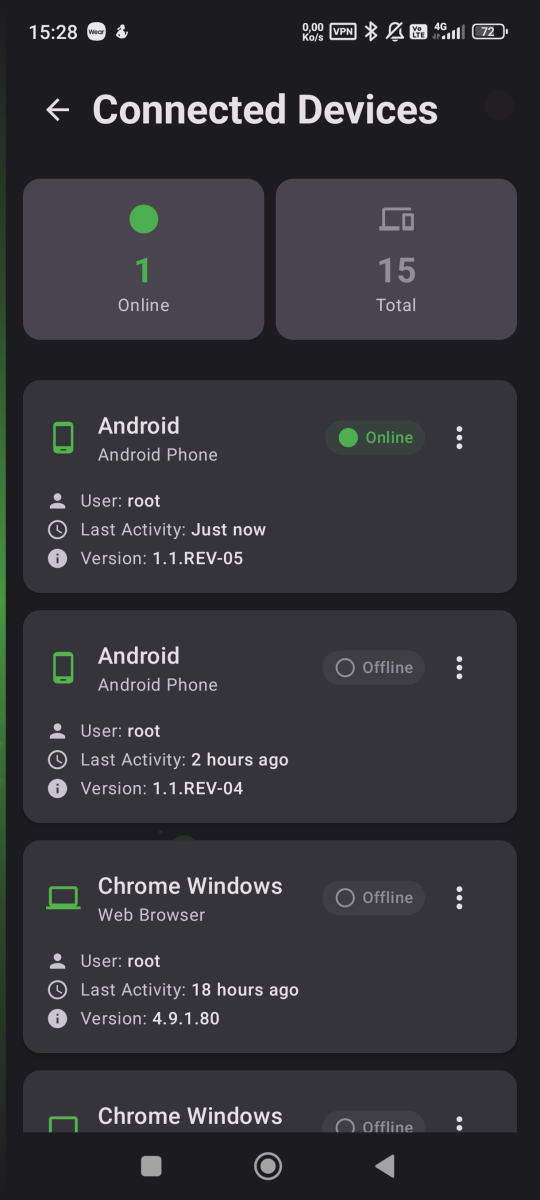
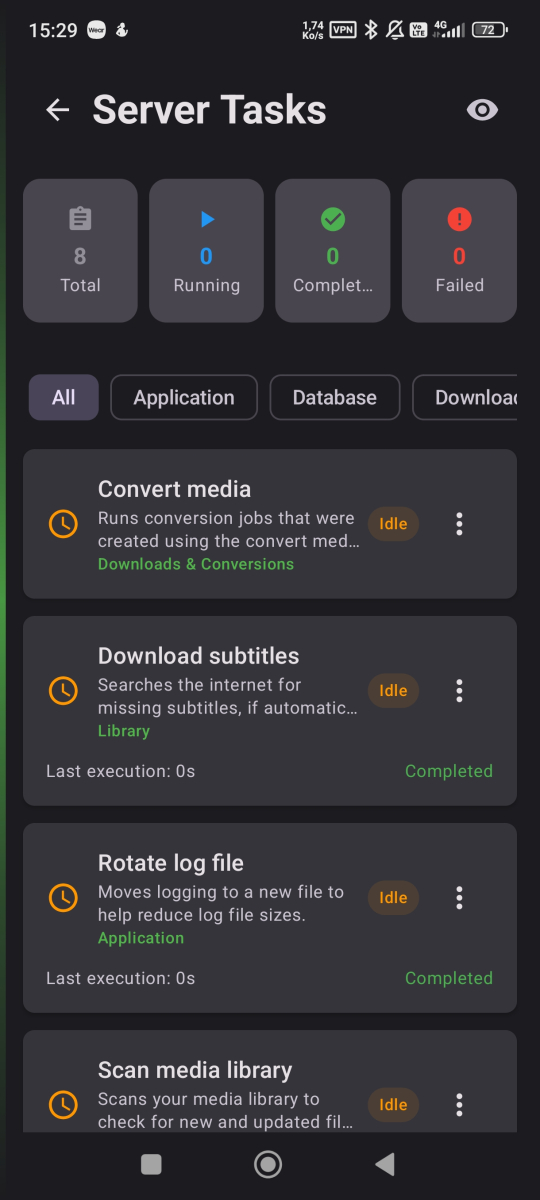 5 points
 -
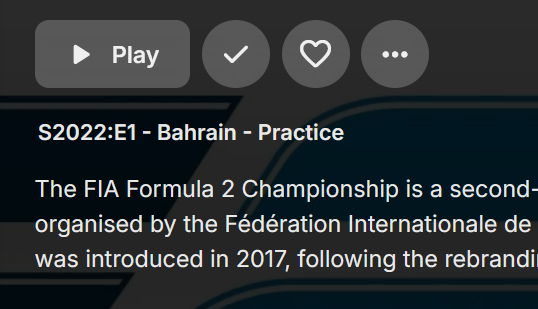
Is there any way to revert to the colon? Prior to 4.9: 4.9:
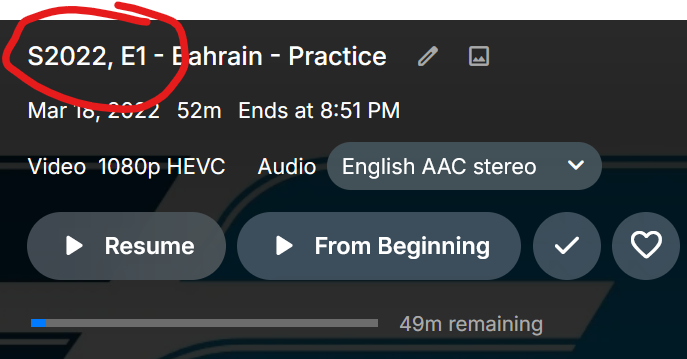 4 points
 -
I'd like a way to set the primary thumbnail image to the current frame during playback in the web interface. I have a library set to content type "Home Videos & Photos". Emby does a pretty nice job choosing a frame from each video to use for its primary thumbnail image, but sometimes I'd like to choose a different frame. I can do this manually by playing the video, taking a screenshot, choosing "Edit images" from the "..." menu, clicking the "+" button, uploading the image, and selecting "Primary" as the type, which replaces the existing image. If I want the image to be a full frame then I need to wait a few seconds for the web interface to disappear before taking my screenshot, as there doesn't seem to be a way to dismiss it. And then the image I save is in a different resolution than the automatically generated ones. So although it's possible to generate my own thumbnails, it's a bit of a hassle. Since Emby Server obviously already has the capability to generate a primary thumbnail from a frame of video, it would be really nice to have a way to tell it to do this from a frame chosen manually during playback. I'm thinking a little snapshot button could be added to the playback interface. Or if that's too obtrusive, hide it behind a "..." menu. A related request: It would be great to be able to pick which of the items inside a folder would be used for the folder's thumbnail. These are small issues but would be really nice for organizing collections of home videos and other media that can't be easily looked up in databases.3 points
-
Correct, the Intel versions of x25 can have HW-transcoding activated by re-enabling the driver: https://www.reddit.com/r/synology/comments/1o15zz9/someone_finally_cracked_hw_transcoding_on_x25/ Version 7.3 doesn't change HW-transcoding capabilities compared to what was already changed in 7.2 (basically removing h.265 from their own apps, but the driver is still there, so Emby can use HW-transcoding). It's just that Synology's release notes are trash.3 points
-
4.9.1.80 is the "stable" release following the 4.9.1.36 beta. However, 4.9.2.1 is a beta for 4.9.2.x, but it is not the new beta stream which will follow the release of 4.9.1.80, rather a try-out specifically for the 4.9.2.x maintenance release of the stable stream. I don't recall them doing it this way before... Paul3 points
-
Seems to work fine after upgrade to 7.3.3 points
-
I was, in fact, using .NFO's, thankfully. 24 hours later now that the dust has settled, it appears that only 40 of my movies had their "Date Added" screwed up. Unfortunately, it appears this reset all my cover art and media for the entire movie library though, which is what took so long. Still not happy about this, but it is much less disastrous than it first appeared. Again, whether or not we have backups is irrelevant when you were given the feedback in beta. You are effectively blaming the user here and chastising them for not having backups, instead of owning up to the fact that you knew about a bug and didn't bother to address it because you didn't think it would affect that many people. Beta is where you make your mistakes, not on full releases. I would imagine the vast majority of your user admins running servers are pretty hands off when it comes to day to day operations. That is the entire point of these automated systems that find and download and slap pretty covers on all our movies and shows before sorting them all nice. That's great that you want to dive into all of that, but the rest of us don't want to spend all day mucking about with setups, or fixing things that should have been caught in beta releases (which we intentionally don't sign up for, because we want the WORKING product, not the bug filled one). To be frank, this is some amateur bullshit. I'm just thankful that this most recent F-up wasn't more costly.3 points
-
This project only purpose was to show the devs that it's not forbidden that an awesome project "under the hood" like Emby can also look stunning. In visual terms default Emby is by far not in pole anymore (if it was at all at one point). CSS is cool, but who the hell uses the WebClient for watching content? It would be awesome when the CSS work from people like@fillidillwith his CSS theme would also be beneficial for all of the clients. But this will likely never happen.2 points
-
Oh how I wish this was available on the non web clients .. This appears to have everything I want on a 'landing page' - it spotlights a new Movie - it looks interesting - I hit play. Bingo.. a perfect user experience ..2 points
-
Exactly! I tried that and that is how I found out if you select all the files in a folder and try to create a collection, which used to be the easiest and most logical way, it still adds them as folders and changes nothing. Everything is so slow now because I use a lot of folders and this EXTRA USELESS LAYER that has ZERO FUNCTIONALITY had made just navigating emby so slow it has become almost useless to me. On top of that I tried to watch a movie last night on my Sony Google TV and there is no way in the display settings to skip the extra click so now I have to click the folder to get to the movie. This annoyed me so much I just exited and watched something on Netflix. You have essentially KILLED emby for me. When I get back from my trip to California I will re-test Jellyfin because since I got rid of Cable TV I no longer need Premiere so it may just be time to leave this dumpster fire to those who just throw everything in a giant folder. I simply cannot do that as I have over 10K movies and hundreds of TV series.2 points
-
To Clarify: I currently have several family member users logged into emby on my Samsung TV. On launch, It currently logs into the last active user without needing a password. I can then use the top right menu to switch to another user. Everyone's credentials must already be cached from the first time entered, as it doesn't ask me for a password on subsequent switches. What I would like is the same type of startup behaviour that you can get from Netflix, Prime, Disney etc or even plex when using multiple accounts / profiles. A user select screen that has each users icon and does not require a password or pin. If I change startup behaviour in the Tizen app to show login screen, on restarting I do get a page that shows all the users. However, It forces me to enter a password for whatever account I pick. I will then be logged in, and I am again able to switch to any of the other users without needing a password via the top right menu. If I then go back into settings, Startup behaviour will have reverted to log in last user, so it only works once. All I'm looking for is a simple pick your profile type screen, no pass, no pin on each app launch that stops people just playing content from whatever account is active. Hope that explains it better, thanks!2 points
-
Hey any updates yet other then just saying it's coming or that it's being looked into? I'm a paying customer and haven't seen any real improvements on the Apple tv app in a long time,no theme changing, no theme songs, can't customize the homepage, I saw in another thread that the theme songs have been looked into for 3 years now, we need updates and some real news.2 points
-
New version online, now with a Play Button.2 points
-
That surprises me too. What I noticed was that after unplugging the power plug for 15minutes, I had to agree to the cookie guidelines again on various television channels. That wasn't the case after the full reset. The next time I do a full reset, I also pull the power plug for a few minutes. It might be a good idea for all devices that can be reset.2 points
-
To follow up on this: TMM Dev was (grudgingly) accepting, fix will be in tomorrow's Nightly, followed by Pre-Release and Release versions in due time. https://gitlab.com/tinyMediaManager/tinyMediaManager/-/commit/d8231e8e307beefa6b6007035901199eb8c5612f2 points
-
2 points
-
That is the unfortunate side-effect of Cast & Crew being able to be sorted now (and it annoys me to me end, so much so that I won't be moving up from 4.8.11.0), Emby reads order from external NFOs on initial import - as TMM typically writes <credits> and <director> tags before <actor> nodes, you get them listed first. Been reported in 4.9 beta branch long time ago.2 points
-
Few changes: cleaned up the instructions a bit (now also complete inside the Spotlight.js) added a slight shadow fitting the Emby design tagline is now hidden on small displays Zooming in the whole banner looked kind of weird so I decided to just zoom in the logo a bit + an optional hover frame to let people know the banner is clickable. Modified ReziseHandler and Transform function for the background generation -> old function generated wrong subpixels on the sides sometimes Instructions on how to set the different variables are are at the beginning of Spotlight.js, but just in case: 1. Download Spotlight.js 2. Change the following values to your needs a) limit variable (line 27) is for the amount of items from 50 latest the plugin shows in Spotlight in random order -> default = 10 items b) autoplayInterval variable (line 28) sets the amount of time how long an item is presented by Spotlight -> default = 8000ms (8s) c) backgroundColor variable (line 29) is for the gradient/vignette color at the inside edges of the spotlight and can be any value, e.g.: HEX: "#0000000" -> Emby Themes: Dark = #1e1e1e; Black = #000000; Light = #ffffff; Finimalism = #090214; for other gradient themes like AppleTV or Blue Radiance take e.g. Windows Color Picker (WIN+SHIFT+C) and choose a color on the screen that makes you happy d) highlightColor variable (line 30) is for the border around the spotlight on hover and can be any valid value, e.g.: HEX: "#0000000" rgb: "rgb(20 170 223)" rgba: "rgba(20 170 223, 0.2)" No border: "none" Emby accent color: "hsl(var(--theme-primary-color-hue), var(--theme-primary-color-saturation), var(--theme-primary-color-lightness))" Finimalism: "var(--theme-primary-color)" 3. Paste this file inside /system/dashboard-ui/ 4. Add <script src="Spotlight.js"></script> before </body> tag at the end of /system/dashboard-ui/index.html 5. Clear Cache and hard reload Emby Web Bildschirmaufnahme 2025-10-07 191908.mp4 Spotlight.js2 points
-
It would be great to have Emby as a music provider for Music Assistant: https://music-assistant.io/ I'm forced to use Jellyfin as a provider for now: https://github.com/orgs/music-assistant/discussions/583 It probably wouldn't take too much effort to adapt the existing Jellyfin provider to the Emby API: https://github.com/music-assistant/server/tree/dev/music_assistant/server/providers/jellyfin1 point
-
Would it be possible to get a small section in the emby dashboard to display the servers CPU util / mem usage / networking statistics?1 point
-
Why would you want to customize your home screen and how to do it! Your Emby home screen is the gateway to your entire media world but for some the default layout isn't the perfect setup. The good news? Emby gives you powerful tools to transform your home screen into a clean, personalized, and intuitive hub that perfectly fits your viewing habits. In this guide, we’ll walk through everything from organizing libraries and smart collections to customizing artwork and user profiles. Whether you’re new to Emby or looking to take your setup to the next level, this article will help you design a home screen that looks and feels like your own streaming service. Organizing Your Libraries and Content Types A clear library structure is the foundation of a great Emby experience. Create dedicated libraries: Separate Movies, TV Shows, Kids, Documentaries, Music, and more. This makes browsing faster and lets you apply different metadata settings for each type. Use descriptive names and icons: Rename generic libraries and assign custom icons or cover images for visual appeal. Fine-tune sorting: Use filters and sort by release date, genre, rating, or watch status to keep your content organized and accessible. Pro Tip: Keep kids’ content in its own library with separate age restrictions and artwork for a cleaner home screen. Customizing Artwork and Posters Visual design has a massive impact on user experience — and Emby gives you full control. Replace default artwork: Swap in your own posters, backdrops, and logos for each title. Use consistent visuals: Download high-quality images from sources like The Movie Database (TMDb) or Fanart.tv for a cohesive look. Customize library icons: Apply themed icons for each library (e.g. a film reel for Movies, a TV icon for Shows). Hiding or Rearranging Home Screen Sections A cluttered home screen can be overwhelming to some. Streamline your layout by: Disabling unused sections: Turn off “Latest Media,” “Trailers,” or “Music” if you don’t use them. Reordering content rows: Move “Continue Watching” or “Favorites” to the top for fast access. Simplifying for guests or kids: Remove advanced sections on non-admin profiles for a more focused view. This keeps your home screen clean and purpose-driven. Themes, Skins, and Display Options Give your Emby interface a personal touch with display tweaks: Enable Dark Mode or Light Mode: Choose a theme that fits your environment. Adjust poster sizes: Larger posters are more visual, smaller ones fit more on screen. Tweak text and layout: Adjust font size, spacing, and aspect ratio for optimal readability on TVs, tablets, or phones. Personalizing User Profiles If you share your server with family or friends, user profiles let each person have their own home screen experience: Individual layouts: Each profile can show different libraries, collections, and sections. Parental controls: Restrict content ratings, block libraries, or set watch schedules for kids. Profile pictures and colors: Add custom avatars and themes for a personal touch. This keeps everyone’s experience separate and clutter-free. A well-designed Emby home screen can make your entire media experience feel faster, cleaner, and more personal. By organizing libraries, building smart collections, customizing artwork, and tailoring profiles, you can create a setup that feels like your own private streaming platform. Spend a little time experimenting — you’ll be amazed at how much more enjoyable Emby becomes when it’s designed just for you.1 point
-
I'll try to keep this feature request short and simple. When the Emby server needs to transcode audio to make it compatible for the Emby client, it will use a hardcoded value for the bitrate that cannot be changed. For example, if the audio gets transcoded to Dolby Digital AC-3, it will always use a bitrate of 384 kb/s. This value cannot be changed, even though Dolby Digital AC-3 allows a maximum bitrate of 640 kb/s. Although 384 kb/s is a decent compromise between quality and data, it is very compressed and the quality is far from being transparent. The same thing applies to every other audio codec the Emby server may transcode to, such as AAC. So the request is simple, allow users to specify the bitrate that should be used for transcoding audio. Thanks, Charlie1 point
-
So, I upgraded to 4.9.1.80, I'm running the portable version so I just swapped the SYSTEM-folder as I usually do, backing up the old one. When starting emby server a scan was initiated that took a couple of hours. After the scan all my movies had been added right now. All metadata shows all movies were added 2025-10-01 10:16:34 Not a big thing but the "latest movies" and the sorting is all off. The TV-shows are same as before, so no change there.1 point
-
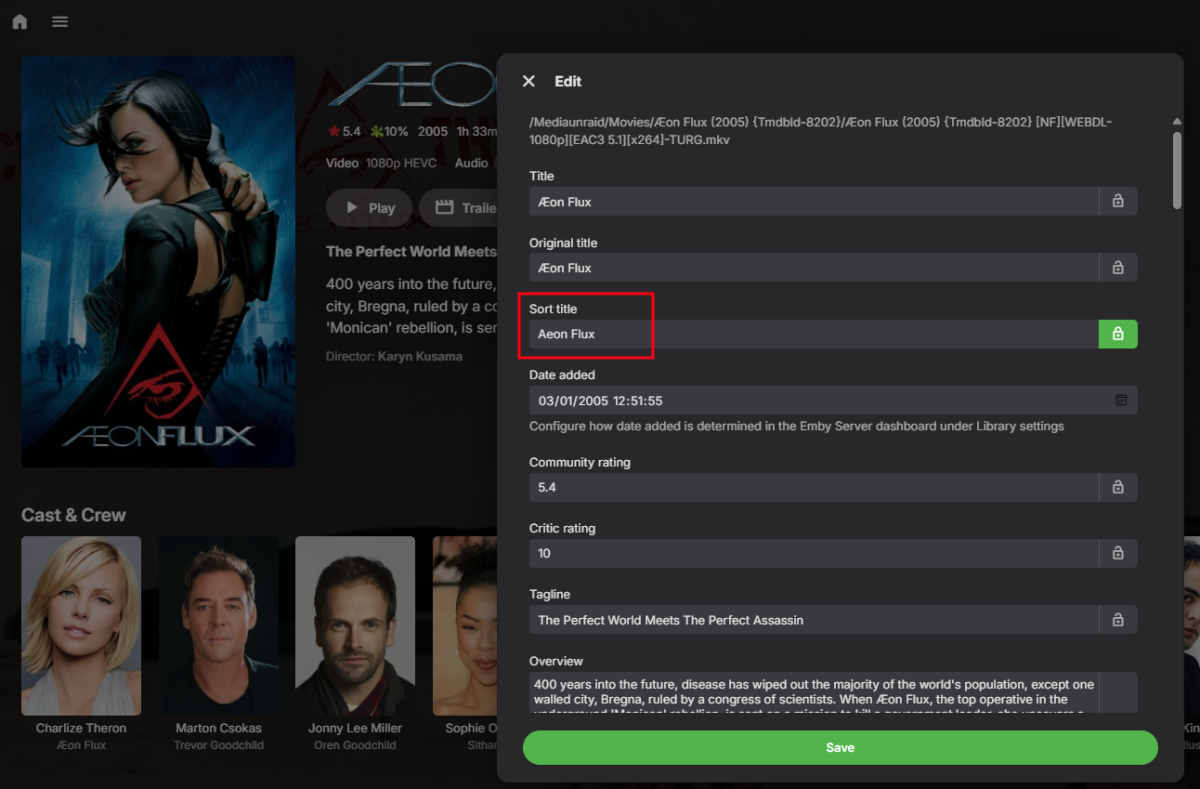
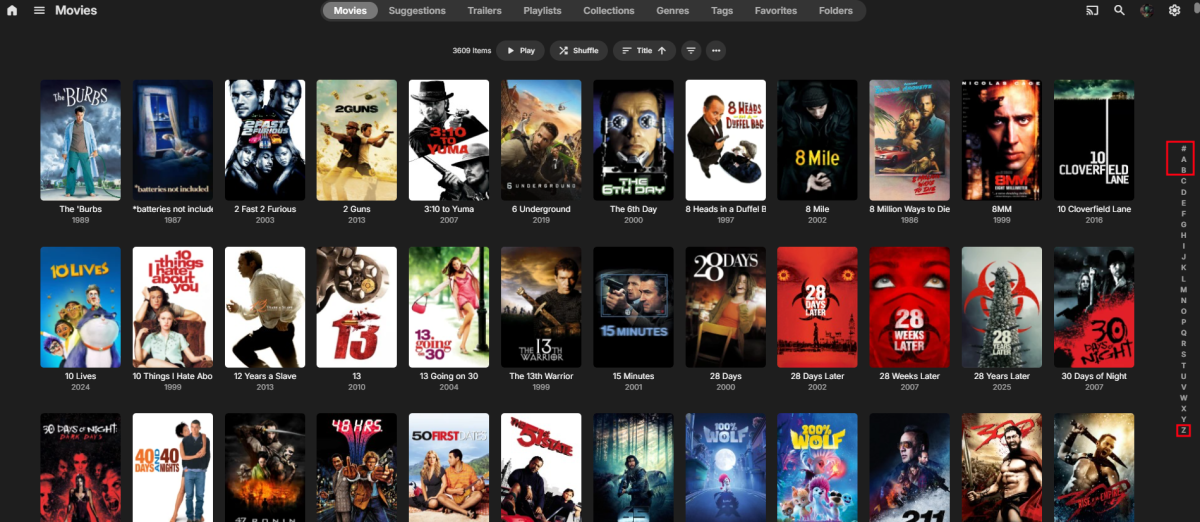
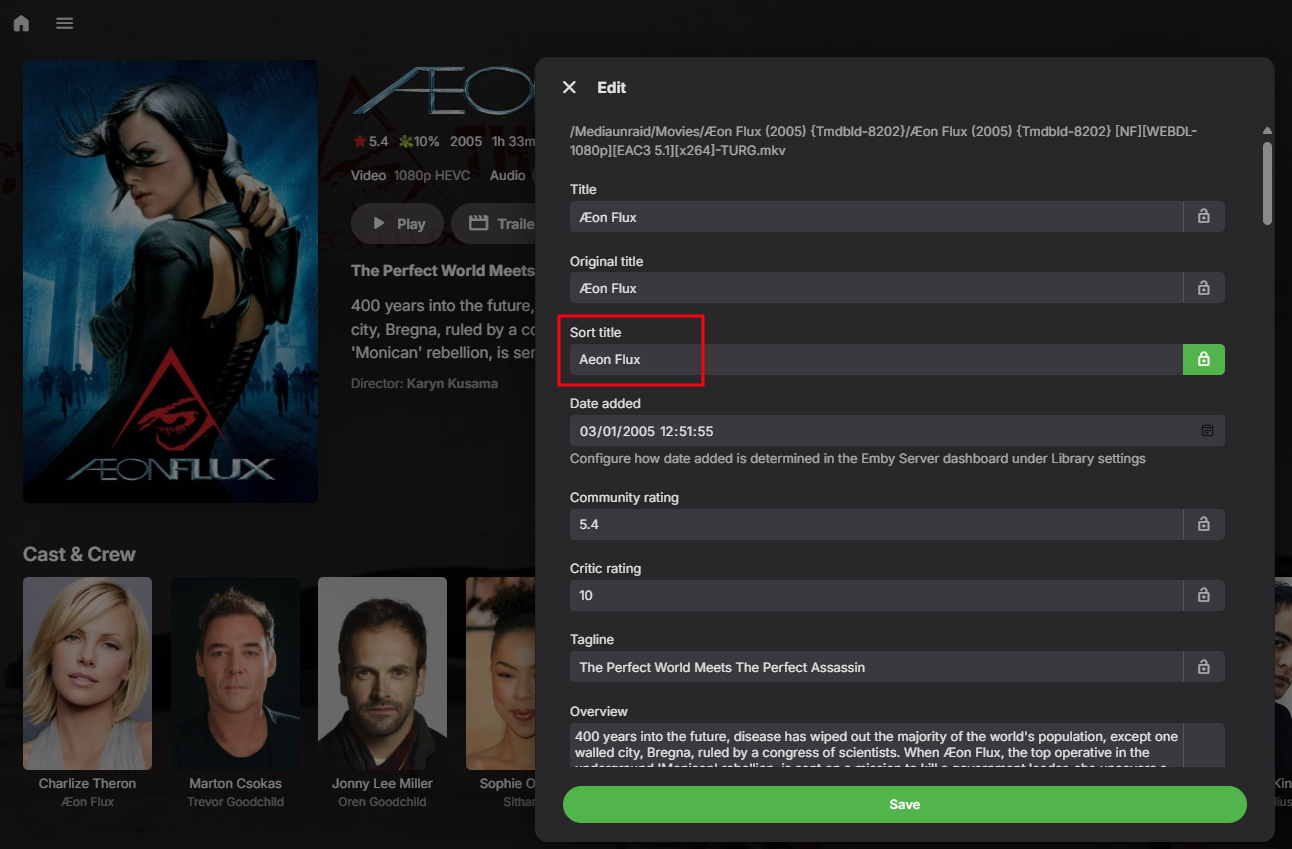
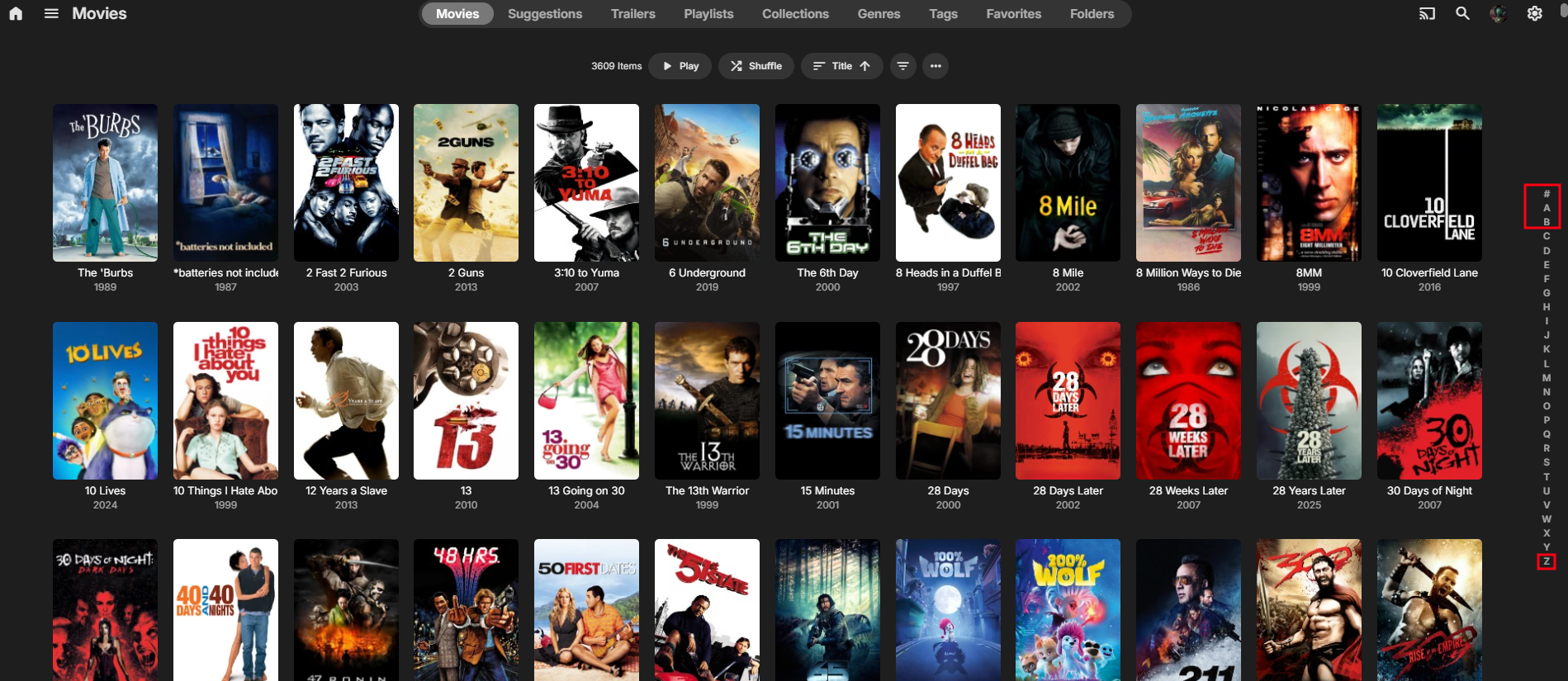
@pgriffithTry this on you movies starting with Æ, I know that this is just a work around.
 1 point
 -
HI, yes we need to restore the stop button. Thanks.1 point
-
It works indeed. One thing i noticed is that we no longer have a stop button, only pause. It seems the only way I can stop the stream now is by either switching to another channel or disabling casting.1 point
-
OK, everything is so painfully slow now you click to add to collections and it just sits there with the spinning icon, and this is every time you click it. And this after you had to click the folder to get to the movie, each time...THIRTY FIVE TIMES. Everything is SLOW. Adding these extra layers of folders to deal with is not going to force me to spend 15-20 minutes adding movies to a collection when it used to take 30 seconds. Horribly awful is this so called update.1 point
-
This gets dumber by the day. I just created a new collection, painfully slow...everything is now slow with this new version. But that is not the real problem. Because of my FOLDER STRUCTURE if I add all the movies at once in a folder to a collection when you go to the collection they don't show as movies, but as folders and are separate from the other movies added individually. So it appear I now have to turn off that setting that flattens the folders for LOOKS ONLY it appears, then click each folder to get to an individual movie, then select that movie to add to the collection. And I have to repeat this for 35 movies, instead of how it USED TO WORK where you just multi-selected all in the folder and created a collection. This new so called upgrade is a huge downgrade in productivity which totally negates any new features or fixes etc. This is totally ridiculous. Do the emby developers actually use their own product? What a huge waste of time jumping through hoops for a change that has ABSOLUTELY NO FUNCTIONAL PURPOSE. If it does then please illustrate.1 point
-
I wonder if there will be a bigger metadata overhaul that we will have to wait on to see this and the other alternative orders?1 point
-
I'm not sure, it's kinda fun to check if Luke is reading things by asking over and over again over a decade (I've got a few FR that I've been asking and getting 'its on the list' for a LONG time).1 point
-
Thanks for your help. HOPEFULLY, I can manage to repair the library database file and be back in the game. For future just in case , might be wise to periodically make a copy of it for safekeeping if this should ever happen again .1 point
-
Could you give us something in the diagnostics plugin please?! This would suffice for me and some other users surely.1 point
-
Also, not sure if you're using old version or new, but if old there might be another one in there somewhere.1 point
-
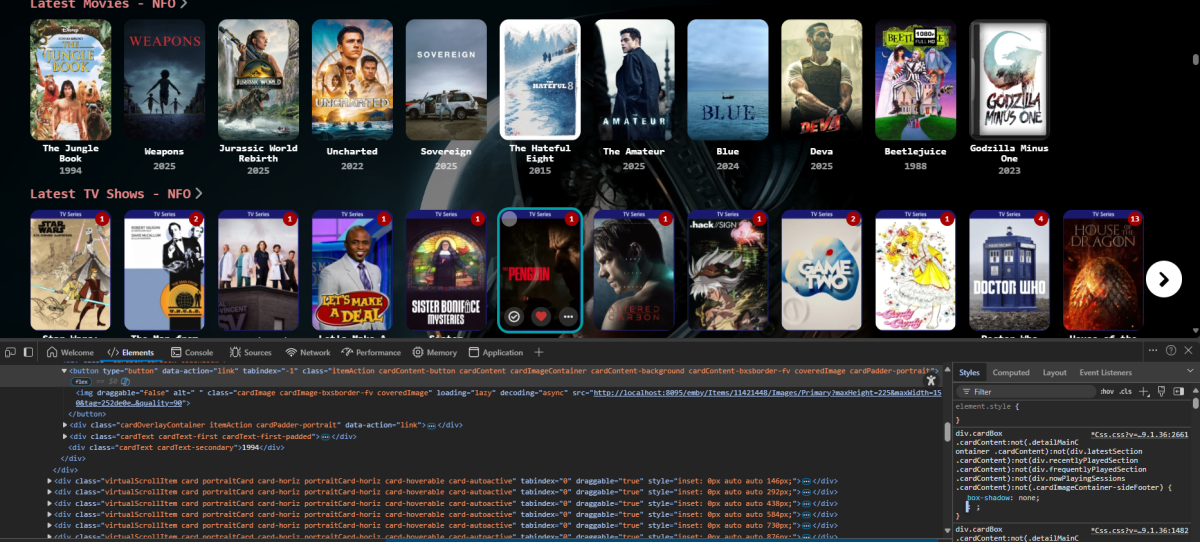
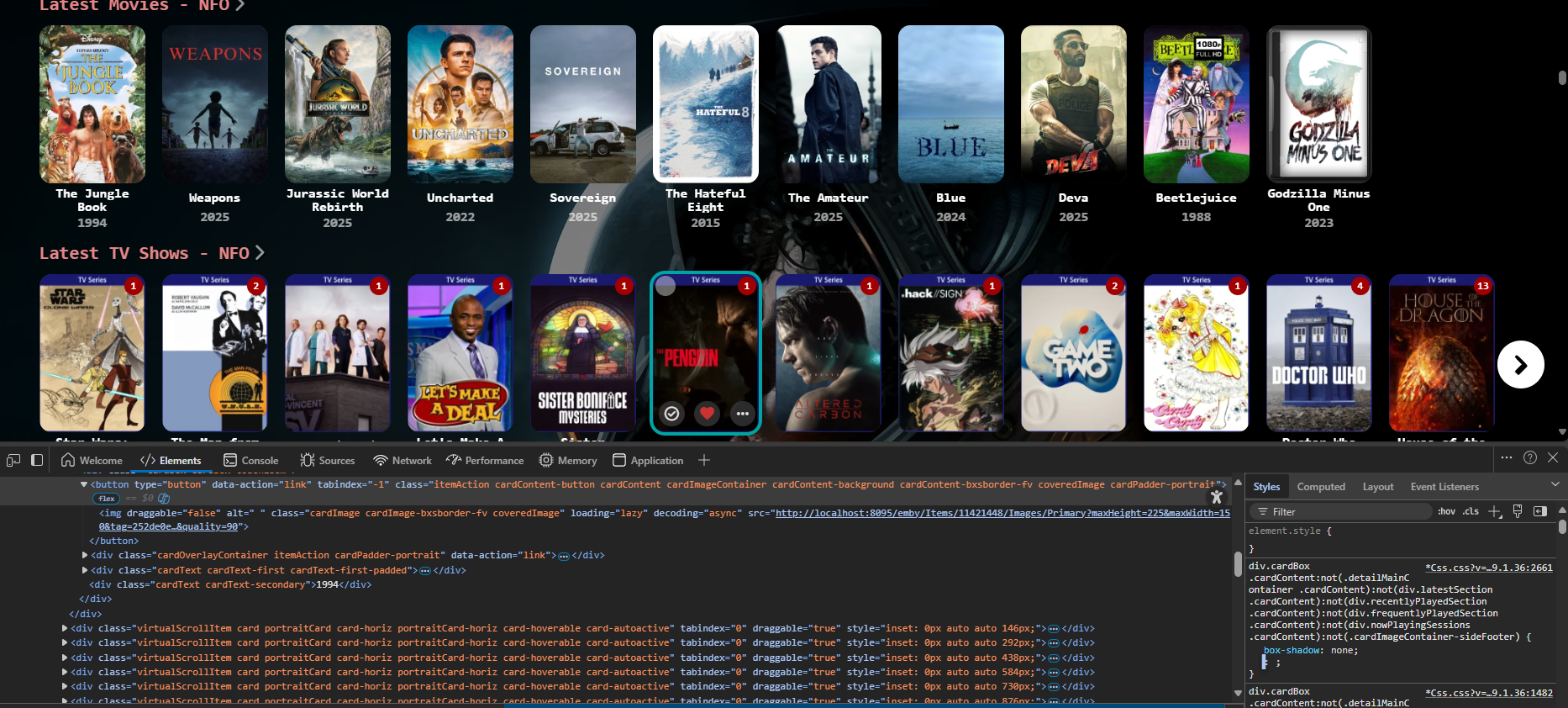
Did you remove this or change them to box-shadow:none;? Note arrbee99 code has it listed like three times as mentioned and shown in screenshot.
 1 point
 -
After having Music Assistant playback fail multiple times using snapcast (and squeezebox also didn't work), I decided to give Lyrion music server a try. https://lyrion.org/ Unlike Music Assistant, it supports DLNA as a provider, which gives it access to my Emby music library. I also posted here about this: https://emby.media/community/index.php?/topic/17805-multi-cast-support/page/5/#findComment-1476085 Playback to my SB Player (android) clients has been very stable so far. Here's my setup: Library: Emby DLNA Server Stream Server: Lyrion Music Server Stream Clients: SB Player App (on old android TV boxes connected to speakers) Playback Control: Squeezer App (on my cellphone)1 point
-
I've started using Lyrion music server for multi-room audio streaming. It uses the squeezebox protocol, which can talk to most android, linux, windows devices, as well as some off-the-shelf gear like Wiim Amp. https://lyrion.org/ It connects to Emby's DLNA server. This gives it access to my music library in emby including playlists and favorites for streaming to my home speakers. I control the playback using the Squeezer app on my phone.1 point
-
Yeah I don't like the idea of recordings showing up there either.1 point
-
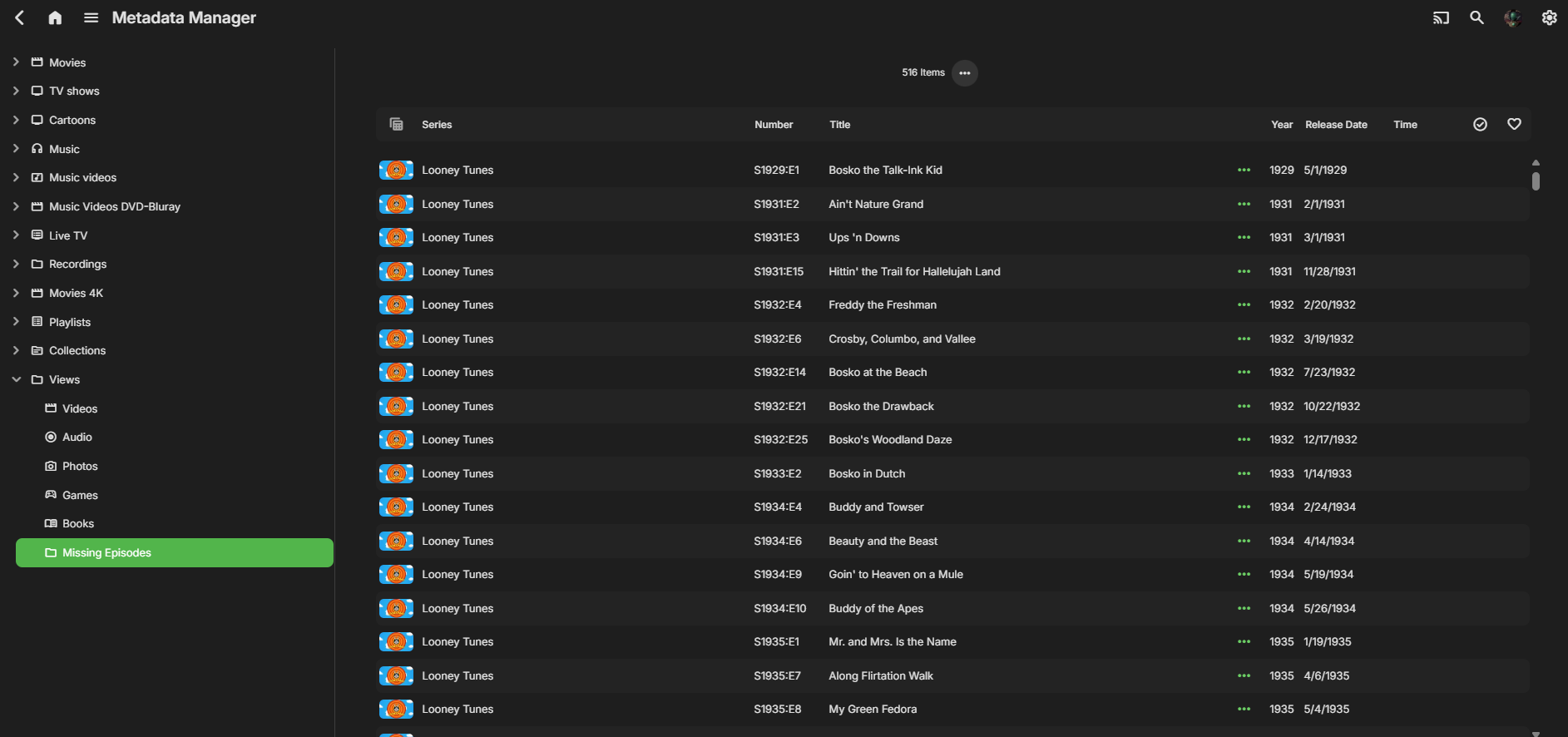
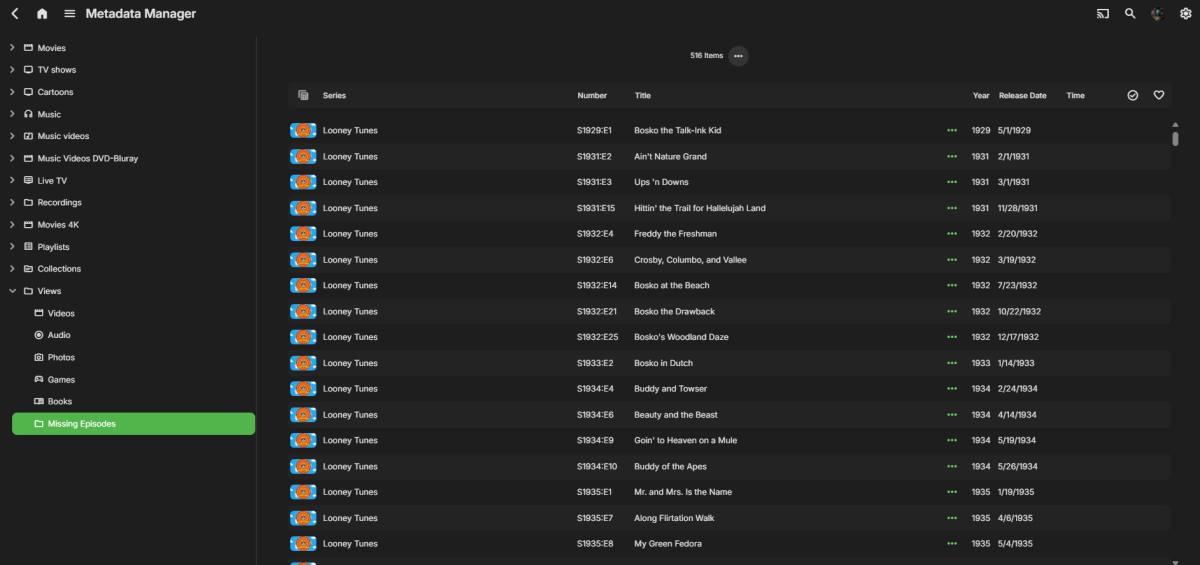
That, would be awsome. Users could see instantly which episodes for all series were missing! Thank you!1 point
-
Is this as a admin or user ? As admin you have Metadata Manager -> views -> missing episodes.
 1 point
 -
Why??? Doesn't make any sense!!1 point
-
Also, Podcast Index is used elsewhere as a way to search for a podcast by name, and add it to your subscriptions. If WebStreams is what you want to focus on, then a Podcast Index plugin could be used so you can find new podcasts from inside emby, and not having to add RSS feeds manually at all1 point
-
I still think a metadata source for downloaded podcasts would be useful1 point
-
You may want to follow the WebStreams plugin as it will soon get RSS support:1 point
-
Just want to bring this back to attention and for now offer a work around for others until this is added. Again, this was for Futurama. 2 ways can work: 1 - Import the media into Jellyfin (free) with the NFO save option turned on. Let it process the metadata with the alternative season order from TVDB set. Once complete, copy it back over to Emby and use the NFO reader to import. 2 - A bit more technical, but worked. Access the json cache inside Jellyfin's cache data (programdata\cache\tvdb\<id>) and bring this over to the respective folder in Emby and overwrite. You will need to rename the json file to episodes-dvd.json and episodes-dvd-<lang>.json from their existing json names. This does work as emby thinks it has the files already cached. This is a bit more troublesome but you can get it to work, sort of. I also sniffed the data using a mitm tool for the api calls and I think I can create a mitm script on an local http proxy (mitmproxy - an interactive HTTPS proxy for example) to intercept and send the http request to a different endpoint to again trick Emby to think it's receiving the DVD order bit it is actually getting the alternative order - but it doesn't seem worth it as this doesn't come up often for me. To the Emby team - implementing this would be helpful avoiding having to use Jellyfin to fix Emby's display order! Thank you!1 point
-
I would like to add to this Feature Request that along with TheTVDB episode orders, add too the episode group feature from TMDB available on their api https://blog.themoviedb.org/latest-api-updates-3d7ead1ecaf9 That way we could make the episode order more a user preference than a server setting.1 point
-
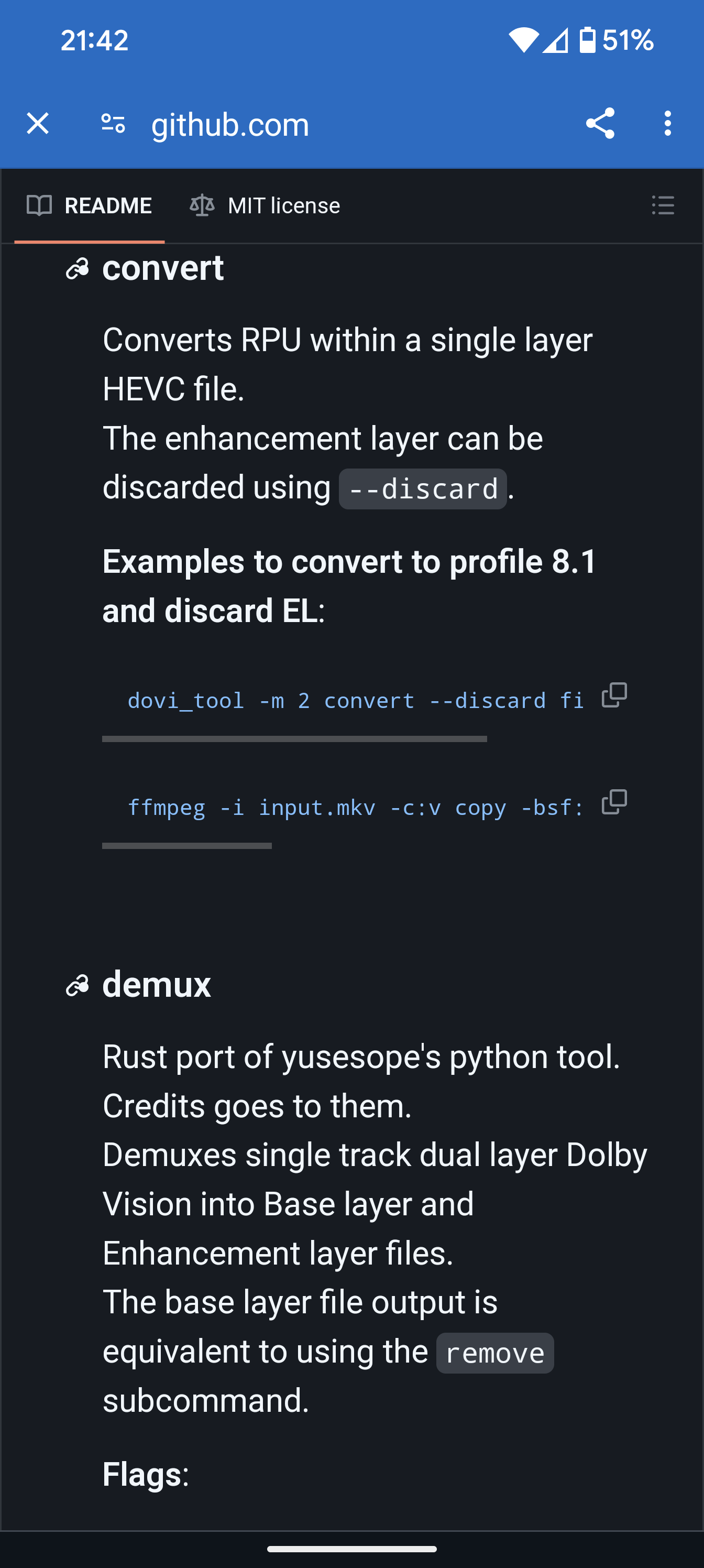
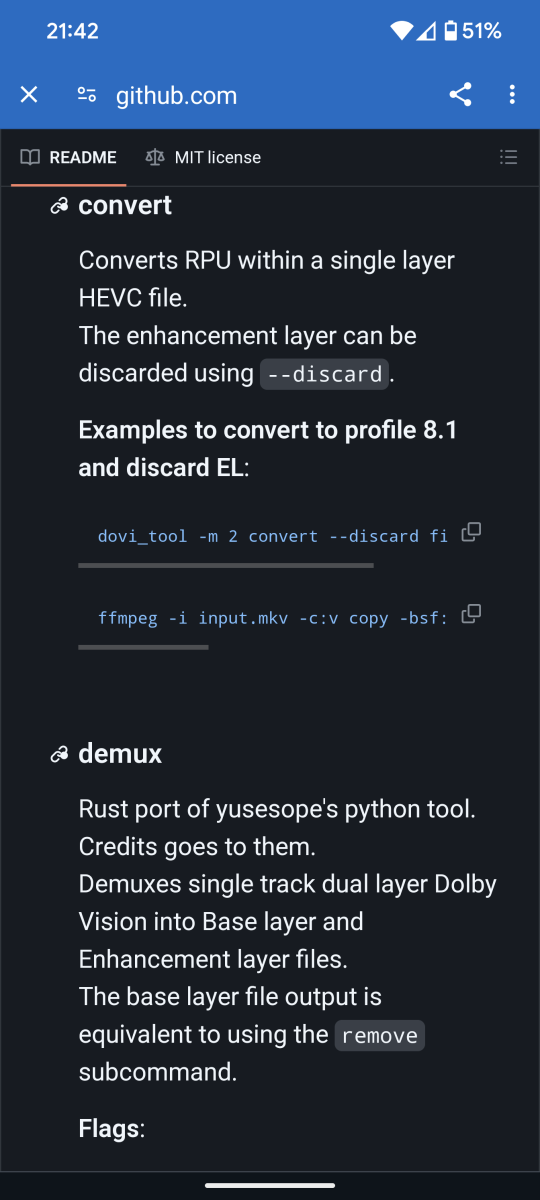
Dolby has a free tool available on their GitHub to convert Profile 7 (FEL) to profile 8.1 on the fly. Obviously the Dovi_Tool offered from Dolby which is licensed for free would need to be integrated into the server app. https://github.com/quietvoid/dovi_tool#convert
 1 point
 -
Think I'll add this stretchy thing to music - Bowie 1a_cut_all.mp41 point
-
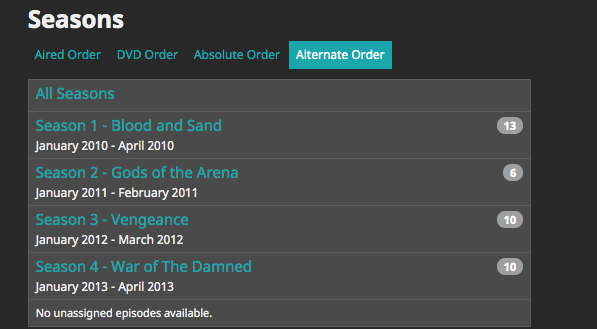
Could the alternate order option please be added? Right now, DVD order and absolute order can be selected, but Alternate is missing. Below is an example of a show on TVDB with an alternate order. Thanks!
 1 point
 -
Hi, I don't know if it's already been asked, but what do you think to include an indicator for hw usage(ram,bandwith,cpu...)?1 point
-
When skipping back and forth there is no onscreen indication for where you are in the timeline. Could you have just a small timeline only overlay come up when seeking so we know where we are? I don’t think I would want to see the full OSD come up as I like how quick and clean seeking is as it is right now though.1 point























.thumb.png.1ddf135ad99a72646a26d671a28ffe35.png)