Leaderboard




Popular Content
Showing content with the highest reputation on 10/07/25 in all areas
-
I need to show the most recent season series from newest>oldest. I have one show that has 385 episodes and 195 seasons. So browsing to the latest season is untennable. Is there a setting to reverse the array of seasons to newest>oldest?3 points
-
You've been asked in the very first reply to try @SamES's suggestion: Your answer was: Guess that was a "No", apparently?2 points
-
Your old way will work great at the initial level--if you navigate using Folder View, you will see your top-level folders of "action", "family", "comedy", and they will work great. They are just folders and they are intended to be folders. However, where you will get into trouble is if you have any movies that exist in their own folder underneath that top level. For example, if instead of: .../drive1/media/action/movie.mp4 You instead needed to have: .../drive1/media/action/movie/movie.mp4 .../drive1/media/action/movie/extras/alternate_ending.mp4 In this situation, Emby has forced you put put "movie" into it's own subfolder because it's the only way to get extras/featurettes to slot under the title where they belong. The new update will cause "movie" to display as a useless and unhappy "folder" alongside a functional "funmovie" title (and "movie" metadata may need to be redone, because whatever identification you did in the previous version doesn't live in the same place anymore, as the folder and title are now handled separately). You will lose the ability to sort across both titles; because "movie" now appears as a "folder", it will be at the top of the list no matter what field you sort by. So your choice is to abandon the extras, or abandon having your genera-organized folder structure in favor of a very monolithic folder structure (in which you would never want to use Folder View anyway because it would just be a mess of unorganized folders). Or preferably, add your voice alongside we agitators who are hoping to get this fixed back to how the way it was. I believe the "new way" you are using for organizing folders will also have similar problems in the new system. At least, assuming you like to use Folder View to navigate your custom genera folders. It may work ok in other views, although you might have metadata/image issues which need to be fixed--see more on this below. Not that my recommendation counts for anything (see my full disclaimer below), but I would suggest waiting (I wish I did!) or going the test server route. Note that these issues may not be immediately noticeable after the upgrade, but will kick in after a few minutes later. I was initially boggled by some of these changes and thought I blew out some metadata by playing with the new "Add option for folder view to auto open single items in folders" setting, so I restored my pre-upgrade database backup and everything looked ok again. But then it all proceeded to slide out of alignment again as the system realized it now had some more folders it needed to mangle. You may have issues with metadata (especially for anything that can't be auto-identified or was edited) since single-title-folders and the actual movie titles are now operating at different levels, and you may have issues with image display (although on another thread it sounded as though the devs do consider that a bug to be fixed, at least). However, assuming you don't use Folder View to navigate, you may be spared most of the aggravation some of us others have experienced. But please keep in mind that I myself have only limited experience with my particular library organization. I don't mean to come across as having the definitive word on these issues. I just know that I have fought with the system for a few years to get it to display things the way I wanted, while at the same time trying to stay as close to the folder structure that I prefer to have (which is not necessarily the one they recommend for us to use). It's not necessarily the easiest system to implement if you are very particular about organization, but the devs have done a reasonable job (well, perhaps up until this past update) at providing options which cater to a wide variety of approaches. It would be nice if we could convince them to restore this one!2 points
-
I don't think it's relevant with the way we integrate the YouTube player. I had the same issue here a few weeks ago and an uninstall/reinstall resolved it for me and it's still working fine today. It shouldn't need a full reset, but I'm curious to see if an app reinstall makes a difference.2 points
-
@SamES is this something you can add to the app? Reason erzonk just initialized their whole TV setup just a few days ago working another issue here and that seems kind of extreme that one would have to do this so quickly.2 points
-
Might I suggest that when introducing new features that can result in large changes for the user, don't force it on the users as the default setting just because it is new and shiny. I.e. the merge folders option should have been on by default, since that would cause the least breakage from established behavior. And then you leave it up to the users to select if they want the new and shiny option.2 points
-
Okay, great! That's very good (because then it's not my fault )2 points
-
I think the instructions in first post aren't too complicated.2 points
-
I have backups out the wazoo, but I'd rather have everything set to avoid ever needing them.2 points
-
Thank you, Build 50 became available tonight and it is working well2 points
-
HI, it will be revised in an upcoming 4.9.x release. Thanks.2 points
-
Please let us know if this helps. Thanks. This does not assist the sorting or organising. The option only provides direct access to the movie. However, in the previous version, I was able to filter and reorder the movies via year or review score. The option does not work now even if I enable the option you mentioned. I would hope to have a legacy toggle option to be actually capable sorting the movies in the folder view.2 points
-
Before updating to version 4.9.1.80, movies under the library could be displayed directly from within their folders. However, after the update, In movie mode, it still directly to the detail page. However, in folder mode, even if a folder contains only a single movie, each level is displayed as a separate folder. For example, previously if there was a movie inside folder A, clicking on folder A would take me directly to the movie’s detail page. But now, inside folder A another folder B appears, and I have to go into folder B before I can access the movie’s detail page.1 point
-
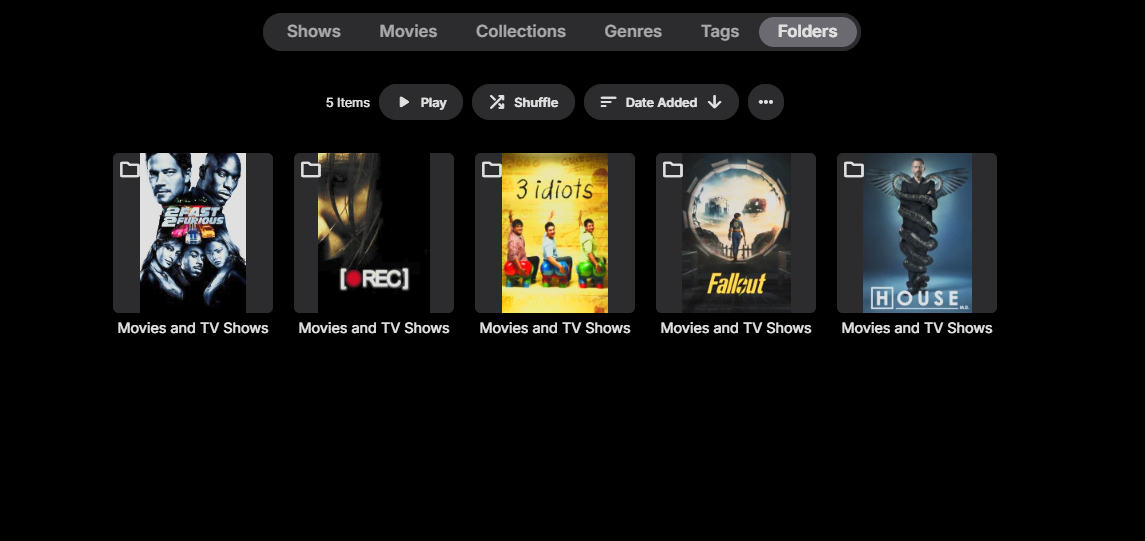
Per the title, sinec Emby updated to 4.9 it appears that the Folders sub-library is now separated. I currently have five hard drives set up like this, as an example: X:\Movies and TV Shows\movie 1 folder\movie 1 file X:\Movies and TV Shows\movie 2 folder\movie 2 file X:\Movies and TV Shows\tv show 1 folder\tv show 1 file Y:\Movies and TV Shows\movie 3 folder\movie 3 file Y:\Movies and TV Shows\movie 4 folder\movie 4 file Y:\Movies and TV Shows\tv show 2 folder\tv show 2 file In prior versions, the Folder sub-library merged these "Movies and TV Shows" folders but now they're distinct. Is there a way to change this?
 1 point
 -
Hello, I'm using emby for many years now and moving 4.8.11 to 4.1.9.80 is a mess. I have tried to read messages in the forum, nothing seems to match my "simple" problem. I don't use beta for months now, and 4.1.9.80 was supposed to be stable. all my movies are gone, I had to rescan everything. after hours of scanning, it was ok yesterday. and today, everything is gone again, empty ...... It's very frustrating and disappointing. is it possible to back to 4.8.11 ? Thanks.1 point
-
Hi, i hope someone will be willing to share some material for Vantage Point / Cinema Intros, i was searching for last two days and i barely found something useful, most of the stuff was taken down by youtube and links are mostly dead. Does anyone have collection of such videos and is willing to share? Thank you.1 point
-
Okay, ill try this tonight. Thx1 point
-
Yes, this should work on Samsung as well. Uninstall the app again (make sure you are uninstalling, not just removing from the homescreen). Then remove the power from the tv for a few minutes (don't just turn the TV off), then power on and try reinstalling again1 point
-
It's s already existing. Lend your support to one (or both):1 point
-
I agree that reversing sort order should be available for all views1 point
-
Have you tried doing this? It's a hack for the LG app, but hoprefully same process would clear cookies on your TV as well.1 point
-
1 point
-
Hi, thank you for response! Unfortunately all content from this website has been taken down. If any other source would cross your mind, please let me know! thanks.1 point
-
Per another topic 3.5.11 went out earlier today.1 point
-
Hopefully, to adjust My Media size find - div.scrollSlider.focusable.itemsContainer { width: 114%; } and change percentage. To get rid of grey on Home page get rid of 'background: rgba(0, 0, 0, 0.5);' from below - /* Remove for Spotlight implmentation */ /* Move down to make space for backdrop and logo - Home and Favourites */ div.view-home-home .verticalSections { position: relative; top: 56em; background: rgba(0, 0, 0, 0.5); }1 point
-
While the plugin in the catalog is still broken, here's something you can test meanwhile: Emby.WebStreams.Plugin.dll.zip Instructions copy this into the Plugins folder of your Emby installation (overwriting the existing one Important: Delete the config file "webstreams.xml" (or rename or make a backup) You will need to re-setup everytthing anyway to get it all working properly Restart Emby Server Changes Adds support for RSS and Atom feeds Includes migration features for migrating settings from The IPTV plugin The PodCasts plugin New "Quick Add" button Localization: Add translations for all 50 Emby languages Uses the new parental rating selection Use dynamic season folder management by the server (this let's you edit the season numbers of episodes) Does no longer drop episodes where it cannot determine the season number (these will have a season number of -1 until we have a special display name handling for it) Increased connection timeout (30s) HTTP: Enable automatic transport compression HTTP Headers: Supply "Accept" and "Language" headers (to be tter match browser behavior) M3U Urls: Parse and pass extra header parameters behind a pipe char Set the item name as "Original Title", so that it can still be seen after the title has been overwritten by metadata Create automatic field mappings Support feed image fallback and per-feed info fields Support hyperlinks for items and folders ("Official Website" link) Display stream errors in overview Fixes "Show at top level" is working now Fix M3U parsing with commas in titles Fix playback of audio items RSS: Add support for itunes:author field Fix loading sources with GTTP basic auth (https://user:pass@host.com) Metadata refresh indication: Fix percentage calculation Always show metadata refresh queue when active (not only after adding or refreshing a source) Broaden support for episode name patterns Fix for unsupported episode patterns like "(S01/E01)" Don't overwrite data from metadata retrieval Provide a default set of library options to enable proper metadata retrieval (it cannot be customized yet) HTTP: Don't force http version 1.11 point
-
Update please, haven't seen much new features since getting Lifetime...1 point
-
Have you seen the updated KB, plus there are existing ignore topics. https://emby.media/support/articles/Excluding-Files-Folders.html1 point
-
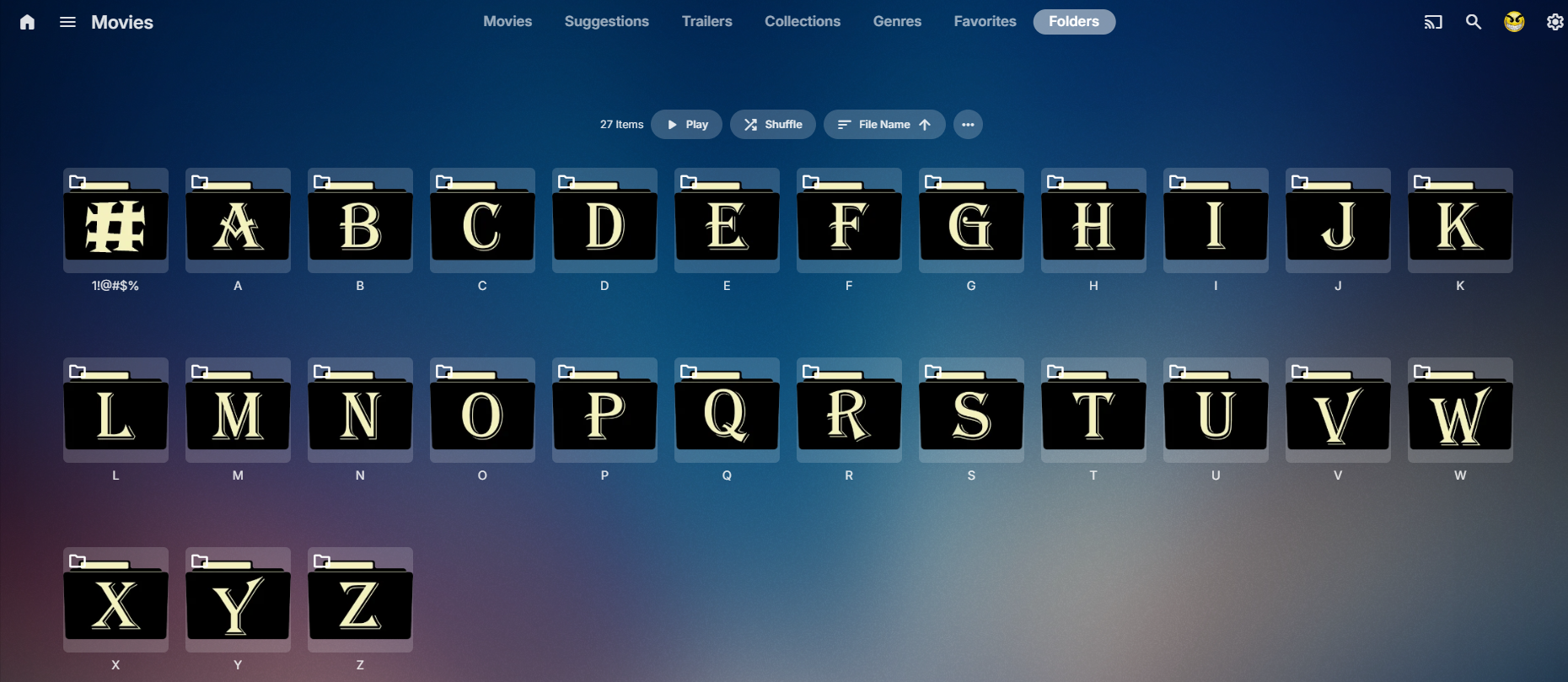
I'd like to add my vote to restore the way folders/Folder View used to work. (Not that I get a vote. But I'm a long-time lurker who literally created a forum account after this last upgrade for the sole purpose of commenting on the usability/organization issues this change now presents... so perhaps that helps to emphasize to you that this change has brought about strong feelings.) While I will not profess to be especially familiar with how everyone likes to organize files in Emby, I would suggest that there are basically two categories: people who dump titles into a relatively flat folder structure and don't really care what it looks like as long as Emby can sort it out and display it neatly, and people who keep an organized folder structure so that they can navigate it inside Emby based on their mental organizational model, as well easily find things outside of Emby at the file system level. For example, I structure my folders based on my own genre categories. I have a single [mixed content] library for both movies and TV shows, and my Folder View allows me to navigate all titles based on how I segregated them by genre subfolders. In Folder View, each title only ever appears in the one place where I designed it to appear. Sure, I could set this up with genre tags and the Genre View, but I'd be forever removing and changing tons of genre metadata tags just to get it to match the more limited genre categories I'd prefer to use. It's not worth the effort of swapping around genre tags, especially when up until now I was able to accomplish the same thing by placing titles in a particular folder location. And having my own "custom genre folders" as a separate view option from the "metadata genre view" is actually pretty neat and caters to a variety of interesting ways of traversing the titles. Regardless, that's just my particular folder preference. I'm sure lots of other people have come up with their own unique organization which works for them and their needs. Moreover, if I want to stream something outside of Emby (which I tend to do frequently because a lot of my titles have VOBSUB subtitles which Emby can't display without transcoding), I can open up whatever media player app I want to use instead, and browse the file system using the exact same mental model I use to traverse Folder View to find my title. This would be a nightmare if I have to scroll through a large, flat list of titles if I didn't have an organized folder structure. Having organized folders is just something that some people like to do. If I want to make a copy of a particular folder because I want to give it to someone else, I can easily pull out the folder from the filesystem and make a copy. I don't want to rely solely on Emby metadata settings to organize my content. I'd like to be able to do it myself, at least in terms of the general folder structure. And I'd prefer to do it with the folders working the way they did before this upgrade.1 point
-
Nope, thats me demonstrating how disorganised I am.1 point
-
As you can tell, I rely a lot on Happ2Play, so I never know what to use with units - pixels, percentages, ems, whatever.1 point
-
See you commented as I was typing. Was thinking about the 56. I think I changed it as I got a second hand 4K screen.1 point
-
Bang up job there team, way to iron out the bugs after it was reported in the beta Guess I get to start from scratch....again......in 24 hours when this finally rebuilds1 point
-
Hi, yes please see comments in this topic: Thanks.1 point
-
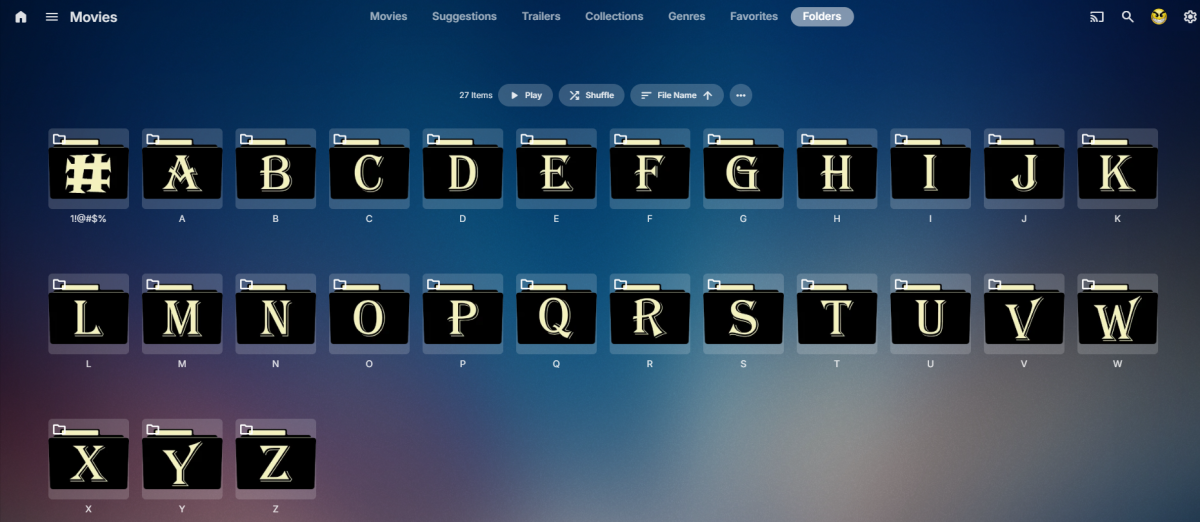
Guess it depends on you view as table will give you path But adding multiple folders to a library will give you those same folders in folder view. Same as if I added 27 drives.

 1 point
 -
This worked perfectly for me! thanks!1 point
-
Right what i mean is we should add support for that.1 point
-
Yes, If I create a new project library it would be nice to add users at once or to check if the correct users have access to it. And as follow-up a "normal" page instead of the popup.1 point
-
Hi Friends, I have just updated to version 4.9.1.80 and started a library scan. It really goes in slowmotion. Moving from 15.6% to 15,7% has taken 20 minutes. I hope this is only i first run problem after upgrade. If not it seems to be several hours needed for a scan. Attaching a log. The scan seems to spend a huge amount of time searching for online info for each item. (A few lines follows - the rest in the log) 2025-10-02 03:25:21.749 Info HttpClient: GET https://api.themoviedb.org/3/movie/193893?api_key=x_secret4_x&append_to_response=alternative_titles,reviews,casts,releases,images,keywords,trailers&language=en-US&include_image_language=en-US,null 2025-10-02 03:25:21.766 Info HttpClient: Http response 200 from https://api.themoviedb.org/3/movie/193893?api_key=x_secret4_x&append_to_response=alternative_titles,reviews,casts,releases,images,keywords,trailers&language=en-US&include_image_language=en-US,null after 16ms 2025-10-02 03:25:21.774 Info HttpClient: GET https://private.omdbapi.com?apikey=x_secret5_x&i=tt1924435&plot=short&r=json 2025-10-02 03:25:21.957 Info HttpClient: Http response 200 from https://private.omdbapi.com?apikey=x_secret5_x&i=tt1924435&plot=short&r=json after 183ms 2025-10-02 03:25:21.958 Info HttpClient: GET https://api4.thetvdb.com/v4/movies/901/extended?meta=translations 2025-10-02 03:25:22.151 Info HttpClient: Http response 200 from https://api4.thetvdb.com/v4/movies/901/extended?meta=translations after 193ms 2025-10-02 03:25:22.844 Info MediaProbeManager: ProcessRun 'ffprobe' Execute: /var/packages/EmbyServer/target/bin/ffprobe -i file:"/volume1/Media/Emby_Movies/New_Papa3/Life of a King (2013) [1080p]/Life.of.a.King.2013.1080p.BluRay.x264.YIFY.mp4" -threads 0 -v info -print_format json -show_streams -show_chapters -show_format -show_data 2025-10-02 03:25:22.956 Info MediaProbeManager: ProcessRun 'ffprobe' Process exited with code 0 2025-10-02 03:25:22.974 Info HttpClient: GET https://api.themoviedb.org/3/movie/201550?api_key=x_secret4_x&append_to_response=alternative_titles,reviews,casts,releases,images,keywords,trailers&language=en-US&include_image_language=en-US,null 2025-10-02 03:25:22.989 Info HttpClient: Http response 200 from https://api.themoviedb.org/3/movie/201550?api_key=x_secret4_x&append_to_response=alternative_titles,reviews,casts,releases,images,keywords,trailers&language=en-US&include_image_language=en-US,null after 15ms 2025-10-02 03:25:22.991 Info HttpClient: GET https://private.omdbapi.com?apikey=x_secret5_x&i=tt2708254&plot=short&r=json1 point
-
This is also what I experience.1 point
-
I am also experiencing the same issues: my Library size is substantial and the Folder structure I use has worked since MediaBrowser days, so a rollback of this particular change would be great until the issues are ironed out.1 point
-
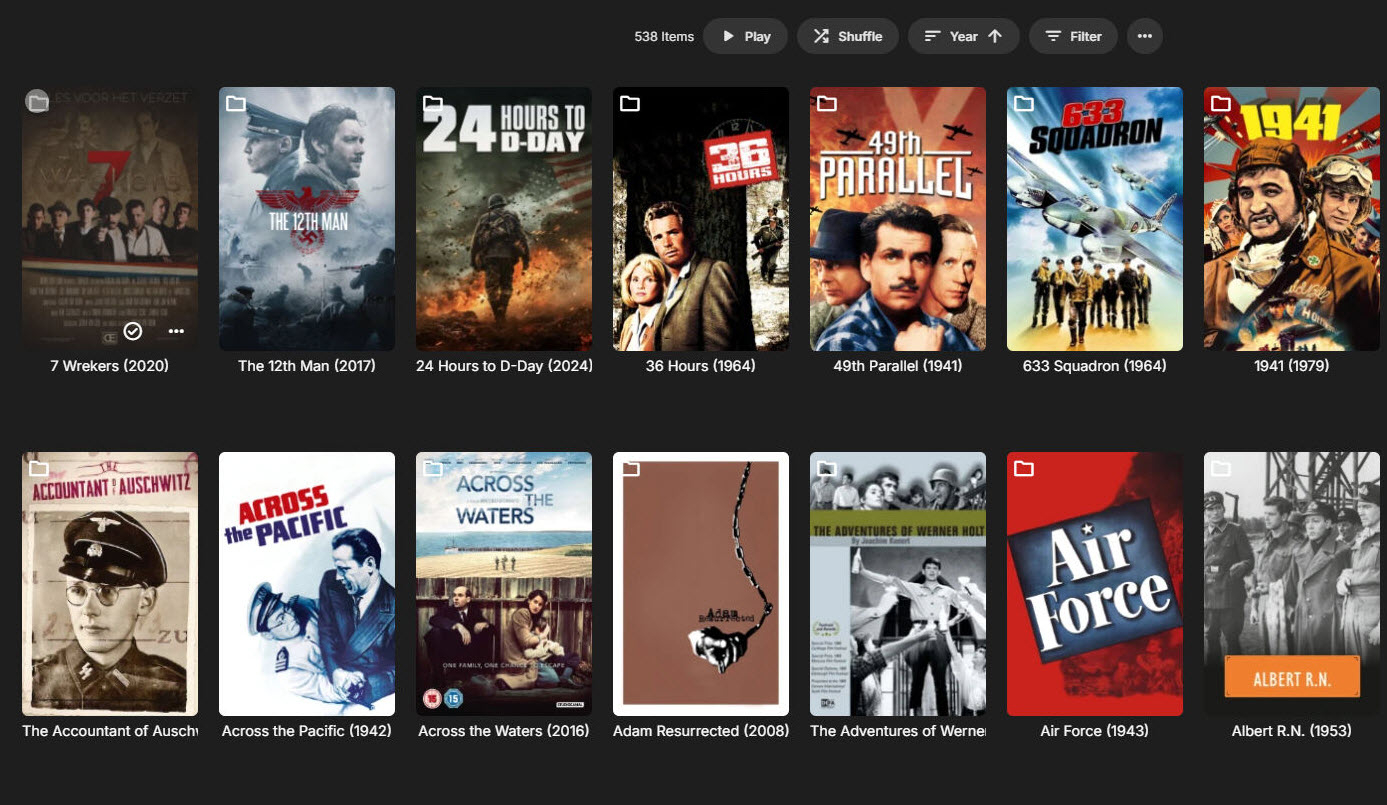
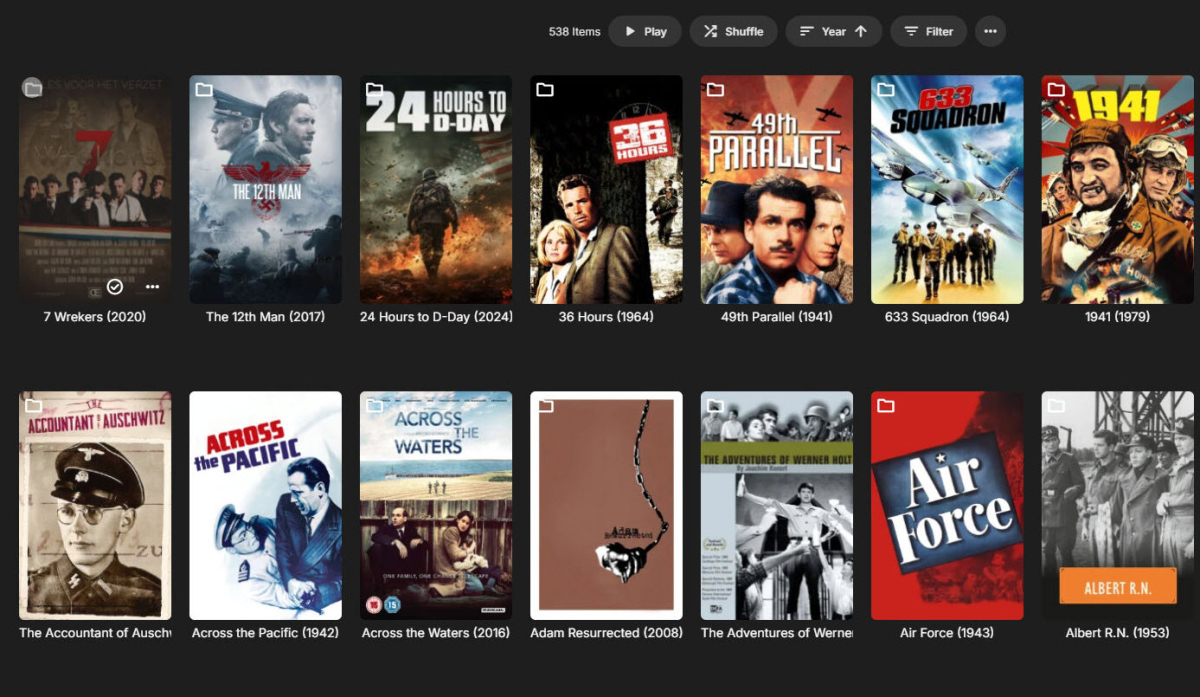
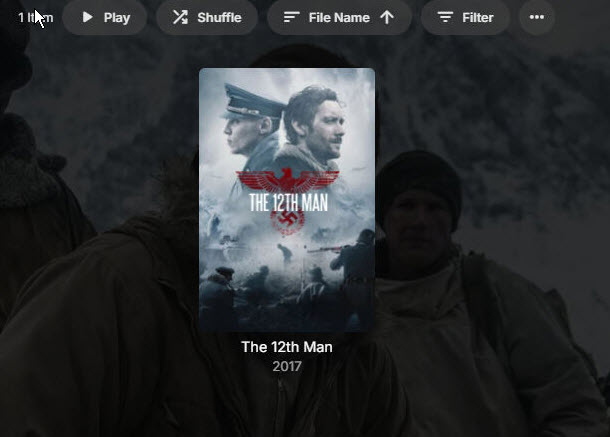
Hi, since the upgrade to the new Server version a few days ago, throughout my entire Movie collection, each movie now sits in a subfolder of itself: Take for example the movie 'The Twelfth Man': Where once a movie sat, now a folder sits, with the movie only appearing when you enter the folder. Inside the folder: Reading through the changelogs for the new Server version, the likely suspect is this new addition: However, the issue that has been created still remains regardless of whether this is switched on or off. Any solutions would be appreciated. Kevin
 1 point
 -
I experience the same issue. the folder view is more appropriate for my orgnaisation. I wish to be able to use the folder view to access movies. Pls explain to me any workarounds.1 point
-
Yes, I found the setting “Auto open single items in folder view”,but there are still two folders. so, the first-level folder cannot display the movie release year, which makes it impossible to sort by release date. I hope that in future versions there will be an option to directly display the detail page as before. Thank!1 point
-
Yea in hindsight with the goal of making the folder view more accurate, this probably shouldn't have been added. But it's there, so it is what it is. Sorry I understand that's not the answer you're looking for. Folder view for a long time has tried to straddle both ways of being a semi-accurate folder list while also providing the same kind of metadata features that other screens have. That's the special sauce I was referring to. I think it's taken this as far as it can and at this point in order to keep evolving it has to pick one way or the other. For example, it's also been reported (and been in my head for a while), that you can't easily spot folders in folder view. Yes there is an icon, but it's not really enough. So for this reason I think we should do what most file browsers do and display a big folder icon with the image inside. But obviously those who use folder view for something other than seeing raw files are not going to like that. So you see it's hard to toe the line both ways. That's why my feeling is let folder view be a folder view, and then we can add features to other screens to give you what you need.1 point
-
Actually, previously, in a “mixed content” library containing both movies and TV shows, in the folders view, when you added a movie (by putting the movie inside a folder with its name), only the movie itself would be displayed — the containing folder was hidden. Now, when adding a movie, the containing folder is no longer hidden. I have to click on the folder to see my movie. The problem this creates is with collections: at the root of the library, when you enable the option to group items belonging to the same collection, both the collections and the movie folders appear. It turns into a complete mess.1 point
-
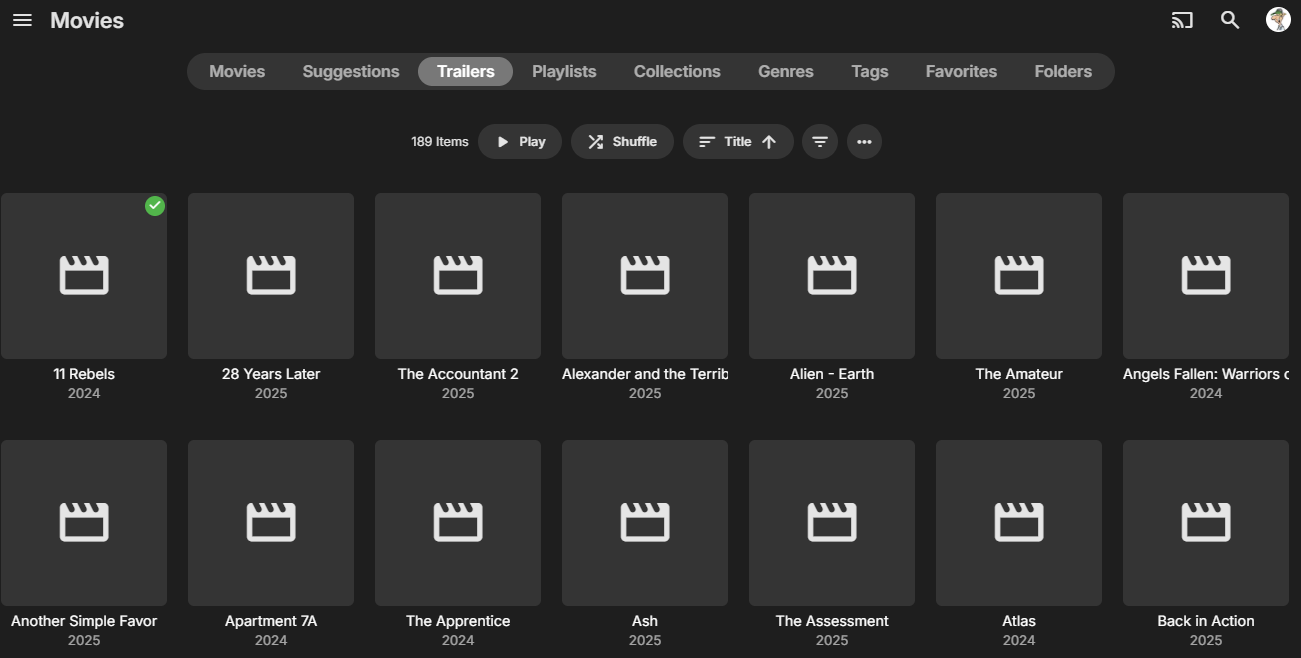
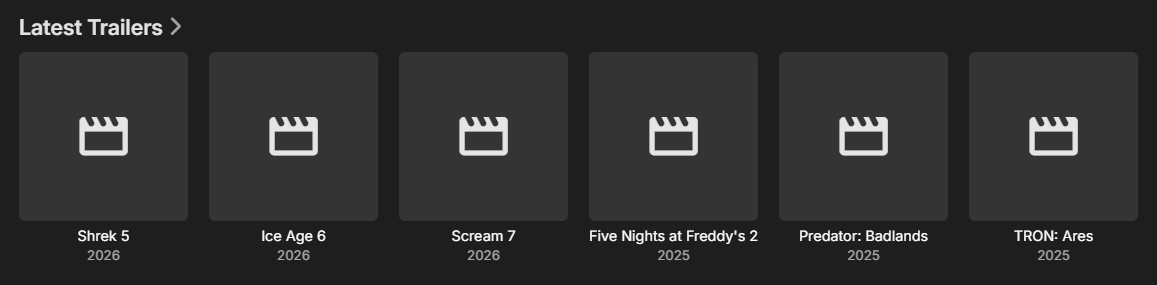
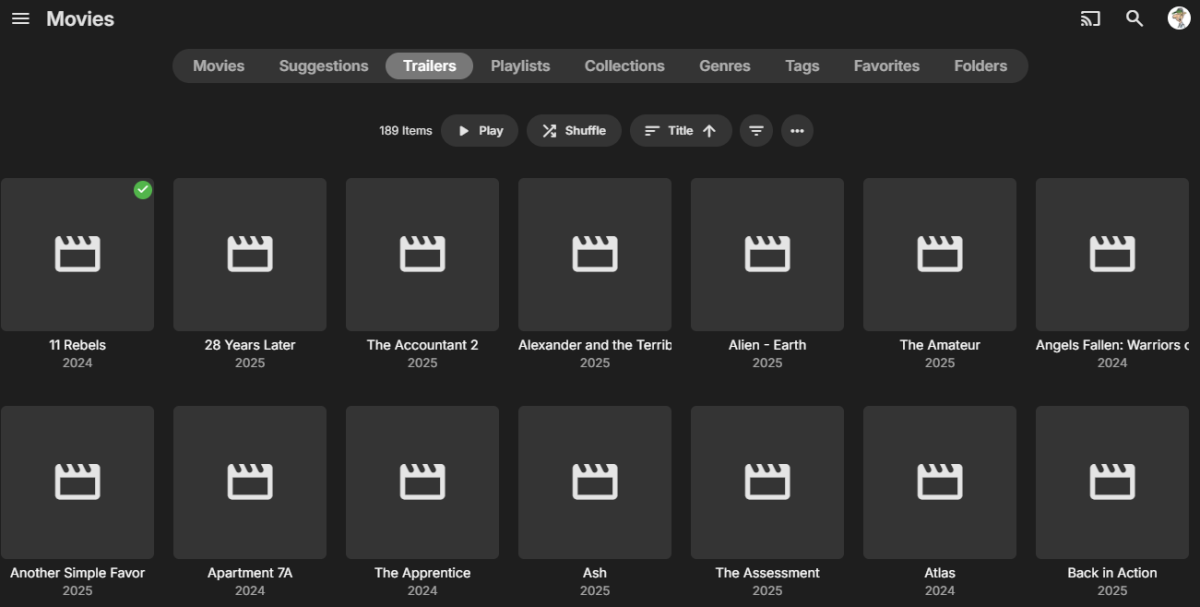
I can see now that the initial library scan last night after updating took app. 1 hour and 20 minutes. I did a new scan now in the morning and it says: 2025-10-02 09:17:27.443 Info TaskManager: Scan media library Completed after 1 minute(s) and 14 seconds So - it seems to be just the first library scan that needs extra time. I do have a problem with trailers loosing their artwork and metadata. Attaching pictures on that. Playing a trailer is no problem. It starts just fine. So far no other problems noted.
 1 point
 -
I suggest waiting first, there seem to be a lot of questions1 point
-
Emby for Samsung Smart TVs 2.1.0 has been released. Here are the highlights: Fix playback error when resuming multi-version episodes from Continue Watching Add tabbed Books view Support sorting playlists and collections by Date Added Various fixes related to auto-skip intros Various fixes to the profile pin feature Various fixes to rewinding and fast forwarding by holding down left and right Fix photos not showing in collections Fix top portion of home screen cut off when scrolling down (only on certain models) Increase allowed range of subtitle offset Fix parental rating multi-select filter Fix series status filter Some models were on much older versions prior to this, and for those the list of changes will be much longer as it will incorporate a year's worth of development in some cases. View the full article1 point
-
Emby in a nut shell. Anytime I see this or something like it "Yes it's something we can look at in future updates. Thanks " I know that it's not happening. Or if it dose happen we will have to wait forever for it to happen. Instead of saying look that's a cool idea, but it's not something we can send time on now, or maybe not for a long time if ever. At lease that's more of an honest answer.1 point