Leaderboard



.thumb.png.1ddf135ad99a72646a26d671a28ffe35.png)
Popular Content
Showing content with the highest reputation on 10/02/25 in all areas
-
Try this one, it should fix the problem. EmbyIcons.dll3 points
-
Colorwise based on tedhinklaters Finimalism JF theme, which I really like Lots of base code borrowed by the great @fillidill. Cannot thank him enough for the great base he set up with the Plex inspired Emby theme. A few things: I made this for myself in first place (FullHD Monitor), tested virtually up to 4K and it looked OK to me CSS is working with 4.9.1.80 stable, I will try to fix visual errors coming from changed CSS in future Emby updates The episode count icon is placed to be in line with the Coverart and EmbyIcons Plugins. If you don't use it, change line 341 For everything else, the code is provided as is due to the lack of time on my side. Please don't ask for any changes like the base colors, instead feel free to change the theme to your own delight and post the css here so that everyone can benefit from your work. In times of so much coding LLMs, changing the theme to your favor shouldn't be a big problem anymore (I also used it to clean up the code and remove doublettes). Bildschirmaufnahme 2025-10-02 212535.mp4 Download from here: https://github.com/v1rusnl/Embymalism2 points
-
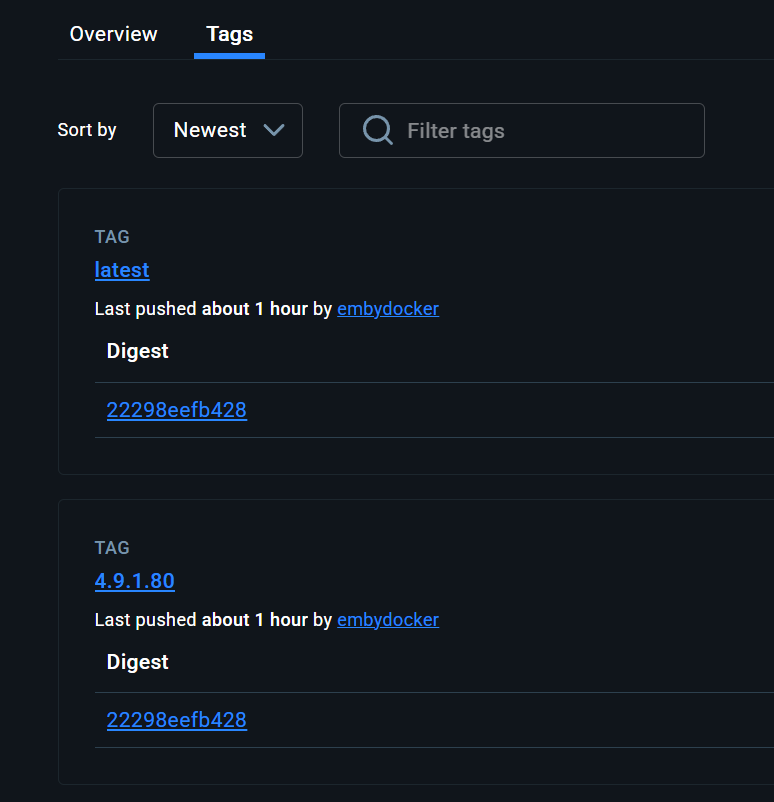
Hey Emby, I've got msg about the new version, but release 4.9.1.80 is not available in the Docker registry for pulling (empty in x64 and in ARM )2 points
-
No need for apologies - you all do a fantastic work. And after the initial scan everything works just fine - except the trailers - but I presume that is connected to the recent update of trailer plugin. Hopefully fixed soon.2 points
-
Looks like it finally updated!
 2 points
 -
It would be great to have this for the holiday season to make some festive playlists pop up on everyone's homescreen.2 points
-
Writer/Screenwriter(s), Director of Photography, Cinematographer, Composer.2 points
-
The plugin should be fixed now. Also at: yocksers/EmbyIcons Github2 points
-
Hi, Does anyone know why the 4.9.1.80 isn't available on dockerhub?2 points
-
Yeah I'll be waiting for a few more point updates, this doesn't seem ready for prime time yet. I'm very concerned of reports saying that the date added gets reset for some users to the day of the upgrade. Will definitely be doing a backup of all my NFO files (simple BAT file) before I make the jump. Edit: FYI, 42,000 NFO files came out to 223MB.2 points
-
Smart Playlists had been working fine for me, but I just checked and it's no longer launching with the 4.9.1.80 Emby server update. I haven't run any of the Emby server betas, only the full public releases, so I believe I was running 4.8.11.0 prior to this when it was working fine. The playlists are all still there for me to use, but I suspect they won't update as I add new music to my library.2 points
-
I suggest waiting first, there seem to be a lot of questions2 points
-
This is a horrible view please revert back to how it was originally or have an option at least. I can't speak for others but in our household it's watch and delete. Instead of improving emby it seems backwards by changing things that work. This needs to be urgently fixed. In Emby Theater it's still the same phew if that changed it will be the end of emby in my household.2 points
-
@kbeckunderstand you are frustrated, but please be civil and refrain from using insults. Please give the Dev team some time to address your concerns.2 points
-
Hi, yes it is coming. Thanks.2 points
-
With College Football and NFL seasons starting up in the States, a multi-screen option for Live TV would be a nice addition to the Emby feature set. I am thinking of what the WatchESPN app offers thru their Web Browser access. The ability to open a multi-screen window that breaks into four (4) screens that allows you to select streams (Live or Replay) for each and then go full screen. Audio is from whichever of the four screens you have as active. I can accomplish the same right now with the HDHomeRun Quick View TV app. I open multiple instances of the Windows app and then snap them to each corner on my 110" projector screen. Equivalent of four (4) 55" screens. Would be nice if this were a remote friendly option from within Emby Theater and the WebUI clients. I have only seen it in Web Browsers at the moment and not any of the Win10 UWP apps (FS GO, NBCSn, WatchESPN). But, Fox Sports Go just released a multi-screen solution for their Apple TV app. https://techcrunch.com/2016/08/26/fox-sports-go-hits-apple-tv-allows-viewing-of-four-games-at-once/1 point
-
Feature Request: Have User Groups and all settings applied at the Group Level That way you can just assign users to the appropriate Group and all settings will be inheritated.1 point
-
I want to be able to easily explore films by key crew on films (usually director, writer, producers), however always have to scroll through the giant list of cast to find them at the end. They're often not even listed.1 point
-
I think I have it now... Thank you so much for your assistance! I am hoping this resolves a bit of issues I am experiencing watching iptv. The channels buffer sometimes but seems to be much better after reboot. I have been manually rebooting emby first thing in the am. I have my router auto booting at 4am so I set Emby to restart at 4:10am daily. Thank you again! Dont be surprised if I reach back out lol1 point
-
Agree. They were there yesterday for BA1 but not there today The lineup had the channels as SD channels yesteday. It is possible that they are in the process of updating the lineups. I will refer it to Gracenote1 point
-
Hi, yes we are planning to support this.1 point
-
working !!!!!!! Thanks @Luke1 point
-
Uh i like this game!!1 point
-
1 point
-
No, sorry, I probably expressed myself badly. I meant that I don't understand why transcoding (manually) would be required to play the same content on the same device it used to work before. There has never been an automatic transcoding for this TV show. It's really weird because so far, I seem to have an issue only with one TV show(but 20 episodes).1 point
-
Hi, we are looking into this. Thanks.1 point
-
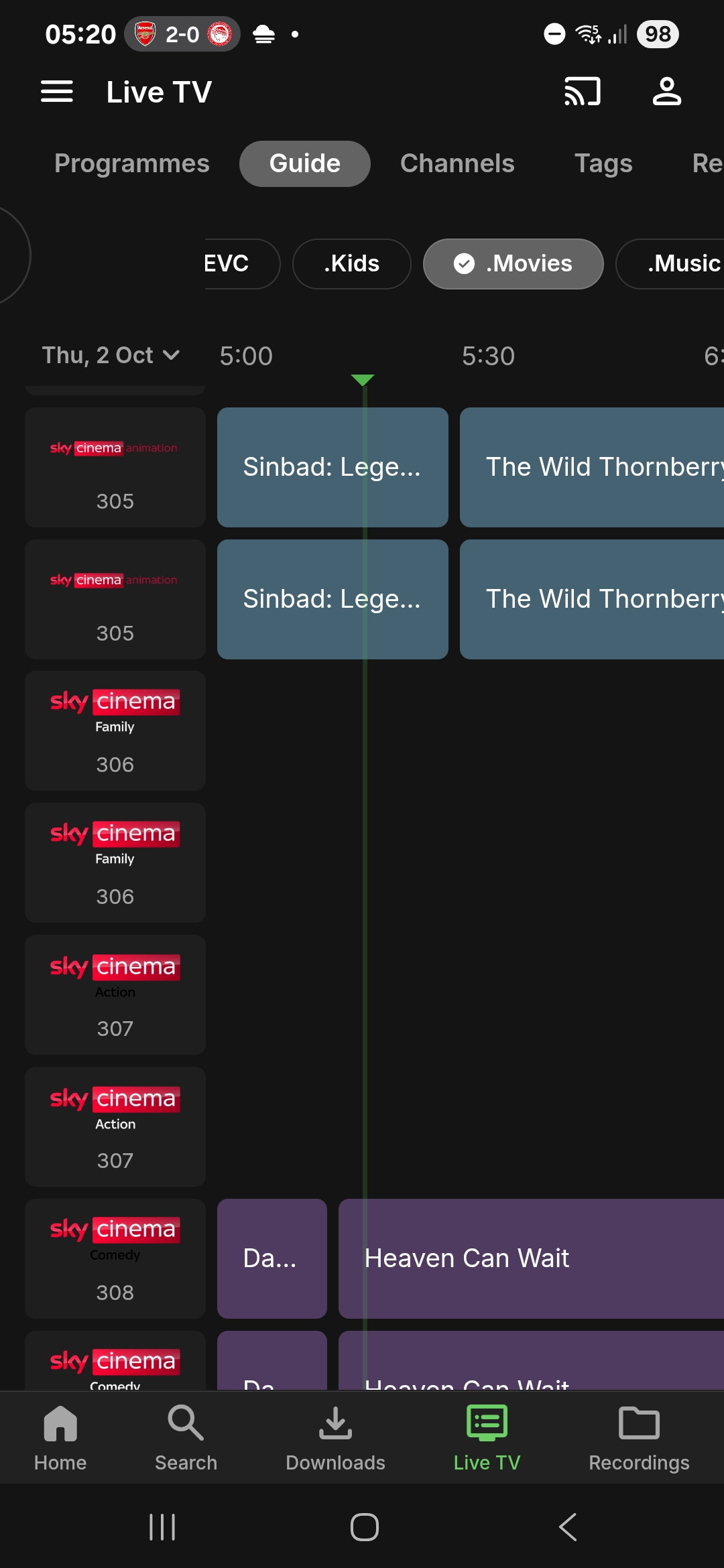
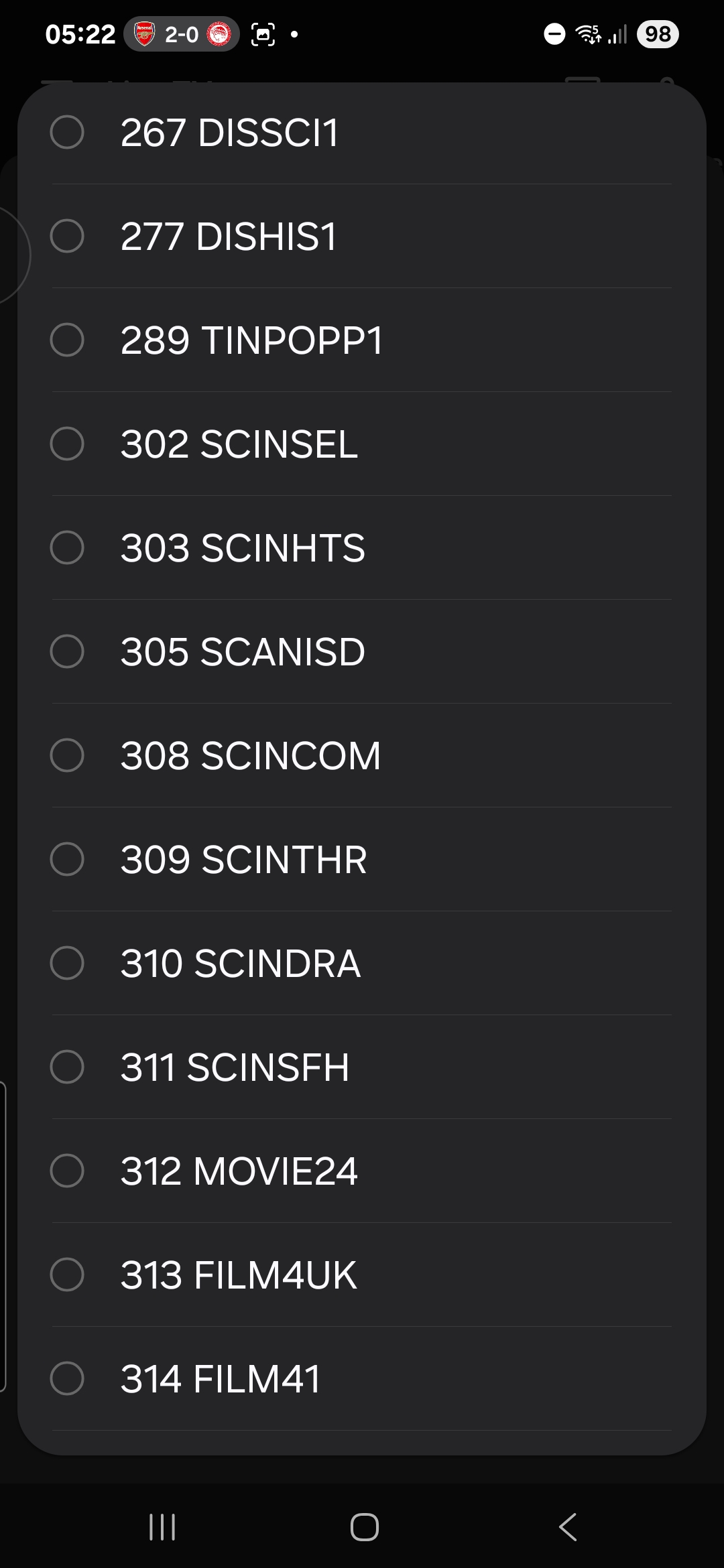
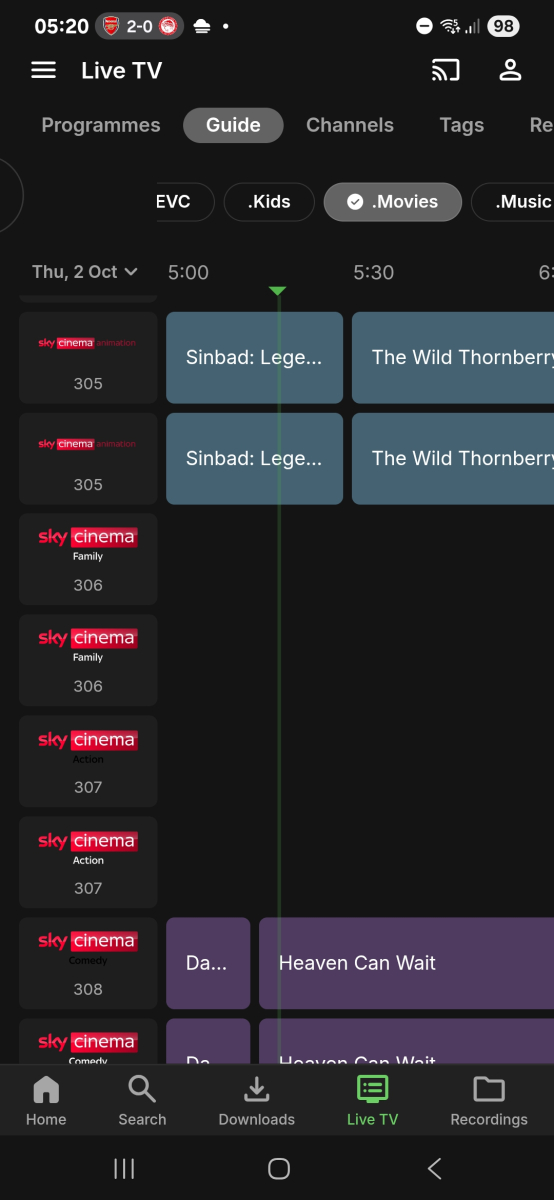
Lineup is sky sd (west satellite) with postcode BA1. When i tried WA1 i used Sky Q. Channels missing: Sky Cinema Premiere Sky Cinema Greats Sky Cinema Family Sky Cinema Action Here is a screenshot of the guide And screenshot of where you select the listings
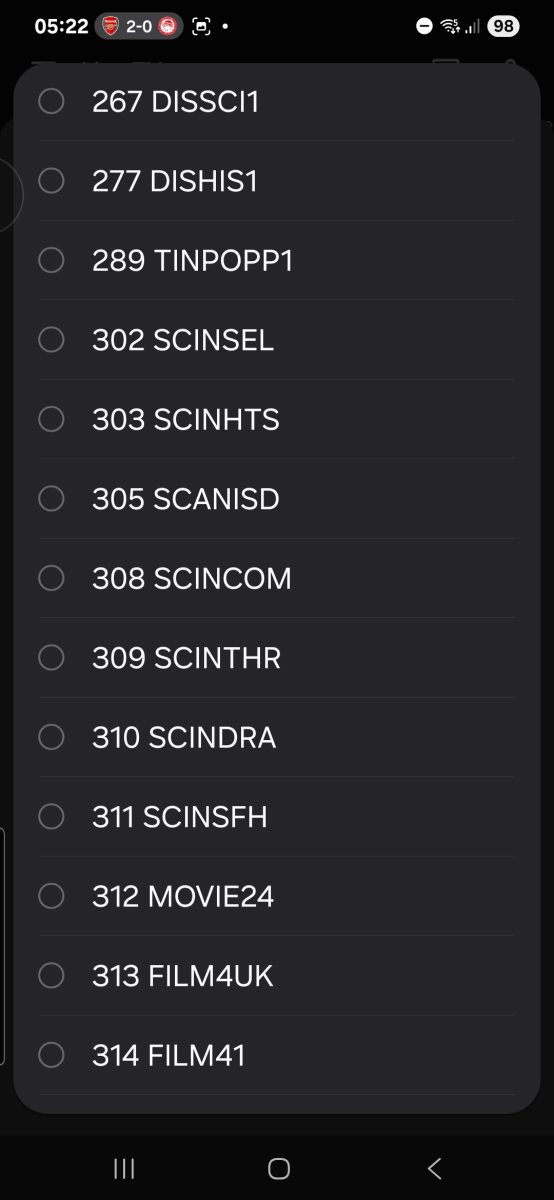 1 point
 -
Working on my systems.1 point
-
Thanks this worked1 point
-
Oh premiere member since the first week!1 point
-
The problem with the series view is: 1. Series with no episodes still show up. 2. It is not easy to see how much is recorded and how much you need to catch up with. 3. Having 20 series icons with 1-2 episode each increases the number of clicks to get to the recordings. (There could be 3 episodes each in their own season). Makes navigation painful. 4. As this is live TV there are often repeats (here in Australia the XML TV guides are not properly tagged as repeats). So there is a lot of cleanup to do with random episodes in different series. 5. I have been using the TV -->Recordings view exclusively as the Direct Recordings view was series based. Any PVR i have used in history has always just shown the individual recordings, the series view has taken away this normality for me, and not sure why. I couldn't see this in the changelog that the episode view was being removed either. If there could be an urgent option to change the view between these it would be great, as I'm considering downgrading. 10 year Emby supporter.1 point
-
Correct. You need to also remove it from Emby if that's what you want to do. Why is this? Suppose that drive were a network drive or external drive. You wouldn't want your Emby Server database to wipe out it's content every time you unplug the drive.1 point
-
As said in the EmbyIcons thread, i will try and update the dependencies for the plugin and see if it help. It should work fine with the new version as is though.1 point
-
Use the plugin or the api but really depends on how you run Emby.1 point
-
I believe the gist of this topic is that we prefer the 'individual recording view' to the 'matches everywhere' view. An option would be a reasonable compromise, methinks. Refer to the display in the Windows app, which remains unchanged (i.e. is NOT the 'matches everywhere' view).1 point
-
Windows app looks "right". Web app (FF) & Theater both show the new & (not so) improved view.1 point
-
Let us know if you managed to create the `.bat` file to restart your server. Personally I prefer to restart the entire server every night at the impossible time of 04:00 in the morning, mostly because Windows 10 gets a little wacky after running for a couple of days.1 point
-
I just checked and looks like it works again, thanks! (I dunno what was the problem, I generated a new PIN, just like couple of times before, but now it works)1 point
-
Try link now: https://drive.google.com/file/d/1muZ-Q6p-g5KfBzojk_ClgrkdDc0UnReh/view?usp=drivesdk1 point
-
Hey there, thanks for giving the sources. But unfortunately i think it is not set to "public" in gdrive. I can only write a message to the owner and request access. Download is not possible.1 point
-
Hey guys. Here is a different post where nmalinoski helped me out to get this to work - Basically, I had to create a 13.1 Jail in my TrueNAS 13, install Emby 4.8.11.0 into that Jail and then copy my Emby backup over. This worked and I now have Emby 4.8.11.0 running in a 13.1 Jail. I was unable to get Emby to work inside a 13.4 or 13.5 Jail on my machine. I was able to get it to work on a test machine using a 13.4 Jail, not sure why. See nmalinoski's post on April 22nd and mime form April 30th. Please let me know if you have any other questions.1 point
-
Lucky that you mange to download at all1 point
-
I guess it's the TV then, because all I have are TV speakers, no surround sound setup. If Emby isn't downmixing it, then it only makes sense that the TV is doing it. The log is outdated, but I've since converted the audio from those files from 6 channels to 2, and they play perfectly now. Sorry, I don't understand this stuff very well. All I know is that when I convert the audio to 2 channels, the audio and video align correctly.1 point
-
i don't think there's something outside of already posted screenshot
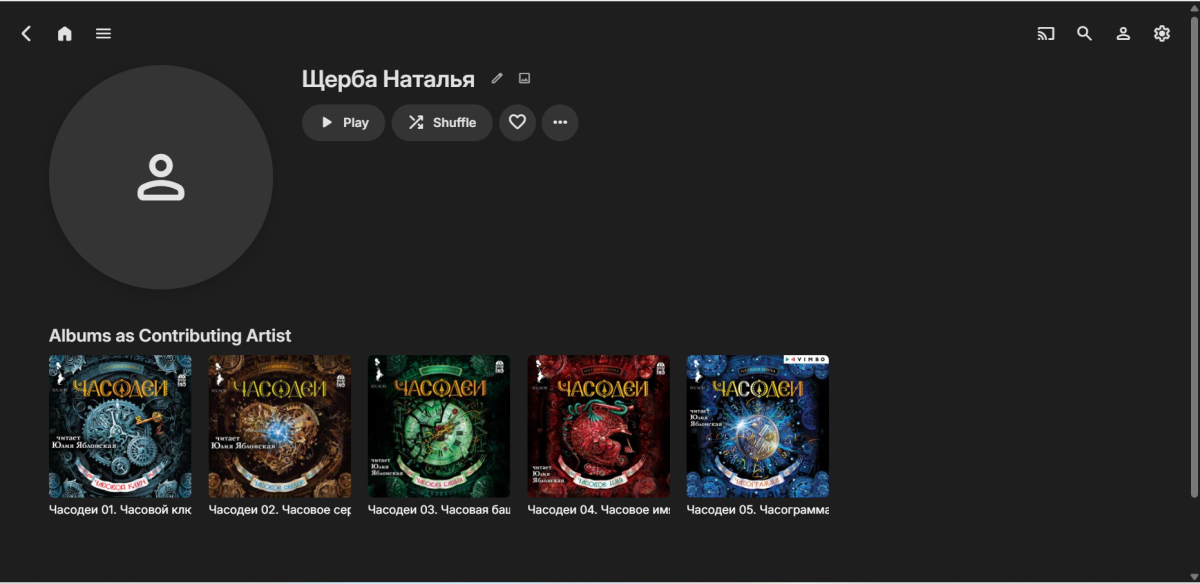 1 point
 -
Just an FYI about a 2.0 bug. The progress bar does not move for music playing. The second biggest annoyance for me is that the album art is still showing horribly grainy images instead of the high resolution images they actually are.1 point
-
Would be great if can limit the device per users. The simultaneous streams don't prevent to user to login on another device and it will consume the space for the devices limits on Emby Premiere.1 point
-
Emby for LG 1.0.47 has been released. Here are the highlights: Improve ASS/SSA subtitle rendering Add text size setting Improve the startup behavior option related to remembering login info Add option to auto-open single items in folders View the full article1 point
-
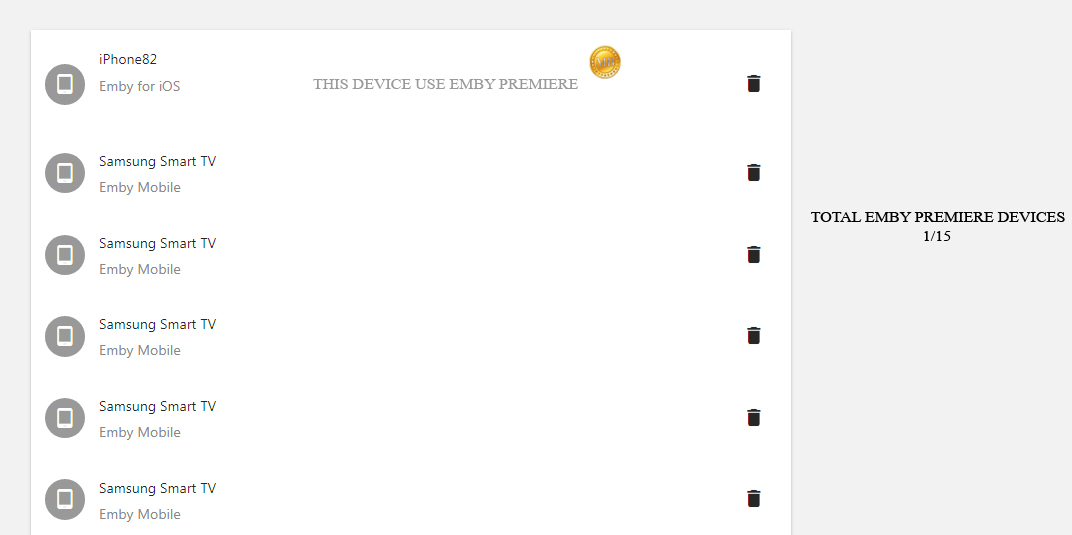
I have seen many people asking for the 15 devices limitation. Could it be possible to add a counter for understand wich device uses Emby Premiere? Something like this : Understand which device uses emby premiere and which no?
 1 point
 -
I have a feeling this is going to asked a lot for a few days. After installing 4.7.14 un-check auto updates and save settings, do not restart the server or PC yet. Go to 'AppData\Roaming\Emby-Server\programdata\updates' then delete the files in the folder, now it's safe to restart. You will still get a notification on the dashboard about the update, but as long as you don't manually install it you're good. It's been requested many times over the years to stop re-enabling auto updates after each update, but it's been ignored.1 point
-
It would be nice to be able to set a max volume for theme music for TV shows. Plex sets the default at 50% volume so that the music softly plays in the background rather than full volume.1 point