Leaderboard




Popular Content
Showing content with the highest reputation on 09/30/25 in all areas
-
You have already been replied in the other topic, do not pollute the forum with multiple posts asking for the same thing.2 points
-
No one is going to send you server details. You must create your own server for your own media files. Emby is not a streaming service, media will not be provided to you. Quick Start2 points
-
Don't worry, nothing's wrong. I was just saying it because we translators dedicate time to translating all the Emby applications, and we dedicate time to translations, and we do it altruistically. At least we shouldn't waste time doing things that aren't necessary. As for whether it says test-temp, if I see it there, on a page of text files to be translated... well, the normal thing to think is that it needs to be translated. I don't know what applications you have, or how that application might be used in EMBY. Well, without further ado, nothing's wrong... let's continue here and enjoy Emby. Best regards2 points
-
Is there plans on the roadmap for OpenID. I have searched but not found any indication this is in development. With many admins taking up SSO through Authelia or Authentik to enhance security it would be great for Emby to support it. One of the easier open standards is OpenID which the aforementioned support. Users could continue to use LDAP if they wish while others can use the arguably better SSO experience.1 point
-
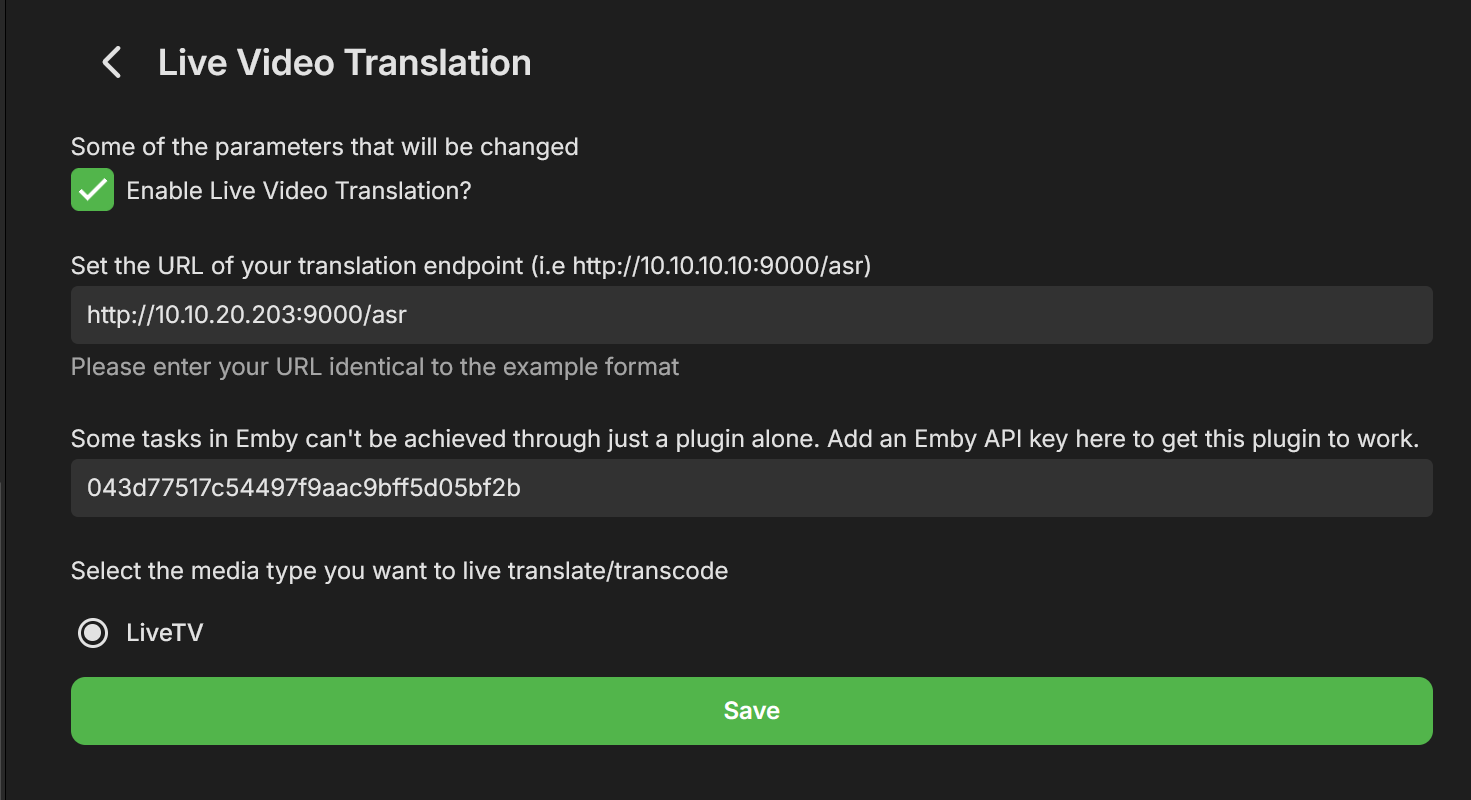
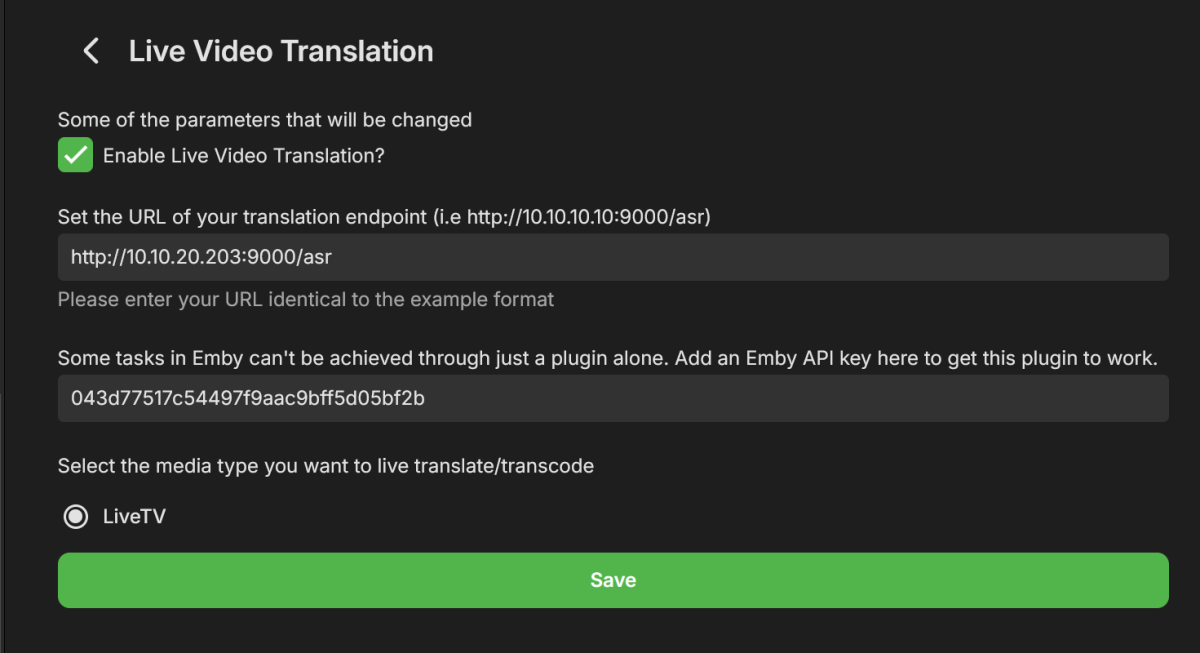
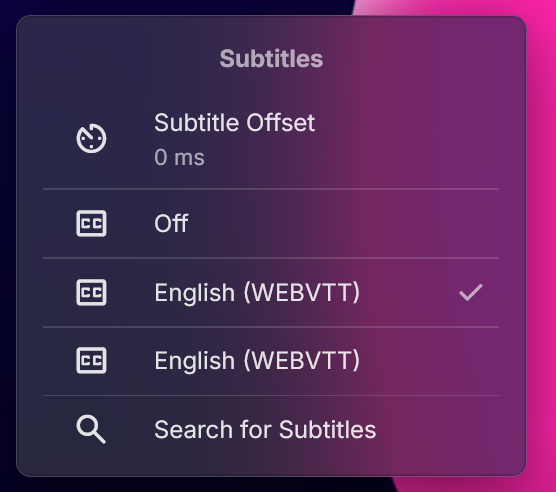
Hey All, After a few weeks of work I'm happy to present a new plugin Beta, called "Live Video Translation". The plugin uses Whisper, Open Ai's translation/transcription service (https://github.com/openai/whisper), to generate translated subtitles on the fly. This allows you to watch TV with live generated subtitles. If the original source is detected as English you'll get transcribed subtitles (English to English). If the original language is any of the supported languages, you'll get English subtitles. Languages supported are: https://github.com/openai/whisper?tab=readme-ov-file#available-models-and-languages How to Install 1. Run the following Whisper docker container somewhere that emby can access it. Make sure to run this docker container using the "GPU" flag. I have not tested CPU mode, but we do need good performance here which may not be available with just a CPU and LLMs. https://github.com/ahmetoner/whisper-asr-webservice 2. Run the docker container using either the "small" or "medium" models. In my testing at 1070 was good enough to keep up with near real time translation using small or medium models. The model download took about 10 minutes the first time. 3. Place the attached dll into the plugin directory. 4. Configure your plugin like so, with the full URI to the Whisper service, and with an EMBY API key. There was one thing that can't be accomplished with just a plugin. (a rapid way to add a library and scan just that library for new files). 5. Click on "Enable" at the top, and restart emby. How it works Currently the plugin only supports LiveTV. There are free LiveTV providers on the first few results of google that can allow you to test this for free. 1. User finds a Live TV Channel in Emby and Clicks "Play" 2. Plugin detects that the user wants to watch a Live TV Channel (and only live tv for now) 3. Emby starts playing the Channel, while in the background the plugin also starts consuming the same channel using ffmpeg. (For a short period of time there are 2 separate connections consuming the same channel) 4) The plugin adds a temporary library to emby that contains a single file. That file is a link to play the translated Channel Stream. It does not scan all the files that ffmpeg is creating, just a static stream file which points to our Plugin API, which serves files for that translation session. 5). The plugin starts creating chunks of the video and translating it, and generating a valid stream that emby can play. 6) Once a buffer of a few files has been created, the Plugin stops the initial stream, and starts the newly translated stream and immediately: - Pauses it - Displays a message to the user to wait for ~20 seconds until a bigger buffer is created - Restarts playback about 20-30 seconds passes These delays are very conservative to allow for any LiveTV ingestion hiccups. I have been able to watch near real time, with just in time delivery of the subtitiles, but have noticed certain IPTV providers hiccup and don't serve video in a timely manner, so this is a way of riding out those hiccups. 7)The new TV stream uses WEBVTT subtitles, which means emby properly parses them, and you can adjust the subtitle offsets, even though they should already be pretty accurate. 8 ) When the user stops playback (only on stopping playback, not closing an app, or closing a browser window), the ffmpeg consumer is killed, the folder deleted, and the newly added library is deleted. The library may still show up if you navigate home immediately, but if you refresh the page it'll be gone. Caveats/Future Improvements - The logs for this plugin, for this Beta, are very verbose in order to help troubleshooting. - Sometimes an IPTV provider is rocky and does not serve video files in a timely manner. Which means you'll be watching the translated stream and it'll overrun the buffer. This happens infrequently in my testing. - I have two test instances a) Windows with CUDA , I had to disable hardware transcoding to get this to work, unsure why. b) Linux with CUDA, works fine with hardware trans-coding enabled. - If there is interest in this I could add live translation to TV Shows/Movies. - I don't control the translation. Sometimes AI hallucinates, but overall it is very good. Sometimes if there is no audio, it seems like the docker container returns "Thanks for watching". - Sometimes the pausing/message on screen does not work. If it's been longer than 30 seconds feel free to click play in the translated stream. Questions for the devs - Sometime the plugin consuming FFMPEG receives corrupted packets from the provider and isn't able to handle it, and it stops. - Sometimes emby's consuming FFMPEG (the ones that consumes the plugin's translated stream) consumes a corrupted packet, and just stops consuming the stream. I'm unsure which one is the problem first here. Seeking guidance from the devs on how I can modify my translation ffmpeg command to account for this. You'll see what the translation ffmpeg command is in the logs shortly after a playbackstart. The translation ffmpeg command just "consumes" the stream to output video files, translation is done separately. - Sometimes sending a command like this, just does not work. Almost as if my code skips it, but it should be called each time. var pause_request = new PlaystateRequest { Command = PlaystateCommand.PlayPause }; _sessionManager.SendPlaystateCommand(null, sessionId, pause_request, CancellationToken.None); Troubleshooting If this isn't working for you, please provide: embyserver.txt - this will have a link to your IPTV in it, and maybe a username, you can obfuscate that if you'd like. The most recent ffmpeg logs which represent the emby's ffmpeg that is trying to play the translated stream. What OS are you using, is hardware trans-coding enabled? Occasionally monitor the buffer health (look at how much video is "left" in the stream). It should be growing as you watch) If it isn't that means either the translation or consuming ffmpeg has encountered an error and I'll need to see the logs as to why. If you watch that same TV channel, with the plugin disabled, does it fail in a similar way? Please provide an ffmpeg log of that. Thanks! LiveVideoTranslation.dll
 1 point
 -
I moved from Plex to Emby and even though I think Emby is superior in its flexibility there are some things I like better with Plex, especially in terms of its looks. This theme is trying to fix that by making it a bit more similar to Plex but with some, in my opinion, improvements. The CSS is attached to this post for anyone interested and below are some screens to show it off Good to know I only use Chrome so I can't guarantee this CSS works as expected in other browsers. If you want the sidebar menu to look like in the screens, make sure to pin the sidebar. Watched badge/banderoll is inverted which means that the badge will not be shown if media have been watched, like in Plex. For desired look, please use the "Dark" theme for both Theme & Settings theme in the display settings. Emby-Stable-style-v3.6.txt





 1 point
 -
I'm a plex life time member, but I have been using Emby for over six years continuously, but there is a feature which I have always thought is missing in Emby which I would like and encourage the developer to consider including especially in this dispensation where families can social or commingle due to COVID 19. Today, I received a notification from Plex about it new feature titled Watch together you can read about it here https://support.plex.tv/articles/watch-together/ The feature allows friends and families at distance to watch same movies together instantly, you simply invite all your buddy, once they signed to the system which can be seeing in the server then play and pause as needed, this I think is cool feature should be added to emby. Let's here your though if Emby developer should consider adding this feature to our beloved Emby Media https://www.bing.com/news/search?q=Plex+Watch+Together&qpvt=plex+watch+together&FORM=EWRE1 point
-
With College Football and NFL seasons starting up in the States, a multi-screen option for Live TV would be a nice addition to the Emby feature set. I am thinking of what the WatchESPN app offers thru their Web Browser access. The ability to open a multi-screen window that breaks into four (4) screens that allows you to select streams (Live or Replay) for each and then go full screen. Audio is from whichever of the four screens you have as active. I can accomplish the same right now with the HDHomeRun Quick View TV app. I open multiple instances of the Windows app and then snap them to each corner on my 110" projector screen. Equivalent of four (4) 55" screens. Would be nice if this were a remote friendly option from within Emby Theater and the WebUI clients. I have only seen it in Web Browsers at the moment and not any of the Win10 UWP apps (FS GO, NBCSn, WatchESPN). But, Fox Sports Go just released a multi-screen solution for their Apple TV app. https://techcrunch.com/2016/08/26/fox-sports-go-hits-apple-tv-allows-viewing-of-four-games-at-once/1 point
-
thanks Luke let me look into this, ill try to see the work around, keep you posted.1 point
-
Yes. But it was changing browser that made it work. That can't be an Emby thing because it worked fine in Edge before so I assume something onmh computer). On the other hand another computer with Edge did the same thing...1 point
-
Can confirm this now functions as expected in 3.5.09. Thanks Luke.1 point
-
The relevant bits should be at around 2025-09-30 20:40 embyserver.txt1 point
-
I still think a metadata source for downloaded podcasts would be useful1 point
-
Hi, I have now received following information from the people being Podcast Index: So it sounds like it is indeed something that would work very well for a metadata plugin.1 point
-
Hmm, I already had the apk on my mobile phone, so I just sent it over to my stick with a "Send Files to TV" app.1 point
-
Alright, so it finally remembers each persons password. That’s great. now it’s just that menu that should be able to be disabled when i press back button on the remote.1 point
-
You can go directly to the api via the link at the bottom of the dashboard and look at the PlaystateService endpoint. Might get errors depending on your connection method as swagger requires localhost or https connect but there are ways around it mentioned in the first part of the how to by changing browser flags for your server.1 point
-
Might be a little faster using the api to mark the item as played per userid. http://localhost:8095/emby/Users/{UserId}/PlayedItems/{Id}?api_key={apikey} curl -X 'POST' \ 'http://localhost:8095/emby/Users/{UserId}/PlayedItems/{Id}?api_key={apikey}' \ -H 'accept: application/json' \ -d ''1 point
-
That's what i can provide to you (debug on) embyserver.txt ffmpeg-directstream-8601a934-1b7e-46fd-9a31-6ad00a162bfd_1.txt embyserver-2.txt1 point
-
Download page too. https://emby.media/download.html1 point
-
using the forum device support list is probably a good start. Emby Apps - Emby Community1 point
-
Thx for the quick fix @Luke@softworkz1 point
-
I have not tried it yet, because I've been enjoying Emby too much to bother with Jellyfin in a few days. But I trust it will if I eventually try it.1 point
-
I'm also looking forward to this feature (vertical text menus) now that Plex has gotten rid of it and has angered a lot of users including myself who came to Emby looking for it. I saw the web app has it, so I figured the Roku app might as well. Sad to find out it doesn't. Not only does it feel easier to navigate vertically, when you have a lot of libraries, but being text only it also hides thumbnails for certain libraries that you may not want others to see thumbnails for. If you can add this and a way to see the bitrate/resolution of each video when filtering by bitrate I'll be a happy camper Emby convert once and for all. I think a lot of old Plex users will.1 point
-
Oh for sure, I just figured that would take a while to be able to get on the roadmap where this would leverage something already in place, but yes a full announcement system would be best1 point
-
Hi there, have you explored the option in the app called startup behavior?1 point
-
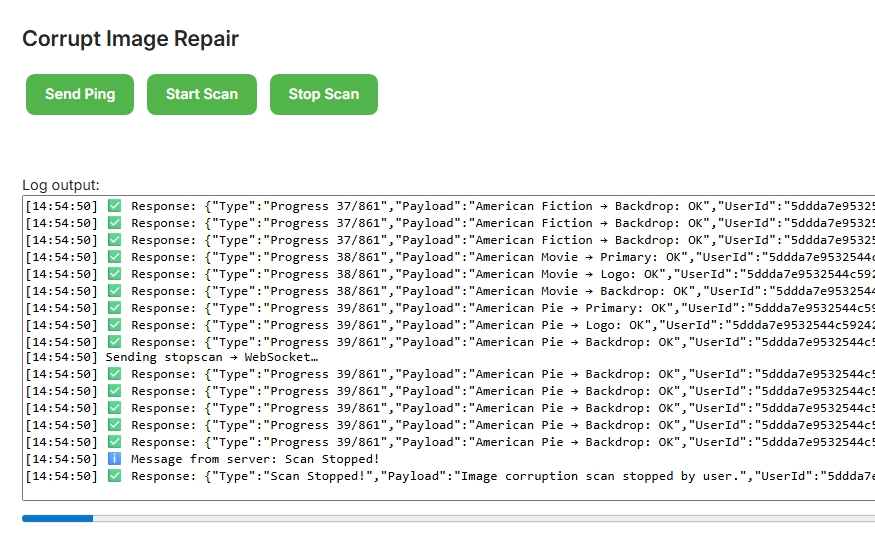
New demo up, no endpoints solely sockets This fully demonstrates , how to get values out of the json reply from the websocket and use them for a html progress bar. Corrupt Image Repair (Demo Teaching Plugin) This Emby plugin demonstrates how to perform a non-destructive image corruption scan using WebSockets for real-time progress updates. It was adapted from the WebSocketDemo scaffold and extended to scan library images (Primary, Backdrop, Logo, Thumb, etc.) without deleting or altering them. Features Real-time WebSocket communication (progress + status updates) Dummy (non-destructive) scan mode – images are checked but never modified Progress bar + log output UI in Emby Dashboard Buttons to Ping, Start Scan, and Stop Scan Teaching scaffold for learning Emby plugin development with WebSockets Screenshot Here’s what the plugin looks like inside the Emby Dashboard: Project Structure CorruptImageRepair/ ├── Controllers/ │ └── ImageRepairController.cs ├── Services/ │ └── ImageRepairScanService.cs ├── Dashboard/ │ ├── corruptionrepair.html │ └── corruptionrepair.js ├── ImageFunctions.cs ├── WebSocket.cs └── Plugin.cs How to Build Open solution in Visual Studio 2022 (Emby SDK 4.8.11). Build the project in Release mode. Copy the .dll output into your Emby plugins/ directory. Restart Emby Server. Usage Navigate to Dashboard → Plugins → Corrupt Image Repair. Click Start Scan to run a dummy image validation scan. Watch the progress bar and live log output update in real time. Stop anytime with Stop Scan. 🛠 Teaching Notes Uses Emby’s built-in ISessionManager.SendMessage for WebSocket events. Demonstrates how to build bi-directional communication between server & client. Great starting scaffold for plugins that need live feedback. License MIT License – free to use, modify, and learn from. Mickle026/Emby-Demo-CorruptImageRepair: Demo Using Websockets without using Endpoints - Non Destructive
 1 point
 -
Sorry, you'll have to provide specific details of the files that don't play on the newer TV, but it does happen that Samsung (and other manufacturers) stop supporting older codecs on newer models (for example some mpeg formats, avi and others). This can because they are older formats that are not commonly used and not worth maintaining, security or support issues with 3rd party libraries that they may be relying on to support these old formats, or it's even possible that they have to pay licensing fees and the small user base for these old formats doesn't make it worthwhile.1 point
-
When transcoding or direct streaming it currently throttles but it doesn't cleanup during playback so you can have a situation where your using lots of space. Can we have a custom setting to remove the transcoded parts minus 5 minutes of current playback? This would help it large libraries where there are multiple transcodes going on.1 point
-
I agree, I don't think you should invest time and money in something big and risky like that that also stray from the "mission" of emby. Just enable use of SMTP like in the plugin and tied it to the email lost password feature. I think to make it easy, it could be a plugin first that add lost password email and require the SMTP plugin, and then later on can be backed as an optional feature. It make development in step easier, the feature doesn't need to do everything day one.1 point
-
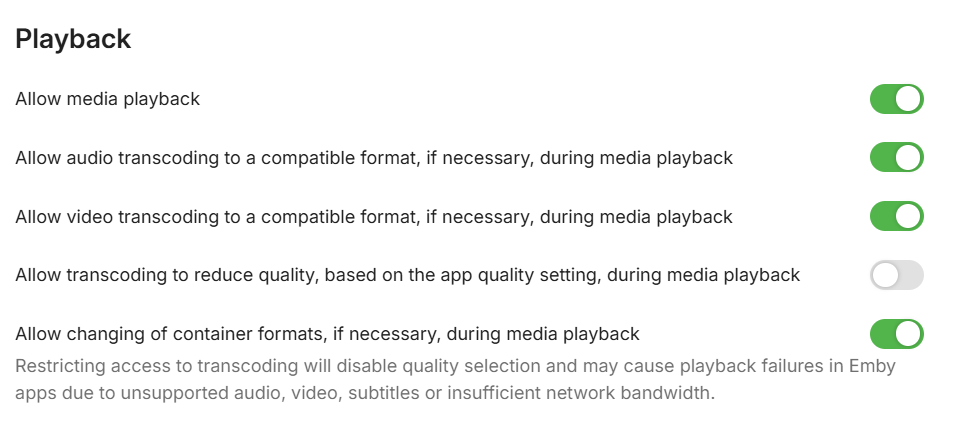
A new user restriction is being added here. So now you'll be able to allow them to transcode based on supported media, but not based on their quality setting.
 1 point
 -
Moving existing media entries from Folder A (D:/Media/Movies) to Folder B (E:/Media/Movies) belonging to the same library, causes these items to be considered "new" within this library. For example I have a Movies library: E:/Media/Movies/ D:/Media/Movies/ If I move the folder "E:/Media/Movies/Apocalypse Now (1979)/" to "D:/Media/Movies/Apocalypse Now (1979)/", the entry for "Apocalypse Now (1979)" is added to the "Latest Movies" section and the "Date Added" is also changed to the moment of the move. I find it hard to believe this is intentional design. Am I doing something wrong or missing a step perhaps?1 point
-
Hi, it is in the next update to Emby for android. Thanks.1 point
-
Author and File Format options are basic necessities for just any eBook collection! Series would follow pretty closely for anyone who collects books in a Series (which is very common). I'm really confused as to how the Book Library has existed as an option for as long as it has without even an Author option, or functional Metadata Downloaders. I tried migrating to Emby from PLEX many many years ago because I wanted my eBook accessible remotely on the same Media Server as my Movies and TV Shows, but I decided not to stick with it because it wasn't very functional. I transitioned to eBook reading in 2010 and haven't looked back, but have always been disappointed with eBooks exclusion from media center/managers. Books are the OG Media! Thanks to whomever is finally getting some work done on this project. I've reinstalled Emby from scratch and am playing with it again, but the Metadata system still needs some very simple things addressed. So I'm not all in yet.1 point
-
@howllorYeah, I confirmed that works but it would be a tedious chore to go through and update every single piece of metadata. This should really be handled by Emby on import.1 point
-
I very much agree but i would guess it would take a good while to make that available, most likely having to change all apps and make those changes to Emby it self as well, so making the quality button easier to explain to people and for them to find would at least help and be faster to implement. As it is right now only a few of my family and friends have actually found the cogwheel when watching a video, much less the profile settings to customize their client. I've resorted to make a video library with text in the image explaining and containing a small video showing how to do it but still no luck. I appreciate the dev teams hard work but this should really be on the very top of the to do list IMO, my graphics card would thank you!!1 point
-
That won't work either, majority of users aren't looking at anything on that page other than the big 'Play' button We do desperately need a way for Admins to override the client quality settings though. The number of times I've seen client apps reset back to the default, I'm tired of telling people they need to again set their quality setting to the highest1 point
-
Hi, not yet but we're hoping for during this week. Thanks.1 point
-
HI, yes this is certainly doable.1 point
-
Auto needs it's description removed as it doesn't work like that afaik. It's just a fixed rate not an actual auto. Admins needs a way to set the default rate which clients use unless the user has set something else. My graphics card is running red hot all the time because people don't know about quality settings or how to adjust them!1 point
-
1. Yes and no There are some changes I made as Plex and Emby are different. If you set the output to png, a transparent image with overlays @1000x1500px for the posters (thumb not tested). My plugin will then apply the overlay on the poster for the clients, so that you can swap the poster in Emby without losing the overlay. Otherwise, Kometa will overwrite your local poster file. 2. Yes, collections are synced each time they are scheduled to run. My version of Kometa uses the Emby ItemId instead of the Plex GUID; if you point multiple libraries to the same folder, the media will be imported across multiple libraries with only a single Id instead of multiple,, so c:/mymovies/mymovie01/movie.mkv will always have one Id if added to multiple libraries. That affects e.g. the mass genre update or overlays as those work per library and then per id, meaning one library seeing overwriting three other one. In those cases I'd use the All libraries for metadata updates, main collections and overlays, and the child collections with duplicates for collections only. You can setup your libraries as you like, Plex is currently only needed to get the basic Plex object and won't be used during script execution. I haven't changed the Docker code, so it's supposed to work as described in the Kometa Howtos. For my setup, I run a Docker container with autostart. Kometa will of course need access to your server by http and you'll need a shared folder fort there overlay files. You can add a small test library and test it on 10-20 films/shows first before working on the big library.1 point
-
This is a great feature to have. Most of my users are really confused as to why they have to select "4k 200mbps" sometimes. In most cases this causes 1080p / 4k videos to play at their original settings. When the quality is left at automatic, sometimes a different resolution or bitrates is selected causes the server to transcode it. It would also be really nice to set "original quality" as a default quality selection for each user because changing the quality only seems applicable when the device literally doesn't understand the codec ór when the device is too slow (older laptop playing 4k, etc).1 point
-
If the device cannot natively play the video, please still add a "Direct" option (grayed out to indicate it's not selectable).1 point
-
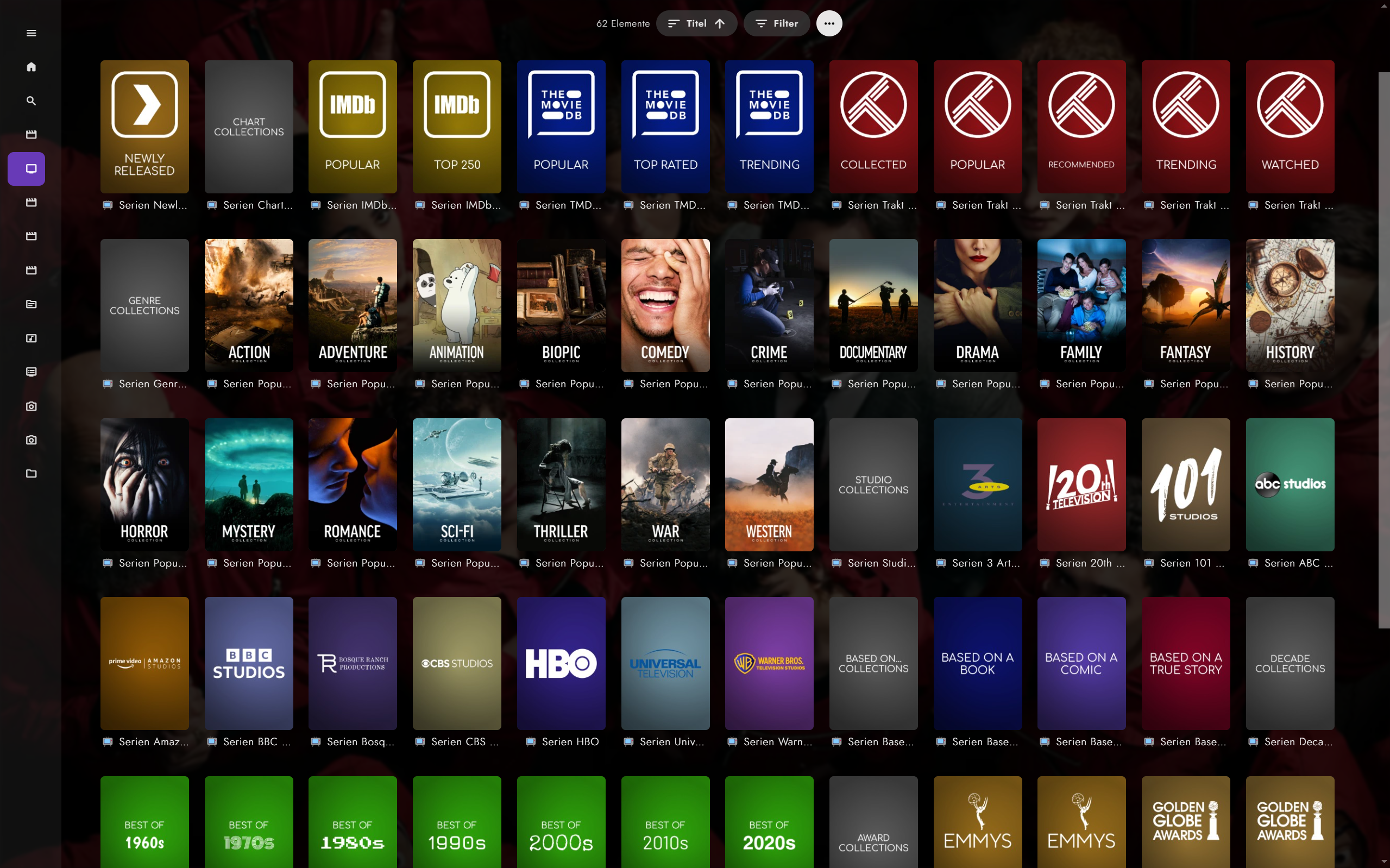
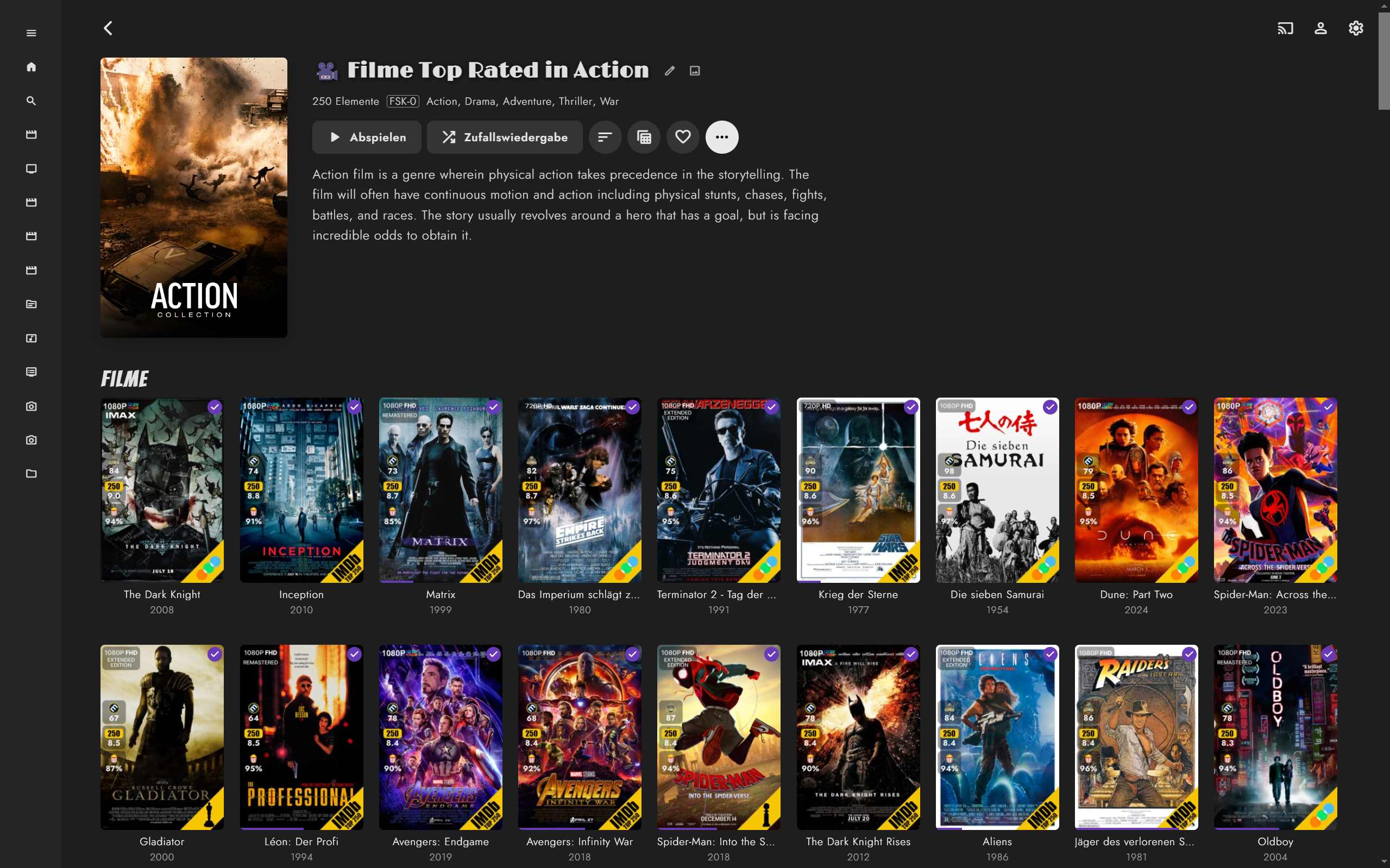
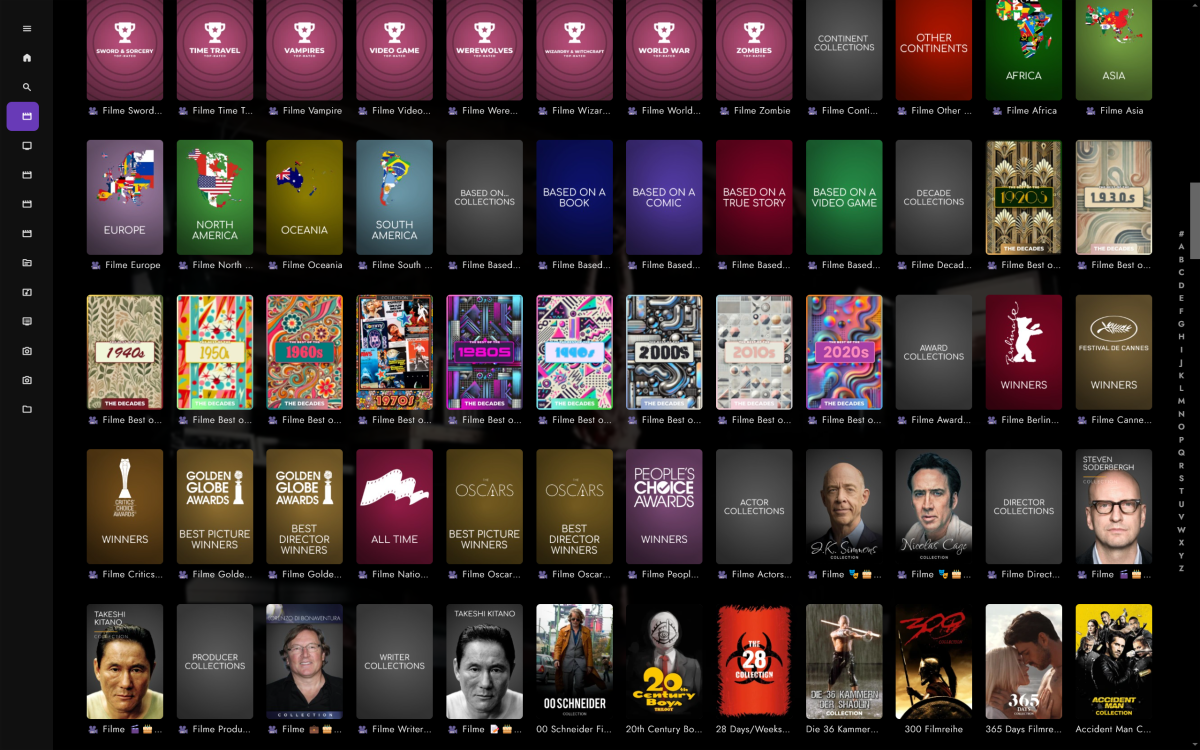
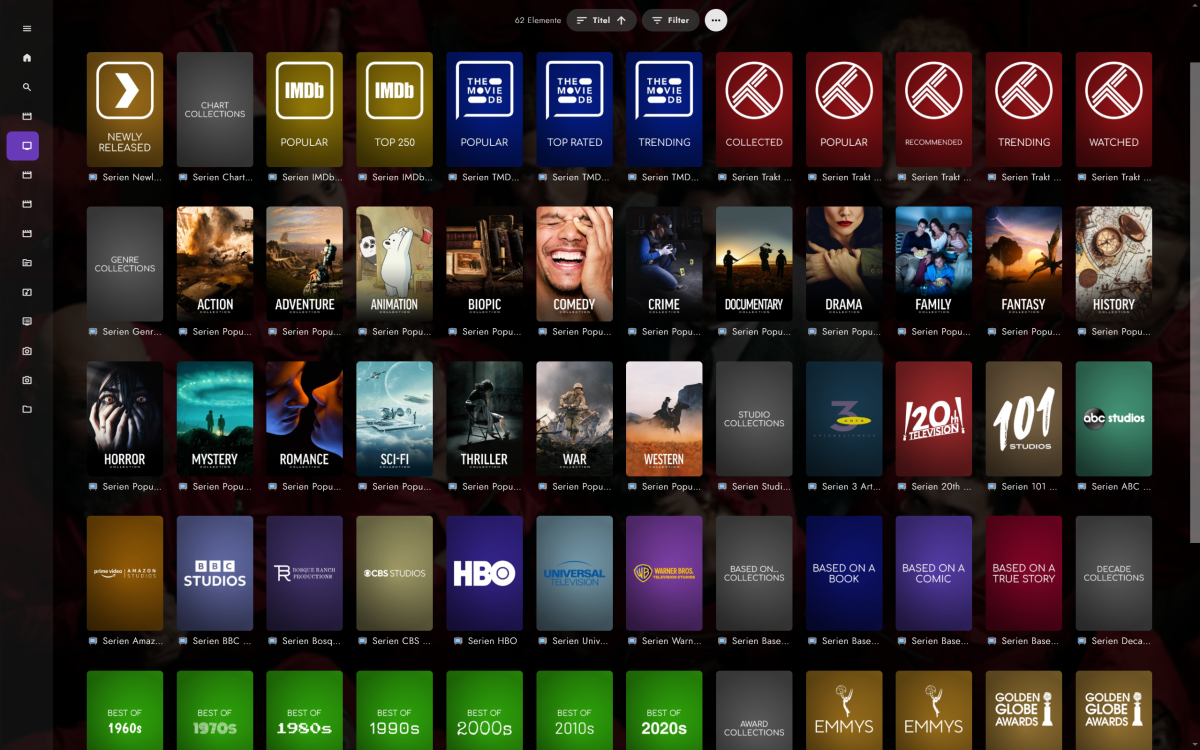
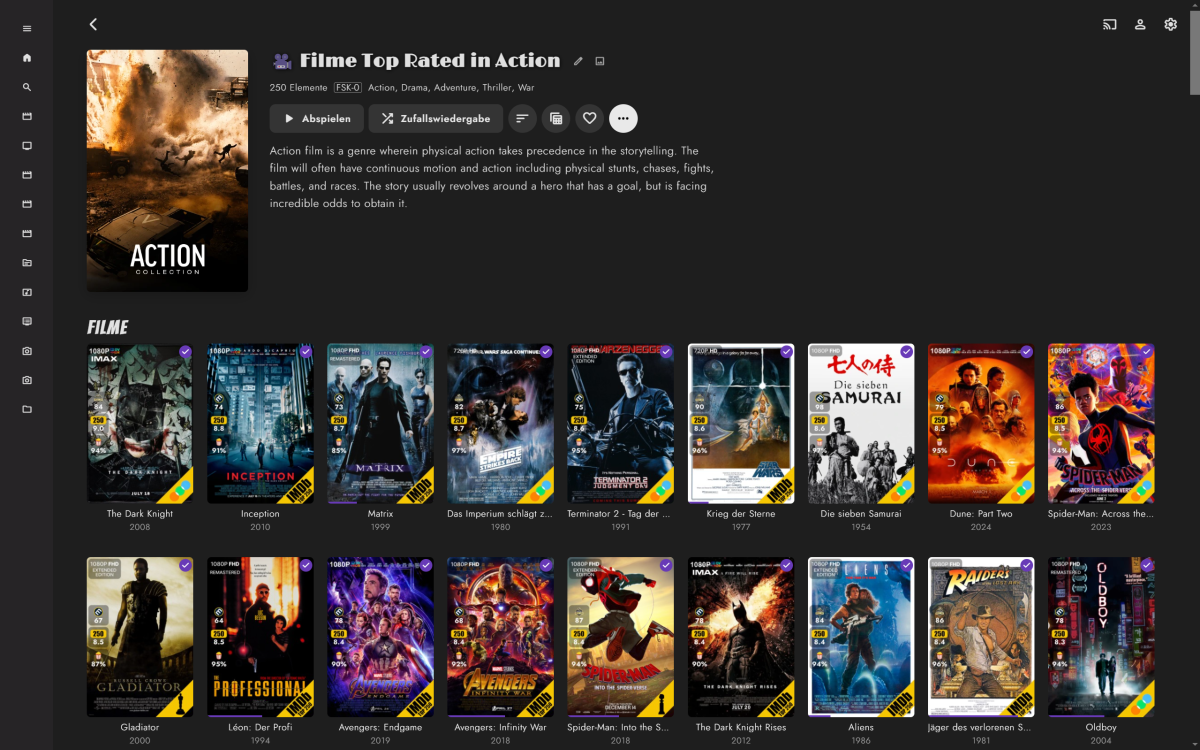
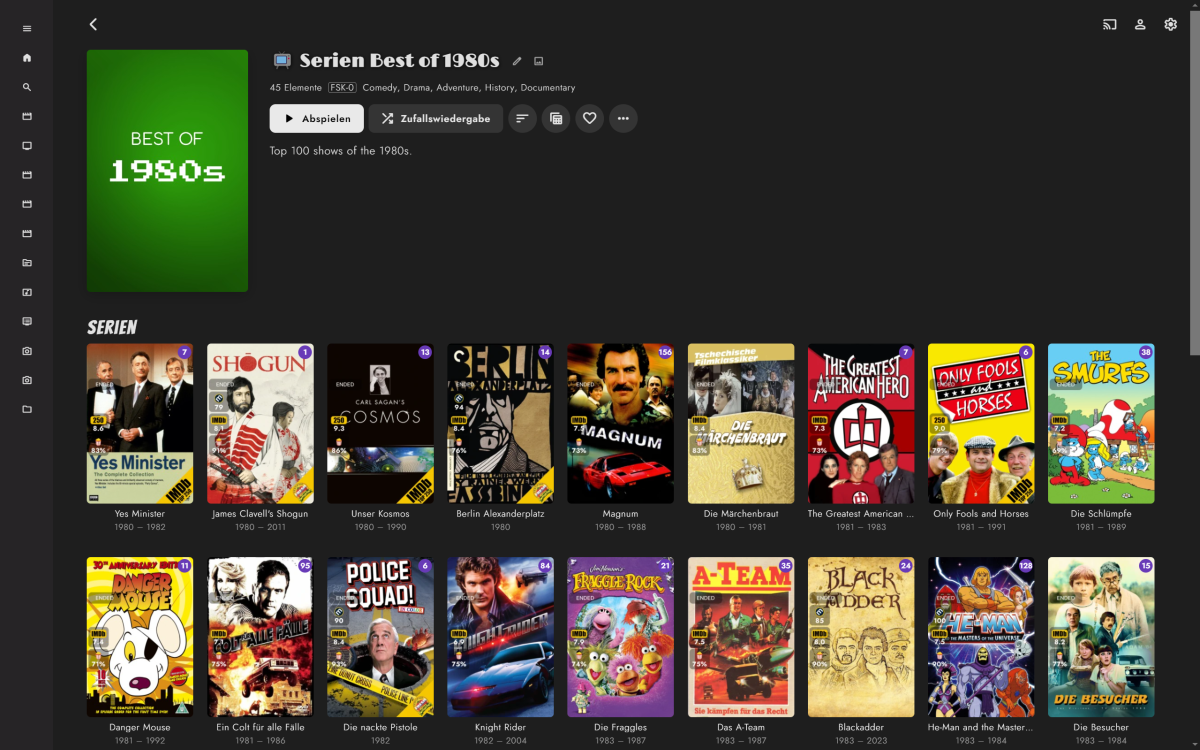
Update: I’ve rebased my WIP on Kometa 2.2, here‘s the link to my GitHub repo: https://github.com/tommargar/Kometa/tree/feature_emby_overlays I’ll add a download for the Emby overlay plugin later. It’s working as expected, only episode and season overlays are missing. You’ll currently need a Plex install with one library as I haven’t removed all traces/made it fully standalone. If you already have a working Kometa installation for Plex, you can just re-use the config and add your Emby libraries. I’ll also add my current config as reference. EDIT: Added files. Put the dll file in <your plugins folder for the overlays, point to your Kometa export folder and hit 'save'. The plugin will only look for update overlays when save is clicked. More information/screenshots can be found in my previous posts EmbyKometaOverlays.dll continents.yml Decade.yml movies_subgenre.yml 110_genre_popular.yml config.yml1 point
-
Hi, yes you'll be seeing them updated soon with the upcoming 4.9 server release. Thanks.1 point
-
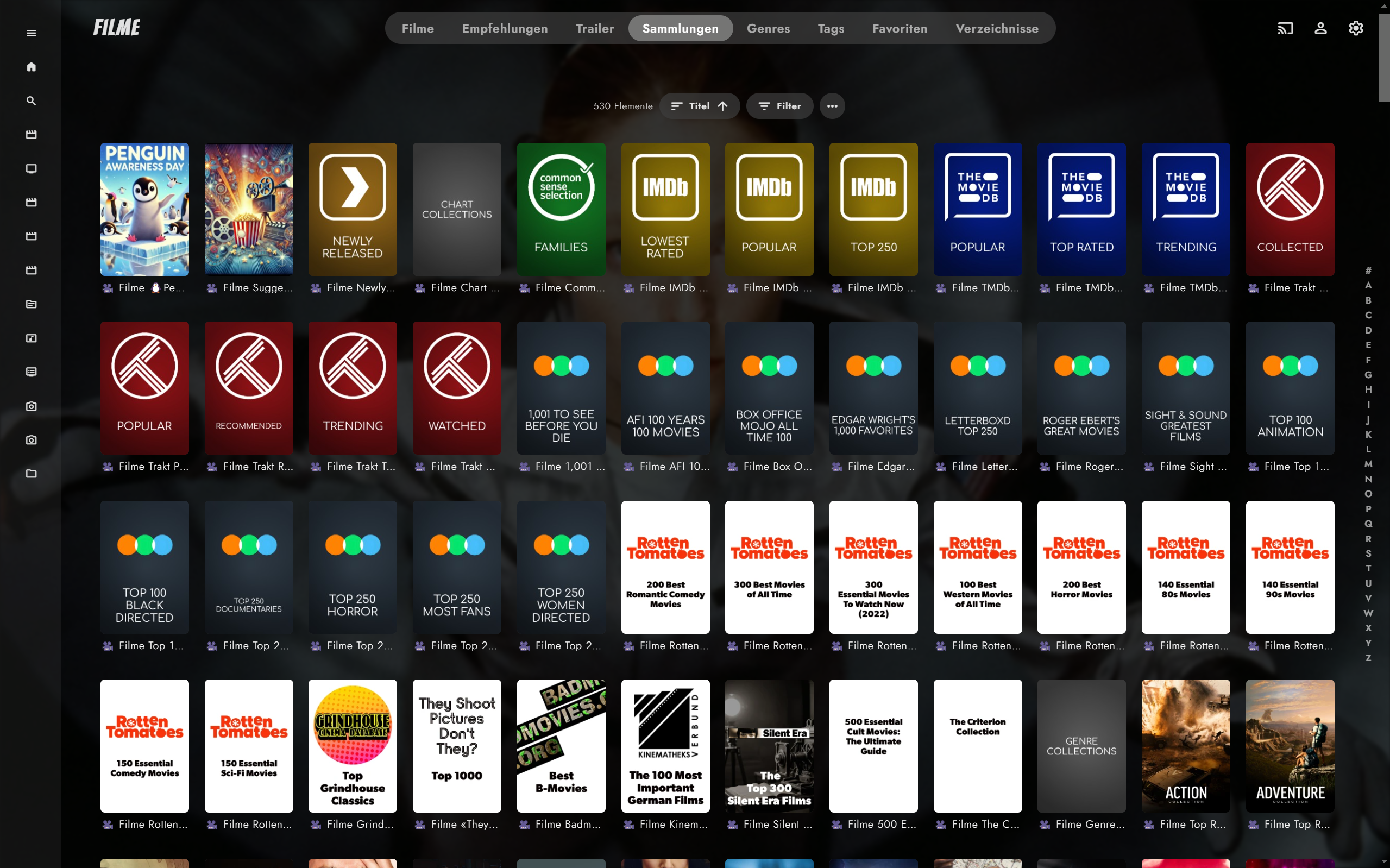
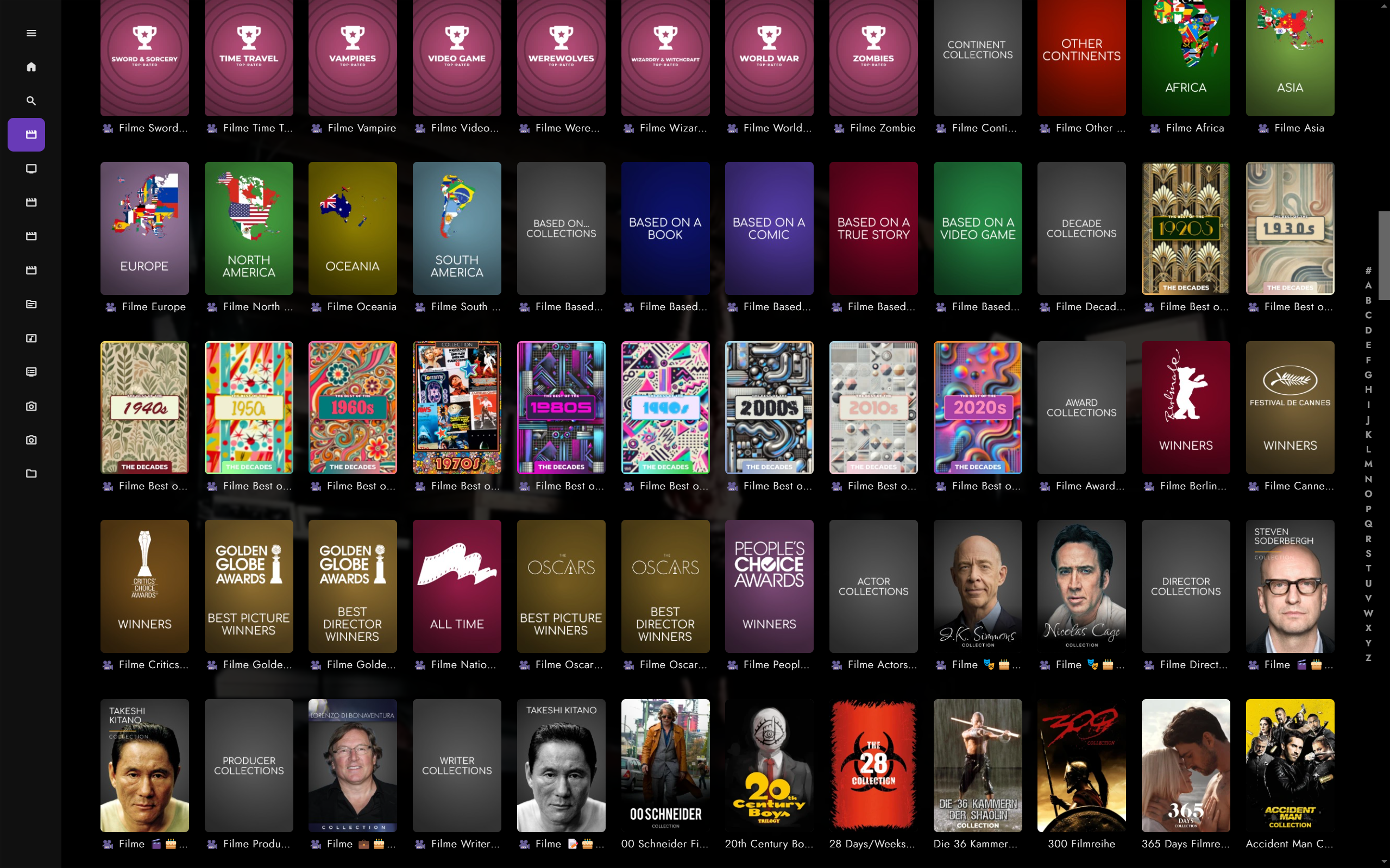
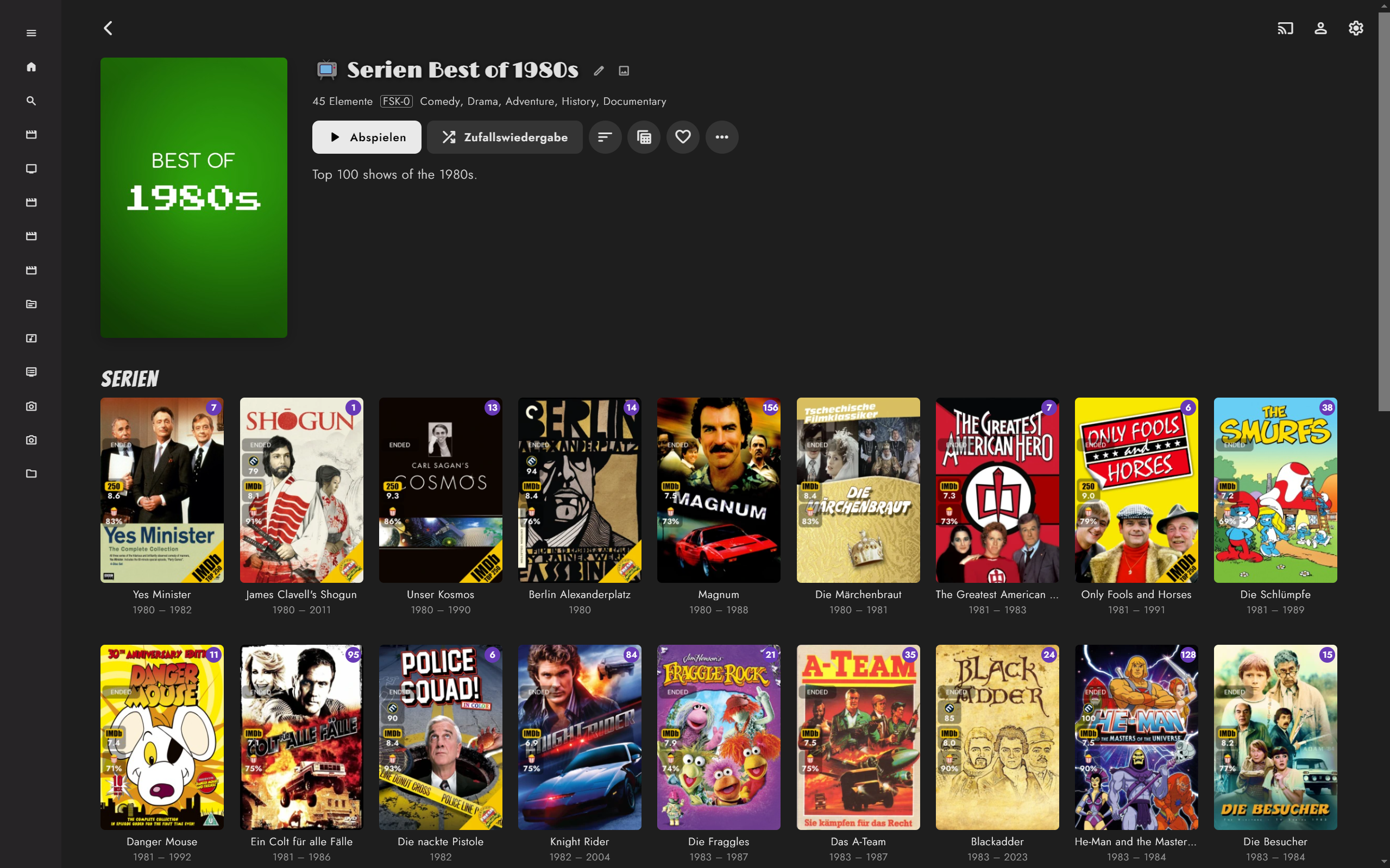
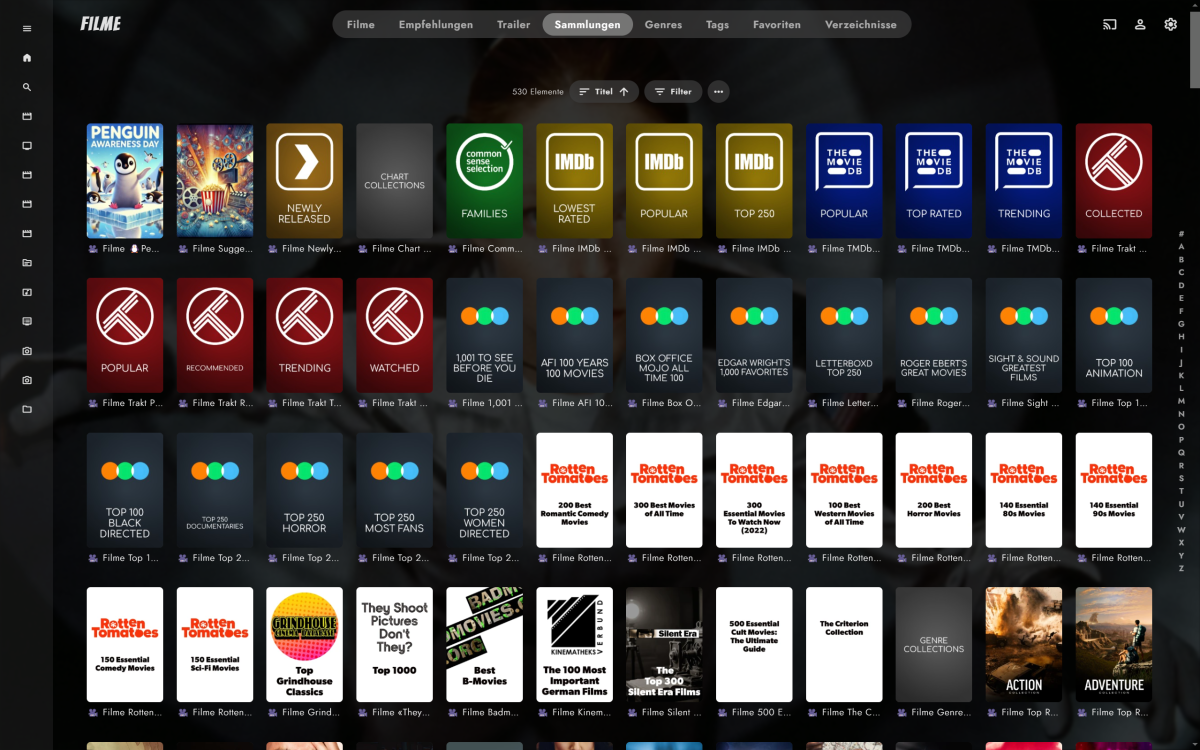
I made some progress over the past weeks. Movies TV Shows Overlays (done with ImageEnhancer/simple & raw plugin) It's working fine for me, but it's currently more a fork of Kometa rather than Kometa supporting an additional media center. It'll need more fine tuning, code separation as I preferred brute force over patience and trial and error. Most urgent philosophical questions/to dos: Plex obviously only generates collections for separate libraries. Emby has collections/boxsets that can span across libraries, e.g. shows, movies, actors in one collection. This creates naming issues, due to Plex differing per lib and Emby doesn't. I currently solved this by adding a unicode icon + the library name (e.g. Movies, Shows) for each collection, as otherwise shows and movie collections would be mixed up in the collections view. An alternative would be to use only the raw collection name, which would lead to collections being overwritten or getting out of sync. Overlays were realized by using the Emby ImageEnhancer (like Iconizer etc.) and exporting transparent pngs rather than merging the overlay with a poster, as I like to change posters and don't like losing the overlay + a simple plugin. Good? Bad Ugly? To realized the three ratings as seen in the screenshots, I've blatantly overwritten Emby's custom age restriction use it for the popcorn rating, as there are no custom fields. Smart playlists which append labels are currently a mixed bag of feelings, as Emby 4.9 will bring some kind of smart collections/playlists. Kometa appends labels/tags which are not actually used for creating/updating collections. Support for composers added, as Emby supports composers. But no composers are scraped from TMDB. Issues/ToDos Multiple studios lead to multiple overlay logos Season poster overlays for tv shows Episodes not started yet No overlays for thumbnails yet (seems Plex uses thums only for episodes) Constantly updating stdios with differing spelling, i.e. FOX -> Fox, will need a studio renamer Is someone interested to join work on the integration?
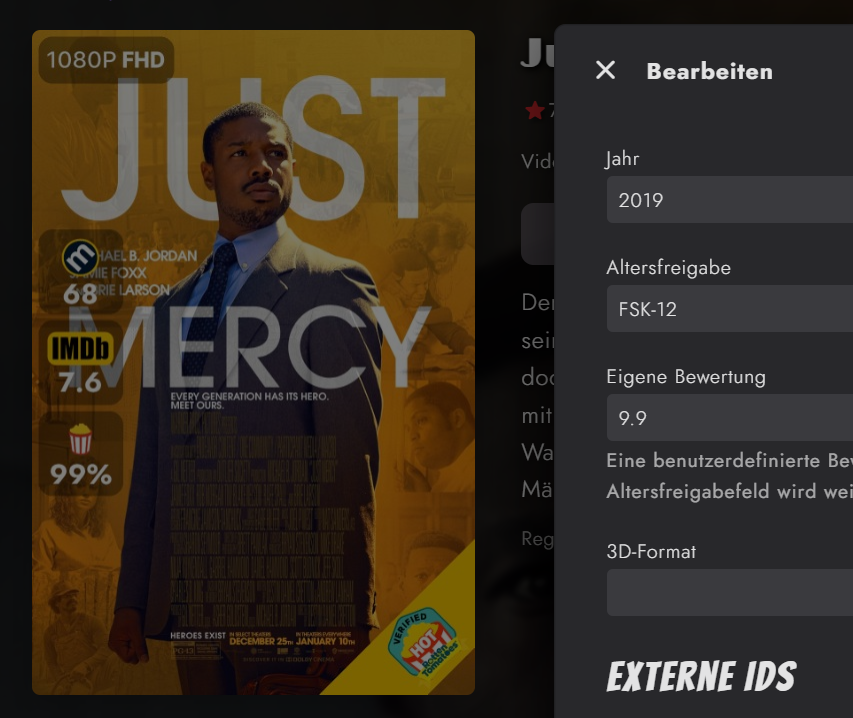 1 point
 -
Hi, yes this is something we're very interested in. Thanks for the feedback.1 point
-
We work very hard on Emby. We'd kinda like people to know what it is...1 point
-
I think that's what's being asked for, so that Emby can function like Plex using a much smaller dedicated transcode path and never worry about running out of space.1 point
-
Discussed in dozens of topics. Emby currently maintains the entire transcode session vs Plex replacing old chunks with new ones, smaller transcode space requirements.1 point