Leaderboard




Popular Content
Showing content with the highest reputation on 09/28/25 in all areas
-
Hi, keep an eye on the beta channel for this in the near future. Thanks.6 points
-
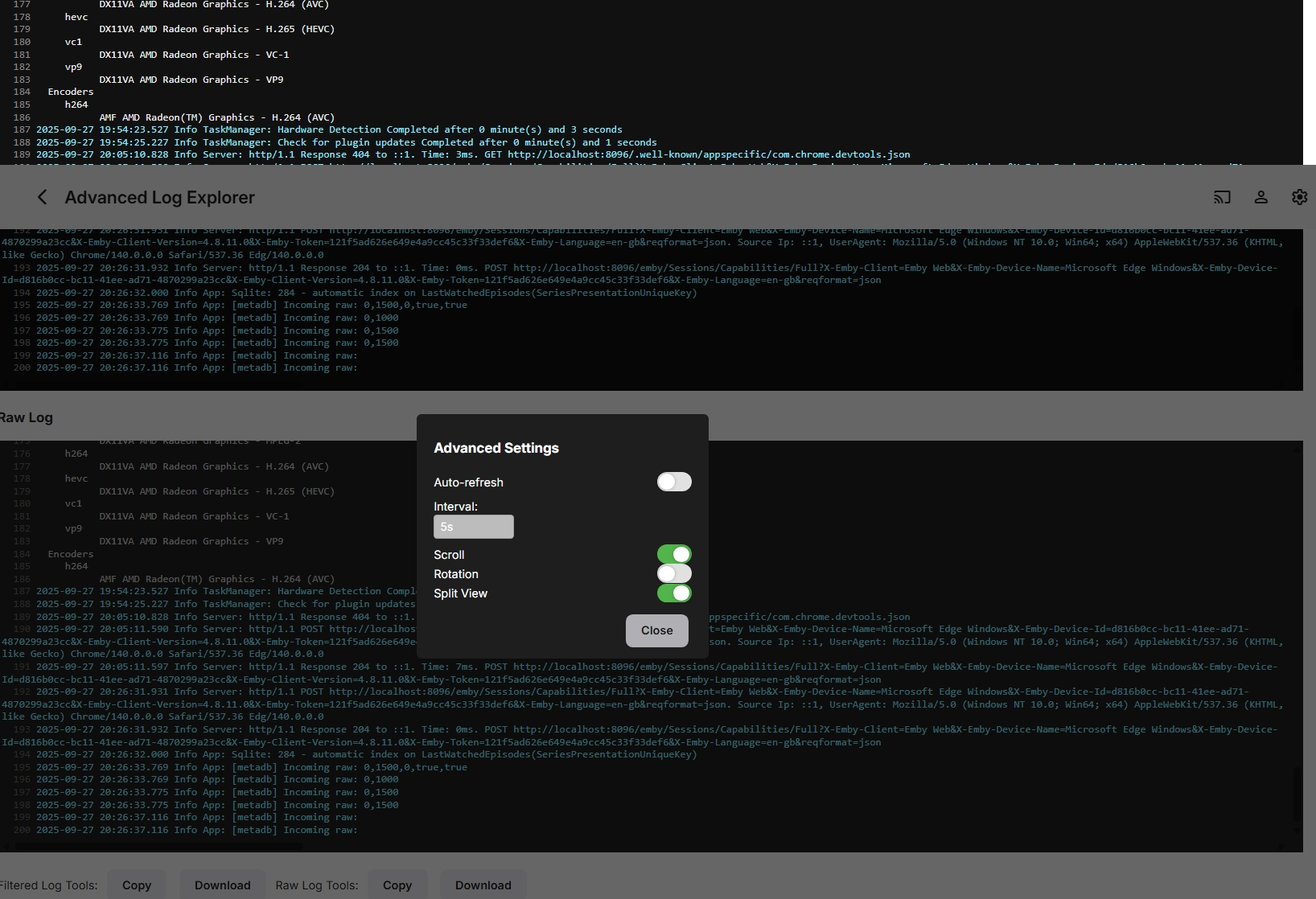
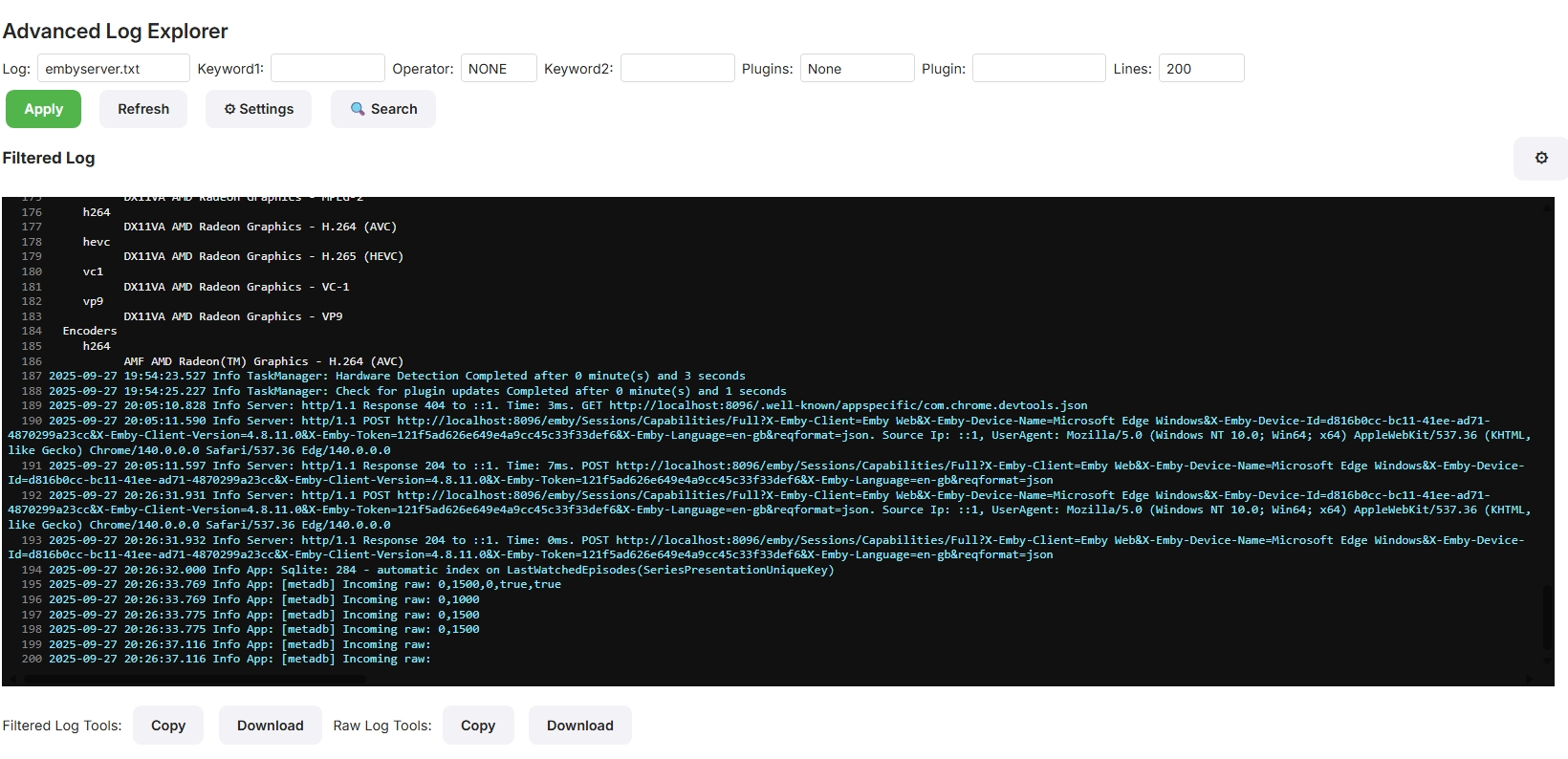
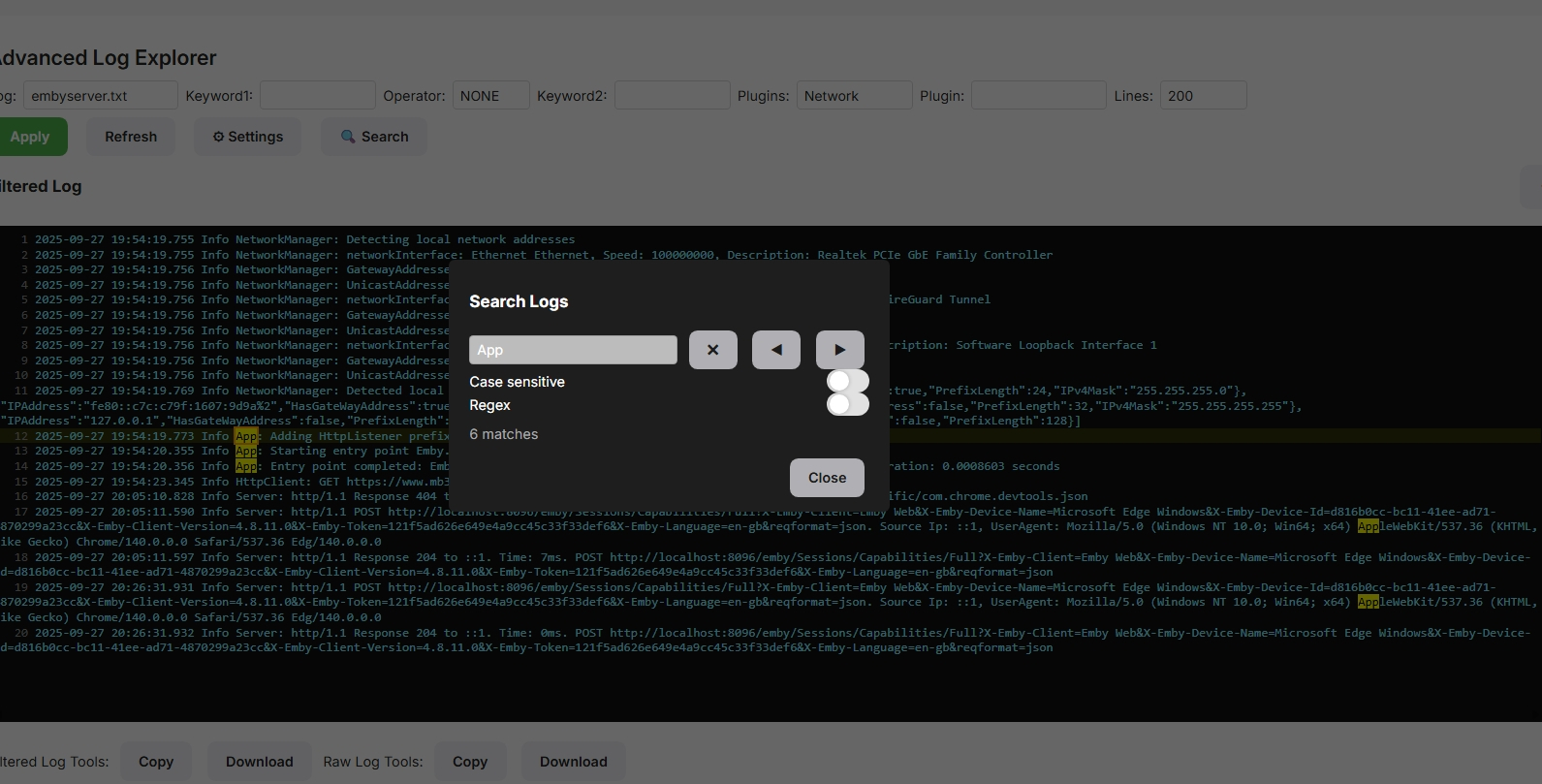
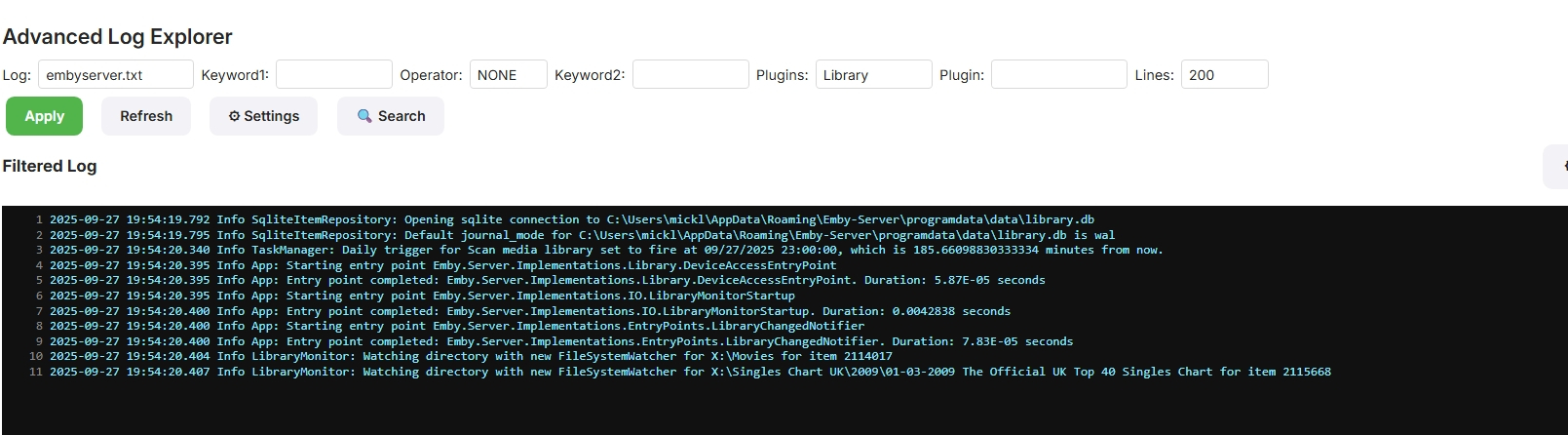
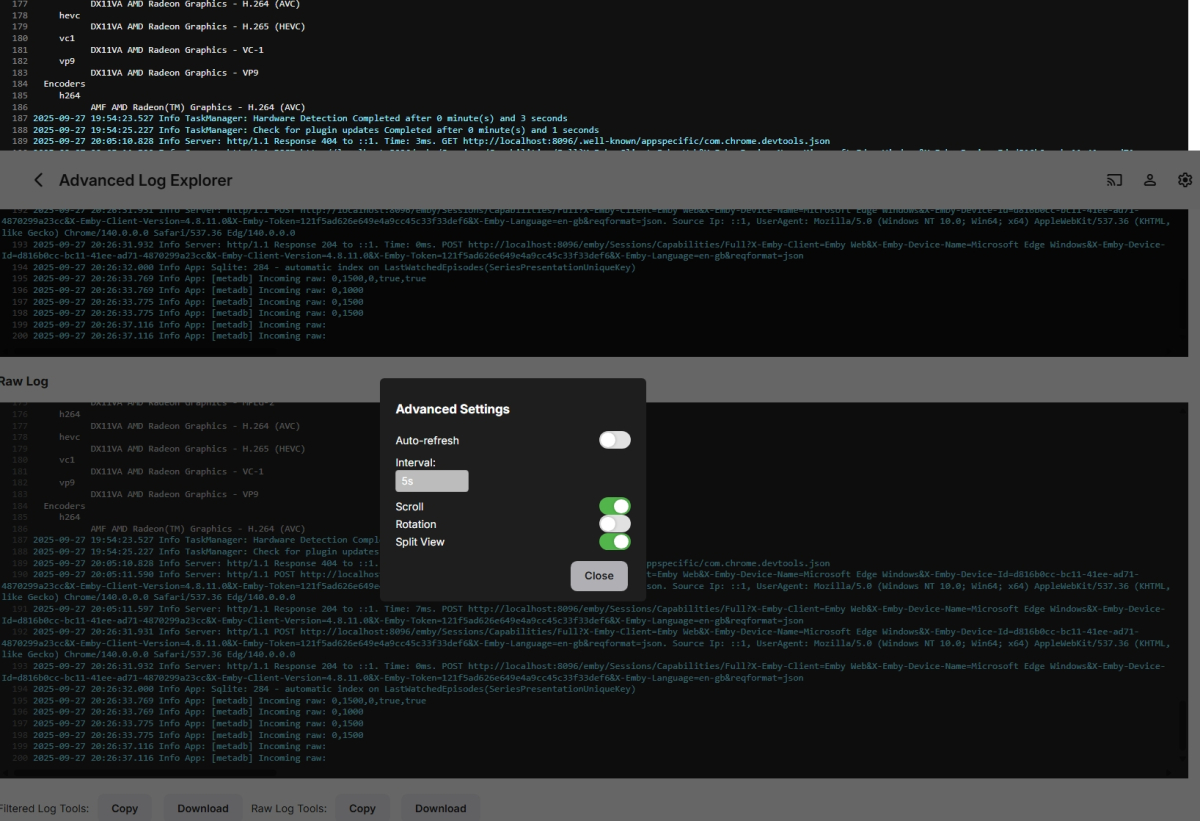
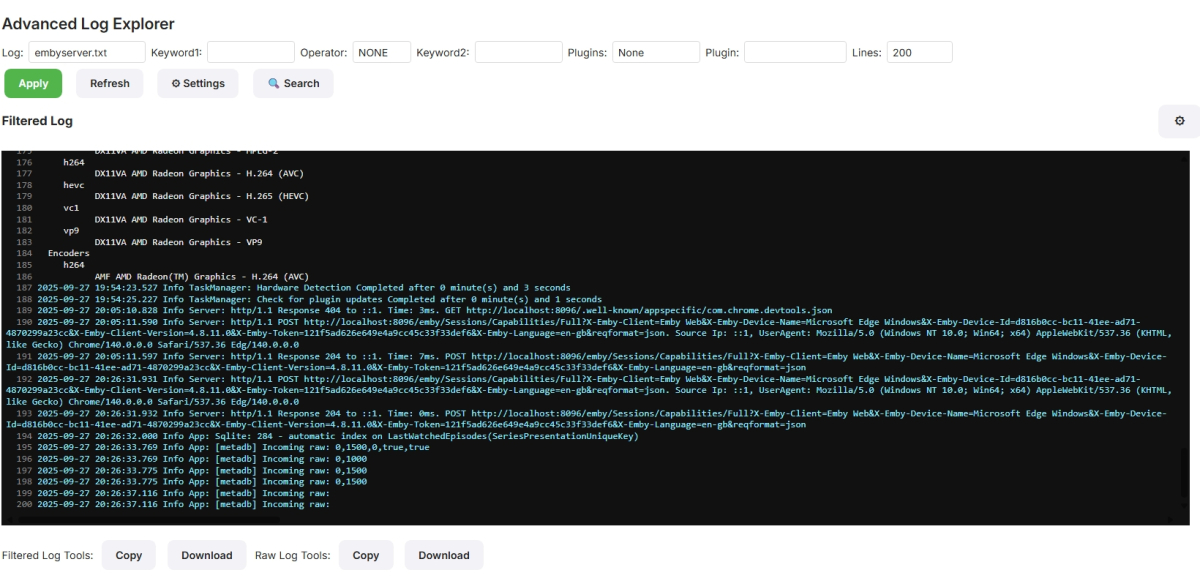
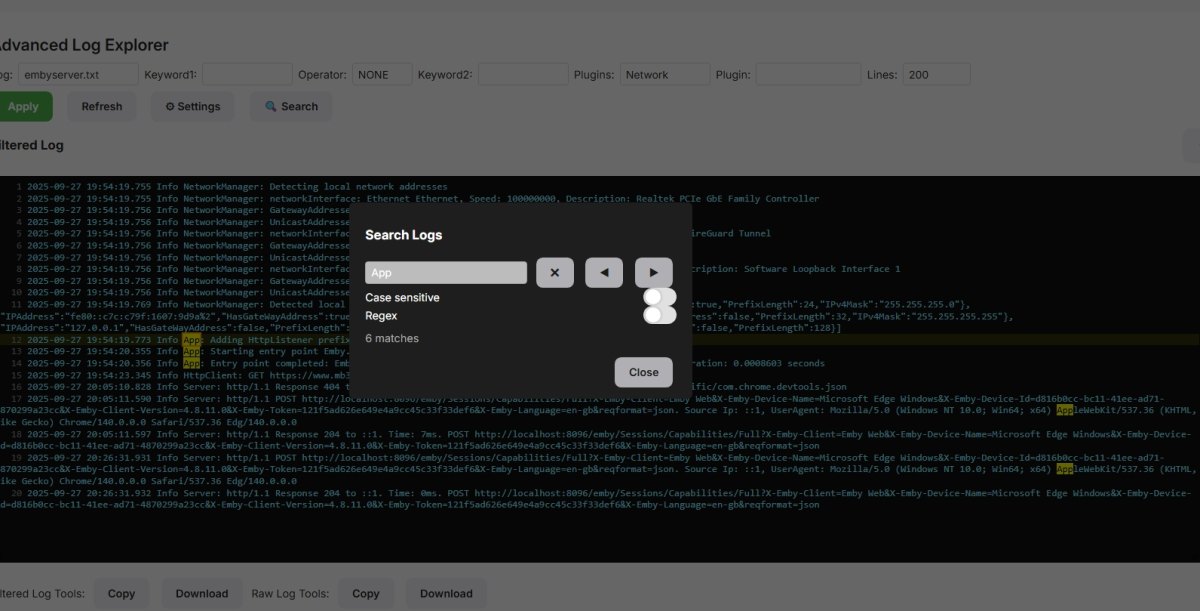
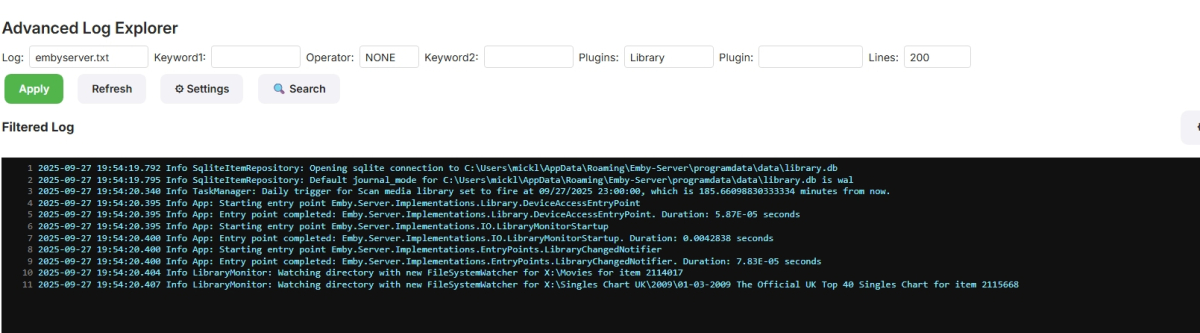
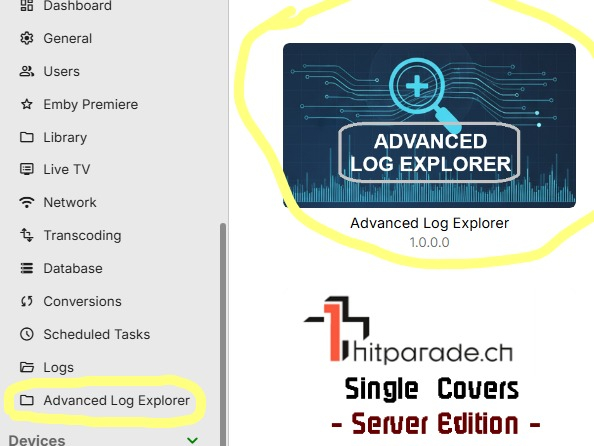
https://github.com/Mickle026/AdvancedLogExplorer AdvancedLogExplorer (Emby Plugin) AdvancedLogExplorer is an Emby Server plugin that provides an interactive log viewer inside the Emby admin dashboard. It makes it easy to browse, search, and export logs without leaving the web interface. Features Log file selection — choose any Emby server log (embyserver.txt, ffmpeg.txt, rotated logs, etc.). Keyword filtering — filter log entries using one or two keywords with logical operators (AND, OR, NOT). Presets — quickly filter logs by categories like: Exceptions Playback Transcode Network Library Metadata Plugin-specific (plugin:Name) Plugin filter dropdown — lists plugins found in the selected log file (Info App: Loading … lines). (Note: this dropdown will be empty if no plugins are listed in that log.) Split view — view both the filtered log and the raw log side by side. Copy / Download — copy filtered or raw logs to the clipboard, or download them as .txt files. Installation Build the plugin from source (Visual Studio → build in Release). Copy the generated .dll into your Emby Server programdata/plugins/ directory. Default location on Windows: C:\Users\<YourUser>\AppData\Roaming\Emby-Server\programdata\plugins\ Restart Emby Server. Go to Dashboard → Plugins → AdvancedLogExplorer. Usage Open the AdvancedLogExplorer plugin page in the Emby admin dashboard. Use the first dropdown to select which log file to view. (Optional) If the log contains plugin load entries, the second dropdown will list those plugin names. Select one to filter by that plugin. Apply keywords or choose a preset to further refine the log view. Toggle split view to see the raw log alongside the filtered log. Use the buttons at the bottom to: Copy Filtered — copies the filtered log to clipboard. Copy Raw — copies the raw log to clipboard. Download Filtered — saves the filtered log as a text file. Download Raw — saves the raw log as a text file. Notes The plugin filter dropdown only shows entries if the log includes lines like: Info App: Loading PosterRotator, Version=1.0.0.0 ... If no such entries exist in the selected log file, the dropdown will be empty. Blank lines are stripped for clarity in both filtered and raw views. This plugin requires Emby Server 4.8.11.0 or later. AdvancedLogExplorer.dll
 3 points
 -
@GrimReapercan you fix the images above to remove username/password.2 points
-
Today's spotlight explores the creative mind of some of our users! These setups that aren’t necessarily massive or minimal but smart, deliberate builds that strike a balance between performance, usability, and cost. These Emby users have built systems that “just work” — whether for remote family sharing, mobile flexibility, or simply organizing a growing collection. User 1: A Family-Centered Build with Emby at the Core OS: Ubuntu Server 22.04 CPU: AMD Ryzen 5 5600G (iGPU used for transcoding) RAM: 32GB DDR4 Storage: 4×8TB HDD in SnapRAID 1TB Samsung NVMe for metadata and cache Clients: Fire TV 4K, Chromecast with Google TV, iPads, web browser Network: TailScale for remote access to extended family This user’s primary motivation? A simplified content experience for family. Emby’s ease of access makes remote media sharing reliable and user-friendly. User 2: The Portable Plex-to-Emby Convert OS: Windows 11 Pro Laptop Host: Lenovo Legion 5 Pro (Ryzen 7 6800H, RTX 3070, 32GB RAM) External Storage: 20TB RAID 0 in external USB-C enclosure Clients: Android tablet, MacBook Air, hotel Smart TVs (via Chromecast) Use Case: Frequent traveler with offline-first workflows This portable setup is a great example of Emby working for this users needs on the go from in-flight binge sessions to hotel-room streaming. User 3: A Clean, Quiet, All-SSD Living Room Build OS: Unraid CPU: Intel i3-12100 (Quick Sync) RAM: 16GB Storage: 2×2TB NVMe SSDs (movies & metadata) 2×4TB SATA SSDs (TV and music) Clients: LG OLED (native app), Android phone, Shield Pro Use Case: No spinning disks, no noise — sleek and silent HTPC This build proves that a quiet, modern, and low-watt server can still deliver a premium media experience. Want to be in the next upcoming Spotlight? If you’re running Emby in any configuration and love what you use, we want to feature you! Share your build and story in the Emby Community Forums and you may be featured in a future spotlight. View the full article2 points
-
It is just default behavior. We plan to add this ability to the other apps in a more flexible way. Not there yet.2 points
-
I hope you're actually serious and not just leading us on... don't let us down please, we've been waiting for this since covid..2 points
-
Hi, are you still interested for this feature in for future updates? But this time for real. You've been telling us that for a 5 years straight. Can you at least give us ETA?2 points
-
Here is the latest list of versions for Emby software across the server and clients. Emby Server Stable: v4.9.5.0 (2026/05/18) Release Notes Beta: v4.10.0.14 (2026/06/04) Release Notes For other platforms, please refer to the download page. Emby for Android TV Google Devices Stable: v2.1.23 (2025/12/27) Beta: v2.1.46 (2026/04/15) Amazon Devices Stable: v2.1.23 (2025/12/27) Beta: v2.1.46 (2026/04/15) Stable Release Notes Beta Release Notes Universal Android app Stable: v3.5.16 (2026/01/26) Beta: v3.5.36 (2026/05/10) Release Notes Download the latest Beta here. Emby for Kodi See here for the latest information. Emby for Roku Stable: v4.1.63 (2026/05/04) Release Notes Beta: v4.1.64 (2026/05/13) Release Notes Emby for Windows (Windows Store for PC & Xbox One) Stable Release Notes Beta release notes Emby for Linux Beta Release Notes Emby for Samsung Smart TV (Orsay) E-series to H-series TVs only Release Notes Emby Theatre for Samsung Smart TV (Tizen) Release Notes Emby Theatre for LG Smart TV Stable: 1.0.50 (2026/01/19) Emby for iOS Stable: v2.2.53 (2026/05/16) Stable Release Notes Beta: v2.2.52 (2025/04/11) Beta Release Notes Emby for Apple TV Stable: v2.0.3 (2025/12/26) Announcement Beta: v2.0.6 (2026/04/11) Release Notes Emby for tvOS (Apple TV) Stable: 2.1.6 (2022/12/23) Release Notes - TBA Beta: 1.5.1 (10) (2021/03/02) Beta Release Notes Emby For MacOS Stable: 2.1.6 (2022/05/09) Details here. I will keep this post up-to-date as much as possible, but please send me a PM about anything I haven't updated, or is missing. Special thanks to @Borskfor supplying a lot of the updated information. Thanks.1 point
-
Ok so my request is to be able to search each library separate as it stands when you search it searches everything, and if like me you have 30k music tracks 10k books/comics 10k episodes and 10k+ movies, searching is slow so is it possible to have a search section for each library individually1 point
-
I'm a plex life time member, but I have been using Emby for over six years continuously, but there is a feature which I have always thought is missing in Emby which I would like and encourage the developer to consider including especially in this dispensation where families can social or commingle due to COVID 19. Today, I received a notification from Plex about it new feature titled Watch together you can read about it here https://support.plex.tv/articles/watch-together/ The feature allows friends and families at distance to watch same movies together instantly, you simply invite all your buddy, once they signed to the system which can be seeing in the server then play and pause as needed, this I think is cool feature should be added to emby. Let's here your though if Emby developer should consider adding this feature to our beloved Emby Media https://www.bing.com/news/search?q=Plex+Watch+Together&qpvt=plex+watch+together&FORM=EWRE1 point
-
Bitte liebes EMBY Team, bleibe politisch neutral. In der letzten deutschen Übersetzung der Android App hat sich sogenannte Gendersprache eingeschlichen. Diese ist nicht nur höchst umstritten, wird diese doch nach allen Umfragen von 80% der Deutschen abgelehnt, sondern sie dient einer politischen AGENDA. Im übrigen empfinde ich diese Schreibweise als zutiefst beleidigend, unterstellt sie dem Leser doch, dass er zu doof wäre den Unterschied zwischen Sexus und Genus zu verstehen. Ich streiche das auch gerne wieder aus der Übersetzung, aber ich komme nur auf die Variante der Webdarstellung. Please stay neutral.1 point
-
Also, It would be cool if we have various m3u lists and have the option to choose/assign each m3u list for each user.. Example. In user settings we can choose which library to give them for VOD so this shouldnt be hard enough to do it for live tv too no? USER 1 - Playlist 1 - Playlist 2 - Playlist 3 USER 2 - Playlist 3 USER 3 - Playlist 1 - Playlist 3 Etc etc.... *** Delete this message from another topic I opened because I posted it by accident there1 point
-
I've been using it for over a year. It works very well for my use case (which, of course, may be different for other people). I use ramdrives for other things, and the performance gain is relevant for cases where it makes sense. For others, as some know, it may be useless. I find this “do” or “don't do” flame war curious . Personally, I try to learn when someone posts something more technical and interesting.1 point
-
there seems to be some little glitch in main menu if you have multiple libraries / main menu items. You can't select them from there, the icons are just "glitching" around. One have to use the side menu, which is no show stopper. But as this is quite old OS I understand that you don't have the resources to fix that But if you are interested I can share a video of the behavior. BR1 point
-
[DE] Das war genau DAS, wonach ich gesucht habe! Mir war nicht aufgefallen, dass die erste Zeile über dem Namen in den Profileinstellungen ein Link ist Jetzt kann ich endlich für jeden User Ordnung schaffen, wie ich es mir gewünscht hab! Vielen lieben Dank für die blitzschnelle Hilfe! ____ [ENG] That was exactly what I was looking for! I hadn't noticed that the first line above the name in the profile settings is a link (shame on me) Now I can finally organize each user the way I wanted! Thank you so much for the lightning-fast help!1 point
-
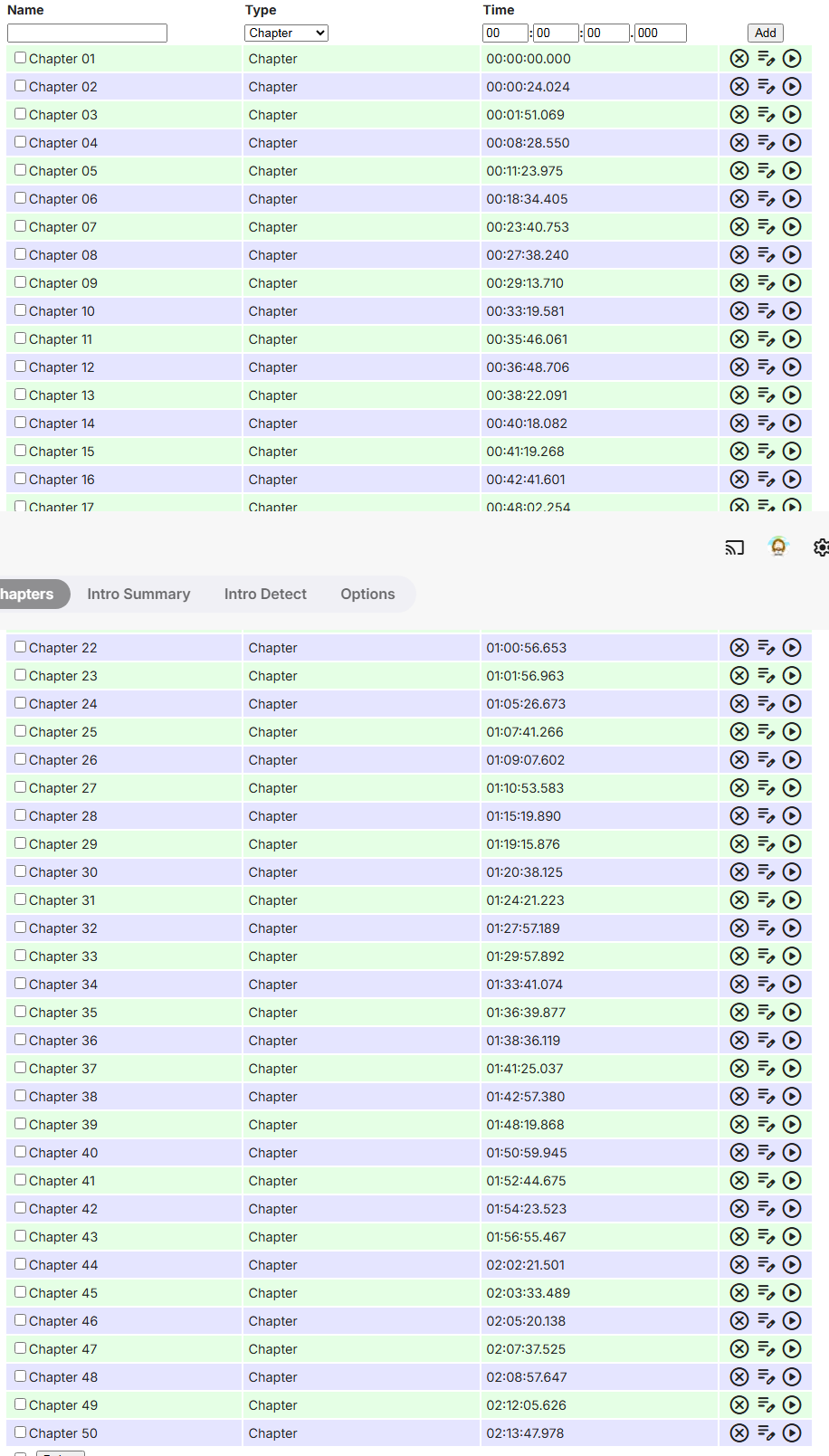
Could the "Runtime: XXX" line be added under Title/Type so occurrences like this: could be spotted directly in Chapter API UI, without the need to delve into item detail screen to check what is the actual runtime? Thanks.1 point
-
1 point
-
Good point, I should have done that. I'll try other browsers too. Thanks for the reminder of things I should have thought of and didn't.1 point
-
I did several searches that didn't come close to what I was expecting. Let me try to figure out what I was looking for and I'll post the results.1 point
-
Hey @quickmic, new problem. Kodi on Corelec has gone FUBAR. The base kodi seems to be ok, but the e4k install is a mess and I'm I'm trying to 'reset' e4k database. I get to the "database reset required, wait for kodi restart" message.... but restart never happens. I've tried a few times now. Any other way to accomplish a fresh e4k sync? I've got remote access, and ssh via putty but have no idea where the db file on stored in the Coreelec ecosystem. Any help greatly (as always) appreciated. Nevermind. I found the db files. The problem seems to be it was trying to delete cached thumbs one at a time rather than just rm -r each thumb directory... with 19g of thumbnails that's gonna take a minute. I rm'd each sub directory in a few seconds, killed the relavent db files and now am all set. Thanks for all your work on the whole e4k extravaganza, much appreciated. /storage/.kodi/userdata/Thumbnails /storage/.kodi/userdata/Database
 1 point
 -
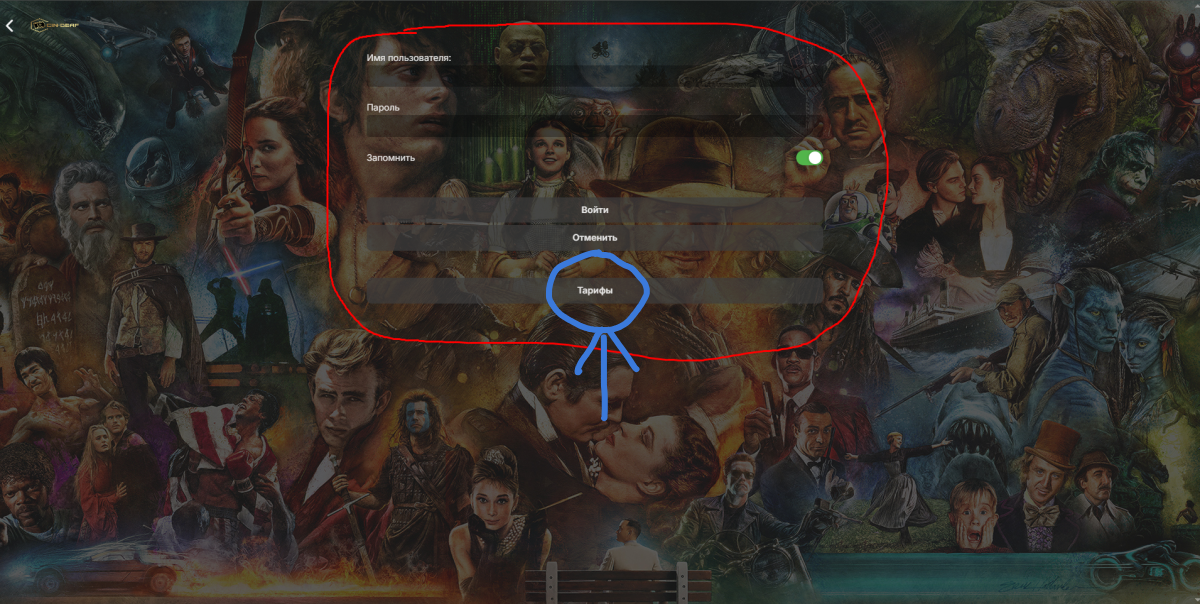
@emLmSx Are you trying to run commercial server? What is this: Edit: You have also been asked a question by a moderator here, what would be legitimate use of such plugin for average home user?
 1 point
 -
Hello, first sorry for my english... I have a little problem and i can't find the solution in the settings : I have created an user accout for a friend. For this account i have unchecked the ability to play a media. I just want to allow him to download the file. So, it works fine when he uses a PC, a mac or a smartphone : he can't stream the file and there's only one option to download the file (if he tries, to read it, there's a warning message). So it's good, it's what i want. The problem is that if he installs the application Emby on a Shield, or a Amazon fire stick (for exemple) he CAN stream with this account. Nothing prevents from doing that. Why is there no restriction even though i checked the box ? Thank you very much for your help. Stéphane1 point
-
As always, ty for the edification I eagerly await the updates. Y'all rock!1 point
-
Correct.1 point
-
How? FYI, would totally love to have this in all apps as well. Sure, I can get by just fine without it. Lyfe will go on, I promise you. I wont be any better looking, richer or anything like that if this was a feature across all apps but I would be closer to world domination and that's not nothing.1 point
-
Even if it was ripped with Makemkv? Not that it makes a difference but I find it odd...as odd as the fact I have watched that file many times on my Roku without issue. Sorry I have left it at the moment - I have been a little messed up this week.....1 point
-
Slow going, sonarr is a pain, not going that route, to many get this get that to run, don't need the extra and I keep a pretty good record of what I have I don't miss a episode I'm on my system 12 hours a day to keep it up to date, unless this crap happens, why we have backups. But I did figure out how I solved the issue, By creating a new folder in another drive where there wasn't one before, Problem solved.1 point
-
It worked! Finally. Thanks much,1 point
-
@SamES@Luke Full uninstall + remove power did the trick. Trailers work again after reinstall - so does everything else. Thanks very much for your fast help and the excellent service! Greetings.1 point
-
Yes, I know about this .. we fixed it many time, editor we used too old with these forum build. We will try to speed our time to upgrade to the new forum build, that these problem will be history.1 point
-
I just tried to run it on Version 4.9.1.34 beta and it doesn't work.1 point
-
Maybe describe a use case for such a plugin?1 point
-
In my experience, anytime you are using a streaming dongle, FireStick, or SmartTV app, the embedded subtitles are always burned into the video because the client hardware can't handle it. I made the following bash script to extract text based subtitles from MKV's: find . -type f -name "*.mkv" | while read mkvname do subname=${mkvname%.*}.en.default echo $mkvname echo $subname mkvextract tracks "$mkvname" 2:"$subname.ass" done That runs recursively, so be careful where you run it from. It also will only work if the subtitle is ID 2. Also, there is no error checking, so language preference... it is built for speed alone. I manually edit it to a different ID or file extension (SSA, ASS, SRT) whenever necessary. On my laptop, I have used that on TV shows that had episodes that had over 200 episodes and it may have taken 5 minutes. If you need something a little beefier, I have used this one upon occasion: #!/bin/bash # Function to extract subtitles from video files extract_subtitles() { local video_file="$1" # Extract SRT subtitles local srt_output_file="${video_file%.*}.srt" ffmpeg -i "$video_file" -map 0:s:m:language:eng "$srt_output_file" -y 2>/dev/null if [[ $? -eq 0 ]]; then echo "SRT subtitles extracted: $srt_output_file" else echo "No English SRT subtitles found in: $video_file" fi # Extract SSA subtitles local ssa_output_file="${video_file%.*}.ssa" ffmpeg -i "$video_file" -map 0:s:m:language:eng "$ssa_output_file" -y 2>/dev/null if [[ $? -eq 0 ]]; then echo "SSA subtitles extracted: $ssa_output_file" else echo "No English SSA subtitles found in: $video_file" fi } # Main script main() { # Get the current directory local search_dir="$(pwd)" echo "Scanning for video files in directory: $search_dir" # Find video files and extract subtitles find "$search_dir" -type f \( -iname "*.mp4" -o -iname "*.mkv" -o -iname "*.avi" \) | while read -r video_file; do extract_subtitles "$video_file" done echo "Subtitle extraction completed." } # Execute the main function main Honestly though, I just use the first one because of it's simplicity.1 point