Leaderboard




Popular Content
Showing content with the highest reputation on 09/16/25 in all areas
-
Why would you want to customize your home screen and how to do it! Your Emby home screen is the gateway to your entire media world but for some the default layout isn't the perfect setup. The good news? Emby gives you powerful tools to transform your home screen into a clean, personalized, and intuitive hub that perfectly fits your viewing habits. In this guide, we’ll walk through everything from organizing libraries and smart collections to customizing artwork and user profiles. Whether you’re new to Emby or looking to take your setup to the next level, this article will help you design a home screen that looks and feels like your own streaming service. Organizing Your Libraries and Content Types A clear library structure is the foundation of a great Emby experience. Create dedicated libraries: Separate Movies, TV Shows, Kids, Documentaries, Music, and more. This makes browsing faster and lets you apply different metadata settings for each type. Use descriptive names and icons: Rename generic libraries and assign custom icons or cover images for visual appeal. Fine-tune sorting: Use filters and sort by release date, genre, rating, or watch status to keep your content organized and accessible. Pro Tip: Keep kids’ content in its own library with separate age restrictions and artwork for a cleaner home screen. Customizing Artwork and Posters Visual design has a massive impact on user experience — and Emby gives you full control. Replace default artwork: Swap in your own posters, backdrops, and logos for each title. Use consistent visuals: Download high-quality images from sources like The Movie Database (TMDb) or Fanart.tv for a cohesive look. Customize library icons: Apply themed icons for each library (e.g. a film reel for Movies, a TV icon for Shows). Hiding or Rearranging Home Screen Sections A cluttered home screen can be overwhelming to some. Streamline your layout by: Disabling unused sections: Turn off “Latest Media,” “Trailers,” or “Music” if you don’t use them. Reordering content rows: Move “Continue Watching” or “Favorites” to the top for fast access. Simplifying for guests or kids: Remove advanced sections on non-admin profiles for a more focused view. This keeps your home screen clean and purpose-driven. Themes, Skins, and Display Options Give your Emby interface a personal touch with display tweaks: Enable Dark Mode or Light Mode: Choose a theme that fits your environment. Adjust poster sizes: Larger posters are more visual, smaller ones fit more on screen. Tweak text and layout: Adjust font size, spacing, and aspect ratio for optimal readability on TVs, tablets, or phones. Personalizing User Profiles If you share your server with family or friends, user profiles let each person have their own home screen experience: Individual layouts: Each profile can show different libraries, collections, and sections. Parental controls: Restrict content ratings, block libraries, or set watch schedules for kids. Profile pictures and colors: Add custom avatars and themes for a personal touch. This keeps everyone’s experience separate and clutter-free. A well-designed Emby home screen can make your entire media experience feel faster, cleaner, and more personal. By organizing libraries, building smart collections, customizing artwork, and tailoring profiles, you can create a setup that feels like your own private streaming platform. Spend a little time experimenting — you’ll be amazed at how much more enjoyable Emby becomes when it’s designed just for you.2 points
-
Watching Eye is a plugin designed to give you granular control over your server's streaming environment. It's the perfect tool for managing user watch time, monitoring server performance, and ensuring a smooth viewing experience for everyone. Key Features: Watch Time Limiter: Set daily, weekly, monthly, and even yearly watch time limits for specific users. Create global watch time rules that apply to all users, with the option to exclude certain individuals. Establish specific time windows during which users are allowed to watch content, perfect for parental controls. Transcode Notifications and Blocking: Receive instant notifications when a user's stream starts transcoding, helping you identify potential playback issues. Proactively block transcodes based on video resolution or container format to conserve server resources. Customize notification messages to inform users why their video is transcoding and suggest solutions. Playback Control and Monitoring: Automatically stop streams that have been paused for an extended period,. Keep a detailed log of transcoding events and when users reach their watch time limits. Download on Githuib - WatchingEye.1 point
-
I love music visualizations. I was thinking that a unique way to integrate visualizations in Emby would be to encode the audio with the video output of a visualizer like Milkdrop or ProjectM. The mux can then be streamed to clients as video (if the client has enabled music visualizations). Wouldn't that be cool? Sure, you sacrifice a little quality in the transcode but it would still be acceptable and by offloading the visualization to the server, even underpowered clients could potentially support visualizations that would be impossible given their hardware.1 point
-
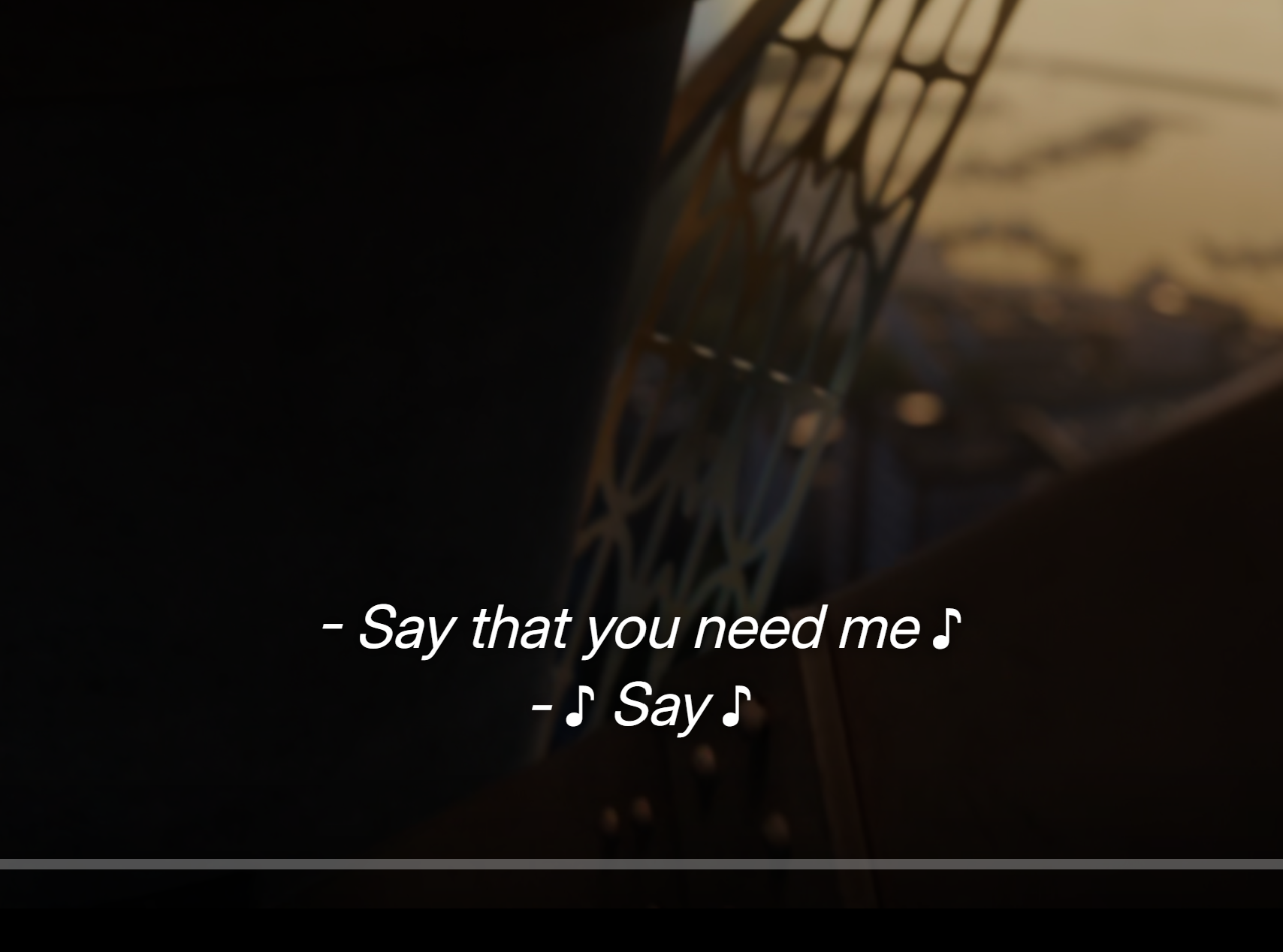
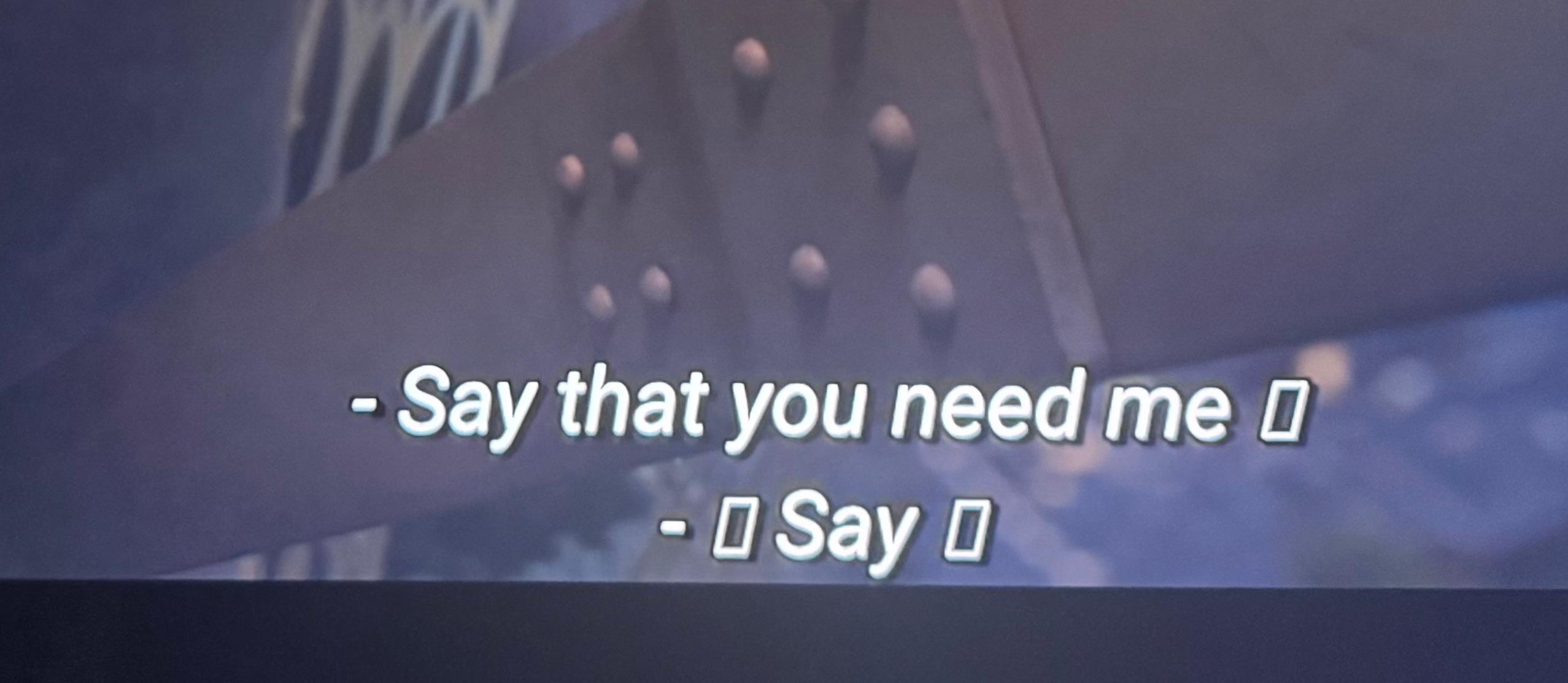
Subtitles on the Android client fails to display certain symbols like music symbol. See below example. They show fine on the web client.
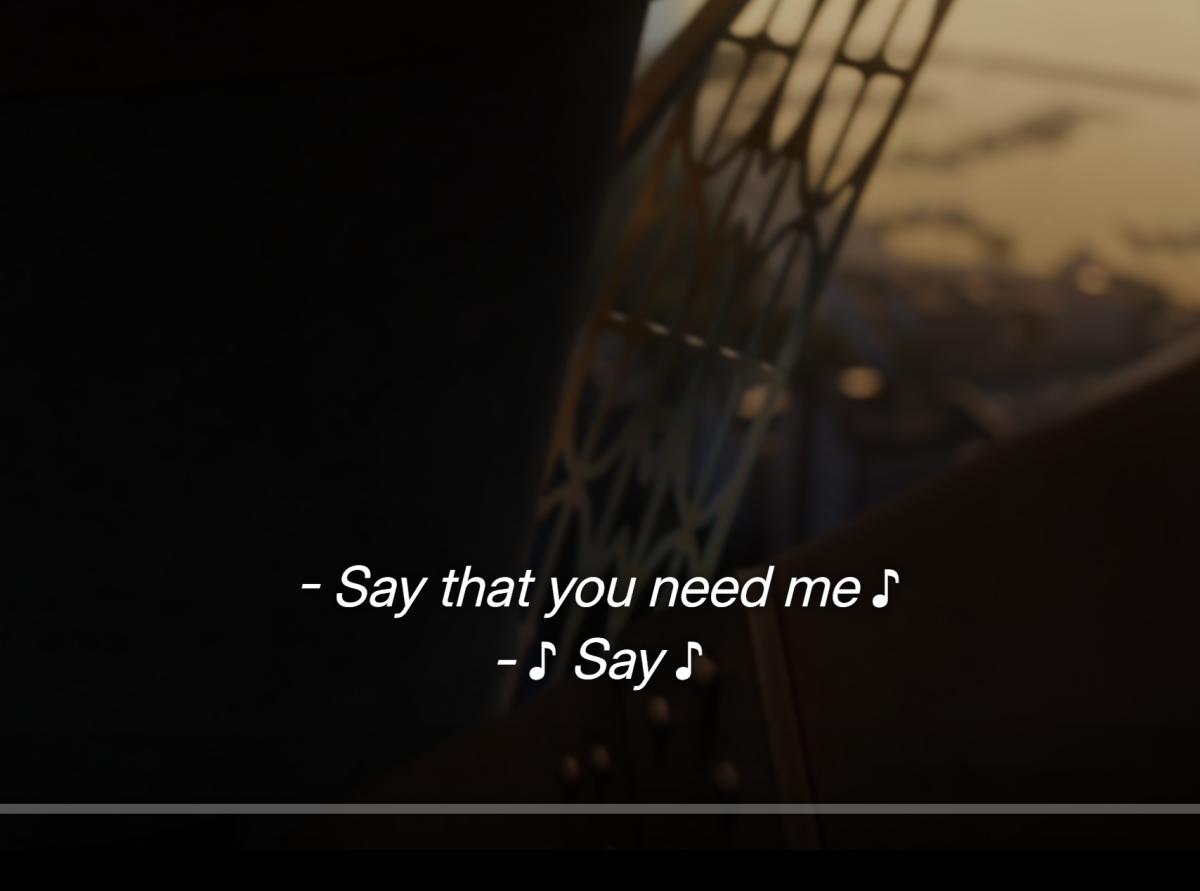
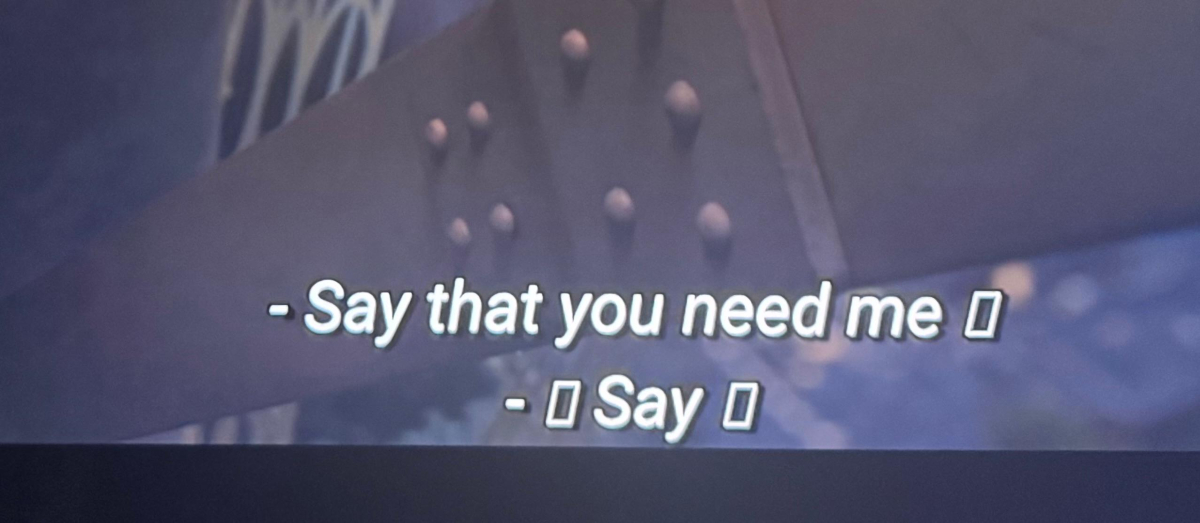 1 point
 -
StableBit DrivePool?1 point
-
Gracias por la solución alternativa. Espero en un futuro se actualice la APP de Emby for Android TV y vuelva a ser 100% compatible con la nueva versión de Android TV 14. Saludos.1 point
-
Thank you for your reply. On my Apple TV app, there is no “currently selected” background image and no “random” background image either. There is also no display mode switch option (like Windows where you can switch to TV display mode). It only shows a single blurred gray background, and it is unchangeable. In addition, there are no settings for background display like on Windows (randomly), browser (randomly), LG webOS (selected), or Android TV (selected).1 point
-
Hi, should be very soon. We're just working through some last remaining issues on it. Thanks.1 point
-
Wow, didn't know that Windows has a limit for that. Thank you so much, it works now1 point
-
Ok, I will wait patiently for the update1 point
-
I would definitely be interested to see an option such as this too, the ability to not empty trash automatically after every scan, would be quite useful when editing of moving files so then it can prevent any type of changes in the server itself and when the edits or moves have completed then we can rescan for a new location or any new changes without disrupting anything else, more of a nit pick setting really but hey for all us OCD people this would be helpful!1 point
-
@GrimReaperthanks for reply oh nice its already been noted before thank you have a great rest of youre day1 point
-
1 point
-
Okay, I uploaded 2 versions of 2 files, one version is the original, one is remuxed with ffmpeg1 point
-
This was the solution! Thank you kindly everyone!
 1 point
 -
This plugin is fantastic and is something iv been looking for ever since i started using emby many many years ago. Thank you so much1 point
-
Thank you for staying on top of it!1 point
-
You can't identify (or import) a movie in a TV Shows content-type library, but you can do it in a Mixed-content one - hence: As an added bonus, you wouldn't have to bother with reformatting your xmls, though I'd take Luke's advice and switch to NFOs, nowdays that's de-facto standard.1 point
-
Looks like dolby vision profile 5 which cannot be transcoded.1 point
-
I will get notification of progress and completion. I will let you know here when it is addressed (or if rejected for some reason).1 point
-
I always had ota and tried adding Pluto through m3u. When the guide disappeared I removed Pluto thinking that was causing trouble. For a few months I had both ota and Pluto appearing in the guide. I went camping this weekend so I am not sure exactly when this became an issue but it was working last Wednesday and I hadnt looked at the guide since then. The only other thing I changed was trying the new web streams plugin. But I did use the guide after installing that plugin and I am not sure if that plugin have anything to do with the live TV guide. I thought it was just for organizing on demand streaming in your library. Hopefully some of this information is helpful.1 point
-
I will look into it. It's using the dependencies for the stable version, maybe they are not compatible with the beta anymore.1 point
-
great. Some quirk somewhere. I will see if it can be reproduced1 point
-
Hi, Yocker! Thank you for creating this plug-in; it's such a great addition to the EMS experience. I was on the fence about installing another plug-in; however, not only did it work great for limiting my Kids' profile to 2 hours per day, but the UI experience is fantastic, such a well-designed layout. One thing you may not have realized you've built into this plug-in is the Transcoding notifications. This is something I've had a significant issue with, as my family members have not understood when it's not DS'ing. This gives us the admins the ability to warn them when it's Transcoded vs Direct Stream, extremely helpful! - I edited the default notifications
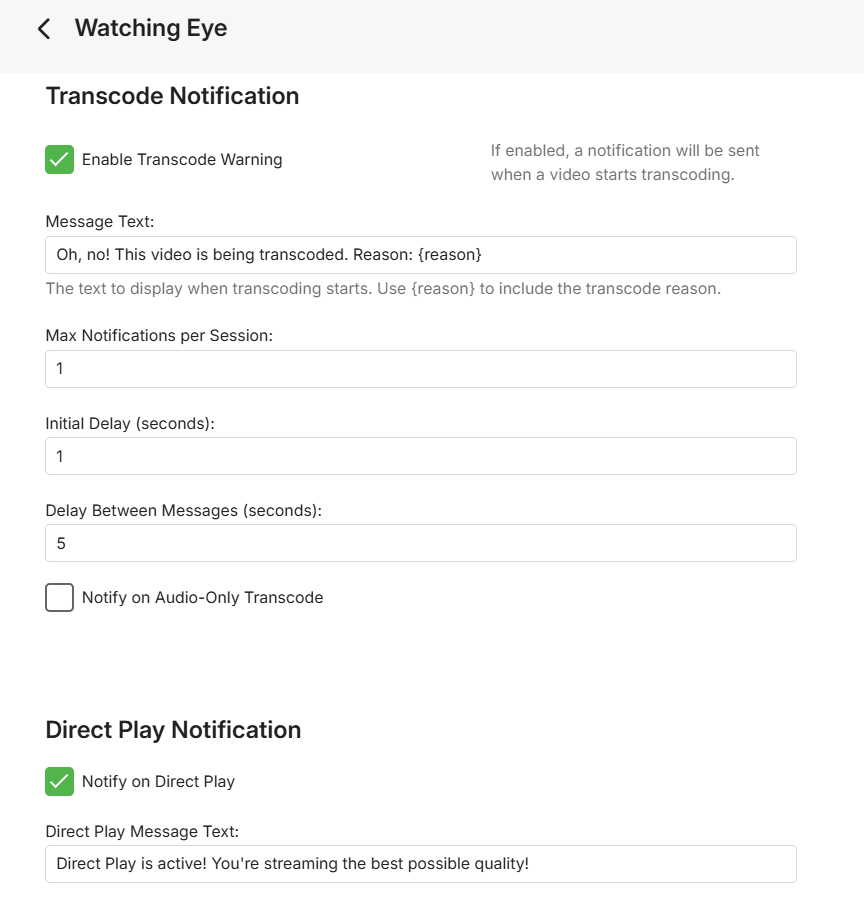 1 point
 -
If you're saying that it's populated everywhere except for the guide screen. then chances are you activated a filter. Try clicking the icon in the top left of the guide and check the dialog that comes up. Please see if that helps.1 point
-
I don't know, but now I have something to work with. Just guessing, maybe the Trakt resets the playstate and Emby "corrects" that by another by another task. This second task might not reported or not processed by Kodi. However, I can design a test case based on your findings. Thanks1 point
-
Since last time I've refreshed metadata for items that have popped up in the log as users playing a file several times in a row with less than a minute playtime. I've gone in on the entry in question and refreshed the meta data and the file seems to play, at least for a while. It seems to happen quite a lot. Since 4.8.11.0 seems to have moved the refresh meta data entry in the menu; is there somewhere else I can do the refresh for individual files? Or, better yet, is there a way to fix this issue for once and for all? Edit: The refresh metadata menu selection seems to be back, not sure what happened there. So feel free to ignore this question unless someone has a good solution for the underlying issue1 point
-
Temporary workaround is to disable the Sync Library option in the Trakt plugin. After doing so, I can remove collected movies in Trakt without Emby adding them back in a future library scan. That prevents them from showing up again in E4K/Kodi as unwatched. My question is, if the movies are tagged as watched in Emby on the main server why is E4K/Kodi considering them to be unwatched after Trakt updates? If the libraries are synced properly E4K/Kodi should be seeing the watched status the same as the main server. Which it does after a library repair/database reset. Let me know if there is any other information I can provide to help troubleshoot the issue.
 1 point
 -
Episodes always have a season number. This has always been true. Starting with the 4.8 release, episodes without a season number would usually end up in season 1. This is how the metadata providers handle mini-series as well. Additionally, I know you won't like this, but it has to be said - the Emby team is not testing the legacy xml format, so there could be any number of unknown quirks coming from that. We recommend switching to nfo files.1 point
-
You're welcome, thanks a lot for the feedback!1 point
-
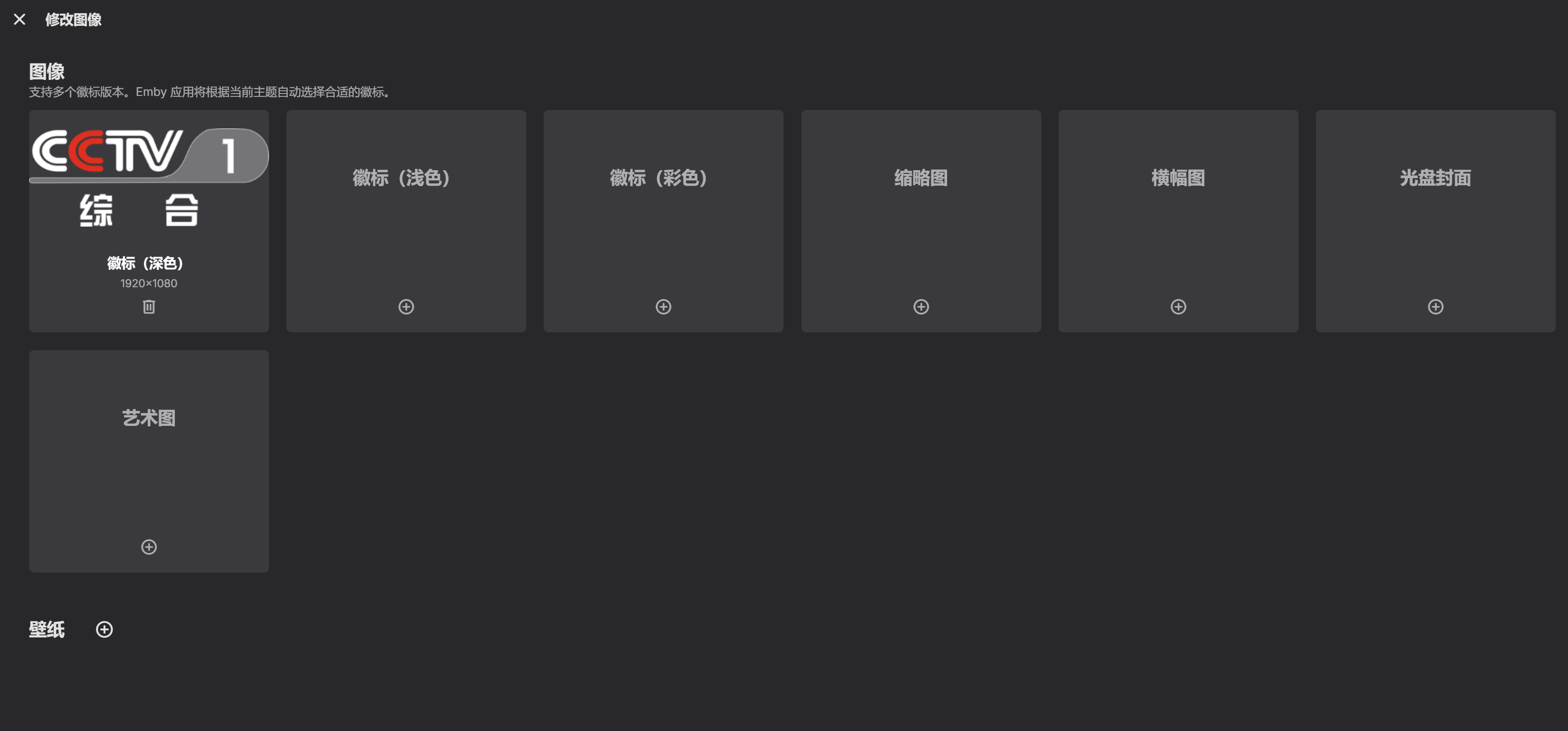
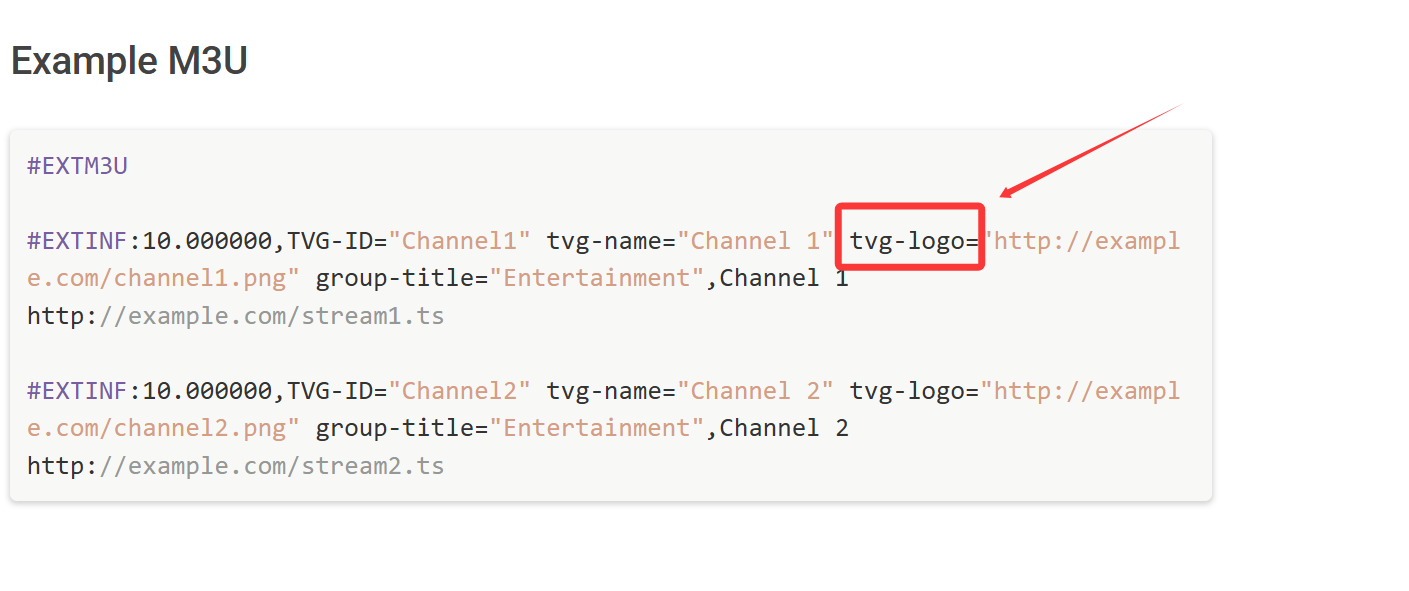
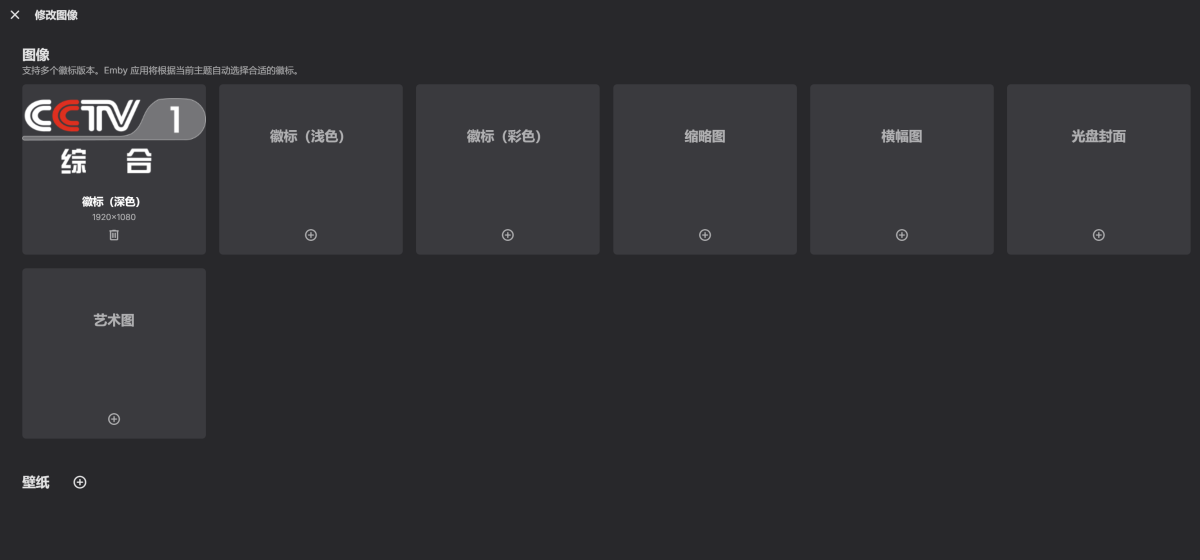
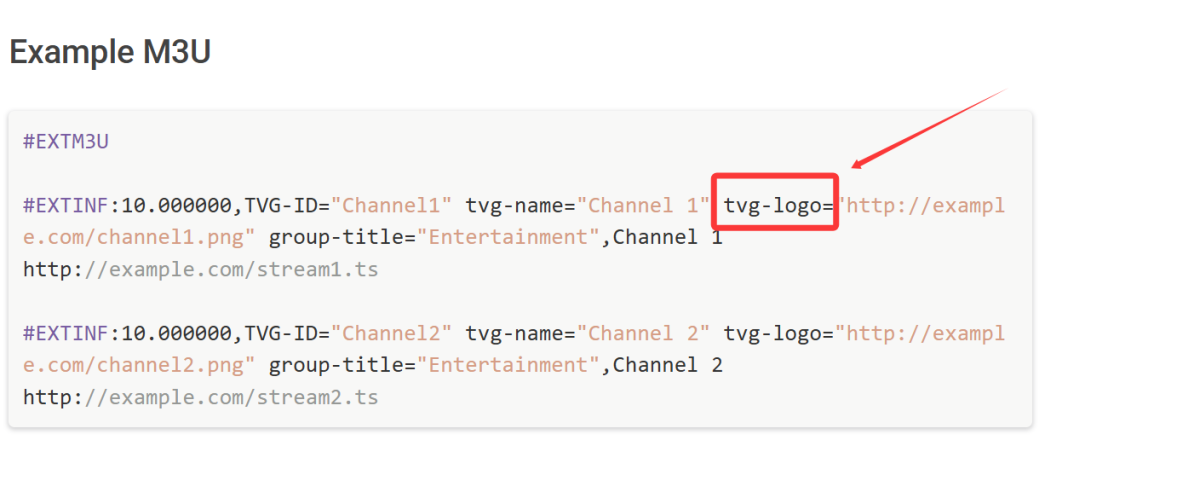
Is it possible to support multiple logos (dark, light, color) embedded in the M3U live streaming source files of self-made or shared TVs. Directly read the attributes of the M3U file pointing to the logo, adapting to different color schemes. Configure multiple as shown in the following figure,tvg-logo: ,dark-logo:,light-logo:,logo-Colorful:
 1 point
 -
@mauriciomEstuve revisando y encontre varios problemas, el primero y mas simple es que las settings no funcionan porque todavia estaba para emby 4.7.x ya lo actualice a 4.8.x y funcionan las settings. El otro problema es que subdivx agrego protecciones para evitar que se puedan realizar busquedas externas, tengo una posible solucion pero todavia no esta lista. Aviso cuando se pueda instalar.1 point
-
Fine here too. For those who can't get it to work - are you running beta servers? Maybe it's 4.9+ that breaks the plug in.1 point
-
1. The development difficulty is not high, so increase the adaptation of corresponding data. There is already a logo reading, just reading an additional data. 2. Having multiple themes on its own, without corresponding logos, it loses its beauty. What would happen if a white theme corresponds to a white logo??? 3. Anything developed will be used by someone, just like the multi theme icons that have already been developed. If it's just a single adaptation, there may not be many people using it. But if you develop a batch to adapt to more people who may use it.1 point
-
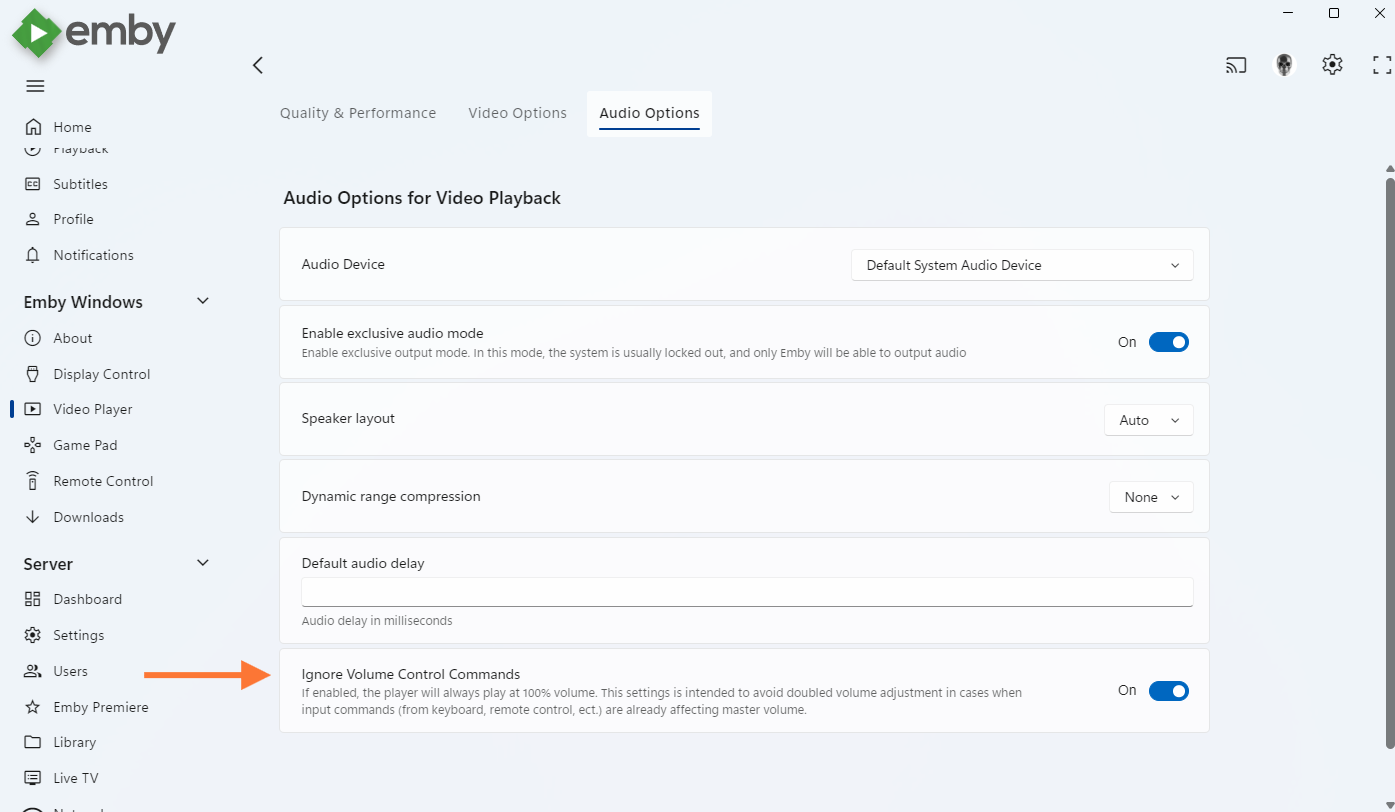
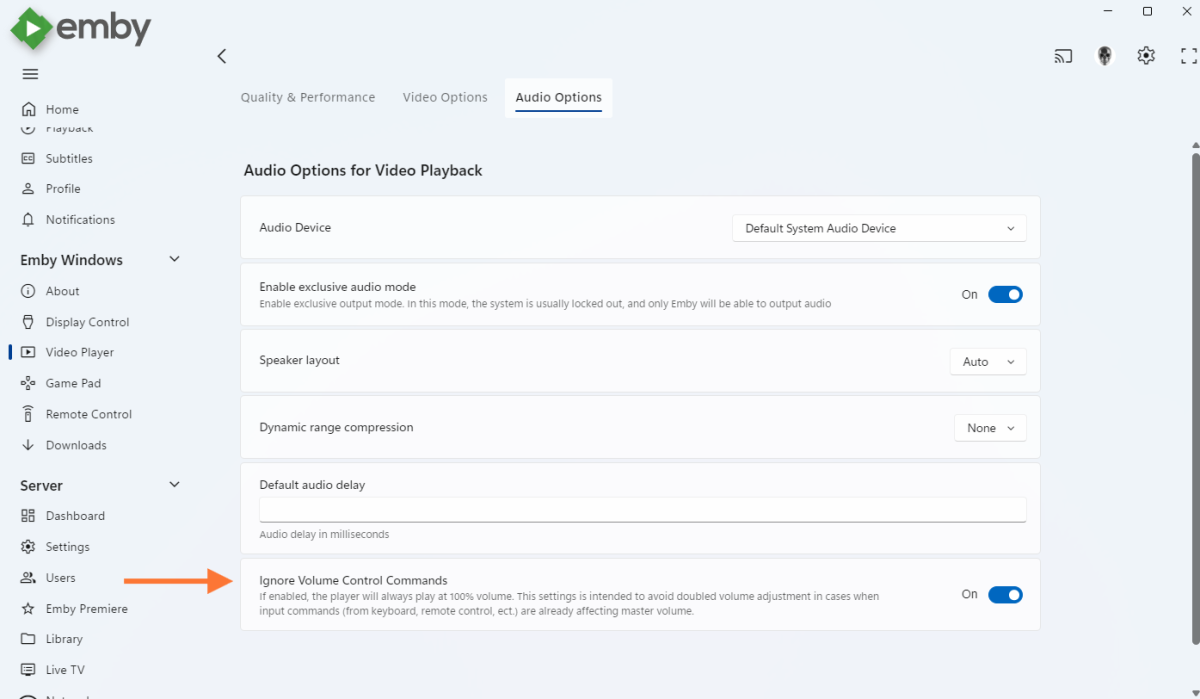
You can rule out this "hidden volume" control with the option below:
 1 point
 -
I know this is old, but this is something I find frustrating too. On rare occasions my power will go out and my RAID server doesn't stay online but my Server (PC) does due to my UPS system. Emby detects I lost all my media and deletes everything. When my RAID box comes back online, EMBY detects new media and re-adds everything like the first time. Not only does this use a ton of CPU/Power to re-index everything, it takes a very long time and then my Recently Added is FUBAR'd. Please add the ability to not delete trash automatically like Plex does to prevent this behavior1 point
-
Please consider adding Integration for multi cloud storage providers. Why i think this could be very valuable.for many reasons: Now we can buy Lifetime cloud storage space. Pcloud is the best known, but there are other cloud providers which we can buy lifetime storage also (Icedrive, Koofr, Files.fm.........) With our internet devices becoming more and more powerful, and internet speed constantly increasing, i think streaming our files will become more convenient over time with fewer lags and increasingly speed. The security of cloud storage is now more efficient on some providers. Comparing with our local drive our files are stored in multiple servers preventing them from outage or being deleted. Why i think Cloud storage combined with emby could be valuable? We already have Emby server for Android but Android storage source is limited if i compare with some cloud providers. We could increase our storages without compromising space on our phones! plus as our phones are constantly connected to internet we will do not need for a NAS , no wires, nothing that is dependent on from our internet provider at home! In that case we will need one smartphone, one cloud storage, One emby server app to access our movies and music anywhere at home without NAS: No need also for a computer to be always on for accessing our files. Almost anyone as a smartphone already. Cloud storages are good for streaming but not as good as emby for sorting our movies and music and showing them on conveniently on TV. Please let us know if this could be considered or not. Thank you.1 point
-
I did search, but for "Cloud Storage" and "WebDAV". Is there a way of merging these threads into one Feature Request thread for 'Cloud Storage as Source'?1 point