Leaderboard




Popular Content
Showing content with the highest reputation on 09/15/25 in all areas
-
Why would you want to customize your home screen and how to do it! Your Emby home screen is the gateway to your entire media world but for some the default layout isn't the perfect setup. The good news? Emby gives you powerful tools to transform your home screen into a clean, personalized, and intuitive hub that perfectly fits your viewing habits. In this guide, we’ll walk through everything from organizing libraries and smart collections to customizing artwork and user profiles. Whether you’re new to Emby or looking to take your setup to the next level, this article will help you design a home screen that looks and feels like your own streaming service. Organizing Your Libraries and Content Types A clear library structure is the foundation of a great Emby experience. Create dedicated libraries: Separate Movies, TV Shows, Kids, Documentaries, Music, and more. This makes browsing faster and lets you apply different metadata settings for each type. Use descriptive names and icons: Rename generic libraries and assign custom icons or cover images for visual appeal. Fine-tune sorting: Use filters and sort by release date, genre, rating, or watch status to keep your content organized and accessible. Pro Tip: Keep kids’ content in its own library with separate age restrictions and artwork for a cleaner home screen. Customizing Artwork and Posters Visual design has a massive impact on user experience — and Emby gives you full control. Replace default artwork: Swap in your own posters, backdrops, and logos for each title. Use consistent visuals: Download high-quality images from sources like The Movie Database (TMDb) or Fanart.tv for a cohesive look. Customize library icons: Apply themed icons for each library (e.g. a film reel for Movies, a TV icon for Shows). Hiding or Rearranging Home Screen Sections A cluttered home screen can be overwhelming to some. Streamline your layout by: Disabling unused sections: Turn off “Latest Media,” “Trailers,” or “Music” if you don’t use them. Reordering content rows: Move “Continue Watching” or “Favorites” to the top for fast access. Simplifying for guests or kids: Remove advanced sections on non-admin profiles for a more focused view. This keeps your home screen clean and purpose-driven. Themes, Skins, and Display Options Give your Emby interface a personal touch with display tweaks: Enable Dark Mode or Light Mode: Choose a theme that fits your environment. Adjust poster sizes: Larger posters are more visual, smaller ones fit more on screen. Tweak text and layout: Adjust font size, spacing, and aspect ratio for optimal readability on TVs, tablets, or phones. Personalizing User Profiles If you share your server with family or friends, user profiles let each person have their own home screen experience: Individual layouts: Each profile can show different libraries, collections, and sections. Parental controls: Restrict content ratings, block libraries, or set watch schedules for kids. Profile pictures and colors: Add custom avatars and themes for a personal touch. This keeps everyone’s experience separate and clutter-free. A well-designed Emby home screen can make your entire media experience feel faster, cleaner, and more personal. By organizing libraries, building smart collections, customizing artwork, and tailoring profiles, you can create a setup that feels like your own private streaming platform. Spend a little time experimenting — you’ll be amazed at how much more enjoyable Emby becomes when it’s designed just for you. Our next blog article will focus on building dynamic smart playlists which will allow you to take your home screen even further. Keep an eye on on that in the coming days! View the full article3 points
-
Summary: Emby does not remember where you stopped reading. Reopening an eBook always starts at the beginning. Please persist a per-user last read position and resume from it on all clients. Steps to reproduce: Open any eBook Go to a later page or chapter Close and reopen the book Expected: The book opens at the last read page. Actual: The book opens at page 1. Request: Save and sync last read position per user for all supported formats. Update on page change and on exit. Resume automatically across devices. Optional API endpoint to read and update progress.1 point
-
I am looking to see if a SAML2/OAuth plugin is something others would use. I myself would love this feature to share Emby publicly with family members and friend and worry a little less about insecure passwords that some may use. I personally am a big advocate for security as I work in IT and see how a lack of good security can cause havoc. I love Okta and what it offers. Anyone can sign up and use it for free under 1000 users if you sign up as a Developer. That is just plain awesome. Let's see who else is interested. I am excited to find out! Thanks1 point
-
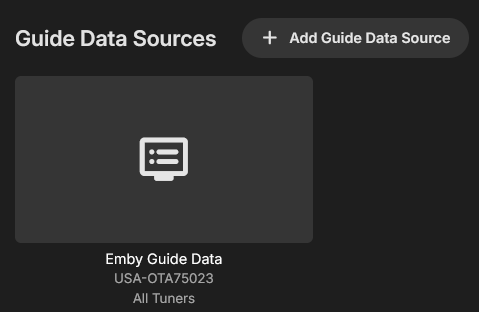
I have had this issue for 6 months at least but it never occurred to me to ask here, I figured it was the channel's fault and I just had to wait for it to be fixed one day. For a while I even had it set to start all recordings 1 hour early lol But I digress, the issue is that 52.5 JTV in Dallas, TX has guide data that is one hour later than the program airs. For the longest time, my mother recording this one show was the only thing recorded so there was no real issue and the 1 hour early start was a good enough fix. Lately, more more stuff is being recorded and early start had to be removed so she just misses half her show on jewelry making. Emby Guide Data USA-OTA75023 All Tuners Thanks for reading!!
 1 point
 -
I rebooted both my server & my main computer, and managed to recreate some libraries that had suddenly become empty, and do a disk first aid, and it seems more stable now.1 point
-
I changed display mode to desktop, played something and got the app volume control set to full, then found the audio options you showed and enabled "ignore volume control commands". Everything is working like a charm. Thank you so much for your help.1 point
-
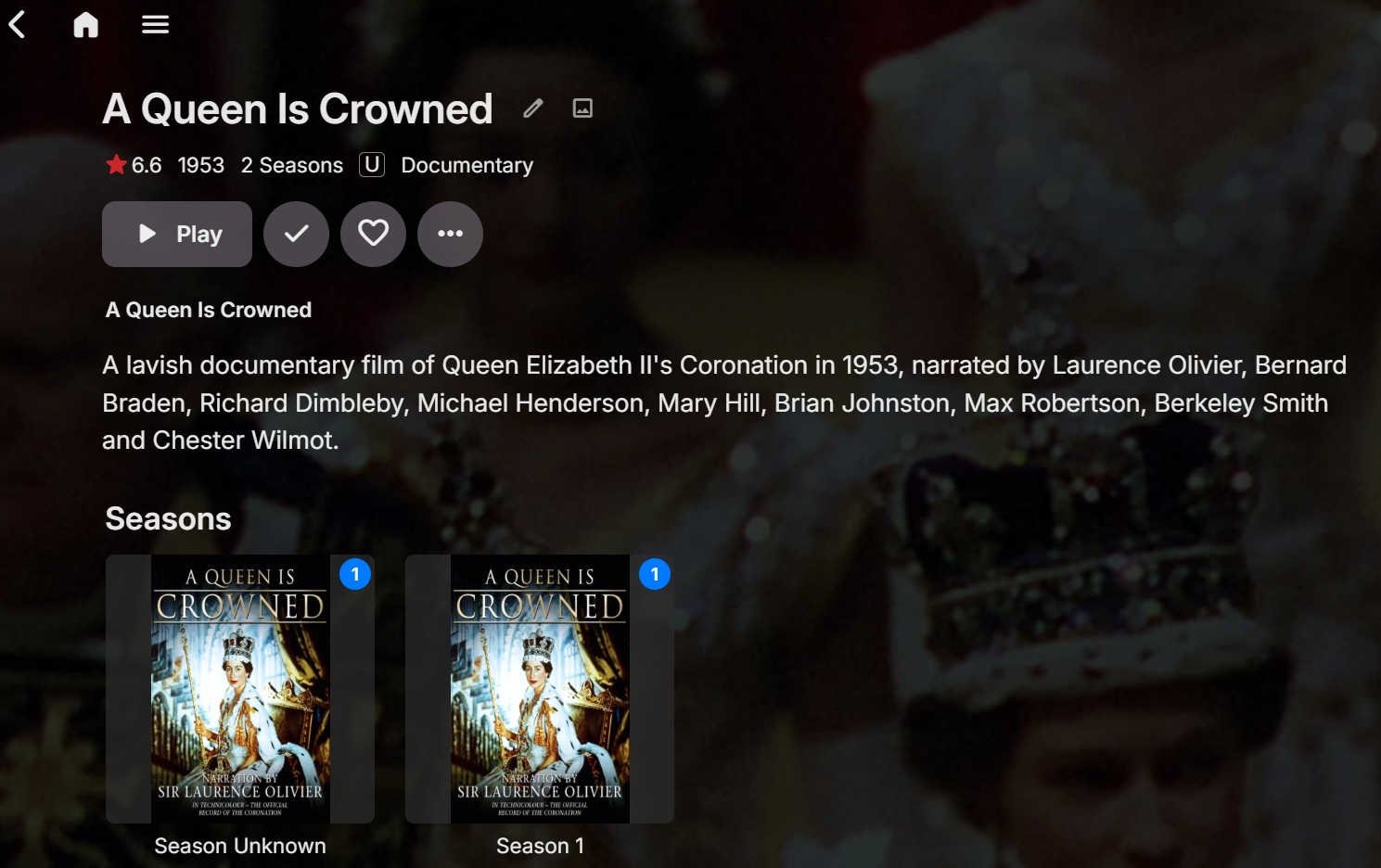
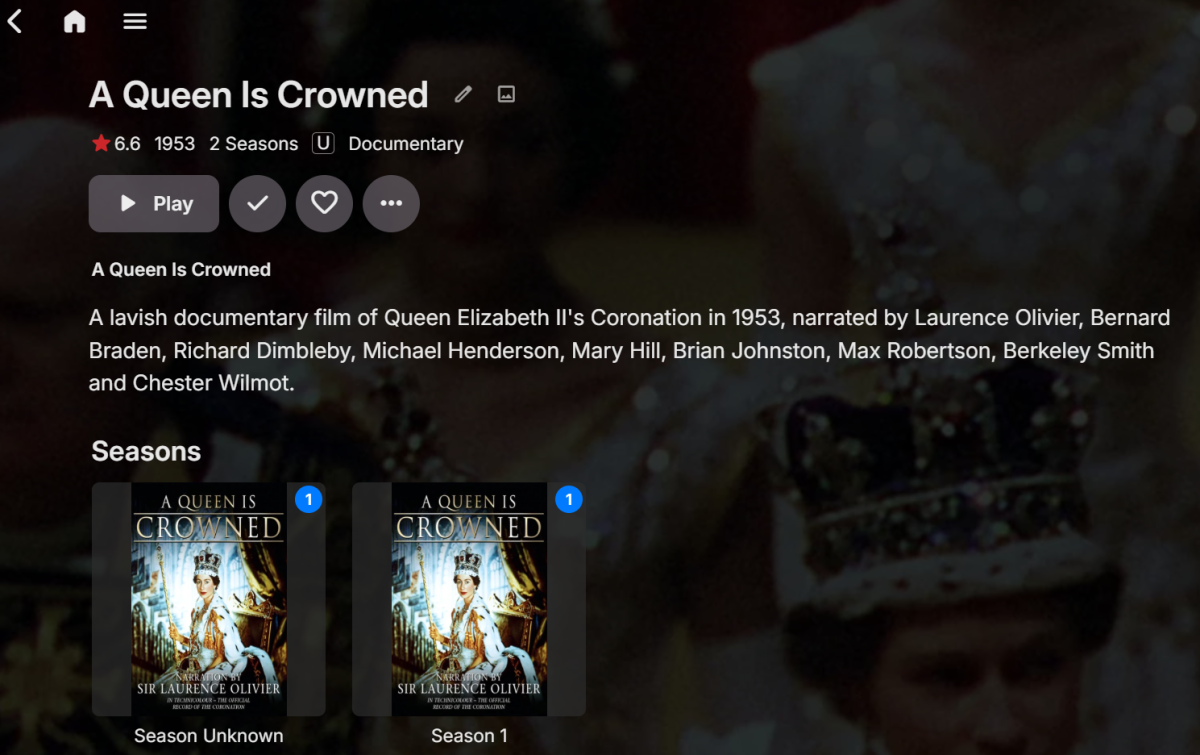
Its a TV Library, not Recorded TV library. Its all done by Media Center Master, this creates the XML file full of meta data. I don't allow any real time lookup of metadata, it all has to be populated first before a TV Show can be imported. I also use <Locked>True</Locked> in every XML to prevent be overwritten. Here is an example of documentary, without a Season, Specials or Xtras folder as it's not any of them: /multimedia/TV Shows/Documentaries/A Queen Is Crowned/A Queen Is Crowned.mp4 the metadata file is series.xml (as Emby for a long time ignores movie.xml in a TV Library folder as a change made years ago). <Title> <LocalTitle>A Queen Is Crowned</LocalTitle> <OriginalTitle></OriginalTitle> <SortTitle>A Queen Is Crowned</SortTitle> <IMDBrating>6.6</IMDBrating> <ProductionYear>1953</ProductionYear> <MPAARating>U</MPAARating> <Added>23/03/2012 20:38:49</Added> <IMDbId>tt0046222</IMDbId> <RunningTime>79</RunningTime> <Language>English</Language> <Country>UK</Country> <Persons> <Person> <Name>Laurence Olivier</Name> <Type>Actor</Type> <Role>Narrator</Role> </Person> </Persons> <Genres> <Genre>Documentary</Genre> <Genre>History</Genre> </Genres> <Description>A lavish documentary film of Queen Elizabeth II's Coronation in 1953, narrated by Laurence Olivier, Bernard Braden, Richard Dimbleby, Michael Henderson, Mary Hill, Brian Johnston, Max Robertson, Berkeley Smith and Chester Wilmot.</Description> <IMDB>tt0046222</IMDB> <FullCertifications>UK:U | Australia:G | Finland:S | Sweden:Btl</FullCertifications> <Locked>True</Locked> </Title> Emby 4.8.11.0 Web showing Season Unknown and Season 1: Media files also have ID3v2 tags in them, but Emby is set to honour metadata in files first BEFORE embedded data (unless Music or Music Videos libraries). Even if no embedded data, it's the same result in Emby. Singular Documentaries and one off drama episodes (similar to TV movie) do not form part of a Series/Season or Special, so they should just be listed as an episode without season/special layer.
 1 point
 -
I can see that it appears to be out by 1 hour. I will refer this to Gracenote.1 point
-
That works! I never really looked into collections, thank you for pointing me at the right direction Marked as solved. Thanks @howllor!1 point
-
You could probably use collections for this?1 point
-
Thanks for the hint, it also worked. I will also use it as a proxy. Great bow you are my savior. Hint, if you enable the proxy and remove the network settings in Emby, then the media server disappears from the DLNA list but bubbleupnp continues to see it and broadcasts only itself. As a result, we will see only 1 DLNA our Proxy1 point
-
thanks for the quick response. looks like i had to manually delete the old folder and start over with a fresh image to get things working1 point
-
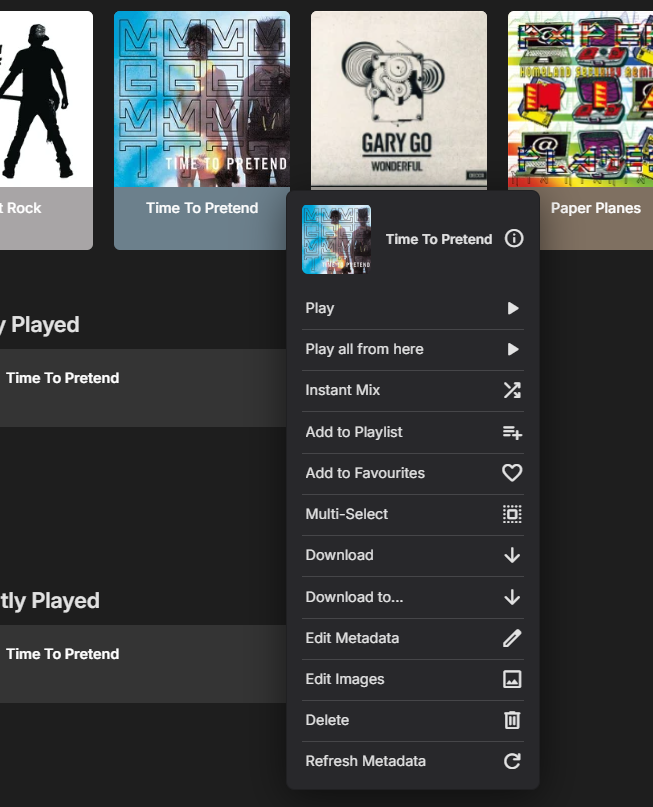
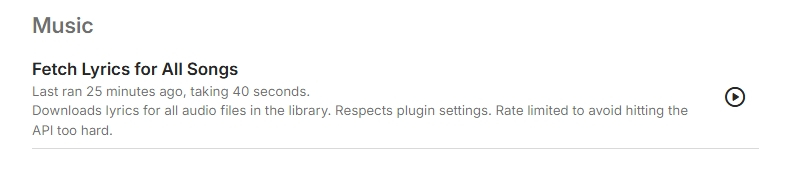
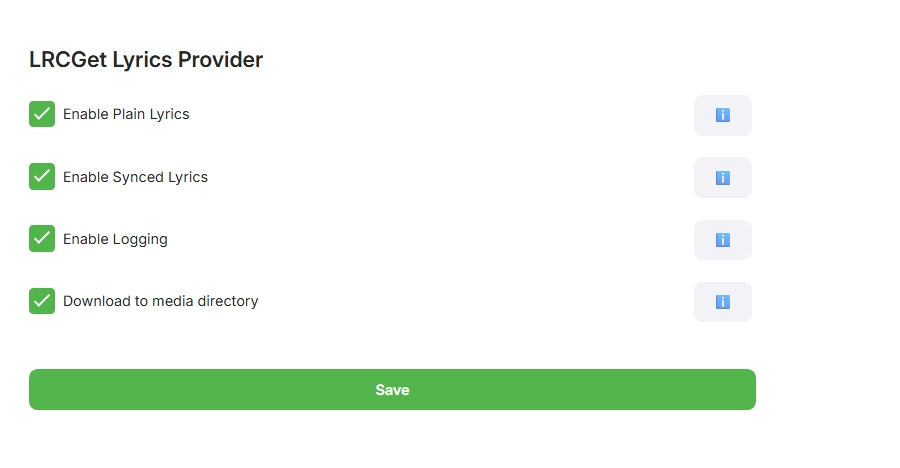
This is a totally new build, it runs during library scans, metadata refresh or as a Task, it has also got enabled for downloading like subtitles, but that's not working in the UI. This version is in testing, it still needs a few more tweaks. So its only attached for the DEVS to look into the subtitle (Lyric) download I have implemented the subtitle interface, it doesn't show in the UI, It enums the audio as video content, there is no other options for audio. public class LrcSubtitleProvider : ISubtitleProvider { private readonly ILogger _logger; public LrcSubtitleProvider(ILogger logger) { _logger = logger; } public string Name => "LRCLIB Lyrics"; public IEnumerable<VideoContentType> SupportedMediaTypes => new[] { VideoContentType.Audio }; what do i need to do for it to show, or is that on the devs? @Luke I can pm my code if your need me to, but here is the subtitle interface namespace LRCLIBProvider { public class LrcSubtitleProvider : ISubtitleProvider { private readonly ILogger _logger; public LrcSubtitleProvider(ILogger logger) { _logger = logger; } public string Name => "LRCLIB Lyrics"; public IEnumerable<VideoContentType> SupportedMediaTypes => new[] { VideoContentType.Audio, }; public async Task<IEnumerable<RemoteSubtitleInfo>> Search(SubtitleSearchRequest request, CancellationToken cancellationToken) { var results = new List<RemoteSubtitleInfo>(); try { string artist = request.ProviderIds.TryGetValue("Artist", out var a) ? a : ""; string title = request.Name ?? ""; if (string.IsNullOrWhiteSpace(artist) || string.IsNullOrWhiteSpace(title)) return results; var root = await LyricApiClient.FetchLyricsAsync( artist, title, 0, Plugin.Instance?.Configuration.ServerUrl, cancellationToken ); if (root != null) { if (!string.IsNullOrWhiteSpace(root.syncedLyrics)) { results.Add(new RemoteSubtitleInfo { Id = $"synced:{artist}:{title}", Name = "Synced Lyrics", ProviderName = Name, Language = "en", Format = "lrc" }); } if (!string.IsNullOrWhiteSpace(root.plainLyrics)) { results.Add(new RemoteSubtitleInfo { Id = $"plain:{artist}:{title}", Name = "Plain Lyrics", ProviderName = Name, Language = "en", Format = "txt" }); } } } catch (Exception ex) { _logger.ErrorException("Error in LrcSubtitleProvider.Search", ex); } return results; } public async Task<SubtitleResponse> GetSubtitles(string id, CancellationToken cancellationToken) { try { var parts = id.Split(':'); var type = parts[0]; var artist = parts.Length > 1 ? parts[1] : ""; var title = parts.Length > 2 ? parts[2] : ""; var root = await LyricApiClient.FetchLyricsAsync( artist, title, 0, Plugin.Instance?.Configuration.ServerUrl, cancellationToken ); string text = type == "synced" ? root?.syncedLyrics : root?.plainLyrics; if (string.IsNullOrWhiteSpace(text)) text = ""; if (Plugin.Instance?.Configuration.DownloadToMediaDirectory == true) { try { var filePath = Path.Combine( Environment.GetFolderPath(Environment.SpecialFolder.LocalApplicationData), $"{title}.{(type == "synced" ? "lrc" : "txt")}" ); File.WriteAllText(filePath, text, Encoding.UTF8); _logger.Info($"Saved lyrics to {filePath}"); } catch (Exception ex) { _logger.ErrorException("Failed to save lyrics file", ex); } } var bytes = Encoding.UTF8.GetBytes(text); return new SubtitleResponse { Format = type == "synced" ? "lrc" : "txt", Stream = new MemoryStream(bytes) }; } catch (Exception ex) { _logger.ErrorException("Error in LrcSubtitleProvider.GetSubtitles", ex); return new SubtitleResponse { Format = "txt", Stream = new MemoryStream(Encoding.UTF8.GetBytes(string.Empty)) }; } } } } LRCLIBProvider.dll
 1 point
 -
That's another part that is not working as intended yet. Currently, you see WebStreams at the library level and when you open that, there's another WebStreams folder which contains the content. This second level shouldn't actually exist (it didn't, that's a regression). Without that additional level, the actual meaning of the "Top-Level" option becomes clear: It means to show a stream source (with that option enabled) like a normal library - at the same level. And that's why it is limited to 4 (the top-level view is not meant to have a large number of items).1 point
-
Hi, yes this question has come up before and is possible for the future. Thanks.1 point
-
Metadata retrieval has been broken by a server update in November 2024. Before it has worked with the default provider settings (like when you create a new library). The next update will restore this behavior. But the next step (which had always been planned) is to allow metadata provider customization for each stream source separately. It's not only about provider selection but also language selection. It doesn't make sense when German TV shows or movies are getting their titles replaced with English ones, for example.1 point
-
is there going to be a fix for this? its probably not that hard to implement. I see there are still sporadic updates to the ATV app. The Android app simply has too many limitations and feels like a phone app running on my big TV.1 point
-
Expose the hidden setting in the UI? But for OP Emby is set to a 90 second delay. <LibraryMonitorDelaySeconds>90</LibraryMonitorDelaySeconds>1 point
-
Everyone, I am improving how movies and TV shows are being played. I am testing it now. I should have new code posted soon. I also fixed a bug in the "Add Channel" code and several other small bugs. Soon I will have the sort order bug fixed that someone posted earlier. Vic1 point
-
You two go get a room, and leave us rest bitching about 5+ years of waiting for functional IP TV in emby. I think there has been enough bitching for the moment. Feel free to resume later, but for now I think, the message has been received. Let me share some gossip instead... You have no idea what an important role the WebStreams plugin is playing in the context of TVnext. Initially, it was meant to be integrated in TVnext, but hardly anybody was able to follow or visualize and imagine what I was talking about exactly, so for me, this had become... The Hardest Sell We've all learnt that there's nothing worse you can do than (actually or seemingly) taking away an existing feature in a new/updated version of a software application. And yet there was exactly one such kind of removal that was inevitable in the making of TVnext, which is - simply said - about dropped support for VOD streams as (fake) TV channels. The below conversation is fictional but roughly resembles the average of the kind of conversations that I had with many people at that time - not just internally, but also with external people and with some of our beta participants as well: Feature Removal? softworkz: "Please be prepared that VOD streams are not supported and not handled by TVnext. TVnext is about live TV streams and also supports non-TV live streams but not playback of static files that are just disguised as live streams" other: "What? You cannot do that! Users expect that to work, all other apps are doing it like that, you must not take this feature away!" softworkz: "Yes, I'm fully aware about how people are reacting when they feel that a feature is taken away from them. That's why I have the following great plan:" other: (already stopped listening) softworkz: "The plan is to replace the lacking VOD playback feature with something that is so much better and nicer and unique and even unprecedented, that nobody will ever be missing it." other: "No - people expect this to work like everywhere else." softworkz: "What do you mean - what exactly are people expecting? That the first episode of series XYZ, season 1 is on channel 1456153 and the second on 1456154 while the first episode of the next season is on channel 1623214?" other: "Yea, that's how it works everywhere." softworkz: "But we are Emby - our mission is to present media content in the best possible way, enriched with all kinds of metadata - who would want to access series content via non-memorable, 6- to 10-digit channel ids without any other metadata than a short description and a single image - if at all? We can present this in a much better way!" other: "Nah, people will freak out when they cannot do like that anymore, this won't be accepted" softworkz: "But how can that be? This is so clearly inferior to everything else. This doesn't even allow having saved playback positions, neither any kind of 'watched' indications etc. There are no series and season entries for grouping - in sum: you get almost none of the features that Emby provides normally." other: "All others are doing it the same way; people are used to it and expecting it to work like that." softworkz: "Why should people prefer Emby then, when it doesn't do better than any of the other apps? And I still can't imagine how anybody would be seriously using it that way: How do you navigate a TV guide when it has 10k, 20k, or even more channel rows? And all of those rows (unless actual live tv) having a single 'program' that is repeating 24/7? When you want to play an episode or film, you search for a TV channel of that name? And when you have 50k TV channels due to that, how can you find an actual TV channel when you get so many search hits? And how is channel management supposed to work? When you want to bring a certain channel from the end to the middle, or from the middle to the start or end? You hold down your finger on the mouse button for several minutes when drag-drop sorting? For every single channel that you want to move?" other: "Sure it's not ideal, but that's how it has always worked, and people want that!" softworkz: "Yes, but..." other: "No, this must continue working!" softworkz: "But the WebStreams concept is so cool - nobody else has that! I'm sure, people will love it. Anyway, TVnext cannot handle VOD - it's impossible unless we drop so many essential features that it's not even worth proceeding." other: "Hmm, well, err, but no...etc etc." softworkz: (sigh) WebStreams Plugin After all those discussions, I had realized that I couldn't get that idea sold as such. The sole promise of providing something better in the end wasn't sufficiently convincing. Yet, there wasn't an alternative to dropping VOD from live tv either. At the same time, this had grown and become a really hot topic, putting the project on the edge, even though it had been explicitly documented and discussed early that this split between live and vod streams will need to happen. The only way out that I had seen at this time was to turn the sole promise of "providing something so much better that nobody would ever complain about lacking VOD channels" into a reality - outside of TVnext, independent of TVnext and delivered even before TVnext. That's how the WebStreams plugin came to life. Some got convinced quickly, for others it still took a while, but as of now, I don't think that there's any remaining doubt that the WebStreams plugin is the way to go for handling VOD content in Emby - even though it's been a long way...1 point
-
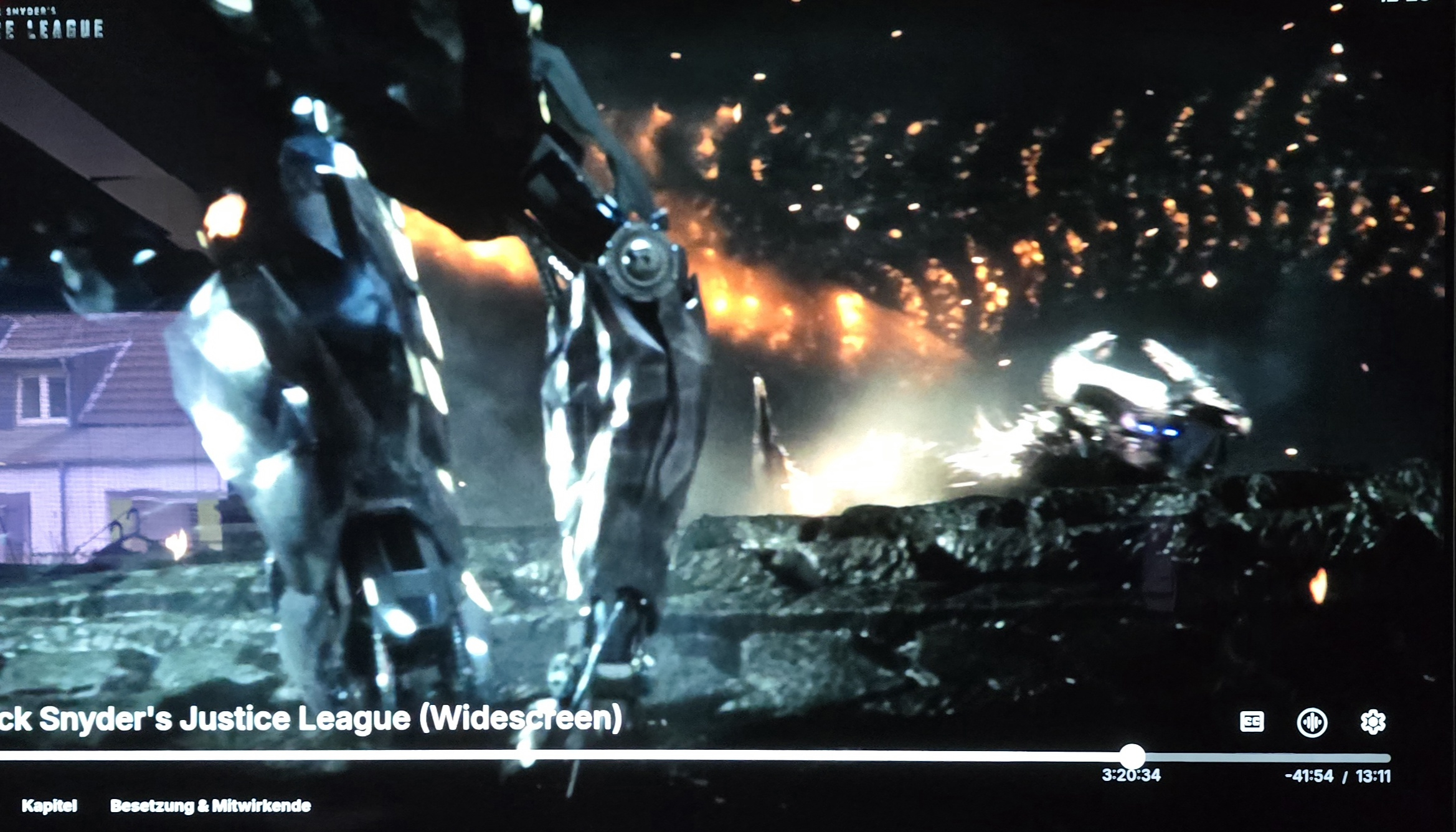
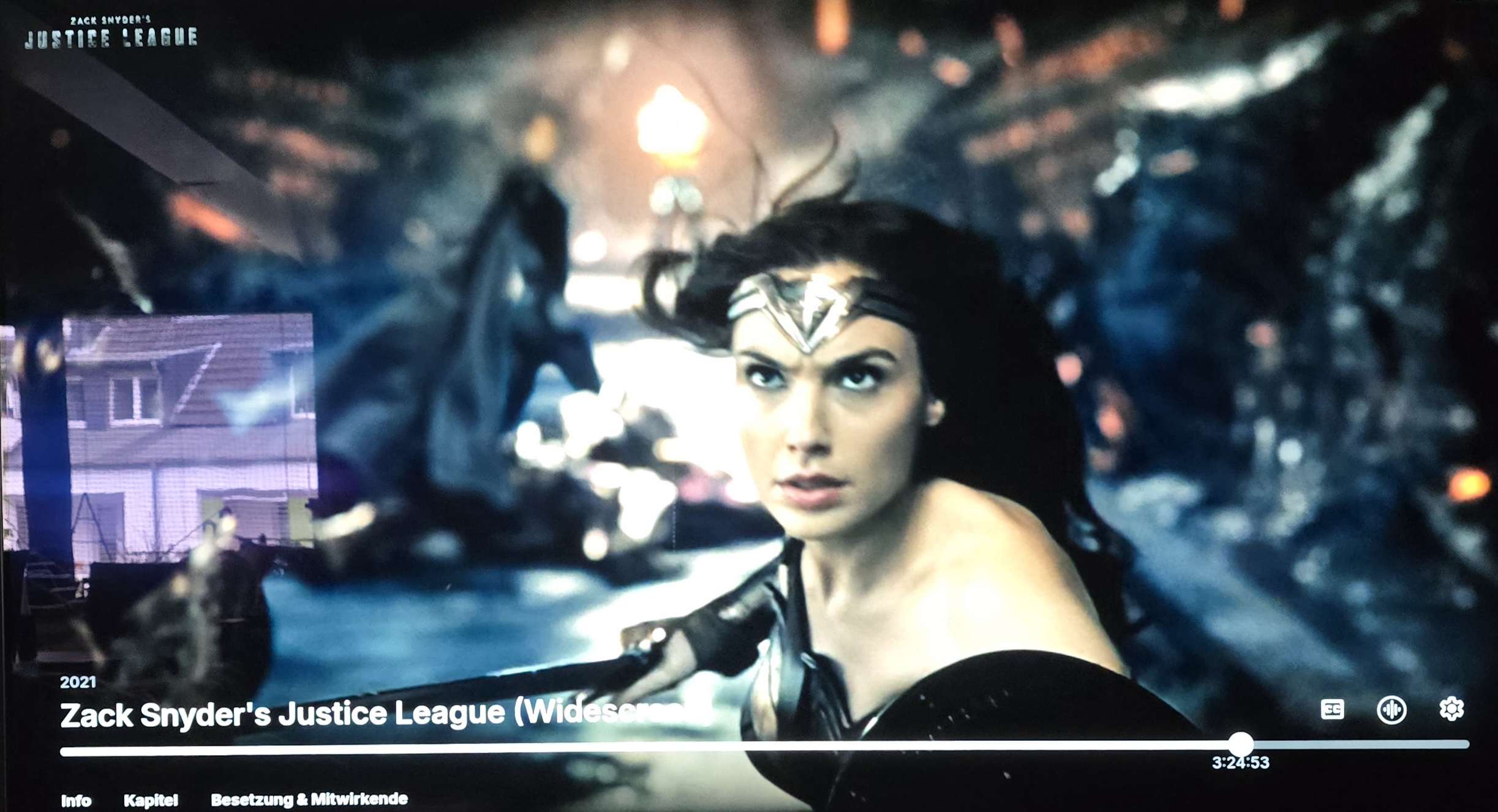
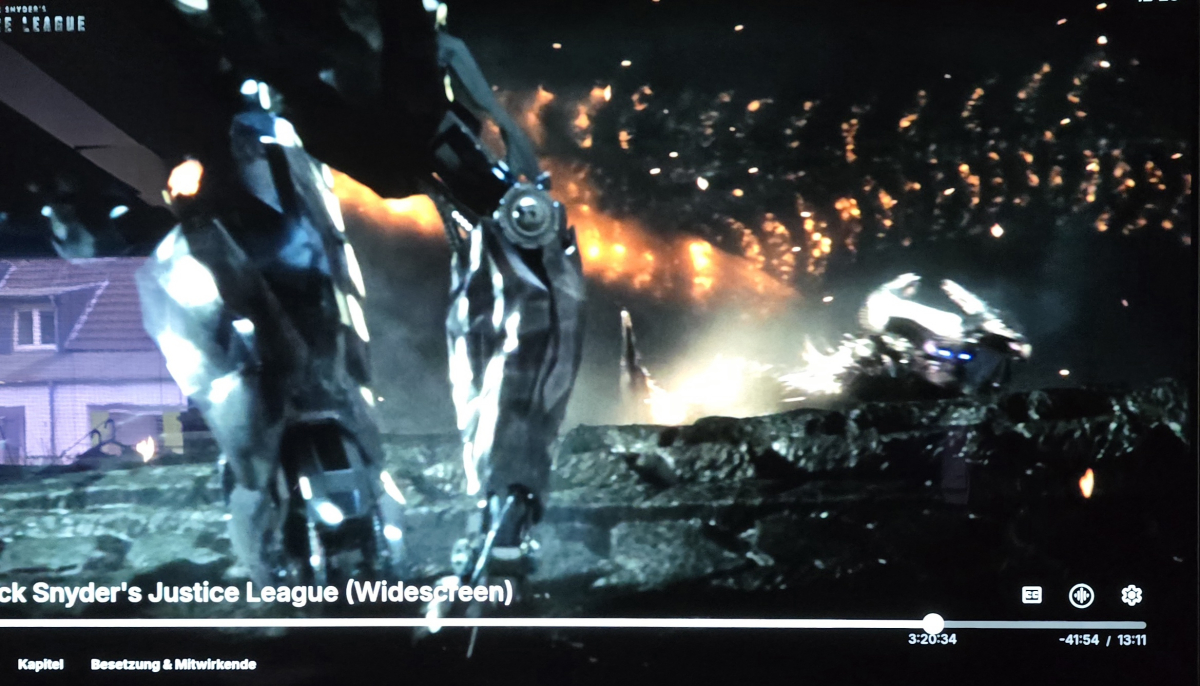
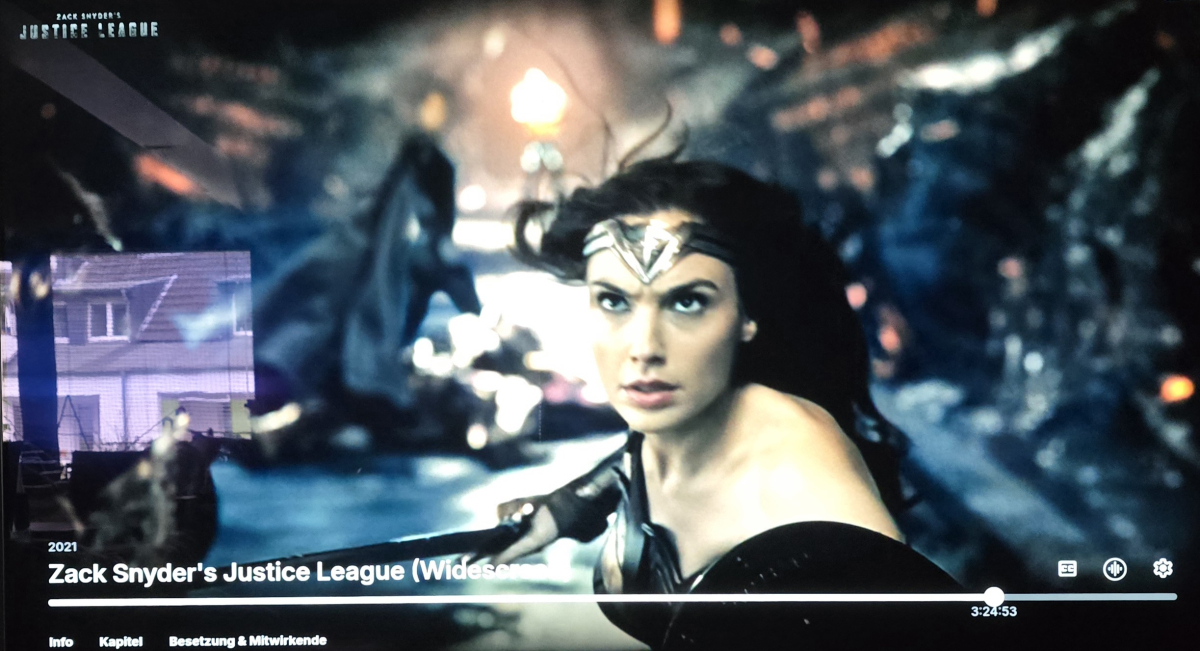
Hi, I first noticed this bug the first time several versions ago. In the lower right hand corner, you get the remaining time of the video and the estimated ending time. This no longer works after a certain percentage of a video has been played. Especially in long videos I find it irritating not to be able to find out, when it will be over. Please look at the example. At three hours and twenty minutes into the movie, everything is fine. Four minutes later the information has disappeared. This behavior can be reproduced with any video of any length. Please have a look into this, I hope it is not on purpose.
 1 point
 -
Not yet but I don't think this suggestion makes sense. I think it makes more sense to have a music library and be able to link the two.1 point
-
I'd like to request the option to consolidate ALL "new media added" updates into 1 daily notification, such that when a user receives one single email for the notifications rather than many many many emails. For example, I have 2 libraries with home videos and photos, and I've set up notifications to my remote family members, however for every single photo or video there is one email; when I've added 50 photos to these libraries >>> 50 emails. Can we please have an option to consolidate into 1 nightly/daily email so that it isn't triggered as SPAM on the receiving end. There is an option for "Group notifications by series and albums" but this does not work for home video/photo libraries. TY1 point
-
forgot to quote yall to notify you that I made these. hope you enjoy them!1 point
-
Please do not forget Please do not forget that the plugin also creates smart collections, not only playlists. I use the collections, not the playlists. Will the core feature offer collections?1 point
-
Hey @Luke, so what's your take on it? For what it's worth, I've managed to dance around this problem for now - thanks to bubbleUPNP, which can proxy other DLNA servers. Features overview: BubbleUPnP Server provides a collection of services working on top many of your UPnP/DLNA renderers, media servers and Chromecast devices: ....... fix issues of UPnP/DLNA Media Servers (discovery issues, broken data, add some audio DLNA compliance) by creating a proxy Media Server Again, I haven't looked at DLNA specs, so not sure if query params, anchors and whatever other stuff HTTP GET supports is valid or not - but the fact that bubbleupnp proxy is fixing this is possibly suggestive1 point
-
Bless your heart ShaneP1 point
-
Hey All, So after some time, it seems to be running stable in my environment, so here it is... This has been a bit of a battle with compatibility and time, but hope all is good. Please log any issue you may find on the repo. (https://github.com/ShanePe/Emby.SmartPlaylist.Plugin/issues) So to recap, main issue is that Emby front end has changed to not support additional files and they way .js are loaded and additional new backend libs to integrate. I did see an odd toast pop up when saving a playlist but have not been able to replicate. NOTE: I did notice on firefox that I had to manually refresh the page sometimes if it doesn't load, trying to get to the bottom of this. This is NOT backward compatible and built/tested on version Emby 4.8.10. SmartPlaylist-2.5.0.4810.zip1 point