Leaderboard




Popular Content
Showing content with the highest reputation on 08/20/25 in all areas
-
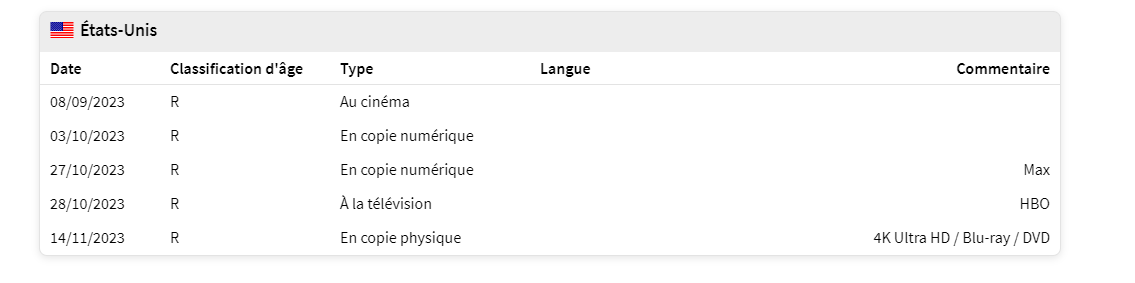
Hello, do you think you can add the release date with the physical or digital release date? because the cinema release date is too far away, sorting by release date is not great. Thank you so much
 2 points
 -
Once external player support is added to the new app you will still be able to use your custom mpv settings and mpv-1.dll`s plus played and continue watching status should work if using mpv as an external player etc as it did with legacy. I simply boot with a linux usb distro to replace mpv-1.dll for the time being, take 2 mins. The new app is about 90% there, not far to go now. Accurate refresh rate and aspect ratio switching for IMAX on a 2.35:1 screen is a nice upgrade. Sad to see Generiq go from the forums but also some of his posts crossed the line.2 points
-
Watching Eye is a plugin designed to give you granular control over your server's streaming environment. It's the perfect tool for managing user watch time, monitoring server performance, and ensuring a smooth viewing experience for everyone. Key Features: Watch Time Limiter: Set daily, weekly, monthly, and even yearly watch time limits for specific users. Create global watch time rules that apply to all users, with the option to exclude certain individuals. Establish specific time windows during which users are allowed to watch content, perfect for parental controls. Transcode Notifications and Blocking: Receive instant notifications when a user's stream starts transcoding, helping you identify potential playback issues. Proactively block transcodes based on video resolution or container format to conserve server resources. Customize notification messages to inform users why their video is transcoding and suggest solutions. Playback Control and Monitoring: Automatically stop streams that have been paused for an extended period,. Keep a detailed log of transcoding events and when users reach their watch time limits. Download on Githuib - WatchingEye.1 point
-
I mentioned it in another thread, but thought I'd put it here since this looks like a new section--just for posterity. Would like to have a bulk meta data editor function. For example, if I have 750 videos whose producing studio is the same, I want to select those videos and apply the name of the studio to those videos. Similarly, if there is a custom tag I want to apply to a subset of those movies, I want to be able to select them in bulk and apply the tag to those videos (instead of selecting them one by one).1 point
-
I would love the option to store Emby's database in MySQL - I have a setup that serves around 30 people and I feel that there would be real performance gains by using a proper relational backend over SQLite (I'm presuming). On top of this it would make life easier for me when reporting on watched status a cross users.1 point
-
Not sure if this is the right spot where to request this. .. Nevertheless can we please add the feature for embyserver. Pretty much ro setup a pause timeout limit . so if a user put a video/movie on pause for more than xyz timeout limit would kick them back to the video/movie home page... Thanks Sent from my LG-US996 using Tapatalk1 point
-
I saw TV theme music and Movie theme videos so figured maybe it would fit better here, ah well It's not a big deal since this is a sort of cherry on top feature. I will probably replace songs/videos as I go along. Most have been working but when they're wrong it can be jarring lol1 point
-
I think the ability to export the data would be a great addition. I'm trying to hunt down my overly large movie files for a targeted re-encoding to try an keep my storage in check. The main table was very handy when sorted by file size, but was trying to develop a list of them from windows explorer, but can't capture the file size for export to a csv or excel format. I can copy the path as text, but no other data like size directly... Well I hope that gets done - you've already been heading that direction, it looks like Dave1 point
-
HI, the built-in table views are much better now and have more features than the reports plugin. The only thing they don't have yet is exporting data. I think the best thing to do would be to add that and then just retire the reports plugin.1 point
-
I have two users that are currently using the new windows/Xbox app. One on windows and the other on windows and Xbox. Both aren't tech savvy and had zero issues setting up both apps. One user previously struggled getting the legacy ET to work reliably and ended up just using a web browser that continuously resulted in unnecessary transcoding. I am happy that the new apps are much simpler and work out of the box, this is coming from someone who was angry when ET switch from DS to MPV wich removed madVR support.1 point
-
This is a good feature, I installed the report plugin from the plugin catalog. I like that the data can be exported. I was looking at my library and saw I have some pretty sizeable files that could be re-encoded for size reduction. I'm impressed with this report generator, except that it does not include the media file size in it's data reporting. The sorts on the main screen for movies and such include sort by size, so the data is kept track of. It'd be a very handy inclusion in the reports plugin. I don't see the developer or author in the Emby documentation for the plug in. If you are aware of who this might be, please pass along my suggestion for this improvement. Thank you. Dave1 point
-
I totally understand. As a developer myself I know the complexities of opening up the application for user modification/customization. After years of platform specific titles, mainly PlayStation and Xbox, adding those titles to the PC market was a total nightmare. We had to test just about every PC configuration type, GPU's, CPU's, memory size, display types, ... It's good business sense to unify the Emby experience across multiple platforms while minimizing the work load on the develop team. I'll assume the burden of overcoming the restrictions the new application enforces while keeping the integrity of the product. I just don't want to go down a path that will nullify all my work in a single ET update. Since Linux is finally catching up in the HDR world with Wayland, perhaps I should change my focus to that environment, provided ET still allows some user customization, but that's a whole new topic. Like the original topic states, it would be great if Emby plans on sunsetting the ET legacy version and provides a snapshot of the online assets so we can host it locally. Heck, Emby server could probably host it if needed. Anyway, keep up the great work and I'm still a loyal Emby user.1 point
-
Theme songs are heavily contribution based so you can sometimes get some strange ones. It is dependent on the tbdbid and tmdbid so double check they're correct. Frustratingly I used to have a report feature which would take themes offline after a certain amount of reports but it never got used and after a fairly big overhaul, the feature was removed. Maybe it's time to re add it back in.1 point
-
Looks like issue 1 is fixed. Thank you. Issue 2 still exists. It works correctly on the Web and iOS clients but not the ET 3.0.20/21 version. I tried removing and adding a titles from that collection (71 items total, all movies) but the problem still persists (one long horizontal strip).1 point
-
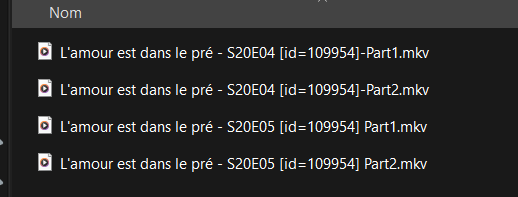
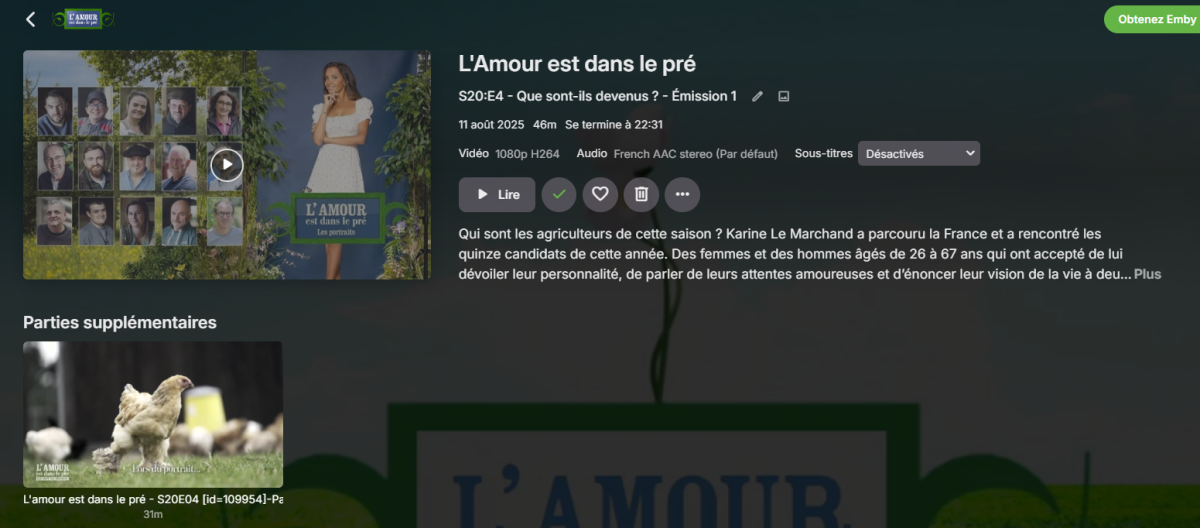
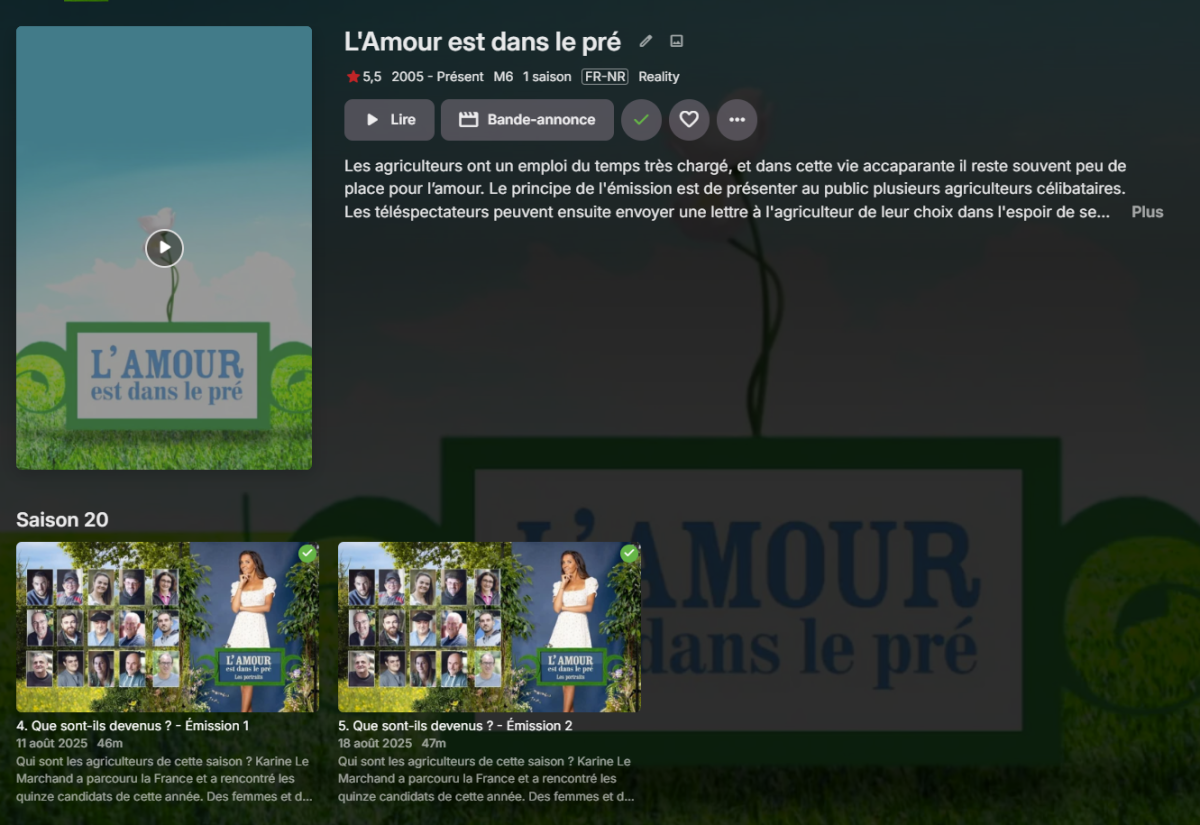
My apologies, I just realized. You have to go to "the episode" to see "extra part." I need to see how it displays on Emby TV Android.
 1 point
 -
I already did that several times. But i missed the fact that you have to confirm your E-Mail (Junk Mail in my case). After that the server gets added into the users Dashboard. Thanks for the help and sorry for the trouble!1 point
-
Here is a pic of the Samsung app. Screen is scrolled down as far as you can go, and you can barely see the top of the words "for navigation". Also, there should be some space at the bottom like all other settings pages, so you know you're at the bottom. Here is the bottom of the same page on the Android app. You can see the third line of text and there is some space at the bottom indicating you've reach the end of the page.
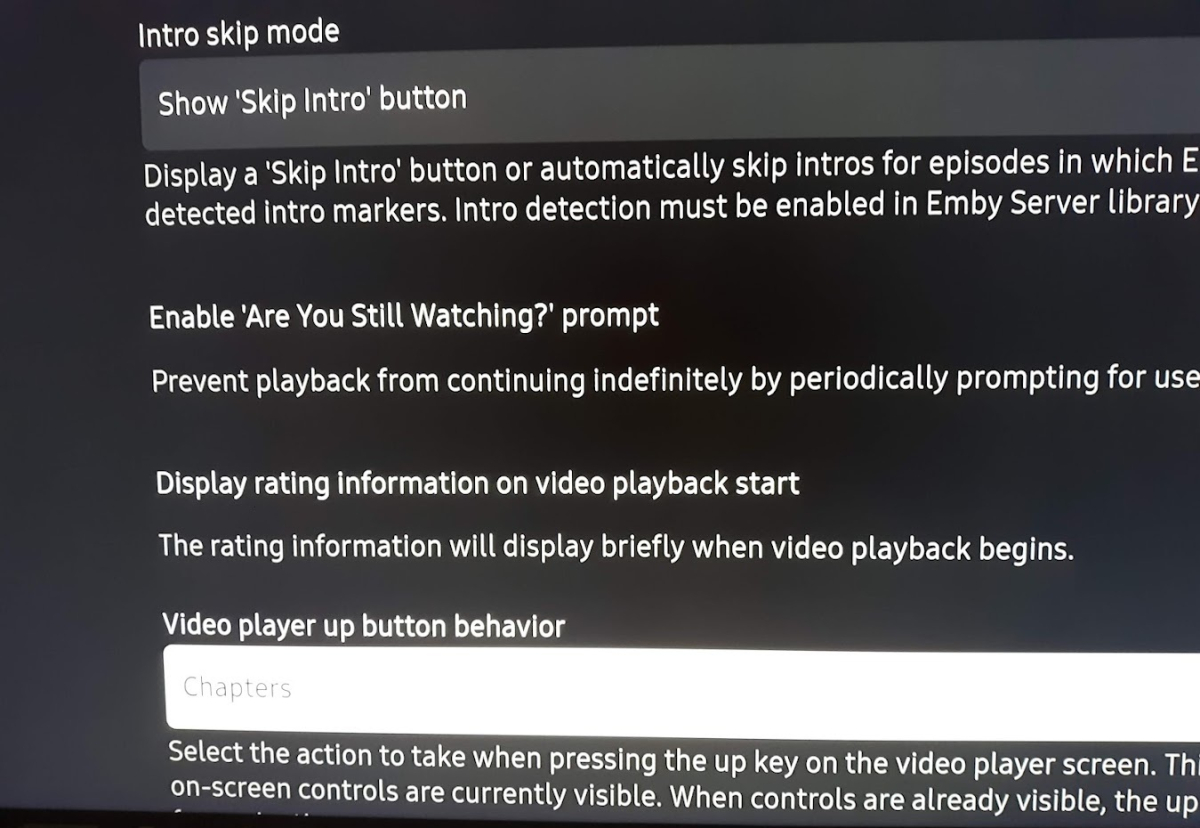
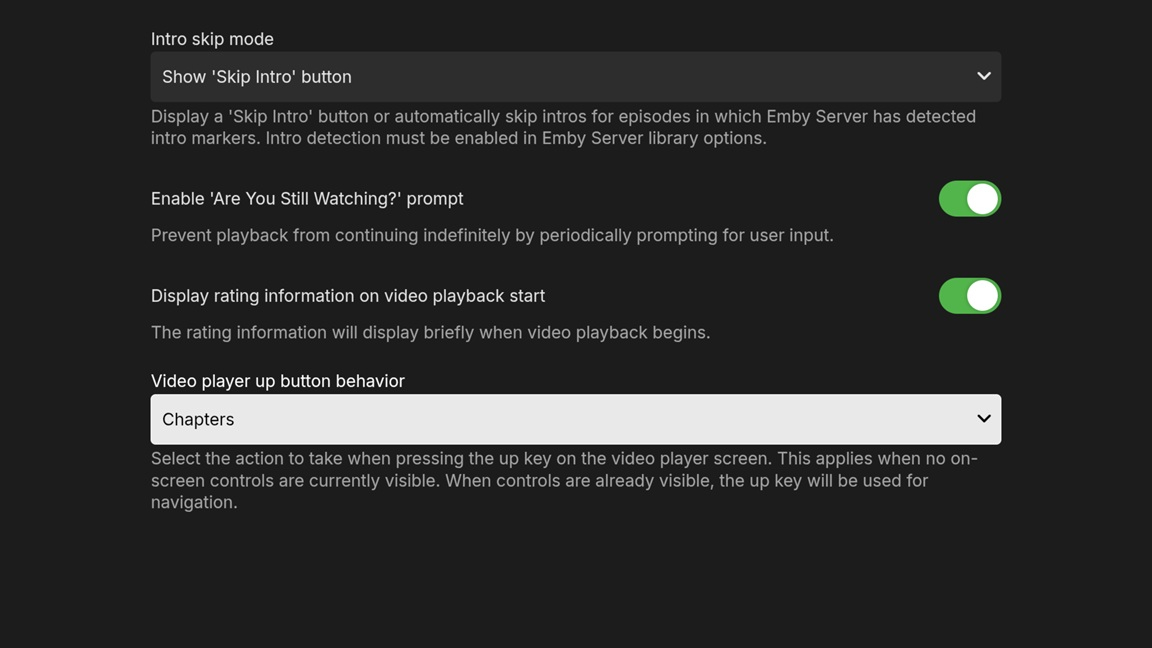 1 point
 -
I've been advised before to convert the media/container but I never settled on anything that worked well. The problem is that due to it being OTA some times I end up with corrupt video sections which emby chokes on. Usually trying to jump ahead works. The problem though is that the conversions I tried would also fail for the same reasons. Also there is times that we watch the episode as it is recording which I dont think we could do if we were transcoding it.1 point
-
I will look into it when i have time.1 point
-
Welp this is self induced somehow. I had it on chapter extraction and not 10 second extraction. That seems to of fixed it.1 point
-
Thanks for the suggestion, but trying 3.0.19 on Debian 13 with KDE desktop doesn't work either. I'm sure it's a small target audience, but telling someone on the website something is going to work when you know it doesn't isn't good.1 point
-
Forget everything – all’s good again. I’m not sure what the exact problem was restoring the library, but that’s now back. And you’re absolutely right – it was a firewall setting. I recently switched firewall programs after using ZoneAlarm approximately forever; and evidently the “trust this network” setting on the primary machine’s firewall was no longer set correctly. However, Emby “remembered” the server name which added to the confusion. It’s a little early to celebrate (eastern time zone), but I’ll drink one for you at happy hour this evening! Thanks again!!!1 point
-
Perfecto, me ha funcionado. Me estaba volviendo loco porque no sabia que estaba pasando, estaba todo el rato eliminando metadatos, escaneando todo el rato la biblioteca y ya no sabia que mas hacer jaja Muchas gracias.1 point
-
Did you have that TV show on your server at some point in the past? If you actually enter any season, are all episode listed or there's only one? If you enter that episode detail view, has it been multi-versioned (is there version selection dropdown)? Can you share a screenshot of Season view and episode detail view? Edit: On second thought, I'd guess that what you're seeing is the result of Emby trying to cater to all of the lazy/entitled users and garbage/unsupported naming conventions, resulting in “... E - 1x.." being interpreted as Episode 1 (although your naming convention is absolutely in order and fully supported, that is just unfortunate coincidence that show title ends with a single "E"); try renaming those SxE parts to SxxEyy naming scheme (S01E01 instead of 1x01 etc.) so you'd break that 'E - 1“ part in the filename.1 point
-
I figured mine out. I had to use a different export option in Roon.1 point
-
Emby is the name of the platform. Emby Server is the name of the product providing any Emby-related services. Because it's a product, its name should not be translated for the same reason "Samsung Galaxy" isn't translated to "Samsung Milchstraße" in German. Products, services and product lines (anything copyrighted really) has a singular name, unless copyrighted in a different language with a different name. An example of that is Moana: called Vaiana in The Netherlands due to copyright issues.1 point
-
The titles are now appearing in the collections. Thank you. 2 minor issues: The "Sort By" does not apply when changing selections, i.e. "Title" or "Release Date". The collection must be exited and re-entered for the new "Sort By" to take affect. I have one collection with 71 titles (a demo collection) and the titles are not wrapping and appear as one long horizontal strip. All other large collections wrap correctly with some having more than 20 titles (other demo collections, 007 James Bond collection, ...).1 point
-
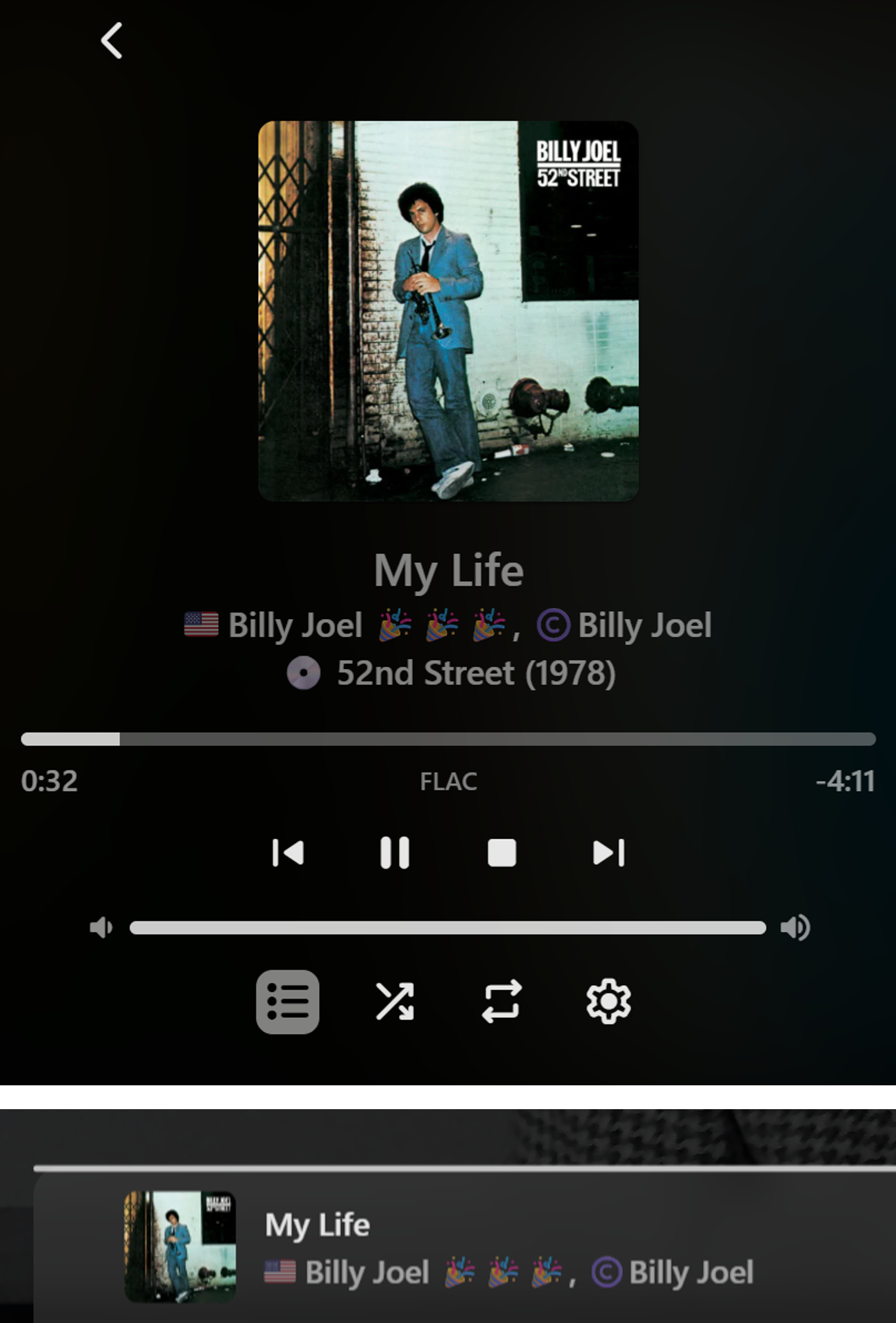
No bother at all with the testing. I doubt that I would have ever noticed this myself! I don’t actually mind the current set-up for the minimized view: <song title> <artist> with the small image being representative enough of the Album itself. Why? - Album Artist might not necessarily represent the Song Artist(s) of the track being played when it’s a compilation “Various Artists” Album, or any other situation where the Song Artist(s) is not the Album Artist. Yeah, in many instances they are the same and therefore interchangeable, but not always. Digressing a bit - I’ve been experimenting with some different ways to get Album (Year) and the Song Composer into the Now Playing screens, plus a few other things – something like this: In this instance the Artist and Composer are the same person, so it seems like overkill, but in many cases they may be different. Yeah, UI consistency is definitely the best approach, however it is done, but as you say, only Emby can answer on the logic of how it works now…
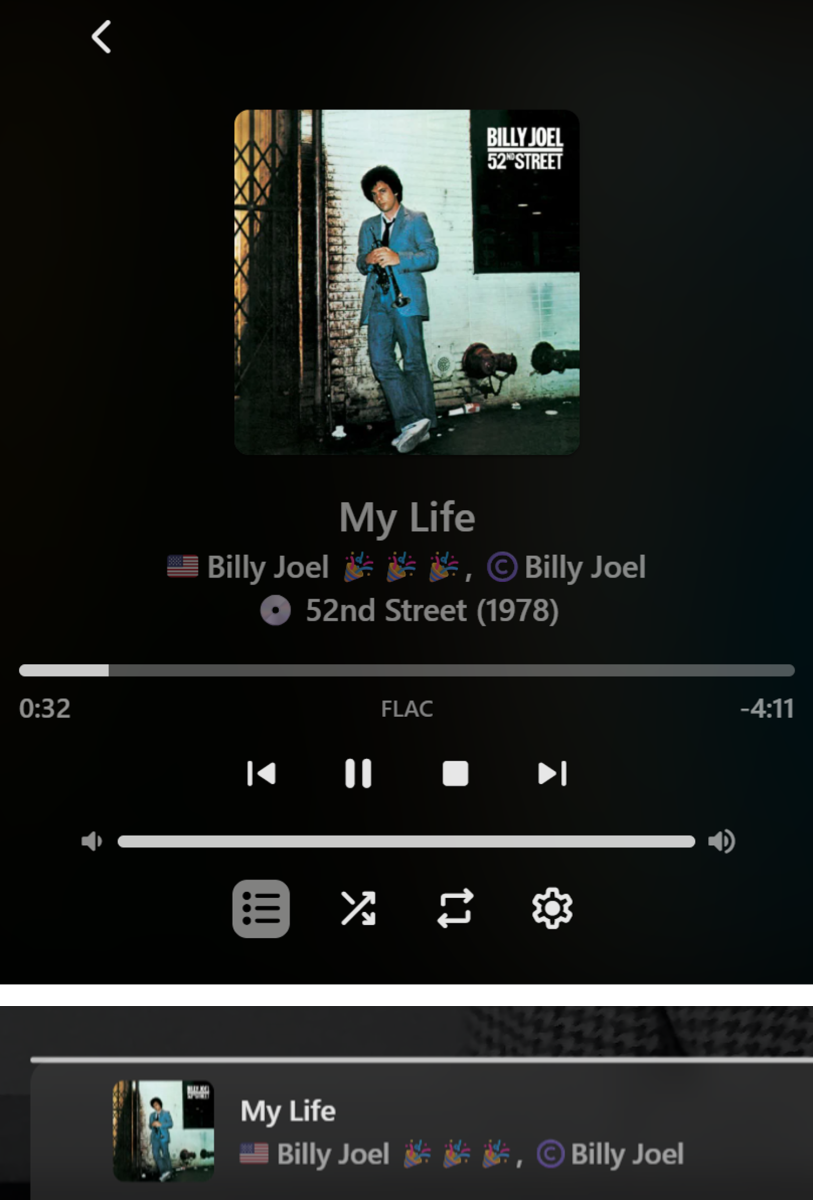 1 point
 -
Just had this twice in the last hour during video playback (Emby 2.2.41 on iOS 26 public beta 4, iPhone 16 Pro Max) Same symptoms - screen just goes black and then after a few seconds iOS starts up again. I’ve also submitted a crash report.1 point
-
Another request for the same thing recently released movies is good but it basically hides new release movies because the theatrical release date was 2-3months ago and many digital only releases came out prior and take up the space.1 point
-
Hi, no one is destroying anything, not here at least.1 point
-
Hi @quickmic Recently tried to add a few collections from my My Media/BluRay Collections folder. Works fine when using (Dynamic Node) emby_dynamic_movies_Blu-Ray_collections/Folder_folder.xlm The new items are showing up fine, and work when selected. But not when using (Sync Node) Blu-ray_collections/sets.xlm The existing folders/collections show up and work fine, but the new and changed movies do not. (currently 39 items in sync mode, and 41 in dynamic mode). I have tried Manage Libraries/Refresh Boxsets, Update libraries, and Repair libraries. No Change. My main issue is that for some reason, Kodi/Aeon Nox Silvo will not allow poster view with Dynamic Mode. It shows them as "list, "Icons" or "wall" which for movies looks not so good. I suspect there was a change in Emby (I'm running the latest Beta) But I don't know exactly when the changes occurred as I have not added to that Folder/Collection in some time. Also, I'm not sure if it's my setup or intentional. When I reboot Kodi, I must go back into the add-on and Enable LiveTv again. For some reason after rebooting, It gets reset. My Device: NVidia Shield 2017 Android Ver: 11 Shield Ver 9.2.0 Kodi Version: 21.2 Stable Skin: Aeon Nox Silvo Emby for Kodi Next Gen Ver: 12.1.2 Please let me know what logs, and what if any queries you'd like me to do before sending the logs to you. I know you're busy, no rush. Thanks!1 point
-
+1 for this request I also have people who pause a show and leave it like that for days1 point
-
You don't need to know how to code at all for this to work. Open the code with the csproj file, add icons to the Embeddedicons folder, right click the icons in the folder view, select properties and in the first drop down menu choose "embedded resources on the added icons. Then go to the top of visual studio, go to build and press build solution. In the folder where you opened the csproj file you go to bin/debug/net6.0/ and the dll will be there.1 point
-
Emby is sold as a personal Emby server more or less. Having it be able to do load balancing between servers would make it more than that and make even more use it as a piracy Netflix. Don't think the Emby dev team would like that. Best you can do is run multiple serveres and then just point them to the same media files so they will make their own separate databases. I bet you can then make some load balancing in a remote proxy that point people to what ever server that is the least conjected.1 point
-
New version up (5.36.0) Bug fix: Fixed slowdown reported by most users Download here or on Github - EmbyIcons. Special thanks to Neminem and Sh0rty for helping identifying the problem and testing!! This version will fix the slowdowns reported in here, it sadly took a while but it should finally be f.ing fixed!! EmbyIcons.dll1 point
-
In this installment of our Emby Community Spotlight series, we're highlighting three new users with completely different builds. One leverages serious archival storage and years of media curation; another keeps things lean and affordable; and a third takes a no-nonsense approach with hand-me-down hardware. Each setup proves that no matter your budget or complexity, Emby can be tailored to fit your needs! User 1: 3.3 Million Entries, 400TB of Storage, and a Custom-Tuned Library OS: Windows Server 2025 CPU: Intel i7-7700 RAM: 48GB GPU: NVIDIA GTX 1660 (transcoding) Storage: 64GB NVMe (OS) 500GB NVMe (cache & image storage) 50TB local RAID (primary library) Four Synology NAS units (~400TB raw capacity) Transcode Cache: SATA SSDs in RAID 0 Media: Films by decade TV series split into "Running" and "Archived" libraries Separate volumes for music, audiobooks, ebooks, photos, YouTube downloads Comic book library (50TB) stored on a separate Emby instance Clients: Nvidia Shield TV Nokia Box 8000 Apple TV 4 Multiple Smart TVs (LG & Samsung) Android beamers iPhones, iPads, Android phones & tablets across multiple countries User 2: A Low-Cost, Low-Fuss Setup That Gets the Job Done Server: OrangePi 5+ 256GB eMMC 8-core CPU 16GB RAM Storage: Synology DS224+ with 2x8TB WD Red Other Infrastructure: System76 Meerkat (handles web/misc services) Ubiquiti UCG Ultra router External backup drive Clients: Android phones (various Pixel models) Android tablet Roku Chromecast Web browsers User 3: Old PC, New Life OS: (Windows 11 Pro) CPU: Intel i5-9400 (Quick Sync for transcoding) RAM: 32GB DDR4 Storage: 10TB Toshiba N300 4TB WD Red (2019) 3TB WD Red (2016, pending replacement) 1TB WD770 NVMe 1TB Kingston NVMe (used for cache and transcoding) Clients: TCL 4K Android TV LG 4K webOS Android phones and tablets Roku Xbox Series X Want to Share Your Emby Setup? From server racks to single-board computers, the Emby community is full of creative solutions. If you’re running Emby on something interesting, or even something ordinary, and want to be featured in a future spotlight, join the Emby Community Forums and share your setup. You might see your system in Volume 5! View the full article1 point
-
New release (5.31.6) Same as i uploaded before, just with a version bump and release statement to make it official! Bug fix: 1 . Fixed the aggregation running every time the Emby start page was entered. This will make the start page load faster. --- Thank you for reporting the bug so it could be fixed! Download here or on Github - EmbyIcons EmbyIcons.dll1 point
-
I'm not 100% sure it's the plugin that was the reason since i can only replicate the problem on one computer. Basically Emby memory usage would spike to 20GB+ which should not even be possible with the plugin even if it was allowed too, never the less i have fixed everything that could be a memory leak and i havn't been able to get it to spike like that again. Anyway here's the new release so you guys won't have that potential problem. --- New release - EmbyIcons v5.35.3 Added: Aspect Ratio Snap, this will make it so that unknown aspect ratios will be converted to the most common known aspect ratios like 16x9 and make the amount of aspect ratio icons needed much smaller to cover a whole library. Added an aspect ratio calculator to the troubleshooter to see what unknown aspect ratios will be calculated into and what icon name will be used. Added option to disable TV show specials from being included in what icons will be shown on the TV show posters. Changed: 1. Various code and performance improvements under the hood. Fixed: Overlays should now correctly get added and/or removed without a need to do a scan or metadata refresh, this might still be needed in some edge cases outside my control. Overlays getting stale on episode posters in season view. Download here or on Github - EmbyIcons Enjoy! EmbyIcons.dll1 point
-
Demo of Claude + Emby.MCP with Audio Drama Files My Emby server contains a lot of BBC Radio audio drama files that have rich mp3/mp4 metadata including a long description with full cast list in the Lyrics field. This is good material for demonstrating Emby.MCP. In the transcript below, my requests to Claude are in bold blockquotes and Claude's reply runs until the horizontal line (insert here for clarity). During processing, Claude shows the tool name it is about to use (eg 'search_for_item' and 'select_library'), along with parameter values and the verbatim return data. These are then visually rolled up leaving just the tool name in the transcript. For some requests, Claude is clearly just using a simple tool in the simple way that the tool's documentation suggests. However for the request to find all items that feature two named actors Claude has understood that the search tool can only find one actor at a time, so has reasoned that it must search for the second actor itself within the results returned by a tool search for the first actor - I did not explicitly tell it to do so. I'll help you explore your Emby library. Let me start by checking what libraries are available on your Emby server. Your Emby server has several libraries available: Music - Main music library Playlists - Your saved playlists Movies - Movie collection BBC Sounds - BBC audio content I'll search for Julian Simpson and create a new playlist with all the results. Let me start by searching for this artist. search_for_item Let me first select a library to search in. I'll start with the Music library since we're looking for an artist. select_library Now let me search for Julian Simpson in the Music library: search_for_item No results in the Music library. Let me try the BBC Sounds library since Julian Simpson might be there: search_for_item Great! I found 81 Julian Simpson items in the BBC Sounds library. Now I'll create a new playlist with all these tracks. Let me collect all the item IDs first and create the playlist. create_playlist Perfect! I've successfully created a new playlist called "Julian Simpson Collection" containing all 81 audio items by Julian Simpson from your BBC Sounds library. The playlist includes: The Lovecraft Investigations series (all episodes and bonus content) Who is Aldrich Kemp? series Who Killed Aldrich Kemp? series Aldrich Kemp and The Rose of Pamir series Temporal series Mythos episodes Various standalone dramas like "Bad Memories," "Blackout," and "Friday Drama" episodes Multiple trailers and bonus episodes The playlist has been created with playlist ID 67303 and contains a comprehensive collection of Julian Simpson's work spanning from 2011 to 2024, including his acclaimed supernatural thrillers, sci-fi dramas, and investigative audio productions. Would you like me to do anything else with this playlist, such as reorder it by series or year, or would you like to explore any specific content from the collection? retrieve_playlist_list Now let me get the detailed list of all items in the playlist: retrieve_playlist_items Here are the full details of your Julian Simpson Collection playlist: Playlist Overview Name: Julian Simpson Collection Description: Complete collection of Julian Simpson audio dramas, investigations, and productions from BBC Radio Total Runtime: 36 hours, 20 minutes, 39 seconds Total Items: 81 tracks Created: July 3, 2025 Playlist ID: 67303 Genres Included: Drama, Thriller, Horror_Supernatural, SciFi_Fantasy, Historical User Access: AI: Full Control Dom: None Katie: None Major Series & Collections: The Lovecraft Investigations (Complete Series) All episodes from "The Case of Charles Dexter Ward" "The Whisperer in Darkness" series "The Shadow Over Innsmouth" series "The Haunter of The Dark" series Multiple bonus episodes and trailers Aldrich Kemp Universe Who is Aldrich Kemp? (5 chapters) Who Killed Aldrich Kemp? (5 chapters) Aldrich Kemp and The Rose of Pamir (5 chapters) Temporal (Complete Series) 8 chapters plus end credits Science fiction time travel drama Co-written with Richard MacLean Smith, Bec Boey, and Nosa Igbinedion Standalone Productions Mythos: "Albion" episode Bad Memories (Friday Drama, 2011) Blackout (Dangerous Visions series, 2016) Various other BBC Radio 4 productions Notable Cast Members Featured: Nicola Walker, Phoebe Fox, Ferdinand Kingsley, Kyle Soller Barnaby Kay, Jana Carpenter, Mark Bazeley, Steven Mackintosh Tim McInnerny, Karla Crome, Susan Jameson Many other acclaimed British actors The playlist spans Julian Simpson's work from 2011 to 2024, showcasing his evolution as a writer and director of supernatural thrillers, mysteries, and science fiction audio dramas. All productions are from BBC Radio with Sweet Talk Productions, demonstrating Simpson's long-standing relationship with quality British radio drama. Based on the playlist details, here's the complete breakdown of "Who is Aldrich Kemp?" series: Series Overview "Who is Aldrich Kemp?" is Julian Simpson's first series featuring the character, starring Phoebe Fox as Clara Page alongside Nicola Walker, Tim McInnerny, Ferdinand Kingsley, and Kyle Soller. It's described as "a heightened and fun journey to glamorous and sometimes improbable locations, encountering Euro-villains and murderous housekeepers." Complete Episode List: Chapter One: Clara Page (29:36) Premiered: February 18, 2022 The washed-up body of a man presumed dead 7 years earlier marks the beginning of Clara Page's mission to find the elusive Aldrich Kemp Introduces the main cast and sets up the mystery Chapter Two: Themis House (27:49) Premiered: February 25, 2022 Clara finds herself in a mysterious village where the shopkeepers all look remarkably similar More questions are raised than answered by the occupants of Themis House Introduces The Underwood Sisters (Jana Carpenter) Chapter Three: The Black Windmill (27:34) Premiered: March 4, 2022 Clara and Kennedy find parallels in their quests A new name crops up: Conrad Spijker (Steven Mackintosh) - but whose side is he on? Features Kennedy Fisher (Jana Carpenter), connecting to The Lovecraft Investigations universe Chapter Four: The Spirit of the Age (27:44) Premiered: March 11, 2022 Clara and her mission are in ever-increasing peril Questions are asked "with varying degrees of politeness" across London and Europe Features additional characters including Margot (Louise Brealey) Chapter Five: Kholat (29:56) Premiered: March 18, 2022 As the water rises, Clara Page is under more pressure than ever Clara learns some surprising family history Can Aldrich Kemp and the team save her? Will she finally know all the answers? The climactic finale of the first series Main Cast: Clara Page - Phoebe Fox Mister Bartholomew - Tim McInnerny Aldrich Kemp - Ferdinand Kingsley Mrs Boone - Nicola Walker Sebastian Harcourt - Kyle Soller Nakesha Kemp - Karla Crome Aunt Lily - Susan Jameson The Underwood Sisters - Jana Carpenter Conrad Spijker - Steven Mackintosh Production Details: Created and Written by: Julian Simpson Director: Julian Simpson Producer: Sarah Tombling Executive Producer: Karen Rose Music: Tim Elsenburg Sound Design: David Thomas Production Company: Sweet Talk for BBC Radio 4 Recorded: On location in Hove, London, and The Royal Pavilion in Brighton Total Series Runtime: 2 hours, 32 minutes, 43 seconds This series established the foundation for Julian Simpson's Aldrich Kemp universe, which would continue with "Who Killed Aldrich Kemp?" and "Aldrich Kemp and The Rose of Pamir." The show blends mystery, thriller elements, and Simpson's signature wit in what's described as a heightened, globe-trotting adventure. I'll share the Julian Simpson Collection playlist with Dom and give him full control access. share_playlist_user_access Perfect! I've successfully shared the "Julian Simpson Collection" playlist with Dom, giving him Full Control access. This means Dom can now: View and play all 81 Julian Simpson tracks in the playlist Add or remove items from the playlist Modify the playlist name and description Reorder tracks Share the playlist with other users Delete the playlist if needed Dom now has the same level of access to the playlist as you do. He should be able to see it in his playlists section and start enjoying Julian Simpson's extensive collection of BBC Radio dramas! I'll search for items that feature both Steven Mackintosh and Nicola Walker in the cast. Let me search for Steven Mackintosh first and then filter for items that also mention Nicola Walker. search_for_item Based on the search results, I found several items that feature both Steven Mackintosh and Nicola Walker in their cast descriptions. Here are the productions where both actors appear together: Items featuring both Steven Mackintosh and Nicola Walker: 1. Bad Memories (2011) Series: Friday Drama Runtime: 56:05 Genre: Drama Cast: Nicola Walker as Rachel Weir Steven Mackintosh as Phillip Gibson Also featuring Rupert Graves, Jana Carpenter, Anthony Calf Plot: A supernatural thriller about a house holding murderous secrets, where audio files might solve a mystery involving bodies found with a time of death from 1926 2. The Lovecraft Investigations Series - Multiple Episodes Both actors appear throughout this supernatural horror podcast series: a) Bonus Episodes of "The Shadow Over Innsmouth" Nicola Walker as Eleanor Peck Steven Mackintosh as Jasper 3 bonus episodes (11:57, 3:38, and 4:31 runtime) b) The Case of Charles Dexter Ward (Trailer & Episodes) Nicola Walker as Eleanor Peck Steven Mackintosh as Dr Mark Lyman Multiple episodes in this H.P. Lovecraft-inspired investigation c) The Whisperer in Darkness (Trailer & Episodes) Nicola Walker as Eleanor Peck Steven Mackintosh as Contact (aka Jasper) 3. Temporal Series (2024) Series: Science Fiction Drama (8 chapters + credits) Cast: Nicola Walker as Goethe (on Mars) Steven Mackintosh as Ged Schwarzach (on Earth) Plot: Time travel drama about Mars colonists investigating Earth's mysterious "Vanishing" 4. Multiple Aldrich Kemp Series Episodes Both actors appear in Julian Simpson's Aldrich Kemp universe: a) Who is Aldrich Kemp? - Chapter Five: Kholat Nicola Walker as Mrs Boone Steven Mackintosh as Conrad Spijker b) Who is Aldrich Kemp? - Chapter Four & Chapter Three Same character roles in multiple episodes c) Aldrich Kemp and The Rose of Pamir Series Nicola Walker as Mrs Boone Steven Mackintosh as Lionel Multiple chapters (28:12 to 29:02 runtime each) Summary: Steven Mackintosh and Nicola Walker frequently collaborate in Julian Simpson's productions, particularly in: The Lovecraft Investigations (supernatural horror) Temporal (sci-fi time travel) Aldrich Kemp series (thriller/mystery) Bad Memories (standalone supernatural thriller) They appear to be regular collaborators in Julian Simpson's BBC Radio drama universe, often playing significant supporting roles across multiple series and episodes. Let me check what media players are available on your Emby server. retrieve_player_list You have 3 media players available on your Emby server: Available Media Players: 1. Emby Web (Google Chrome Windows) Client: Emby Web Device: Google Chrome on Windows Location: Local to media server (same network) Supported Media: Audio, Video Status: Not currently playing anything 2. Dom's S21U Client: Emby for Android Device: Dom's Samsung Galaxy S21 Ultra IP Address: 10.x.x.x Location: Remote (not local to server) Supported Media: Audio, Video Status: Not currently playing anything 3. Lounge AVR Client: Emby Server DLNA Device: AV Receiver in the lounge IP Address: 10.x.x.x Location: Network device (not local to server) Supported Media: Audio, Video, Photo Status: Not currently playing anything Best Options for Your Julian Simpson Collection: Emby Web (Chrome) - Great for listening at your computer Dom's S21U - Perfect for mobile listening since Dom now has access to the playlist Lounge AVR - Excellent for high-quality audio playback through your home sound system All players support audio playback, so you can use any of them to enjoy your Julian Simpson collection. The Lounge AVR would probably give you the best audio quality for those atmospheric BBC Radio dramas! Would you like me to start playing the playlist on any of these devices? I'll start playing the Temporal series on your Emby Web player. Let me get the item IDs for all the Temporal episodes first. From the Julian Simpson Collection, the Temporal series includes these episodes: Chapter One: What is The Vanishing? Chapter Two: Roswell Chapter Three: Tunguska Chapter Four: North by Northwest Chapter Five: Roanoke Chapter Six: The Observer Chapter Seven: Penang Chapter Eight: Fractures End Credits control_media_player Perfect! I've started playing the complete Temporal series on your Emby Web player (Google Chrome). The series will play in order: Chapter One: What is The Vanishing? (39:41) - Currently starting Chapter Two: Roswell (21:52) Chapter Three: Tunguska (30:17) Chapter Four: North by Northwest (24:53) Chapter Five: Roanoke (35:33) Chapter Six: The Observer (36:26) Chapter Seven: Penang (31:48) Chapter Eight: Fractures (43:02) End Credits (3:24) Total runtime: 4 hours, 26 minutes You're in for a treat! This is Julian Simpson's gripping science-fiction drama about time travel, conspiracy theories, and unexplained phenomena - featuring an excellent cast including Nicola Walker, Phoebe Fox, and many others. Enjoy the journey from Mars colonies to the mysteries of Earth's past! control_media_player Done! I've skipped to the next track. You should now be playing Chapter Two: Roswell (21:52) from the Temporal series on your Emby Web player. retrieve_player_queue Current Play Queue - Temporal Series Currently playing: Chapter Two: Roswell (after skipping from Chapter One) Upcoming Queue: Chapter One: What is The Vanishing? (39:41) - Previously played Chapter Two: Roswell (21:52) - Currently playing Chapter Three: Tunguska (30:17) - Next up Chapter Four: North by Northwest (24:53) Chapter Five: Roanoke (35:33) Chapter Six: The Observer (36:26) Chapter Seven: Penang (31:48) Chapter Eight: Fractures (43:02) End Credits (3:24) Album: Temporal by Storypunk Artists: Julian Simpson, Richard MacLean Smith, Bec Boey, Nosa Igbinedion Production Year: 2024 Remaining runtime: Approximately 3 hours, 44 minutes (from current position) You're currently listening to the Roswell chapter - the investigation into mysterious phenomena continues! I'll transfer the current Temporal queue to Dom's phone and continue playing from the current position (Chapter Two: Roswell). control_media_player Perfect! I've successfully transferred the Temporal series queue to Dom's S21U and started playing from Chapter Two: Roswell (the current position). The queue on Dom's phone now contains: Chapter Two: Roswell (21:52) - Now playing Chapter Three: Tunguska (30:17) Chapter Four: North by Northwest (24:53) Chapter Five: Roanoke (35:33) Chapter Six: The Observer (36:26) Chapter Seven: Penang (31:48) Chapter Eight: Fractures (43:02) End Credits (3:24) Dom can now continue listening to the Temporal series on his phone from where you left off. The playback has seamlessly moved from your Emby Web player to his Android device! control_media_player Done! I've stopped playback on your Emby Web player (Google Chrome). The Temporal series continues playing on Dom's S21U from Chapter Two: Roswell, while your web player is now stopped and ready for other use. Let me check the current status of all players to show you the details. retrieve_player_list Current Active Player: Dom's S21U Now Playing: Track: Chapter Two: Roswell Artists: Julian Simpson, Richard MacLean Smith, Bec Boey, Nosa Igbinedion Album: Temporal Track Number: 2 of 9 Playback Status: Current Position: 00:00:50 (50 seconds in) Total Duration: 00:21:52 (21 minutes, 52 seconds) Remaining Time: ~21 minutes Status: Playing (not paused) Device Details: Client: Emby for Android Device: Dom's Samsung Galaxy S21 Ultra IP Address: 10.x.x.x Connection: Remote (not local to server) Supported Media: Audio, Video Other Players: Emby Web (Chrome): Stopped/Idle Lounge AVR: Stopped/Idle Dom's phone is actively playing the Temporal series and has progressed about 50 seconds into Chapter Two: Roswell. The episode is just getting started!1 point
-
Hello Emby this is an ongoing issue - I'm running Emby Server 4.8.9.0 and running EMBY APP on SAMSUNG TV PROBLEM 1 - I have a lot of old honeymoon videos that are 576i MPEG2VIDEO Codec and they dont play natively when I select them on my Samsung TV Emby App. To play them I need to run the IOS Emby APP and then CHROMECAST them to my TV and they play. This seems a round-about way to do this and wanted to be able to play them directly but they dont play. Is there a setting on my Emby Server that can set this to "transcode" for me so I dont need to CHROMECAST them? PROBLEM 2 - Many of my videos play upside down. I posted a topic here a few months ago and although I got about 20 replies - the issue is still a problem. @Lukeposted the last answer and I posted back that I am on Server 4.8.9.0 - This issue is also driving me crazy as it's not all videos and the thumbnail is correct and then I play it on my IOS device thought the all it plays perfectly - it's just when I play it on the Samsung TV EMBY all that the videos are upside down. I would LOVE for these two issues to be fixed so we can enjoy our family videos. Thank you1 point
-
This is great information, thanks! Requested screenshot attached.
 1 point
 -
@radeon Check the logs before closing the conversation if your not providing refund.0 points