Leaderboard




Popular Content
Showing content with the highest reputation on 08/11/25 in all areas
-
The relevancy of recommendations is inherently very limited if you have a small collection. "Just ignore it" isn't valid justification for a feature that does not add value. It clutters the UI. Such features should be optional. A toggle to disable this would be so trivial to implement that there is really no excuse. People want to turn it off, so why not let them?5 points
-
Well this is embarrassing. While testing i had disabled a lot of caching and as you guys can probably guess i forgot to enabling it again. I seem to always make some mistake right before uploading a new version. Anyway, here is the version with the caching enabled as it was intended. Really sorry about the inconvenience!! At any rate, nice to see you guys like the new features and many thanks for the testing! EmbyIcons.dll3 points
-
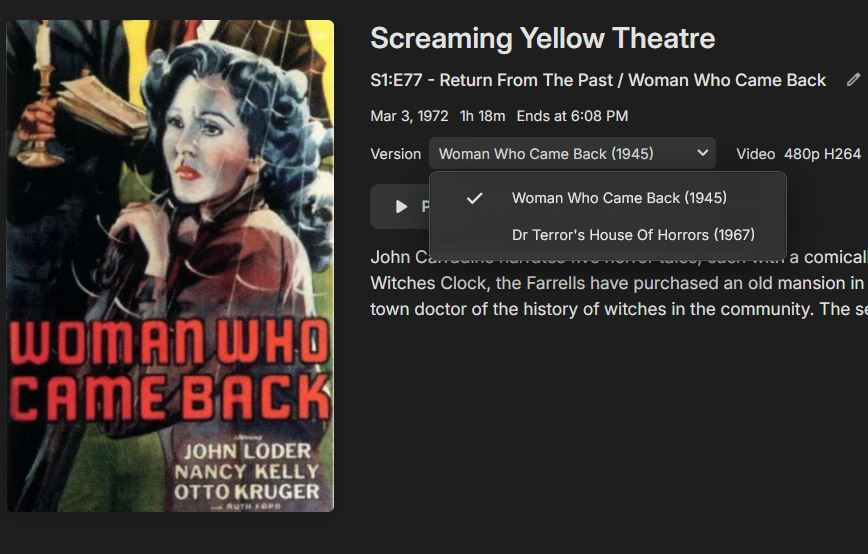
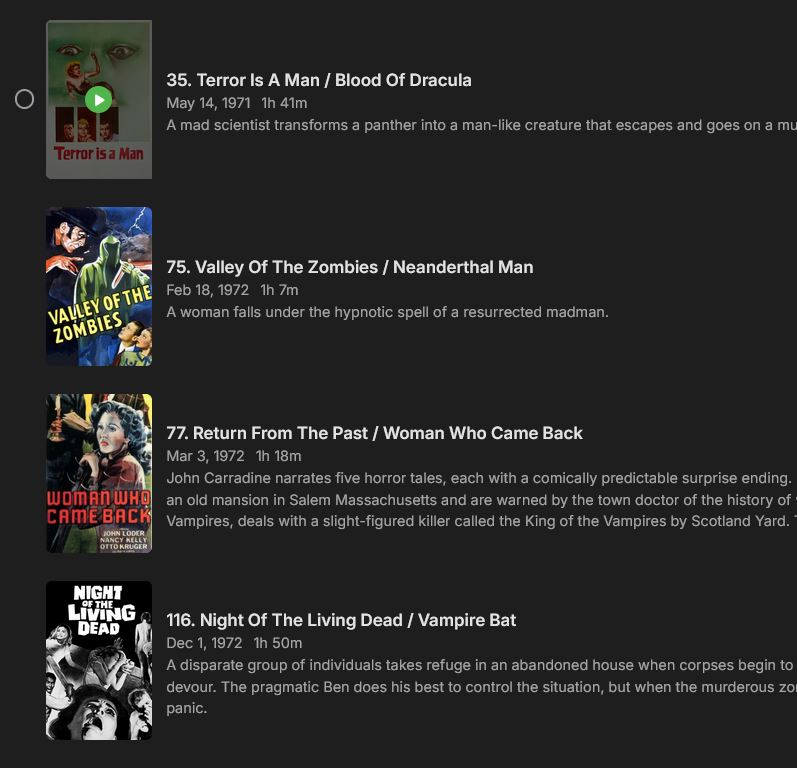
Using the Emby naming convention (found here: https://emby.media/support/articles/TV-Naming.html) you can split / join episodes: This only works if your TV(Shows) source also listed the movie as an episode. So in YOUR case: Screaming Yellow Theatre (1970) / Season 02 / Screaming Yellow Threatre (1970) - s02e43 - Woman who Came Back Screaming Yellow Theatre (1970) / Season 02 / Screaming Yellow Threatre (1970) - s02e43 - Back from the Dead Screaming Yellow Theatre (1970) / Season 02 / Screaming Yellow Threatre (1970) - s02e44 - The Man Who Wouldn't Die (Part 1) - The Man Who Wouldn't Die Screaming Yellow Theatre (1970) / Season 02 / Screaming Yellow Threatre (1970) - s02e44 - The Man Who Wouldn't Die (Part 2) - Dr Terrors House of Horrors Screaming Yellow Theatre (1970) / Season 02 / Screaming Yellow Threatre (1970) - s02e45 - Dante's Inferno I can't seem to find "Dr Terrors House of Horrors" in the TV-show listing though. Even if you think it belongs in the episode list, isn't it technically a movie and shouldn't it also belong in a movie library? Other examples of splitting and joining which should normally work: Separated episodes: Stargate SG-1 (1997) - Stargate SG-1 (1997) - s01e01 - Children of the Gods (Part 1) Stargate SG-1 (1997) - Stargate SG-1 (1997) - s01e02 - Children of the Gods (Part 2) Multiple episodes in one file: Stargate SG-1 (1997) - Stargate SG-1 (1997) - s01e01-02 - Children of the Gods Multiple files for one episode: Stargate SG-1 (1997) - Stargate SG-1 (1997) - s01e01 - Children of the Gods (Part 1-A) Stargate SG-1 (1997) - Stargate SG-1 (1997) - s01e01 - Children of the Gods (Part 1-B)2 points
-
New beta, please test every single little setting to the point that it's silly as i fixed the overlays not getting added or removed when enabling or disabling some settings without having to do a scan or metadata refresh. Added: 1. Aspect ratio snap, this will calculate weird aspect ratios to the nearest common known aspect ratio within a certain radius. This is to avoid having to have an icon for every single strange aspect ratio out there. 2. Aspect ratio calculator in the troubleshooter to see what aspect ratios will be shown and icon needed for any aspect ratio. 3. Option to disable series specials from the TV show aggregation calculation so that TV show specials will not be counted towards what icons will be shown. Changes: 1. Changed the caching system slightly to be more robust. This is not something anyone should notice. Fixed: 1. Overlays should now correctly get added or removed without a need to do a scan or metadata refresh, this might still be needed in some edge cases outside my control. 2. Overlays getting stale on episode posters in season view. Again please, PLEASE, test this to the point where it begs for mercy! I want this one to be as close to perfect as possible and it's hard to test everything my self without getting cross eyed. --- WARNING! WARNING! WARNING! --- This is a beta so please use in a test environment! EmbyIcons.dll2 points
-
There should indeed be a way to manage it yourself. I've always wondered how Emby gets these statistics or where they come from. Especially in a personal media server, you should at least be able to manage this yourself or turn it on/off.2 points
-
It would be great to be able to configure channel groups in LiveTV, which can be selected in the guide view (maybe as tabs) so that we can more quickly navigate to preferred channels using the d-pad. Perhaps start with Favorites by default, but be able to add custom groups (similar to collections) which we can add channels to (Network, Premium, Basic Cable, Kids, News etc.).1 point
-
I may be the last to know this, but that wouldn't be surprising.......Have some TV episodes that are double feature movies. The movies are broken into 2 separate files. Couldn't figure out how to list them as a single Episode like they are listed on TheTVDB. Took a chance and listed both as the same episode number and they both showed up as Versions. Was not expecting that at all but glad it seems to work.
 1 point
 -
I think most of my issues with trailers are documented in the other trailers plugin thread, but this comment possibly explains why the issues are persisting. Emby seems to be trying too hard to find "relevant" trailers, which forces certain trailers to be repeated over and over again. And if emby cannot find a suitable trailer, it just plays one for the movie you are already watching. If I'm watching indiana jones, i dont want two trailers for indiana jones. If I'm watching Mission Impossible 3, I don't want trailers for trailers for Mission Impossible 1 & 2. Not even two comedy trailers when watching a comedy. The only restriction I would like is no trailer above the age rating of the movie being shown. Thanks.1 point
-
Precondition: - Currently I have an Enigma2 based cable receiver connected to Emby. <- doesn't matter for this feature request - active recording Observed: No message is displayed, that the channel cannot be viewed during an active recording, because no tuner is available. Only the loading animation is displayed. A message would be great, such that the user is aware of that no tuner is available at the moment.1 point
-
I couldn't find a request like this so here goes. When working on large libraries, media folders or seasons/collections users tend to immediately want to view the new stuff but quickly realise "things are missing" and contact the system administrator. I was wondering if it's an idea to add a publish/unpublish method to media items or maybe even entire folders / playlists / collections. This way items can be "unpublished" (hidden from normal users) or "published" (visible) via a server setting, so that when someone is working on them or new media is being added / enriched an admin do work on them and "publish" when done.1 point
-
Actually, a whole bunch of commercials play before movies now. The last movie I went to in a big cinema had 45 minutes of trash in front of the movie starting at the supposed movie show time.1 point
-
Good catch, i didn't disable for the "strange" ratios because I wanted to be sure people didn't miss any icons. You are right, I should change the wording.1 point
-
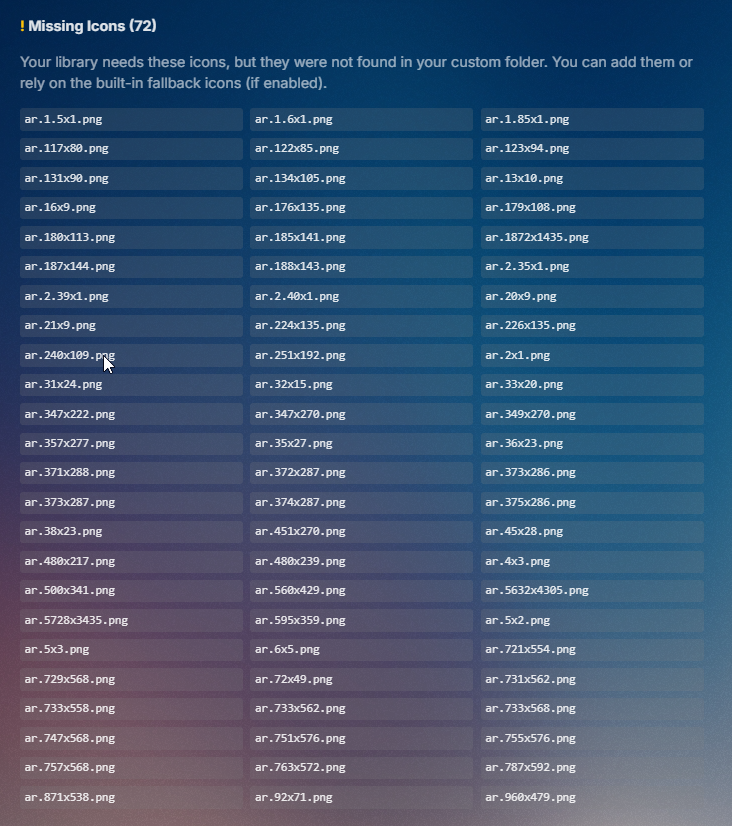
I have dozen of aspect ratio so I simply don't show them I'm not going to create for all of them an icon - I simply don't care the aspect ratio You will going to be nuts when you want to create them all
 1 point
 -
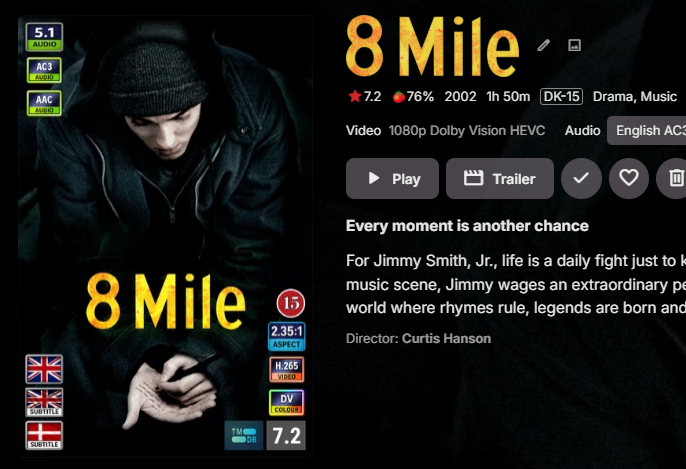
Nice Copilot 1) Please change the text to 2.35:1 and alter text size to fit inside the image with maintained ratio 2 ) Resize to 97 x 76 Gave me this when using this as a templet.

 1 point
 -
I check what I could check in my setup and couldn't find any issues till now - And I use it in prod no test system lol1 point
-
Maybe you should use something like Canva instead of IA With Canva I had no issues creating my personal icons1 point
-
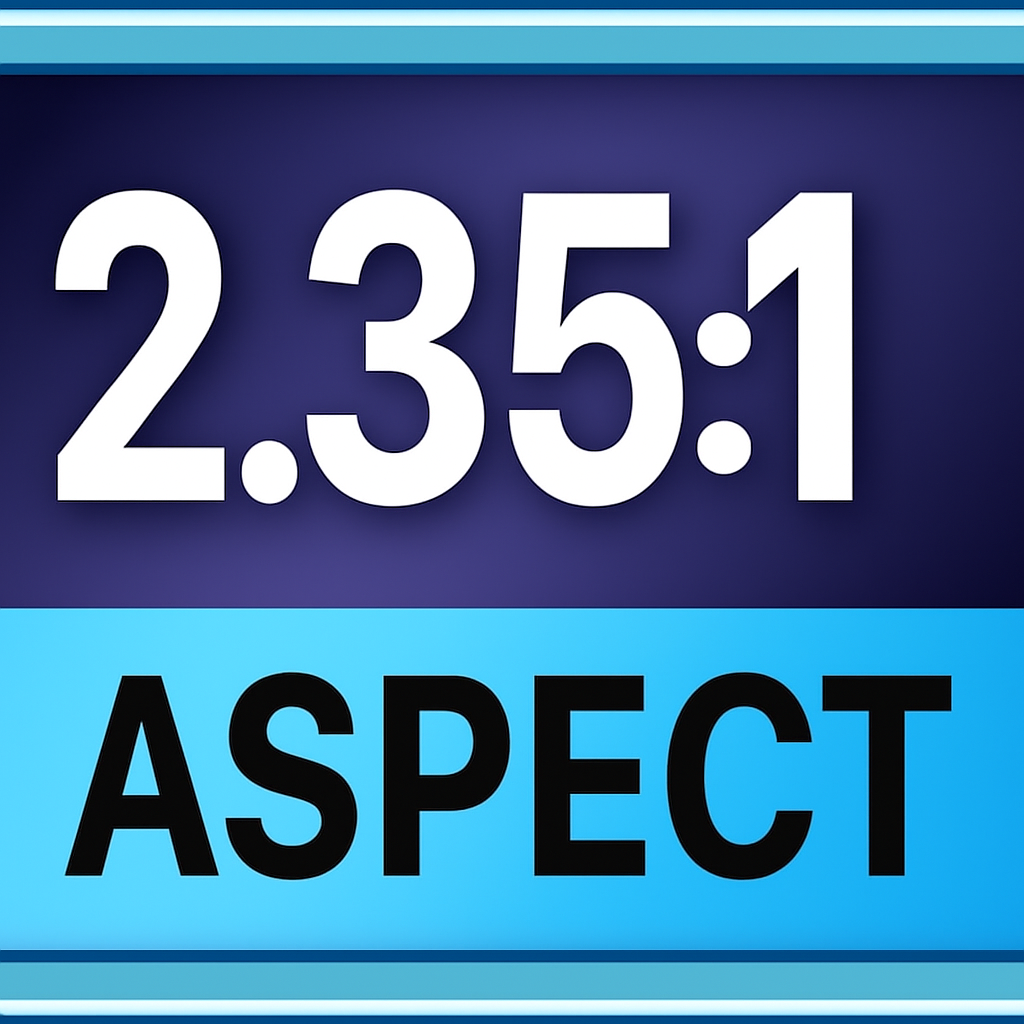
OMG it look like GPT is cutting the image left and right. I used this question. Please change the text to 2.35:1 and alter text size to fit inside the image. And I got this image
 1 point
 -
Ok cool will let GPT make those I'm missing. When happy with them, I will post them here for every one to use Or for you to add them into the plugin1 point
-
I agree that more control over Cinema Intros is 100% needed and all of this should have options to be enable or disable somewhere within the settings, but this feature request was about having total randomness to what trailers were played. I want zero connections to the movie I am about to watch. None. I truley want emby to pick random 5 trailers for my library and play them before the movie I intend to watch. The same goes for TV shows. (I should also say that I don't use the trailers plugin. All of my trailers are stored locally)1 point
-
Hi Luke - thanks for the reply. I took a closer look at the .nfo file - although it was correct previously, the metadata had changed to refer to Guardians of the Galaxy Vol 3 - which I don't own.... once I'd worked that out I re-ientified it in the UI and its now available. I'm a little concerned as to how the identification changed without any input from me (any ideas on that one?), but I know now what to look for Cheers, R>1 point
-
Have looked at the transcode file for a conversion? But looks like the sync folder 23:47:15.707 Stream mapping: 23:47:15.708 Stream #0:0 (h264_qsv) -> vpp_qsv:default (graph 0) 23:47:15.708 vpp_qsv:default (graph 0) -> Stream #0:0 (h264_qsv) 23:47:15.708 Stream #0:2 -> #0:1 (dts (dca) -> aac (native)) 23:47:15.708 Stream #0:1 -> #0:2 (copy) 23:47:15.708 Press [q] to stop, [?] for help 23:47:16.105 Output #0, mp4, to 'C:\Users\Media\AppData\Roaming\Emby-Server\programdata\sync\6\8\8a22d78f-bd69-4335-ac8c-b0a45872156c.mp4': But yes this would be good info to have on the page or in the KB for default locations.1 point
-
We didn't ask for relevant. We asked for random. The point of this was to have totally random trailers play before movies/TV shows. Having TV show trailers play before a Movie also breaks the immersion of being in a "theater" when watching a movie. It's been a long time since I was in a theater (Like 10 years, I have agoraphobia, and don't leave my home often) but I don't recall TV trailers being played before movies. (maybe that has changed) lol It's not as off putting when a movie trailer plays before TV show, but I still think it would be good to limit it to TV show trailers before episodes too.1 point
-
Weird... I configured all directories manually. good catch, initially it was installed on another Syno and I just export/import the conf. I totally forgot that point has it is working, except this random issue on this particular folder... Just looking at the conf, the emby user is well configured to read all folders even using smb. I will change the conf tomorrow to use local paths.1 point
-
Hi, this does come up occasionally so it's certainly possible.1 point
-
Hi, yes when they have the same episode numbers the server will treat them as the same content.1 point
-
Sorry - I missed that. The way you embedded the download in the text made it less prominent than I expected. It's usually best to supply the main server log at the same time (though of course you won't have the corresponding one now!). Paul1 point
-
I was thinking it sounded familiar but couldn't find it when I searched.Thanks.1 point
-
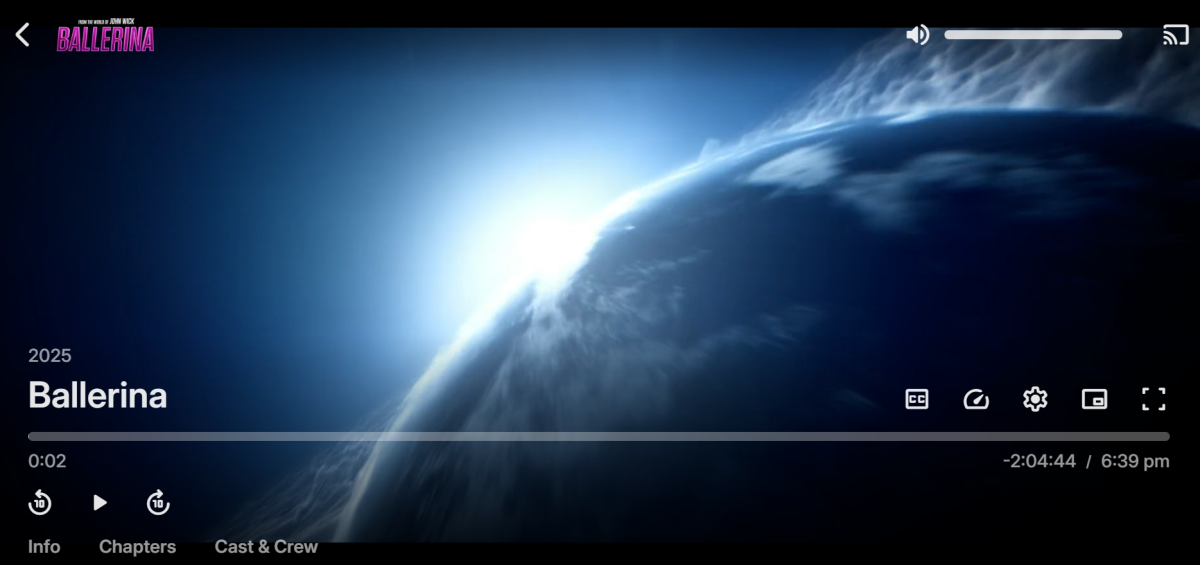
I was thinking top left because that is were it is when a movie is playing and you interact with the UI. (with mouse/key or remote controller) Maybe the Dev team could add a way to put a bumper in front of trailers. Something like "Coming Soon" or for local trailers "Movies already in Library" Something like that.
 1 point
 -
@Luke This looks like it made into the beta. Works just like I had hopped. Thanks Luke!1 point
-
For people like me who do want it or use it, it's just becomes useless screen clutter. Plus not having options to disable UI settings like this force me to use the web app. I use custom CSS to remove this and other UI elements that I do not use or want. I am unable to use the new windows app or android app because neither uses the custom CSS function to disable UI elements. If apps had the option to remove unwanted UI elements natively and there was no need to use CSS then I could use those apps instead of the web app.1 point
-
Thank you! I look forward for this to be implemented1 point
-
Long way down? It's just two taps down after Cast & Crew. If it had been at the bottom, I wouldn't mind, but every single person I know skips it to reach About and Media Info. It's very embarrassing when it suggests content from unrelated libraries and gets things completely wrong: 1. Why would it suggest cartoons and animations for movies that have nothing to do with that? 2. Why would it suggest Horror for movies that aren't in that genre? 3. Why would it suggest Sci-Fi Movies and TV Shows for cartoons? 4. Why would it suggest Sci-Fi Movies and TV Shows for westerns? 5. Why would it suggest War movies for animations and sitcoms? The list of irrelevant suggestions keeps going, and since you can't access or modify it, what's the point of having it? It's just an embarrassment for your friends and family.1 point
-
Yeah, Emby has very clearly become Luke's thing unfortunately. That said, what exactly is the scenario that requires More Like This to be switched off? You have to scroll a long way down to see it at all, so it's pretty easy to just ignore.1 point
-
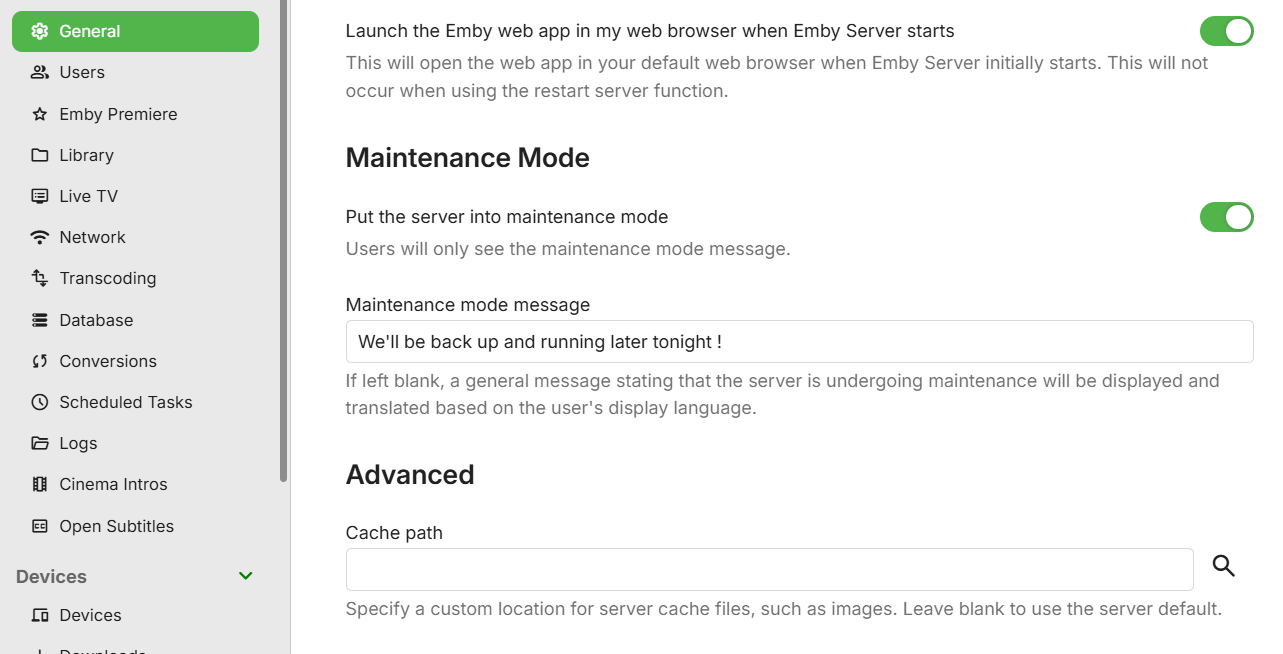
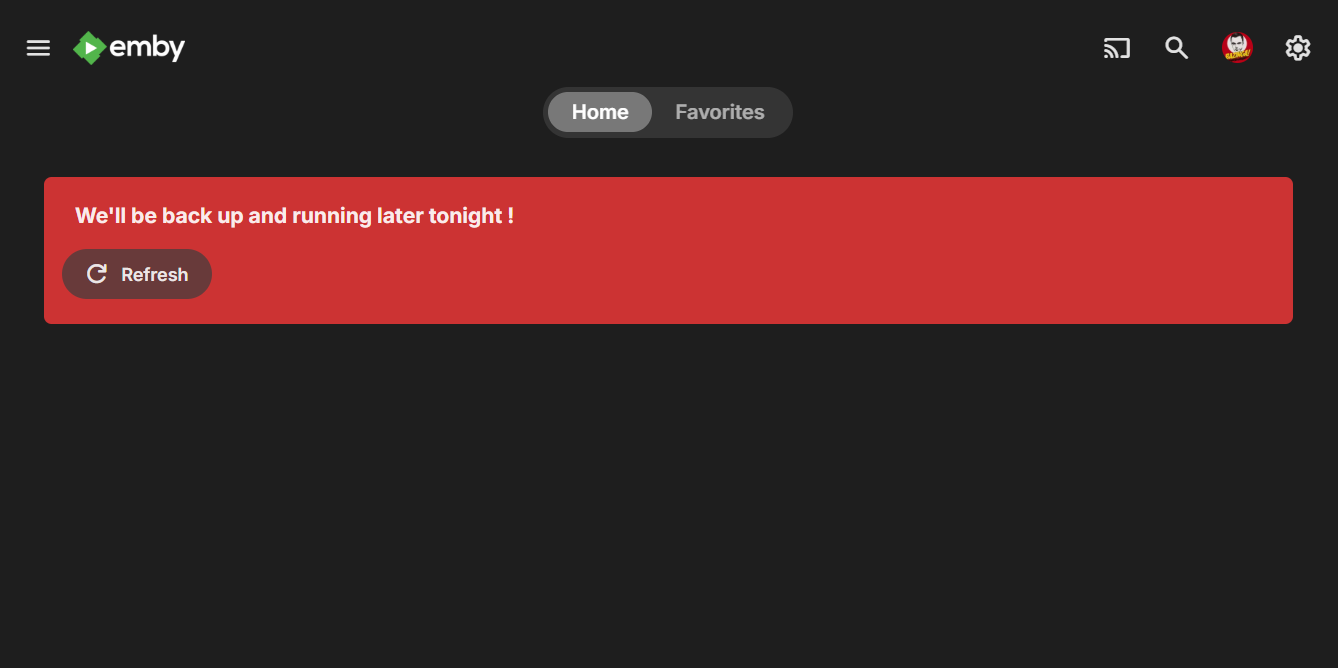
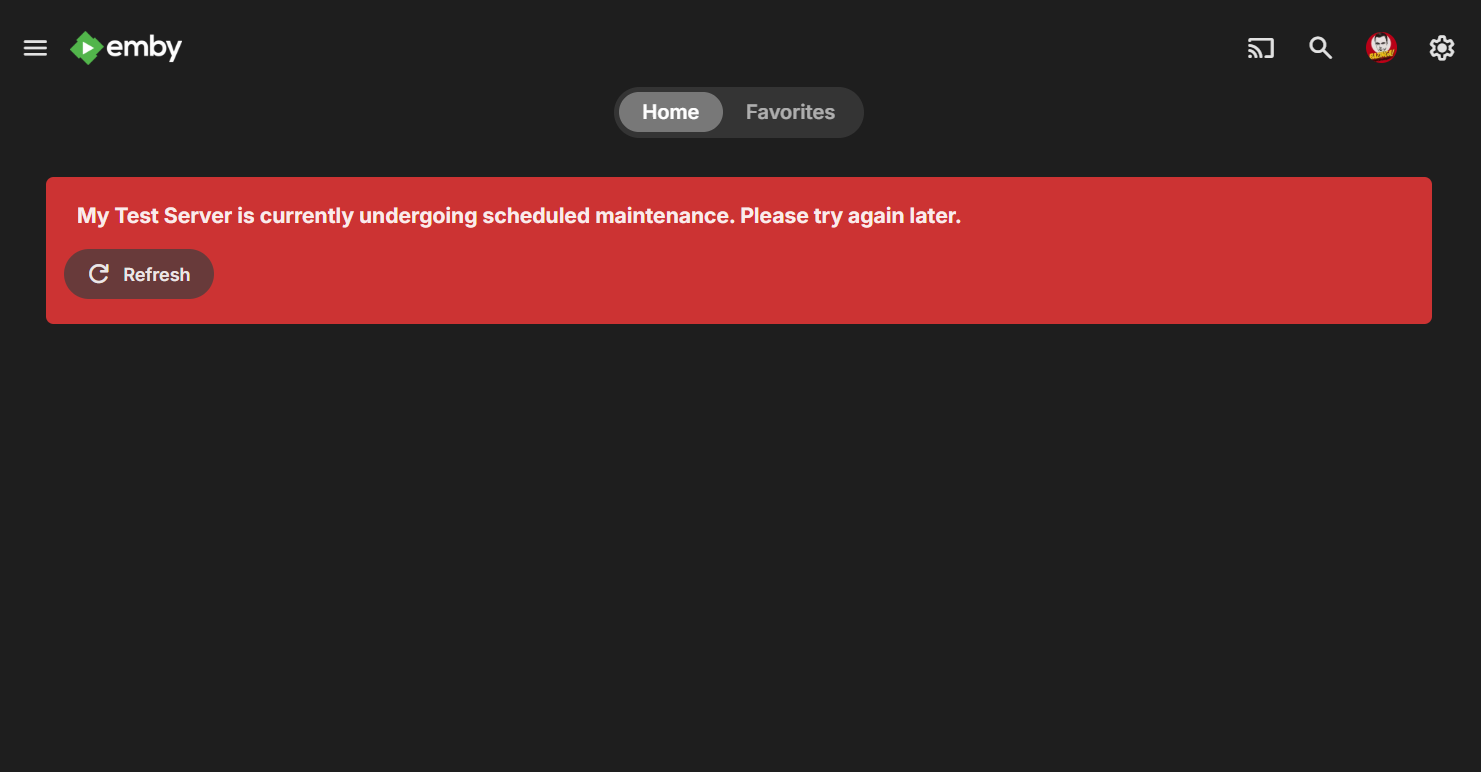
Maintenance mode coming soon on the server beta channel:
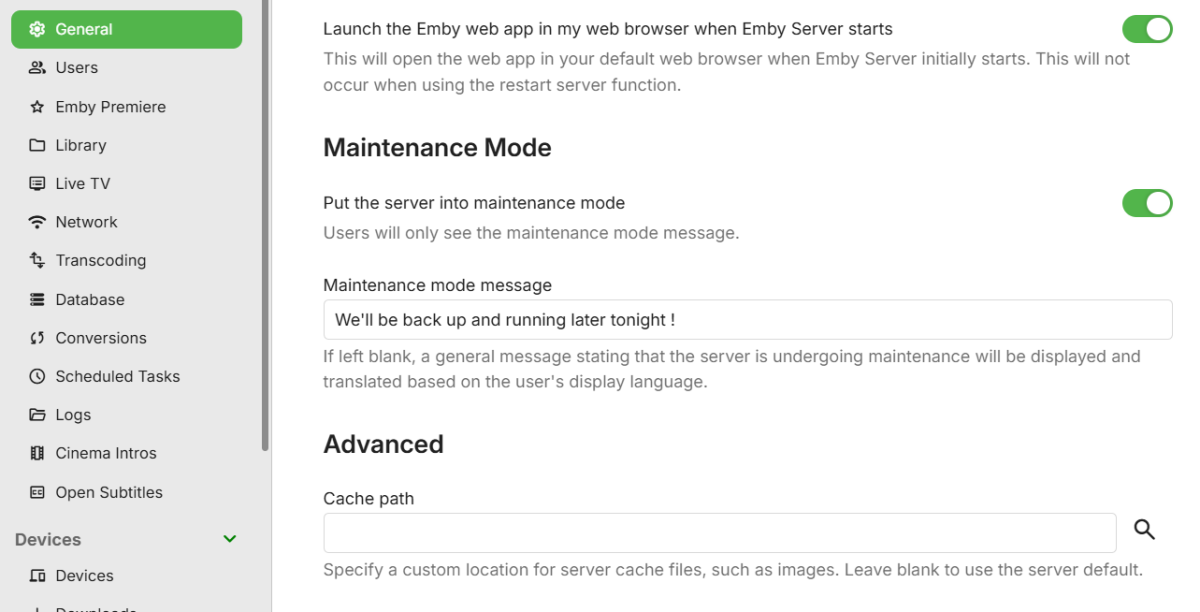
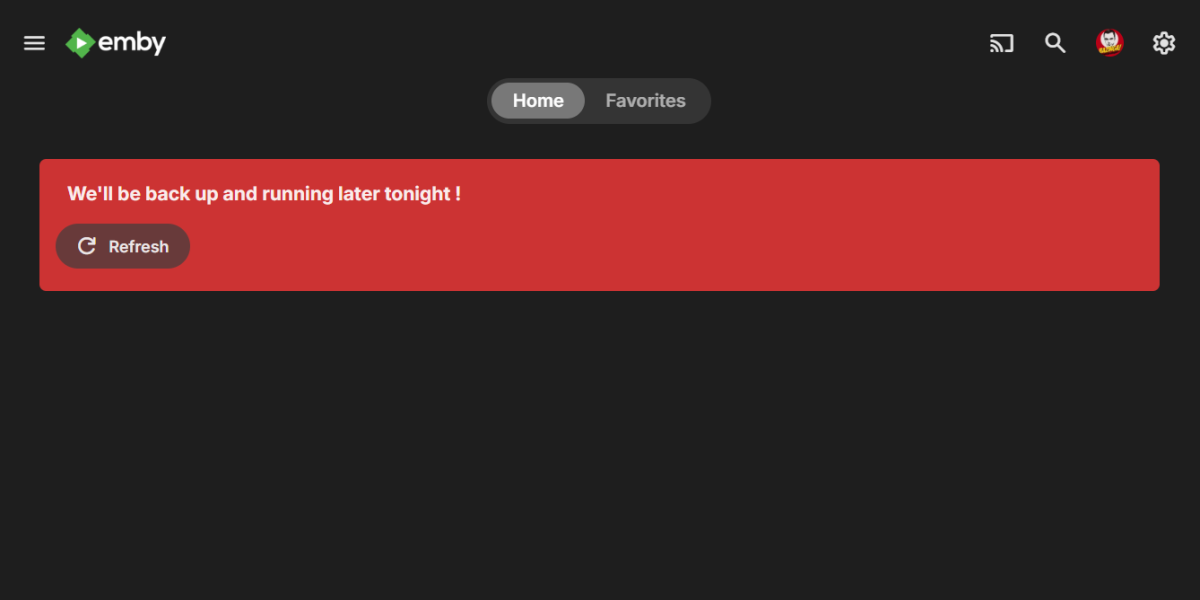
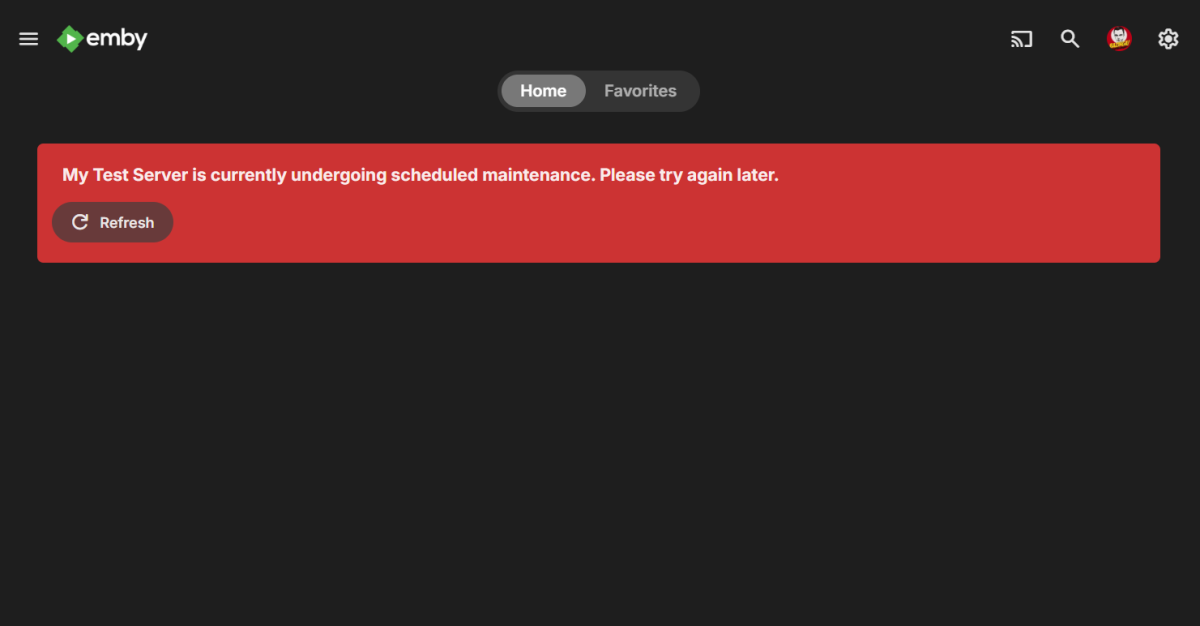 1 point
 -
No @Luke, it's more a type, very similar to how we currently see albums and then below that we see appears on, expanding that would see singles, live albums as separate lines as well. Now for my mind i would expect this to require a naming convention, for example in my music library i use [LIVE] or [CDS] so i know singles from albums and studio albums from live albums, i use that format as Emby does not read inside those particular brackets so it doesn't get included in the title making everything messy, maybe something like that could be done? Emby could read that name inside [--] and apply the album to that type and display accordingly? If you look at TIDAL they do the exact thing we are discussing here as does Spotify (i believe, don't actually use it) and most others i imagine, it's a pretty common practice in music apps.1 point
-
The passmark score is the same for software transcodes no matter what CPU you have. An i5-12400 would be great and will handle everything perfectly fine in hardware.1 point
-
+1 to ReplayGain support, or possibly add a gain adjustment option (in metadata?) so individual songs can be adjusted manually. I agree with the other users that mixed music playlists require physically adjusting the volume on the actual player, sometimes from song to song. If I am away from the player, I sometimes can either not hear the music or get blasted. I use Emby to stream music at work all day with mixed playlists, and the volume changes can get quite frustrating. ReplayGain (if it works anything like AACgain) is an automatic profile that would eliminate the need for manual adjustment. If (as other users have suggested) it is already implemented into some aspects of Emby, why can it NOT be more widely applied? From the dates on some of these posts, it seems like it has been discussed (and accepted by Emby moderators as "a good idea") for more than 8 years, but seems not to have been implemented yet. I find these forums helpful & interesting, but I have seem many good suggestions encouraged, but not acted on. I find that somewhat discouraging.1 point
-
You honestly do not want to go AMD. You want Intel for quicksync. AMD is no where near as good as Intel when it comes to hardware transcoding. You need on average, 2k passmark for a 1080p software transcode, and a whopping 17000 for a 4k to 1080p software transcode with tonemapping. So with the 7945HX having a passmark score of about 57k , it would only be able to handle 3 4k to 1080p transcodes in software while using about 60 watts of power, where as an N100, or N150 would be able to handle at least 4 in hardware while using a mere 6-10 watts of power.1 point
-
As part of my slow migration process toward Emby, I was missing Tautilli's fantastic 'newsletter' functionality. So Grok and I worked on a very basic Python proof-of-concept which I though I'd share with the community. The below script will create an html file containing all media added in the last week. If you call it without an argument, it will ask you which libraries should be included. Otherwise you can call it with the '--libraries x,y,z' argument and it'll immediately process. It's not pretty, but the basic functionality is there. I hope it helps anyone else needing this capability. import requests import json from datetime import datetime, timedelta import getpass import random import argparse # Configuration EMBY_SERVER = "http://your-emby-server:8096" # Replace with your Emby server URL API_KEY = "your-api-key" # Replace with your Emby API key USER_ID = "your-user-id" # Replace with your Emby user ID # Headers for API requests headers = { "X-Emby-Authorization": f'MediaBrowser Client="Python Script", Device="Script", DeviceId="001", Version="1.0.0"', "X-Mediabrowser-Token": API_KEY } def get_libraries(): """Fetch available libraries from Emby.""" url = f"{EMBY_SERVER}/emby/Library/VirtualFolders?api_key={API_KEY}" try: response = requests.get(url, headers=headers) response.raise_for_status() libraries = response.json() return [(lib["Name"], lib["ItemId"]) for lib in libraries] # Note: Use ItemId instead of Id if applicable except requests.RequestException as e: print(f"Error fetching libraries: {e}") return [] def get_user_selection(libraries): """Prompt user to select libraries.""" selection = input("\nEnter the numbers of the libraries to process (e.g., '1,3,4'), or 'all' for all libraries:\n> ").strip().lower() if selection == "all": return [lib_id for _, lib_id in libraries] try: selected_indices = [int(i.strip()) - 1 for i in selection.split(",")] return [libraries[i][1] for i in selected_indices if 0 <= i < len(libraries)] except (ValueError, IndexError): print("Invalid selection. Processing all libraries.") return [lib_id for _, lib_id in libraries] def get_recent_media(library_id, start_date): """Fetch media added in the last week for a given library.""" url = f"{EMBY_SERVER}/emby/Users/{USER_ID}/Items" params = { "ParentId": library_id, "IncludeItemTypes": "Series,Movie,Episode", "Recursive": True, "Fields": "DateCreated,Overview,SeriesName,ParentIndexNumber,IndexNumber,ImageTags", "SortBy": "DateCreated", "SortOrder": "Descending", "Limit": 1000, # Set a high limit to fetch many items "api_key": API_KEY } try: response = requests.get(url, headers=headers, params=params) response.raise_for_status() items = response.json().get("Items", []) # Filter items where DateCreated >= start_date recent_items = [item for item in items if item.get("DateCreated") and datetime.fromisoformat(item["DateCreated"].rstrip('Z')) >= start_date] return recent_items except requests.RequestException as e: print(f"Error fetching media for library {library_id}: {e}") return [] def generate_html(media_by_library, selected_library_ids, library_dict): """Generate HTML file with media grouped by library, then by series for episodes.""" # Collect all unique series and movie IDs for random background selection all_item_ids = set() for lib_id in selected_library_ids: media_items = media_by_library.get(lib_id, []) series_dict = {} movies = [] for item in media_items: if item["Type"] == "Episode" and "SeriesName" in item: series_name = item["SeriesName"] if series_name not in series_dict: series_dict[series_name] = { "SeriesId": item.get("SeriesId", ""), "Episodes": [] } series_dict[series_name]["Episodes"].append(item) elif item["Type"] == "Movie": movies.append(item) all_item_ids.update([data["SeriesId"] for data in series_dict.values()]) all_item_ids.update([movie["Id"] for movie in movies]) # Select random backdrop if available background_url = '' if all_item_ids: random_id = random.choice(list(all_item_ids)) background_url = f"{EMBY_SERVER}/emby/Items/{random_id}/Images/Backdrop?api_key={API_KEY}" # HTML content with improved professional dark theme, no italics, and background image html_content = f""" <!DOCTYPE html> <html lang="en"> <head> <meta charset="UTF-8"> <meta name="viewport" content="width=device-width, initial-scale=1.0"> <title>Recently Added Media</title> <link href="https://fonts.googleapis.com/css2?family=Roboto:wght@400;500;700&display=swap" rel="stylesheet"> <style> :root {{ --bg-color: #121212; --text-color: #e0e0e0; --header-color: #ffffff; --card-bg: #1e1e1e; --accent-color: #b0b0b0; --shadow-color: rgba(0, 0, 0, 0.3); }} body {{ background-color: var(--bg-color); color: var(--text-color); font-family: 'Roboto', sans-serif; margin: 20px; line-height: 1.6; background-image: url('{background_url}'); background-size: cover; background-position: center; background-attachment: fixed; }} .overlay {{ position: fixed; top: 0; left: 0; width: 100%; height: 100%; background-color: rgba(18, 18, 18, 0.7); z-index: -1; }} h1 {{ text-align: center; color: var(--header-color); font-weight: 700; margin-bottom: 40px; }} h2.library-header {{ grid-column: 1 / -1; color: var(--header-color); font-weight: 500; font-size: 1.8em; margin-bottom: 10px; padding-bottom: 10px; border-bottom: 1px solid var(--accent-color); }} h3 {{ color: var(--header-color); font-weight: 500; margin-bottom: 10px; }} .container {{ display: grid; grid-template-columns: repeat(auto-fit, minmax(300px, 1fr)); gap: 20px; max-width: 1200px; margin: 0 auto; position: relative; z-index: 1; }} .card {{ background-color: var(--card-bg); padding: 20px; border-radius: 8px; box-shadow: 0 4px 8px var(--shadow-color); transition: transform 0.2s, box-shadow 0.2s; }} .card:hover {{ transform: translateY(-5px); box-shadow: 0 6px 12px var(--shadow-color); }} .card-content {{ display: flex; align-items: flex-start; }} img {{ max-width: 120px; height: auto; margin-right: 20px; border-radius: 4px; box-shadow: 0 2px 4px var(--shadow-color); }} ul {{ list-style-type: disc; padding-left: 20px; margin: 0; }} li {{ margin-bottom: 8px; }} .synopsis {{ font-size: 0.9em; color: var(--accent-color); }} </style> </head> <body> <div class="overlay"></div> <h1>Media Added in the Last Week</h1> <div class="container"> """ for lib_id in selected_library_ids: lib_name = library_dict[lib_id] media_items = media_by_library.get(lib_id, []) if not media_items: continue # Group episodes by series series_dict = {} movies = [] for item in media_items: if item["Type"] == "Episode" and "SeriesName" in item: series_name = item["SeriesName"] if series_name not in series_dict: series_dict[series_name] = { "SeriesId": item.get("SeriesId", ""), "Episodes": [] } series_dict[series_name]["Episodes"].append(item) elif item["Type"] == "Movie": movies.append(item) # Sort episodes within each series by season and episode number for data in series_dict.values(): data["Episodes"].sort(key=lambda e: (e.get("ParentIndexNumber", 0), e.get("IndexNumber", 0))) # Add library header if there is content has_content = bool(series_dict or movies) if has_content: html_content += f'<h2 class="library-header">{lib_name}</h2>' # Add series cards for series_name, data in series_dict.items(): series_id = data["SeriesId"] html_content += f""" <div class="card"> <div class="card-content"> <img src="{EMBY_SERVER}/emby/Items/{series_id}/Images/Primary?api_key={API_KEY}" alt="{series_name} poster"> <div> <h3>{series_name}</h3> <ul> """ for episode in data["Episodes"]: season = episode.get("ParentIndexNumber", "N/A") episode_num = episode.get("IndexNumber", "N/A") synopsis = episode.get("Overview", "No synopsis available.") html_content += f""" <li>S{season:02d}E{episode_num:02d} - {episode['Name']}: <span class="synopsis">{synopsis}</span></li> """ html_content += """ </ul> </div> </div> </div> """ # Add movie cards for movie in movies: movie_id = movie["Id"] synopsis = movie.get("Overview", "No synopsis available.") html_content += f""" <div class="card"> <div class="card-content"> <img src="{EMBY_SERVER}/emby/Items/{movie_id}/Images/Primary?api_key={API_KEY}" alt="{movie['Name']} poster"> <div> <h3>{movie['Name']}</h3> <p class="synopsis">{synopsis}</p> </div> </div> </div> """ html_content += """ </div> </body> </html> """ # Write to file with open("recent_media.html", "w", encoding="utf-8") as f: f.write(html_content) print("HTML file 'recent_media.html' generated successfully.") def main(args): # Calculate date for one week ago start_date = datetime.now() - timedelta(days=7) # Get libraries libraries = get_libraries() if not libraries: print("No libraries found or error occurred.") return library_dict = {lib_id: name for name, lib_id in libraries} # Print available libraries print("\nAvailable Libraries:") for i, (name, _) in enumerate(libraries, 1): print(f"{i}. {name}") # Get user selection if args.libraries is not None: selection = args.libraries.strip().lower() if selection == "all": selected_library_ids = [lib_id for _, lib_id in libraries] else: try: selected_indices = [int(i.strip()) - 1 for i in selection.split(",")] selected_library_ids = [libraries[i][1] for i in selected_indices if 0 <= i < len(libraries)] except (ValueError, IndexError): print("Invalid command line selection. Falling back to interactive prompt.") selected_library_ids = get_user_selection(libraries) else: selected_library_ids = get_user_selection(libraries) if not selected_library_ids: print("No libraries selected.") return # Fetch recent media for selected libraries media_by_library = {} has_media = False for lib_id in selected_library_ids: media_items = get_recent_media(lib_id, start_date) media_by_library[lib_id] = media_items if media_items: has_media = True if not has_media: print("No media found added in the last week.") return # Generate HTML generate_html(media_by_library, selected_library_ids, library_dict) if __name__ == "__main__": parser = argparse.ArgumentParser(description="Generate report of recently added media in Emby libraries.") parser.add_argument('--libraries', type=str, help="Libraries to process, e.g., '1,3,4' or 'all'") args = parser.parse_args() # Prompt for configuration if not set if EMBY_SERVER == "http://your-emby-server:8096": EMBY_SERVER = input("Enter your Emby server URL (e.g., http://localhost:8096): ").strip() if API_KEY == "your-api-key": API_KEY = getpass.getpass("Enter your Emby API key: ").strip() if USER_ID == "your-user-id": USER_ID = input("Enter your Emby user ID: ").strip() main(args)1 point
-
new ignore features are coming:1 point
-
Emby changed recently. When you clicked an actor's name, it used to show Movies and TV shows and episodes as distinct rails/lines. The recent change means Movies & TV Shows are shown under one rail as "Movies & Shows". I prefer the tv is separate to Movies as they are NOT the same. I may be interested in just exploring TV Shows for an actor. If the combined view on the rail is to be the way, then at least if you click/select "Movies & Shows" it should open a new page where the content is separated into differing views one for Moves, one for TV Shows and one for Episodes. Combing Movies and Shows in one rail stinks of Apple TV app. They are separate things and should not be combined in my view.1 point
-
Nooooo! Why get rid of that feature? I really liked it. Can I strongly suggest it be restored in a future upgrade!1 point
-
The adjustment is inside modules/homesections/homesections.js Search for 16 and replace it with another number. I actually like 80. Maybe that's just me. Since there is no User setting, I have to go in and edit the .js file after every update. It might be a nice option in the Display page. Does anyone else have interest in this feature?1 point
-
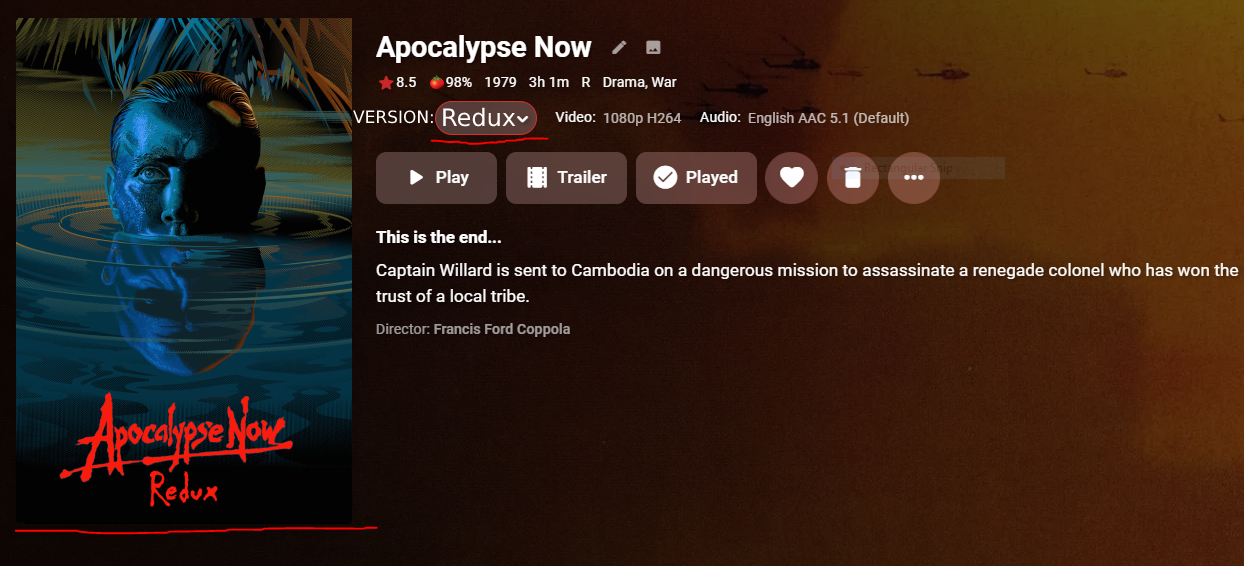
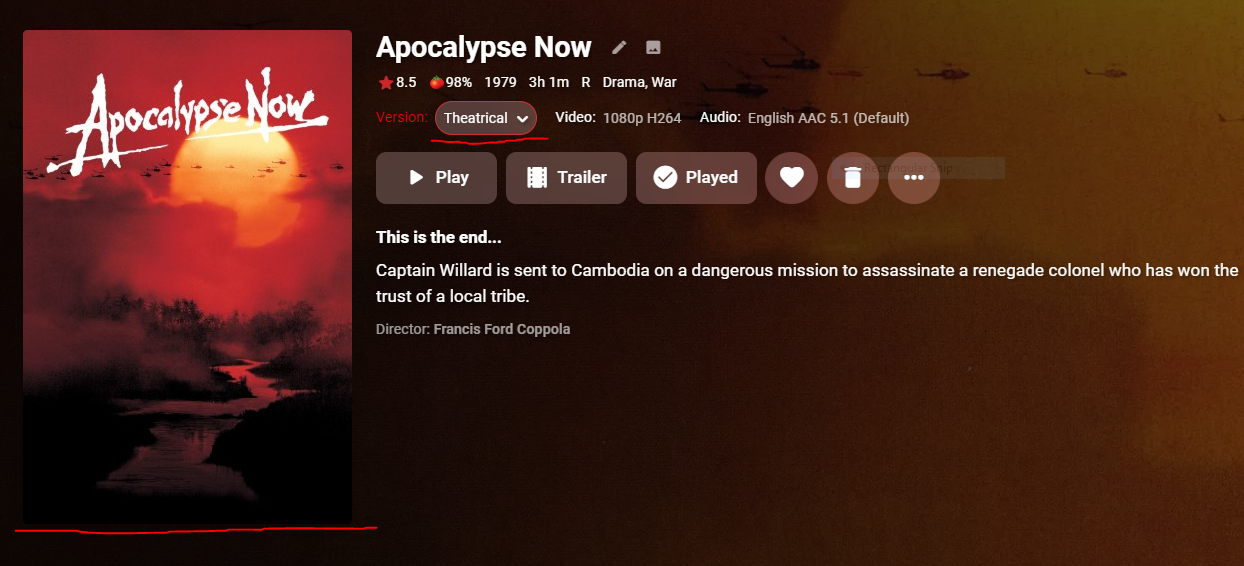
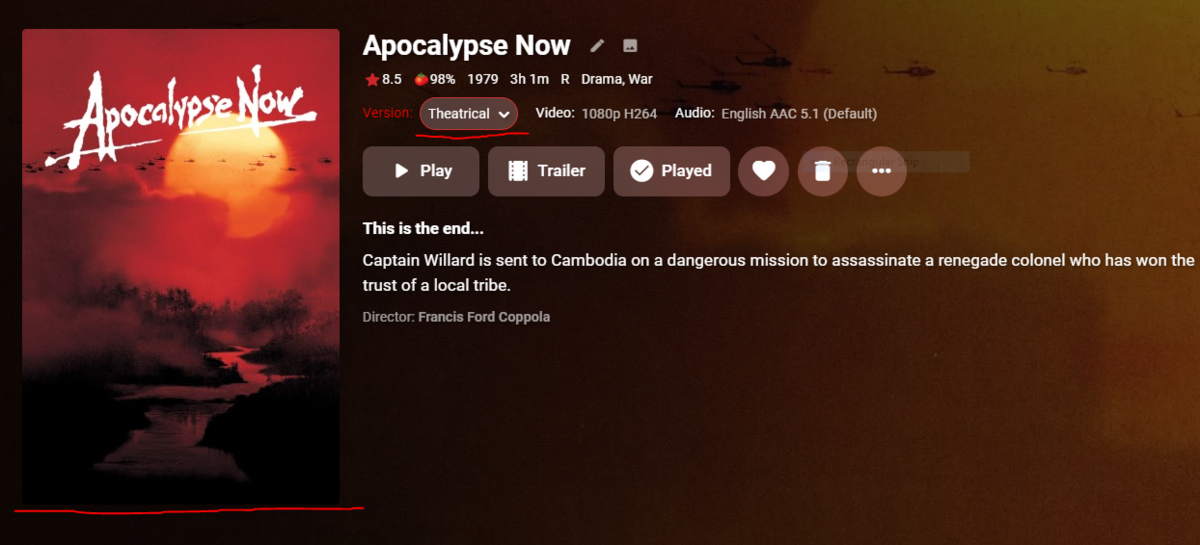
I was wondering if implementing this feature could be a possibility eventually. Considering the option to change the version of a movie is so tiny, I'd like to be able to have the poster change whenever choosing the different cut of a movie such as Apoc. Now with the 10,000 cuts it has. I understand I can split apart the movies but this ruins the look and flow of my set up imo and I personally think the ability to change version posters would be neat. I also realized that the information such as length, rating, etc are based on the original release of the film and don't change when selecting another version. Thanks for all the hard work regardless! I attached some photos of an example of the change aswell.
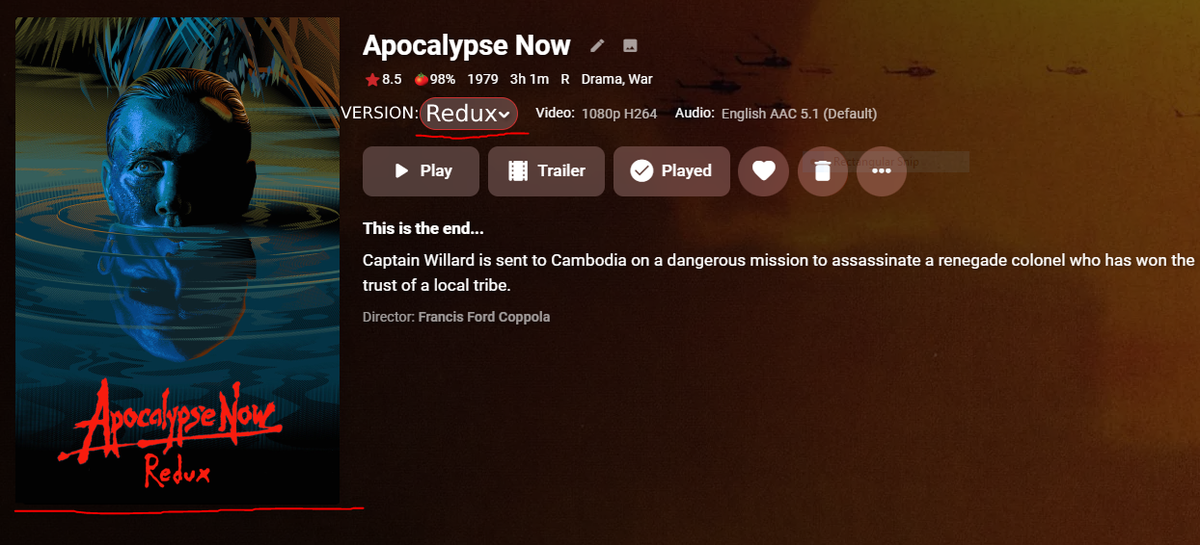
 1 point
 -
Universal closed caption support is coming:1 point
-
I know that to some people this may seem silly but to those who have family members that are either elderly or don't understand technology this would be a godsend. I don't know what they keep doing but my parents will constantly accidentally log themselves out of the roku app. Then I spend an hour on the phone with them trying to walk them through getting logged in either with emby connect or having them manually enter the IP address. I would love it if there was a way I could get them logged in and make it impossible for them to log out or change any settings. seems like a long shot to ask for but just thought I would throw it out there!1 point
-
It would be nice in the home to have a button so people will know the top likes/favorite movies and tv shows or like a top 10 of movies/tv show of week or month Thanks1 point
-
One thing I noticed that TVHeadEnd does that Emby DVR does not do yet has to do with keeping tuner utilization down when watching multiple subchannels on the same tv stream. For instance, on TVHeadEnd, when I watch/record something on 12.1 and 12.2 at the same time, it will only use one tuner and split the streams out properly. On Emby, it uses two tuners to do the same, even though both of them are tuning to the exact same frequency. I believe implementing this feature would help reduce the number of recording conflicts seen on people's systems where a tuner isn't available. It should also help with network utilization as there is no need for two duplicate streams just to receive and strip out the ones you want. Great software though. I am moving from a TVHeadEnd/Plex setup on a computer to Emby on a Synology DS918+. Both setups are/were utilizing HDHomeRuns for the tuners. I am extremely happy with it, so much so that I sprung for the lifetime subscription. This is certainly software worth supporting.1 point
-
Hey all, Hope the holidays are treating you well I thought I might suggest something to encourage users to customize their Emby even further: Right now, we have the ability to add some custom css into the "Branding" field for our servers - this is great and has allowed me to make some minor adjustments to my Emby install to make things "just right", but so far it seems a little obtuse for users who aren't interested in or accustomed to editing CSS. Currently, if we want to include any custom images, we must either overwrite our system images or overwrite them in CSS. In some cases the images are added via Javascript so it's difficult to get the customizations to apply in the correct context. Additionally, I can only assume that the branding field is limited to CSS only, so any sort of additional JS embellishments one wishes to add aren't normally possible short of adding another script into the system folder. I think it would be excellent if we allowed users to package their customizations into themes. Instead of requiring users to place all of their customizations into a small textbox, you could allow them to create new "themes" which can be added to the current "themes" folder within the Emby install and be selectable from a dropdown box. Not only would this give would-be customizers more breathing room, but it would give everyone a more standardized method of applying customization. Also, it would solve the problem of having multiple customizations - right now I usually have a text file for my customizations which I have to copy/paste any time I want to switch them. Additionally, I have a few different issues I need to solve whenever I update: first, I need to manually remove any additions I might have made because Windows has permissions issues allowing the updater to automatically move them; then, I need to re-add any changes I made after the update since Emby isn't aware of my additions so it doesn't know to bring them over into my new install. Having a dropdown menu with our available themes would also give users a predictable/expected location to find any special themes the Emby team adds as well. Plus, I am never really a fan of editing system files to begin with; it's possible somewhere down the road it might clash with any changes that the developers make in the future, and in that case, it can be difficult to pinpoint what went wrong since customizations might not be consolidated into one easily toggled package. Who knows, time permitting it would be wonderful to have a user-driven Themes upload area, visually similar to Wordpress or other theme-ing systems - require screenshot images of the theme, and a .zip file containing any relevant .css, image, or .js files. Then users of all technical levels can download them and enjoy a custom Emby install!1 point
-
Hi, it's a possibility for the future, thanks.1 point