Leaderboard




Popular Content
Showing content with the highest reputation on 07/13/25 in all areas
-
Try playing with these display settings.
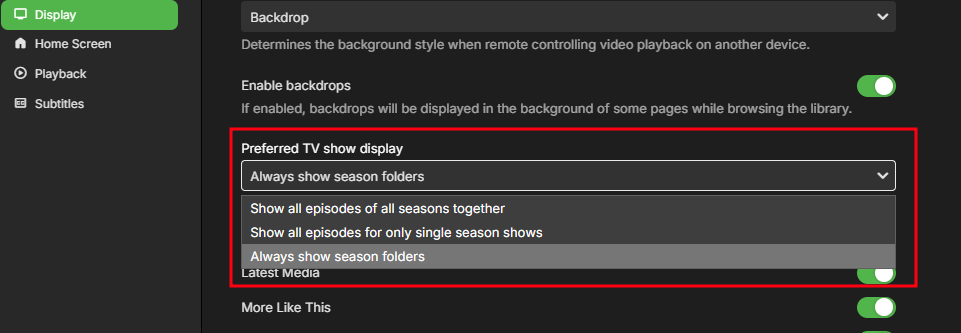 2 points
 -
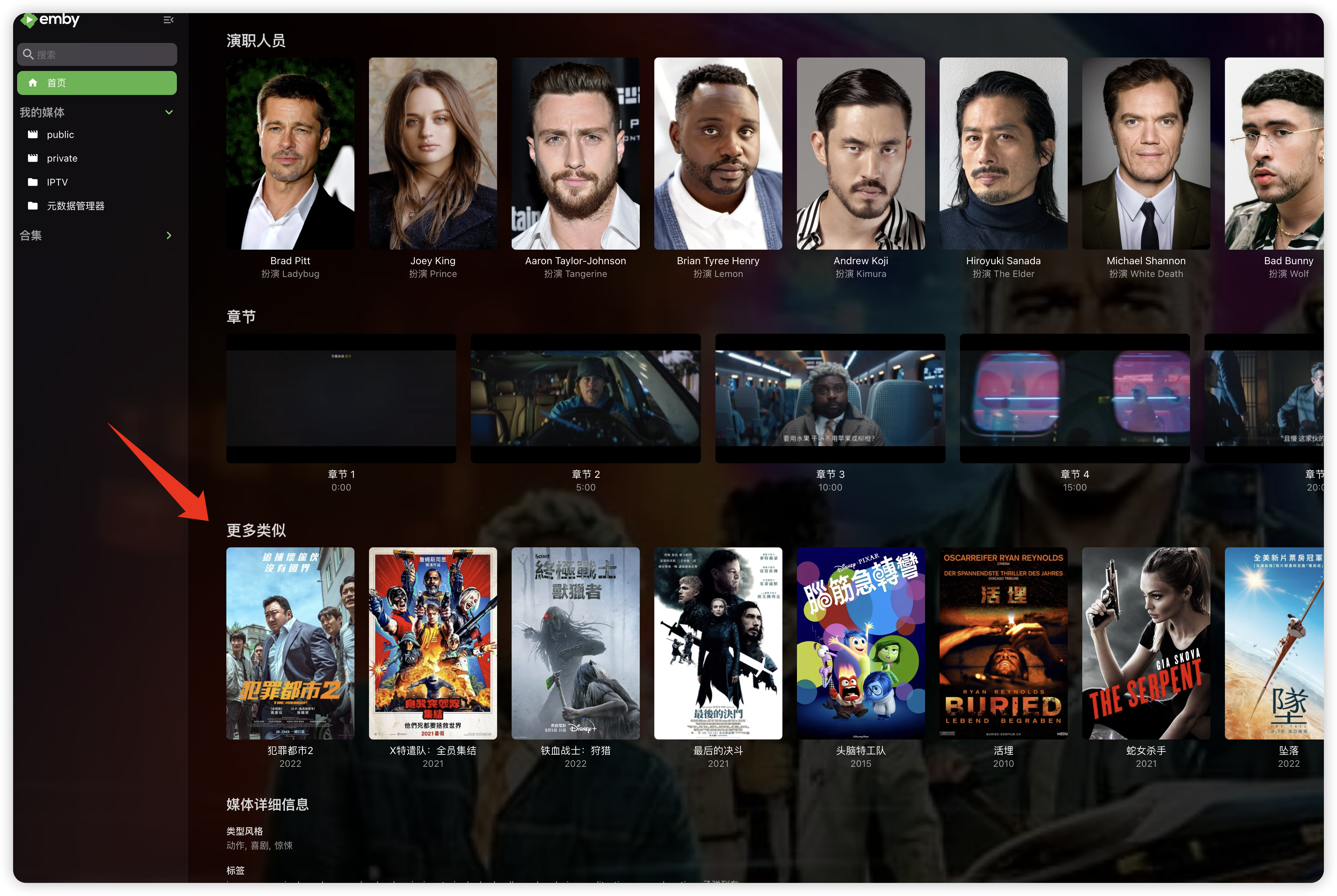
"More like this" will recommendations are made based on multiple media libraries,I don't like this, I prefer him to only recommend similar ones in the current media library, otherwise I would rather turn it off. What should I do?
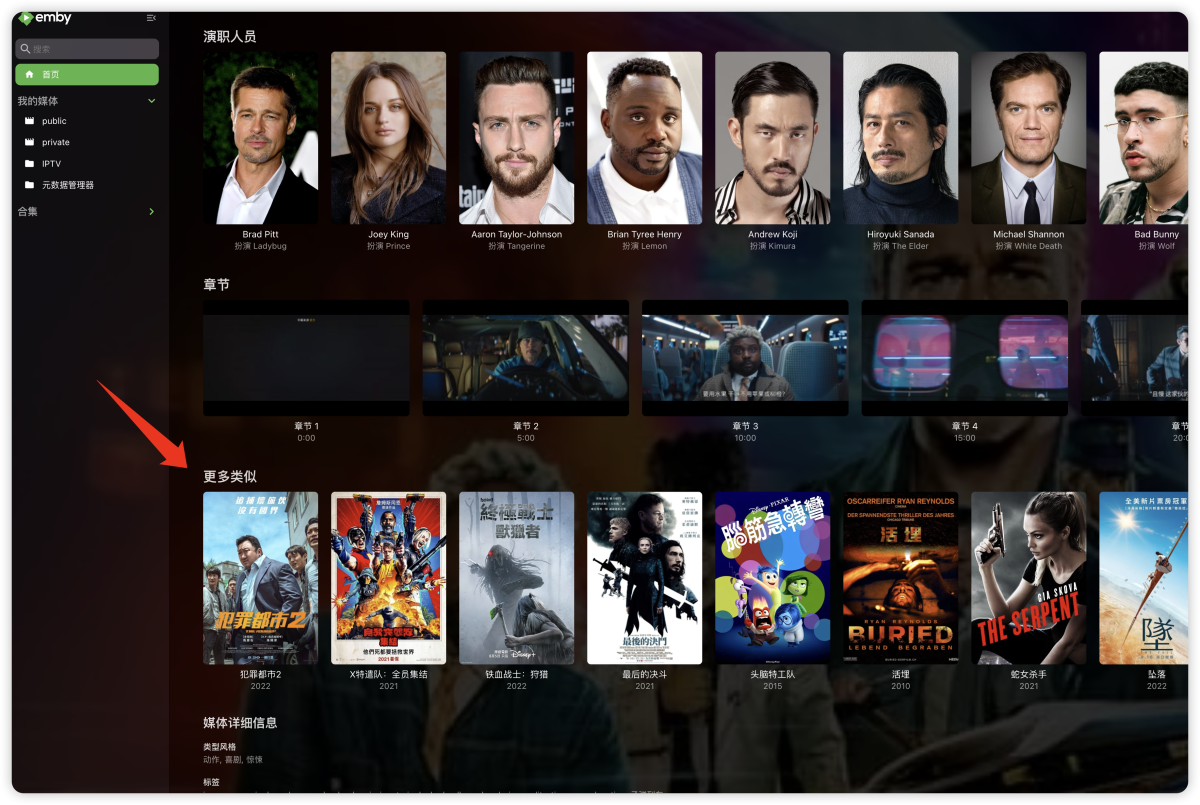 1 point
 -
Hi, we'll take a look at it. Thanks.1 point
-
Way better, thanks!
 1 point
 -
You can email billingsupport@emby.media and ask.1 point
-
Thanks Friends, Neminem, got it— I figured there had to be a display setting somewhere, but I somehow missed the “Display” setting (looked at the library and media settings but not that). That said, I suppose I’m a bit disheartened that it’s not on the show level. While putting it on the display level makes sense on paper, enough exceptions and weirdness with media and tvdb occur that it’s more complicated that way imo, and it seems impossible to actually get what I want. Option 2 would be best, if it did what I expected it to, but it does not sadly. In essence I like “If it’s one season, no season display. But, it if it has specials, display seasons.” That is also assuming the absolute order has a version with specials not as specials like Violet Evergarden where the special is instead made episode 5 and the other episodes numbers are changed. Likewise, I can’t even recreate Happy2Play’s option 2 post. Little Witch stays as it is in my original post with the specials in front and not in their own section. Guess maybe that is food for thought for the devs, but for now I guess I need to do a bit more experimenting, but it’s likely I will be lazy and just use option 3, despite its silliness in a lot of cases. Regardless, thank you all for your assistance. And if you have any additional thoughts, please let me know.1 point
-
No, not atm. at least. I guess with the new background option i can put it back to how it was originally. I cut the outline by half the in this one. EmbyIcons.dll1 point
-
51 posts to reach "Regular" Member group - editing possible for 3 hrs upon posting.1 point
-
That will come when you've posted a bit more (I don't recall the amount). Paul1 point
-
There are multiple topics on using nginx, Caddy and IIS as reverse proxies (not Apache, for some reason). But a certain amount of internet and network knowledge is required for any such setup, and from my experience this can't be guaranteed. Paul1 point
-
Hi, Is there a way to force user preferences (Home Screen & display customizations) to everyone ? - I'd like all users to have the same theme and accent color and activated backdrop, I can't even edit that user by user, I feel it's saved on each app or web browser but not on the server directly... - I'd like to custom the Home Screen arrangement for everyone to have the same, at least when they access their account for the first time then they can edit it, so far I have a template that I'm duplicating but I have too much users to edit who have been created before this template and it's a hassle to clean everyone. Thanks1 point
-
Thank you, I'll do that but 6 years nothing have changed so I don't think it's happening anytime soon1 point
-
As @Neminemhasn't found any breaking bugs i think i can let more people try the new version as well. I've been working on this for a while now along side the now old version. --- This is a big change to the plugin, most the code has been changed and even rewritten. This was done to make it less patchy after all the additions made to the plugin and remove some repeating logic plus squeeze the very last bit of performance out of it as possible. Added: 1) Setting to add a background, circle or square to the community score, what color and transparency it should be. Changed: 1. Most of the code has been rewritten to improve it and remove redundant code. 2. Changed the cache pruning to only prune the least used data so data used often will stay and improve performance. If it is set a bit to aggressive then please report back to me and i will change the timer on it slightly. 3. Removed the tag option from the settings as it was no longer needed. For using tags you just need to provide an icon with the right name and set a tag on a movie/series in Emby. 4. The refresh icons button has been removed, instead the plugin will now redraw all overlays on Emby server restart. This will ensure no stale icons and no memory leaks. The setting might return in the future when i have refined the setting to work better. 5. Changed to using Embys internal detection for resolutions instead of using a list in the plugin it self. This should improve performance how ever minute. 6. Tag names are no longer case sensitive. Bug fixes: 1) Tag icons should now correctly be added and removed when adding a tag and the right icon. Note: To be 100% sure it works correctly you should add the icon to the icons folder before adding the tag to the video. Bugs: 1. Because of several factors, some TV shows with many episodes (200+) might in rare cases not show for example the subtitle icons even though all episodes have them. This should be very rare though and a refreshing of the metadata with "replace existing images" enabled should fix it. For now it's not something that can be done much about, i will look into it later. 2. Because of the change to using Embys own resolution detection some videos that does not correctly state their resolution will not have it detected. This mostly happens for very old videos. I will look into using a mix of Embys and a reintroduced plugin detection later if this shows to be a problem. --- Todo list: Add support for photos and music. Make configurable hierarchy system for the icons so it can be configured what icons should be shown first. Note: These are not 100% sure to ever be added, they are just things i plan on looking in to. EmbyIcons.dll1 point
-
This feature would be great - it's very frustrating having to change the speed back to whatever you want it on every time a new video in a playlist you're watching starts.1 point
-
Thanks for doing this. I expected that when I am logged into the server, there are 3 horizontal dots and when clicking on them you have the option to delete the server. When doing this you get the warning dialogue box that says "Are you sure?" When clicking OK the dialogue box goes away but the server stays. So then I click on change server and it does change to the server that I selected now but it will not remember it. Next time I log in again same old server previous server and I have to change the server again. When I tried this on the Roku or on Android it behaves properly deleting the server deletes it and now you only have the choice of adding a new server and then that one stays. However on Win 11 it does not behave in the same manner. Hope this feedback helps.1 point
-
Remote is so complex that I doubt that a comprehensive guide is even possible. There are general guidelines and many help topics available but it seems that with all of those there are always exceptions so that someone posts here nearly every week with problems getting remote access to work. Follow the guide(s) and try to search the Emby blog help sections and, if you continue to have problems then post here following the guidelines in "How to report a problem" and you will receive all the help you need.1 point
-
i receive this issue intermittently starting a few months ago. Whats strange is a workaround i have is: renaming the file or folder containing the video causes the video to play properly after a rescan. Its unhappy with the filepath but its the correct path1 point
-
You can lend your support here:1 point
-
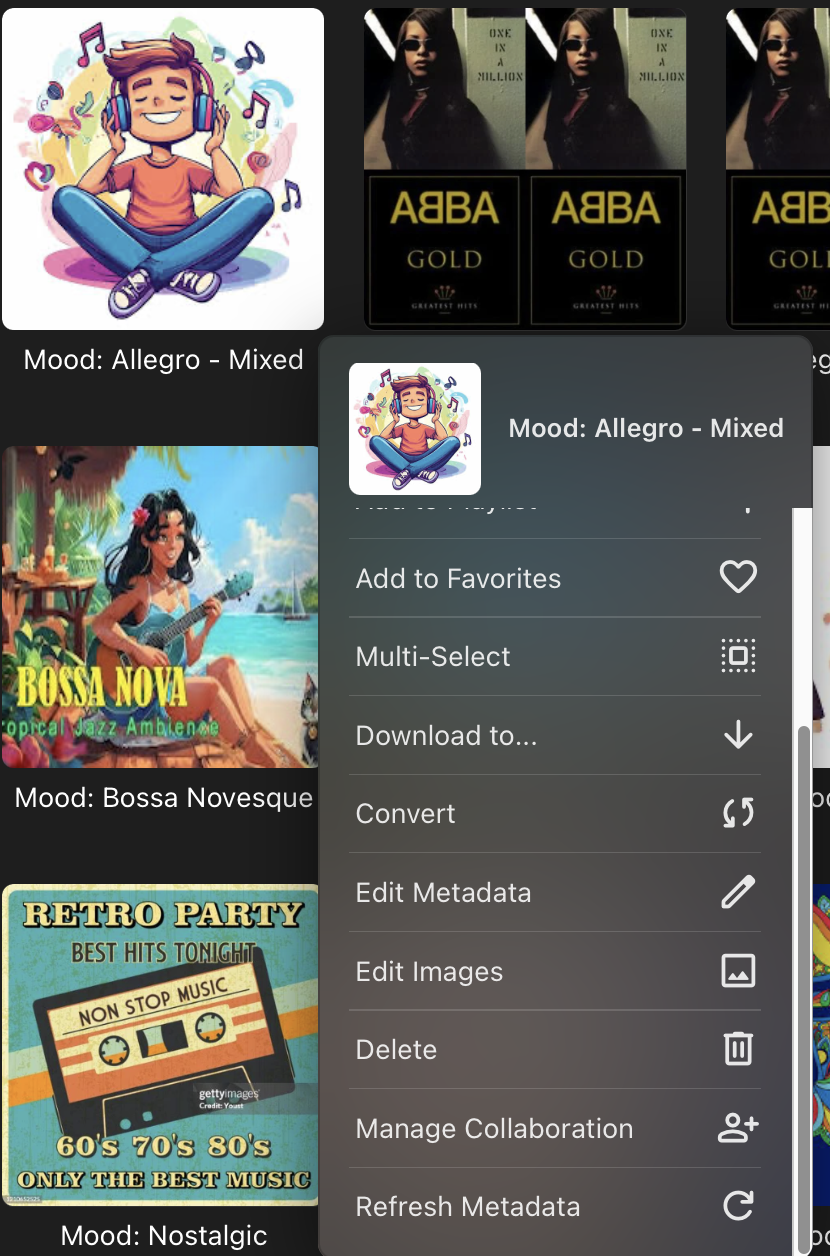
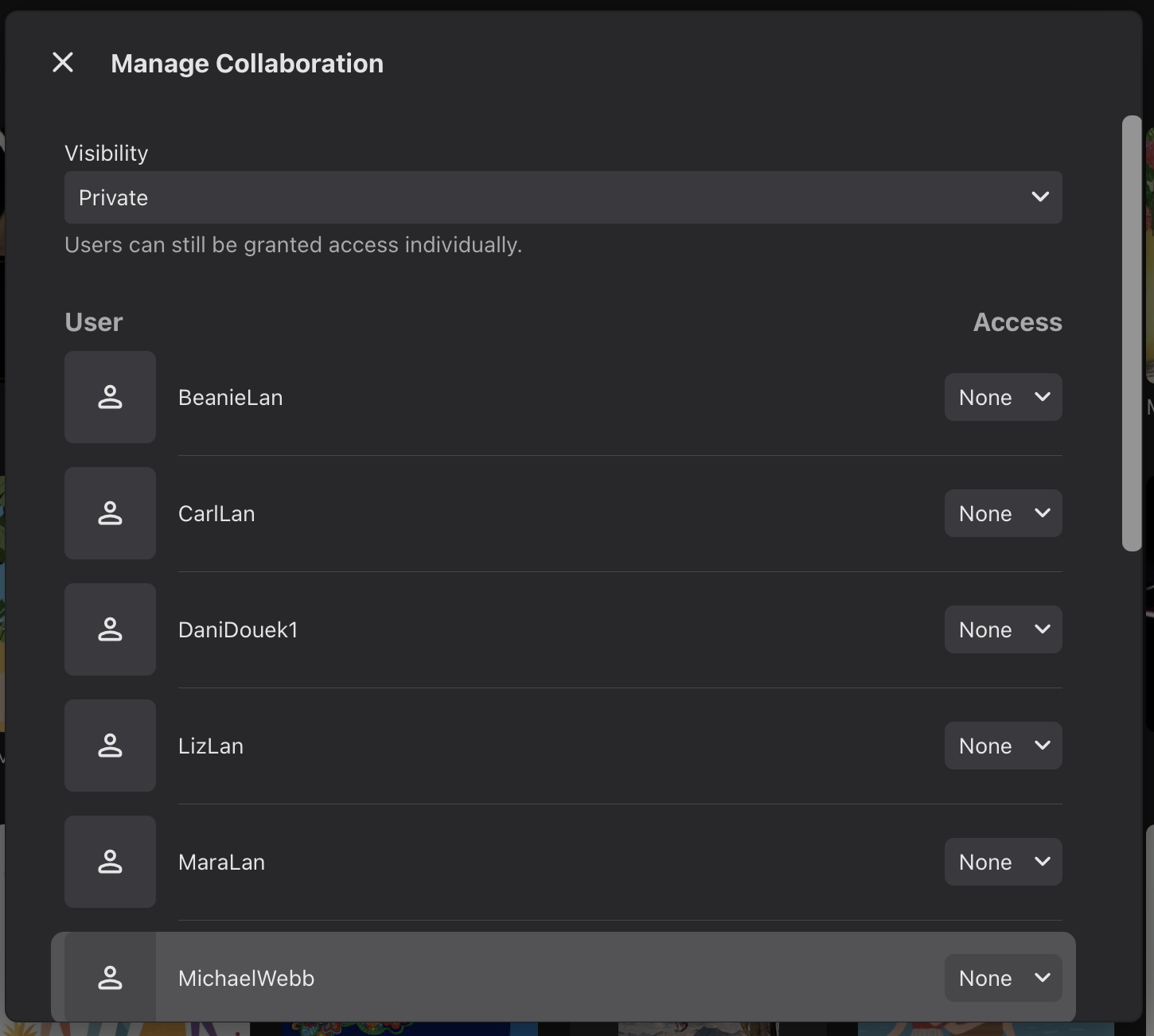
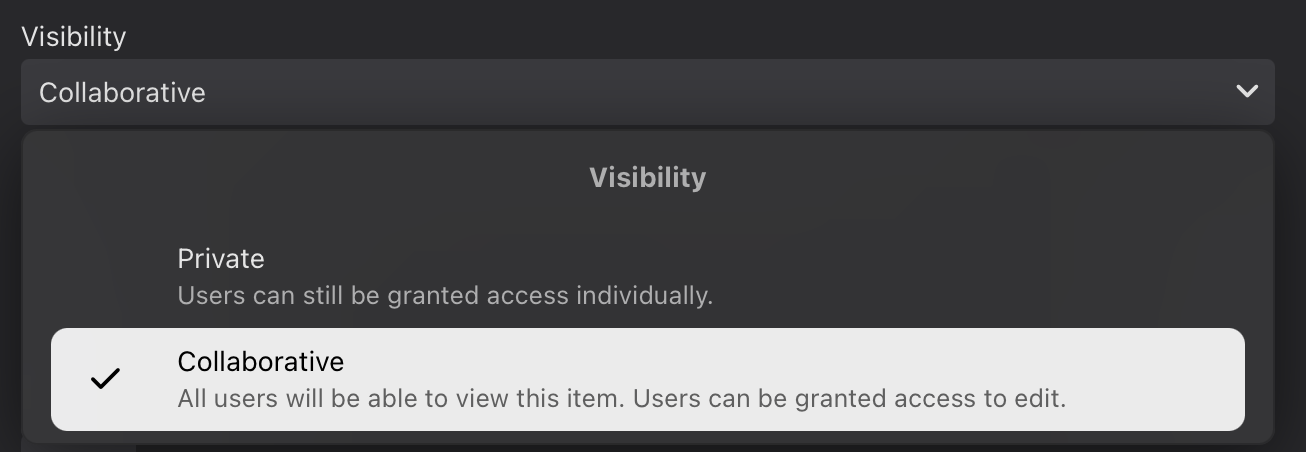
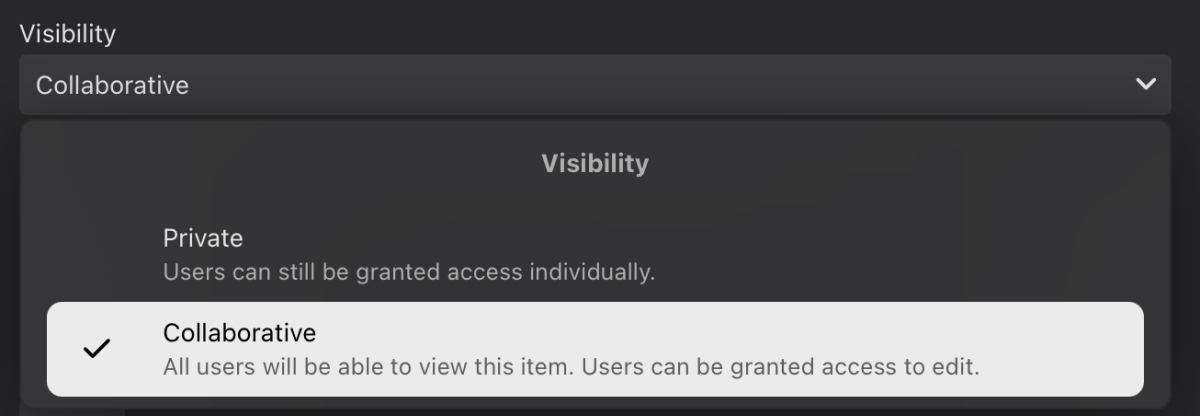
I went to one of the playlists they couldn't see, clicked the ellipsis & saw "Manage Collaboration" among the choices (SS 1). When I clicked that, I saw a new screen that allows me to select who can see the playlist (SS 2). The individual playlist can be set to "Private" (defaults to no access, but individual users can be assigned view or edit access), or to "Collaborative", where all users default to view access, but individuals can be authorized to edit (SS 3). This would certainly account for the issue I was having. I labeled this post as the answer to my original question because I went into detail & provided screen shots, but it was @Luke who pointed me in the right direction, so he deserves credit.
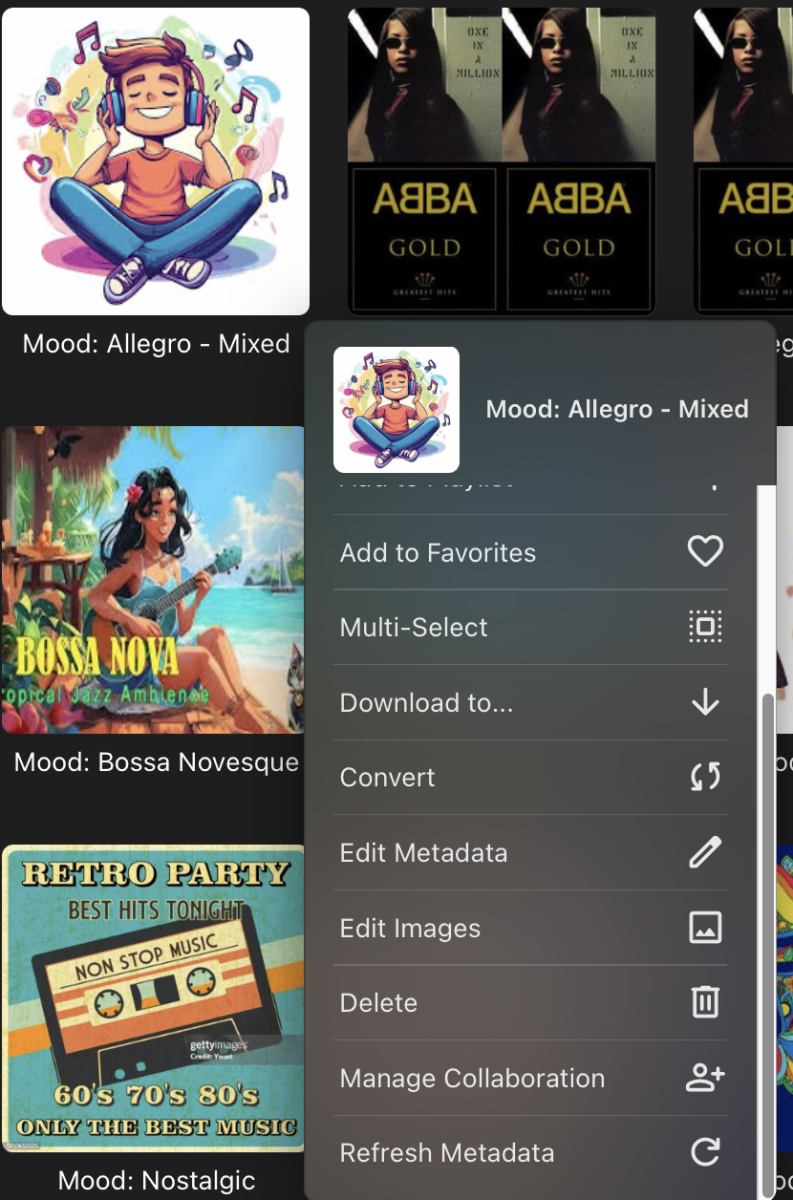
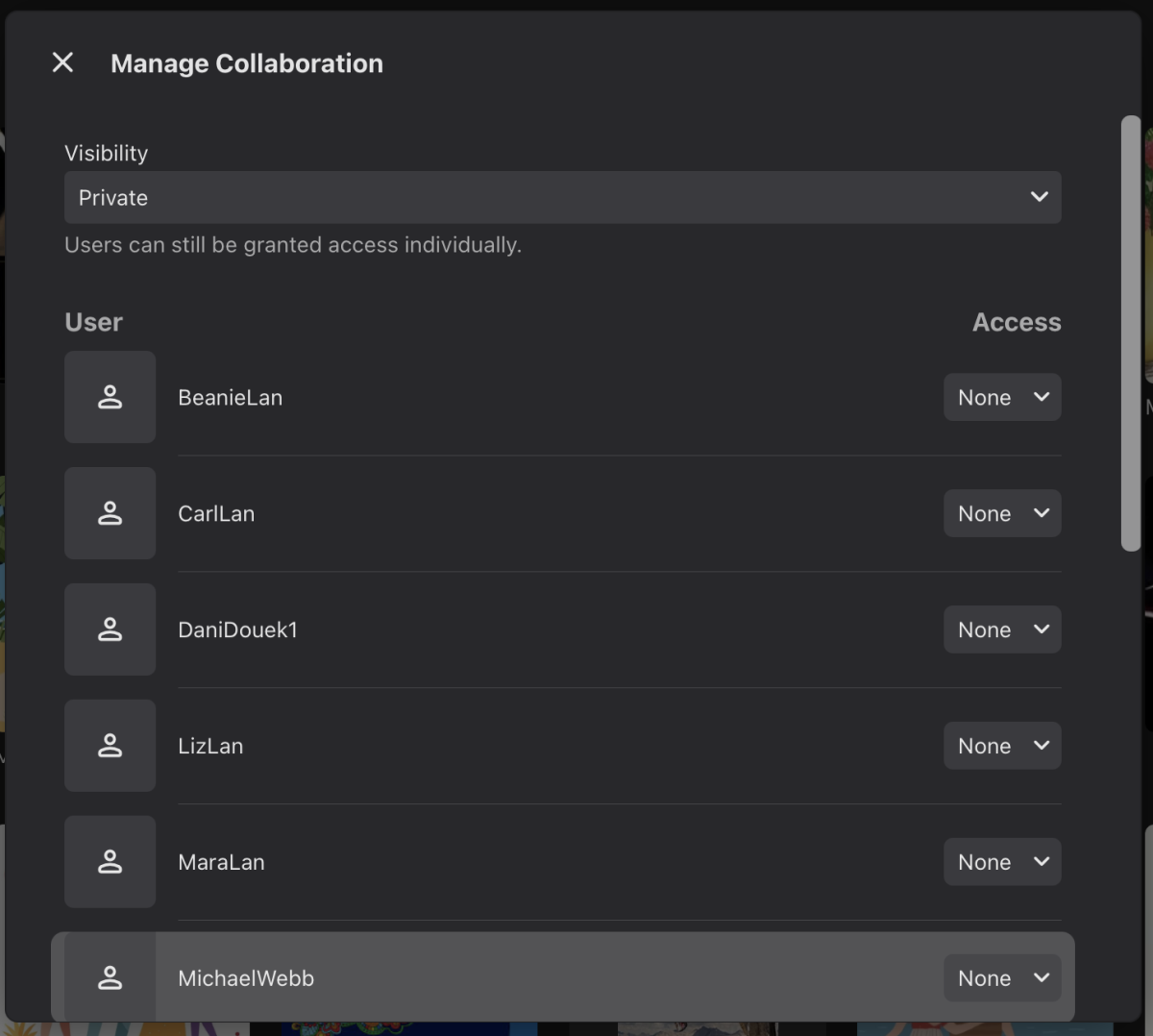
 1 point
 -
I would be keen on this1 point
-
I'll answer my own question here. The AI Gods answered the question "does docker bridge network support multicast?" "Docker's default bridge network does not natively support multicast. While the underlying Linux bridge can handle multicast, Docker's default network setup and how it interacts with Linux kernel multicast routing present limitations. However, multicast can be achieved using other networking options like host networking, macvlan, or by using workarounds like running a multicast routing daemon" So DLNA, which requires multicast support, will never work over the Docker bridge network driver. Other methods such as macvlan could be made to work but that's more aggro that I want! For now, the music is playing and that's all I wanted. Thanks for your help Luke! I did try finding out the answer before posting on here but I didn't know enough to search for the right thing.1 point
-
They are developing and completing new big feature, new color theme.1 point
-
Started a new topic for this as I didn’t find this old thread when I searched. Here’s what I suggested: As I’ve been using Emby more and more for podcasts and audiobooks I’ve found myself frustrated by having to set playback speed to 1.25x or 1.50x every time a track changes or I resume a book after watching a TV show. It would be very handy to have the option for playback speed to be maintained. A basic option would simply to make the playback speed not reset when a track or episode advances to the next track or episode. A more advanced version could be to maintain playback speed by media type, so for instance audio tracks are maintained but video files are not. A much more advanced option would be to remember speed per-title, so that every audiobook or podcast would have playback speeds remembered server-side. The latter would be useful but probably of low priority for most people. The first basic option seems easiest to implement and would definitely solve the frustration. Thanks for considering this and for the ongoing brilliant work on Emby.1 point
-
Coming from VideoStation, a big disappointment is that Emby does not remember already used tags. So if I have a library with 100 movies with tag: horror, I have to type in the whole word "horror" every time I want to add the tag. There is no list of previously used tags I can simply click and choose from. That slows down the process significantly, especially with multiple tags in a movie, and also is a risk of messing up the tags with typos.1 point
-
I would love to see progress made on this. All future hardware does/will support it and all major web streaming platforms are implementing it. AV1 is the future and for good reason. Even without gpu support svt -av1 is plenty performant and you can scale the cpu requirements up and down to run on middle of the road hardware. If it needs to be done with conversion first that seems reasonable.1 point
-
Hi, Since sports videos are not easy in every system, I have been working on various tools over the last few months. This should help you all too: [Tool] - NFO Zip package generator Forum: https://www.thesportsdb.com/forum_topic.php?t=5973 Direct Link: https://tsdb.sem-one.de/ (will not always stay on this domain!) For Support, use Discort: Discord - TheDataDB And if there is a lot of demand, I will write you a scraper for Emby. I started where I left off 10 years ago, not much has happened since my first scraper in 2014. I hope to have now achieved more change for the next few years. Our Kodi scraper can also download artwork etc: https://www.thesportsdb.com/forum_topic.php?t=59711 point
-
https://www.thesportsdb.com/api.php1 point
-
For anyone interested, TVDB has started to allow sports programs on their site. The Summer Olympics was added, and they're allowing auto racing too (https://support.thetvdb.com/kb/faq.php?a=search&q=sport). I asked them about adding NFL and MLB games as well, but at the moment they believe it will be too hard to manage with all the different broadcasters and time zones. If anyone else would like to see more sports added to TVDB, it might be worth creating an account and offering support to help maintain the "episode" lists. Maybe they'll change their minds and at least pilot something like NFL games.1 point
-
Those are all already shared across apps - for apps that have the "tabbed" presentation style (Roku, for instance, does not yet). Some of those behaviors are specific to each app. Also, the background setting, for instance, exists for the purpose of being able to limit data that has to travel across a wire when remote so that is something that you may want to have different in each app instance even. It would be nice to have a set of "defaults" for everything but then it gets a bit complex to maintain. Where are those defaults edited? Which app is "king"? How do people discover the defaults and properly adjust them. etc.1 point
-
Yes, some of those settings you may want to be different based on the app/environment. For instance, you may want a different theme in your darkened movie room than you do on your phone on the train.1 point
-
Well some of those settings are per client and are cached information. i.e. the browser, Edge and Chrome these are set on the client not by the server. And clearing the browser cache removes these settings. Not every client/app has a display vertical or horizontal. So universal can not apply as every client is not the same.1 point
-
Those paths should be to where you have your media.0 points
-
Unfortunately I'm not aware of how to work around it yet. I currently use emby on Ubuntu so I spun up a seperate windows 10 with only emby installed as a test and the same issue persists where I'm unable to play live tv to Chromecast.0 points