Leaderboard




Popular Content
Showing content with the highest reputation on 07/05/25 in all areas
-
EmbyIcons, in catalog under general. Source code at: yocksers/EmbyIcons: Displays icons on posters in Emby depending on audio and subtitle languages. EmbyIcons enhances your Emby Server by overlaying informational icons directly onto media posters. Display language, codecs, resolution, ratings, and more at a glance with fully customizable profiles for different libraries. Features Extensive Icon Support: Audio/subtitle languages, original language, audio channels, codecs (audio & video), HDR/Dolby Vision, resolution, frame rate, aspect ratio, parental ratings, community ratings (IMDb, Rotten Tomatoes, MDBList audience scores), custom tags, and favorite counts Multi-Profile System: Create distinct profiles and assign them to different libraries for complete customization Flexible Layout Control: Position icons in any corner with custom priority ordering and horizontal/vertical stacking Series & Collection Aggregation: Smart detection shows icons only when all episodes/items share the same property (with Lite Mode option for faster scans) Profile Import/Export: Backup and share your profile configurations Icon Manager: Identify used, unused, and missing icons in your collection Series Troubleshooter: Find episodes with inconsistent properties causing missing icons MDBList Integration: Display Rotten Tomatoes audience scores with a free API key Live Preview: See layout changes in real-time before saving Advanced Settings: Fine-tune cache sizes, performance, and memory usage Icon Naming Convention Place your icon images in a folder on your server. Recommended: ~100x100px PNG with transparency. Supported formats: .png, .jpg, .webp, .gif, .bmp. Icons use the format: prefix.name.png (case-insensitive) Prefix Type Example lang Audio Language lang.english.png sub Subtitle Language sub.german.png og Original Language og.japanese.png ch Audio Channels ch.7.1.png, ch.stereo.png ac Audio Codec ac.dts.png, ac.eac3.png vc Video Codec vc.hevc.png, vc.av1.png hdr Video Format hdr.dv.png, hdr.hdr.png res Resolution res.4k.png, res.1080p.png fps Frame Rate fps.24.png, fps.60.png ar Aspect Ratio ar.16x9.png, ar.2.39x1.png pr Parental Rating pr.pg-13.png, pr.tv-ma.png tag Custom Tag tag.3d.png, tag.directors-cut.png rating Community Rating rating.imdb.png (none) Rotten Tomatoes t.tomato.png, t.splat.png (none) Popcorn-O-Meter t.popcorn.png, t.spilledpopcorn.png, t.fresh.png (none) Favorite Count heart.png Note: Rotten Tomatoes Popcorn-O-Meter requires a free MDBList API key configured in Advanced Settings. Configuration Overview Settings Tab Global Settings: Set icon folder path, loading mode (Hybrid recommended), output format, quality, and logging Profile Management: Create, rename, delete, export, and import profiles Per-Profile Settings: Assign profiles to libraries Enable/disable icon types with custom alignment (corner), priority, and layout (horizontal/vertical) Configure TV show/collection aggregation (Lite Mode, exclude Specials season, etc.) Customize rating score background (shape, color, opacity) Adjust icon size Icon Manager Tab Scan your library to identify missing, found, and unused icons. Perfect for organizing your icon collection. Troubleshooter Tab Series Troubleshooter: Find episodes with inconsistent properties (resolution, codec, etc.) that prevent series-level icons Aspect Ratio Calculator: Get the exact icon filename for custom aspect ratios Advanced Tab Fine-tune cache sizes, expiration times, concurrency, and MDBList API key. Default values work for most users.
 1 point
 -
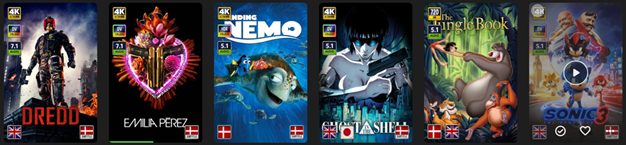
A masonry view to reduce unnecessary waste of page space.

 1 point
 -
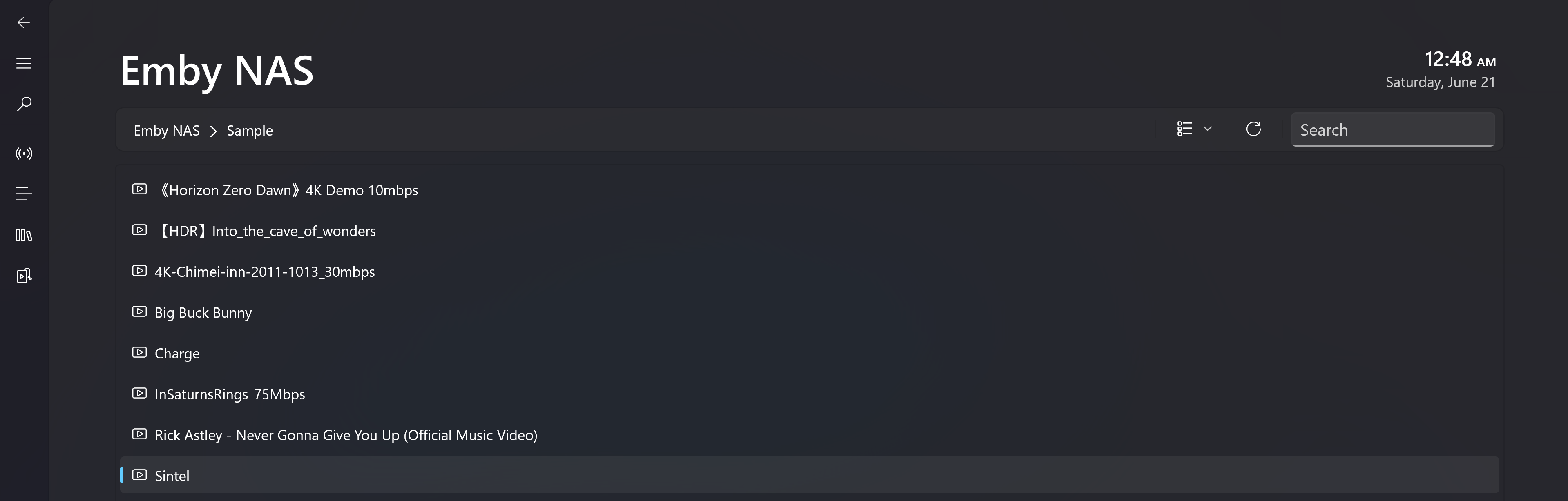
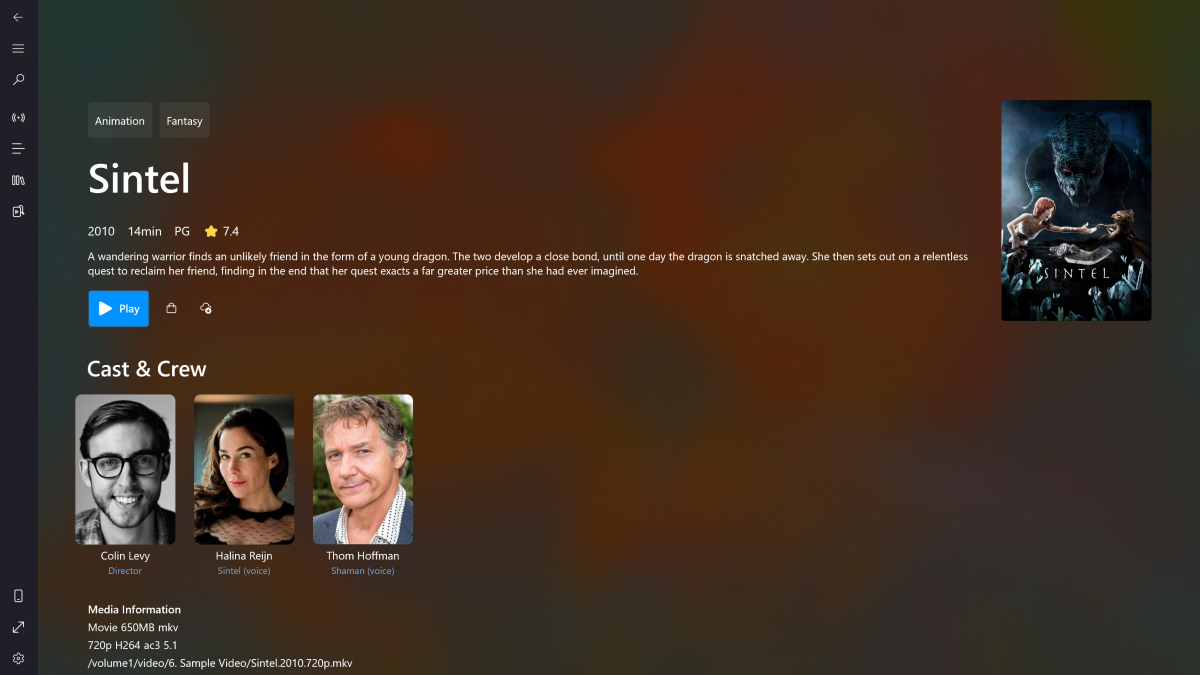
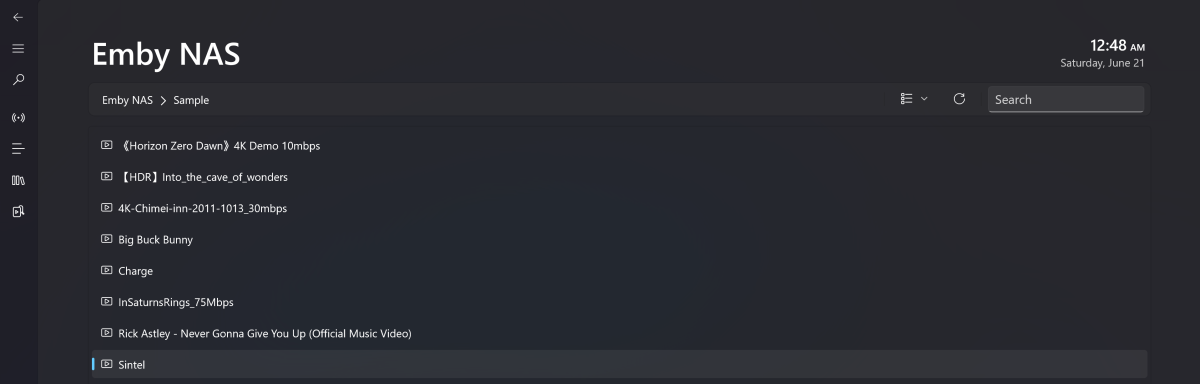
My app was initially designed to stream M3U8 content on PC and Xbox. Recently, I started exploring Emby on my NAS and found that integrating it wasn’t too difficult. So I implemented a set of minimum viable features - including directory browsing, media pages, and playback. I'd love for you to give it a try. Most features are available for free. Download Link -> Microsoft Store What's working: - Directory navigation and search - Media info including genres, release year, ratings, overview, casts, video and audio metadata etc - Native playback for Windows 10/11 and Xbox Series S|X. The full feature-set of Playback including audio, subtitle, video ratio, playback speed adjustment. Change audio output device. PIP mode on PC. - Subtitles (built-in and the first external subtitle provided by Emby) Screenshots: How to access the Media Hub: Known issues: - 4K HEVC playback on Xbox is not hardware decoded. It's using local server transcoding(Native HEVC decode for XSS|X is possible but I don't want to give up the background play feature, PC is using native decoder) - Only one external subtitle will be carried over to the video. Internal subtitles are fine - Xbox version won't resume play after leaving the playback page
 1 point
 -
Yes, now the aspect ratio is correct! Well done!
 1 point
 -
Had the same issue of Microstutter/Judder for months on the new android app using both Shield and Google TV Streamer. No stutter on the old Android TV App, so seems isolated to the new app only. Few people complaining of the same on Reddit also Can confirm only an issue for 4K HDR/DV content. 1080p content has no stutter1 point
-
That damn f.ing version number.. I did all that work on the wrong version again.. Deleted that now! Some quick copy and paste of the icon size stuff and it should work now. EmbyIcons.dll1 point
-
The NFO does not actually reference the file directly, it's more that it gets associated to the video file based on the name. So if you replace the webm with an equivalently named mp4 it will just update the NFO.1 point
-
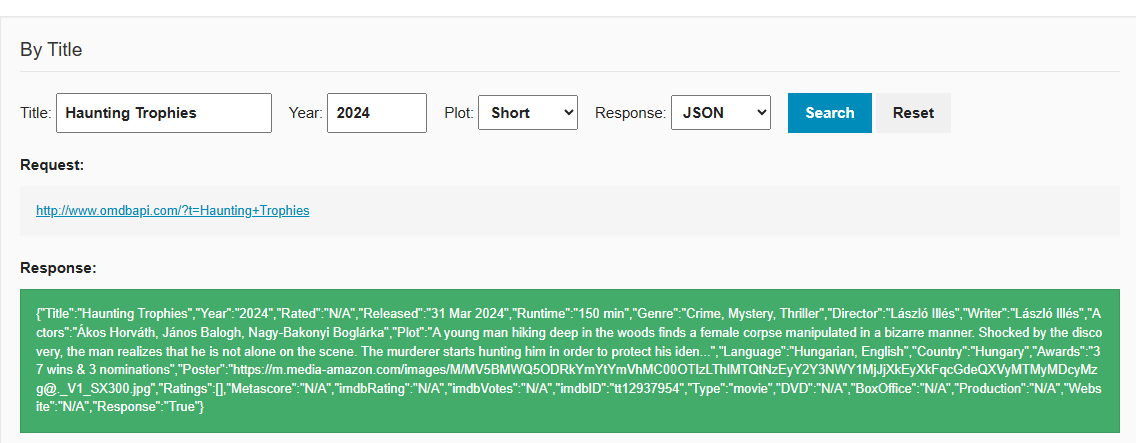
It does not exist on TMDB or TVDB so where should it come from? Haunting Trophies - TheTVDB.com Haunting Trophies — The Movie Database (TMDB) OMDB is English only and has that media. But does not always get listed image.
 1 point
 -
If you PM @Abobaderwith something that can definitively prove that you are Gilgamesh, he can provide you the email address.1 point
-
Hi. That's extremely old. I would update it or install the standard app.1 point
-
Just wanted to ping this. It would be very helpful.1 point
-
Good point. Will look at it in the next version.1 point
-
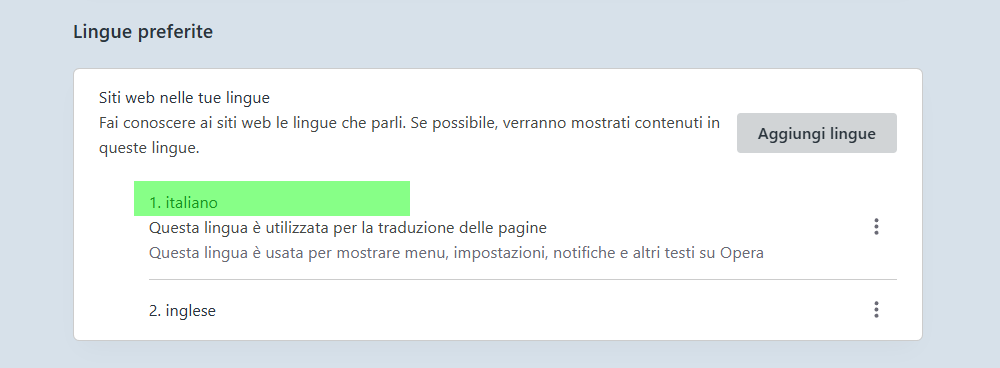
Perfetto...si era proprio Opera che nell'ultimo aggiornamento aveva impostato automaticamente come lingua principale inglese, è bastato impostare come prima lingua l'italiano, salvare il settaggio ed è tutto tornato normale. Grazie mille per il prezioso e veloce suggerimento.
 1 point
 -
Salve, mi scuso se non ho dato seguito al mio post, ma non mi è stato possibile rispondere fin'ora. Il problema evidenziato è sparito da solo, e non so come, per cui ritengo chiusa la segnalazione. Ringraziando ovviamente per la disponibilità nel rispondermi. ENGLISH: Hi, I apologize if I have not followed my post, but it was not possible for me to answer so far. The problem highlighted has disappeared alone, and I don't know how, so I consider the report closed. Obviously thanking for the availability in answering me.1 point
-
Working now! Man this is super dope!
 1 point
 -
hi, I seem to have found the error, for whatever reason I needed a new PIN. Now it works again. Thanks anyway1 point
-
I am currently experimenting with pre-rebooting the TV and it seems that there is a dependency - after rebooting, in most cases, I can watch any movie in any quality. I assume there are problems with the Garbage Collector or something similar, but I am not sure.1 point
-
no, I don't. I use 5Ghz band.1 point
-
Or maybe for home videos as well. That'd be great. Thanks.1 point
-
That's because i'm yet again an idiot and posted the wrong version. Very sorry for that, i gave a version the wrong version number in my files so it ended up here by mistake. Here's the right one. EmbyIcons.dll1 point
-
As far I know there is no way to get it in the correct format without a mac using subler. I am also disappointed in the Apple TV app.1 point
-
Yes thank you I had to open the ports on my router now it works thank you again for your help, have a good weekend1 point
-
It seems to be working fine again now, not sure what changed. the issues was occurring for 2 days though lol1 point
-
Sonus, Typo from above post: Just because a media plays back in one software / browser, does not mean the media file has no issues. Emby either offers direct playback or transcodes to fit, whatever the end player needs. To know this, there is some communication from Emby to check what the end player, browser, mobile, TV and whatever connection is available and can playback correctly. I don't know the exact code, I am guessing, based on reading through forum posts, there is a combination of a DLNA (Digital Living Network Alliance) profile that matches a code query of what player is working and possible a test for bandwidth to help pick a transcoding that can happen in real time and not cause buffering. In other words, a quality intensive transcoding that takes 5 seconds for every 1 second of media time is not acceptable, so the transcoding flips downward in either size or quality until a real time transcoding appears possible and then Emby picks that setting and starts transcoding. If someone sees an error in the above, please post a correction. So either direct play or transcoding can run into some issues. If the connectivity speed changes and Wifi has all sorts of possible issues that can change the bandwidth up and down. I think the standard setting might be something like 75% of what is tested to be safe. So, if 1000K/sec tests OK, direct only happens when 750K/second can transfer 1 second worth of media. Similarly, transcoding drops to 75% of tested bandwidth that might be available and automatically adjusts which exact transcoding settings are used to keep that bandwidth rate. I believe this is to cushion any slowdown in bandwidth so the media plays smoothly without buffering, even if Wifi or network traffic or remote location has some temporary connection problem. Great, but this start setting sticks as the choice from Emby to delivery either direct or transcoded content. It is not tested again and updated. At least that is what I read in a post about 8 months ago. I haven't seen any new info about testing mutiple times during a session. Forward and rewind: So, if the media delivery is progressing in real time at say 75%, then perhaps a minute or two forward might be available. We all have seen the player timeline on various media sites move forward slowly. If you jump ahead 10 minutes, everyone is used to expecting a delay for the timeline transcoding to change and rebuffer. Then if you jump back 5 minutes, well it has to do it again. There is some time delay from the user sliding the timeline, the end player software picking up this change, sending the request through the network / Internet back to the server, the server recognizing the request, pausing the media stream, moving to a new location on the time line of the original media, starting either to direct play or transcode and then waiting for the buffer to fill, and then sending the new media stream at the new timeline location to the end user, back through the network, received and processed by the user's player and software and then delivered to a visual and audio updated timeline playback. The further the user is removed from the server and whatever limits are on the network traffic and perhaps Wifi data update issues, the more time all these steps can take. If the original media has any timeline errors, then either the end player corrects for these issues or not and refuses to play at all. Many medias have timeline and other errors and many players take additional time to resolve this before playback. Normally, a fix for any media to resolve timeline or corrupt data is to test, fix and remux the media. As I understand, Emby streams the media and doesn't necessary fixes anything, except when it transcodes. So, direct play gets no correction, but transcoding does. It's possible if the original media has corruption and timeline errors in the metadata, that direct play will have a problem and going forward or rewind could fail completely. Transcoded from this original problem media, would work better, but take some time to step through everything mentioned above. Did I miss something or are my assumptions incorrect? If anyone knows the code better, please post a correction. Sonus, if this is suddenly happening now, perhaps the buffer percentage that, I think, was at 75% changed to 90%, which might cause the issues you notice. Possibly some other direct play or transcode settings change pushed the delivery speed too much and you might run into buffering. Maybe there was a transcode option default that changed that works for some hardware, but not good for your setup. It's important to pin down exactly what is going on in your case. That's why I mentioned testing with sample videos to eliminate the possibility that you have large media files with some hidden errors, you've never noticed. Another step is to recreate the problem with test media and include a log of what is happening. Wow, too many words again... Hope this makes sense and maybe helps.1 point
-
@visproductionthe issue is strictly with Emby. When playing the same file via VLC, DTS:X is correctly sent to my soundbar and every channel works as expected. Emby has problems with either transcoding or passing the audio through. Also, this isn't a problem with the browser itself, since https://www2.iis.fraunhofer.de/AAC/multichannel.html works perfectly fine with 7.1 setup, which also doesn't work with Emby due to the reason given above.1 point
-
I'm voicing my support for this feature since I was directed here from another post. After reading through some of the existing comments I agree with the sentiment that if a user has access to stream the content on a server they surely could find a way to "download" the file via alternate means. That wouldn't negate the usefulness of the feature as a whole though. Admins just need to understand that disallowing downloads for a specific library doesn't add "security" no more than disallowing downloads altogether currently does. Although it might be a good idea to actually point these things out in documentation, I think most people can connect the dots there. This isn't a "security" feature. It's a utility and quality of life one that could save admins a bit of headache or actually allow them to enable client downloads for certain users in specific libraries where they otherwise might have had to keep them disabled altogether for one reason or another. Below is the content of my original post before being directed to this one: Basically I think admins should be able to control downloads on a per library basis for each user if that user has downloads enabled. As an aside I also think per library settings would be useful for any kind of external sharing links. (Although that feature seems to maybe not be working right now?) As an example: For remote-only users I only want to allow downloads for music or other audio libraries as the file sizes are manageable, even with modest upload speeds. I don't want them to be able to download from video libraries as those file sizes are exponentially larger by comparison. I'm sure others would also find this useful for similar reasons, or various others.1 point
-
I understand. I was just trying to indicate what is possible today.1 point
-
I would disagree and say that the Emby for FireTV app is the better choice for some someone who just wants wants things to work. The Emby app have is still missing features and is less reliable. If you aren't able to help your father troubleshoot the tried and true legacy Emby for FireTV app is the better choice.1 point
-
To give some specific details, the M1 Pro chip's MediaEngine can give you 20 streams of real time 4K H264 and H265 transcoded video with ZERO CPU or GPU involvement. The M1 Max can give 30 streams. Newer generation chips support even more streams, added 8K support, and additional codecs like AV1.1 point
-
TLDR: I figured out how to trick Emby in to doing this without the need for any photo editing: Hey all... I'm still setting up Emby... I really like the way that the server creates the "My Media" icons from movies, music, etc. Is there a way to manually recreate that to make icons for other items under My Media? I downloaded a basic image with some network logos for Live TV... and honestly... it just looks ugly next to the ones Emby makes. Is there a way to manually do this on the server (linux) from select files? I have to imagine it's buried in there somewhere. Thanks1 point
-
Any updates on this? It's been over a year1 point
-
Google1 point
-
So it will be called Emby UX OR UI ? And do i uninstall the Emby i have before installing new one ?0 points
-
Jellyseerr is Google??? that’s awesome… i knew they were upto something…. mwahahha!! and they would have got away with it if wasn’t for those pesky kids0 points