Leaderboard




Popular Content
Showing content with the highest reputation on 06/30/25 in all areas
-
In another thread, Wow. I just ran into a similar issue where I couldn't figure out how to name extras in a season-level subfolder such that they would be treated the same as when you append -interview, -deleted, -behindthescenes, etc. suffixes to an episode-level file name. The solution was indeed to create an episode folder and have the episode in it along with extras subfolders. Unlike the suffix option, this structure allows for descriptive file names for the extras (which display on the episode page verbatim), and it allows for more than one extra of each type (e.g. you can have 2 deleted-scene videos for the same episode). I feel this feature really ought to be documented in the TV Naming KB article. @sa2000 Please review the following suggested edits: Hopefully these statements are all correct and Emby is working as intended.1 point
-
Have you change the title of the album? - like removed "Aemina - CD1" and "Aemina - CD2" to just "Aemina" I have this problem with only title changes, emby doesn't seem to refresh the original title in the DB just the displayed title, but refreshes everything else. I remove from the library, scan it, then re-add it and it detects as one album. Because its refreshing everything else it took me a while to pin point why, as it initially seemed random. Maybe same?1 point
-
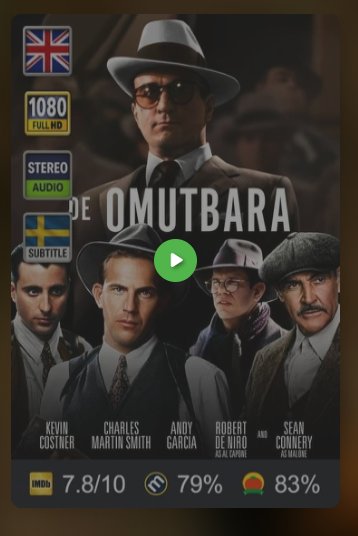
Everything works awesome.. This plugin is awesome.. You are awesome for making this plugin.. One question, i have this Rpdb-plugin that showes ratings on primary posters bottom, it downloads the poster with that information (pic attached) Is it possible to do that with your icons aswell? hope you understand the question:) One pic without your icons is from moviefiles on drive, the other from Emby library.. Thanx again!
 1 point
 -
New version out. Version 2.6.3. Added: 1) Readme page in the plugin settings. Changed: 1) Options for ignoring cache and the timer for the cache has been removed as it has been replaced with a new better functioning cache. 2) Library selection now stacks instead of just showing a long list. Fixes: 1) A rare problem with videos getting detected with the wrong resolutions. 2) Some languages not getting detected right. 3) Possible loop in the community rating detection (Nothing that would cause a crash). 4) Minor fixes. Find it on the GHithub or download below. EmbyIcons.zip1 point
-
FYI I just notice they change the TVDB here as 350665 is no longer valid.1 point
-
This topic simply needs a recap with the the most noticable Pickups in the past few years.... For me this is also too much information of what could work and what won't....1 point
-
I have that switch set as legacy, primarily so that the main folder image is retrieved as "folder.jpg" instead of "poster.jpg". That is my preference as Windows uses "folder.jpg" for folder thumbnails. It won't use "poster.jpg" images. Having the switch set as legacy used to result in backdrop images being downloaded as "backdrop.jpg" instead of "fanart.jpg". But that is no longer the case. All backdrops are downloaded as "fanart.jpg" regardless of the setting. Emby will still use "backdrop.jpg" images if they exist, and it won't replace them with "fanart.jpg" images. The only other thing I think it still affects is the location where folder images are stored for TV Show seasons. When set as legacy, the images are stored in the actual season folders. When set as compatible, they get stored in the root folder for the show.
 1 point
 -
Hi Luke, I've followed your advice and now it's working fine! Thank you for you help. Regards, Jos1 point
-
Thanks for clarification. Perhaps someone should correct the support guide.1 point
-
Logo.ext is considered legacy term nowdays/has largely been abandoned for denoting artwork type (clearlogo.ext is used instead). Artwork types - Official Kodi Wiki Yes you can.1 point
-
Thanks folks! I found a missed validation email inside her Gmail Junk folder. I suppose the system holds your details while it waits for you to validate your registration - eventually it releases the hold assuming you changed your mind. That allowed her to re-register with her email address and this time we found the validation email (and the old validation email). I'm very grateful for your patience with me. Sorry about that.1 point
-
v12 working with A14 build of CPM Coreelec fork.1 point
-
Thanks. looking forward!1 point
-
\Seinfeld \Specials Seinfeld S00E02 How It Began (Documentary).mkv \Season 2 \Specials Master of His Domain (Season 2 unused standup scenes).mkv Seinfeld S02E01 The Ex-Girlfriend.mkv Seinfeld S02E02 The Pony Remark.mkv Seinfeld S02E02 The Pony Remark-behindthescenes.mkv Seinfeld S02E02 The Pony Remark-deleted.mkv Seinfeld S02E03 The Busboy.mkv Seinfeld S02E04 The Baby Shower.mkv \S02E05 Seinfeld S02E05 The Jacket.mkv \behind the scenes Inside Look - The Jacket.mkv \deleted scenes The Jacket - deleted scene.mkv Minor update to the example so the episodes are in the order people are more likely to have them (DVD order). Looks a little cleaner this way too.1 point
-
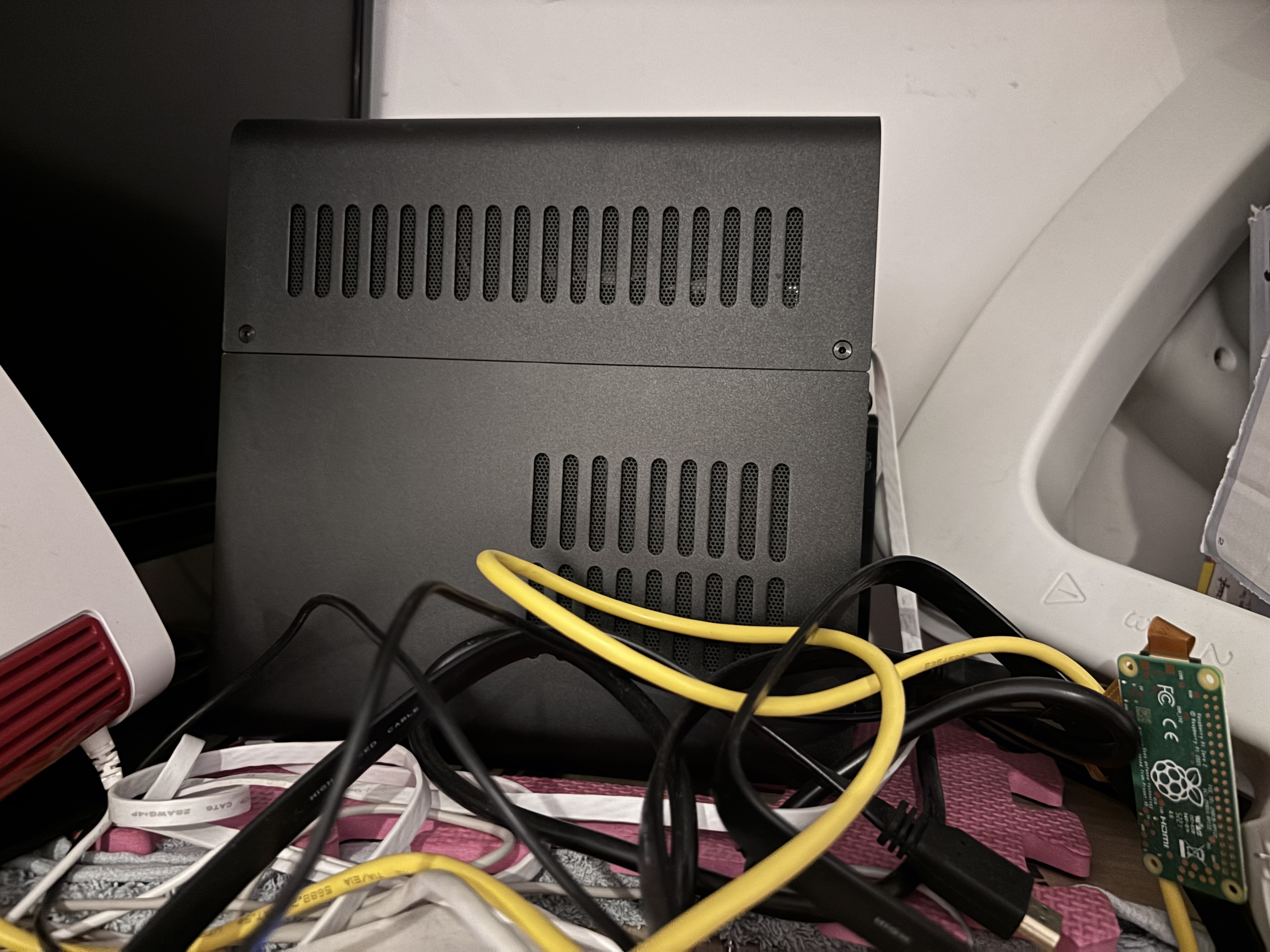
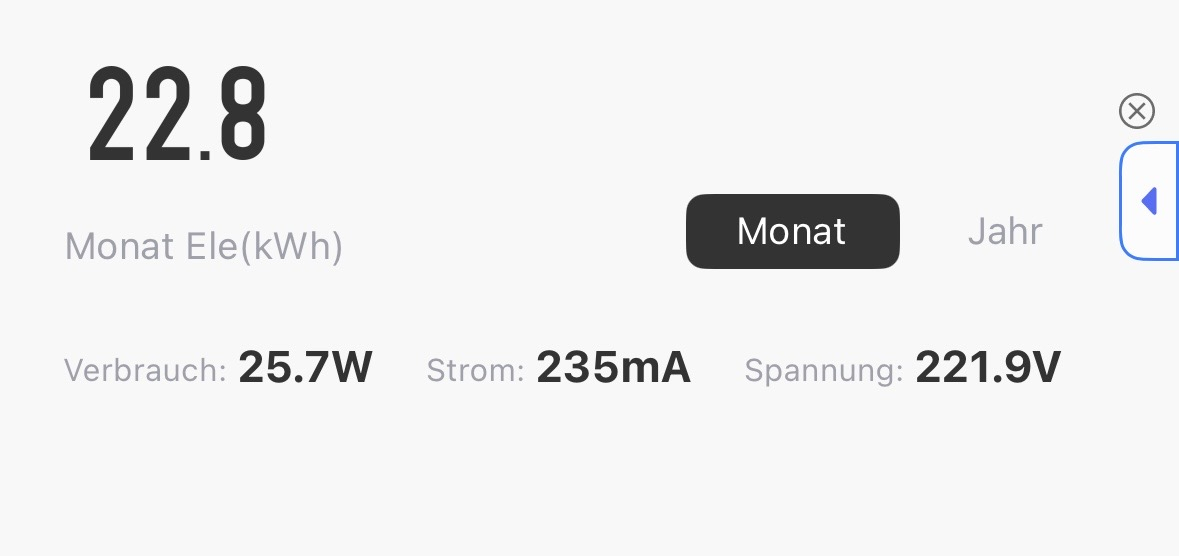
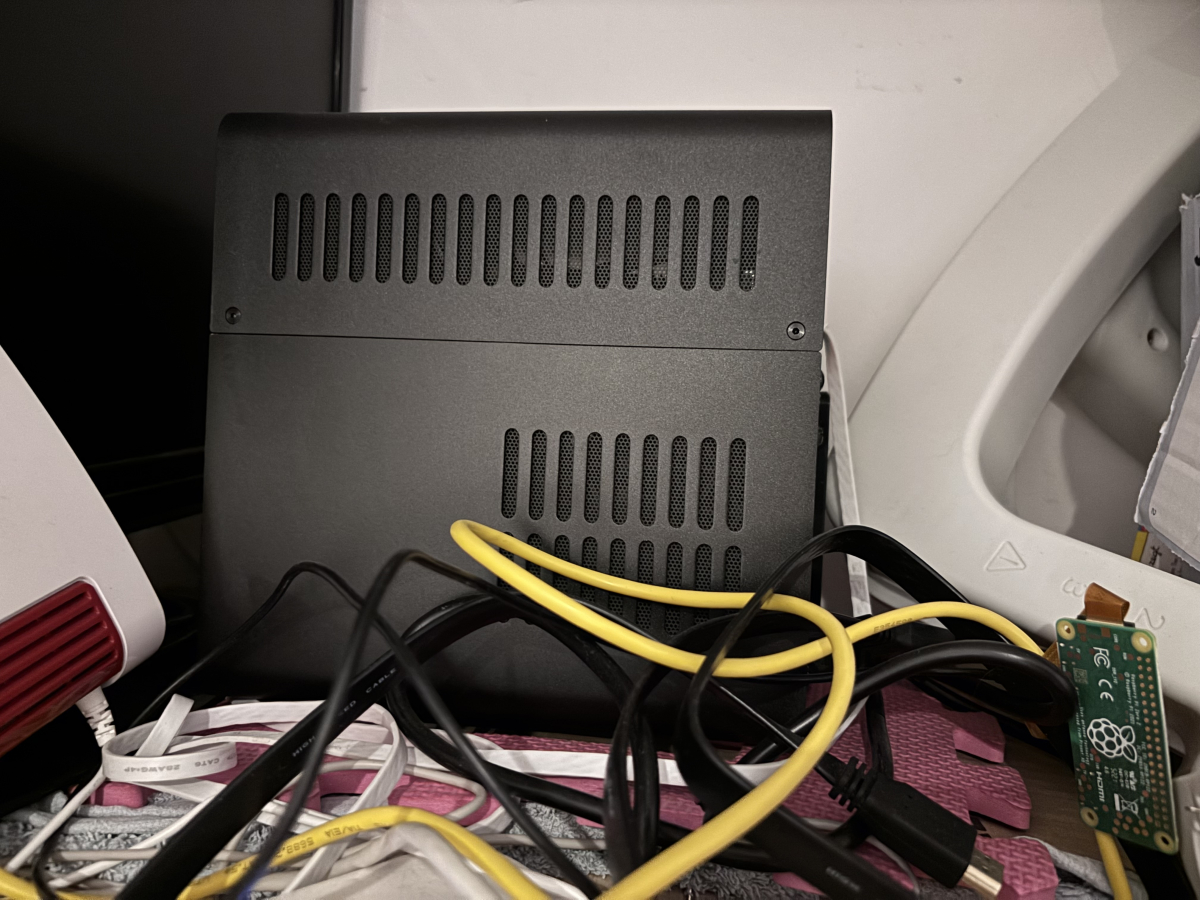
Just wanted to share my humble little NAS setup that’s been quietly powering my home for a while now — and Emby is absolutely the star of the show here. Hardware: Case: Jonsbo N2 (small, stylish, surprisingly roomy) Mainboard: GIGABYTE B760I AORUS PRO CPU: Intel Core i3-13100 (solid performance, low power draw) RAM: 64GB DDR5 (yes, I know, overkill — but LXC love it) Storage: 3x HDDs, total of 36TB usable, pooled with mergerfs Inside: a lightweight Ubuntu LXC container running Docker, which hosts: Emby (media server) Tdarr (AV1 re-encoding) Other small services () Power consumption: ~25.7W average It’s headless, sits on a shelf behind my monitor, and just works. No noise, no drama, no spinning fans of death. Why Emby? I’ve used Plex and Jellyfin before, but Emby hits the perfect sweet spot: Responsive UI Excellent transcoding support. Plays nice with remote users Mobile apps are actually good Easily reverse proxied behind Caddy with Cloudflare It serves my local and remote users effortlessly, even when pulling 4K content. Tailscale gives me secure access from anywhere (seriously, I streamed from a train once), and I’m slowly re-encoding older files to AV1 via Tdarr — Emby eats them without complaint. Yes, it’s a bit of a cable jungle — but that’s just the honest aesthetic of every good homelab. If you’re looking for a clean, quiet, efficient setup that doesn’t break the bank — the N2 + Proxmox + Emby combo is chef’s kiss. Happy streaming!
 1 point
 -
Not familiar with the Emby technical stack, but I suppose the problem lies somewhere lower than the ffmpeg layer. I have an Intel N355 setup with Emby docker. /dev/dri set, GIDLIST set. On Emby 4.9.1.3 beta with image hash '3437840dfc24bd7f465b80e7f276f2...', no hardware accelerators are detected. ffdetect shows /lib/dri # ffdetect vaencdec -show_error ffdetect version 5.1-emby_2023_06_25_p4 Copyright (c) 2018-2022 softworkz for Emby LLC built with gcc 10.3.0 (crosstool-NG 1.25.0) configuration: --cc=x86_64-emby-linux-gnu-gcc --prefix=/home/embybuilder/Buildbot/x64/ffmpeg-x64/staging --disable-alsa --disable-doc --disable-ffplay --disable-gnutls --disable-libpulse --disable-librtmp --disable-libxcb --disable-openssl --disable-vdpau --disable-vulkan --disable-xlib --enable-chromaprint --enable-fontconfig --enable-gpl --enable-iconv --enable-libaribb24 --enable-libass --enable-libdav1d --enable-libfreetype --enable-libfribidi --enable-libmp3lame --enable-libopus --enable-libtheora --enable-libvorbis --enable-libvpx --enable-libwebp --enable-libx264 --enable-libx265 --enable-libzvbi --enable-mbedtls --enable-pic --enable-version3 --enable-libtesseract --enable-cuda-llvm --enable-cuvid --enable-libdrm --enable-libmfx --enable-nvdec --enable-nvenc --enable-vaapi --enable-opencl --enable-cross-compile --cross-prefix=x86_64-emby-linux-gnu- --arch=x86_64 --target-os=linux --enable-shared --disable-static --pkg-config=pkg-config --pkg-config-flags=--static --extra-libs='-ldl -lm -lstdc++ -lsharpyuv -pthread' --disable-debug libavutil 57. 28.100 / 57. 28.100 [DEVICE] DeviceIndex=0 DEVICEINFO:VendorName=Intel Corporation DEVICEINFO:DeviceName=Alder Lake-N [Intel Graphics] DEVICEINFO:SubsytemVendorName=Intel Corporation DEVICEINFO:VendorId=32902 DEVICEINFO:DeviceId=18131 DEVICEINFO:SubsytemVendorId=32902 DEVICEINFO:SubsytemDeviceId=29296 DEVICEINFO:DevPath=/sys/bus/pci/devices/0000:00:02.0 DEVICEINFO:DrmCard=/dev/dri/card0 DEVICEINFO:DrmRender=/dev/dri/renderD128 DEVICEINFO:IsEnabled=1 DEVICEINFO:IsBootVga=1 DEVICEINFO:ERROR:Number=-1 DEVICEINFO:ERROR:Message=Failed to initialize VA /dev/dri/renderD128. Error -1 and vainfo shows /lib/dri # vainfo Trying display: drm libva info: VA-API version 1.22.0 libva info: Trying to open /lib/dri/iHD_drv_video.so libva info: Found init function __vaDriverInit_1_22 libva error: /lib/dri/iHD_drv_video.so init failed libva info: va_openDriver() returns 1 libva info: Trying to open /lib/dri/i965_drv_video.so libva info: Found init function __vaDriverInit_1_22 libva error: /lib/dri/i965_drv_video.so init failed libva info: va_openDriver() returns -1 vaInitialize failed with error code -1 (unknown libva error),exit It seems that there is an issue when loading VA driver for Intel N355 graphics (Alder-Lake-N). Supposedly, the driver should load with iHD_drv_video.so successfully. Do not know if this is related to VA-API version or driver version. The latest VAAPI version is 2.22.0, and the latest driver is Intel Media Driver 2025Q1 Release - 25.1.4.1 point
-
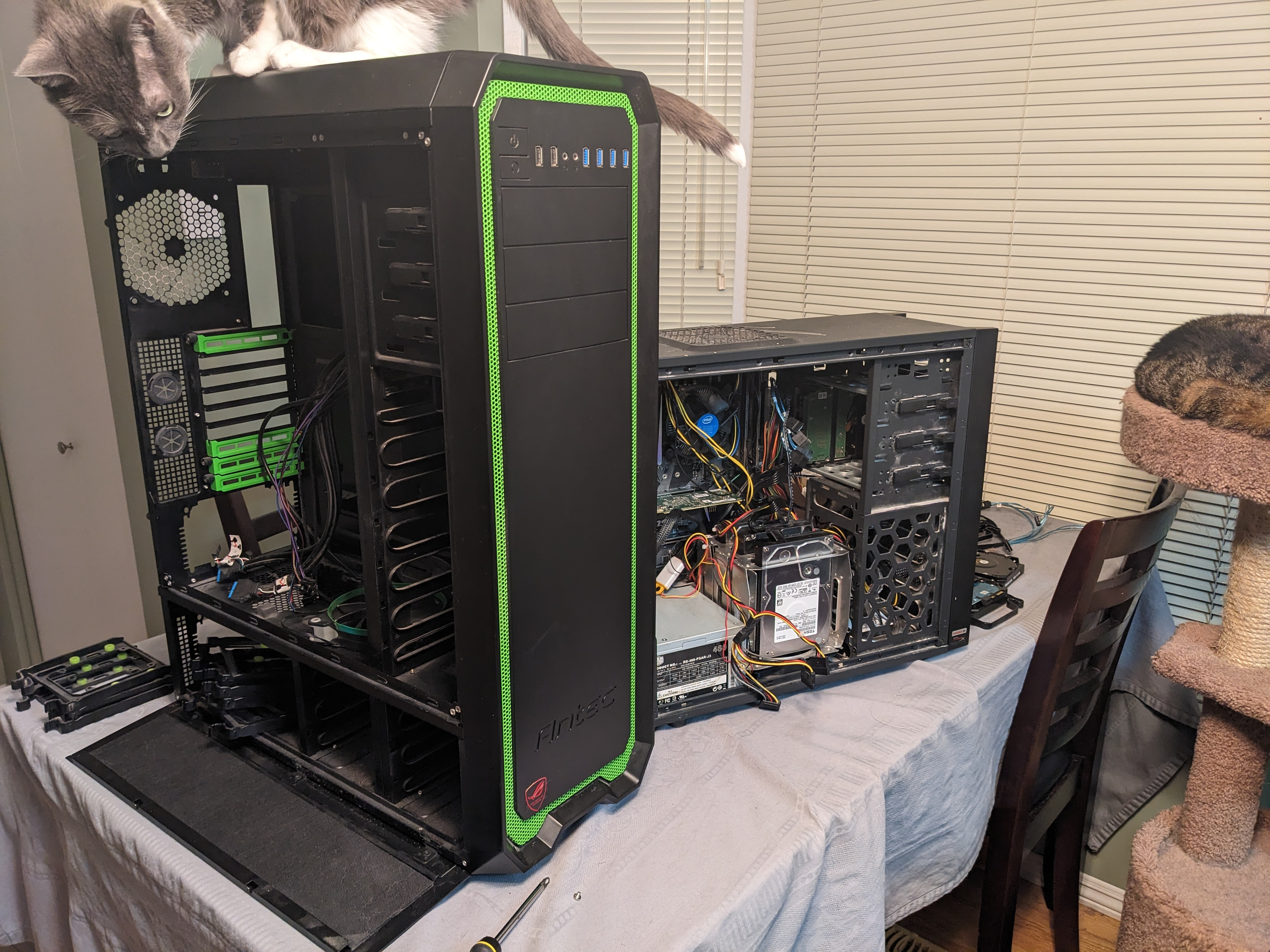
My setup isn't pretty as it is tucked away out of sight and out of mind in my crawl space. I did grab a few photos during my last upgrade though. Previous Build Intel i5-8700 16GB RAM 1TB NVME 8x 12TB SAS HDD 2x LSI 9211-8i SAS HBA Antec One Hundred Case New Build AMD Ryzen 9 7950x 64 GB RAM 1TB NVME 2TB NVME 16x 12TB SAS HDD LSI 9305 16i SAS HBA Antec Nineteen Hundred Case The server OS is unRaid with various dockers for media, home automation, and other hosted services. Upgrade was done to support future local LLM needs. I'm currently looking for two Nvidia RTX 3090 GPUs. Emby Details 1 local user and 6 remote users Clients are almost exclusively Android or FireTV (90%) A few users occasionally use mobile devices (both Android and iOS) One Roku client One Xbox client One Emby Theater client Library consists of 1080p content only, a 4K library is available to only my local account IPTV source for Live TV AMD iGPU HWA is being used via VAAPI (works fine for 1080p SDR content but the Intel i5-8700 was better, HDR tone mapping does not work under Linux) What makes my Emby setup special is that the Emby install/database I'm using dates all the way back to 2018. No fresh installs, no crashes, just upgrade after upgrade for the last 7 years. I have been using Emby (MediaBrowser) since it was a Windows Media Center plugin.
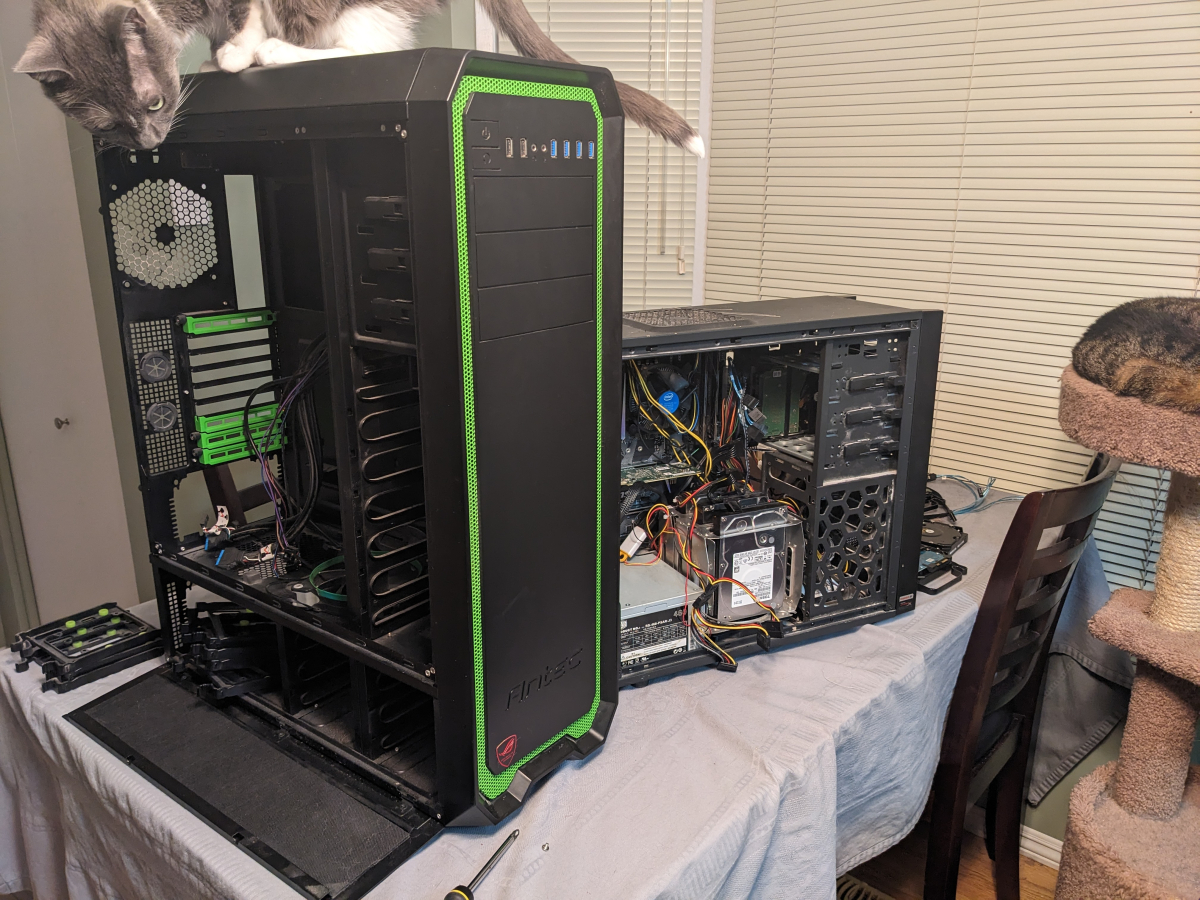
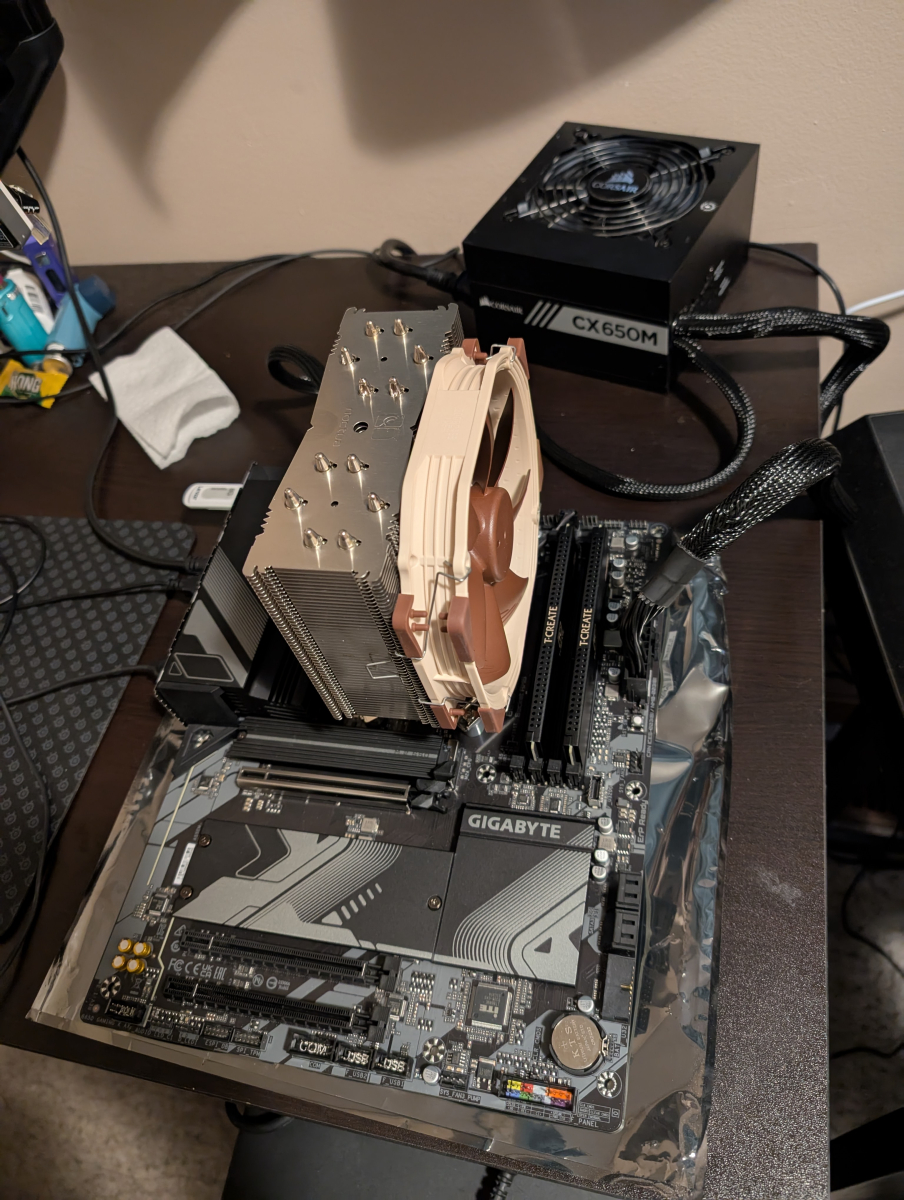 1 point
 -
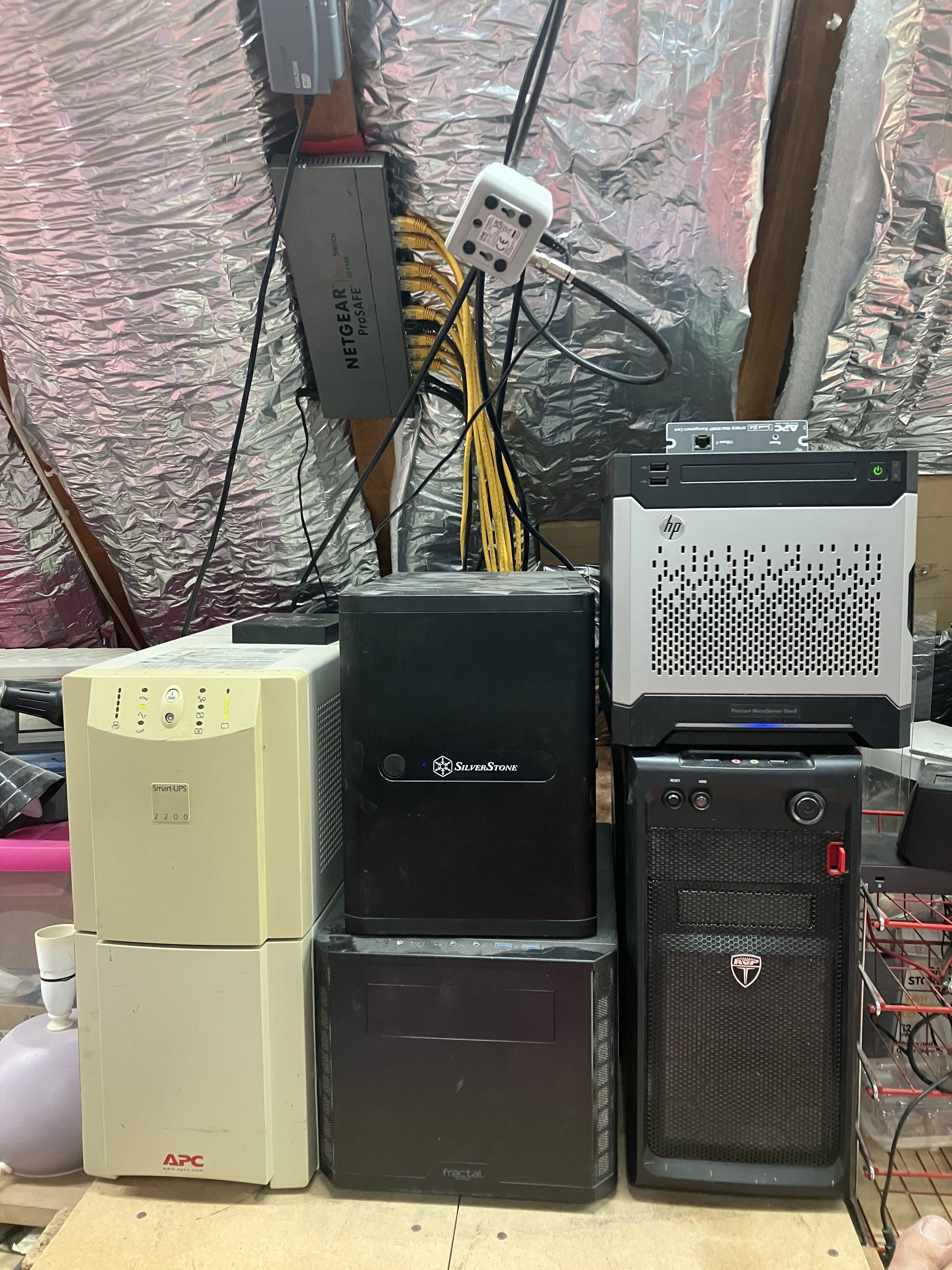
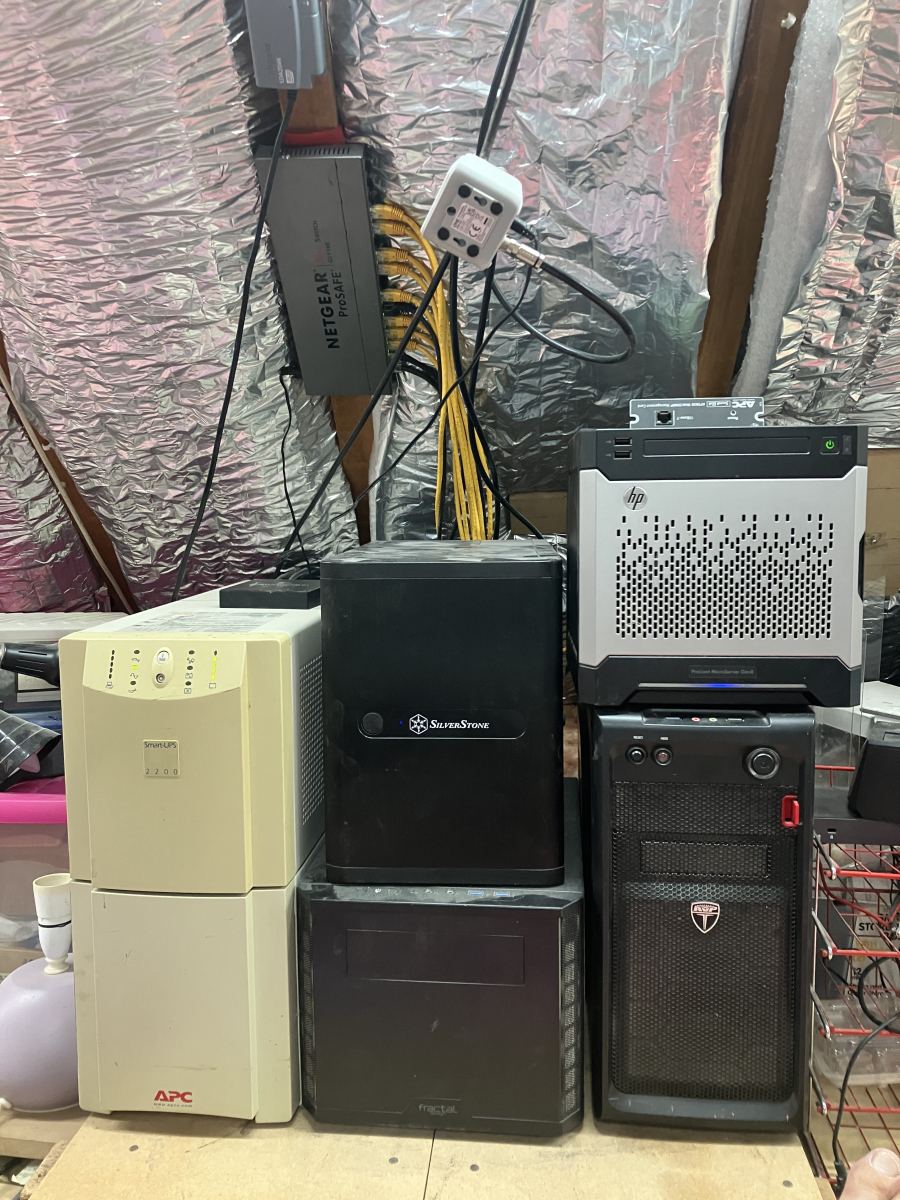
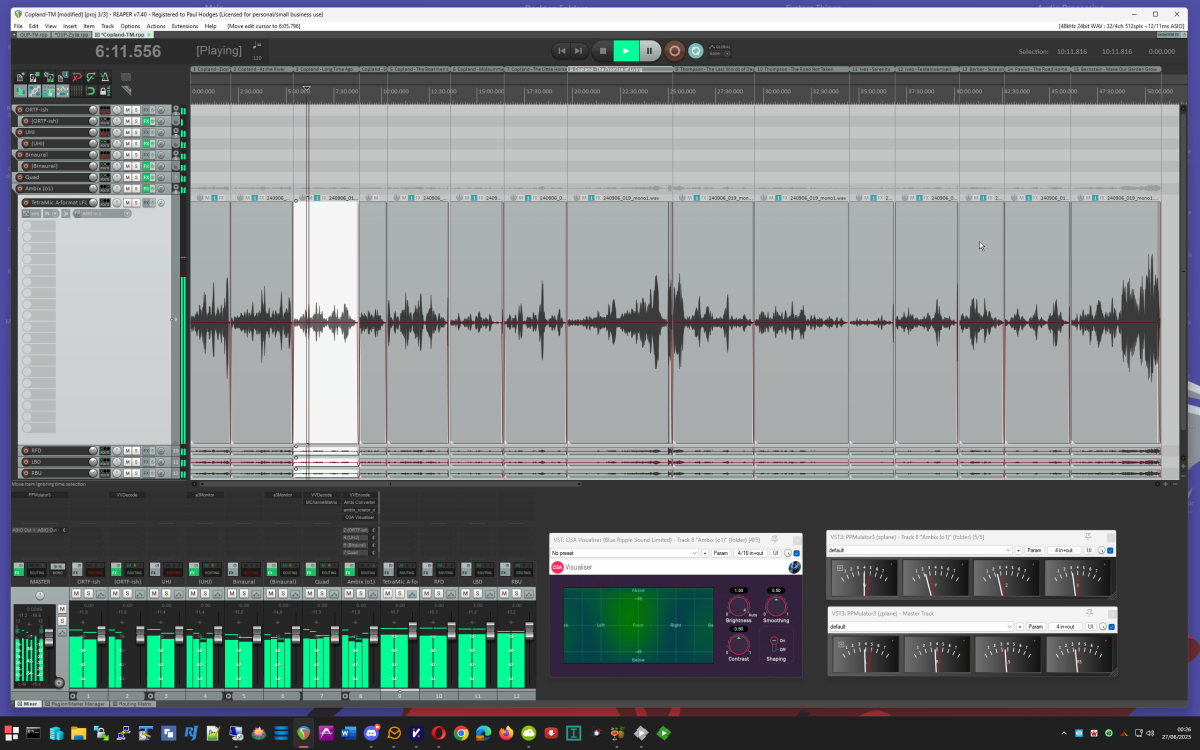
My Emby server is an i7-3770 with 16GB memory and an nVidia GTX 1050Ti for transcoding. It is running Windows 10, and is controlled remotely using RDP. The disks are: (1) 500GB SSD for the system - also the Emby program and temp directories; (2) 12TB disk for the permanent media store (video and audio); (3) 6TB disk for TV recordings and torrents. The server runs nothing other than Emby and Deluge. The media library is curated on a large disk on my desktop (a far more powerful machine with loads of audio editing software and my concert recordings for the last 50 years on it). The local media disk is then mirrored to the server every night. This setup means that no additional backup is required. Clients in regular use are: (1) Roku TV in family room; (2) Roku stick for travel; (3) Firestick in the guest room; (4) iOS on a tablet when lazing around; (5) Theatre on desktop machine when convenient (the screen is a 30" HP screen - I had a 30" Apple Cinema Display, but it became unusable and unrepairable). The "server room" is a corner in the attic: On the left a big UPS with an HDHomeRun sitting on it. In the middle two machines which are internally identical - an 8-core atom processor with 32GB and several SSDs - these run HyperV core (no GUI) hosting a domain controller, a print server, and a jack-of-all-trades web machine with a Caddy web server (about 8 sites) and reverse proxy, a Tomcat server, and a mail server (Kerio). These virtual servers are split between the HyperV hosts to balance the load, and are replicated (mirrored every five minutes for a warm backup). On the right the lower machine is the streaming server (Emby and torrents), and the HP on top is an old backup machine. The streamer is the only machine powerful enough to have a cpu fan! Above you see the central network switch and a distributing TV amplifier feeding the main and guest TVs, the HDHomeRun and a Hauppauge card in the streamer (not currently in use). Not seen, because in a different room, is the Draytek Vigor 2860ac router/firewall. Of more specialist interest is my desktop while editing a concert (this on was last Sunday, in fact): Enjoy! Paul
 1 point
 -
It's a lot thread but it documents the feature missing in the new version. Some users, myself included, have experienced issues that cause the new Emby app to "get stuck" which required it to be forced closed. Lots of people don't have this issue but you should be aware of it if you plan to deploy it to a remote user who might not be able to fix it. In my opinion, the new Emby app is still a beta and the Emby for FireTV would be considered stable. The new app looks nicer and had more potential through continued updates but comes with some downsides. I personally use the new app but I have all of my remote users on the old app still.1 point
-
Hi, yea that sounds like a great idea !1 point
-
One will be called "Emby for FireTV" (the one you have installed now), the other just "Emby".1 point
-
You can use this link StreamBridge or link on my github repository mentioned in original post.1 point
-
Hi, this is not currently supported but it’s certainly something we can look at. Thanks.1 point
-
You can use the myQNAPcloud SSL Certificate for emby remote connection. You will find it in /etc/config/QcloudSSLCertificate/cert on your QNAP NAS Convert the QNAP certificate with the following command to a PKCS #12 file: openssl pkcs12 -export -out emby.p12 -inkey key -in cert reference the emby.p12 file in your server setup: /etc/config/QcloudSSLCertificate/cert/emby.p12 enter the password that you assigned during the conversion of the certificate into the respective field.1 point