Leaderboard




Popular Content
Showing content with the highest reputation on 06/29/25 in all areas
-
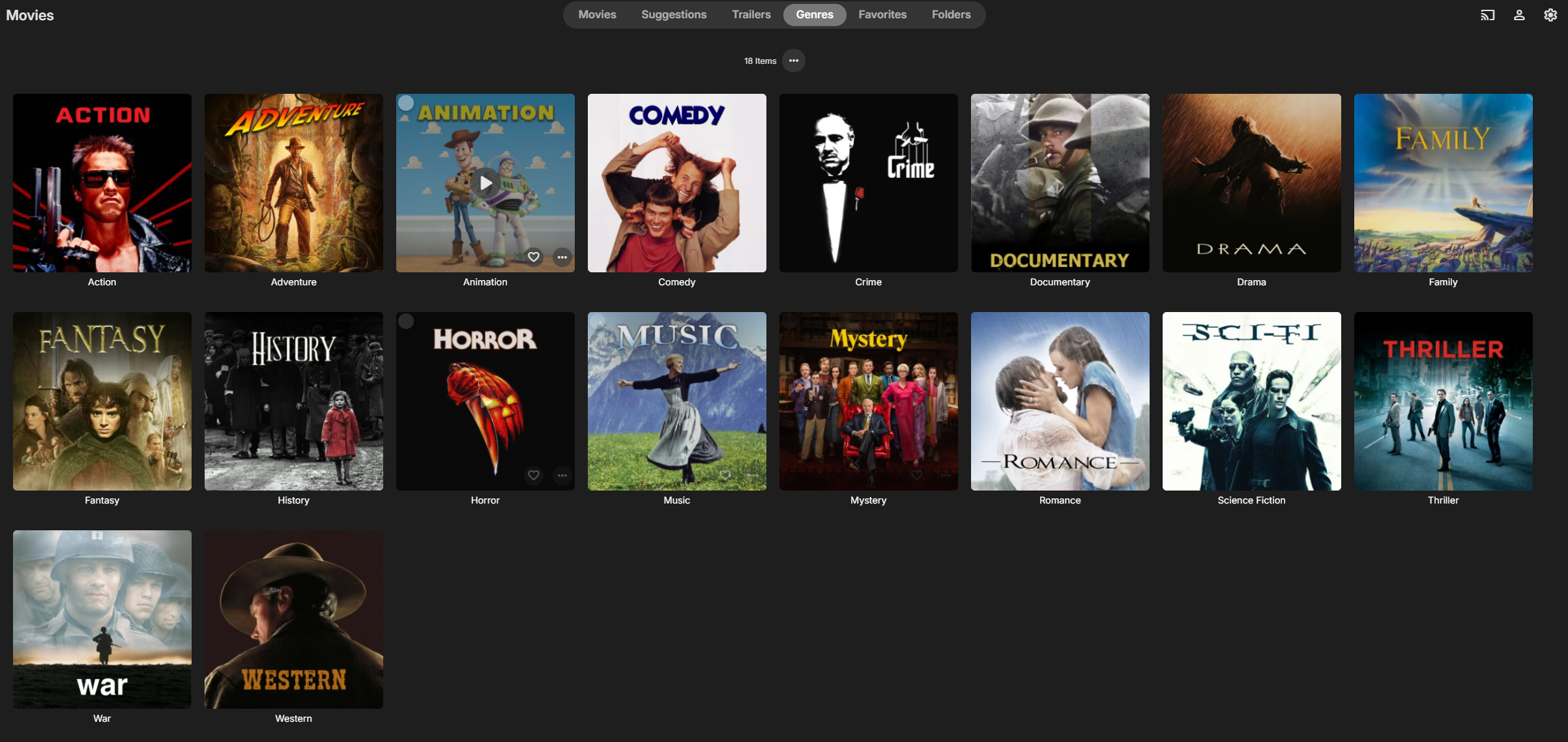
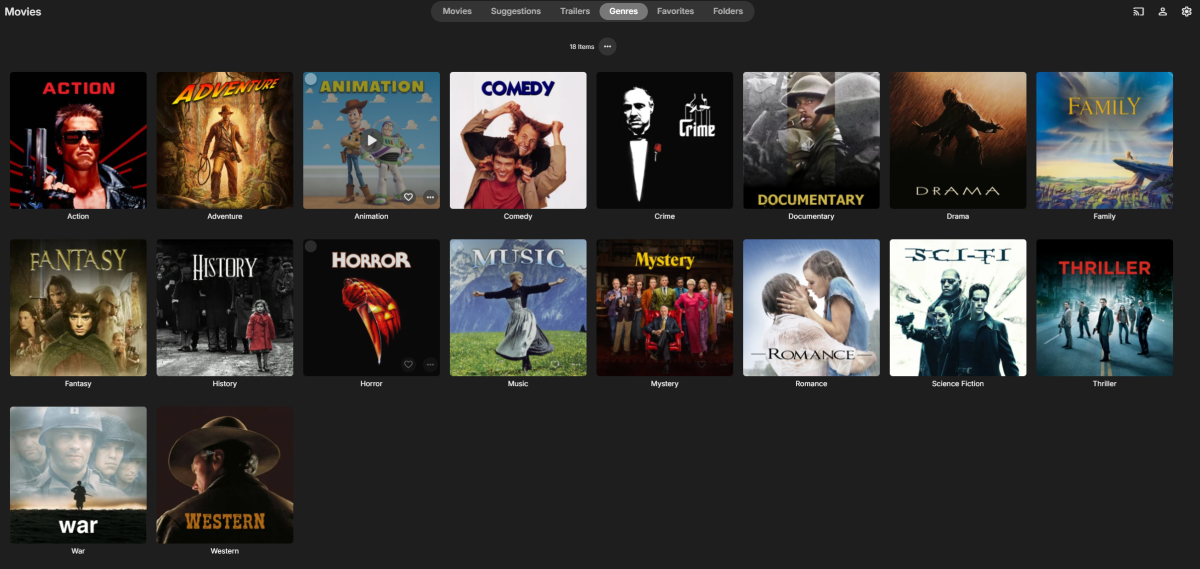
Hello everyone! I've been an Emby user for several years but am new to the community. This weekend, I had some free time and created custom movie-themed genre cover art. I thought others might find them useful, so wanted to share them with you all. Enjoy! Download: https://drive.google.com/drive/folders/1AVi_I9ACdHcSyiIbc1wcI7xdB3dNsGgN?usp=sharing Preview:
 3 points
 -
I built a tool for my own use to create better playlists for background viewing, and it's evolved a bit since then. I'm sharing it in case anyone else finds it useful. It's called MixerBee, and it can create interleaved TV mixes, movie playlists from filters, schedule them to update automatically and more. It also has an optional AI feature. The project is on GitHub if you want to give it a try. https://github.com/tophers/MixerBee2 points
-
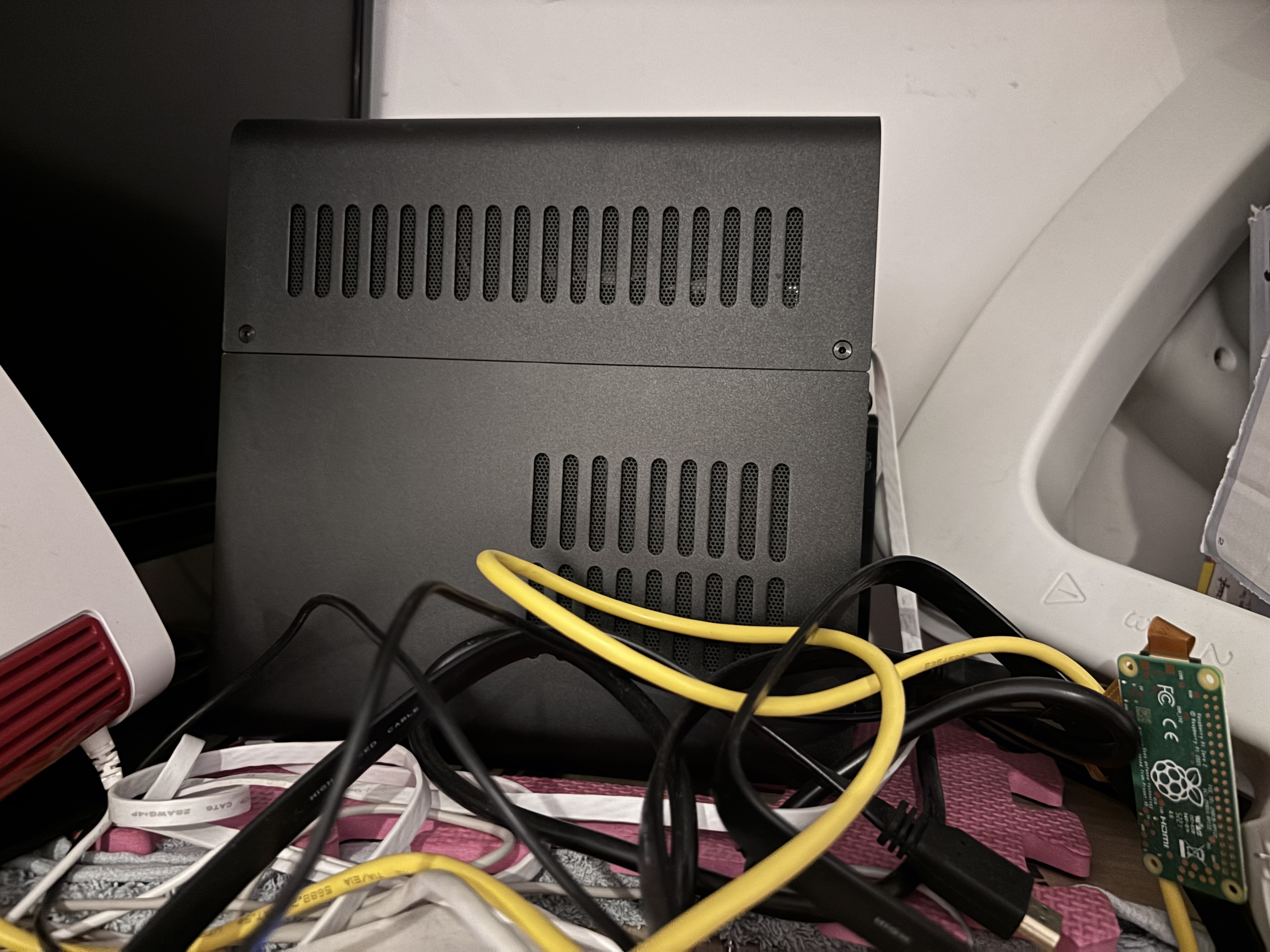
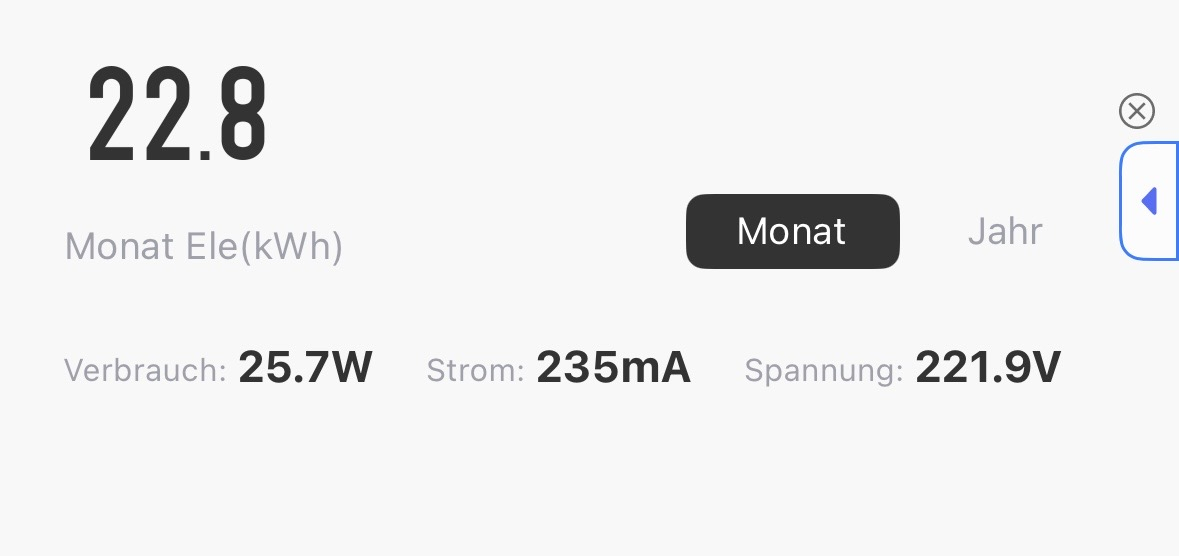
Just wanted to share my humble little NAS setup that’s been quietly powering my home for a while now — and Emby is absolutely the star of the show here. Hardware: Case: Jonsbo N2 (small, stylish, surprisingly roomy) Mainboard: GIGABYTE B760I AORUS PRO CPU: Intel Core i3-13100 (solid performance, low power draw) RAM: 64GB DDR5 (yes, I know, overkill — but LXC love it) Storage: 3x HDDs, total of 36TB usable, pooled with mergerfs Inside: a lightweight Ubuntu LXC container running Docker, which hosts: Emby (media server) Tdarr (AV1 re-encoding) Other small services () Power consumption: ~25.7W average It’s headless, sits on a shelf behind my monitor, and just works. No noise, no drama, no spinning fans of death. Why Emby? I’ve used Plex and Jellyfin before, but Emby hits the perfect sweet spot: Responsive UI Excellent transcoding support. Plays nice with remote users Mobile apps are actually good Easily reverse proxied behind Caddy with Cloudflare It serves my local and remote users effortlessly, even when pulling 4K content. Tailscale gives me secure access from anywhere (seriously, I streamed from a train once), and I’m slowly re-encoding older files to AV1 via Tdarr — Emby eats them without complaint. Yes, it’s a bit of a cable jungle — but that’s just the honest aesthetic of every good homelab. If you’re looking for a clean, quiet, efficient setup that doesn’t break the bank — the N2 + Proxmox + Emby combo is chef’s kiss. Happy streaming!
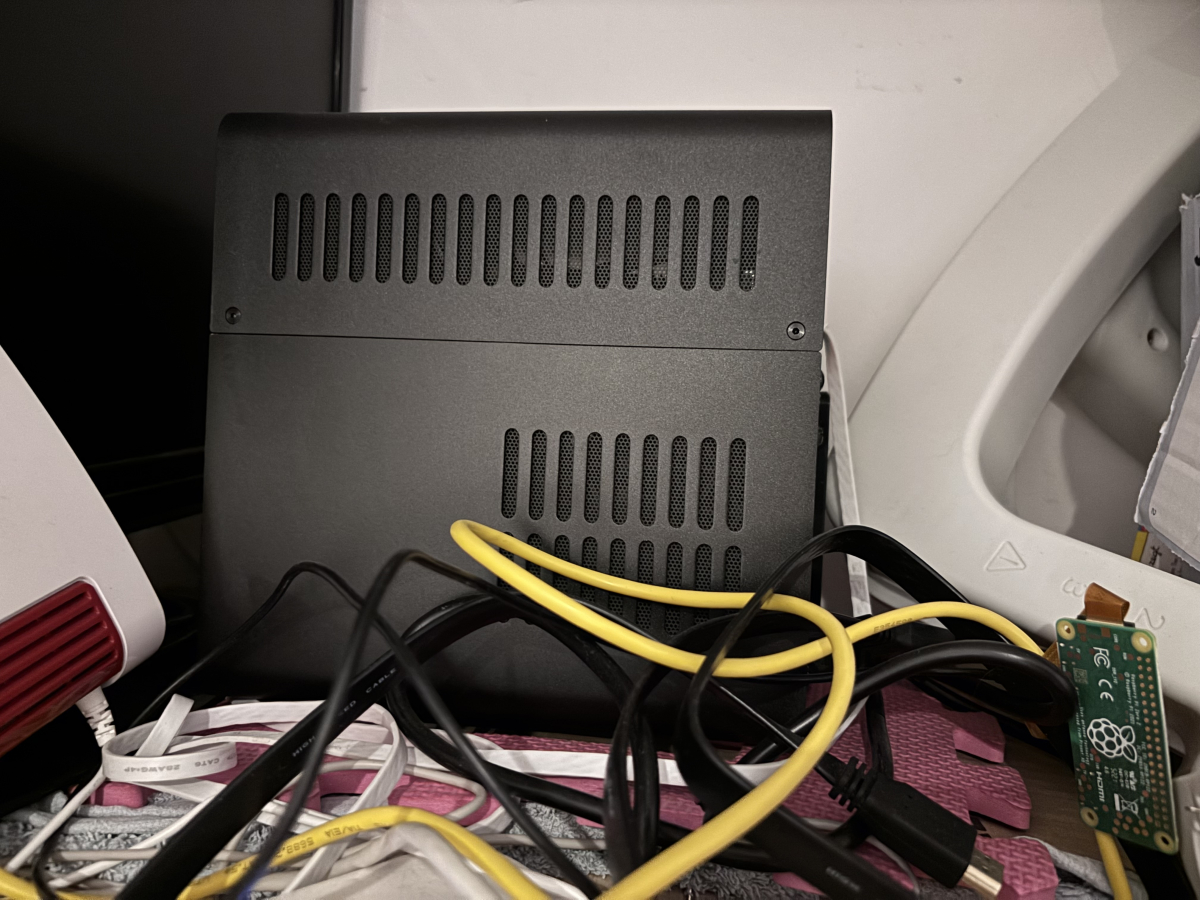 2 points
 -
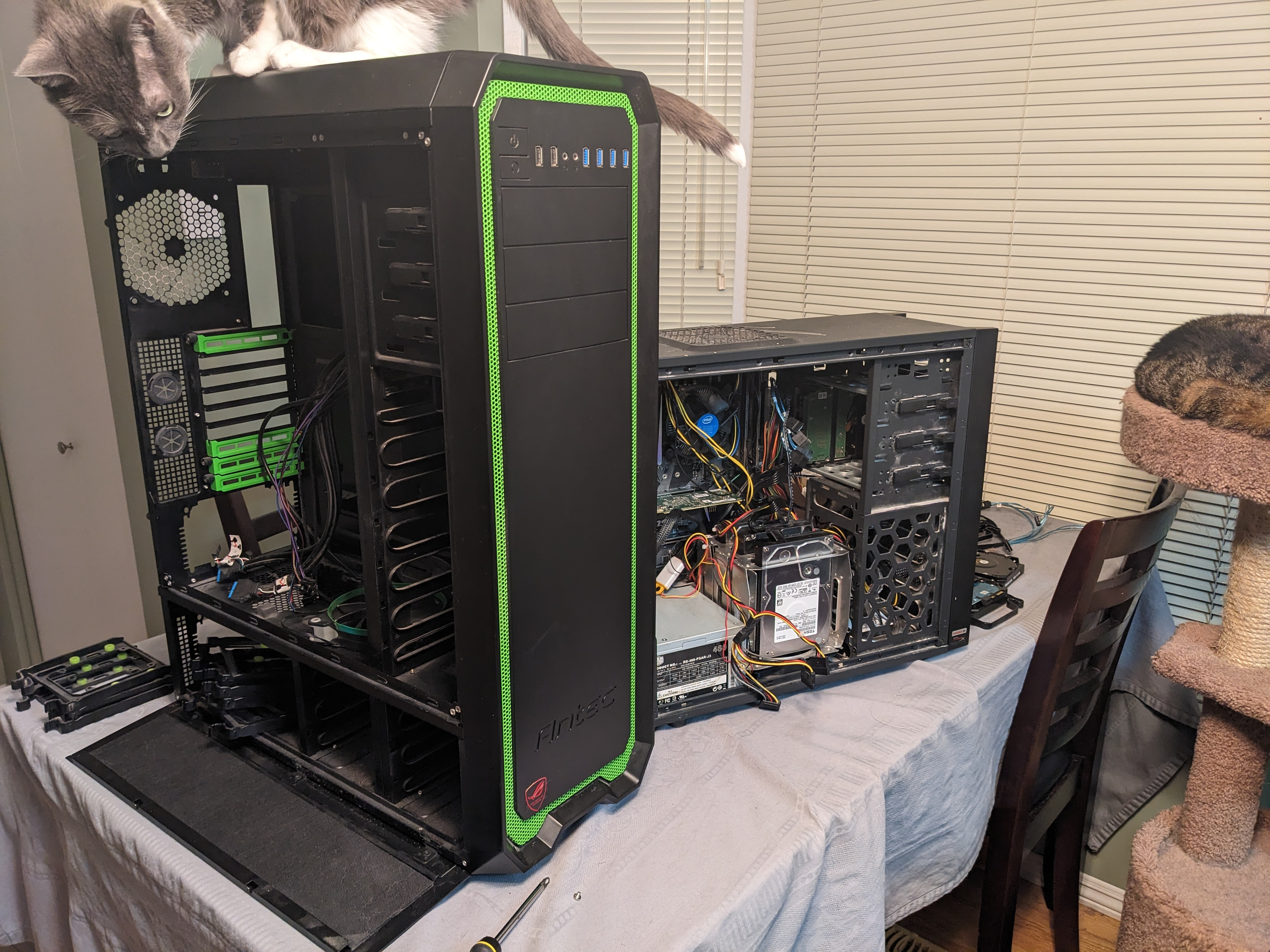
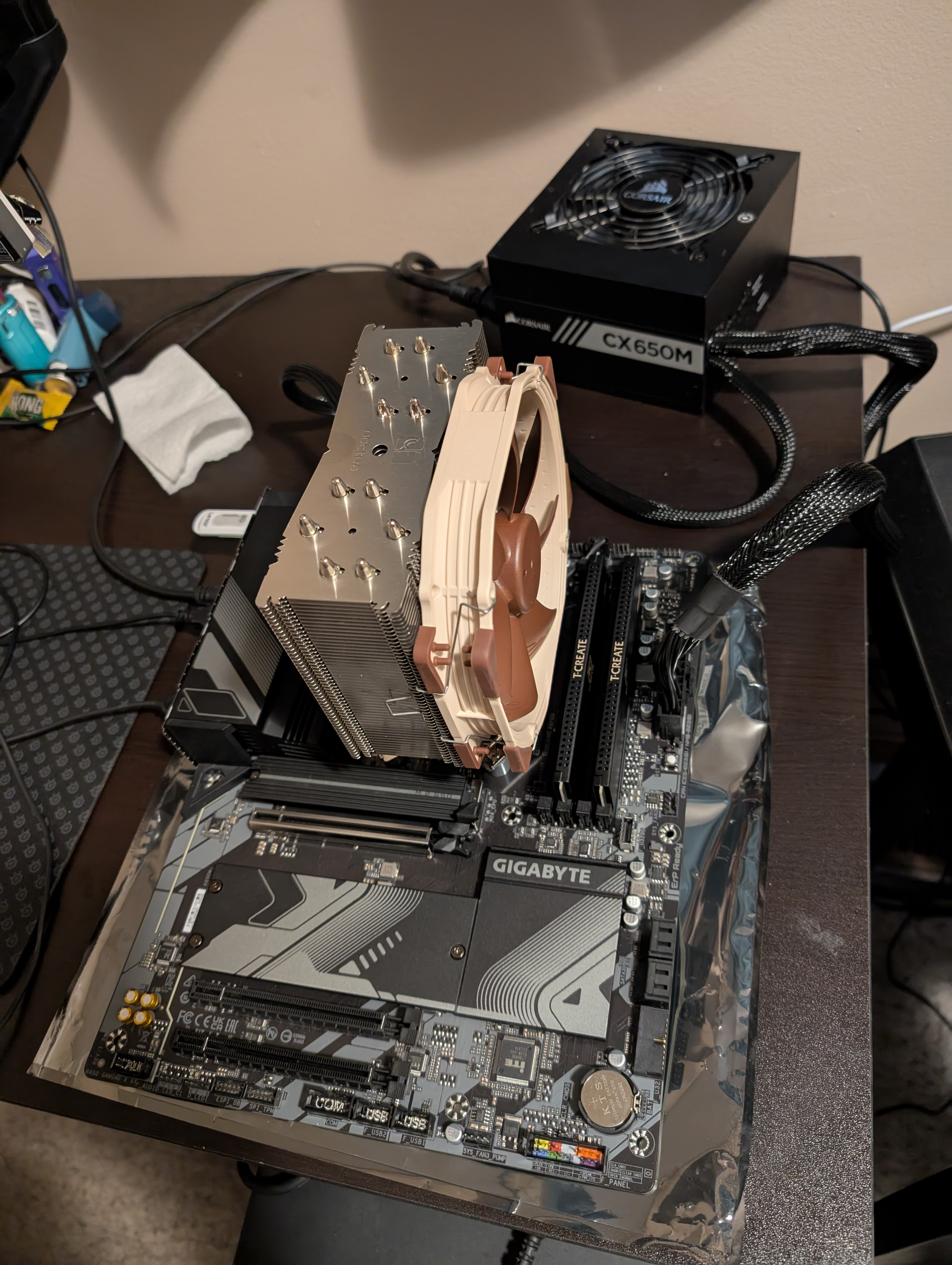
My setup isn't pretty as it is tucked away out of sight and out of mind in my crawl space. I did grab a few photos during my last upgrade though. Previous Build Intel i5-8700 16GB RAM 1TB NVME 8x 12TB SAS HDD 2x LSI 9211-8i SAS HBA Antec One Hundred Case New Build AMD Ryzen 9 7950x 64 GB RAM 1TB NVME 2TB NVME 16x 12TB SAS HDD LSI 9305 16i SAS HBA Antec Nineteen Hundred Case The server OS is unRaid with various dockers for media, home automation, and other hosted services. Upgrade was done to support future local LLM needs. I'm currently looking for two Nvidia RTX 3090 GPUs. Emby Details 1 local user and 6 remote users Clients are almost exclusively Android or FireTV (90%) A few users occasionally use mobile devices (both Android and iOS) One Roku client One Xbox client One Emby Theater client Library consists of 1080p content only, a 4K library is available to only my local account IPTV source for Live TV AMD iGPU HWA is being used via VAAPI (works fine for 1080p SDR content but the Intel i5-8700 was better, HDR tone mapping does not work under Linux) What makes my Emby setup special is that the Emby install/database I'm using dates all the way back to 2018. No fresh installs, no crashes, just upgrade after upgrade for the last 7 years. I have been using Emby (MediaBrowser) since it was a Windows Media Center plugin.
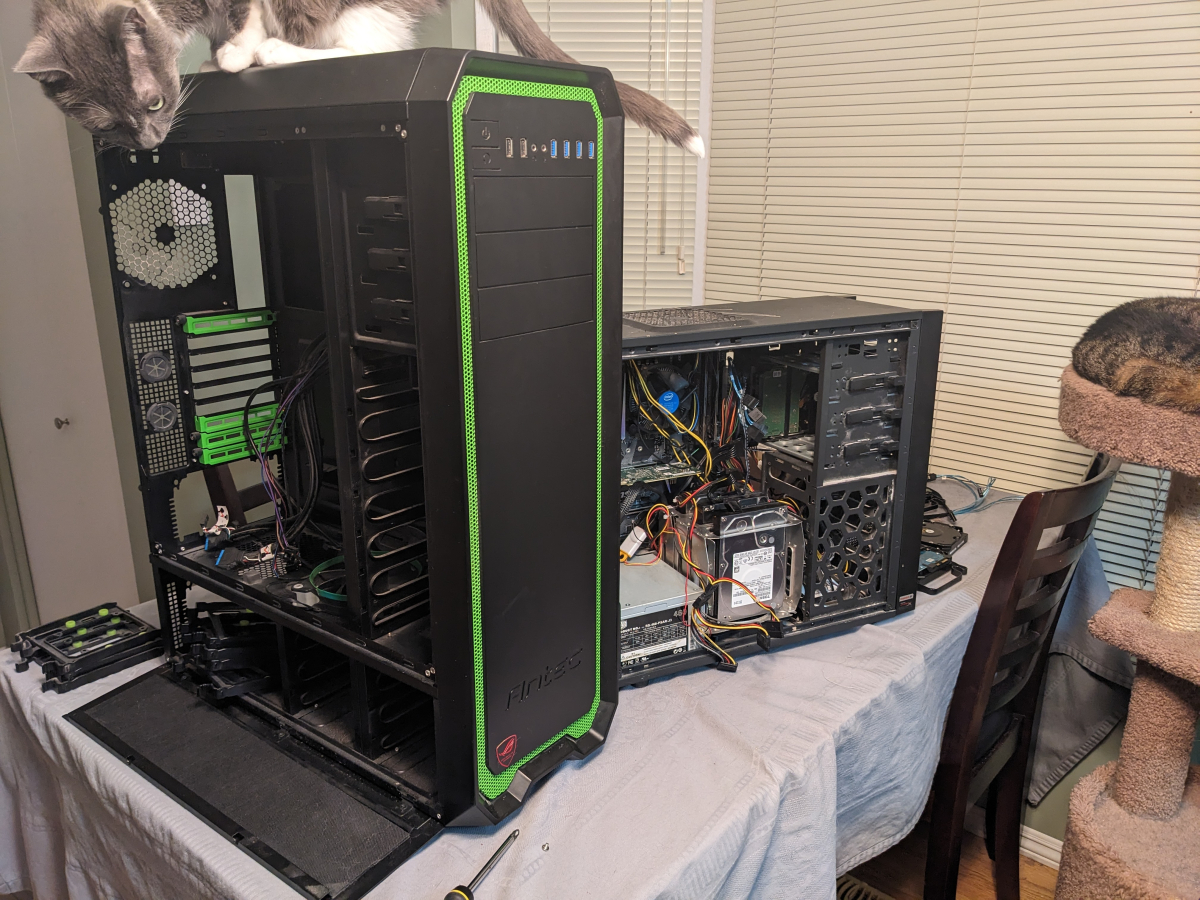
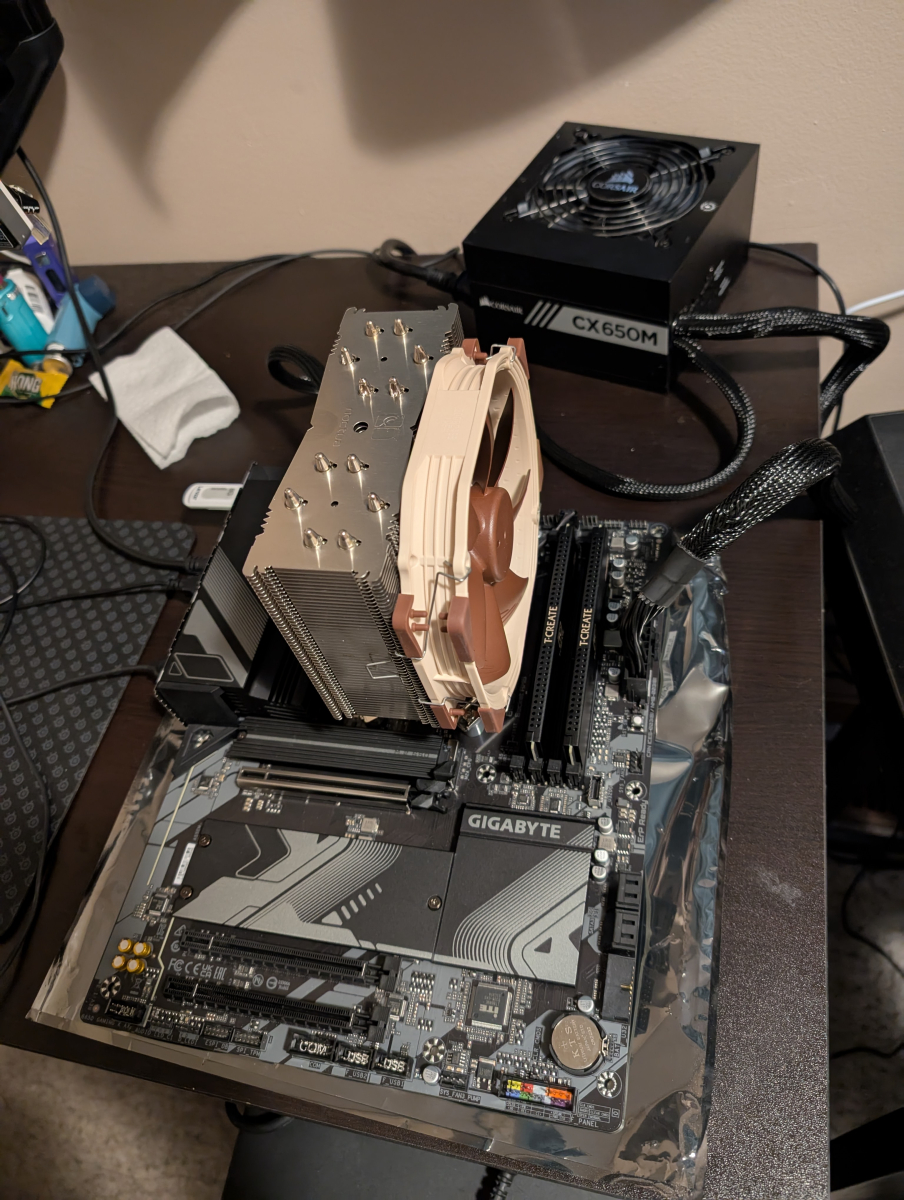 2 points
 -
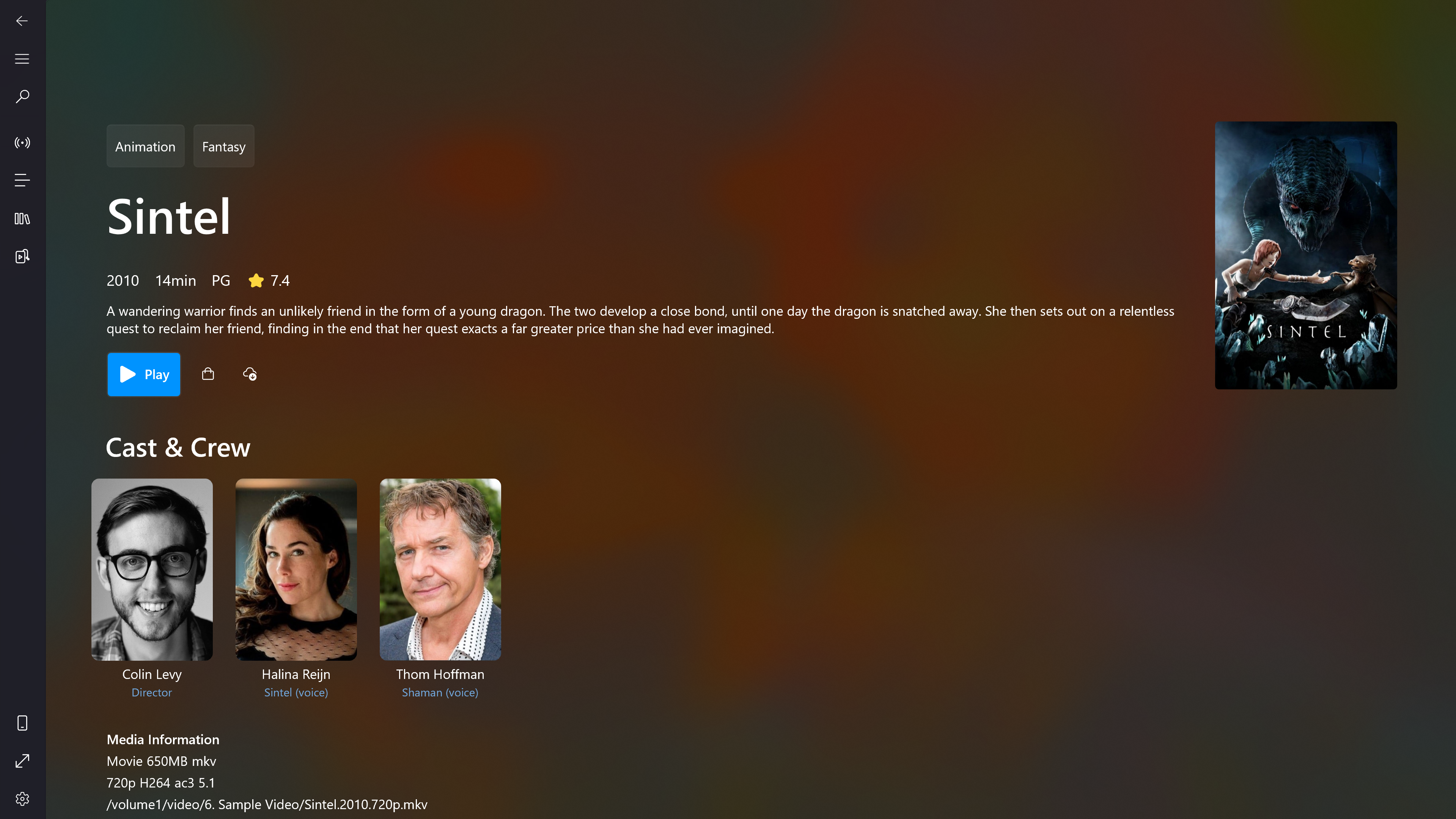
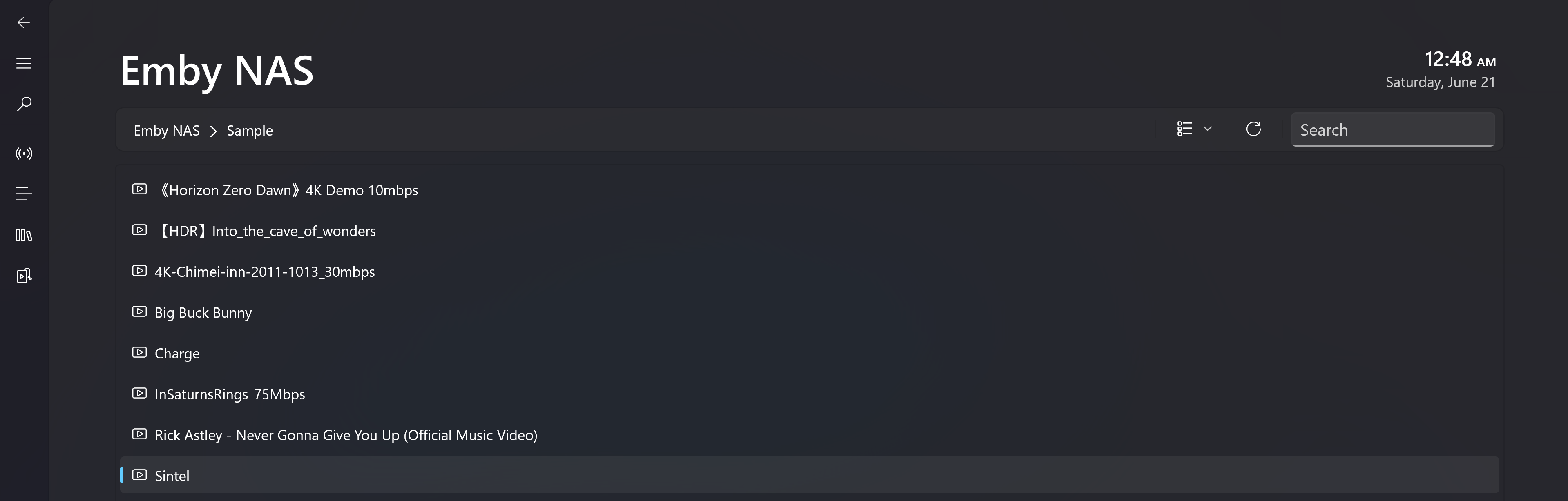
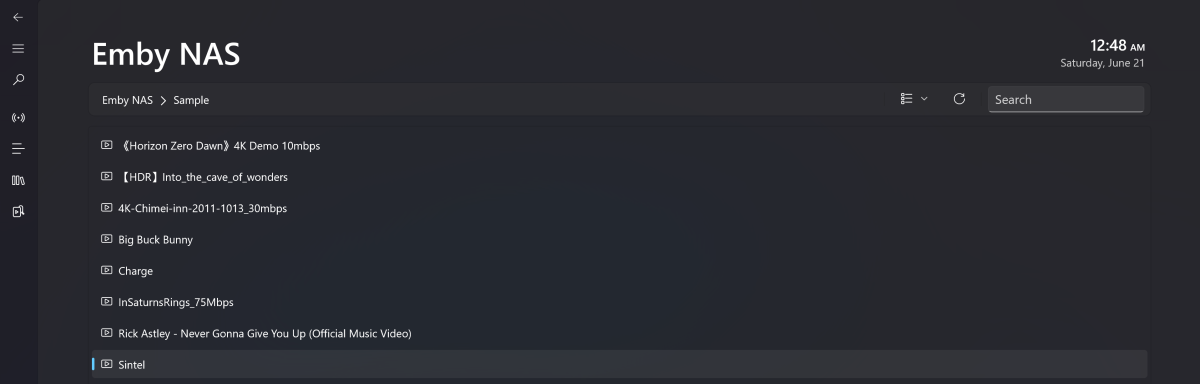
My app was initially designed to stream M3U8 content on PC and Xbox. Recently, I started exploring Emby on my NAS and found that integrating it wasn’t too difficult. So I implemented a set of minimum viable features - including directory browsing, media pages, and playback. I'd love for you to give it a try. Most features are available for free. Download Link -> Microsoft Store What's working: - Directory navigation and search - Media info including genres, release year, ratings, overview, casts, video and audio metadata etc - Native playback for Windows 10/11 and Xbox Series S|X. The full feature-set of Playback including audio, subtitle, video ratio, playback speed adjustment. Change audio output device. PIP mode on PC. - Subtitles (built-in and the first external subtitle provided by Emby) Screenshots: How to access the Media Hub: Known issues: - 4K HEVC playback on Xbox is not hardware decoded. It's using local server transcoding(Native HEVC decode for XSS|X is possible but I don't want to give up the background play feature, PC is using native decoder) - Only one external subtitle will be carried over to the video. Internal subtitles are fine - Xbox version won't resume play after leaving the playback page
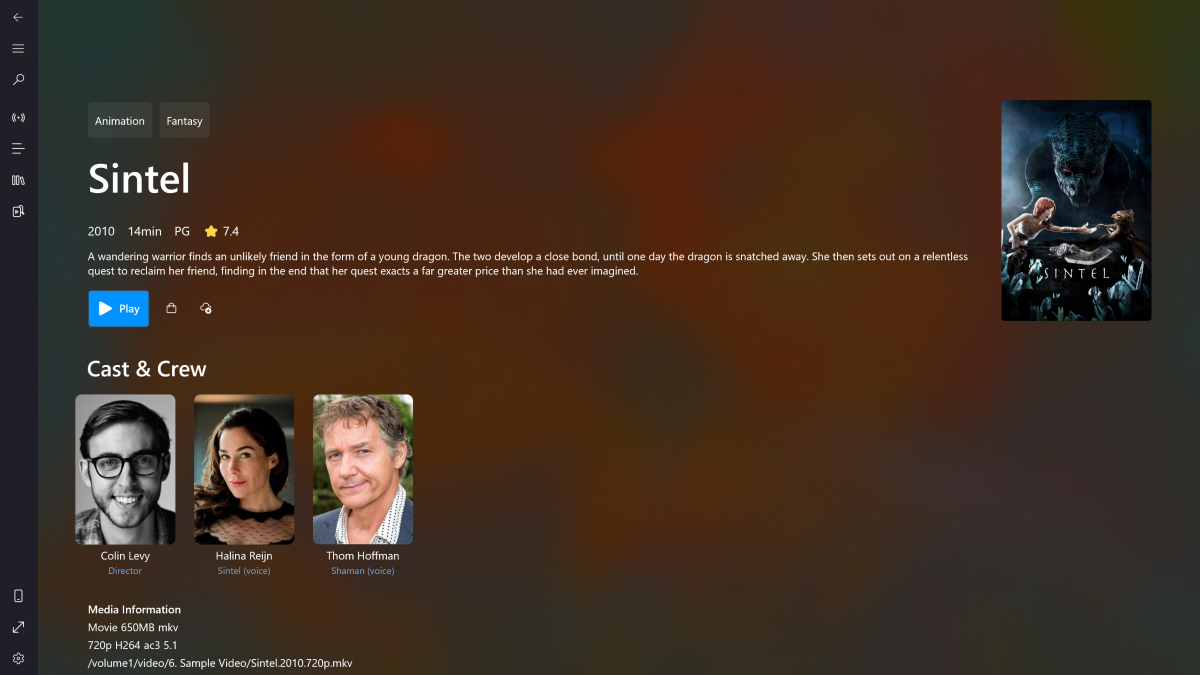
 1 point
 -
Hi, Since I am using more and more TMDb, (since tvdb is more and more a mess), I am missing a very important feature. tvdb had the feature of grouping stuff into aired, DVD and absolute, which is supported by emby. TMDb had also this feature. See this example for "La casa de papel" (Money Heist, Haus des Geldes): The Original Order is allways the "aired order" of the original country. "La casa de papel" was originaly released by "Antena 3" and was taken over by Netflix, which results in different episodes ordering, which is a mess. They solved it in episode grouping. This feature is missing from emby, but it's integrated in their API and is allready supported in other apps, like kodi. At least, Banana a TMDb Mod claims it, that it's supported by Kodi: https://www.themoviedb.org/tv/71446-la-casa-de-papel/discuss/5e7032d84f9a99001152704f?page=1#5eb76872ca7ec6001f7c53cb Is it possible to add this feature into emby? It is the last scraping feature, I really really miss for TMDb on emby. It adds much flexibility and is overall a much better solution, than on tvdb with their aired, dvd and absolute order. Another great example is Dragonball Super: As you see, it adds much more flexibility for different regions over the world. It's in my own eyes a must have for emby!

 1 point
 -
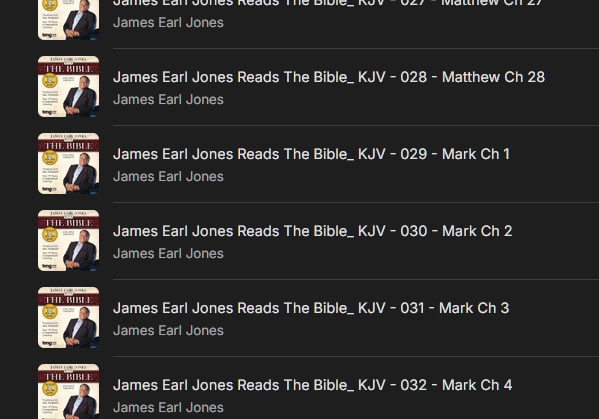
MP3Tag for the win! hoping ok to leave link here for anyone else with this sort of issue manual editing of properties of hundreds of files is a ... pita LOL quick, easy, free! thank you again for pointing me in the right direction! https://community.mp3tag.de/t/automatically-batch-a-mp3-title-from-the-file-name/8072/4
 1 point
 -
OK. I'll do that later this week. I let you know for sure1 point
-
Im the one to say thanx, your plug-in is awesome,thanx for sharing1 point
-
It should let Emby know its offline if it can't access it. Useful if you have media on a another nas, or you backup set to remote.1 point
-
Unfortunately not, they have long since been overwritten...1 point
-
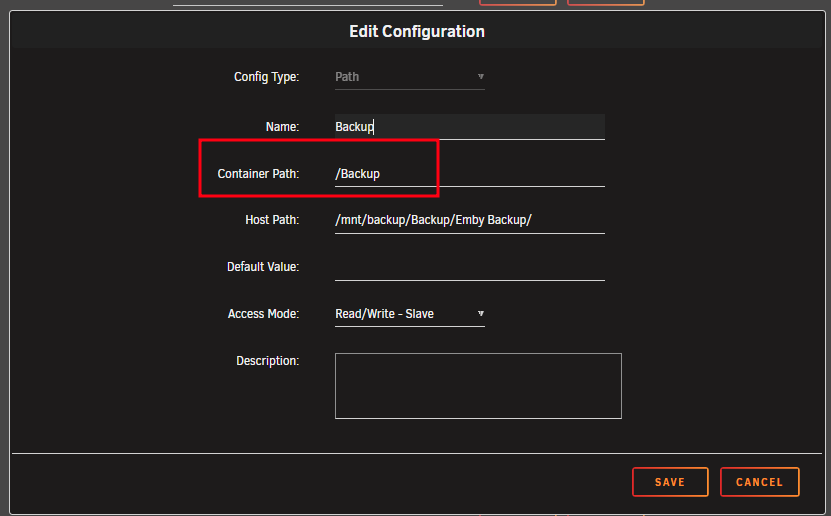
Kudos! You were exactly correct. Working now. Mega thanks. Curious, what does this "Access Mode to RW - Slave" do differently than read write. What does the - Slave option do?1 point
-
Love it
 1 point
 -
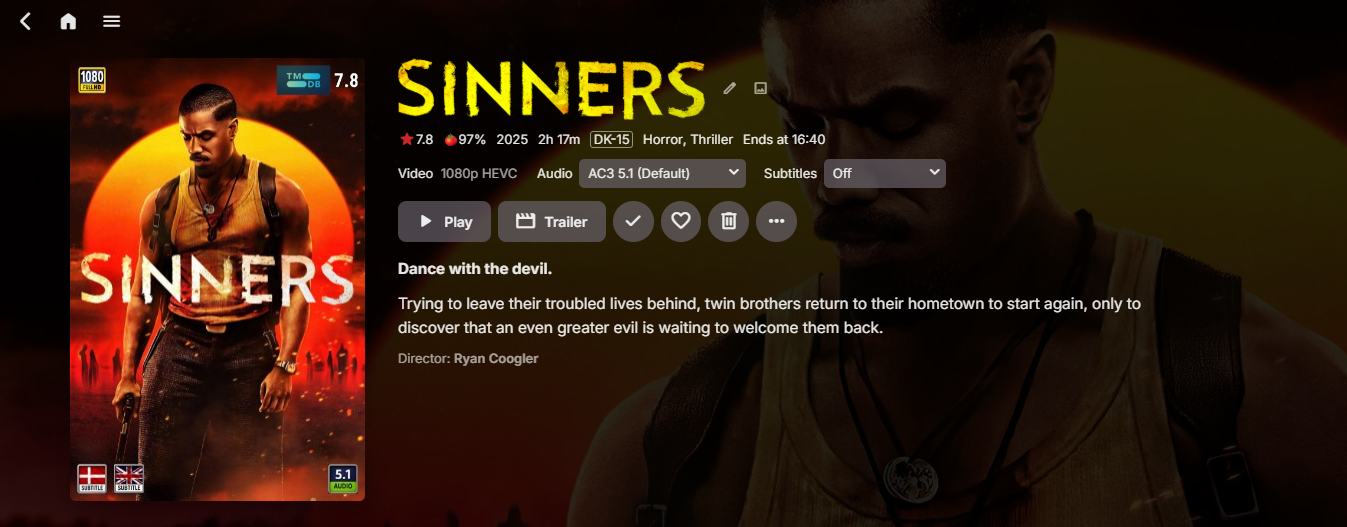
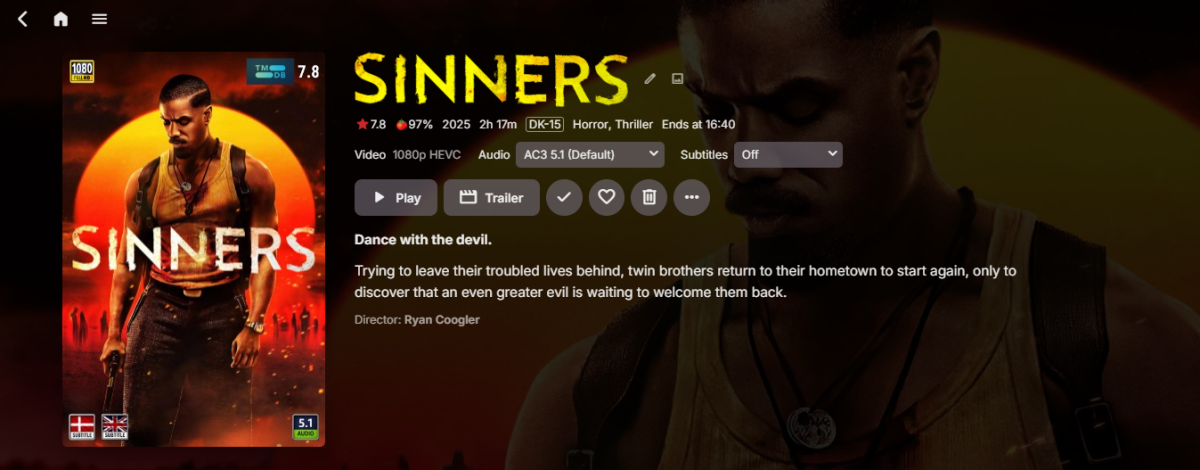
if (width >= 3200 || height >= 1500) return "4k"; if (width >= 1800 || height >= 780) return "1080p"; if (width >= 1200 || height >= 650) return "720p"; if (height >= 540) return "576p"; if (height >= 400) return "480p"; Would this work for you? Example, anything above 1800 or 780 will be seen as 1080p, anything above 3200 or 1500 will be seen as 4K. This *should* account for most resolutions. Your "Sinners" movie will be seen as 1080p,1 point
-
Thanks for looking into it1 point
-
That why I need my friend to look at it But I figure a mix of of equal or greater than on both height and width I could also just hook into emby, what I'm doing ATM is basically just what I put into the plugin when I first made it1 point
-
Gaaah.. Yes, i'm behind in my thinking, i actually did fix that. It's been a busy month.1 point
-
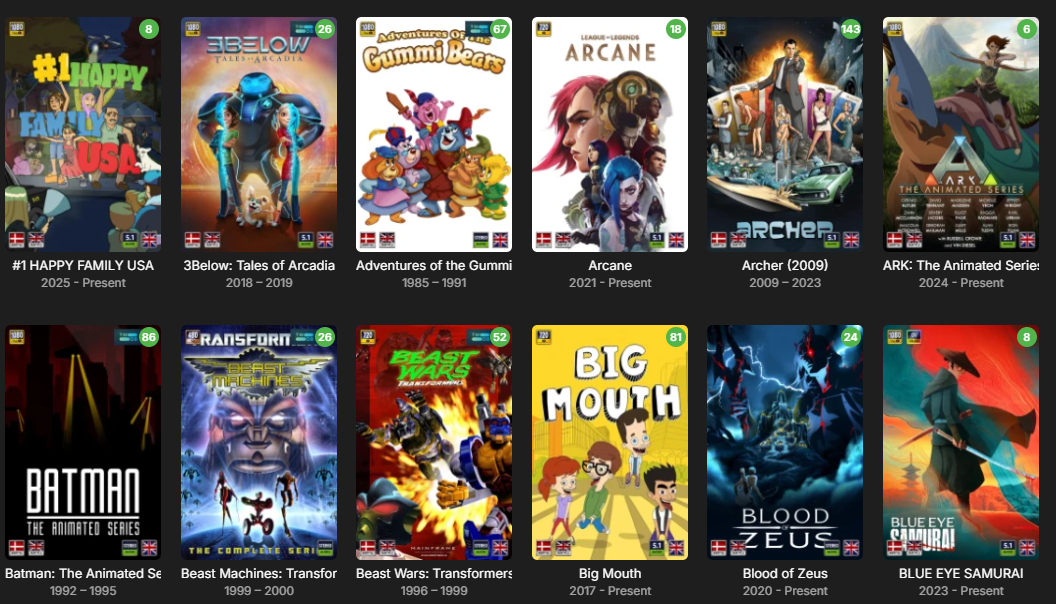
Hmm are you sure, I have just enabled my cartoons and music video library and get icons.
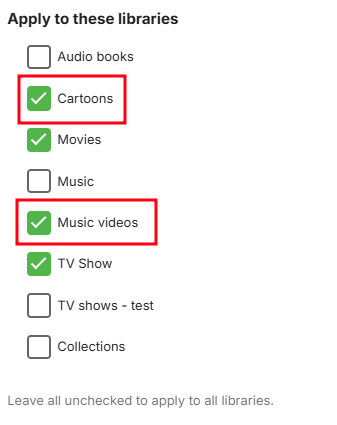
 1 point
 -
@Neminem You can try this version for the resolutions. I have a friend i will talk with later that will know how to eliminate all "false positives" in the resolutions for sure. Had some quick copy and paste HTML done to add a readme as well, it's not done yet though but as it's not critical at all to the plugin you can just ignore it. EmbyIcons.dll1 point
-
I will set it a little lower, i set the limit at x800 so you are just at the limit with those. I'm no resolution expert so don't know what wide screens videos use so a little guess work for me this, it's very easy to edit though.1 point
-
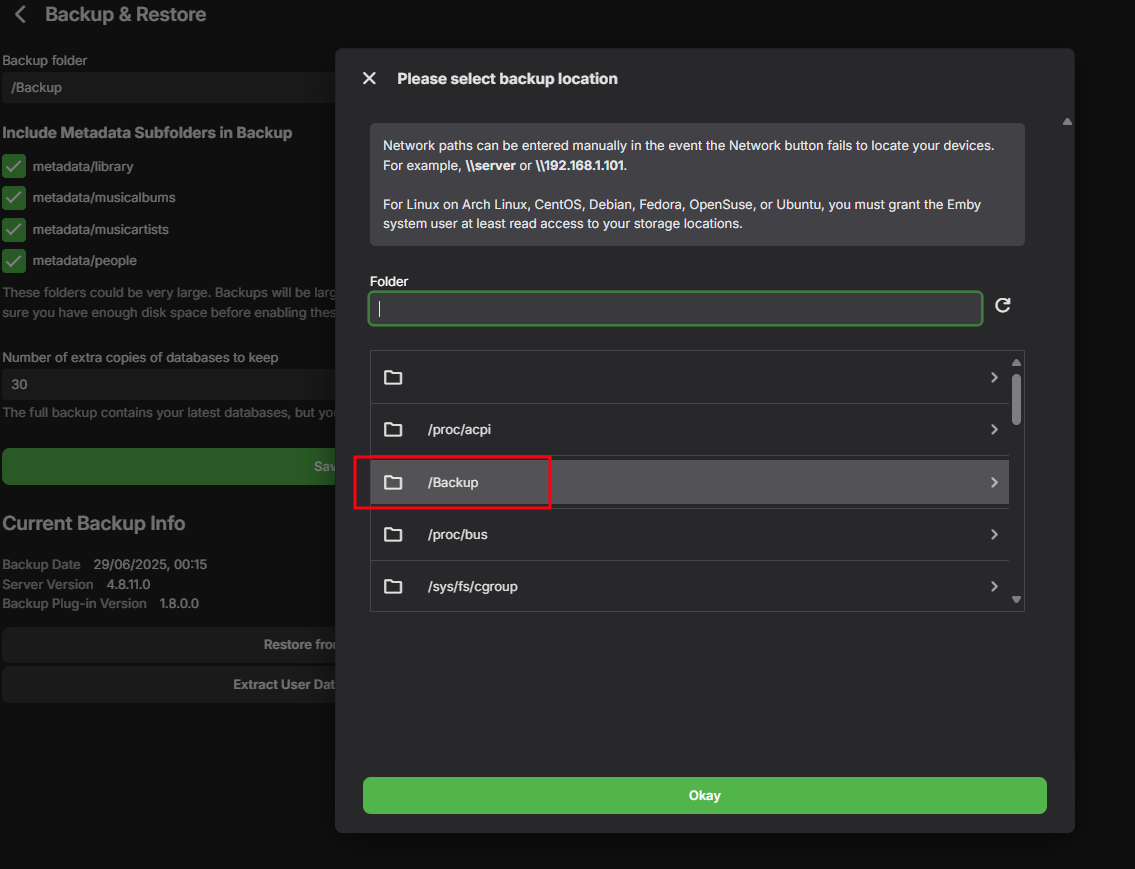
@EmbodimentIt looks like you forgot to add the container path. And since its a remote path, set the Access Mode to RW - Slave.
 1 point
 -
In short, yes, as long as the server owner maintains an active Emby Premiere subscription - users connected to that server are able to benefit from the features outlined here: Emby Premiere Feature Matrix More reading: Emby Premiere / Is there a limit to Emby Premiere?1 point
-
I'm requesting a feature that could play alternate endings of movies by stopping a movie at a specified timestamp and playing an Alternate Ending file. Randomizing the endings would be a neat feature as well. Use Cases: Clue (1985) - Has 3 different endings that were all theatrically released at the same time. I Am Legend (2007) - Its alternate ending drastically changes tat "after-movie" feeling. Titanic (1997) - This movie is a classic and its alternate ending is wild in comparison to the original. Fan-Made endings could be played as well, if you're into that. I'm honestly making this Feature Request for Clue but being able to pick between the endings of any movie would be really cool! Especially with .strm files, if the endings weren't released on DVD.1 point
-
Twin Peaks has preview bumpers as well that are not able to be played before each episode without going out of your way to find them in special features or appending the files together, which is a time-intensive process.1 point
-
OK, one more idea. I looked at this: https://stackoverflow.com/questions/70155625/bash-no-such-file-or-directory-when-file-is-clearly-present and the answer fixed it. My endings were wrong, they were windows EOL characters because I am moving from a Windows box and the file originated there. OMG.1 point
-
Hi. I believe this is a known issue with the 4.8 server. Your default subs based on your settings should be selected but the "remember subs I selected last time" feature is not reliable in the current server version. If you have a chance to test this in the 4.9 beta please let us know.1 point
-
You moved the AppData folder - so the media paths changed and Emby couldn't know they were the same media without getting the metadata again. Paul1 point
-
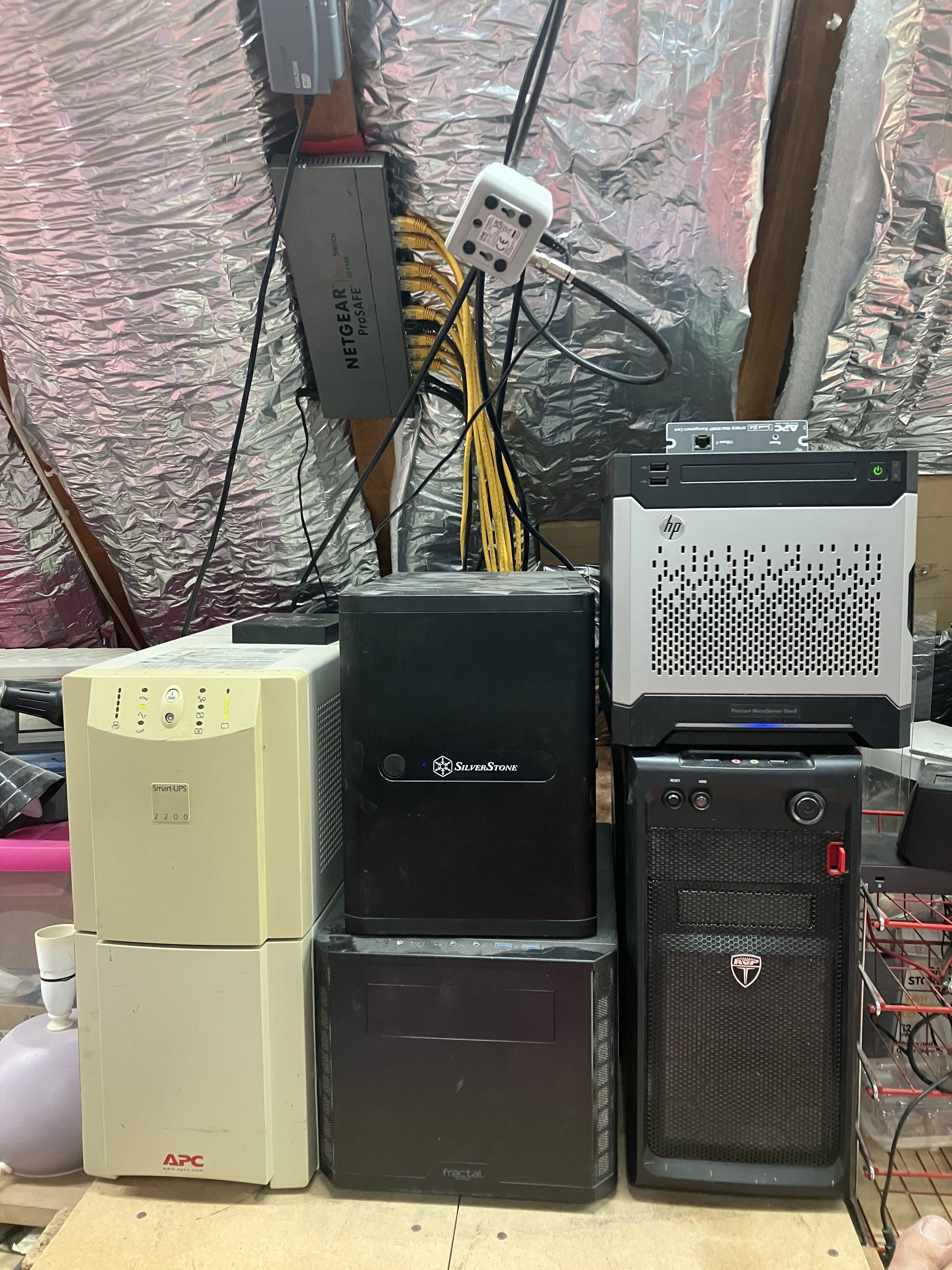
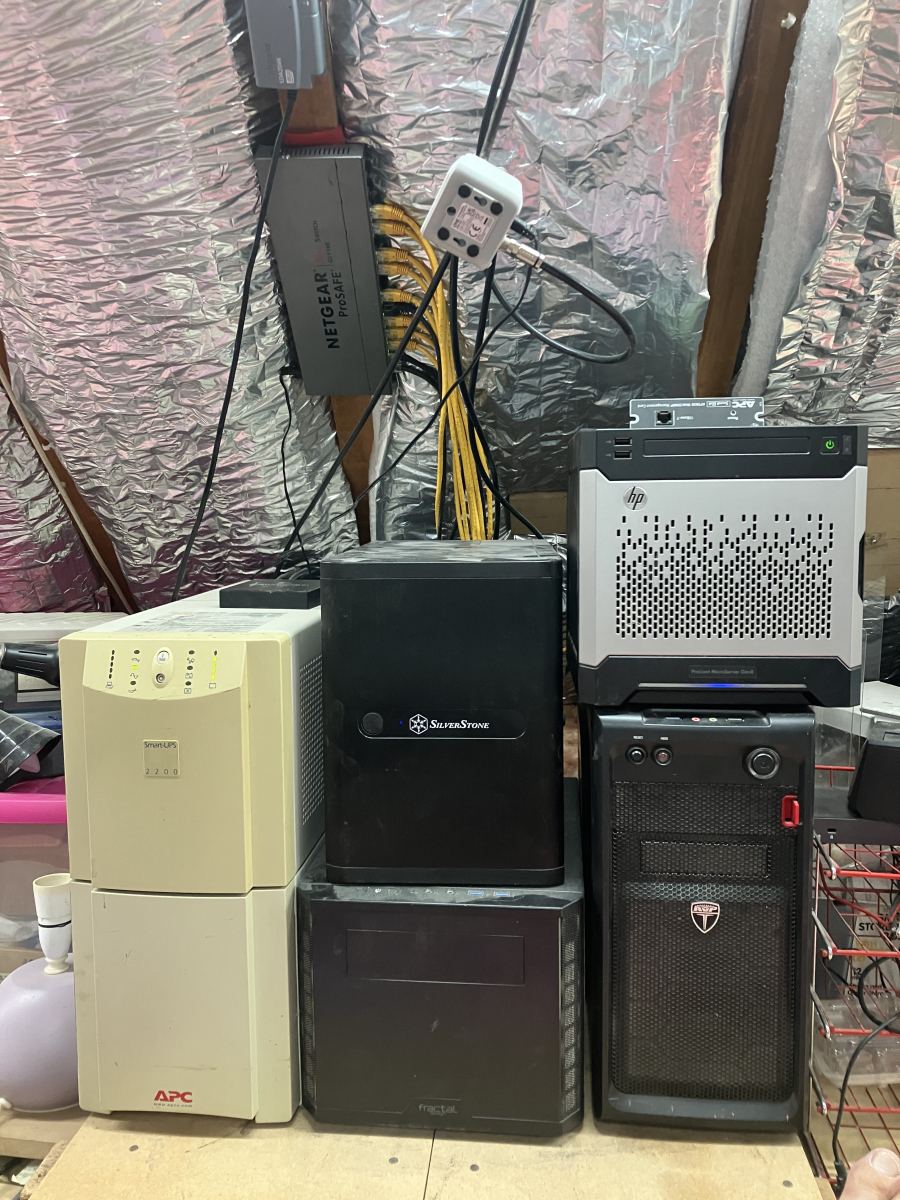
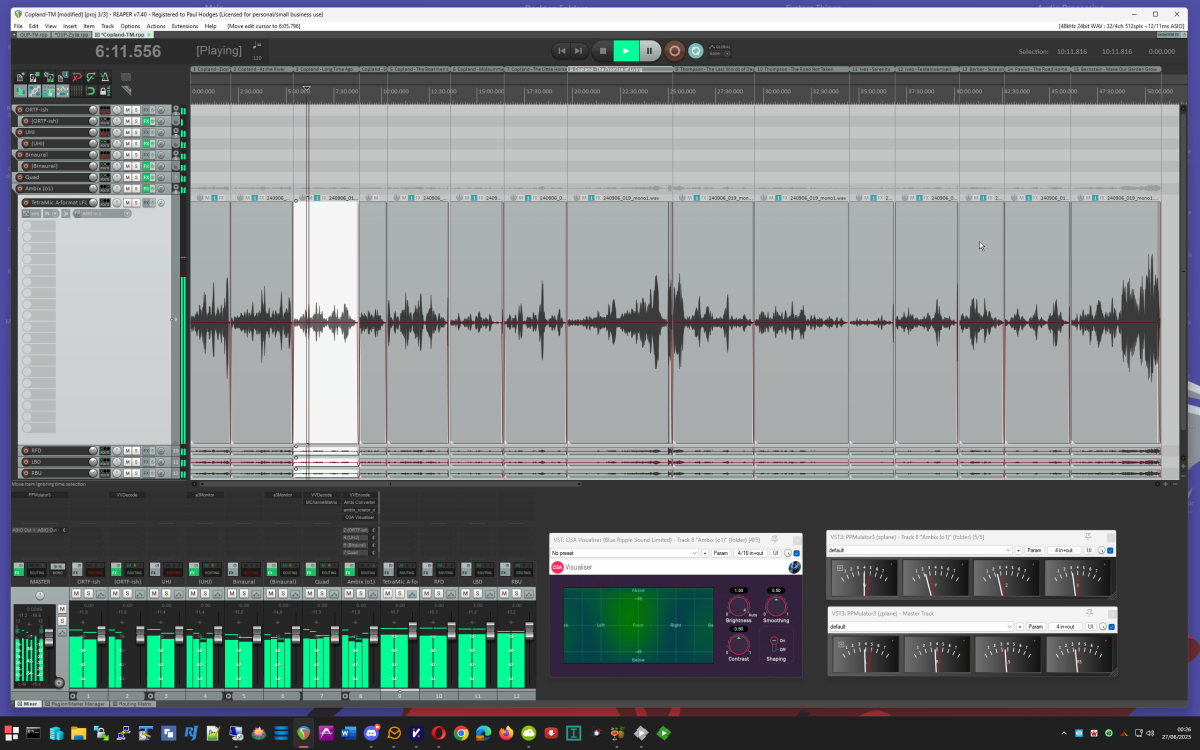
My Emby server is an i7-3770 with 16GB memory and an nVidia GTX 1050Ti for transcoding. It is running Windows 10, and is controlled remotely using RDP. The disks are: (1) 500GB SSD for the system - also the Emby program and temp directories; (2) 12TB disk for the permanent media store (video and audio); (3) 6TB disk for TV recordings and torrents. The server runs nothing other than Emby and Deluge. The media library is curated on a large disk on my desktop (a far more powerful machine with loads of audio editing software and my concert recordings for the last 50 years on it). The local media disk is then mirrored to the server every night. This setup means that no additional backup is required. Clients in regular use are: (1) Roku TV in family room; (2) Roku stick for travel; (3) Firestick in the guest room; (4) iOS on a tablet when lazing around; (5) Theatre on desktop machine when convenient (the screen is a 30" HP screen - I had a 30" Apple Cinema Display, but it became unusable and unrepairable). The "server room" is a corner in the attic: On the left a big UPS with an HDHomeRun sitting on it. In the middle two machines which are internally identical - an 8-core atom processor with 32GB and several SSDs - these run HyperV core (no GUI) hosting a domain controller, a print server, and a jack-of-all-trades web machine with a Caddy web server (about 8 sites) and reverse proxy, a Tomcat server, and a mail server (Kerio). These virtual servers are split between the HyperV hosts to balance the load, and are replicated (mirrored every five minutes for a warm backup). On the right the lower machine is the streaming server (Emby and torrents), and the HP on top is an old backup machine. The streamer is the only machine powerful enough to have a cpu fan! Above you see the central network switch and a distributing TV amplifier feeding the main and guest TVs, the HDHomeRun and a Hauppauge card in the streamer (not currently in use). Not seen, because in a different room, is the Draytek Vigor 2860ac router/firewall. Of more specialist interest is my desktop while editing a concert (this on was last Sunday, in fact): Enjoy! Paul
 1 point
 -
Hi, Happy to open the share with my config: Rack server (processor Intel(R) Xeon(R) Gold 6130 CPU @ 2.10GHz, 64 cores, 128G of RAM) with up to 38 drives in it (so far "only" filled with 32 drives) running Debian 12 installed in a datacenter. Full IPv4/6 access. Medias storage and metadatas storage on ZFS volumes (storage space used for medias around 220To right now). Separate storage for medias and metadatas, and separate raid for OS. Stream to bunch of different devices. 2 pictures (one during installation in rack, and one during a reorganisation of the rack). The emby server is the machine with blue locker on drawers. Vincèn1 point
-
step to reproduce the problem I have a library that contains all my music, around 30k songs. Open the library. Select "songs". Select "shuffle". The server create a "temporary playlist" with 300 songs. All of them are selected by the very first part of the complete list as if the server selects the song only in the # . I can see this cause the songs titles start with number or special character. The log attached should contains same steps once from pc (no problem in this case) and 3 times from iphone. Thank you very much embyserver.txt1 point
-
I have hundreds movies from Rutracker and they are ok. there is no possibility to pack some unwanted or dangerous content into the video container and force it to execute via unknown playback app =)) so don't be afraid of multimedia files. you need to provide logs here for the support team to check. I guess there is some issues with ffmpeg and your GPU decode abilities.1 point
-
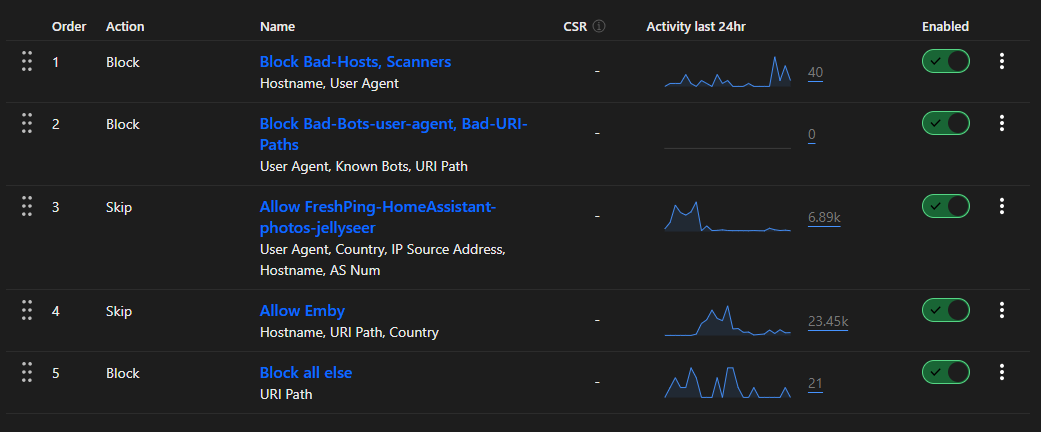
Just to elaborate on my FW rules here : I basically check (as the free plan does not allow for api/remote access to FW logs) for the following : If rule 2 has any entries, then it means something has got through on the real subdomain i.e emby.mydomain.com, then it will start blocking any bots/uri paths on that. This is very rare. Rule 3 and 4 are 'allow' rules - hardened where possible for only the hosts access (known server name, known country, known uri path's, known network AS number etc etc) Rule 5 is the catch all - i.e this only sees two things really : 1 - Incorrect countries access (often an iphone/ipad/laptop emby app on holiday by a friend/family) but passed the other tests before 2 - Incorrect port sniffing attacks (they seem to go for 2052, 2053, 2086, 2095, 8880, 8080, 8443). I believe on the paid CF plans you can ONLY allow 80 and 443 which would be good but I have read that on the free plan, this is not working. If i could add that to the blocks up top, then nothing scary/unknown would make it to the catch all.
 1 point
 -
No, it can't be done like this. With the LDAP plugin, Emby gets the user name and password of every user who logs on in clear text and the server attempts to log on with these credentials at the LDAP server. Such procedures are totally forbidden with OAuth/OIDC. It is a core feature of those implementations that you must and may never give your password to any 3rd party. You only sign-in at the site where the account is from that you are using to sign-in. There are multiple authentication "flows". The most typical one is browser redirection, which means that a client app needs to redirect you to the web site that has issued your account. Once you have logged in there, you get returned to the app, while in the background of this procedure, tokens are exchanged between the 3 parties: The app with the issuer website, then the app with Emby Server and eventually Emby Server itself with the issuer website. There's also a "flow" for devices which cannot redirect (because they aren't browser-based): With the "device flow", the client tells the user a website to open (separately, e.g. via mobile device), the user logs on to the website and gets a numeric code, which it then enters into the client app. The rest is the same like above. Assuming Emby Server (and all clients!) would support this, there are additional caveats: The Emby Server needs to have a DNS registration of your own domain (no dynamic dns) and must be continuously and reliably available As an owner of an Emby server who wants to set this up, you need to go quite a way to get this working: You need to open a developer account with the sign-in provider through which you want to allow users to sign on to your server And you need to do this for every sign-in provider you want to suppport. For example: you want to allow users to log in with their Google accounts, Facebook accounts, GitHub accounts and Microsoft accounts With all of them, you will need to open a developer account and then, you need to register your "app/service" (=Emby Server) for OAuth/OIDC authentication The procedures are quite different with all of them and the data you get and will need to set up Emby server accordingly looks differently, and it's quite a process to get it all figured out Finally, there's another complication: when you want to allow users to log in with their Google accounts (for example), that doesn't mean that you want to allow everybody with a Google account to log into your server, which means in turn that you need a mechanism for selection. Possible methods are By invite link you actively send invites to users you want to allow Approval Queue Users who authenticate the first time are put into an approval queue where you regularly need to grant or deny access Probably the most simple one is to only allow existing users (who already have a normal account on your Emby server) to also set up a 3rd party login for their account. I have done all this for a (yet unreleased) project, and what I can say is that it's nice when it's working, but it takes a little effort - and I'm talking just about the setup that users need to do.1 point
-
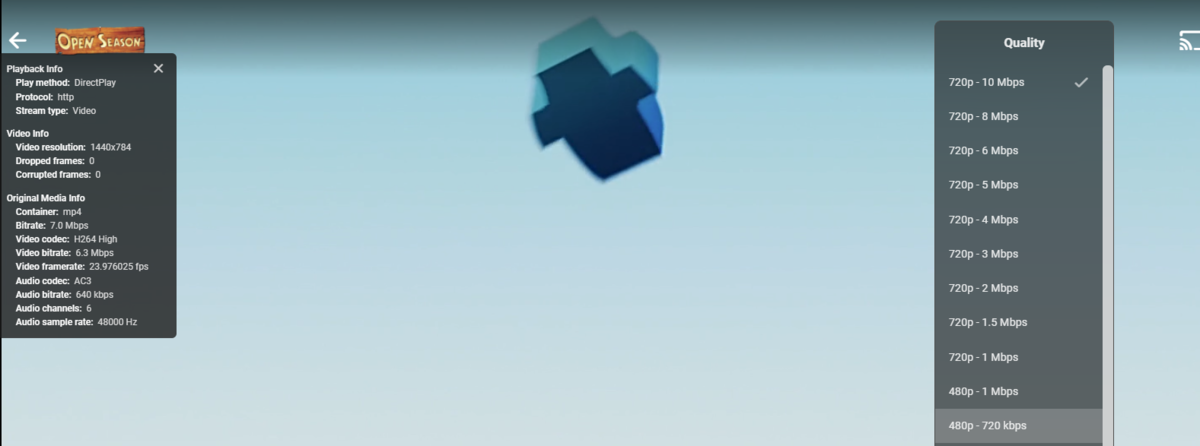
Another note is this will affect playback option also if not Direct Playing as these items will be limited to the lower Resolution they are identified as.
 1 point
 -
Since the number actually states the height, calling 1480x1080 anything other than 1080 is plain wrong. In this case the vertical dimension is not cropped. And even if you are pretending that all videos are 16:9 (really?), then 1480 horizontal is bigger than the width of a 720 video, so 720 is still inappropriate. For videos that are vertically cropped (e.g. 1920x960), I have seen both the actual height (960) and the container height (still 1080) used, with the second being the more common. Paul1 point
-
@cayars In your equations above from 2018 those should be && AND and not || OR Anything >720 height is 1080 unless it also >1080 then it is 2k unless it also >2k then it is etc etc1 point
-
FYI this is a sqlite param that allows for a larger cache size. That's not the same thing as putting the db in memory.1 point