Leaderboard




Popular Content
Showing content with the highest reputation on 06/09/25 in all areas
-
I'll pitch in here with my perspective as a software developer and lifelong music listener. Back in 2023 I evaluated Emby and Jellyfin (Docker containers) on my TrueNAS SCALE (now CE) server and an ancient Primate NP5 DLNA device. The NP5's DLNA implementation had some issues which didn't seem to affect Jellyfin but the device would not work with Emby. I was able to borrow a different DLNA device so that I could evaluate both Jellyfin and Emby (and briefly, a few others) over the course of a couple of months. At some point during that time I had to return the borrowed DLNA device and so had to use Jellyfin exclusively for a few weeks. What I found in Emby was a well thought out and consistent and reliable media server and with few, if any, rough edges. Jellyfin in contrast really did feel more amateur,, clearly lagging behind in terms of basic reliability and features. I reported the NP5 issue to the Emby dev team and they were fantastic, building in a workaround to that old and now obsolete device. They didn't have to do that. The result is that Emby has been reliably working in my system since then and I use it every day. I immediately bought a lifetime licence in order to support further development and show gratitude. Open or closed source, free or paid does not define the quality of a software product. There are good and terrible examples of all of those. If someone's value system directs them to use open source software exclusively then that is of course okay but that means nothing about software quaity. Ditto if someone prefers paid software instead of free. What it comes down to is the quality of the product, regardless of whether it's free or paid, open or closed source. For me, Emby wins easily. Jellyfin's popularity is baffling; it's mentioned so often by people when Emby is far superior. Seems like ideology instead of objective analysis is dictating decisions and that is never a good thing.3 points
-
So many answers are already in the Knowledgbase articles.... https://emby.media/support/articles/Movie-Naming.html#multi-version-movies3 points
-
Yes - it did not help. Yes, those channels are okay now. Typo above2 points
-
Thanks for looking into it, but never mind. Problem is solved, I have just deleted cache and data of the Emby app and the trailers are working again.2 points
-
Its was update somedays ago. Just if you did not see it.2 points
-
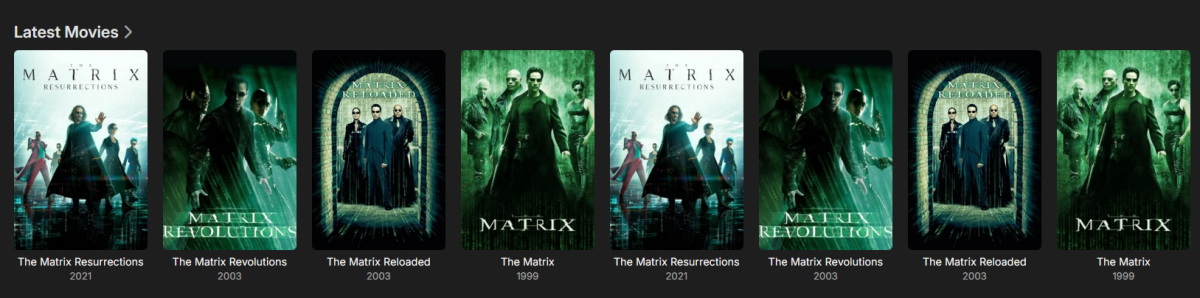
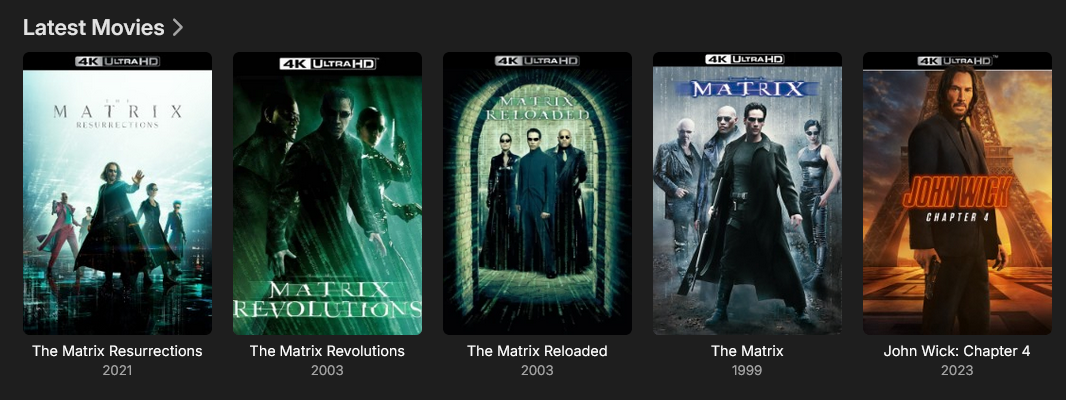
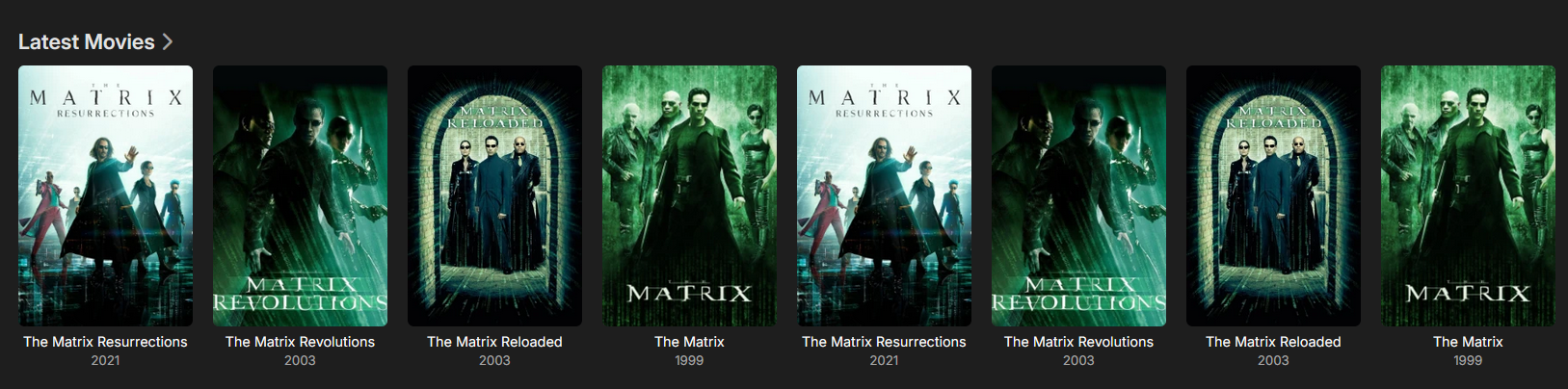
Sorry for resurrecting an old thread, but I wanted to thank @GrimReaper. I was beating my head against the wall trying to figure out why I was getting multiple metadata entries: Until I read this tid-bit "they need to be named exactly as movie folder is." Movie folder was structured as: \M\Matrix, The (1999)\The Matrix (1999) - 1080p.mkv \M\Matrix, The (1999)\The Matrix (1999) - 4K.mkv Now, it is structured as: \M\Matrix, The (1999)\Matrix, The (1999) - 1080p.mkv \M\Matrix, The (1999)\Matrix, The (1999) - 4K.mkv My library is very happy now. I may have to rescan for others with "The". Again, thank you very much GrimReaper!!
 2 points
 -
Your screen shots are not displaying the SAVE button at the bottom of that page - are you perhaps not seeing and pressing it? Paul2 points
-
Hmmm guess I have misunderstood the issue. I thought it was about the Trailer addon Carry on, nothing to see here, just digging a hole here.2 points
-
Now that you mention it, I realize it’s been a while (2-3 months, mabye more) since I watched ATSC3 channels on AndroidTV. They always played well with good picture quality AND sound - whenever they decided to play. Getting them to play sometimes required several attempts and lots of clicking. I got impatient and just gave up and started using the HDHomeRun app. I’ll check my AndroidTV when I get home. Thanks!2 points
-
This makes more sense now. If at any time the Emby server happens to start and scan while the enclosure volumes are not mounted then it can remove that media from the libraries (not delete the files). There are different scenarios for this to happen so it's not guaranteed but it's a risk. It sounds to me like your problem is centered entirely around your enclosure and how the storage is mounted. Emby can only work with the resources it's given and if it has unreliable hardware and storage then it's going to be hit or miss. Your goal should be to get your server to mount the external storage on boot so that it's ready and has the right permissions every time. Probably also configure Emby to not start if the storage is missing so you don't run into "deleted" libraries.2 points
-
I couldn't find Date Added in the list of sorts in Movies on Android. I use this in Roku and Android. I like to look at what is new on my server and other family members do, too. I don't watch movies as much on my phone but recently on a trip I did and the "Date Added" is nice when I am on the plane and just want to took at something that is new. I am pretty sure it is still working on ROKU. I know my phone updated Emby on my phone just before my recent trip.1 point
-
This works, awesome! A question, and suggestion while I'm here... Is this broken, that I can't upload the .gif in the UI? And the suggestion would be to add another image type to the "manage images" section. Call it whatever... "Now Playing Image" or something. And let the media players (like my Apple TV's) use this image in Now Playing screens if one is specified. So your library shows the static image, but when it's playing it shows the alternate image (like an animated .gif). That would be a nice touch, instead of the animated equalizer thing we now have in the corner. Have a good day.1 point
-
Hi, yes. IInstallationManager.PluginUninstalled1 point
-
You could try replacing your current image in the folder manually in the file system and then run a library scan.1 point
-
CSS is only effective in the Web client. If you use another client to remove the CSS then you shouldn't have this problem. Paul1 point
-
I will get back to you tomorrow with the required info for both 1 and 31 point
-
Just tested on AndroidTV v2.1.26g and my ATSC3 channels are NO longer working. As I mentioned, they’ve always been finicky but they eventually played. Not today…just the spinning circle. It shows up as "Now Playing" in the dashboard and shows stats in the HDHR Flex 4k Tuner Status, but no playback. So at this point, +1 for ATSC3 playback in Android for Emby. Although it doesn’t have sound (yet), it starts playing video almost immediately and the picture quality is excellent!1 point
-
Maybe some official reporting of the issue external to this forum may raise it's priority .. (cve) ..1 point
-
Ah I see your scenerio - you are re-encoding a 70-100Mbit h265 to ~40Mbit (x265) and it's then seeing that as a Remux, which it of course is not. Unless I put it yet another option to only look at the filename, then the plugin will work for 99% of users - very few are going to re-encode a 4K Remux to 37+ Mbit for normal usage - they will use 20-25Mbit (zero percevable image quality difference) OR use the original Remux imho.1 point
-
Yep that suggest you are not hitting save as your not seeing the api call to post the new settings for Branding. example 2025-06-09 09:01:41.926 Info ServerConfigurationManager: Saving system configuration 2025-06-09 09:01:41.928 Info Server: http/1.1 Response 204 to ::1. Time: 3ms. POST http://localhost:8096/emby/System/Configuration?X-Emby-Client=Emby Web&X-Emby-Device-Name=Microsoft Edge Windows&X-Emby-Device-Id=48aaa9d3-ad77-4b16-bae8-ec2864f86126&X-Emby-Client-Version=4.8.11.0&X-Emby-Token=9ed15a3a9c4144e2912c68ce14573a6a&X-Emby-Language=en-us&reqformat=json 2025-06-09 09:01:41.935 Info Server: http/1.1 POST http://localhost:8096/emby/System/Configuration/branding?X-Emby-Client=Emby Web&X-Emby-Device-Name=Microsoft Edge Windows&X-Emby-Device-Id=48aaa9d3-ad77-4b16-bae8-ec2864f86126&X-Emby-Client-Version=4.8.11.0&X-Emby-Token=9ed15a3a9c4144e2912c68ce14573a6a&X-Emby-Language=en-us&reqformat=json. Source Ip: ::1, UserAgent: Mozilla/5.0 (Windows NT 10.0; Win64; x64) AppleWebKit/537.36 (KHTML, like Gecko) Chrome/137.0.0.0 Safari/537.36 Edg/137.0.0.0 2025-06-09 09:01:41.936 Info Server: http/1.1 Response 204 to ::1. Time: 1ms. POST http://localhost:8096/emby/System/Configuration/branding?X-Emby-Client=Emby Web&X-Emby-Device-Name=Microsoft Edge Windows&X-Emby-Device-Id=48aaa9d3-ad77-4b16-bae8-ec2864f86126&X-Emby-Client-Version=4.8.11.0&X-Emby-Token=9ed15a3a9c4144e2912c68ce14573a6a&X-Emby-Language=en-us&reqformat=json 2025-06-09 09:01:41.951 Info App: Setting default culture to en-US1 point
-
I noticed in my testing that the stubbornness in playing a channel may be because the HDHR Flex 4k returns a 503 error about half of the time when you ask it for an atsc3 channel. Not sure why, I'm on the recently released firmware and the channels for that tower have excellent signal quality.1 point
-
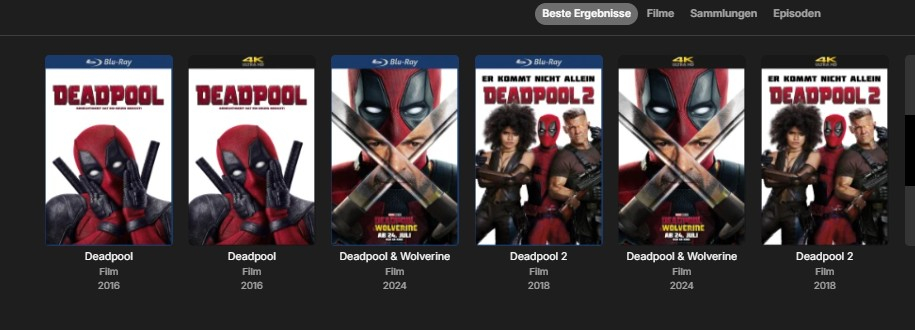
Hey, as long as the ADDOn is incorporated ( which I hope it works @Luke ) I have installed the PluGin CoverArt 4.0... Is at least a small improvement for the selection if you are looking for a title and it is available in 1080p and 4k.
 1 point
 -
I guess the last time i tried to use emby as my music player it was not the greatest experience. It has been a while, i might give it another shot.1 point
-
OK. Thank you.1 point
-
It's done on bitrate :- 4K > 37Mbit+ or 1080p > 22Mbit+ or 'Remux' (case insensative) in the original filename if (config.ShowRemux) { switch (typeInfo.Width) { case "3840" when Convert.ToInt32(bitrate) >= 37000000: case "1920" when Convert.ToInt32(bitrate) >= 22000000: Log.Debug("Calculated bitrate as Remux.."); sb.Append(" Remux"); break; default: // RBJ Added var itemFilename = mediaSource.Path; var stringToFind = "Remux"; bool b = itemFilename.Contains(stringToFind); if (b) { Log.Debug("Found Remux in Filename.."); sb.Append(" Remux"); } break; } }1 point
-
Right, that's kind of what I was getting at, it's not quite the exact same experience. I'm okay with the limited functionality of ET as long as the external player still works. And I'd be more than thrilled with the upgraded experience of the Windows Store app if/when that comes to fruition. Been a long time Premiere subscriber, just a little frustrated. I blame Microsoft, everything was fine until their latest Windows update.1 point
-
Hi, yes we'd like to get this function supported with MovieDb. Thanks.1 point
-
Hi, sorry I don't really know how to answer that. I think we need input from @TeamBas he is the plugin developer, and then if he needs help with a core function then that's where I come in.1 point
-
OPs use of Emby Connect for his users negates this completely. That's the purpose of Connect, so you don't need to tell your users your server address.1 point
-
Hi, there isn't but that's not a bad idea.1 point
-
Can’t really say why it worked up till recently (OS updates?) but auto-mounts are prone to access/permission problems. I’d suggest trying the following get the info to the subject USB drive: df -h Find the drive that is automounted and note the first column i.e. /dev/hd$# Now use that file info (remember on linux everything is a file) to find it’s UUID with this: sudo blkid /dev/sd$# copy the UUID=”looks like garbage” part Now `sudo nano /etc/fstab` and go to the bottom and add an new line UUID=”looks like garbage” /mnt/m ext4 defaults,lazytime,nofail 0 0 Save and exit (CRTL-s,CRTL-x) I’m using “/mnt/m” as an example but you can use (almost) any EMPY directory you want (must exist) and have proper privileges. I’m also assuming the drive is EXT4 formatted. Now `sudo mount -a` If it doesn’t error then REBOOT the computer (with the USB drive attached and powered up.) Now `df -h ` Make sure the permissions for the drive are good If your mounts are different from what they were then you will need to Edit the Library folders and remove the old one(s) and add the new one(s). Unfortunately this will likely need a rescan of your library(ies) But the user stats should be maintained. Get back here regardless (if in doubt ask)1 point
-
I fixed it. Seems all the accounts where given the "Allow this User to manage the server" after the restore and this permission makes them an admin account.....I think. Un-toggling that setting seems to have restored the Auth Provider and I was able to change the users back to LDAP method. Not sure why all this was changed after restoring though.1 point
-
Have had the other (standard) Emby app running the past week. Just checked, a week after last using it, and it launched and logged in as it should. So far then, this fixes the problems I was having.1 point
-
Using that you have to remember where you started from and the video doesn't update if you are paused. A single big skip would be best.1 point
-
I restored from backup and then created the new docker mapping and created the new library and now everything is working again and working as I want with the two new libraries. Thanks for all the feedback.1 point
-
Yep. I had the same experience.1 point
-
It didn't matter how many times I refreshed it yesterday it didn't help. Today however it resolved the problem! So it's now sorted, thanks.1 point
-
Log sent via PM.1 point
-
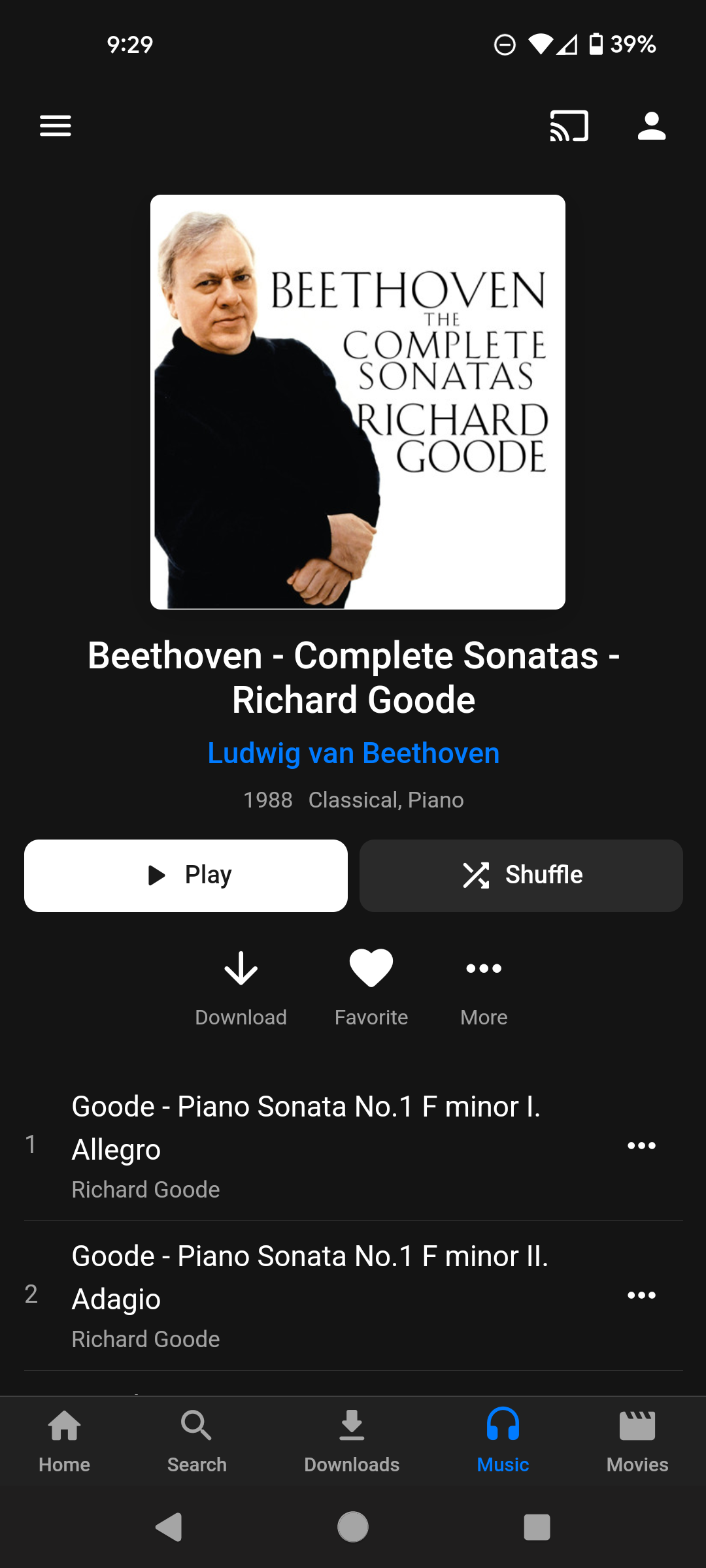
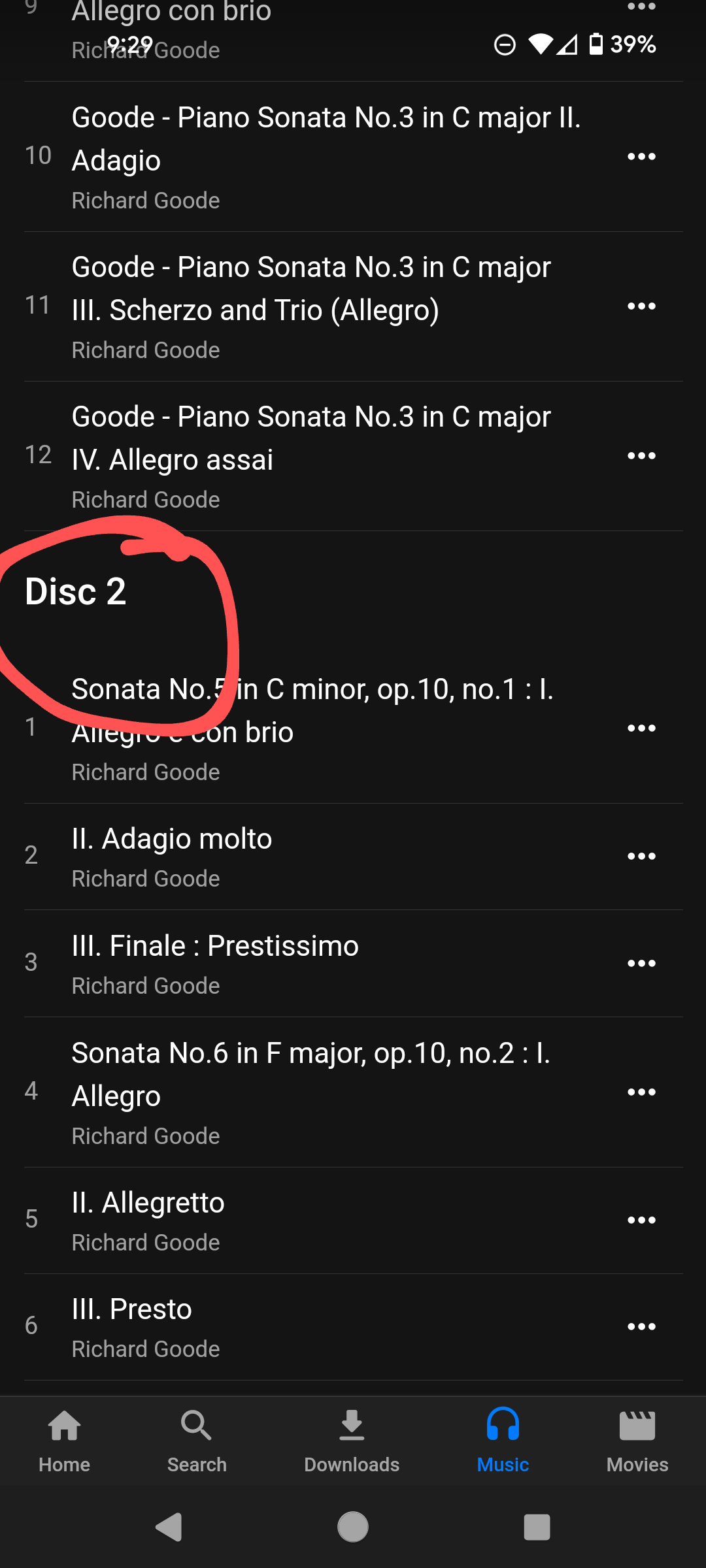
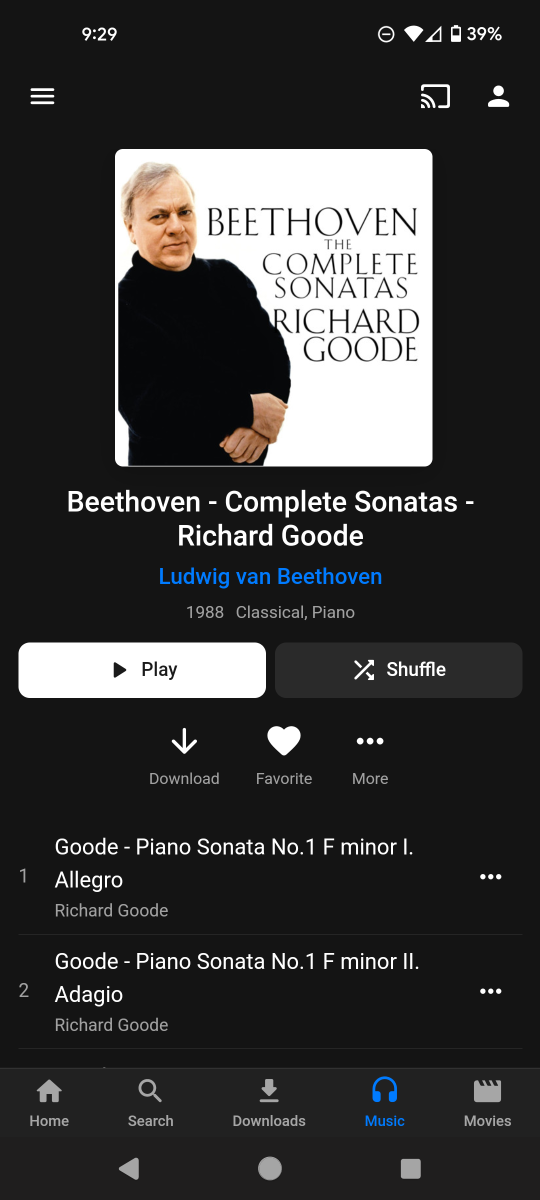
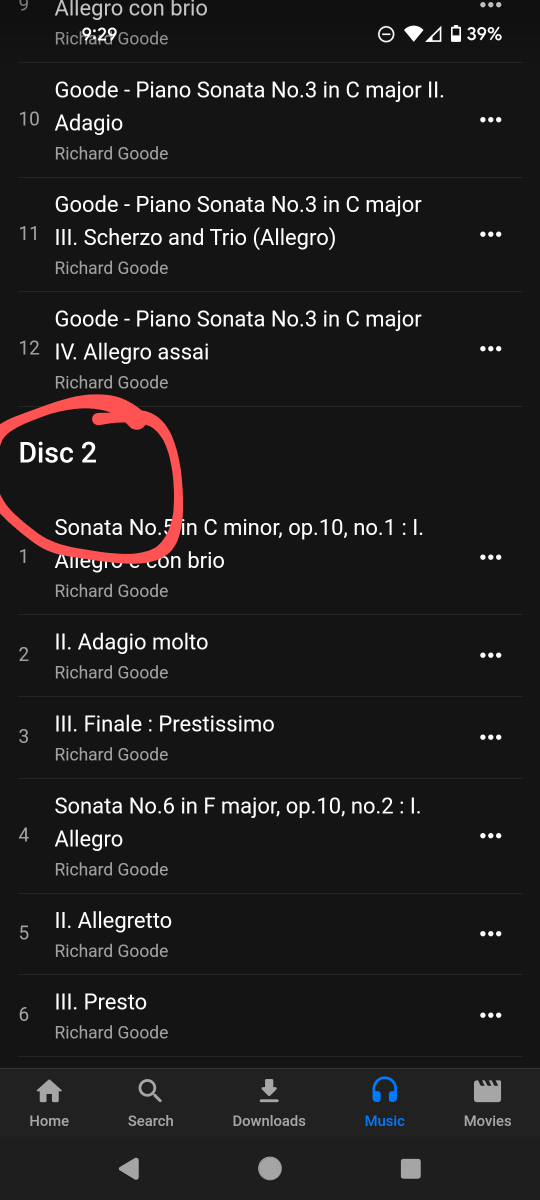
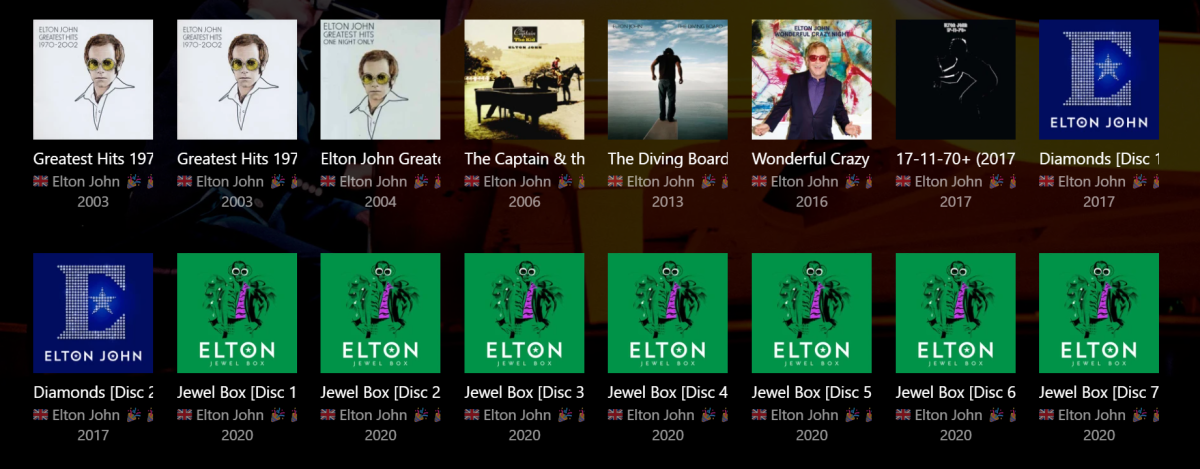
Emby currently offers no convenient way to play a single disc from within a multi-disc release. For example, it is impossible to select just Disc 2 from the 10 disc set below, either to play only Disc 2 and stop, or to add only Disc 2 to the Play Queue. It would be much more user friendly if each header text "Disc [n]" were right-clickable like any single disc is, and referred just to the tracks in that disc (i.e. until the next "Disc [n+1]" or the end, whichever comes first). Hard to implement?
 1 point
 -
Hi, yes this is certainly something that can be looked at . Thanks.1 point
-
Hi, we are still looking at this. Thanks.1 point
-
UPDATE: LG posted another firmware update (33.11.25) @ 1.7GB! After this, the issue of old backdrop overlaying over current screen hasn't currently happened again. Will continue to monitor. The other two issues; number 2 in the top first post, and issue #3 in my last post above still stand. Both are incredibly annoying and need to be fixed please LG posting another firmware update in mid June, but this is for picture HDR fix (graduation, black levels, posterisation). I am not expecting anything other than low level changes to screen panel to fix picture faults (on an otherwise top TV and probably TV of the year in the "shoot-out" by various reviewers)1 point
-
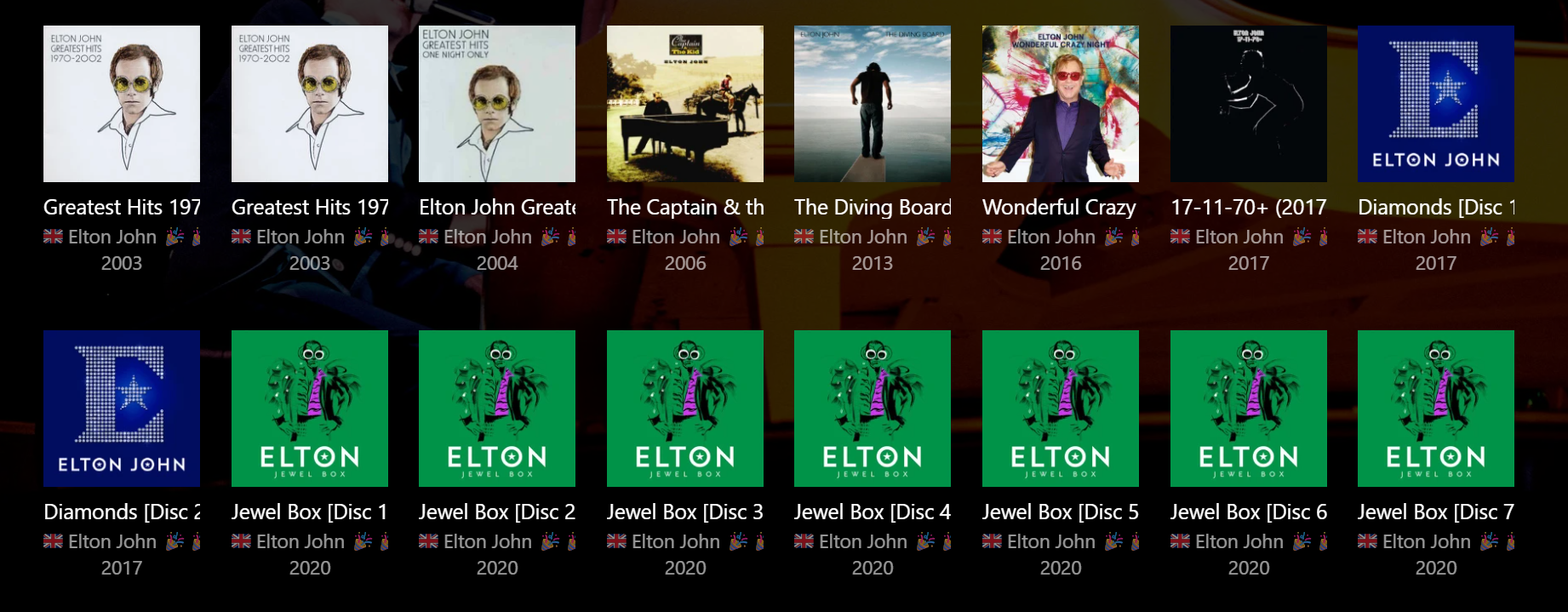
@doxxmulder Hi, if you are looking for a "workaround" then it is possible to separate a multi-disc album into individual 'albums' by changing the Album Title to incorporate the Disc Number, e.g. Title [Disc 1], Title [Disc 2], etc. This gives the following result (real example): An advantage is you have the individual discs separated for easy selection and individual playback, but the disadvantage is they are now separate albums that take up a lot of space in any of the list views. It also affects your overall item (album) count. If you implement this, you can still keep the individual disc numbers in the Discnumber field, as they were originally. If you want to do this, I'd also suggest making the changes to your embedded metadata with a tagging program (e.g. Mp3tag) rather than just within Emby, because any Library Rescan will potentially revert to the original embedded metadata and you will lose your changes. If you only have a "handful" of albums to change, it shouldn't take long to do this. I'm actually going the other way now and combining the single discs back into one parent album. (But I have 1000s!) However, there are still other disadvantages... For better multi-disc music management there are at least three considerations: Group Album vs Individual Disc artwork Group Album vs Individual Disc titles Group Album vs individual Disc playback Without these 3 areas being improved together, then I think there are always going to be pros and cons for Group Album versus Individual Disc implementation. There's an interesting discussion here about disc titles that I really should contribute to: https://emby.media/community/index.php?/topic/67584-disc-labels-for-music-and-audiobooks/ There's also other topics scattered about elsewhere, but I haven't seen anything yet that offers a good solution for all three considerations combined. Hopefully the Emby brains trust will get to it one day...
 1 point
 -
We are now 15 months into the 4.9 development cycle. The 4.8 development cycle lasted 22 months. When 4.8 was released the Emby team hinted at smaller more frequent releases but only time will tell. There are some key features promised as part of 4.9 that we have yet to see so I suspect it will be some time before a stable 4.9 is released.1 point
-
i would like to have a rss feed for my user see from my server only. is it possible.1 point
-
You don't go into particular library setting, but general settings in Settings>Library tab in the sidebar>Click "Advanced" on top of the page, above all your libraries thumbs. "Date added behaviour" dropdown (Date scanned into library/File creation date) will be the first option there.1 point
-
@emby10014914 Try shutting down the server, then locate the server's data folder: Emby Server Data Folder From there open up the /config/system.xml file. I would make sure EnableRemoteAccess is set to true. Additionally, try removing the entire LocalNetworkAddresses and LocalNetworkSubnets nodes, if they are present. Make sure to backup this file first before attempting to startup the server. If you start the server and get redirected to the server startup wizard, it's due to the file being malformed xml, so shutdown, restore from your backup and try again. Please let us know if this helps. Thanks.1 point
-
a winamp inspired standalone music player would be epic.1 point
-
If your files are named exactly like that, they're not named properly (you've got one extra dot, so it's treated like multi-movie folder), they need to be named exactly as movie folder is. https://support.emby.media/support/solutions/articles/44001159102-movie-naming Rename, rescan.1 point
-
Man I haven't used IRC since my warez5 day1 point






.thumb.jpg.8268a4624d9bdfe1bf395c98d2a2b75a.jpg)