Leaderboard




Popular Content
Showing content with the highest reputation on 05/27/25 in all areas
-
@pjuSorry! I totally forgot that and you must be a really super patient person! It's now in the starting post.2 points
-
New version up. Version: 1.24 Fixed: Overlay icons for TV show posters now correctly change when episodes change. Task schedule for this is no longer needed. Fixed: Removed the task schedule as it was no longer needed. Fixed: Optimizations to run more smoothly and require less resources. Changed: Descriptions in the settings have been changed to better explain the settings. Now it should finally work as i wanted it from the start! As in TV show posters overlays finally work as they should! Some optimizations as well as stated before. NOW it's really time for that summer, no more delaying everything. Will only release more if bugs are found. Have a nice summer every one!2 points
-
HI, yes we are working on updating our ffmpeg build. Thanks.2 points
-
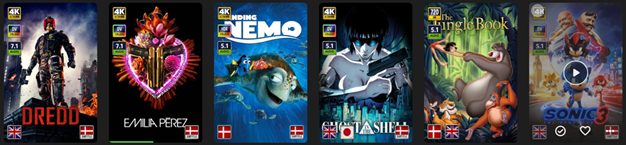
EmbyIcons, in catalog under general. Source code at: yocksers/EmbyIcons: Displays icons on posters in Emby depending on audio and subtitle languages. EmbyIcons enhances your Emby Server by overlaying informational icons directly onto media posters. Display language, codecs, resolution, ratings, and more at a glance with fully customizable profiles for different libraries. Features Extensive Icon Support: Audio/subtitle languages, original language, audio channels, codecs (audio & video), HDR/Dolby Vision, resolution, frame rate, aspect ratio, parental ratings, community ratings (IMDb, Rotten Tomatoes, MDBList audience scores), custom tags, and favorite counts Multi-Profile System: Create distinct profiles and assign them to different libraries for complete customization Flexible Layout Control: Position icons in any corner with custom priority ordering and horizontal/vertical stacking Series & Collection Aggregation: Smart detection shows icons only when all episodes/items share the same property (with Lite Mode option for faster scans) Profile Import/Export: Backup and share your profile configurations Icon Manager: Identify used, unused, and missing icons in your collection Series Troubleshooter: Find episodes with inconsistent properties causing missing icons MDBList Integration: Display Rotten Tomatoes audience scores with a free API key Live Preview: See layout changes in real-time before saving Advanced Settings: Fine-tune cache sizes, performance, and memory usage Icon Naming Convention Place your icon images in a folder on your server. Recommended: ~100x100px PNG with transparency. Supported formats: .png, .jpg, .webp, .gif, .bmp. Icons use the format: prefix.name.png (case-insensitive) Prefix Type Example lang Audio Language lang.english.png sub Subtitle Language sub.german.png og Original Language og.japanese.png ch Audio Channels ch.7.1.png, ch.stereo.png ac Audio Codec ac.dts.png, ac.eac3.png vc Video Codec vc.hevc.png, vc.av1.png hdr Video Format hdr.dv.png, hdr.hdr.png res Resolution res.4k.png, res.1080p.png fps Frame Rate fps.24.png, fps.60.png ar Aspect Ratio ar.16x9.png, ar.2.39x1.png pr Parental Rating pr.pg-13.png, pr.tv-ma.png tag Custom Tag tag.3d.png, tag.directors-cut.png rating Community Rating rating.imdb.png (none) Rotten Tomatoes t.tomato.png, t.splat.png (none) Popcorn-O-Meter t.popcorn.png, t.spilledpopcorn.png, t.fresh.png (none) Favorite Count heart.png Note: Rotten Tomatoes Popcorn-O-Meter requires a free MDBList API key configured in Advanced Settings. Configuration Overview Settings Tab Global Settings: Set icon folder path, loading mode (Hybrid recommended), output format, quality, and logging Profile Management: Create, rename, delete, export, and import profiles Per-Profile Settings: Assign profiles to libraries Enable/disable icon types with custom alignment (corner), priority, and layout (horizontal/vertical) Configure TV show/collection aggregation (Lite Mode, exclude Specials season, etc.) Customize rating score background (shape, color, opacity) Adjust icon size Icon Manager Tab Scan your library to identify missing, found, and unused icons. Perfect for organizing your icon collection. Troubleshooter Tab Series Troubleshooter: Find episodes with inconsistent properties (resolution, codec, etc.) that prevent series-level icons Aspect Ratio Calculator: Get the exact icon filename for custom aspect ratios Advanced Tab Fine-tune cache sizes, expiration times, concurrency, and MDBList API key. Default values work for most users.
 1 point
 -
Where can I get the latest version? The latest version of EmbyCon can be installed from the stable repository. https://faush01.github.io/embycon_kodi_repo/ Where can I get the source? https://github.com/faush01/plugin.video.embycon How do I interact with my media? EmbyCon does not use the built in Kodi DB so to interact with your media you have a few options: Open the EmbyCon add-on from the add-on area in Kodi, this will let you view and play back your Emby content directly using the add-on Use EmbyCon skin available in the repository, this skin adds home screen integration for EmbyCon widgets Install a skin that lets you customise the home screen to add widgets for Why does my playback keep stopping when paused? By default when the Kodi screen saver kicks in playback is stopped. You can turn this off in the Add-on settings. EmbyCon Settings -> Events -> Screensaver -> Stop media playback on screensaver activation Why do I keep getting prompted to select a user? By default when the screen saver is dismissed the select Emby user dialog will pop up. You can turn this off in the Add-on settings. EmbyCon Settings -> Events -> Screensaver -> Show change user dialog1 point
-
I hit "play all" on a collection and it doesn't show the next film in "Next Up" after I quit out of it. This is apparently intended behaviour, and the same applies to playlists. This is absurd. Why even have the "play all" option? Who's sitting down to watch a full collection's worth of films, or a full playlist? I have playlists for The Prisoner for its various episode orders, and there's no way I'm getting through them in one sitting. I was going to make that my next show to watch but if I'm going to have to keep track manually of my progress through the playlist it makes the playlist fairly pointless TBH. There's no reason playlists or collections shouldn't show up in Next Up.1 point
-
Yes, because you did not what i wanted you to do. You did not even provide a log file here in this thread! @LukeThere's still a missing method exception: *** Error Report *** Version: 4.9.1.0 Command line: D:\Emby-Beta\system\EmbyServer.dll Operating system: Microsoft Windows 10.0.18363 OS/Process: x64/x64 Framework: .NET 8.0.15 Runtime: D:/Emby-Beta/system/System.Private.CoreLib.dll Processor count: 8 Data path: D:\Emby-Beta\programdata Application path: D:\Emby-Beta\system System.MissingMethodException: System.MissingMethodException: Method not found: 'System.Tuple`2<System.Guid,System.String> MediaBrowser.Controller.Library.ILibraryManager.GetGuidAndPath(Int64)'.1 point
-
That is working. Thanks again.1 point
-
I think you missed the edit I made to my post minutes later. I would have deleted it, but didn't see an option to do that. Fixed Stopping Emby and applying update resolved the issue1 point
-
@Luke@FrostByte I loaded up 3.4.70 and turned on logging. It still jumps forward to 1 minute. I have attached the log for reference. A quick analysis from Gemini says: In summary: Yes, the log clearly shows the 30-second skip being initiated, followed almost immediately by another command that forces the player to the 1-minute mark. The mention of "Vlc Service" in the second seek command is a strong clue. Hope this helps, Thank you emby_android_1748378660653.txt1 point
-
In each library there's a setting to Keep cached copy of images in the server's metadata folder, you could try enabling it and see how does it compare for browsing/regular usage. You could also try increasing database cache size.1 point
-
Confirmed working. Thanks!1 point
-
This should fix it. EmbyIcons.dll1 point
-
Thanks a lot, really...I switch all my Friends & Family (Yes i I have a big family..xD) right know to emby, because I like the new App design very much..!! Good Work... I will check the Prem condition right know and adjust the Streams...1 point
-
There is a standalone 'beta' tag, however the versioned beta tags don't have the beta suffix on docker hub, i.e. 4.9.0.60-beta is published to docker hub as just 4.9.0.60 Okay, I understand! In that case it's just a one off, and I'll keep my current renovate config as is. I'd still love to see the beta suffix published to docker hub however, as it's a much more elegant solution - I just saw e.g. linuxserver.io do that for their Emby packages1 point
-
I wouldn't worry much about it, even a standard 30-devices license limit is very hard to reach/surpass (let alone Extended options like the one you're subscribed to) for typical friends&family server usage (in particular after recent device limits upgrade, where those limits were increased by 5 devices and 5 AndroidTV devices are included for free). Of course, YMMV, maybe you have extensive circle of friends or really large family. Or both. Your server Settings>Emby Premiere tab will show you usage in general terms for your subscription, you can occasionally drop an eye there just to be aware, else it's pretty much fire-and-forget process.1 point
-
Sorry no, can't help you there, I don't have a that NAS. So would not be of help here.1 point
-
Hi, we are looking into it, thanks.1 point
-
Almost impossible to say example as I know only 5 out of the 21 shown are Premiere clients. But in the end there is no easy way to know how many premiere slots your server has available at any given time. As any client requiring premiere will fall off after a week or so of inactivity opening the used slot. Note in no way are the listed devices shown in Devices a good indicator of used Premiere slots as a browser can appear multiple times and doesn't typically use premiere but really depends on your total/overall usage.
 1 point
 -
Not unless any/all of them utilize some Premiere feature (you can check which features would that be here: Emby Premiere Feature Matrix ).1 point
-
I use 3 of the 9 nav options in TV Shows and 3 of the 7 for Movies. I appreciate being able to set the default option for each (that's really good), but would very much like to get rid of the ones I don't use so I don't have to keep clicking through them to get the next one I want. So here's my vote for making them configurable.1 point
-
You are, Premiere device limits are not concurrent streaming devices number but devices that utilize Premiere features within one week period (more-or-less). Is there a limit to Emby Premiere?1 point
-
I agree, being able to sort by desc using the API would be a welcome addition. at least the android app seems to remember your selection after you've set it in the UI1 point
-
No problem Luke, I see you either cleaned the thread or the other person deleted his message.1 point
-
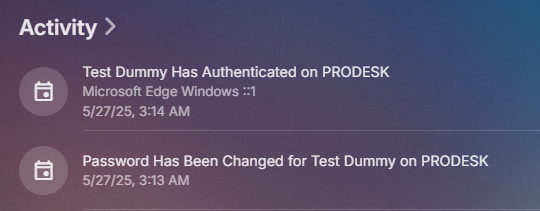
Tested on 4.8 with a user with no password and added a password without issue. Only tested on web client.
 1 point
 -
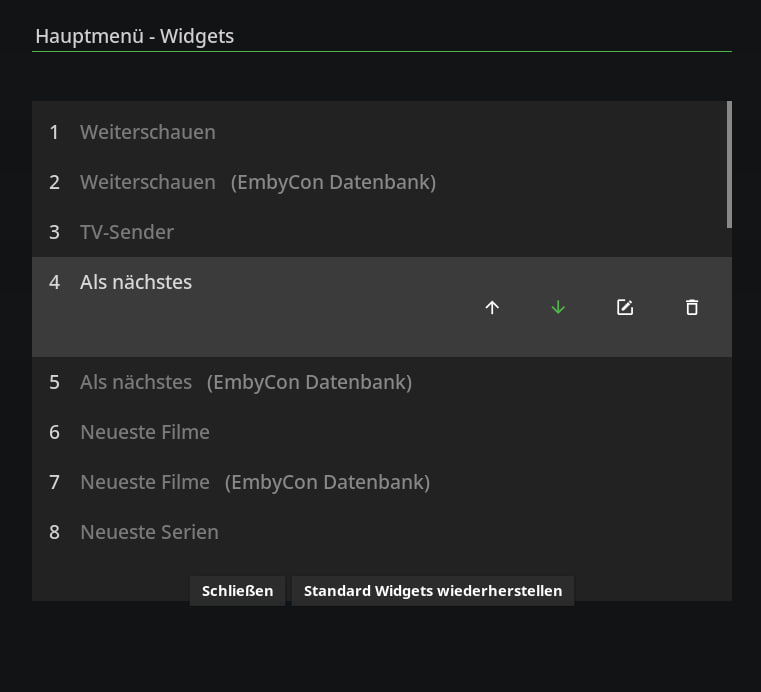
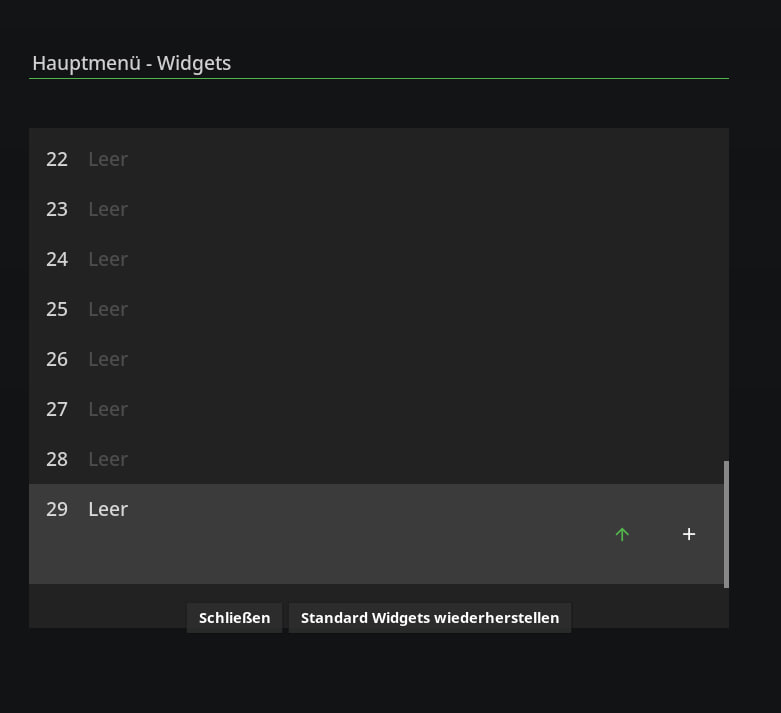
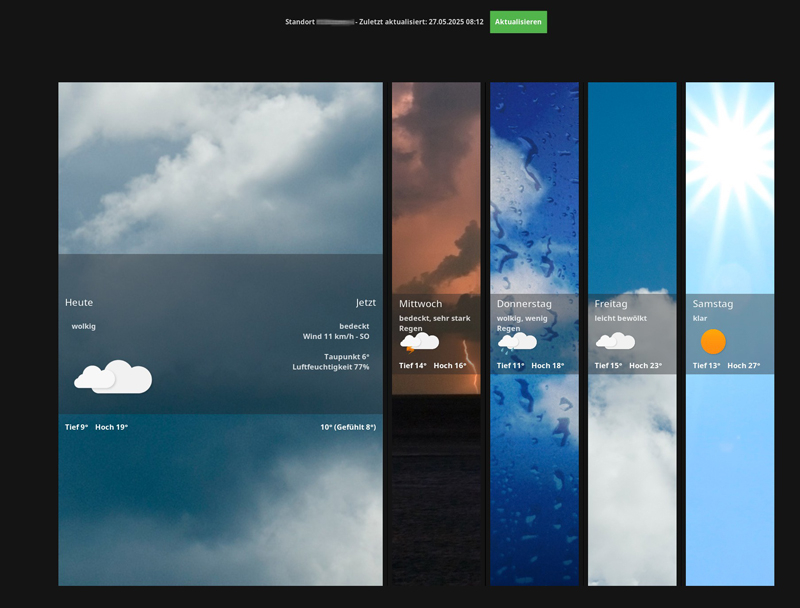
Update 21.0.4 Anpassung Einstellungsmenü Widgets Anpassung Wetter Widget ________________________________________ Update 21.0.4 Customisation of settings menu widgets Customisation weather widget
 1 point
 -
in the folder (HOME) the Emby folder is not created. A new update has just arrived for NAS. Installed. Now it will be possible to check Emby only later.1 point
-
That was the trick! Didn't know that plugin had that ability. I am just now looking at profiles for Emby; but my wife watches little and I have just set tags for things I think she would be interested in so we have just one profile on Kodi. See only sees tagged items from the customized home screen on Kodi on her TV. Thank you for helping me see this trick. It worked, changed the nfo file and Tiny Media Manager recognized the status change.1 point
-
It's shouldn't, i tested it with a resource monitor running when testing it my self, both in Emby stable and beta version. Many thanks!!1 point
-
HI, yes this is certainly possible. Thanks.1 point
-
hi @quickmiclong time no hear, that means your addon ROCKS!!! thanks again!! one question. only if that can be related to my error of installing the latest version before realizing that I'm of course not on Emby 4.9 beta but on 4.8. so I changed back to v29. since then, but can be unrelated, I have a constant pop up that my tmdb helper addon is not working / crashing. message says tmdb helper error and log is empty I can't see any difference in the menu, I think it's working. but the pop up is annoying. happy day!1 point
-
But beta-releases? and that's what I use to see if the strings fits and looks good.1 point
-
Regardless of the OP's motivations, I think the primary use for such a feature would be something we wish not to encourage.1 point
-
I've read through this thread and I do not find a way to merge people profiles. It kind of says that "it should not happen", but it happened and now what? Version 4.8.10.0 As far as I understand one profile got linked to IMBD and MovieDb, while other within 10 minutes in different movie got linked to TheTVDB. It might be because the name was spelled differently somewhere - Bae Doo-na vs Bae Doona. After some poking around I managed to link all movies to the same profile, but I find no way to remove the other profile. Apart from something like removing all ids and naming it "deleted"... I assume the only option is to search how to nuke it in db directly. That I kind of hoped to avoid1 point
-
Are you just trolling? Otherwise, you'd need to pay more attention and actually read the links that multiple members - including two Devs, a Moderator, two Top Contributors and few prominent Community members (personally, can't remembet when was the last time I've seen such a gathering, for you to still be as confused as you appear or act to be) - have been sharing with you and directing you to, in addition to their posts. You should inform yourself what Emby is and what it isn't - and streaming service is one of those things that it ain't. Your are already connected to an Emby Server - your own. It is up to you now to populate it with media, publicly available Netflix-style Emby Server where you can connect and stream content does not exist. Alternatively, someone from your family or your circle of friends might be willing to share their server with you - but that is again something that you yourself need to take care of and something that no member of this community has anything to do with. Hope that clarifies any doubts you might still be having.1 point
-
Emby for Apple TV 1.9.9 has been released. Here are the highlights: Support playback correction in the video player Support sleep timer in the audio player Support subtitle offset in the video player Support new youtube trailer playback (in the 4.9 server) Fix home top tabs not being translated View the full article1 point
-
Version 13.0.0 Notes: This is a major release with many new settings and changes to defaults, be sure to fully read this changelog, you can reconfigure as before if needed. Please remember to leave an updated textual review on the Play Store. Your feedback is essential for improving the app’s ranking and securing Symfonium’s future. Added: Added numerous new settings for the compact player to fully leverage Symfonium’s customization capabilities (Including swipe to skip), and updated the default settings to be more modern. Please note that default settings have changed—you may need to reconfigure them to your preference. Added support for custom fonts. (You can use any font available on Google Fonts if your device has Play Services.) Added many new settings for album, artist, genre, and playlist detail pages and updated the default settings. (You may need to reconfigure your detail page settings.) Added new Now Playing buttons and a gesture to switch between cover art and lyrics in the expanded player. Added new style options for the list top button row and updated the default settings. (You may need to reconfigure this setting if you previously hid those buttons.) Added a new optional secondary shortcut row on the home screen. Added new style options for home shortcut buttons. Added swipe-to-refresh on the home page to easily reload random list content. Added color customization options for home row header text and divider lines. Added a global source filter and “Play on” (Cast) as available home shortcuts. Added overscan settings for Android TV builds. Added tooltips on long press for icons without text labels. Added scale factor to rating bar and waveforms in the expanded player. Added new specific shuffle and repeat mode button type for the expanded player, that will change color when active instead of filled icons. Changed: Improved Smart Fades now deliver smoother, more natural transitions across a wider range of tracks, almost like the app knows what you want. Your previous compact player settings have been reset to accommodate all the new options. You can reconfigure to your previous configuration if wanted. Your previous detail page settings have been reset to support all the options. You can reconfigure to your previous configuration if wanted. The option to hide the top button bar in lists has been updated to offer different styles. You can reconfigure to your previous configuration if wanted. Changed the default values of several settings. You may need to reconfigure options like “Hide top filter button” and “Hide Cast button” under Settings > Interface > Advanced. Support OpenSubsonic album version by concatenating the value to the album name. Fixed: Improved handling to prevent external apps that attempt to skip ads from randomly skipping tracks when returning to the app. Fixed an issue where some OGG files could not be played. Fixed ArtistInfo folder nfo scrapping. Improved some unicode sort cases when disabling the option “Use ASCII sort”. Properly sync Jellyfin album Overviews. Fixed CUE sheet parsing sometimes leading to invalid positions. Fixed support for Internet Radio with basic auth in the URL. https://support.symfonium.app/t/version-13-0-0-released/84881 point
-
I was pointed to this thread, so I will make an attempt here. Under the movie section, I now know "date last played" is listed as an ability under the Table view. However, like the above mentioned reasons, I request from the Devs to add a "date last played" to some of the other views, in particular, the Primary view (or the Thumb view). Having the Table view up on the TV is not very aesthetically pleasing to the eye. Here is an example from my Plex, which I am attempting to switch from. Thank you.
.thumb.png.4452459712ee5149190cee373a18a8fa.png) 1 point
1 point -
Hello everyone! Let me dust off the topic and join the author's request to create an equalizer in Emby. It would be especially useful if there was an option for additional sound adjustment, especially for users like me and my friends who use Android TV devices. Many of these devices are certified by Google and are therefore limited in terms of installing applications such as equalizers and others. I see that there are many inquiries on the subject and I join them. I really like Emby and I do not plan to replace it with another application, but understand that very often there is a need to correct certain frequencies during playback of a movie, video clip or simply when listening to music. I sincerely ask the team to pay attention to this case and implement a solution that will satisfy all fans of the wonderful Emby! Thank you for your time and understanding.1 point
-
It's just like fast food chain Arby's. Arby = RB = Roast Beef And (nearly) everything at Arby's is some variation of their sliced roast beef made into different versions of sandwiches.1 point
-
+1 i also have Playlists like Arrowverse or ChicagoVerse, more den 600 episodes in each. Missing a feature to continue from the last unseen episode, scrolling through hundreds of watched items in the list is not funny.1 point
-
I'm sorry to be dragging up such an old topic, but I notice that this has still not been implemented. I've looked through every option in the Android app, but I can't find any option that will allow Emby to follow the standard Android screen timeout (instead of keeping the screen on indefinitely, which drains the battery unnecessarily). I'd love for this feature to be implemented. Thanks.1 point
-
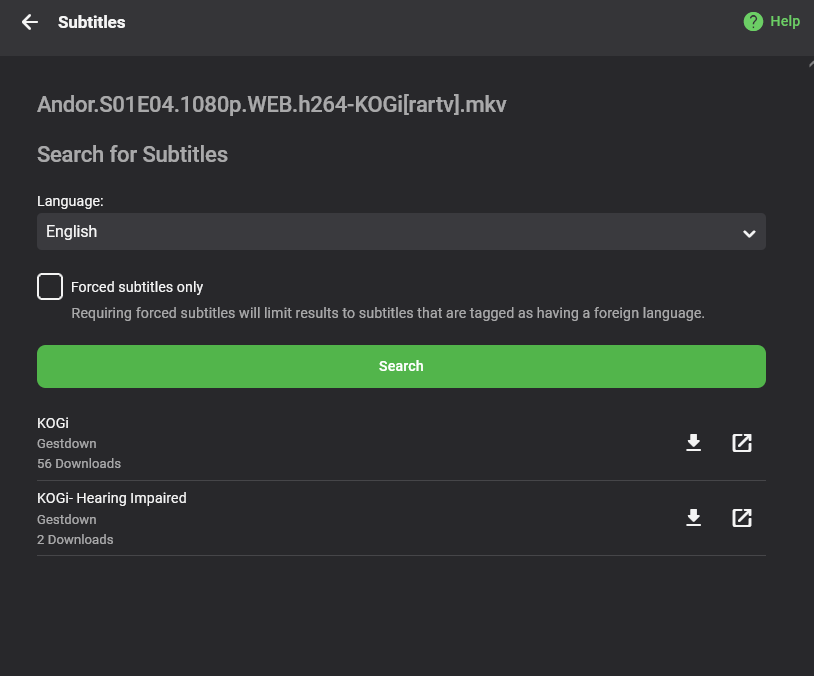
Hello All, I'm here to showcase a new plugin for Emby: Gestdown. The website is: https://www.gestdown.info This plugin provides full support to find and download subtitle from Addic7ed, the advantage from the Addic7ed plugin are multiple: No need for login/account No log Less false positive by using TVDB id matching Unlimited downloading Fair rate limiting Reduce the load on the main Addic7ed website Installation As usual, simply put the dll in your plugin folder and restart emby. https://github.com/Belphemur/Gestdown-Emby-Plugin/releases/download/v2.0.0/Gestdown.dll Usage Either have Emby setup to auto-download subtitle, but when you're using subtitle on demand you'll see Gestdown as part of the list of available subtitle with the Scene version of the subtitle (here KOGI) Source code: https://github.com/Belphemur/Gestdown-Emby-Plugin Releases: https://github.com/Belphemur/Gestdown-Emby-Plugin/releases
 1 point
 -
I think this is an important "small" feature request that will have big impact as "new" users got exposed to it... it basically makes Emby as your memory assistant.. So, you are browsing for your next movie, you see a movie that is already played.. you ask yourself, "when did I see that", and you open the item, and see the date, and that will jog your memory not only to the movie, but part of your life when you actually viewed that movie... powerful tool to have. Sadly, the sort by "played date", or getting a report from your server plug in does not address the same topic. this two very useful features is for when you are seeking answer, and not when you are just casually browsing.. i.e., it is good for detective work, and not for browsing and social activities.1 point
-
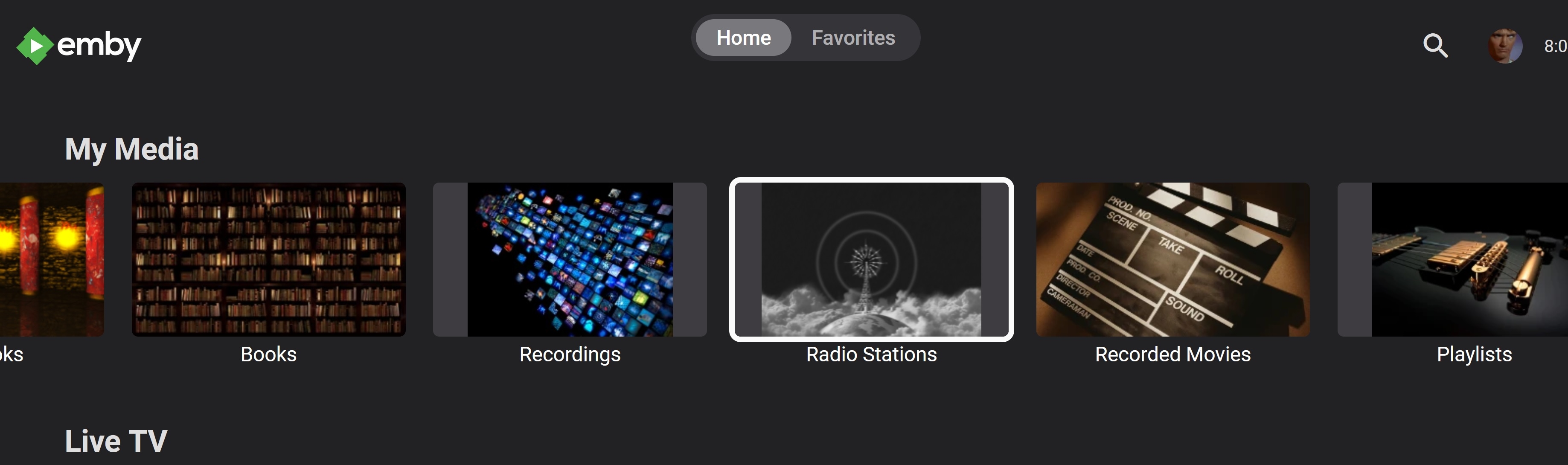
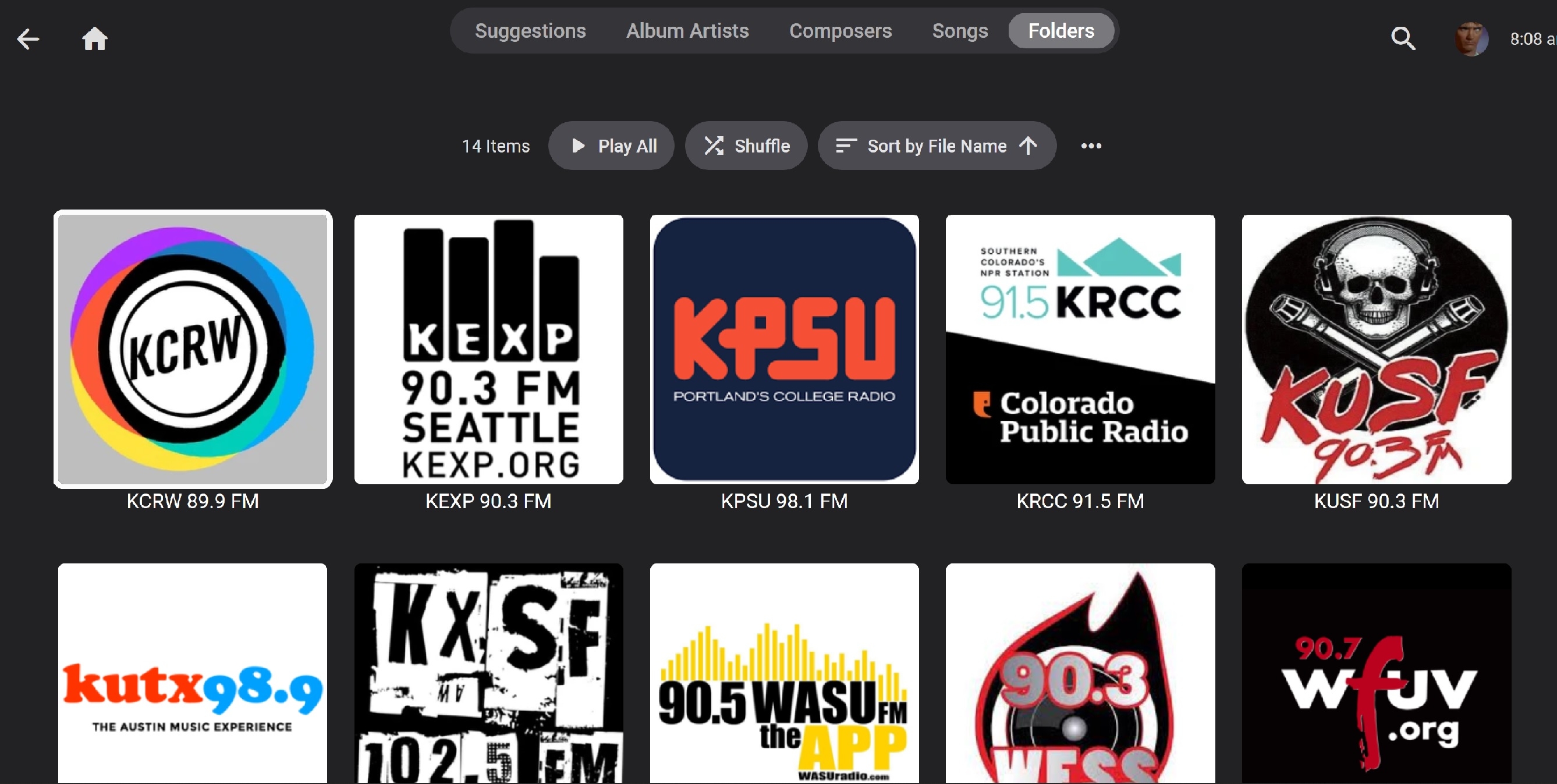
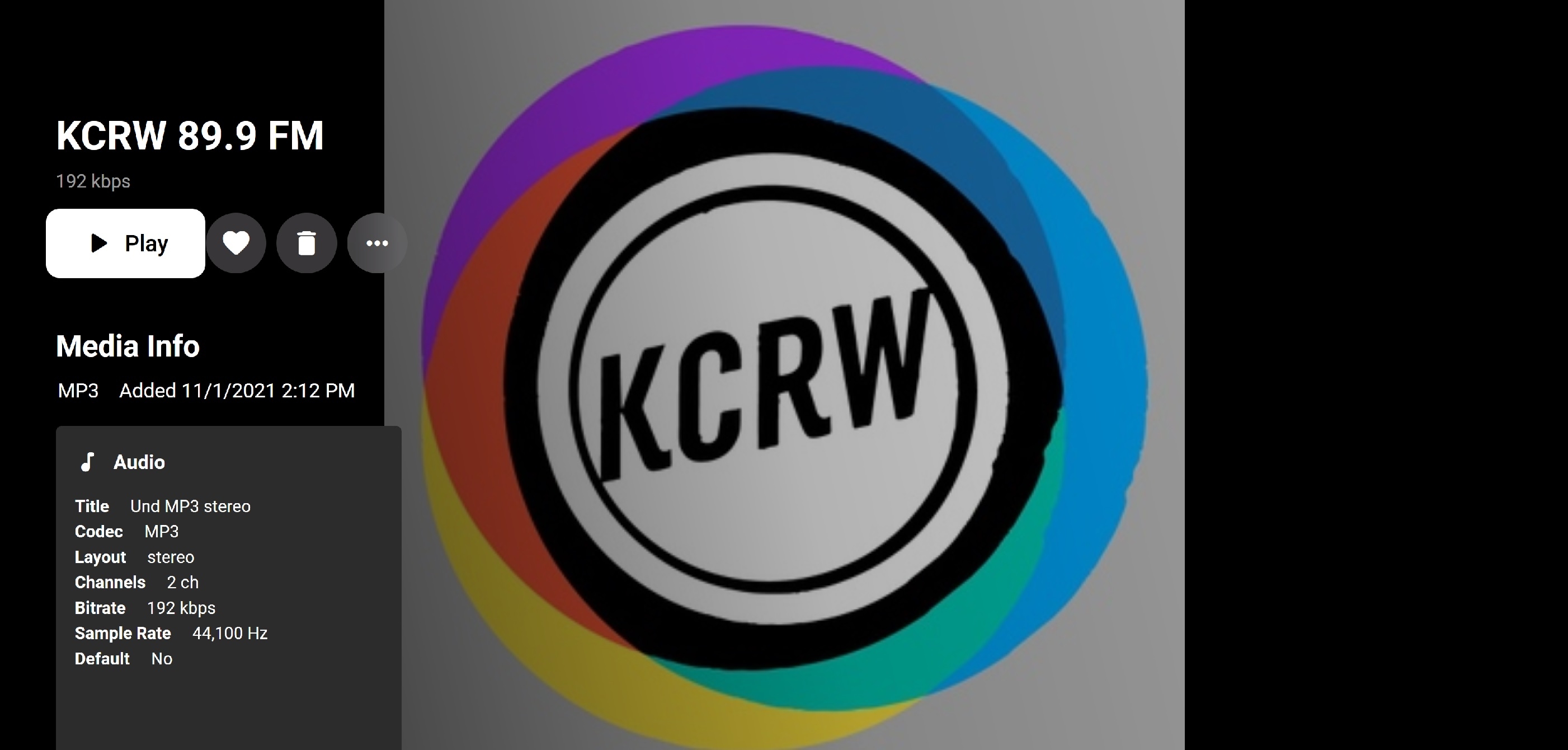
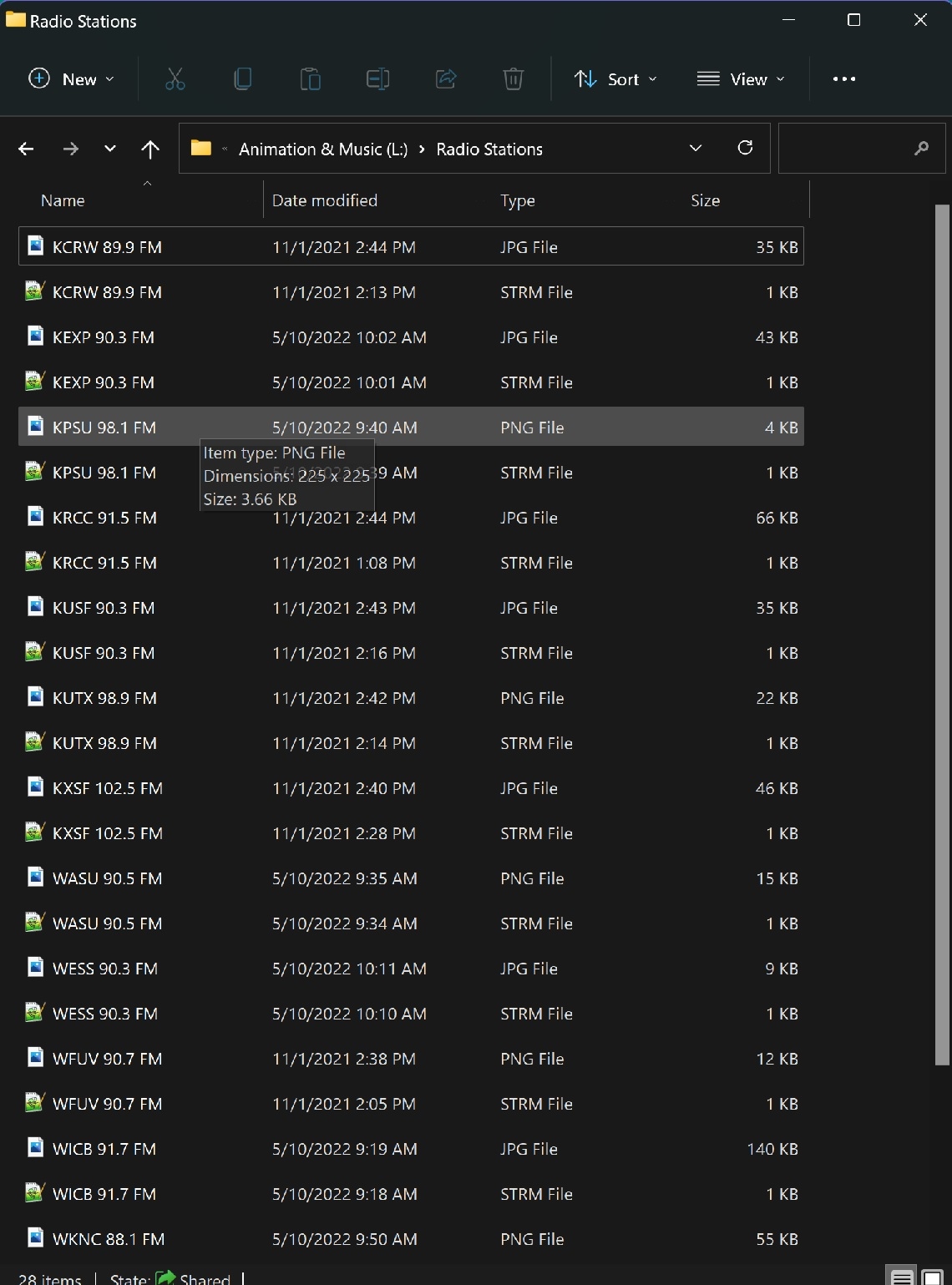
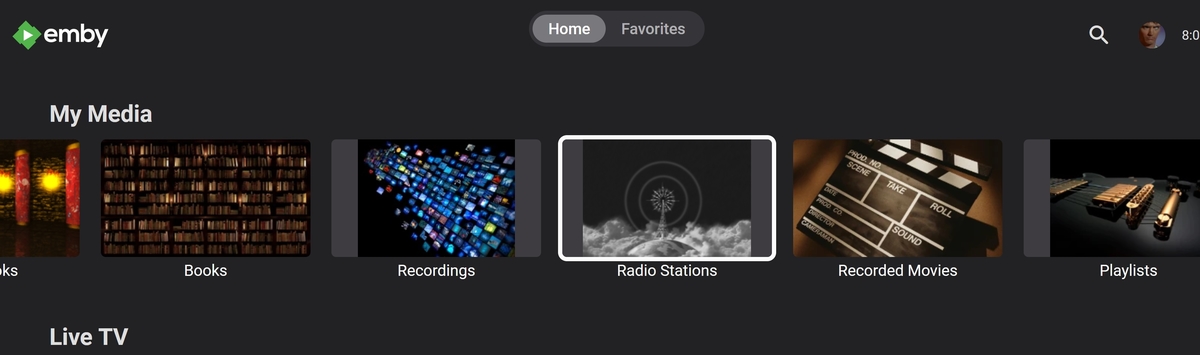
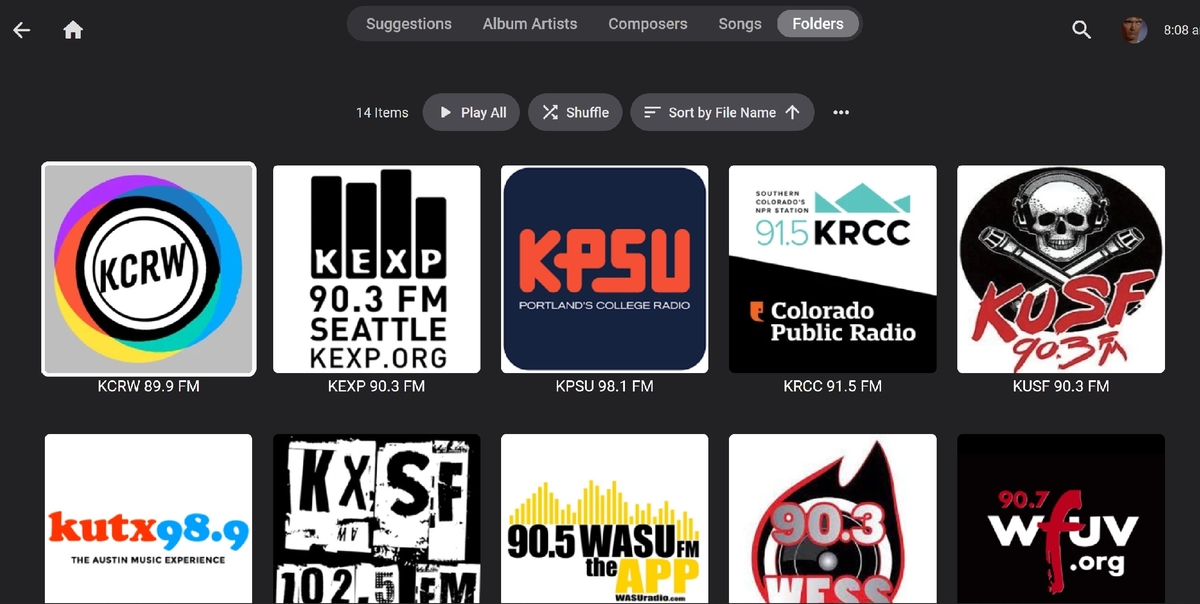
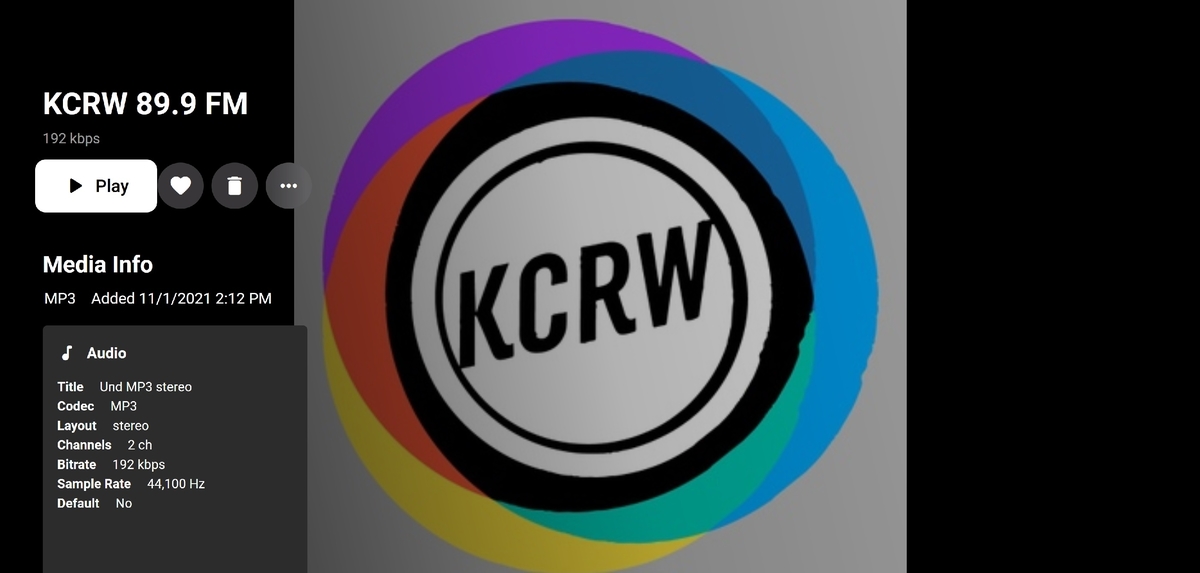
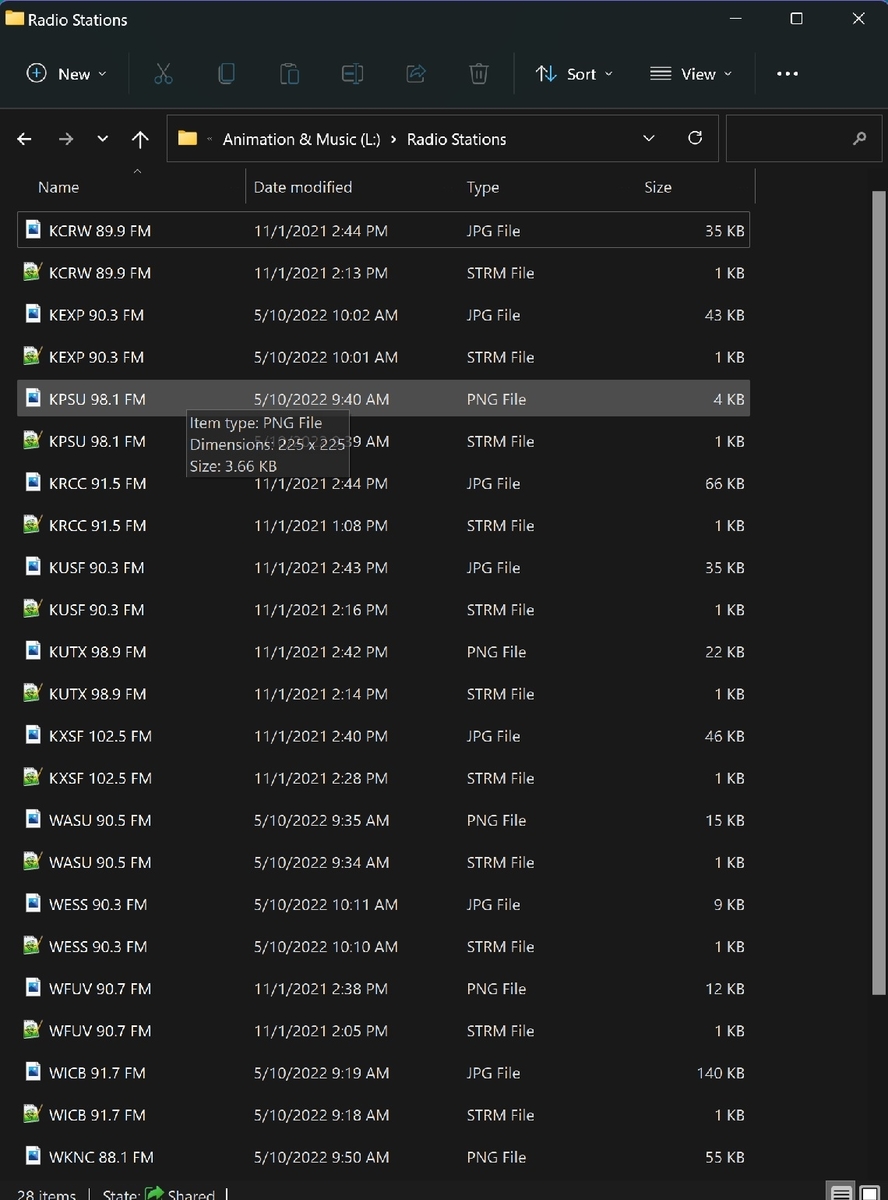
I have this now with my server. I created a new music library called Radio Stations and pointed it at the folder I setup with links to a handful of college radio station with a live feed on their website. I find the m3u8 feed address and add that to text file, name it the call sign of the station and save it as a strm file. I'll then find their station logo and download that, rename it to match the strm file and put them all together in the Radio Stations folder. Scanned it and it works. It's not perfect, but it does work remotely I hope that helps you or someone...
 1 point
 -
I never knew that but I did know that emby was originally MediaBrowser.....probably why I like it so much. I found MediaBrowser probably 15 years ago and was using it as a plugin to Windows Media Center to organize my DVDs.1 point
-
I would like this for my video Playlists such as the Marvel Cinematic Universe one where movies and TV series episodes are in chronological order and is very long so a way to track where I'm at when replaying would be very helpful.1 point
-
Playlists in the new "Continue Watching" row do not interest me too much, but the collections are, for example if I just watch the movie Toy Story, it is not unreasonable that Toy Story 2 is in the new row "Continue Watching".1 point
-
Any chance of this being looked at? I can't imagine it'd be that complicated to introduce. Is there anything on the back end that could cause issues with this?1 point
















.png.8b33f851e35a714f60fc6b9ffaa16724.png)