Leaderboard




Popular Content
Showing content with the highest reputation on 05/20/25 in all areas
-
Version 13.0.0 Notes: This is a major release with many new settings and changes to defaults, be sure to fully read this changelog, you can reconfigure as before if needed. Please remember to leave an updated textual review on the Play Store. Your feedback is essential for improving the app’s ranking and securing Symfonium’s future. Added: Added numerous new settings for the compact player to fully leverage Symfonium’s customization capabilities (Including swipe to skip), and updated the default settings to be more modern. Please note that default settings have changed—you may need to reconfigure them to your preference. Added support for custom fonts. (You can use any font available on Google Fonts if your device has Play Services.) Added many new settings for album, artist, genre, and playlist detail pages and updated the default settings. (You may need to reconfigure your detail page settings.) Added new Now Playing buttons and a gesture to switch between cover art and lyrics in the expanded player. Added new style options for the list top button row and updated the default settings. (You may need to reconfigure this setting if you previously hid those buttons.) Added a new optional secondary shortcut row on the home screen. Added new style options for home shortcut buttons. Added swipe-to-refresh on the home page to easily reload random list content. Added color customization options for home row header text and divider lines. Added a global source filter and “Play on” (Cast) as available home shortcuts. Added overscan settings for Android TV builds. Added tooltips on long press for icons without text labels. Added scale factor to rating bar and waveforms in the expanded player. Added new specific shuffle and repeat mode button type for the expanded player, that will change color when active instead of filled icons. Changed: Improved Smart Fades now deliver smoother, more natural transitions across a wider range of tracks, almost like the app knows what you want. Your previous compact player settings have been reset to accommodate all the new options. You can reconfigure to your previous configuration if wanted. Your previous detail page settings have been reset to support all the options. You can reconfigure to your previous configuration if wanted. The option to hide the top button bar in lists has been updated to offer different styles. You can reconfigure to your previous configuration if wanted. Changed the default values of several settings. You may need to reconfigure options like “Hide top filter button” and “Hide Cast button” under Settings > Interface > Advanced. Support OpenSubsonic album version by concatenating the value to the album name. Fixed: Improved handling to prevent external apps that attempt to skip ads from randomly skipping tracks when returning to the app. Fixed an issue where some OGG files could not be played. Fixed ArtistInfo folder nfo scrapping. Improved some unicode sort cases when disabling the option “Use ASCII sort”. Properly sync Jellyfin album Overviews. Fixed CUE sheet parsing sometimes leading to invalid positions. Fixed support for Internet Radio with basic auth in the URL. https://support.symfonium.app/t/version-13-0-0-released/84882 points
-
Be able to create playlist based on a certain criteria, like genre and or year, in order to create a dynamic playlist that it refreshes automatically when new content is added. This way you can for example, create a tv comedy playlist from the 90's, or a new sci-fi Movies playlist. Some other criteria for rules could be the rating, watched/unwantched, score, tags, language, audio codec, etc The possibilities could be endless1 point
-
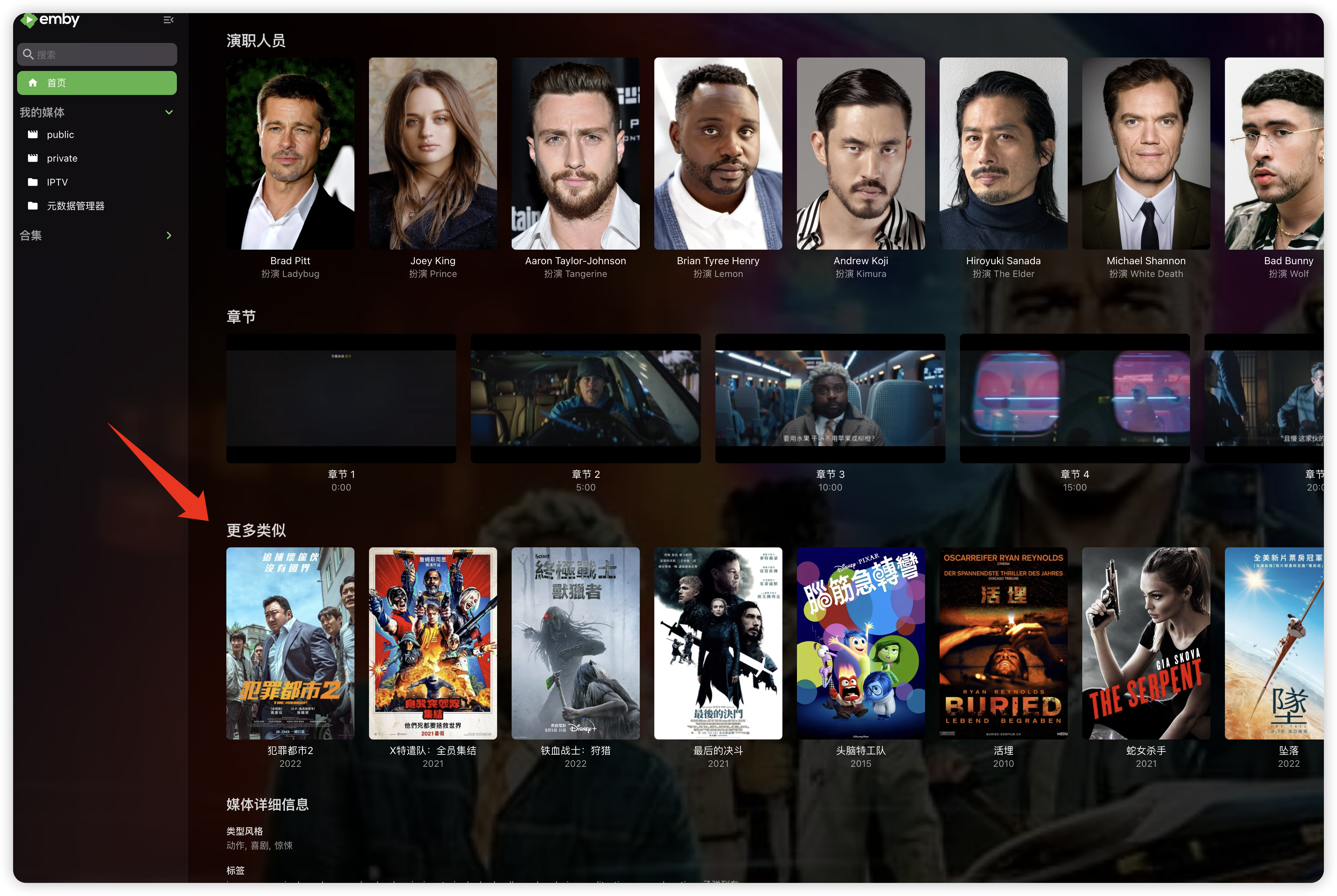
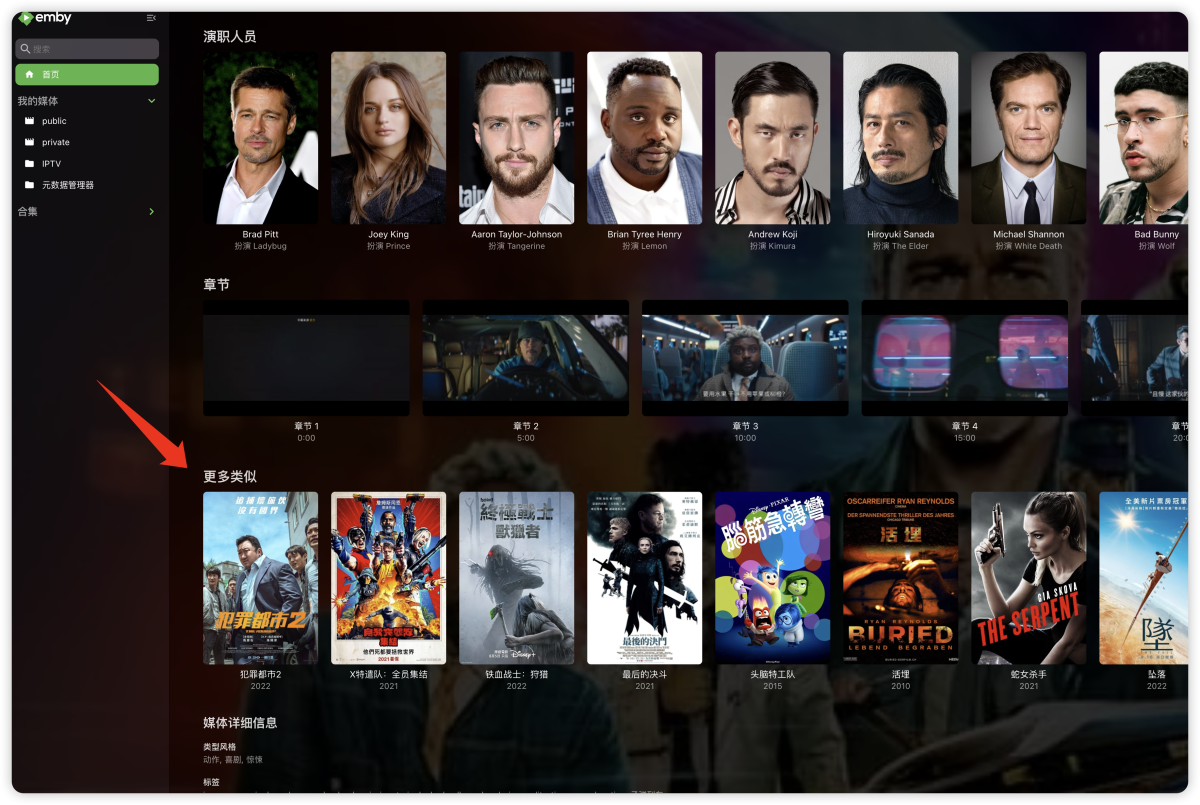
"More like this" will recommendations are made based on multiple media libraries,I don't like this, I prefer him to only recommend similar ones in the current media library, otherwise I would rather turn it off. What should I do?
 1 point
 -
Sounds like you don't "need" an iGPU but i'd still recommend one anyways. For a few extra dollars it will future proof your build a bit better. You might decide to need to do some video conversions down the road and will be glad you have it. Even though its a few years old the i5-12500 is a very good media server CPU. With Unraid E-cores are meaningless for the most part so focus on the number of P cores. Also keep in mind the newer isn't necessarily better when it comes to this stuff, if your run bleeding edge hardware expect to run into compatibiliy issues and support.1 point
-
+1 Separate HDR/SDR settings or simply 2 different styles with a switch available during playback, it can be enough. And a brightness slider, or a darker yellow would be perfect Hope that can be done, and come to the Samsung app.1 point
-
Danke schonmal für die Arbeit und Mühen. Kurz zu Erläuterung: Im Dateisystem heißen die Datei "Film (2019) - Theatrical Version.mkv" und "Film (2019) - Director's Cut.mkv". Die zwei Bindestriche am Anfang sollten nur symbolisieren, dass die Filmversionen im entsprechenden Ordner liegen. Sprich Film (2019)/Film (2019) - Theatrical Version.mkv und Film (2019)/Film (2019) - Director's Cut.mkv1 point
-
Oh, really thanks, it works now1 point
-
Nice!1 point
-
You could use Folder-based access controls for permissive mode and Tag-based access control for restrictive mode?1 point
-
Emby for Apple TV 1.9.9 has been released. Here are the highlights: Support playback correction in the video player Support sleep timer in the audio player Support subtitle offset in the video player Support new youtube trailer playback (in the 4.9 server) Fix home top tabs not being translated View the full article1 point
-
Thanks! It's good to know nothing's going wrong. I just wanted to make sure I hadn't messed something up before the transfer is finished and I won't notice the issue any more.1 point
-
Sounds normal as you are saturating your network locally and Emby really does not do any connection testing locally like it does for remote connections.1 point
-
I did mean your work, not Emby! Enjoy!1 point
-
Will add it to the Todo list. Doing som major changes though so don't know when it will be done.1 point
-
thx, will check it out1 point
-
Well not completly working. Paused something for about 15 minutes yesterday, and when resuming the eac3 bitstreaming was not working. Had to stop and restart the video for it to work again.1 point
-
1 point
-
The Emby server is exposed through a router (with port forwarding) and the router has a WAN with a public static IP. I registered a domain and use the certbot utility to generate the Let's Encrypt certificate (authorized with acme txt record in dns) I will try zerossl and let you know if it works. Thanks1 point
-
it would be even better to try and make Emby Android TV play Dolby TrueHD on DUNE HD 4k PRO VISION but i understand thats a longer process (which im willing to help out with reports btw if you guys need)1 point
-
Great news everyone. Emby for Samsung 2.1.0 has launched in the Samsung app store for most 2023-2025 devices. Older devices are still in Samsung review. Stay tuned to the blog for the release announcement. Thanks !1 point
-
Thank you for the skin, i noticed some of the text colors are set to #ddd and with the darkish background it is hard to see. I scaned through the css and fixed a few. .md-icon { color: #e3a111!important; } .page-withDockedDrawer .auto-center { color: #fff!important; } .secondaryText, .fieldDescription, .cardText-secondary, .legendDescription { --theme-text-color-alpha: var(--theme-secondary-text-color-alpha); color: #e5a00d!important; } .listItemBodyText { color: #f9f9f9!important; } .dashboardSection h2 { color: #f9f9f9!important; } button.cardMediaInfoItem.itemAction.textActionButton.cardTextActionButton.emby-button.button-link { color: #f9f9f9 !important; } .listTotalRecordCount { color: #f9f9f9!important; }1 point
-
Update: I’ve rebased my WIP on Kometa 2.2, here‘s the link to my GitHub repo: https://github.com/tommargar/Kometa/tree/feature_emby_overlays I’ll add a download for the Emby overlay plugin later. It’s working as expected, only episode and season overlays are missing. You’ll currently need a Plex install with one library as I haven’t removed all traces/made it fully standalone. If you already have a working Kometa installation for Plex, you can just re-use the config and add your Emby libraries. I’ll also add my current config as reference. EDIT: Added files. Put the dll file in <your plugins folder for the overlays, point to your Kometa export folder and hit 'save'. The plugin will only look for update overlays when save is clicked. More information/screenshots can be found in my previous posts EmbyKometaOverlays.dll continents.yml Decade.yml movies_subgenre.yml 110_genre_popular.yml config.yml1 point
-
Kodi has an option to cap the GUI at a certain nit level (which the user can set). That seems the best approach. Only altering the subtitles would still leave the OSD way too bright.1 point