Leaderboard




Popular Content
Showing content with the highest reputation on 05/08/25 in all areas
-
One of the questions we have to ask in all the stores is "do you send any data to a 3rd party". Also, with this plugin, it is immediately obvious that the sole purpose is to locate users. To any un-informed body (read as ALL the reviewers in the store) this is an immediate red flag. It is just too risky for us to attempt.2 points
-
In the app settings, go to About and click Log Files at the top.2 points
-
Many thanks to both GrimReaper and Luke. Tried my old username acct (not email) without success. Who would have thought, but created another account and this one works fine. This forum rocks and so does EMBY. Screw plex........2 points
-
Thank you so much, I've been looking for this for so long. It was actually the second line that needed to be unchecked "Ignore articles when sorting" Thank you both @quickmic @FrostByte2 points
-
Just so you know, I am still looking into this. lots and lots of test runs later and I have narrowed it down. With your m3u and settings I am outputting consistently now . Test runs varied 56,788 items are added 55,939 are written each time 849 are not written I am still testing, but it appears that when multithreading (16 logical cpu's, ie 16 threads at once), asking the filesystem "does that file exist?" can cross talk to another thread and answer another threads same question for a different file. Thus seemingly randomising the output. Anyway the culprit is cross threading because of using all the cores assigned. Its near the end of such a big list that the errors start occurring. One fix is: Adding all the files to a task list then executing the task list works, but it is much slower so I am still researching a solution what should actually write is 56,788 files 203 are duplicates ------------------------------ 56,585 will write on a single core, or from a compiled task list. That is the 56,788 minus the duplicates. I am currently testing different write methods across the cores to see what is most reliable. It is just taking some time...2 points
-
You have to verify/change the <CollapseVideoFolders> in system.xml to false and use Emby api LibraryStructureService /Library/VirtualFolders/Query to get all library options/configs, then use /Library/VirtualFolders/LibraryOptions to repost the specific library option changing <CollapseSingleItemFolders> to false and Rescanning all libraries. Not specific to this but most of the step are shown in this how to.2 points
-
Android Automotive. Not to be confused with Android Auto. "As compared to Android Auto, Android Automotive is a full operating system that can power the entire experience when driving. It’s installed on the head unit available in the cabin, so it’s in charge of everything from the moment you turn on the engine to the one when you leave the car. -AutoEvolution.com" I have Android Automotive in my Polestar 2. And while its not as popular as Android Auto yet, its pretty impressive. Its gaining more traction too. I hear GMC, Cadillac and many others are using it now too. Emby, please add a compatible app for Android Automotive in the google play store. Are there any plans for this?1 point
-
It could rotate or something, like in the theater Of coarse it would have to be able to be turned off I suppose for people who don't like the idea.1 point
-
I notice that Chrome now supports Live Captions and even Live Translation. Is there any chance these features could be implemented in your Android TV Client? Thanks D1 point
-
I am running the latest version on my fire Cube, emby for Android 3.4.65 (not the android tv/fire tv version) and when I start a TV show I like to skip forward the first 30 seconds. It seems like only on that initial skip forward it doubles the time (to 60 seconds). After that initial skip it behaves normally. I also tried this on my android phone and it skipped forward 30 like it should so this may be related to just the fire Cube Am I doing something wrong or is this a bug? I am running docker emby server 4.8.11.01 point
-
SOLVED This is very stupid, and I apologise for wasting any of your time. The issue is that even though I had told Emby for Windows to uninstall, EmbyServer.exe was still running. There was nothing in the tray or in services.msc to hint that it might still be running. Investigation In powershell I ran the command netstat -aon | findstr :8096 which output TCP 0.0.0.0:8096 0.0.0.0:0 LISTENING 66612 TCP 0.0.0.0:8096 0.0.0.0:0 LISTENING 31828 TCP 192.168.1.3:8096 0.0.0.0:0 LISTENING 4132 TCP [::]:8096 [::]:0 LISTENING 66612 TCP [::1]:8096 [::]:0 LISTENING 65076 TCP [::1]:8096 [::1]:60785 ESTABLISHED 65076 TCP [::1]:60785 [::1]:8096 ESTABLISHED 25804 For each entry I ran tasklist /FI "PID eq <id on the right>" For 31828 the output looked like tasklist /FI "PID eq 31828" Image Name PID Session Name Session# Mem Usage ========================= ======== ================ =========== ============ EmbyServer.exe 31828 Console 1 1,009,904 K As soon as I killed that program, I was able to access 192.168.1.3:8096 as normal.1 point
-
Hi, yes looks interesting.1 point
-
My thoughts were to allow selections of different download language of metadata, but using original title would be also helpful. Also very helpfull could be adding option to display original title in library list. Currently there is only option to display name and filename.1 point
-
I have the same issue and those settings solved it. This can be reproduced with the latest stable and beta Version 4.9.0.52. If this can't be solved otherwise, a direct switch in the settings which does the same than the entries in the parameter adjustment section would be great.1 point
-
Yes, I can make this happen on 3.4.68 on my Shield every time. Start movie Click FF once movie jumps 30 seconds from current time and then immediately jumps to exactly the 1min time of the movie I cannot make it happen after the 1min time in the movie1 point
-
Any progress on that?1 point
-
Fast and efficient replies as always! Regarding the deletion of collections, I think the wording of the popup is maybe misleading - it made me concerned that the files from the filesystem would be deleted! As for the rest, I'm not aware of any settings toggled on like that but I'll go through my libraries and check. Certainly nothing has happened with TV collections (although I'm not sure if that works in the same way) but I'll let you know!1 point
-
Update: I’ve rebased my WIP on Kometa 2.2, here‘s the link to my GitHub repo: https://github.com/tommargar/Kometa/tree/feature_emby_overlays I’ll add a download for the Emby overlay plugin later. It’s working as expected, only episode and season overlays are missing. You’ll currently need a Plex install with one library as I haven’t removed all traces/made it fully standalone. If you already have a working Kometa installation for Plex, you can just re-use the config and add your Emby libraries. I’ll also add my current config as reference. EDIT: Added files. Put the dll file in <your plugins folder for the overlays, point to your Kometa export folder and hit 'save'. The plugin will only look for update overlays when save is clicked. More information/screenshots can be found in my previous posts EmbyKometaOverlays.dll continents.yml Decade.yml movies_subgenre.yml 110_genre_popular.yml config.yml1 point
-
Yeah, since my device has the older app, I should just upgrade it to the new Android App which allows the sorting both ways. Thank you!1 point
-
Yeah that's what I thought but Sean was unclear for some reason. Thanks. If someone can tell me where to get the log files for the new app, I can share that as well as my server log.1 point
-
You know what? Nevermind... I will simply update the app to 3.4.65. Thanks! We can close this post. Sorry.1 point
-
It's definitely a video/metadata issue only does it on the last 3 episodes of a certain series hasn't done it since...1 point
-
The only information going to a 3rd party is the ip address and api key. Docs: https://www.ip2location.io/ip2location-documentation. All relationships between devices, ips, and users are maintained in this plugin's database.1 point
-
I double-checked my headers and made sure everything was set up correctly in Nginx. What helped me most was comparing my config with a working setup from lightningproxies.net, since they had a guide that showed how to avoid common mistakes with Emby and reverse proxies. Turned out I was missing a forwarded header that Emby needed to see the correct base URL.1 point
-
Is this what you're looking for? I think the default is on. https://kodi.wiki/view/Settings/Media/General#Ignore_articles_when_sorting You can add more articles in advanced settings file also1 point
-
Hi Luke, I just meant that anime metadata can sometimes get tricky—especially with specials, arcs, or when switching between aired and absolute order. I know Emby offers some great plugins, and I really appreciate all the ongoing improvements. Just sharing my experience as a user who loves organizing anime collections.1 point
-
Any updates on this? I second this1 point
-
But you have not rebooted everything. Things like your router and any switches on your network and even other devices like cameras or Alexa devices can, and often do, cause problems that seem unrelated to their primary function and those problems can often be cured by a simple power cycle. I am not saying that is your problem but what you describe is unusual enough that something equally unusual could be the cause. Again to emphasize: I do not see the problem you report and no one I know sees it and there seems to be no reports of anything like that happening anywhere. That pretty much says that it is a local problem of some kind and communication between client and server is one place that should be checked and anything in or on your network can cause communication issues. Of course it could always be "something completely different;" to use part of an old Monty Python quote. And, NO, that quote is NOT from the "Dead Parrot" skit. If you have not seen that skit it might be fun to look it up. It is one of the funniest "British" skits of all time. IMO.1 point
-
It works partially. Movies and tv shows works but not music videos. They don't sync1 point
-
But you don't yet have full support for alternate orders which are pretty important in anime (maybe elsewhere, but I don't really know). Paul1 point
-
Hi, yes that is correct. We will be adding an additional option to it. Thanks.1 point
-
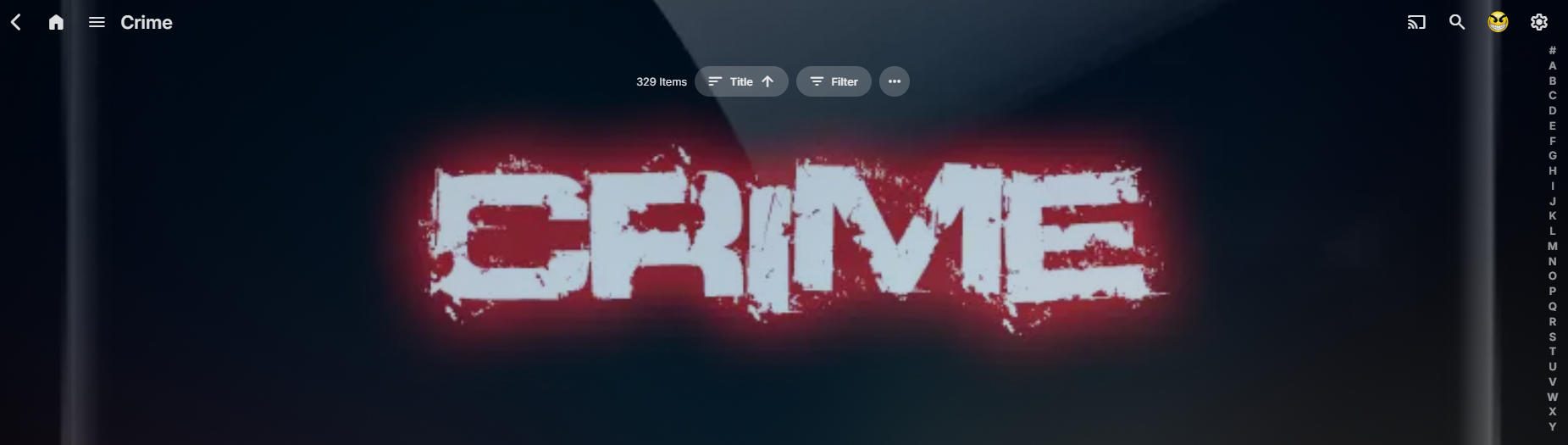
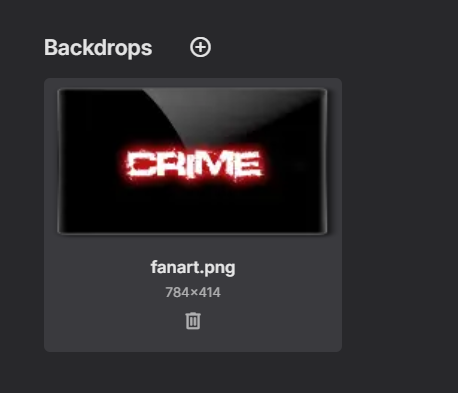
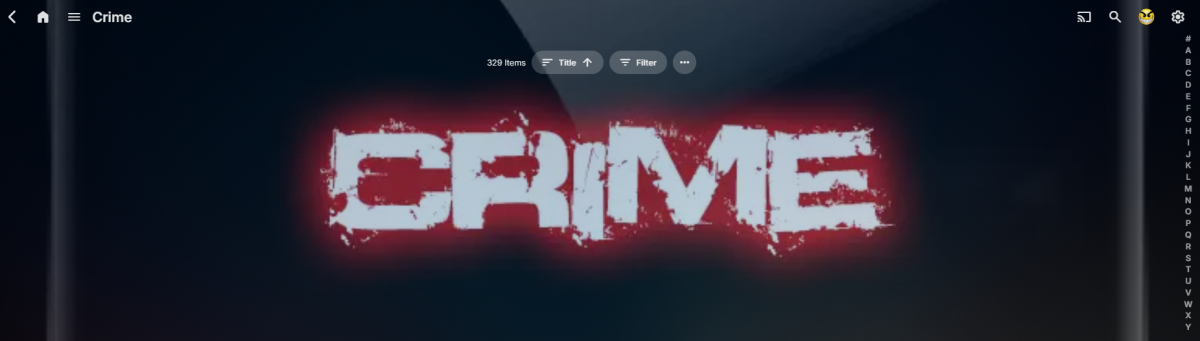
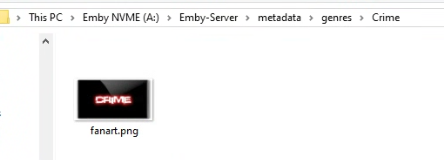
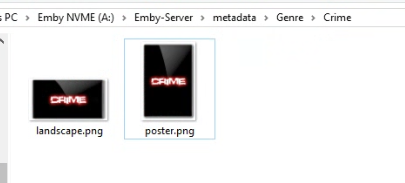
Sorry you wanted the landing tab and I don't believe there is a way as you have Theme or enable backdrops. @LighthammerThere have been so many changes over the years as my primary server is still using the images in my Genre folder but if I make changes it migrates/saves to Genres folder. So depending on how old your database is you could be using different folders but the UI will always save to the proper location and can see it in debug logging. 2025-05-07 08:53:33.076 Debug SqliteItemRepository: GetitemById Genre 207927 A:\Emby-Server\metadata\Genre\Crime 2025-05-07 08:53:33.078 Debug ProviderManager: Saving image to A:\Emby-Server\metadata\genres\Crime\fanart.png But had no issue saving a backdrop via Genre edit image on that genre and applying a backdrop to make it work assuming you have backdrops disabled as it will utilize library backdrops if you do. Hide all media to show the backdrop. But key is you cannot have backdrops enabled.
 1 point
 -
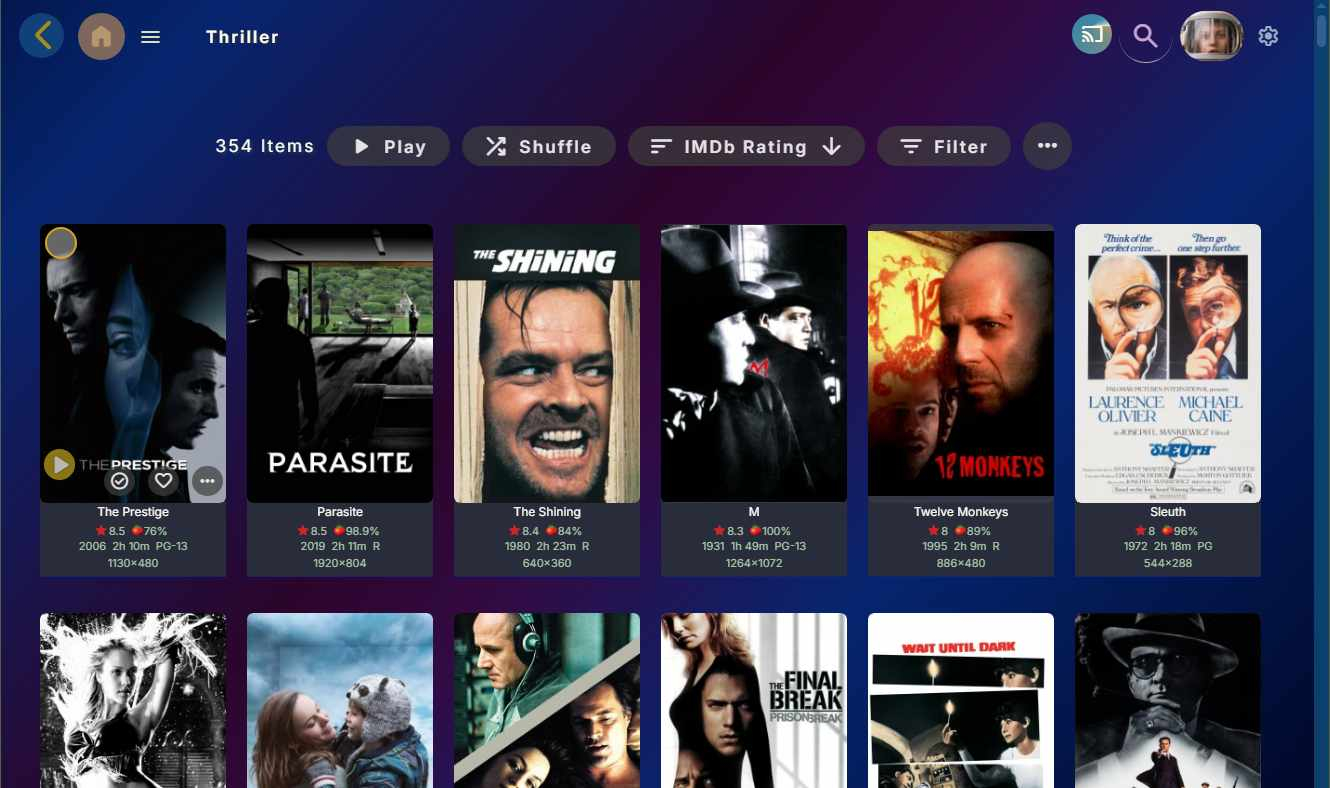
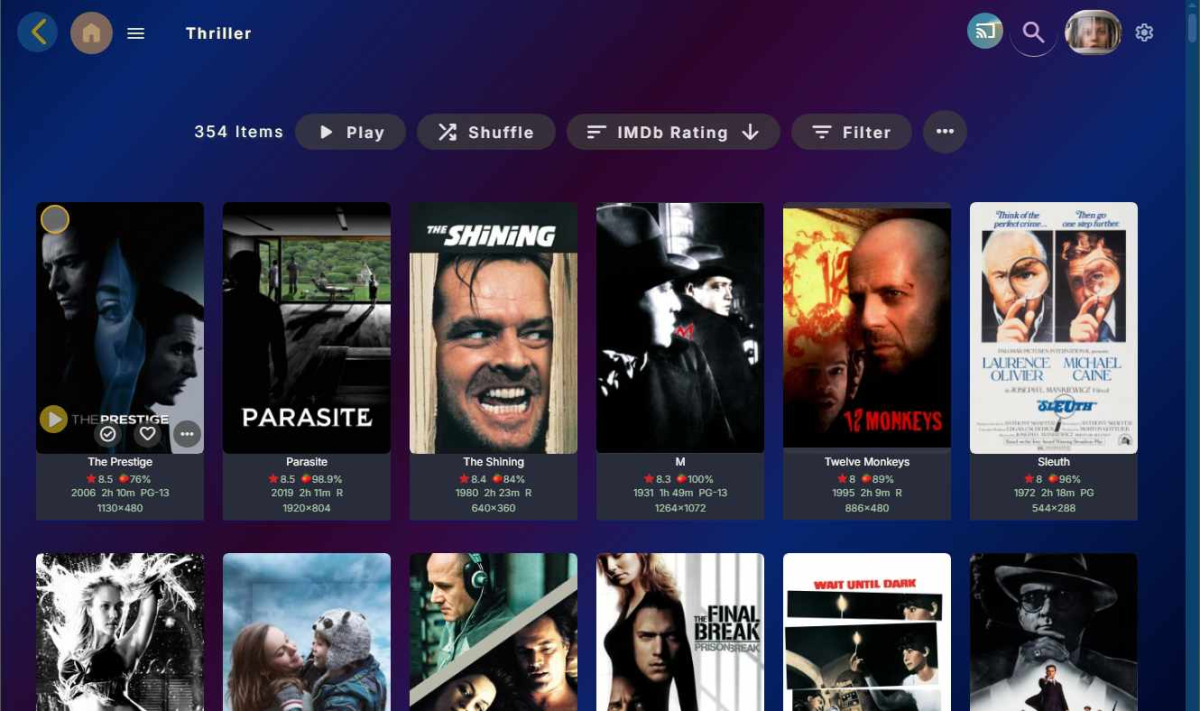
Currently, a genre page, for example, is presented when the URL has specific parameters which are values after the ? and & elements in the URL. Look at the URL when you are on a genre page and you notice it ends in some parentId value followed by tab=genres. The only extra pages that could be targeted with CSS are the home page and collection and playlist pages, but unfortunately the last two would override any background image you assiged to a specific collection page. So, the custom style for background images tweak is really only good for the home page. These CSS custom styles are available with my Custom State Street Theme. Getting specific background images to the pages, you mentioned, you would need to add javascript so the CSS can then recognize this end parentId value and the tab=genres. There is no method to add javascript inside the custom CSS. There may be a plugin that allows additional javascript to be introduced in a custom way. I have not bothered to look into this. Even if that worked, it would likely default back to no custom javascript on every update and running additional custom javascripts is really not such a good idea. It can conflict with the correct javascript functions. I believe this can only be a feature request. The genre page is a little busy to have an image background. My custom theme actually includes a choice of about 15 background swatch of blended colors at an angle for all pages that do not get an assigned background. I prefer this solution. Here is a genre page using the Custom State Street theme, which is available in the CSS style forum discussion. If you use this custom CSS, be sure to scroll all the way to the bottom to get the latest update. A new update is coming this month.
 1 point
 -
I was able to fix the issue. Using the official docker image, the value TZ='America/New_York' is not respected and does nothing. So even if Emby was using the correct timezone, the actual docker container was still on UTC. Instead I mapped the following volume in my docker compose file: - /etc/timezone:/etc/timezone:ro - /etc/localtime:/etc/localtime:ro which resulted in my container using the host (so the correct) timezone. After that I refreshed+replaced all metadata for the show and the episode is now correctly showing april 24. Thanks !1 point
-
Going back the last 7 days I’ve used at least one client (mainly the Android TV one) almost daily and also added media twice. I didn’t open the server app on the NAS recently tho. For me it’s mainly upsetting that it would be so easy to make a licensing issue transparent to the user by creating an error message clearly telling the user the problem and how to solve it or how to avoid the it in the future. Generally, as a paying customer, I should never ever run into an issue that someone who simply stole the product wouldn’t run into.1 point
-
I have this same issue and the diagnostics options workaround posted aboved seems to be resolving it for me... Install the Diagnostic Options plug-in Scroll down to the Parameter Adjustment section In Text to Replace: -segment_write_temp 1 In Replacement Text: -segment_write_temp 1 -max_muxing_queue_size 100000 Save The stream fail / end user freeze or pausing happens on all 4K/transcoding streams to those external of my network but so far with the above max_muxing_queue_size setting in place, the issue has stopped.1 point
-
@ebrCan you please consider moving all the photo comments to another place? They don't have anything to do with this enhancement for video and audio uploads. It looks like all the non-related comments may be clouding the issue and people are missing the point of this request.1 point
-
This thread should have been moved into the ORIGINAL request from 2017 to get search finally fixed. My opinion on search is EVERYTHING except media should excluded from it, and items like actors, info, etc... should have to be added to the search options under settings for those that want them.1 point
-
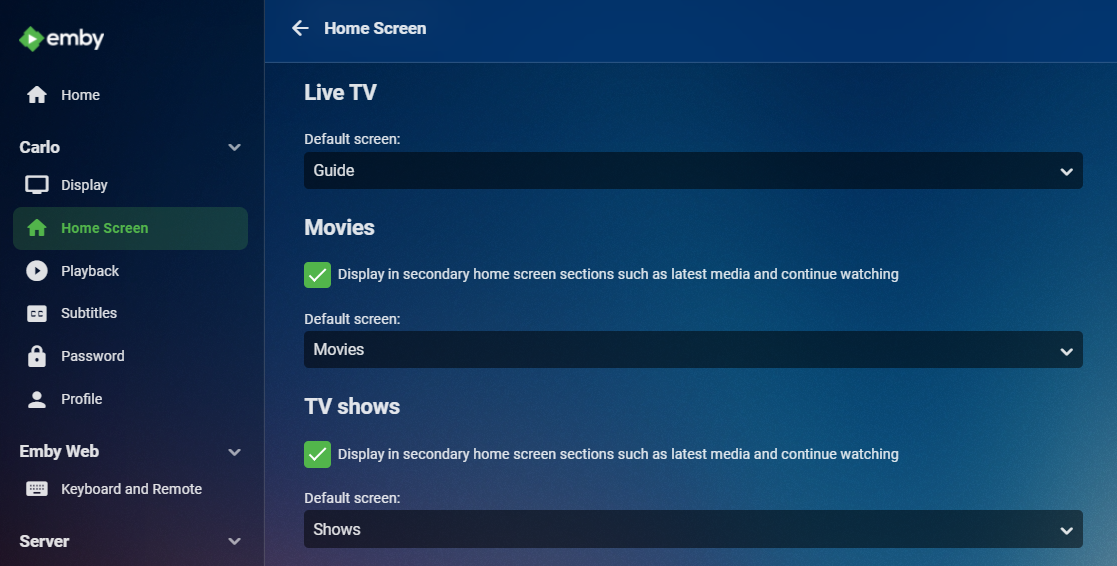
Hi, look at your home screen settings toward the bottom.
 1 point
 -
i wouldn't bother posting any updates, the devs clearly have no interest in helping.0 points
-
Hi, what exactly are you asking for?0 points
-
Related? Nvidia Shield settings.. device preferences.. storage.. internal shared storage.. Then click on 'cached data' to clear https://www.reddit.com/r/nvidiashield/comments/teg5vo/how_to_clear_the_cache/0 points