Leaderboard




Popular Content
Showing content with the highest reputation on 05/05/25 in all areas
-
Okay I know why mine has always been that way as I have Timelord so nothing in Emby is by date added it is always Release date.3 points
-
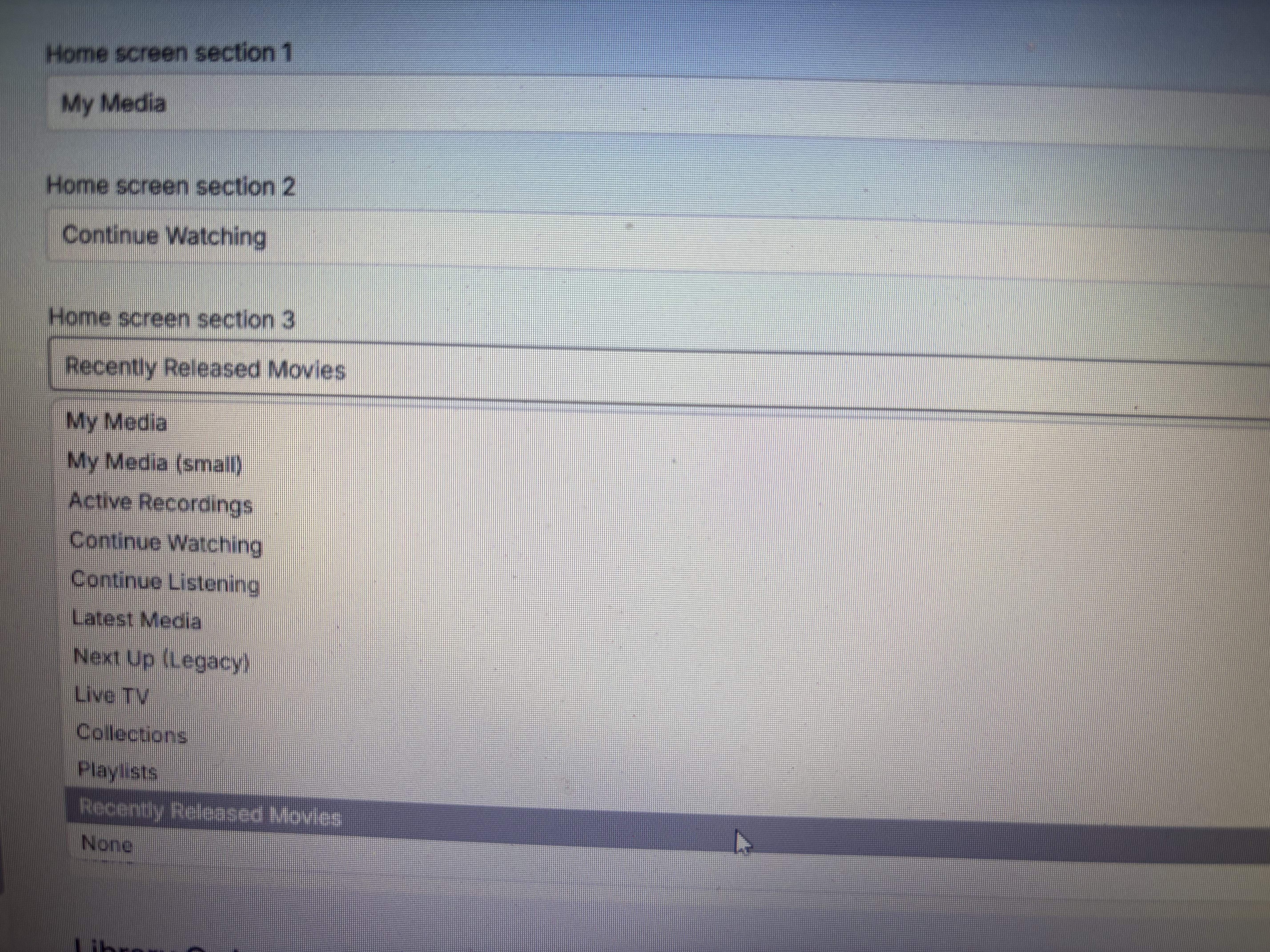
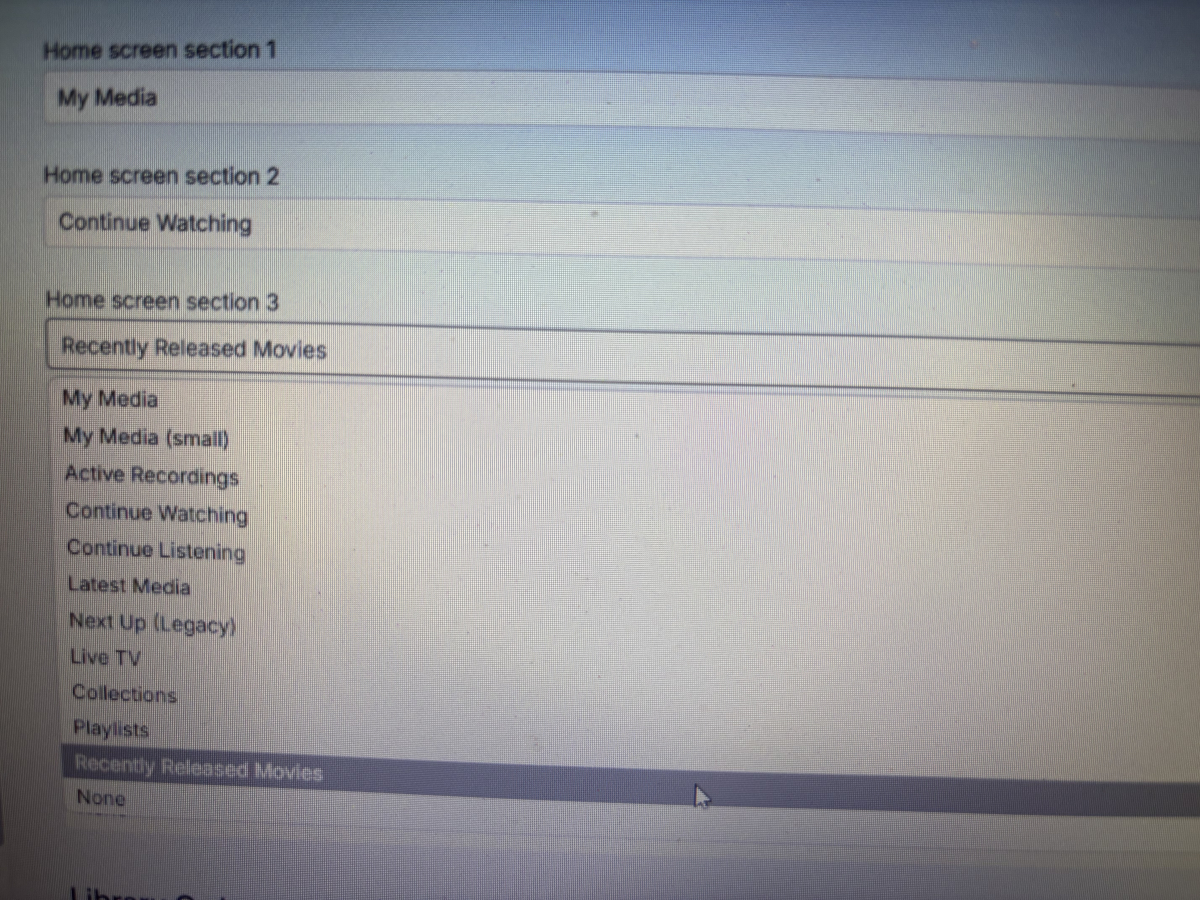
Because I need to show my users “Recently released movies and TV series(Tv shows)”. For movies, there is an option of "Recently Released Movies" on the Home screen, but there is no such option for TV series. So, dear Emby team, could you please add a "Recently Released Tv shows" option on the Home screen?
 2 points
 -
Thank you, I did try and use the full path for curl within the script itself but it still resulted in a mismatch. Setting the library path was just what I needed! So if anyone ever comes across anything similar this is what I added to my script, your path may vary... export LD_LIBRARY_PATH=/usr/bin/2 points
-
This would have even more overlap than the Latest/Recently release movies section because there is no "lag" in home releases for TV like there is for movies but, also, we would have to define what is "recently released" in the context of a TV show. Is it latest episode or first episode? An argument can be made for both but first episode would produce the least amount of overlap with the "latest" row.2 points
-
I came to report the same two issues. The latest iPad app update has broken split-screen functionality and is ignoring the device's rotation lock setting.2 points
-
I found that when I hit the back arrow(at the top left corner) from the playing screen back to Emby, it keeps bringing me to portrait position even when I use an iPad in landscape mode. It’s so annoying that I have to rotate the iPad to portrait and back to landscape again to go back to landscape mode.1 point
-
It wouldn't cause a problem. Unsetting would only be within the scope of your custom script, same as the change in value you made. Neither are permanent or external to the script itself.1 point
-
Aha - that was the issue: Emby had assigned wrong TVDB ID when importing, which I never noticed because for some reason Emby did pull the correct cover images. Should the correct TVDB ID be the SERIES ID or the different SEASON IDs applied differently to each season?1 point
-
This issue was fixed on 2.2.38 Thanks Team Emby. Great entertainment software. I love finding new ways to utilize EMBY to consume my entertainment.1 point
-
This worked. Thank you! Please note the other issues with CarPlay are still outstanding. also: can you drop any tips for easily converting old Emby playlists from XML to m3u? It’s cool you guys moved to m3u.1 point
-
FWIW: I use the Next up legacy as my primary row for watching TV. I have no problems with it and it shows what it should. To verify the correctness of Next up legacy I keep an row at the very end of my home screen for Continue watching and, if i think something is wrong with one I can look at the other to verify that the database is being correctly rendered by the Legacy row.1 point
-
Hi, yes the best thing to do is make it part of a TV library with internet metadata providers disabled: TV Naming1 point
-
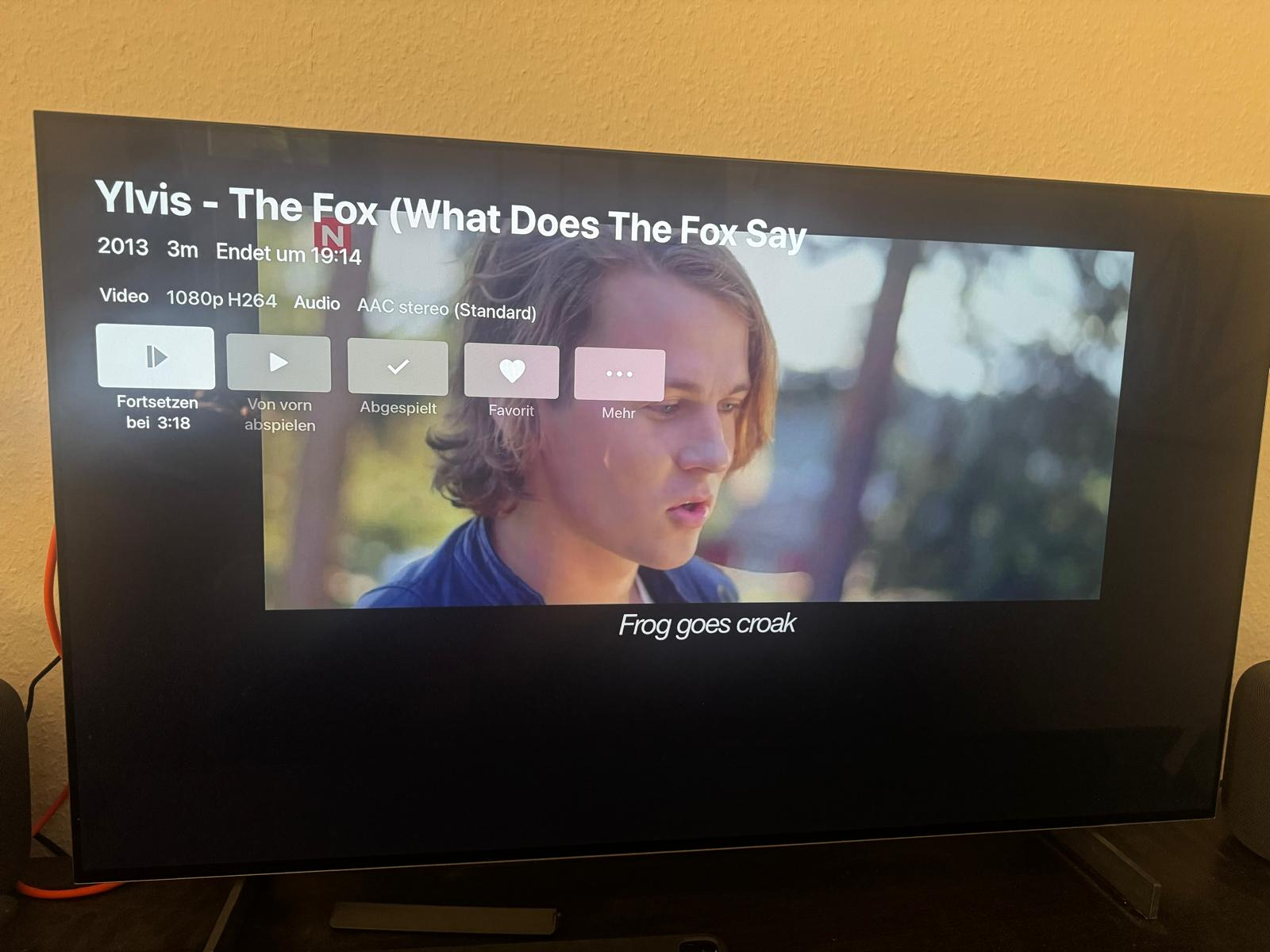
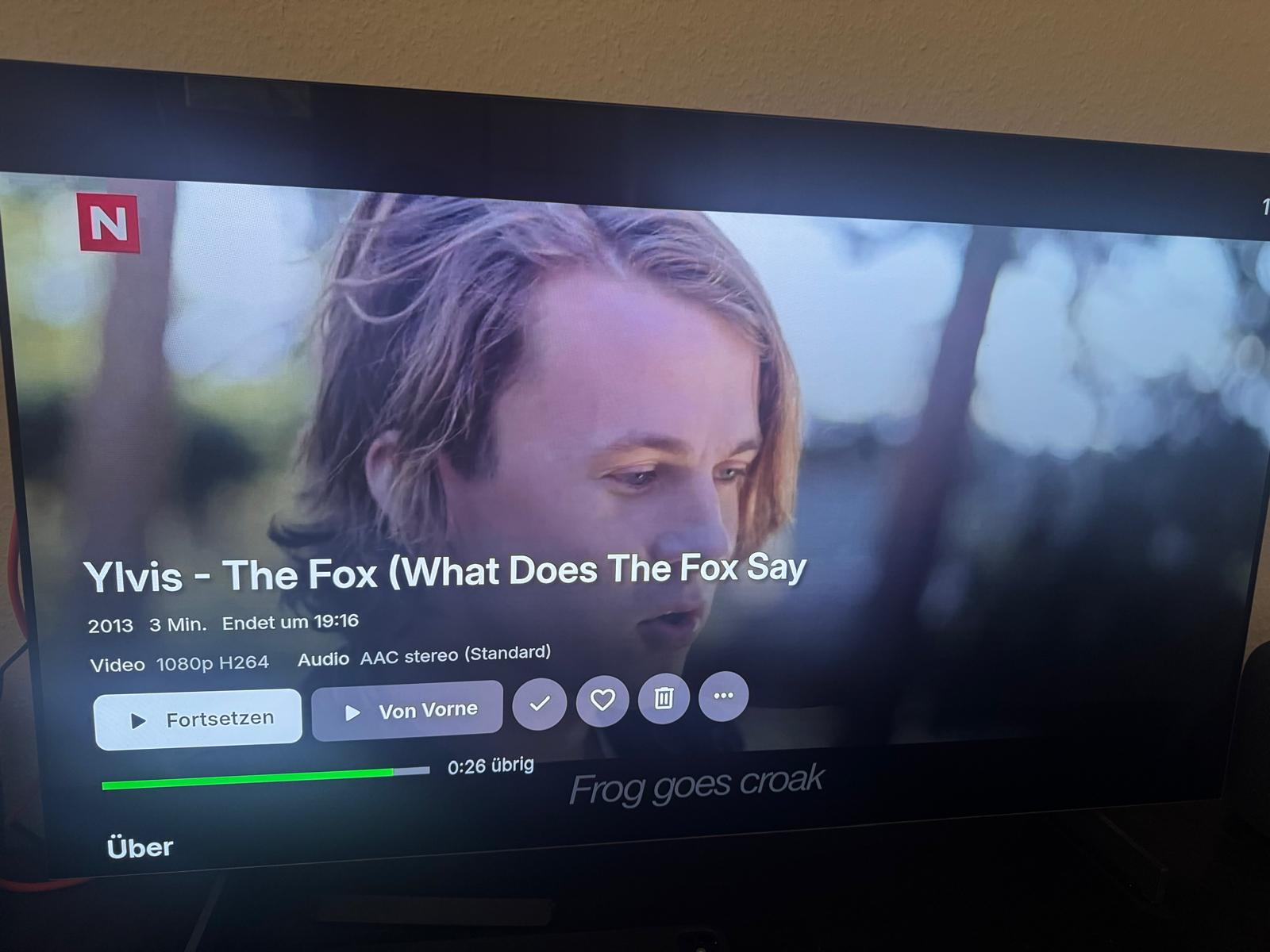
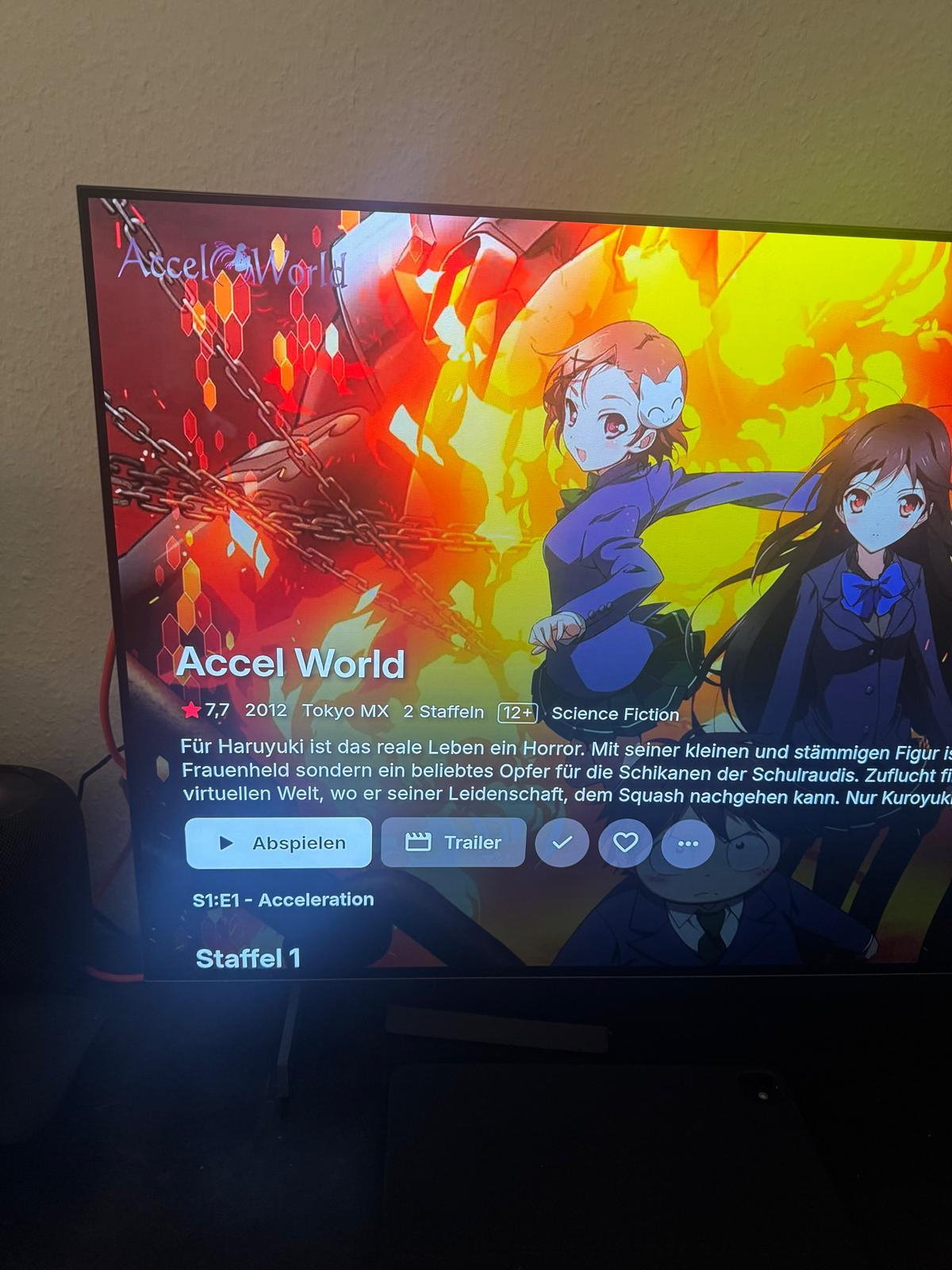
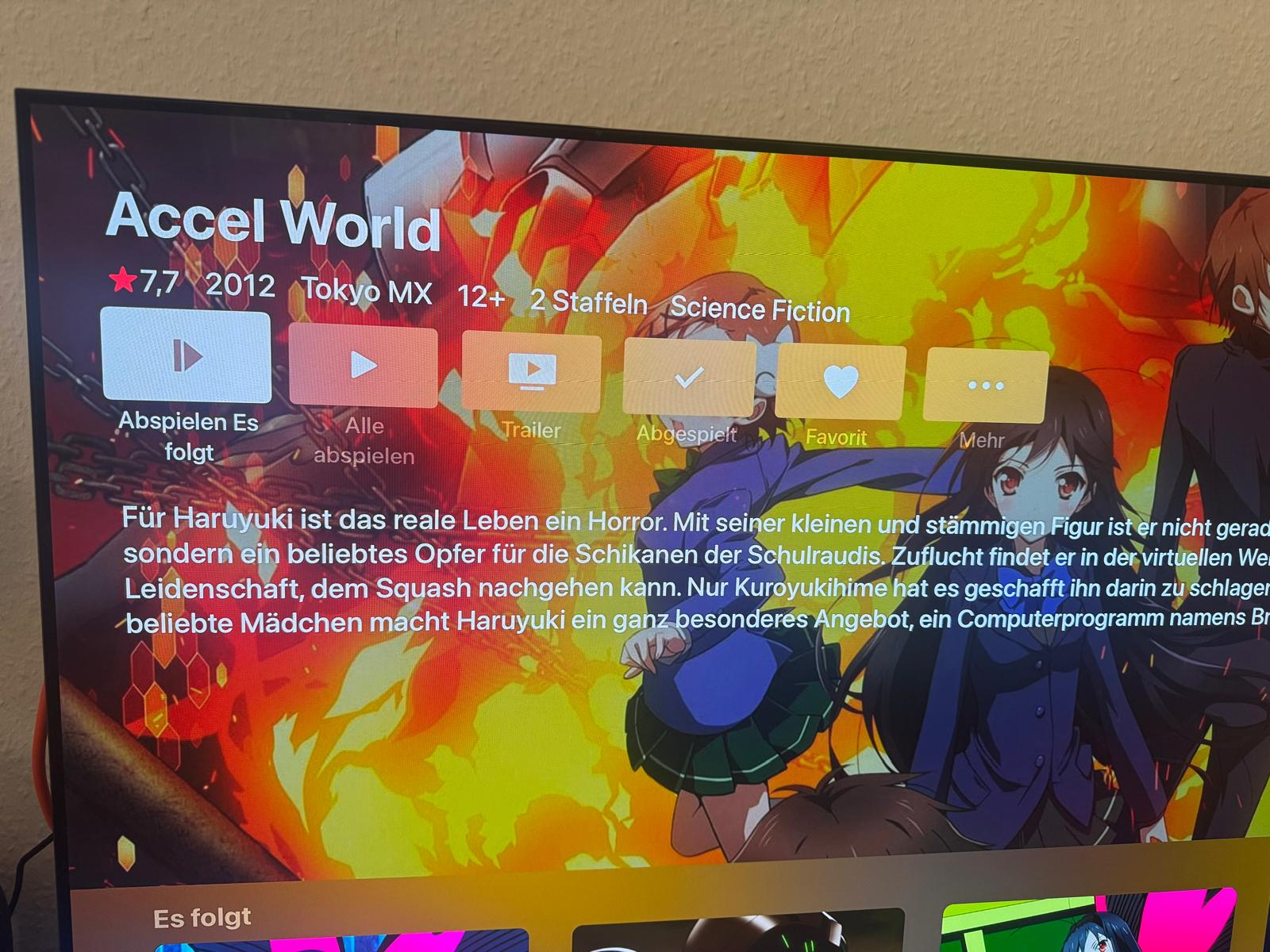
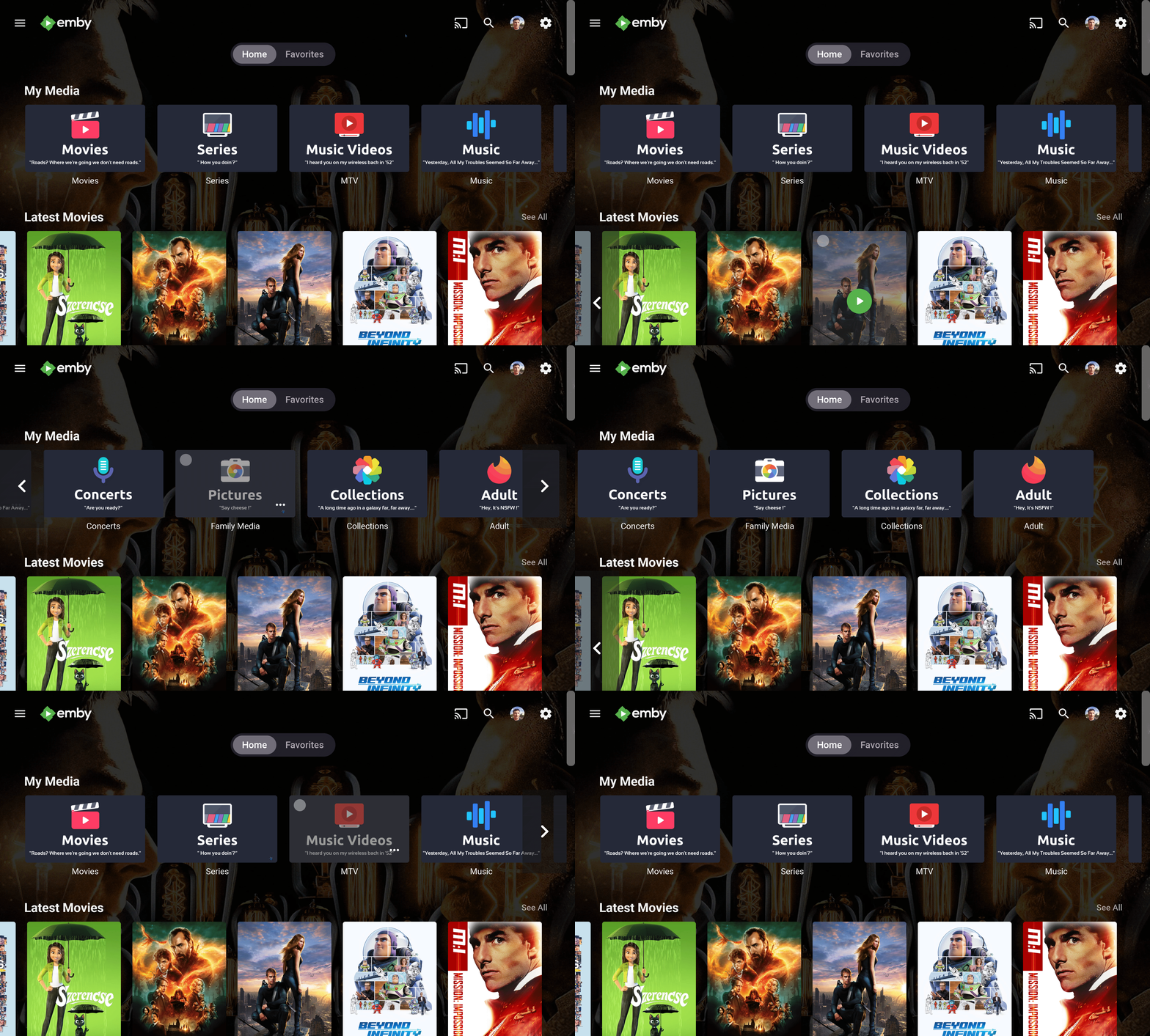
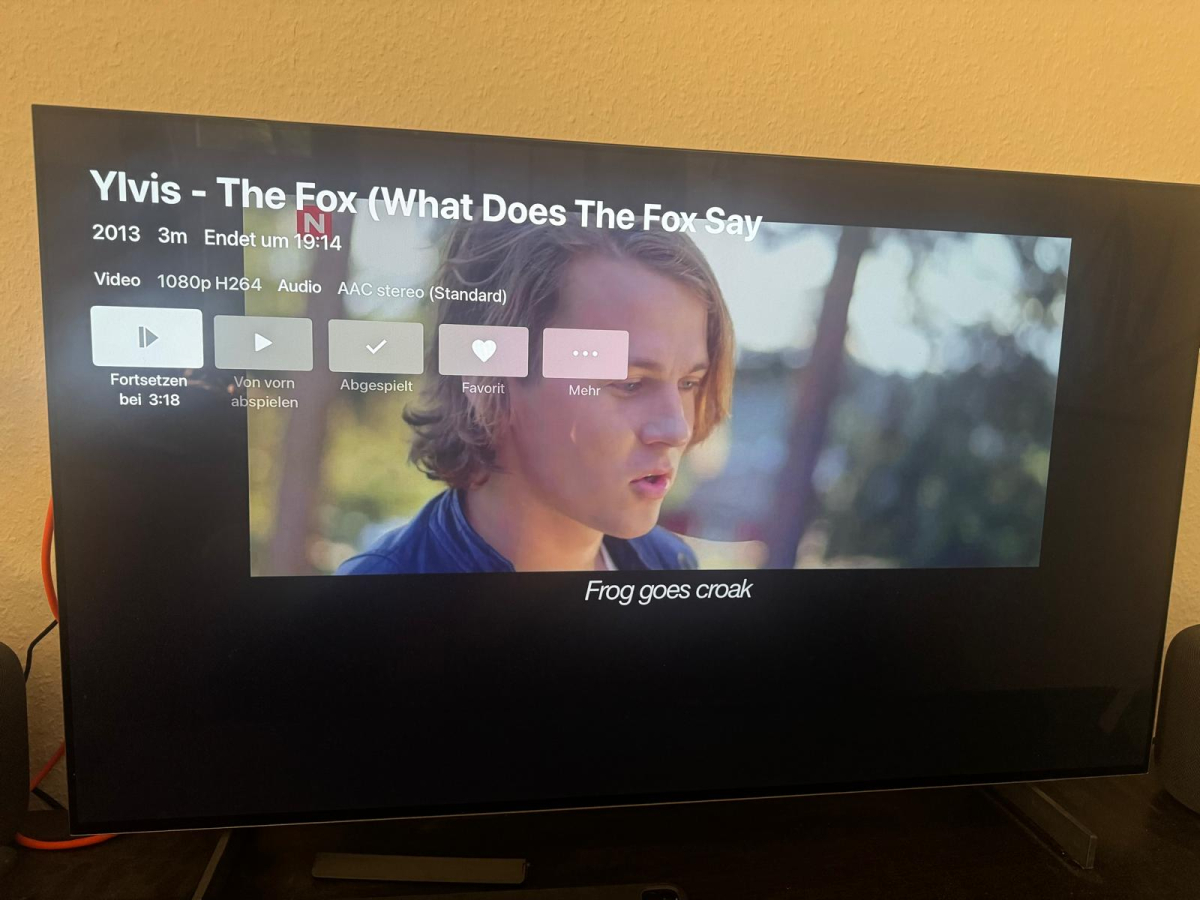
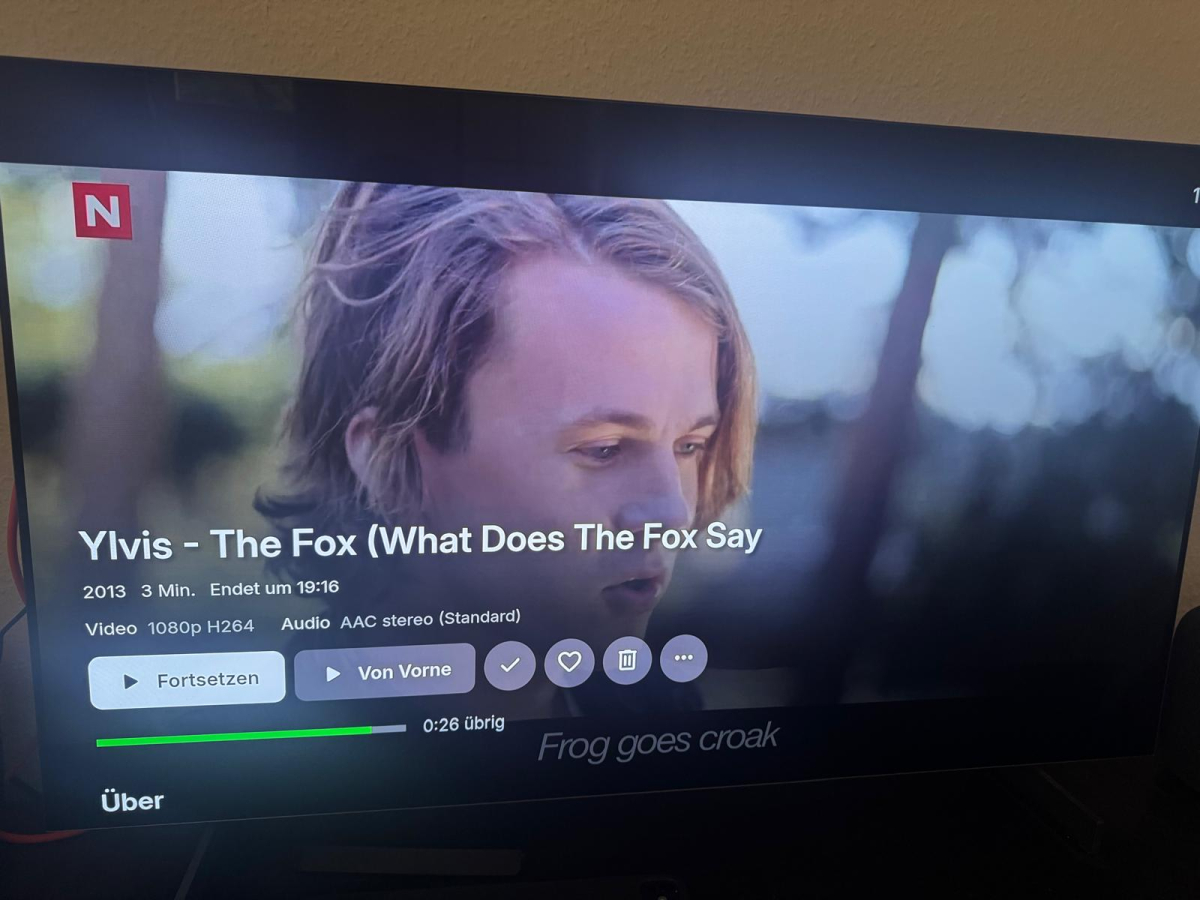
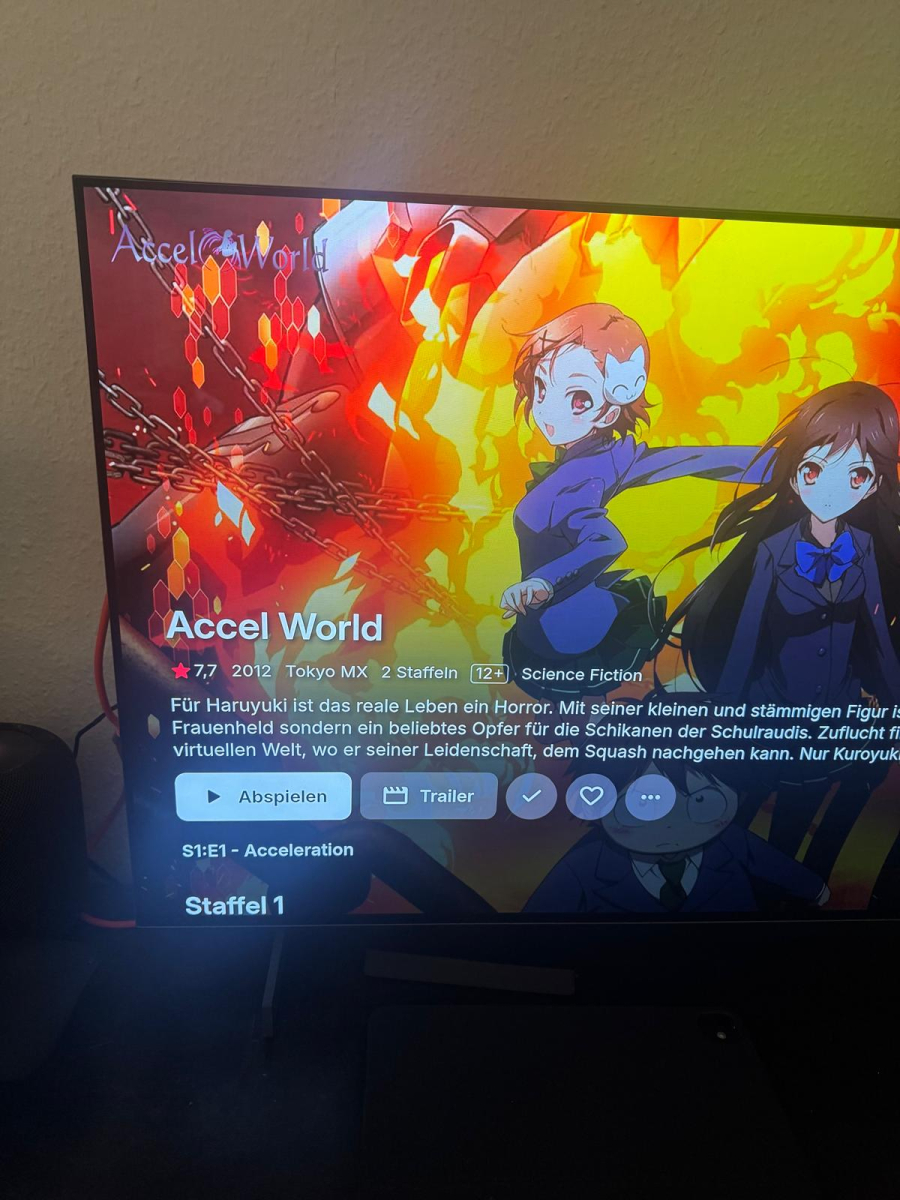
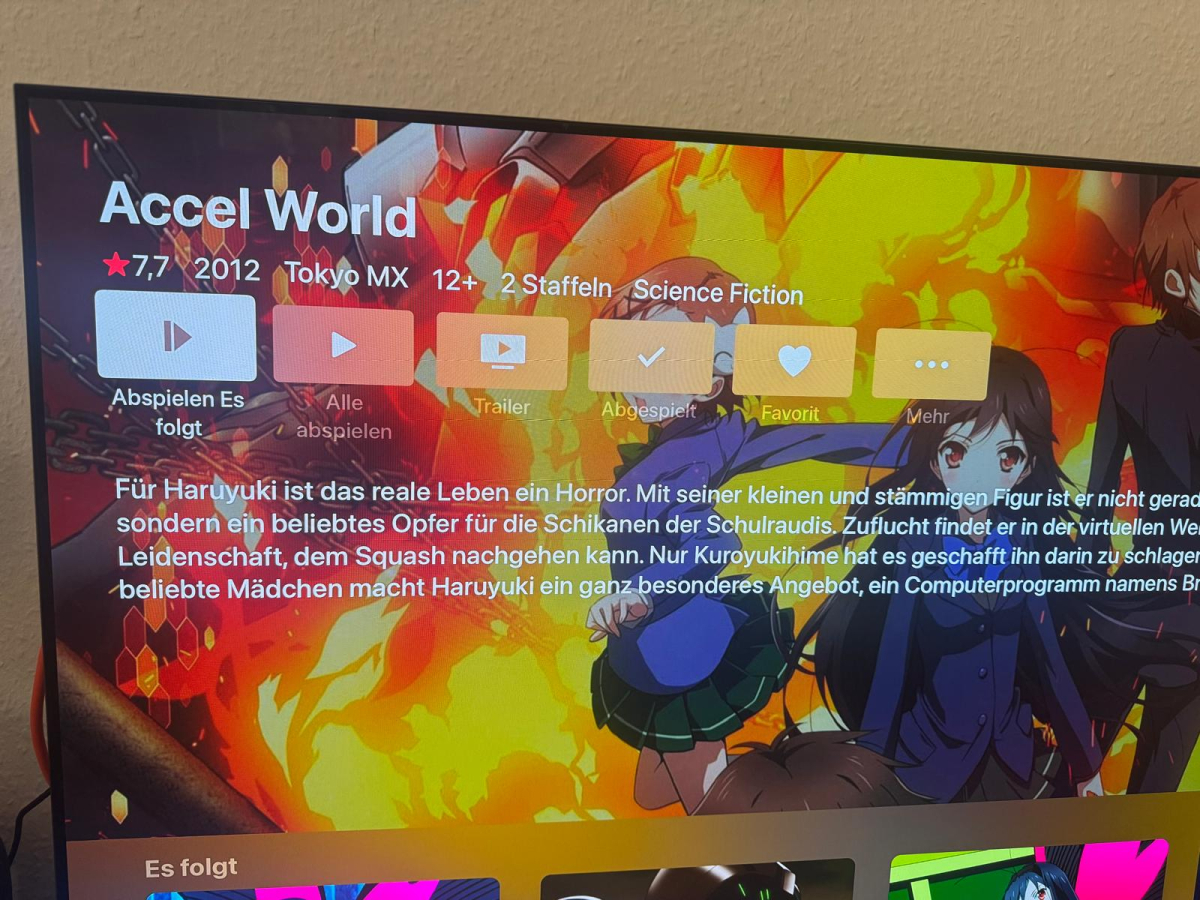
Okay Picture 1 is Apple Tv a Video, the picure is small and much black screen Picure 2 is from the new Emby app from my FireTvStick nice Fullscreen. Looks perfekt want this exirience on my Apple TV Picture 3 is Apple TV looks nice but donot play the opening theme. Picture 4 is FireTvStick it plays the sound theme perfect The Apple TV has not the new app, iPhone, LG TV, Web all works perfect. I hope the new app hits the Apple TV soon
 1 point
 -
The server embeds as many dependencies as possible so that it's not impacted by whatever is or isn't on your system.1 point
-
Hi, this is probably more of a question for your ISP, right?1 point
-
Thank you - I did this and now can now skip forward/back - it does remux, but does not transcode - which is excellent. Now trying to stick with the Android version if we can.1 point
-
Hi there. I'm currently having an issue with the plugin. I'm running 11.2.1 on CE-cpm A14 on the ugoos AM6b+. Every so often, the plugin simply just doesn't show certain items in the library. I go into the Sync settings and sync successfully. However, certain items (especially new ones) just don't show up. It only works if I click Repair Library. I can't use v12, as it seems to be for Kodi 22, while CE-cpm A14 is 21.2. Also (I'm not sure if this is the plugin or the skin I'm using), under In Progress Shows, it shows the shows in alphabetical order instead of actually ones that have been watched recently. So if I watch a show with a T, it'll be at the end of the list instead of at the beginning. I'm using the Arctic Fuse 2 skin. I looked in Settings for the plugin and the skin and couldn't see anything related to this. Thank you for your plugin, it's great.1 point
-
You could try unsetting LD_LIBRARY_PATH from within your shell script so that it doesn't use the emby version of the lib.1 point
-
It shouldn't, it should be based on Last Episode Date Added, not Last Episode Release Date. Edit: To make it more extreme: Show A: Last episode aired: 12/06/19 Added: 18/04/25 Show B: Last episode aired: 16/04/25 Added: 17/04/25 Latest row: A—>B Recently Released TV row: B... (A would likely not even be in the list)1 point
-
Dev will have to comment as I don't know if the two hidden switches are being removed or added to with the new display switch. As you currently want both switches set to false. As dev is not inclined to force the switch changes across all existing systems. linked topics over here.1 point
-
Some of the issue here will be the existing system.xml <CollapseVideoFolders> setting in conjustion with per library <CollapseSingleItemFolders> config only accessible via api now. As Old and New setups can/will have different values as mentioned in many topics. And additional change coming with new display option "jump through single item folders".1 point
-
Hi. Like all feature requests, we will monitor this for interest. Thanks.1 point
-
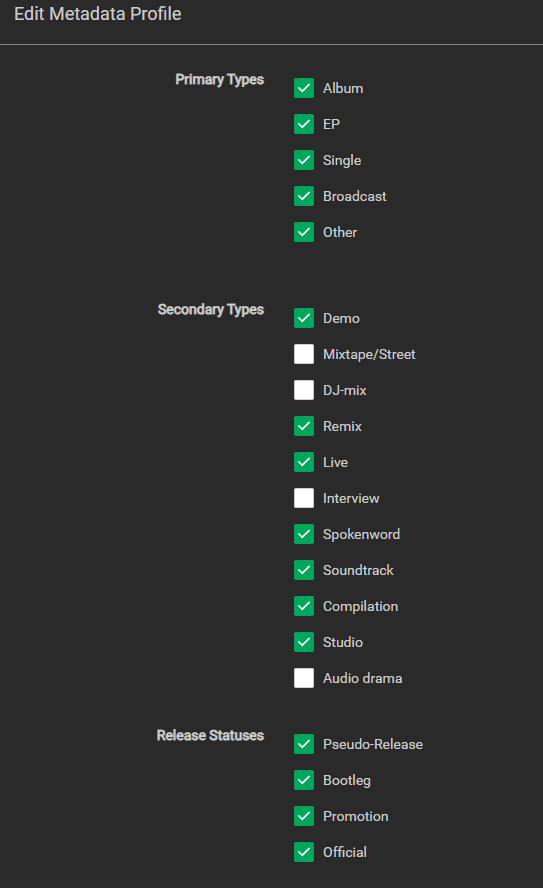
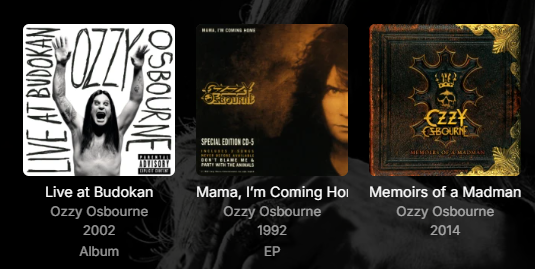
Lidarr has the ability to add album type to music album folder name. In Lidarr Profiles Metadata you can choose the following options: This allows you to append Album type to folder name. Example: Ozzy Osbourne - [1991] Mama, I’m Coming Home (Single) [FLAC] It would be fantastic if Emby could recognize the album type in ( ) and add it to tag for album metadata. Then when Emby displays artists albums it could display Album Type Tag. Example, Notice the first two with tag added:
 1 point
 -
Nevermind. A refresh of missing data worked. I didn't have to over write everything.1 point
-
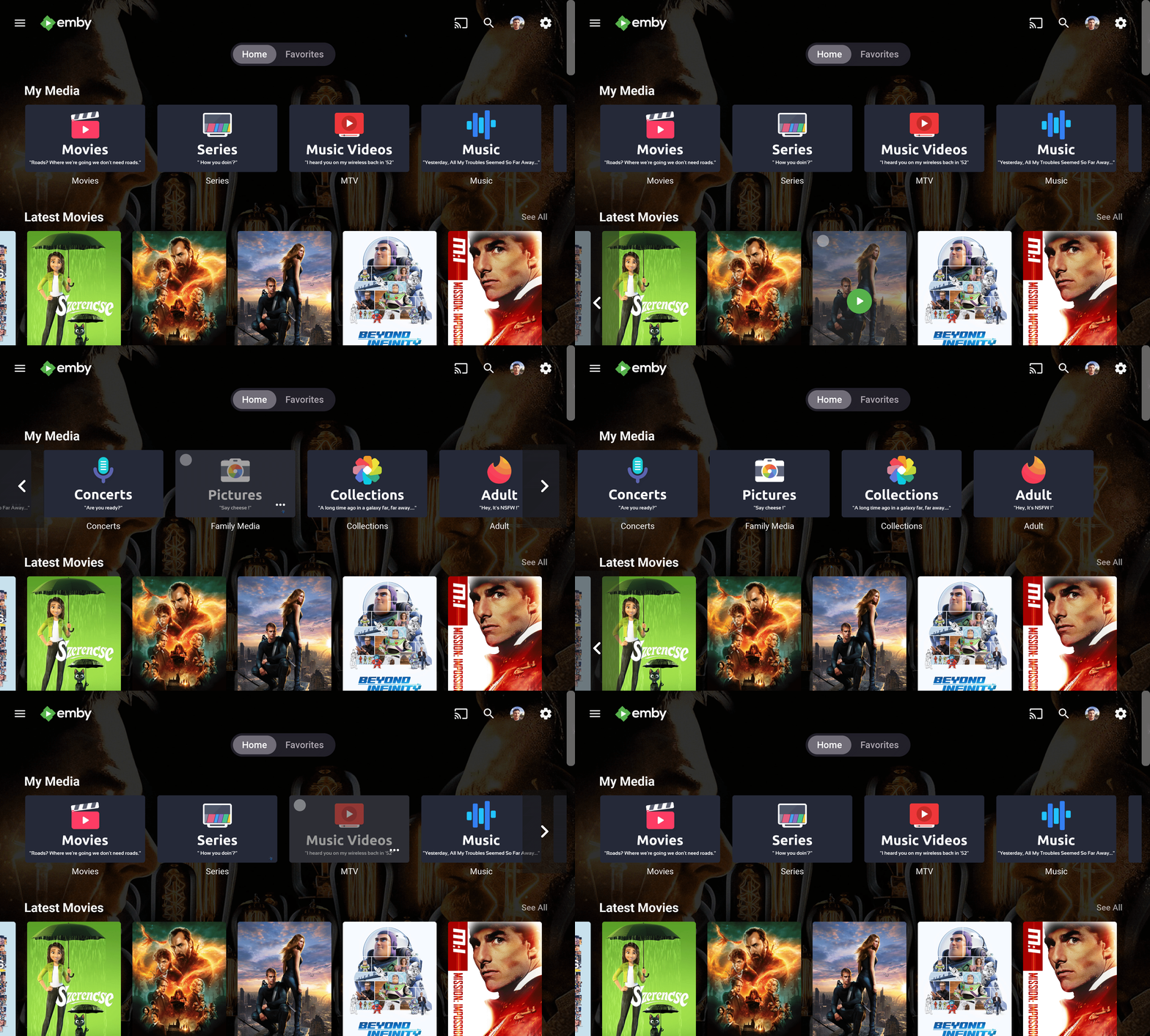
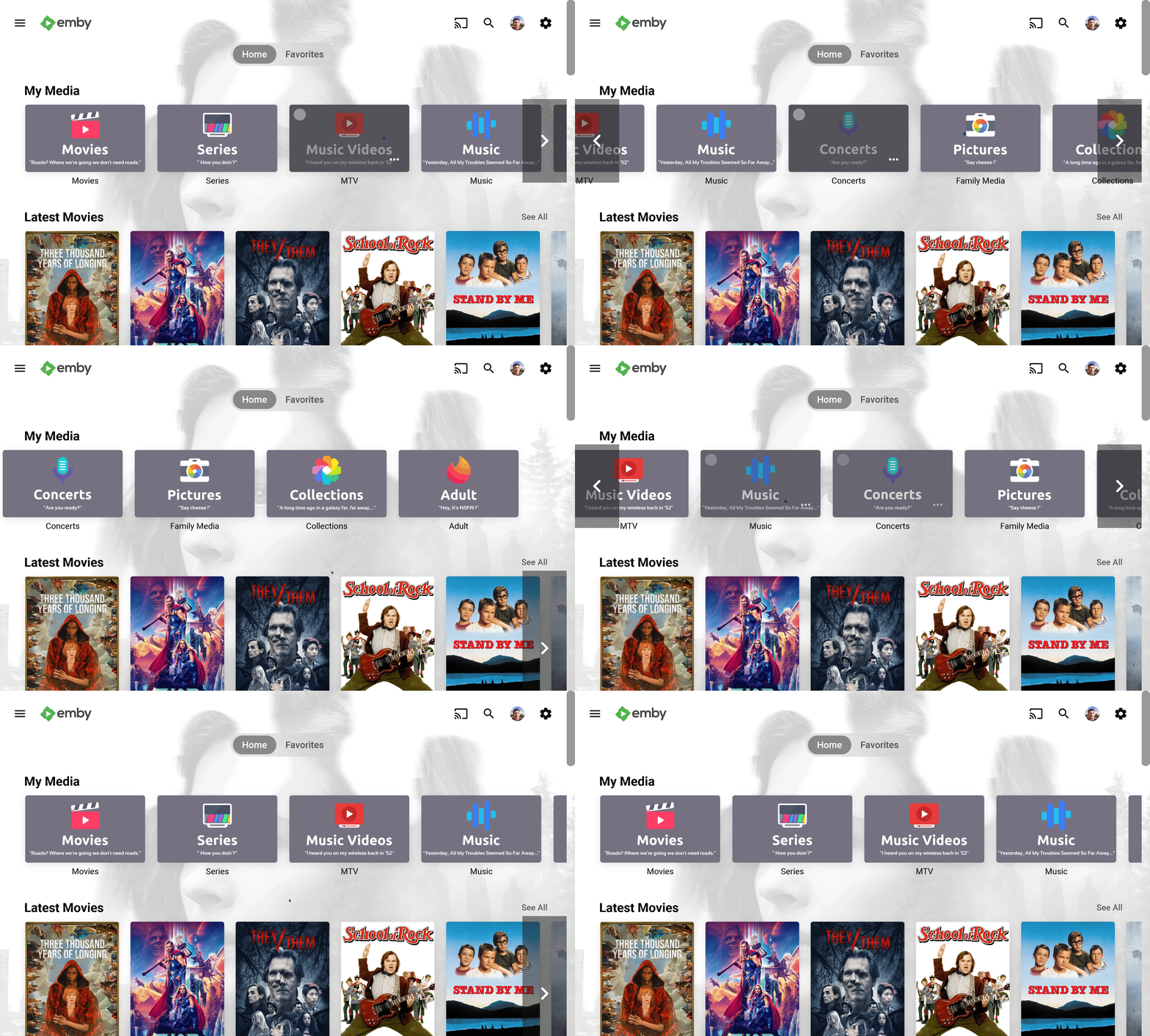
Hi people. First I wanted to say thanks for all these years your contributions make my day. Just I little contribution of mine, my current library icons, with a light version added before submitting for all those who like them light Enjoy Its using the Diligent Icon Pack from FlatEdge at playstore. Go check it out this fantastic and my current icon set at Diligent : Icon Pack - Apps on Google Play Screenshots: maxigmv_library_icons_2022_export.zip
 1 point
 -
الاشتراك لتفعيل خدمة السيرفر وليس للمشاهدة مثل نتفلكس و غيرها, الكل فاهم غلط1 point
-
Thank You very much.1 point
-
I am absolutely saying I want that I already used adb to force the phone to the same resolution / aspect ratio as the external display so everything works perfectly (looks like crap on the phone of course, but this is a spare phone, used for one purpose, as the "computer" outputting video to the external display. Having a setting in the app to disable presentation mode would be a game-changer and be the finishing touch on my CarPC setup1 point
-
@byakuya32Makes sense, my other docker that can detect and transcode on the b580 uses 7.1.1 as of right now. @Luke Any chance one of the devs can advise a command etc that can be ran to attempt a newer ffmpeg version than the default for the time being? Referring to the same as defined in this link from the tips and tutorials section.1 point
-
If the streams are HLS, putting HLS proxy between your provider and threadfin / xteve has proven to be the most stable imo. You can configure HLS proxy to drop the steam after errors or after X time if there's no chunk requests. Just use threadfin as a channel epg manager that passes through directly to HLS proxy. I haven't figured out how to (if it's possible) to enable HLS proxy ffmpeg to take in other streaming formats to convert to HLS. It just fails. Streammaster project was killed. But there's a new one called dispatcharr which looks similar and looks like it gives you the ability to kill streams. Haven't had any time to dive into it yet.1 point
-
I made a small plugin that adds Jellyseerr intergration into the web based client. If you use Kodi I have also made an addon for Kodi that adds both JellySeerr and OverSeerr to Kodi (more features in this one). KodiSeerr: JellySeerr integration for Kodi Could look into just making a plain and simple request plugin where users just asks for a video and with no integration. Sadly i can't inject a button into the main page in the Emby apps so don't think i can make it work there. EmbySeerr.zip1 point
-
Years after : I would like this feature too1 point
-
Merci pour le script, cependant pour moi il ne fonctionnait pas. J'ai réussi à appliquer une correction qui fonctionne avec l'aide de Copilot Pour les détails: - J'ai créé un répertoire partagé dédié: /volume1/Emby-certs - J'y ai créé en SSH (avec le compte root) le script corrigé "Emby_certs_from_dsm.sh" et copié/collé le script ( vi /volume1/Emby-certs/Emby_certs_from_dsm.sh )=> cela évite des erreurs due au format du fichier lorsque créé depuis un ordinateur et déposé dans le répertoire partagé - (optionnel) Vérifié en SSH (avec le compte root) le bon fonctionnement du script, en tapant simplement /bin/bash /volume1/Emby-certs/Emby_certs_from_dsm.sh - Créé une tâche planifiée exécutée avec le compte root, avec la commande: /bin/bash /volume1/Emby-certs/Emby_certs_from_dsm.sh - Lancé une fois la tâche et vérifié dans le répertoire partagé que le certificat apparait - Configuré Emby pour récupérer le certificat généré (mot de passe du certificat configuré dans le script: "EMBY") Le script corrigé (vous pouvez ne modifier que l'emplacement du répertoire où se trouve le script, pour le reste, inutile de modifier): #!/bin/sh # CONFIGURATION script_folder="/volume1/Emby-certs" p12_file_path="$script_folder/certificate_auto.pfx" letsencrypt_cert_folder="/usr/syno/etc/certificate/system/default" renew_timestamp="renew_emby_timestamp.txt" p12cert_password="EMBY" # DO NOT CHANGE BELOW UNLESS YOU'RE A WIZARD generate_p12=false current_date=$(date +"%s") current_certificate_date=$(openssl x509 -enddate -noout -in "$letsencrypt_cert_folder/RSA-cert.pem" | cut -d'=' -f2) current_certificate_timestamp=$(date -d "$current_certificate_date" +"%s") # Vérifier si le fichier renew_timestamp existe if [ ! -f "$script_folder/$renew_timestamp" ]; then echo "Generate timestamp for the current renew date... " echo "$current_certificate_timestamp" > "$script_folder/$renew_timestamp" chmod +rw "$script_folder/$renew_timestamp" chown admin:users "$script_folder/$renew_timestamp" # Generate the first p12 file generate_p12=true else renew_date=$(cat "$script_folder/$renew_timestamp") # Check if it is necessary to renew the certificate if [ "$current_date" -ge "$renew_date" ]; then echo "Renewing certificate..." generate_p12=true echo "$current_certificate_timestamp" > "$script_folder/$renew_timestamp" else echo "It is not necessary to renew the certificate, abort." exit 0 fi fi # Generate a new certificate file if necessary and restart EMBY Server if [ "$generate_p12" = "true" ]; then echo "Generating the p12 certificate file..." openssl pkcs12 -export -in "$letsencrypt_cert_folder/RSA-fullchain.pem" -inkey "$letsencrypt_cert_folder/RSA-privkey.pem" -out "$p12_file_path" -password pass:"$p12cert_password" chmod +r "$p12_file_path" chown admin:users "$p12_file_path" echo "Restarting EMBY Server..." synopkg restart EmbyServer echo "Done." fi1 point
-
I don't know why, but today it works again, without doing anything. Sorry for disturbing.1 point
-
I suppose so, though a more flexible option would be nice. It is an edge-case like I said, most people probably aren't using it this way. I guess I'll either have to delete the dates for all the videos, or decide on an arbitrary number order. The reason I was using sort order to begin with was that it's more flexible, so if a video comes out later on about an earlier topic, they can just be sorted together by title. Giving them a rigid number order would make this impossible unless I start numbering videos in tens to leave wiggle room for rearranging them.1 point
-
Im using something generic as a tag in an nfo file so I can see at a glance 'Not available on this device '1 point
-
The Emby team hopes you and yours are enjoying a Happy Holiday Season. We would like to announce a couple of changes that will hopefully increase the value of Emby in all of your households. First, to aid in the transition from our old TV-only Android TV app to the new Standard Android app on that platform, we will be eliminating the need for the app unlock by allowing free playback for up to five TV devices per Emby Server. Devices beyond that limit will require Emby Premiere. Previously purchased unlocks will still be honored. This should allow most households to move to the new app more easily. Second, recognizing that today's households have more and more devices, we are increasing our standard Emby Premiere License device limit from 25 to 30. We will then also increase the extended premiere plans from 45 to 50 and 75 to 80. Existing extended subscriptions will remain the same but new ones will be at these new levels. All standard licenses will be automatically updated to the new 30 device limit immediately. You should see all of these changes rolling out over the next week or so. Happy Holidays from the Emby Team! View the full article1 point
-
WELCOME TO THE HISTORY OF EMBY! A lot of our users are new to Emby and we thought it would be a good idea to share some of the backstory of how Emby came to be, where we started and where we are headed. We have grown significantly since our inception. Once a humble open-source project, Emby has evolved into a sophisticated platform that allows users to organize, stream, and enjoy their media libraries with ease. In this post, we'll take a look back at the history of Emby, explore its development journey, and highlight the key milestones that have made it what it is today. The Early Days: An Open-Source Beginning Emby started its life as Media Browser, an open-source project focused on creating a simple, user-friendly interface for accessing digital media collections. Originally, Media Browser was a plugin for Windows Media Center, and its primary goal was to offer users a better way to manage and play their media files. Back then, it was a community-driven project, with developers and enthusiasts contributing code, features, and plugins to expand its capabilities. Media Browser gained a loyal following among tech-savvy users who appreciated its customizable nature and flexibility. The Shift to Emby and the Rise of the Media Server In 2014, Media Browser underwent a major rebranding and evolved into what we now know as Emby. This change wasn’t just about a new name—it marked a shift in focus from a media center add-on to a full-fledged media server solution. Emby’s developers wanted to create a standalone server capable of managing large media libraries, transcoding content, and streaming to multiple devices. The introduction of the Emby Server brought a range of new features: Library Management: Users could organize and manage their media files with a sleek web interface. Metadata Scraping: Automatic fetching of metadata like cover art, descriptions, and ratings. Transcoding: On-the-fly transcoding for seamless streaming to any device, regardless of format. Multi-Device Support: Streaming became possible on a variety of devices, including smartphones, smart TVs, web browsers, and gaming consoles. This new direction attracted more users who were looking for a flexible media server that could handle diverse formats and provide a unified experience across different platforms. Open Source to Closed Source: In 2018, Emby made a significant decision: it moved from being an open-source project to a proprietary, closed-source model. The change allowed the development team to maintain greater control over the codebase, improve security, and introduce features more rapidly. Key Milestones in Emby’s Development As Emby transitioned to a proprietary model, the development team pushed forward with a series of updates and improvements: Emby Premier: The introduction of a paid subscription model called Emby Premier brought exclusive features like DVR support, cloud sync, offline media, and hardware-accelerated transcoding. Emby Premier gave the development team a sustainable revenue stream to fund further development. Improved Mobile and TV Apps: Over time, Emby released a series of polished apps for mobile platforms (Android, iOS) and TV devices (Roku, Apple TV, Amazon Fire). These apps received regular updates to improve stability, user experience, and customization options. Live TV and DVR Integration: Emby expanded its offerings to include Live TV and DVR functionality, allowing users to integrate live broadcast channels, schedule recordings, and manage live content alongside their media libraries. Enhanced Transcoding and Streaming: Emby has continuously improved its transcoding capabilities to support modern formats like 4K, HDR, and Dolby Atmos. These improvements allow for a high-quality viewing experience regardless of the device being used. Security and User Management: Emby introduced advanced user management features, including user profiles, parental controls, and access restrictions. This makes it easier for families to share media without compromising on privacy or security. Emby Today: A Comprehensive Media Experience Today, Emby is a mature and feature-rich media server solution that caters to a wide range of users—from casual media consumers to serious home theater enthusiasts. It supports a broad spectrum of devices, offers robust customization options, and remains focused on providing a powerful yet easy-to-use interface. Some of Emby’s standout features today include: Unified User Interface: A sleek, modern interface that makes browsing and streaming media a joy. Customizable Libraries: Tailor your media collections with custom artwork, genres, and metadata. Cross-Platform Syncing: Keep your media in sync across multiple devices and platforms. Comprehensive Live TV Support: Access live TV, manage recordings, and watch DVR content effortlessly. Community Engagement: Emby continues to value its user base, with an active community forum, feature requests, and beta testing for new updates. The Impact of the Community and the Road Ahead Despite its shift to a closed-source model, the Emby community remains strong. Many long-time users contribute by creating plugins, themes, and offering technical support. The Emby team regularly interacts with the community, implementing feedback and adjusting features based on user needs. Looking forward, Emby is set to continue expanding its feature set while focusing on performance enhancements and cross-platform support. Emby’s development is driven by innovation and user feedback, ensuring that it remains a competitive choice in the world of media servers. Conclusion Emby’s journey from a simple open-source plugin to a leading media server solution is a testament to its adaptability and the passion of its developers. While the shift from open-source to closed-source was a turning point, Emby has continued to evolve, delivering a reliable and customizable media experience for millions of users worldwide. The history of Emby is one of growth, change, and a dedication to providing users with a comprehensive and enjoyable way to manage their digital media. View the full article1 point
-
While Emby already has recommendations built in based on previously watched items I find they are not all that helpful. They seem to be based on genre only, for example, because you watched a comedy here are other comedies in your library. I do like how the also directed by/appear in recommendations work though. What would be great is if Emby could incorporate Trakt's recommendations as they are much more sophisticated. Trakt's recommendations are not only based off of what you have previously watched but also what your Trakt friends and other Trakt users have watched. It takes user ratings and trending/popular media into account. Ideally Emby would include full Trakt integration allowing users to rate media after watching, view lists and recommendations, and view upcoming media all from within Emby but for now I think recommendations would be a nice addition. Trakt has the potential to give Emby that community feel and allow users to discover new media, find something to watch, and recommend media to other users. http://docs.trakt.apiary.io/#reference/recommendations1 point
-
Here's a slightly updated and cleaner version. Changes are: 1) exclude my own user from the calculation (i only care if others are active), 2) check that each user field has ["LastActivityDate"] key: i had a weird case once where it didn't exist (possibly for brand new user that hasn't signed in?) import json import os from datetime import datetime, timedelta, timezone import dateutil.parser as dp import requests def active_emby_users( api_token: str, hostname: str, my_username, minutes: int = 10 ) -> bool: """Determine if there are active emby users. Prints status to stdout. Args: api_token (str): emby api token hostname (str): hostname of emby server (e.g. https://example.com) my_username (str): Your username to exclude from active users check. Case sensitive. minutes (int, optional): The window to check for active users. Defaults to 10. Returns: bool: True if active users found, otherwise False """ url = os.path.join(hostname, "emby", "Users", "?api_key=" + api_token) headers = {"Accept": "application/json"} response = requests.get(url, headers=headers) json_data = json.loads(response.text) now = datetime.now(timezone.utc) active_status = False for user in json_data: if user["Name"] == my_username: continue if "LastActivityDate" in user: last_active = dp.isoparse(user["LastActivityDate"]) if now - timedelta(minutes=minutes) <= last_active <= now: active_status = True break print(active_status) return active_status if __name__ == "__main__": ############################ api_token = "<api token>" hostname = "<hostname>" minutes = 10 my_username = "<username>" ############################ active_emby_users(api_token, hostname, my_username, minutes)1 point
-
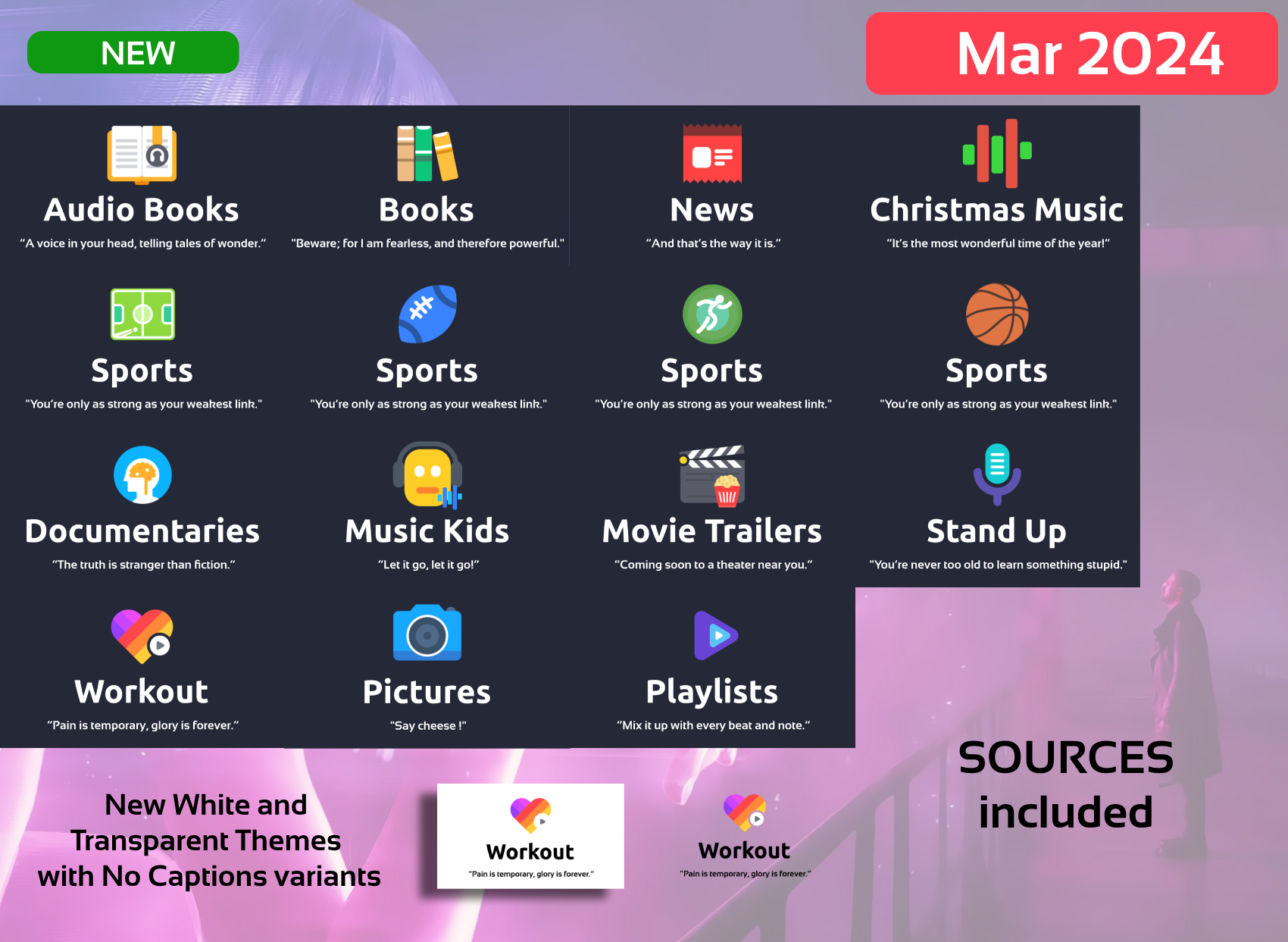
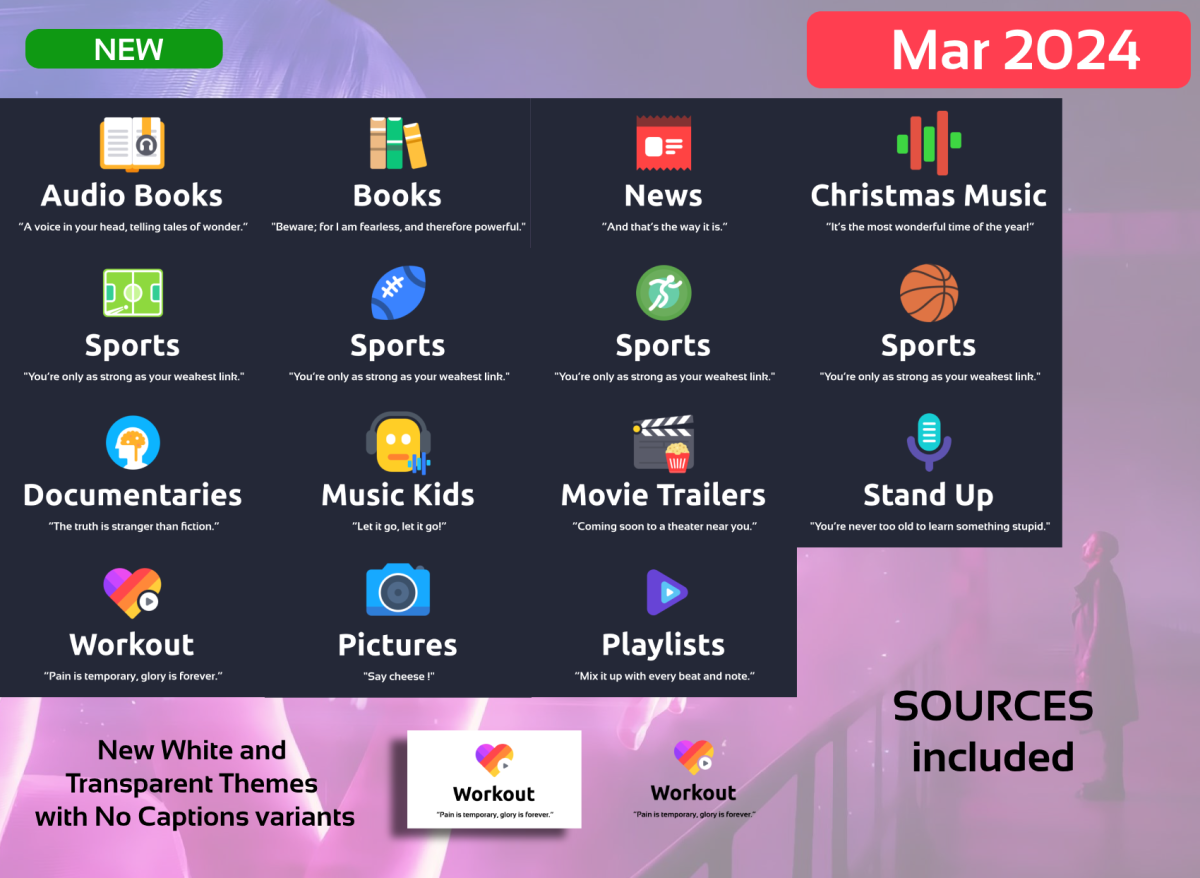
Hi People, here I am with a big update As now all generation is automated I'm planning to make a New Set with other icons, ideas or proposals welcome. -Minor Fixes -NEW Requested Categories: Kids Music Workout Christmas Music Playlists News Stand Up Documentaries Sports Variants Books variants Pictures (new image) -NEW WHITE Theme -NEW TRANSPARENT Theme with variants, shout out to @mike3821 for the idea -NEW Dark Text Variants -NEW SOURCES INCLUDED!!! You can still make requests!!!, the sources are for those that requested them and have knowledge to use them (Photoshop or similar knowlege needed and use of Variables needed) The Generation of images are Automated thru variables. Disclarimer: As usual, this is for private use. Attribution to icons author are given and I encourage you to buy his icon set as I did. Bye EMBY_MAXIGMV_ICONS_DILIGENT_VARIABLES_2024_03_25.zip
 1 point
 -
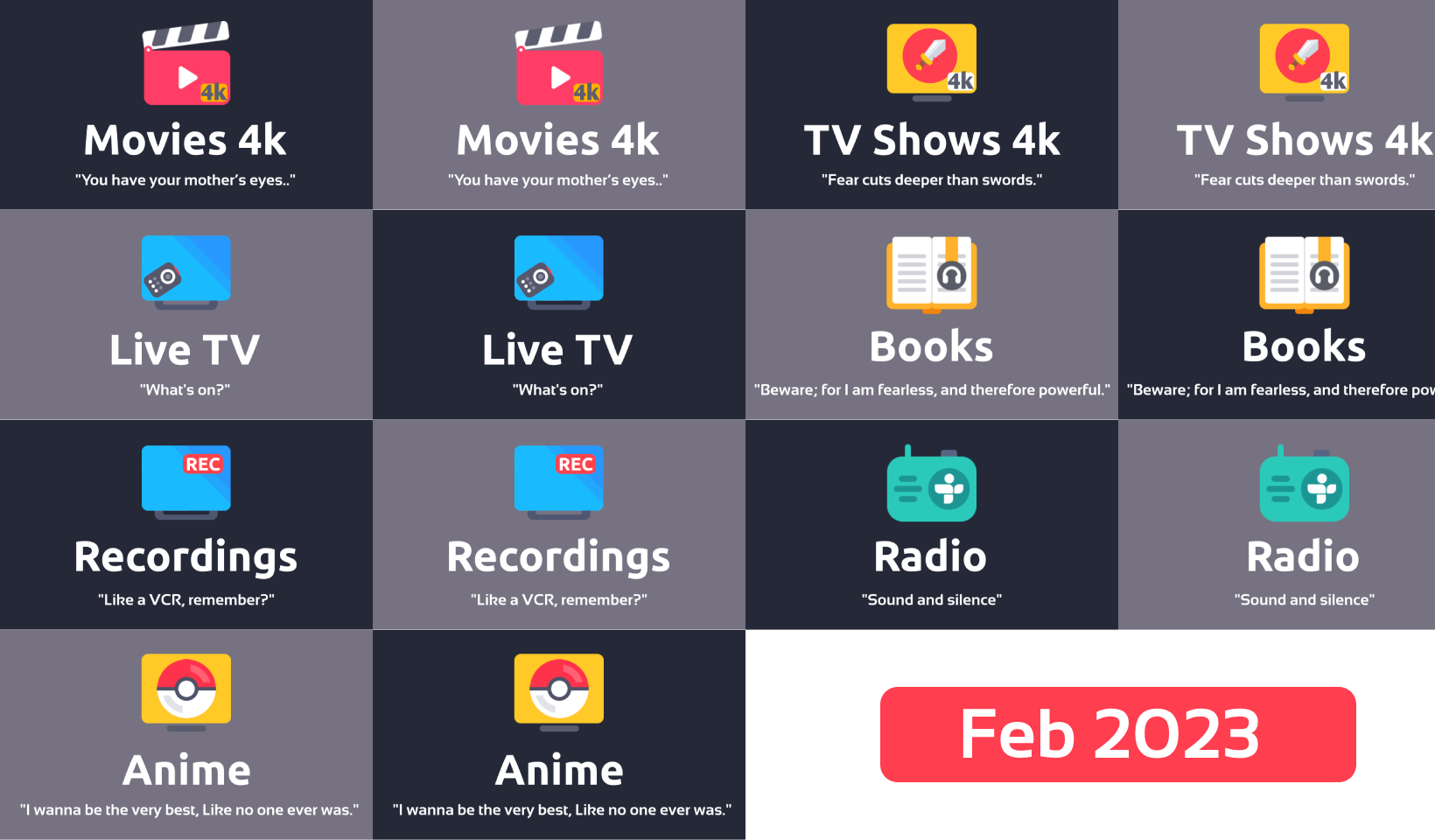
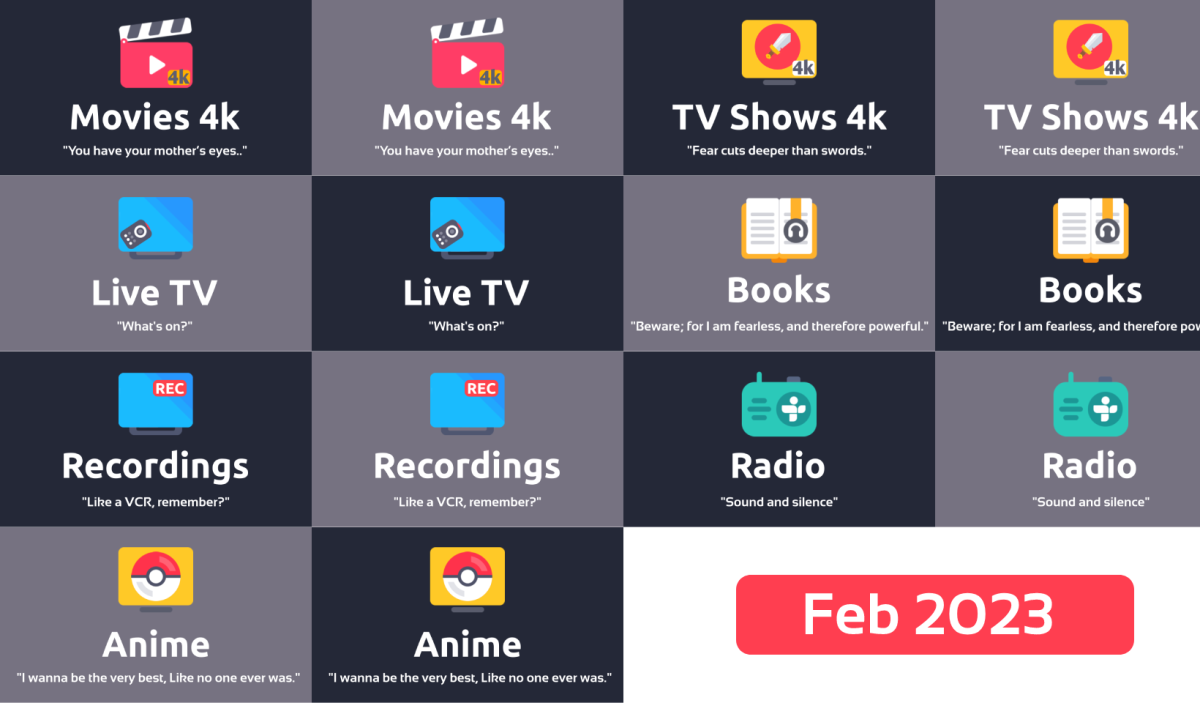
New requested icons, sorry for the delay, too much work As for the sources request, The icons are copyrighted, so providing my derived images seems the most I can do. In the original post you can find this great icon pack, the rest its just box and text. I'll post the images without the quote in a following post. export_20230220.zip
 1 point
 -
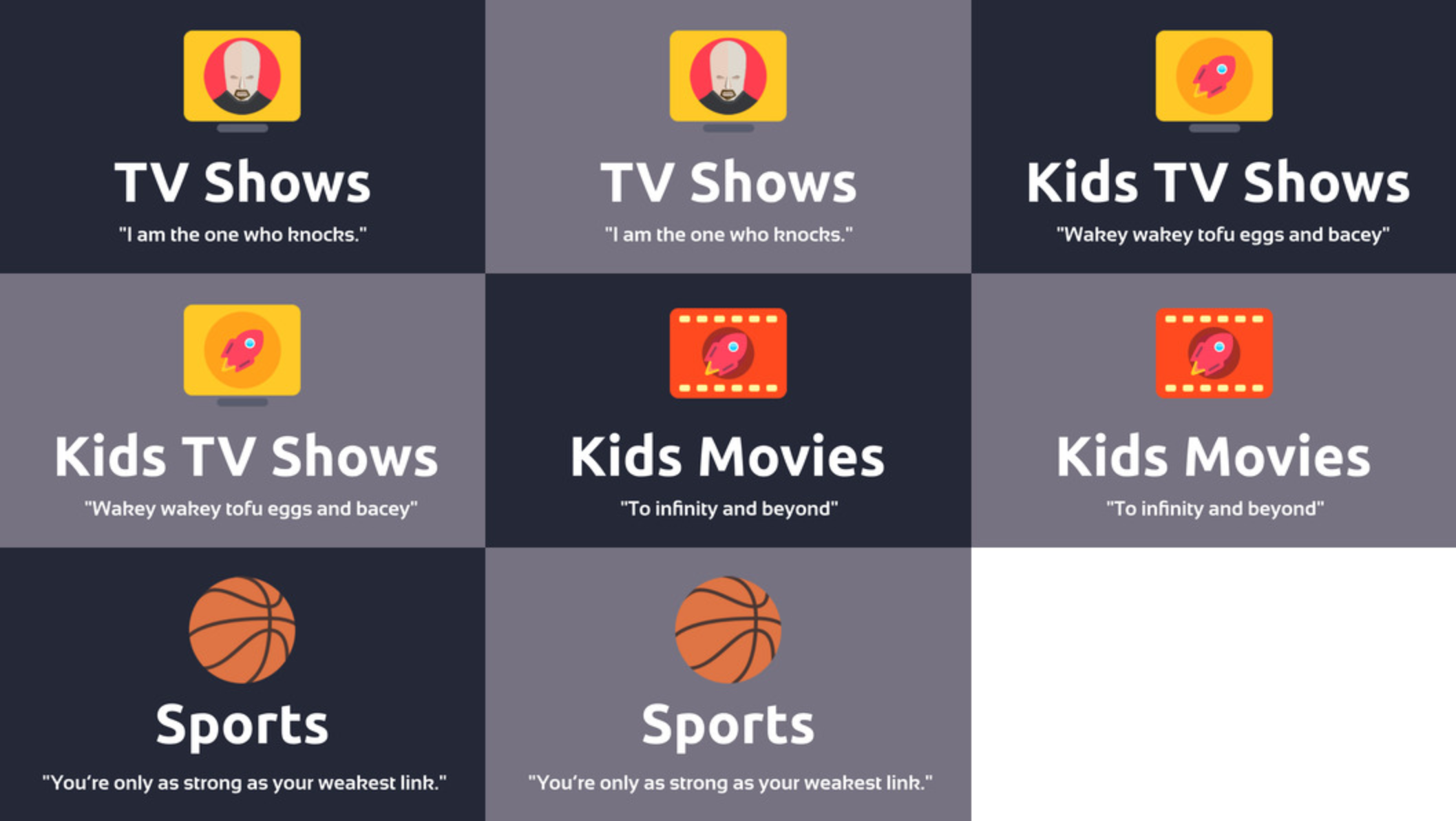
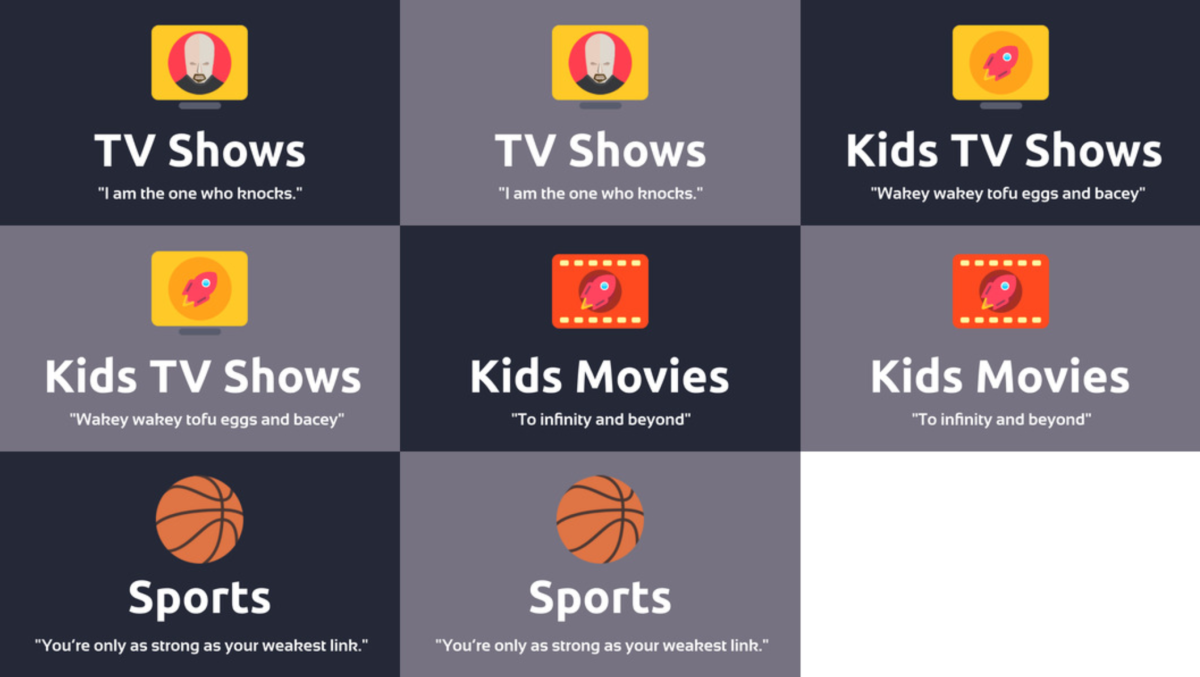
Hi everyone. I'm attaching an update: TV Shows, Kids TV Shows, Kids Movies, Sports maxigmv_library_icons_2022_export_02.zip
 1 point
 -
Hi, I also have this problem, more or less. My WAN IP changes, but not every time I restart server or PC, only some times. How is it?0 points
-
It’s been removed. Didn’t the guy die?0 points