Leaderboard




Popular Content
Showing content with the highest reputation on 04/24/25 in all areas
-
I just want to bring up attention to AV1 as additional target codec for transcoding and comverting video. It's supposed to further reduce bitrates, which can be great in situations with limited bandwidth. Hardware players start to have support, with the Max version of Amazon's 4k FireTV sticks being a very popular and cheap option. Hardware Encoding is coming for sure too. So if/when HEVC gets added for transcoding, AV1 should be kept in mind too. And for conversations, things might actually be already there, since ffmpeg does have a encoder integrated.1 point
-
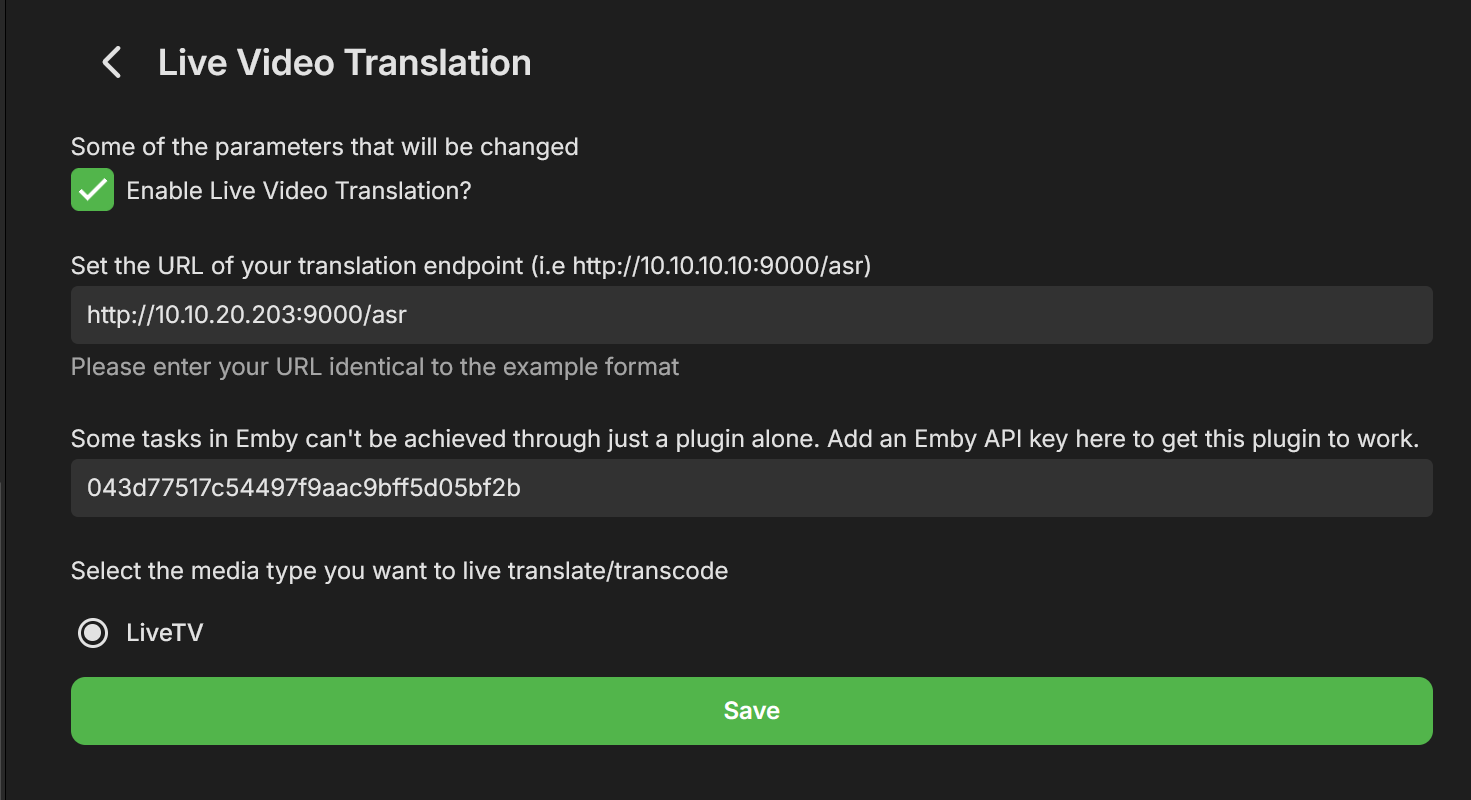
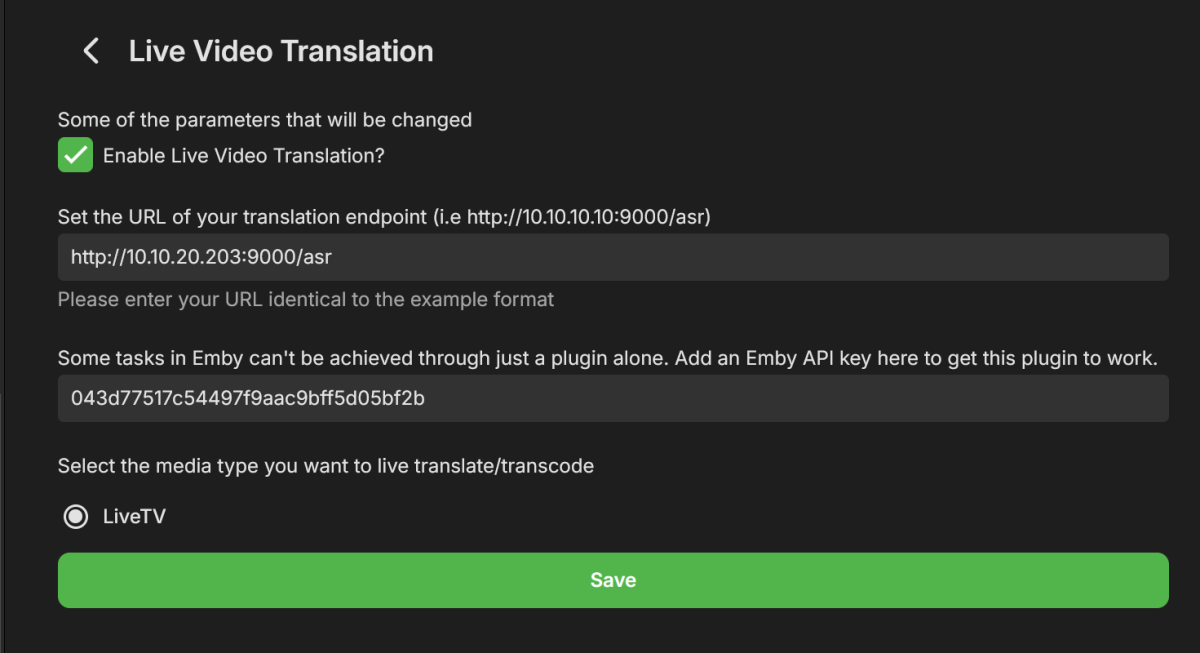
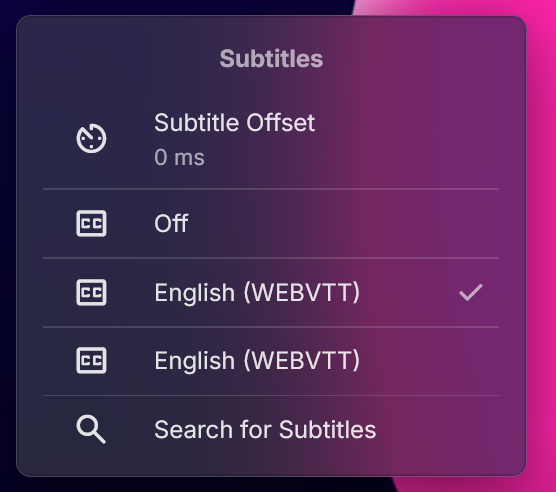
Hey All, After a few weeks of work I'm happy to present a new plugin Beta, called "Live Video Translation". The plugin uses Whisper, Open Ai's translation/transcription service (https://github.com/openai/whisper), to generate translated subtitles on the fly. This allows you to watch TV with live generated subtitles. If the original source is detected as English you'll get transcribed subtitles (English to English). If the original language is any of the supported languages, you'll get English subtitles. Languages supported are: https://github.com/openai/whisper?tab=readme-ov-file#available-models-and-languages How to Install 1. Run the following Whisper docker container somewhere that emby can access it. Make sure to run this docker container using the "GPU" flag. I have not tested CPU mode, but we do need good performance here which may not be available with just a CPU and LLMs. https://github.com/ahmetoner/whisper-asr-webservice 2. Run the docker container using either the "small" or "medium" models. In my testing at 1070 was good enough to keep up with near real time translation using small or medium models. The model download took about 10 minutes the first time. 3. Place the attached dll into the plugin directory. 4. Configure your plugin like so, with the full URI to the Whisper service, and with an EMBY API key. There was one thing that can't be accomplished with just a plugin. (a rapid way to add a library and scan just that library for new files). 5. Click on "Enable" at the top, and restart emby. How it works Currently the plugin only supports LiveTV. There are free LiveTV providers on the first few results of google that can allow you to test this for free. 1. User finds a Live TV Channel in Emby and Clicks "Play" 2. Plugin detects that the user wants to watch a Live TV Channel (and only live tv for now) 3. Emby starts playing the Channel, while in the background the plugin also starts consuming the same channel using ffmpeg. (For a short period of time there are 2 separate connections consuming the same channel) 4) The plugin adds a temporary library to emby that contains a single file. That file is a link to play the translated Channel Stream. It does not scan all the files that ffmpeg is creating, just a static stream file which points to our Plugin API, which serves files for that translation session. 5). The plugin starts creating chunks of the video and translating it, and generating a valid stream that emby can play. 6) Once a buffer of a few files has been created, the Plugin stops the initial stream, and starts the newly translated stream and immediately: - Pauses it - Displays a message to the user to wait for ~20 seconds until a bigger buffer is created - Restarts playback about 20-30 seconds passes These delays are very conservative to allow for any LiveTV ingestion hiccups. I have been able to watch near real time, with just in time delivery of the subtitiles, but have noticed certain IPTV providers hiccup and don't serve video in a timely manner, so this is a way of riding out those hiccups. 7)The new TV stream uses WEBVTT subtitles, which means emby properly parses them, and you can adjust the subtitle offsets, even though they should already be pretty accurate. 8 ) When the user stops playback (only on stopping playback, not closing an app, or closing a browser window), the ffmpeg consumer is killed, the folder deleted, and the newly added library is deleted. The library may still show up if you navigate home immediately, but if you refresh the page it'll be gone. Caveats/Future Improvements - The logs for this plugin, for this Beta, are very verbose in order to help troubleshooting. - Sometimes an IPTV provider is rocky and does not serve video files in a timely manner. Which means you'll be watching the translated stream and it'll overrun the buffer. This happens infrequently in my testing. - I have two test instances a) Windows with CUDA , I had to disable hardware transcoding to get this to work, unsure why. b) Linux with CUDA, works fine with hardware trans-coding enabled. - If there is interest in this I could add live translation to TV Shows/Movies. - I don't control the translation. Sometimes AI hallucinates, but overall it is very good. Sometimes if there is no audio, it seems like the docker container returns "Thanks for watching". - Sometimes the pausing/message on screen does not work. If it's been longer than 30 seconds feel free to click play in the translated stream. Questions for the devs - Sometime the plugin consuming FFMPEG receives corrupted packets from the provider and isn't able to handle it, and it stops. - Sometimes emby's consuming FFMPEG (the ones that consumes the plugin's translated stream) consumes a corrupted packet, and just stops consuming the stream. I'm unsure which one is the problem first here. Seeking guidance from the devs on how I can modify my translation ffmpeg command to account for this. You'll see what the translation ffmpeg command is in the logs shortly after a playbackstart. The translation ffmpeg command just "consumes" the stream to output video files, translation is done separately. - Sometimes sending a command like this, just does not work. Almost as if my code skips it, but it should be called each time. var pause_request = new PlaystateRequest { Command = PlaystateCommand.PlayPause }; _sessionManager.SendPlaystateCommand(null, sessionId, pause_request, CancellationToken.None); Troubleshooting If this isn't working for you, please provide: embyserver.txt - this will have a link to your IPTV in it, and maybe a username, you can obfuscate that if you'd like. The most recent ffmpeg logs which represent the emby's ffmpeg that is trying to play the translated stream. What OS are you using, is hardware trans-coding enabled? Occasionally monitor the buffer health (look at how much video is "left" in the stream). It should be growing as you watch) If it isn't that means either the translation or consuming ffmpeg has encountered an error and I'll need to see the logs as to why. If you watch that same TV channel, with the plugin disabled, does it fail in a similar way? Please provide an ffmpeg log of that. Thanks! LiveVideoTranslation.dll
 1 point
 -
Pretty simple suggestion. I have multiple users for my Emby server. If I want to do continuous maintenance on the media, I have to tell everyone. some of them are harder to reach than others ( i.e. no Facebook or Skype chat etc. ) It would be great if say... on the admin panel, I could hit a check box that enables 'maintenance mode', where the server still runs does everything as normal, but instead of the login screen it displays a maintenance page saying the server is unavailable. Even better if I were able to directly put a reason in a text box that would then display on the login screen as well. Not really sure what others would think of this, but for me it would be quite helpful. mostly if I want to make sure no one is trying to access content I know won't work until I've done a full library scan again. Thanks for reading. -Kyle1 point
-
Since we can now detect end credits, or manually add them in other cases, it would be nice to see this, rather than an automatic percentage/time remaining, trigger the "next episode" popup and decide whether an episode is resumable or not. Even better if it could expand to movies for the latter point.1 point
-
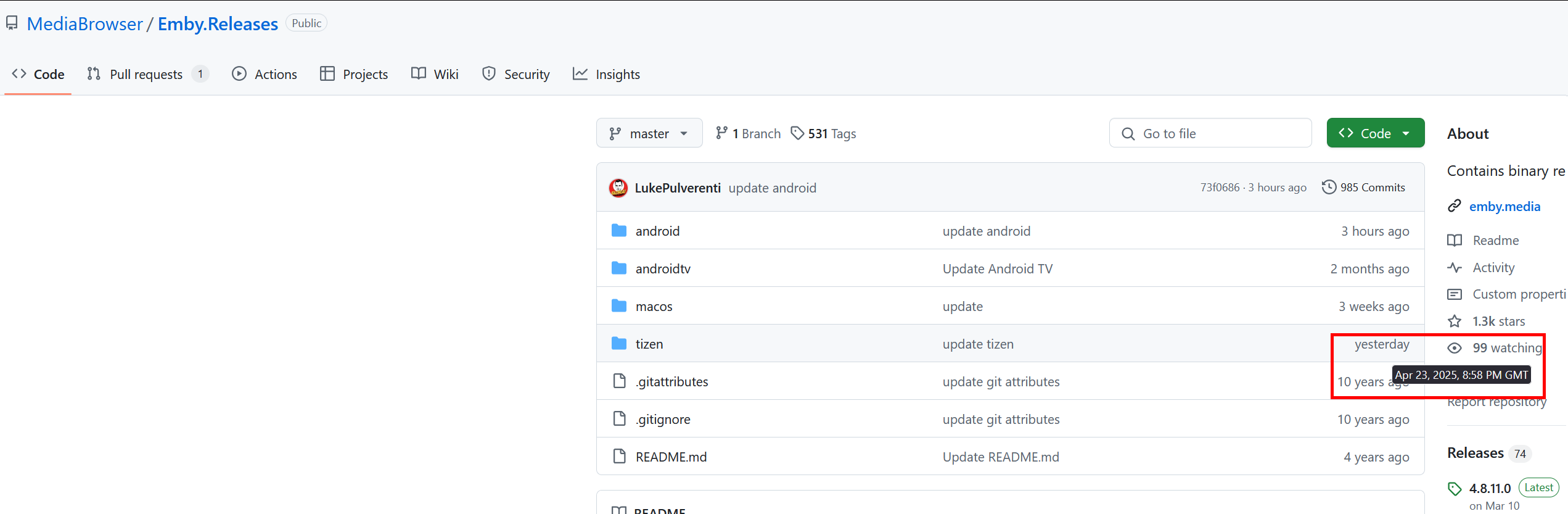
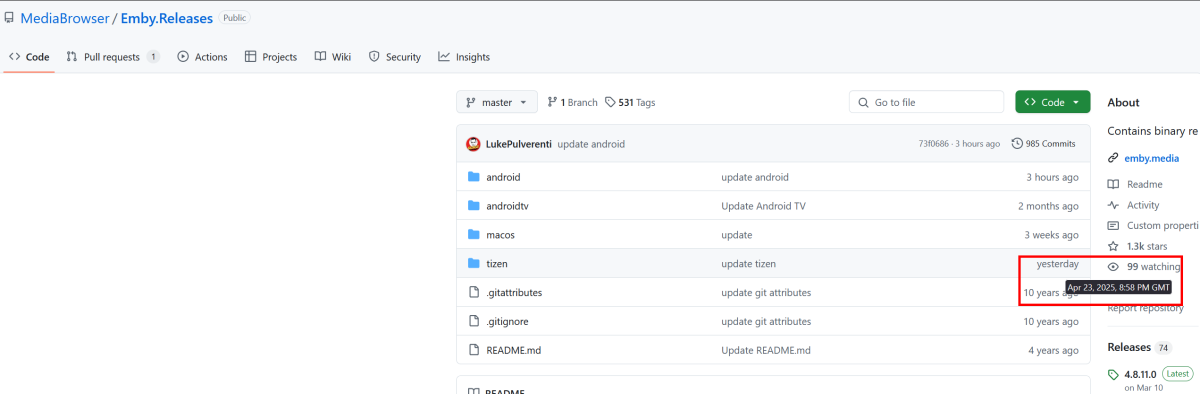
Hi! Yesterday, I received a notification on the Emby app for Tizen that there was a newer version available. I entered the forums and downloaded the latest version by clicking on the Github link from the topic about USB installation (https://emby.media/community/index.php?/topic/74969-samsung-tizen-smarttv-2015-present-beta-app-install-from-usb/) and followed the instructions, like I did many times before. After installing the latest version, every time I open the app it gets stuck on a black screen with Emby's logo and I can't acess the app as minutes before. I tried reinstalling it multiple times, even reformatted the USB I used (which was the same I used before and worded flawlessly at that time) at each attempt. I tried downgrading to the version I had before, as I still had the .zip file on my PC, but the TV didn't allow it stating that the version was expired. I don't know if I have installed the latest version that is informed on the release notes topic ( https://emby.media/community/index.php?/topic/31461-emby-for-samsung-smarttv-release-notes-tizen-orsay/), which should be 2.0.4 (04/21/2025), because when I checked the Github I noticed the Tizen folder was altered yesterday before I downloaded the latested version, so I might be using a beta version that is not functional. How can I garantee that I download the 2.0.4 file to test if it works? By the way, other clients of Emby work fine, such as android phone, Sony TV. I was even able to stream from my phone, through DLNA, to the Samsung TV and watch series episodes. Samsung model number: Samsung 43AU7700 Samsung firmware version: 2220 (T-KSU2EUABC-2220.9, BT-S) Samsung Emby client version: 2.0.4 (or the beta version that is not yet identified on the topic) Emby server version: 4.8.11.0 Best regards.
 1 point
 -
Bump to this as I would love my favorites in Music Assistant to play to my snapcast clients. @alucrydAny update, not sure if I could help?1 point
-
Hi Luke, as others have mentioned in the the thread it's the Overscan feature of the TV. In case others find this thread. Grab the TV remote (not the Google one). Go to Menu > Picture Settings. Look for something like: Aspect Ratio Picture Size Screen Fit or Just Scan Set it to: "Just Scan" Or "Full Pixel" Or "1:1 Pixel Mapping" Or turn Overscan Off (depends on model).1 point
-
Excellent! Appreciate the quick replies and looking forward to the next update. thank you1 point
-
OK, thanks a lot1 point
-
alright, that clears everythimg. thank u for info i will wait for any development. it will be very nice feature. thanks1 point
-
Your right, I don't know why terramaster tos is putting it up wrong but that is the trouble and You are right I do not have to login thru the nas. Again thanks for the help. David Brown1 point
-
ok vu j'ais modifie la bibliothèque car elle n'était pas configurée dans la recherche des métadonnées et des imagesje pensais que cela se ferait automatiquement merci @Happy2Play1 point
-
Time for another bump I guess...1 point
-
I'll look into this a bit more - as it's an interesting encode ...1 point
-
Hi Luke, I'll send it when I get back home in about 10 hours. Thanks.1 point
-
i really hope for end credit skip, emby needs to step up a few things to make it just super superior to most things1 point
-
OK - Good to know - Thanks (I have already manually setup the ports in my Router, so I will ignore it)1 point
-
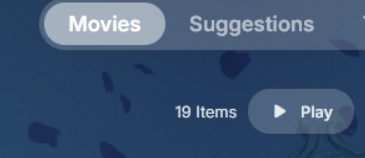
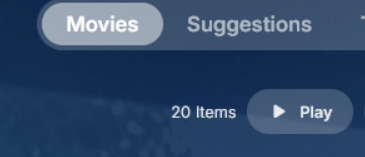
The argument being that OP only added "1" movie (2 versions of a single movie) The Emby movie library UI shows this incrementing by only one, which is correct: > Yet the underlying API is returning the number of "records" or "files", therefore it is incrementing by "2" Homepage is using this endpoint to report the count of "Movies" which is somewhat misleading.
 1 point
 -
Perfect. Besides the volume issue I have with some files I had set up server months ago and it's been great. Never bothered with connect until this issue. Thanks for the clarification.1 point
-
It can be their own email. Family friend who is elderly has access but doesn't really use email etc. Plus a pain when having to enter email and password everytime my ip is changed. Easy for some, not always easy for other. I understand now. Sorry for the confusion. I will look into static ip when I change ISP in 6 months. Thanks all.1 point
-
Hi, we'll take a look at it. Thanks.1 point
-
Hi, I had exactly the same problem on 2 different models of Samsung TV. In order to help the community, I will explain why it happens. Basically, as SamES wrote it, it's something about the way the file has been encoded. In my case, the problem occurred with 2 different files on 2 different models of Samsung TV. Both files were in hevc (8bit). As soon as I put the same movie in h264 or another version of hevc (encoded differently), the forward or rewind function became possible. However, the same hevc file (that it's not possible to forward or rewind on Samsung TV) can be forward or rewind on a Sony TV, a cellphone and an android box. So, it seems that there is something wrong with the video player that uses Samsung TV. One TV it's a 2016 or 2017 model and another one it's a 2020 model. If someone has the same problem, you should find the same movie, but encoded differently (another version).1 point
-
@CjkeenanFYI -1 point
-
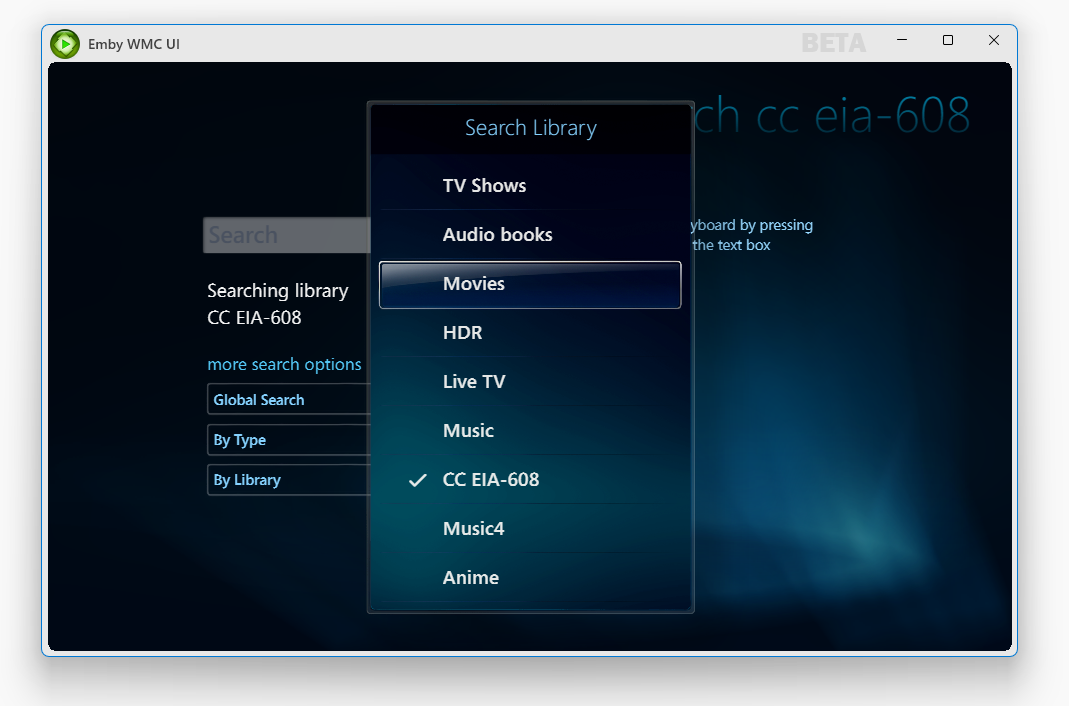
The Emby WMC UI supports searching per-library and per item-type. It also doesn't block while entering search terms. It properly cancels the previous request and issues a new one when the search term is changed.
 1 point
 -
Hi, When I saw the reply I thought it had great potential and in fact, when connecting directly to the local server in LAN without a proxy, everything works perfectly... MKV, MP4, H264, HEVC, AAC, AC3... forward and backward too, basically as it should. If that suggest an issue with the reverse proxy, then I wonder why when the TV requests transcoding after a failed playback everything starts working again (seeking backward and forward).. Do you have an idea of what kind of configuration the reverse proxy requires for the TV to be happy with? Pitchblack1 point
-
Filtering by library is helpful. I have a library "Colouring Pages" where I have coloring pages/masks in JPG format - I want to use a key work like "sun" and then I want to see only the results from that coloring photos library when I click on PHOTOS. But instead, I also have returned all the hits with "sun" in the photo name, from all my family photos. Would be nice to only filter for the photos from the Colouring Pages library.1 point
-
Avez-vous vérifié les paramètres de la bibliothèque Collections ? Have you verified the Collections library settings?1 point
-
Ok - I gonna see It‘s my second day with Emby so still much to learn - swapping over from Plex For now I like it more - and the themes are now loading (not yet playing besides the one from the shows with the letter A - already present from the trial) Has a bit to do now now that the licence is activated Again - Thank you1 point
-
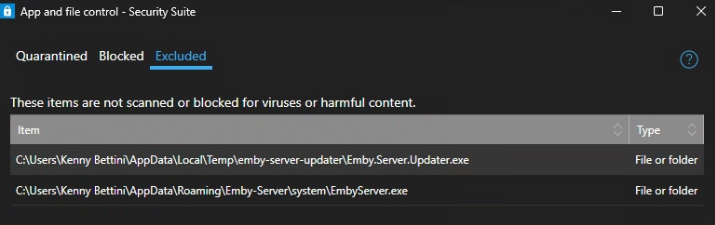
After excluding version 4.9.0.49 to get the server running again. F-Secure Security Suite is now blocking two files.
 1 point
 -
Hallo zusammen, ich habe @Teddyknuddelgeholfen, die Skins als Kodi Repository anzubieten. Habe die README des Git Repos aktualisiert => Teddyknuddel/embuary.omega Für Fragen und Anregungen stehe ich bereit! ----- Hey everyone, I helped @Teddyknuddeloffer the skins as a Kodi repository. I've updated the README of the git repo => Teddyknuddel/embuary.omega I'm available for questions and suggestions!1 point
-
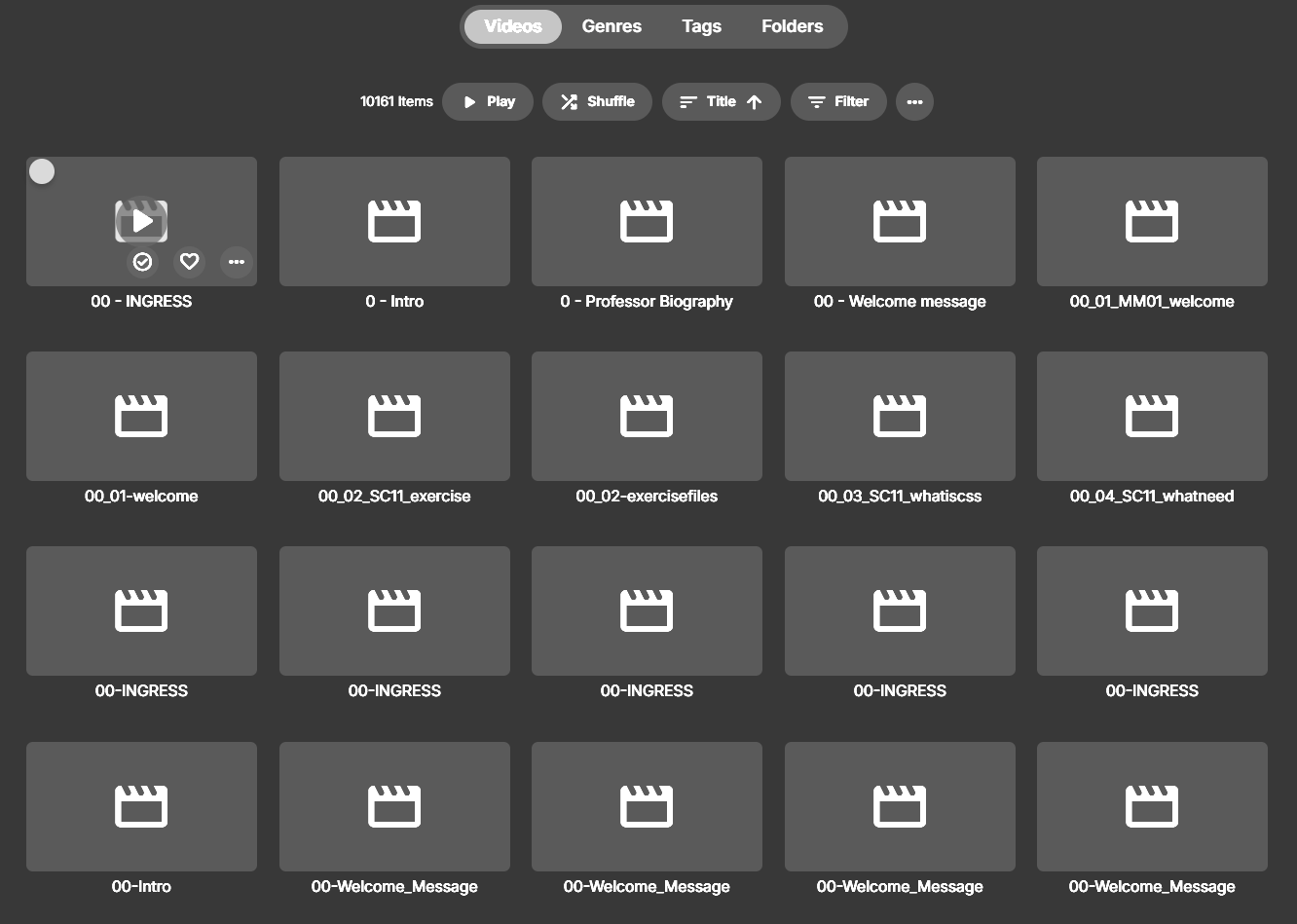
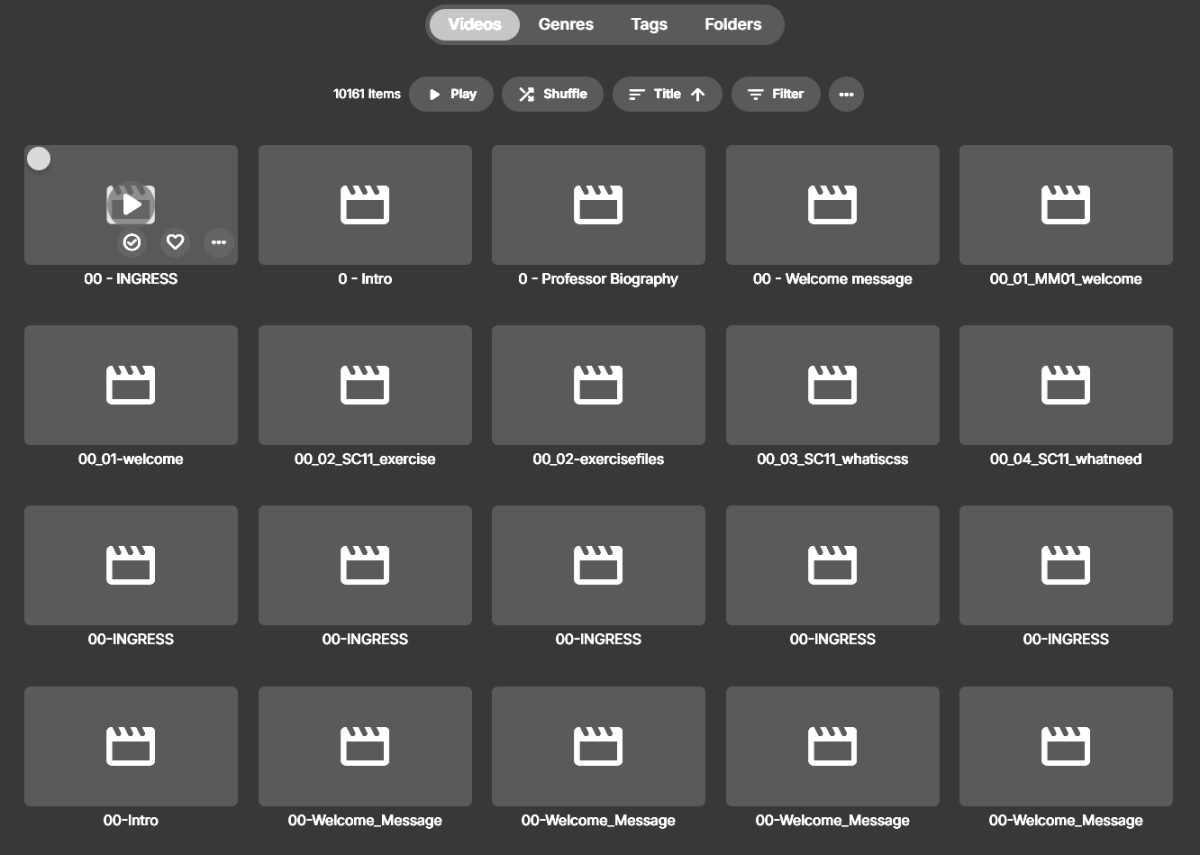
ok so I'm an idiot. folders view IS there , on my newly created Edu folder, which I created as being family videos instead of TV series. maybe folders was there the whole time and I just got distracted on the main view. This is resolved, thank you and sorry for wasting your time. @LukeI attached a screenshot to answer your question. I shouldn't have said "wrecked" without describing it, just like saying "it doesn't work", I should know better as a programmer myself haha. as you can see, it sorts every single subfolder into an alphabetized single list. with 10k items that doesn't work haha. Somehow this view was showing up on Tizen and I either didn't see "Folders", it was hidden, or it was right in front of me and I tried to solve it the wrong way (by editing Libraries in the control center). It is working now, thanks both of you
 1 point
 -
Agreed - another area where Emby have lost focus and are now way behind the competition - it doesn't even have the ability to edit the Intro's without the support of a 3rd party plugin... Emby (with the 3rd party Plugin) used to lead in this area as it had both Intro and Outro detection and all the support tools (editing, stats etc). Now even JF has long passed them and have recently introduced the architecture called 'media segments' which is tagging for for Commercial, Preview, Recap, Outro and Intro. Their clients need to catch up, but the concept is solid. A shame, as the same concept of 'MarkerTypes' is actually in Emby (and was discussed with them), but beyond Intro's, it has have never been developed further ...1 point
-
I think calling it Auto is confusing and not representative of what a user expects it is. When I see auto I expect the maximum quality my internet can handle, not the lowest common denominator that will work for the average user without issue. Just show the quality the app defaults to rather than the ambiguous "Auto". If the app is going to default to 1080p 4Mbps just show that. If a user sees a low quality by default they are more inclined to increase it, but if they see auto they assume they are already getting the best quality. The mobile apps already have separate settings for Home Network and Internet quality. A streaming device or TV app shouldn't worry about internet connection quality and consistency.1 point
-
I managed to get it working. I'm not sure why though. Switched to Desktop mode I uninstalled the version that I installed via Discover. Downloaded https://github.com/MediaBrowser/emby-theater-electron/releases/download/3.0.19/emby-theater-flatpak_3.0.19_x86_64.flatpak via Chrome Started Konsole (terminal) cd Downloads flatpak install emby-theater-flatpak_3.0.19_x86_64.flatpak Started Emby and it worked fine. No idea why there would be a difference though.1 point
-
Last year, I had developed an entirely new IMVDB metadata provider where this (and other things) is working. @Lukedidn't want it - because...it's new... ...and I had developed it all new because I had come to the same conclusion: That the current implementation is not much useful in many cases.0 points