Leaderboard




Popular Content
Showing content with the highest reputation on 04/19/25 in all areas
-
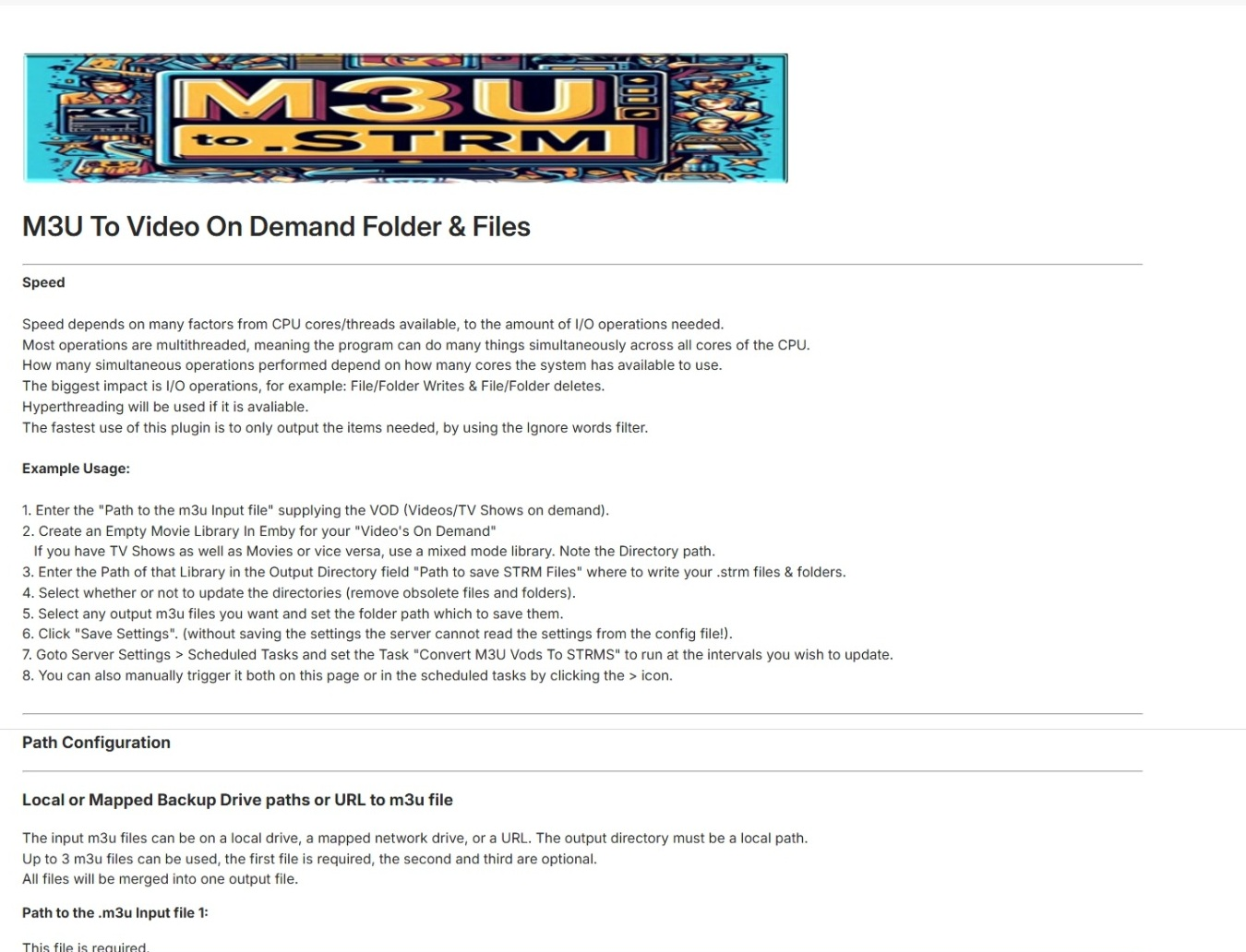
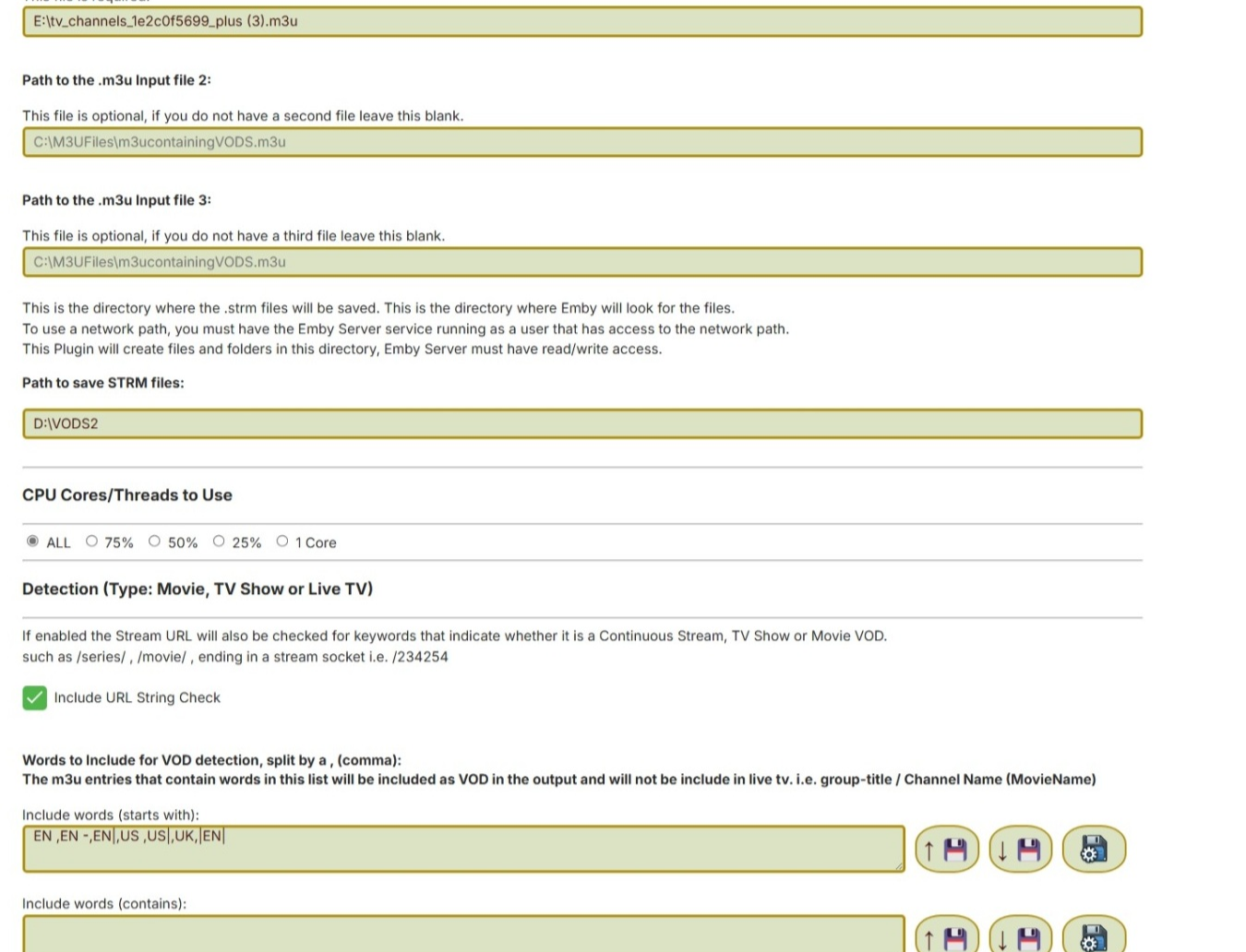
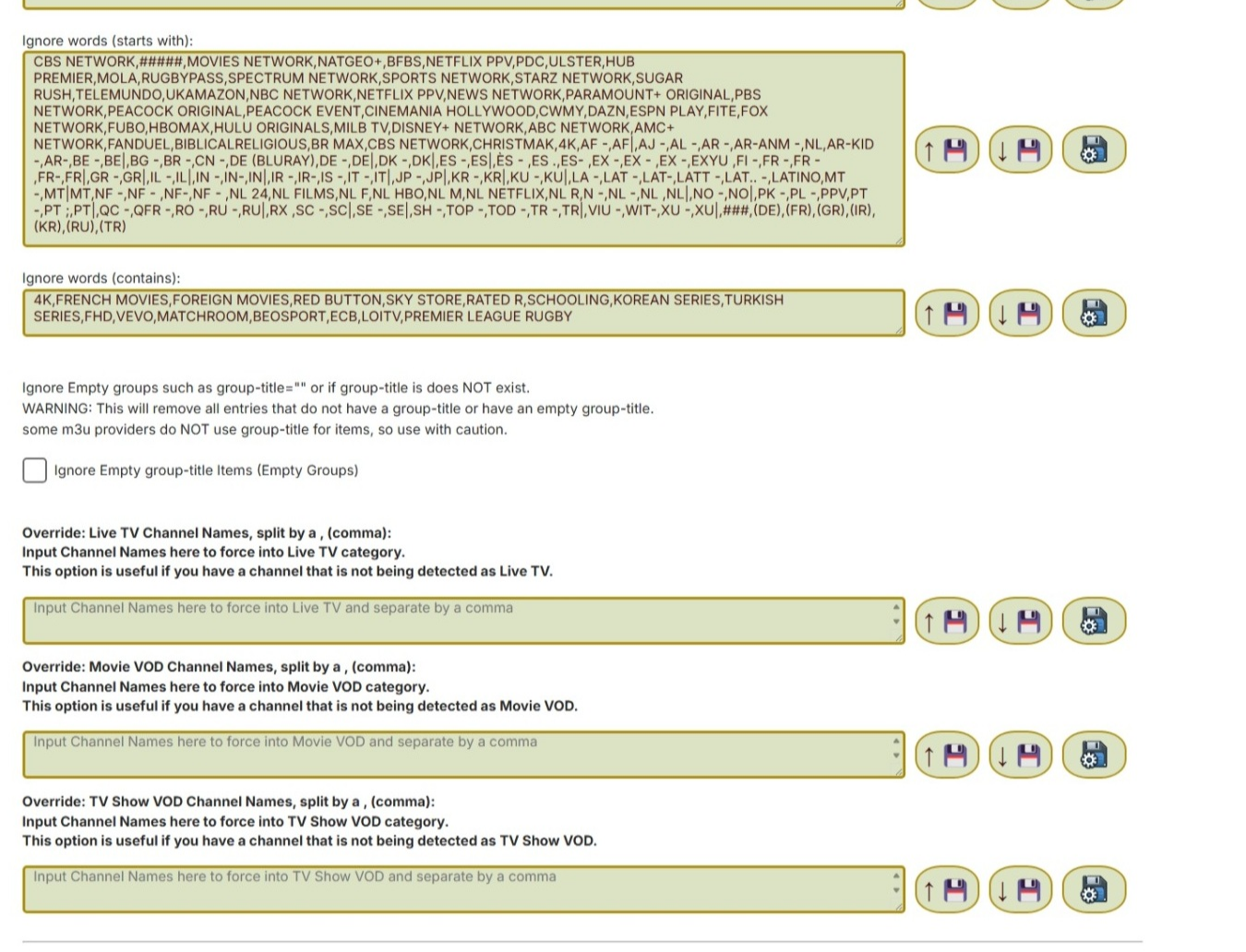
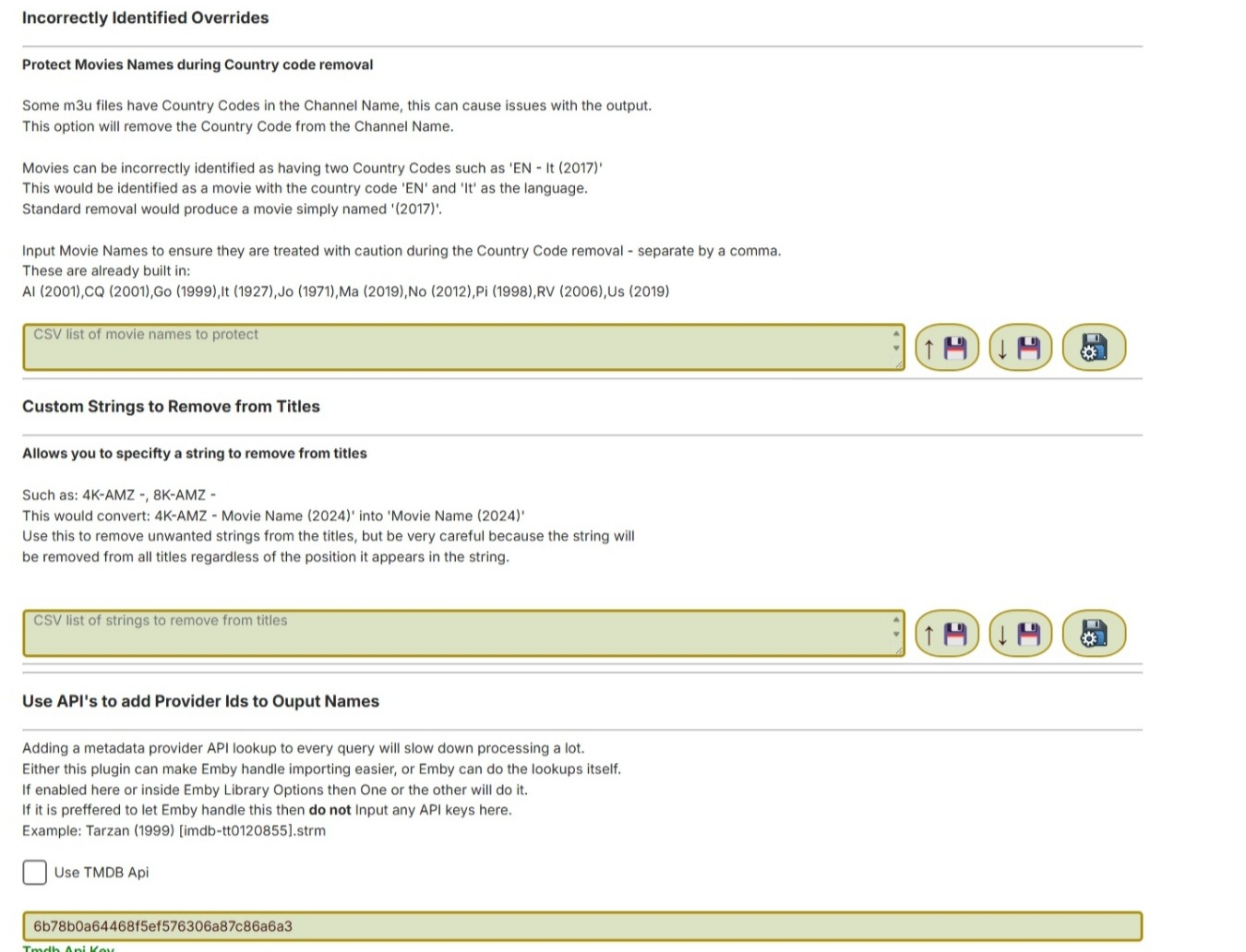
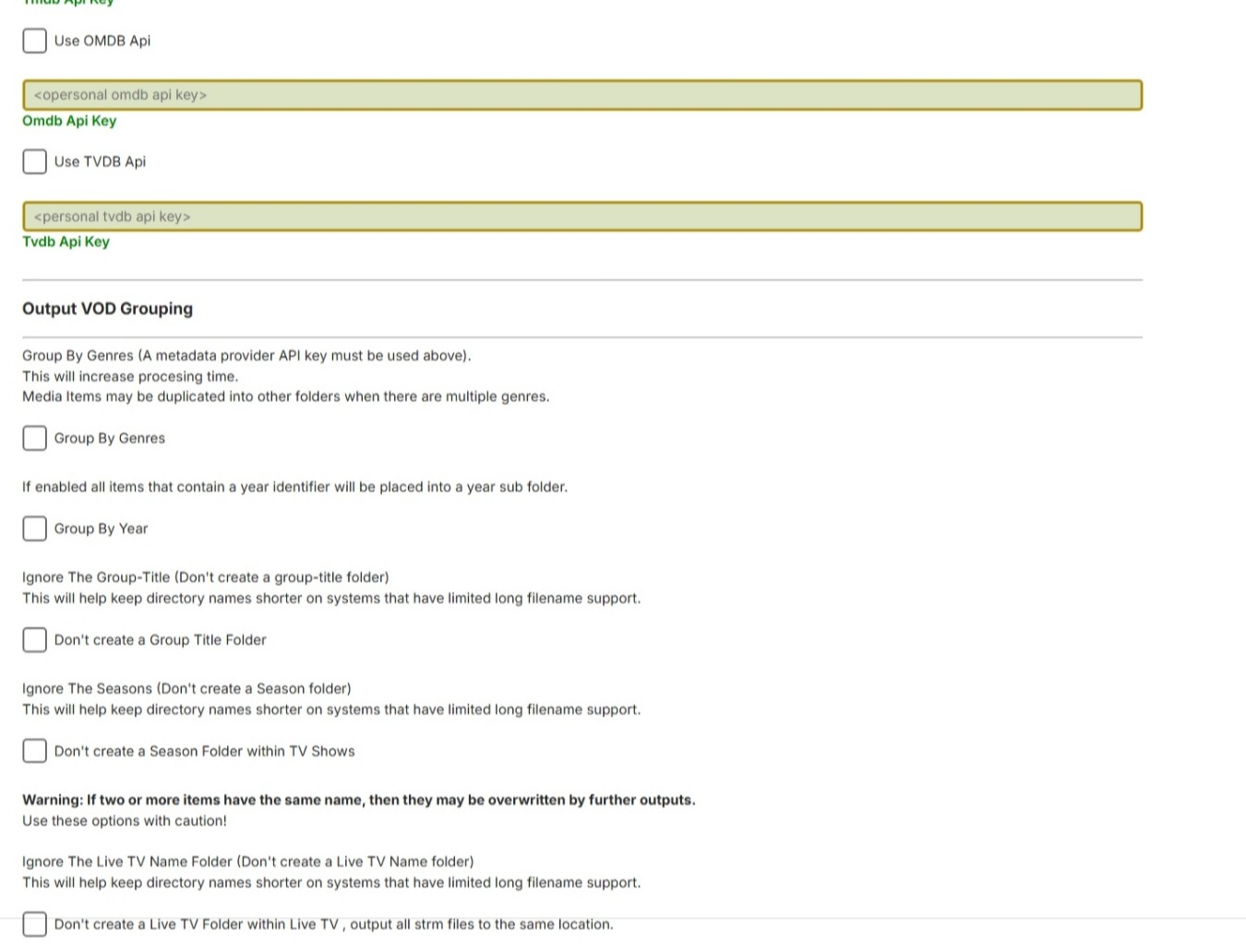
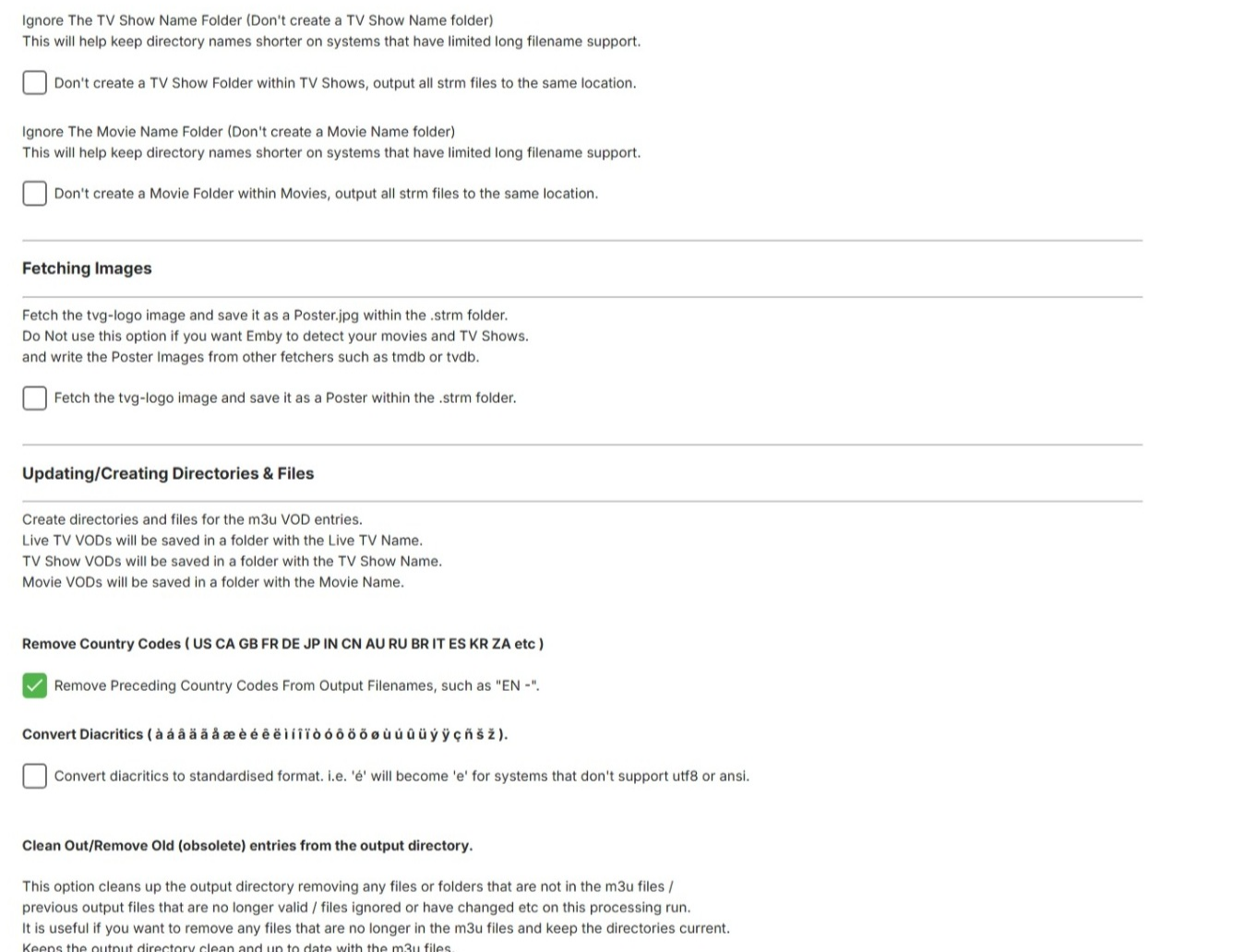
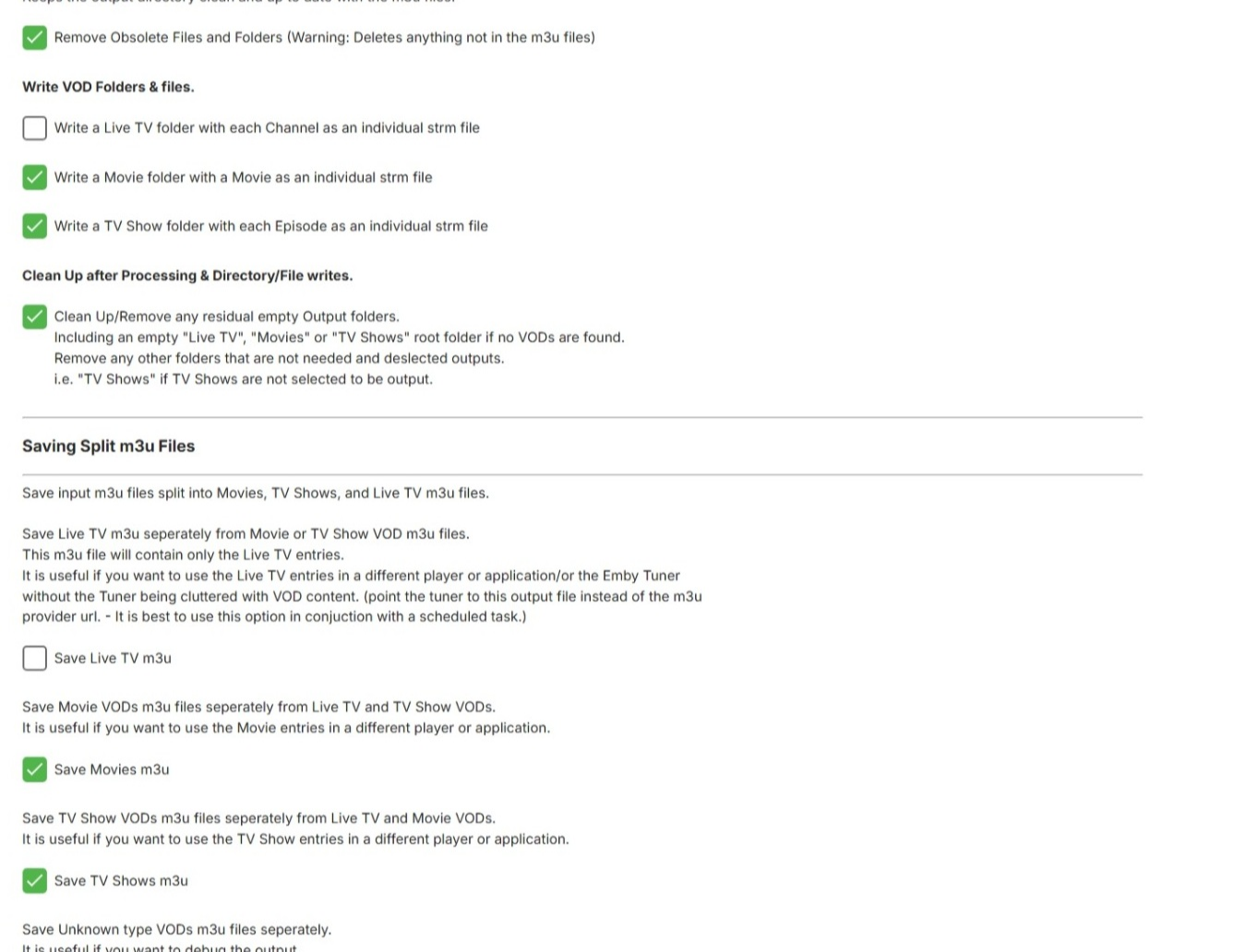
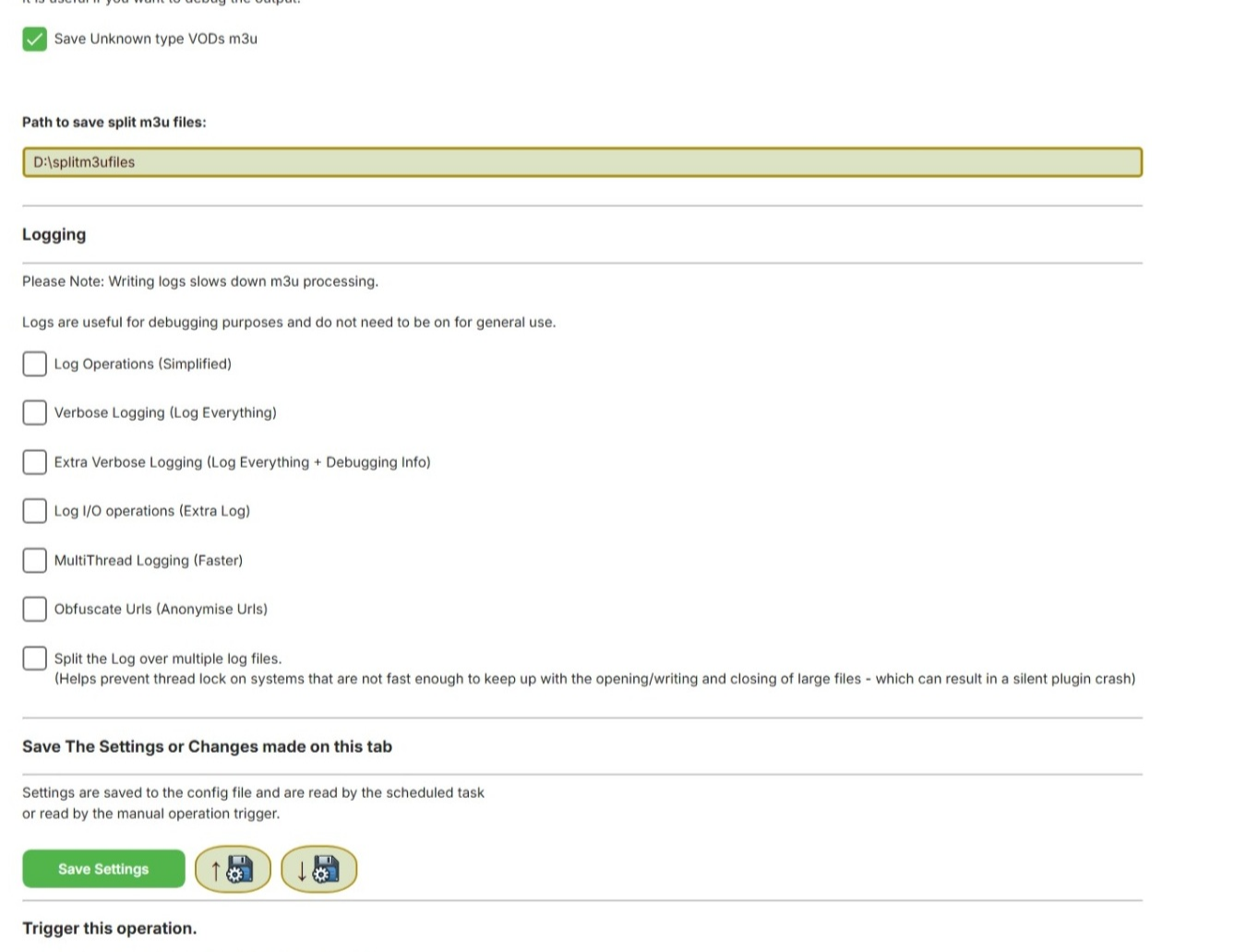
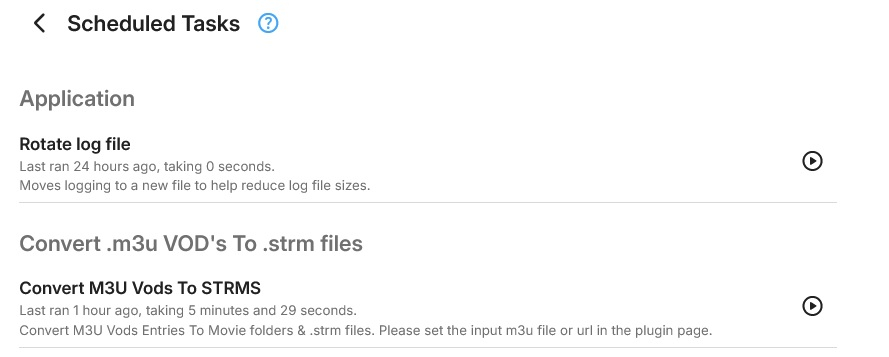
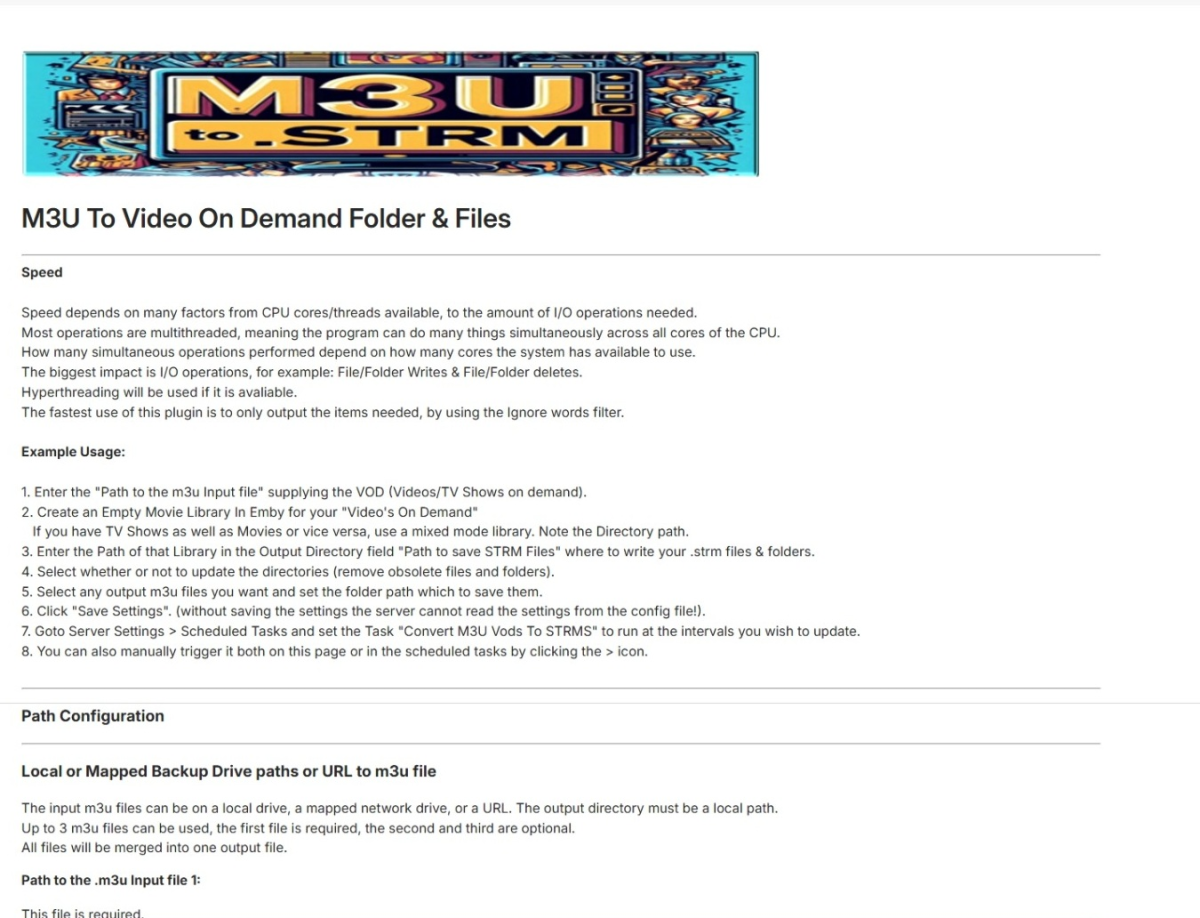
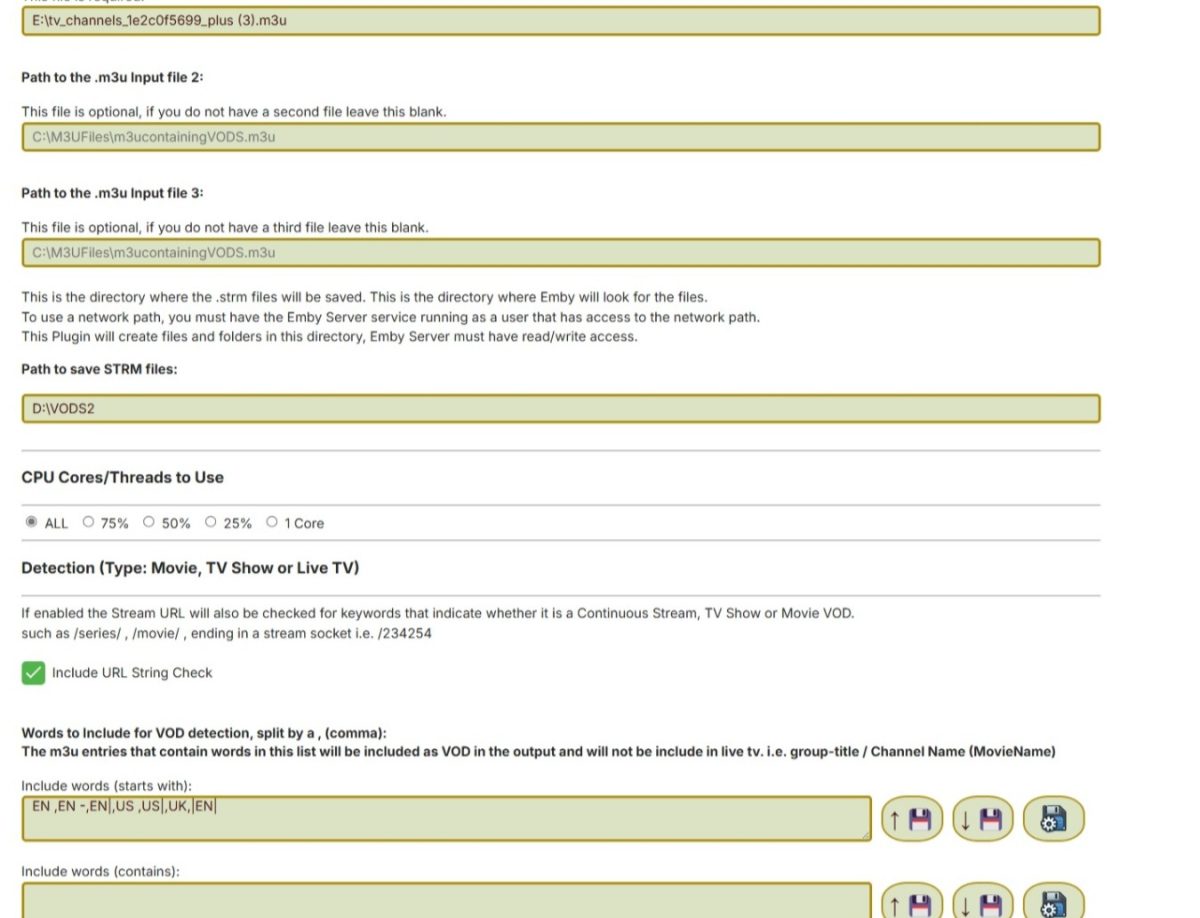
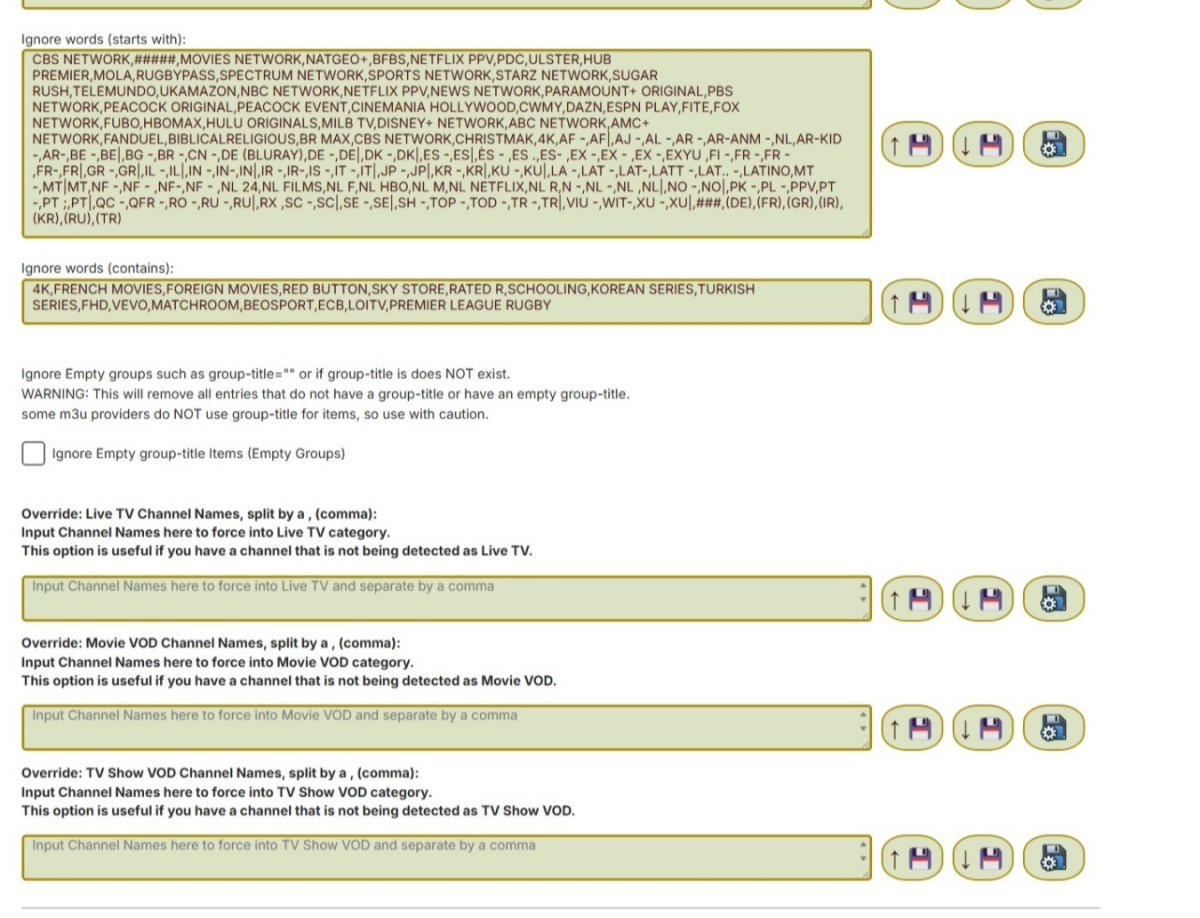
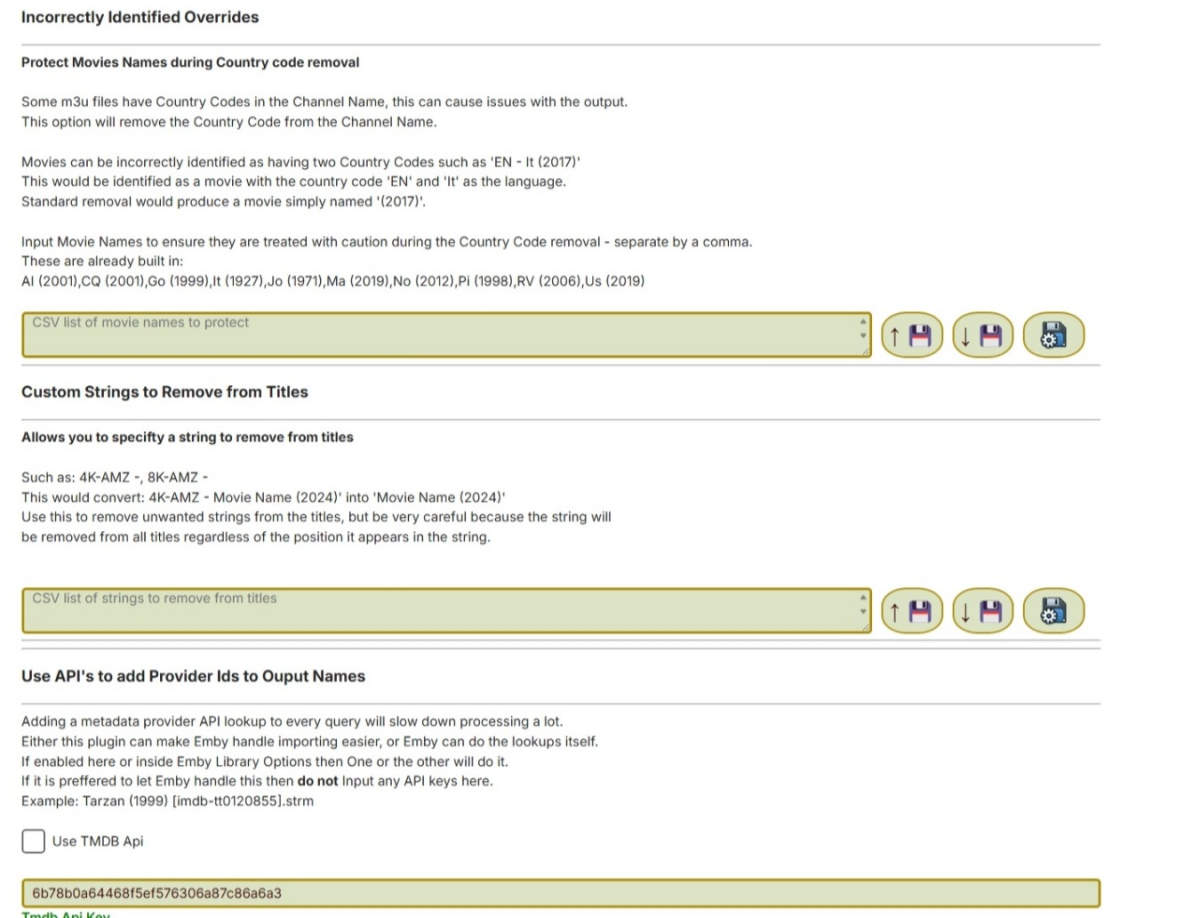
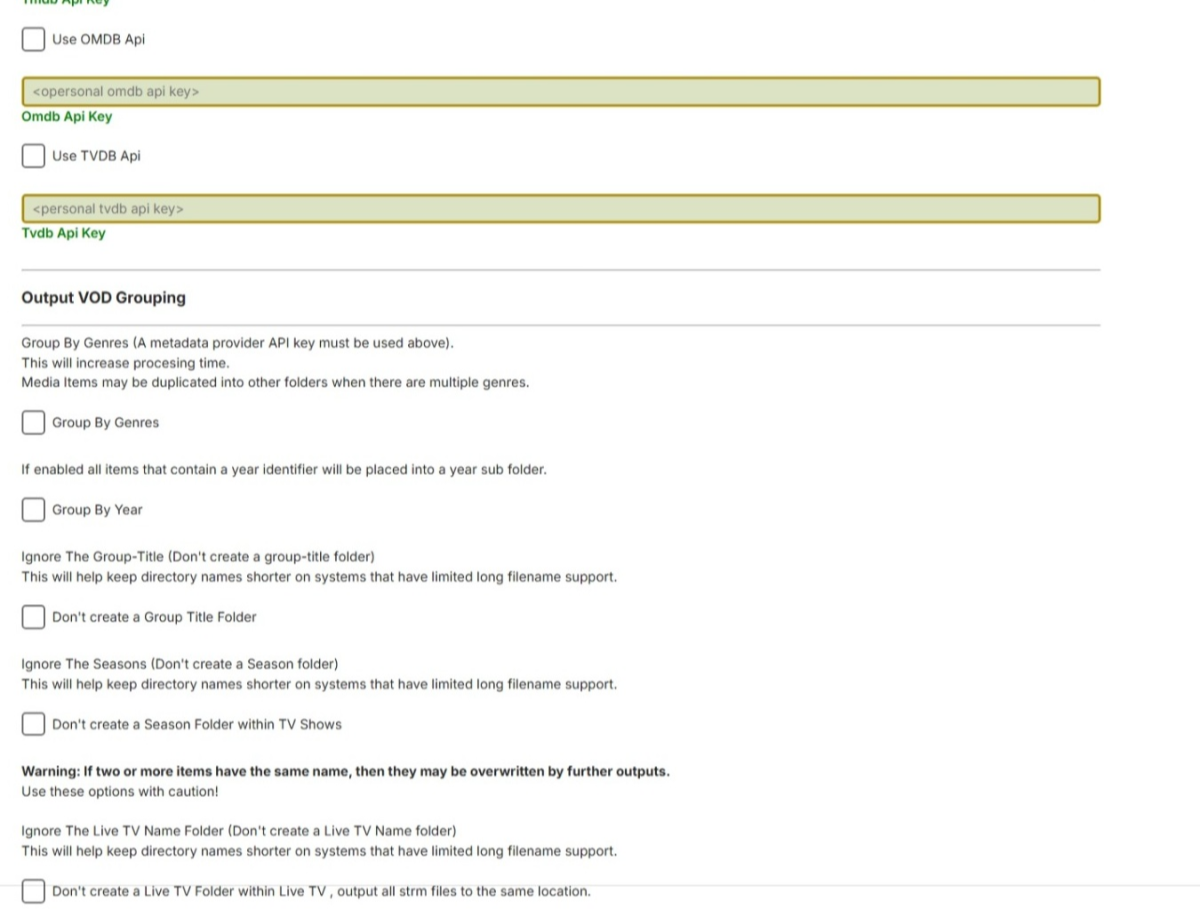
I have done the code, its all working as far as I can tell. Currently the progress bar doesnt work in the scheduled task, but i am not worried about that yet, the scheduled task does though. I have enabled the plugin to take 3 m3u urls or paths, but it is designed so that it can do it all from one m3u. It will split the m3u into LiveTV,TV Shows & Movies, and if you set the option it will save the split m3u files. In effect you can choose not to load your m3u directly from your stream provider into Live TV m3u Tuner, instead use the plugin to split off the vods, to a Movie & TV show directory, create a clean LiveTV m3u (without the VODS) and point the Live TV Tuner to load that from your save location of this plugin instead. Note: If you have the log on - as most processes are Asynchronous , it may write to the log out of order. Let me know whats not working, or what it is missing if anything? Other than the progress indicator in the scheduled task... DO NOT OUTPUT STRMS TO YOUR LOCAL MEDIA FOLDERS THAT CONTAIN OTHER MEDIA - KEEP THESE SEPERATE the update and delete mechanism will delete anything else that is not in the m3u files! USE AT YOUR OWN RISK 13-02-2025 - Original Release Removed as requested 26-02-2025 - Updated DLL Should address check boxes for m3u output not saving states. Removed due to build error 28-02-2025 Added fields for inclusion words for VOD detection 01-03-2025 Finally got the new system to build a working DLL Saving should be fixed Added a textbox to allow adding your own VOD keywords 01-03-2025 post 2 No input file error fixed. Win 11 & MS Edge seem to keep re-using cached versions even when you replace and reboot. So you might have to clear data in the browser. Added option to delete any folder content not in the current m3u's- i.e. obsolete entries, (previously wasn't an option) 02-03-2025 Fixed URL validity check (needs verifying that it is working for other users) fixed error stopping on certain m3u types (might not have caught everything but those supplied will now work) Still to do - Parse extremely big m3u files properly to Live-TV, TV Show VOD and Movie VOD, they are parsing, but may not be grouped properly yet, I.e. some TV Shows may appear in movies and vice versa or stay as Live TV Channels, still need to figure out how to catch them all properly in certain m3u naming scenarios. 03-03-2025 03.40am (GMT) Several fixes - this is the latest build. 03-03-2025 21.00pm (GMT) Lots of updates, too many to mention, please read the thread if you want to know what has changed. 04-03-2025 02.50am (GMT) Seems to be all good , not tested the override boxes yet - though 06-03-2025 Many things converts to multi-threaded for speed increases. Multi-threading the log is the biggest difference of all, this can reduce processing time by many HOURS if the m3u input files are large. Not logging at all is the fastest option. A huge 135mb m3u with no logging and ignore filters on took 4mins 17 seconds to completely read and create the strm files. Read this thread for more information 07-03-2025 - from testing to beta release I am calling this an official beta now. Its working extremely fast. With no logging on a test run of a 135mb input m3u took just 1 minute 22 seconds. Erroneous directory/strm creation fixed. Logging can slow the operation down a huge amount, its recommended only for debugging. Read more in the thread 07.Mar.2025 - 15:33:28 Task Started at: 07/03/2025 15:33:28 07.Mar.2025 - 15:34:50 Task Ended at: 07/03/2025 15:34:50 07.Mar.2025 - 15:34:50 Task Duration: 00:01:22.34 17-03-2025 This is a completely re-written and revamped version (for testing) Lots of differences, whole new "brain" , core. Current known issue, not fetching posters or icons 19-03-2025 Several fixes (version 1.0.0.114) - requires Emby server 4.8.10 minimum 25-03-2025 Again, more fixes for edge cases, where there are movies that fail the detection, or get processed incorrectly VODtoSTRMscheduledTask.dll 26-03-2025 Added a section for incorrectly removed country codes when that option is selected, allowing the user to specify where the plugin is making an error and allow it to be processed as an edge-case. VODtoSTRMscheduledTask.dll 01-04-2025 Moved File Directory Clean-up outside of multithreaded loop (to prevent erroneous deletions) Edited HTML text Area for include to ensure it starts completely empty and doesn't contain any spaces VODtoSTRMscheduledTask.dll 08-04-2025 Fix Season folders being created in Movies ?? 11-04-2025 Support for tvg-title with imdb provider ids VODtoSTRMscheduledTask.dll 20-04-2025 Several updates VODtoSTRMscheduledTask.dll 04-05-2025 Many updates since the last version VODtoSTRMscheduledTask.dll Newer Releases Please check the thread as newer builds may be posted before this post is updated!
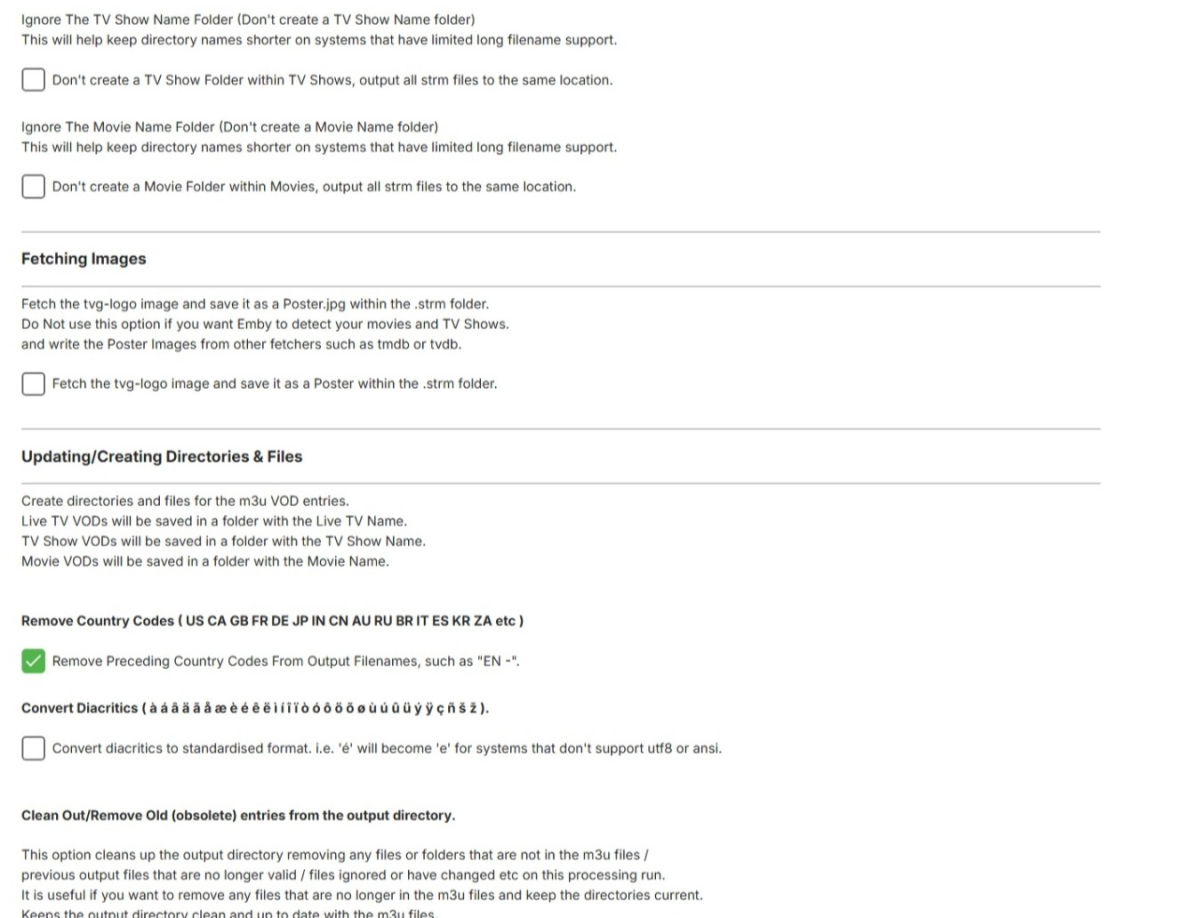
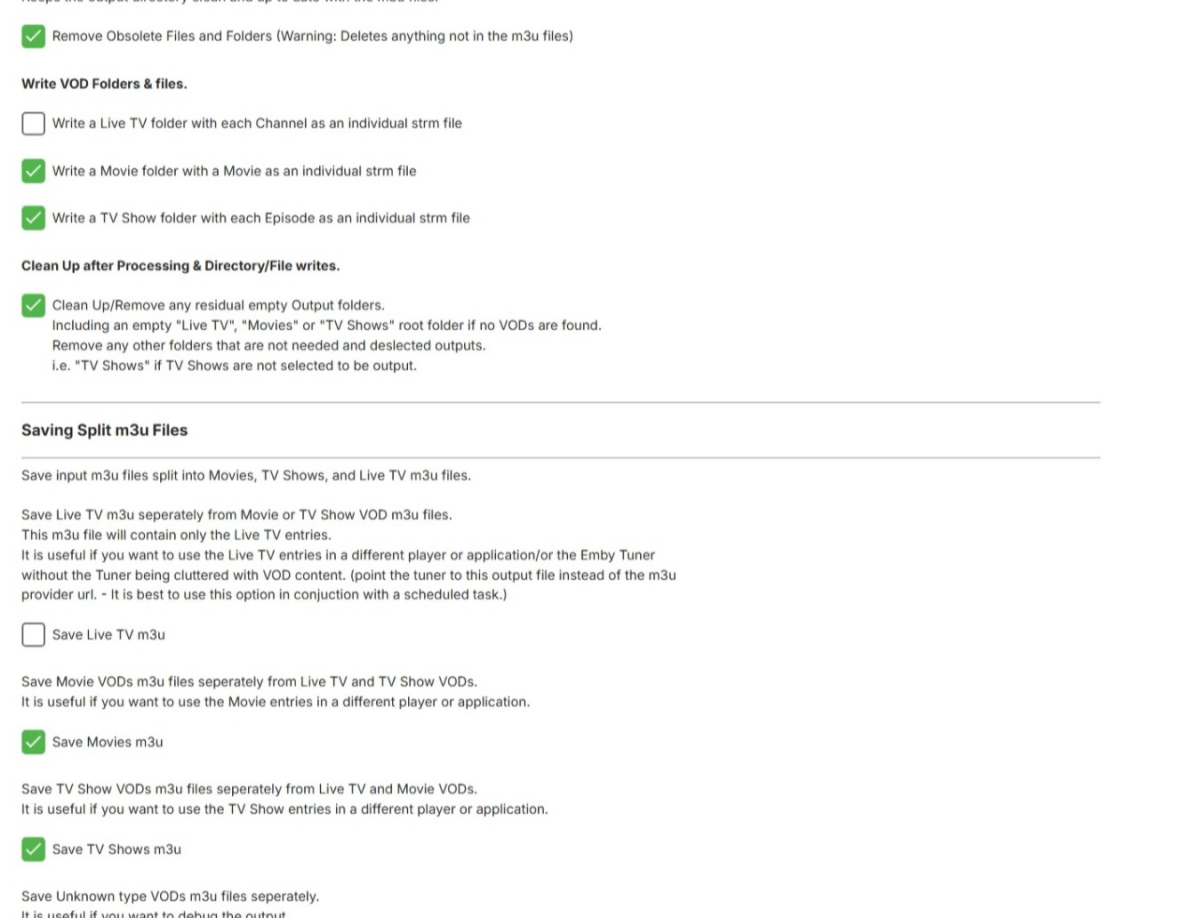
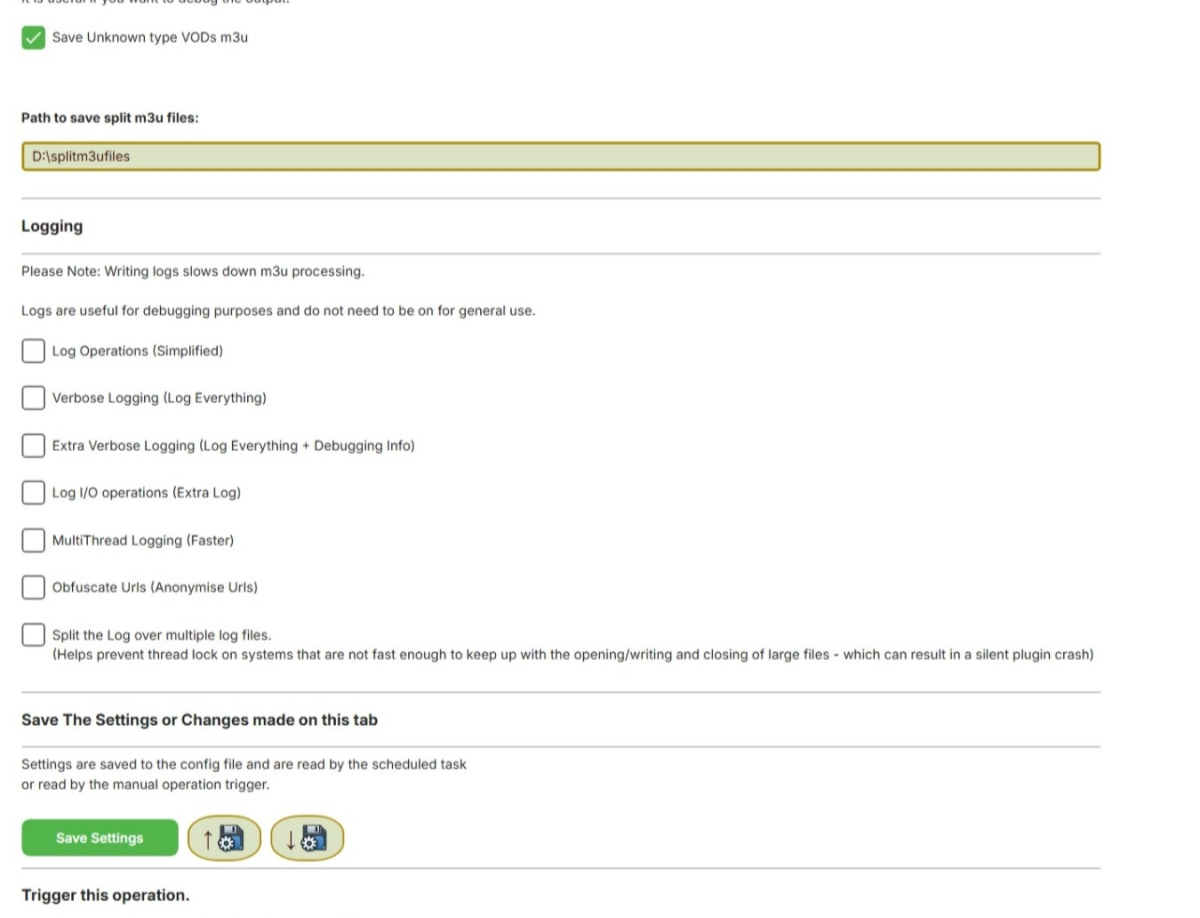 1 point
 -
I figured it out. I feel stupid but will be happy once this bad boy is running.1 point
-
You can adjust the offset of external subs in some Emby Clients. Here a screen capture from the Emby Windows client. IMHO, external audio will be far more problematic because the slightest bit of offset will show as lip sync issues. I know this is something that drives me crazy. I can't watch movies or shows when the audio isn't 100% in sync with the visuals. Subtitles don't need to have perfect timing but audio does.
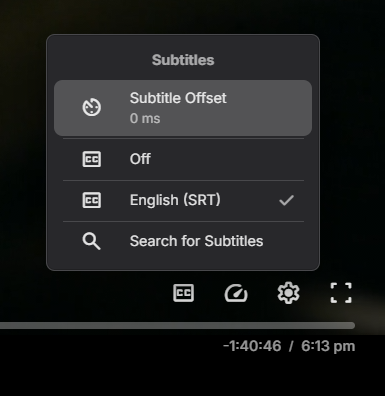 1 point
 -
I'll take a look tonight as new media will be added and take a look tomorrow morning I want to thank everyone for their input and suggestions while we try and figure this out1 point
-
That doesn't matter because all of the dirs leading to the media have global rx, meaning all users/procs can navigate that path. The ones under Movies are the important directories because that's where the new media is added and Emby needs full access to be able to index, create and delete files. Actually Movies itself is the first important one as the base so that Emby can delete the movie directories created under it.1 point
-
Thanks for the report. Will try to reproduce.1 point
-
I now use Emby for 90% of my media consumption. I love it. I use different devices in different rooms in the house. I find navigation in Emby very easy. I have an android box running the TV version which works great by remote control. I have a Projector in the bedroom which works with Emby but for some reason I can't figure out why the playback buttons are all missing (running Android 4.4) it's old it works great for watching TV in bed, so I just use the casting function from my phone to the projector. This got me thinking.... I have many older phones and tablets in the house that I could use just as a Emby cast remote. It would be great to have a tablet or phone I could pre-configure to only cast to a certain device (projector or TV) then just use that to browse and select the media I want. Yes this can be done easily using the app, but it would be better for battery consumption if Emby was the Launcher app and also easier for children and guests to use Emby without having to select the output or accidentally exiting the app. Just a thought I had, is it possible?1 point
-
I'm going on a trip with spotty Internet so I've downloaded an audiobook I'm in the middle of. The home page shows "resume" for the streaming file and remembers my place. Great. But if I go to downloads, I have to go to music, then artist, then the authors name, then the books name, then to music videos to get my download to play. And the position on the downloaded file isn't the same as non-downloaded. So, I end up using the streaming file when I can because it's easier to get to from the home page, but when I'm offline and dig all the way down to my download, the play head isn't in the right place. I'd love if the two stayed in sync and if I could play then from the same place.1 point
-
My phone is now at 3.4.56 and the closed captions play correctly. Yay! My Android TV does not yet set an available update, so I'm still on 2.1.23g.1 point
-
Did a clean install after uninstalling and it seems to work now1 point
-
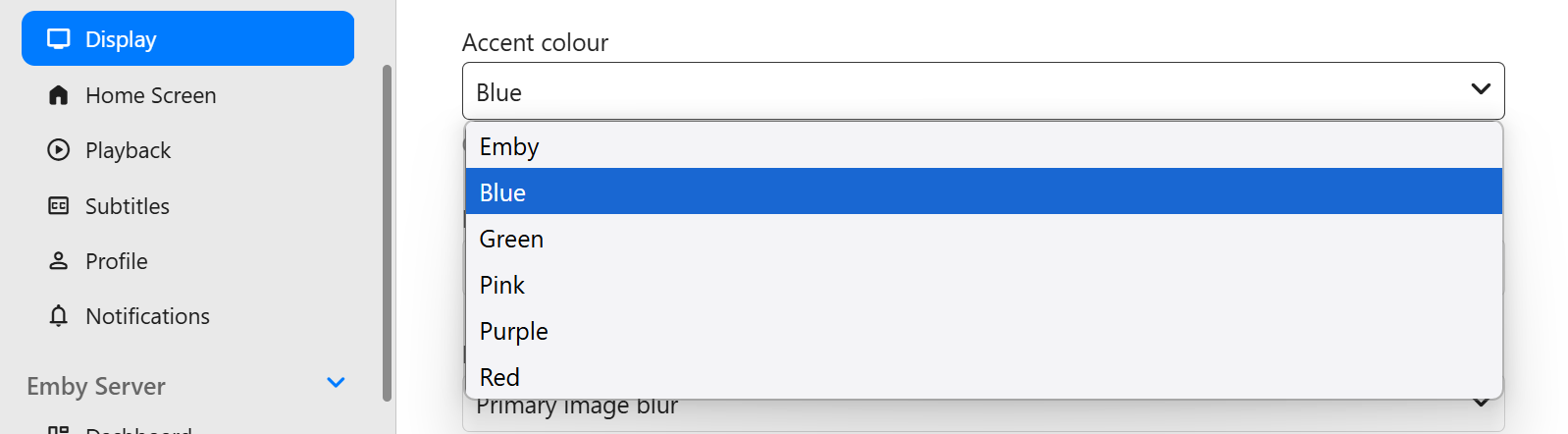
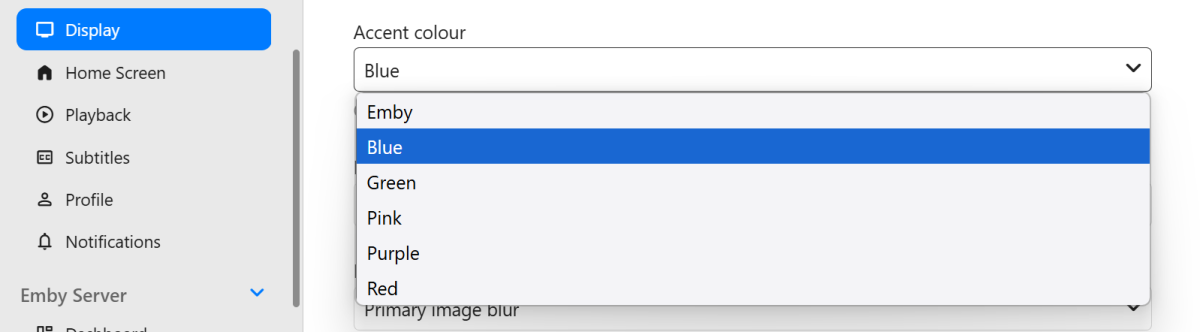
Hi, have you tried: Settings>Display>Accent Color
 1 point
 -
Or App unlock (one-time fee, around 5 bucks).1 point
-
Sorted, deleted app from Ipad and re installed. Working now Might be asking too much but it would also be nice to know the transfer speed it is getting while downloading.1 point
-
We got a major disconnect somewhere. It sounds you’re referring to the haptic settings for long-pressing app icons in android home screen. Let's get back on track here, I was actually referring to the media options on the Emby home screen. specifically, the ability to easily access the last played channel or media item. This would be especially helpful for users who watch the same channel or content regularly, making it easier to get back to it without navigating through menus.1 point
-
According to your log they are still scanning and updating info. You will just have to wait for it to complete. I don't think its got to Movies Yet! the request is in your log, but its still scanning tv shows, no movie scans are logged yet. Open Subtitles is what is slowing it down1 point
-
Linux doesn't lock files the way that Windows does, but if you backing data store was being provided from a Windows system then maybe, but you said it's local so no it doesn't really work that way. You could always double check permissions are set correctly on a directory by switching to the emby user as root with su -s /bin/bash emby and try to touch afile.1 point
-
@Le_SeNz Also die Favoriten funktionieren schon. Nur nicht so wie es wohl gedacht war. Wenn ich in Emby einzelne Filme als Favorit markiere, wird mir das angezeigt, wenn ich den Menüpunkt Film - Favorites angelegt habe. Kollektionen sind scheinbar als Favorit ausgeschlossen.1 point
-
Ich glaube, die Favoriten sind mehr für Video und Musik gedacht, welche in Emby favorisiert wurden. Hab es selber gerade getestet. Da wird nichts hinzugefügt. Egal ob ich es über Kodi hinzufüge, oder über Emby Server. Favorisierte Addon kann ich lediglich über Seitenmenü über Favorit hinzufügen. Ansonsten kann ich sie auch nicht aufrufen. Das kann ich im Moment nicht beheben, weil ich nicht weiß, wo der Fehler ist. Wenn jemand eine Idee hat, wo der Fehler liegt, bitte mitteilen.1 point
-
? - This plugin continues to work just fine for me. What's the issue ?1 point
-
i heard that we will see TVNext really soon, exactly after 14 more SMB fixes.1 point
-
So you want us to pay more for waiting 5 years? In terms of "strategic roll out plans, isn't 5 years long enough to have strategies, rolled out, debugged and mopped up? Krs Mark1 point
-
HI, I think on the actor page we could start sorting them by release date, newest first.1 point
-
I understand and that could be a problem if there's no way to access the server from the local network. The solution to that is to keep the functionality open by default and then add an option to enable "Local password reset only" or something like that. That would allow people to harden their servers, but also think about the possibility of getting lockout if no local access is possible.1 point
-
If you’re looking to switch from Plex to Emby, you’re not alone. Many users are making the transition to Emby for its advanced customization options, better privacy controls, and flexibility. While moving your media library might seem daunting, this guide will walk you through the entire process, ensuring a smooth migration without losing your watch history and you'll be up and running before you know it! Why Switch from Plex to Emby? Before we dive into the migration process, let’s highlight some key reasons why users prefer Emby over Plex: Greater Customization: Emby allows for more granular control over metadata, streaming quality, and transcoding. Privacy-Focused: Unlike Plex, Emby does not require an internet connection for local streaming. Better Integration with IPTV & Live TV: Emby offers superior support for IPTV playlists and tuners like HDHomeRun. Self-Hosting Benefits: You maintain full control over your server and user data. Now that you know why Emby is a great alternative, let’s get started with the migration process. Step 1: Install Emby Server First, download and install Emby Server on your preferred device: Visit Emby’s official website and download the server software for your OS. Follow the installation instructions and set up your admin account. Once installed, access the Emby dashboard via your web browser. Typically at http://localhost:8096 Step 2: Prepping Your Media Files to move to Emby Ensure your media files are well-organized before adding them to Emby. The ideal folder structure should be: /Media /Movies /MovieName (Year)/MovieName (Year).ext /TV Shows /ShowName/Season X/ShowName - SXXEXX.ext If your Plex media is stored in a different location, move or copy it to your preferred location for Emby. Keeping the same structure ensures a smoother migration. Emby's media scanners will do a great job if not all of your movies or shows are organized in this fashion, but it definitely helps to have an organized and well structured media folder. Step 3: Set Up Your Libraries in Emby Now, it’s time to add your media to Emby: Open the Emby Server Dashboard. Navigate to Library > Add Media Library. Choose the appropriate content type (Movies, TV Shows, Music, etc.). Select the folder where your media is stored. Choose metadata providers (TheMovieDB, TheTVDB, etc.). Click Save and allow Emby to scan your library. Step 4: Importing Watch History from Plex (Optional) Emby doesn’t directly have a built-in tool for importing watch history from Plex, but you can use Trakt to sync your progress. Install and setup Trakt Scrobbler in Plex and sync your watch history. Link your Trakt account in Emby, allowing it to import your watch history. Run a scheduled task for importing playstates from Trakt. This should only have to be done once. Step 5: Configure Emby for Optimal Performance To get the best experience, here are some begging tweaks to Emby’s settings that will help get the most out of your new media server: Sign up for Emby Premiere: While not required, Emby Premiere offers many benefits like hardware transcoding, offline downloads, Live TV DVR and more! Enable Hardware Transcoding: Navigate to Dashboard > Transcoding and enable hardware acceleration for smoother playback. Set Up Remote Access: Under Network, configure remote access settings if you want to stream outside your home network. Fine-Tune Metadata Fetchers: Go to Library > Metadata and choose the best providers for accurate metadata. Step 6: Install Emby Apps & Start Streaming Emby is available on multiple platforms, including Android, iOS, Apple TV, Roku, Fire TV, and more. Download the Emby client app for your devices and start enjoying your media. Final Thoughts Migrating from Plex to Emby doesn’t have to be complicated. By following this step-by-step guide, you can transition smoothly while preserving your media organization and watch history. Emby offers a flexible and customizable media server experience, making it a fantastic choice for those who want more control over their media. Are you ready to make the switch? Try Emby today and take your media streaming experience to the next level! As always, you will find unrivaled support from our users and staff over at the Emby Forums if you run into any issues or have any questions about this process.1 point
-
+1. I'd like just an option for items in my extras folder to appear on a different row, and not intermingled in with the episodes. I just updated my truenas installation and emby install just to get the feature to display extras per tv season. Thanks for considering! We love emby at my house, keep up the good work.1 point
-
Ha, yea. This is a very long standing battle. There's a lot of improvements that could be made for extras, but emby is always very hesitant to do anything for them. One of the biggest things now, is that extras identified for specific episodes, show up in the same drop down box as versions for that episode. Which makes them just hidden or confusing. At a bare minimum there should be a separate drop down box for those extras.1 point
-
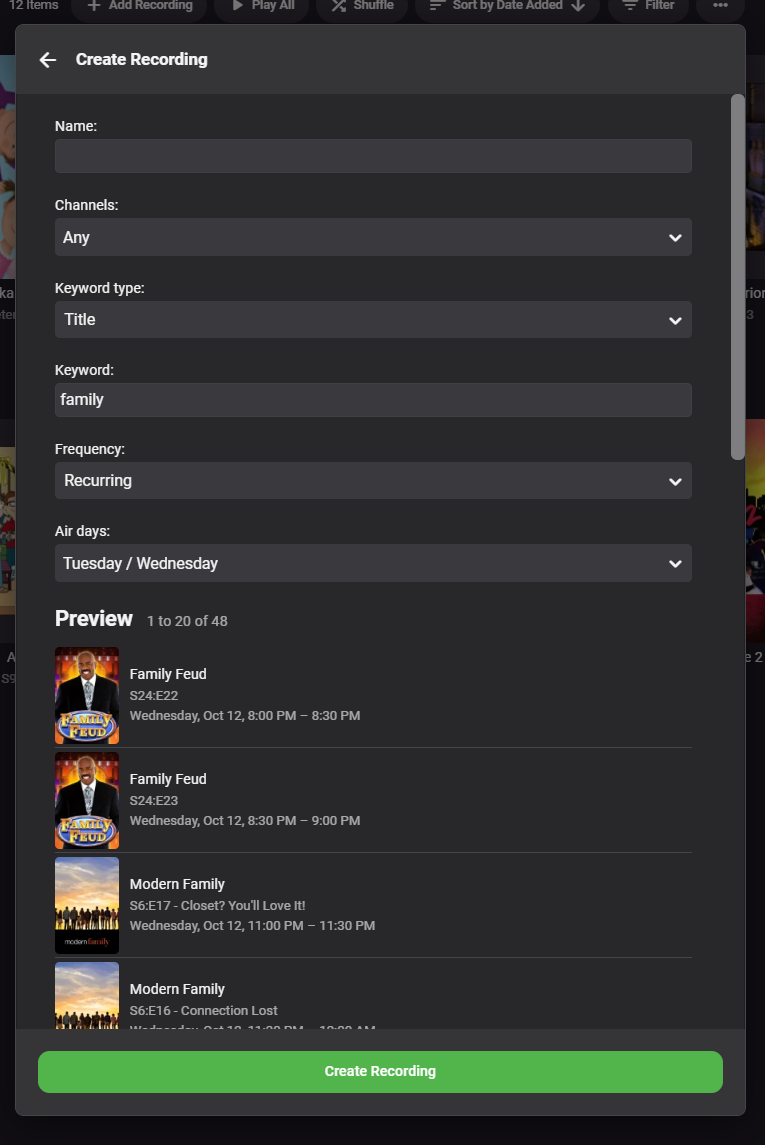
The 4.8 release will have the WMC-like preview I've been wanting to add, so that when you setup the recording you can get an idea of what items will match your keyword:
 1 point
 -
Hi, it is sqlite. Is that what you're wanting to know?1 point
-
Amen, Amen I say to thee. Or for atheist's, get your shite aligned correctly in the original file and you won't have issues with sync in playback. LOL All kidding and joking aside crusher11 is spot on.1 point
-
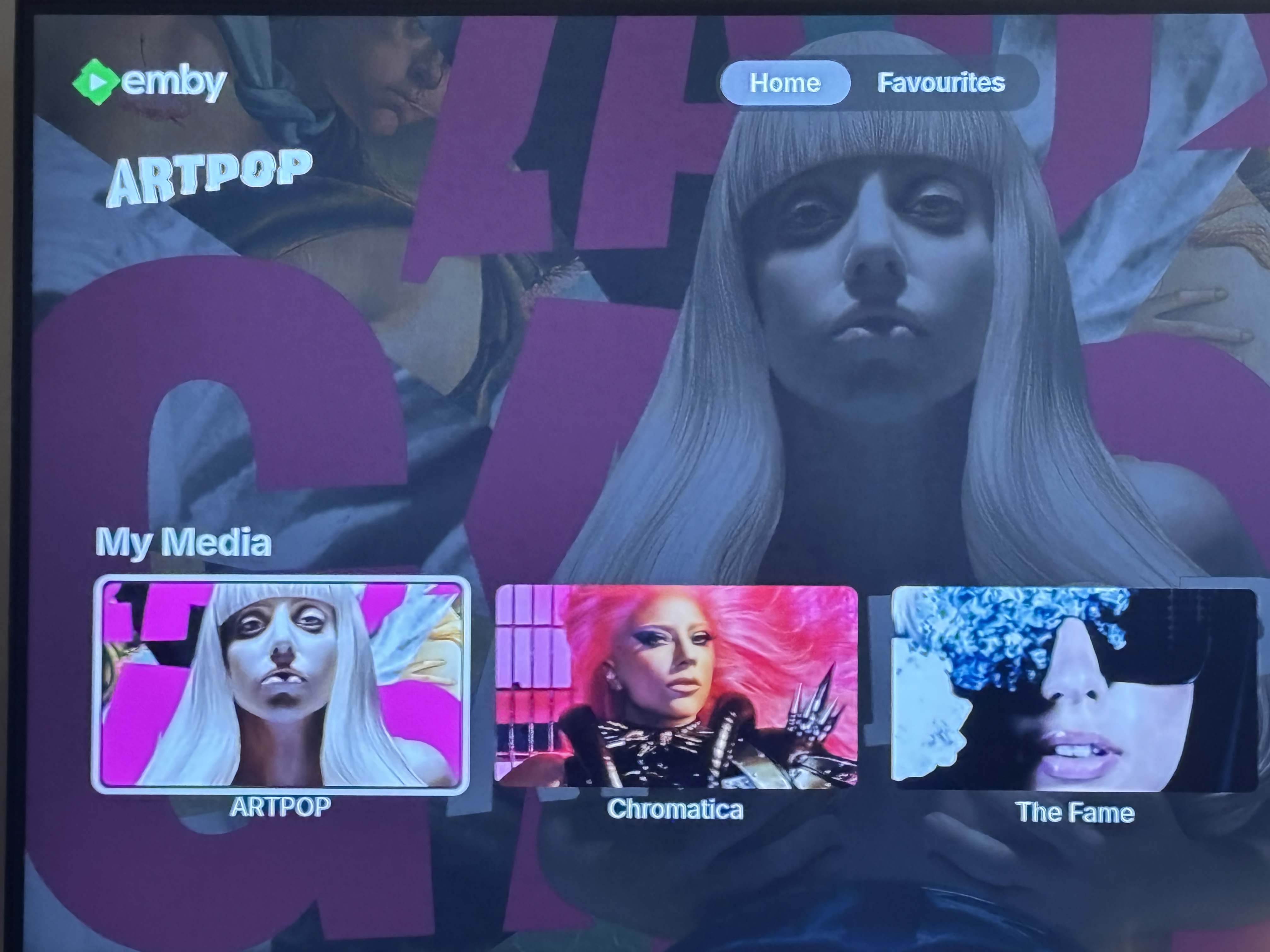
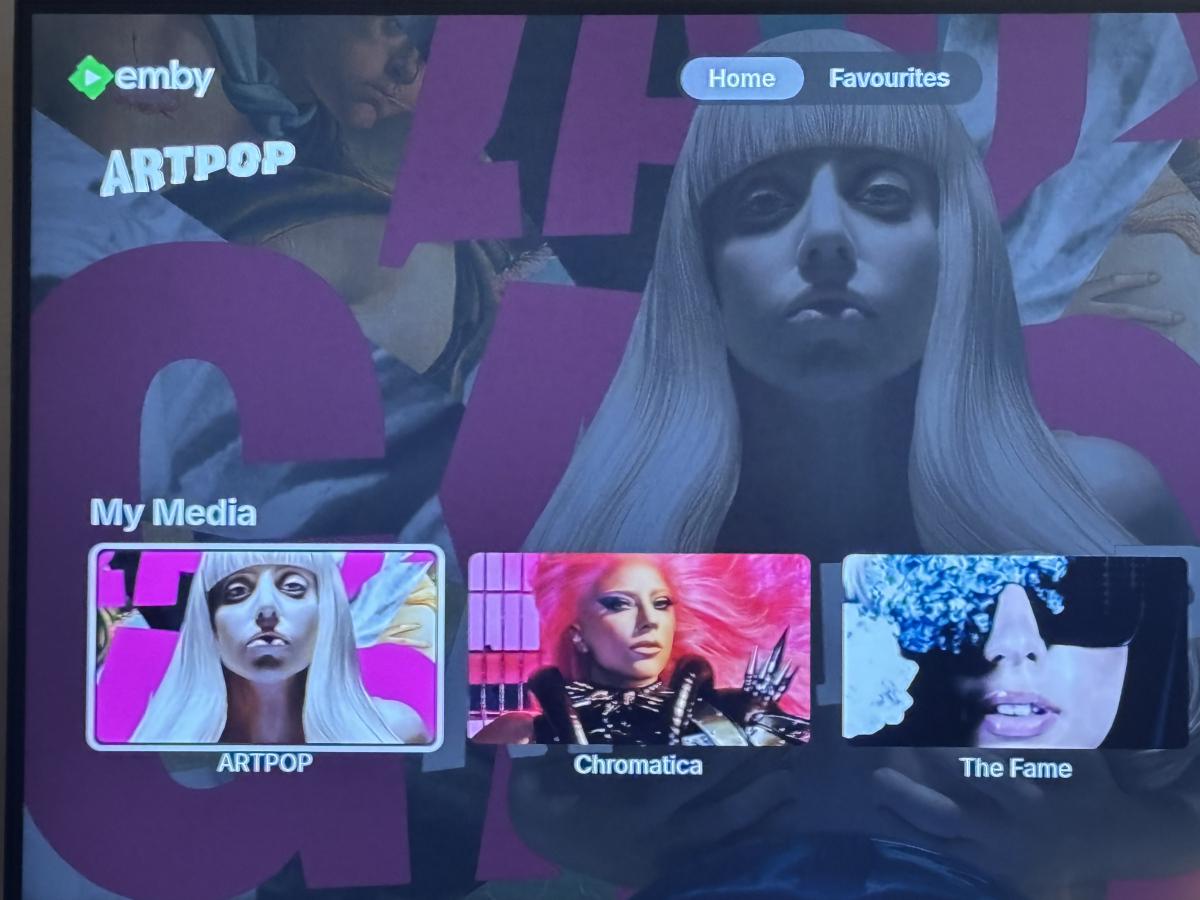
is there a way to have the backgrounds appear like netflix, amazon, disney, apple etc with full opacity? is there also a way to make logo sizes larger,? e.g artpop logo
 0 points
 -
You mean the android home screen? We've already got that, it's just that the list of options that come up are not currently configurable.0 points