Leaderboard




Popular Content
Showing content with the highest reputation on 04/14/25 in all areas
-
Basically when I started messing with servers and media centers was like a decade ago with Plex, and that's how a lot of people were saying to do it to keep it "clean".. ish. So I have always kept it that way, but I ended up hating Plex and have been an Emby Premier member since. I just deleted Plex and installed Emby and it all worked way back when But again, thanks for the info, I'll have to work on cleaning things up a bit. I'm in the Metadata window and I can now see where some of the movies are, I fixed two already so I'll just have to hunt for the others and get those names fixed.2 points
-
Note Emby will reread nfo files in your library is you have them written so removing and readding library will most likely do nothing different unless you have deleted all nfo file before readding. But as mentions if movies are getting merged ie multi-versioned it means Emby is seeing them as same movie per metadata like your example A Quiet Place and A Quiet Place 2 as the query to provide will most likely return same item first and requires secondary value of adding year per query or id tags per folder.2 points
-
If emby incorrectly identifies a piece of media as something that you already have; it'll show up as a different version under the existing item instead of as a new item. Can be a little hard to find sometimes. One way to check what emby thinks a file is: enable nfo writing, then go look at the nfo file emby creates to see what it was identified as. As Neminem suggested though; adding the IDs to folder/file names makes the automatic matching pretty much perfect. If you use tools like radarr/sonarr, you can edit the naming settings to include those automatically for you.2 points
-
Running the beta now, first few tune-ins from my cached channel are working great. I'll tinker with this for a bit but seems resolved on first test. Thanks!2 points
-
i heard that we will see TVNext really soon, exactly after 14 more SMB fixes.2 points
-
I want to use URLs like the following for the IPTV with DASH-Steams (MPD-files). The benefit of this URLs is that I can shift the time, e.g. when I missed the beginning of a TV show etc. #EXTINF:-1 tvg-name="Das Erste HD" tvg-id="DasErste.de" group-title="Vollprogramm" tvg-logo="https://raw.githubusercontent.com/jnk22/kodinerds-iptv/master/logos/tv/daserstehd.png",Das Erste HD #KODIPROP:inputstreamaddon=inputstream.adaptive #KODIPROP:inputstream.adaptive.manifest_type=mpd http://daserste-live.ard-mcdn.de/daserste/replay/dash/de/manifest.mpd This is currently not working, so I use files like the follwing instead of MPD-files: #EXTINF:-1 tvg-name="Das Erste HD" tvg-id="DasErste.de" group-title="IPTV-DE" tvg-logo="https://raw.githubusercontent.com/jnk22/kodinerds-iptv/master/logos/tv/daserstehd.png",Das Erste HD https://daserste-live.ard-mcdn.de/daserste/live/hls/de/master.m3u8 => It would be nice if DASH-Stream (MPD-file) Support could be added. I attached basic files for the IPTV DASH.m3u Normal.m3u1 point
-
So basically this. I have TV Shows, Movies, and Anime libraries. For anime; I'd prefer to set the default to Japanese with Subtitles. For movies, English and no subs unless forced. For TV Shows, the same. However, Emby only allows one overall setting this for this, for all libraries, instead of just one. I think it'd be a pretty nice little feature.1 point
-
ability to be able to add a collection into another collection. ie: Spiderman Collection into a SuperHero Collection. like i could with mediabrowser with shortcuts. TIA1 point
-
HI, we'll enable this on the 4.9 beta channel for the next build. Thanks.1 point
-
I wanted to test this for you just in case someone else comes to this post sometime down the road. This worked as well! Thanks Again Happy!1 point
-
Nothing wrong. @gstuartj Register an account and send me the info, thanks.1 point
-
@LukeMy serial directory has 2 locations: /A faire/séries /video/séries When a put 1923 in /video/séries/sans sauvegarde/1923 All other series broke For exemple /video/series/sans sauvegarde/black mirror When a put 1923 in /A faire/séries/1923 Everything is working1 point
-
Yes thank you1 point
-
Not meaning to hound, I just wanted to ask if there is a ballpark ETA for the new Linux app. I am getting rid of my FireTV sticks (privacy, don't buy American, etc) and I am undecided weather to go with a Linux device or an Android one. I prefer Linux but would love to test drive the new app before buying new hardware. Again, not meaning to pester, just wanting to know when to pencil it in my calendar1 point
-
Not feasible and not preferred, as then your audio data has been edited and is no longer the original data. ReplayGain is just metadata that's applied on the playback side, so definitely preferred.1 point
-
Hi there, let's look at an example. Please attach the information requested in how to report a media playback issue. Thanks!1 point
-
Expand a little as it really depends on exact naming also for this specific example of "A Quiet Place 2" vs "A Quiet Place II" crude example but api query would be similar and Emby will take the first result unless you have secondary value of year to query. a quiet place 2 — The Movie Database (TMDB) a quiet place II — The Movie Database (TMDB)1 point
-
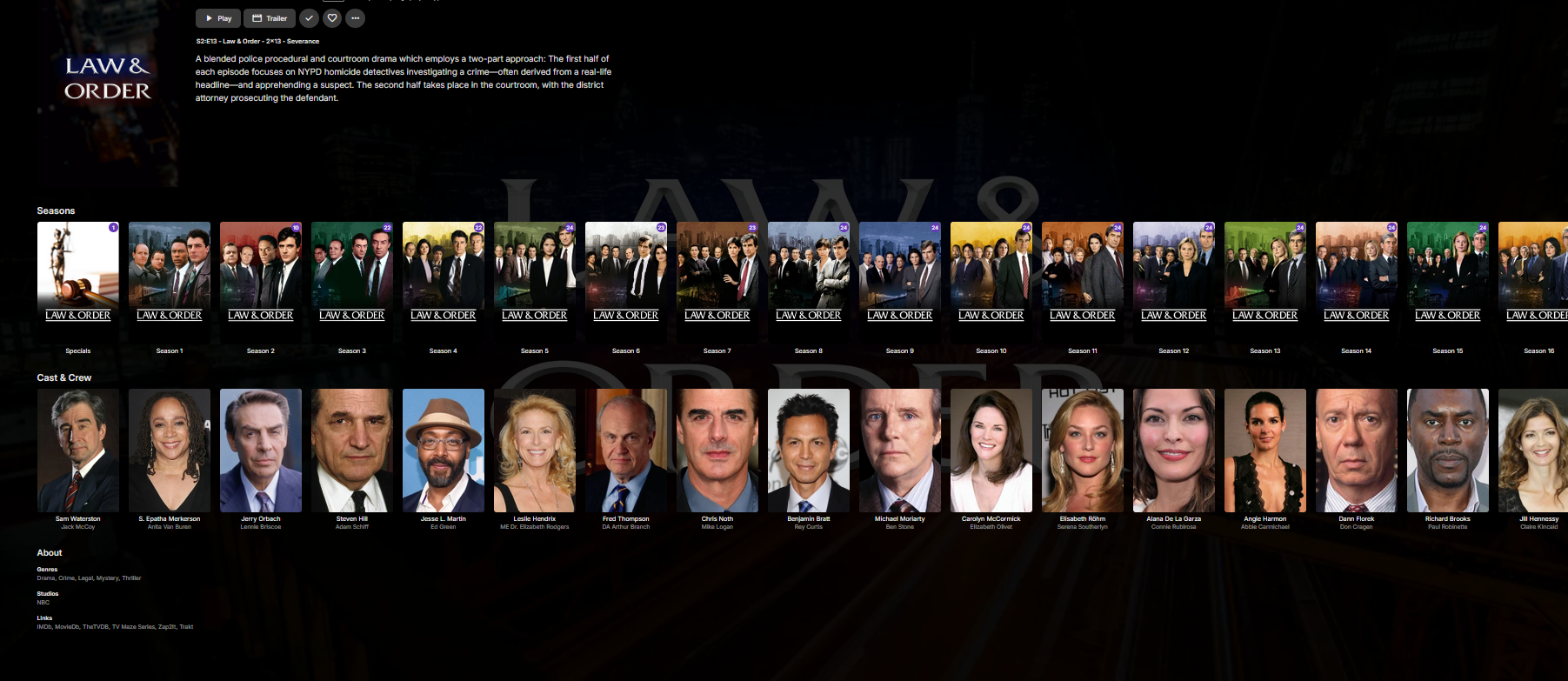
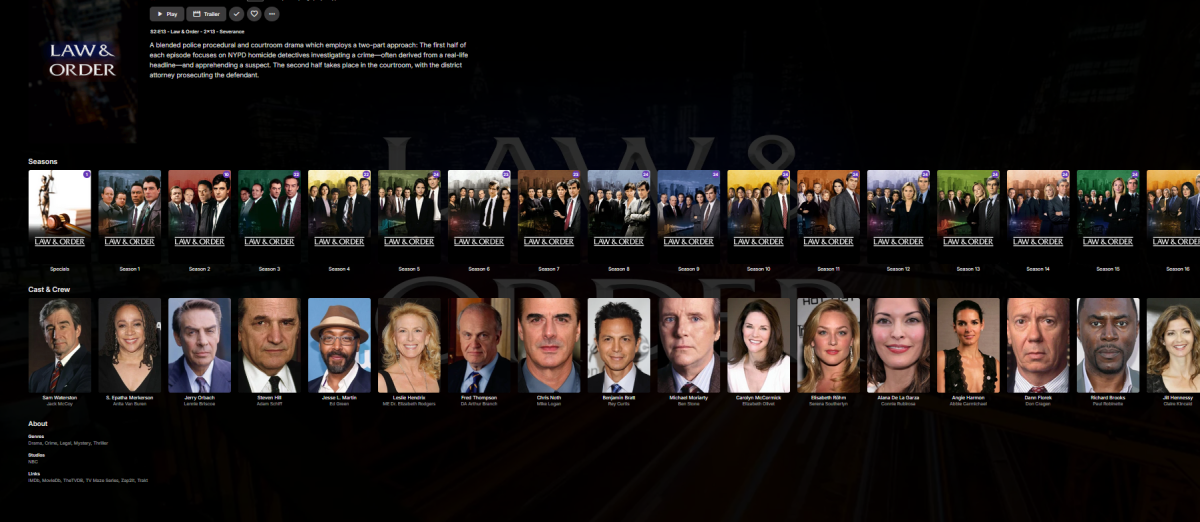
Ok, honestly that's perfect. I don't want anything there, but seasons, cast list, and the about section. I want everything else gone. lol This is perfect! Just how I want it! Thanks Again!
 1 point
 -
Tbh Emby has always preferred /movies/movie name/movie file So each movie in it's own folder. And since you are using something like this. /movie/a/movie file /movie/b/movie file etc. how did you add that to you movie library ? /movie/ Will work if you are lucky Or did you add it like this. /movie/a/ /movie/b/1 point
-
What happens if you just put this? This is just a test as it will remove more than expected. div.seriesScheduleSection {display: none;}1 point
-
Hi, yes we need to look at adding dash support into our ffmpeg build. Thanks.1 point
-
Hi, there's already an open request for this or something functionally equivalent. Please join in and contribute to the existing discussion at:1 point
-
just had the same issue, my previous EPG provider i used to line up the channels of some 10,000 channels or more.. (not sure exacly how many channels I have between 3 providers and 1 quad happy and 1 quad HD happy tuners...) DRM Sucks by the way wish they would stop using that on OTA.. anyways.. on topic.. I have no control over how well emby searches my XML lists I have added for the EPG for each channel. When I delete the no good EPG provider, EMBY no longer has done anything to fix the EPG on the m3u's that are existing. Also when I add any m3u, unless I convert the m3u to point at some random numbers found insepecting elements of html, then I am screwed and i am forced to manually set each channel one at a time. This is only good for bad allignments.. this is not a methode of setting all channels. I dont care if it is 10 channels or 1000's I remember bringing this topic up years ago... It has been improved with a nice channel editor,,, however with 1000's of channels the editor is only good for starting at the top going down. Its easier for me to earch the channel one at a time.. example history and then set each source and country one at a time with the pull down in meta editor. However, this has goin long enough, I would like to see some sort of adjustments on how emby searchs to match the channels for either all xml set or if its picky, at least we can set it to search one xml set with a ratio match adjustment from .1 to 10 i believe is how iptveditor web does it. It makes no sense for us to resort to external programs or websites that cost us additional money, when that money should be going to EMBY. I'm not paying another payment to other companies. I'm counting on EMBY to evently get this issue resolved so we can have a better EPG for everyone. If the work or option cost the server owners, I do not care. It just needs to be done. If everyone pitches in just $1 to the team for better auto EPG,,, I'm sure we would all digg that out of out pockets.1 point
-
I would start here Movie Naming I use this format when adding movies. Example. Movie folder : A Quiet Place Part II (2021) {TmdbId-520763} Movie file : A Quiet Place Part II (2021) {TmdbId-520763}.mkv Try that and see if that helps. Adding (yyyy) to folder and file helps a lot. But adding Tmdbid, add an extra help for Emby. I have see several movies with the same name and release year, pop up over the years.1 point
-
easy, no problem, I fixed it myself. In the xml folder open the VideoFullScreen.xml and change the value of line 96 and 106 from 100 to 170. That worked for me1 point
-
Auch diesen Fehler gibt es in der 4.8.11.0 weiterhin. Ich weiß, Ihr schaut Euch das an.
 1 point
 -
The shield device is typically in sleep mode, but I usually as a matter of habit will always restart the kodi app to ensure the update routine engages. And yes, startup sync is always on. embyserver (1).txt1 point
-
Upon a quick glance it appears to be the type of subtitles in the files that are causing the problem. In the NOT WORKING you have the error Warning: Hardware-accelerated subtitle-overlay is disabled due to diagnostic option and that message is not in your working one as the subtitles are subrip format vs .ass in the NOT WORKING files. I believe this is confirmed later on in the log with 08:32:36.176 [matroska,webm @ 0x1387e40] Could not find codec parameters for stream 3 (Attachment: none): unknown codec Consider increasing the value for the 'analyzeduration' (0) and 'probesize' (5000000) options <-- stream 3 is your .ass subtitle and this repeats for every font. It's possible you are missing fonts, I am not certain as I'm not an expert on reading these logs. Maybe try burning in the subtitles? Hopefully someone with better knowledge comes forward.1 point
-
Go to this page and look at the several links starting with Movie naming. That should help. https://emby.media/support/articles/Library-Setup.html1 point
-
Refresh metadata "Search for Missing" should do exactly that.1 point
-
Changing the permissions on the files fixed it. Thanks.1 point
-
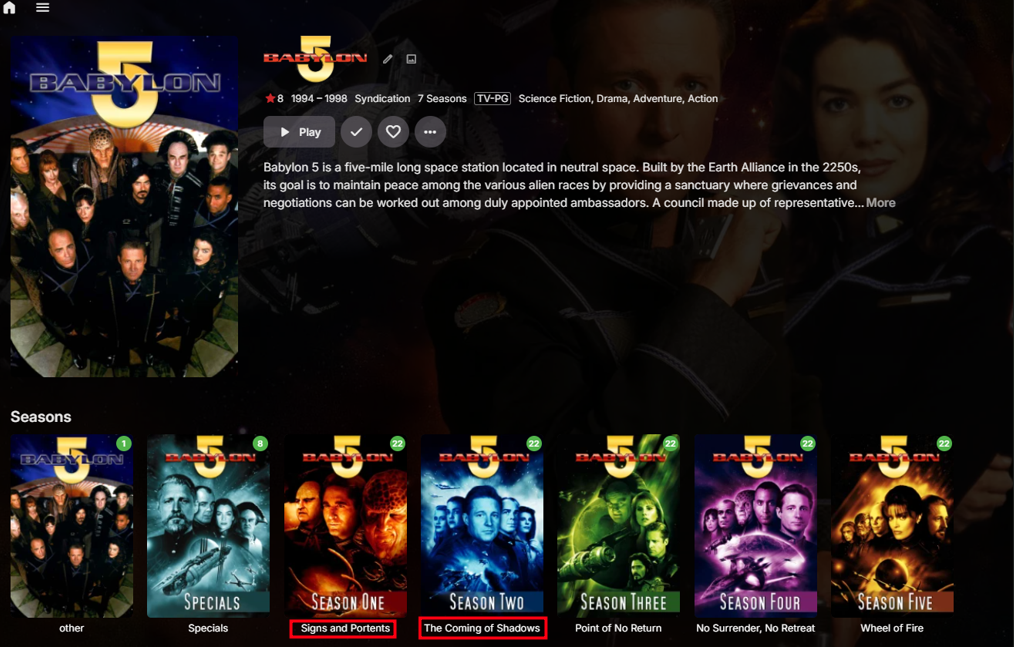
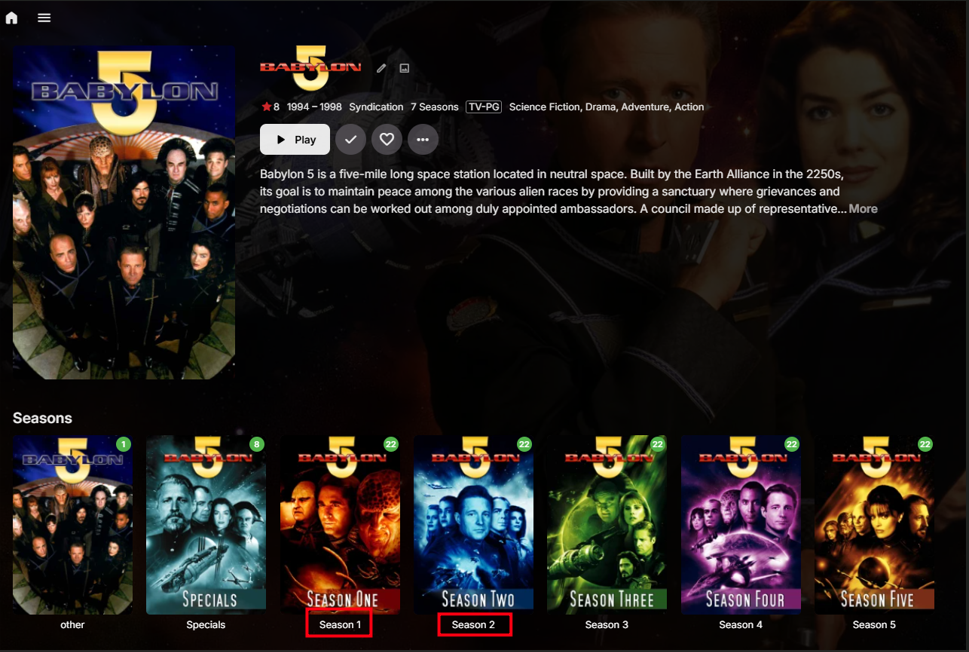
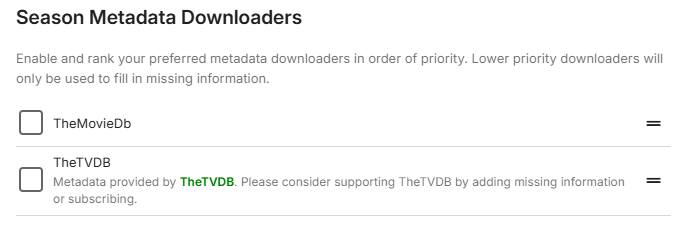
Thanks @LukeJust did a test on 4.9.0.46 Unticking Season metadata providers and refresh all metadata now reverts season naming With Season metadata enabled. With Season metadata disabled and a refresh all metadata on "Babylon 5". How ever there is still no description of what Season metadata does. I will mark this as solved, in upcoming release 4.9.
 1 point
 -
Any enthusiasm for this has long gone for me, though admittedly I'll probably get some of it back when it eventually turns up, hopefully before the children retire.1 point
-
Stream #0:0: Video: hevc (Main), yuv420p(tv, bt709), 1440x1080, SAR 1:1 DAR 4:3, Level 120, 29.97 fps, 29.97 tbr, 1k tbn, Start-Time 0.968s (default) 1440x1080 is not 4:3 aspect ratio. It is 1080 anamorphic. The Roku does not support direct playback of anamorphic video inside HEVC. The resulting playback will be incorrect. The video is being copied and the audio is being converted. This is changing the container and using ffmpeg. But because the video is copied directly this is a Roku issue and not an Emby issue. You can fix it during playback using the Roku app. You can press down during playback and open the OSD. Find the cog/gear and click it. On the playback menu find the "Attempt Playback Correction" button and click it once. That should cause full transcoding and may properly scale the video for playback. We will update the playback profile for the Roku to add the anamorphic = false restriction to the HEVC profile. Thank you for the issue report. Reference: Fix #1675: [Capabilities] Do NOT allow HEVC to playback anamorphic video1 point