Leaderboard




Popular Content
Showing content with the highest reputation on 04/04/25 in all areas
-
Collection inside of collection has been ask for for a LONG time but, so for, there is no movement on that front. But since movies can be in multiple collections there is no reason that a collection like you desire could not have movies from other collections. I have a rather large "horror" collection and i also have a werewolf collection and "Werewolf of London" appears in both. It is not exactly the same as having a collection inside of a collection but it works pretty well.2 points
-
Thank you to all who have provided their insight. I managed to narrow down the issue. The issue was actually on the subtitles stream (ASS format) and not the video stream as I was assuming. So it does seem that the TV is old/dieing as pointed out by @SamES. As a temporary solution, I created a script to extract the ASS subtitles into plain SRT format. For anyone interested, or who may come across this post: (replace fd with find) #!/bin/bash # shellcheck disable=SC2181 RED='\033[0;31m' GREEN='\033[0;32m' NC='\033[0m' fd -e mkv | while read -r file; do subs_stream=$(ffprobe -loglevel error -select_streams s -show_entries stream=index:stream_tags=language -of csv=p=0 "${file}" | rg eng) if (($? != 0)); then echo -e "${RED}${file}${NC}: Failed to detect subtitle stream." continue fi stream_no=$(cut -d',' -f1 <<<"${subs_stream}") ffmpeg -nostdin -loglevel 24 -y -i "${file}" -map "0:${stream_no}" -c:s text -f srt "${file%.mkv}.en.srt" if (($? != 0)); then echo -e "${RED}${file}: Something went wrong. Existing.${NC}" exit 1 fi echo -e "${GREEN}${file}${NC}: Subtitles extracted successfully." done2 points
-
Hi, there isn't, but I agree that it's something we should look at adding. Thanks.2 points
-
TheTVDB now supports more alternative orders than just Aired/Absolute/DVD. Can Emby query these additional orders and add them as options? Two examples of shows I've seen this used are Re:Zero which has a "Director's Cut" display order and Money Heist which has a "Netflix" order. https://thetvdb.com/series/re-zero-starting-life-in-another-world https://thetvdb.com/series/la-casa-de-papel1 point
-
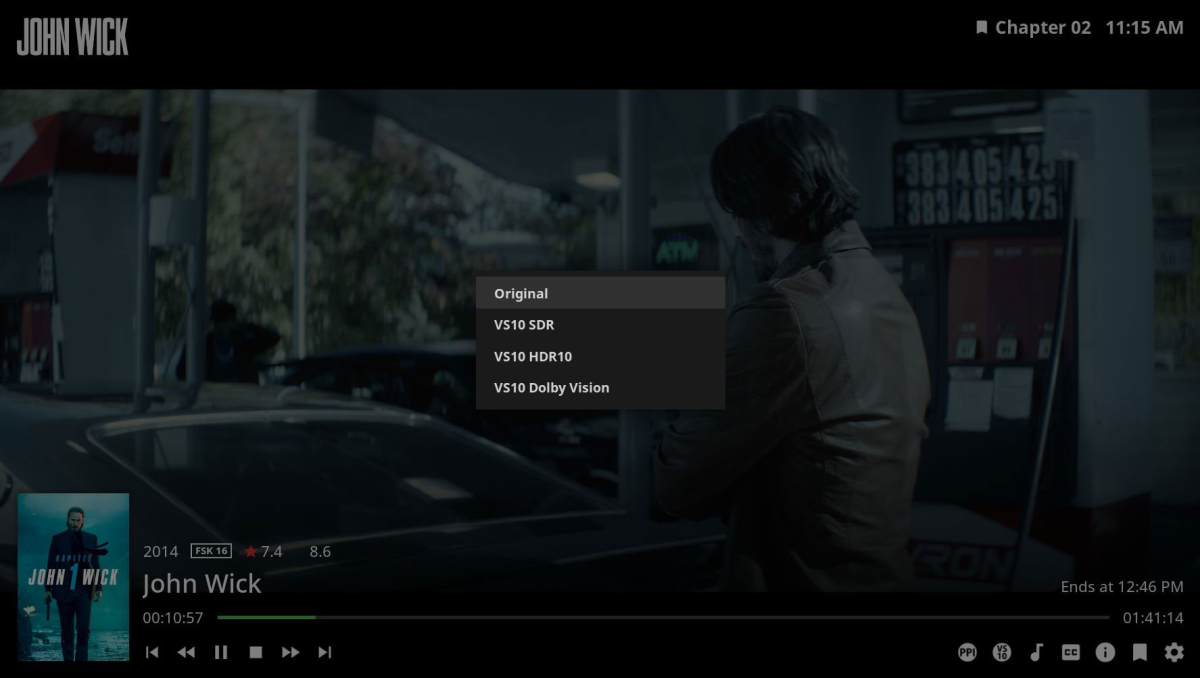
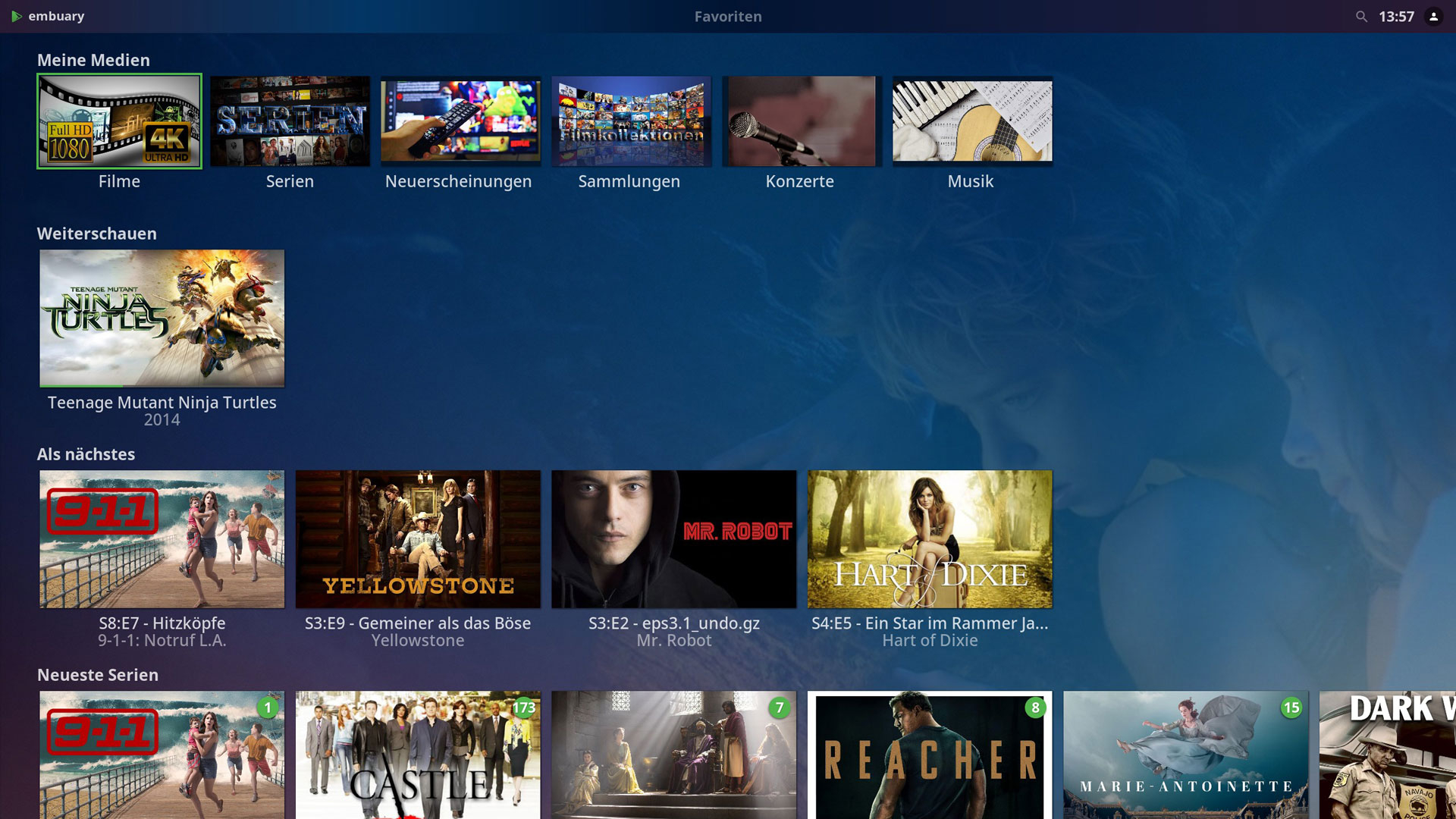
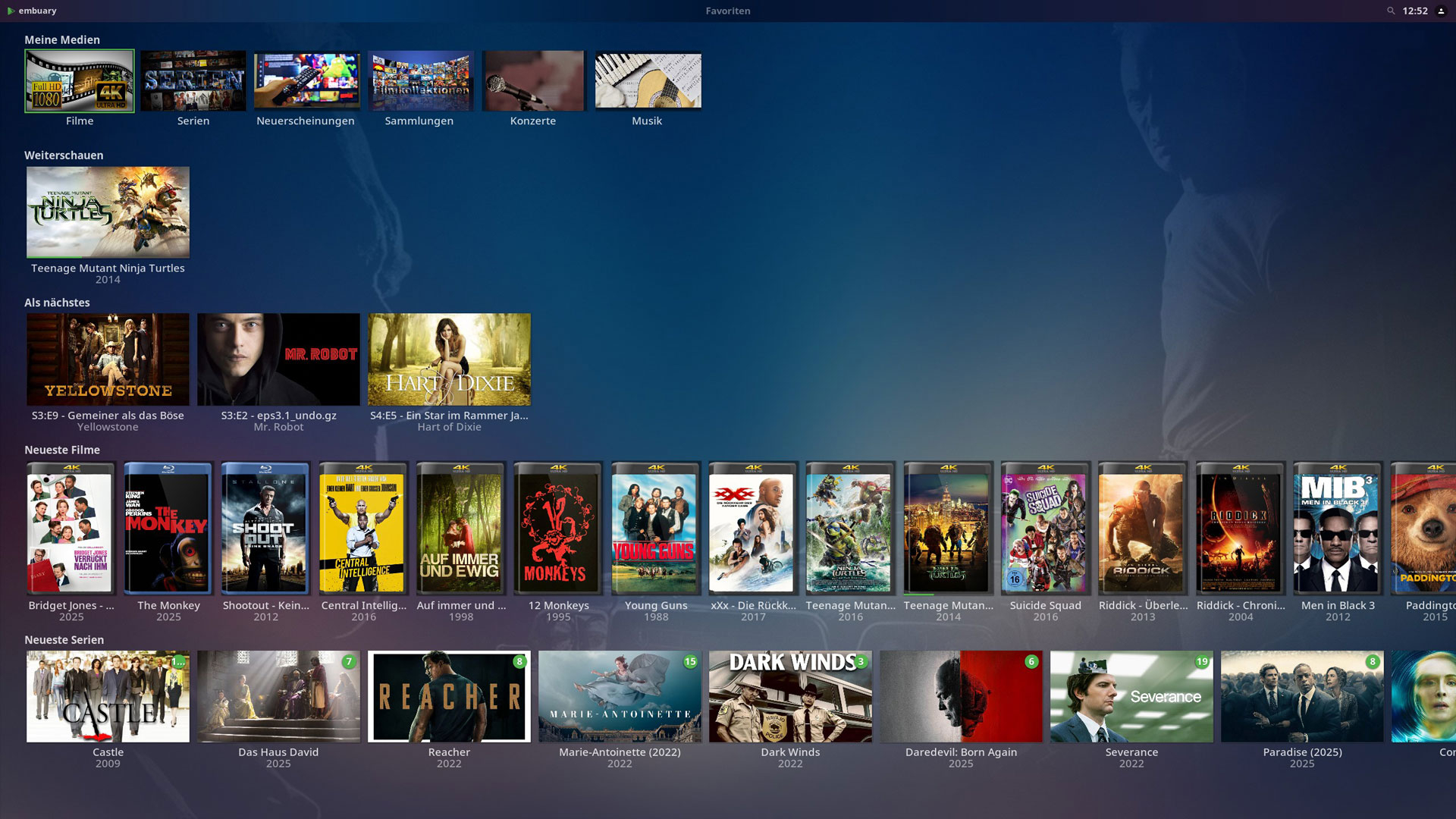
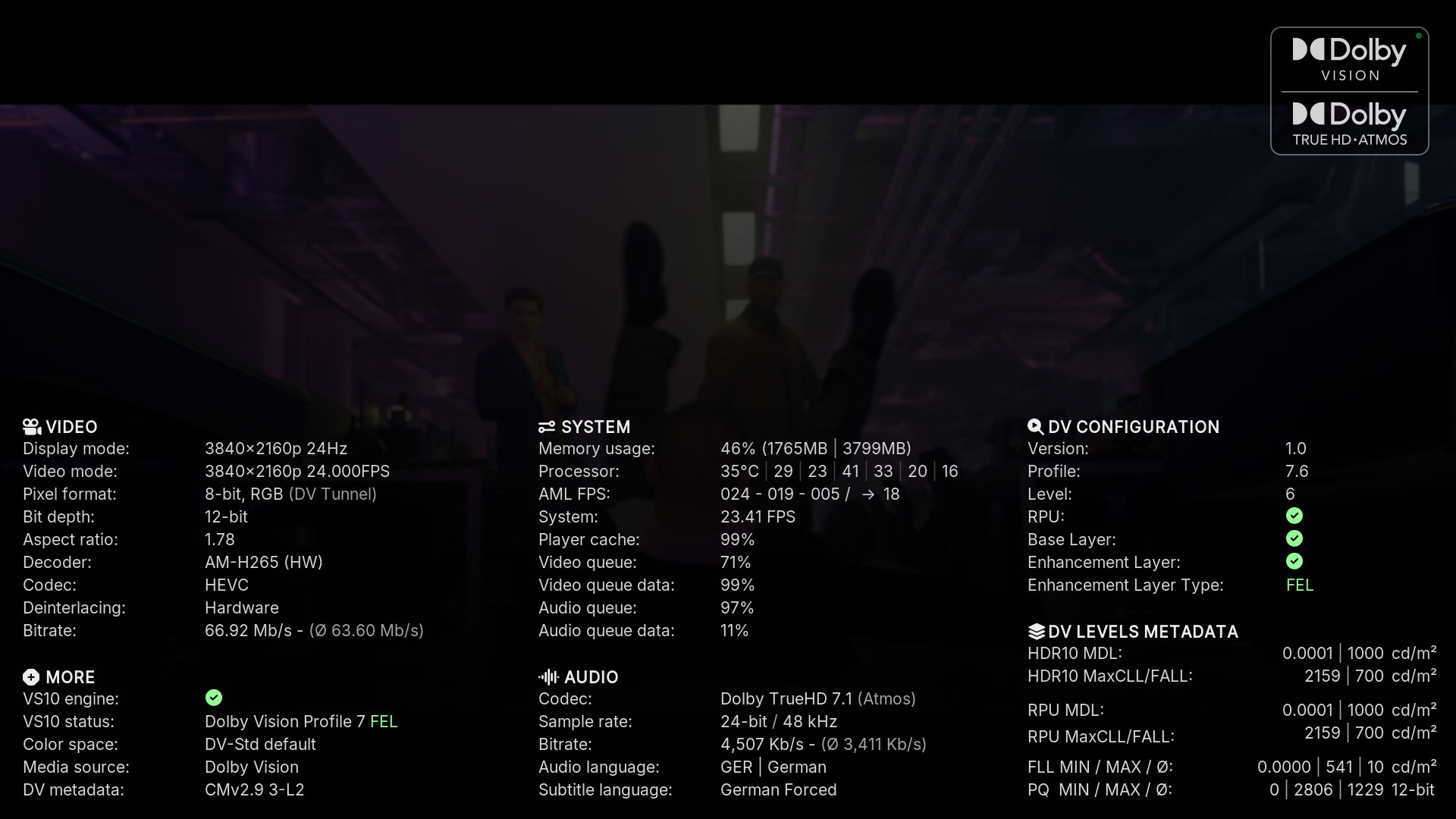
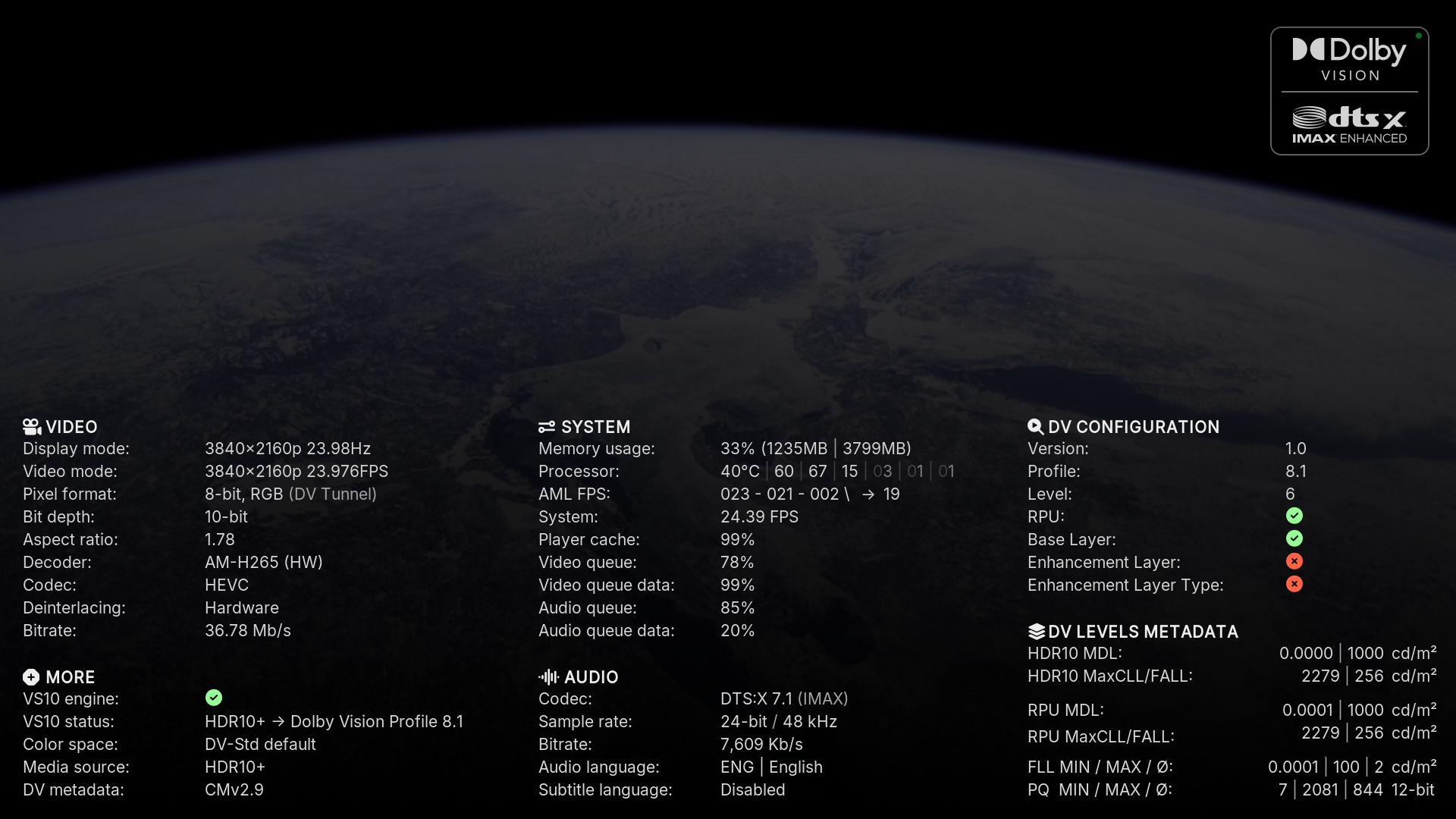
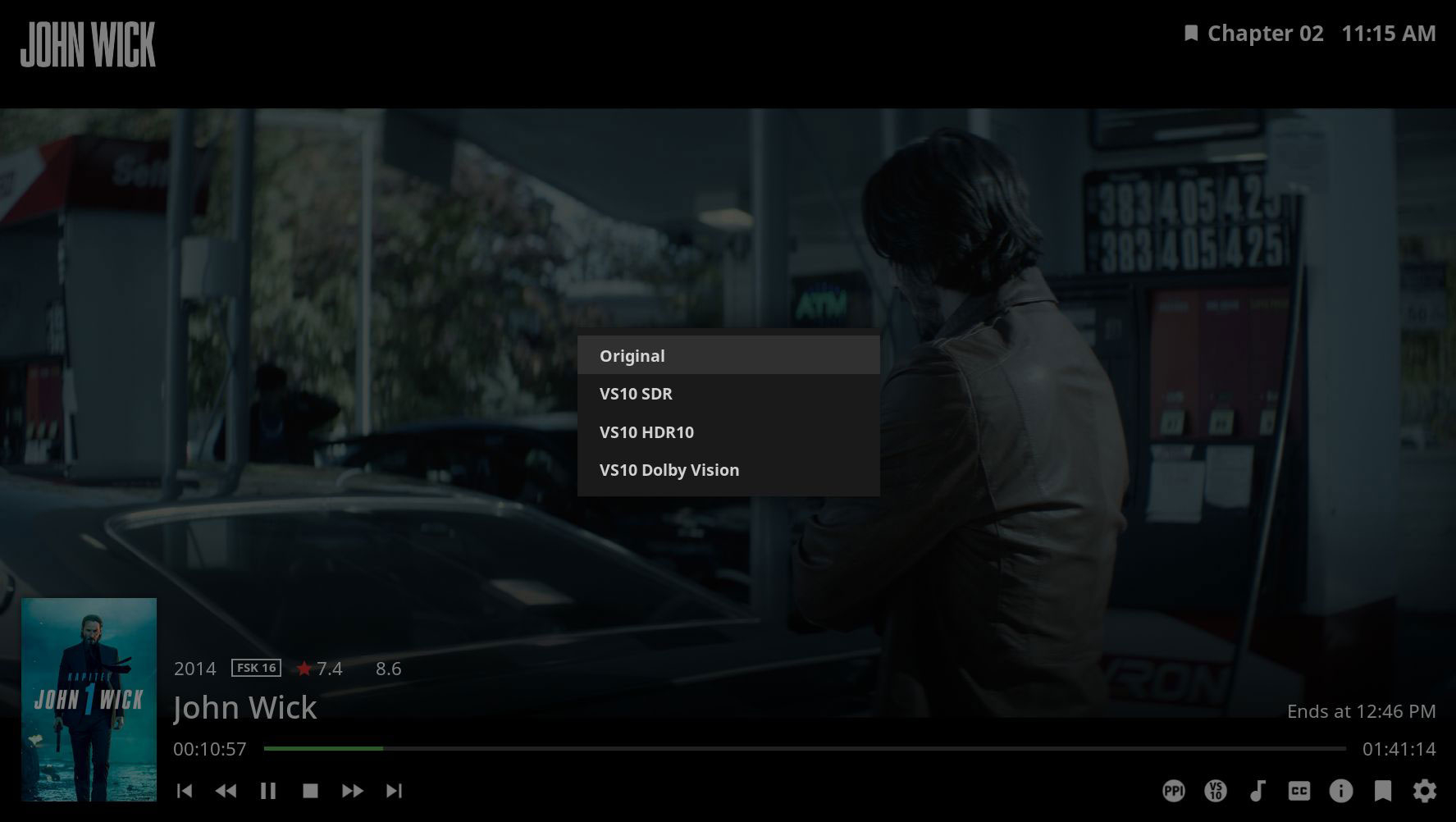
____________________________________________________________________________________________________ Auch wenn ich hier eigentlich nicht weitermachen wollte, so möchte ich euch die neuen Modifikationen nicht vorenthalten. Und damit hier nicht ständig neue Dateien hochgeladen werden, hab ich eine Repository auf Github erstellt. In Zukunft könnt ihr die aktuellste Version immer dort herunter laden. https://github.com/Teddyknuddel/embuary.omega _____________________________________________________________________________________________________ Even though I didn't really want to continue here, I don't want to withhold the new modifications from you. And so that new files are not constantly being uploaded here, I have created a repository on Github. In future you can always download the latest version there. https://github.com/Teddyknuddel/embuary.omega _____________________________________________________________________________________________________ Changelog: [B]Version 21.0.1[/B] - Changes by jamal2367 - Added two buttons in the video OSD for "PlayerProcessInfo" and "VS10." - Modified PlayerProcessInfo - Codec logos, which can be set in the settings under "Playback & Media" at the bottom - Improved audio codec detection [B]Version 19.0.2[/B] - Changes by Teddyknuddel - Added 4k Resolution - Compatibility for Kodi 21 (Omega) [B]Version 18.8.8[/B] - Changes by sualfred - Added support for new Artist Slideshow version - Added busy spinner to genre window - Cleanup _____________________________________________________________________________________________________ 2K Version 4K Version Playerprocessinfo Playerprocessinfo New buttons VS10 Mode _____________________________________________________________________________________________________ VS10 Mode ist nur mit CoreELEC Omega Nighlty CPM nutzbar _____________________________________________________________________________________________________ VS10 mode can only be used with CoreELEC Omega Nightly CPM _____________________________________________________________________________________________________ Haftungsausschluss: Ich übernehme keinerlei Haftung für Schäden an der Hardware. Installation auf eigene Gefahr. Des weiteren: Sollte etwas nicht funktionieren, erwartet bitte nicht, dass ich es sofort erledige. Wenn es in meinen Möglichkeiten liegt, werde ich es korrigieren. Wenn nicht, dann müsst ihr selber dazu beitragen. _____________________________________________________________________________________________________ Disclaimer: I accept no liability for damage to the hardware. Installation at your own risk. Furthermore: If something does not work, please do not expect me to fix it immediately. If it is within my possibilities, I will correct it. If not, you will have to do it yourself.


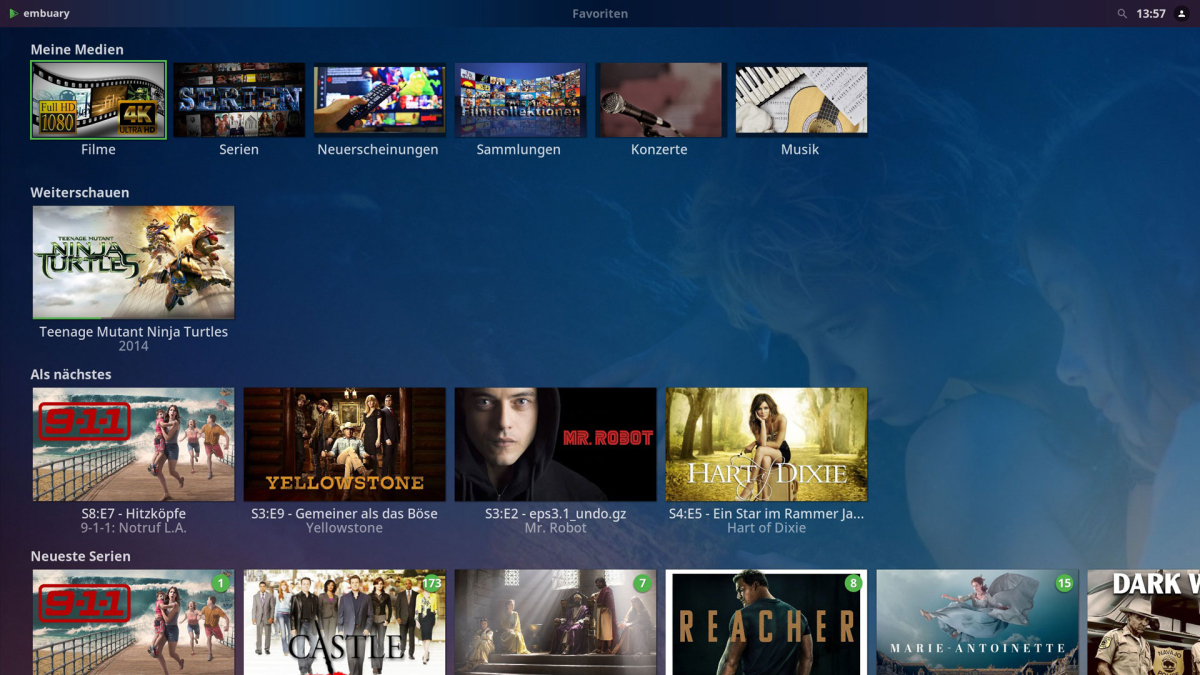
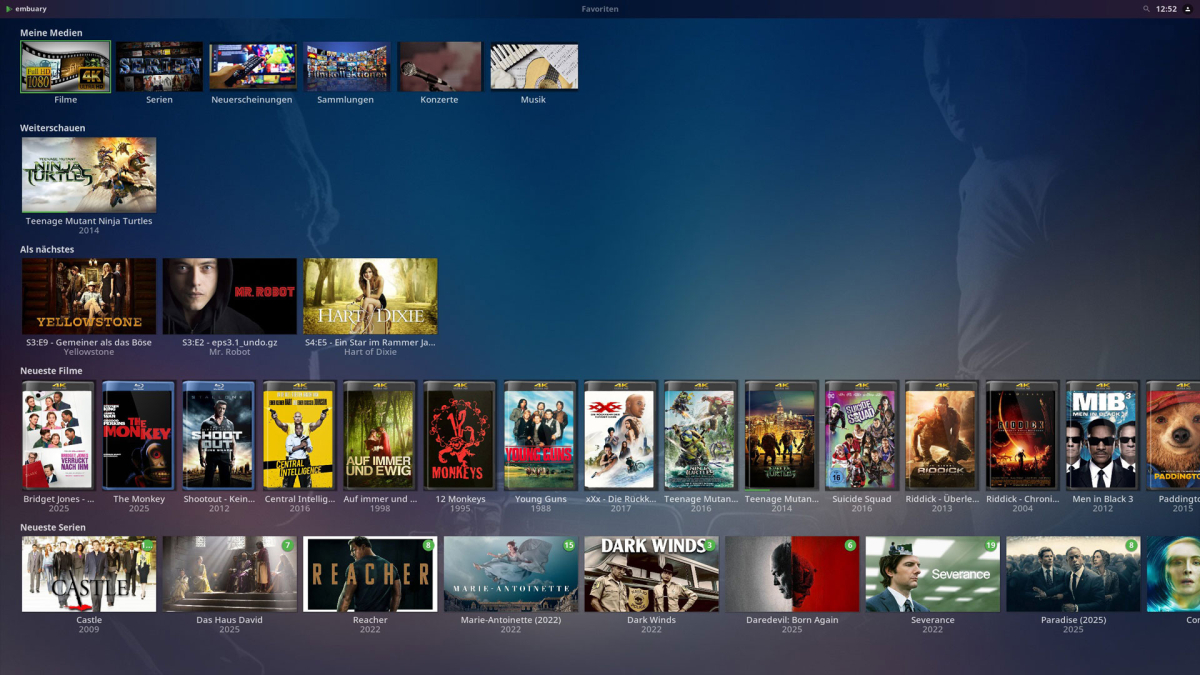
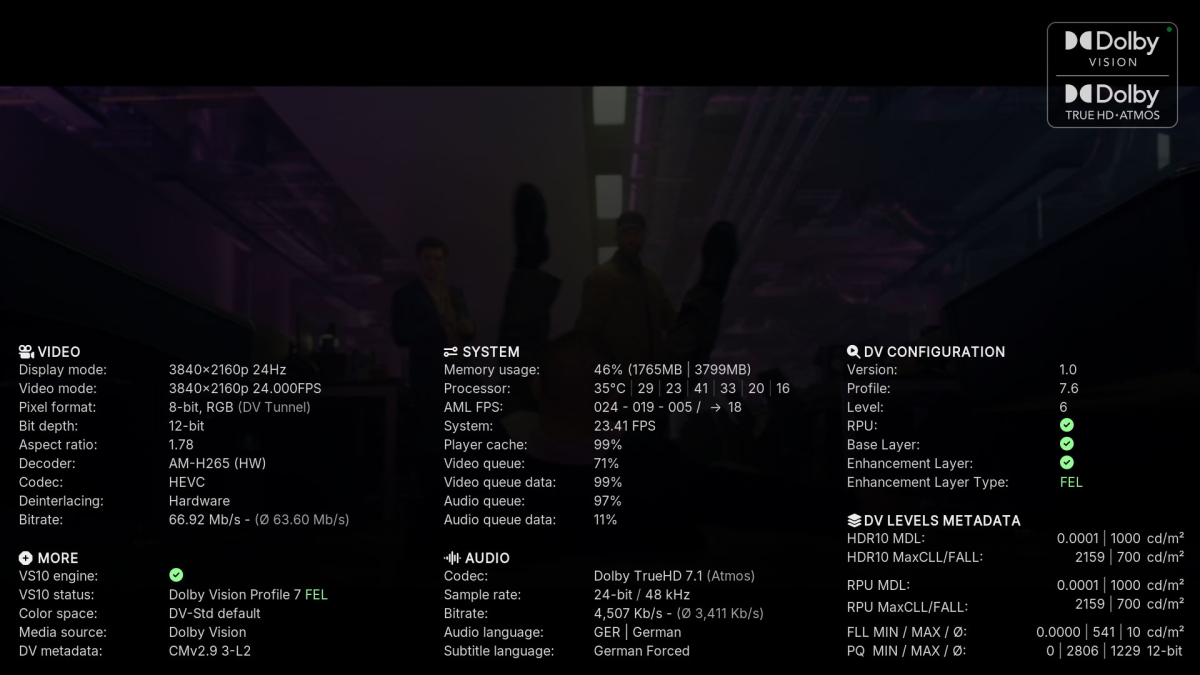
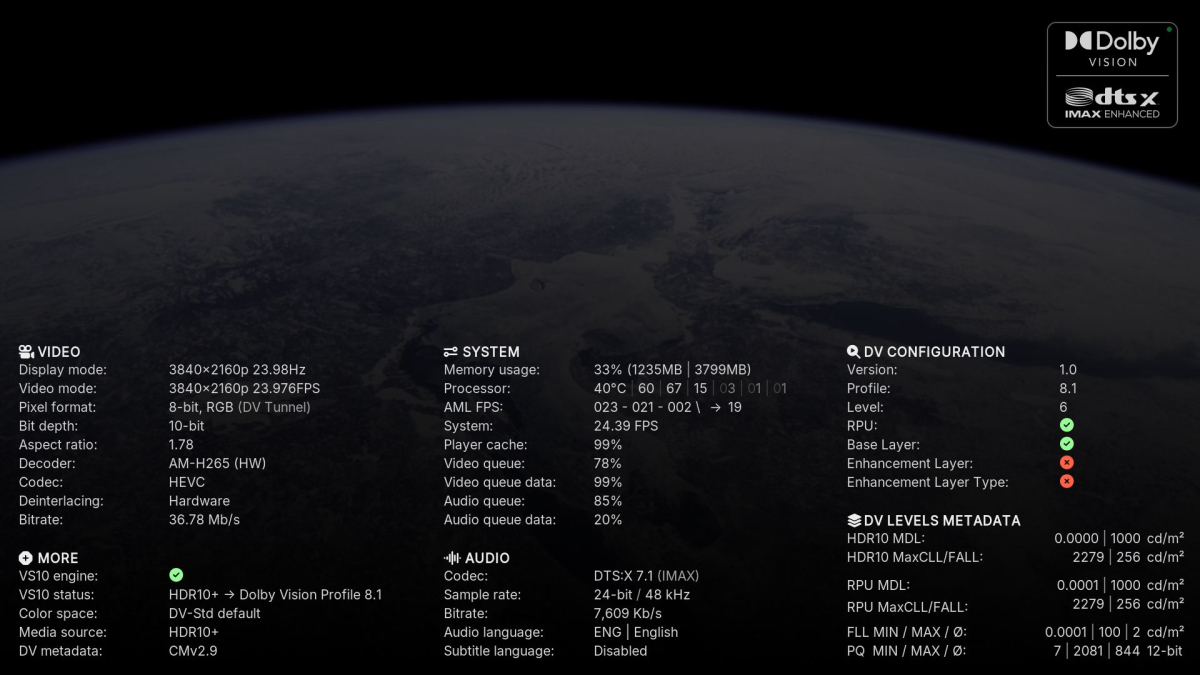

 1 point
 -
Hi, New user here, could someone please confirm there is no built in smart playlist ability with emby or any plans to add it? As I understand you need to use a 3rd party plugin? Thanks.1 point
-
I know the answer to this is probably going to be no..... ...but.... A standalone music player for iOS would be very useful. Trying to get the wife to use the full client for music is just not happening. Something that was simple and intuative and quick and easy to use would be killer, something like spotify. The simpler the app is to use, the better. If all else fails, I have a project that's on the back burner that was an iOS music player for subsonic, but I could always target emby as well. It had an spotify a-like interface. Screenshot from as far as I got with the UI, it was playing back music from the server.1 point
-
Doh. Ok, thanks. It appears I can't get LockedFields so I will get the data via separate call. Thanks.1 point
-
if that may help theater-63879382946.txt1 point
-
Same here both on Win11 home and pro Web (server:8096) and iPhone app both work fine1 point
-
As far as I can tell, if you ever create a collection (regardless if you use ACdb or not), Collections show up in your library settings. The fact that you cannot delete is not related to ACdb.1 point
-
I'll add the fix in both versions1 point
-
Da kommt ein 404er. Vielleicht nicht oeffentlich zugaenglich? Das einziges Repo ist das hier https://github.com/Teddyknuddel/embuary1 point
-
Non-Plugin open source Emby Webhooks handler to control scenes on a Philips Hue bridge. Release executables for Windows and a few other operating systems, but only Windows has been tested by me. See the PDF in the release, or source in Doc folder, to see how to configure and use it. Current Release Source1 point
-
I am throwing in the Dune HD Homatics Box R 4K Plus or the Dune HD Premier 4K Pro. Known for its powerful hardware, smooth performance, and Android TV integration, the DuneHD Boxes are often considered one of the best options for running Emby, offering 4K streaming and support for various formats.1 point
-
Whatever has been changed has made a difference. The key fix is that the beta Emby now extracts the thumbnails from those troublesome videos. The speed of extraction may be subjective as I said it "seems" faster but it could have been my perception.1 point
-
Ok, I'll check it.1 point
-
Even after years, unfortunately still no update, is anything planned? Thanks for the workaround with Jellyfin, that's what I'll have to do now.1 point
-
Hi, have you tried again with Emby for LG 1.0.46?1 point
-
Now that you've deleted those, I would remove and recreate the library again. That should do it.1 point
-
HI, we'll take a look at it. Thanks.1 point
-
<update> after a head throbbing learning curve found the number and was able to downgrade successfully to 2.2.36. Need those audio books in my life.1 point
-
Thanks for your quick response!1 point
-
Greetings - Install Premier and can now manage Live TV and playlists. In response to this thread 'looping' with the IPTV provider I'm using If I attempt to record two programs simultaneously I do get this looping behavior - I also experienced this with NextPVR. Trickey solution: I have multiple accounts with my IPTV provider If I edit the m3u playlist so that shows to be recorded simultaneously reside in the playlist with different credentials the recordings record perfectly. Frankly this is a pain but for my needs it's a solution. My IPTV provider does say 1 user max per account. I will be seeking out a different IPTV provider that allows for multiple connections on the same account - even it it has an associated cost. The real odd thing here is that ProgDVB and ProgTV3 can make a simultaneous recordings using the same IPTV provider - that said I would not recommend those products to anyone - UI is terrible, and so so many bugs a tap in the wrong places freezes the ProgDVB server - and that happens often. And worse still it will cost you nearly 50 bucks to find all this out the hard way. So far I'm liking emby - just need to figure out everything. Jan1 point
-
That's understandable1 point
-
All is good here and working smoothly. Thanks @Carlo1 point
-
Reason why people here thinks it's not a big demand for this is surely because users aren't even aware about this feature. This is a very new way of watching content together. If this was marketed by, for example, Netflix, it would become wildly popular. I do this all the time with friends and family but with other apps, would be both amazing and great for Emby to implement this so, for example, all of my users on my server would do movie nights together, especially split families.1 point
-
Hi, we’re looking into improving this. Thanks guys.1 point
-
So if I have this right, Emby's stance is that no one who installs their app should ever want their monitors to run at over 120hz, for games or any other reason, so they're automatically forcing all monitors down to 120hz every time anyone plays anything in the app, with no option to return to them to normal afterward? And this is intentional? I want to be clear that I'm not trying to be confrontational. I respect differing opinions. But I would strongly suggest you reconsider whatever train of thought led you to believe people would be okay with that. If you don't play games that's fine, if you don't see a difference in the way higher fps looks generally that's fine. But there's a whole world of things outside your (or any one) app, and doing something that affects the whole system in that way, with no alternative, is not ok. For me I noticed when some of my games became unplayably glitchy because of the framerate mismatch. And yes, I could change their internal target to 120 instead of 180, but VA panels (which are common) look significantly worse in their brightness, color, and motion when working below their maximum refresh rate. It's why I personally never use Freesync. You don't really need to parse any of that, but I assure you my usage is quite common. And no one should have to justify being allowed to use a high refresh rate monitor to its fullest. It's a neat solution you guys have come up with. It should absolutely not be a requirement for using Emby.1 point
-
What subtitle types are you referring to? Your image shows ASS. If it is the case that it is always ASS subtitles that take a while to start then that is due to the age of the TV. The ASS subtitle renderer is quite complex and can take up to a minute in some cases to load. Ensuring that the subtitle stream has the correct language included (ie: Language: English in your example) as this will ensure it only loads the minimally required fonts which can make it a bit quicker to start. If it is other subtitle types, not ASS then please provide some examples You would need to provide some specific examples, Please try and determine the playback type (DirectPlay, transcode, etc) from Stats for Nerds during playback or from the server so that we can narrow down the cause and note what the stream formats are. The file in your image should have no problem playing smoothly without stuttering. Is the server located on the same local lan as the TV or are you playing remotely? Stuttering/sync issues can be caused by network issues, server performance if transcoding or overloaded, very high bitrate files, incompatible formats or badly format video files. Make sure you are avoiding PGS subtitles as they will always cause transcoding which your server may not handle well.1 point
-
Frag, I think another log might be useful. I 'll let someone else, who knows the logs much better, respond. I've noticed that .ass subtitles embedded in .mkv media originating from blu-ray has a "short cut" time stamp for each line. Obviously, it works fine on blu-ray, but it does not seem to always open properly for HTML media playback or TV app. Unfortunately, you would have to extract the subtitle from .mkv file in order to fix this. You should be able to preview the subtitle in browser playback, by clicking on the .ass data box and choosing preview. You should be able to see the timeline individual lines. Also check there that the .ass file actually has the missing early subtitles you expected. Perhpas that is part of the problem. Have a look at my entry in a related post. https://emby.media/community/index.php?/topic/137265-media-subtitle-ass-format-playback/#comment-1433426 If you fix the .ass file, your subtitle issue may start working. As far as number 2 above, the player stopping; well, both the video h.264 HEVC and the audio AC3 would need transcoding for browser playback on workstations and many TV's. The fact that Samsung TV may handle both is nice, but it doesn't always get communicated perfectly. I don't know the code well enough to say for sure. I think, if you pause and click forward or back on the timeline, it may require that all the steps to confirm that the TV connection can play direct have to reinitialize and clicking multiple times, pause, go, new position on the timeline may screw up that data stream connection enough that direct playback stutters or even stops. I would guess if you had tested codecs that never need transcoding and play direct on everything like a similar bitrate demo video in h.264 .mp4 and AAC audio with separate correctly formated .ass subtitle, that everything would playback fine without any issues and you could jump around the timeline all you want. I am not saying you have to convert your media, but if the basic codecs that never need transcoding work, then it would point to the issue that syncing direct play on h.265 and AC3 audio may not work flawlessly when there is any interruption in playback. No one likes to run these types of tests, but I think testing demo media that has no metadata or stream errors is helpful to see where the problem really is in your system and / or there is something needing a fix with the Emby direct play process. Hope that makes some sense.1 point
-
The best streaming box for Emby depends on your preferences and setup, but some popular choices include: NVIDIA Shield TV: Known for its powerful hardware, smooth performance, and Android TV integration, the NVIDIA Shield TV is often considered one of the best options for running Emby, offering 4K streaming and support for various formats. Apple TV 4K: With a sleek design and great performance, Apple TV 4K works well with Emby and offers an excellent user experience with support for high-quality video output. Amazon Fire TV Stick 4K: An affordable option that also supports 4K streaming and works well with Emby through its Emby app, offering a solid performance for its price. Roku Ultra: Roku devices offer an intuitive interface and good performance for streaming Emby content, though it may not be as powerful as others for demanding use cases.1 point
-
For $300, I'd just buy an N100 or N150, install LibreElec or go full on Kodi as it apparently will do what we want, and call it a day. This price is insane.1 point
-
In this case, I see a solution to do with the remux the media and an script that could be used to reset info regarding media transcoding and cache. This is a media based issue that does not happen with other media, it really is more of a feature request to have some process to clean up playback issues with media that have active, "on" SubRip PGS subtitles plus certain combination of high res video and audio and maybe even the TV model or Wifi connection interference may also trigger transcoding. A fast network is great, but that's not everything involved in issues. It similar to a feature request to playback Dolby surround better. You can call it a bug, but for most users who don’t have this combination codecs video / audio + SubRip subtitles, don’t run into this issue. It’s really important to include logs and details with a nice QA step by step report, so the problem can be replicated. When I do QA for business and the dev team cannot replicate a report, it doesn’t go any further. It just gets thrown back and asks for a step by step process with any media examples so the issue can be seen. This forum post really took a long time to get enough information to even duplicate the problem. That why logs and examples are requested. Skipping this just makes trying to diagnose the issue many times more difficult. I understand not everyone does QA for a living. Trying to explain a complex issue is tricky. It is more helpful to actually respond with requested information and logs, rather than suggesting that it doesn't matter.1 point
-
I think the one thing we can all agree on is the enshittification of Plex continues. Regardless of when or if this feature request is added, there is going to be lots of opportunities to receive those of us that decide to leave Plex in search of a new product.1 point
-
Oh lord. So, looks like iOS has been requiring additional permissions for Emby since I don't when. I'm testing things now to be super sure, but I just found in iOS Settings -> Apps -> Emby that Local network access was disabled. Enabled that and tada, local network playback works. I'll keep testing and return.1 point
-
Because I'm not wrong. Makemkv added profile 7 support way back in 2022. Sorry. bye.1 point
-
what are you talking about? profile 7 has nothing to do with piracy, it's the dual layer DV that comes with bluray rips, so, for people (like me) who want to backup their blurays in their NAS for conviniency, way better than having to handle discs each time. pirated stuff comes generally in profile 5 (if webdl) or profile 8 (if bluray rip) and MakeMKV does not handle DV profiles at all, it just rips data bit by bit from bluray to mkv, you need other tools like dovi_tool to convert profile 7 to profile 8, and the result is losing the info on the enhanced layer (the color loses in fidelity, as some data will be lost) and HDR fallback, why? if your display can handle DV, why not use it at full potential? "There is a reason it is a bluray player only layer", the reason is that it needs a processor capable of dual layer handling (bluray players have, but also the amologic processor of the ugoos 6B+, so it plays it back properly with corelec and emby for kodi) physical media is absolutely not disappearing, it remains the reference in image and sound quality (especially for home theater owners, it would be ridiculous to have a good audio and projection setup and use it with streaming services and their limited bandwidth, as their maximum 4k has maybe 30 mbps or something like that, way lower than bluray) and, finally, the oppo player, you mentioned specifically for this particular use case, has problems playing DV profile 7 (color distortion, google it) how can someone be so condescending when he is wrong on every single point1 point
-
If you're going to play the FEL game, then you would just use an Oppo bluray player instead, or you could use MakeMKV to properly handle your DV layer rips. No one really cares about DV Profile 7, especialy as physical media is disappearing. If you have these files, they should be from your own backups, which means you can still play your discs, and any device will have HDR fallback for your rips. If you pirated them, that's not an Emby problem, and it is honestly not something they should even be working on because of the nature of the profile. There is a reason it is a bluray player only layer, and expecting any device to play it back properly is just plain ignorance.1 point
-
Check out must-haves like Emby Theater for seamless browsing, Subtitle Management for automatic downloads, and Themed Skins for personalized aesthetics.1 point
-
Does anyone know of a plugin or something that I could use in Emby that would provide an analysis of my music files? I'm looking for something that would create suggestion lists that are based on an analysis of the audio files themselves, rather than just genre tags (which even with MusicBrainz, are not always accurate). Honestly, I would even settle for a third party app that I could use that would output to an .m3u file that I could then dump into Emby's playlist folder at this point. Obligatory "Sorry if this has been asked before" statement.1 point
-
Elsewhere I added my request for a Recently Watched section. If Smart Playlists can accomplish this with the same ease (being part of the front page listing with libraries), then I’d be happy with this more general solution.1 point
-
It's a great idea for the future. thanks.1 point







.thumb.png.f4cb0545e98b51fd9b00e427622ab761.png)






.thumb.jpg.c75790b7d9d27e0415687d7d6d1197cf.jpg)