Leaderboard



.thumb.jpg.1f54bc515e3b7bfe3d3c54b738b21407.jpg)
Popular Content
Showing content with the highest reputation on 03/26/25 in all areas
-
@Lukethat’s what we’ve been doing since this change, every 24hrs we need to acquire a new pin with Trakt to sync again. the issue needs to be fixed at its core problem, but having to issue a new pin every 24hrs is not ideal.3 points
-
Emby Windows & Emby Xbox A new stable version 2.222.0.0 is available now. Please go to the Microsoft Store and check for updates. Changes 2.222.0 [Win] Don't wait for push channel creation on startup [Xbox] Enable HEVC Playback [Xbox] The EmbyPlus app is discontinued. EmbyPlus users will automatically transition to the regular app (2.222.0), which is now equal to the Plus app View the full article2 points
-
@Luke @SamES all fixed. Thank you very much.2 points
-
Never mind, my daughter had logged into her alt email account without noticing2 points
-
Hi, have you guys seen this?2 points
-
Great news it's a dynamic list ... Any hints on a beta release date @Luke?2 points
-
It has come to our attention that someone (we believe out of China) is spoofing our purchase page and reselling bogus Premiere keys. Please be aware that the only valid locations to purchase Premiere are our web site (https://emby.media/premiere) or inside one of our official apps. The scammers are using the domain "Emby.team" and are spoofing credit card receipts that look like they come from us and everything. If you happen to have fallen for one of these scams report it to your credit card company and please let us know at billingsupport@emby.media. I'm afraid we cannot do anything to help return your money but we can try to squash the perpetrators. Thanks.1 point
-
Emby Windows & Emby Xbox A new stable version 2.222.0.0 is available now. Please go to the Microsoft Store and check for updates. Changes 2.222.0 [Win] Don't wait for push channel creation on startup [Xbox] Enable HEVC Playback [Xbox] The EmbyPlus app is discontinued. EmbyPlus users will automatically transition to the regular app (2.222.0), which is now equal to the Plus app 2.221.0 [Win] Wintheme: Fix toggle button background [Win] Fix inconsistent refresh rate changes when hard-limiting [Win] AudioPlkayer: Fix exception when repeating a single song 2.219.0 [Win] MPV: Fix missing VO assignment1 point
-
I thought I'd share with everyone the AI theme templates I use for my Emby server. I decided to make some media images that sorta match the Emby green color while throwing in a splash of blue mixed into the theme. Check out the Read_Me.txt file I created that shows what websites I used along with search terms & settings to get the same results to create your own artwork. If you want to create your own, follow my steps in the read_me to generate an image then open a .xcf in the zip files below to add your own text while making it all match the theme. Read_Me.txt Download My Media Library icons: MyMedia_Icons.zip Download Genre icons: Genres_Icons.zip Both of these zip files also contain the .png images I created along with .xcf files so you can easily edit them or create your own as well. Read_Me.txt _________________________ To change the background on my emby home screen to match the color theme of the My Media Library icons with that green/blue image I saved this image I found online as bg1.jpg to my emby images directory : on linux: /opt/emby-server/system/dashboard-ui/images/bg1.jpg (I have no clue where this file-path is on windows/mac, maybe someone else with that knowledge can post those details below)): Then to apply it, I added the following custom CSS code: div.view-home-home {background-image: url("/web/images/bg1.jpg");background-size: cover;}/ (Keep in mind, custom CSS only applies for the WEBSITE, and does NOT apply to the TV apps so users connecting from a smart TV will NOT see the custom CSS changes) That's about it. Feel free to add to this thread & share if you create some cool additions! I hope this helps someone looking to add a little more to your server. Read_Me.txt
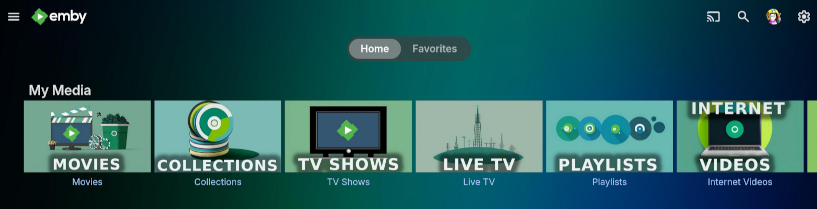
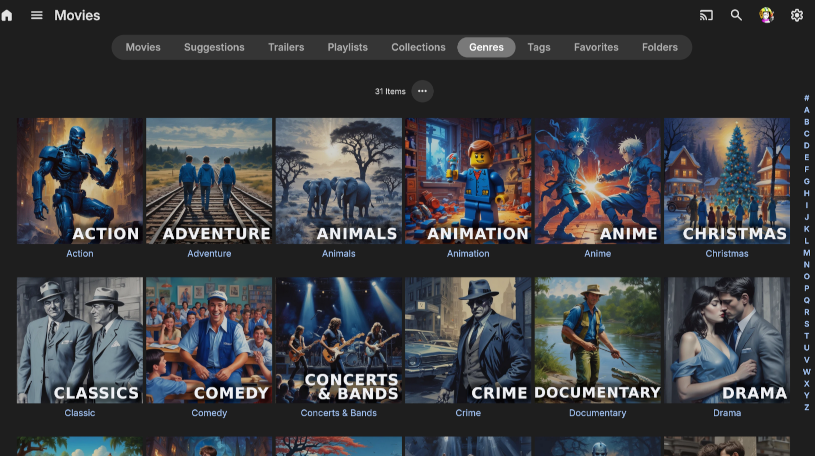
 1 point
 -
It's under library settings. You can set it per library. But it doesn't sound like a great solution and this description makes it very unappealing. It must have been pretty bad before. Even at 4x it is 4x slower than the old method. It's also very clunky, hold the button to trigger it, let go of the button then tap it 2 more times to go at max speed which is still quite slow. I'm having a hard time believing anyone who tested it thought it was better than the old method. Just put a movie on and try and seek to 1 hour into it and you will see what I mean. In any case, I think the real issue is it's been changed to the direction button hold command. What should have happened is the direction button hold was left as it was, and this stepped FF functionality should have been linked to the FF buttons.1 point
-
Yes you are correct, I wanted to delete my comment shortly after realising but could not..1 point
-
To be honest I was sort of expecting that As I've lived with using a 24hr clock for a very long time I'll not be worrying about it.1 point
-
In the "Emby for AndroidTV" app there is a settings where you can set the app to either convert to Dolby Audio or downmix to stereo, Try both options and see what happens.1 point
-
It's been over 24 hours since I requested a new pin and so far it looks like Emby is still scrobbling and running the task still works too. Fingers crossed it keeps working, but it's annoying having to monitor this.1 point
-
Emby Windows & Emby Xbox A new stable version 2.222.0.0 is available now. Please go to the Microsoft Store and check for updates. Changes 2.222.0 [Win] Don't wait for push channel creation on startup [Xbox] Enable HEVC Playback [Xbox] The EmbyPlus app is discontinued. EmbyPlus users will automatically transition to the regular app (2.222.0), which is now equal to the Plus app1 point
-
To turn them off, go to Emby library Edit in Libraries, uncheck the metadata fetchers for data and images, restart the Emby Server Process(Otherwise they dont turn off)1 point
-
Thanks for finding that Luke. I've switched to using the web interface untill Google pushes out a fix for the issue with Pixel phones.1 point
-
I noticed seeking changed a version or two ago but I never mentioned it. I have an LGB6OLED.... can't believe it's 9 years old this year. Previously pushing right on the remote would skip forward 30 seconds (based on settings). Holding right would seek quite quickly. eg) I could seek forward an hour in a couple of seconds. But since something changed I initially thought holding right didn't do anything and I've been tapping right multiple times to jump forward 30 seconds at a time. But I've just noticed if I hold it down it actually enters a x2 fast forward mode. If I let it go and push right again it goes to x3, x4 etc... the movie keeps playing normally while the seek bar counts forward. When I push ok it executes the seek to whatever the timer has counted up to. It's a very slow way to seek a 2 hour movie. I honestly don't understand the logic behind the current FF mode thing. Usually fast forward will move the movie forward at the same time so you can stop it when it gets the scene you are looking for. I think that scenario would be much more common than someone wanting to seek to specific time. Also, like I said, it's slow as balls even at 4x. I believe the old method just obeyed the forward seek setting (I have it at 30 seconds) so when you hold the direction button down it repeatedly jumps forward 30 seconds. You could easily seek forward 1 hour in 2 or 3 seconds, now it's a total slog. The old method was a lot better than the current setup.1 point
-
I wonder if @Lukecan provide more detail on what’s going on here, and if they are currently working with Trakt to correct this issue. Ever since Trakt updated their 0auth 24hr expiration token to 24hr from 3 months this hasn’t been reliable. In about an hour or so is when I expect the Trakt plugin will start throwing the forbidden and I have to get a new pin once again. Im not seeing this issue in other media server providers at this moment so it’s something within Embys plugin that needs to be corrected.1 point
-
I was not able to change rights, see my screenshots within my original post. At the end I added the remote folder by SMB. This works. Thanks1 point
-
Ahha. Realized that the schedule task is processing only infuse_sync.db and the file won't be removed with plugin uninstalling. Deleting infuse_sync.db while emby stopped then restart. Everything is fine now.1 point
-
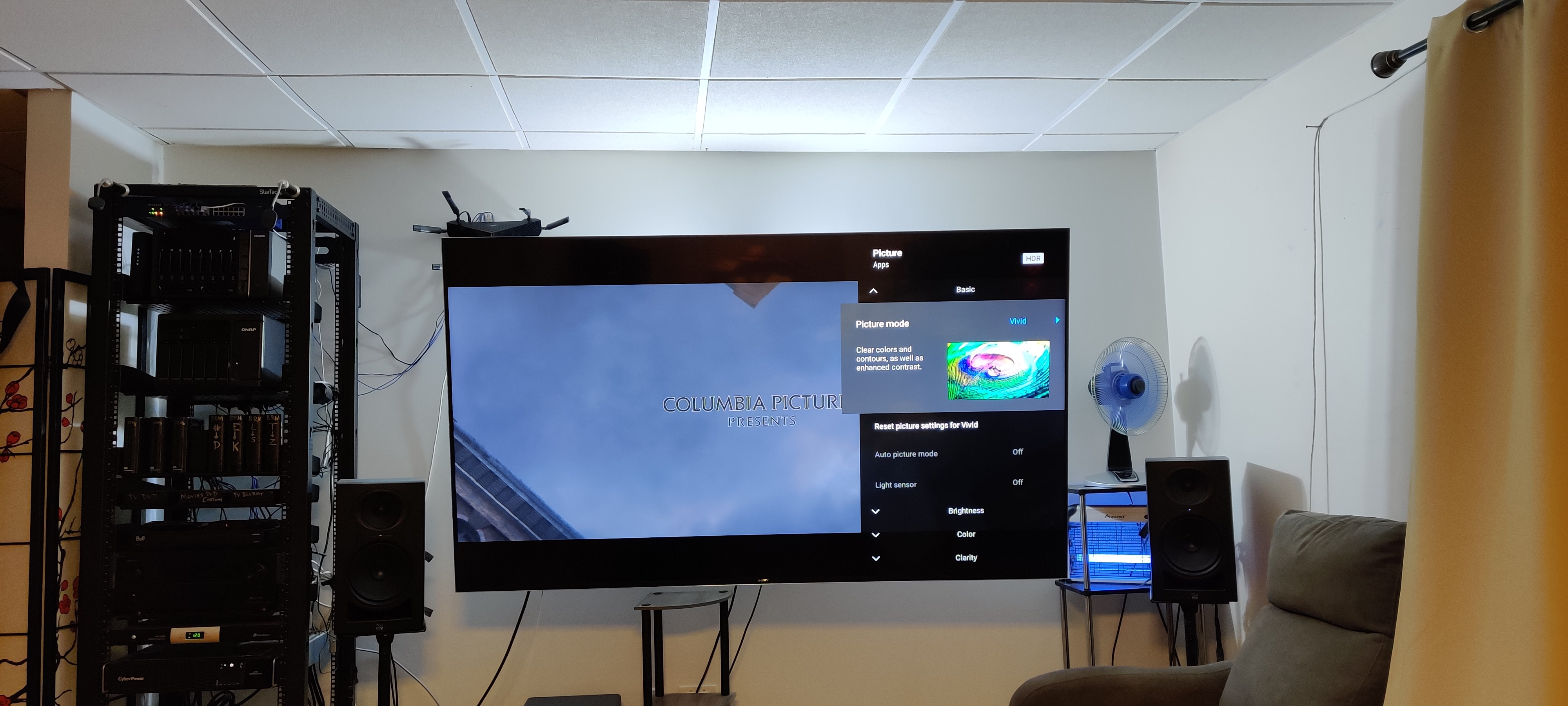
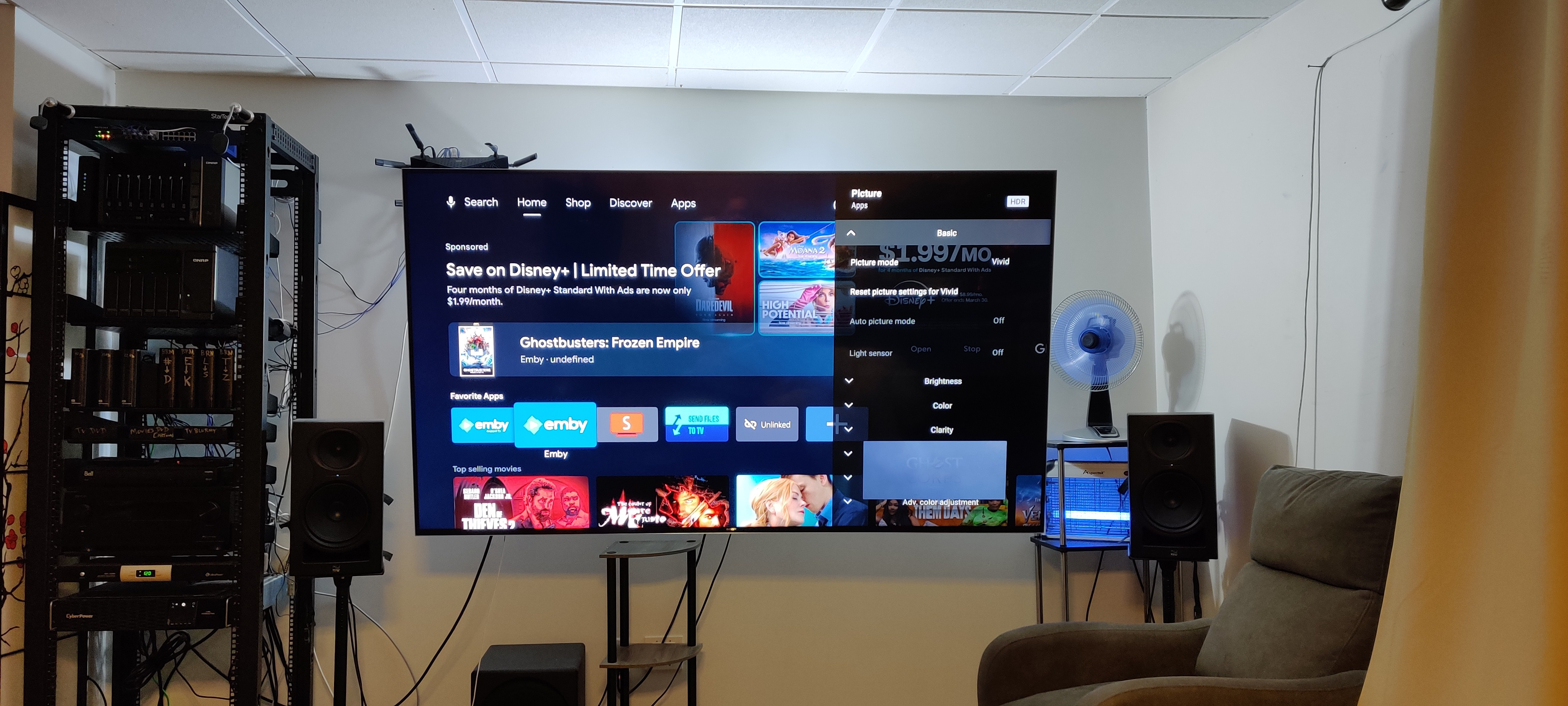
I have added it and for my use case I find it much more to my liking. Only thing that's weird is if I go to adjust picture settings in the Emby for Android app that I just added the background changes to my home screen with the movie playing in small box below. Makes it very difficult to adjust pic settings if you can't see anything. There's also no beep sound when moving around but that's no big deal. I wonder how would a person install their Custom CSS in the box they are using on their desktop and would it actually work? Pictures below. Emby for Android TV on top & Emby for Android on the bottom.
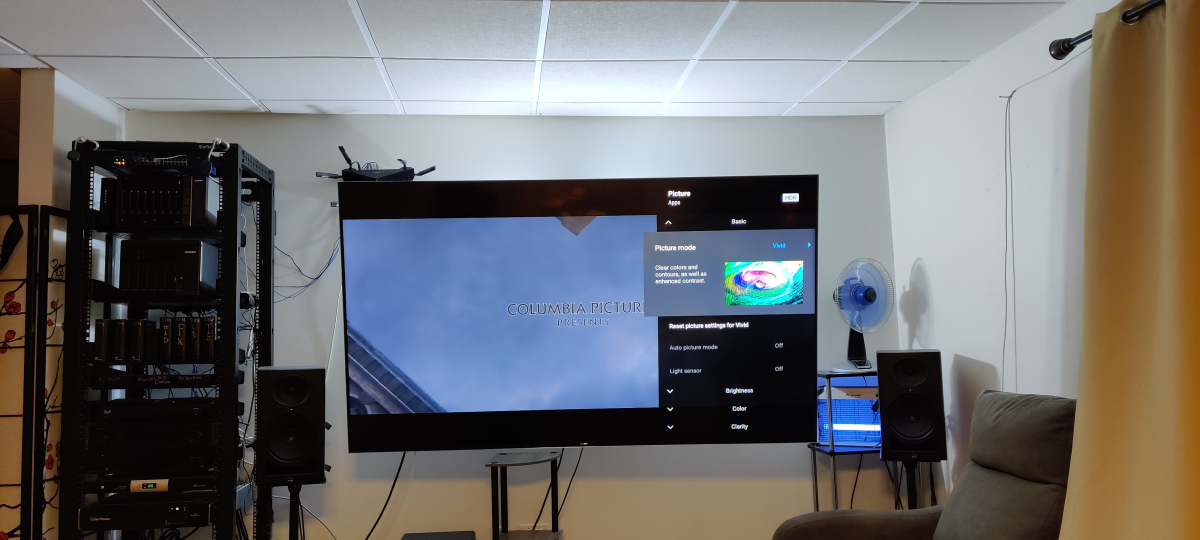
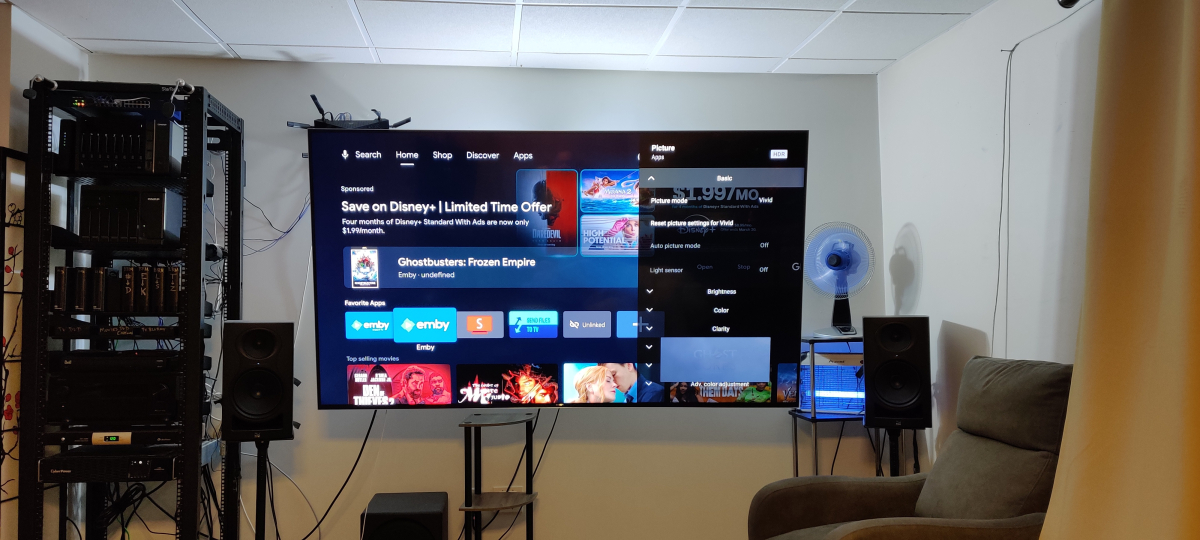 1 point
 -
The Emby team have plans to unify the apps, however there has been no date set for sunsetting the existing "TV" app. I imagine both will remain active for a while. Try them both out and see which one you prefer, they can happily co-exist on the same device.1 point
-
Confirmed. HEVC works great.1 point
-
Have you actually tried using the other Android app in the Play Store to see how it compares? It's called 'Emby for Android' (without TV in the name) If the actor doesn't also appear in a Series or Episodes and only lists Movies, then the movie list will be vertical as it appears in the web app.1 point
-
The issue with these is they have serious problems with drop out. It would honestly be in your favour to build a NAS, or a DAS that uses something other than USB, preferably something attached via external SAS. I personally would recommend a NAS anyways as it will allow you to have some redundancy for data protection and the ability to upgrade in the future as you would have more room for drives. A basic disk shelf like this would do the job. Yes it would mean you would need to build a computer in it, but as you're upgrading your PC, you could easily just dump your old hardware into this, buy an HBA card that is flashed to IT mode and be off to the races.1 point
-
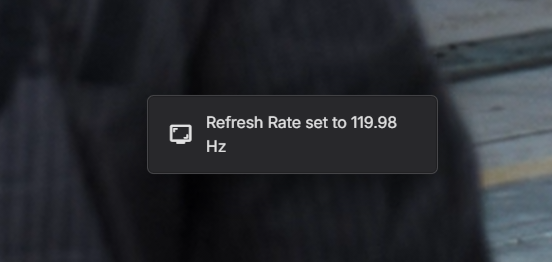
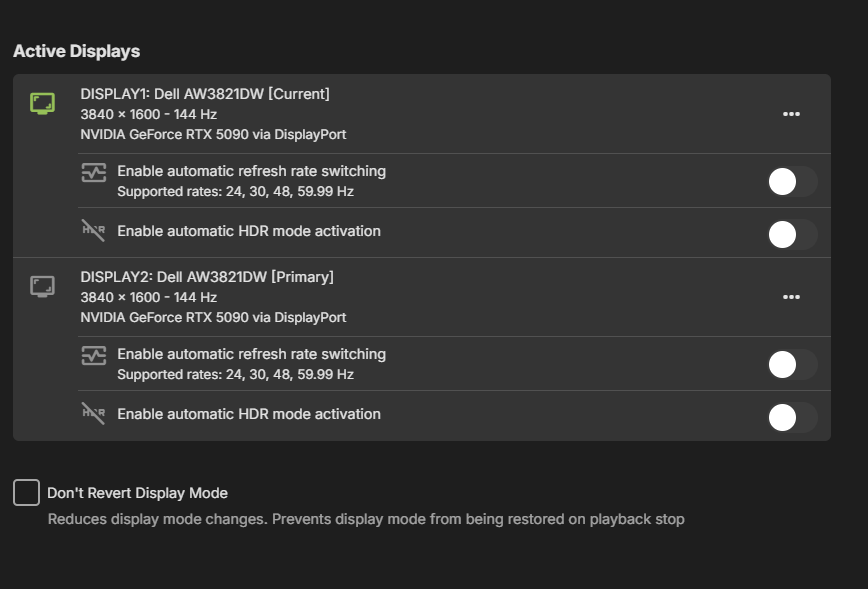
Sigh, please disable automatic frame rate switching. Even after the new update with the setting disable it still switches my screen's refresh rate to 120hz. I don't want this, I want to keep my monitor at the rate I set it at and not dictated by Emby! No one wants this feature, please fix the issue and let us disable the automatic frame rate switching!!
 1 point
 -
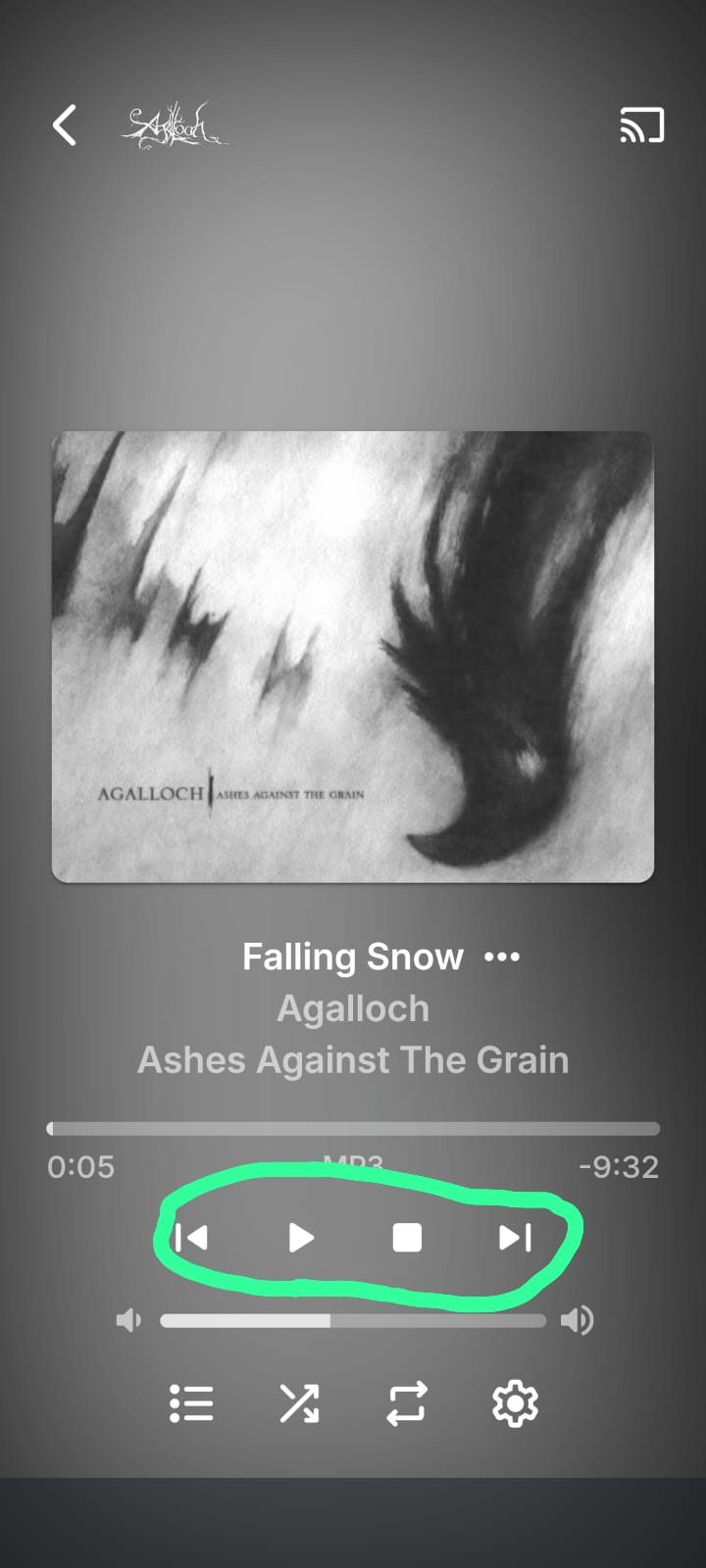
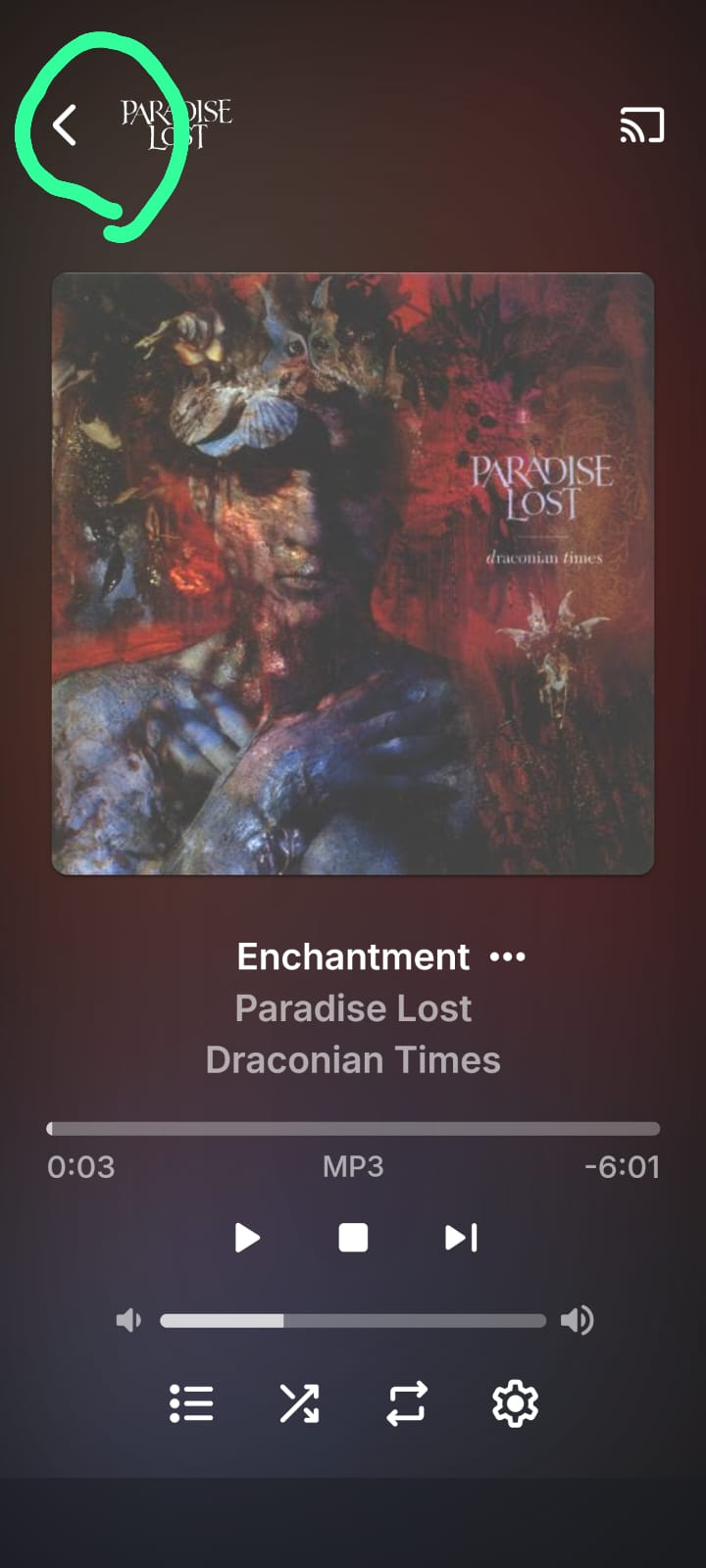
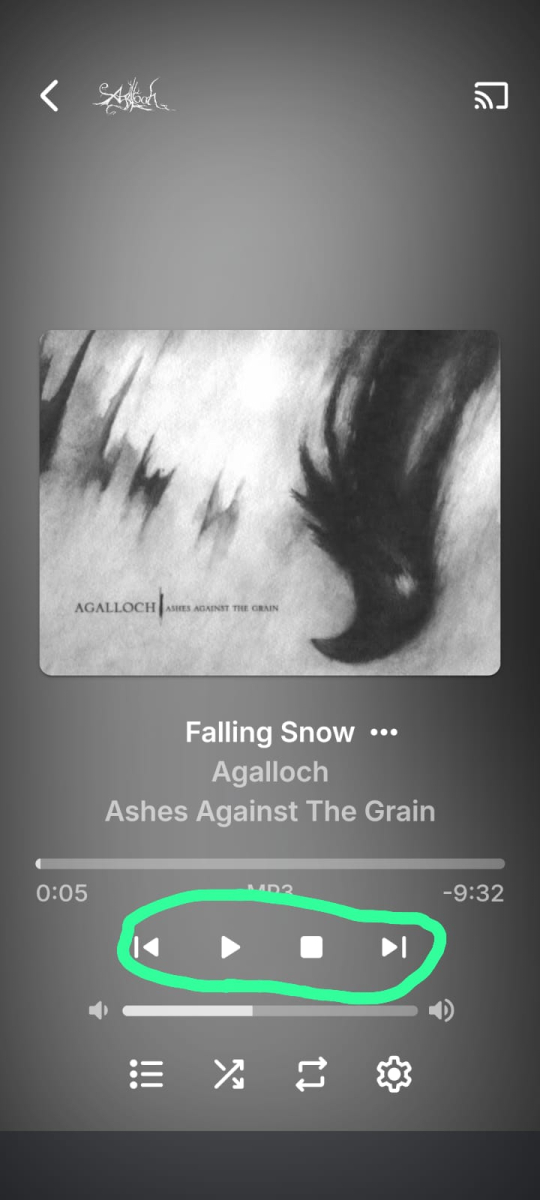
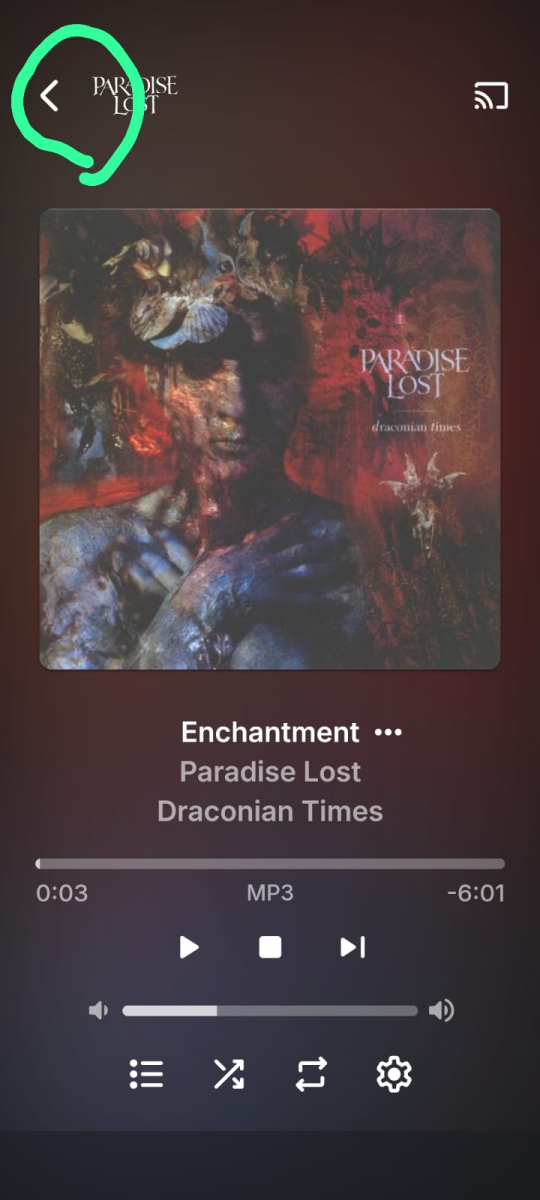
Good day I’ve been an Emby user for some time, and though the experience is fantastic for Movies and TV shows, I find it lacking for music. I often resort to third-party player apps for a satisfactory audio experience on my Android device. My goal is to use the Emby app itself for music without needing external workarounds such as third party apps that may not have the best native integration with Emby. Why This Post? Like many users, I consume most of my music on a mobile device, and the current UI and controls feel clunky and less user-friendly than a modern music player should. To improve the experience for mobile users, I’ve thought of two changes I’d love to see that would improve the experience tremendously. These are subjective but align with what I believe most mobile users would want, based on how the market alternatives are laiyng out their apps. UI Challenges: It’s a well-known fact that scrolling and navigating via mobile touchscreens is less precise than with a mouse and keyboard—especially for those with larger fingers or smaller screens. UX/UI design often addresses this with larger tap targets, gesture support, and simplified layouts. While Emby’s Android app has made efforts in the right direction, its interface for music users falls short. Music users navigate more frequently—switching songs, albums, or playlists, pausing, etc.—than video users, making these shortcomings more noticeable and frustrating. Below please find a wishlist of what i'd like to see implemented: Enlarge Playback Controls (Pause, Stop, Skip) in Music UI The app's playback controls are way too small for mobile users, especially for people with larger fingers or small phone screens. It is the most essential and most used option on a music player, yet its size is al most the smallest and hardest to touch, as it is relegated to a tiny fraction of the screen. This is particularly cumbersome in low-attention moments like walking or driving, where focusing on a small target is impractical. If you look at other mobile apps that focus on music: Spotify,Plexamp, Itunes, they all have in common that the play/pause icon is larger,o for very good reasons .Emby should follow this same standard. While I appreciate to be able to see the large album art, it shouldn’t shrink the playback controls. The album and song titles could move up or shrink slightly to give those buttons more space. Below please find a picture to illustrate what i am talking about: Changes in app menu Navigation: Add Swipe Gesture to Switch from Now Playing to Library Seamlessly Perhaps this is the single best feature that if added, would improve the mobile experience tremendously, not only in music, but all across the app too. I’d love to see a quality-of-life tweak in the Android app where I can swipe (e.g., up or down) to seamlessly switch from the Now Playing screen to the Library tab, instead of tapping the back button. This would make navigation feel more intuitive and fluid, especially during music playback to change or view a playlist, album or artist with ease. Swipe features are an industry standard nowadays in most modern mobile apps. It is far easier than pinpointing a small icon in the top-left corner, especially in distracted scenarios. If swiping isn’t feasible due to technical limitations, at least enlarge the back arrow to reduce the precision required from the user. Below a screenshot of the current back arrow that is requried to press
 1 point
 -
Hi, we’ll take a look at these. Thanks for the feedback.1 point
-
Thank you for making the app unusable on pc! Now my 5120x1440 240hz monitor switches to 120hz no matter what i set the option to. Everything was very fine before this update, now i'll have to stick with using the browser...1 point
-
I’ll have to check but I think it sends both.1 point
-
HI, that should be just fine I would think.1 point
-
Major News for Xbox Users Versions 2.222.0 and later include the capability for HEVC playback - finally! What this means for current users of the Emby Plus app for Xbox is outlined here:1 point
-
In my experience, this happens from time to time with all providers. They call it "looping". I believe the stream data when captured goes into a circular buffer, if the source of the data has a problem and cannot keep the buffer full, when the streaming mechanism loops around it will eventually start replaying stale data. Usually this is a transient situation and if your provider has a help desk, they can usually correct it pretty quickly. Of course, that is not going to help if you are recording. You can see it on multiple providers because they source the actual stream data from the same place (they generally do not capture the stream data themselves). I see this in Tivimate as well, not just Emby. As Carlo said above ... You "get what you pay for" has a lot of merit when it comes to IPTV.1 point
-
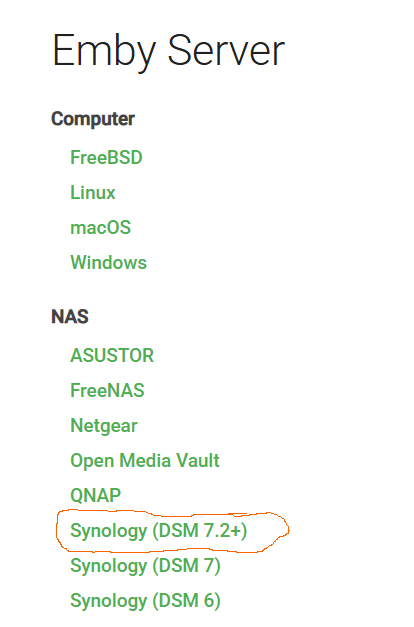
I realized I was downloading the wrong version. When you go to the download section of the server, you need to pull the Synology DSM 7.2+ version. I wasn't going to the site but working off link people had posted in the forums and apparently that was taking me to DSM 7 or DSM 6 versions which wasn't compatible with my NAS which was running 7.2+. After that, I just stopped the server and loaded in the Package Manager Manual Install option and it updated easy peasy.
 1 point
 -
Hi, we're looking into it. Thanks guys.1 point
-
Not quite, you have number of nested season folders (Gangs of London S03, Invincible S03, Powerbook III S04. Reacher S03, SWAT S08, The Rookie S07, Will Trent S03) making Emby think that #2nd batch is in fact series folder. Each TV show needs to have its own folder, season folder(s) underneath are not mandatory (but recommended). Restructure, rescan. TV Naming1 point
-
Emby for LG 1.0.46 has been released. Here are the highlights: Fix playback error when resuming multi-version episodes from Continue Watching Add tabbed Books view Support sorting playlists and collections by Date Added Various fixes related to auto-skip intros Various fixes to the profile pin feature Various fixes to rewinding and fast forwarding by holding down left and right1 point
-
Emby for LG 1.0.46 has been released. Here are the highlights: Fix playback error when resuming multi-version episodes from Continue Watching Add tabbed Books view Support sorting playlists and collections by Date Added Various fixes related to auto-skip intros Various fixes to the profile pin feature Various fixes to rewinding and fast forwarding by holding down left and right View the full article1 point
-
Yes, that is the plan for it to be updated in the store soon.1 point
-
Hi, yes they actually reached out to us, so hopefully we can have something in the near future.1 point
-
Hi there, let's look at an example. Please attach the information requested in how to report a media playback issue. Thanks!0 points
-
HI, what I would suggest is to get a new pin and then let's go from there. Thanks.0 points




.thumb.png.1ddf135ad99a72646a26d671a28ffe35.png)