Leaderboard




Popular Content
Showing content with the highest reputation on 03/17/25 in all areas
-
Your Emby server is the heart of your home entertainment system, the engine that delivers your vast media library to all your devices. But what kind of hardware does it take to run a smooth and powerful Emby server? Let's dive into the essentials, from basic requirements to advanced setups. The Foundation: Operating Systems and Supported Platforms Emby is designed to be versatile, running on a wide range of operating systems, including: Windows: A popular choice for its ease of use and broad hardware compatibility. Linux: Offers flexibility and performance, favored by many power users. macOS: Seamless integration within the Apple ecosystem. Docker: For containerized deployments, providing portability and isolation. NAS Devices: Many NAS (Network Attached Storage) devices support Emby, simplifying setup and storage management. This platform flexibility allows you to choose the operating system that best suits your needs and existing hardware. The Core Components: CPU, RAM, and Storage The performance of your Emby server hinges on three key components: CPU (Central Processing Unit): The CPU is crucial for transcoding, the process of converting media files to a format compatible with your playback devices. For basic streaming of direct play content (where no transcoding is needed), a modest CPU is sufficient. However, if you plan to transcode multiple streams simultaneously, especially high-resolution content like 4K, a more powerful CPU (with built in iGPU or a dedicated graphics card) can be essential. RAM (Random Access Memory): Emby uses RAM for caching metadata, buffering streams, and other operational tasks. For most users, 8GB of RAM is a good starting point. If you have a large library or plan to transcode multiple streams, consider 16GB or more. Storage: The size of your storage needs depend on the size of your media library. Consider using dedicated hard drives or a NAS device for ample storage capacity. SSD storage for the Operating system and Emby metadata can drastically improve the responsiveness of the web interface. For optimal performance, use high-speed drives (e.g., 7200 RPM HDDs or SSDs). Hardware Acceleration: Dedicated Transcoding Performance Hardware acceleration offloads transcoding tasks from the CPU to dedicated hardware, significantly improving performance and reducing CPU usage. Intel Quick Sync Video: Integrated into many Intel CPUs, Quick Sync Video provides efficient hardware-accelerated transcoding. Quick Sync is also available on Intel's dedicated graphics cards. NVIDIA NVENC: Available on NVIDIA GPUs, NVENC offers high-quality hardware-accelerated transcoding. AMD VCE/VCN: AMD's hardware acceleration solutions on AMD GPUs. If you plan to transcode frequently, especially 4K content, taking the time to set up dedicated hardware transcoding can significantly improve performance. Choosing the Right Hardware for Your Needs The optimal hardware for your Emby server depends on your specific use case: Basic Streaming: A modest CPU, 8GB of RAM, and sufficient storage are adequate for streaming direct play content. Moderate Transcoding: A mid-range CPU with dedicated hardware acceleration (Intel QuickSync), 16GB of RAM, and high-speed storage will handle moderate transcoding loads. Heavy Transcoding: A powerful CPU with multiple cores and robust hardware acceleration or dedicated GPU as mentioned above, 32GB or more of RAM, and fast storage are essential for heavy transcoding of high-resolution content. NAS Devices: many modern NAS devices can run Emby. Research the specifications of your NAS to ensure it meets your performance requirements. Optimizing Your Server Beyond hardware, optimizing your Emby server involves: Network Connectivity: A stable and high-speed network connection is crucial for smooth streaming. Regular Updates: Keep your Emby server and operating system up-to-date for optimal performance and security. Server Location: Place your server in a well-ventilated area to prevent overheating. Conclusion Building a powerful Emby server is about understanding your needs and choosing the right hardware. By carefully considering CPU, RAM, storage, and hardware acceleration, you can create a seamless and enjoyable media streaming experience for your entire household. Also, always keep in mind the wonderful community of Emby users and admins that you can find always active on our forums that can help with any questions you may have about hardware and initial setup. View the full article5 points
-
Your Emby server is the heart of your home entertainment system, the engine that delivers your vast media library to all your devices. But what kind of hardware does it take to run a smooth and powerful Emby server? Let's dive into the essentials, from basic requirements to advanced setups. The Foundation: Operating Systems and Supported Platforms Emby is designed to be versatile, running on a wide range of operating systems, including: Windows: A popular choice for its ease of use and broad hardware compatibility. Linux: Offers flexibility and performance, favored by many power users. macOS: Seamless integration within the Apple ecosystem. Docker: For containerized deployments, providing portability and isolation. NAS Devices: Many NAS (Network Attached Storage) devices support Emby, simplifying setup and storage management. This platform flexibility allows you to choose the operating system that best suits your needs and existing hardware. The Core Components: CPU, RAM, and Storage The performance of your Emby server hinges on three key components: CPU (Central Processing Unit): The CPU is crucial for transcoding, the process of converting media files to a format compatible with your playback devices. For basic streaming of direct play content (where no transcoding is needed), a modest CPU is sufficient. However, if you plan to transcode multiple streams simultaneously, especially high-resolution content like 4K, a more powerful CPU (with built in iGPU or a dedicated graphics card) can be essential. RAM (Random Access Memory): Emby uses RAM for caching metadata, buffering streams, and other operational tasks. For most users, 8GB of RAM is a good starting point. If you have a large library or plan to transcode multiple streams, consider 16GB or more. Storage: The size of your storage needs depend on the size of your media library. Consider using dedicated hard drives or a NAS device for ample storage capacity. SSD storage for the Operating system and Emby metadata can drastically improve the responsiveness of the web interface. For optimal performance, use high-speed drives (e.g., 7200 RPM HDDs or SSDs). Hardware Acceleration: Dedicated Transcoding Performance Hardware acceleration offloads transcoding tasks from the CPU to dedicated hardware, significantly improving performance and reducing CPU usage. Intel Quick Sync Video: Integrated into many Intel CPUs, Quick Sync Video provides efficient hardware-accelerated transcoding. Quick Sync is also available on Intel's dedicated graphics cards. NVIDIA NVENC: Available on NVIDIA GPUs, NVENC offers high-quality hardware-accelerated transcoding. AMD VCE/VCN: AMD's hardware acceleration solutions on AMD GPUs. If you plan to transcode frequently, especially 4K content, taking the time to set up dedicated hardware transcoding can significantly improve performance. Choosing the Right Hardware for Your Needs The optimal hardware for your Emby server depends on your specific use case: Basic Streaming: A modest CPU, 8GB of RAM, and sufficient storage are adequate for streaming direct play content. Moderate Transcoding: A mid-range CPU with dedicated hardware acceleration (Intel QuickSync), 16GB of RAM, and high-speed storage will handle moderate transcoding loads. Heavy Transcoding: A powerful CPU with multiple cores and robust hardware acceleration or dedicated GPU as mentioned above, 32GB or more of RAM, and fast storage are essential for heavy transcoding of high-resolution content. NAS Devices: many modern NAS devices can run Emby. Research the specifications of your NAS to ensure it meets your performance requirements. Optimizing Your Server Beyond hardware, optimizing your Emby server involves: Network Connectivity: A stable and high-speed network connection is crucial for smooth streaming. Regular Updates: Keep your Emby server and operating system up-to-date for optimal performance and security. Server Location: Place your server in a well-ventilated area to prevent overheating. Conclusion Building a powerful Emby server is about understanding your needs and choosing the right hardware. By carefully considering CPU, RAM, storage, and hardware acceleration, you can create a seamless and enjoyable media streaming experience for your entire household. Also, always keep in mind the wonderful community of Emby users and admins that you can find always active on our forums that can help with any questions you may have about hardware and initial setup.2 points
-
im making a list of all the 3rd party Emby plugins i can find so that theyre all in one place and easy to look through. if you wana check it out theres not much there yet but im curently sifting through the forums for more plugins. if you have one you want me to add you can comment here or if you wana make changes directly you can do a pull request and ill merge it with the repo. lmk what you think2 points
-
I changed VPN providers and since then haven't had this issue. So I can't test this.2 points
-
Thanks @TeamB, Attached is the only file changed. It was in the the Pages directory. The only change to the file was: select id="activity_playlist_type" title="Playlist item type"> <option value="Movie" selected>Movies</option> <option value="Episode">Episodes</option> *** New line added here *** <option value="Audio">Audio</option> playback_report_settings.html2 points
-
Thanks Mr. Vis production, Lots of good information in there for those that are either streaming larger files, transcoding on the fly or transcoding their collections for Emby/Plex. In my case, my 1080 streams are all direct play and it took me lots and lots of testing to find the perfect (general) settings in ffmpeg that maintain good quality (for me) of my collection while maintaining a small size mostly in h.265. None of my 1080p material needs to pass thru the GPU in the server before being sent out. I'll caveat that with the oddball device deciding it cannot play it as is, but generally not. I use vbr by default and I'm not sure how to make Emby transcode to cbr on the fly but that may be worth a try. That said, I will install Firefox and give those settings a try. I'm not hopeful that it will affect Emby, but maybe I'm wrong.2 points
-
With College Football and NFL seasons starting up in the States, a multi-screen option for Live TV would be a nice addition to the Emby feature set. I am thinking of what the WatchESPN app offers thru their Web Browser access. The ability to open a multi-screen window that breaks into four (4) screens that allows you to select streams (Live or Replay) for each and then go full screen. Audio is from whichever of the four screens you have as active. I can accomplish the same right now with the HDHomeRun Quick View TV app. I open multiple instances of the Windows app and then snap them to each corner on my 110" projector screen. Equivalent of four (4) 55" screens. Would be nice if this were a remote friendly option from within Emby Theater and the WebUI clients. I have only seen it in Web Browsers at the moment and not any of the Win10 UWP apps (FS GO, NBCSn, WatchESPN). But, Fox Sports Go just released a multi-screen solution for their Apple TV app. https://techcrunch.com/2016/08/26/fox-sports-go-hits-apple-tv-allows-viewing-of-four-games-at-once/1 point
-
As a feature, it is good to see what soundtrack is playing (song and artist) in the movie or in the episode. so that people can go and listen to the song they like on Spotify or other services. The tunefind website provides data on the songs playing in each episode in a series and movies. i think they have the api too. Here is a sample video to illustrate what i mean. sample.mp41 point
-
Feature Request: Have User Groups and all settings applied at the Group Level That way you can just assign users to the appropriate Group and all settings will be inheritated.1 point
-
If I may comment, think they'd like to have something like the Home page, but for Genres.. So (as well as the Home Page of course), there would be another page with rows titled Action, Adventure, Animation etc with a scrolling horizontal row for each of the appropriate movies. Something like -
 1 point
 -
rm -rf <directory> can be used as well on most Linux based systems. The "f" forces the process and avoids a prompt that can happen at times, which could be problem in scripted use.1 point
-
Yes. Are we sure this is the reason?1 point
-
Problem solved. I think rebooting the server was all it really needed. Thank you!1 point
-
@Luke the Dependencies ont he page show mbedlts3, not mbedlts2, so I assume it should work without issue?1 point
-
It is an M3U but it seems to have resolved itself somehow. West coast channels are now showing the times they air on the west coast, and three hours later than they air here which is just what I was looking for1 point
-
Thanks! I have the same loop also playing on a Samsung TV with Emby for Samsung to see if it's a problem with that TV or not too. I also turned logs on for the Emby for Android TV incase for when it happens again1 point
-
Hi, the answer to this is specific to your own network environment, but yes you might have to configure credentials that are capable of accessing the network share.1 point
-
Hi, we're looking into this. Thanks.1 point
-
Hi, we are looking into it. Thanks.1 point
-
Ha ha FrostByte you had to google that1 point
-
You server hardware can't handle transcoding of HVEC codex. Meaning its not fast enough to do that. Its transcoding because you use Firefox, that does not have native support of HVEC. You transcoding speed should be over 1. 15:28:50.094 elapsed=00:00:00.20 frame= 1 fps=0.0 q=0.0 size=N/A time=00:00:00.00 bitrate=N/A throttle=off speed= 0x 15:28:50.530 elapsed=00:00:00.71 frame= 8 fps=0.0 q=0.0 size=N/A time=00:00:00.32 bitrate=N/A throttle=off speed=0.446x 15:28:51.282 elapsed=00:00:01.46 frame= 16 fps= 11 q=0.0 size=N/A time=00:00:00.61 bitrate=N/A throttle=off speed=0.422x >> ThrottleBySegmentRequest: RequestPosition: 00:00:00 - TranscodingPosition: 00:00:00 - ThrottleBuffer: 1s (Treshold: 120s) 15:28:51.802 elapsed=00:00:01.99 frame= 20 fps= 10 q=28.0 size=N/A time=00:00:00.76 bitrate=N/A throttle=off speed=0.386x 15:28:52.389 elapsed=00:00:02.52 frame= 24 fps=9.5 q=28.0 size=N/A time=00:00:00.93 bitrate=N/A throttle=off speed=0.372x 15:28:52.890 elapsed=00:00:03.07 frame= 26 fps=8.4 q=28.0 size=N/A time=00:00:01.02 bitrate=N/A throttle=off speed=0.333x 15:28:53.648 elapsed=00:00:03.83 frame= 31 fps=8.1 q=28.0 size=N/A time=00:00:01.21 bitrate=N/A throttle=off speed=0.317x >> ThrottleBySegmentRequest: RequestPosition: 00:00:00 - TranscodingPosition: 00:00:01 - ThrottleBuffer: 1s (Treshold: 120s) 15:28:54.356 elapsed=00:00:04.53 frame= 35 fps=7.7 q=28.0 size=N/A time=00:00:01.38 bitrate=N/A throttle=off speed=0.306x 15:28:55.108 elapsed=00:00:05.29 frame= 40 fps=7.6 q=28.0 size=N/A time=00:00:01.57 bitrate=N/A throttle=off speed=0.298x >> ThrottleBySegmentRequest: RequestPosition: 00:00:00 - TranscodingPosition: 00:00:01 - ThrottleBuffer: 2s (Treshold: 120s) 15:28:55.738 elapsed=00:00:05.92 frame= 44 fps=7.4 q=28.0 size=N/A time=00:00:01.72 bitrate=N/A throttle=off speed=0.292x 15:28:56.348 elapsed=00:00:06.53 frame= 47 fps=7.2 q=28.0 size=N/A time=00:00:01.85 bitrate=N/A throttle=off speed=0.284x 15:28:56.882 elapsed=00:00:07.07 frame= 50 fps=7.1 q=28.0 size=N/A time=00:00:01.98 bitrate=N/A throttle=off speed=0.281x 15:28:57.573 elapsed=00:00:07.76 frame= 55 fps=7.1 q=28.0 size=N/A time=00:00:02.17 bitrate=N/A throttle=off speed=0.28x >> ThrottleBySegmentRequest: RequestPosition: 00:00:00 - TranscodingPosition: 00:00:02 - ThrottleBuffer: 2s (Treshold: 120s) 15:28:58.173 elapsed=00:00:08.36 frame= 58 fps=6.9 q=28.0 size=N/A time=00:00:02.30 bitrate=N/A throttle=off speed=0.276x 15:28:58.800 elapsed=00:00:08.98 frame= 62 fps=6.9 q=28.0 size=N/A time=00:00:02.47 bitrate=N/A throttle=off speed=0.276x 15:28:59.469 elapsed=00:00:09.65 frame= 66 fps=6.8 q=28.0 size=N/A time=00:00:02.62 bitrate=N/A throttle=off speed=0.272x If I where you I would stick to h264 codex with AAC 2.0 audio. That should work, if you use .srt subtitles.1 point
-
Hi not sure if someone else is now on this thread but I reinstalled the latest update a 3rd time and seems to have worked. Am not sure what the issue was but for me it is now resolved1 point
-
Still the 31st of Never from what I can gather1 point
-
True Correction: Okay a little change to target last child. div.view-startup-login div.itemsContainer div.squareCard:nth-last-child(1) {display: none;}1 point
-
If it makes a difference, I am on the latest 11.1.24, been on it for a couple of weeks now, and suddenly two Nvidia Sheilds prompted this out of nowhere. It's early AM so I when ahead and did the reset as requested.1 point
-
MANY MANY thanks for this invaluable information. You saved my whole database, because that was about to be my final resolution, a complete Asustor factory reset.1 point
-
Hi sorry about the delay. After many hours of trying to resolve this issue, checking permissions, paths, uninstalling, reinstalling NOTHING helped just the same message. Finally a resolution came from C J Tripper. I knew residual file were being left on the server and those files were blocking access, But I know NOTHING about Linux and SSH so the following instructions were a godsend. I just copied and pasted and finally I have a brand new Emby with working libraries. Thanks for the reply. *updated 2022-03-04 for Asustor ADM 4.xxx, and provided a more detailed process with additional confirmation steps* When reinstalling Emby server on my Asustor 5304, I had to complete these steps (via SSH terminal session to my NAS box) after uninstalling Emby (from AppCentral) and before reinstalling Emby: Connect a teminal session via SSH to your Ausutor, login with an account that has admin permissions to your NAS - not an emby account or the emby user (see post below in this thread for using PuTTY to make a SSH connection to your NAS). Note that SSH must be enabled in Asustor Services->Terminal. Default port is 22. type "ls /home/" without the quotes to see the list of user home folders, emby is the default name for the installed emby user, containing all the emby files/configs type "rm -rf /home/emby" without the quotes to delete the emby folder type "ls /home/" without the quotes to verify the emby user folder has now been deleted type "cat /etc/passwd" without the quotes to view user accounts on your NAS, emby is the default name for the installed emby user type "sudo /volume0/usr/builtin/sbin/userdel emby" without the quotes to delete the emby user account. You will be prompted to re-enter your password for the administrative account you logged in via SSH with. type "cat /etc/passwd" without the quotes to verify the emby user has now been deleted type "cat /etc/group" without the quotes to view user groups on your NAS, emby is the default name for the installed emby group type "sudo /volume0/usr/builtin/sbin/groupdel emby" without the quotes to delete the emby group. You will be prompted to re-enter your password for the administrative account you logged in via SSH with. type "cat /etc/group" without the quotes to verify the emby group has now been deleted type "exit" without the quotes to end/exit your SSH Also confirm you are connecting to the default port of 8096 (http://<yourNASIPaddress>:8096) after the re-install as your https:// certificate and any custom port numbers would need to be set up again if previously using https:// or custom ports. You can also check your Asustor firewall to ensure it is not blocking the Emby ports or the client device you are connecting with. It likely wouldn't hurt to clear your cache on your browser also if it possibly has cached passwords from your previous config before the reinstall. Edited March 4, 2022 by CJTripper1 point
-
Wow, not been on this forum in a long long time lol, but had a couple of people ping me messages about these icons. I still use them on my own Emby install, but haven't added any additional ones and don't have the time to do so anymore, but if anyone wants to do so please feel free to, I've re-shared all the jpgs and psd files on my onedrive here https://1drv.ms/f/c/655e7401b924ce2b/QivOJLkBdF4ggGWgAAAAAAAAQ_Y9kH1HC_1xew I don't appear to be able to edit my original post to update this link (unless I'm missing something) so this will have to do.1 point
-
Hi. Have you done that?1 point
-
thanks, will look into it in the future1 point
-
Thanks, I will try it and report back!1 point
-
I see. Thanks for explaining.1 point
-
I can sort of back you up. If i turn off my Android TV with the Emby app running playing a video theres a small chance that the sound will just keep going while the TV should be and normally is turned off.1 point
-
(Duplicate from an other related and closed post.) More of Interest: https://www.youtube.com/@MovieThemesSymphoniesSuites/videos https://www.what-song.com/ General search for Official Soundtrack (OST) - Just put OST after the film's name and year. https://www.youtube.com/results?search_query=Casablanca+1942+OST Of course, none of these searches allow downloading. Youtube would allow embedded, or perhaps access to search results with a button. It would be easy to program a button to just do a youtube search and open a tab to the results. https://www.youtube.com/results?search_query=[Movie name] + [year] + [OST]. This would automatically work for probably 98% of media. It would sort of fit as a link down in the imdb links which do the same thing with a new tab. The obvious ideal function would be to play the audio in the background as theme-music. That already works in Emby if you use hard copies of any music file. One method is to add audio to a theme-music subdirectory. That works fine for .mp3 and .flac.1 point
-
That's been working so far. Thank you very much for work around.1 point
-
I would suggest using the artists tag and using a semi-colon as the separator.1 point
-
Restart did help! Amazing, Thank you so much for the help guys1 point
-
Attached below is the latest code. I have corrected a variety of bugs, and I have improved the GUI in several places. Vic1 point
-
I call it the broken car and the mechanic syndrome. A broken car always some how works when you are at the mechanic and have to explain whats wrong.1 point
-
It looks like you're right, it works in this case - I used Yandex browser (this is a chromium browser); and if you run the same video in Chrome (attached log ffmpeg-remux-fd000515-0472-4714-8003-56a8269743f4_1.txt) - it will look like the second case: that is, it depends on the browser ffmpeg-remux-fd000515-0472-4714-8003-56a8269743f4_1.txt embyserver (2).txt1 point
-
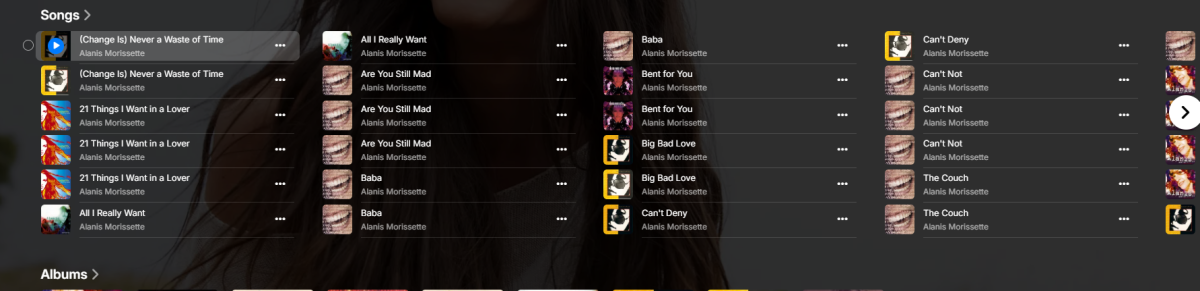
Looks like you will have to play with the numbers but something like this. div.view-item-item div.artistSongsItemsContainer { height: 350px; } @supports ((display: -webkit-flex) or (display:flex)) { @supports (color:var(--fake-var)) { .itemsContainer-sideFooters { max-height: 30em } } } Only downside is the extra spacing for artist with not many tracks.

 1 point
 -
@ebr Wow, that's a mastery of stating the obvious! Let me state my question in another way to which you may be able to give relevant information. Is there an estimated time period that 4.9 will be released?1 point
-
I always took it for what it says - it sets whether the library is scanned during automatic (not manual) scans. Manual scans will always be able to change data. It was the only log file from yesterday. I made some changes to files and folder.jpg files in the Pics library and added a folder, files, and renamed files in another library, but made no changes to the Movies library. It is possible in all that I triggered a full rescan. Odd though as the scanning progress indicator in the Dashboard never showed up to show it was scanning.1 point
-
I am pretty sure I did set it. Time heals all....1 point
-
Trying to use YT is a waste of time. If it helps anyone else https://www.directv.com/insider/directv-channel-guide-lineup/ https://my.dish.com/programmingguides1 point
-
This post has strayed significantly from the original topic. The initial question concerned client-side buffering in Emby to mitigate network jitter and hiccups. I experience buffering issues due to my poor ISP connection, while my friends, with better ISPs, stream smoothly. Even though I host my Emby server on a Google Cloud Platform virtual machine with a 10 Gbps connection and have a 100 Mbps home internet connection, I still encounter buffering problems with my 1080p direct-play streams (no transcoding). Regarding those suggesting transcoding, why couldn't Emby transcode an extra 10 seconds and send it to the client as a buffer? I own the media, so there's no piracy concern with retaining a larger transcoded buffer. Jellyfin, a fork of Emby, supports large buffers, resulting in smooth playback even on my unreliable internet connection. However, Jellyfin didn't undergo a complete backend rewrite or utilize fundamentally different streaming technology, so I believe Emby should be capable of similar functionality.1 point
-
OK it is possible for video, however there are a lot more bases to cover. Often times on a mobile device you're not streaming the original file, you're streaming a transcoded version from the server that has only the audio and the subtitles you need. If you wanted to save that to be able to view it later, then you wouldn't be able to select from all of the possible audio, subtitle tracks, etc because they wouldn't be there. Additionally, while you're streaming, what if you change quality, or change anything that requires stopping and restarting the transcoding. What then, does that mean you have little pieces of the video saved in different forms? Or nothing saved at all? So that's where it starts to get a little messy and that's why the download feature exists.1 point
-
Ok thanks, hopefully the video issue is fixed soon1 point
-
It has come to our attention that someone (we believe out of China) is spoofing our purchase page and reselling bogus Premiere keys. Please be aware that the only valid locations to purchase Premiere are our web site (https://emby.media/premiere) or inside one of our official apps. The scammers are using the domain "Emby.team" and are spoofing credit card receipts that look like they come from us and everything. If you happen to have fallen for one of these scams report it to your credit card company and please let us know at billingsupport@emby.media. I'm afraid we cannot do anything to help return your money but we can try to squash the perpetrators. Thanks. View the full article1 point
-
@Luke can we set an audio stream sample rate limit for DirectPlay and force transcoding of audio if it exceeds the limit?1 point