Leaderboard




Popular Content
Showing content with the highest reputation on 02/23/25 in all areas
-
I would guess all server updates will fail, if you do that.4 points
-
Yes as the entire /system folder get renamed to system.old and the new one is unzipped replacing the old one. So I would think this would cause an install loop as the folder could not be properly update. Same as if say the browser is not releasing the UI folder for server updates occasionally.3 points
-
Another 3 weeks... Really? have you looked into it yet please? The Void i am screaming into is getting full up, i'll need to get another one soon. i am making jokes, but This is insane. why are you just openly ignoring us?3 points
-
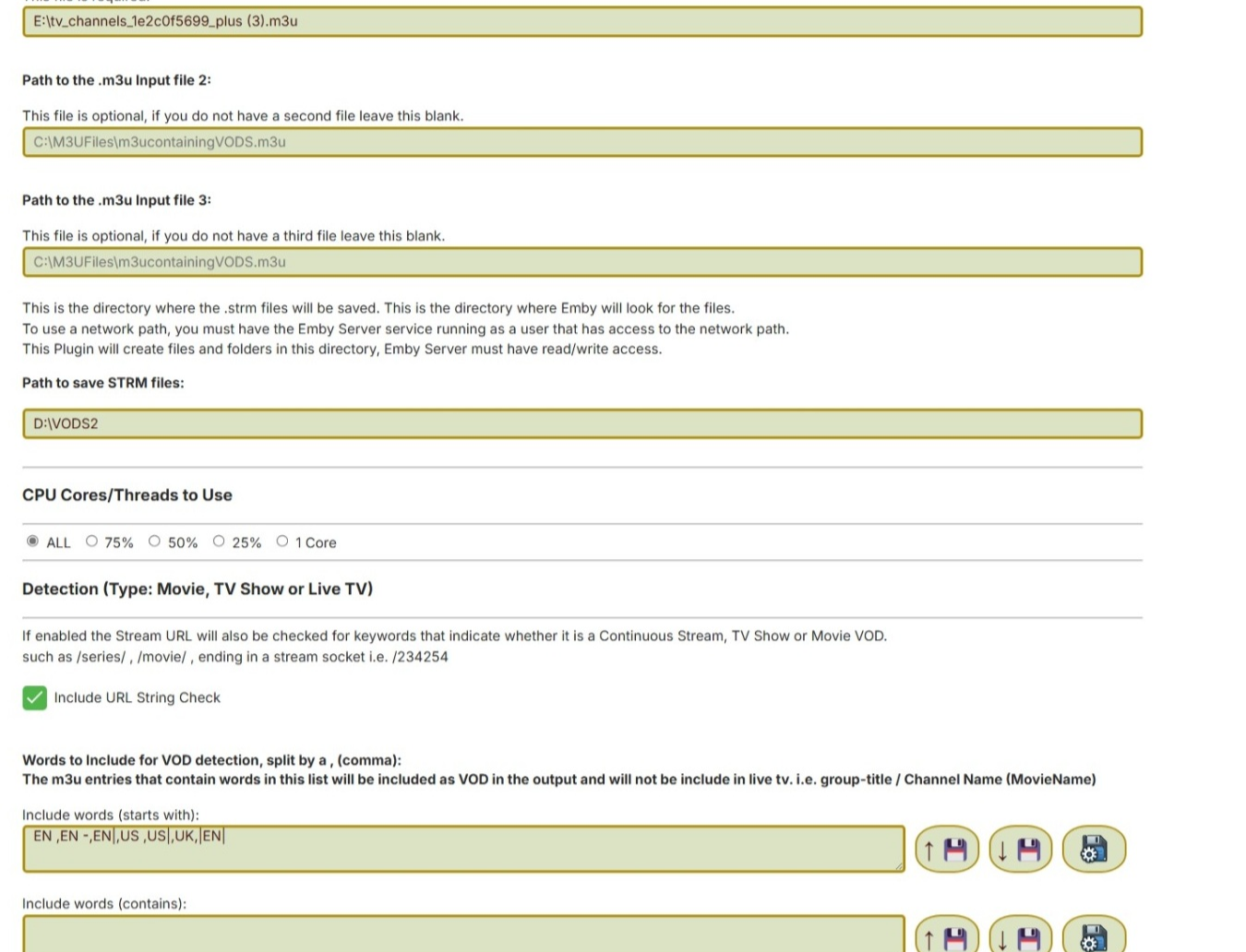
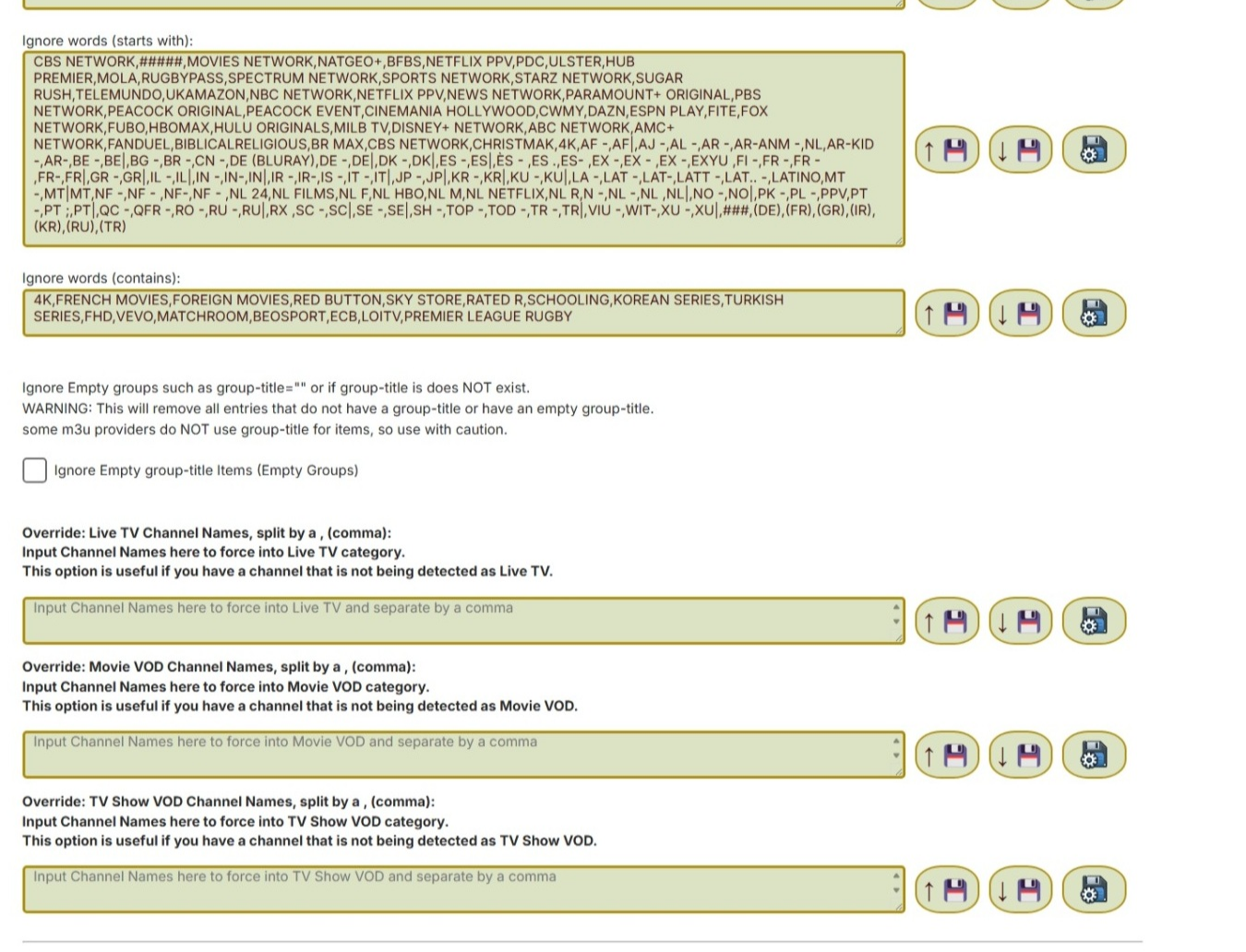
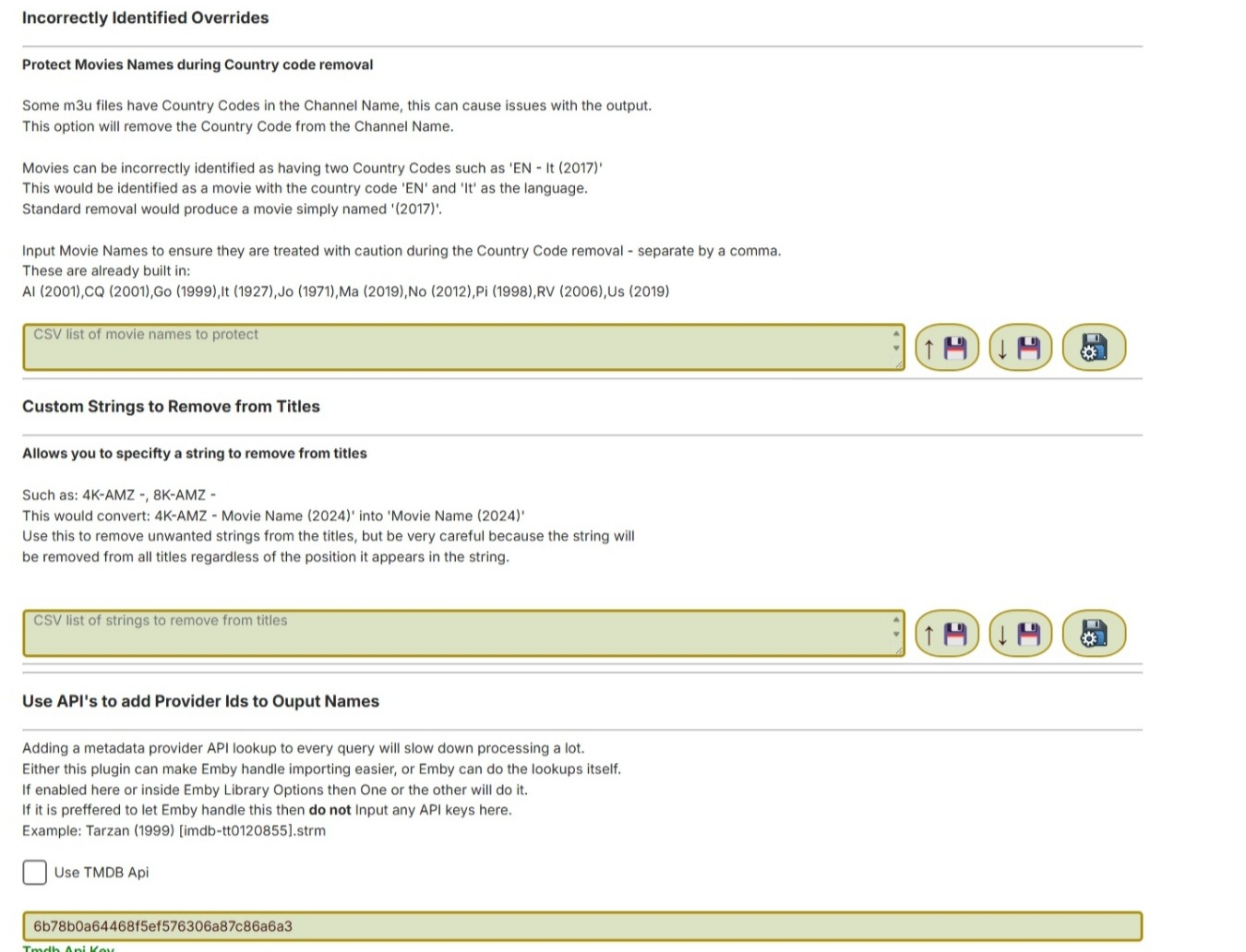
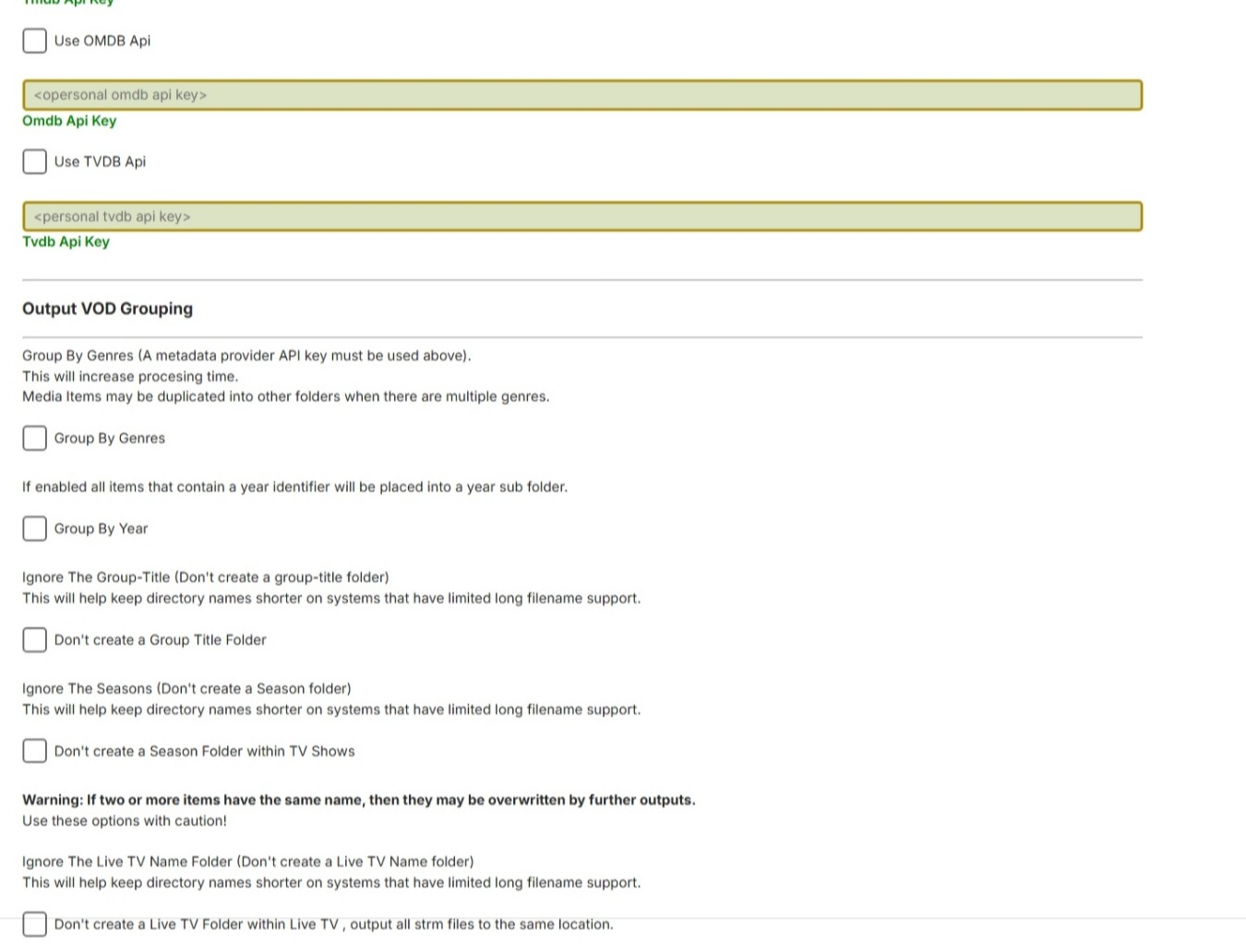
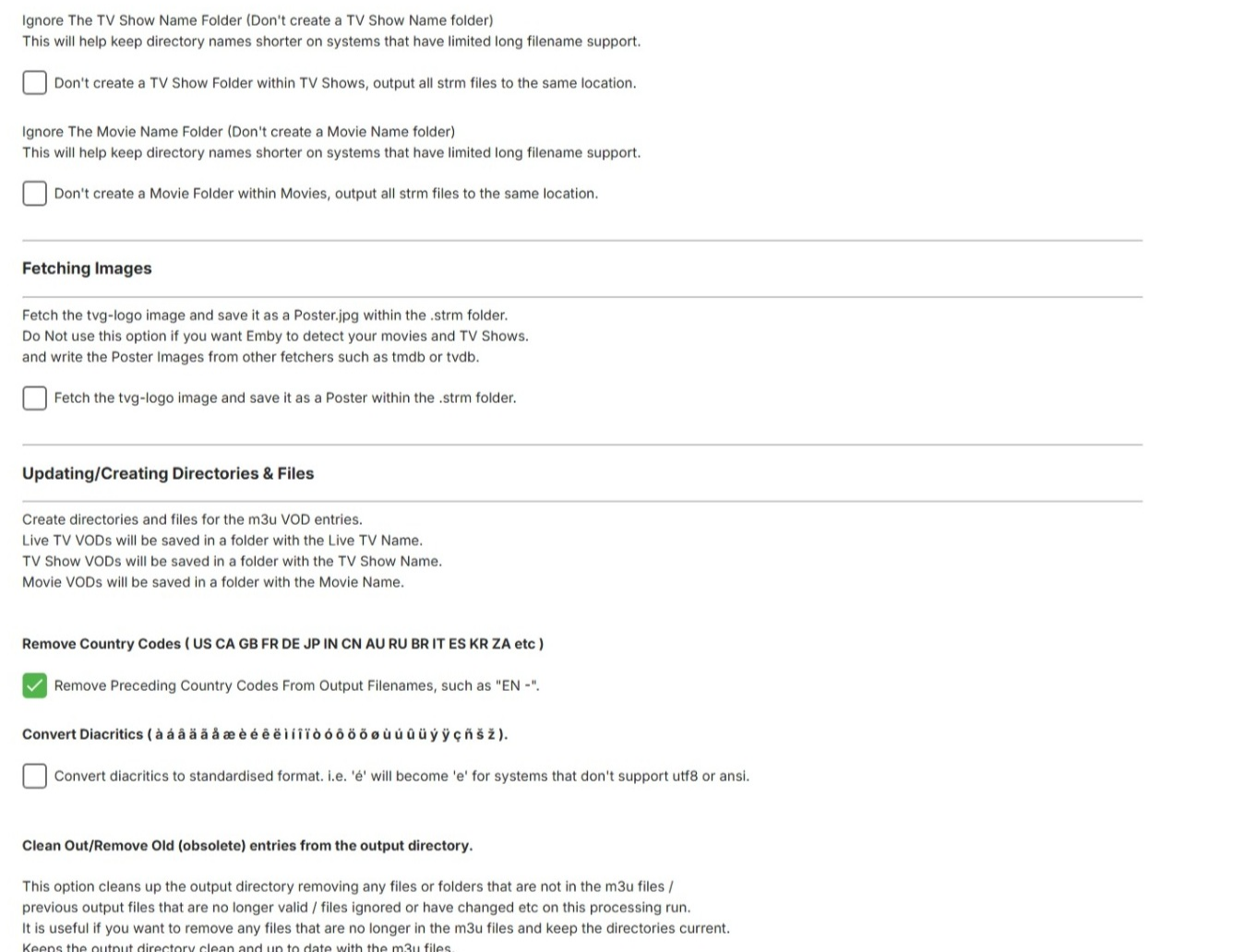
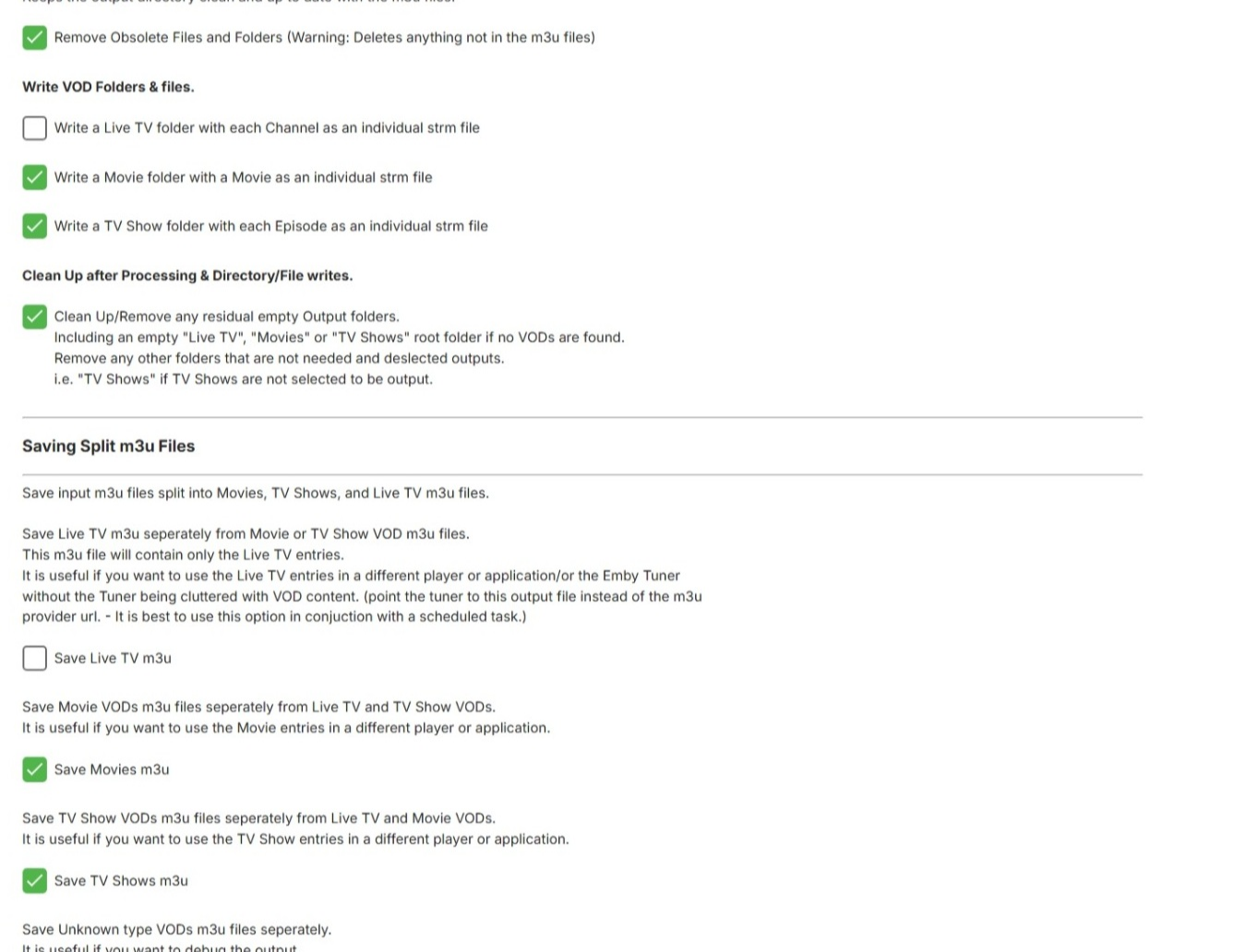
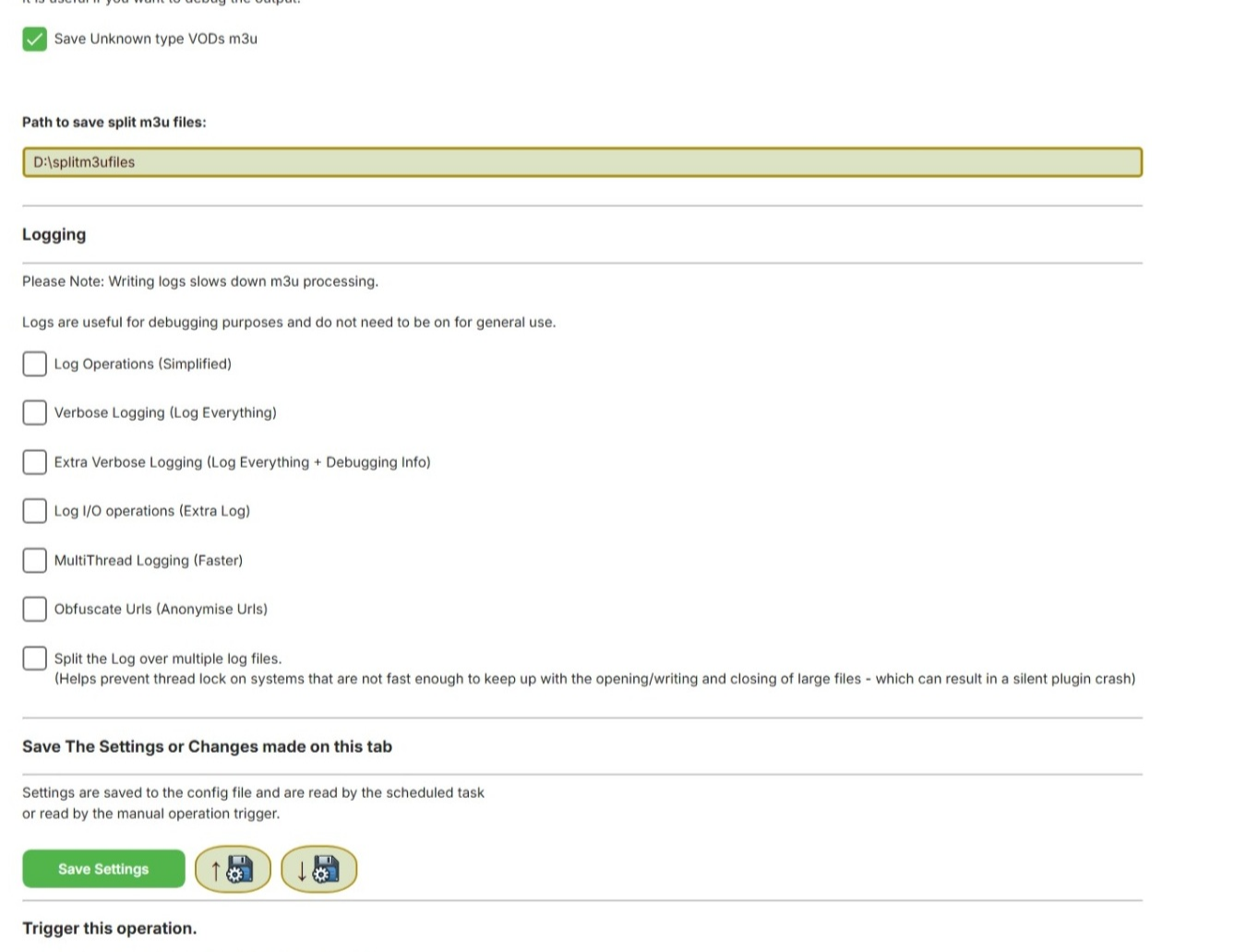
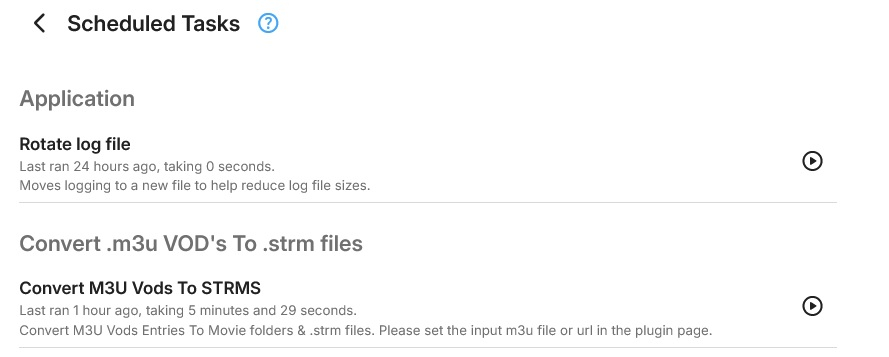
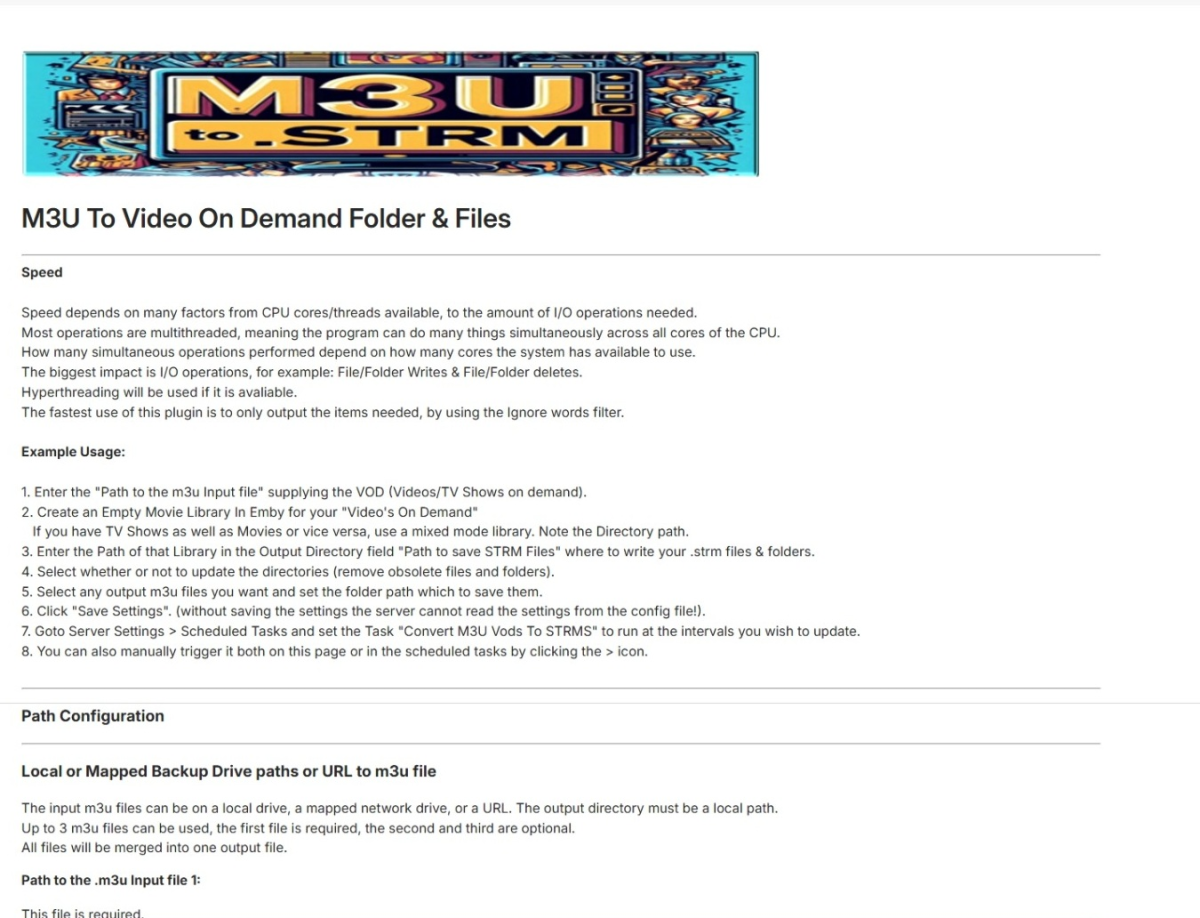
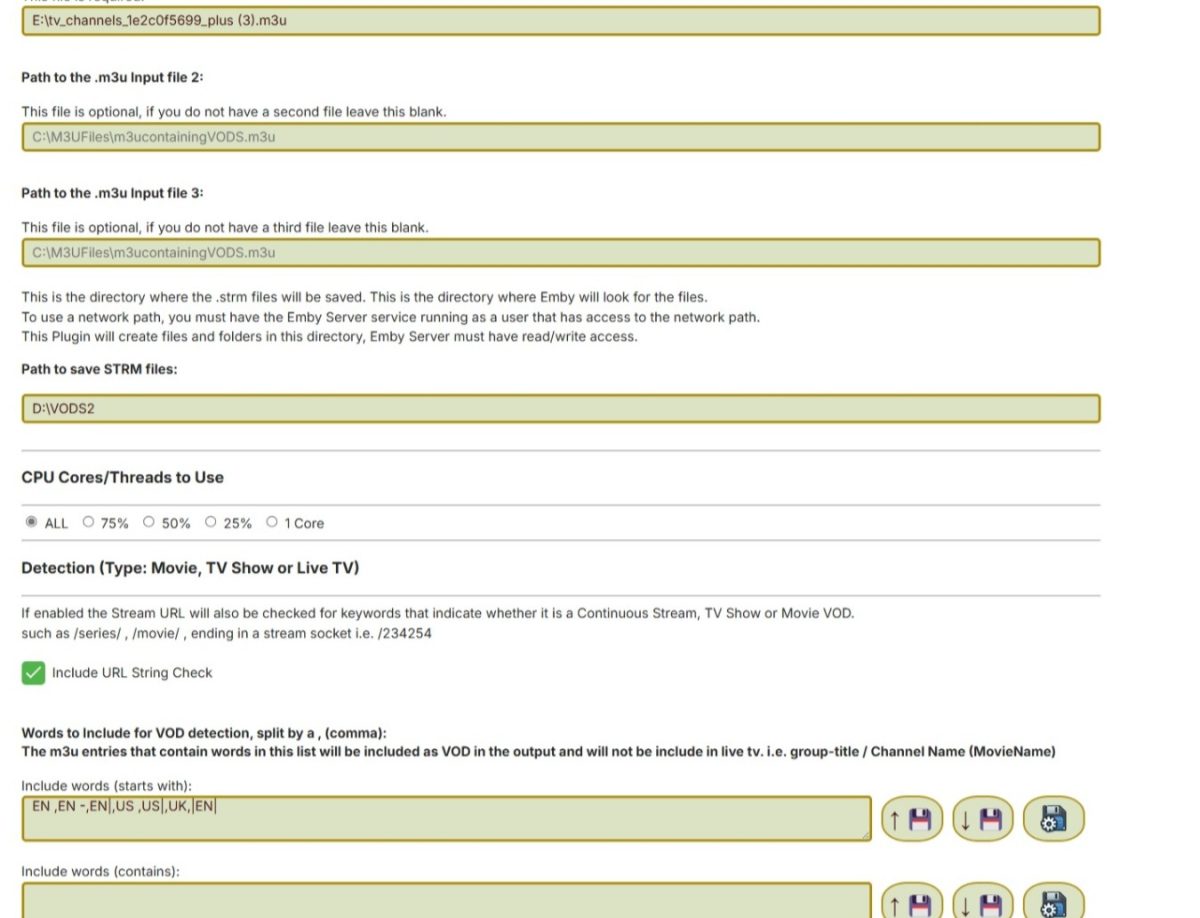
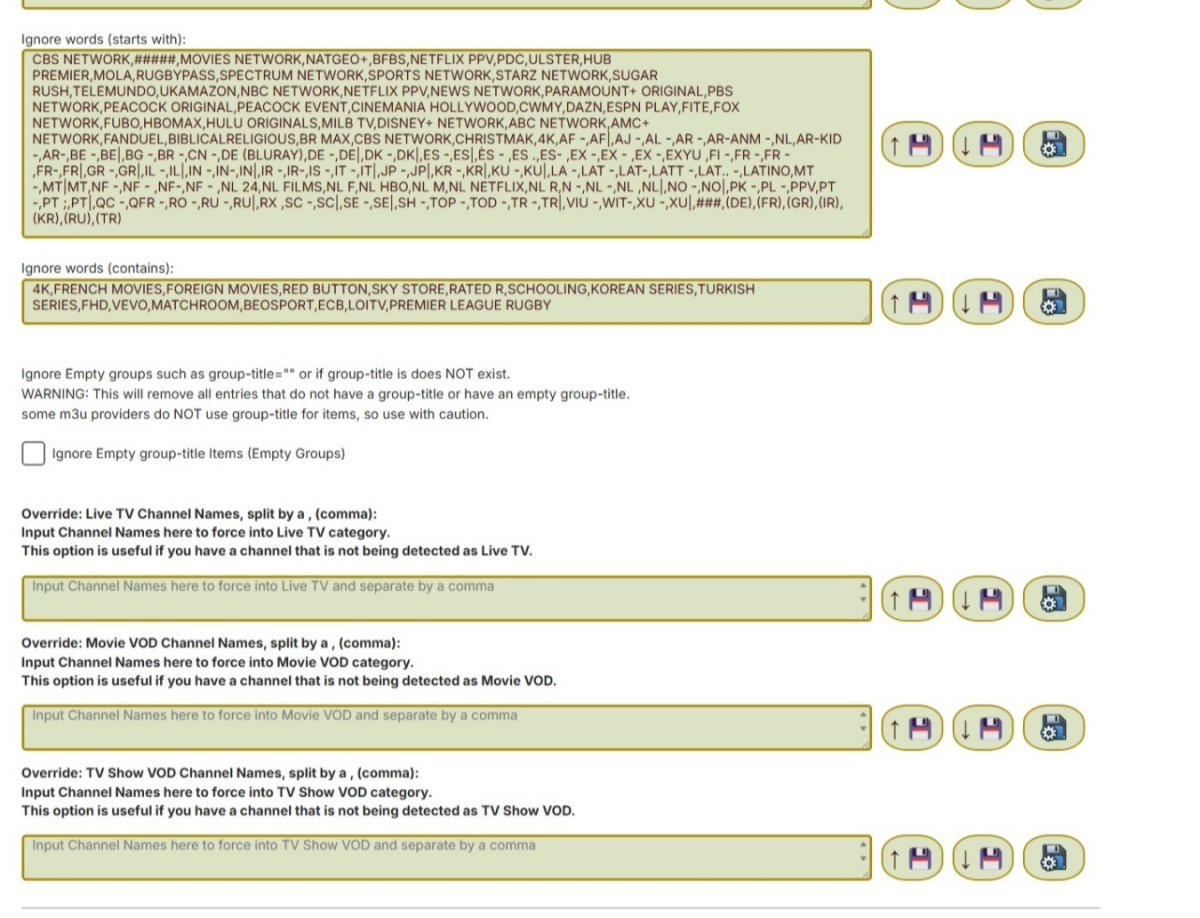
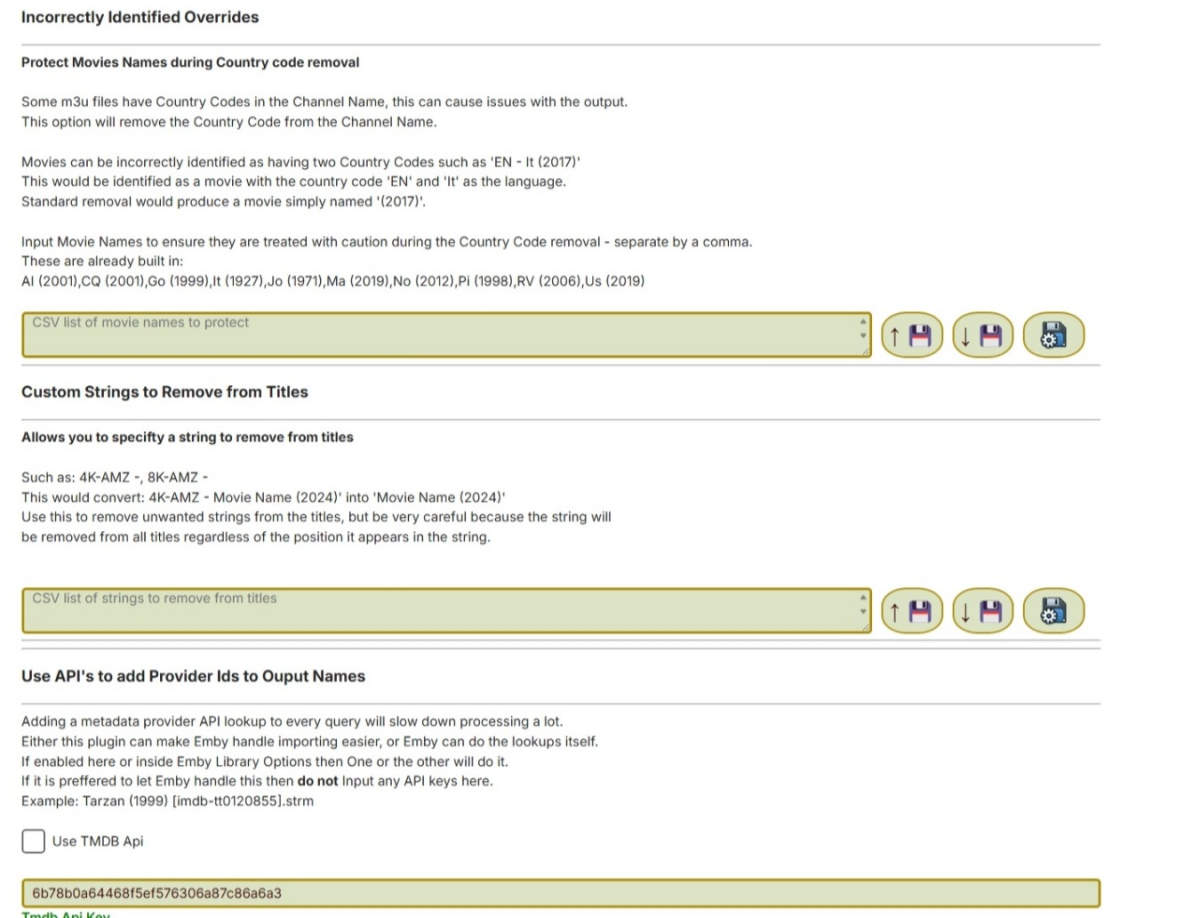
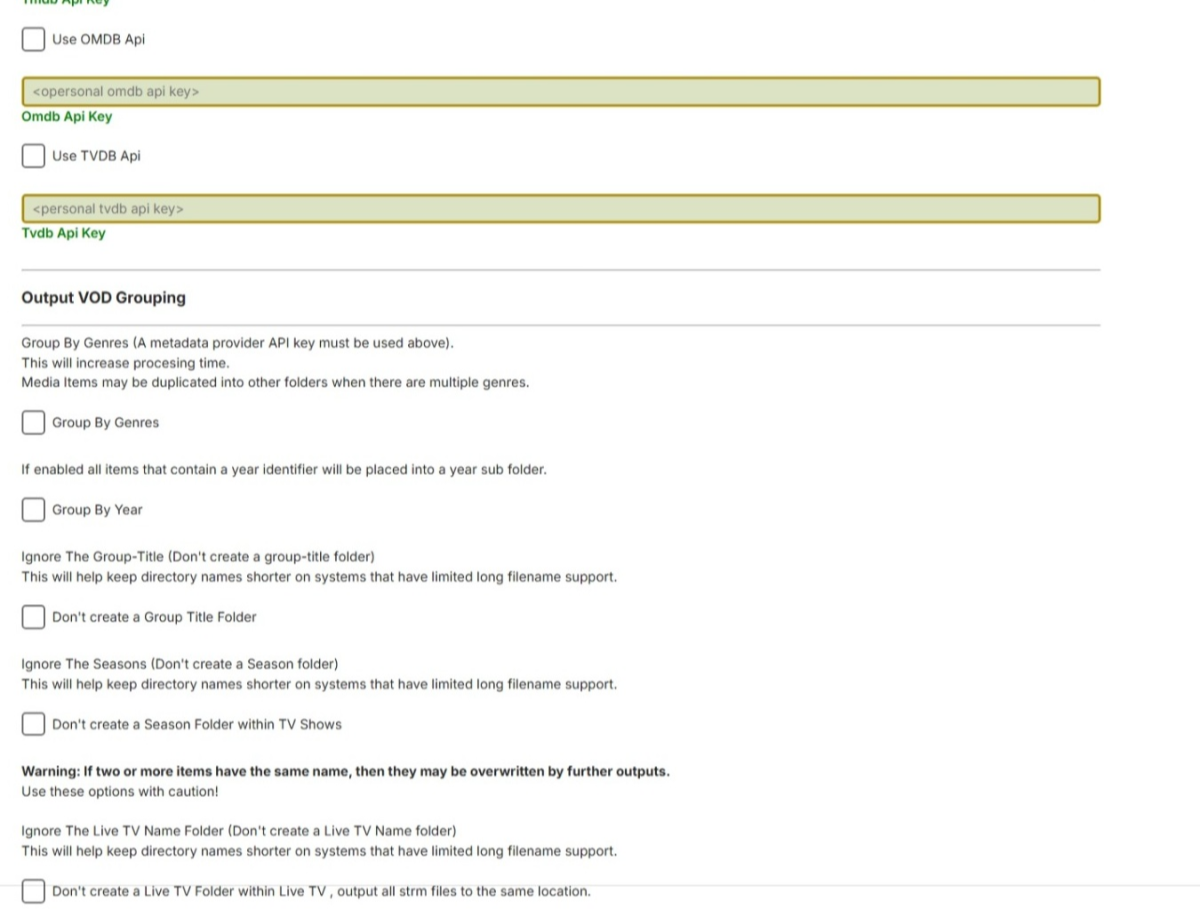
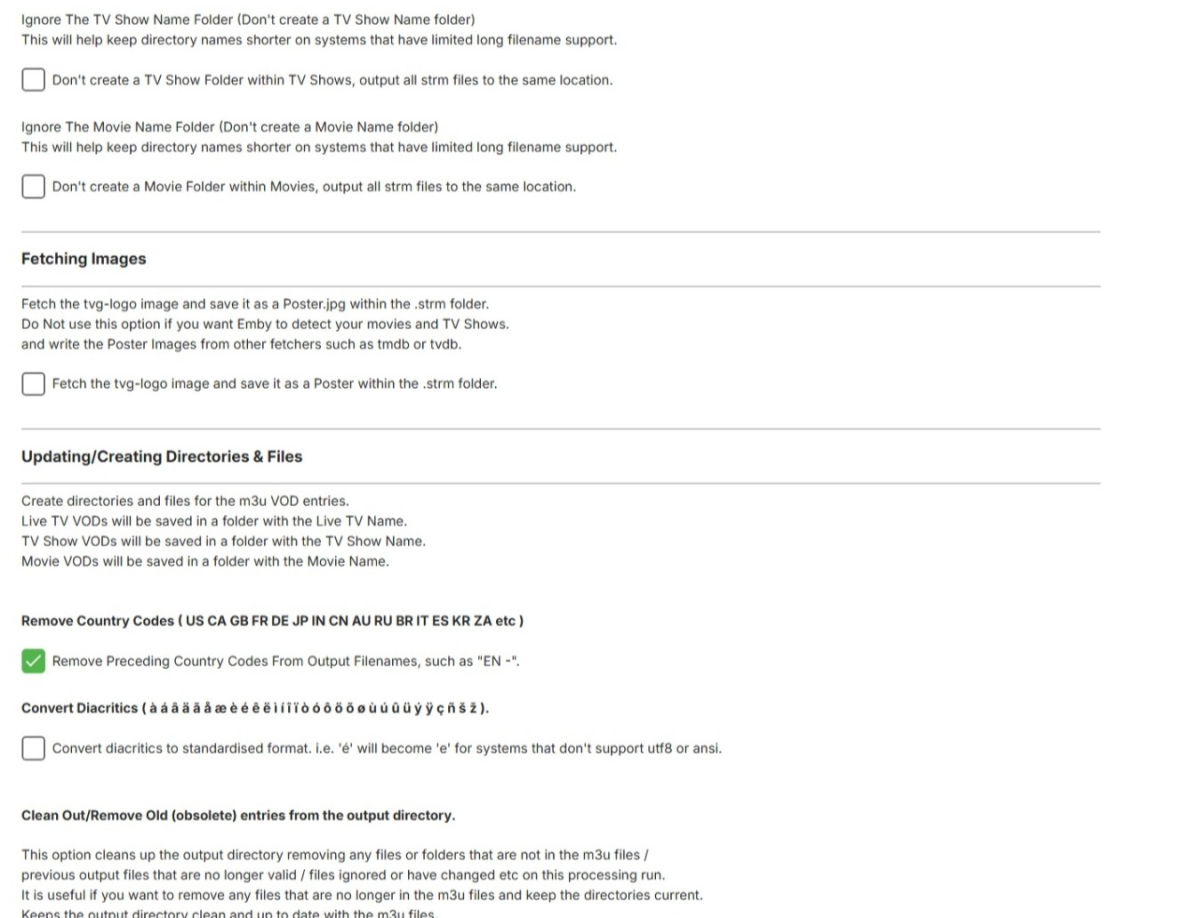
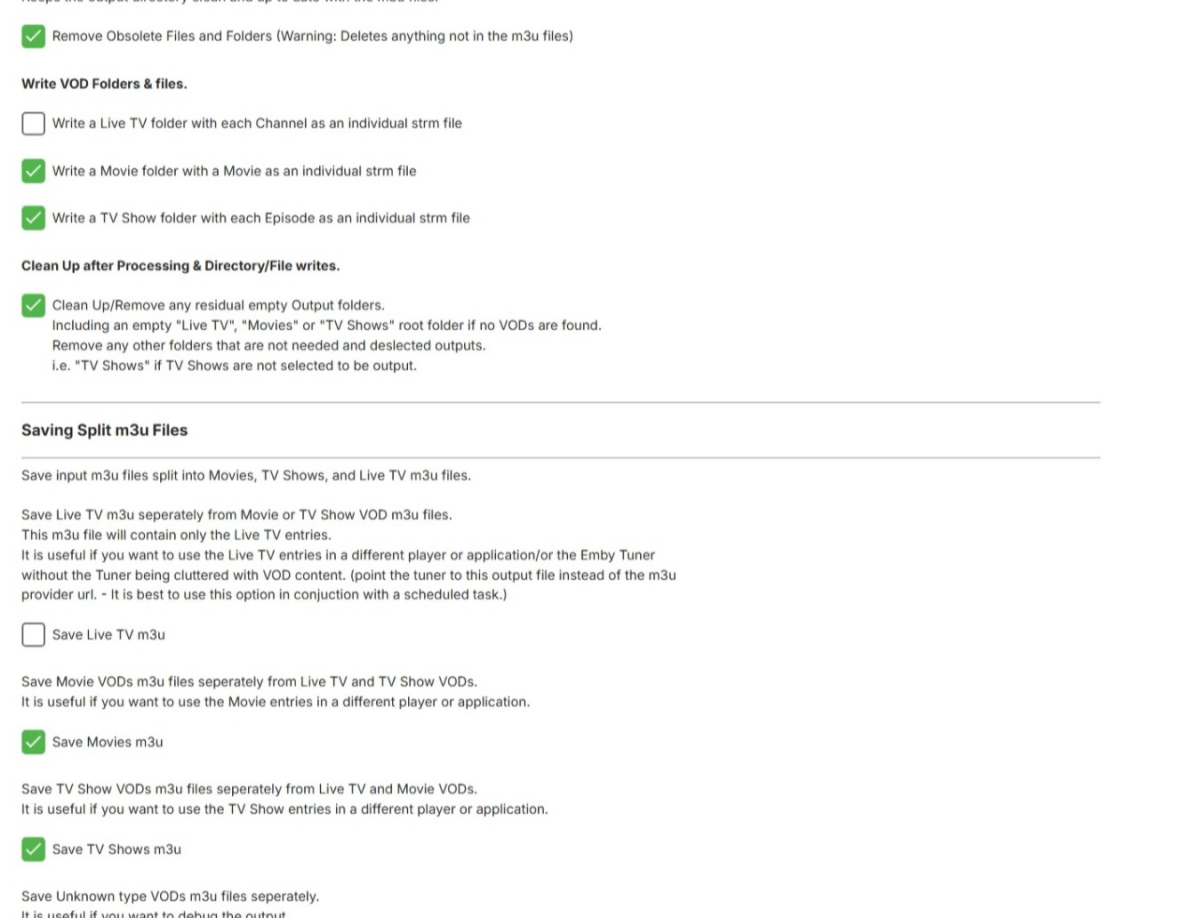
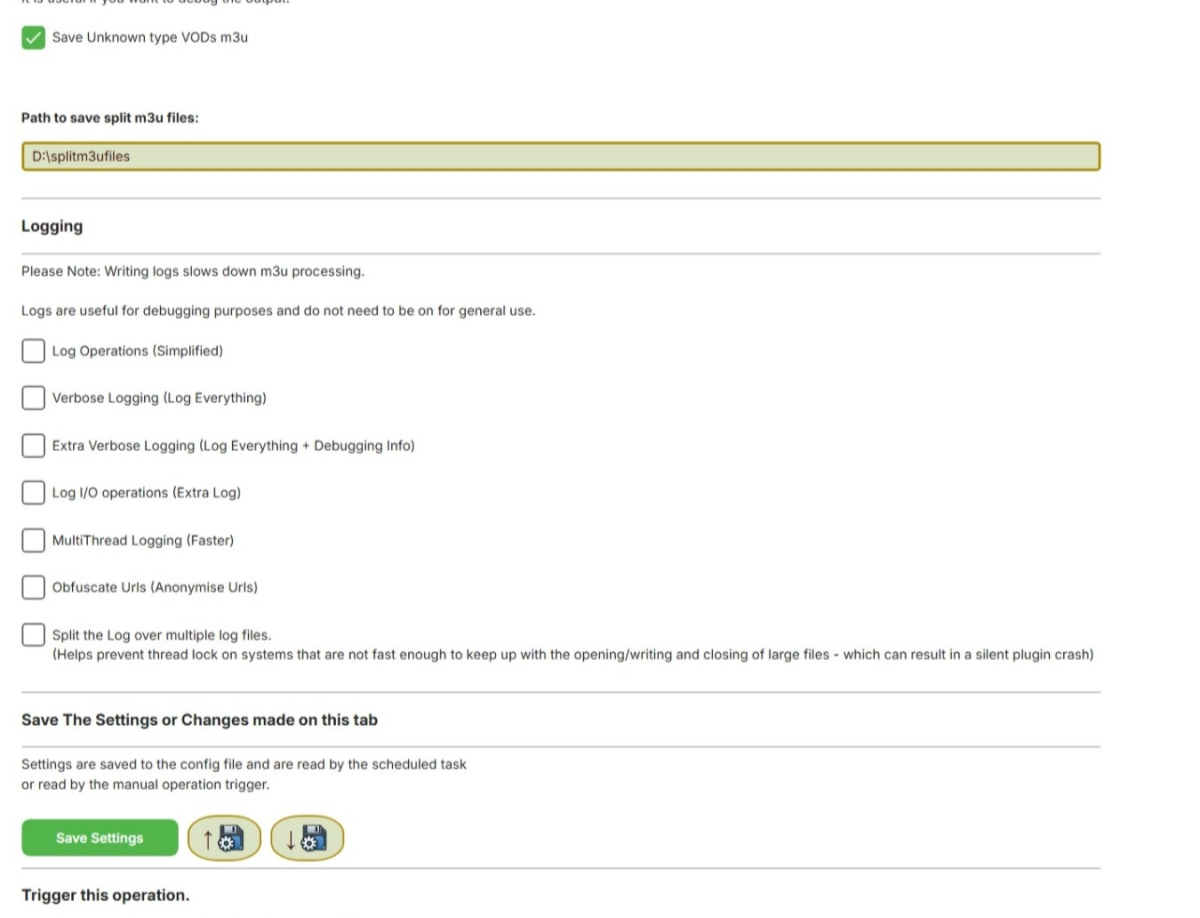
I have done the code, its all working as far as I can tell. Currently the progress bar doesnt work in the scheduled task, but i am not worried about that yet, the scheduled task does though. I have enabled the plugin to take 3 m3u urls or paths, but it is designed so that it can do it all from one m3u. It will split the m3u into LiveTV,TV Shows & Movies, and if you set the option it will save the split m3u files. In effect you can choose not to load your m3u directly from your stream provider into Live TV m3u Tuner, instead use the plugin to split off the vods, to a Movie & TV show directory, create a clean LiveTV m3u (without the VODS) and point the Live TV Tuner to load that from your save location of this plugin instead. Note: If you have the log on - as most processes are Asynchronous , it may write to the log out of order. Let me know whats not working, or what it is missing if anything? Other than the progress indicator in the scheduled task... DO NOT OUTPUT STRMS TO YOUR LOCAL MEDIA FOLDERS THAT CONTAIN OTHER MEDIA - KEEP THESE SEPERATE the update and delete mechanism will delete anything else that is not in the m3u files! USE AT YOUR OWN RISK 13-02-2025 - Original Release Removed as requested 26-02-2025 - Updated DLL Should address check boxes for m3u output not saving states. Removed due to build error 28-02-2025 Added fields for inclusion words for VOD detection 01-03-2025 Finally got the new system to build a working DLL Saving should be fixed Added a textbox to allow adding your own VOD keywords 01-03-2025 post 2 No input file error fixed. Win 11 & MS Edge seem to keep re-using cached versions even when you replace and reboot. So you might have to clear data in the browser. Added option to delete any folder content not in the current m3u's- i.e. obsolete entries, (previously wasn't an option) 02-03-2025 Fixed URL validity check (needs verifying that it is working for other users) fixed error stopping on certain m3u types (might not have caught everything but those supplied will now work) Still to do - Parse extremely big m3u files properly to Live-TV, TV Show VOD and Movie VOD, they are parsing, but may not be grouped properly yet, I.e. some TV Shows may appear in movies and vice versa or stay as Live TV Channels, still need to figure out how to catch them all properly in certain m3u naming scenarios. 03-03-2025 03.40am (GMT) Several fixes - this is the latest build. 03-03-2025 21.00pm (GMT) Lots of updates, too many to mention, please read the thread if you want to know what has changed. 04-03-2025 02.50am (GMT) Seems to be all good , not tested the override boxes yet - though 06-03-2025 Many things converts to multi-threaded for speed increases. Multi-threading the log is the biggest difference of all, this can reduce processing time by many HOURS if the m3u input files are large. Not logging at all is the fastest option. A huge 135mb m3u with no logging and ignore filters on took 4mins 17 seconds to completely read and create the strm files. Read this thread for more information 07-03-2025 - from testing to beta release I am calling this an official beta now. Its working extremely fast. With no logging on a test run of a 135mb input m3u took just 1 minute 22 seconds. Erroneous directory/strm creation fixed. Logging can slow the operation down a huge amount, its recommended only for debugging. Read more in the thread 07.Mar.2025 - 15:33:28 Task Started at: 07/03/2025 15:33:28 07.Mar.2025 - 15:34:50 Task Ended at: 07/03/2025 15:34:50 07.Mar.2025 - 15:34:50 Task Duration: 00:01:22.34 17-03-2025 This is a completely re-written and revamped version (for testing) Lots of differences, whole new "brain" , core. Current known issue, not fetching posters or icons 19-03-2025 Several fixes (version 1.0.0.114) - requires Emby server 4.8.10 minimum 25-03-2025 Again, more fixes for edge cases, where there are movies that fail the detection, or get processed incorrectly VODtoSTRMscheduledTask.dll 26-03-2025 Added a section for incorrectly removed country codes when that option is selected, allowing the user to specify where the plugin is making an error and allow it to be processed as an edge-case. VODtoSTRMscheduledTask.dll 01-04-2025 Moved File Directory Clean-up outside of multithreaded loop (to prevent erroneous deletions) Edited HTML text Area for include to ensure it starts completely empty and doesn't contain any spaces VODtoSTRMscheduledTask.dll 08-04-2025 Fix Season folders being created in Movies ?? 11-04-2025 Support for tvg-title with imdb provider ids VODtoSTRMscheduledTask.dll 20-04-2025 Several updates VODtoSTRMscheduledTask.dll 04-05-2025 Many updates since the last version VODtoSTRMscheduledTask.dll Newer Releases Please check the thread as newer builds may be posted before this post is updated!
 2 points
 -
Yes this is a forum member group restrictions. As for your changes what exactly are you doing? You can change the files in the folder or You can use custom css example for logo But you have to remember it only applies to the web client and not any other device client or online client.2 points
-
Hello everyone, I propose integrating a Tailscale-like functionality directly into Emby clients and servers to facilitate remote connections without the necessity of a non CGNAT connection or opening up home firewalls and the security concerns that entails. While starting a Tailscale client is relatively straightforward for most tech-savvy individuals, it becomes less intuitive on devices like TVs (where it can't be autorun), often causing confusion among users. To circumvent this, I typically set up a NanoPI as a proxy for remote users, directing their Emby client to it. However, if the open sourced Tailscale client were integrated into Emby, clients could transparently connect from any location with an internet connection. I understand that this integration would require significant effort, but I believe it would be a highly utilized and defining Premiere feature, attracting users from other Emby alternatives. Running the Emby server itself with the linuxserver.io docker mod is already straightforward, and the server can be easily referred to by a simple name rather than by an IP address or a lengthy FQDN. https://tailscale.dev/blog/docker-mod-tailscale Anyway, food for thought. Keep up the good work.1 point
-
It is really cool that Emby has the ability to support multiple versions of the same movie. It would be nice to have a setting on the client side to allow the user to set which version should be selected by default. This could be as simple a user-entered string, or it could be a list of detected strings to choose from. It could allow multiple entries and it would choose them in the order entered. On the Kodi side, it would also be nice to get the "Choose the Best Version for Me" option that the Emby app has.1 point
-
I am trying to add theme music to my movie collection. Where is the collection folder stored? Is there a collection folder at all all? Is this even possible? I got my movies and tv shows to work by following these steps here Emby Theme Songs & Videos : Emby but I can't seem the find directions for the collections.1 point
-
It would be great if emby can advance over the typical media servers by offering an animated hover thumbnail to videos. maybe in m3u8, webm, mp4 or gif format? There are several libraries on github that can do the task of generating the files needed for the thumbnails with a quick google search I found the following: https://github.com/grafov/m3u8 , https://github.com/tjenkinson/hls-live-thumbnails , https://github.com/video-dev/hls.js/, https://github.com/flowplayer/flowplayer-thumbnails I think it is up for the user to use these libraries to generate animated thumbnail on the video. What emby should do however is give support to animated video or gif on hover. I have not seen this feature implemented at another media server. I am aware that emby has the animated backdrop support to some extent. But this different. Netflix currently uses this feature on a tvshow/movie level and not on each single episode. I know the emby developers here are against animated thumbs.. Imagine browsing through your library with all thumbnails animated.. it will be distracting and messy! thats is why I think animatition on mouse over (or on selection in case of tv apps) would be the best idea to satisfy both sides.1 point
-
Version - 4.8.10.0 - Host, Ubuntu. Issue - If content is half played, when I go to resume - It fails to load, and just gets stuck loading (On the main playback page with the content background) - I then go back on the browser or refresh - Then the content seems to lose it's progress and start from the beginning. Clients - All - Replicated on FireFox, Chromium Based browsers and iOS. Content - Happens regardless of Direct Play, or Transcoded content. Logs - embyserver and ffmpeg attached. I get "Response 200 to host1" My reported issue starts at 09:54 on the logs. No changes have been made to my config, and no Server updates have happened -This started happening out of nowhere. My host has plenty of disk capacity available so it's not to do with running out of space on the SQL etc. Thanks in advance. embyserver(2).txt ffmpeg-directstream-a449ed58-585f-408c-b57d-bf7f818b29e2_1(1).txt1 point
-
Sadly i have the broken car and the mechanic syndrome right now, can't get it do it now after i have finally reported it. Doing it on Emby for Android on a mobile was where it had the biggest chance of just locking up and staying to download the whole file after one try of changing quality. I have just rebooted the server so don't know if that has anything to do with it, will keep trying and if nothing else keep in mind to send log when it happens again, as i'm pretty sure it will people using my server have told me about it for a while now).1 point
-
Odds are up are now on a cgnat. Different fiber network but will require the same tracert test to confirm. Or need to contact them and possibly pay more money for static ip.1 point
-
Hi, no ETA as of yet but we're working hard on it. Thanks.1 point
-
1 point
-
After using all kind of ways for remote access the only thing I feel comfortable with is by using tailscale. Opening ports when more and more ISPs block CGNAT, static IPs etc, and the most important of all... exposing my NAS to the internet is a big no for me for various reasons. Using slow relays etc is also a no for me also for various reasons. Nothing compares to the "easy to setup and always working", security, privacy and speed of a virtual private network. It would be amazing if Emby someday would have some kind of tailscale integration. So user would just add his tailscale account directly to the Emby app and won't have to install the tailscale app and to make sure it is open.1 point
-
Yock, Aha! That would be a bug. Changing res should not start a download. Which Emby version and what browser version of Edge are you using? Are you using a TV App? When I use Emby web the latest beta, I have to stop playback to change resolutions and it works fine. I don't have an option to change resolution in the player. What is the exact combination of app, TV / browser when this happens?1 point
-
Ok, so it seems it's a knowed issue. I didn't have issue before, that's strange. Thanks for you work. :)1 point
-
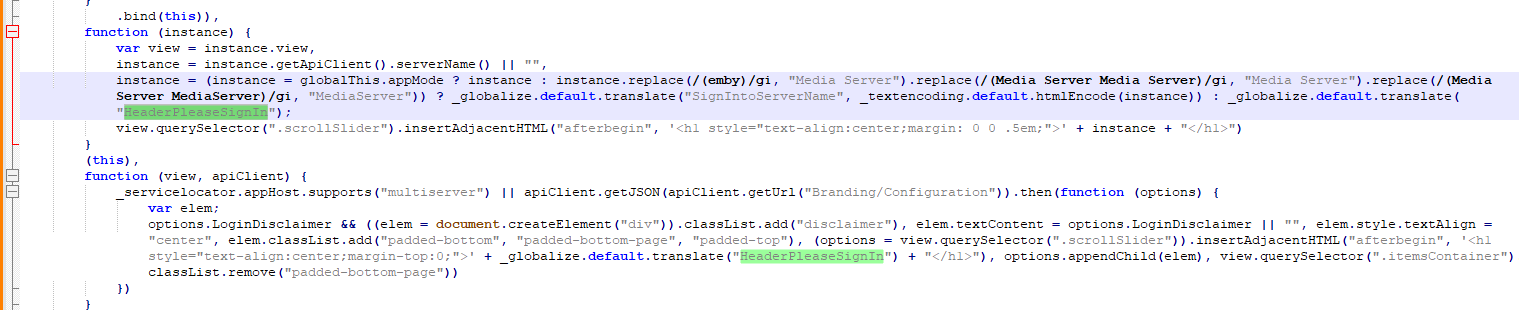
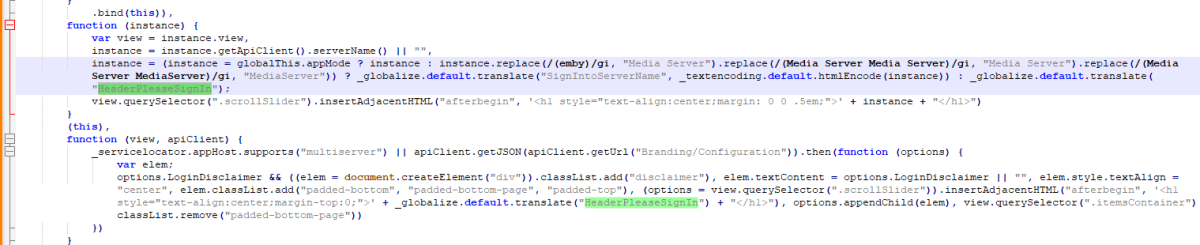
Note there are two stings folders and this specific one would be \system\dashboard-ui\modules\common\strings and your specific language setup. login.js string json "HeaderPleaseSignIn": "Please Sign In", "SignIntoServerName": "Sign in to {0}",
 1 point
 -
You mean this? As I believe this are scripted back to the language stings.
 1 point
 -
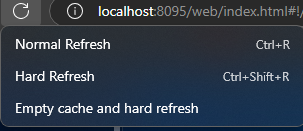
But in the end every server update will have some breaking change and you will have to reevaluate all the code you change. So you will want to have a test server running the beta branch also. Open the debug console (F12) on Emby page and right click the page refresh button.
 1 point
 -
I just script apply all the edits I do with every update copying the images into new system folder. REM replace images copy A:\Emby-Server\logowhite.png A:\Emby-Server\system\dashboard-ui\modules\themes\logowhite.png /y copy A:\Emby-Server\logodark.png A:\Emby-Server\system\dashboard-ui\modules\themes\logodark.png /y I would just post here.1 point
-
Well good lock with it1 point
-
https://docs.nginx.com/nginx/admin-guide/web-server/serving-static-content/ There's an example containing @backend under "Trying Several Options". Have a look at that.1 point
-
One thing to note; any changes you make directly to files will often be reset by server updates. CSS you can apply from within embys settings as @ebrnoted. When it comes to images; I find the easiest and most reliable way to customize them is using a reverse proxy In front of the server to serve/replace certain files. In nginx I'll use 'root <path to files>' 'try_files $uri @proxy' where @proxy is a named location containing the actual proxy block; to first check for files local to the proxy, then only retrieve said file from emby if not found locally. With this I replace various logos, the favicon, the default user profile image and a few more; it's worked great for years. All of this only really applies to the web browser based app. The installable apps use their own local copies and won't display the custom ones.1 point
-
Thomas, Aha, you are correct. My file renaming idea is not accurate. Sorry, I must have been thinking about limitations with file naming with a command line or something. Even if you go to the folder in the programdata/tags and change the letter to a different case, then reboot the server. It doesn't change anything. I think it's already copied into the dbase and you would probably have to open the dbase with a dbase reader software and change it in there. Maybe changing the capital and clearing all the cache might make a difference. I was not interested in testing that one. Perhaps there is a plugin that allows this editing.1 point
-
Same issue here on emby beta 4.9.0.38 but I am running an Intel ARC A310 GPU, passed into an LXC container on proxmox. HW Transcoding works fine as long tone mapping is not needed, but when tone mapping is needed, CLInfo fails to detect the platform: 09:38:41.512 [AVHWDeviceContext @ 0x26ec7300] Failed to get number of OpenCL platforms: -1001. 09:38:41.512 [hwmap@f3 @ 0x26c22400] Failed to created derived device context: -19. 09:38:41.512 [hwmap@f3 @ 0x26c22400] Failed to configure output pad on hwmap@f3 I can confirm that if I install intel-opencl-icd and clinfo, it correctly shows the platform, but emby-clinfo shows 0 platforms. I noticed that emby-clinfo is using the Khronos loader instead of the intel one, so I followed the instructions in their GitHub readme to register the icd manually echo "/opt/emby-server/extra/lib/libigdrcl.so" > /etc/OpenCL/vendors/emby.icd but that didn't help. I spent a lot of time installing the newest intel drivers into this LXC container only to finally realize that emby packages its own drivers with it, so at least I don't have to mess around with that any more!1 point
-
Next time it happens, I'll grab & upload. Thanks again for your work on this and your always quick responses!1 point
-
Hi Luke, yeah, I use it and I think it cover this request.1 point
-
Hey Guys. Did we get any update on this? I'm having the same issue on the iOS app. anytime I go to play a movie that is in mkv format on the server i get the "There is currently no compatible stream available". The app on apple tv seems to work fine. chrome and safari can both play back fine on the iPhone as well.1 point
-
Alright, I send a PM.1 point
-
Ok, will be waiting.1 point
-
hi, this will be in the next update to Emby for Android. Thanks.1 point
-
+11 point
-
Hi, could be due to caching, but please note, there's no officially supported means of doing this.1 point
-
HI, once you have a series, then there are /seasons and /episodes api's you can use with the series Id. To update an item, all items use the same endpoint.1 point
-
Hi, I would just be patient and give your library scan time to finish. If you can attach your emby server log, we might be able to come up with some advice to speed up your scans: How to Report a Problem thanks.1 point
-
Damnit. Sorry - didn’t see that I ended up in the WMC forum. Watching on a Roku Ultra, emby server is on a Win 11 machine. I haven’t checked if there’s an issue on web or iPhone. Will this evening. That should help ID it as a emby issue, or not.1 point
-
It has come to our attention that someone (we believe out of China) is spoofing our purchase page and reselling bogus Premiere keys. Please be aware that the only valid locations to purchase Premiere are our web site (https://emby.media/premiere) or inside one of our official apps. The scammers are using the domain "Emby.team" and are spoofing credit card receipts that look like they come from us and everything. If you happen to have fallen for one of these scams report it to your credit card company and please let us know at billingsupport@emby.media. I'm afraid we cannot do anything to help return your money but we can try to squash the perpetrators. Thanks. View the full article1 point
-
I just, earlier today, had a problem with Live TV. It is not the usual type of live TV failure where play does not work or you can't tune to a channel or recordings don't happen or any "normal" type of failure. What i was doing was editing the metadata for a number of channels one after another, mainly i was changing the sort field if that matters. As I was editing everything was working fine and I stopped to test results every 15-20 channels. On one of those interludes I suddenly got an error message: "file '/livetv' cound not be found" and it opened in a new window that was entirely white except for the message. It looked like the screen that is produced in Chrome when you open a link in an incognito window. Restarting the server and restarting the Emby server's computer made no difference. I then deleted everything in the live TV setup and readded the tuners and guide data sources and went through the basic setup I use and everything worked perfectly. I did not change anything else in my Emby server at all and now my live TV is again working fine but i still have the sorting to change but I will only do that in small chunks as I do NOT want to have to do it again. It is a lot of trouble for me. This is just a report as there is nothing else to fix but I wanted to report just in case it happens to someone else or to me again. BTW: The spelling of "could" in the message is exactly as it was when the message happened. But i am pretty sure that cound was not what was really intended.1 point
-
If anyone is looking for this answer also, the correct location for the files to be placed or backed up from, is your emby instillation folder /data (ie: /emby/data) don't be scared to over write what is in that folder and make sure the premissions are correct and the owner.1 point
-
I would like to shed some light on these NBC outages. I lost NBC reception yesterday (February 18, 2025) and it has not come back as of yet. I have reached out to a tech guy over at NBC and learned why these outages are taking place. Normally they broadcast from the WTC. But they switch over to a backup transmitter at 4 Times square when they need to do maintenance. For me, living out in Suffolk County, their signal goes from 100% to no signal at all when they do this. I experimented and determined that I would need to go through extraordinary means to get their backup signal. It just doesn't pay. After the eight days are up, I just go to their App on my Roku. Not really crazy about that solution. After reading other comments online, it appears that the backup signal is very much inferior to their primary signal. I am tending to think that NBC is not aware of how much this is affecting viewers.1 point
-
Uninstalled the two and restarted Emby initially it started up with some of the images missing like before but they came on about 10 seconds later and everything seems good, restarted it a second time and everything was good right away, Restarted the PC and everything loaded perfectly. Will monitor it for the next few days and see.1 point
-
Yes, I should have written this clearly :-). Thanks again!!!1 point
-
I am almost finished debugging. I have not been able to program as much as I would like. I have cleared my bug list and I am now creating EPGs to try and eliminate bugs. I should be finished in a day or two, Vic1 point
-
Emby acts normally, without interuption, as it is connected by cable. What is acfected is the WiFi connectivity and all devices using it. When I am on my laptop I run set of pings (to the GW, Google DNS, Emby, TV, etc.), the Emby server is the only device connected by cable and has stable connection, every other device (connected via WiFi) has extensive latency up to 2000 - 3000 ms and dropped packets.1 point
-
Yes, and in this topic I found that there are a lot of people who have the same needs and they even came up with these ideas years ago. So hopefully our request will be implemented soon!1 point
-
Turns out it hasn't resolved with the updated OS PFA Emby Server and ffmpeg logs attached if they're of any use. The latest example was the playback at 17:50 on the logs. Thanks in advance for any guidance. ffmpeg-directstream-1e5d250b-fa93-4c26-a436-4bdb6dc854ca_1.txt embyserver(3).txt1 point
-
The Emby team hopes you and yours are enjoying a Happy Holiday Season. We would like to announce a couple of changes that will hopefully increase the value of Emby in all of your households. First, to aid in the transition from our old TV-only Android TV app to the new Standard Android app on that platform, we will be eliminating the need for the app unlock by allowing free playback for up to five TV devices per Emby Server. Devices beyond that limit will require Emby Premiere. Previously purchased unlocks will still be honored. This should allow most households to move to the new app more easily. Second, recognizing that today's households have more and more devices, we are increasing our standard Emby Premiere License device limit from 25 to 30. We will then also increase the extended premiere plans from 45 to 50 and 75 to 80. Existing extended subscriptions will remain the same but new ones will be at these new levels. All standard licenses will be automatically updated to the new 30 device limit immediately. You should see all of these changes rolling out over the next week or so. Happy Holidays from the Emby Team! View the full article1 point
-
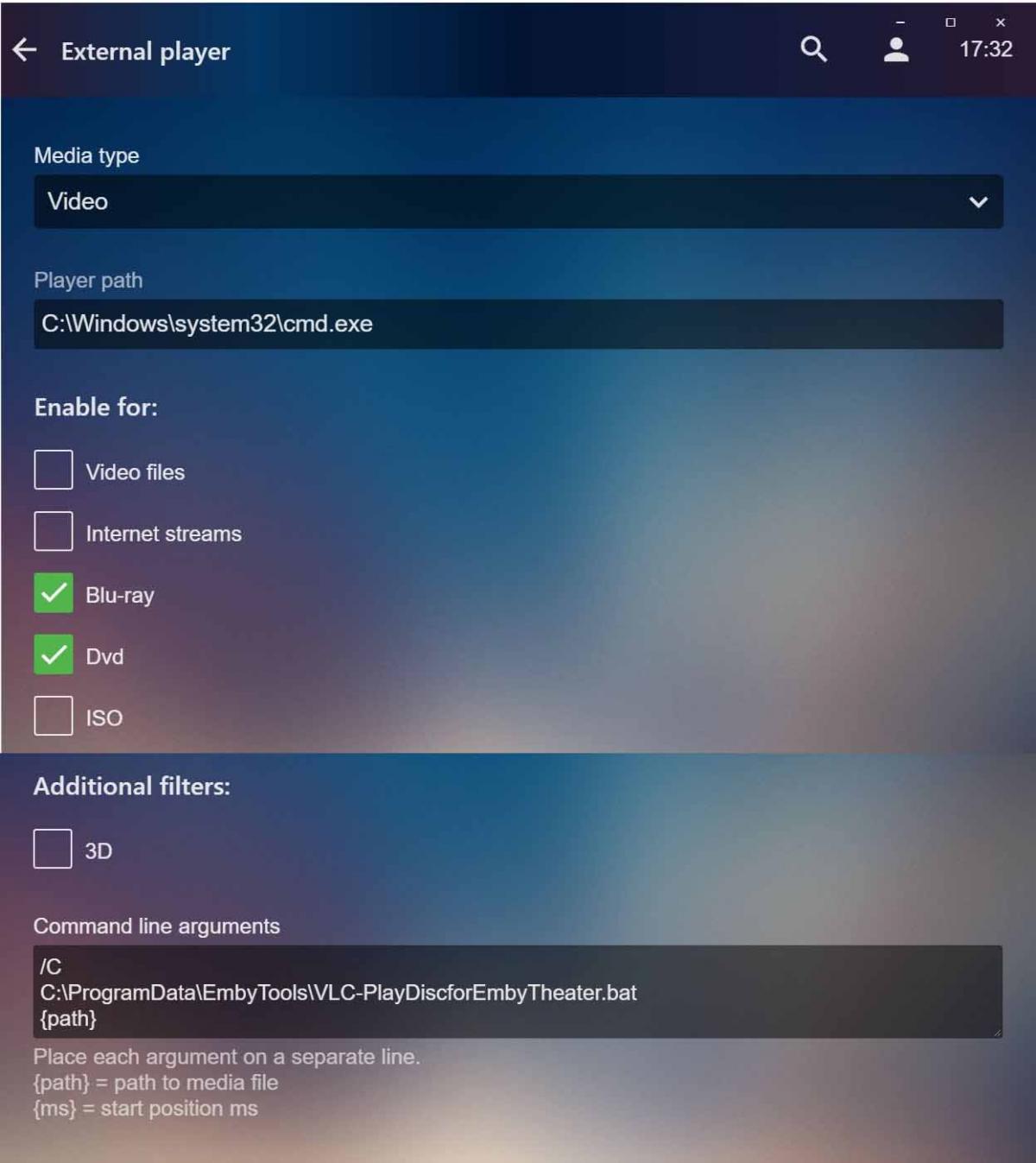
Overview A lot of the details within this post are based on information I have gleaned over the last few years when I set up commercial Blu-ray disc playback within my WMC installation which I am now in the process of replacing with Emby Theater. As such, a lot of the detail is obtained from others work that had been published on the internet. Due to the mists of time I don’t have the original references/links to share but I’d like to doff my cap to the trailblazers and forward-thinking software developers whose original work this is based on. Through the course of this information I’ll also include any relevant experiences of my own in case they help with troubleshooting in the event someone making use of this advice hits a problem. The general recommendation from the Emby team is to have all your media “online” on your server and for media on the discs you own this means ripping to HDD in some way. This makes it accessible to the widest selection of Emby clients. However you may have a reason why you don’t want to do this. You may have storage limitations. You may find yourself repeating rips trying to identify the correct language version you want - video, audio or subtitles. You may like watching the extra features included on your multi-disc sets and don’t relish the extra effort to organise them for the server. Being able to play your discs directly can avoid a lot of potential concerns though it can introduce others of its own. Of course, whether you rip or play, your PC needs to be equipped with a drive capable of reading Blu-ray discs though the approach I use will work with DVDs alone if you only have a DVD drive. Your PC also needs to have sufficient horsepower for the processing required – though most available nowadays will have this. There are 3 stages to this game: Install software to enable your PC to play your commercial Blu-ray discs. Create external player definitions within Emby Theater. Create library entries for your disc collection on your server so that the external player definitions in Emby Theater get triggered to play the discs. Done the right way this also stops other Emby clients without an external player linkage from “circling” when they can’t make sense of/use the library entry selected. Software A search on the internet shows many ways this can be done. The main challenge is dealing with the encryption usually applied to commercial discs and the fact that it is always evolving. Personally I prefer an approach that minimises any need to maintain the capability after initial set-up and the software combination that does this for me is: VLC Player (v3.0.4 at the time of writing) MakeMKV (v1.12.3 at the time of writing) Java Runtime Environment (version 8, update 191 at the time of writing) VLC is what actually plays the discs. MakeMKV is used to provide encryption handling for VLC and Java RE is required by VLC for some varieties of Blu-ray menus. Here’s the links for the download pages from the official sites: https://www.videolan.org/vlc/index.en-GB.html https://www.makemkv.com/download/ https://www.oracle.com/technetwork/java/javase/downloads/jre8-downloads-2133155.html One important thing to match up across this software combination is whether you are using the 64- or 32-bit versions. For VLC and Java RE you have to choose between 64- and 32-bit. MakeMKV installs both versions. With VLC prior to v3 I had problems with the hardware acceleration of the 64-bit version so I matched up on 32-bit. With v3 of VLC I have not encountered any issues with 64-bit. First off, download and install all 3 programs. All 3 programs are that well known that you may already have them installed and you only need to check that you’re matched up on 64- or 32-bit. And if you haven’t come across one or more of these programs before don’t hesitate to read up about it so you have confidence about what you are doing. As above, VLC is the software that will actually play the discs and for it to be able to read encrypted discs it requires working libaacs.dll and libbdplus.dll modules in its main folder (C:\Program Files\VideoLAN\VLC is the default location for 64-bit, C:\Program Files (x86)\VideoLAN\VLC for 32-bit). These .dll modules don’t get included automatically by VLC itself but, handily, MakeMKV has .dll modules that provide the required entry points and logic. Look in the main folder for MakeMKV (C:\Program Files (x86)\MakeMKV is the default location) and identify libmmbd64.dll (64-bit) or libmmbd.dll (32-bit). Copy the MakeMKV .dll module matched to your 64- or 32-bit requirements twice to the VLC main folder, renaming there to libaacs.dll and libbdplus.dll. The more adventurous could create junction points in the VLC main folder pointing at the relevant MakeMKV .dll module. I don’t do this but it could save an extra step if you ever had to update/re-install MakeMKV in the future. When you first installed MakeMKV it would have been installed with a “beta key” that , depending on the point in the MakeMKV lifecycle, could be valid for a short period of time up to a couple of months. If you continue to rely on the beta key then once the current value expires it is necessary to update it. The latest beta key value is freely available via a link on the MakeMKV download page but it requires editing the Windows Registry to update it onto your PC. Because the key value is held in the user hive of the registry you also have to edit the registry if you want to have more than one user to be able to play Blu-ray discs (eg. multiple Emby Theater instances). Here’s a description of what to look out for in the registry and what you would need to add for an extra user: Windows Registry Editor Version 5.00 [HKEY_USERS\S-i-j-kk-mmmmmmmmmm-nnnnnnnnnn-ppppppppp-qqqq\SOFTWARE\MakeMKV] "app_Key"="T-... " [HKEY_USERS\ S-i-j-kk-mmmmmmmmmm-nnnnnnnnnn-ppppppppp-rrrr\SOFTWARE\MakeMKV] "app_Key"="T-... " where S-...-qqqq/S-...-rrrr are examples of the internal user IDs in the Windows Registry and, once expanded to its full value, T-... is the MakeMKV beta key value. The text above can be used as the basis to create a .reg file using NotePad or similar that can then be used to semi-automate the registry updates – once created it is only necessary to update the key value in the .reg file when it expires and then double-click the .reg file. As always, whichever method you use to update the Windows Registry, always take a backup first in case of mistakes and you stop your PC working. Please note that only when a user is logged in will their user hive be loaded in the Windows Registry and be editable. If the user is logged on, you can check which S-...-qqqq equates to which Windows username by checking the entries under this key in the registry: [HKEY_USERS\S-i-j-kk-mmmmmmmmmm-nnnnnnnnnn-ppppppppp-qqqq\Volatile Environment] The same information for the active user is shown under this key: [HKEY_CURRENT_USER\Volatile Environment] Your other users may also have standard accounts rather than being members of the Administrators group. In this case you’ll need to use an account that is a member of the Administrators group to make these registry changes for them. One way, for instance, is to have the standard user log on but then employ “Switch User” to get to the account under which you’ll be making the registry changes while the standard user is still logged on in the background. This short two-monthly maintenance action for the beta key value can be obviated by purchasing a “full activation key” for MakeMKV. A link for doing this is present on the latest beta key value page. At this stage you should now be able to play the commercial Blu-ray discs you own on your PC without hindrance by opening VLC. External Player Definition Emby Theater external player definitions can be set up for a number of classes of media. Indeed they can be used to override the internal player used by Emby Theater. Here’s the current list of options under which a definition can be set up under the “Video” category: Video files Internet streams Blu-ray Dvd ISO For our purposes we are going to set up a single external player definition to cover both Blu-ray and Dvd and ignore the rest of the options. The approach I’ve adopted is to use a .bat file that initiates VLC. It is possible to set up two separate external player definitions using direct program references to VLC - the two definition approach is forced because of how you open different media classes in VLC - but this reduces flexibility/flow. The .bat file also tries to smooth the visual transition between Emby Theater being on your screen, VLC playing a disc and back again. A further benefit is that it is the same .bat file used for both the Blu-ray and Dvd and so it doesn’t matter what type of disc you actually insert - as long as it’s one you want to play and compatible with your drive. I’ve attached the .bat file I use: VLC-PlayDiscforEmbyTheater.bat VLC-PlayDiscforEmbyTheater.txt to this post though have renamed it to .txt to comply with attachment restrictions. Feel free to create your own .bat file if you wish, using the attachment as a template as much as you want. One tweak you may need if you use the attachment is to change the default optical drive reference to one appropriate for your PC. EDIT: Please refer to the Library Entries section if you have online Blu-ray/DVD content for an alternative version of the .bat file if you wish to make use of that.. Looking at the attached .bat file you will notice that I make use of the NirCmd.exe utility, that has been developed by Nir Sofer, to handle some of the process interactions (eg. minimising/maximising windows, putting a user dialog on the screen). I’ve seen other members of the Emby community use and reference this and it works for me. This link gives some basic usage information and the download links for .zip files containing the utility are found at the very bottom of the web page: https://www.nirsoft.net/utils/nircmd.html If you use the .bat file attachment I’ve provided as-is you’ll need to unzip the download for NirCmd to a suitable location. For my own purposes I’ve put it into C:\Program Files\NirSoft though it isn’t installed in the traditional sense. Again, if you have any worries about unknown software, don’t hesitate to explore alternatives you are comfortable with. For myself, looking to the future, I may see if I can create my own .exe to do the same job as the .bat file giving me the option to employ a user dialog visually more in keeping with Emby Theater. As I’m migrating from WMC I have a MCE remote. VLC seems to work with this “out the box”, at least sufficiently so for my needs. There is a multitude of start-up parameters that can be specified for VLC to control how it interacts with a keyboard and more specialised remotes. I haven’t explored them myself but the post linked below more than hints at what is possible: https://emby.media/community/index.php?/topic/43054-considering-emby/?p=402646 In comparison the paltry VLC parameters used in my .bat file and why are: --no-qt-bgcone Don’t display background cone or current album art when not playing. (Keeps the VLC window clean until the disc is playing.) --fullscreen Start video in fullscreen mode. (Once it starts playing the disc, VLC is in full-screen mode.) --play-and-exit Exit if there are no more items in the playlist. (The disc is the only playlist item so once you stop playing VLC exits and control returns to Emby Theater.) --bluray-menu Use blu-ray menus. If not set the main feature will start. (Left to its own devices VLC could start with the wrong language version - video, audio or subtitles – though you can select alternative tracks/streams to correct this while VLC is playing.) It will become apparent why in the Library Entries section but the .bat file I use allows for the co-existence of offline and online library entries defined as Blu-ray or Dvd on your server. This possibility is another drawback of using direct references to the VLC program in your external player definition as the definitions will force all entries defined as Blu-ray or Dvd to be treated throughout your library as all offline or all online. I’ve also attached a screenshot of how the completed Emby Theater external player definition looks: Emby Theater External Player Set-up.jpg Note that I’m not invoking the .bat file directly but going via cmd.exe. Experimentation and review of external player-related posts show that it is a bit of a dark art how the command parameter element of the definitions get passed on from Emby Theater. For instance, using the .bat file directly, I never found a way to successfully use the built-in {path} parameter value. The definition approach presented seems to work provided the full path and name of the .bat file does not contain spaces or the special characters: &()[]{}^=;!'+,`~) The limitation seems to be based around how Emby Theater escapes, or doesn’t, the special characters. Whether you use your own .bat file or not, an idea I follow is to place it in the hidden C:\ProgramData folder that all users have read access to and, if you create your own folder within it to hold the .bat file, it makes it immune to uninstalls/re-installs of other software. Library Entries The library entries you’ll set up for your commercial discs follows the recommended Emby naming conventions for movies and TV episodes. I strongly recommend you look these up if you are not already familiar. Links are: https://github.com/MediaBrowser/Wiki/wiki/Movie-naming https://github.com/MediaBrowser/Wiki/wiki/TV%20naming I started this exercise using the media stub approach, thinking this was the way to go when there was no actual media file as part of the structure. Unfortunately it seems the Emby clients just use these stub entries to display a message that the media is not available – and sometimes not too gracefully at that. Other clients, such as Kodi via the EmbyCon or Emby for Kodi Sync add-ons, do make use of the stub entries to prompt for offline media. Of course, that’s a whole different topic. To trigger the Blu-ray and Dvd external player definitions in Emby Theater a library entry needs to follow the Blu-ray or Dvd folder structure described in the naming conventions. In summary these are: To be recognized as a Dvd structure, the folder must contain either a VIDEO_TS subfolder, or a VIDEO_TS.ifo file. To be recognized as a Blu-ray structure, the folder must contain a BDMV subfolder. If you ripped your disc to make it online in the server you’d use the same convention to store on HDD. As a result it is possible to create Blu-ray/Dvd library entries for online media and other library entries for offline media that in the ideal world your Blu-ray/Dvd external player process needs to cope with to make all accessible. The approach I’ve detailed in the External Player Definition section above does this. As the triggering will occur purely on the presence of suitably-named folders, it is possible to set up library entries for your commercial discs without storing any form of media file within them. However I quickly discovered that such library entries caused other Emby clients that do not have suitable external player capabilities, such as Emby for Android, to “circle” and not do anything though it was possible to escape out of this without any apparent harm. As a result I created small media files of the appropriate type, with 10s duration, that would show a single frame displaying a message that the Emby client being used does not have the access/ability to play discs. These were then placed into the folder structure of each offline disc library entry for other Emby clients to “chew” on if the library entry was selected for playback. Here’s a .zip file attachment showing both the folder structure for a Blu-ray and Dvd example and containing the 10s media files I created: Sample Folders.zip Sample Folders.zip To generate the 10s media files, I created the initial frame using a photo editor. Here’s what I came up with (put into .zip file to comply with attachment rules): Disc Warning.tif Disc Warning.zip I used the attached .bat file (renamed to .txt below to comply with attachment rules) to run some FFmpeg commands to create the videos in the required format: Create Disc Warnings.bat Create Disc Warnings.txt A Dvd without an audio stream is not compliant, hence the intermediate step to generate a silent audio stream for the final .mpg file. For Dvd there is an extra step from generating the final .mpg file to create a Dvd folder structure. This can be accomplished using your favourite DVD Video burner software to provide the final version with .IFO, .BUP and .VOB files in a VIDEO_TS folder. In reality, as it’s less work, you could set up all your disc library entries as Blu-ray but I’ve used the Dvd folder structure for situations where I only have Dvd discs. You never know when things may change. EDIT: I have created an enhanced version of the .bat file added as part of the extra player definition to automatically play any real online contents in the {path} passed by ET based on the combined size of the underlying folder structure - assuming it will be larger than the files used for the disc warning. This takes out having to respond to a dialog to confirm if you want to play online content. I don't have such a situation myself but carried out some sample testing that showed it worked. If this is more appropriate for your situation and you wish to make use of this it is available in this attachment though I would recommend carrying out testing appropriate for your media collection: VLC-PlayDiscforEmbyTheater.bat VLC-PlayDiscforEmbyTheater-new.zip Up to now, if they are selected for playback, we’ve gone to the trouble of making the disc library entries compatible with Emby clients other than Emby Theater. The ideal is to make the library entries stand out in some way to avoid selecting them in such clients in the first place. I’ve achieved this by overlaying the original primary image for a library entry that the server metadata fetcher would obtain with the disc image that it would also obtain and using this as the new primary image for the library entry. Thus a user seeing a primary image overlaid with a disc image knows the entry is for an offline disc. I’ve set up my server so that I don’t keep the artwork with the media folders. As a result I had to define a new temporary library where artwork would be stored with media and copied all my disc library entry folders to this temporary library location. You can tailor this temporary library to just pull back primary and disc images. This gave me the source of images to use. I then used this attached .bat file (.bat renamed to .txt...): Image Manipulation.bat Image Manipulation.txt to generate the alternative primary images across all the entries in the temporary library. Again I’ve used FFmpeg. Note that the original disc image and the alternative primary image are .png files. This is so that appropriate transparency is retained for when the library entries are shown within clients so that the disc “notches” the image displayed. The overlay process in the .bat file also starts with a fully transparent .png file of the appropriate dimensions for a primary image: Transparent 1000x1500.png For reference, here’s the alternative primary images for the sample entries in the Sample Folders.zip attachment above: Early Man – poster.png Shrek – poster.png If the server metadata fetcher doesn’t pull back a primary or disc image for a library entry, you have the option to scan your disc and/or case insert to create the starting point. I had to do this myself for some discs. In this situation you’ll need a photo editor that supports manipulating/generating the disc image with transparency or use an approach based on the Image Manipulation.bat file above. If it’s a help, here’s a base image with the typical dimensions of a disc image returned by the server metadata fetcher that can be overlaid with a suitably cropped non-transparent disc image: Transparent 500x500.png Having generated the alternative primary images, it is a manual job within the server metadata manager to replace the originals. Hopefully you’ll think the final result is worth it. I’d also recommend keeping separate copies of the alternative primary images in case they get accidentally overwritten, or lock the metadata entries they are linked to. As alluded to at the beginning of this section, a parallel approach can also be used for discs associated with TV episodes rather than movies. The main challenge here is the name to give to the folder to reflect the episodes on the disc, particularly when the disc may not hold consecutive episodes and may even hold episodes from multiple seasons. In this situation the approach I’ve used is to create the folders for the discs in the Specials/Season 0 folder structure for the TV show and give it a name such as S00E999 that will never actually be used by a real special. This then requires manual effort to update the metadata to reflect the true content as you deem appropriate.



 1 point
 -
Favicon can also be replaced and is on this place: AppData\Roaming\Emby-Server\system\dashboard-ui\ it also needs to be overwritten after every update, after the replacement make a hard refresh of the browser like @Happy2Play showed a few posts before.0 points