Leaderboard




Popular Content
Showing content with the highest reputation on 01/28/25 in all areas
-
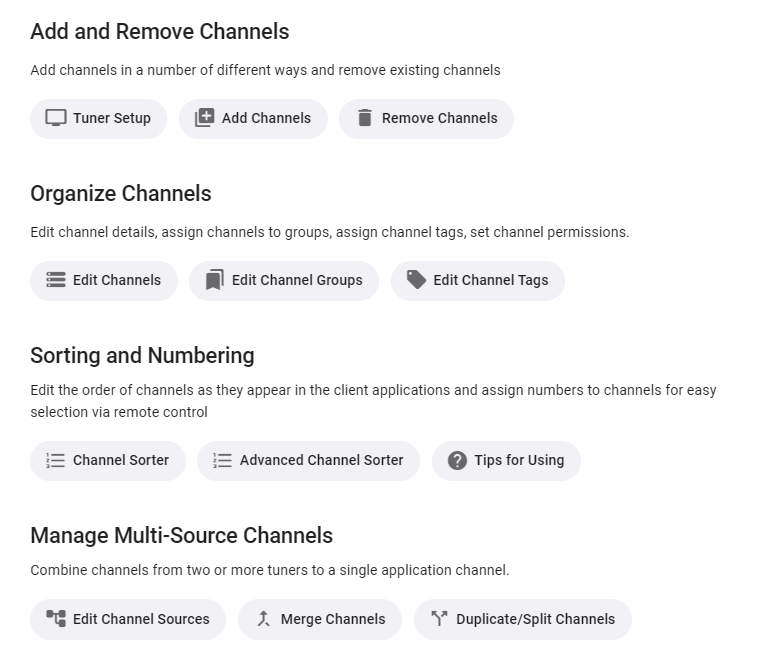
It already starts when you add a new tuner (M3U=tuner as well). After the channel scan (or -selection for M3U), you are asked whether you want to create separate channels or merge with existing channels. In case of the latter, it tries to match new channels to existing channels by certain criteria and then you get a chance for drag-drop editing the matching where you automatically get possible match suggestions and you can change everything to your liking of course. Of course you can at any time split or merge channels and their sources. Tuners are modeled as devices with one or more 'nodes' - which means HF-demodulator for native tuners, means an HDHR Quatro is tuner with 4 nodes (e.g. tunerA). For M3U, if you have an account with 6 simultaneous streams, it will be one tuner with 6 nodes (e.g. tunerB). You can not only merge multiple devices, you can also split a channel from a single tuner and have one of them driven by node1 and the other channel by node2,3,4 - which is one way to reserve tuner resources for certain purposes (e.g. for yourself or for recording). When you merge channels from multiple tuners, you can again define which nodes of which tuner you want to assign - for example tunerA-node1,2 and tunerB-node1-4. Then you you can reorder those nodes to define in which priority these should be used - e.g. in case of your "backup channel" scenario, you would put the tunerA-nodes first and the tunerB-nodes afterwards. The tuners are then always tried in that order - unless you have configured permissions. You can restrict access to certain tuner nodes to specific users, so when a user has no permission for a node, it won't be used and go to the next one in that order. Trying is actually not the right word. TVnext doesn't try - it "knows". At any point in time, it knows exactly which tuners/nodes are currently in use. For hardware tuners it even knows when they are used by a different software or when they are disconnected. Not trying means fast channel startup and switching. And more..3 points
-
Be able to create playlist based on a certain criteria, like genre and or year, in order to create a dynamic playlist that it refreshes automatically when new content is added. This way you can for example, create a tv comedy playlist from the 90's, or a new sci-fi Movies playlist. Some other criteria for rules could be the rating, watched/unwantched, score, tags, language, audio codec, etc The possibilities could be endless1 point
-
The default sort order is set to 'Folders'. I would prefer to have all libraries I select to default to release date. I know I can manually set it, but I have to do that for every folder in the library. I would like to see the ability to have it automatically set the default sort order for all new folders I create.1 point
-
Hey there, Not sure how much demand there would be for this but something I noticed scrolling through Netflix last night was how many of the videos I have in my library are now on Netflix / Prime...it made me think as I now access Emby through devices that have access to Netflix / Prime I should be able to remove the movies physically from the server and instead link through from my Emby library on certain devices. I know it's not everyone's cup of tea, but for me it makes sense to only hold the movies that I need to on physical disc taking up space and for the others to link through to the appropriate store if I have a subscription. Meaning I have one central Emby repo for all my links, whether that link is to a local share hosting the media locally or to an online repository such as Netflix / Prime. Clearly this is a little niche but is probably where we are all going at somepoint in the future... There would be a lot to work out in the logic of it I'm guessing and is probably based mainly on the client side with an "emtpy" move / tv holder being placed on the server to be ignored by clients that are told they don't have access to the streaming service. Thoughts appreciated on whether this is a stupid idea or one that makes sense? I know I can setup watchlist and in turn I can and do use the PlayOn Channel which gives me the option to view those streams, but it would be slick if they were natively in my library as is now Cheers mini1 point
-
Couple message system feature requests. They may already exist but the term "message" is so prevalent its hard to find, feel free to point me to other requests if they already exist Add the ability to add messages to every user, that they see the next time the log in. Ideally they would have an expiration date. For instance, "Server will be shut down for maintenence on MM/DD/YYYY" that would expire the day after. So if they didnt log in, they would never get it. Add ability for users to send a message to the admins. Add ability to send a message as an email ~thanks1 point
-
Also, It would be cool if we have various m3u lists and have the option to choose/assign each m3u list for each user.. Example. In user settings we can choose which library to give them for VOD so this shouldnt be hard enough to do it for live tv too no? USER 1 - Playlist 1 - Playlist 2 - Playlist 3 USER 2 - Playlist 3 USER 3 - Playlist 1 - Playlist 3 Etc etc.... *** Delete this message from another topic I opened because I posted it by accident there1 point
-
I was searching to see if this was implemented and this comment encapsulated my idea fairly well. I enjoy being able to control during which hours viewing can occur each day. I would now like to take that to the next level by defining how much time can be spent. Ideally, it should track the time videos are playing (difference between when they start/stop) and not simply the length of the video(s). I wonder if this type of control has been considered.1 point
-
1 point
-
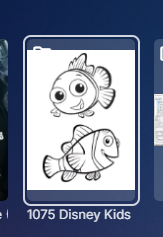
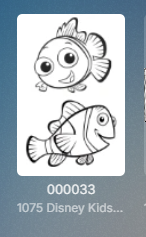
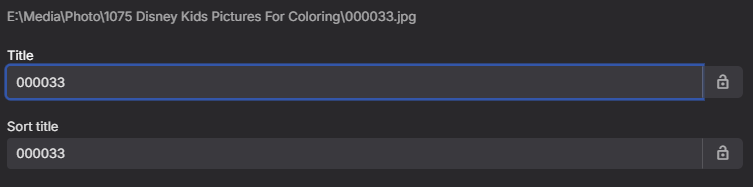
Testing a theory I am/will guess number padding can be an issue as I add a couple leading zeros and removed and readded folder and 000033 is now chosen. But from a universal naming scheme I have not been able to no use first image yet.
 1 point
 -
I have reproduced the error on a test server with your database files and the 30 second clips for S01E01 and S01E02 versions for Ahsoka I will be looking into it and comparing with times when it worked. Initially by marking Episode 1 as played did not give an error when playing episode 2 from continue watching But this sequence for me gave the error With all episodes marked as unplayed Open Episode 1 select version Remux-2160p HEVC DV HDR10 10-bit with audio selected English TRUEHD 7,1 Mark the episode played (without actually playing) Go to Home Page / Continue Watching Open the episode (It is Episode 2) Click on Play Error - No compaticle streams. I will look at the diagnostics1 point
-
This is in the beta that just went up (2.1.24)1 point
-
You can... See?1 point
-
Perfect. This is exactly what I was thinking of. Thanks for the link. I just liked the feature request1 point
-
So I spoke too soon I guess, but it's gotten a lot better. Maybe happens once in a movie, that's it. Still happens, but 75% less now. It's still kind of weird when it does happen and disruptive, it's like the black cat that we see twice in the Matrix, the Deju Vu.1 point
-
I had this problem too, but I haven't noticed it the last couple of days. It's not a huge problem so I haven't worried about it too much - haven't got the time! As I recall it started a few months ago. My server is version 4.8.10.0 It would be nice if it was fixed, but as I said it's not a huge problem for me.1 point
-
Thank you! Happy to hear it's being worked on!1 point
-
Hi, we are working on improving this. Thanks for reporting.1 point
-
Technically you don't need to change the ports for your second instance since you said it's on another computer, you could leave it with the default ports, and as part of your port forwarding is when you change the port. So for example 8096 on the outside would be sent to the first computer on 8096 and 8097 on the outside would be sent to the second computer on 8096. Similar to pwhodges I'm using a reverse proxy so I only need to open 443 and then within my reverse proxy config I have multiple domains specified, the web server looks at your requested domain and decides where to send it based on that. You could run hundreds of services behind a single reverse proxy.1 point
-
Sorry no as this all requires user intervention and applies to https ports. Secure Your Server | Emby Documentation | Using-secure-https-connections1 point
-
it was... hence the wink! I'm already on the beta channel for the server, and I'm assuming there'll be some kind of closed-group testing of tv-next before it hits the normal beta channel? As a very frequent user of Live TV I'm keen to test the new functionality when its appropriate.1 point
-
Ok, I found the issue, which has nothing to do with Emby. The issue described was happening only when using Firefox browser to access Emby server content. Apparently I made a change to Firefox configuration that triggered the incorrect time, as described here: https://support.mozilla.org/en-US/questions/1253204 I apologize for the noise.1 point
-
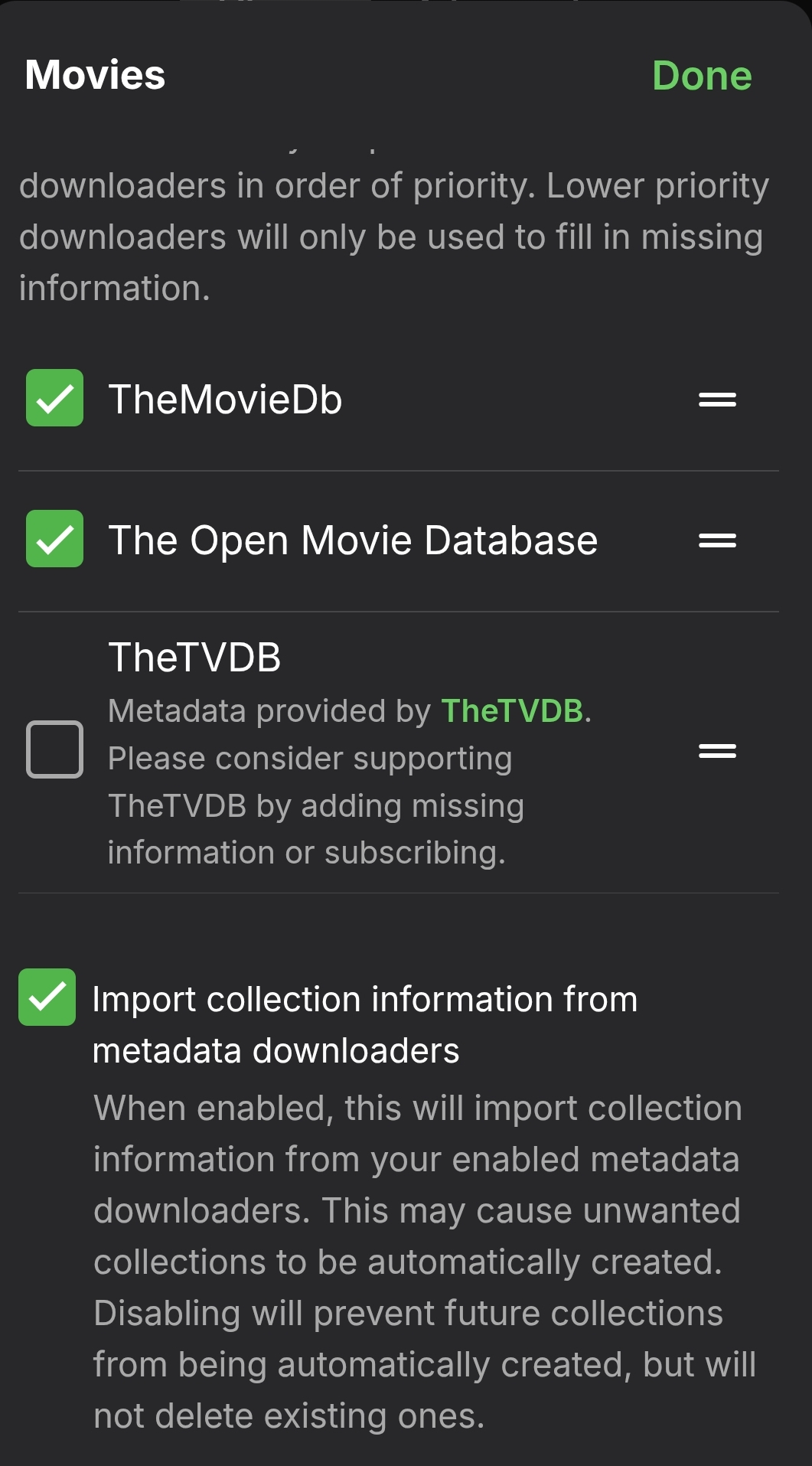
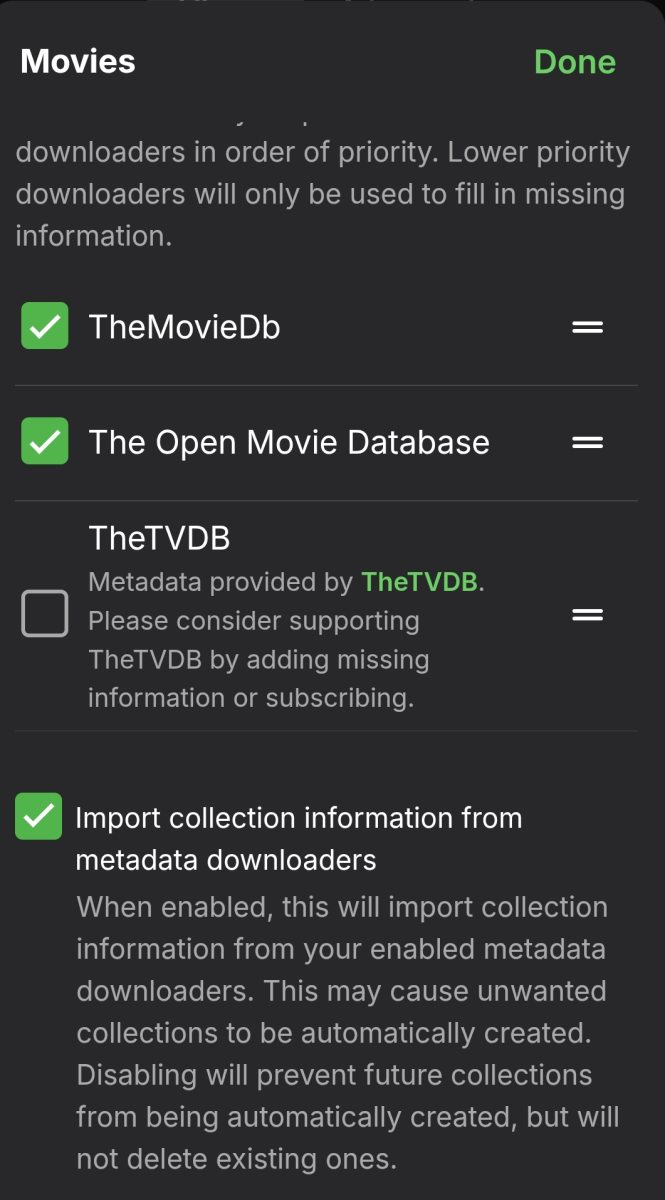
Time will tell, but I think that you may have saved the day! I put my settings to what you're showing in the screen capture and set my library to scan. I did NOT have "Import collection information..." checked and the downloaders weren't checked as your screen capture. Thanks very much for your help. I wasn't sure where to even look, so now I have an excellent start on this situation!1 point
-
@softworkzI have only seen real time aspect ratio changes like your dynamic fit implementation on a YouTube video of Epsons latest laser projectors and Kaleidescape’s One Strato V player demo’ing topgun maverick. Kaleidescape is a high end setup, Emby a fraction of the price. Kaleidescape has a movie store where Emby users have their own. Madvr envy is also an option for video processing and auto aspect ratio changing but mpv can do whatever madvr can. If Emby push forward with audiophile upgrades and generiq’s advanced video settings it will take the windows app to the next level. I’ll post a video of your black magic dynamic fit with topgun maverick demo when I get a sec.1 point
-
hi @mrmatt Welcome at Emby and unhappy it's one of the annoying bug present there since ages and that has "no solution" Vincèn1 point
-
Yes that is correct. Depends on your setup if you are providing a ssl cert or not so in reality you only need to forward the method you will be using.1 point
-
Hi, I'm checking later. Please wait.1 point
-
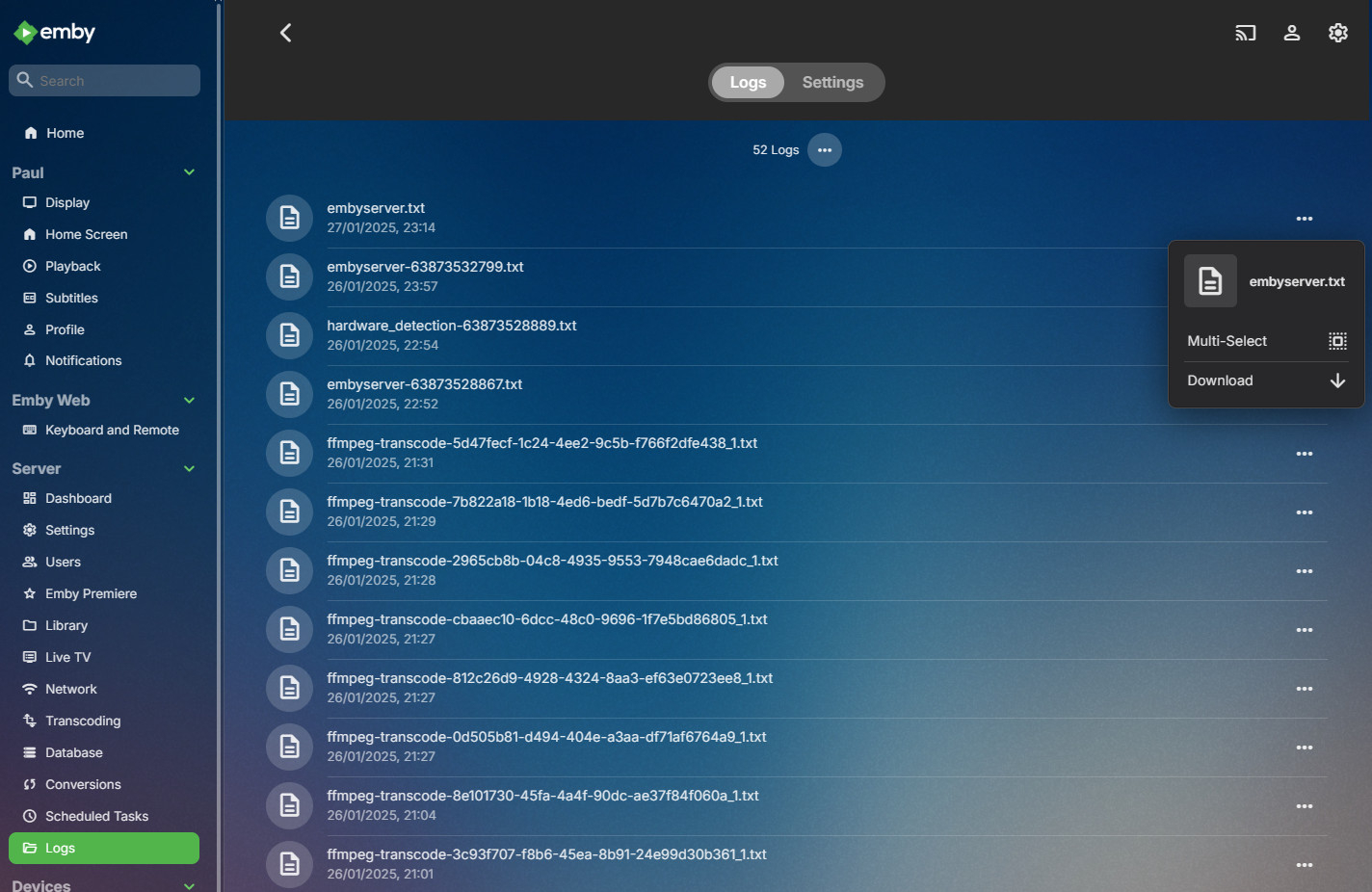
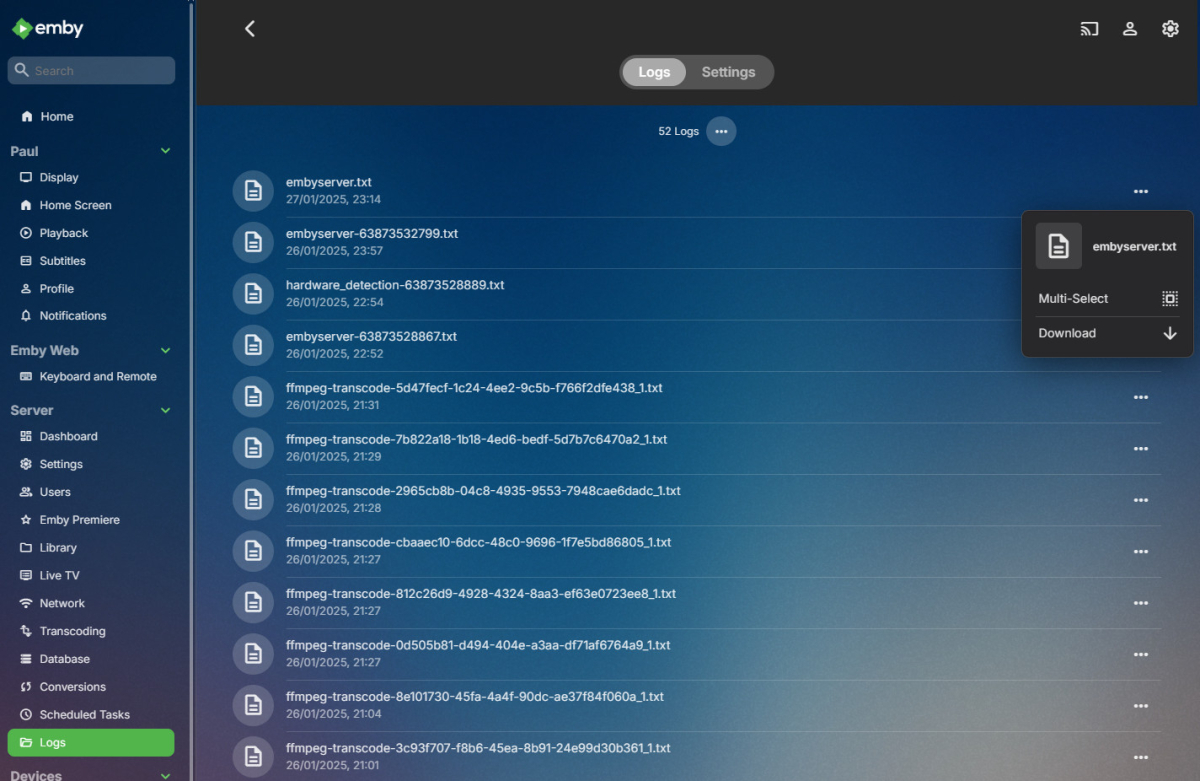
You don't need to be. (sorry for delayed reply - I've been away) First try the action which fails. Then click the cog at the top right of the home screen: Then look down the menu on the left until you get to the Logs entry; click it to see the logs; to the right of the top log (embyserver.txt) click the three dots, and select Download: When the log has downloaded, simply drag it onto you next post in this forum before submitting it, which will cause it to be attached. Then the devs (or some helpful user who sees it earlier) can check it to see the likely cause of your issue. Paul PS (1) You can do something - ask again! - keep asking until you get the solution. Also, be a bit more trusting. But (2), it can be naïve to assume that employees give consistently accurate answers... Here, you either get the developers themselves, or users who are taking the trouble to try to help (and you can, for instance, see in their profile how often their posts are marked as being helpful, or solving a problem).

 1 point
 -
To my knowledge the client choose the version per the drop-down as the order is not configurable. But yes added data would/should change the primary version for Emby as it would be first into database.1 point
-
After trying out a few different servers over the weekend, I found out that it's more probably due to how codec is setup on the server side since I can get audio on some servers. Initially I thought 4K was not supported, but I managed to play 4K hevc and AAC stereo successfully on my model Y.1 point
-
i stand corrected this wouldn't work. if you download your images to the metadata\livetv folder as those 3 different image names. it will not be our custom logos. and if we have to manually edit each channel image all over again then thats a bit too much. if you keep the same database library.db and not setting up new again. you just need to backup metadata\livetv folder. but thats already in my backup anyways. i did find a quick way to make it use the logos path which is in m3u. its a little programming but should have done soon. so all you have to do is add m3u and click a button to update db. and and the only time it will revert to guide images or emby cached logos is if you add/remove m3u or go into the m3u settings in emby and click save. becuase that is telling emby treat this like a new m3u. so all it will be doing is going to filter mediaitems table // type = 28. goto images column and remove the http links and '|' symbol and save for all in that filter. edit: also if i change a part after the path from primary to logolightcolor. then the settings will survive going into m3u setting and clicking save. so if you have your m3u already setup correct. then a minute later all your custom logos will work and continue working unless you start emby from scratch. then it will take you a 1 minutes to get it back the way you had it. now i just need to program it, lol you would think i could get a good job in IT or programming but no experience other than call center crap. so i stay unemployed doing stuff like this lol1 point
-
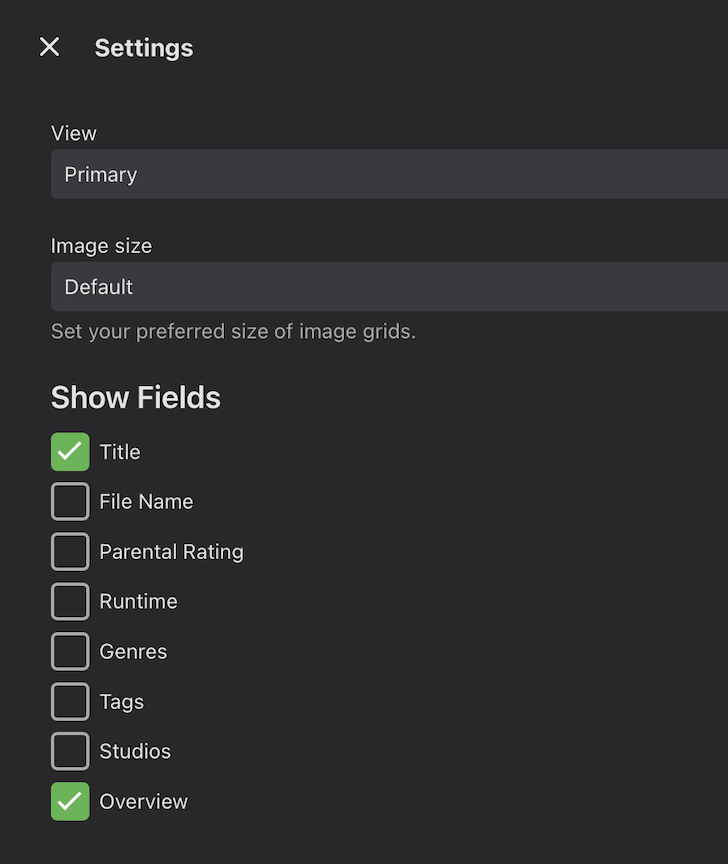
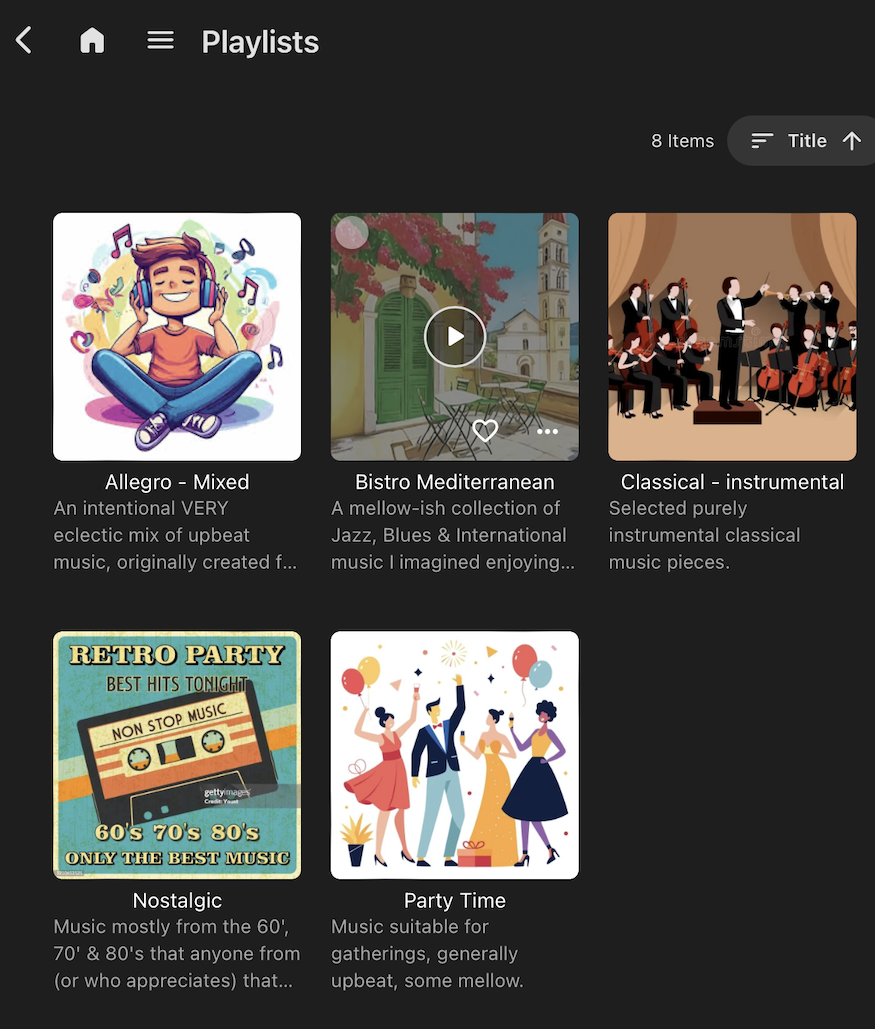
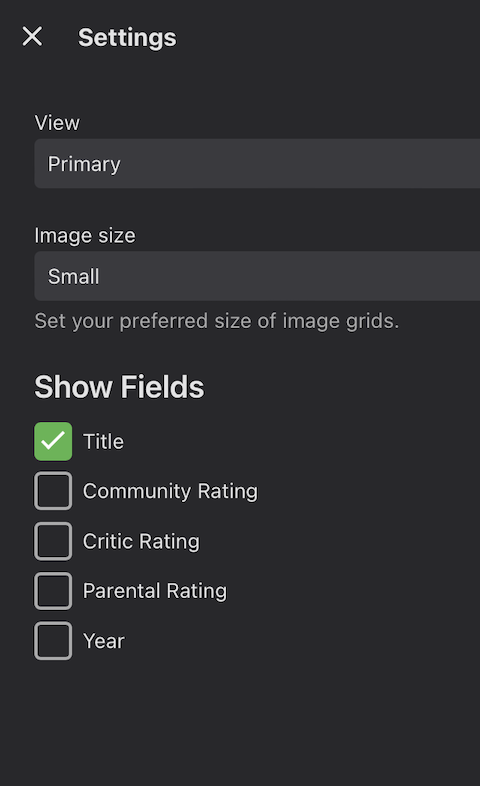
In PLAYLISTS, there is an option (under settings, by clicking the ellipsis ...) to display different bits of information under each playlist in the main listing (SS 1). One of those options is OVERVIEW, which will display the description of the Playlist I added to its metadata (SS 2). When I tried to do the same thing under COLLECTIONS, the Settings there offer different options, which don't include OVERVIEW (SS 3). Collections may have been originally intended to group movies & TV shows by a particular theme, like Die Hard, Indiana Jones, or Star Wars, etc (which should be obvious), but I also find them useful for groupings by other sorts of criteria, like AI, Feel Good, Film Noir and Parody. The titles of the Collections should make them self-evident, and the full description/overview IS available once the Collection is selected, but I find the addition of OVERVIEW to main selection screen to be very helpful when just browsing (SS 2). Please add OVERVIEW as one of the options in the SHOW FIELDS list for COLLECTIONS (SS 3).
 1 point
 -
Ran the files through mp3 tagger , all seems to work now1 point
-
What metadata providers do you have enabled and is 'import collection information' enabled?
 1 point
 -
It would actually make more sense to simply use the tvdbid or moviedbid as the index - and ignore the emby id. That way it's fully portable. btw - I did the bracket update, it was a bit of a hack as I just used an existing setting to turn it on/off - I've been running it for a while - I just haven't had time to release it .. life is just too busy atm. I'll get around to it ..1 point
-
Just sharing my experience. I moved to a Microsoft VM in HyperV so I can leverage passthrough GPU for transcoding. Having to sign on to Windows to get Emby started wasn't workable for me. I used the article below to make it a service. It worked well, Emby started automatically after a re-boot, but... no access to NAS shares so my media wouldn't play. Here's how I solved this. Create a local user on your Windows PC that matches the un and pw of the NAS account used to access the share. Running as Windows Service | Emby Documentation I used the 64bit version and put it in a folder called nssm-2.24 in C:\Program Files\nssm-2.24\ Edit the service you just created Properties > Log On > Enable "This account:" Choose the local user you created and fill in the password. (This step can also be done during step 2 with-in the NSSM setup) Disable "Run server at startup" in Emby Management UI > Server > Settings1 point
-
Hi, there's already an open request for this or something functionally equivalent. Please join in and contribute to the existing discussion at:1 point
-
@finnaldoA quick update. I was finally able to get the latest emulators installed, but they are incredibly slow to run, and even worse to try and debug in. However, I can reproduce the error in the latest emulator, and my theory on a possible solution looks promising, but I'll just need to do a bit more testing to confirm that it doesn't impact older models before we can publish a change.1 point
-
Soon I will post a new code base. It's a vast improvement over the current one. It's more modular, half the size, easier to understand, and more feature rich. For example, you can have as many EPGs as you want. I am also trying to give users more control over channel creation. I have a few days work left to do. I will try to fit them in quickly. Vic1 point
-
Did a proof-of-concept using my VirutalEpisodes hack and the native Emby Android app. This is using Tasker to monitor what is being played to launch Netflix (in this case). Details on the hack: https://github.com/xnappo/VirtualEpisodes Ideally would like to remove Tasker, Sonarr and scripts from the equation and do this directly with the Emby apps and using a server plugin to add/monitor the 'virtual' episodes.1 point
-
Entering a complex password even once with a tv remote (that has no number pad) is really bad. And this is for every single device and every single user. Just give us the option back and put a big security warning on it.1 point
-
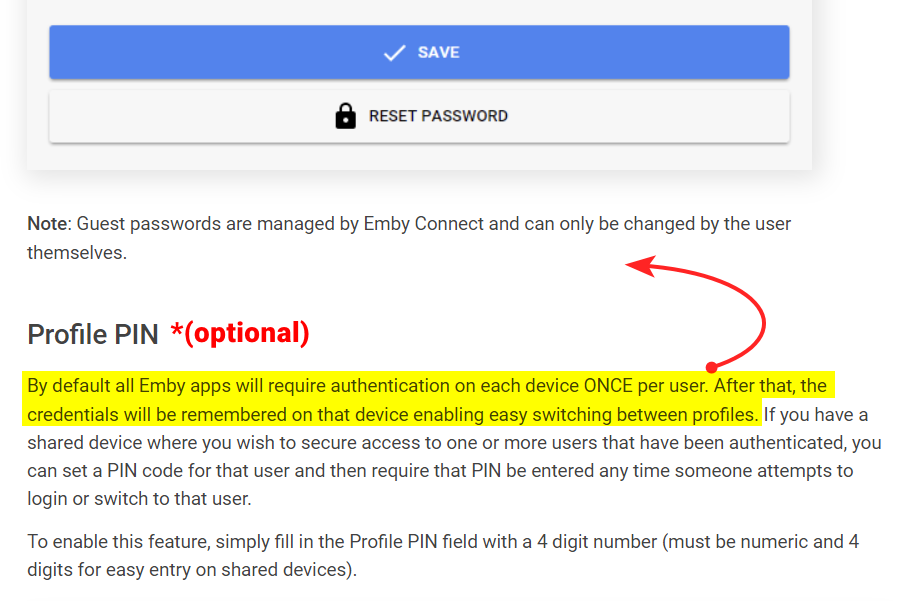
Yes, but to make it really clear, as this isn't the first time this has come up Perhaps you could move the highlighted portion to the above "Password" section, and then add (optional) to the "Profile PIN" section to make it super clear that it's not a requirement.
 1 point
 -
I think you guys are over emphasising (suggesting) the PIN feature. Some people just want a passwordless log in experience on their local networks. All you need to tell people is that all clients should now remember your password so you don't have to enter it every time, just the first time. The PIN is an optional feature you can add to your login to add a barrier to other users of your household from accessing your account, add a PIN like 1234 to stop kids using your parent account etc.1 point
-
Dear Softworkz, I tested the Remote Control (= Original Microsoft RC with USB-receiver) with both (1) Emby Theater WMC gui and (2) Emby webgui and found identical findings as you: and indeed except button 0-9 and up/down: thus I confirm your findings! In the meantime, the WAFAF* seems to hold up Emby Theater WMC gui!: we are using it since approx. 3 weeks in full production: our family TV in our living room on a NUC (i7/16G/250G SSD/Win11): it is almost OK....besides some RC matters, going-to-sleep/wake-up and some minor matters. *WAFAF = Wife And Family Acceptance Factor. Thanks & best regards, Peter1 point
-
Any news on this one? Im pretty Interested in this feature too1 point
-
Name your series folders Battlestar Galactica [tvdbid=71173] and Battlestar Galactica (2003) [tvdbid=73545] Re-scan.1 point
-
Old topic, but I really think Emby should add this as an option. It is a major pain point for people right now tracking between different services and this will bring users. I actually wrote a hack to do this using a combination of Sonarr and Emby - but it is NVidia Shield and Kodi dependent, and as I said - a hack https://github.com/xnappo/VirtualEpisodes I wrote this well before Plex had a similar solution. Been using it for two years and it is a family pleaser.1 point
-
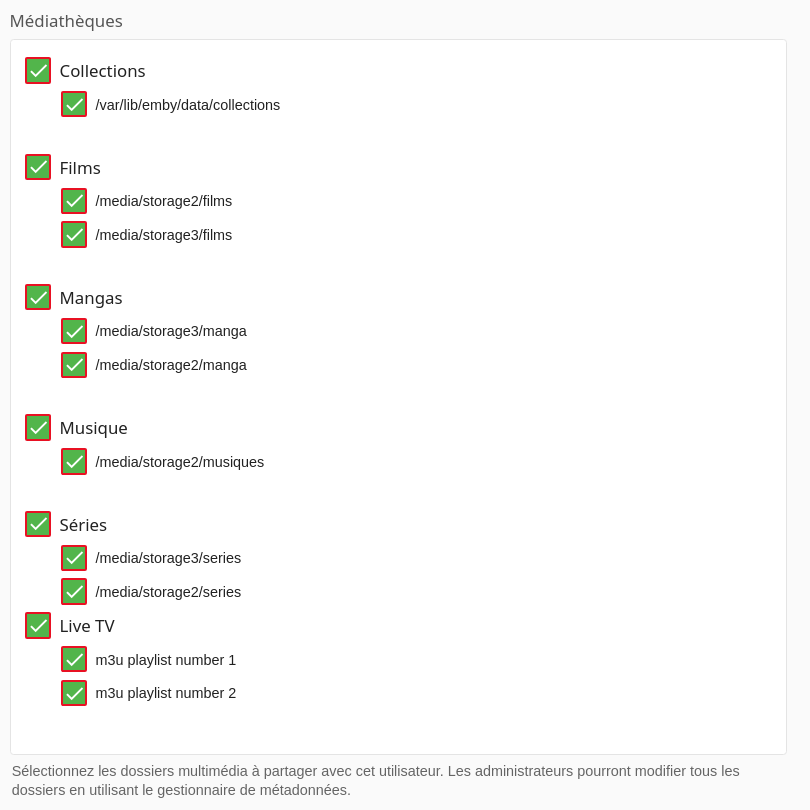
The option to restrict library access to a user is already present. It should be added option for the live tv. Like the screen: Screenshot from 2018-10-09 12-45-56.png There is also this option in the IPTV plugin to restrict access to one or more channels. This option is very interesting but it should be possible to add a m3u playlist and restrict access to this playlist or several. Management would be much easier than restricting chain access. I also saw the solution to edit the metadata and to use the parental control on this link: https://emby.media/community/index.php?/topic/38553-different-iptv-playlist-assigned-to-different-user/ I had the idea, parse a m3u playlist, to use the IPTV plugin API (which does not seem to exist) to add each channel, then restrict access to each user through the API (which does not does not seem to exist either). If not I wanted to mass edit the meta-data through the API or another way that I did not find. To add a label and restrict access through parental control. Someone would have an idea if it's possible? Or how else? Is it planned in the future or not?
 1 point
 -
Separate, I have all the media on a synology nas but I have a separate Windows PC running Emby and my tv server and cam. Everything is connected by gigabit connections. I've had everything on a Windows pc server and client, everything on the synology and now all separate. I prefer them separate to do their separate jobs, the nas serves files and the PC does all the heavy work and my clients play1 point
-
Please click "Like this" and share it if you want to support this feature. Thank you ! Hello, There is a Kodi addon call "gdrive" from ddurdle who can read videos (original and transcoding version) directly from Google Drive. Why not build on this idea to integrate Google Drive as source directly in Emby Server ? In addition, Emby could generate automatically the STRM files from one or many Drive folders. And transcodings are already available with Drive so no need to transcode with Emby server. What do you think ? ------------- Three reasons why this feature will be useful and awesome: 1. Cloud is the future and today the cost is affordable. I have a Google Drive Unlimited for $50/month (ie $600/year) and I have unlimited space that is secured against crashes. Knowing the cost of hard drive and the cost of power consumption, its a very good deal. 2. Google Drive transcode video file. This provides different stream quality like Youtube (1080p, 720p, 480p and 360p) and the "image quality/compression ratio" is very satisfying. I can play 720p video on my poor 4 Mbits DSL. 3. You don't need to have a big server. Personally, I opted for a little dedicated server (Kimsufi 2G) for the cost and I can leave it run 24/7! Furthermore, me and my friends can watch movies from anywhere! Basics features that should be included: GOOGLE APPS OAUTH2 for activation and permission playing transcoded version (MP4 360p, 480p, 720p & 1080p) directly into Emby's app playing original file (avi, mkv, mp4) directly into Emby's app import embedded subtitles porwerful script module for multiple folder scanning and STRM generating0 points