Leaderboard




Popular Content
Showing content with the highest reputation on 01/23/25 in all areas
-
You can also do And it will create /etc/systemd/system/emby-server.service.d/override.conf for you. Just put in your extra lines inbetween as it indicates.2 points
-
Thank you!! I added these 2 ENV variables as well and now Tone Mapping via Intel OpenCL seems to work! Just as a friendly note, you shouldn't edit the supplied emby-server.service file, because that can get overwritten on updates. What you wanna do is either create a copy with the edits here: /etc/systemd/system/emby-server.service OR (what I did) create a drop in dir for the emby service: mkdir /etc/systemd/system/emby-server.service.d nano /etc/systemd/system/emby-server.service.d/tonemap.conf [Service] Environment="NEOReadDebugKeys=1" Environment="OverrideGpuAddressSpace=48" After that: systemctl daemon-reload systemctl restart emby-server If you do systemctl status emby-server after that it will list the tonmap.conf file as a dropin it used to ammend your service definition.2 points
-
I was actually able to get it to work on A310 / Kernel 6.8 / Lxc inside Proxmox, by adding these parametres into embyservice service file (location can be taken from "systemctl status embyservice", i'm not at home now so can't check it and don't remember it precisely.) Environment="NEOReadDebugKeys=1" Environment="OverrideGpuAddressSpace=48" Added those two under [Service] in the service file, then "systemctl daemon-reload", then reboot for good measure. Now i have all quicksync options enabled in the transcoding tab, for both decoding and encoding, as well as OpenCL tone mapping for both QSV and VAAPI in the tone mapping tab.2 points
-
@Luke Why does Emby server resort to no control when a websocket is disconnected/unavailable? I understand not having finite controls like play, pause, and seeking; but why is there no brute-force end stream option? The server could refuse to send further stream chunks and/or return an http error code that the client interprets as 'server-side end of stream'. (something like 'http 410 gone' for example) This is particularly notable for clients that don't support remote controls at all regardless of websockets, such as Chromecast.2 points
-
Not the Windows media player but the Windows Media APIs. The simple reason is that MPV doesn't run on Xbox, only Windows Media is working there, so we could cover both with a single implementation.2 points
-
Agree with everything here. Just yesterday i had a friend contact me and ask if something was wrong since quality was so low or if Emby just couldn't deliver any better. When i tend explain the problem I usually get the "but i thought auto found the best quality so i kept it there thinking it knew best" or just as likely "didn't know i could change quality". I'm getting pretty tired of having to explain it. 1mpbs or even the new 12mpbs that is the new auto is a joke for the average internet connection here in Denmark, even mobile connections have no problems with much more than that. Denmark has mostly moved past data caps and (i believe by law) throttling people as well. I absolutely understand how that might not be the case in the rest of the world but at least give admins a way to set up their server to best match their needs and what their connections can handle. Lastly, remove the "auto" all together if it's just a fallback/default (don't call it anything at all like fx. "default" either), all it does it create confusion. I would much rather have to explain how to lower quality than how to raise it.2 points
-
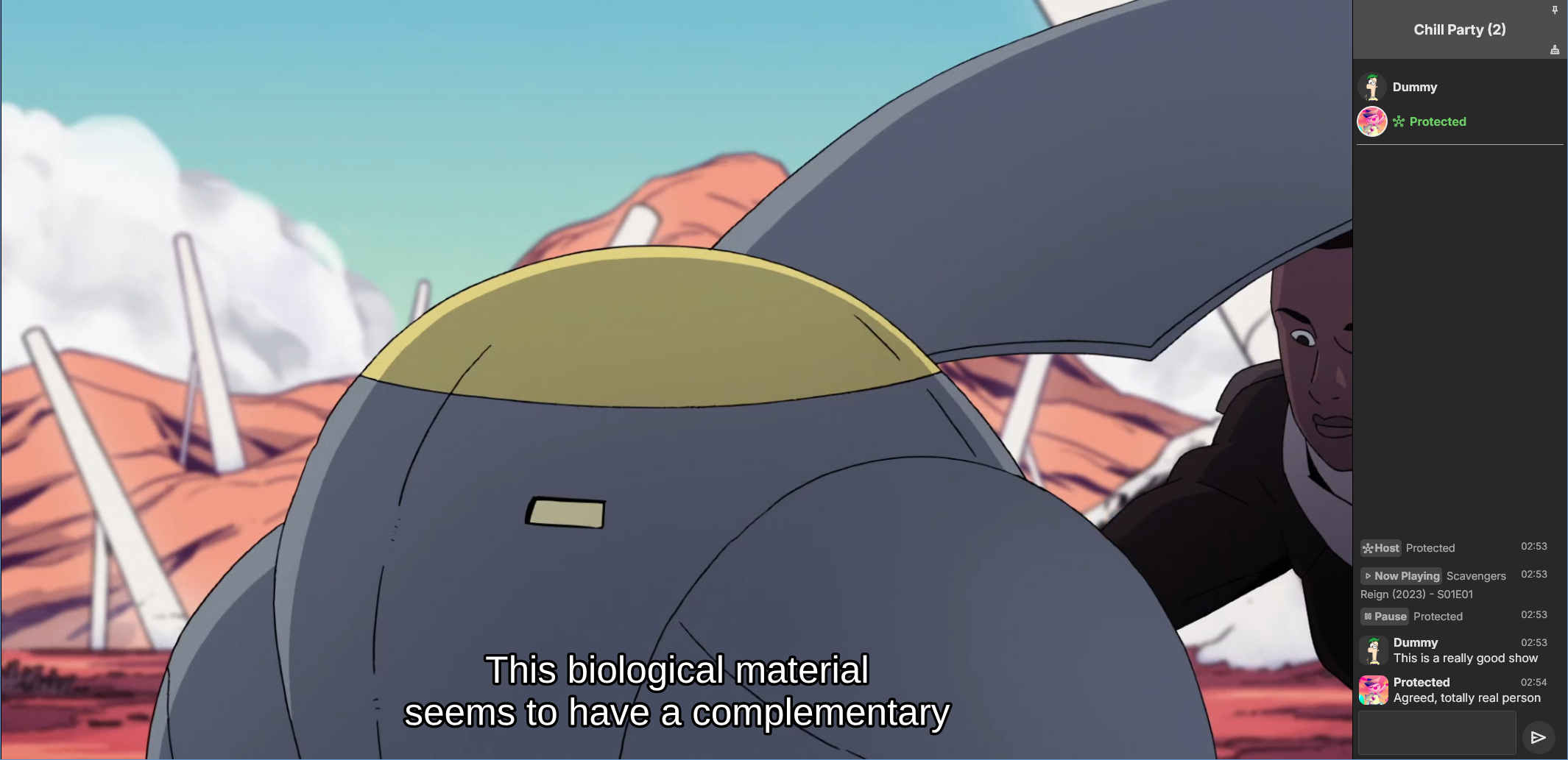
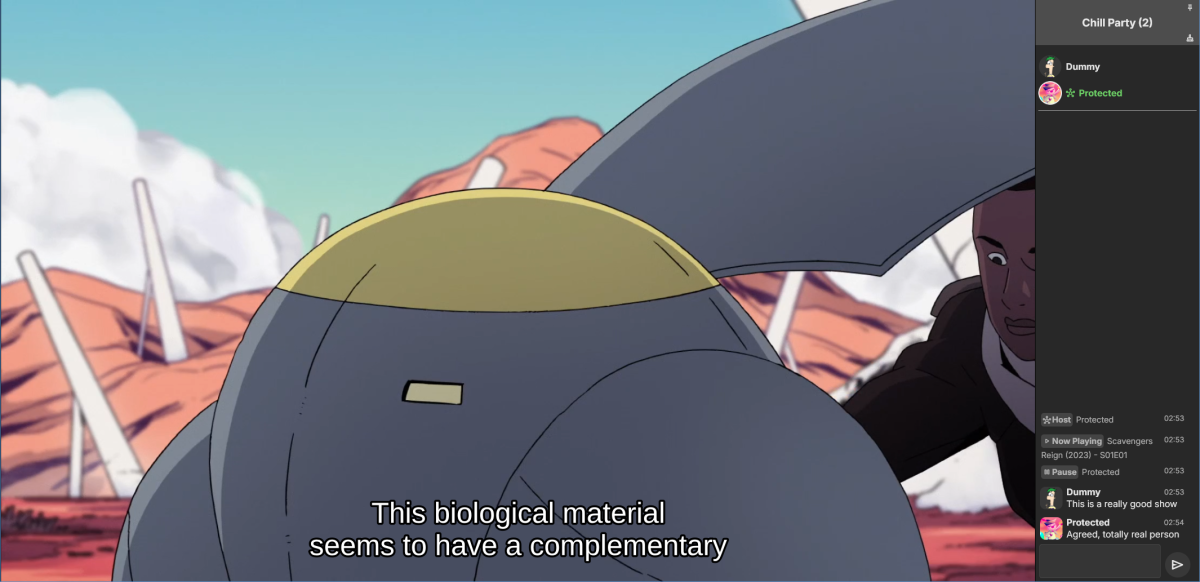
Emby Party is a solution for watching videos with multiple friends through your Emby web client. It requires no additional dependencies - only a device running Emby (presumably with good enough hardware for serving all the attendees, especially if you're transcoding) and at least one web browser. It consists in two halves: A server plugin and a web client module. They must be used together! Each half expects the other to be present. This is an experimental open source project. Feel free to fork and contribute pull requests and issues (my availability for fixing issues on my own may vary wildly and may be low in the near future). The source code and all known issues can be found in the github repository. Any information there should be considered the most up to date. Currently testing in Emby 4.8.10, Windows and Debian Bookworm (Linux), Firefox, Chrome and Edge. Features Hassle-free hosting: Doesn't matter who creates the party. Whoever initiates playback while in a party transparently becomes the party host, and host is reassigned if they leave. No need to recreate the party for someone else to host something later. The hosts controls the party video and video position. Video access permission check: Will only play a video if all party members have access to it, and will prevent new party members who don't have access to the current video (if any). Accurate synchronization of video player positions when the host seeks or changes videos using a multi-part protocol that leverages remote control commands under the hood. Accurate catch-up seek commands issued for guests when they fall behind or are otherwise offset from the host. Efficient transition between videos in a playback queue that accounts for slightly offset attendee positions and allows each attendee to start loading the next video while others finish the previous one. Late joiner support: Brings late joiners immediately into the video at the correct position. Joiners already watching a video will automatically start hosting that video if the party was idle. Host can change audio and subtitle streams for all attendees (guests can change it back for themselves if they want). Distributed pause/unpause requests - all users can pause and unpause. Return to video button for guests to return to the video being watched by the host if they closed it for some reason. Guests are automatically returned to the correct video if they open the wrong one or under certain other circumstances. Keep alive: Plugin keeps party member sessions and websockets open as needed and disconnects party members who time out. Support for multiple sessions/devices per user account. Just don't duplicate browser tabs! Support for remote control: Party members can control other Emby clients and those clients will benefit from party synchronization. (Caveats: Working, but not thoroughly tested yet. Due to the lack of client-side support, remote controlled clients are capable of issuing pause/unpause commands that break synchronization. I recommend being careful about pausing/unpausing in a device being remote controlled by a party member.) Cool resizable sidebar with list of party attendees and log of chat and events. The sidebar has docked (squeezes the video aside) and undocked (overlaps the video) modes and uses your Emby profile picture. Dark and light mode supported. Visual indicators for synchronization states of party members when synchronizing with host (icons). Visual indicator when receiving seek commands from the server (your name flashes orange). Host remedies for synchronization issues: Guests who are not responding can be sent another playback command by the host or kicked from the party after 20 seconds have passed. Emoji support in chat using :shortnames: or emoticons. Markdown styles support in chat, including spoilers and preformatted text. Preserves chat focus and selectively blocks keyboard shortcuts or UI interactables when chatting or syncing in order to prevent control mistakes/command spam. Chat bridge endpoint: External applications can connect to `ws://localhost:8196/bridge` to exchange chat (and some events) with the party sidebar. I threw together a module for my self-hosted Discord bot that shows how to use it. Remote control chain resilience for party attendees only: Prevents you from creating a loop of remote control targets. If you do this in vanilla Emby your clients will nuke the server with requests. Automatic skip to next video for videos stalled at the end because the last segment isn't decoding. This is also for party attendees only. Installation To install the server plugin, download it or build it in Visual Studio, then copy it normally to your Emby server's plugins folder and restart the server. Currently the plugin doesn't modify any Emby files (yet?), so you'll have to manually edit one of the web client's existing modules and import the Emby Party module there. Head on over to system/dashboard-ui/modules/appheader/appheader.js and locate the end of the render function, which in Emby 4.8.10 is in position 21877. Insert this code there: , Emby.importModule("./modules/embyparty/partyheader.js").then(function(PartyHeader) { return (new PartyHeader()).show(skinHeaderElement.querySelector(".headerRight")); }); Save, clear your browser cache and refresh. If the party button appears in the top right corner, you're good to go! I'm sure someone will tell me a better way to do this soon enough. I don't know if there's a commonly accepted way and haven't really put any thought into it yet. Whole bunch of disclaimers Use at your own risk! If something breaks that you don't want broken, revert the steps above to remove the plugin from your server installation. Emby Party was iteratively developed and tested with several friends over several weeks, but it was developed to suit our own needs. It was not (yet) tested alongside features we don't use, including, but not limited to, Emby Connect, Emby Premiere, Live TV, the audio player, conversions, cinema previews, most other plugins, etc. Currently no mobile styles. Not tested on mobile. We've been in active development until now. There are vaguely known issues that are hard to reproduce and instability can be caused by video decoding failures, networking issues, browser crashes, browser extensions, lack of hardware resources, forgetting your browser won't play until you click the window unless you've given Emby autoplay permissions.. New and exciting bugs should also appear as we get more people using it. Thanks in advance for helping test, report or fix this stuff! Otherwise, check back for updates, I guess? Please keep comments and suggestions in this thread. Issues should be reported only on github so they're all in the same place. You may notice a whole lot of things in the source code that make you think, wow, it sure would be nice if this was in the Emby settings. I agree! If you would like to implement a plugin settings page, please submit it as a pull request on github! I'm so horribly far behind schedule with this project, and my free time is far in the negative right now. There may be better ways to do some of the things Emby Party does that I am simply not aware of at this time (one of the reasons I'm keeping these instructions outside the repository for the moment) or were simply not considered because the feature grew organically. Pull requests please! Also recommended If you're feeling adventurous, consider improving your watch party's subtitle experience with these (much harder to apply) client-side fixes we worked out in tandem: Temporary workaround for subtitles coming in too early when resuming a video with transcoding (Important for this whole thing if you watch videos with subtitles) Web client ignoring AudioStreamIndex and SubtitleStreamIndex (Required for party host to guest stream index sync if you use that) Fixing mismatch between subtitle canvas and video aspect ratio breaking ass subtitles Fixed in vanilla as of 4.9.*! Playing plaintext subtitles through Subtitles Octopus by faking subtitle type Support mkvs with embedded fonts (requires the associated plugin) Fixed in vanilla as of 4.9.*! These may become obsolete over time if things are fixed or integrated into the main software. Don't forget to clear your cache and refresh after making changes to the client.
 1 point
 -
A new server log for one. But as mentioned you cannot go to an older version unless you delete the database as it is not compatible. I still do not see how any of the nordvpn/meshnet has any relevance here.1 point
-
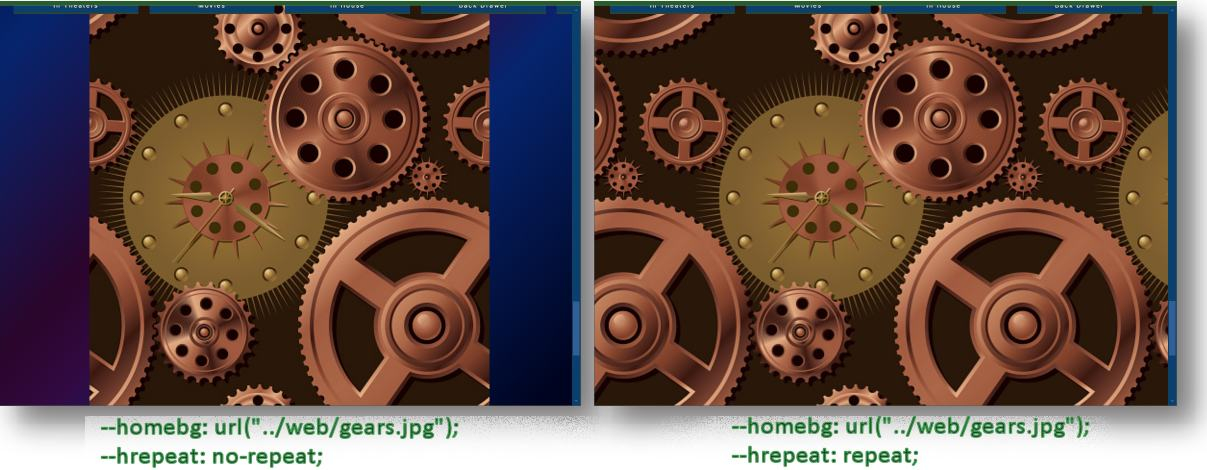
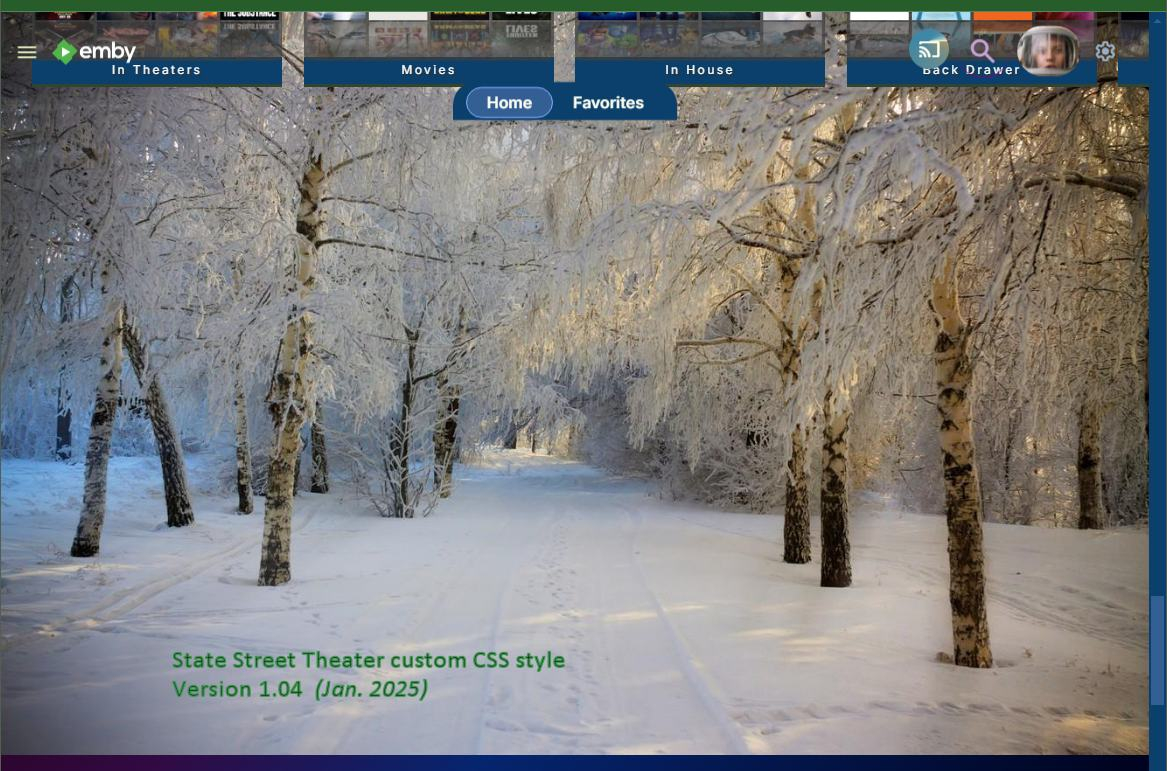
New version with some extras and tweaks. Version 1.04 (this version replaces the previous releases.) Change log 1.04 Mobile iPhone updates to allow more iPhones and Android mobile phones to work with this custom style. Fixed alpha sort letter spacing on collections and libraries Narrow Window browser - admin / User (non admin) / Edit / [Link] Edit this user's profile / Home page - Fix overlap of form on top of 'Home Page' Title for narrow browsers - push the forms down 36px; to stop form overlapping top title link Fixed overlapping TV show episode title and Tagline and Overview text alignment on all media pages Fixed admin Edit Metadata and Images icons be clickable at the very top of the page with z-index: 9; Adjusted media and actor info pop-up top bar image size and text position. Fixed mouseover media page lower info subtitles to allow 3 dots option to appear Turned on search icon lower border silver for large browsers Adjusted playback on 1080P TV monitors to have smaller menus which helps TV Browser app Admin / Dashboard User playback screen - adjust title to have enough padding and not be cut off Minor text shadow change for date of birth Adjusted Search page positions New user feature: Added no-repeat choice for home background image. Home page background can now be easily set to repeat or not. The redoBGHPage.bat from the above post, will still work with this release. See the guide section inside the top part of the custom .css style sheet for more information. Enjoy and comments are welcome. State Street ver 1.04 Emby Custom theme.css
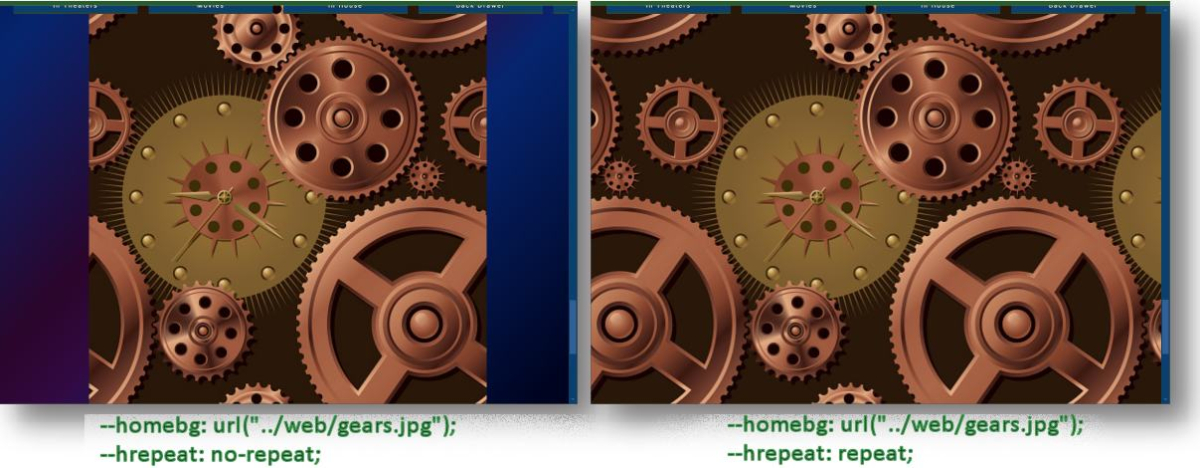 1 point
 -
Hi, sorry for not answering. I noticed that some other apps also don't see Amazon Echo as cast device. I install Emby skill in Alexa app and can tell echo to play some music from Emby. Regards.1 point
-
Hi, have you considered converting these to mkv using MakeMKV?1 point
-
Yeah, if that existed this thread could've been avoided1 point
-
But this statement can be discussed "If a metadata value is present it will always be used before either of these options." as that would imply nfo files. So changing that to "If a metadata nfo file is present it will always be used before either of these options. " I guess this is developer language1 point
-
Nice thanks for letting us know1 point
-
Ok, just added a 2007 movie after disabling the Sonarr option (I haven't run Kodi to scrape it yet). Appears at the top of the movie list. So... Yay I guess? Marked 'solved'1 point
-
Nice Keep us informed1 point
-
Damn you may be right. I'll disable the Radarr setting and test for the time being.1 point
-
It should only list users with Live TV access in their profile settings.1 point
-
This was the solution, I had to add the API Key to VirtualTV, it's working now. Thank you though11 point
-
@TTLucian Just pushed a new release, try that out pal. Should be fixed1 point
-
This is way over my know-how, but would it be possible to just display an QR code, that opens the phone on the right place to enter the login. And then it all good? My memories tell's me I have done this on an web viewer or something for Android TV. Just scanned the QR and then could enter text etc.. Just an idea1 point
-
Yes I did. I was using the correct information. The issue seemed to just go away being replaced with another problem. I'm in the process of trying to fix it now. It'll probably require another thread, so if I don't fix it I'll come back for help.1 point
-
I would also like to vote for this, AV1 is a hugely efficient codec that would benefit 4k content and rural / bad / mobile connections a lot! AV1's adoption has been far faster than h265 ever was, they first spent years optimising for ARM decode, and then the hardware encoders started coming out. I myself also use Emby with an AV1-encoding capable card. I get that yes, not everyone could use it, but I feel like just having the option available to us in the settings would be nice! That way the people who want to experiment can, while other users just keep going as is1 point
-
Do you have Continuous Playback set for your channels? If so, it seems you did not enter an API key under Playback Settings.1 point
-
Done. Let me know if you need anything else. Thanks a lot for the files. They will play with the next update (with server transcoding).1 point
-
Great, thanks for confirming!1 point
-
No, it's Emby producing that, due to faulty naming of files The layout and file naming isn't following our recommended naming convention. There is not season-episode numbering in the naming to use looking up the episode. Every episode has the same name. Once the files are renamed using the recommended naming conventions the issue should resolve itself with a library scan. https://emby.media/support/articles/TV-Naming.html1 point
-
Good lord you're right. Pushed a fix into repo. Thanks! But 0.31 zip file was already fixed...meh1 point
-
Hey guys, I found it : https://onedrive.live.com/?authkey=!AE_7kqPRsmvpwwI&id=2C193A8E6CDC8D03!329638&cid=2C193A8E6CDC8D03 Enjoy1 point
-
It has to already exist as there are options on the Home Screen for continue watching, recently added etc. all the stock views they have must be using some kind of point otherwise you would have all those dupes.1 point
-
We'd have to look at a specific example: How to Report a Problem Thanks. it looks like my last post on this thread was meant for another topic. but to follow up on my question in this post. yes it still makes a separate log file for the recording like it use to. it didnt with the new iptv provider because they used mpegts vs hls streams livetv. but i switched back to old iptv provider. so im good on thus topic myself.1 point
-
Hi Luke It's a user called mezz64 who is listed for the integration: https://www.home-assistant.io/integrations/emby He's last post on this forum was a half year ago - so maybe . https://emby.media/community/index.php?/profile/522-mezz64/ @mezz64- are you any change still maintaining the Home Assistant Emby integration? I just tried accessing the Emby media server library from my smartTV, and here I got all the stuff that I'm missing in Home Assistant. So I confirm it looks like an error in the Home Assistant integration rather then Emby not "exporting" the right media listings. /Henrik1 point
-
He's got a hell of a setup, routers and access points all over the place. I came home yesterday and while he couldn't explain why he said he'd been monitoring the network and the devices that were having connectivity issues just started connecting properly again at 4pm. My primary mobile wouldn't connect to one of my Emby servers, for some reason it was looking for the wrong server address. Deleted it and re-added it and it connected ok. Half of my movie thumbnails were broken and the movies wouldn't play. Refreshed library to no avail. Checked laptop, drive appeared connected, with no contents, but showed storage correctly. Disconnected rebooted reconnected happy days. No idea what all that was about.1 point
-
@Lukethat would be really awesome if you could do that especially regarding the rating system (next to IMDB and RT). I know that for Polish moviegoers Filmweb is equally evaluated as IMDB regarding the opinion about the movie and for some strange reasons (poor taste maybe) it is far more strict about the ratings. That's why most of the time when a Polish person wants to see the opinion on the movie/series apart from IMDB they check Filmweb right after. I believe they might even have free api to scrape these ratings as there are some scripts on GitHub that can do it, i.e. https://github.com/cypissa/filmweb-api From your point of view I guess it might be not worth the hassle to make it just for Polish users but we would definitely appreciate it. And to answer your question, MovieDb has fairly good info but it's not relatable when it comes to ratings. Here is how the links looks like on some random Polish site:
 1 point
 -
I’m experiencing an issue with changing to the next episode in Pip mode. It only plays the sound of the next episode, but the video doesn’t show up in the Pip section. After going back to full screen, the video picture gets stuck. When I press the stop button, the entire app crashes.1 point
-
Same issue unfortunately. Browser works fine, app does not1 point
-
HI, not exactly, although there is the theme videos feature: Theme Songs & Videos1 point
-
Emby for LG 1.0.45 has been released. This is largely a bug fix release. Here are the changes: Fix photos not showing in collections Fix top portion of home screen cut off when scrolling down (only on certain models) Increase allowed range of subtitle offset Fix parental rating multi-select filter Fix series status filter View the full article1 point
-
Interesting discussion. Improvements with all the ideas mentioned would be nice. I wonder if the router QOS setting to Highest for WWW applications would help video TCP streaming? By default, my older Netgear router was set to normal and all IP phone and Google apps were set to highest. How much difference can this router setting really make? I assume it only would make a difference during competitive traffic. It most setups there could be hardly any competitive traffic anyway. Just a thought.1 point
-
I was struggling with this for a while too in the end I just accepted at most out of network devices would be stuck at 4mpbs. I try my best to get people to manually set the quality but it's a losing battle. It's very annoying but there seems to no desire to improve this.1 point
-
This topic describes the added and updated features which are available in the new Windows and Xbox apps. NOTE: This topic is locked. Please create a new topic for any questions.1 point
-
Accessibility Features: Hight Contrast Theme and Keyboard Navigation The new Windows app is the first Emby client app, providing accessibility features for user interaction, specifically: Support for Windows High Contrast themes Enhanced support for keyboard navigation in desktop (non-TV) mode Proper drawing of item focus indicators according to the Windows UI guidelines Improved navigation with arrow keys (sometimes the use of TAB or SHIFT+TAB is required, which is normal though for Windows applications) . Emby_High_Contrast_Themel_Support.mp4 Prerequisites The "Windows" theme must be enabled in the Emby app No app theme override (dark/light) may be configured (see the "Windows Theme" post above) How to... ...enable a high contrrast theme for the Emby app? Prerequisites need to be fulfilled, then the app will automatically follow the OS level theme settings (including high contrast themes) Applies To Windows App1 point
-
Enhanced Remote Control Support Support for remote control input has been extended. More button mappings are supported, including all buttons found on classic Windows Media Center remotes (Windows app). The Xbox app supports a smaller set of RC buttons only. The new settings UI allows to test all remote control buttons as to whether they are recognized by the app Emby_Enhanced_RemoteControl_Support.mp4 How to... ...access the remote control settings view? Go to Settings (Gear icon), in the sidebar choose "Remote Control" Applies To Windows App Xbox App (subset of RC buttons)1 point
-
Enhanced Gamepad Support Support for gamepad input has been significantly updated. On the technical side, unnecessary power drain is avoided and the reliability of key input detection has been improved. Functionally, mappings have been extended, allowing to control more things with game pad buttons. The new settings UI serves two purposes: It provides an overview over the functions assigned to individual gamepad buttons and sticks It allows to test all controls as to whether they are recognized by the app Emby_Enhanced_Gamepad_Support.mp4 How to... ...access the game pad settings view? Go to Settings (Gear icon), in the sidebar choose "Game Pad" Applies To Windows App Xbox App1 point
-
Display Control: Refresh Rate and HDR Mode Switching The new Windows and Xbox apps include an entirely new component for controlling display refresh rates and automatic switching of HDR enablement. Display-Control.mp4 Features Detects GPUs, connected displays and the connection type Detects possible refresh rates for each connection (depends on GPU capabilities, display capabilities, connection type, current resolution, current color mode) Detects availability of HDR mode for each connection Detects the display on which the Emby app is currently being shown (Windows app only) Dynamically updates the settings view when changes are made to OS settings or displays are connected/disconnected Allow manual switching of refresh rate and HDR mode (three-dot menu) Automatic switching of refresh rate and HDR mode on playback start can be enabled independently and separately for each display This will only be applied to the display on which the app is currently shown Revertion of refresh rate and HDR mode on playback stop can be disabled to reduce display mode changes (which can take a few seconds) How to... ...access the Display Control settings? Go to Settings (Gear icon), in the left sidebar choose "Display Control" Applies To Windows App Xbox App1 point
-
Brightness Attentuation The new Windows app has a brightness attentuation control which allows to reduce the brightness of UI elements without affecting the colors and brightness of video playback. This feature is the first of its kind in Emby, meant to test what can be done in this area. For technical reasons this is currently limited to the Windows theme only! BrightnessAttentuation.mp4 How to... ...enable the brightness attentuation feature? Go to Settings (Gear icon), in the left sidebar choose "Display", find setting "Theme" and make sure that "Windows" is select. Then hit the "Theme Settings" buttons below and use the dropdown selection to control the brightness attentuation strength Notes: Changes are applied instantly; "Minimal" attentuation is very subtle Applies To Windows App with Windows theme enabled1 point
-
Windows Theme The new Windows app includes a new and exclusive theme: "Windows" WinTheme Overview.mp4 Features Fully adheres to the latest Windows design guidelines: https://learn.microsoft.com/en-us/windows/apps/design/ Uses outlined icons Uses the "Segoe UI Variable" font Precisely resembles Windows UI elements down to the pixel level Precisely resembles Windws UI coloring and dynamically adapts to changes at the OS level Follows Windows theme settings for applications (light/dark) Follows Windows accent color setting Allows overriding the Windows theme (light/dark) for the app specifically Uses original Windows application background materials On Windows 11 and later: Mica Material On Windows 10: Background Acrylic Supports Windows High Contrast Themes Adaptive logo display (left top) Large when sidebar visible Icon-only when sidebar is minimized Small when no sidebar and during video playback to save screen estate Rotating icon while wait cursor (spinner) is shown Dual Color Mode When light theme is active and the app changes to dark background for showing backdrops, the sidebar remains to have a light background Dropdown popups are positioned according to Windows guidelines View options and filters are shown as panel (right aligned) rathern than as dialogs In-app dialogs have the same appearance like Windows dialogs Cards are shown as integral elements (all captions are inside the card borders) Color intensity effect for card hovering Intuiitive control of sidebar appearance (show, hide, mini) Improved keyboard navigation with focus indicators following Windows guidelines Brightness attentuation setting in theme settings Rounded-corner appearance for main layout and video playback in windowed mode (like latest MS Edge browser) How to... ...enable the Windows Theme? Go to Settings (Gear icon), in the left sidebar choose "Display", find setting "Theme" and select "Windows" ...override the Windows (dark/light) theme for this app only? Go to Settings (Gear icon), in the left sidebar choose "Display", find setting "Theme" and make sure that "Windows" is select. Then hit the "Theme Settings" buttons below and use the options to select an override mode Note: Changing this setting requires a restart of the app Applies To Windows App (exclusively)1 point
-
Startup Animation EmbyStartAnimFlat.mp4 Why it Exists It had turned out that it takes a number of seconds until the web app environment is initialized and ready for the actual startup process which takes another few seconds until the app is ready for use. This cannot be accelerated, so the only option was to cover that time span with something visual. Showing a spinner is always the worst option for those situations because it doesn't provide any indication about progress, so you're unable to see how much time is still remaining (that's why spinners are typically used for cases when the duration is unknown). A progress bar can be followed and indicates the remaining amount of time, but too often those are used in a way that progress stops at 90 or 95% for much longer than it should, so nobody trusts them anymore these days. The start animation in turn has a fixed duration and once it's finished, the app is (almost, like 99.9%) guaranteed to be ready. The predictability of it makes it subjectively feel faster than a spinner or a static logo display. Can the animation be disabled? There's a "Hide" button at the bottom right which allows you to hide the animation and see what's behind. On fast systems and when you're already logged into to a specific server, you may gain 2 seconds by doing so, but no more and at the cost of seeing some ugly display changes. And not always. Applies To Windows App Xbox App1 point
-
Interesting assumption. might be true. but you realize that this is the most and most often requested feature by the community? if you are right, this just means that the emby team doesn't really care about their community. I'm not saying that this is the case but there are only so many reasons after 7 years of inaction. at some point, a 'it's on the roadmap' doesn't cut it and is the same as doing nothing, which leads me back to them not caring. in that sense, I'm with @bandit8623and a no we aren't doing it would be much better and at least honest.1 point
-
Why does Emby insist on killing off good things and replacing them with inferior things? They killed off the IntroSkip plugin, implemented a barebones version of it, and have never brought it up to par with even where the plugin was when they ended it, never mind where the plugin was working towards. The ATV app is still the best TV app available, but that's becoming dicey now that it's solely getting life-support updates, but the Android app is still absolute ass on a TV.1 point