Leaderboard




Popular Content
Showing content with the highest reputation on 01/11/25 in all areas
-
It would be great to have Emby as a music provider for Music Assistant: https://music-assistant.io/ I'm forced to use Jellyfin as a provider for now: https://github.com/orgs/music-assistant/discussions/583 It probably wouldn't take too much effort to adapt the existing Jellyfin provider to the Emby API: https://github.com/music-assistant/server/tree/dev/music_assistant/server/providers/jellyfin1 point
-
I nearly always have issues with embedded subtitles and always try to get external ones (the language I want is never embedded anyways) so it would be great to be able to disable embedded subtitles so it will only show external ones or none at all if they don't exist. Thanks a bunch!1 point
-
Happy New Year all, I'm having trouble getting IPTV channels to play consistently on my Emby server. I've read similar posts but haven't found a solution yet. Here's my setup: Emby Server: 4.8.10.0 running on Nvidia Shield Pro (2019 model) Clients: Emby app for Android TV on Shield Pro Emby app for Apple TV on Apple TV 4K Emby app for Android (with VLC as external player) on Android TV IPTV Source: m3u lists from IPTV-org (tried multiple lists with the same result) When I try to watch an IPTV channel, it takes a while to load, then plays for a few seconds (sometimes up to a minute) before stopping. I've tried adjusting the video playback settings in the Emby app without any luck. The strange thing is, it works perfectly on the Emby Android app when using VLC as an external player. I also tried the Dream Player IPTV app on the Shield, and that works fine too. I've submitted logs to the Emby devs from the Android TV app. Any suggestions would be greatly appreciated! ffmpeg-directstream-c26134a2-6e78-40ed-9fd3-bf344ef1997f_1.txt embyserver.txt ffmpeg-directstream-10490578-cdce-4f63-843f-e0afee141128_1.txt1 point
-
All about the new app here:1 point
-
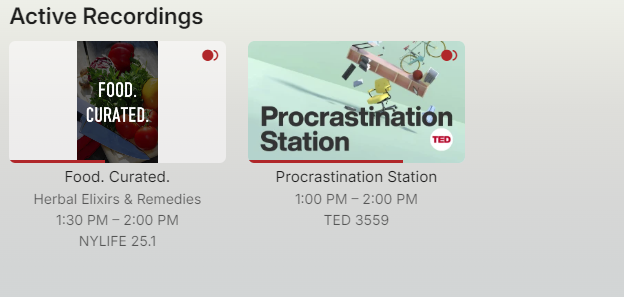
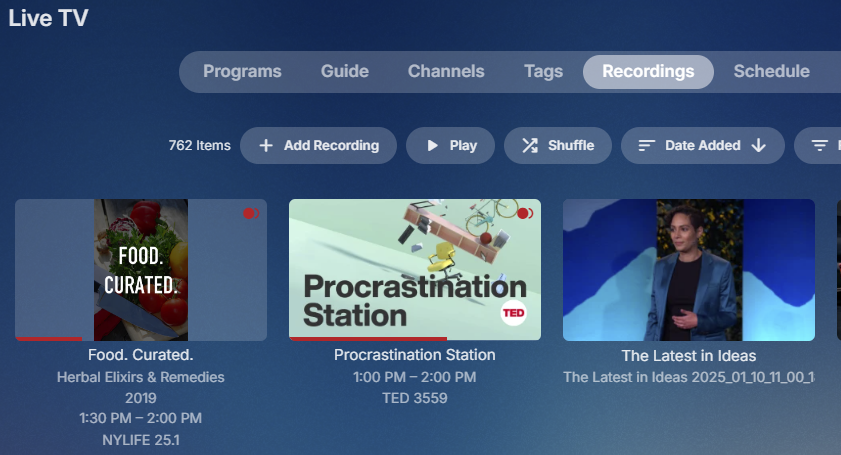
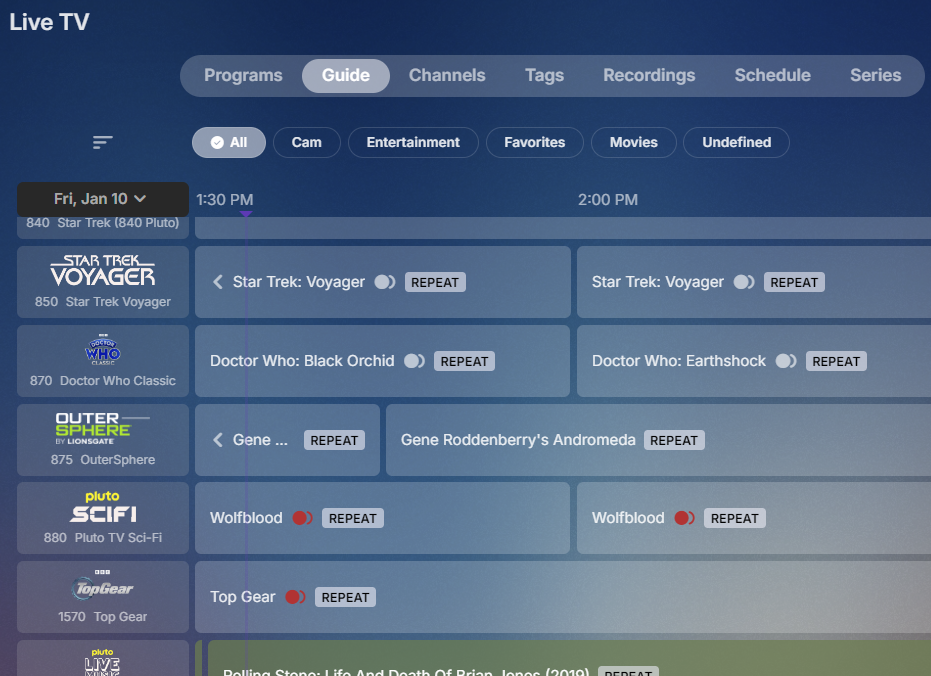
Hello, I've observed this problem for as long as I've been using LiveTV, be that with either prod/release versions of the server and any beta version of the server, including the current one. Can this please finally be added to the backlog to correct this behavior. What is that behavior... When I have a duplicate episode recording going (does not matter if that is OTA or an M3U channel) be that by design (I need to re-record truncated or want to re-record lower-rez prior recordings) or by accident (I forgot to check 'do not re-record duplicates' of a series) there is no feedback to the fact in the UI (whether Web page or Theater) that that recording is going on in Live TV > Schedule, or that it had completed in Live TV > Recordings. Exception being the red dot shows in the upper right of the episode in the Live TV > Guide listing as the recording is happening. But then again can only observe that at the moment when recording is happening, but that the recording had happened is then not displayed in the Live TV > Recordings list. Show & Tell time: Lets say at this moment Live TV > Schedule shows this: Equally Server Config > Dashboard shows the same: Sure seems like there are only two recordings going on, right? But Live TV > Guide shows that I have three additional recording happening at this very moment, two Top Gears and a Wolfblood. And the Live TV > Recordings which shows all current and past recordings also only shows the non-duplicates and omits the other three that are duplicates. If not already planned to correct this, please please put a fix for this on the backlog with a high enough priority that it is corrected 'soon'. This has not only been an annoyance for as long as I've used Live TV its also creates problems when I'm looking for a time that is suitable to restart Emby Server or the system OS. Where I think I have an opportunity to perform a restart to only discover recordings are going on with a pop-up warning because I issued a restart of Emby Server or Stop manually before a system reboot, which is not always something I do so in that case the result is abruptly truncating recordings. Which was the case on my most recent restart and spurred me to stop procrastinating and finally create a thread on this topic. Thanx for reading but more so hoping for actions.
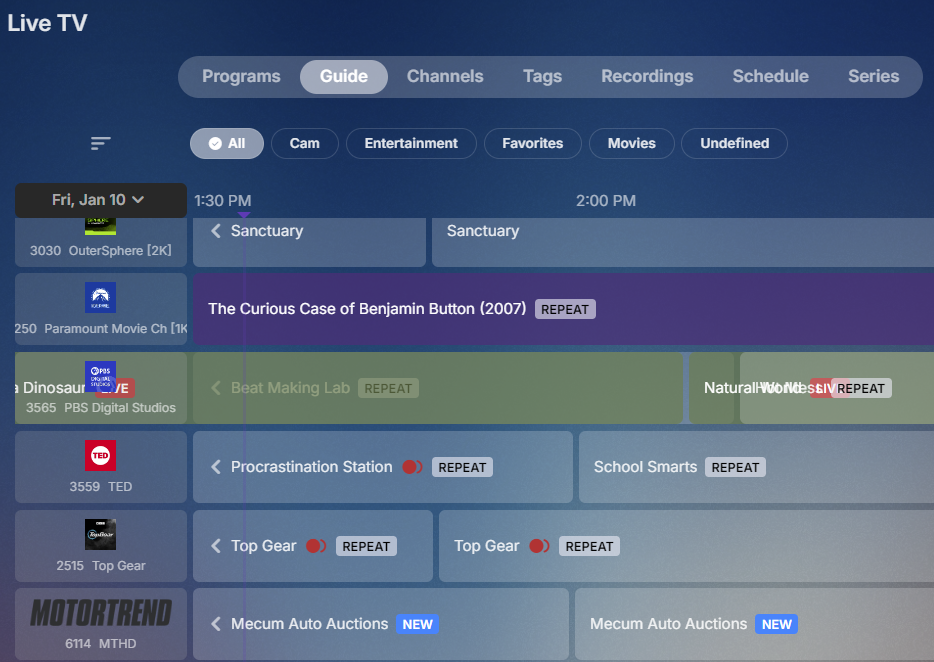
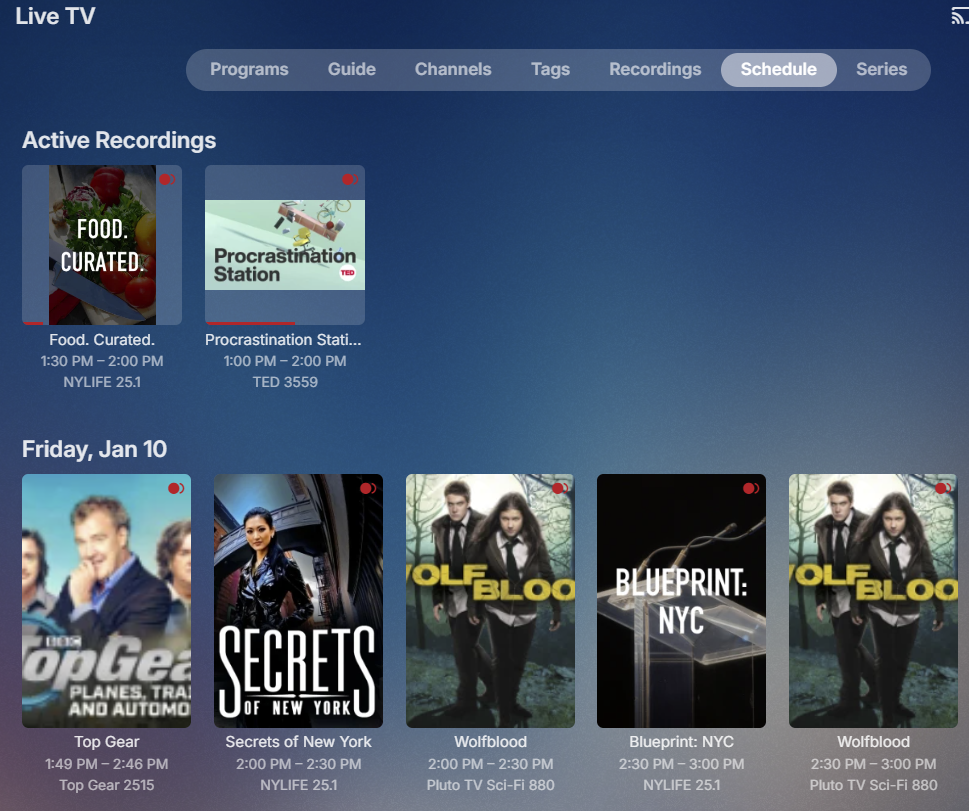 1 point
 -
Thanks - Secure connection mode was set to preferred and not handled by reverse proxy. Changing that updated the dashboard to show my correct https external server address and port.1 point
-
Thanks for the info. Interesting how many Reddit etc threads there are about it...1 point
-
I'll check the log. Might need a complete log and this looks like Synology?1 point
-
@cochize1You really need to learn to use GitHub. When you have issues, with 3th party dev's. Its likely they don't monitor forum messageres.1 point
-
It gets them from your dashboard so make sure you've set your public ports correctly in the Network tab and set Secure Connection Mode to handled by a reverse proxy. You can continue to use HTTP within your LAN if you want, and even use HTTP from nginx to the emby server, you just need to tell emby what you're going to use as your external port and domain so that it can map it for emby connect.1 point
-
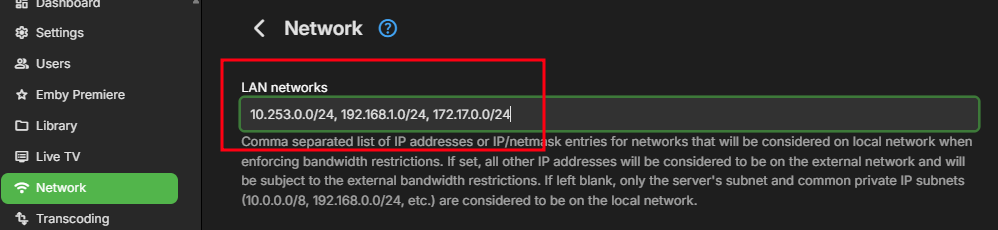
No You need to edit this in network. But good you are back online
 1 point
 -
Huge understatement! I actually burned my finger once on one.1 point
-
Ah, sorry, maybe I was more tired than I thought I've fixed the problem, I can't create a new release now, but I'll take care of it tomorrow.1 point
-
There are a couple of discussions on the issue. I would start here:1 point
-
Hi. We are not currently working on this. There are much more basic features that will benefit a much larger audience that have higher priority at this time. Thanks.1 point
-
@cochize1if you use this bagul/goemby_exporter:v1.0.11 You are back in business, but with out the fix to tv shows spill over. @BagulThanks for the update, the fix to https broke http and https.1 point
-
Try adding your wireguard network ip range to lan networks in emby. Something like this 10.253.0.0/24, 192.168.1.0/24 Wireguard ip range lan ip range1 point
-
Curly brackets would be absolutely sufficient.1 point
-
+1 This would be usefull.1 point
-
hi, the xnoppo got updated to work with emby server 4.8 and now works perfect !1 point
-
Best regards. Thank you.1 point
-
That would, I believe, be something like this - https://www.ebay.com/itm/133060224439 Plug into you mother board and you gain 8 connectors for 8 hdd's. They'll need power as well of course. They come in different modes, and for it to work the board needs to be in IT mode.1 point
-
Thank you for fixing the Home nav bar.1 point
-
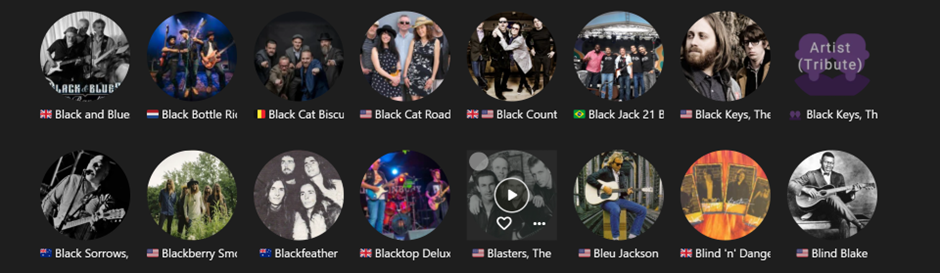
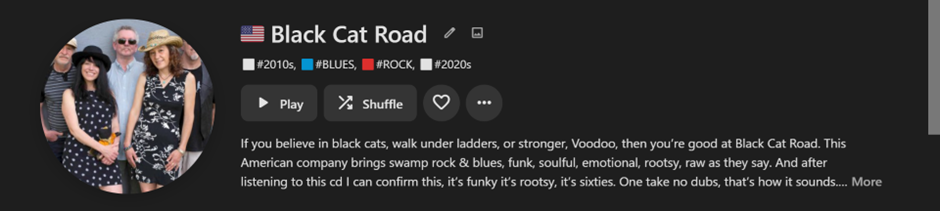
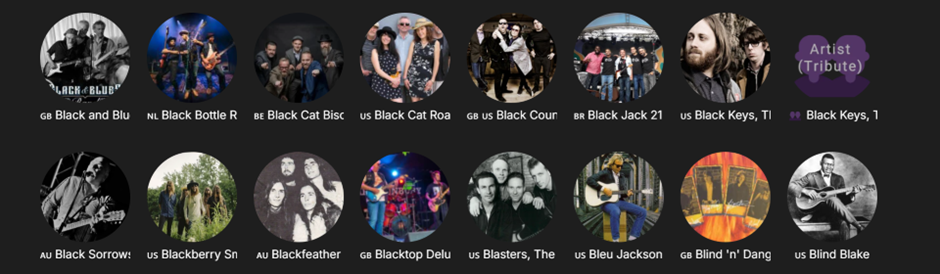
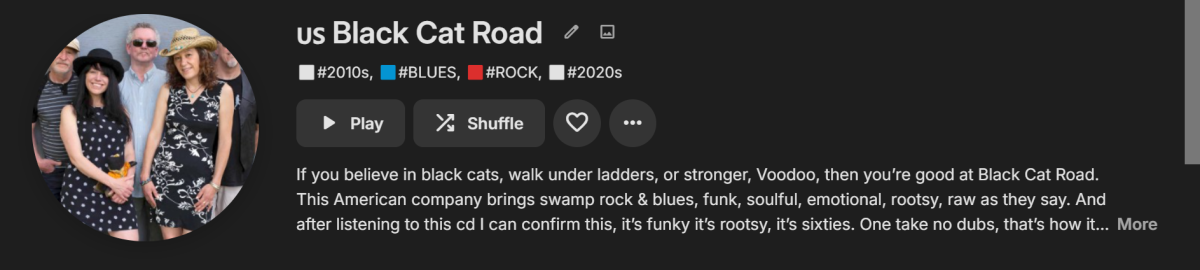
Hi, as best as I understand, Windows systems do not directly support country flag emojis, but Android and iOS do. However, if you use a Windows PC plus a country flag Chrome browser extension such as Country Flag Fixer or Flagmoji, then it's possible to see the flags in the Emby web app, wherever you insert them. I don’t use Live TV, but have successfully implemented flags into Album Artist titles: Country Flag Fixer (as currently used in the examples) gives a flag emoji at approx. text height (my preferred extension). Flagmoji gives a smaller version. Emby Android and iOS apps return their own slightly different flag variations. Because this isn’t directly Windows supported, I don’t think it will work in the Emby Windows App? Here are the same page views with the extension turned off: The flag emojis cannot be written into Emby directly from a Windows keyboard entry, they can be copied and pasted from a relevant emoji website such as: https://emojipedia.org/flags or https://flagpedia.net/emoji. Or get them anywhere they are available?
 1 point
 -
It all depends on how few lanes the board has. The manual will usually specify if using x causes y to not work and the tech specs page should as well (if it does not then that's false advertising). As most boards these days only come with 2-4 sata ports, you really should not run into this issue. If you do, an HBA flashed into IT mode will solve the problem easily, and is the preferred way to have your drives hooked up.1 point
-
Sorry @speechlesI named the files "Working" and "Not Working" but it looks like the posting software strips out the name. The second one, the one with "Golden Girls" in the location file name is the one that does not work. The first one, the one with "Maple Valley Christmas" in the location field works perfectly. I can play it back on Emby for Roku, Emby for Windows, and use native Windows media players.1 point
-
Hi @Carlo Tried with the subtitle mode set to "no subtitles" and the same thing happens so I shall grab additional logging. Think this happens on other channels but not all, I shall check and if so provide logs for both. Apologies in the delay responding but the day job has been crazy since coming back from the holidays.1 point
-
Thanks, glad to hear you got it resolved.1 point
-
I'm unsure how to make the OP anymore clear. But if it needs to be summarized again due to age of the request. The OP is imploring much needed improvements to WebSocket connections in Emby by implementing keepalives to maintain the connection during pauses in video playback, such as when watching movies or TV shows. This would prevent timeouts that cause the connection to close prematurely and prevent playback controls from being displayed or used in event the admin wants kill user session(s) for various reasons. Several examples have been provided in previous discussions to illustrate this need.1 point
-
No more downloading user samples from questionable file hosters asking for payment or to wait hours for download completion... Thanks a lot for the sample. It turns out that there was an issue in the new Windows app. Usually videos with ASS subtitles have the fonts embedded, and those cases have been primarily tested. In case of your file, the font that is used (Swiss721 or so) is not included but installed with Windows and the new app didn't pick up that font properly. It's fixed for the next update - actually one after the one which is currently in store certification. Thanks again!1 point
-
mkvtoolnix?1 point
-
Just to throw my hat in the ring. I use emby as a backend with Kodi as a frontend. I used to love having cinema mode on before watching a film to show a couple of upcoming film trailers. However now the quality is so bad I have turned off the feature altogether. I don't want to have to faf getting my own trailers, this feature should just work. Hope there will be a fix soon. I'm sure there are many like me who like this feature but have not voiced their opinion this far.1 point
-
Although I don't agree with everything said here, the one thing I do agree with is the lack of communication. It's always been an issue. (there are multiple post from years and years about this same issue) The amount of times things have change with/within this product with next to no explanation is unacceptable, but it's always been like that, and it's really frustrating. I don't know how many times I've gone to look for something, a setting, an option, whatever, and it's been move to a new place/menu or it's gone all together. Drives me nuts. For example, all the UI changes that happened this year. (With TV mode in particular) No blog post letting us know changes that were coming. Nothing. I only found them out after turning on theater app one day, and I was not happy to say the least. Honestly the Devs do a great job of helping out/addressing issues when they arise, and I am not saying the Devs need to tell us everything that's going on, but the lack of info/insight about a lot of stuff is frustrating.1 point
-
Do not even try to use age as an excuse for being so technically naïve that simply using something like a Fire stick or a Roku is hard. I am 77 years old and i do not regularly use any Android device but I can use them and even configure them pretty well. Plus the Roku is so simple that my Uncle, at 96, has zero problem. If people cannot use technology that simple the they should stick with the most basic devices like TVs with little or no smarts and just watch the mind numbing drivel that regular TV provides. On the other hand I have never met an older person that was not deep in dementia that could not master the simple use of many streaming devices. I also have a neighbor that is close to turning 100 that mastered the Roku i gave her in about 3 or four days. There is a big difference between not being able to use something and not being willing to try. Smart TVs are not the answer to technical phobia either as they are just as complex as using most separate boxes. The answer is learning to use what is available and if a given TV does not have Emby and the user wants Emby then any one of the simple stand alone boxes becomes the best solution quite easily. I do not think that Emby needs to try to support every OS that people come up with because they already support plenty of different devices and different operating systems. Adding support for more diverts needed resources to an unneeded function. But it is Emby's property we are discussing and they can do as they want and support what they choose. I just wish they would concentrate on their core functionality and avoid expansion until the core is at the stage were maintenance is all that is needed.1 point
-
No. It does not. Jellyfin plugin for Music Assistant currently only works only with Jellyfin. It will connect to Emby, but the music library does not successfully sync.1 point
-
What..! That's like over 160 kph. What the hell, crazy.. As you said some one upstairs is looking after you. Still creating nice artwork though.1 point