Leaderboard




Popular Content
Showing content with the highest reputation on 12/28/24 in all areas
-
The Emby team hopes you and yours are enjoying a Happy Holiday Season. We would like to announce a couple of changes that will hopefully increase the value of Emby in all of your households. First, to aid in the transition from our old TV-only Android TV app to the new Standard Android app on that platform, we will be eliminating the need for the app unlock by allowing free playback for up to five TV devices per Emby Server. Devices beyond that limit will require Emby Premiere. Previously purchased unlocks will still be honored. This should allow most households to move to the new app more easily. Second, recognizing that today's households have more and more devices, we are increasing our standard Emby Premiere License device limit from 25 to 30. We will then also increase the extended premiere plans from 45 to 50 and 75 to 80. Existing extended subscriptions will remain the same but new ones will be at these new levels. All standard licenses will be automatically updated to the new 30 device limit immediately. You should see all of these changes rolling out over the next week or so. Happy Holidays from the Emby Team! View the full article12 points
-
The Emby team hopes you and yours are enjoying a Happy Holiday Season. We would like to announce a couple of changes that will hopefully increase the value of Emby in all of your households. First, to aid in the transition from our old TV-only Android TV app to the new Standard Android app on that platform, we will be eliminating the need for the app unlock by allowing free playback for up to five TV devices per Emby Server. Devices beyond that limit will require Emby Premiere. Previously purchased unlocks will still be honored. This should allow most households to move to the new app more easily. Second, recognizing that today's households have more and more devices, we are increasing our standard Emby Premiere License device limit from 25 to 30. We will then also increase the extended premiere plans from 45 to 50 and 75 to 80. Existing extended subscriptions will remain the same but new ones will be at these new levels. All standard licenses will be automatically updated to the new 30 device limit immediately. You should see all of these changes rolling out over the next week or so. Happy Holidays from the Emby Team!5 points
-
Hi, yes as you can see the album artist value is empty, so this explains why it is happening. Artist and album artist are two different things. We can't just use the artist value in place of album artist as that could cause problems for other titles (e.g. albums with multiple artists).2 points
-
I'm requesting a feature that could play alternate endings of movies by stopping a movie at a specified timestamp and playing an Alternate Ending file. Randomizing the endings would be a neat feature as well. Use Cases: Clue (1985) - Has 3 different endings that were all theatrically released at the same time. I Am Legend (2007) - Its alternate ending drastically changes tat "after-movie" feeling. Titanic (1997) - This movie is a classic and its alternate ending is wild in comparison to the original. Fan-Made endings could be played as well, if you're into that. I'm honestly making this Feature Request for Clue but being able to pick between the endings of any movie would be really cool! Especially with .strm files, if the endings weren't released on DVD.1 point
-
Not sure how popular this idea will be but I thought I'd throw it out there for comments. There are a lot of playback clients out there with poor upscaling (Roku, Web client, etc) which can make watching SD content a poor experience. I know that it is typically the players job to upscale the video but sometimes the result just aren't great. What if there was the option to use the server to upscale the video server side on-the-fly before delivering it to the client? I personally like the quality of Lanczos upscaling in Kodi on my SD videos but can not do this on my Roku. My thoughts on how this might work, the ability to enable a rule to upscale anything below a certain resolution to a target resolution. For example, all videos with a height <480 get upscaled to 720, all videos with a height <720 get upscaled to 1080. Or maybe it can be as simple as doubling the resolution, for example, enable the option to double the resolution of all SD content. -vf scale=-1:720:flags=lanczos -vf scale=-1:1080:flags=bicubic There are obviously downsides to this such as needing transcoding, the amount of horsepower required to upscale, and increased file sizes over the original. Would anyone else use something like this?1 point
-
Interesting you’re automatically assuming pirating and downloading... probably because that’s your kind of game. Sorry!! Nothing like that here. I rip my own BRs for the convenience of watching in every room of the house and backing up the delicate physical media. To my humble opinion, regardless of employee number, Emby needs to fix this to keep up with the competition. I prefer Emby over Plex but will keep using Plex until this is fixed by either Amazon or Emby… and it doesn’t look like Amazon cares much.1 point
-
I'm sure they were recognized, but possibly as something else. For example, looking at your first log: 2024-12-24 13:19:53.827 Info LibraryMonitor: Legend of Deification (/volume1/video/All Other Movies/Jiang Zia.mp4) will be refreshed. So we can see that this title was recognized as Legend of Deification. One helpful tool at your disposal is to view the library using table view, and then add the filename column. You can even sort on it. This will help you find it quickly.1 point
-
Seems like you're right about this! Playback midway through a video starts perfectly in Chrome. Takes 1-2 seconds before it starts to play.1 point
-
Hello and thank you. You're right like always. I changed the taging of files and it works correctly now. I marked your answer as Solution. I haven't realized that Album Artist is the key. Thank you.1 point
-
The only advice I can give you is follow the Movie Naming and for good measure add {TmdbId-635389} to folders and filename. That way you will help Emby, help you identify movies.1 point
-
Please take my apologies for the confusion. I was under the wrong assumption that you would have some basic understanding of how professional software development works. What I meant by "it cannot be changed right now" is the simple fact that after a feature has been developed, undergone several months of beta testing and finally been relased just days ago, you do not make fundamental changes to program logic based on the disliking of a single user and which would involve a more than minor risk of regression. Of course it would have been totally easy to do if we would be in an early beta phase, that goes without saying. The original intention though, had been to completely eliminate the "maximized" state and have a full-screen state only instead of maximized - in the same way like Windows Media Center behaves. This idea had been dropped and we kept separate states for maximized and full-screeen. From 80 people in the beta, nobody has brought up this subject within 3 months and that's how it came to be like it is. A change would be easy if there weren't thousands (add zeroes to your liking) of users who are relying on us providing a solid and stable client software which doesn't introduce new bugs and regressions with every new release. There is a difference between personal/hobbyist and professional application development and for those who are not familiar with the peculiar nuances, it's easy to deem professionalism as incompetence.1 point
-
Hi, yes it does. No, it checks for each field of data.1 point
-
Hi, yes we are looking into that. Thanks.1 point
-
Have you taken a look at this? Manual Subtitle Downloads1 point
-
Hi, we're going to be updating exoplayer to the latest version very soon, so we'll see if that helps with this.1 point
-
Hi Luke, Just to let you know that this is not only as described above, but also on other screens. For example the Home screen (main screen with latest ..., etc.). Where you click on a movie and you need click twice. Dave1 point
-
Ah yeah, sorry, forgot to mark it as such.1 point
-
Needs a software fix. Carrying another device is not an option and would not work with Bluetooth anyhow.1 point
-
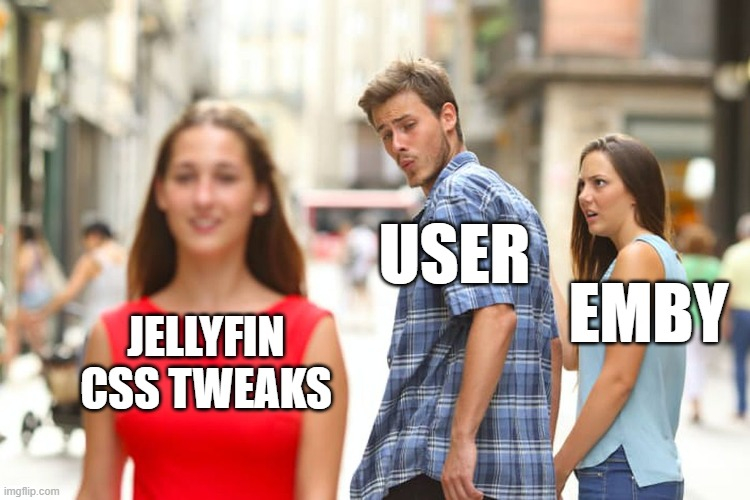
Would love to see this incorporated as a theme in Emby core, also for the Apps like AndroidTV, Android and iOS. Tried out Jellyfin for the first time, but apart from Emby being the better/mature product overall, in terms of visual pleasing, Jellyfin UI is imo much more pretty to watch in meantime, thanks to some really nifty people who wrote some really cool CSS themes for it and the option to apply it to some non-web clients.
 1 point
 -
I fixed it, but thanks for the reply. Just didnt want it to ''fill'' on the thread forum1 point
-
Hi, isn't that what Emby Server already does? Can you please clarify what you're asking for? Thanks.1 point
-
I don't have a kodi log with the bad imports as it got wiped as I cleaned things out testing. Where are extras stored in the emby database? I could see if anything is obviously different between the current state and the state a couple days ago from the emby backups. Also you might look at your code for importing a library vs removing a library and see if there is a difference there that would lead to the extra extras being added on import but not removed on delete.1 point
-
Yes. I did. Thank you. Was a WiFi issue.1 point
-
Ah ok. Thanks for the clarification.1 point
-
<!DOCTYPE html> <html lang="en"> <head> <meta charset="UTF-8"> <meta name="viewport" content="width=device-width, initial-scale=1.0"> <title>Emby Duplicate Finder</title> <link rel="stylesheet" href="styles.css"> <link href="https://fonts.googleapis.com/css2?family=Roboto:wght@300;400;700&display=swap" rel="stylesheet"> </head> <body> <div class="container"> <h1>Emby Duplicate Finder</h1> <div class="input-group"> <input value="<yourURL>" type="text" id="embyServerUrl" placeholder="Emby Server URL www.domain.com || IP:8096 || locahost:8096"> <input value="<yourAPIKey>" type="text" id="apiKey" placeholder="API Key"> <button onclick="findDuplicates()">Find Duplicate Movies</button> </div> <div id="results"></div> </div> <script src="script.js"></script> <div id="loading-overlay" class="hidden"> <div class="spinner"></div> <p>Processing...</p> </div> </body> </html> Change your included index.html page to what I posted and you should be set! Obviously change the values1 point
-
Nevermind I fixed it. After comparing between two Google TVs where one was working and one was crashing, I realized that the one that was working had Emby for Android installed and the one that was crashing had Emby for Android TV installed. Since the Android version works fine I just installed that and the issue went away.1 point
-
Well I did not expect to see this conversation here1 point
-
I assume I'm getting Kodi's native implementation though I'm not super familiar with how it was before, but it's not getting to extras that's the problem. As I said that works. The problem is extras are being listed as movies themselves in the default Kodi Movies section. This is with just a vanilla Kodi 21.1 with the default skin. Install e4k, import Emby default Movies library (so no mixed media or the like) and the result is extras showing up as movies in Kodi. They also show up as extras under the proper movie but it's the movie list being filled with movie extras that's the problem. The missing [x,y,z] was just to say they seem to be getting imported differently than the top level movie in case that was helpful. I guess I'll have to poke at how the extension stores movies and extras to see why extras are being listed as full movies. In case it's not obvious they do not show up as full movies in Emby. Edit 1: Ok, I can clearly see in the Kodi videoversion table lots of extras with itemType 0 which means movie. It's not all the extras though. Some do get correctly marked with a value of 1. Edit 2: Extras showing up as movies have double entries in the Kodi files table. The extras as movies all seem to be assigned the lowest values. (This is from a brand new database.) So it's like they're getting imported first somehow as movies then later as movie extras.\ Edit 3: I added a new movie and the problem didn't occur. So moved all the broken ones out of emby's view and then put the back. Problem gone. Probably an emby problem, or more an edge case where E4K and emby don't agree since it didn't break emby itself. Oddly everytime I said "repair" the database in e4k it would not remove those extra extras and instead add additional copies. It required a factory reset to remove the extra extras (false movies).1 point
-
Draw #5 is complete All participants have been notified by email. If you took part and don't see an e-mail, please make sure to check your spam folder. (yes, those posts may appear to be somewhat boring, but we want to make clear that this venture is active and ongoing!)1 point
-
No I don't appear to have any issue here. Same with checking with not local connection also. 2024-12-27 07:49:41.150 Debug Server: http/1.1 Response 200 to ::1. Time: 1ms. GET http://localhost:8095/emby/System/Info?api_key=newgeneratedapikey1 point
-
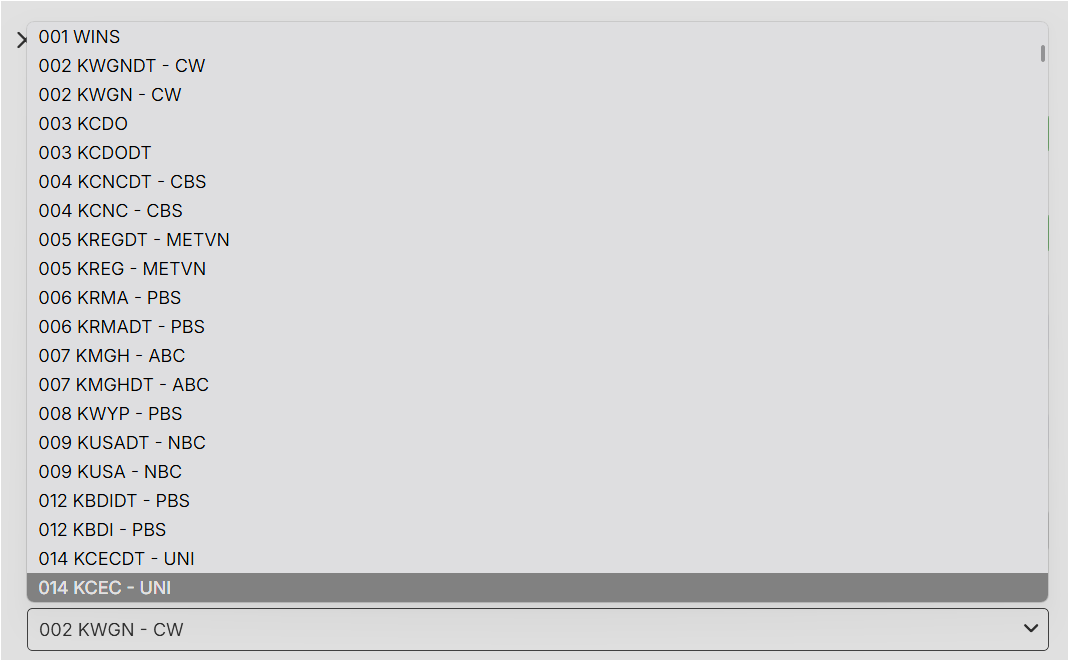
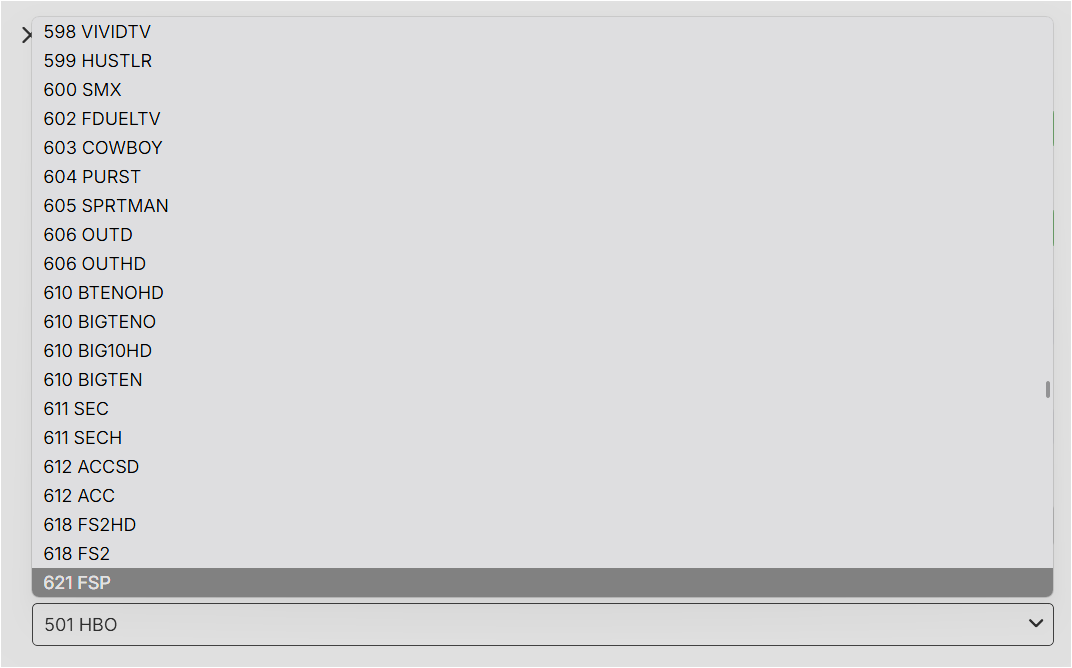
I want to bring this back up! Trying to match channels to their respective guide data entries can be pretty painful - most of the time I know the channel code or something close to it, but I can't search that on the selection dropdown because key entries in this field just search left to right via numbers. Ultimately, I end up needing to go hunt down the original guide data (like the local version of the DirecTV guide I have selected here via Emby Guide Data) to find the matching channel number, or risk spending an awful amount of time scrolling and rescrolling past 800+ channels on this dropdown to find the needle in the haystack. Thanks for consideration
 1 point
 -
So after looking at the logs i could see the connection coming in from the wan address. In the emby app i was using the local address so i'm not sure how it was working the wan address out. Anyway the issue was the VPN leaking and required some chnages to the defualt route.1 point
-
Oh I see,I don't even think I've noticed that one! Got to say though, as in OP, my user *had* logged in (many many times actually)1 point
-
Very nice. Before I saw this response, I ended up uninstalling my QNAP Emby installation and did a complete re-install and scan. My library is about done re-scanning (I only did duplicate movies earlier as a 'test.'). The three volumes of TV shows has taken about 8 hours to scan. I am going to add back my duplicates as a separate library. I believe it was stated earlier, during initial setup I can turn of that library from being added to the collection. I have to step out for a bit, but I will look for that setting so my duplicates are not included in the collections. Thank you for your assistance!1 point
-
That did, in fact, fix the problem!1 point
-
I figured it out, it turns out I still have 480p files1 point
-
In my case it appears to be limited to Nvidia GPU hardware transcoding and Edge and Chrome. The issue does not arise for me when Intel QuickSync is used for hardware transcoding There may be different causes for this1 point
-
Wrong file path. As was suggested looking at the path in metadata helped me to figure out what I'd done wrong.1 point
-
I have the issue with chrome and edge - ok with Firefox but if I disable hardware transcoding chrome and edge work ok I am gathering diagnostics for this1 point
-
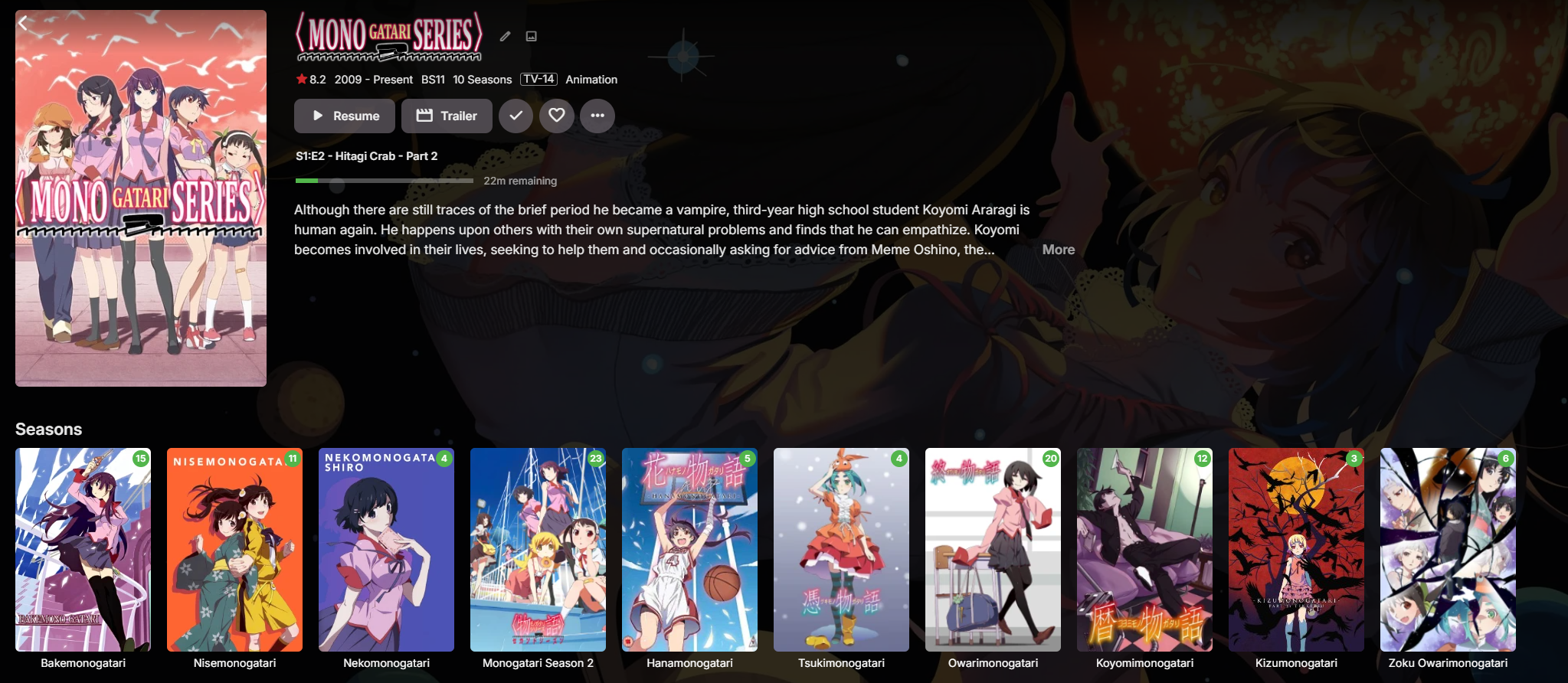
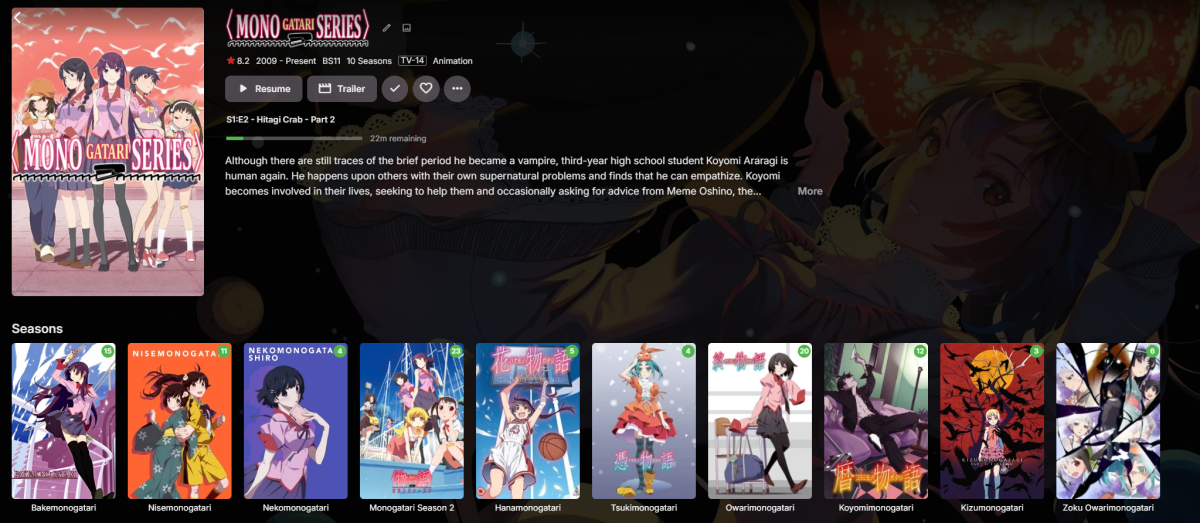
Finally! A lot of trouble with Owarimonogatari, renaming... but now it's locked and like this Thank you all!
 1 point
 -
@Luke no. Reverted the setting deleted POSE in my rsync script rm -d -r Series\ Other/Pose The Lord of the Rings: The Rings of Power did not scan..so i did an edit and set the manually TheTVDB ID = 367506 That helped1 point
-
I want to also chime in on this. The Emby app on the Apple TV is significantly lacking in features compared to the Android TV apps. The skip button is greatly needed1 point
-
J'utilise un Nas et la plus part des connexion sont géré par les device donc le serveur ne fait que des lecture direct donc pas de soucis pour les connexion 4K1 point
-
Fair enough. I found that VOD stuff didn't add well (in MY case) via M3U & went the STRM route w/ MUCH more satisfactory results. YMMV Good luck!1 point
-
Looks good, but very disappointed that you force a Windows account on us (Store app). I use independent software like Emby to get away from big tech! That being said it won't be an issue for me for long, down to 1 computer still running Windows and on schedule to kill my MS account by early next year.1 point
-
Al final lo he hecho como ustedes han dicho, mediante los controles parentales, pero creo que resulta muy incomodo. En la biblioteca debería dejar la opción de seleccionar que archivos y carpetas específicos poder elegir también. Muchas gracias por la ayuda --- In the end, he did it like we did without it, through parental controls, but it did result in some inconvenience. In the library you will already have the option to select specific archives and folders that can also be selected. Much gracias por la ayuda1 point
-
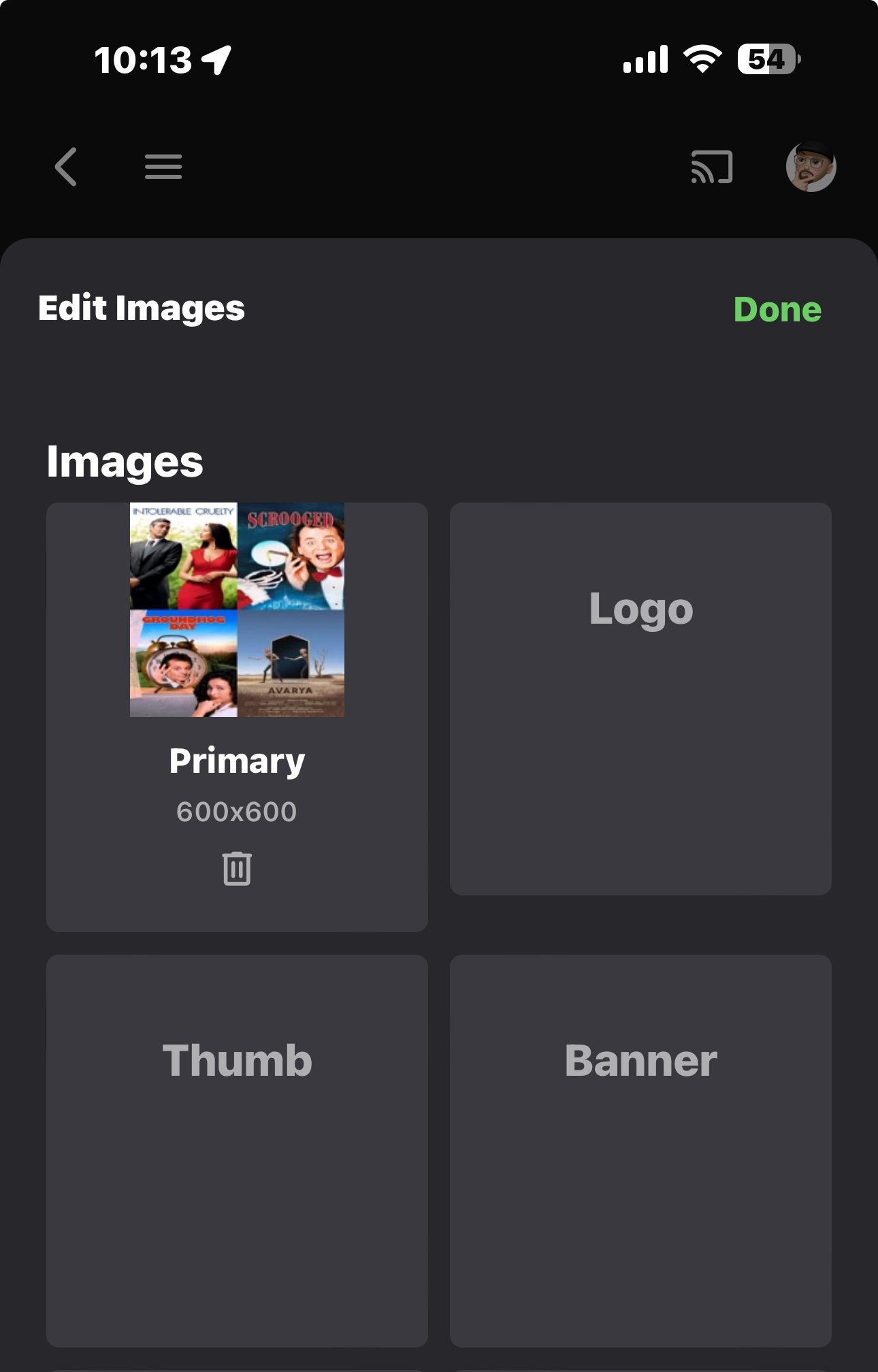
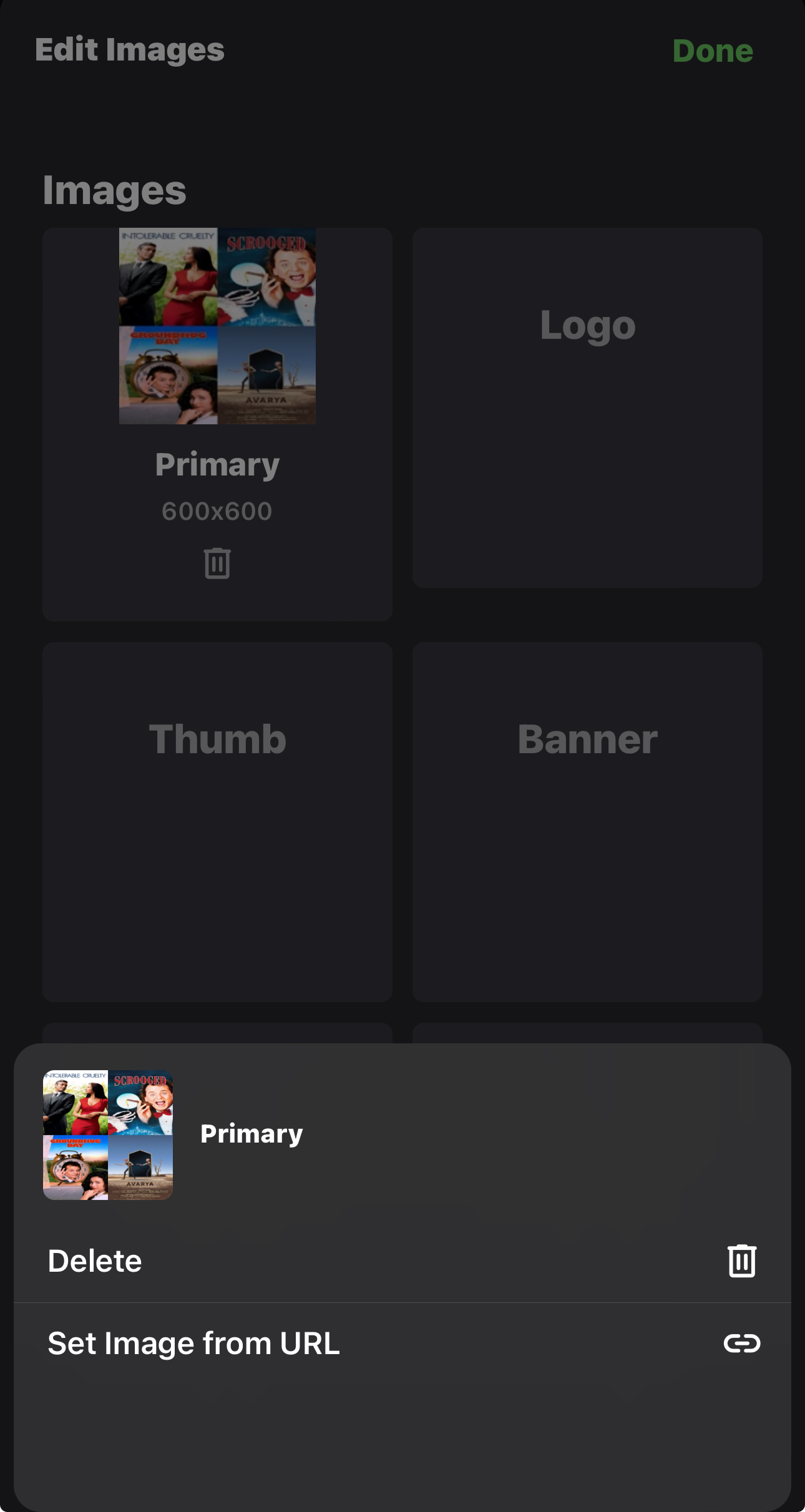
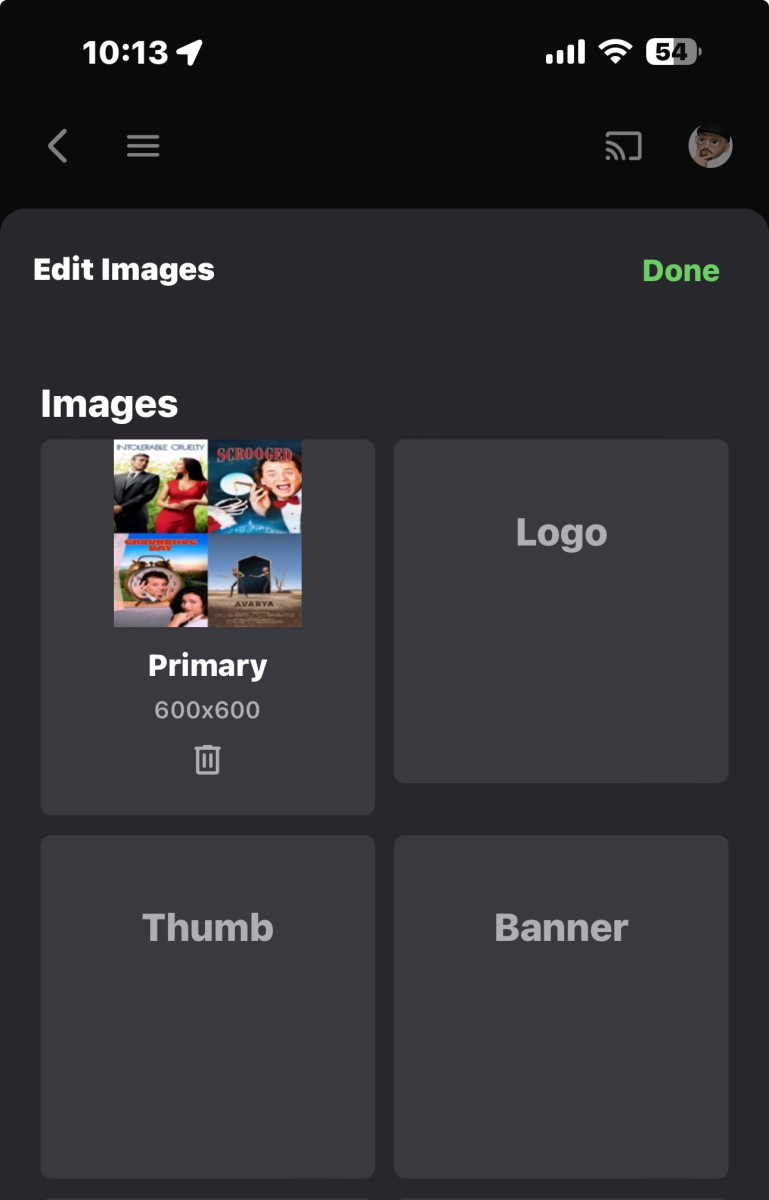
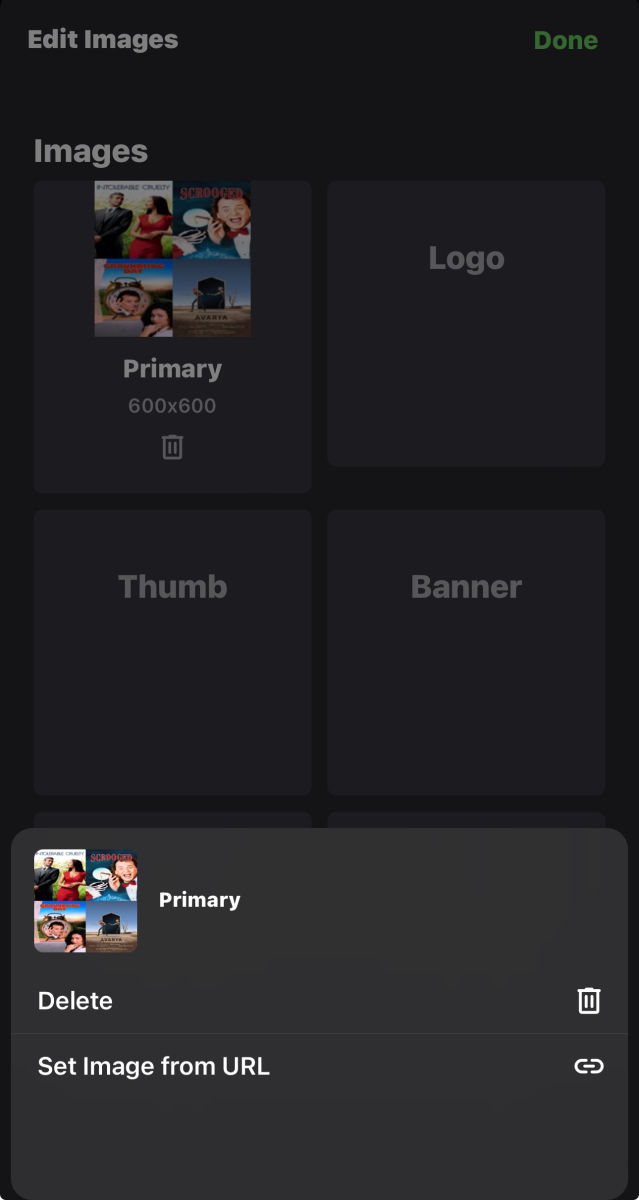
When I try to go to the emby website on my iPhone/iPad browser(s), it defaults to sending me to the Emby Client App. Within the Emby Client App, when I go to edit images, I only see an icon for the trashcan option (SS 1). When I touch & hold the box, I now see an option to enter an image URL (SS 2). Touching & holding the other boxes also now shows the "enter an image URL" option. However, when I posted this issue back on November 9th in this thread, this action did not give me the same result. I can't explain why. I assume that this functionality was not simply added in the last month. The only thing I can think of is that I have noticed that touch screen functionality has been intermittently unreliable on my iPhone 15 Pro Max running IOS 17.2.2 (21H221) [I am reluctant to upgrade to 18.2 until the bugs have been worked out. I have seen articles that stated some people have reported losing data during the upgrade]. Since the file upload feature has not yet been implemented, then it would be a feature request. The ability to enter an image from a URL is a satisfactory resolution for now. I remain mystified as to why it is working now but not then. I try to test & re-test a problem before posting them to the forum. Posting a problem that does not really exist is both embarrassing & diminishes my credibility. I referred to the app as Emby Client. but you mentioned Emby Web App. Is there a different web app form the client app, or are they the same?
 1 point
 -
Hello guys! Once again here is a new update that is now supporting stable version Emby v4.8.10.0. Enjoy! Emby-Stable-style-v3.5.txt1 point
-
100% agree! Developers of emby doesnt work!!0 points