Leaderboard




Popular Content
Showing content with the highest reputation on 12/19/24 in all areas
-
UPDATE Hello everybody! The release of our new Window & Xbox apps in December 2024 was overshadowed by the unexpected rejection of the HEVC Playback capability by the MS Store for Xbox (only - the Windows app was unaffected). As a temporary remedy for Xbox users, we had established the Emby Xbox Holiday Bonanza. which allowed to register for a private version of the app with HEVC playback enabled: The "Emby Plus" app. Today (March 25, 2025) we are glad to announce the following changes: The Emby Xbox Holiday Bonanza program is closed The Emby Plus app is discontinued Starting from version 2.222.0, HEVC playback is included and enabled in the regular app releases What does this mean for current users of the Emby Plus app? There is no action required Emby Plus users will automatically be updated to 2.222.0 (or later) There is no drawback in any direction Version from 2.222.0 on provide the exact same capabilities like the Emby Plus app had offered before already We apologize for all the inconvenience, questions, support interactions and uncertainties this has caused for our users. The Emby Team This topic is locked now. Please create new topics in case of any questions. --------------------------------------------------------------------- Original Message Xbox Users! Santa Softworkz has worked relentlessly to bring you a happy holiday with Emby and the Xbox. There are rules, though: Don't talk about it Don't speculate Don't ask questions about it If you don't follow, then there's no happy ending for you. Watch out for the "Santa Softworkz Holiday Lottery"14 points
-
Long Promised — Long Awaited — Finally Here! We are excited to announce the first release of our all-new range of Emby apps, starting today with Windows and Xbox. With a fully redeveloped native foundation, this update delivers improvements across the board: from remote control and gamepad support to background downloading (Windows), as well as refresh and HDR mode switching, and most importantly, enhanced video playback. The new app also comes with a name change from Emby Theater to simply Emby. The name is the only simplification though: On Windows it supersedes and replaces both current apps, "Emby Theater Desktop" and "Emby Theater" from the Windows store, combining the best of both in a single app. It provides enhanced video playback driven by MPV player under the hood, like and even better than "Emby Theater Desktop", and the Download features which were previously available in the Windows store app only. A primary design goal has been to ensure that users of either previous app encounter no drawbacks when moving to the new version. Video Playback (Windows) Video options in the previous ET Desktop app were not always straightforward. The new Emby app adopts a fundamentally different approach to video playback configuration, which accommodates to a range from least to most knowledgeable users by boiling quality options down to three simple and easy understandable presets alongside a custom mode which allows to control all the underlying options in detail. The main presets are: High Quality A no-compromise choice for the best possible quality, regardless of resource usage. Recommended for powerful PCs with high-end GPUs. Video decoding and filtering occur in software for optimal quality, and output scaling uses custom GPU shaders. Balanced The default and recommended choice for most users. Similar to ET Desktop and a standalone MPV player with default settings. Efficiency Mode MPV player is generally focused on quality rather than power saving, and even with the Balanced preset, you can get short of energy rather quickly when running on batteries. This mode is not built-in or available in the regular MPV player. All video operations are fully performed in hardware while scaling at the video output (no shaders/gpu kernels) gets disabled. Too simplistic for you? Enter the Customize mode where you can control all options in detail to find your perfect setup. Video Playback (Xbox) In the new Xbox app, we have a new playback implementation which is based on ffmpeg and takes place of the HTML video playbaback which which had limited codec and format support. By combining ffmpeg decoding with elements from Windows Media capabilities, it combines the best of both worlds: The rich format and codec support from ffmpeg and the built-in hardware acceleration of the Xbox for playing 4k and HDR videos in the best possible way Automatic Refresh and HDR Mode Switching (Windows & Xbox) Refresh rate switching is now as simple as enabling or disabling a single option. The new app can track its window position across multiple monitors and adapt the refresh rate accordingly. On both Windows and Xbox, it can also automatically toggle HDR mode based on the video content and the capabilities of your monitor and graphics hardware. Download Feature (Windows) With the download feature, you can transfer media from your Emby Server to your client device in a suitable format and size, so you can enjoy your media when you're on the road or without an online connection and even automatically synchronize items based on the watched status. The new Windows app implements this with a completely different approach. Instead of periodically polling and running in the background, it uses Windows Push Notifications for server-side activation and the Windows BITS (Background Intelligent Transfer) service for downloads. As a result, the app runs only briefly whenever the server notifies it about newly available items or when BITS reports a completed download. If you don't use this feature, nothing runs in the background at all. Enhanced Support for Remote Control and Gamepad Input (Windows & Xbox) Remote Control support has been extended to cover almost all functions defined in the Windows Media Center remote button schema. For game controllers, mapping has also been expanded to assign functions to all available controls. New options pages provide a reference for button assignments and allow you to test inputs to ensure everything works as intended. Windows Theme (Windows) As a visual highlight, the Windows app features a new and exclusive Windows theme with Mica material background (Win 11) and seamless integration with your Windows desktop appearance, matching theme colors and dark/light switching accordingly. High Contrast Themes (Windows) As part of the Windows theme, the new Emby app also supports the Windows High Contrast settings. Fonts adjust in size and weight for better visibility, and fewer — but thicker—lines are drawn to enhance readability for those who need it.10 points
-
All about the new app here:5 points
-
I wanna pick up some of the question that have come up here. A good question was about why the previous app could play HEVC. The reason for that is that the capability we are talking about is named "hevcPlayback" but often also described as "4k video playback" or "4k hevc playback". In fact it does not disable hevc playback when it's absent, but instead, when it's absent, you can't smoothly play 4k video. What it does when enabled is that it grants 1 GB more memory and more CPU cores to the app. I have tested and confirmed this at a very early stage and also researched other players like vlc or kodi, which are using that capability as well on xbox, and without that you essentially cannot watch 4k videos. Doesn't that contradict to the codec licensing and budget explanation? At first I thought so, but then I remembered a price list from Dolby about DV license fees for TV manufacturers and the had different prices depending on whether it's a 4k tv or not (4k factor like 3, 4 or 5x). The Xbox needs to have the ability to play HEVC video of course for use in apps or in the browser and it had that for a long time. This is needed for every Xbox without exception. A console like Xbox is a product where fractions of a penny matter, so it's quite plausible that MS have negotiated to pay the extra for 4k playback only those devices where it is actually used, and they are controlling that amount by limiting apps to those how really need it (1.) and by available budget (2), where we obviously fall under the latter. That leads to the question why the new Emby Xbox app doesn't play any HEVC at all, not even non-4k? Each certification cycle took about 2-3 days. We had 2 rejections about details, and then came the rejection of the hevcPlayback capability, which came as a shock and totally unexpected. Even though we reached out to the store through multiple channels, the rejection message was very determined and different from other rejection messages in one important point: it said: please try early next year again, which indicated that it's not a decision based on policies or personal assessment of the reviewer, but due to other circumstances and something that can hardly be turned. To keep things going, we had to remove that capability and resubmit. But the problem is this: ever since that test from last year, we had that capability declared for the app, all-time during development and throughout the beta. Which means in turn: we don't have the slightest idea what will happen when it's removed. Where to draw the line between direct play and transcoding? It's not as easy as going by resolution (4k or not). The tests had shown that the bandwidth of videos has a huge influence: even with that capabillity, many 4k videos don't play smoothly - i.,e. those with high bandwidths, and it looks like they have only tested 4k online streams like from Netflix&Co., but not any Bluray-to-mkv rips with 100Mbps. That's why we couldn't take it for granted that it can properly play all kinds of FHD videos. Or whether iit might tend to crash in such cases - all this totally unknown, and hence something that you cannot publish without one or more beta cycles (and removing the capability from the beta as well, not knowing whether it might be rejected there as well when trying to re-add. While quality is important and the way it plays is important, there are still some higher priorities than these two: 1. Does it play yes/no? 2 Does it play smoothly so that it's watchable ? So, under the given constraints and situation, the only correct decision was to (temporarily!) disable HEVC playback entirely and let the server transcode it to H.264, instead. It's bitter having to do this after all the work, but there was no other choice in this moment, until we get to a plan how to proceed. There's a range of options and ideas, but we need to get sorted, think about it, wait for response to another message from the store and also still waiting for the ongoing certification of the store listings update to complete. Thanks and sorry.5 points
-
I think everyone should applaud @softworkzfor his great work on this and encourage him to get some rest now!4 points
-
@softworkzJust wanted to say thank you for all the hard work you and the team have been putting into the new app. I know lot of people are frustrated over this and you guys are going to be catching flack for something out of your control until the approval actually goes through.4 points
-
Emby Windows & Emby Xbox A new stable version 2.201.0.0 is available now. Please go to the Microsoft Store and check for updates. Changes 2.201.0 [Win] First public release of the new 2.x range of Apps [Xbox] Forced by Microsoft to disable HEVC playback 2.197.0 [Win] Release test run 3 2.196.0 [Win] Release test run 23 points
-
It will be added. It's just not there yet.3 points
-
Having used many external players and filters (not including mpv) I havent come across anything as good as Emby Theater with the embedded MPV.3 points
-
Hi Guys, Thanks for the new Emby app, media that didn't play in the older version now plays in the updated 2.201.1.0 version, but i would like to request that F11 gets mapped to the full screen toggle. It's how it works in the web player and also on all other media players I have installed (VLC, MPC-BE, Plex for Windows). Anyway, would appreciate it. Cheers!2 points
-
Awesome. Well-done on the new release. Please can you provide a direct exe/msi installer download?2 points
-
It appears you have your domain pointed at two different IP addresses. You should make sure there is only one 'A' record, with your correct WAN IP.
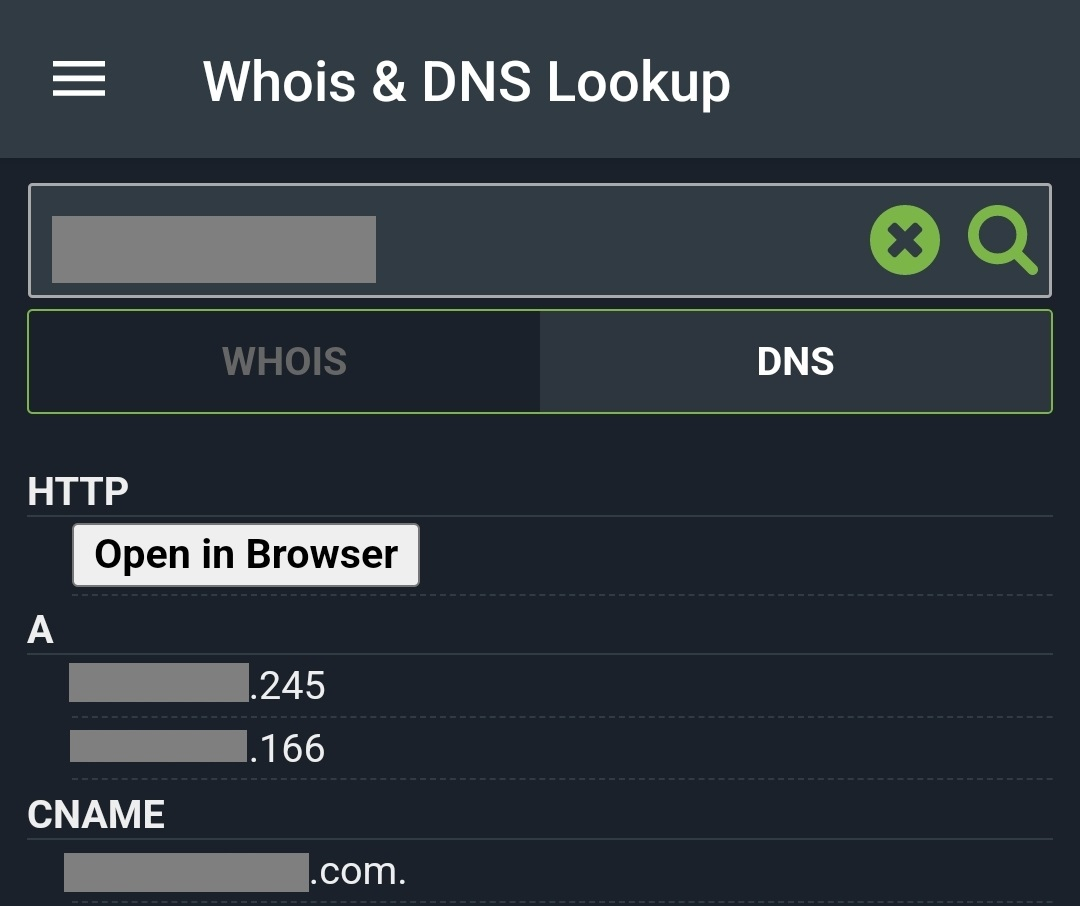 2 points
 -
Open Edge browser on the Xbox and load the web app as fallback. This shouild be equal or better than the legacy xbox app.2 points
-
Why ? So i can't use external p[layer ? External player support is planned for a future update. During the beta, this question came up only once and from the 80 beta participants, there wasn't anybody using this (or at least didnt tell), and as this is a very case-dependant feature, you need to have a group of people available which are using this feature (in various ways) and providing feedback. Also testing such a feature which has so much intersections with another feature under test (normal video playback) will sooner or later turn everybody mad, because then you have two groups of people which are talking about two very different things but with the exact same words, subjects, phrases, and quickly nobody knows anymore about what the other is talking about. So, planned - but not there yet.2 points
-
Please note that it's pointless to complain at MS about this. Many are out of office already and absolutely nothing will happen before mid-January. We are on the waitlist for HEVC approval and the ETA is "early next year". From what I read between the lines it appears that their budget has been exhausted for this year as there's probably a coupling to royalties they need to pay for patents on HEVC codec algorithms.2 points
-
Sorry for the confusion and the "silent" release. There's still a store update in progress to update the listing itself (text, screenshots, etc.). I took once again longer than expected, while I had hoped it would go through before anybody notices that the new binary is there already. I've posted an FAQ with some more answers now:2 points
-
4 months since the last message, so figured it's due another check. We are getting close to a year of 4.9 being available as a beta release now (4.9.0.0 was made available on Feb. 3) with no signs of this feature. Any further update on this or a potential timeline?2 points
-
I just want to bring up attention to AV1 as additional target codec for transcoding and comverting video. It's supposed to further reduce bitrates, which can be great in situations with limited bandwidth. Hardware players start to have support, with the Max version of Amazon's 4k FireTV sticks being a very popular and cheap option. Hardware Encoding is coming for sure too. So if/when HEVC gets added for transcoding, AV1 should be kept in mind too. And for conversations, things might actually be already there, since ffmpeg does have a encoder integrated.1 point
-
ability to be able to add a collection into another collection. ie: Spiderman Collection into a SuperHero Collection. like i could with mediabrowser with shortcuts. TIA1 point
-
I can't seem to be able to access the playback setting tab. I click on it but nothing happens, all other tabs work okay.1 point
-
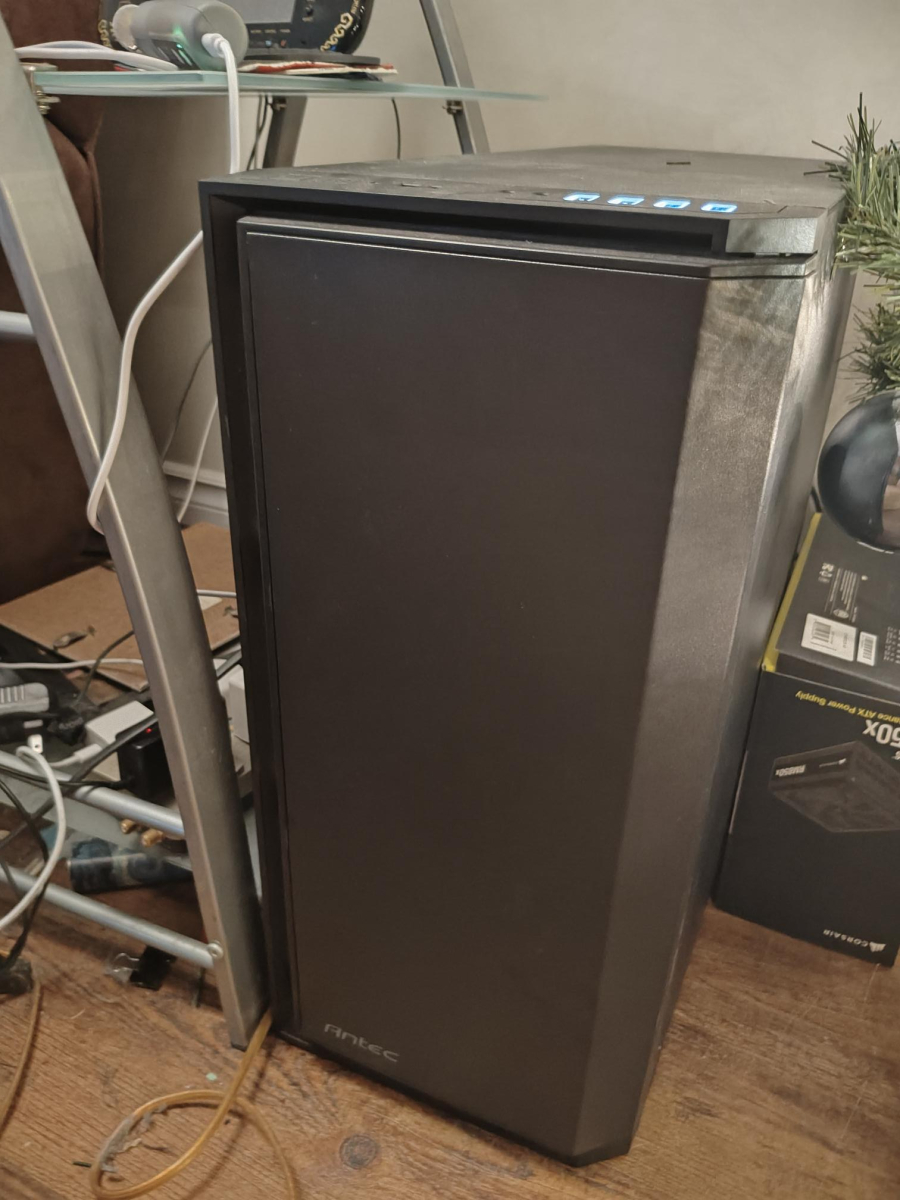
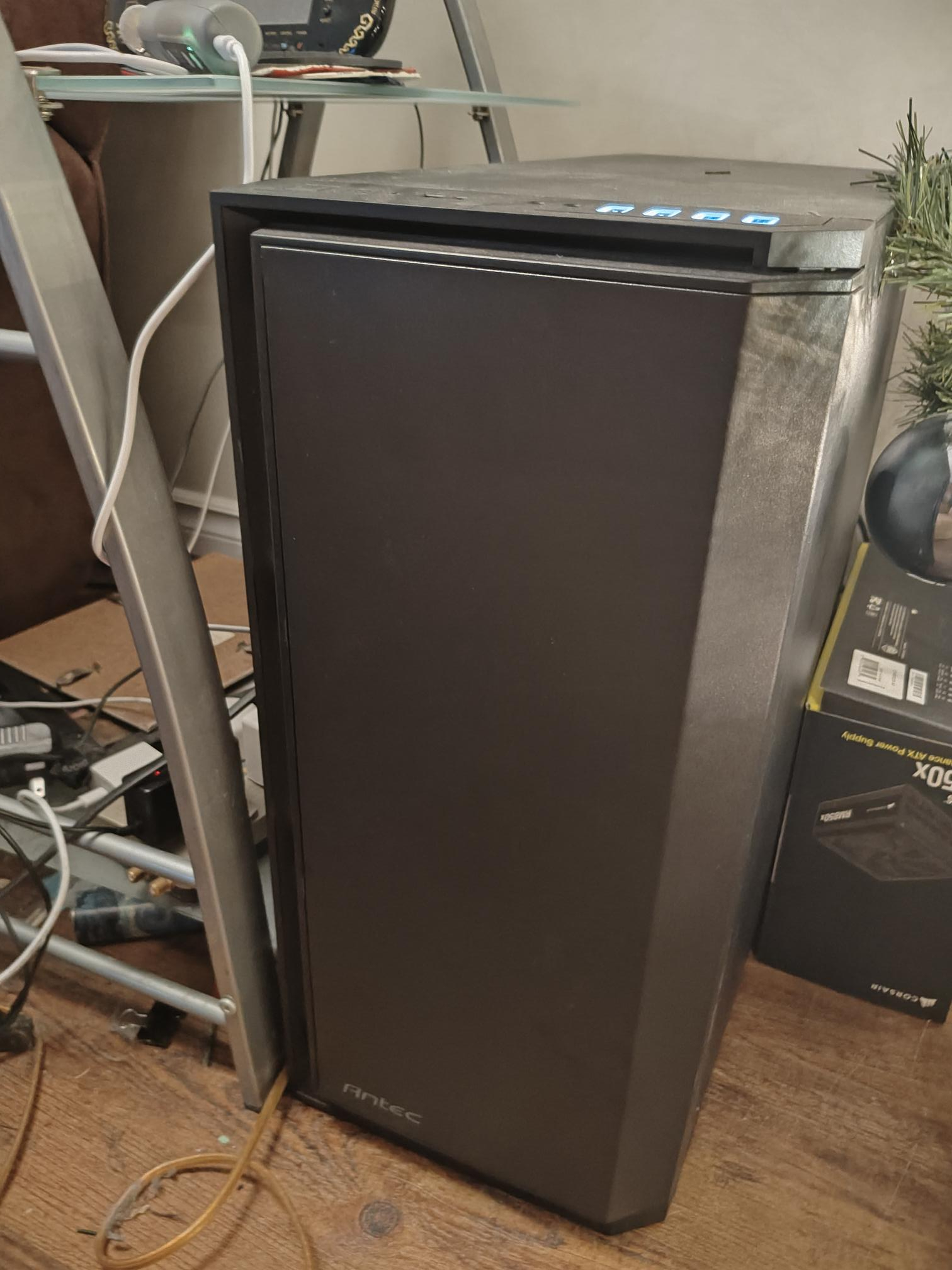
Xeon E5 2696 v3 (18 cores, 36 threads) 8x16gb RAM for a total of 128gb ram Western Digital Black SN750 500 GB M.2-2280 PCIe 3.0 X4 NVME Solid State Drive TEAMGROUP MP33 1 TB M.2-2280 PCIe 3.0 X4 NVME Solid State Drive Western Digital Green 1 TB 2.5" Solid State Drive Western Digital DC HC530 14 TB 3.5" 7200 RPM Internal Hard Drive (x4) Sparkle ECO Arc A310 4 GB Video Card (transcoding) Quadro K6000 12 GB Video Card (remote gaming, will be upgraded) Antec P101 Silent ATX Mid Tower Case Corsair RM850x (2021) 850 W 80+ Gold Certified Fully Modular ATX Power Supply
 1 point
 -
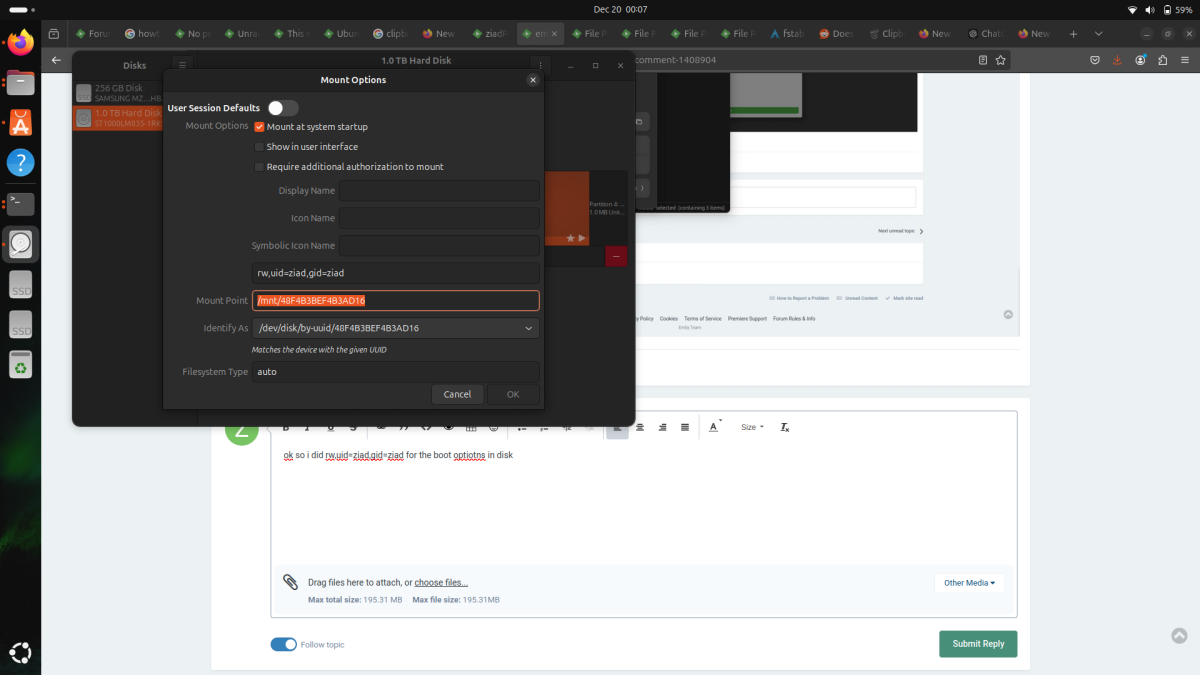
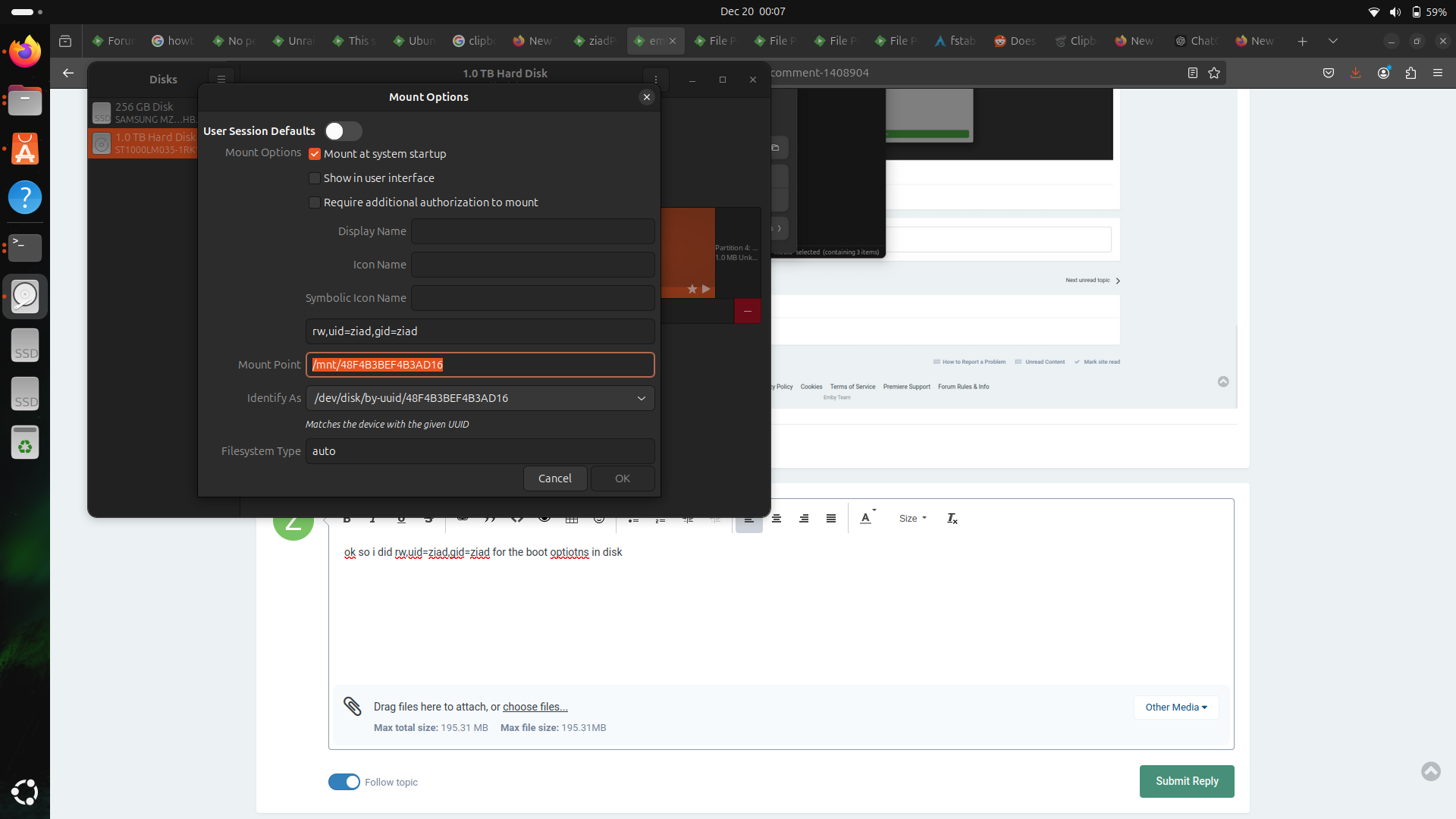
ok so i did rw,uid=ziad,gid=ziad for the boot optiotns in disk and it worked i could acces it but it would show on the side or in other locations in the files app its now in like the partition in where i installed ubuntu on its in a folder called mnt is there a way to have the hdd on the sidebar like before and work in the same time
 1 point
 -
Yes and no. It doesn't always happen. But it has gone on for months, the other night (when the log was captured) my wife was using an app called vidangel. She repeated this twice. Press pause, music starts, pause again to stop it. She closed the app and started over with playback, then she hit pause again and it happened again. It is always this Metallica song lol, comes on super loud and is jarring. Idk what would happen if I let the song play out. Maybe there is only one song mysteriously queued and that would stop it. I'll see tonight if I can reproduce it again.1 point
-
Oh yes, sorry. I made the mistake of reading too quickly. Thanks a lot.1 point
-
Fixed it for me, thanks.1 point
-
Hi, this should be improved in the next update to Emby for Apple TV. Thanks !1 point
-
It is also running a Windows VM with steam installed and it's own SSD and GPU dedicated with it, but although Steam Remote play works very well it's a hassle to keep the VM unlocked and it's single user so I'm planning to switch to Wolf/Games on Whales for game streaming. I was able to get the cpu, motherboard, and 64gb of ram for AliExpress for like $200 and built the system around it. I was wondering what kind of systems others are using for their servers?1 point
-
Hi There will be some changes coming in Emby Server beta 4.9.0.34 that I hope will resolve this. I will specifically test out the case for HPI S1 E6 that I managed to repro the problem with - once 4.9.0.34 is available1 point
-
My bad, I missed the part that it impacted only the xbox, sorry!1 point
-
Is there even a way to side-load Xbox apps? I don't own one but I'm curious. The Windows app does have full functionality if you were imply that it shouldn't be release through the Windows Store.1 point
-
Dust, when you run it, the app actually auto fixes a lot of the metadata issues. It seems like it remuxes the video, if needed. I use it with a batch file in Windows so the Emby media page shows the right original language. For checking the video and setting the media language to English for any .mp4 in a directory or subdirectories, this und2en.bat (undetermined to English) file does the trick. for /R %%f in (*.mp4) do "C:\Program Files\GPAC\MP4Box.exe" -lang 2=en "%%f" echo completed pause You can change the -lang 2=fr for French, de for German etc. and create separate batch files. This batch could reassign hundreds of videos in a library directory and all subdirectories to be set as English with one click, if you wanted to do that. Just put the batch file in the main directory and click. It also checks for other issues and fixes them. I run all mp4's through this and all my h.264 codec media plays back directly with no problem. mp4box_set_language_batch_files.zip1 point
-
O futuro já chegou)1 point
-
Read here:1 point
-
What settings do you mean? If they are central settings like network setup and so on, then just removing libraries will not affect them. If they are your library settings, then deleting the library will lose them, but deleting the contents of the library will not. Paul1 point
-
Oh, sure - that will work fine. Paul1 point
-
As a sidenote, it appears and disappears intermittently. Couple of times it may scroll fine, then close and reopen and it no longer does.1 point
-
Thank i try following the same way...and report Hispa1 point
-
The new video quality settings are a stroke of genius, you can select a present then move to the customise section which is populated with your preset settings and further tweak as desired. Refresh rate matching is also much better. The only thing that could be improved is the tv mode scaling, the tv guide on a 75” 4K tv is massive. Maybe there could be a TV-small and TV-large display setting.1 point
-
@darkassassin07 oh my god something so simple. I'm pretty sure this was it! Its now coming up, I must of not added that when I switched to porkbun. You guys are incredible I have a very basic understanding of this stuff but rest assured I am taking notes!1 point
-
Hi, we're looking into this. Thanks for reporting.1 point
-
Hi, the best thing to do would be to remove all libraries from emby library setup, and let the library scan flush them out of the database.1 point
-
The "-d" option posted by @kikinjo is what allows new files and directories to inherit the ACLs for the emby user to retain access. If you want Emby to have a different runtime group you can change the primary gid for the emby user or update the service unit to run as another group. If running docker then give it the alternate gid.1 point
-
PERMANENT//ZEIMP PΣRMANΣNT//ZΣIMP https://musicbrainz.org/artist/99dbb7b2-dc2c-4e5c-8d17-d932c4c2e1891 point
-
Still working on this? This is still an issue and I have to instruct everyone to just stop playback and resume as opposed to pausing.1 point
-
This issue still exists for me. Emby mac app 2.2.31 MacOS Sequoia 15.21 point
-
Playlist Playback unless you have Roku devices. You have to append "&Token=" to your request urls.1 point
-
If I rename from Authorization to Auth it works. Bunch of people seeing the same issue, it's a server configuration issue. I was just so convinced it was a IHttpClient problem because GET worked and also Postman works. With further testing Postman works only if it's on the same machine. Cheers!1 point
-
We can support gpus for Plex so I would assume we could do the same for Emby. I'll reach out here again when we are ready to curate and we can talk more details. Any guidance you guys could provide when we get to that point would be awesome. Thanks guys!!1 point
-
What is your setting for "Date added behaviour for new content" in Settings>Library>Advanced tab?1 point
-
It is not Netflix approved, it is a workaround, and may break at anytime. Although both the Netflix & Amazon Prime apps do work really well. That said, it does use proper DRM and you do need a proper Netflix account. So for the time being, Netflix & Amazon are allowing it. The biggest issue with these addons is the use of the Widevine Library that is needed for non ARM Systems to support the DRM. I believe there is no proper/legal way to repackage the Widevine Library into Emby and would need the user to manually acquire it. This is currently done in Kodi either manually, or through a 3rd party helper script that either extracts the library from Chrome or Firefox, as Kodi can't legally include this library in it's install setup. Perhaps one day Netflix/Amazon/Etc.. will supply them with a proper/official DRM solution in the future..., hopefully... BTW, a big +1 for me to see this implemented in Emby in the future.1 point




























.thumb.png.f4cb0545e98b51fd9b00e427622ab761.png)