Leaderboard




Popular Content
Showing content with the highest reputation on 12/17/24 in all areas
-
EMBY HOW TO BLOGS We will be releasing a variety of how to blogs over the next few weeks during the holidays. A lot of people will be home and have some time to "tinker" with their home servers and these little entries will be a great starting point to working more closely with your server. For more in depth knowledge that these blogs do not cover, or any questions that may pop up, please reach out to any of the staff members on the forums in the appropriate channels and we will be glad to assist you. What Is Emby Connect? Emby Connect is a cloud-based service that simplifies remote access by linking your Emby account to your home server. Instead of manually entering your server's IP address, Emby Connect lets you log in using your Emby account and automatically connects you to your server. This allows for a easy interface to share with your family members who may not even know what an IP address is! It is important to note, though, that Emby Connect is entirely optional. It is not required for remote access as you can always use the address of your server and the local credentials you setup. Setting Up Emby Connect Here’s how to configure Emby Connect for seamless remote access: 1. Link Your Emby Server to Your Account Log in to your Emby Server: Open your browser and navigate to the Emby Server dashboard (e.g., http://localhost:8096). Go to the Users section: On the sidebar, select Users. Link to Emby Connect: Find your user account and click the More button (three dots). Then, choose Connect to Emby Connect. Sign in to Emby Connect: Enter your Emby Connect account credentials. If you don’t have an account, create one at emby.media/connect. 2. Enable Remote Access Navigate to Settings: From the sidebar, select Settings > Network. Verify Remote Access: Ensure the box labeled Allow remote connections to this Emby Server is checked. Test your connection: Use a device outside your home network to log into your Emby account via the Emby app or web interface. Your library should appear automatically if configured correctly. Tip: Emby Connect still requires port forwarding or UPnP, as discussed next. Setting Up Manual Port Forwarding If Emby Connect doesn’t meet your needs or you prefer direct control, you can manually configure port forwarding on your home router. This ensures your server is accessible from outside your local network. What Is Port Forwarding? Port forwarding allows specific incoming traffic (ie, requests to your Emby Server) to bypass your router’s firewall and reach your server directly. It’s a secure and efficient way to enable remote connections. How to Set Up Port Forwarding Step 1: Access Your Router Settings Find your router’s IP address. Commonly, it’s 192.168.1.1 or 192.168.0.1. You can confirm this by typing ipconfig (Windows) or ifconfig (macOS/Linux) into the command line. Open a web browser and enter the IP address to log into your router. Log in using your router’s username and password (check the router’s manual or sticker if you’re unsure). Step 2: Set Up Port Forwarding Locate the Port Forwarding section: It may be under labels like NAT, Virtual Server, or Advanced Settings. Create a new rule: Service Name: Enter a descriptive name like "Emby Server." Internal IP Address: Enter the local IP address of your Emby Server (find this in Emby > Settings > Network > LAN IP). Internal Port: Use 8096 for HTTP or 8920 for HTTPS (if you have SSL configured). External Port: Match this to the internal port (8096 or 8920). Protocol: Choose TCP or TCP/UDP. Save the rule: Apply the changes and restart your router if necessary. Step 3: Test Remote Access Open a browser and enter your external IP address and port (e.g., http://<Your_External_IP>:8096). If configured correctly, you’ll see your Emby login page. Best Practices for Security While remote access is convenient, it’s important to secure your Emby Server: Use a strong password for your Emby account. Enable HTTPS: Configure an SSL certificate to encrypt your traffic (via Let's Encrypt or another provider). There are a lot of posts on the forums on how to set this up and a lot of different options in which to do so. Restrict access: Use the IP whitelist/blacklist feature in Emby’s Network settings to limit who can connect. Common Issues and Troubleshooting Can’t access the server remotely? Verify the external IP address matches your public IP (use whatismyip.com). Check for typos in your port forwarding rule. Confirm your firewall isn’t blocking the connection. Dynamic IP issues? If your ISP frequently changes your public IP, consider setting up Dynamic DNS (DDNS) to link a domain name (e.g., emby.myserver.net) to your IP. Conclusion Setting up remote connections in Emby is straightforward with options like Emby Connect and manual port forwarding. Whether you prefer the simplicity of Emby Connect or the control of direct address access, you can enjoy your media library wherever you go. Happy streaming!2 points
-
Yes I understand that, but if you're not using 8920 externally then it shouldn't advertise it as such. This URL will be used by the apps.2 points
-
Polls on a web site that few users even visit are a good way to get a VERY distorted idea about what the actual popularity of a particular suggestion. Likes/dislikes are equally distorted. I do not know what would truly be better but polls and likes on a web site like this one really do not mean a thing. Better would be to implement a feature and see if it is positively or negatively received but that would mean a lot of work by the developers would be wasted and no matter what the feedback it would be nearly as flawed as the current system. I have been thinking about this more lately and i have come to these conclusions: a. Emby should work on what they see, after deliberations, as the better additions that are under consideration. b. Emby should use these forums to get a read on what is actually wanted but they should not take anything posted here as gospel. c. Emby development needs to be less "open" but as a feature they have decided to implement nears release to the beta they should make people aware of it to see if what will be implemented will actually be used. (I have no current idea how this could be accomplished) d. Emby really should make more of their "improvements" as plugins instead of being in the code and things like Live TV need to move to being a plugin so that there is no bloat or overhead incurred for those that do not wish to use it. Of course that all comes from a user that is not a developer so there may be better approaches but something should be done to get the development more separated from suggestions.2 points
-
You need to make sure your user account has access to this new library. Go to 'Users' > select the user and review the 'Access' tab.2 points
-
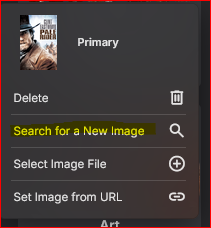
I don't know how long the "Search for a New Image" has been in Emby, but I do thank you for it - awesome!
 2 points
 -
On 4.9.0.33 docker install. Went and checked after I seen this post and can confirm no users settings were changed on my setup.2 points
-
@djerniehoule ebr, was just reminding us not to talk about 3r party services like this here in the forums. Problem is that it's far too hard these days to know what services are legit and which aren't in different countries, never mind the fact we don't promote any 3rd party services. We do not want to be associated or seen as promoting any service that might not be fully legal in countries that use Emby. Hope that makes sense, Carlo PS Feel free to PM any questions you might have.2 points
-
It would be great to have Emby as a music provider for Music Assistant: https://music-assistant.io/ I'm forced to use Jellyfin as a provider for now: https://github.com/orgs/music-assistant/discussions/583 It probably wouldn't take too much effort to adapt the existing Jellyfin provider to the Emby API: https://github.com/music-assistant/server/tree/dev/music_assistant/server/providers/jellyfin1 point
-
An update on this for those that are interested. Trakt is now allowing a one time upgrade at the original price point if auto-renewal has been disabled. Moving forward, auto-renewal will need to remain active to qualify for the grandfathered pricing. This is the official response from thread I linked to in my original post: Active VIP + Auto Renewing You’re setup correctly to continue with your existing pricing plan. To continue receiving your discounted pricing, auto renewal needs to stay on. Active VIP + Not Auto Renewing Click the RENEW button on the VIP page and you’ll receive a one time discount. To continue receiving your discounted pricing, auto renewal needs to stay on. Expired or Canceled VIP You are not eligible for any discounted pricing and will need to sign up at the current price. Billing Issues with PayPal or Stripe It’s not common, but sometimes your membership will be canceled by PayPal or Stripe. This could be due to an expired credit card or bank issue. Please email support if this happens and we will investigate further. It will be at Trakt’s discretion if your existing pricing will be honored or not. Please contact us as soon as you find a billing issue. Canceling VIP When you cancel your VIP membership, you’ll lose any discounted pricing or promotions applied to your account. This message is displayed in the delete popup on the VIP page when you click the CANCEL button. I'm glad Trakt stepped up to address this miscommunication in a way that benefited impacted users. I am definitely happy that I can continue to pay the $30/year for VIP. I'm not thrilled that I need to leave auto-renewal enabled to qualify for that perk in the future.1 point
-
Seems like this is already and Amazon App requirement. https://developer.amazon.com/docs/fire-tv/handling-hdmi-events.html#hdmi-state-changes1 point
-
As fare as I know these are your options. If you find another way then please educate me1 point
-
There really is no simple answer as you have to provider user access via folder access (potentially requiring massive reorganization) or per tagging all media.1 point
-
hey @lightsout, if you update to 3.11 or more it will work.1 point
-
Try this The way with the access tags can be a logistical nightmare1 point
-
I'm optimistic that smart playlists will get some attention from the Emby team in the near future. This week we got some adjustments to the Auto quality settings that I never expected would happen so there is hope. A new windows/Xbox app is on the way and it looks great too. Stuff does happen but it moves slowly.1 point
-
Emby preinstalls many plugins that can be removed later if wanted. Maybe Live TV should be pre-installed. It is much like DLNA in that it is needed/wanted by many but should not be part of the default code.1 point
-
I agree with this but I am unconvinced that even a popular plugin should be moved to being in the core code. I do not see much of an advantage in doing this and even more I do not think many "features" that are not needed for basic functionality should be part of the code. In general if a feature is not used by even 10% of the users then it should not be part of the code. Of course, if Emby chooses, they can have any part of their program be implemented as a plugin or be part of the core code. Emby owns all aspects of their code so they can do as they wish. Frequency of downloading a plugin is not a reliable way to determine its popularity nor is even the amount of time it is allowed to remain installed. I have downloaded many many plugins over the years and then removed many because they did not work the way i thought the might. But i have also left some plugins installed far longer than they deserved to be because they do not get in the way and i forgot about installing them.1 point
-
OMG...that was easy1 point
-
I agree with this. And if plugins like smart playlists or Trakt/MDBList collections are downloaded frequently then they can be implemented as a core feature1 point
-
That was what we are trying to investigate and reproduce. What you have uploaded is what works ok. What I need to see is the one with the access schedule that does not work. And confirmation on version of Emby Server used. Which Emby Client apps are being used for the access controlled account. You could just create a new test user account to confirm the issue and provide the policy xml file for that - if it brings up the problem. Thanks1 point
-
"Latest" means the "last xx number of movies added to the server", yes? That's how it seems to work. Hence, it would be great if it could be renamed. If not, no worries, just thought I'd check.1 point
-
thanks for the help; bitrate on the app was adjusted and remuxing allowed for the user.1 point
-
Testing in 4.8.10 and 4.9.0.33 I have no issue of playing back media during configured access time. Media plays during set hours and errors outside of set hours. But nothing stands out in that policy.xml above.1 point
-
I usually wait until it hits a beta to change that status.1 point
-
Good point but let see what Luke and Ebr about this.1 point
-
This could be a very helpful feature for English learners to display both English and native language subtitles.1 point
-
I can confirm that this issue is specific to recording libraries with an smb path. The issue does not arise with local paths It has been referred to the development team1 point
-
There is a little section on this forum called 'Feature Requests'. This is from the users. You'll notice that 4 or 5 of the top 10 items (sorted by numbers of likes/agrees) are related to improving the ability to 'find' content - ie exactly what this thread is about. #1 is 'smart playlists/smart views' - this is exactly why emby are working on this. If you've been an emby user for any length of time, you'll also notice many homebrew 'attempts' at this - spotlight, recommendations, top picks etc - all addressing the same issue - getting user focus on content. If you don't want to use it - then simply don't - it's that simple, but suggesting it's not required without giving an alternative or basing your view on single user only is unwelcome.1 point
-
Timezone is UTC London1 point
-
Sounds all fine to me, when the site has an API that the provider is using, that's the typical case of allowed providers. Regarding adult data providers, I'm not on track - @Lukeor @ebr will be able to tell.1 point
-
Thanks for the tip @softworkz. I have already changed my plugin and got rid of all external dependencies.....1 point
-
ip address for a server. indicates the last address used by the client device to reach the server.1 point
-
Have seen no changes on any test or production environment here but Windows only Release and Beta.1 point
-
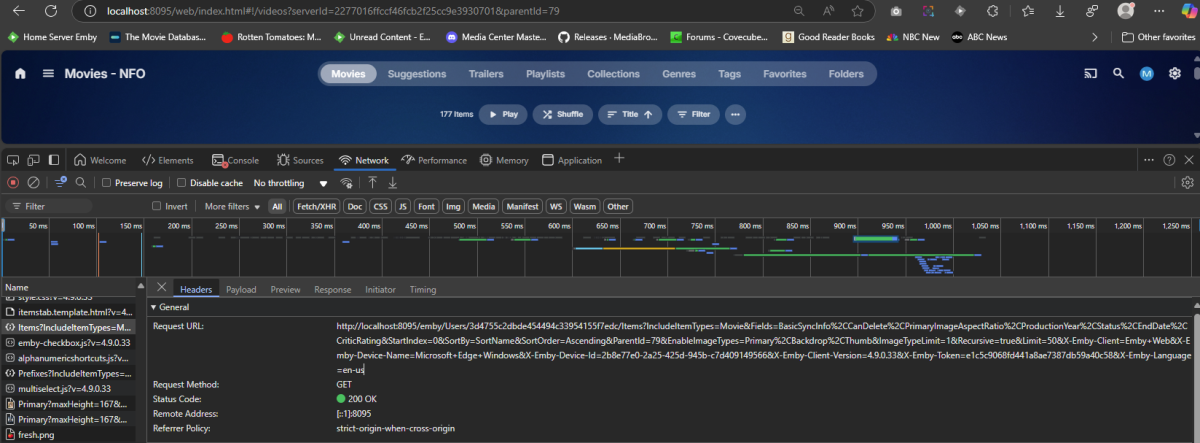
Yes was from the web client listed in the server log. As for other client log everything should be caught in server log. But from the server log is would require you to have debug logging enabled or capture it in the web client debug console.
 1 point
 -
I will try and give feedback later,thanks1 point
-
Unneeded is subjective. Is transcoding needed? Music? Background fanart? Live TV? If we Emby catered to lowest common denominator we'd be left with VLC and a network share. Features and support are what keep me loyal to Emby. I hate the argument that features add bloat. If they are developed well and you aren't using them there should be no noticable difference. Besides I think Emby has gone a long way in containerizing components into plugins.1 point
-
These aren't features that are intended to benefit those selling access to unlicensed content. These are basic quality of life features meant to improve the experience for everyone. The needs of a family are very different than a single user, especially those who don't live under the same roof. Lots of chatter of the forums the past few days about features being "unnecessary". If you don't need it, don't use it. Let's try to keep the discuss focused so the devs can collect feedback when the time comes to implement the feature.1 point
-
This is unfounded. It's perfectly reasonable for someone with a huge collection to expect their friends and family might need some help navigating it.1 point
-
@rbjtechOh my bad to credit incorrectly. I am a newcomer to Emby, was using Synology video station. It was sunset silently by Synology without any migration support. I tried Plex and Emby, and found Emby suits my need that gives more flexibility and control for a tech-minded user. Thanks!1 point
-
One of the older/established IPTV providers.1 point
-
For those who haven't seen the TOPIC I'm writing it here too Same black screen issue with DV HDR10+ Fire TV Stick 4K Max 1st gen, works by removing HDR10+ metadata (as rbjtech wrote, thanks ) I used Dolby_Vision_Tool (drag file to DDVT_REMOVER, press S) very fast, 30 seconds. Is it possible to add a setting to disable HDR10+ to emby??1 point
-
Any reason why it's not provided outside the store?1 point
-
No, what I mean is stay tuned for the new windows app that is about to launch.1 point
-
Looks like it's ze { "language_code": "ze", "language_name": "Chinese bilingual" }1 point
-
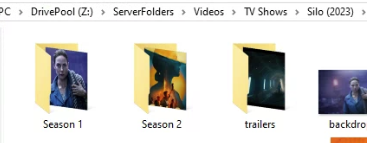
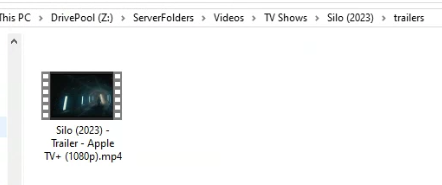
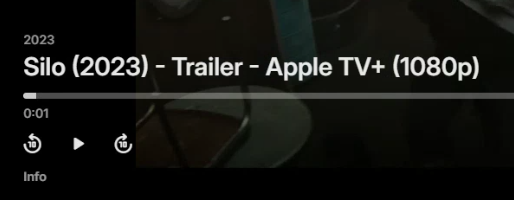
What exactly did you do? example run library scan or wait for RTM to add change @GrimReapercan you split this discussion into its own topic please.
 1 point
 -
Agreed - another area where Emby have lost focus and are now way behind the competition - it doesn't even have the ability to edit the Intro's without the support of a 3rd party plugin... Emby (with the 3rd party Plugin) used to lead in this area as it had both Intro and Outro detection and all the support tools (editing, stats etc). Now even JF has long passed them and have recently introduced the architecture called 'media segments' which is tagging for for Commercial, Preview, Recap, Outro and Intro. Their clients need to catch up, but the concept is solid. A shame, as the same concept of 'MarkerTypes' is actually in Emby (and was discussed with them), but beyond Intro's, it has have never been developed further ...1 point
-
No. It does not. Jellyfin plugin for Music Assistant currently only works only with Jellyfin. It will connect to Emby, but the music library does not successfully sync.1 point
-
I would suggest keeping the task but removing the plugin. Otherwise if you install other channel plugins that use the same mechanism, this may lead you into thinking they are not refreshing their content.1 point
-
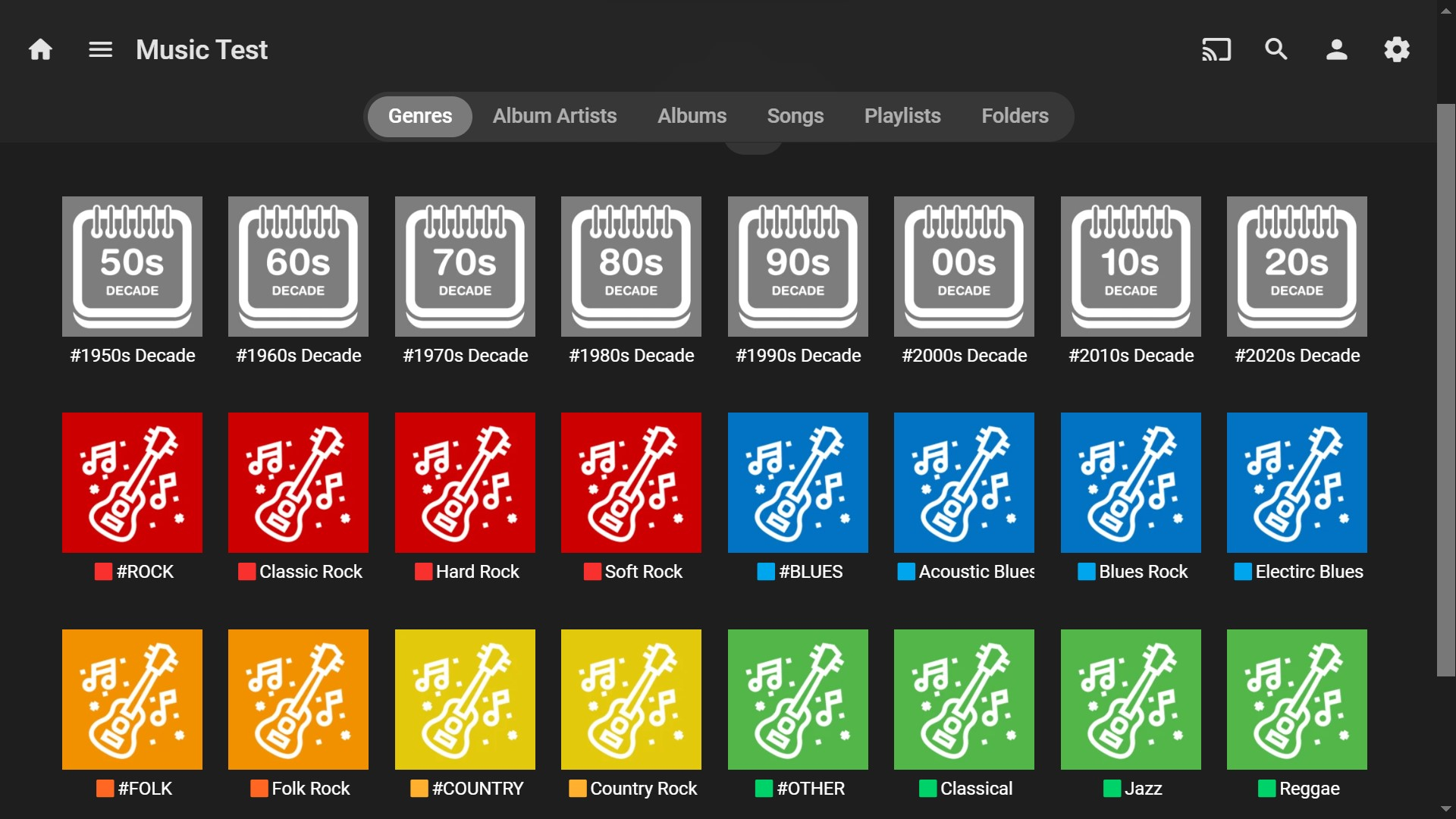
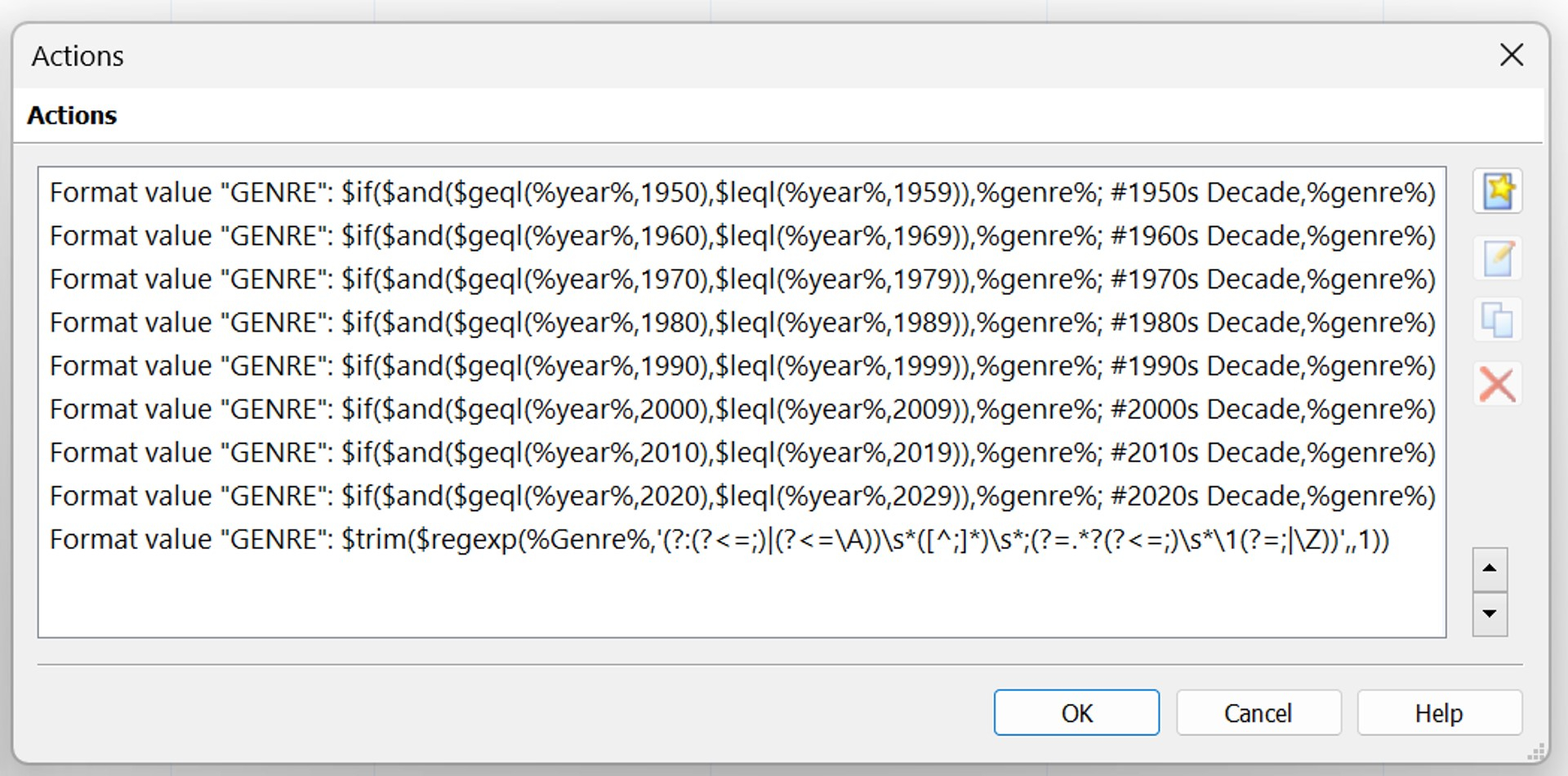
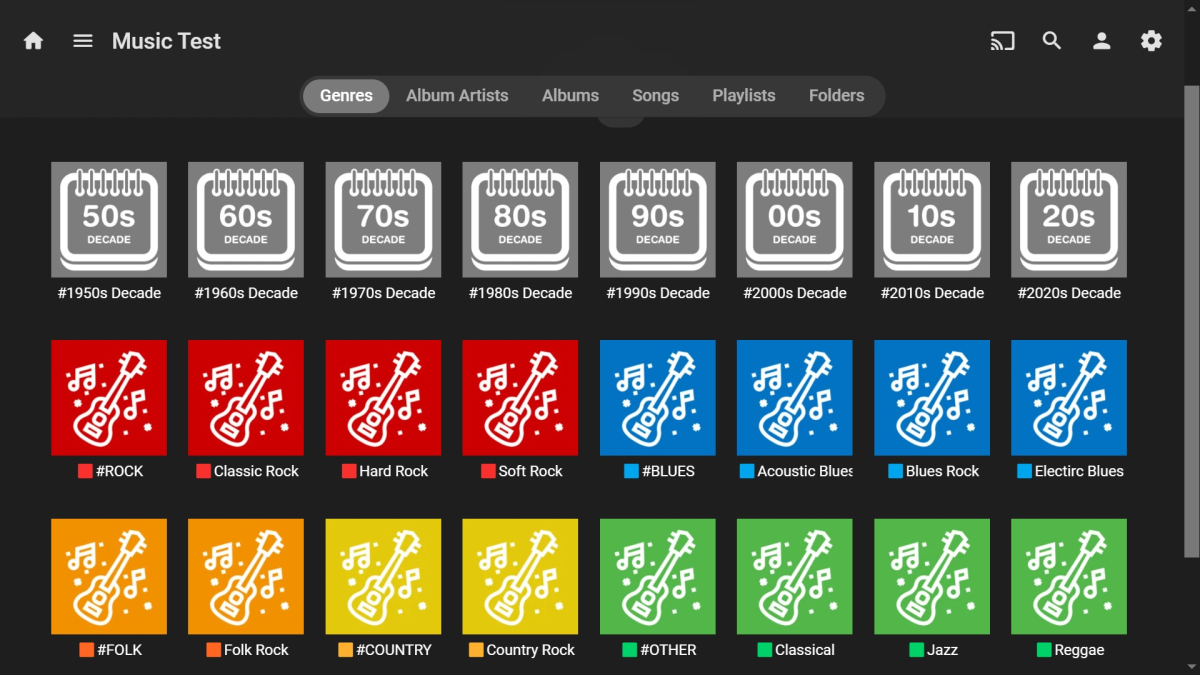
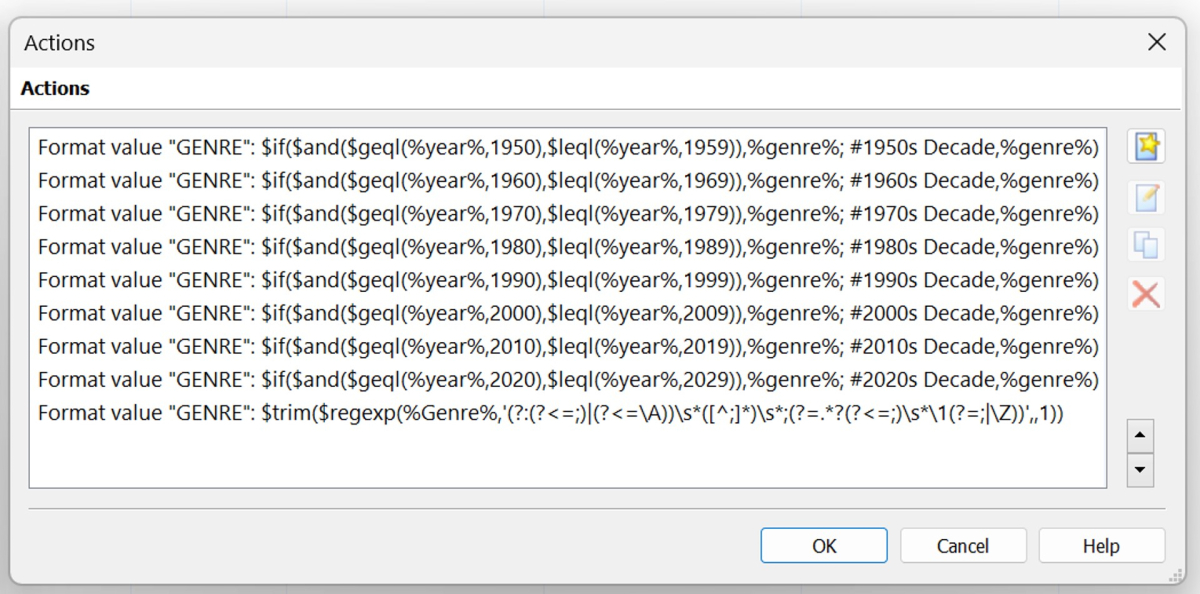
For anyone who may be interested, here's an updated view of testing out the emoji color coding idea. I still haven't used the silver, purple and brown emojis, or any round ones, so there is plenty of scope for many more sort groups using this system. Also, for music, with MP3Tag Actions and Scripting Functions, it's possible to automatically create/change Genres and Tags for a large library, without needing to do it manually. My custom Create Decade Genre action group below was used to (relatively quickly) create the #Decade groups show above. The first eight lines add the decades to the Genre field and the last line removes duplicates, if the Genre already exists. Something else that would also be really useful for music tagging would be for Emby to implement importing ROONALBUMTAG tags. I realize that there is already an open FR for this here: https://emby.media/community/index.php?/topic/106182-copying-tags-from-roon-to-emby/ Not only would this it be useful for Roon users, it would also be very useful for anyone else wanting to import embedded album only tags into Emby (as opposed to song/track tags with ROONTRACKTAG). If this had been available now, I may have used it instead of the Decade Genre approach above. The Decade Genres though are working reasonably well for what I want, but that's another topic..!
 1 point
 -
Hi. Is it a Fire TV 4K Max?1 point








.thumb.png.f4cb0545e98b51fd9b00e427622ab761.png)