
Leaderboard




Popular Content
Showing content with the highest reputation on 12/08/24 in all areas
-
ok, did not have to wait that long i just checked a user and the permissions are now based on MPAA, just what i wanted; thx a lot3 points
-
It shows what time the video will end if you began playing right now. So; say it's currently 9:35am and you have a 25min long video. That time will display '10:00am'2 points
-
And yet there are still a lot of people with the opposite opinion.2 points
-
Apologies, it was the tv provider. it would do the same thing in VLC2 points
-
fyi, if there are no major issues reported in the next two week, I'll tag 11.1.9 as stable. known limitations of 11.1.9: - musicalbum are not updated in realtime - several playlist (sync and nodes) issues I'll fix it in next version but requires some code modifications which I'm not gonna risk adding as long no stable version is released.2 points
-
Note zipping the entire folder does not anonymize your logs. Probably want a mod/dev to delete the zipped attachment if you can't remove attachments in your forum profile. But will need to enable Debug logging to show "EncodingManager" deleting temp folders.2 points
-
It would be great to have Emby as a music provider for Music Assistant: https://music-assistant.io/ I'm forced to use Jellyfin as a provider for now: https://github.com/orgs/music-assistant/discussions/583 It probably wouldn't take too much effort to adapt the existing Jellyfin provider to the Emby API: https://github.com/music-assistant/server/tree/dev/music_assistant/server/providers/jellyfin1 point
-
Unless I'm being a bit blind (highly possible!), I'd love a way to hide a couple of the top green navigation items without hacking it in myself. For example, in Movies I don't want the 'Trailers' item to appear for any profile and for TV I don't need the 'Upcoming' nav link. Obviously not a major issue but thought it would be a nice thing to have, perhaps allowing them to be re-ordered like the home page items but again just a nice extra,1 point
-
As opposed to TVNext (or whatever) which does exist in its entirely and we still don't get it.1 point
-
Hi. None of it exists yet but is in the planning stage. Stay tuned.1 point
-
Just want to report the same issue here.1 point
-
Thanks a lot for the explanation! I am very pleased that Emby team are so open to discussions with side developers and Emby users. That is not the same with your competitors so i am glad i moved in. So now a bit technical stuff.... About that...Well I got a bit lost with IHttpClient...I coudnt figure out how to add a proxy support to it nor cache functionality, cookies and so on. So i had to use another .NET library HttpClient.Caching with customized HttpClient which however requires Newtonsoft.Json version 13...But Emby server complains that it can not find version 13 of it. So now i am not sure which version is there and what to do if that is really required for the library to work. Otherwise, i managed to embed the dependencies already with ILRepack tool. Thanks again for all help that you provide. I am very very grateful!!!!!1 point
-
Issue is with Opensubtitles, Bazarr is also struggling to get subs out of it. Also, the error message already indicates an issue on their end...1 point
-
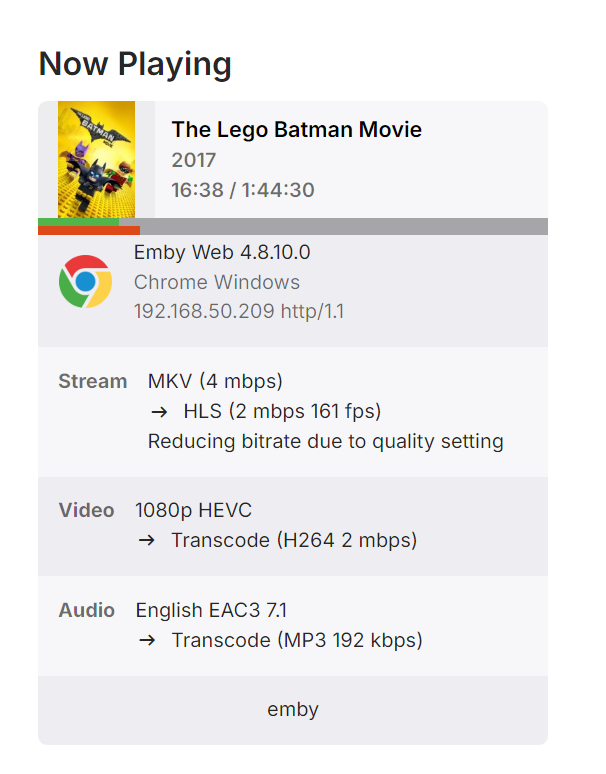
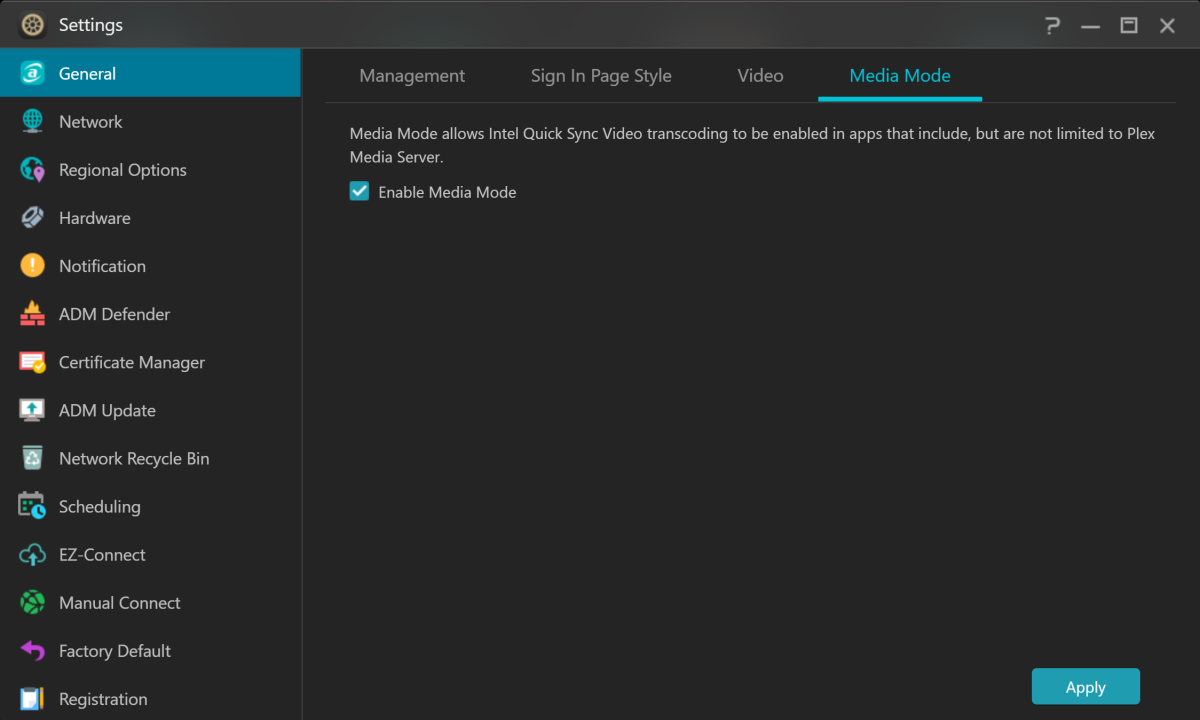
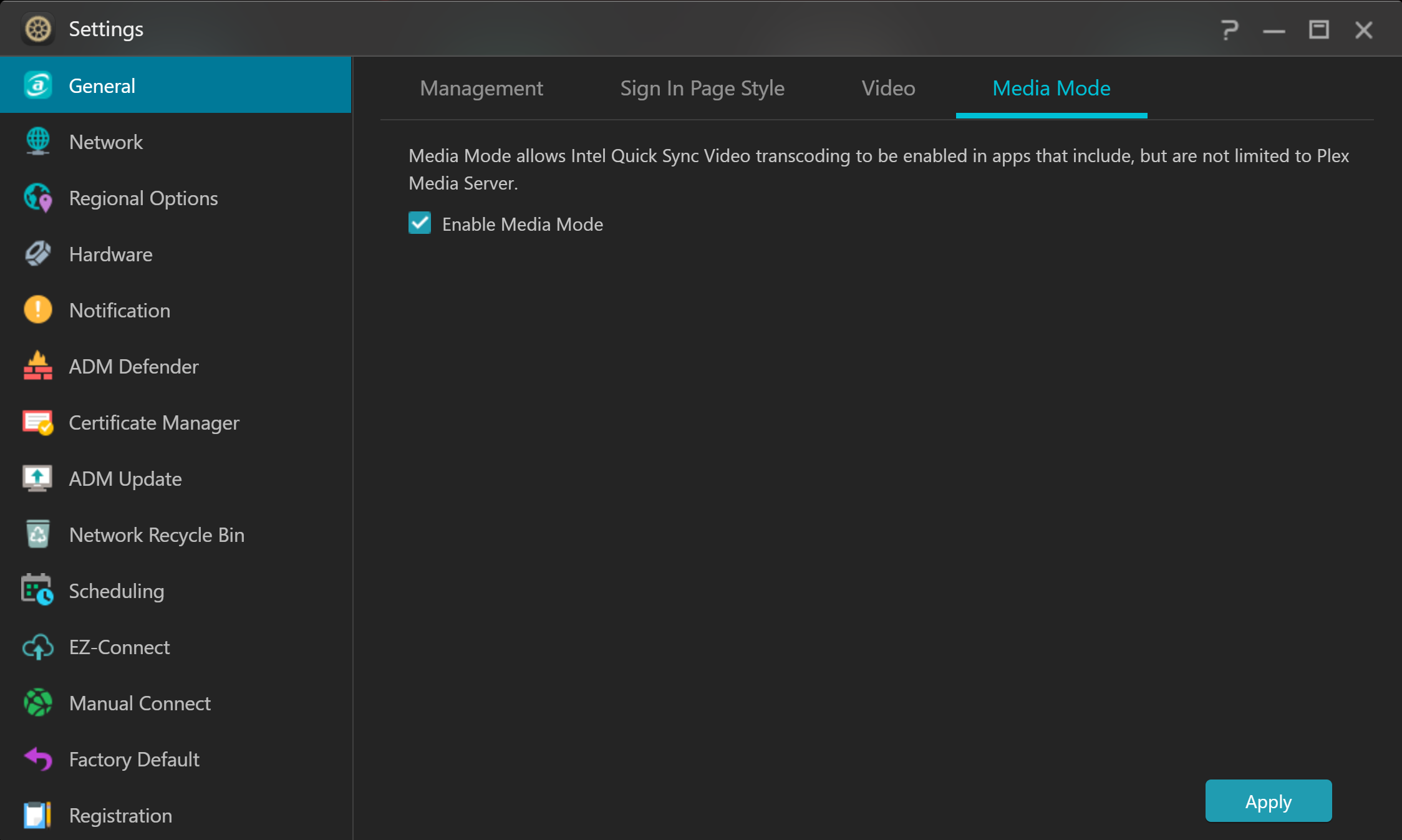
Hi @Clackdorand @Luke, Switching on the "Media Mode" option in the Asustor GUI solved my problem. Thanks for your help! Emby transcoding works perfectly now.
 1 point
 -
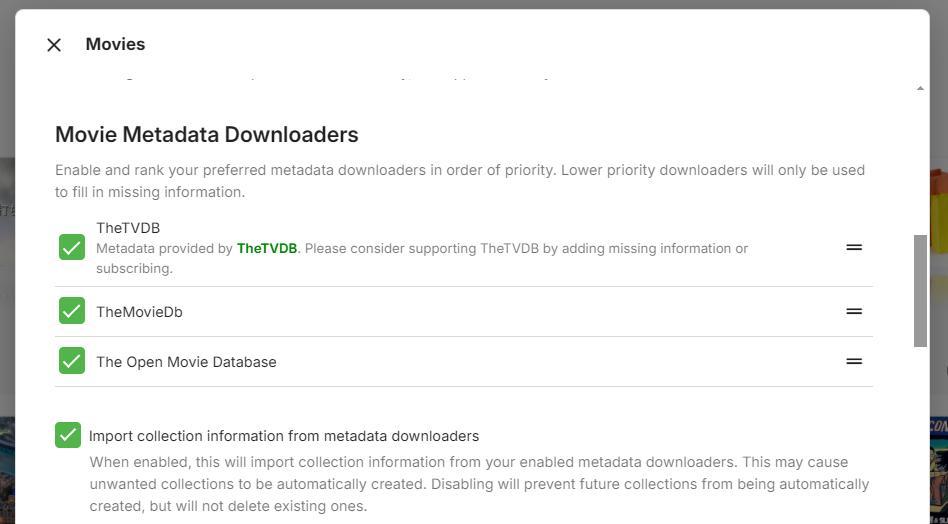
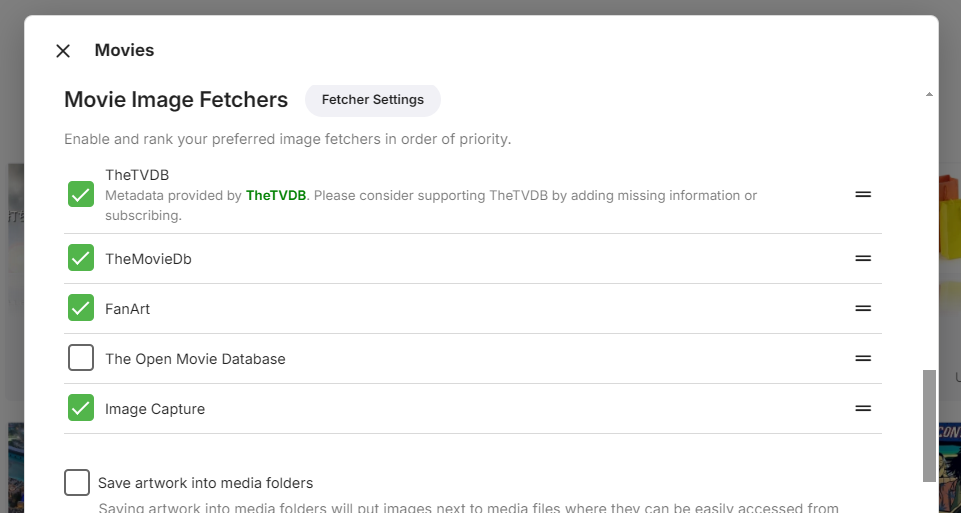
All the documentation is here: https://dev.emby.media/ There's a separate beta site: https://betadev.emby.media/ At the right top, you can see the version of the server to which it corresponds. You can switch between the APIs versions by choosing different versions of the nuget package: https://www.nuget.org/packages/MediaBrowser.Server.Core/ Interfaces that you can implement in your plugin to provide certain functionality are here. https://dev.emby.media/doc/plugins/dev/Automatic-Type-Discovery.html (not fully complete, though) Plugins are very powerful, which means that they can use almost all the components of Emby Server, you just need to find the right interface in the Reference Documentation for plugins and then you can get an instance of it either via constructor injection (in your plugin class or in any class implementing one of the "interfaces you can implement". You can also call Emby SDK Reference: IApplicationHost.Resolve<T>() to get instances. If you need some specific functionality just ask, as it's probably a bit overwhelming. Essential interfaces are Emby SDK Reference: IServerApplicationHost, Emby SDK Reference: ILogManager, Emby SDK Reference: IJsonSerialize, Emby SDK Reference: IServerApplicationPaths, Emby SDK Reference: IHttpClient, Emby SDK Reference: ILibraryManager, Emby SDK Reference: IProcessManager - just from the top of my head. Ideally, start with one of the templates or example plugins. You must target netstandard2.0 and it needs to be a single dll, so it can't have any dependencies other than what EmbyServer has included, which you can see from the assemblies in a server installation. Be careful about versions, lower than what Emby includes is fine, but not higher. And you need to look at the stable server for that, not the beta server. Yet I've created many plugins of different kinds and almost never needed to include any extra dependencies. There's a complicated way to have dependencies by including them as resource and loading them in a module initializer. I've done it once, but it should be gnerally avoided. If the dependency is open source, it's eeasier to include its source code directly in your plugin. No, this is not possible - for a number of reasons, but I'll name just two: For once, not all clients are html/js based, so that wouldn't work in all clients. Second is that even if we would allow this for html/js based clients, it would be no fun for anybody. Your UI extension would break every 6 months as the code is constantly changing, and not all clients are always at the same version, so you would need to accommodate for this and also know exactly in which version this and in which version another implementation would be required. Also, we do not know what your plugin does, so it would always break first and then you need to run behind and fix it, but it would always be broken for some time. In the end, the users would be hating the plugin developer and the plugin developers would be hating us and we would be hating ourselves for allowing this - so there's no happy end in this story. There have been ideas for allowing to do some UI extensions via plugin UI, but that would require a lot of work to make it possible and we haven't seen a compelling use case for that so far. We don''t have "scrapers". We have Emby SDK Reference: MetadataProviders and you can implement custom ones in a plugin by deriving from Emby SDK Reference: IRemoteMetadataProvider, Emby SDK Reference: ILocalMetadataProvider or Emby SDK Reference: ICustomMetadataProvider. Users can choose and re-order them in the library configuration dialog:
 1 point
 -
I've never liked having playlists stored this way. Collections used to be this way before as well and it to would cause problems when content was moved on the file system. Having the playlist items removed from playlists when content is moved in libraries is actually a pretty big problem that needs some kind change to stop all the playlist items from vanishing when it's highly likely there may not be a backup. What I'd suggest is a small change in logic. Do not remove these items from the playlist if the media is missing from the library. Only remove the item from a playlist if a manual delete of media is done through the interface by an authorized user. This isn't without it's issue as a playlist with error out if played with a missing item but it's IMHO it's still better to have a faulty playlist with info in it them an empty one that doesn't play either. This would at least allow an admin to search/replace paths or manually update the playlist files if needed. I don't really see a downside to adapting to this approach, all things considered.1 point
-
Meanwhile Have you had a chance to try transcoding now that you have the hardware encoders loading?1 point
-
Thanks. I have actually never had the need for "metadata manager" so it never occurred to me to use it for finding missing episodes. I will give it a try.1 point
-
Already have...wow now I have so many albums that I need to do that too ughgghhh lol1 point
-
HI, when it gets added to a new country we'll do a blog announcement. Thanks.1 point
-
That would be do to there being no PL index in Emby so it still shows US values. Change to say German or the OP Sweden and you will see a change. Really depends on what OP want. Do you still want your country MPAA value shown on content? By default Emby will use the Library-Advanced value globally, then you can edit per library or per item to a different value. But changing Library-Advanced Country Certificate should change your Parental controls list.1 point
-
yes, after a refresh the guide matched the channel list. Thanks for the tip for me to have some patience.1 point
-
The problematic one seems to be stuck on 13.1-RELEASE-p9, the new one i installed in another jail is on 13.2-RELEASE-p11.1 point
-
Thanks for working on this issue. I am eager to try out the new build.1 point
-
I could see that.1 point
-
"""""""""""""""""""""""""" """"""""""""""""""""""""""""" After a week of testing, these settings "temporarily" fix the bug. The impact on RAM is not significant with multiple transcodes. I choose values from 100,000 to 150,0001 point
-
Using a VPN and/or SMARTDNS? I just directly accessed both URLs in a browser & they resolve. Only thing I can imagine is an ISP block.1 point
-
If you don't have a backup that contained the original location, then the playlist is lost and has to be recreated. @Lukethis may be something that need to just break/error out instead of nuking the playlist when path to media no longer exists. As currently once playlist is cleared there is no way restore, and odds are remembering everything in playlist can be slim. So users can at least go to m3u and update media paths.1 point
-
I've been using the following w/out any obvious errors. (live TV) https://tvnow.best/api/list/USERNAME/PASSWORD (guide) https://epg.starlite.best/utc.xml I've tried others which were recommended, but these have been reliable.1 point
-
Done! Thank you so much softworks and Carlo, seriously. I know it can be very frustrating to offer support on projects and extremely frustrating when dealing with me in particular. So from the core of my being... thank you very, very much1 point
-
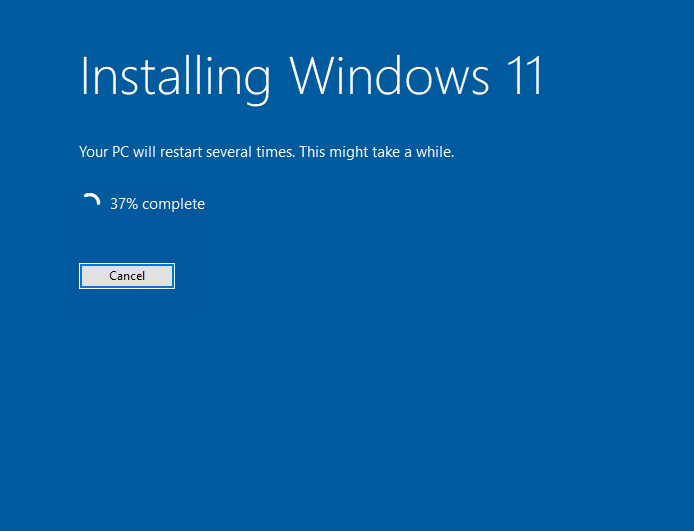
Turns out it was my EasyAntiCheat. Renamed the folder and poof:
 1 point
 -
The first one1 point
-
Hello Carlo, Yeah this works, perfect.... Sometimes it's so easy, just thinking to complicated.... Thank you for your Support Rainer1 point
-
Found the cause. I hope we will be able to include a new ffmpeg build in the next beta. Thanks for reporting!1 point
-
It isn't: https://emby.media/premiere.html That was my point above. We no longer list it as one of the Premiere features you get on the page where you purchase Premiere. We haven't since we lost the high-quality source. We stopped listing it as one of the features you get on the page where you purchase. Therefore, I would not expect someone to purchase Premiere just for that or even heavily for that feature. As for the price - we haven't raised our price in over five years. Can you name just about anything else that hasn't about doubled in cost in that same period? I know our costs have but we have kept the price the same thus far. The issue here has been explained and the difficulties in rectifying it have as well. That is why we are no longer advertising this as one of the Premiere features. It is still listed in the feature matrix because it still exists to some extent but anyone looking at the page where you purchase Premiere would not have any idea that trailers are included.1 point
-
WELCOME TO THE HISTORY OF EMBY! A lot of our users are new to Emby and we thought it would be a good idea to share some of the backstory of how Emby came to be, where we started and where we are headed. We have grown significantly since our inception. Once a humble open-source project, Emby has evolved into a sophisticated platform that allows users to organize, stream, and enjoy their media libraries with ease. In this post, we'll take a look back at the history of Emby, explore its development journey, and highlight the key milestones that have made it what it is today. The Early Days: An Open-Source Beginning Emby started its life as Media Browser, an open-source project focused on creating a simple, user-friendly interface for accessing digital media collections. Originally, Media Browser was a plugin for Windows Media Center, and its primary goal was to offer users a better way to manage and play their media files. Back then, it was a community-driven project, with developers and enthusiasts contributing code, features, and plugins to expand its capabilities. Media Browser gained a loyal following among tech-savvy users who appreciated its customizable nature and flexibility. The Shift to Emby and the Rise of the Media Server In 2014, Media Browser underwent a major rebranding and evolved into what we now know as Emby. This change wasn’t just about a new name—it marked a shift in focus from a media center add-on to a full-fledged media server solution. Emby’s developers wanted to create a standalone server capable of managing large media libraries, transcoding content, and streaming to multiple devices. The introduction of the Emby Server brought a range of new features: Library Management: Users could organize and manage their media files with a sleek web interface. Metadata Scraping: Automatic fetching of metadata like cover art, descriptions, and ratings. Transcoding: On-the-fly transcoding for seamless streaming to any device, regardless of format. Multi-Device Support: Streaming became possible on a variety of devices, including smartphones, smart TVs, web browsers, and gaming consoles. This new direction attracted more users who were looking for a flexible media server that could handle diverse formats and provide a unified experience across different platforms. Open Source to Closed Source: In 2018, Emby made a significant decision: it moved from being an open-source project to a proprietary, closed-source model. The change allowed the development team to maintain greater control over the codebase, improve security, and introduce features more rapidly. Key Milestones in Emby’s Development As Emby transitioned to a proprietary model, the development team pushed forward with a series of updates and improvements: Emby Premier: The introduction of a paid subscription model called Emby Premier brought exclusive features like DVR support, cloud sync, offline media, and hardware-accelerated transcoding. Emby Premier gave the development team a sustainable revenue stream to fund further development. Improved Mobile and TV Apps: Over time, Emby released a series of polished apps for mobile platforms (Android, iOS) and TV devices (Roku, Apple TV, Amazon Fire). These apps received regular updates to improve stability, user experience, and customization options. Live TV and DVR Integration: Emby expanded its offerings to include Live TV and DVR functionality, allowing users to integrate live broadcast channels, schedule recordings, and manage live content alongside their media libraries. Enhanced Transcoding and Streaming: Emby has continuously improved its transcoding capabilities to support modern formats like 4K, HDR, and Dolby Atmos. These improvements allow for a high-quality viewing experience regardless of the device being used. Security and User Management: Emby introduced advanced user management features, including user profiles, parental controls, and access restrictions. This makes it easier for families to share media without compromising on privacy or security. Emby Today: A Comprehensive Media Experience Today, Emby is a mature and feature-rich media server solution that caters to a wide range of users—from casual media consumers to serious home theater enthusiasts. It supports a broad spectrum of devices, offers robust customization options, and remains focused on providing a powerful yet easy-to-use interface. Some of Emby’s standout features today include: Unified User Interface: A sleek, modern interface that makes browsing and streaming media a joy. Customizable Libraries: Tailor your media collections with custom artwork, genres, and metadata. Cross-Platform Syncing: Keep your media in sync across multiple devices and platforms. Comprehensive Live TV Support: Access live TV, manage recordings, and watch DVR content effortlessly. Community Engagement: Emby continues to value its user base, with an active community forum, feature requests, and beta testing for new updates. The Impact of the Community and the Road Ahead Despite its shift to a closed-source model, the Emby community remains strong. Many long-time users contribute by creating plugins, themes, and offering technical support. The Emby team regularly interacts with the community, implementing feedback and adjusting features based on user needs. Looking forward, Emby is set to continue expanding its feature set while focusing on performance enhancements and cross-platform support. Emby’s development is driven by innovation and user feedback, ensuring that it remains a competitive choice in the world of media servers. Conclusion Emby’s journey from a simple open-source plugin to a leading media server solution is a testament to its adaptability and the passion of its developers. While the shift from open-source to closed-source was a turning point, Emby has continued to evolve, delivering a reliable and customizable media experience for millions of users worldwide. The history of Emby is one of growth, change, and a dedication to providing users with a comprehensive and enjoyable way to manage their digital media. View the full article1 point
-
This channel is a Adult only channel! This channel will not display any information if the user does not have the rights to see GB-18 content.1 point
















_svg.thumb.png.85e4ee6291ddd76347269c05175b5dda.png)



