Leaderboard




Popular Content
Showing content with the highest reputation on 12/02/24 in all areas
-
There is another option to find content that just needs to be added to the home screen if Trending is too difficult There is currently an option to add Latest Media and Recently Released movies to the Home screen Could an option be added for Random Media? If I sort my TV shows or Movies by Random it shows me a fresh set every time I open that library and that's helpful for discovering new content but it would be even more helpful if it were on the home screen3 points
-
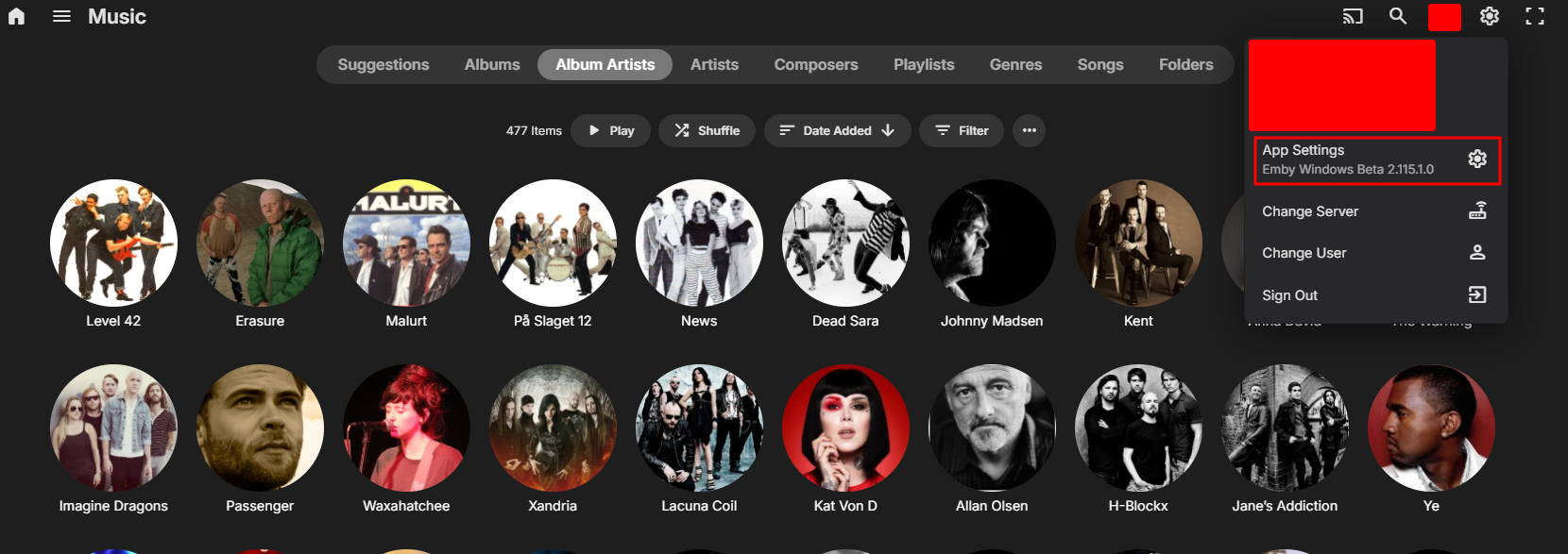
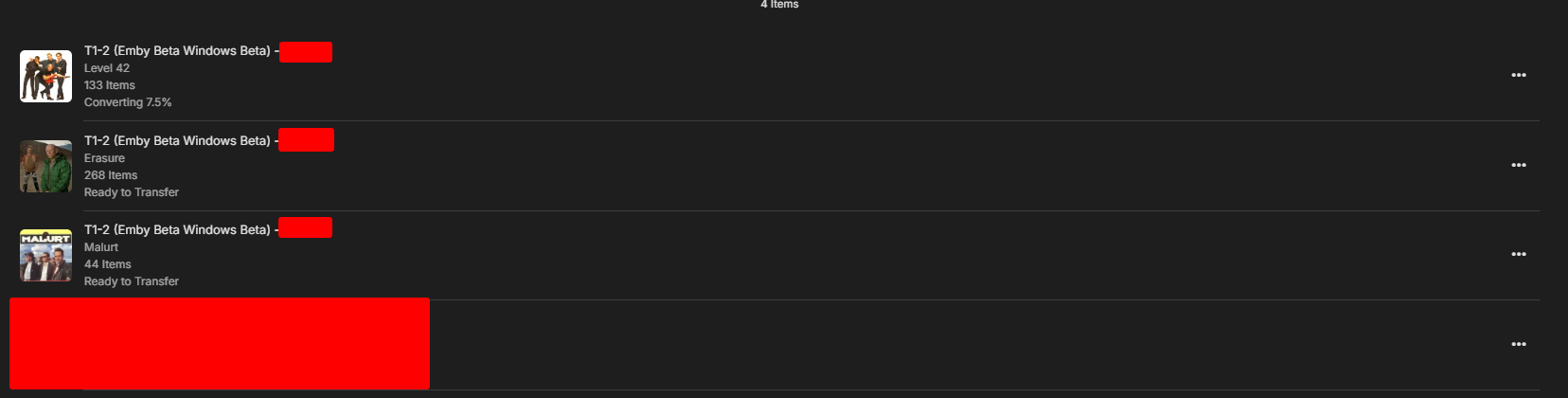
ah-ha - so the new app has 'Download'. I'll load it later and check it out .. thanks ! edit - beta is invite only - but it may be being released this week anyway ... https://emby.media/community/index.php?/topic/131876-windows-xbox-app-beta/page/9/#findComment-14039262 points
-
2 points
-
Tried to search for this feature request but couldn't find it. It would be very good to be able to sort and filter the content of collections. I have some collections with a lot of movies (1001 movies you have to see before you die, Criterion collection, etc). As of today you can sort and filter the collections themselves but you can't sort and filter the content. So if I want to find an unseen movie from my 1001 collection I will have to scroll through a lot of movies. In the collection view you also separate categories (movies, tv, ...) and it would be great to be able to choose to not separate them also.1 point
-
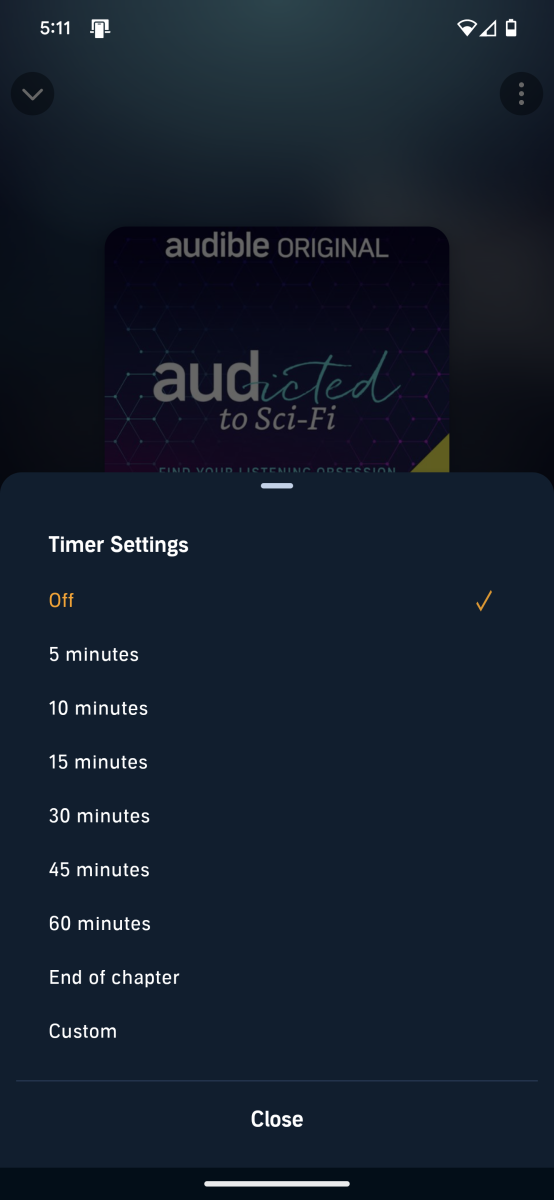
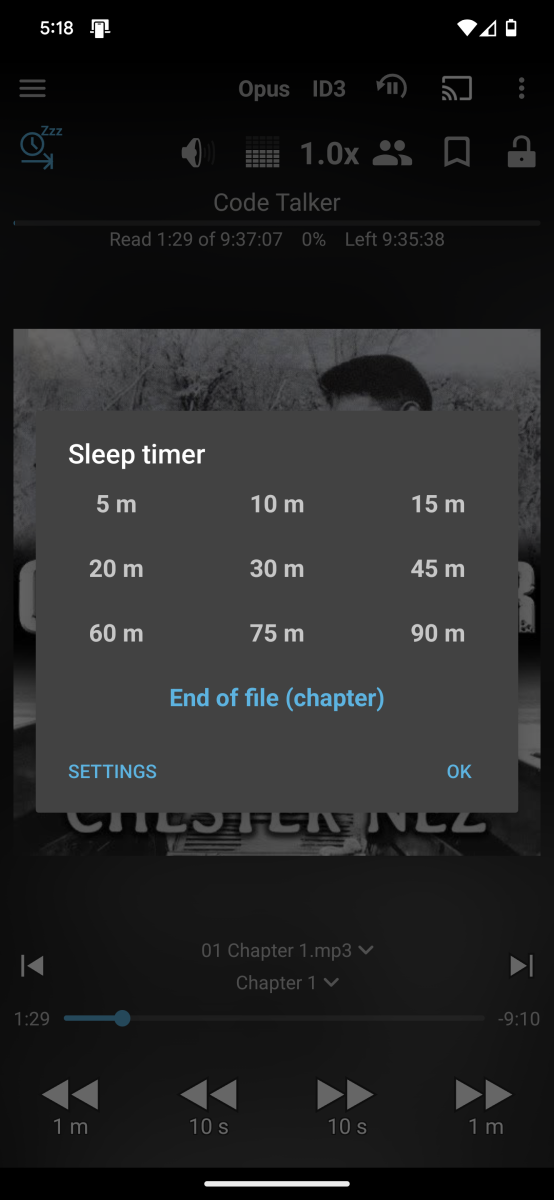
I would like to request a sleep timer function for the Emby app. For example, when a song is playing, it should be possible to quickly and easily set a sleep timer to shut off the song after a desired interval. Options could include 5, 10, 15, 20, 30, 45, 60, 120 minutes. If it had this, I would be happy to purchase Premiere.1 point
-
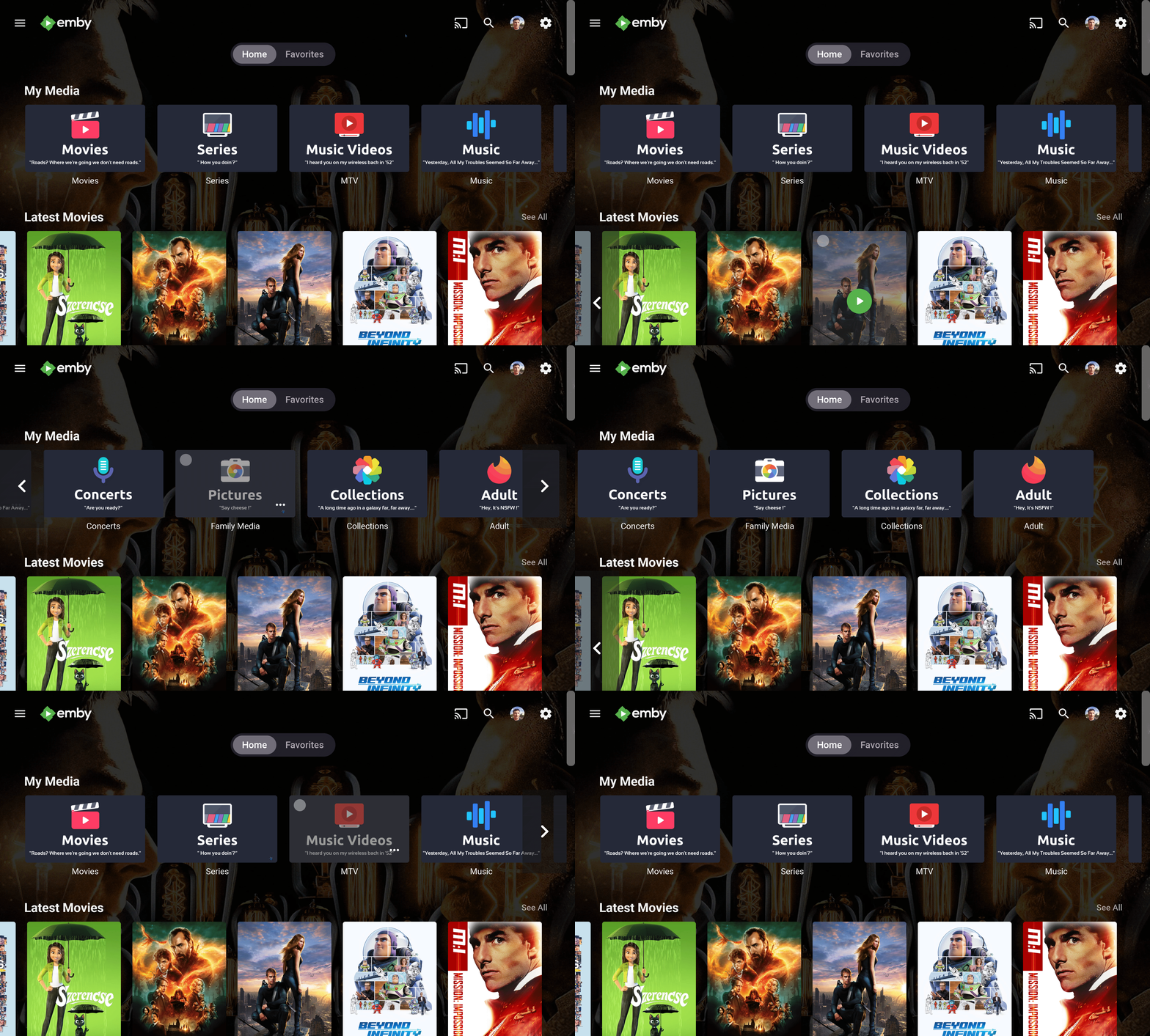
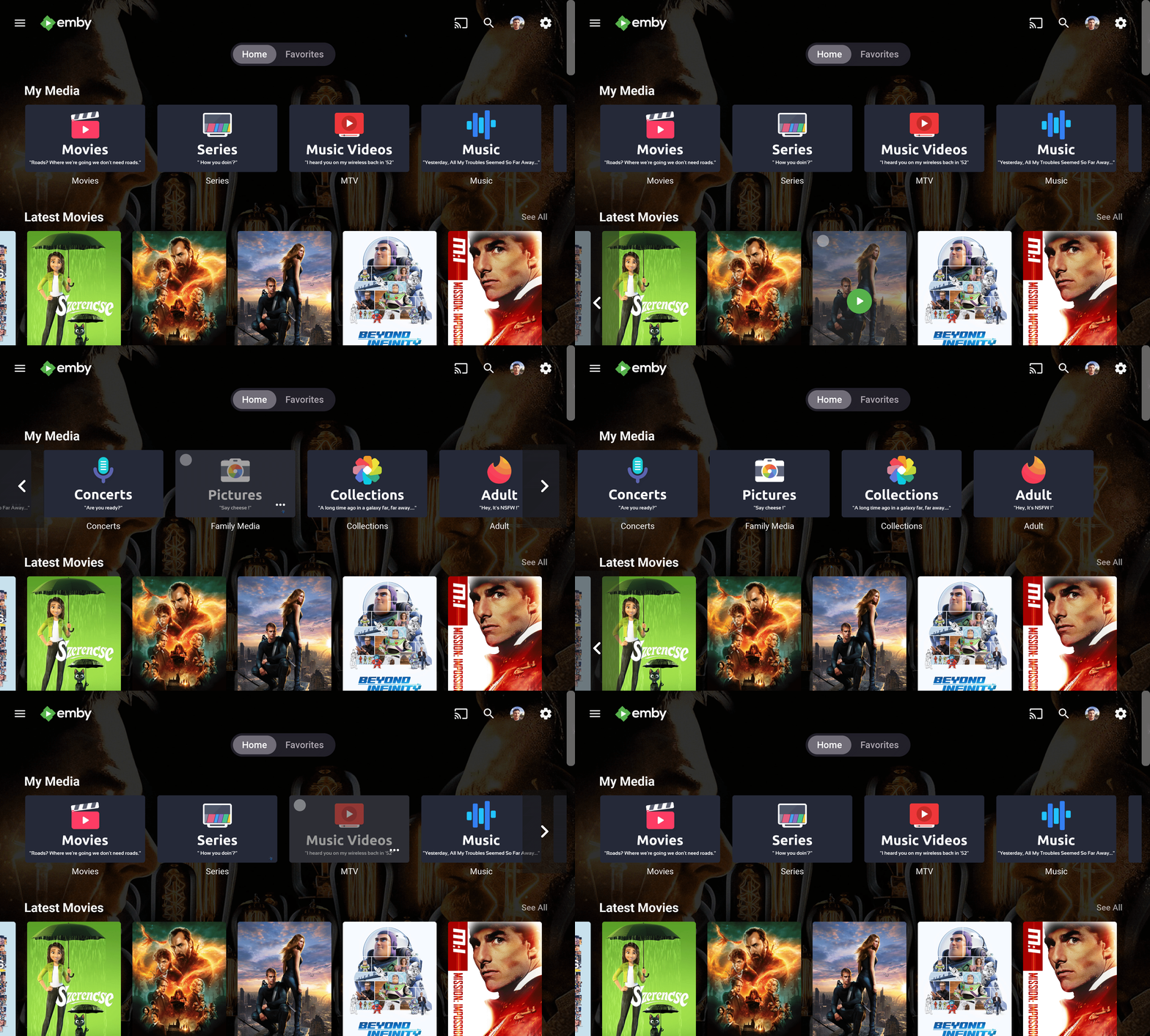
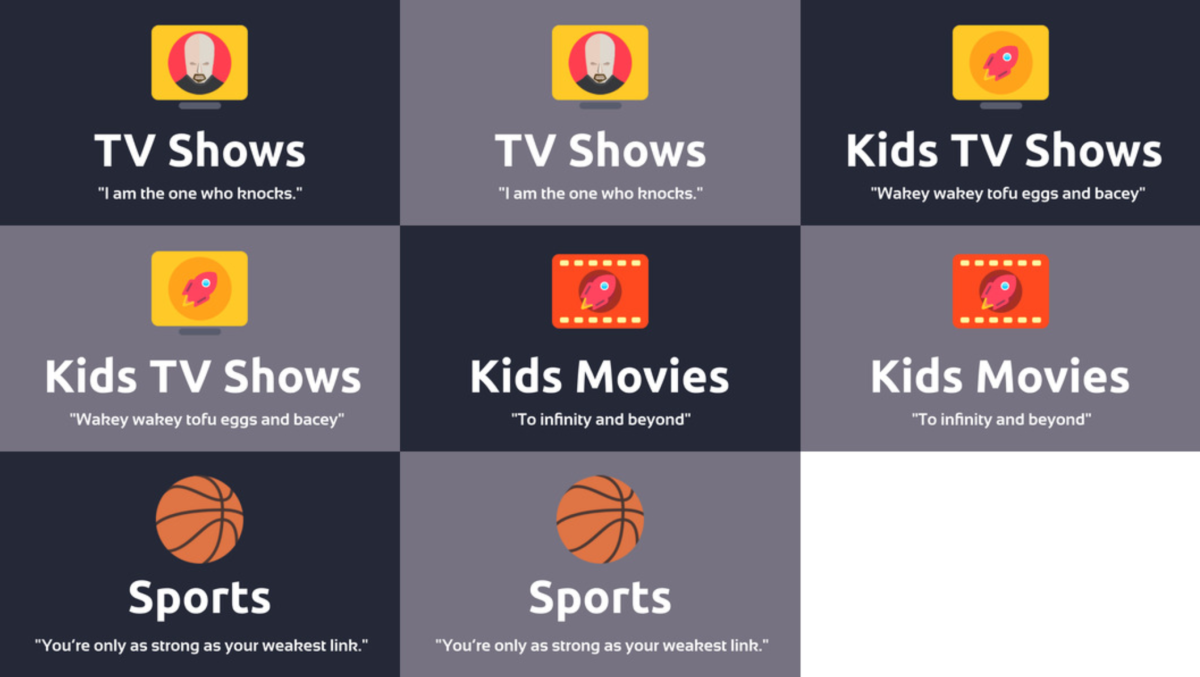
Hi people. First I wanted to say thanks for all these years your contributions make my day. Just I little contribution of mine, my current library icons, with a light version added before submitting for all those who like them light Enjoy Its using the Diligent Icon Pack from FlatEdge at playstore. Go check it out this fantastic and my current icon set at Diligent : Icon Pack - Apps on Google Play Screenshots: maxigmv_library_icons_2022_export.zip
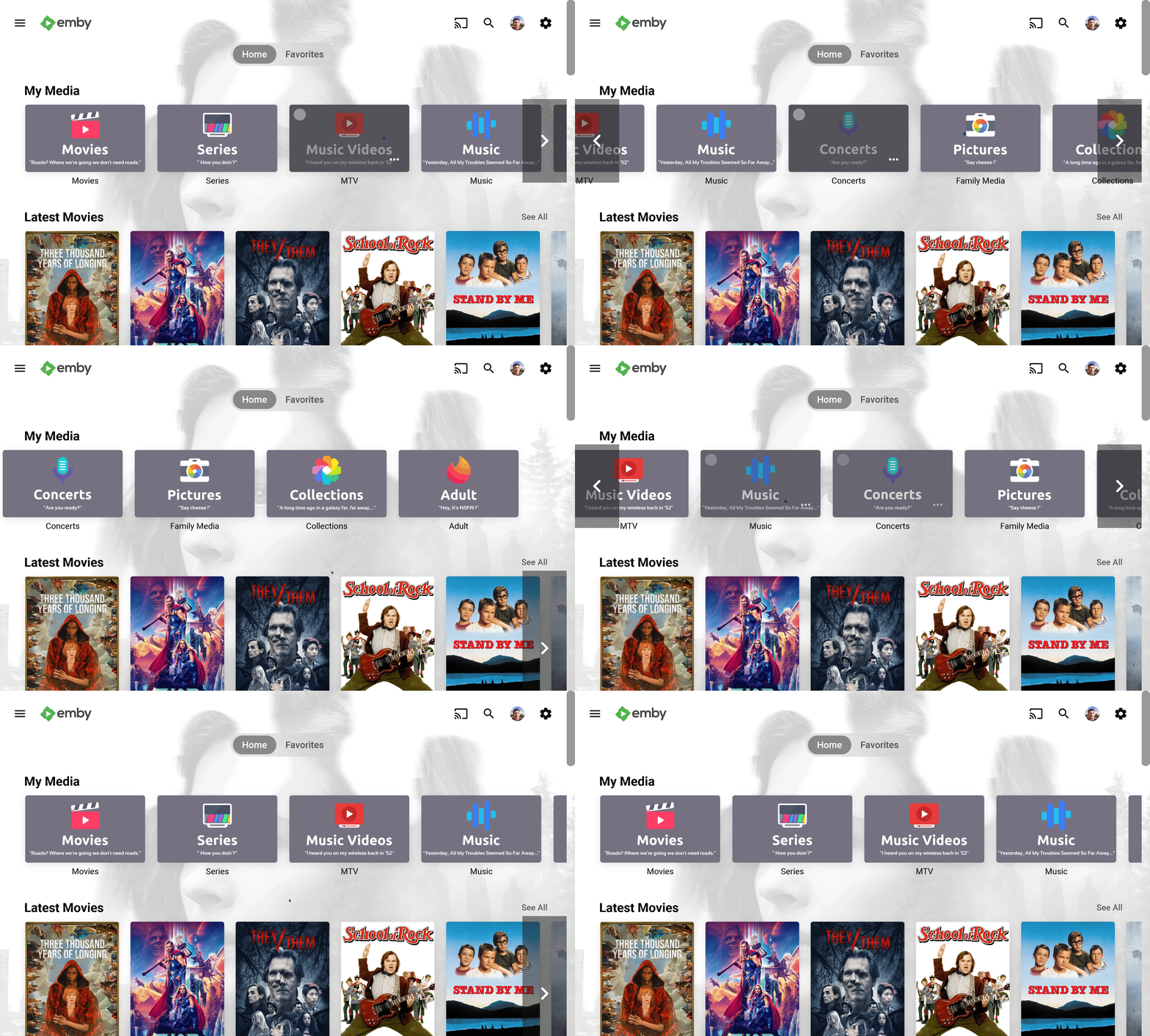 1 point
 -
Hello again. Had the local internet go down which was annoying, but then I noticed that I could not stream from a few of my devices from my local emby instance due to "not having premiere", which was tenfold more annoying. It is my understanding that there is a period where the license is cached (for at least 3 weeks? Unclear on this part) and devices should not require additional subscriptions or etc. to use Emby from devices so long as it conforms to the device limit. However, certain devices such as my iPad refused to stream from the server despite only losing internet a few hours prior due to no subscription. What I want to understand: - Does emby cache licenses on a per-device basis? Do all of these separate devices need internet beforehand to 'authenticate'? - Why did my device(s) ask me for a subscription when the server clearly had an active key mere hours ago? (less than 3) Possibly indicating the server does not provision premiere from itself to devices. - Why doesn't Emby Server recognize the loss of internet and cache the license on the server proper, removing the need for each device to ask me if I have a subscription or not? I don't have the option of entering a key on the device(s) so I was stuck on some devices unable to use Emby. - How do these "grace periods" work? It should technically only start counting from the time the server detects an extended loss of connection (maybe 30min) no? Need finer understanding. I already skimmed similar threads and understand Emby needs a semi-periodical check to validate the key, which is fine and not the topic of this question - What I want is to have a hassle-free experience in between those checks when someone sticks a shovel into the fiberbox by accident and I have to go over a day without internet. Thats the biggest appeal of this software for me, being able to keep my media local. Not sure if this is the correct location for this post, please move if needed.1 point
-
Please! Make it happen, ;)1 point
-
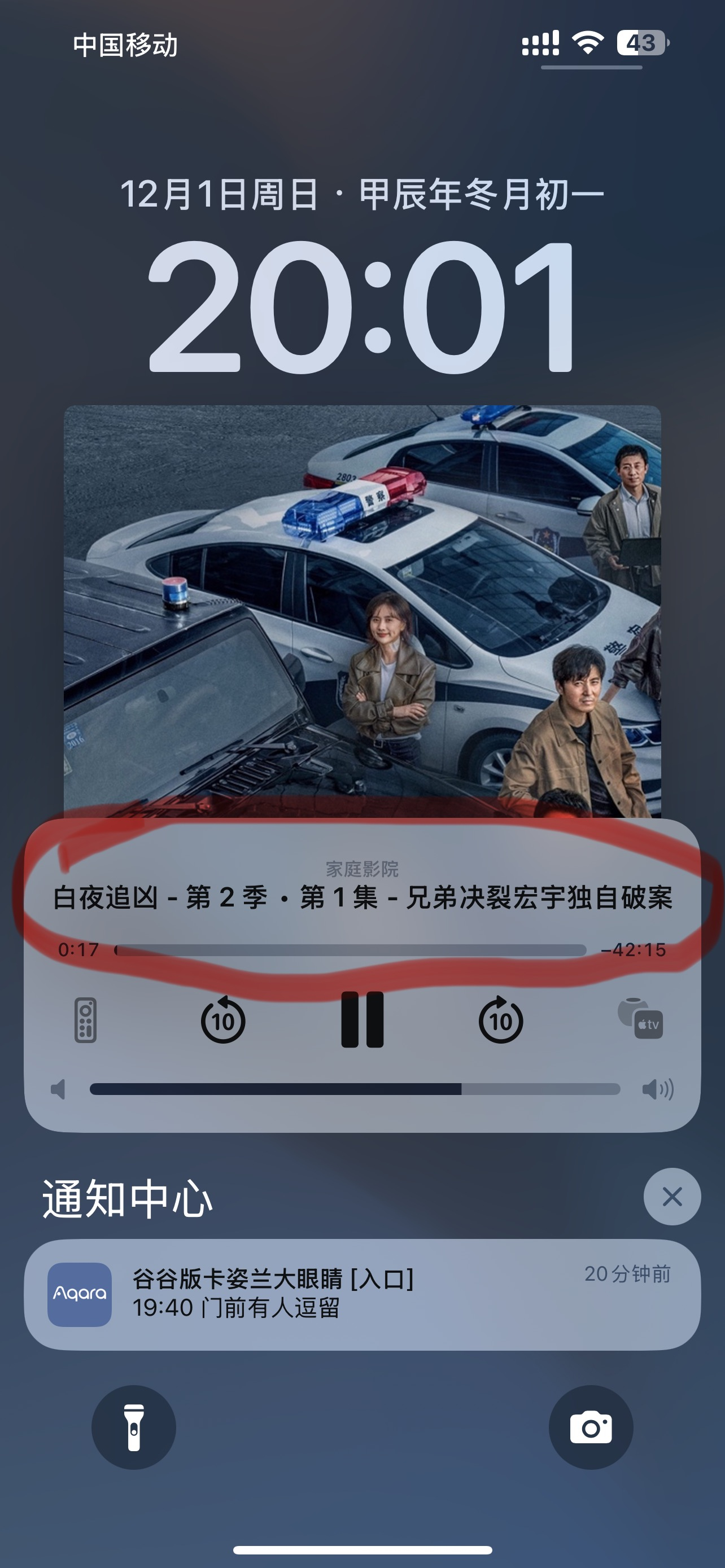
(It is normal on infuse, as shown in the figure) This problem has been occurring since I suddenly updated the new version of emby:When AppleTV is playing, the iPhone does not fully display the playback information...
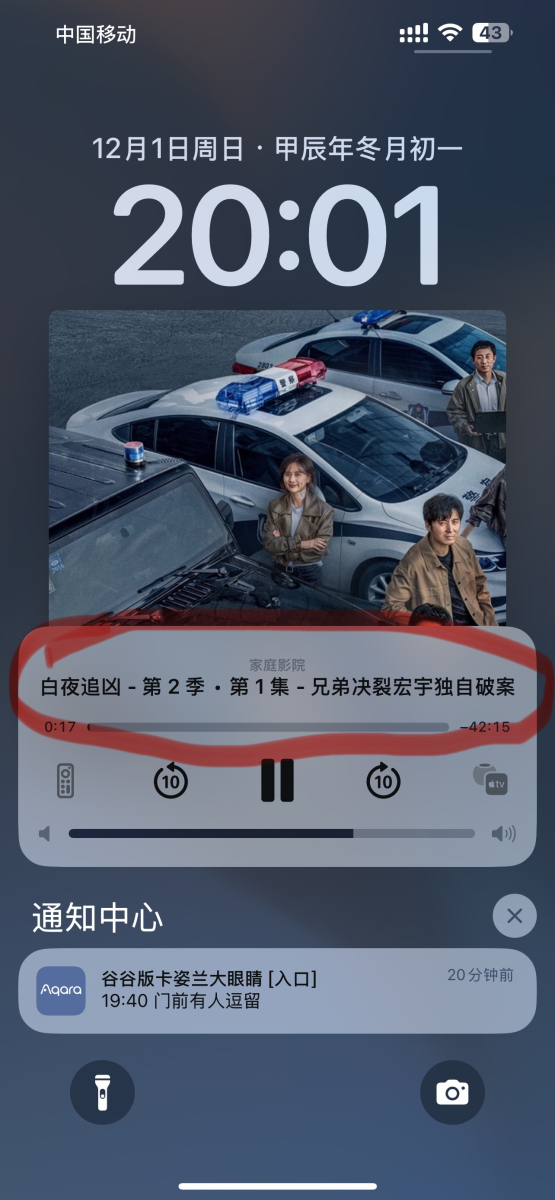 1 point
 -
You are correct. The code section below shows which views were present. https://github.com/speechles/BN-ONE/blob/6ae2f6305432f7779489e0ed8ab6f3111d3959c2/source/HomeScreen.brs#L2296-L2358 Then you could see singular views of all media types using these as sort types. You indeed remember correctly. These views were shown as tiles on the homescreen. When clicking those tiles it would take you to a single page with all media sorted as per the tile and displayed as rows for each type. The "I Feel Lucky" was basically just everything sorted by random allowing you to see new things. I know the grid can be sorted by these types but it requires you first enter a library. The way Blue Neon Night worked had these globally for all libraries and types. So as you enter the views it displayed everything matching. Perhaps this type of functionality should be brought back into all the Emby apps?1 point
-
If I recall correctly this used to be a feature in @Speechles Roku app before he moved over to developing for official Emby Roku app.1 point
-
I came here looking for a sleep timer as well. My use case is to fall asleep to music from my music library. I can't believe this simple feature request is 5 years old and it hasn't been implemented!1 point
-
It isn't: https://emby.media/premiere.html That was my point above. We no longer list it as one of the Premiere features you get on the page where you purchase Premiere. We haven't since we lost the high-quality source. We stopped listing it as one of the features you get on the page where you purchase. Therefore, I would not expect someone to purchase Premiere just for that or even heavily for that feature. As for the price - we haven't raised our price in over five years. Can you name just about anything else that hasn't about doubled in cost in that same period? I know our costs have but we have kept the price the same thus far. The issue here has been explained and the difficulties in rectifying it have as well. That is why we are no longer advertising this as one of the Premiere features. It is still listed in the feature matrix because it still exists to some extent but anyone looking at the page where you purchase Premiere would not have any idea that trailers are included.1 point
-
Hi Luke, hi Happy2Play, the problem has been solved. Many thanks for your exceptional support. I had a problem with the user settings. The checkbox for “Allow access to all libraries” was unchecked for both users. After I checked the box again, the libraries appeared in the view. When setting up the users, I had ticked the box for both users. I cannot explain why it was deactivated. However, thanks to your help, I have learned a lot more about my Synology and its user rights. I have implemented the measures suggested by Luke accordingly. Thanks again to both of you. Best regards from Bavaria GHA1 point
-
At the very least, I don't know if this should be advertised as a Premiere feature until it is in a better state. I am personally not in dire need of this feature, but I could see some people being upset if this was a draw for them, and then it was not in a working state.1 point
-
This has been reported for months and nothing ever comes from reporting it.1 point
-
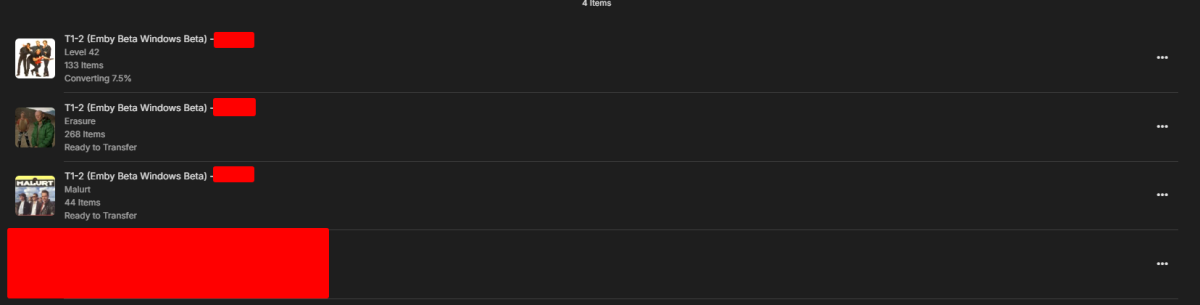
I using the new beta atm. I guess its works on beta app.
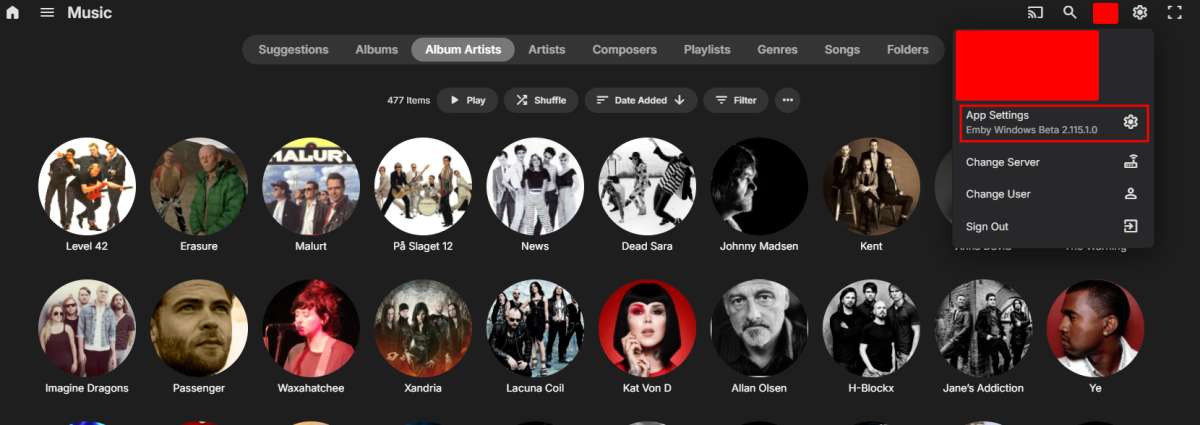
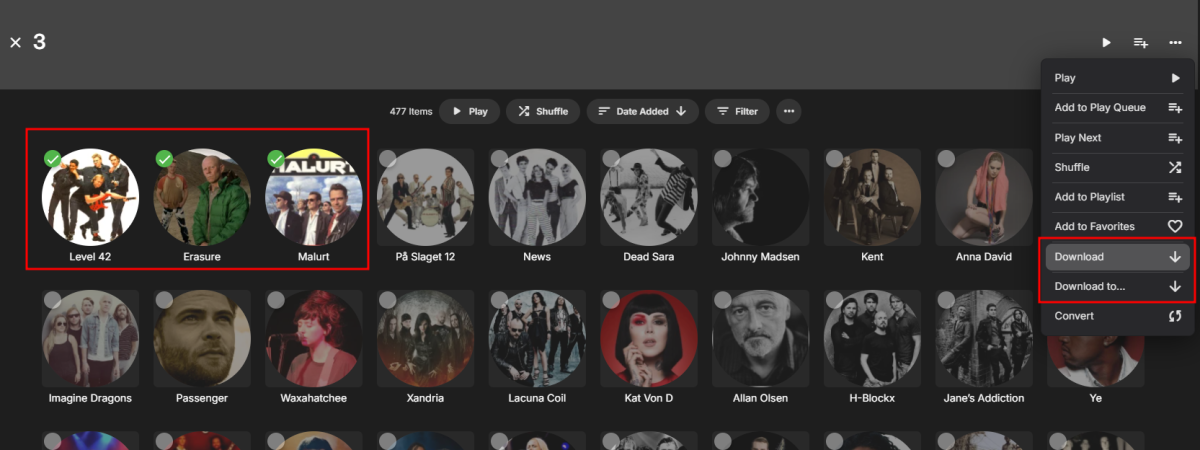
 1 point
 -
Although I don't agree with everything said here, the one thing I do agree with is the lack of communication. It's always been an issue. (there are multiple post from years and years about this same issue) The amount of times things have change with/within this product with next to no explanation is unacceptable, but it's always been like that, and it's really frustrating. I don't know how many times I've gone to look for something, a setting, an option, whatever, and it's been move to a new place/menu or it's gone all together. Drives me nuts. For example, all the UI changes that happened this year. (With TV mode in particular) No blog post letting us know changes that were coming. Nothing. I only found them out after turning on theater app one day, and I was not happy to say the least. Honestly the Devs do a great job of helping out/addressing issues when they arise, and I am not saying the Devs need to tell us everything that's going on, but the lack of info/insight about a lot of stuff is frustrating.1 point
-
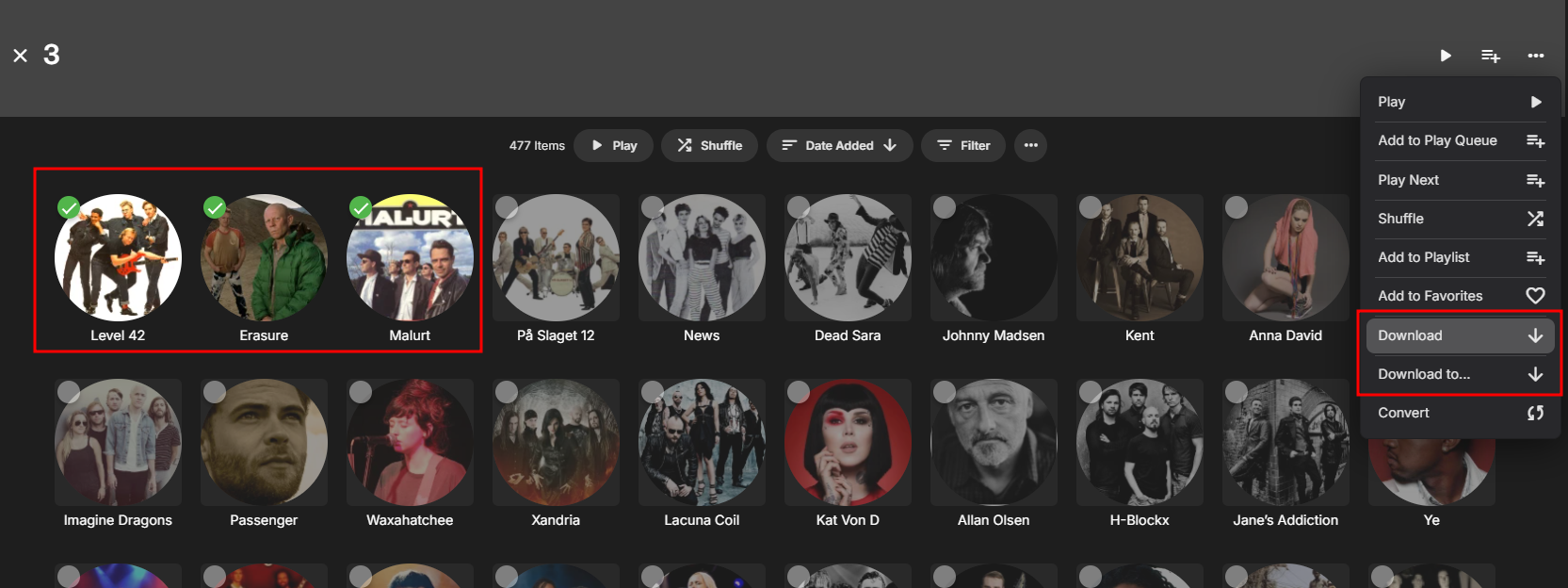
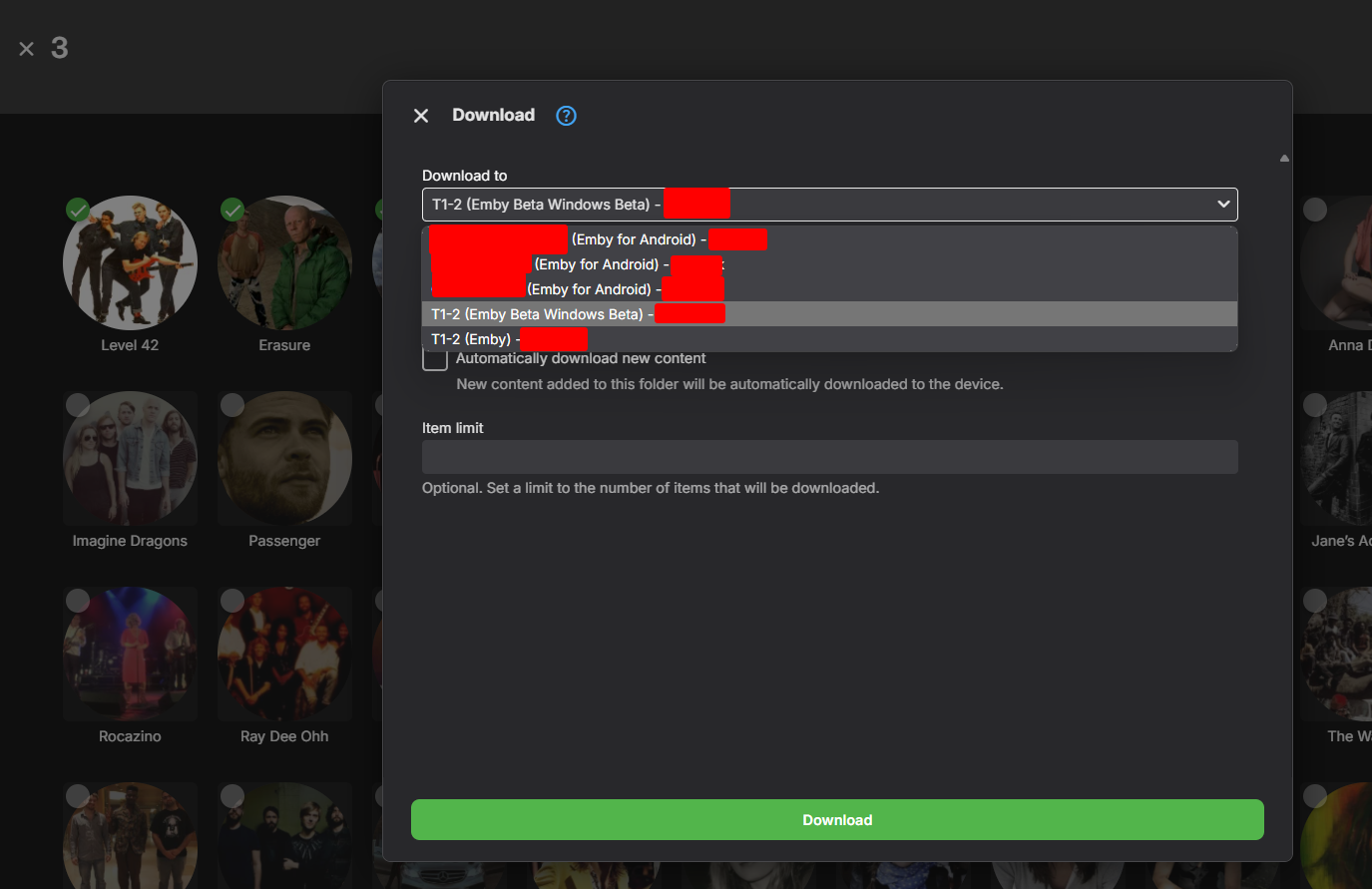
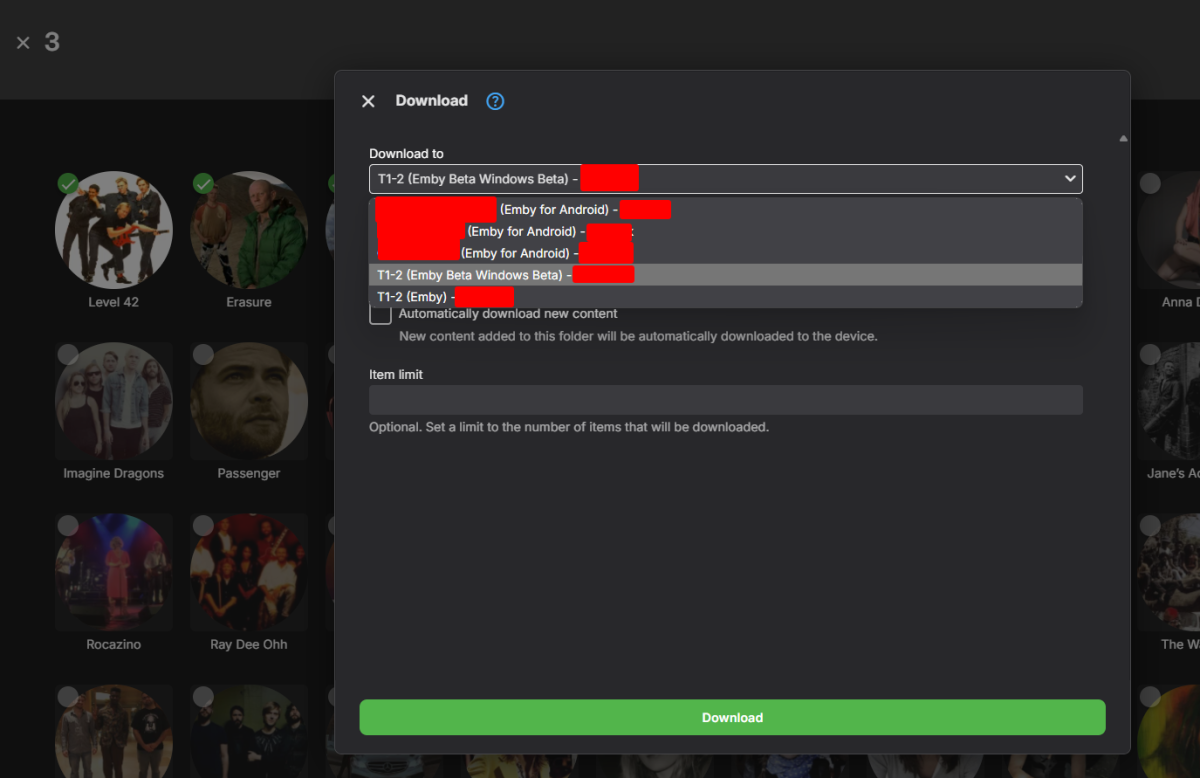
I've never tried to use Theater on my laptop to download - and you are absolutely correct ! You cannot multi-select and use 'Download' to the device (laptop in my case). Only single items can be downloaded ... @Luke- Does the 'new' (yet to be released) version of Emby Theatre maybe address this issue ? Thanks.1 point
-
Yeah the Phone app works fine. But if i am on a Windows PC and using either the Web Browser or the Emby Theater application it only shows my phone to download to, which is very odd because I'm not on my phone using it lol. Additionally on the Emby Theater app it seems I cannot multi select files. The web app I can1 point
-
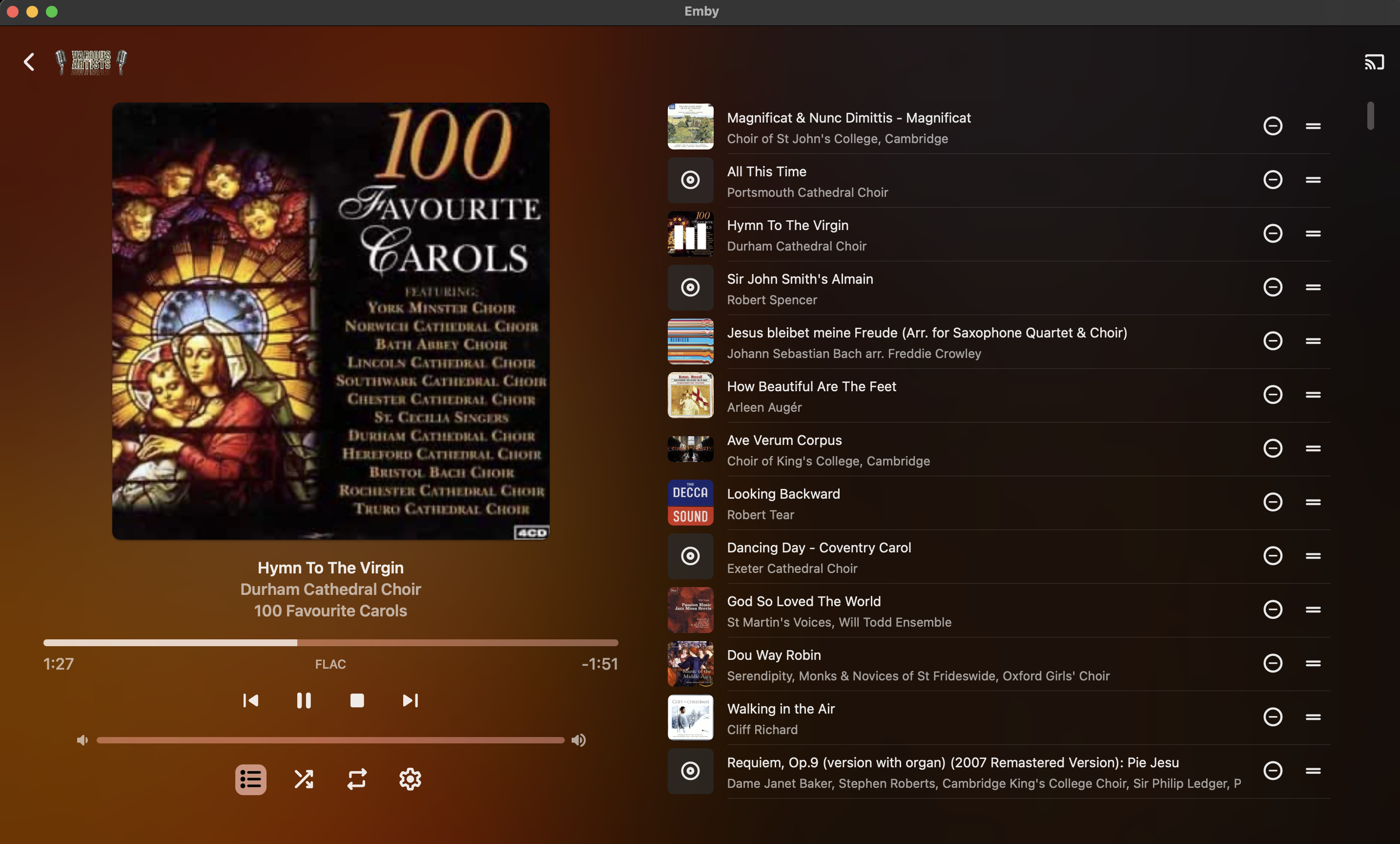
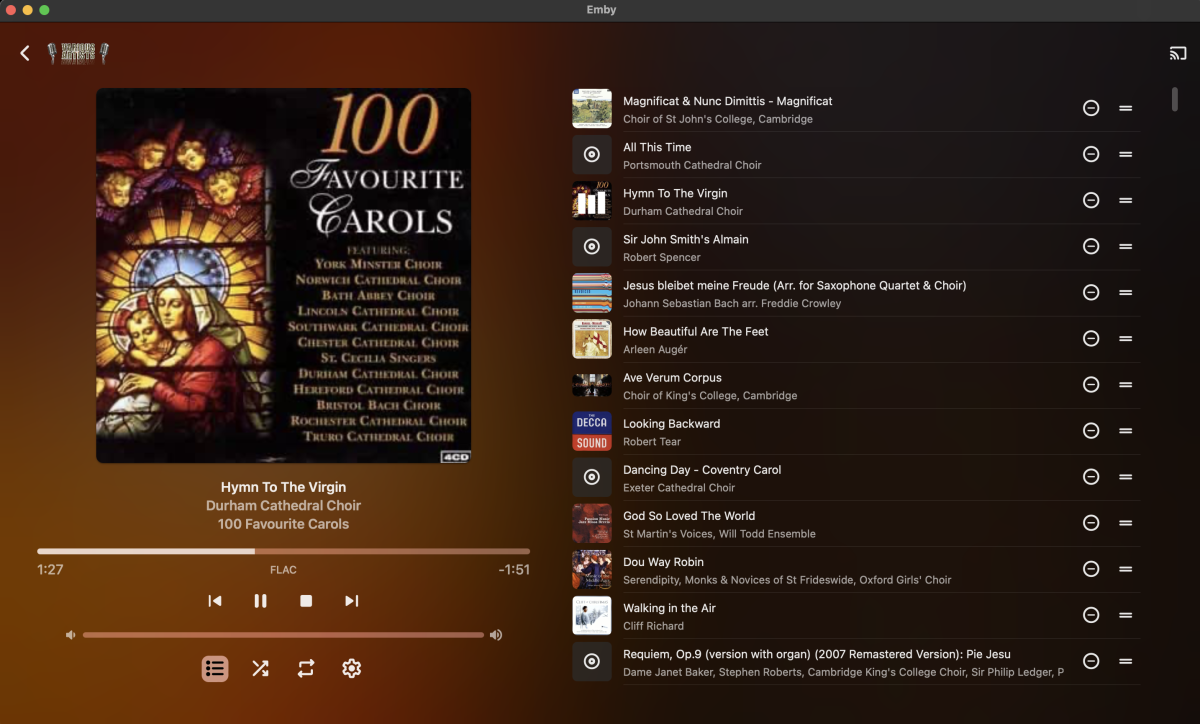
I have a fairly large music collection, mostly but not entirely classical or religious in nature, and pretty well tagged using ID3 since I also use MediaMonkey to access the collection on other computers. The left-hand side of play-queue screen shows album art, track title, artist, and album title metadata, ultimately sourced from the tags on the audio files (see attached screenshot). It would be helpful to be able to configure which metadata are displayed below the album art when in a play-queue view (for example, when using 'shuffle' to play random tracks from my collection). While track title / artist / album are very useful for genres where singer/songwriters are the norm, in a lot of situations when playing older music the Composer tag is more important to me (and less likely to be visible in the album art already.) Would it be possible to add a user-level setting to specify which metadata are listed, perhaps accessible from the 'cogwheel' settings menu on that page in Emby Theater as well as from the server side?
 1 point
 -
can you also please add Kuwait1 point
-
A very detailed reason why sync is an issue from @visproduction above - but in summary, you want to try and play media back at the frame rate it was broadcast. I see from the log - you have UK (25 fps) content as well as 23.976 (film) content. On the clients - if they are devices as opposed to built it - then you should be able to set 'Match frame rate' in Emby. This will then natively play the content at the correct frame rate (video) and thus Audio will be in sync. As explained above, with video, you can always drop/add frames - but with Audio you (generally) cannot do this without it being noticed. In summary, try looking at the settings in the Roku and Android TV apps - they should be able to fix the issue for you. re skip intro I see in the log it is working out the intro's - so assuming this is finished - then ensure it is turned ON in the clients as the default is off. Both AndroidTV (and I assume RokuTV) have the nice 'notification' the Intro was skipped (if set to auto), so either way, it should be obvious it is working.1 point
-
Which client ? On the Android client, 'brightness' is a common complaint (not just Introskip message, but ALL OSD text..) - agree on HDR/OLED screens it's totally distracting - especially in a dimmed room. In a cinema room (blackout), it absolutely horrendeous as it lights the room ! The AndroidTV client has this just right - bright enough to be noticed/read but dim enough not to cause a 'glare' or unwanted distraction. It's on the list of 'conversion' issues that's been on the list for the last 2+ years ...1 point
-
Yip, happening to me also. Latest chrome browser, windows 11. Has the Emby team been able to reproduce the issue? Not the biggest fan of the windows app tbh even if it avoids this issue.1 point
-
It happens on both. But for audio files, it is a little bit different. In logs, I saw that the album I want to play appears but the media player on the TV does not launch. For videos, the media player launches, but it is blocked at the beginning. If I go forward, the media player rewind the movie. That's why the movie is blocked to 00:00 if the media player rewind it. And to by pass this problem, I need to pause/unpause with my remote. embyserver.txt1 point
-
They have a newer release intel chip with quick sync which is great for playing local video play and might even a little remote transcoding. The flips side it doesn't have a ton of processing power or thread speed. Run it as dedicated as a plex server (or no while having applications running simultaneously). Even with the newer IGPU that's capable of playing it beautifully and relieving the CPU of most of the heavy lifting, it still has to do some and my guess higher bitrate files/remuxes might choke but that's a guess.1 point
-
I have had a similar problem with my Fire Cube when anything AV1 or OPUS audio transcodes, for anyone coming across this thread in the future, AV1 and OPUS work without transcoding if you use the standard Emby app on the Fire Cube when the Emby For Fire TV (2.1.14a) or Emby for Android TV (2.1.16g, the version available to sideload fom the emby.media site) don't work. Worth giving it a shot if you are in the same situation. Haven't been having problems with my Google TV with Chromecast on my TCL C755 TV with Emby for Android 2.1.21g.1 point
-
I'll send a PM. I tried the Anonymizer but the downloaded logs still include my full server URL in them.1 point
-
Yes sorry I did need to change it to the recommended setting.1 point
-
Everything is working fine now. Thanks Weird how it only affected that folder1 point
-
So I just reinstall Backup plugin1 point
-
@LukeI dig where the actual problem is, so it was not on external or internal storage. The main issue was that somehow /var/lib/emby/data/library.db was corrupted, main server works fine bud something was wrong with this file ... So I made the radical approach and restored the last EMBY backup, This helped, and now is /var/lib/emby/data/library.db OK and the Backup task works again1 point
-
You can do those things, but it is the server which does them so you have to install that first. The clients are used to control the server and receive streams from it, as detailed in the quick start linked above. Paul1 point
-
Coming back to this topic because it seems many people share the same concerns. Would it not be possible to have a manual 'for disaster/emergency uses' key issued for temporary use on the server/already-authenticated devices (like a smartphone), because it's a lot easier to authenticate from a phone with a mobile antenna than having to try and get the server and/or individual end-devices without said antenna connect to the internet and authenticate (which is also not something you can trigger on-demand so you just have to wait until it decides to do so?) The key can only be issued once every quarter or 6 months with maybe 3-4 weeks of "functionality" before the server/client rejects the key and all subsequent "manual" keys until it connects to the internet. I think that would make people affected by natural disasters have some reprieve with this model while maintaining the integrity of keeping the premium features secure. I still think people should be able to stream their media using the features they paid for locally, especially after a hurricane obliterates all network infrastructure that won't be online for weeks. Obviously this solution won't work if people have no internet at all, but just hopping over to a relief area with even a little public wifi to get the key would allow people to use their local libraries through emby.1 point
-
HBR, Here is my guess. Encoding video apparently syncs audio on keyframes, (iframes) which is often sent to iframes ever 300 which becomes every 10 seconds. If the original media is shot at one FPS (frames per second) and converted digitally to another for playback, then audio sync can also get out. For example The Agency might have been shot on 30 fps digital which converts fine to US HD progressive playback, but it needs to be converted to 25fps for UK HD playback. Hence, different original blu-ray and broadcast media is made for UK and US. It even gets more complex if the original was shot with film at 24fps. If the original media has a high bitrate with iframes every 30 instead of a typical media compression with iframes every 300, that would help audio sync. But if the original media is set to an iframe rate of every 10 seconds (300 frames) then encoding from that can cause sync problems. Audio can slip past the point of any sync correction, several minutes into the encoded version. Setting the iframe limit lower to every 30 frames for encoding might make a difference. I am not sure there is such a detailed setting available with Emby. Normally, an overall bitrate limit slides iframe creation up and down, automatically. You may need a ffmpeg detailed custom command to make such a change. I am not familiar if that is possible. I don't use Emby encoding. Another method would be to separate the audio on it's own track and try to add it back in as an extra audio track to video that has also already been encoded and converted for playback. You would need a video editor for this. That would probably mean the video would need to be converted no larger than 1080P around 2400 kpbs and in h.264 and the audio .mp3 or .aac at as high bitrate as you like. This could solve it, but I don't think anyone is ready to do this for each media, since everyone likes the encoding to be done on the fly and wants to keep 4K media. Proper hardware encoding card and a fast server to keep up, would allow a more iframes, set to around 30 (1 per second). This would probably also improve the audio sync. see: https://help.encoding.com/knowledge-base/article/how-to-help-prevent-audio-video-sync-issues/1 point
-
i wouldn't get too excited, it's been coming soon since 2014, but i'll be over the moon if we actually get it.1 point
-
HI, yes we can. Thanks.1 point
-
I deleted the duplicate entries for the TV shows with the old filepath and now I only have the show with the proper path is showing up in Continue Watching1 point
-
If 4.9 is taking this long, then you can imagine how long >4.9 will take (ebr didn't say how many releases after 4.9!). So just forget about it and be content.1 point
-
Choice overload is a cognitive impairment that occurs when a person is presented with too many options and has difficulty making a choice. This can result in a decision paralysis or general dissatisfaction with your choices. The solution, to reduce the number of option. What does this have to do with Emby? A lot actually. How we interact with our media is heavily influenced by the UI. It can be the difference between starting a new series and watching The Office for the 20th time, or finding a movie to watch that will be mutually enjoyed by the the group or audience. If you want to find something to watch you will have much more success choosing a movie or show from a small random selection of 10-20 options versus a massive pile in the hundreds or even thousands. With the latter, you become exhausted before you even view all the options. This is compounded when you aren't able to view important information like the synopsis without going into a sub menu for each option. People are fickle and have a short attention span. We get satisfaction out of making easy choices.1 point
-
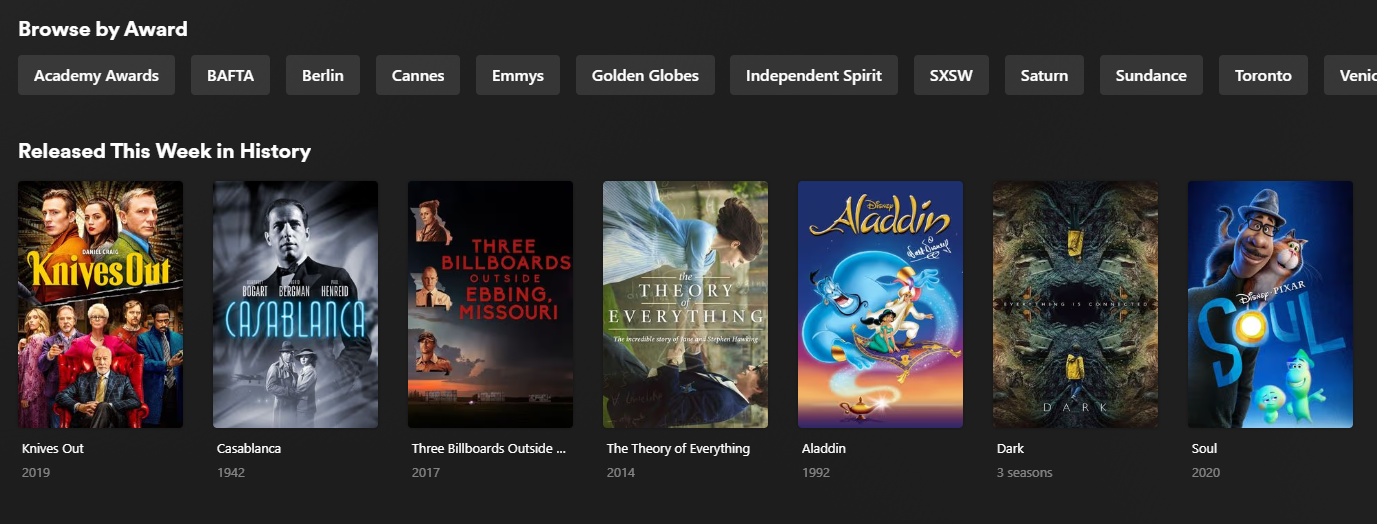
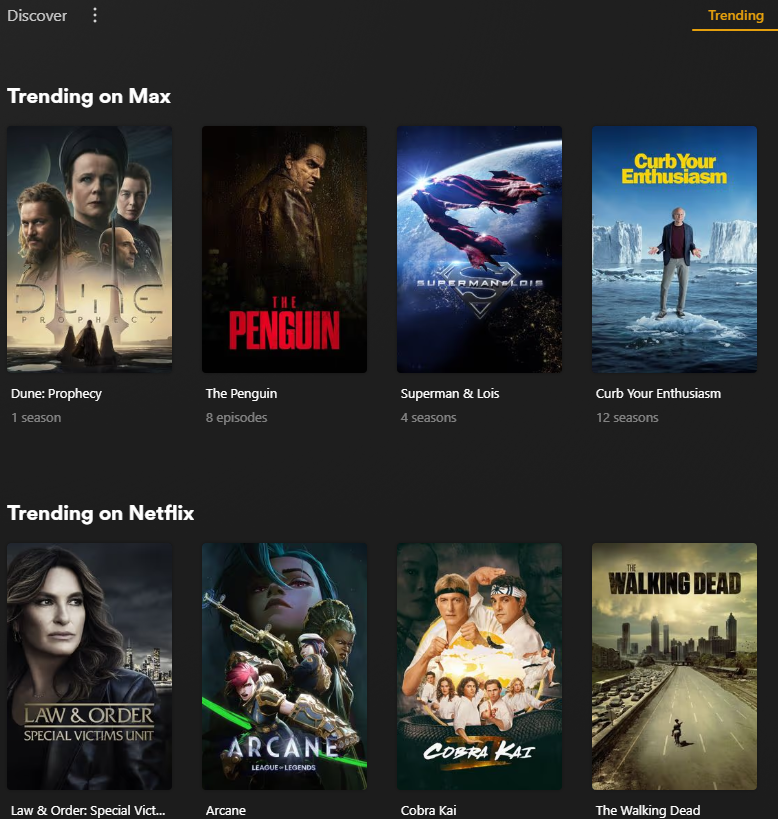
It does have some privacy concerns but it could also be done by checking public lists of what's trending on Trakt or wherever. They have a list of what's trending on other services and sometimes it includes items not in my collection but that's okay as I can go and find it and add it to my collection I also like their option to browse by award and their list of movies released this day or week in history and especially their lists of movies relevant to the current holidays I often find things I otherwise wouldn't have thought of watching or rewatching I use emby almost exclusively to watch my TV series and that's easy because it shows the next episode to continue watching but I open Plex for suggestions of what else to watch - especially for movies
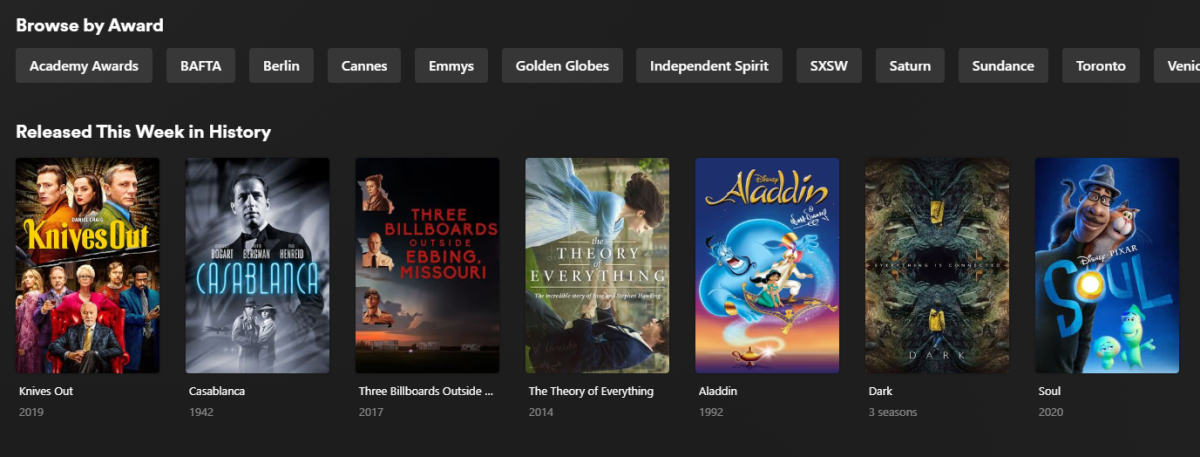
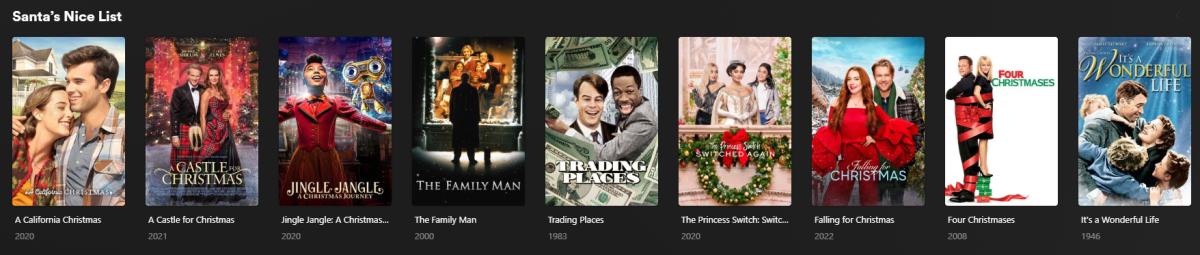 1 point
 -
But they can only do that because they are watching everything that all of you are doing... We don't do that so we have no way of knowing what is "trending" beyond what you, yourself are watching.1 point
-
HI, yes this question has come up before and some kind of handling for this is certainly possible for future updates. Thanks.1 point
-
Lets wait what is actually delivered. History suggests that 'core' functional replacements while usually better integrated, lack the full functionality that the plugin originally provided... (Introskip erherrrmm..) I hope it matches what Smart Playlists 2.0 can do - but what I'm really waiting for (and have been for years..) is the ability to create virtual libraries from these playlists and display as 'rows' on the main screen. imo Only then do they start to become really useful to present dynamic content as the users themselves can customise what they see. ie the concept of Spotlight/Recommendations/Top Picks etc becomes a reality.1 point
-
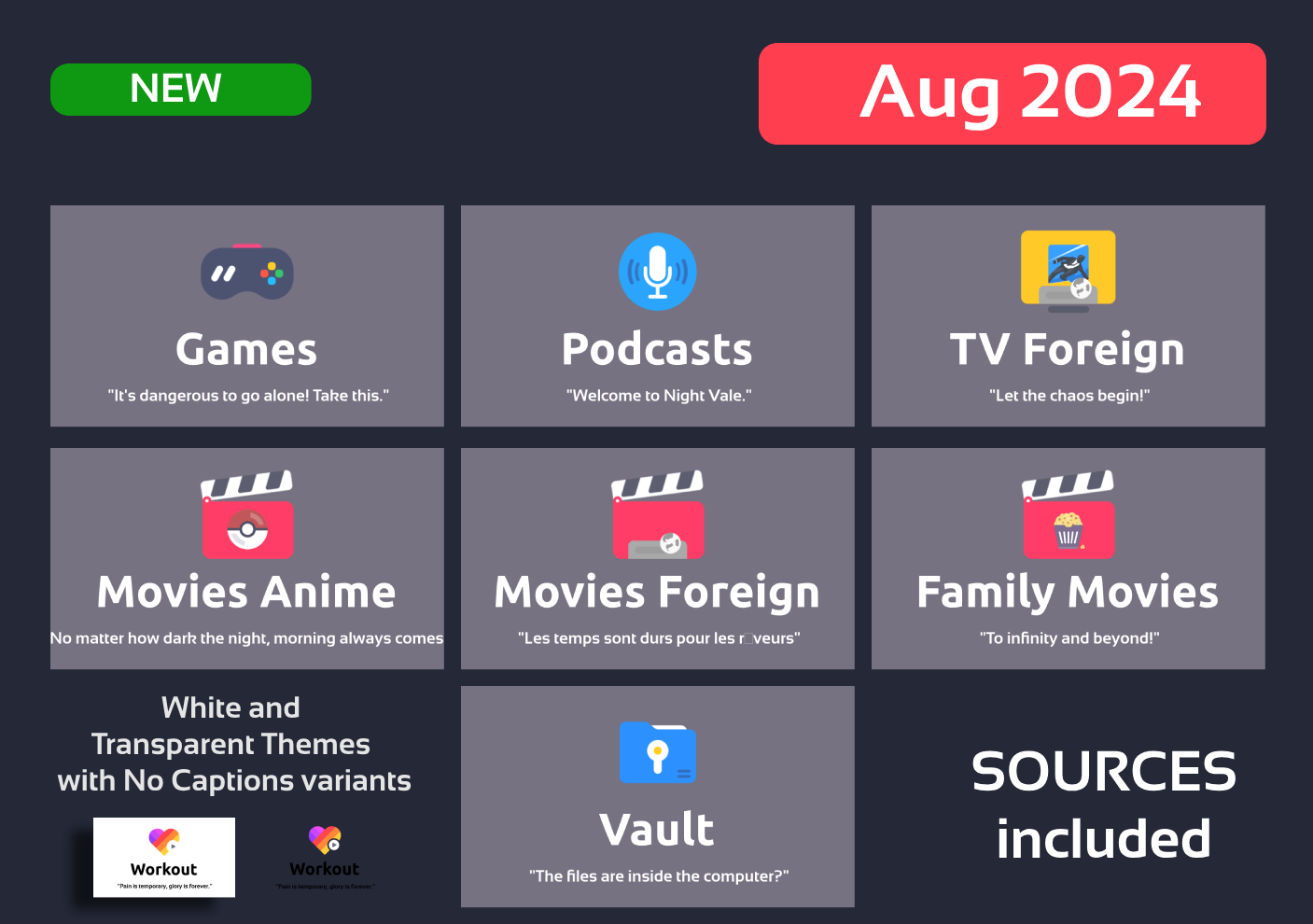
Hi people, August revision with requested icons. Enjoy EMBY_MAXIGMV_ICONS_DILIGENT_VARIABLES_2024_08_25.zip
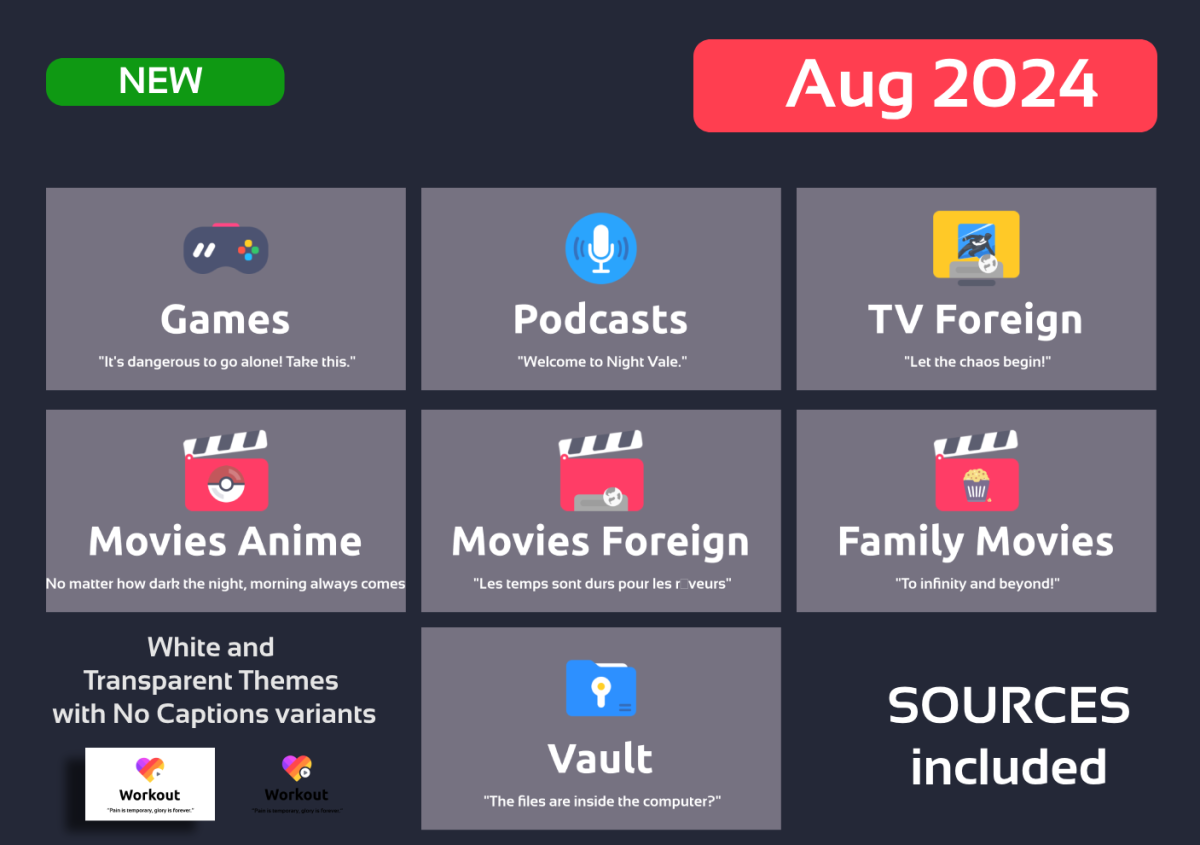 1 point
 -
Hi all, I have the same issue and it has been going on forever, so just wanted to share my files in order for it to be fixed. To me, it look like a few seconds of the audio are replayed, and then it "catches up" again by skipping the next few seconds, and everything is back in sync. Currently, I am using Brave v 1.67.123 but have been able to reproduce it on other browsers in the past. The Emby app for Mac is what I am using to properly play the files. There are zero issues with that. The issue happened just about 2-3 seconds before I stopped playback to export the log files. Please see the 2 files attached, and let me know if you need anything else. Thank you! embyserver (1).txt ffmpeg-remux-3944e6ec-364c-40aa-b902-da6235297f7d_1.txt1 point
-
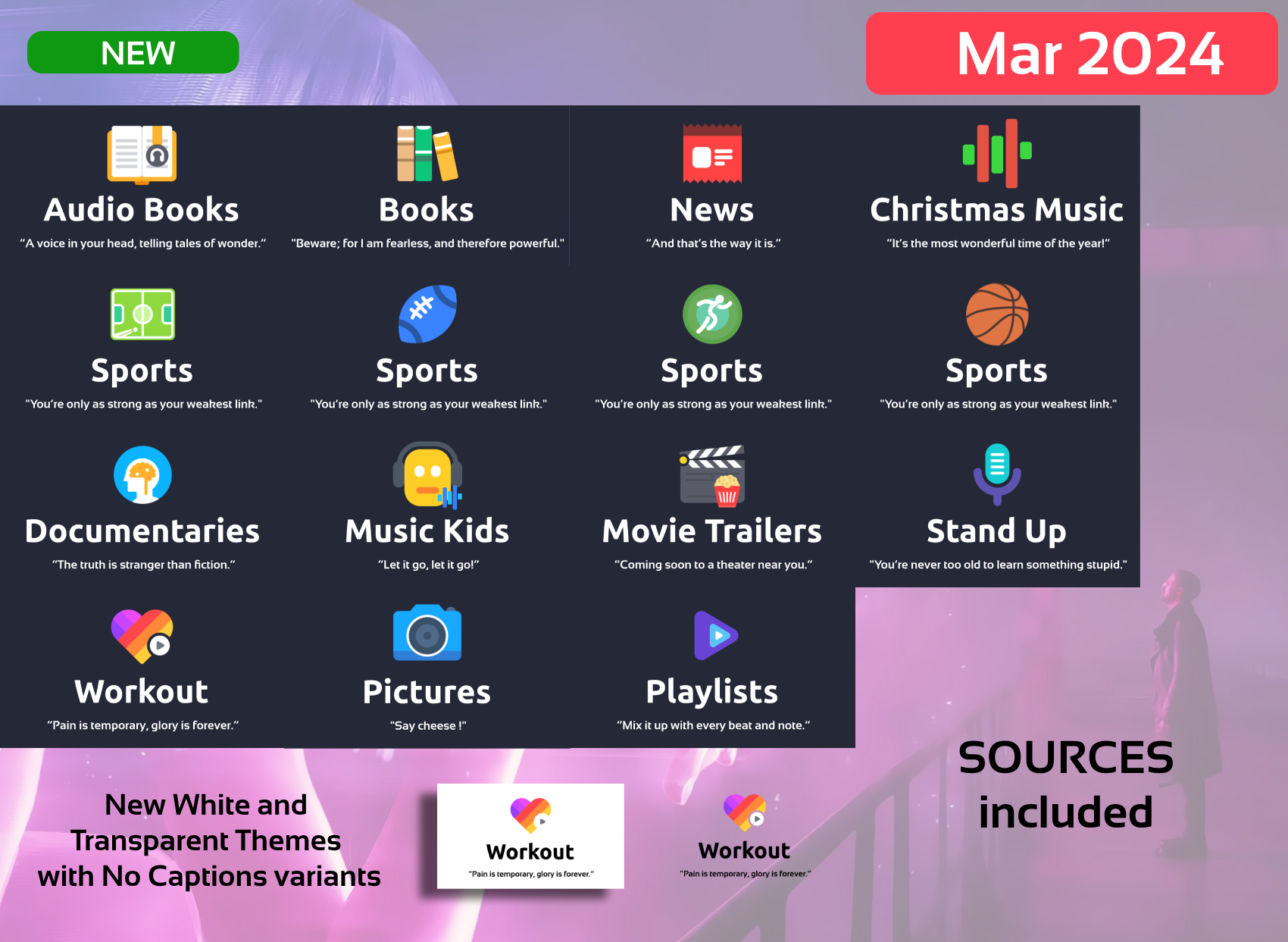
Hi People, here I am with a big update As now all generation is automated I'm planning to make a New Set with other icons, ideas or proposals welcome. -Minor Fixes -NEW Requested Categories: Kids Music Workout Christmas Music Playlists News Stand Up Documentaries Sports Variants Books variants Pictures (new image) -NEW WHITE Theme -NEW TRANSPARENT Theme with variants, shout out to @mike3821 for the idea -NEW Dark Text Variants -NEW SOURCES INCLUDED!!! You can still make requests!!!, the sources are for those that requested them and have knowledge to use them (Photoshop or similar knowlege needed and use of Variables needed) The Generation of images are Automated thru variables. Disclarimer: As usual, this is for private use. Attribution to icons author are given and I encourage you to buy his icon set as I did. Bye EMBY_MAXIGMV_ICONS_DILIGENT_VARIABLES_2024_03_25.zip
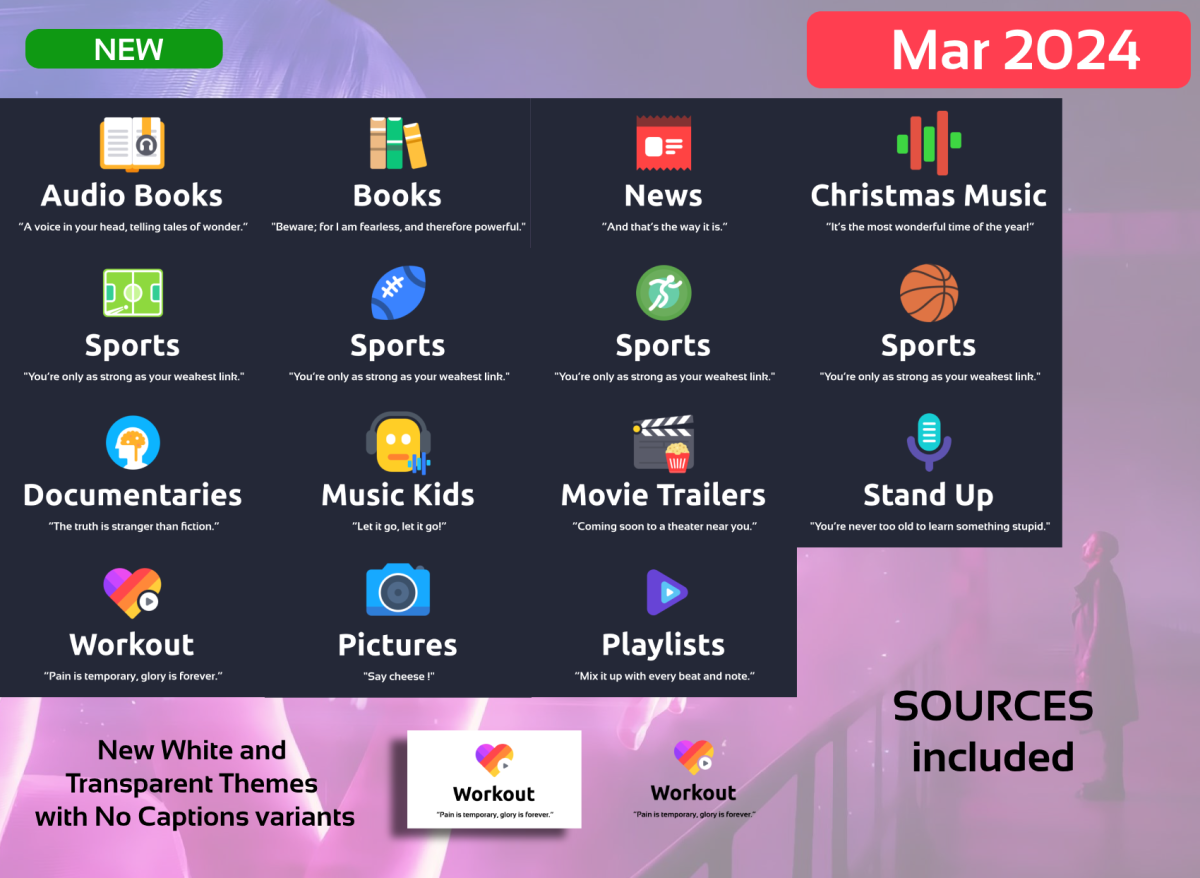 1 point
 -
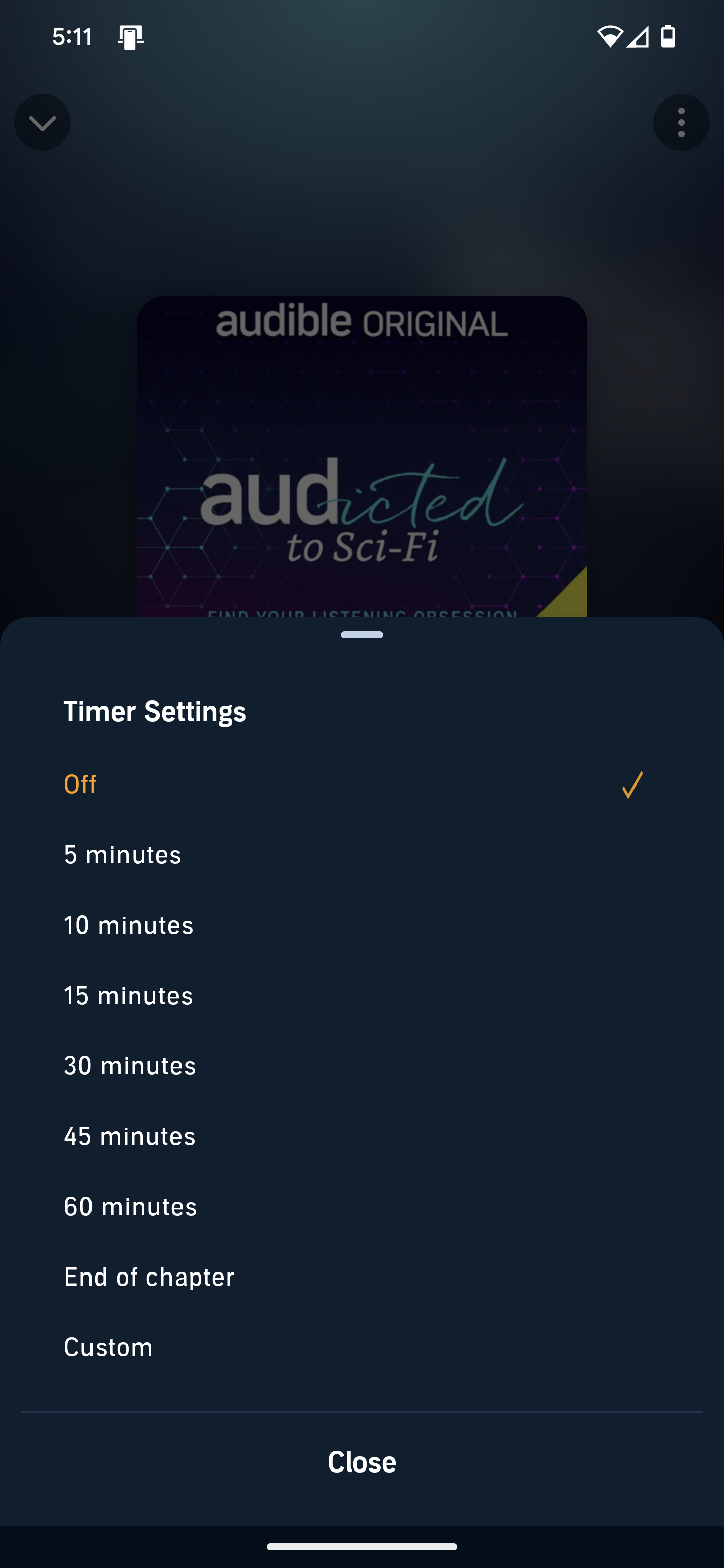
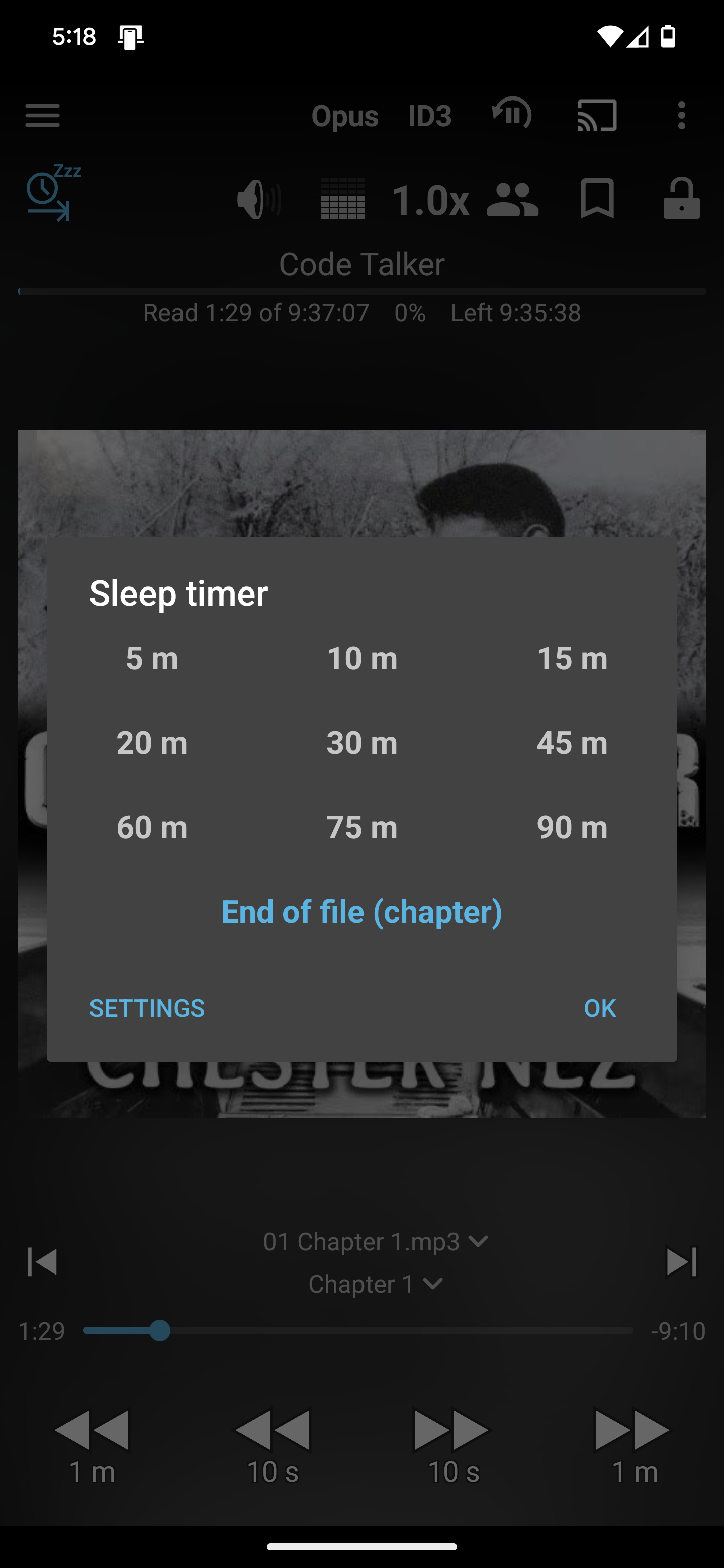
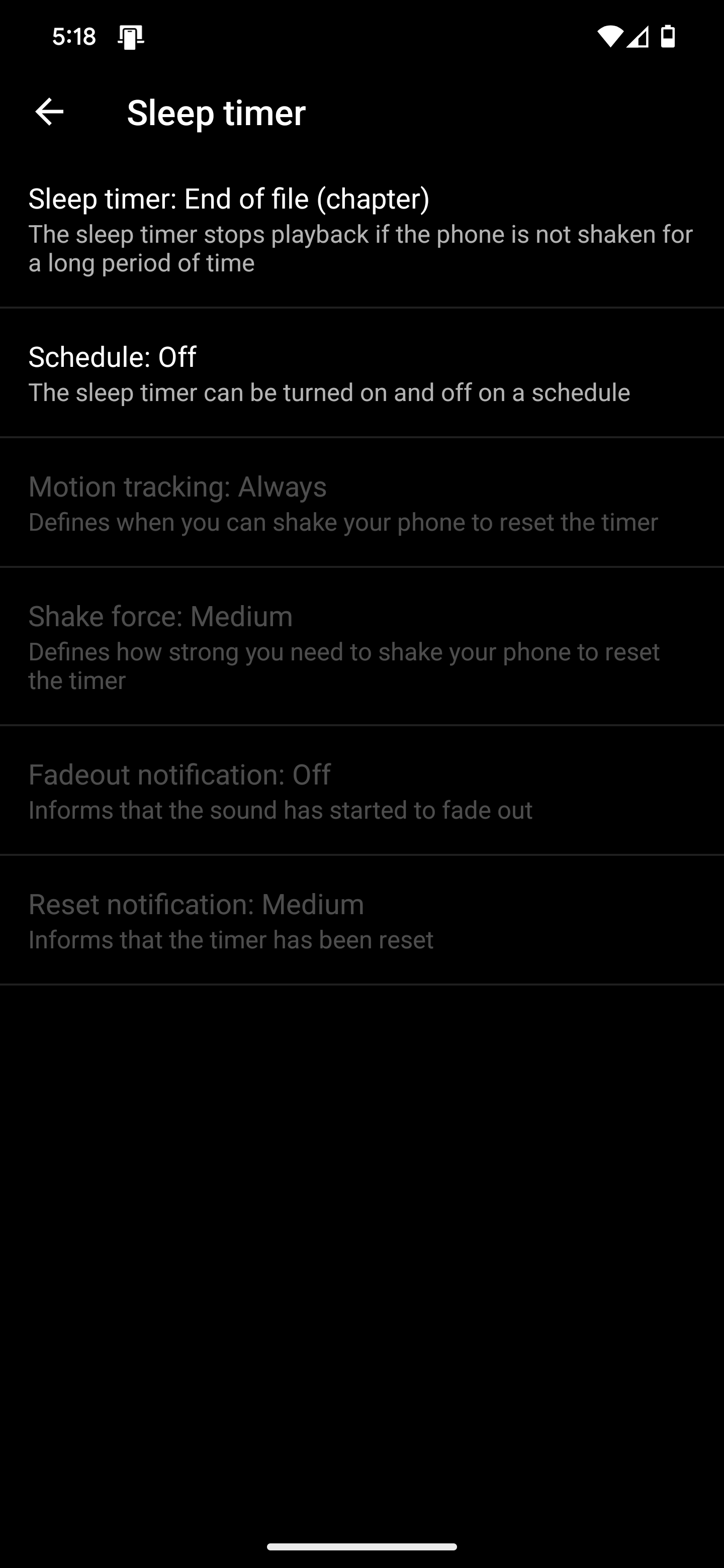
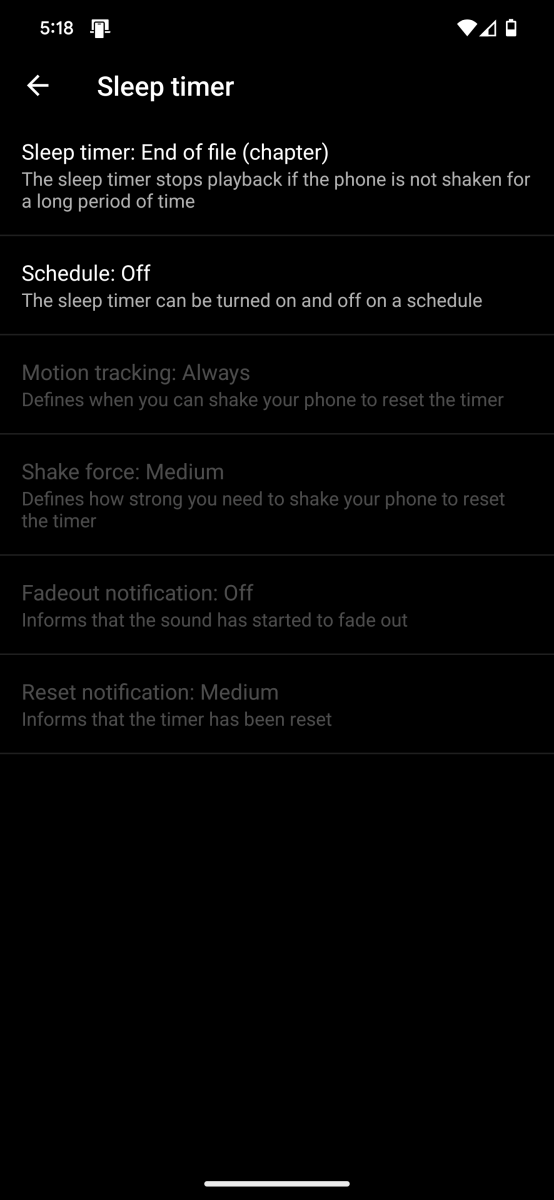
A sleep timer is very necessary for the Audiobook functionality. I've enclosed screenshots from Audible and Smart Audiobook Player. It would also be helpful to have a "Shake Timer" for when you are tired and are listening in bed.
 1 point
 -
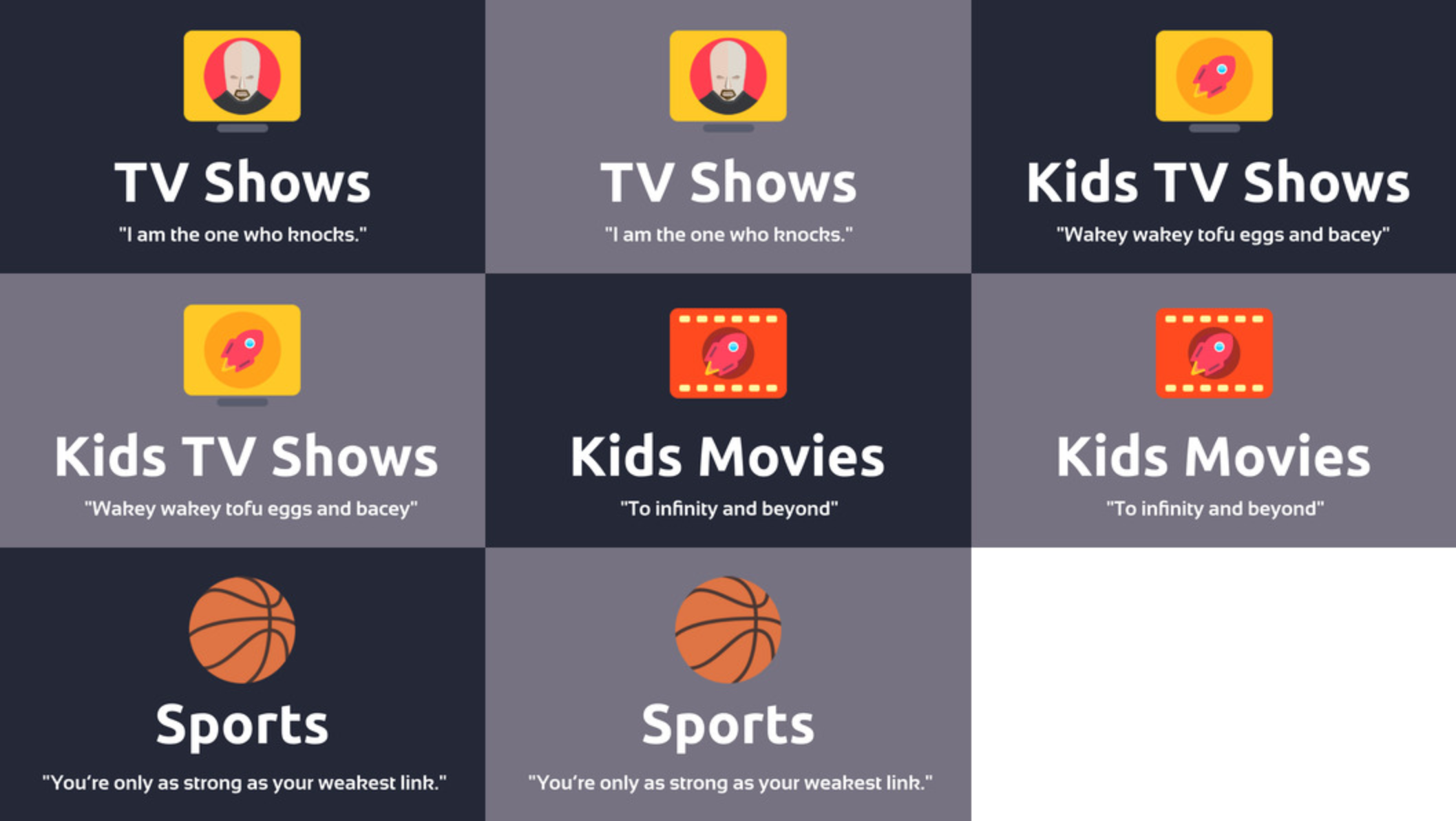
Hi everyone. I'm attaching an update: TV Shows, Kids TV Shows, Kids Movies, Sports maxigmv_library_icons_2022_export_02.zip
 1 point