Leaderboard




Popular Content
Showing content with the highest reputation on 11/27/24 in all areas
-
WELCOME TO THE HISTORY OF EMBY! A lot of our users are new to Emby and we thought it would be a good idea to share some of the backstory of how Emby came to be, where we started and where we are headed. We have grown significantly since our inception. Once a humble open-source project, Emby has evolved into a sophisticated platform that allows users to organize, stream, and enjoy their media libraries with ease. In this post, we'll take a look back at the history of Emby, explore its development journey, and highlight the key milestones that have made it what it is today. The Early Days: An Open-Source Beginning Emby started its life as Media Browser, an open-source project focused on creating a simple, user-friendly interface for accessing digital media collections. Originally, Media Browser was a plugin for Windows Media Center, and its primary goal was to offer users a better way to manage and play their media files. Back then, it was a community-driven project, with developers and enthusiasts contributing code, features, and plugins to expand its capabilities. Media Browser gained a loyal following among tech-savvy users who appreciated its customizable nature and flexibility. The Shift to Emby and the Rise of the Media Server In 2014, Media Browser underwent a major rebranding and evolved into what we now know as Emby. This change wasn’t just about a new name—it marked a shift in focus from a media center add-on to a full-fledged media server solution. Emby’s developers wanted to create a standalone server capable of managing large media libraries, transcoding content, and streaming to multiple devices. The introduction of the Emby Server brought a range of new features: Library Management: Users could organize and manage their media files with a sleek web interface. Metadata Scraping: Automatic fetching of metadata like cover art, descriptions, and ratings. Transcoding: On-the-fly transcoding for seamless streaming to any device, regardless of format. Multi-Device Support: Streaming became possible on a variety of devices, including smartphones, smart TVs, web browsers, and gaming consoles. This new direction attracted more users who were looking for a flexible media server that could handle diverse formats and provide a unified experience across different platforms. Open Source to Closed Source: In 2018, Emby made a significant decision: it moved from being an open-source project to a proprietary, closed-source model. The change allowed the development team to maintain greater control over the codebase, improve security, and introduce features more rapidly. Key Milestones in Emby’s Development As Emby transitioned to a proprietary model, the development team pushed forward with a series of updates and improvements: Emby Premier: The introduction of a paid subscription model called Emby Premier brought exclusive features like DVR support, cloud sync, offline media, and hardware-accelerated transcoding. Emby Premier gave the development team a sustainable revenue stream to fund further development. Improved Mobile and TV Apps: Over time, Emby released a series of polished apps for mobile platforms (Android, iOS) and TV devices (Roku, Apple TV, Amazon Fire). These apps received regular updates to improve stability, user experience, and customization options. Live TV and DVR Integration: Emby expanded its offerings to include Live TV and DVR functionality, allowing users to integrate live broadcast channels, schedule recordings, and manage live content alongside their media libraries. Enhanced Transcoding and Streaming: Emby has continuously improved its transcoding capabilities to support modern formats like 4K, HDR, and Dolby Atmos. These improvements allow for a high-quality viewing experience regardless of the device being used. Security and User Management: Emby introduced advanced user management features, including user profiles, parental controls, and access restrictions. This makes it easier for families to share media without compromising on privacy or security. Emby Today: A Comprehensive Media Experience Today, Emby is a mature and feature-rich media server solution that caters to a wide range of users—from casual media consumers to serious home theater enthusiasts. It supports a broad spectrum of devices, offers robust customization options, and remains focused on providing a powerful yet easy-to-use interface. Some of Emby’s standout features today include: Unified User Interface: A sleek, modern interface that makes browsing and streaming media a joy. Customizable Libraries: Tailor your media collections with custom artwork, genres, and metadata. Cross-Platform Syncing: Keep your media in sync across multiple devices and platforms. Comprehensive Live TV Support: Access live TV, manage recordings, and watch DVR content effortlessly. Community Engagement: Emby continues to value its user base, with an active community forum, feature requests, and beta testing for new updates. The Impact of the Community and the Road Ahead Despite its shift to a closed-source model, the Emby community remains strong. Many long-time users contribute by creating plugins, themes, and offering technical support. The Emby team regularly interacts with the community, implementing feedback and adjusting features based on user needs. Looking forward, Emby is set to continue expanding its feature set while focusing on performance enhancements and cross-platform support. Emby’s development is driven by innovation and user feedback, ensuring that it remains a competitive choice in the world of media servers. Conclusion Emby’s journey from a simple open-source plugin to a leading media server solution is a testament to its adaptability and the passion of its developers. While the shift from open-source to closed-source was a turning point, Emby has continued to evolve, delivering a reliable and customizable media experience for millions of users worldwide. The history of Emby is one of growth, change, and a dedication to providing users with a comprehensive and enjoyable way to manage their digital media. View the full article3 points
-
This worked for me as well loading the #EXTGRP2 points
-
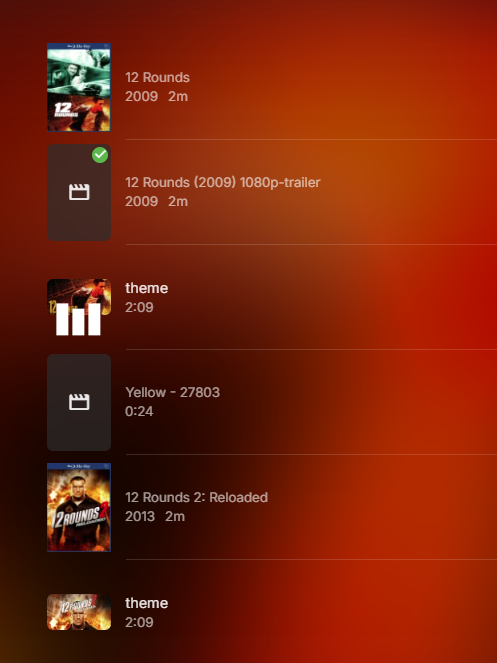
Yes there is a bug in 4.8 with selecting Play in Collections and the queue adding trailers and themes and maybe more. Do not see this behavior in 4.9 but believe there is another topic on this.
 2 points
 -
ability to be able to add a collection into another collection. ie: Spiderman Collection into a SuperHero Collection. like i could with mediabrowser with shortcuts. TIA1 point
-
Please click "Like this" and share it if you want to support this feature. Thank you ! Hello, There is a Kodi addon call "gdrive" from ddurdle who can read videos (original and transcoding version) directly from Google Drive. Why not build on this idea to integrate Google Drive as source directly in Emby Server ? In addition, Emby could generate automatically the STRM files from one or many Drive folders. And transcodings are already available with Drive so no need to transcode with Emby server. What do you think ? ------------- Three reasons why this feature will be useful and awesome: 1. Cloud is the future and today the cost is affordable. I have a Google Drive Unlimited for $50/month (ie $600/year) and I have unlimited space that is secured against crashes. Knowing the cost of hard drive and the cost of power consumption, its a very good deal. 2. Google Drive transcode video file. This provides different stream quality like Youtube (1080p, 720p, 480p and 360p) and the "image quality/compression ratio" is very satisfying. I can play 720p video on my poor 4 Mbits DSL. 3. You don't need to have a big server. Personally, I opted for a little dedicated server (Kimsufi 2G) for the cost and I can leave it run 24/7! Furthermore, me and my friends can watch movies from anywhere! Basics features that should be included: GOOGLE APPS OAUTH2 for activation and permission playing transcoded version (MP4 360p, 480p, 720p & 1080p) directly into Emby's app playing original file (avi, mkv, mp4) directly into Emby's app import embedded subtitles porwerful script module for multiple folder scanning and STRM generating1 point
-
I thought you guys fixed this one a long while ago, but has bit me twice lately. You're likely keeping me from watching bad football (the Chicago Bears lately!), however still a serious issue for me. Issue: An in-progress recording is stopping prematurely due to the stream being watched (and likely exited) by another user at the same time. Recording in question: NFL Football 2024_11_10_12_00_00 - New England Patriots at Chicago Bears 2024-11-10 14:03:44.445 Info SharedHttpPipelineSource: SharedHttpPipelineSource is done streaming. 2024-11-10 14:03:44.445 Info Server: http/1.1 Response 200 to 127.0.0.1. Time: 7873278ms. GET http://127.0.0.1:8096/LiveTv/LiveStreamFiles/1b97d0b293e344e7b1591c628b912680/stream.ts 2024-11-10 14:03:44.445 Info Server: http/1.1 Response 200 to 127.0.0.1. Time: 6905377ms. GET http://127.0.0.1:8096/LiveTv/LiveStreamFiles/1b97d0b293e344e7b1591c628b912680/stream.ts 2024-11-10 14:03:44.447 Info LiveTV: Recording stopped: /mnt/user/Recorded_TV/NFL Football (2023)/NFL Football 2024_11_10_12_00_00 - New England Patriots at Chicago Bears.ts 2024-11-10 14:03:44.448 Info App: AppendExtraLogData - Read graph file: /config/logs/ffmpeg-directstream-ff6da435-e788-4a90-9e6b-015c1168fe62_1graph.txt 2024-11-10 14:03:44.448 Info App: AppendExtraLogData - Deserialized GraphData fileStream: 27.000 bytes Graph Count: 0 2024-11-10 14:03:44.448 Info App: AppendExtraLogData - File Deleted 2024-11-10 14:03:44.448 Info App: ProcessRun 'StreamTranscode ff6da4' Process exited with code 0 - Succeeded Full log attached. Please review/fix this ASAP. I have 8 tuners, and the user did not tell it to stop recording. I can tell in the activity that the time aligns with the user exiting the stream. I don't think they did so intentionally either, just bad connection or whatever is likely the reason for them stopping. Full log attached. Happened two weeks ago as well, but believe that log has been deleted by now (if not I can retrieve it). Thank you! embyserver-63866876399.txt1 point
-
Feature request for Auto Box Sets & the Emby server to show missing collection items / placeholder images for what we don't have that is part of a collection. http://emby.media/community/index.php?/topic/22732-auto-box-sets-show-missing-collection-items/ Thanks, hoping to see it worked out.1 point
-
Hi there I have albums with some song I never want to listen but I don't want to split the songs in different directories and add the .ignore file. Is there a way to mark a song as "unloved" and never listen? I have seen the "Remove from Play Queue" but every time I reopen the Emby page I need to restart a new queue. I would not to make a playlist with all the songs I have in it. Thank you!1 point
-
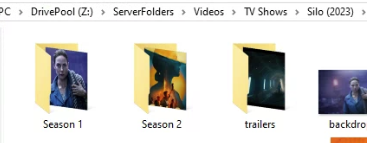
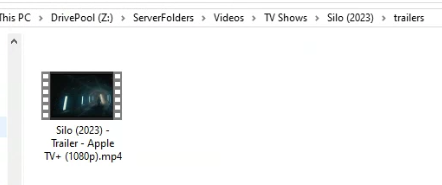
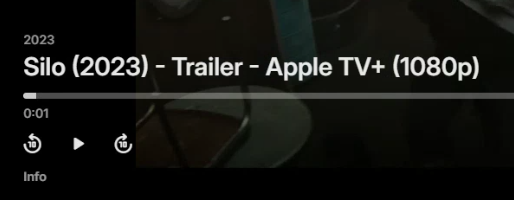
What exactly did you do? example run library scan or wait for RTM to add change @GrimReapercan you split this discussion into its own topic please.
 1 point
 -
It's been a while seen I've seen anything on TVNext... are there any updates?1 point
-
If there are still plans for Smart lists in 4.9 I will guess not anytime soon as we still haven't got anything new in 4.9 that came out in Feb when 4.8 was released.1 point
-
Edit post above to tag Luke if you want to wait for dev to respond if this can go into a maintenance release.1 point
-
If you want immediate solution, then yes you can upgrade to beta but note you cannot downgrade due to database changes, so you have to stay on beta until version release. But @Lukewould have to comment if this can easily be ported into a 4.8.xx.x maintenance release.1 point
-
Will do, thank you Luke!1 point
-
Thanks - worked ok with my 1 one channel test and I mapped the channel to a guide channel and all good. Thanks Hi Can you please try the updated Emby.M3UTuner dll above to check the fix for your group names1 point
-
Never mind. This on looks like it is me. Flipped from wired to wireless and the problem seems to be gone. Sorry1 point
-
thank you Luke, next time it happens I will generate a server log and upload. I did upgrade the server to the latest beta and hoping that solves the issue but I'll be in touch with the server log if we are still experiencing the freezing.1 point
-
Hello, Good news, i have recovered my password, from my old local account. I used this process : Was i little bit afraid of enabling admin account on my Synology NAS, but it was fine. I have now acces to Emby again, will try it. Thanks for you help.1 point
-
Ok I think we have the answer then. Thank you both1 point
-
I think if the file "date/time modified" changes the Emby believes it is a new file and all related tasks will run. I would think that the modification you describe does alter "date/time modified" field so the file is a new file to Emby.1 point
-
Yes that's right I do recall making a fix related to this in 4.9.1 point
-
That's inconsistent, in that it is not usual to include the word "Library" in a library name. I think changing the LiveTV "Recordings" tab to "Recorded Items" is more natural. Paul1 point
-
After a little bit of research, I attempted Potplayer, with 3D settings I found somewhere online (and seem to have misplaced). On my 3D TV, it simply displayed two images side by side. I also tried encoding to SBS first using BD3D2MK3D, and again, the 3D TV displayed the images side by side, but this time, at half resolution. So, definitely no success yet. With that said, I realize that in 2024, 3D playback from a PC is a very niche case. I don't want to waste anyone's time on this, so I'll just stick with my old 3D blu ray player connected to my old 3D TV and be content with that.1 point
-
Vu que tu n'as pas l'air de me croire : Et aucun problème de fluidité ! Même sur une vidéo 4K
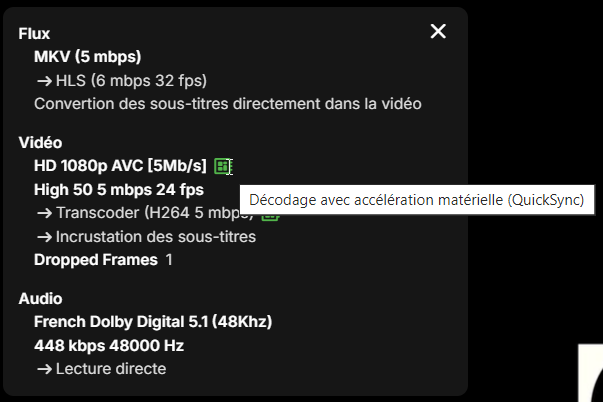
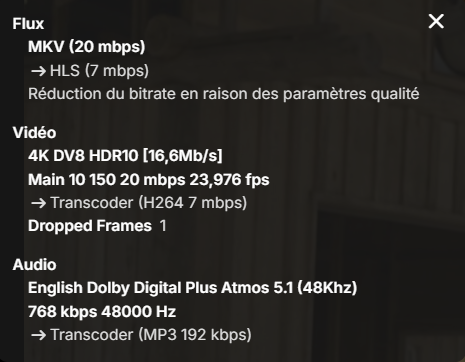 1 point
 -
Si tu proveedor de metadatos es TMDB el enlace para el trailer se descarga dependiendo de la configuración para idioma. Si consideras que el trailer es de baja calidad o con idioma incorrecto puedes editarlo en la pagina de themoviedb.org aunque la propagación del cambio puede tardar unas horas en estar disponible para la API es una buena manera de contribuir a la comunidad y ademas es como tener un respaldo en la nube de esa información. Obviamente tendrías que actualizar los metadatos una vez que el cambio este disponible para la API.1 point
-
All of that is already possible across the system - where is it you're facing issues?1 point
-
Lets see what's up when its all done with the scan. I'm not sure what order it does things.1 point
-
Thank you Lukas, I had sent a PM to Calo. I'm waiting to hear back. Tony1 point
-
If you play for example a SBS video, the interface has also to be SBS, or else it will look strange, when switching the TV to 3D Mode (half of the interface on the left eye, other half on the right eye). Kodi has options to match the user interface to the playing 3D content and it also is possible to "activate" 3D mode on TV (playing in 3D mode over HDMI; but I had mixed results with it, sometimes it worked, sometimes not - on the same hardware).1 point
-
Found a solution, it's only working if both xyz and xyzItems are updated at once. Working example: return self.update_item(item_id, { "Genres": genres, "GenreItems": genres, "Tags": tags, "TagItems": tags, }1 point
-
ok, it doesnt work because that is a youtube url, I can't obtain a video url - all good1 point
-
I would guess dev's will need logs.1 point
-
I believe the only way to do this is manually, assigning each season and episode one by one. This is a tedious task that could be avoided if Emby allowed seasons and episodes to be identified in the same way it handles series and movies.1 point
-
H, thanks for reply. Ill be waiting patiently for it.1 point
-
Thank you. I use the default mode. I will try version 11.X, and when I move some more files again, I will see what happens and tell you.1 point
-
yup, arrived late to the party. Will have to wait for the official release.1 point
-
HI, yes we need to get this into the metadata editor. Thanks.1 point
-
of course thanks just let me know when you have pushed it on microsoft store. thanks1 point
-
Hi, no ETA but we are working hard on it. Thanks.1 point
-
No, the file names don't really matter when it comes to episodes. Detection is based first on the series being merged, then season and episode numbers.1 point
-
It already is. Has been since 2016. Just hoping for a fresh discussion on it. Go to the Feature Request forum and sort by most reactions, it's at the top, and give it a like if you haven't already.1 point
-
Nothing wrong in a good deal once in a while and people in general know that Black Friday is coming. If you want to complain about prices and such then there's the game industry.1 point
-
I used the following online service to reencode the files to flac and it fixed the issue. Now the files can be played on Chrome. I agree with you that most probably the issue was within the files, however, the codec that Firefox and other media players (such as Pot Player) are using is able to handle such files unlike what Chrome is using. https://convertio.co/1 point
-
Ciao Luca, grazie per il messaggio! Ho risolto, grazie! Bisognava configurare anche le impostazioni su ogni dispositivo, scegliendo tra le opzioni "Scarica memoria interna" o "Scarica memoria esterna". Adesso non mi rimane che capire come condividere un file, (per esempio in WhatsApp). Se ci provo, mi ritrovo a condividere solo un link.... Grato se potrai aiutarmi anche per questo... Grazie ancora per l'interesse1 point
-
My bad. I saw "770" and thought that was the Arc. Upload your server log and hardware log for us to take a look at. Carlo1 point
-
Sorry, missed that reply. I have not yet tried a lower Proxmox kernel than what was installed by default, only 6.8 and the opt-in 6.11. Likely to be a week or two before I can try that with the upcoming holiday. For now I'm just leaving tonemapping off.1 point
-
Agreed - another area where Emby have lost focus and are now way behind the competition - it doesn't even have the ability to edit the Intro's without the support of a 3rd party plugin... Emby (with the 3rd party Plugin) used to lead in this area as it had both Intro and Outro detection and all the support tools (editing, stats etc). Now even JF has long passed them and have recently introduced the architecture called 'media segments' which is tagging for for Commercial, Preview, Recap, Outro and Intro. Their clients need to catch up, but the concept is solid. A shame, as the same concept of 'MarkerTypes' is actually in Emby (and was discussed with them), but beyond Intro's, it has have never been developed further ...1 point
-
Hello, @VicMoore I downloaded the Bulky Editor plugin, but I realized that I can’t find the option to add people in bulk in the editing options. Additionally, I have another issue: when I click the "Change cover" button, absolutely nothing happens—no additional window opens. Although this issue is secondary, what I really want to know is if it’s possible to add people in bulk using Bulky Editor.1 point
-
This editor has already saved me a lot of work. However, I'm still missing the option to edit actors.I would actually have to set tags for a few hundred actors, but unfortunately they are not displayed in the editor... And editing each one individually would certainly take days... Had tried to bundle the affected Actors in a collection and then access them via Bulky Editor. But unfortunately, apart from the video with which I was able to make the link visible, no Actors were visible... I would therefore be very happy if this option could be added1 point
-
+1 for this. Just set up all of my favorite podcasts on Emby and having to change the sort order to Release Date for every device for every user for every podcasts means a lot of manually changing sort orders. Would love if the admin has the ability to set a default sort order per library, and each user had the ability to override that default per library, and have it reflect across all devices. Because while release date makes the most sense for podcasts, title makes the most sense for movies.1 point