Leaderboard




Popular Content
Showing content with the highest reputation on 11/25/24 in all areas
-
I do pay for ProtonVPN, so I might explore some magic through that. If all else fails I can go back to Cox where no issues existed, but I'll try to talk to my current ISP and see how far I get. I'm just glad it wasn't anything I personally borked. Thank you for your help!2 points
-
Gotcha - I guess we were both correct/incorrect .. Tks for the updates.2 points
-
I hope we can get a nice little gift for Black Friday. It would be a nice incentive to buy for those like me who are hesitating whether to buy or not the Premiere Lifetime... At a discounted price I would buy immediately!2 points
-
Thanks a bunch, you guys. Tested the arm7 and arm64 on the nvidia shield 2019 pro and both same behaviour and both working. If I find an android device for the x64/x86 version, I will see if I can test those also. But so far both arm are good!2 points
-
I'd really like to have 2 Factor Authentication added to the login screen. It's just this (optional) extra layer of security to help secure the server (which, especially if people use camera uploads) contains pretty private data. There are for every type of programming language quite a few libraries available, so implementation on a server shouldn't be too hard to realise1 point
-
Hi! Will there be a discount on Black Friday 2024 for premiere lifetime? Thanks1 point
-
Not sure if this is the right spot where to request this. .. Nevertheless can we please add the feature for embyserver. Pretty much ro setup a pause timeout limit . so if a user put a video/movie on pause for more than xyz timeout limit would kick them back to the video/movie home page... Thanks Sent from my LG-US996 using Tapatalk1 point
-
I would like to hide (Rotten Tomatoes) Ratings. I don't need to know critics' opinions of the movies on my server.1 point
-
This would require us to modify your media files. Something we currently never do. IMO there are already adequate tools for this job.1 point
-
@LukeYup this was the issue. Adding nobrl to my mounting fixed it. conversions are now successfully moved. . @Q-DroidThank you so much!1 point
-
That would have been hilarious though.1 point
-
ProtonVPN was that running on your server ? When you tried connecting.1 point
-
The none traditional route of a VPN or something like TailScale Or as mentioned talking to your ISP.1 point
-
I think you need to call your ISP and ask about cgnat. And tell them you need a static IP for your Minecraft server It might cost you a extra fee pr month.1 point
-
A network guru may have to comment further but this looks like a CGNAT. if it is within this IP range 100.64.0.0 - 100.127.255.255. The is the range for cgNAT. carrier-grade-nat-cgnat1 point
-
Not at the file level where the meta data is written to the file. Emby writes the meta data storing the data in the database tagging the file that I noticed. So when I am using EMBY the media file is tagged, recognized, etc. But using third party media players or looking at the Windows File level, the meta data is not present or carries over from EMBY writing to the file. Please share with me these third party apps? Maybe I am missing something here? I just don't want to have to use a external APP for meta data writing. Thank You Dave1 point
-
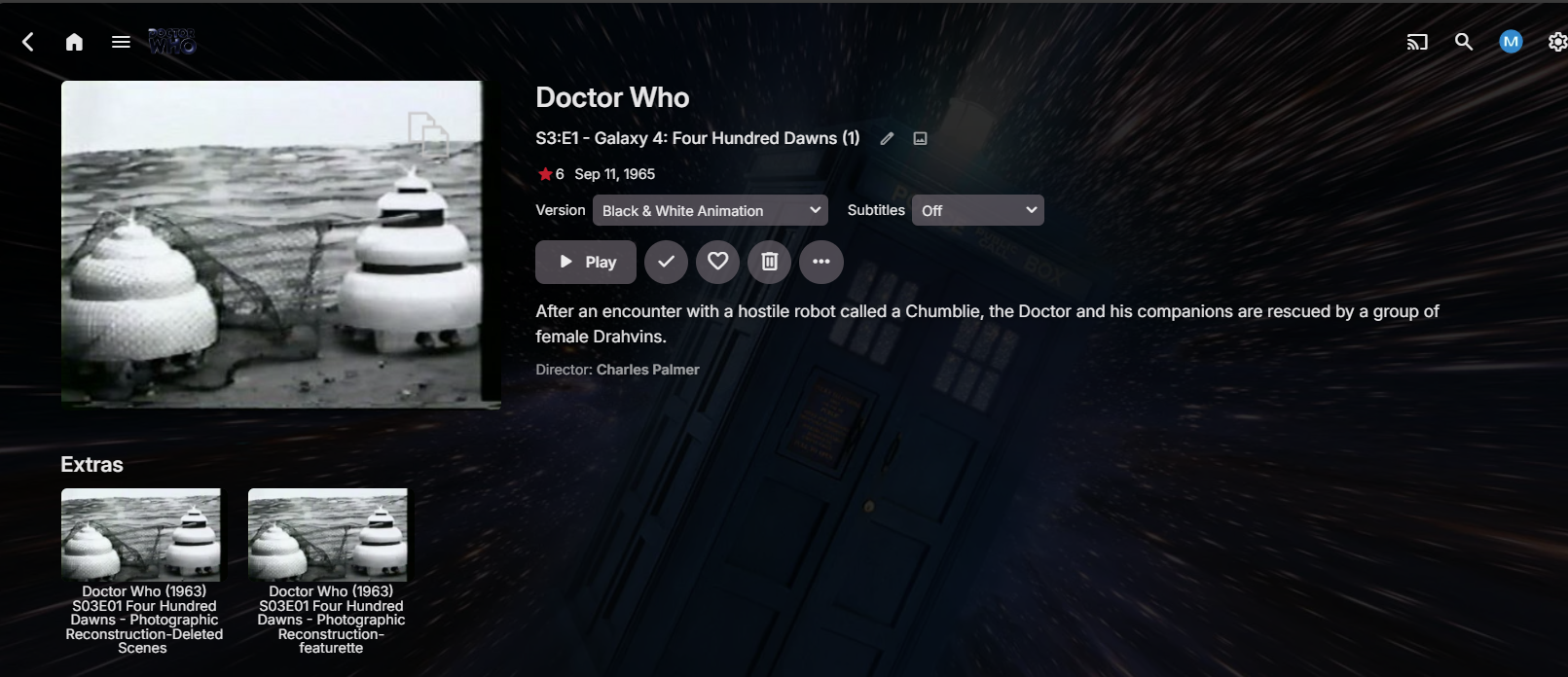
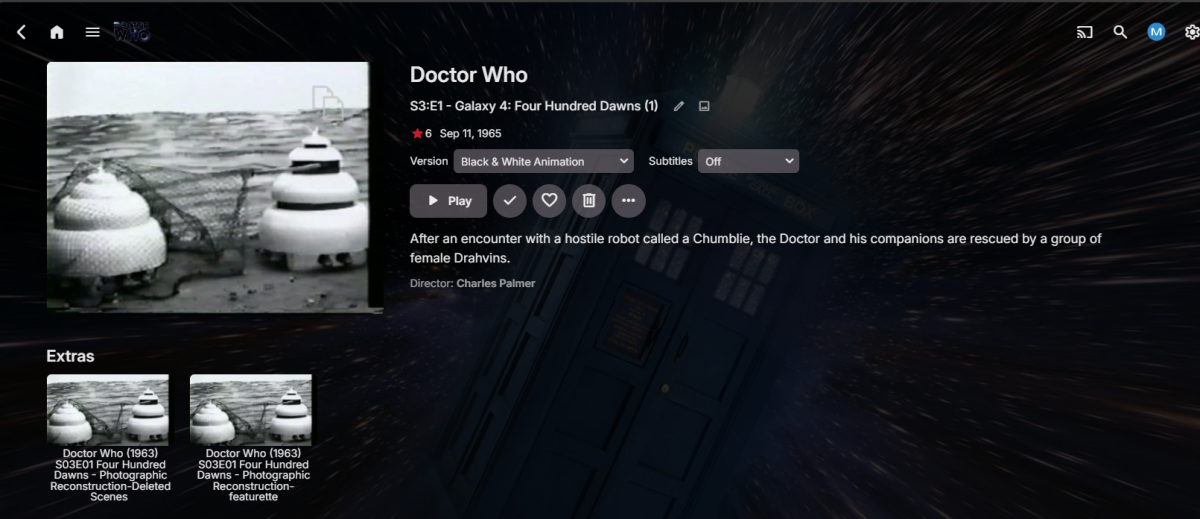
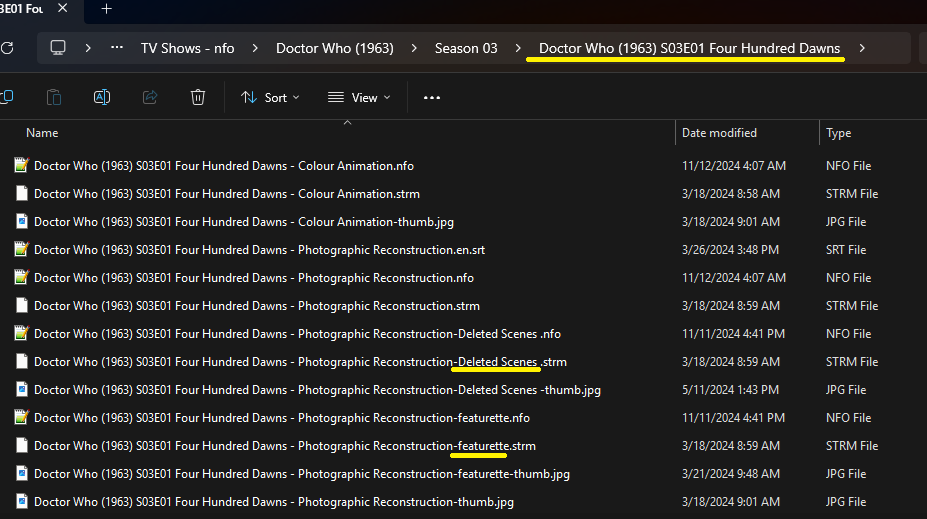
Currently the only way extras are not Season 0 also is if they are attached to a specific episode. Series and Season extras currently fall into the same category. Removed some rows to better see but a little busy as was testing multi-versioning also. So you have two methods at episode level requiring additional episode folder layer (same as a movie) or adding -extratype.ext to the file. Both somewhat covered in the KB. https://emby.media/support/articles/TV-Naming.html#tv-extras:~:text=It is also possible to add the type of extra as filename suffix extensions%2C as for the following
 1 point
 -
Ok, capito, grazie! Bisogna configurare le impostazioni su ogni dispositivo, che offre l'opzione "Download internal storage" or "External Storage".... easy Adesso non mi rimane che capire come condividere un file, (per esempio in WhatsApp). Finora mi ritrovo a condividere solo un link.... Grato se potrai aiutarmi anche per questo... Grazie1 point
-
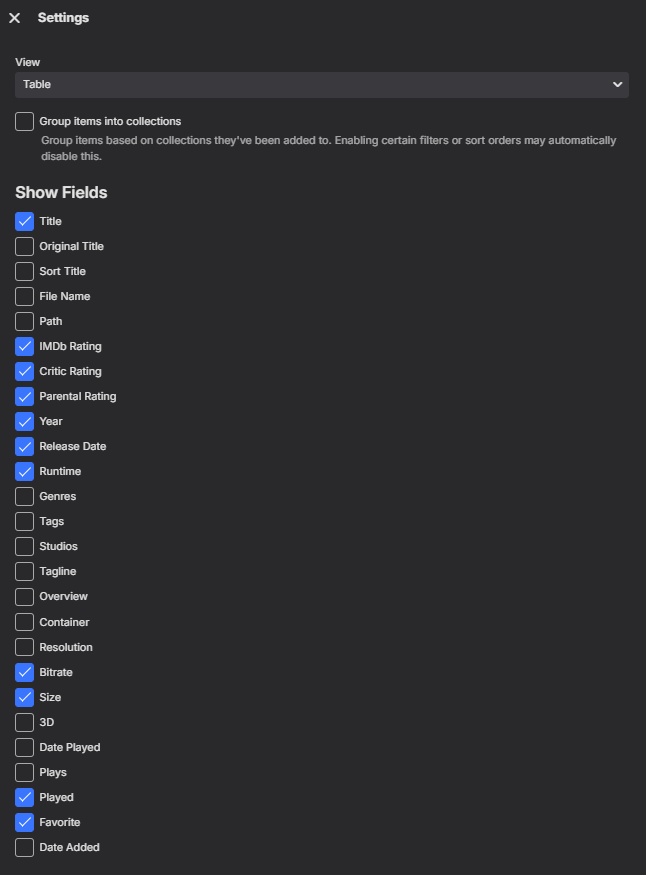
Just need an export option for those tables. But yes table view will give you more options than the Reports plugin as it has somewhat been abandoned. But anyone can make the edited needed to add the column to the report as it is available on GitHub.
 1 point
 -
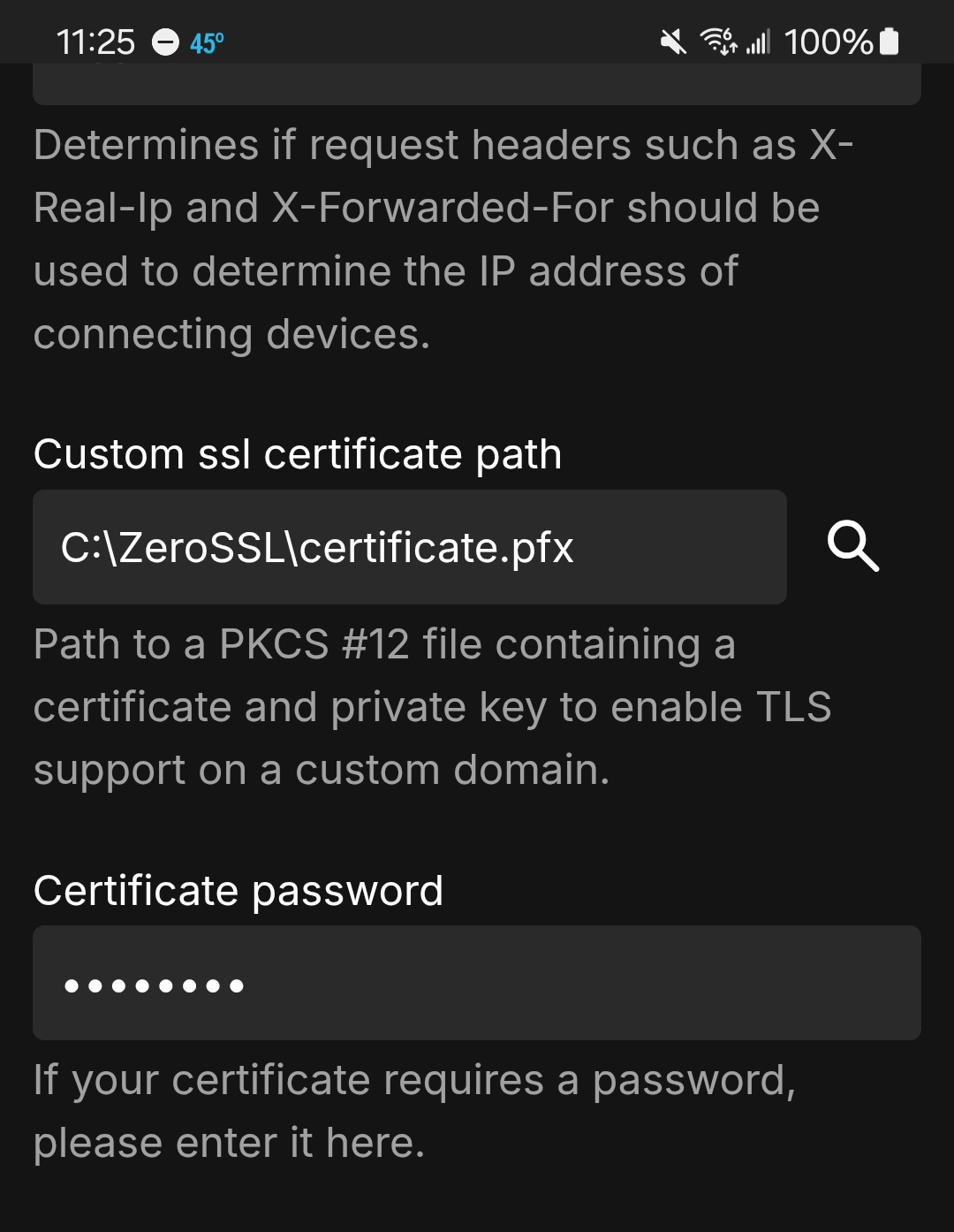
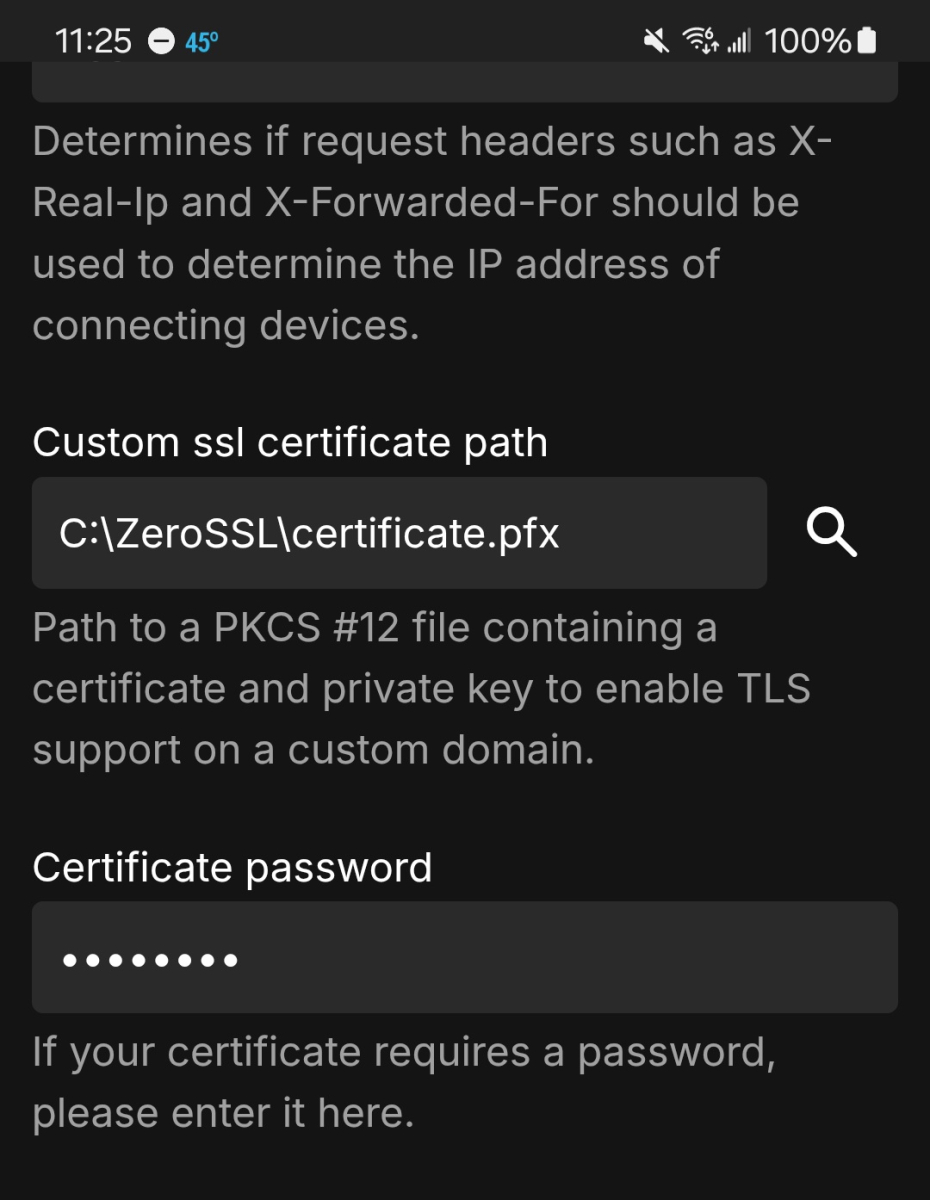
Your script to generate your key should include your password and added to the network settings in your Emby server. Here's my batch file script to generate my key for my domain and Emby. cd c:\ZeroSSL @[member="Echo"] off le64 --key account.key --csr domain.csr --csr-key domain.key --crt certificate.csr --domains DOMAINHERE.com --generate-missing --handle-as dns --export-pfx PASSWORDHERE --live pause The capped domain and password, you would add yourself. Then in your settings in Emby
 1 point
 -
Since your network changed have you verified Windows is setup the network as Private or Public? As this will affect firewall access or may need to be reset by changing the system.xml <IsPortAuthorized> to false and starting Emby to run the firewall script to clear and readd firewall rules. But easy enough to check if other devices can still connect to Emby on your LAN. Remote access sound like port forwarding as the previous forwarding would have broke when you moved the pc and got different address assuming you did not statically assign the previous address. Have you restarted your route and modem? Log has lots of ConflictInMappingEntry for UPNP port mapping so you may have to disable Emby port mapper and manually port forward ensuring to restart hardware afterwards. Last thing to check would be if your new ISP has you behind a CGNAT. https://emby.media/support/articles/Remote-Setup.html#:~:text=You could also be blocked by your ISP in something known as a cgNAT (carrier grade Network Address Translation)1 point
-
Hi Luke. I did report it back in April, but hopefully you will get to have another look at it now.1 point
-
Here is a debug log for the last few hours. It didn't freeze up in that time but, if this can help, I'm all for it. embyserver1125240906.txt1 point
-
@Luke I have reproduced the error with your updated version of Emby.M3UTuner.dll that you provided here The error gets logged after reading the m3u file System.ArgumentNullException: System.ArgumentNullException: Value cannot be null. (Parameter 'first') You can use the attached 1 channel test m3u file to reproduce. There was no error when adding this test m3u file with the released version of the plugin my-test-m3u.txt The file just has 1 dummy channel #EXTM3U #EXTINF:-1 tvg-id="BBC1.uk" tvg-name="UK| BBC 1 HD" tvg-logo="http://xxx.xxx.xxx.xxx/xxxx/logos/UK/BBC-1.png" group-title="UK| GENERAL",UK| BBC 1 HD http://xxxxx-xxx.xxx-xxx.xxx:80/xxxxxxxx/xxxxxxxx/xxxx This shows the error just after Emby Server read the file Emby Server Log 2024-11-25 11:18:45.562 Info Server: http/1.1 POST http://localhost:8096/emby/LiveTv/TunerHosts?X-Emby-Client=Emby Web&X-Emby-Device-Name=Microsoft Edge Windows&X-Emby-Device-Id=5032d689-fc85-4247-8c35-3ea085ebb3eb&X-Emby-Client-Version=4.9.0.32&X-Emby-Token=xxxxxxxxxxxxxxxxx&X-Emby-Language=en-gb&reqformat=json. Source Ip: ::1, UserAgent: Mozilla/5.0 (Windows NT 10.0; Win64; x64) AppleWebKit/537.36 (KHTML, like Gecko) Chrome/131.0.0.0 Safari/537.36 Edg/131.0.0.0 2024-11-25 11:18:45.579 Info TaskManager: Queueing task RefreshChannelsScheduledTask 2024-11-25 11:18:45.579 Info TaskManager: Executing Refresh Guide 2024-11-25 11:18:45.579 Info Server: http/1.1 Response 200 to ::1. Time: 17ms. POST http://localhost:8096/emby/LiveTv/TunerHosts?X-Emby-Client=Emby Web&X-Emby-Device-Name=Microsoft Edge Windows&X-Emby-Device-Id=5032d689-fc85-4247-8c35-3ea085ebb3eb&X-Emby-Client-Version=4.9.0.32&X-Emby-Token=xxxxxxxxxxxxxxxxxxx&X-Emby-Language=en-gb&reqformat=json m3u file read (captured with procmon) 11:18:49.2923669 EmbyServer.exe 16908 ReadFile <path to my-test-m3u.txt> SUCCESS Offset: 0, Length: 211 11:18:49.2944639 EmbyServer.exe 16908 ReadFile <path to my-test-m3u.txt> END OF FILE Offset: 211, Length: 4,096 11:18:49.2974464 EmbyServer.exe 16908 CloseFile <path to my-test-m3u.txt> SUCCESS Emby Server Log 2024-11-25 11:18:49.300 Error LiveTvManager: Error getting channels *** Error Report *** Version: 4.9.0.32 Command line: C:\Users\SA\AppData\Roaming\Emby-Server\system\EmbyServer.dll Operating system: Microsoft Windows 10.0.26100 OS/Process: x64/x64 Framework: .NET 8.0.11 Runtime: C:/Users/SA/AppData/Roaming/Emby-Server/system/System.Private.CoreLib.dll Processor count: 22 Data path: C:\Users\SA\AppData\Roaming\Emby-Server\programdata Application path: C:\Users\SA\AppData\Roaming\Emby-Server\system System.ArgumentNullException: System.ArgumentNullException: Value cannot be null. (Parameter 'first') at System.Linq.ThrowHelper.ThrowArgumentNullException(ExceptionArgument argument) at System.Linq.Enumerable.Concat[TSource](IEnumerable`1 first, IEnumerable`1 second) at Emby.M3UTuner.M3uParser.GetChannelInfo(TunerHostInfo tuner, M3uProviderOptions providerOptions, M3UInfo info, String extInf, String tunerHostId, String mediaUrl) at Emby.M3UTuner.M3uParser.GetM3UInfo(TunerHostInfo tuner, M3uProviderOptions providerOptions, TextReader reader, String playlistUrl, String channelIdPrefix, String tunerHostId) at Emby.M3UTuner.M3uParser.Parse(TunerHostInfo tuner, String playlistUrl, String userAgent, String channelIdPrefix, String tunerHostId, M3uProviderOptions providerOptions, CancellationToken cancellationToken) at Emby.M3UTuner.M3UTunerHost.GetChannelsInternal(TunerHostInfo tuner, CancellationToken cancellationToken) at MediaBrowser.Controller.LiveTv.BaseTunerHost.RefreshChannels(TunerHostInfo host, CancellationToken cancellationToken) at Emby.LiveTV.LiveTvManager.RefreshEmbyChannelsInternal(IProgress`1 progress, CancellationToken cancellationToken) Source: System.Linq TargetSite: Void ThrowArgumentNullException(System.Linq.ExceptionArgument)1 point
-
That is good news. I just wanted to add an FYI and for anyone who might come across this error logged for a local DVR. I had this error logged for one of my HD Homerun's recently when attempting to stream a channel. I tried the request to tune directly in a browser and got the same error (error 503). Checking the status of the tuners - they were all reported by the HD Homerun as free. Switching power off/on on the HD Homerun resolved the problem1 point
-
Hi In case this is helpful, I updated both my TVs with the latest Emby Cient (1.0.45) during the week end and it didn't change anything to the original issue.1 point
-
I must have missed someting before, working now as intended. Thank you!1 point
-
Well things have changed in the last years and I would simply try it out. If something goes wrong, you will see it more or less immediately. Worst case, you must wipe Kodi and start over.1 point
-
Hi. Please see: Is there a limit to Emby Premiere? It should answer your questions.1 point
-
But the detection...1 point
-
Settings>Display tab>Preferred TV show display.
 1 point
 -
The regular android app is not good compared to the android tv version. Its behaviour is also weird because it doesn’t feel like an app meant to be used with a remote. the epg also doesn’t utilize the space. The channel names take up far too much space compared to the rest1 point
-
I had exactly the same message on my two DS218+ However I downloaded "emby-server-synology72_4.9.0.32_x86_64" and it installed and works ok.1 point
-
Thanks, will try to reproduce.1 point
-
Lets wait what is actually delivered. History suggests that 'core' functional replacements while usually better integrated, lack the full functionality that the plugin originally provided... (Introskip erherrrmm..) I hope it matches what Smart Playlists 2.0 can do - but what I'm really waiting for (and have been for years..) is the ability to create virtual libraries from these playlists and display as 'rows' on the main screen. imo Only then do they start to become really useful to present dynamic content as the users themselves can customise what they see. ie the concept of Spotlight/Recommendations/Top Picks etc becomes a reality.1 point
-
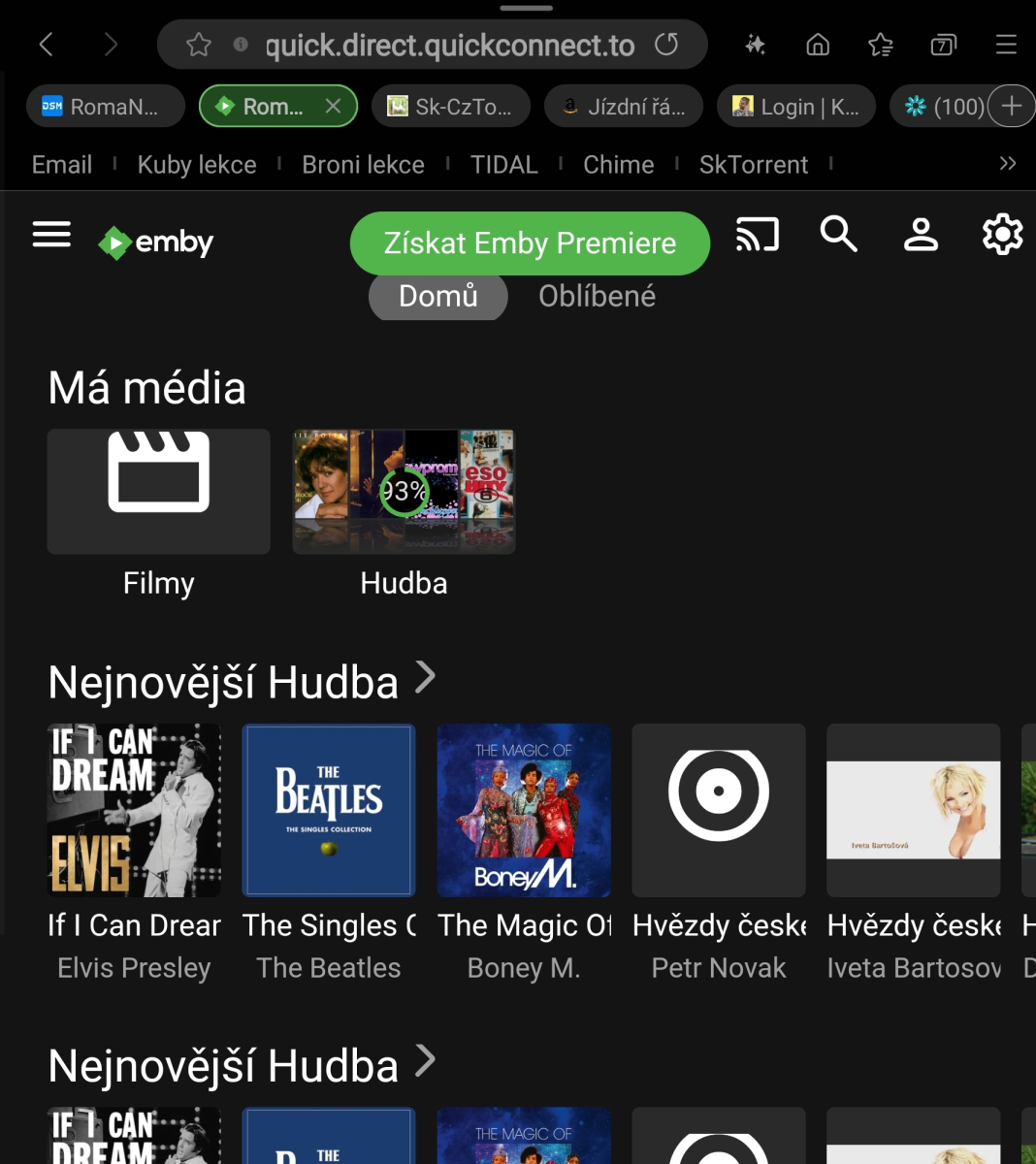
That's it. It's okay now. Thank you very much for your support. Have a nice day.
 1 point
 -
Fantastic thankyou! Wading through that thread was informative - the key bit of info for anyone else that has installed comskip via the Synology community package method was how to break up the commands in the post process. In live TV advanced settings for Emby I how have: Post-processing application /volume1/@appstore/comskip/bin/comskip/comskip Post-processor command line arguments (default) --ini="/volume1/Plex Media/comskip.ini" "{path}" and this works. The .ini file is the same that comes with the comskip installation and I put it in a folder that Emby already had permissions for. I also gave permission to emby to access the @appstore location of comskip1 point
-
Sorry, I go with Carlo's feedback. Recordings would be fine if the other one is called something else. Best to have two different names You could have: Recordings and Recordings Library Recorded Items and Recordings In both cases, the first is the Live TV tab and the second the library1 point
-
WELCOME TO THE HISTORY OF EMBY! A lot of our users are new to Emby and we thought it would be a good idea to share some of the backstory of how Emby came to be, where we started and where we are headed. We have grown significantly since our inception. Once a humble open-source project, Emby has evolved into a sophisticated platform that allows users to organize, stream, and enjoy their media libraries with ease. In this post, we'll take a look back at the history of Emby, explore its development journey, and highlight the key milestones that have made it what it is today. The Early Days: An Open-Source Beginning Emby started its life as Media Browser, an open-source project focused on creating a simple, user-friendly interface for accessing digital media collections. Originally, Media Browser was a plugin for Windows Media Center, and its primary goal was to offer users a better way to manage and play their media files. Back then, it was a community-driven project, with developers and enthusiasts contributing code, features, and plugins to expand its capabilities. Media Browser gained a loyal following among tech-savvy users who appreciated its customizable nature and flexibility. The Shift to Emby and the Rise of the Media Server In 2014, Media Browser underwent a major rebranding and evolved into what we now know as Emby. This change wasn’t just about a new name—it marked a shift in focus from a media center add-on to a full-fledged media server solution. Emby’s developers wanted to create a standalone server capable of managing large media libraries, transcoding content, and streaming to multiple devices. The introduction of the Emby Server brought a range of new features: Library Management: Users could organize and manage their media files with a sleek web interface. Metadata Scraping: Automatic fetching of metadata like cover art, descriptions, and ratings. Transcoding: On-the-fly transcoding for seamless streaming to any device, regardless of format. Multi-Device Support: Streaming became possible on a variety of devices, including smartphones, smart TVs, web browsers, and gaming consoles. This new direction attracted more users who were looking for a flexible media server that could handle diverse formats and provide a unified experience across different platforms. Open Source to Closed Source: In 2018, Emby made a significant decision: it moved from being an open-source project to a proprietary, closed-source model. The change allowed the development team to maintain greater control over the codebase, improve security, and introduce features more rapidly. Key Milestones in Emby’s Development As Emby transitioned to a proprietary model, the development team pushed forward with a series of updates and improvements: Emby Premier: The introduction of a paid subscription model called Emby Premier brought exclusive features like DVR support, cloud sync, offline media, and hardware-accelerated transcoding. Emby Premier gave the development team a sustainable revenue stream to fund further development. Improved Mobile and TV Apps: Over time, Emby released a series of polished apps for mobile platforms (Android, iOS) and TV devices (Roku, Apple TV, Amazon Fire). These apps received regular updates to improve stability, user experience, and customization options. Live TV and DVR Integration: Emby expanded its offerings to include Live TV and DVR functionality, allowing users to integrate live broadcast channels, schedule recordings, and manage live content alongside their media libraries. Enhanced Transcoding and Streaming: Emby has continuously improved its transcoding capabilities to support modern formats like 4K, HDR, and Dolby Atmos. These improvements allow for a high-quality viewing experience regardless of the device being used. Security and User Management: Emby introduced advanced user management features, including user profiles, parental controls, and access restrictions. This makes it easier for families to share media without compromising on privacy or security. Emby Today: A Comprehensive Media Experience Today, Emby is a mature and feature-rich media server solution that caters to a wide range of users—from casual media consumers to serious home theater enthusiasts. It supports a broad spectrum of devices, offers robust customization options, and remains focused on providing a powerful yet easy-to-use interface. Some of Emby’s standout features today include: Unified User Interface: A sleek, modern interface that makes browsing and streaming media a joy. Customizable Libraries: Tailor your media collections with custom artwork, genres, and metadata. Cross-Platform Syncing: Keep your media in sync across multiple devices and platforms. Comprehensive Live TV Support: Access live TV, manage recordings, and watch DVR content effortlessly. Community Engagement: Emby continues to value its user base, with an active community forum, feature requests, and beta testing for new updates. The Impact of the Community and the Road Ahead Despite its shift to a closed-source model, the Emby community remains strong. Many long-time users contribute by creating plugins, themes, and offering technical support. The Emby team regularly interacts with the community, implementing feedback and adjusting features based on user needs. Looking forward, Emby is set to continue expanding its feature set while focusing on performance enhancements and cross-platform support. Emby’s development is driven by innovation and user feedback, ensuring that it remains a competitive choice in the world of media servers. Conclusion Emby’s journey from a simple open-source plugin to a leading media server solution is a testament to its adaptability and the passion of its developers. While the shift from open-source to closed-source was a turning point, Emby has continued to evolve, delivering a reliable and customizable media experience for millions of users worldwide. The history of Emby is one of growth, change, and a dedication to providing users with a comprehensive and enjoyable way to manage their digital media. View the full article1 point
-
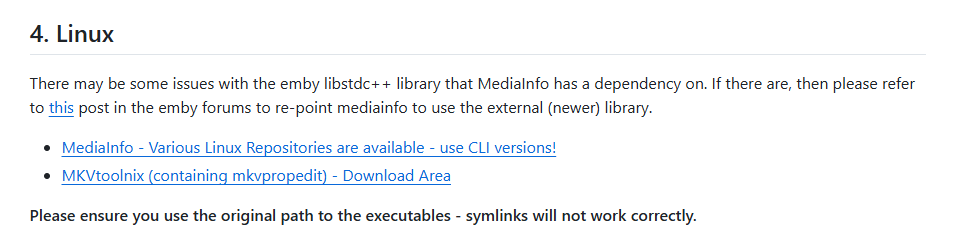
@robsch @supermood thanks for the updates ! I've updated the wiki to include the symlink hint to help others. https://github.com/Cheesegeezer/MediaInfoWiki/wiki/Various-OS-Installation-Help#4-linux
 1 point
 -
Hi, yes stay tuned for the new Windows app that is soon to launch !1 point
-
You could try the nobrl option for your CIFS mounts. It doesn't hurt anything and it might fix your problem.1 point
-
http for local network. no need for ssl. https for external network need ssl. search forums there are diff guides for diff methods. start with getting http working locally first. once thats working then you can try to set up https and ssl Cert.1 point
-
Sorry to butt in, but do the Trailer channel plugin actually ever update trailers? There has been no new trailers for a long time, and almost all the trailers in the channel is for movies now available on bluray/stream.. No trailers at all for 2025 movies..1 point
-
Have you checked the ownership and permissions of directory and file(s) for the specific movie that's failing? Also, LibraryMonitor (RTM) is reporting missing paths at the top of the log (server startup?). Does the storage spin down or sleep?1 point
-
I think this is the bug that was introduced by tvOS 18 and is fixed in the next update.1 point
-
There is 2 things that are frustrating about the blog announcements. 1. They rarely happen. 2. You guys repeatedly reply as if you will get right on it and don't. I've brought it up numerous times over the years and get the exact same response above. The last blog for the app was Feb 2023. I love Emby but the lack of the release notes is annoying. Especially when there is precedent for removing features. I'm at the point now where I have to keep ignoring the spam to update the app on the TV because I don't know what it's going to do. I usually wait a week to make sure no obvious issues are brought up on the forums. The worst part is I come across as the prick complaining about it when it's something that should just happen by default. I know I'm wasting my time but I felt like a rant. And I understand the admin replying on here may have no control over it and are just placating the masses but if there is some higher up cracking the whip so hard you don't have time to post an update blog, let them know I hope they step on some lego.1 point
-
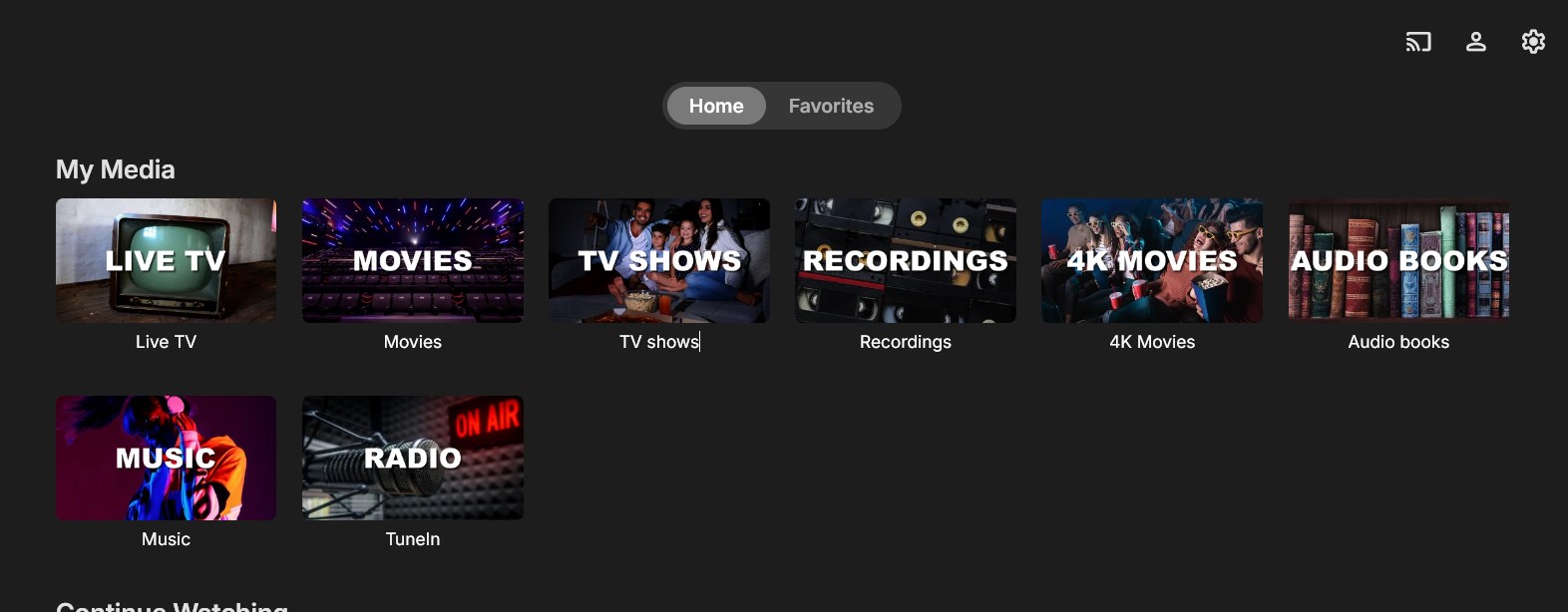
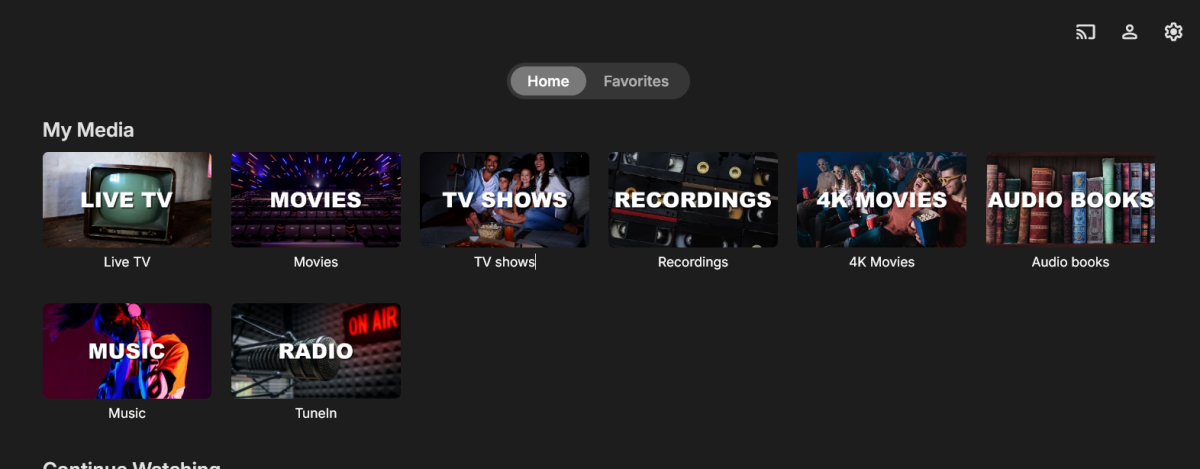
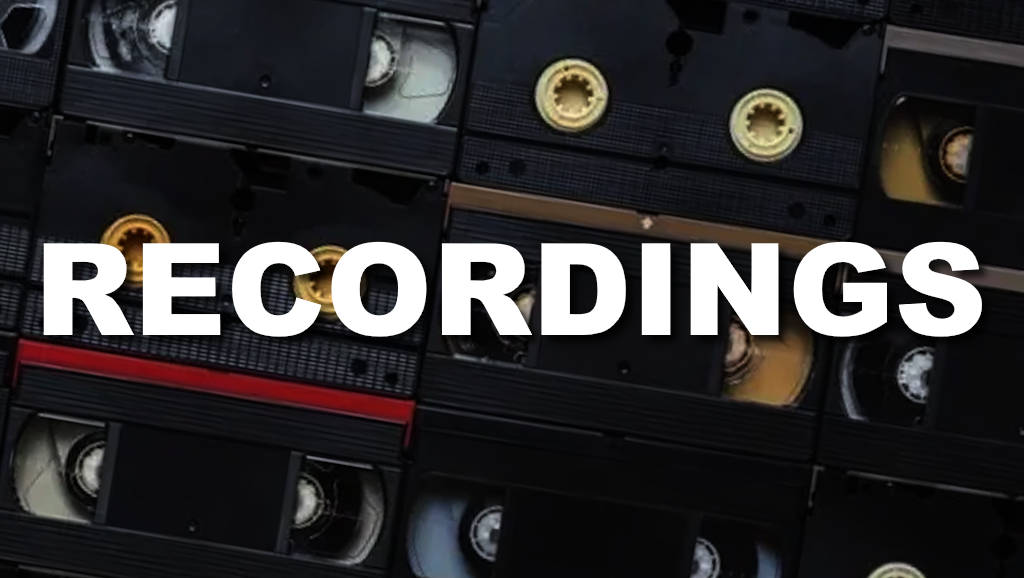
Decided to make my own library images so figured I should share in case anyone else has a similar set up to mine. Here is How it looks:







 1 point
 -
With some further testing: apparently renaming the video file, scanning the library, renaming it back to the original filename, and scanning again, will regenerate thumbnails. (I sometimes deleted the .nfo and .bif files which maybe is important and maybe not...?) Reattaching some artwork images may also be required. Not an ideal solution -- a "regenerate thumbnails" button somewhere in the Edit Images dialog, maybe, would be appreciated -- but at least it works.1 point
-
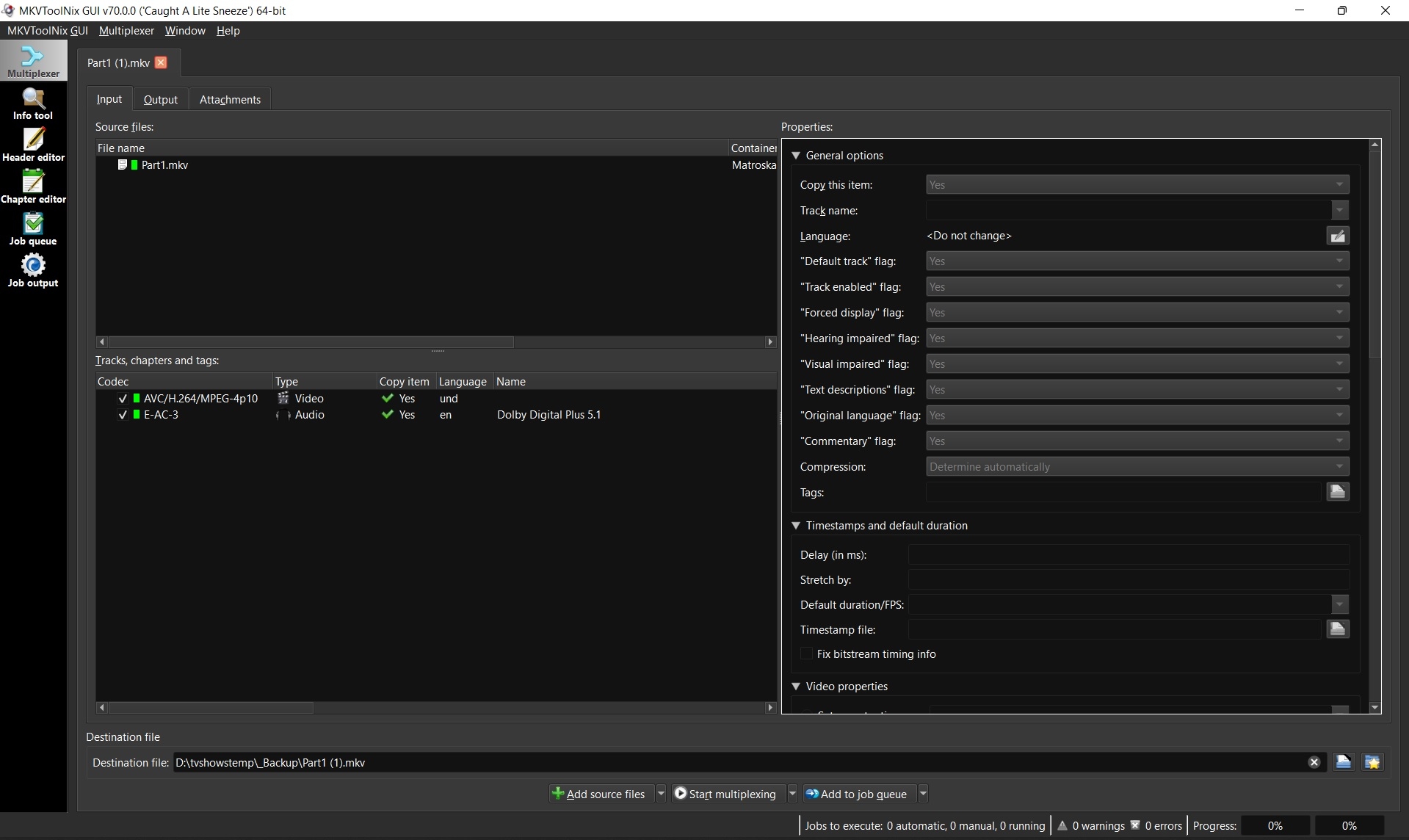
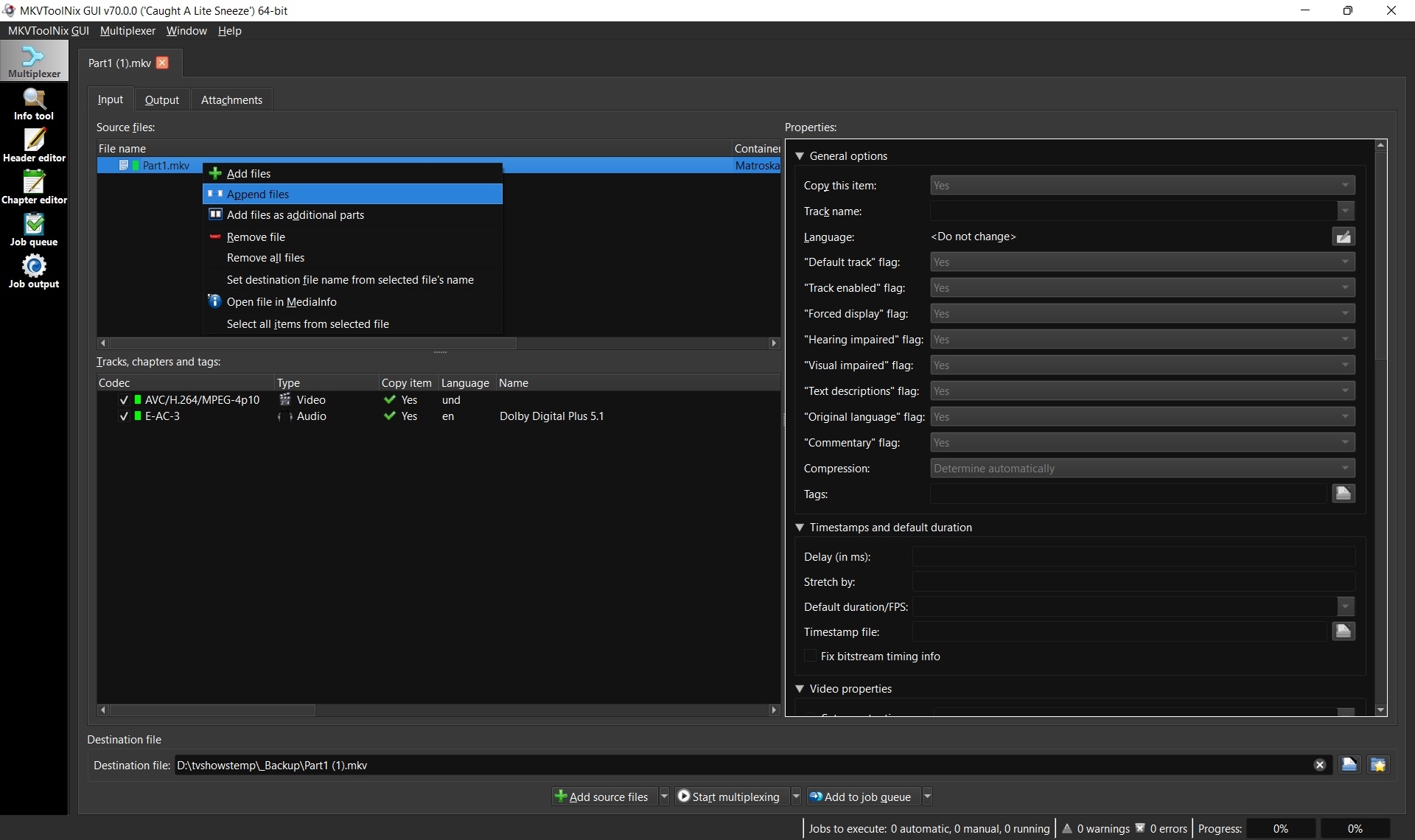
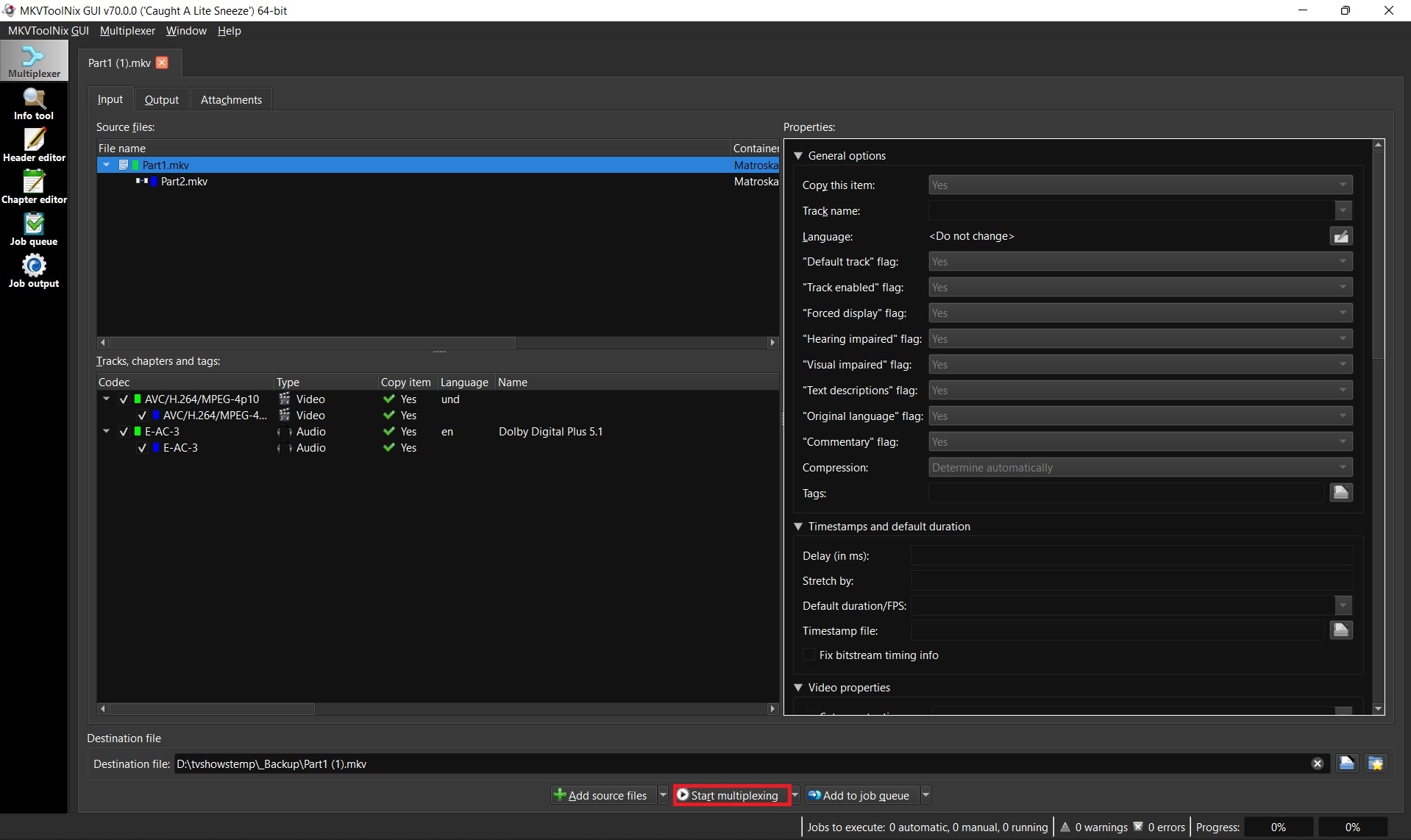
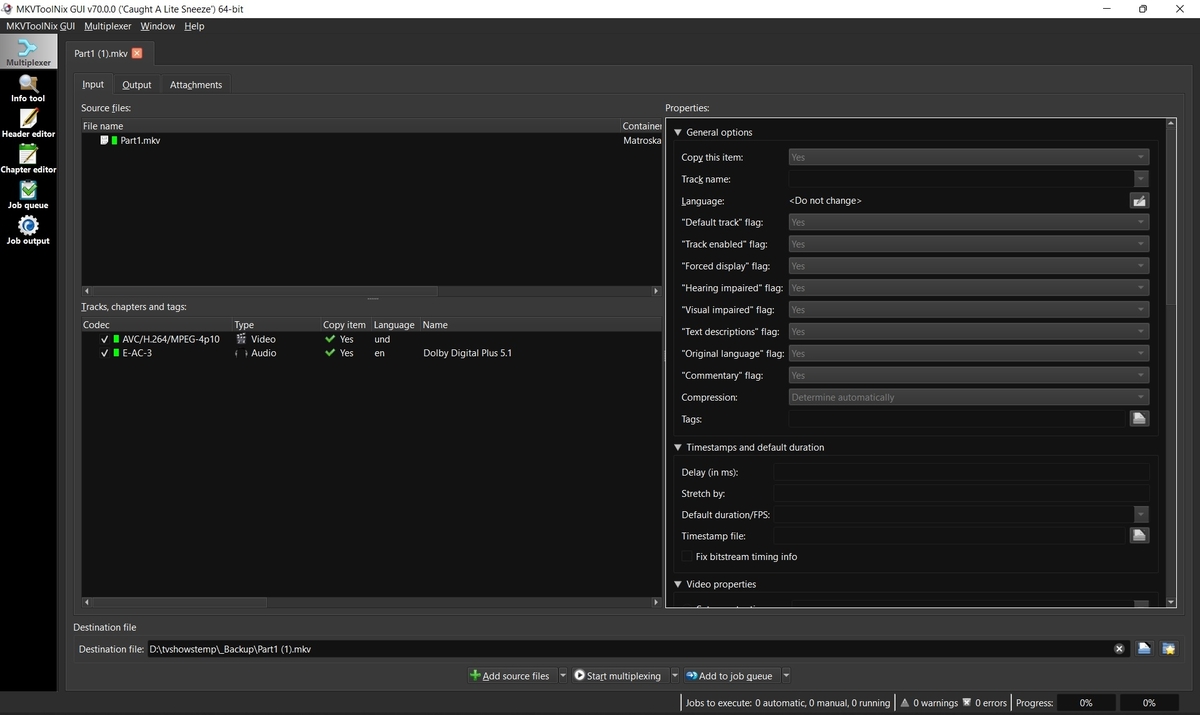
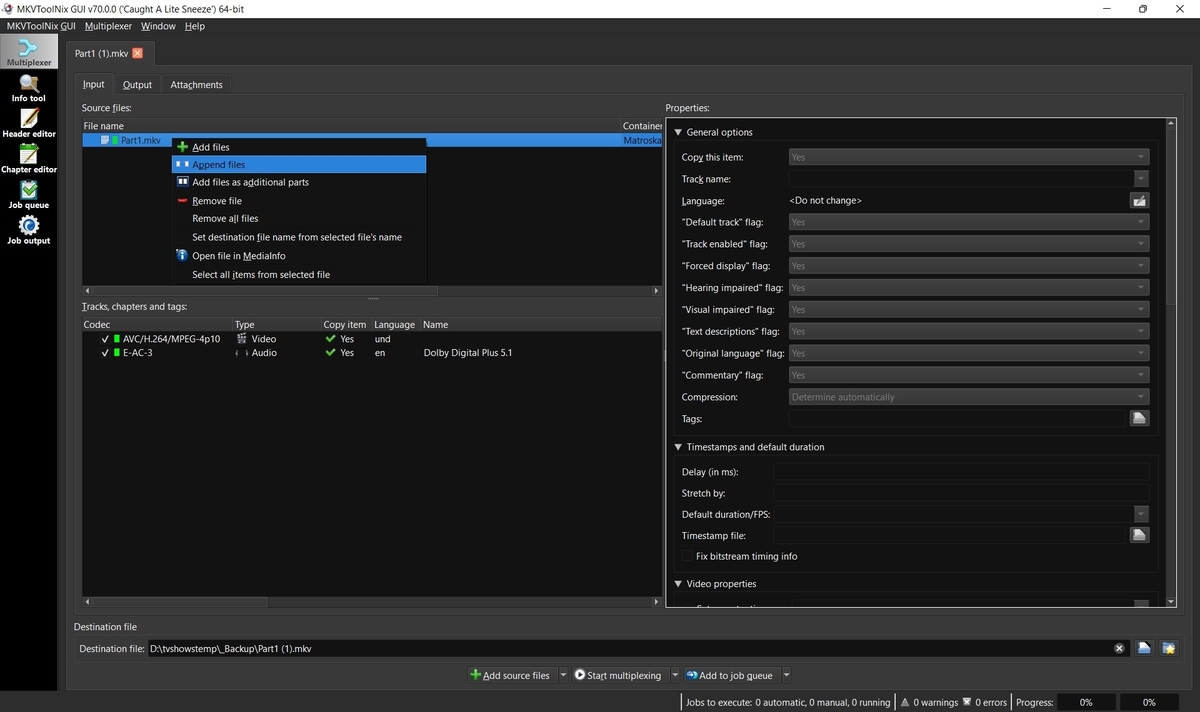
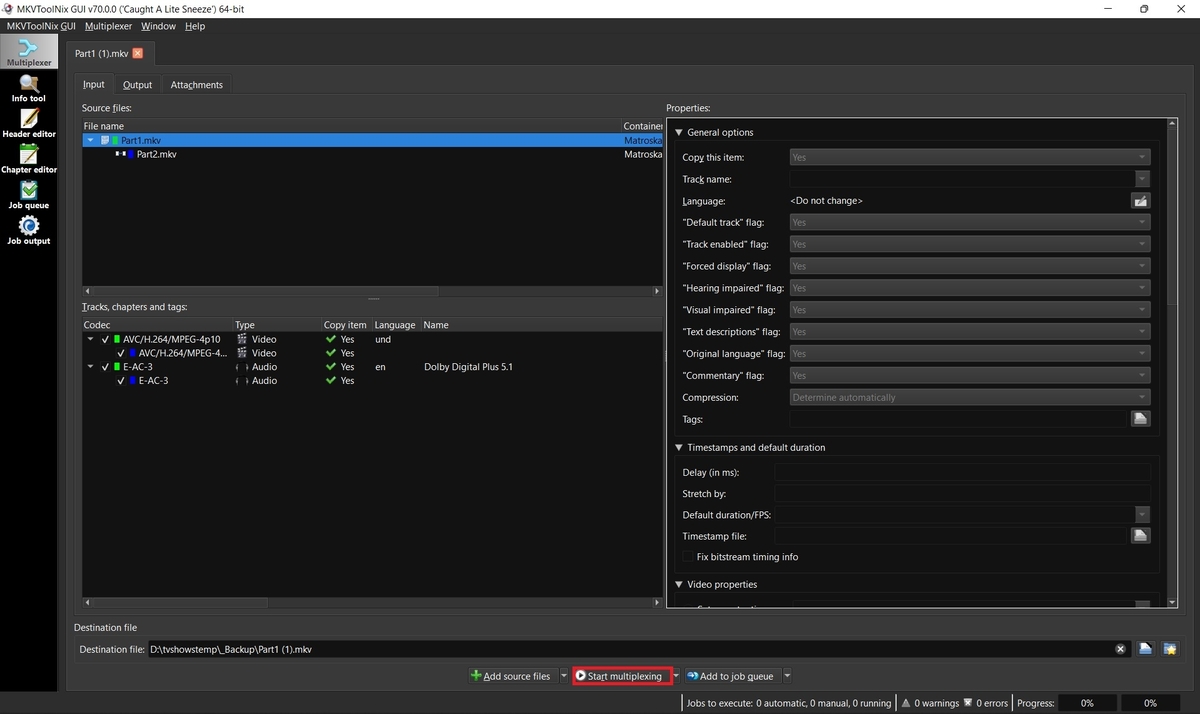
Some movies such as Lawrence of Arabia 4K are too big to fit on one disc and thus when ripped create two separate MKV files. Emby supports these multiple part movies, but merging them into one larger file is always recommended for better playback, resuming, etc. 1. Download and install MKVToolnix Click the link below if you don't already have MKVToolNix MKVToolNix Downloads – Matroska tools for Linux/Unix and Windows 2. Open the first part of your movie Start MKVToolnix Drag-n-drop part 1 of your movie to the "File name" box 3. Append part 2 Select and right-click on part 1 in the file name box Select "Append files" and open part 2 3. Start merging files together Click the "Start multiplexing" button
 1 point