Leaderboard




Popular Content
Showing content with the highest reputation on 11/09/24 in Posts
-
Exactly that, yes - the Shield plays DV 7(+5 +8 ) just fine and because it's TV output is HDMI, the TV doesn't care and as long as the TV supports DV, it will play as DV. ie no different to a 4K Blu-ray player. However 'internal' versions (apps) 'may' play DV 7 - but is is much less likely because DV7 is a 'blu-ray' profile - ie physical disk and thus it must have been 'ripped' and TV manufacturers steer away from supporting this. Thus DV 5 and DV8 only are supported - because that's what the streamers use (Netflix/Prime etc). Some TV's do support DV7 internally - LG do for example, but then they go and spoil it by only supporting it on MP4 ... In short - just get a Shield Pro and it will all work on any TV (any flavour of DV + HDR10 - but no HDR10+) ...2 points
-
Not to continue harping on this issue, but devs ( @Luke)please consider the emby Music user experience in total when looking at issues like the one in this this topic. Putting my product management cap on, let's look at this common workflow expected by the user: 1. User wants to listen to music every weekday on his way to work/school 2. User makes a playlist for this purpose 3. User is on his way to work and before leaving the garage, goes to start the playlist on his iPhone/Android emby App. User must remember to disable wifi at this point as a workaround to avoid the issue on this thread. If he forgets, he has a bad experience in step 5. 4. User must navigate to the playlist to start the music: 4a. User has enabled a playlists row on the home screen, so he must scroll to find the one he wants by title (row is sorted by title and no options to change sort). There may be dozens or hundreds of playlists to scroll through. There is also no way to pin/save a specific playlist to the home screen (future smart view?) Multpile FRs 4b. User opens the music section - playlist does not appear in Recently Played (even though he played it yesterday) because playlists are not consider a "played" item. FR below. There is also no recently played row available on the home screen. 4c. User opens playlists from music section for directly from home screen. Needs to sort or filter then scroll to find the one he wants (an there may be dozens or hundreds). Multiple clicks plus scrolling. 4d. User clicks search directly from the home screen, types a query, navigates to "playlist" tab and selects (multiple clicks plus text entry) 4e. User clicks "favorites" from the front page and then scrolls down to favorite playlists (why can't favorite playlists be more prominent or an option for the home screen? Why do favorite rows go in order of shows, episodes, movies, collections, playlists artists, albums, songs, people? Is this the most desired order for a mobile user?) 5. User starts playback, and drives out of his garage... by the time the first song ends he is out of wifi range and needs to restart the playlist if he did not switch networks as a workaround - per this thread This is to illustrate there are multiple points of friction that degrade the experience even if you are an seasoned emby user. There are multiple points of friction through the most common music workflows in emby (not to mention audio books), which is why users often accuse the devs of not using/dogfooding these features. Furthermore, I believe this is why you see regular FR activity related to a stand-alone music app. In my opinion, most users "feel" that Plex solved these problems by creating PlexAmp, though what they really did (stand-alone app or not) is identify the most common customer workflows for mobile/auto (music) and reduce friction as much as possible. The 10' TV experience is going to be Movies and TV with some Music, and the mobile experience is going to be mostly Music with some Movies and TV.2 points
-
Public Beta is Open: Original message: Hello, as recently mentioned, there's a successor in the works to Emby Theater for Linux. The new video integration is quite challenging on Linux, because - opposed to Windows and Mac - there's a multitude of implementations for desktop UI, specifically window managers, compositors and configurations.across distros and individual user choices. That's why we are conducting a small prototype test for which we are looking for a few testers. It's not about something like an unfinished version with lots of bugs - it's a quite simplistic test application and once installed it takes just a few minutes to test - if at all. Requirements You must have an overlapping window manager, i.e. where one window can be on top of another window You must have a compositor running A GitHub account The goal is to cover a broad range of different setups, but no more than two testers for each kind of case. Same setup but with different rendering (software vs. hw) counts as a separate case. If you are wiling to help, please just respond to the post below and fill in your information. If you have multiple setups - even better! Just quote multiople times and fill in your specs. It's not yet decided whether the beta later will be public or not, but all those who are joining now will get access for sure. Thank you!1 point
-
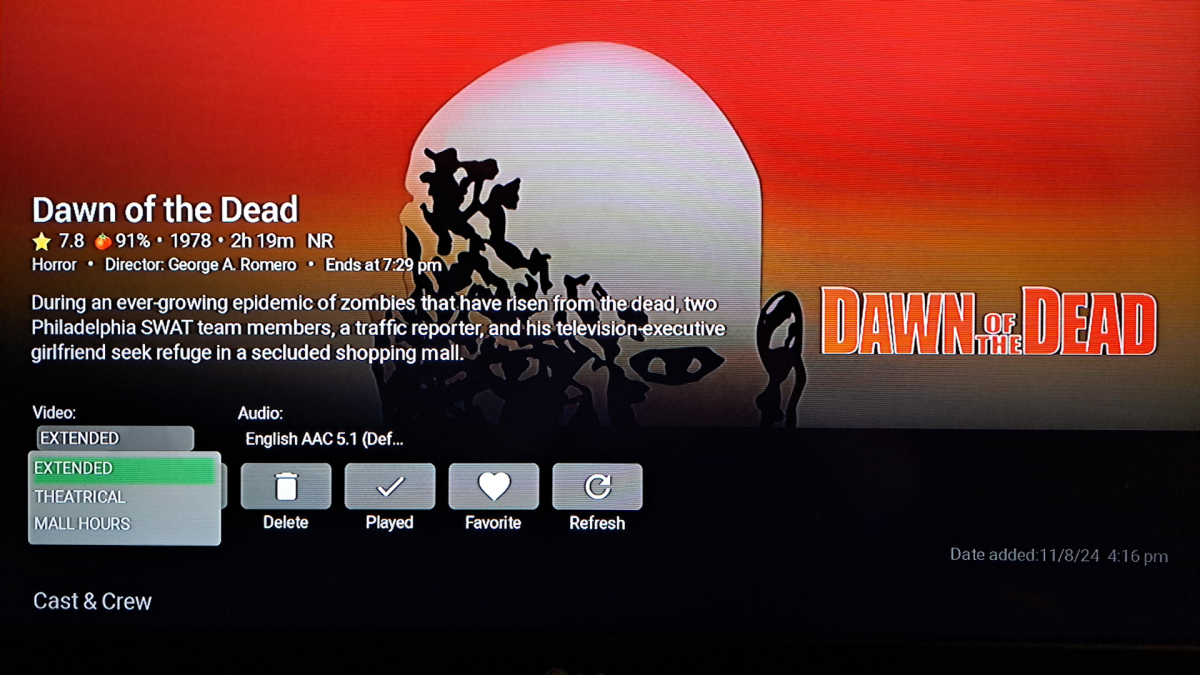
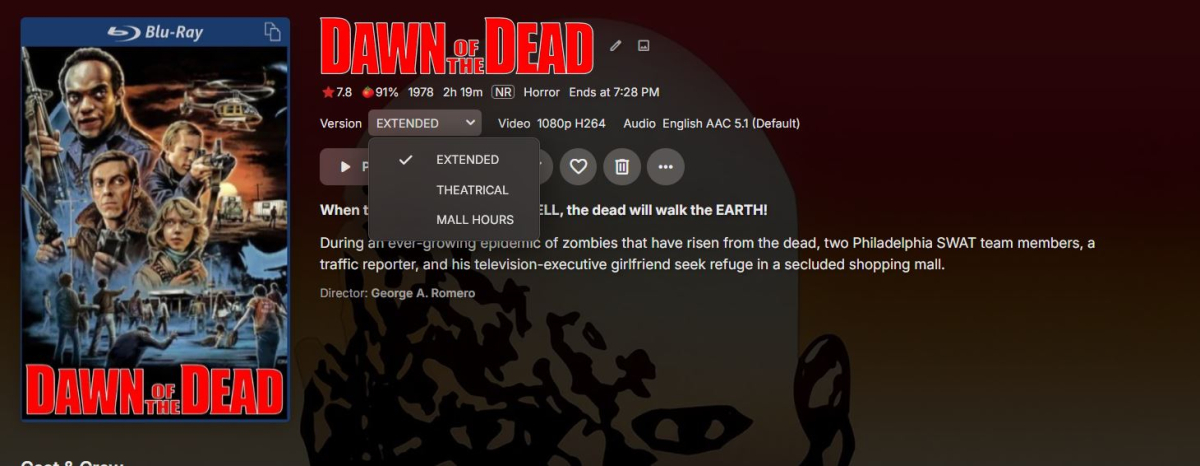
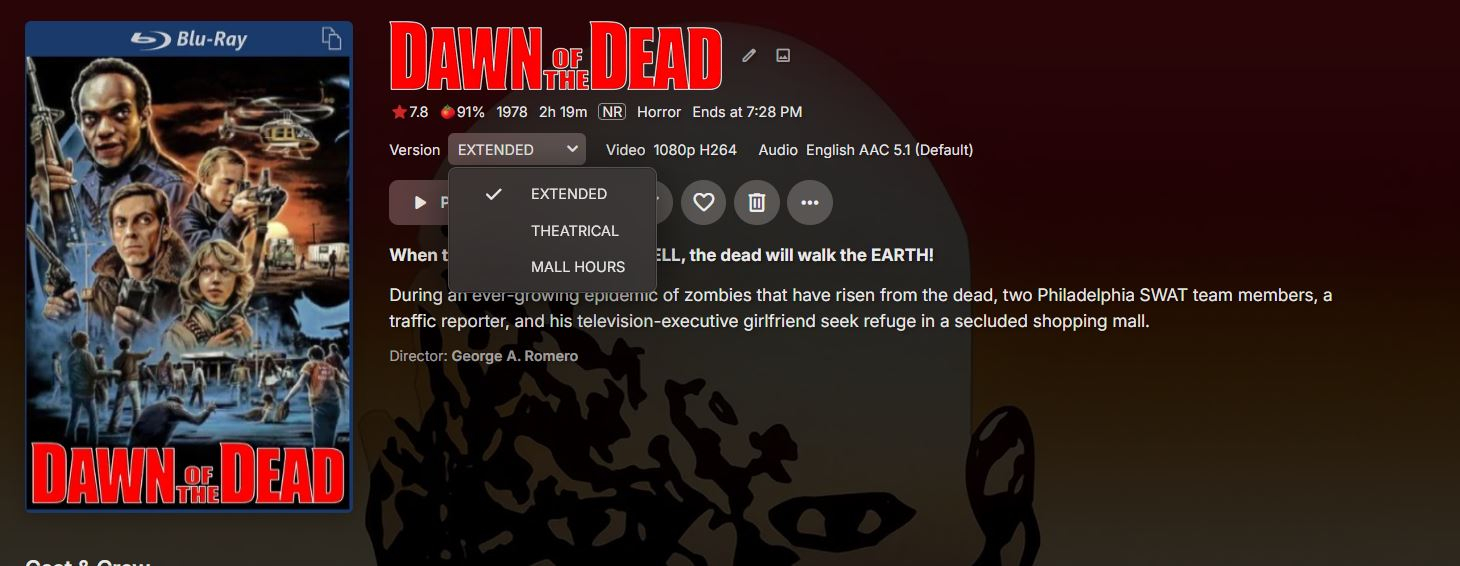
Time for more EMBY praise.. Multiple Versions of the same movie..Emby handles like a champ.. ROKU: BROWSER: I mean look how neat and tidy that is !!!!! I do wish that ROKU would have the same format as the browser with VERSION, then next to it the VIDEO resolution, but hey its all good..
 1 point
 -
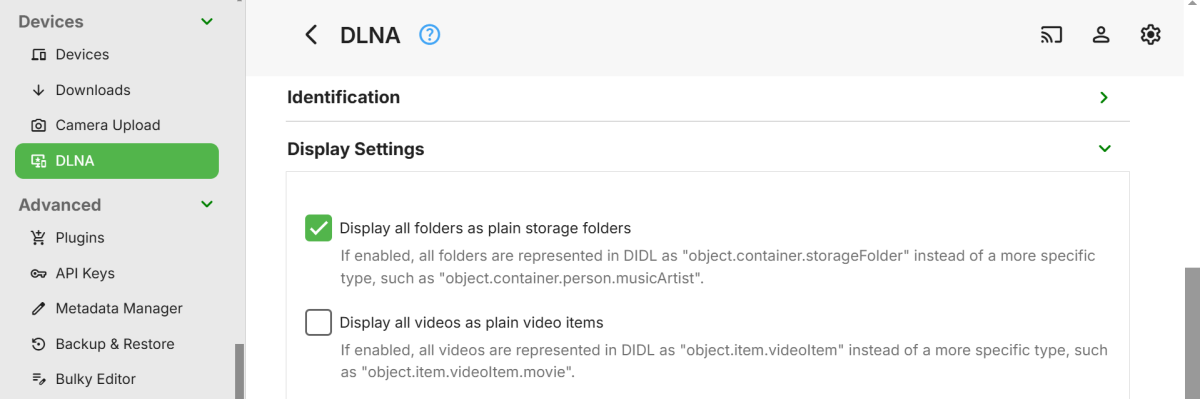
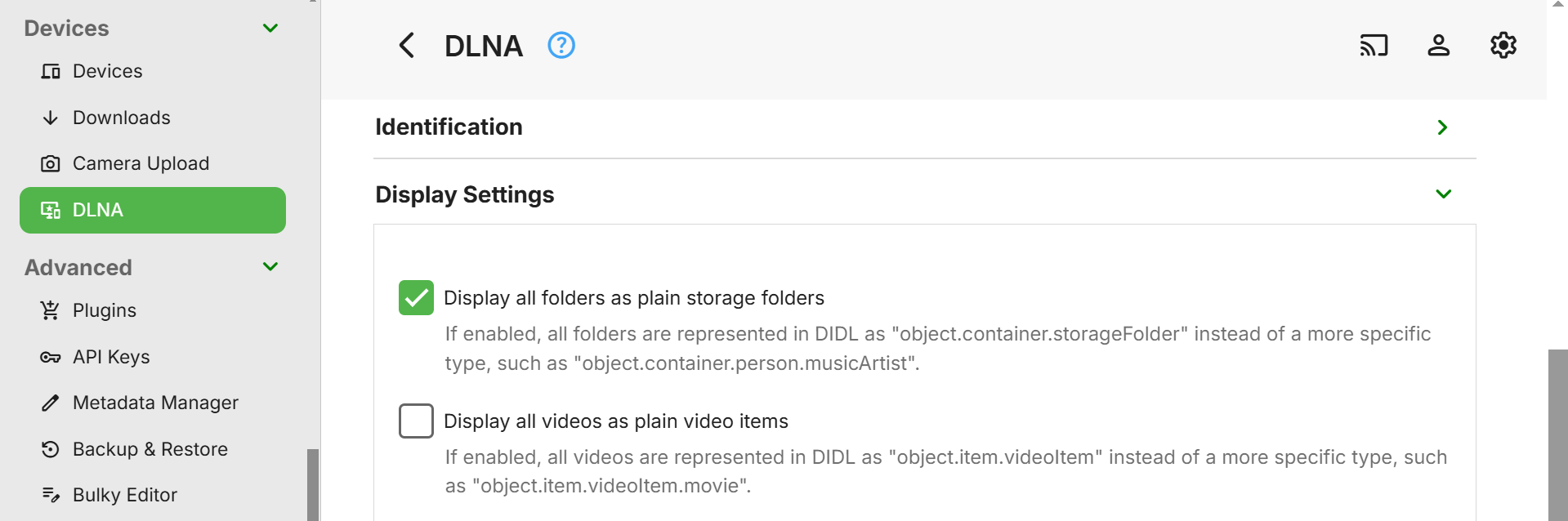
Hi, Have you tried looking at DLNA Custom Profiles and the Plain Storage Folders option? I don't know anything about setting it up myself, so not sure if it will help? Others may know more. However, if this is feasible, you could end up with the Emby view being the exact same info as your current Synology view???
 1 point
 -
In all honesty, probably the best approach. dovi_scripts is free and it is menu driven (windows based batch script) - you literally drag and drop the file onto it and it converts it. I use my own custom scripts to convert, strip HDR10+ and all sorts - but if you avoid these file types in the first place, then no need to post process them1 point
-
My bad - I'm getting confused with the system API. Your referring to the client request API right (ie unique to that client) ?1 point
-
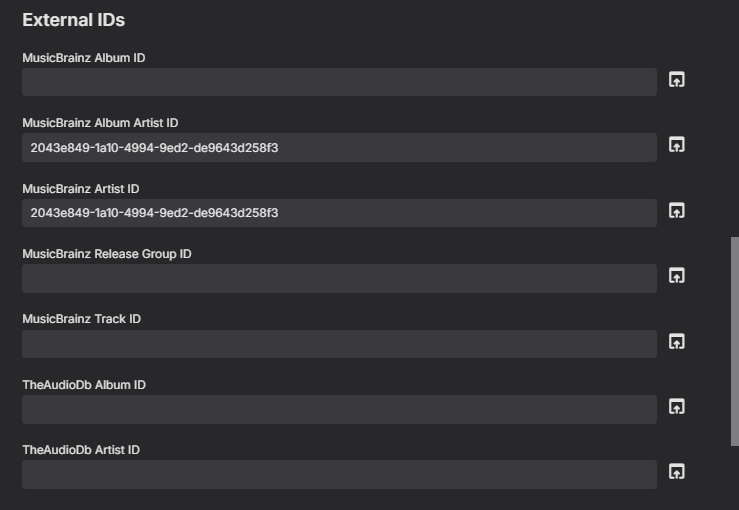
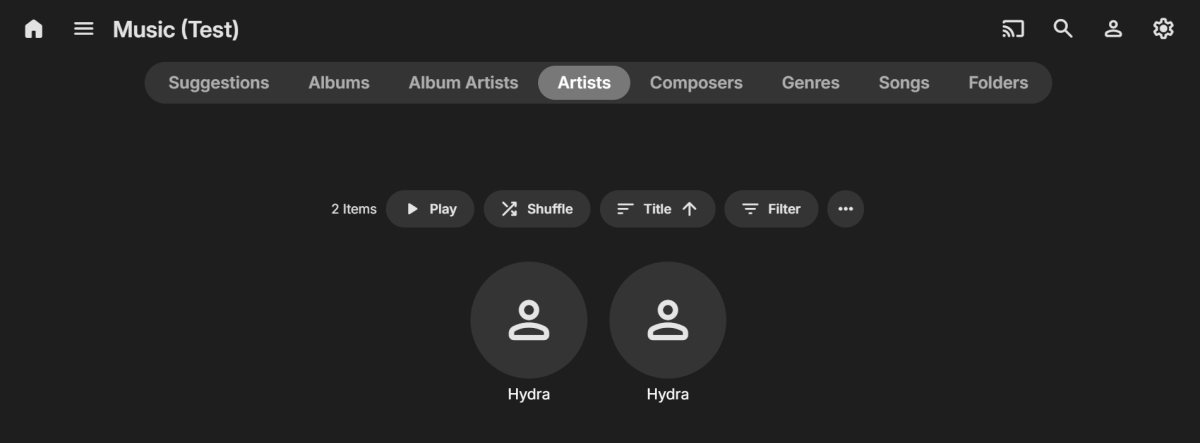
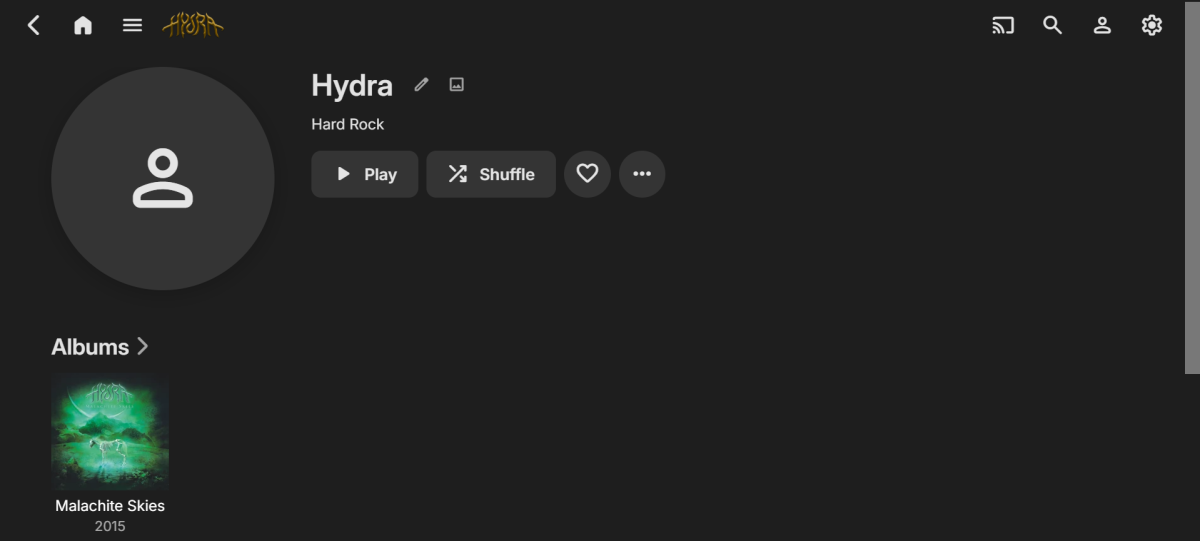
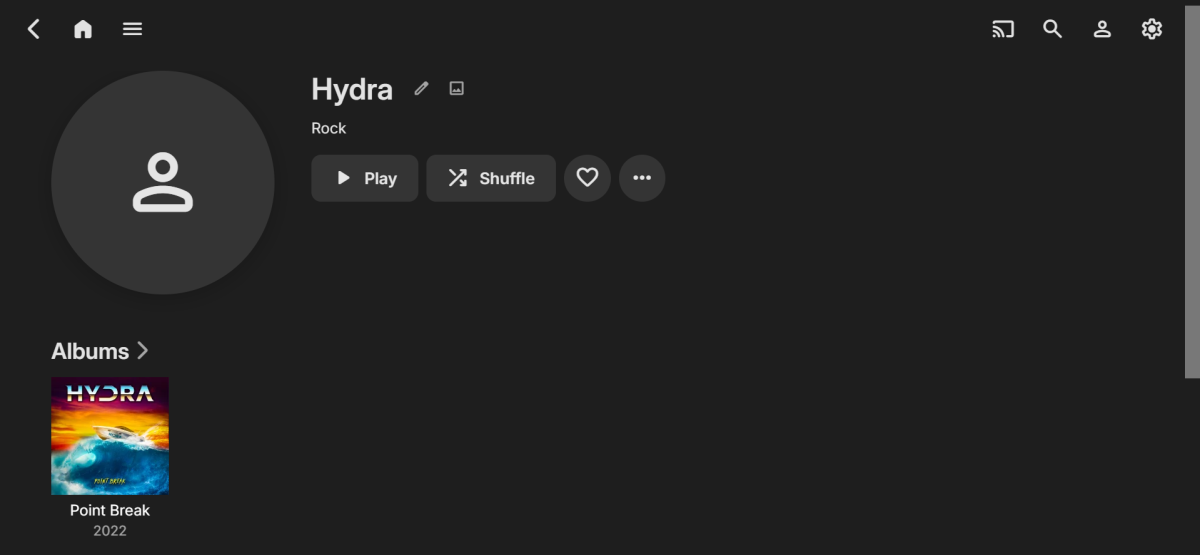
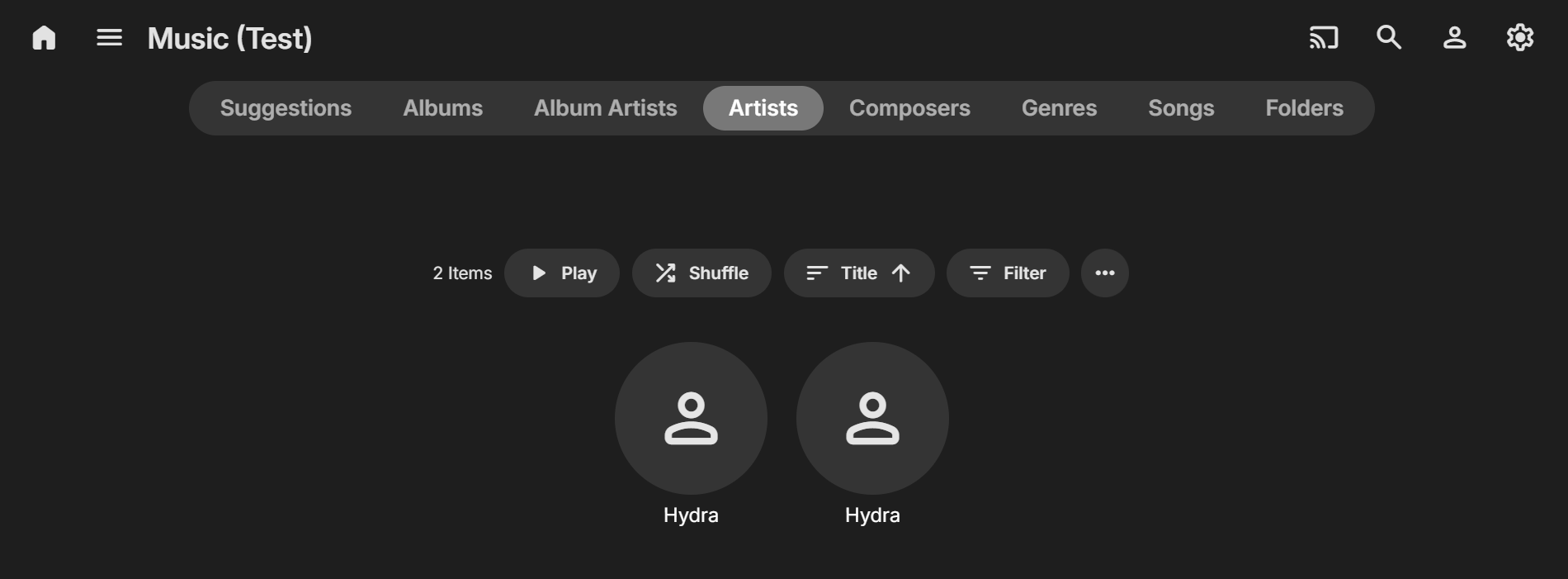
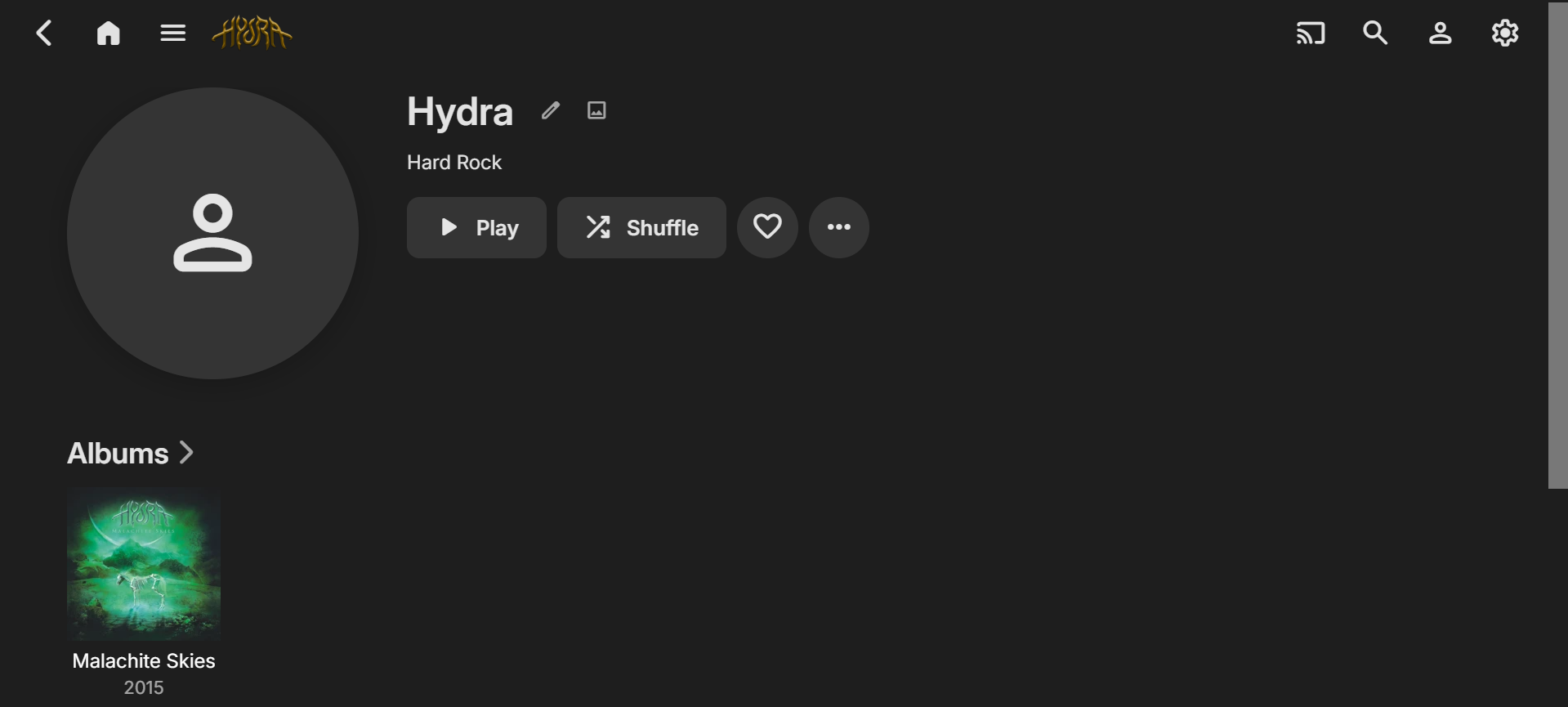
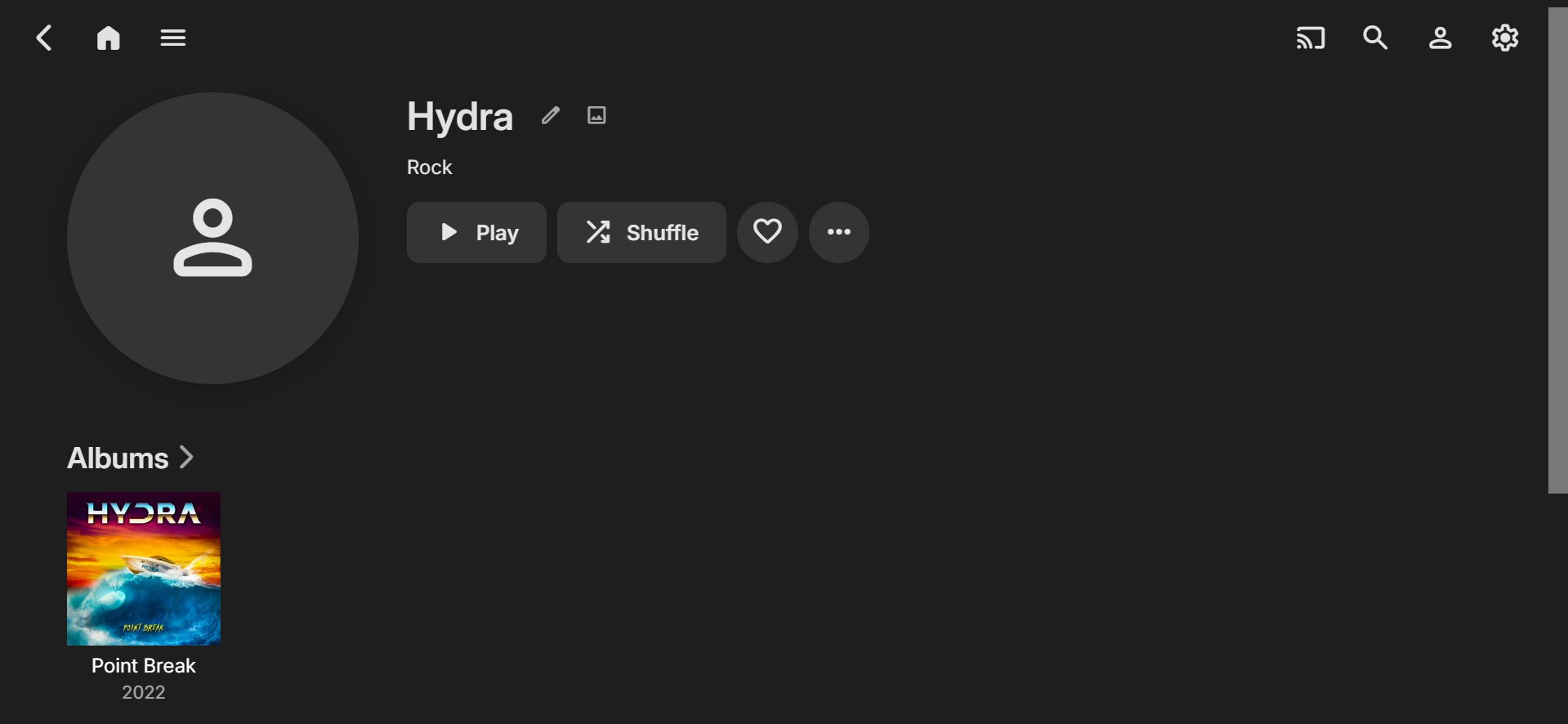
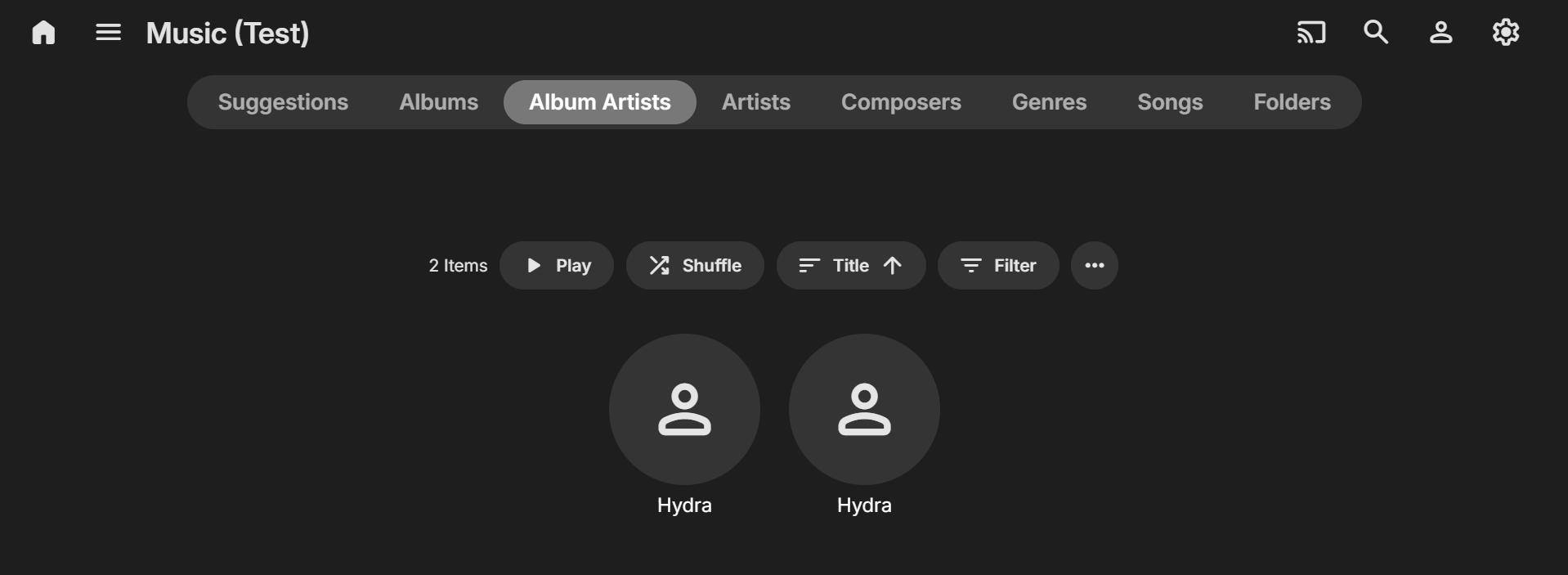
Hi, I think you could be nearly there with setting up the MusicBrainz info to get the result you need... As well as setting the MusicBrainz ID for both the Artists and the Album, you might also need to check/set it for the individual Songs? I did a very quick test by downloading 1 track of 1 Album for each of your Artists and used your MusicBrainz IDs (I added the IDs in Mp3tag) and imported into Emby). In my library directory I also had separate folders for the two Hydra Artists. The initial result was the correct two separate Hydra Album Artists with 1 Album each BUT I ended up with 3 Hydra Artists! With further investigating I found that there were TWO MusicBrainz Artist IDs within Emby at the song level (The Artist one was blank causing the error I was seeing). Also, if BOTH are BLANK at a SONG level you will only get one Artist and one Album Artist, even if you have the correct info in the Emby Artist metadata. While I didn't fully configure all of the images and other info, I was then able to get the proper Album Artist and Artist separation with my test. So, perhaps check the MusicBrainz IDs on the individual tracks (if you haven't already). If you have nothing in these fields, or only one is used, then Emby may still be combining the Artists??? If you then are still having problems, please post some more details with screenshots of your metadata within Emby that might give some more clues to figuring out the issue. Cheers!
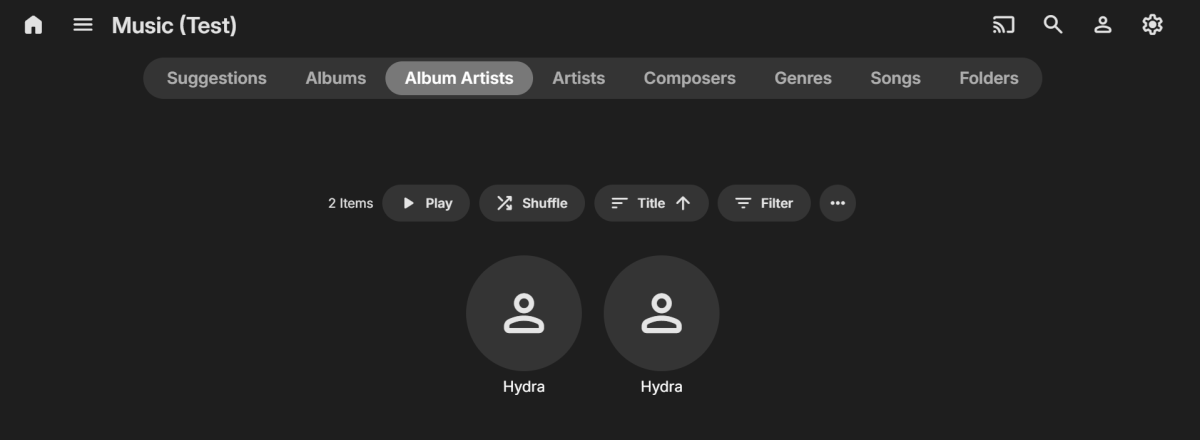 1 point
 -
Update mac18 had the answer, plus your suggestion. i had a typo from his suggestion plus clearing cache seem to have fixed the issue1 point
-
Please explain a bit more. Are you saying it might not play if the Emby app is on the TV's OS, but it might if coming from an Emby app on an external player, e.g., Shield?1 point
-
while I agree that Emby is, currently, the best media manager and player I have reservations about telling them. I fear that they might get a "swelled head" or become so self centered that they stop listening to their users. One of the attractions of Emby is that their help forums are very responsive even with questions or problems that are not directly related to Emby and if they become convinced that they are perfect they might not try as hard to keep their users happy. So be sure to mitigate your praise to help keep Emby as good as they are.1 point
-
That is normal and fine. Your getting closer, now you need to make sure the permissions are correct. Try using the following command ‘namei -mo /full/path/to/movie/movie.ext' And post the results here (for example this is working fine on my system): tmc@50:/mnt namei -mo /mnt/m/emby/OTA_movies/Armageddon\ \(1998\)/Armageddon\ \(1998\).mkv f: /mnt/m/emby/OTA_movies/Armageddon (1998)/Armageddon (1998).mkv drwxr-xr-x root root / drwxr-xr-x root root mnt drwxrwxr-x emby emby m drwxrwxr-x emby emby emby drwxrwxr-x emby emby OTA_movies drwxrwxr-x emby emby Armageddon (1998) -rw-rw-r-- emby emby Armageddon (1998).mkv Note that emby needs permissions thought the chain of directories (minimum rx for emby/others) and r for the actual file.1 point
-
Is this the process I should go through if there are channels without mappable guide data, making a post in the community with channel numbers, etc.? I'm located in 14612 and there are a few OTA channels that don't show up in the Emby Guide Data. Some of the channels are available on TitanTV, like the original poster, but some channels are not available there either. For example, 6.6, 6.7, and 6.8, shown to be missing in the emby image below, while Titan does have 6.8, but not 6.6 and 6.7, as in the next image from titantv.com.
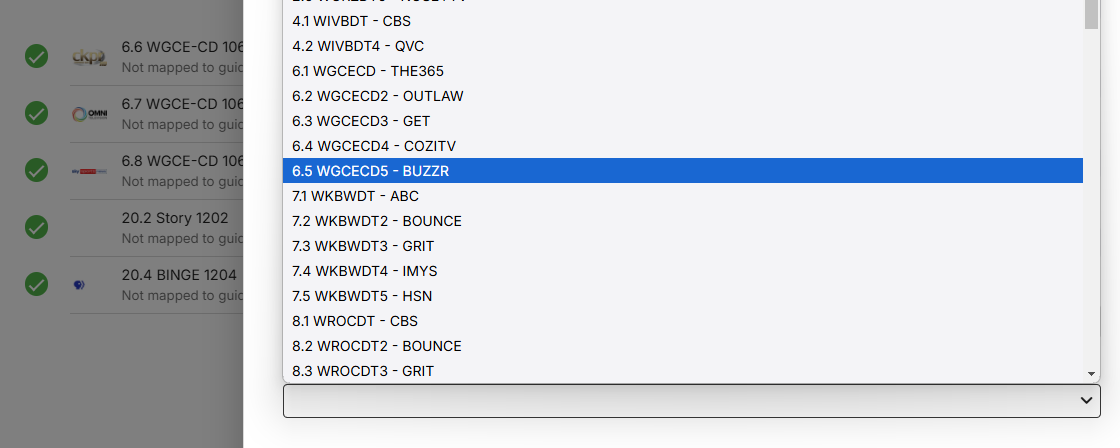
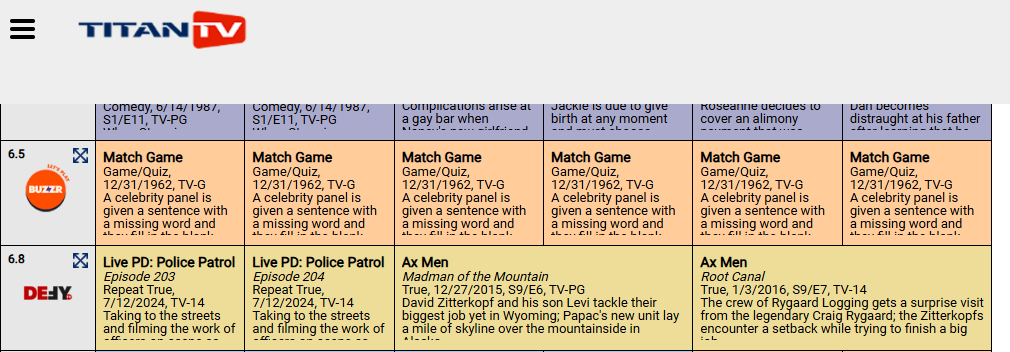 1 point
 -
did an update to the EMBY BETA and the time difference for the videos has been fixed on ROKU.....nice!!!!!1 point
-
confirmed, looks good on my test instance. Thanks!1 point
-
@ZLuckyTraveler@neoKushan (on Github) added Docker image to the repository. More info in the Readme https://github.com/jonjonsson/Emby-MDBList-Collection-Creator/blob/main/README.md Commit info https://github.com/jonjonsson/Emby-MDBList-Collection-Creator/pull/6#issuecomment-2464859572 @rbjtechKinda agree with you that it's complicating things But there is clearly some demand for it and easy enough to ignore if you don't want to use it.1 point
-
Are there news on this topic? Has this been implemented? That would be sick because most new GPUs support transcoding to H265 without any issues and it could save a lot of bandwidth.1 point
-
所以,亲爱的emby什么时候开发独立音乐app So, dear emby, when will you develop an independent music app?(ios)1 point
-
When it comes to media server solutions, we believe that Emby is the number one product for users who value privacy, customization, and reliability. Today, we're going to take a closer look at some of Emby’s key strengths that make it an ideal choice over other media server solutions. 1. Prioritizing Privacy and Security Security is a central part of Emby’s design. Unlike some media server alternatives that have limited security options, Emby gives users control over who can access their media and how they access it. With Emby, you can setup secure HTTPS connections, ensuring data is encrypted as it’s transmitted or easily set up access via a reverse proxy amongst other options. User permissions are also straightforward to manage, giving you full authority to create individual access levels for each user in your household or server network. Your media is yours, and Emby ensures it stays that way by giving you the ability to implement strong encryption options that protect against unauthorized access. 2. Simplified, Intuitive Setup From the moment you install Emby, you’ll notice a streamlined, easy to navigate interface. Whether you’re setting up for the first time or managing your media library, our layout is intuitive and user-friendly. Emby is accessible to both beginners and advanced users, with step-by-step guidance to get you started and powerful customization options available for those who want to tailor their media experience further. Want to hide your remote users from a login screen? You can do that! Want to set up those same users with an easy way to access your server? Emby Connect allows you to do that! There are so many ways in which Emby simplifies user management and access to make it easier and more secure for your users! Other media servers can be clunky and involve multiple steps to perform basic tasks, but Emby simplifies this with a unified interface that makes media organization and management easy. 3. Seamless and Efficient Transcoding As mentioned in our previous blog, transcoding is a key feature for media server users, and Emby’s transcoding engine is optimized to handle media formats and devices with impressive efficiency. Whether you're streaming a 4K movie, using HDR tone mapping, or watching a video on a low-bandwidth connection, Emby has the ability to dynamically adapt to your network and hardware capabilities, delivering smooth playback across devices without unnecessary buffering or interruptions. Emby can also utilize hardware acceleration (Emby Premiere only), ensuring that high-resolution content plays seamlessly without consuming excessive CPU resources. This is particularly helpful if you have multiple users streaming from the server simultaneously, as Emby ensures each session gets the best possible quality. 4. Comprehensive Library Management Emby’s library management capabilities are designed to provide the best possible organization and personalization options. With Emby, you can create custom collections, tag media, and even use rich metadata that automatically pulls in posters, descriptions, and trailers to enhance your experience. The smart playlists and customizable views allow users to organize their media in a way that feels personal and unique. For those who have extensive media libraries, Emby also makes finding and managing content effortless. Search filters and sorting options let you locate titles instantly, and Emby’s advanced metadata scraping ensures your library looks how you want it to. 5. Cross-Platform Compatibility In an age where we use a variety of devices daily, Emby is engineered to be versatile. Emby offers applications for nearly every platform, including Windows, macOS, Linux, Android, iOS, Roku, smart TVs, Android TV, tvOS, web browsers and more, giving users the flexibility to stream and manage their media library from practically any device. The versatility that our server provides doesn’t stop there – it also supports a wide range of formats, ensuring that no matter what file type you prefer or where you choose to watch, Emby is ready to deliver the best experience. 6. Constantly Evolving Features with a Supportive Community Emby is continually updated with new features based on user feedback and technological advancements. Our development team and community via these forums, work hand-in-hand to enhance Emby’s performance, refine its interface, and introduce new options that make media management a more rewarding experience. As an Emby user, you’re part of a passionate community that we believe values innovation, feedback, and the enjoyment of seamless media streaming. View the full article1 point
-
Exactly. Personally, I would pay in a heartbeat for a music "module" (lifetime payment) that includes a native app on devices (smarthphone / TV). Even Plex realized that "decoupling" major media types into their own dedicated apps it's way better and provides a future for such cool stuff down the road. They did a cool job with Plexamp, now they are decoupling Photos and provide the Plex Photos app as standalone, while keeping the main Plex app video-centric. They get it ! It's simple: You can't really throw everything and the kitchen sink into an app and provide the same level of focus, cool media-type specific features compared to a dedicated focused experience. The problem is Emby doesn't have the courage (my 2 cents, no offense intended) to just be lean and just throw away excess "baggage" that are done poorly. I get, you try to compete with Plex / Jellyfin but you can be better than both of them, by focusing on just 2 things and doing them AMAZING well. For the things I mention below, yes, some people will throw a tantrum and scream .... until they realize there are better "self-hosted" solutions out there : 1. Throw away Audiobooks - Emby it's light years behind Audiobookshelf and audiobooks needs also a special treatment similar to Music. No, you can't put them in the same bowl again. 2. Throw away Books - Any hardcore books fan out there who needs a server, needs also a book management platform with E-Reader integration / sync supporting all the major e-reader brands out there (Kindle, Kobo etc.). If Emby can't provide a proper book management platform with E-Readers integration ... why support books at all ? 3. Throw away Photos / Home Videos - There is Immich, look at what these guys are doing. Everything from the object / faces recognition with AI to the huge effort invested in the server, dedicated app etc. Emby will be playing catch-up forever and simply can't match their level of features and user experience. What Emby can be the best at ? A. Movies / TV Shows / Live TV - It's your golden expertise that you are doing exceptionally well. Not much to say. B. Music - Server side the potential is there. UI/UX is cool, multi-artists are cool etc. - Music is the next best thing, implemented pretty well server-side I would love to have a "lean" media server with just these 2 areas of expertise done exceptionally well. Let others do the "bloating" poorly. There is so much that can be done with music: - music dedicated Home Screen with music-centric suggestions and immersion pulling you further into personal library: artists, albums, songs, moods ... music played today last year, recommendations ... so much can be done - multi-room: use the dedicated smartphone app to control and play music on various endpoints thru the house. - proper offline sync / download ...... I could continue a lot. Anyway. I hope Emby will become more aware, lean and courageous. Cheers !1 point
-
OK we'll take a look at this. we have a new Xbox app coming very soon so stay tuned !1 point
-
If you're running Emby Media Server to manage and stream your personal media collection, you probably have heard about hardware transcoding. But what exactly is hardware transcoding and why should you enable it on your Emby setup? In this blog post, we'll break down the benefits of hardware transcoding and explain why it’s a game changer for your media streaming experience. Please keep in mind that hardware transcoding is an Emby Premiere feature and can be purchased HERE. What is Transcoding? Transcoding is the process of converting media files from one format to another, optimizing the content to suit the device you're watching on. For example, if you have a high-bitrate 4K movie on your server, but you’re streaming it on a phone or a non 4k TV over a slow internet connection, Emby will transcode the file to a lower resolution or bitrate to ensure smooth playback. By default, this transcoding happens in software, meaning the CPU does all the heavy lifting. But that’s where hardware transcoding comes into play and can be incredibly helpful. What is Hardware Transcoding? Hardware transcoding uses a dedicated component in your computer, such as a GPU or integrated graphics, to handle the transcoding process instead of relying solely on your CPU. This results in faster, more efficient media conversions, and frees up your CPU for other tasks. Below, we will go into detail as to why hardware transcoding is so important for Emby Media Server. Top 5 Benefits of Hardware Transcoding in Emby 1. Faster Transcoding and Smoother Playback Hardware transcoding significantly speeds up the process of converting video files. Since dedicated hardware like GPUs are designed to handle parallel processing, they can manage transcoding tasks much faster than your CPU. This means no more waiting for videos to buffer when streaming to devices that require transcoding. For users streaming in 4K or on multiple devices at once, the speed boost from hardware transcoding can make a huge difference in ensuring uninterrupted, smooth playback across your media library. 2. Lower CPU Usage, More Efficiency When you use hardware transcoding, you’re offloading the intense workload of video conversion from your CPU to your GPU or dedicated hardware. This reduces the strain on your CPU, freeing it up to handle other tasks more effectively. For home servers running on lower-end hardware or even NAS devices, this can be a crucial benefit. With reduced CPU usage, your system can run more efficiently, leading to better performance for other applications and even energy savings in the long run. 3. Better Multi-Stream Performance If you have multiple family members or friends streaming from your Emby server at the same time, hardware transcoding is a must-have if not every file can be direct played on their client devices. Software transcoding is limited by the power of your CPU, which can quickly become overloaded when handling several streams at once. With hardware transcoding, your server can manage multiple transcoding tasks simultaneously without lagging or crashing. Whether you’re streaming on a tablet in one room and a TV in another, or your family is accessing your media library remotely, hardware transcoding ensures a seamless experience. 4. Support for High-Resolution Content (4K and HDR) Streaming 4K HDR content is demanding, and transcoding such high-quality files puts a significant load on your server. Without hardware acceleration, many servers struggle to downscale 4K videos, leading to stutters, buffering, or even failed streams. Hardware transcoding, especially with modern GPUs and iGPUs, is optimized for high-resolution content. It can handle 4K, HEVC, and other high-bitrate formats much more efficiently than software transcoding, providing smoother playback for high-res media. 5. Energy Efficiency and Longevity Since hardware transcoding is faster and more efficient than software transcoding, it uses less power overall. When your server doesn’t have to push its CPU to the limit, it consumes less electricity, which can be a big plus for those concerned about their energy bills. Additionally, since the hardware is doing the heavy lifting, your CPU experiences less wear and tear over time. This can prolong the life of your system, especially if you're running your Emby server 24/7. How to Enable Hardware Transcoding in Emby Enabling hardware transcoding in Emby is straightforward, but it requires compatible hardware. Many Intel CPUs with integrated graphics, as well as dedicated NVIDIA or AMD GPUs, support hardware transcoding. Check Your Hardware: Ensure your CPU or GPU supports hardware transcoding. Intel Quick Sync, NVIDIA NVENC, and AMD VCE are popular options. Install Necessary Drivers: Make sure the correct drivers for your GPU are installed and up to date. Enable Hardware Acceleration in Emby: - Go to Server Dashboard in Emby. - Navigate to Transcoding settings. - Check the option to Enable hardware acceleration when available. - Select your preferred hardware transcoding engine (e.g., Quick Sync, NVENC) under the advanced tab if preferable. Test Your Setup: Start streaming from a device that requires transcoding or force transcoding and monitor your server's CPU and GPU usage to confirm that hardware transcoding is active. If you’re serious about getting the most out of your Emby Media Server, hardware transcoding is a must. By leveraging the power of your GPU or integrated graphics, you can enjoy faster transcoding times, smoother playback, better multi-stream performance, and energy savings. Whether you’re streaming 4K movies or sharing your media library with family, hardware transcoding ensures that your server runs efficiently and delivers the best possible viewing experience. View the full article1 point
-
Hi, On the Server you can currently see active devices on the dashboard, and consequently which users are watching what on what media. However, there's no way to abort these active devices to either conserve bandwidth, conserve server CPU, or simply to stop a renegade process. One use case that would be particularly helpful is when you're casting from the phone app to ChromeCast. If the phone gets interrupted, you lose control over the stream so that the TV stops showing whatever you were watching, and there's no way to stop it or regain control over it. Instead of having to stop and start the entire server, it would be nice to just click on that particular activity on the dashboard and press KILL (or perhaps a less dramatic word - cancel?) Food for thought? -Florux1 point
-
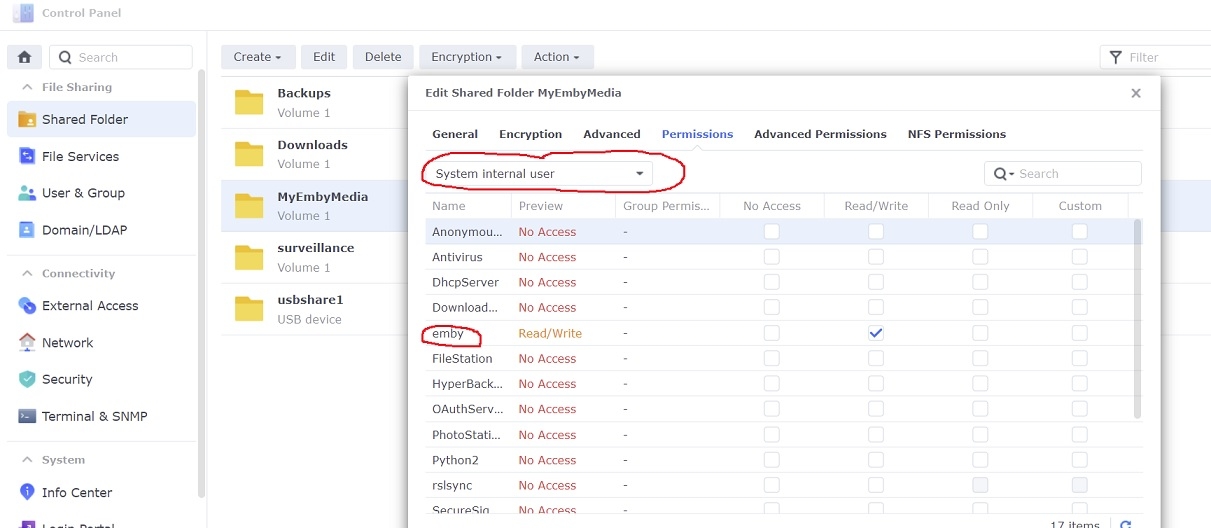
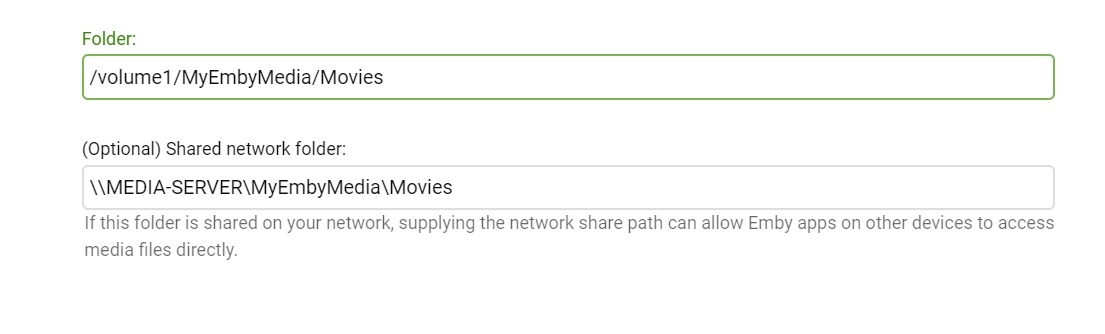
Adding libraries to Emby server is a little different under DSM 7 in that setting permissions for the shared folders has changed some. If you've ever tried to add a library to Emby and it wouldn't accept, then the permissions might be wrong 1. Give emby read/write permissions to the shared folder Open Control Panel...Shared Folder in DSM on your NAS Select your shared folder...Edit... and then under the Permissions tab select the dropdown box and change it to "System internal user" Check Read/Write next to the user 'emby' and then click Save 2. Add libraries in Emby server Settings...Library...New Library Select the library type and enter library folder information Example:
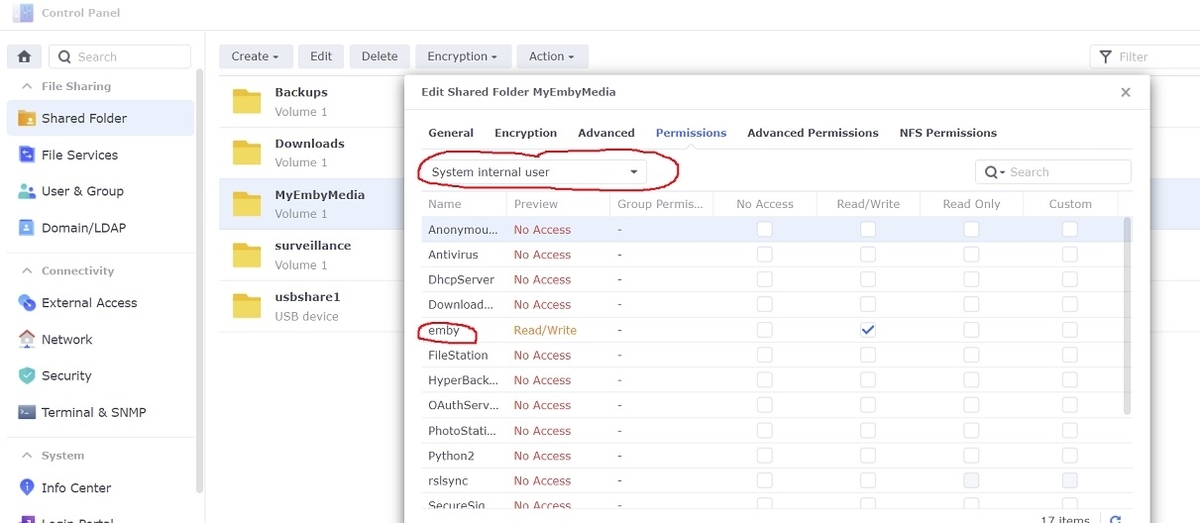
 1 point










.thumb.png.f4cb0545e98b51fd9b00e427622ab761.png)