Leaderboard




Popular Content
Showing content with the highest reputation on 10/30/24 in all areas
-
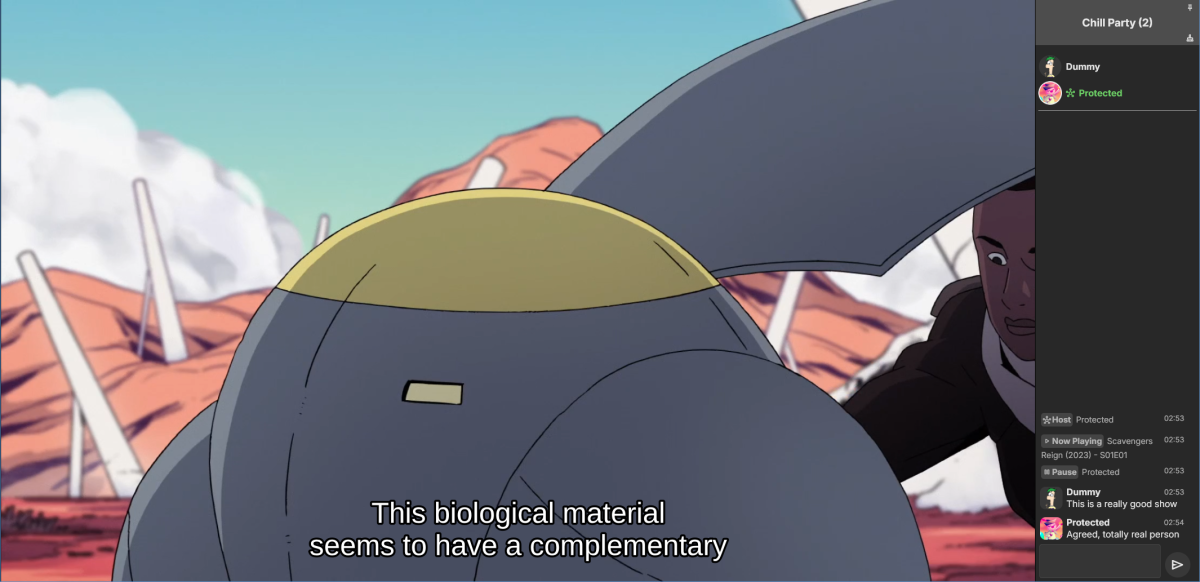
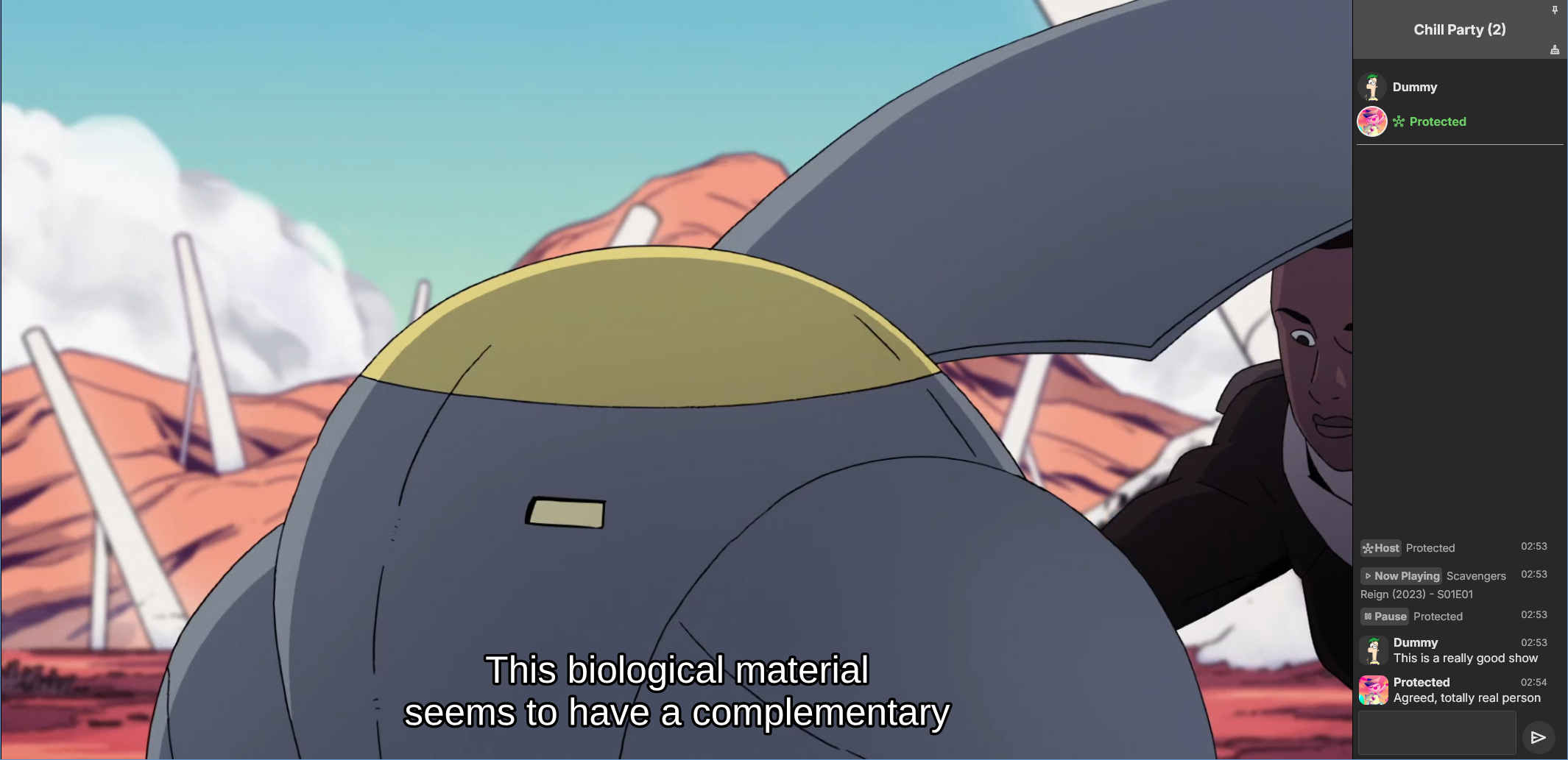
Emby Party is a solution for watching videos with multiple friends through your Emby web client. It requires no additional dependencies - only a device running Emby (presumably with good enough hardware for serving all the attendees, especially if you're transcoding) and at least one web browser. It consists in two halves: A server plugin and a web client module. They must be used together! Each half expects the other to be present. This is an experimental open source project. Feel free to fork and contribute pull requests and issues (my availability for fixing issues on my own may vary wildly and may be low in the near future). The source code and all known issues can be found in the github repository. Any information there should be considered the most up to date. Currently testing in Emby 4.8.10, Windows and Debian Bookworm (Linux), Firefox, Chrome and Edge. Features Hassle-free hosting: Doesn't matter who creates the party. Whoever initiates playback while in a party transparently becomes the party host, and host is reassigned if they leave. No need to recreate the party for someone else to host something later. The hosts controls the party video and video position. Video access permission check: Will only play a video if all party members have access to it, and will prevent new party members who don't have access to the current video (if any). Accurate synchronization of video player positions when the host seeks or changes videos using a multi-part protocol that leverages remote control commands under the hood. Accurate catch-up seek commands issued for guests when they fall behind or are otherwise offset from the host. Efficient transition between videos in a playback queue that accounts for slightly offset attendee positions and allows each attendee to start loading the next video while others finish the previous one. Late joiner support: Brings late joiners immediately into the video at the correct position. Joiners already watching a video will automatically start hosting that video if the party was idle. Host can change audio and subtitle streams for all attendees (guests can change it back for themselves if they want). Distributed pause/unpause requests - all users can pause and unpause. Return to video button for guests to return to the video being watched by the host if they closed it for some reason. Guests are automatically returned to the correct video if they open the wrong one or under certain other circumstances. Keep alive: Plugin keeps party member sessions and websockets open as needed and disconnects party members who time out. Support for multiple sessions/devices per user account. Just don't duplicate browser tabs! Support for remote control: Party members can control other Emby clients and those clients will benefit from party synchronization. (Caveats: Working, but not thoroughly tested yet. Due to the lack of client-side support, remote controlled clients are capable of issuing pause/unpause commands that break synchronization. I recommend being careful about pausing/unpausing in a device being remote controlled by a party member.) Cool resizable sidebar with list of party attendees and log of chat and events. The sidebar has docked (squeezes the video aside) and undocked (overlaps the video) modes and uses your Emby profile picture. Dark and light mode supported. Visual indicators for synchronization states of party members when synchronizing with host (icons). Visual indicator when receiving seek commands from the server (your name flashes orange). Host remedies for synchronization issues: Guests who are not responding can be sent another playback command by the host or kicked from the party after 20 seconds have passed. Emoji support in chat using :shortnames: or emoticons. Markdown styles support in chat, including spoilers and preformatted text. Preserves chat focus and selectively blocks keyboard shortcuts or UI interactables when chatting or syncing in order to prevent control mistakes/command spam. Chat bridge endpoint: External applications can connect to `ws://localhost:8196/bridge` to exchange chat (and some events) with the party sidebar. I threw together a module for my self-hosted Discord bot that shows how to use it. Remote control chain resilience for party attendees only: Prevents you from creating a loop of remote control targets. If you do this in vanilla Emby your clients will nuke the server with requests. Automatic skip to next video for videos stalled at the end because the last segment isn't decoding. This is also for party attendees only. Installation To install the server plugin, download it or build it in Visual Studio, then copy it normally to your Emby server's plugins folder and restart the server. Currently the plugin doesn't modify any Emby files (yet?), so you'll have to manually edit one of the web client's existing modules and import the Emby Party module there. Head on over to system/dashboard-ui/modules/appheader/appheader.js and locate the end of the render function, which in Emby 4.8.10 is in position 21877. Insert this code there: , Emby.importModule("./modules/embyparty/partyheader.js").then(function(PartyHeader) { return (new PartyHeader()).show(skinHeaderElement.querySelector(".headerRight")); }); Save, clear your browser cache and refresh. If the party button appears in the top right corner, you're good to go! I'm sure someone will tell me a better way to do this soon enough. I don't know if there's a commonly accepted way and haven't really put any thought into it yet. Whole bunch of disclaimers Use at your own risk! If something breaks that you don't want broken, revert the steps above to remove the plugin from your server installation. Emby Party was iteratively developed and tested with several friends over several weeks, but it was developed to suit our own needs. It was not (yet) tested alongside features we don't use, including, but not limited to, Emby Connect, Emby Premiere, Live TV, the audio player, conversions, cinema previews, most other plugins, etc. Currently no mobile styles. Not tested on mobile. We've been in active development until now. There are vaguely known issues that are hard to reproduce and instability can be caused by video decoding failures, networking issues, browser crashes, browser extensions, lack of hardware resources, forgetting your browser won't play until you click the window unless you've given Emby autoplay permissions.. New and exciting bugs should also appear as we get more people using it. Thanks in advance for helping test, report or fix this stuff! Otherwise, check back for updates, I guess? Please keep comments and suggestions in this thread. Issues should be reported only on github so they're all in the same place. You may notice a whole lot of things in the source code that make you think, wow, it sure would be nice if this was in the Emby settings. I agree! If you would like to implement a plugin settings page, please submit it as a pull request on github! I'm so horribly far behind schedule with this project, and my free time is far in the negative right now. There may be better ways to do some of the things Emby Party does that I am simply not aware of at this time (one of the reasons I'm keeping these instructions outside the repository for the moment) or were simply not considered because the feature grew organically. Pull requests please! Also recommended If you're feeling adventurous, consider improving your watch party's subtitle experience with these (much harder to apply) client-side fixes we worked out in tandem: Temporary workaround for subtitles coming in too early when resuming a video with transcoding (Important for this whole thing if you watch videos with subtitles) Web client ignoring AudioStreamIndex and SubtitleStreamIndex (Required for party host to guest stream index sync if you use that) Fixing mismatch between subtitle canvas and video aspect ratio breaking ass subtitles Fixed in vanilla as of 4.9.*! Playing plaintext subtitles through Subtitles Octopus by faking subtitle type Support mkvs with embedded fonts (requires the associated plugin) Fixed in vanilla as of 4.9.*! These may become obsolete over time if things are fixed or integrated into the main software. Don't forget to clear your cache and refresh after making changes to the client.
 11 points
 -
For those interested: community-made plugin was just released:5 points
-
When it comes to media server solutions, we believe that Emby is the number one product for users who value privacy, customization, and reliability. Today, we're going to take a closer look at some of Emby’s key strengths that make it an ideal choice over other media server solutions. 1. Prioritizing Privacy and Security Security is a central part of Emby’s design. Unlike some media server alternatives that have limited security options, Emby gives users control over who can access their media and how they access it. With Emby, you can setup secure HTTPS connections, ensuring data is encrypted as it’s transmitted or easily set up access via a reverse proxy amongst other options. User permissions are also straightforward to manage, giving you full authority to create individual access levels for each user in your household or server network. Your media is yours, and Emby ensures it stays that way by giving you the ability to implement strong encryption options that protect against unauthorized access. 2. Simplified, Intuitive Setup From the moment you install Emby, you’ll notice a streamlined, easy to navigate interface. Whether you’re setting up for the first time or managing your media library, our layout is intuitive and user-friendly. Emby is accessible to both beginners and advanced users, with step-by-step guidance to get you started and powerful customization options available for those who want to tailor their media experience further. Want to hide your remote users from a login screen? You can do that! Want to set up those same users with an easy way to access your server? Emby Connect allows you to do that! There are so many ways in which Emby simplifies user management and access to make it easier and more secure for your users! Other media servers can be clunky and involve multiple steps to perform basic tasks, but Emby simplifies this with a unified interface that makes media organization and management easy. 3. Seamless and Efficient Transcoding As mentioned in our previous blog, transcoding is a key feature for media server users, and Emby’s transcoding engine is optimized to handle media formats and devices with impressive efficiency. Whether you're streaming a 4K movie, using HDR tone mapping, or watching a video on a low-bandwidth connection, Emby has the ability to dynamically adapt to your network and hardware capabilities, delivering smooth playback across devices without unnecessary buffering or interruptions. Emby can also utilize hardware acceleration (Emby Premiere only), ensuring that high-resolution content plays seamlessly without consuming excessive CPU resources. This is particularly helpful if you have multiple users streaming from the server simultaneously, as Emby ensures each session gets the best possible quality. 4. Comprehensive Library Management Emby’s library management capabilities are designed to provide the best possible organization and personalization options. With Emby, you can create custom collections, tag media, and even use rich metadata that automatically pulls in posters, descriptions, and trailers to enhance your experience. The smart playlists and customizable views allow users to organize their media in a way that feels personal and unique. For those who have extensive media libraries, Emby also makes finding and managing content effortless. Search filters and sorting options let you locate titles instantly, and Emby’s advanced metadata scraping ensures your library looks how you want it to. 5. Cross-Platform Compatibility In an age where we use a variety of devices daily, Emby is engineered to be versatile. Emby offers applications for nearly every platform, including Windows, macOS, Linux, Android, iOS, Roku, smart TVs, Android TV, tvOS, web browsers and more, giving users the flexibility to stream and manage their media library from practically any device. The versatility that our server provides doesn’t stop there – it also supports a wide range of formats, ensuring that no matter what file type you prefer or where you choose to watch, Emby is ready to deliver the best experience. 6. Constantly Evolving Features with a Supportive Community Emby is continually updated with new features based on user feedback and technological advancements. Our development team and community via these forums, work hand-in-hand to enhance Emby’s performance, refine its interface, and introduce new options that make media management a more rewarding experience. As an Emby user, you’re part of a passionate community that we believe values innovation, feedback, and the enjoyment of seamless media streaming. View the full article3 points
-
That's nice, but useless for a lot of us. My parents have a Sony TV using the Emby's client for it. Most people are using the native client for their TV or Roku etc. A Web-Only solution might work for some, but I suspect most want it built into the server so fully supported everywhere.2 points
-
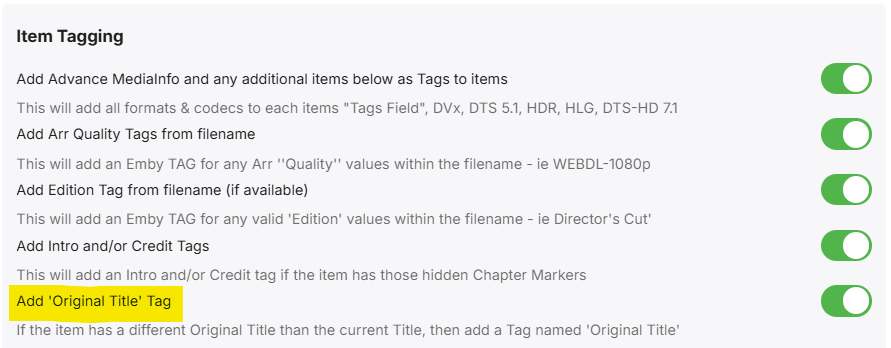
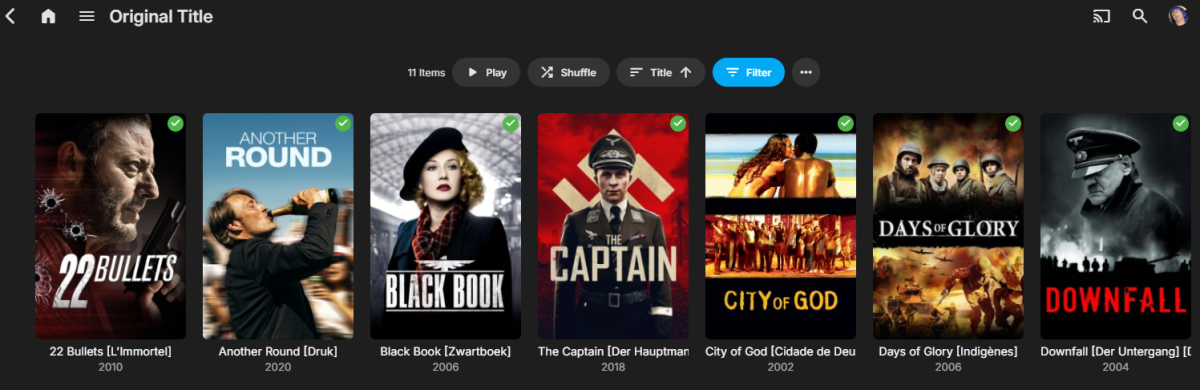
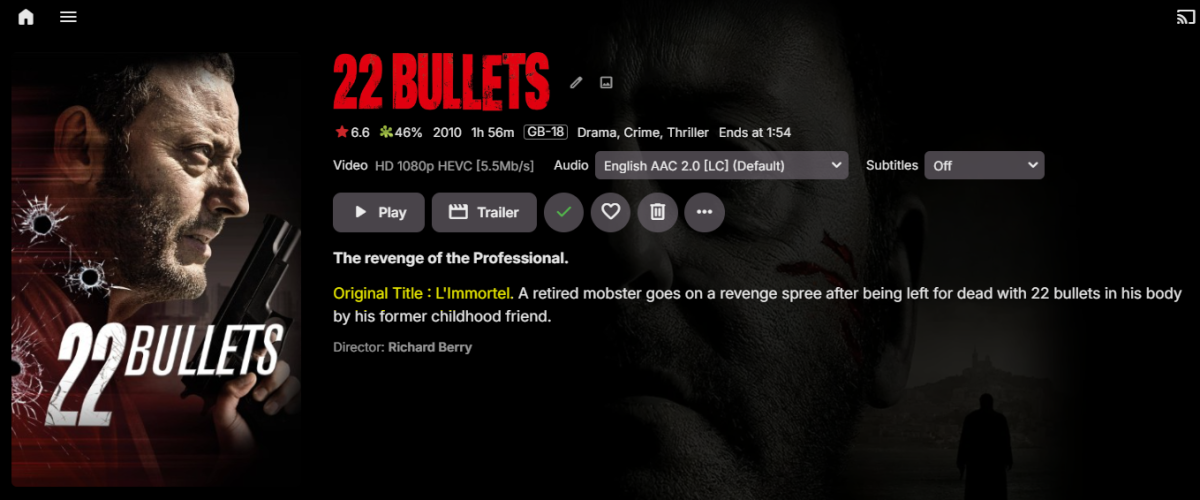
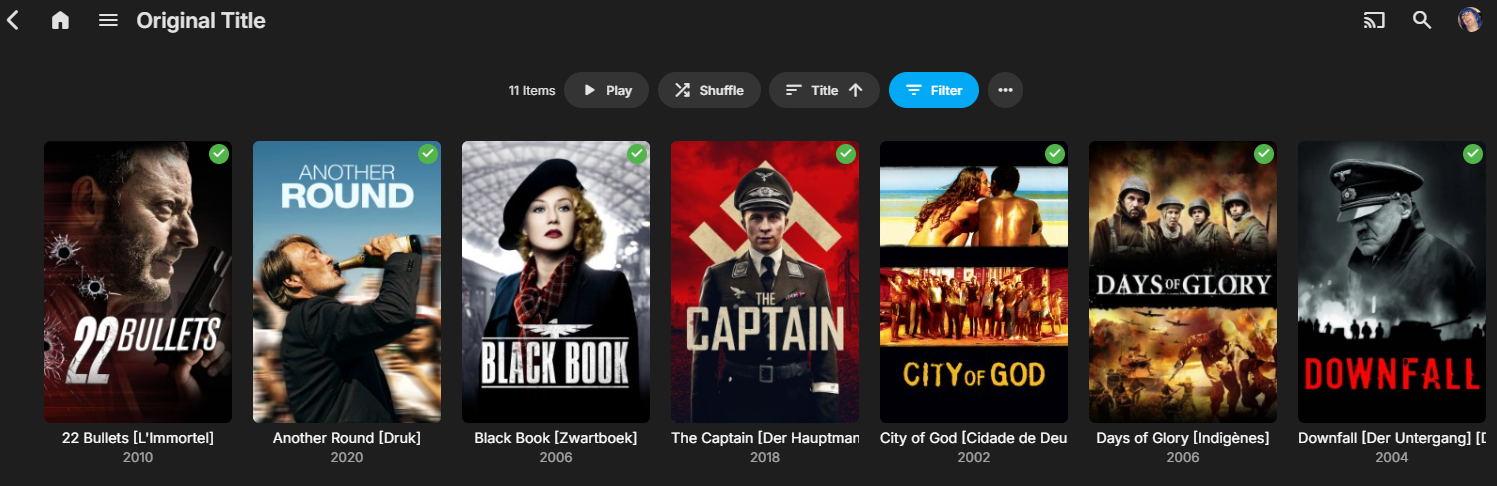
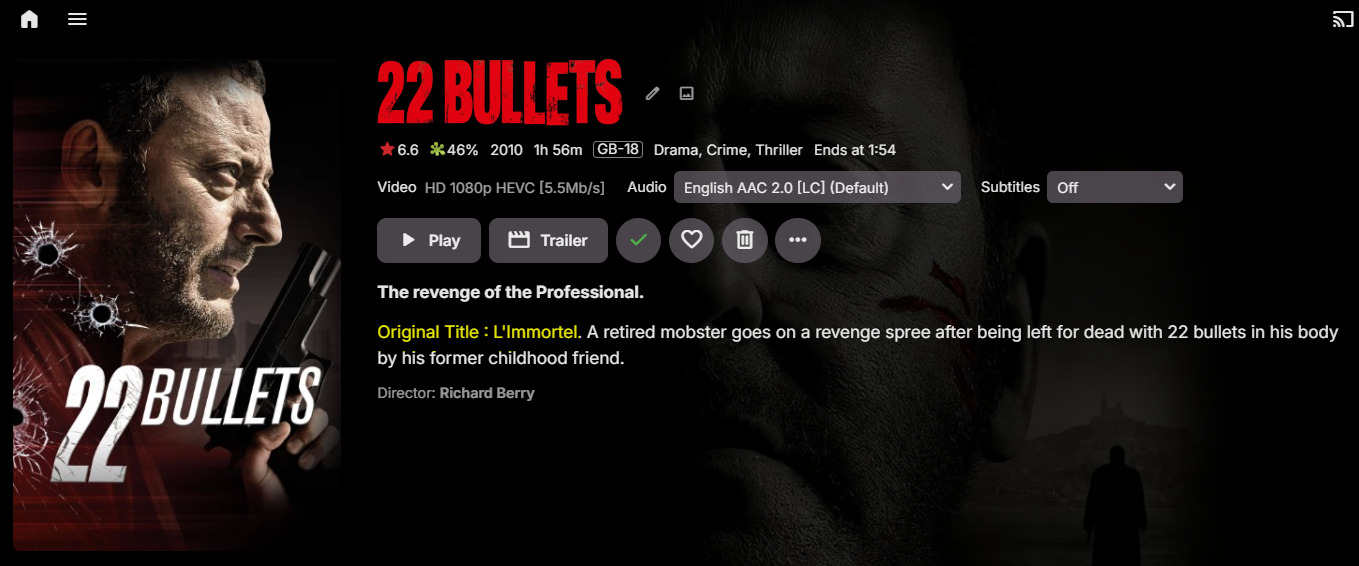
Quick teaser for v1.0.2.1 as I'm still testing it... but all working well thus far (movies only for the moment) A number of options for 'Original Titles' to be used and displayed. Append Original title to the Current Title Transpose Original Title with the Current Title Prefix the Overview with the Original title Tag the item that it has an Original Title Example of how it looks - unfortunately you are restricted by the single line One day Emby may allow you to extend to 2 lines without the use of CSS.. Note this is using the 'Original Title' tag - allowing me to filter by that Tag to show all my films that have an original title .. This is what the Original title overview prefix looks like (in yellow, my highlight) - When using the graphical name, you won't see the original title - so it's inserted here (as an option). Turn on/off the tagging Any thoughts or suggestions welcome.. I'll release shortly once I've fully tested the options as the only way to revert back is to refresh the metadata on that item.

 2 points
 -
I'd like to add my vote for this request as well. I have an entire season of a tv show with 150ms audio offset with no way to fix this problem in Emby other than to find a different source. The problem exists because it was incorrectly authored. I am on an older Roku Ultra.2 points
-
Hello guys! Once again here is a new update that is now supporting stable version Emby v4.8.10.0. Enjoy! Emby-Stable-style-v3.5.txt2 points
-
This was brought to my attention by a post on Reddit in r/selfhosted just a few hours ago. It seems images are available by the itemid even when unauthenticated. The OP claims to have attempted to contact the emby team regarding this and a few other issues with no response. I'm making this post to raise awareness as not everyone who frequents these forums will have seen the post on Reddit, and as it is posted publicly elsewhere it definitely deserves attention on the main forum. This is very troubling as it means that content that's available on the server can be determined without being logged in. Even more troubling if you're using emby for family pictures and videos as the pictures themselves can be viewed, and the thumbnail for videos can be viewed as well. I have tested this myself and can verify that it is a major problem. I could see cover art for movies, as well as pictures from my family photos library without being logged in. It seems that itemid's are incremental, so it's arbitrary to just guess a value until you get a valid hit. Leaking what movies and shows are on a server is definitely not great, but leaking actual personal content is just unacceptable in my opinion. Until something is done to address this I would not recommend using emby for personal/sensitive content if your server is publicly exposed. Steps to reproduce below. Replace <itemid> with the numerical value of a library item to test it while not logged in. https://<hostname:port>/emby/Items/<itemId>/Images/Primary1 point
-
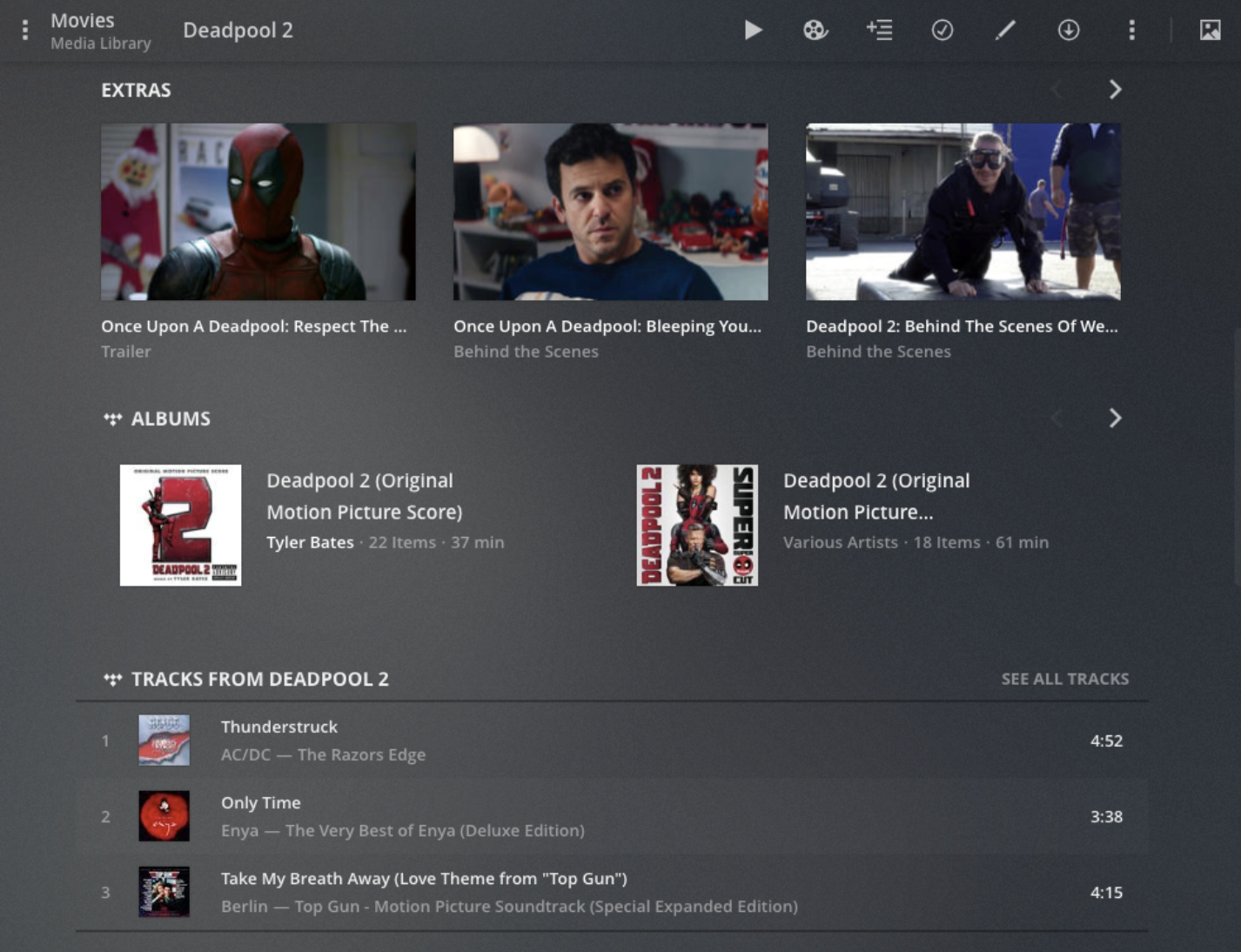
I was updating meta data for some of my soundtracks today in Emby and thought it might be interesting if provided a link between the soundtrack and the movie where if you were looking at one you could quickly click to go to the other. I don't know if the current structure would facilitate this seeing as even the metadata for people is separated when it comes to music and movies/series: Its not really a priority item or anything just thought it would be something that could be neat for people that typically keep both the album and the movie (and it might raise the awareness for users of the system that the content is available, say if they just watched interstellar and said "Wow I liked that music quite a bit", oh look the movie soundtrack is already in here).1 point
-
Hello, Perhaps I am not the first one to ask this question but it will be very cool if this feature could be implemented. I have 2 servers one at home and the other at work. ( and soon a third one...) So I have a movies library called movies on each server. I would like to see all the movies from a single 'virtual server location' when I use the app (ios or android ) where I will see only one movies library containing movies informations from the movie library at work and the movie library at home. It's an aggregation of movies informations from the movie library at work and the movie library at home. In fact when a user have multiple servers it will be perfect if another choice in the server list called "all servers" for example appears automatically with a merge of media informations from librairies with the same name on different servers.1 point
-
Hi all, Seeing that it recently got free, I decided to spin up a VM and and try PlexAmp. I absolutely hated the Plex Server UI (who needs to customize network settings right?) but I must say Plexamp is absolutely amazing. Not only is it gorgeous without it being gimmicky, its wildly functional as well. Even the free tier. This does make me realize that I would love an Emby Alternative, but as has come up before I think Emby would greatly, greatly benefit from a professional UI/UX designer, maybe a freelancer. I do recommend trying PlexAmp a bit to get a feel for what I mean. Are there any plans on this in the short term? I am not sure how UI is handled now but it might free up some development time if outsourced.1 point
-
The UPNP errors are meaningless, they're from the port already being mapped. Really I don't think anyone should be using UPNP, you should be manually adding port forwarding rules. I see some transcodes that failed instantly, and I see the reason for transcode being video codec not supported. I think the content is AV1. Do you have any example ffmpeg-transcode logs from when the issue occurred? They may contain more info about why they failed immediately.1 point
-
You are onto the issue here for sure. I always see the path update, but the page doesn't refresh itself. I just tried what you said, and when I hit F5, the page loaded. I'm very curious how @Lukewould be seeing different results.1 point
-
@visproductionDid you look at the difference in the class for Actor vs Series/Season/Episode? Didn't do too much looking but maybe div.itemBackdrop.itemBackdrop-contain { transform: scale(0.7); } But not sure what else uses "itemBackdrop-contain". But saw that Actors did while Series/Season/Episode did not. Or depending on what you are doing use :not on that element so everything except div.itemBackdrop:not(.itemBackdrop-contain)1 point
-
Hi. We welcome feedback on the UI and do strive to keep it up to date, professional-looking and, mostly, highly functional. However, just a point of fact - hiring a UI designer to suggest changes would not "free up" any resources for us. It would, in fact, require us to then dedicate our development resources to implementing such changes. Just wanted to point that out. Keep the suggestions coming.1 point
-
This is taking forever. I'm going to put together a test file here if that is okay.1 point
-
Of interest? UPnError occurs 945 times in the 12 minute duration log file. Why is there 525 times debug traffic to this address? http://192.168.1.1:36638/ctl/IPConn1 point
-
The actor's image should be css style resized and not update the media page backdrop image.... Wait, I just found two CSS class selections seems to target only the Actor's image. I /* M432 Actor image only */ body > div:nth-child(11) > div > div.topDetailsContainer.flex.flex-direction-row > div.flex-grow.topDetailsMain.flex.flex-direction-column > div.itemBackdropContainer > div, .itemBackdrop-contain { height: 200%; top: 42px !important; transform: scale(0.9); } This targets only the Actor's page / Actor's portrait. It's another problem to put the actor's name further down. Every margin css push down, makes the previous media page have too much gap below the media. The way the classes are designed makes it nearly impossible to create a custom css style easily. Even the full select address fails to only target one page template. There are many styles that need tweaking on one page type that leaks over onto other page types. Media pages classes can affect TV episode page classes. If I was site dev, I would perhaps make similar classes on different templates have different names... an extra -actor or -tvshow, -tvepisodes... etc. to fix this. It would nice, if there were page template address like view-home-home gets only to the home page. view-actor view-tvshow view-tvepisodes view-tvepisode-single If these worked, for a page type, it would be eaiser... or don't name the classes the exact names on different page templates. When I custom style Media page buttons, TV buttons move around... In this case finding style addresses that only change the Actor's image on the Actor's page is very tricky. I have to target the div above the Actor's image div that happens to only be on the Actor's page. Thanks for checking in.
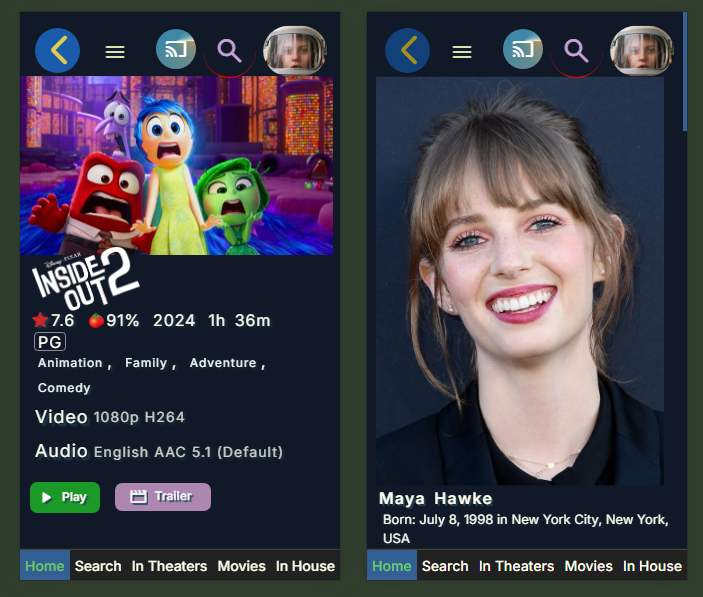 1 point
 -
Yes If you are on 4.7.14 then pull emby/embyserver:4.7.14.0 Into unraid, if you use the official Emby server template. Replace marked in RED emby/embyserver Tags | Docker Hub
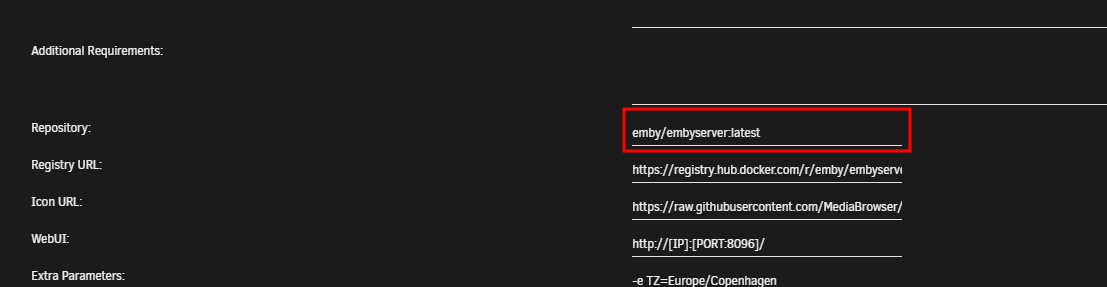 1 point
 -
More than you ever wanted to know about host synchronization This applies when initiating playback or when the party host's video player is not where it should be. We use three pieces of data to estimate party attendee positions: Position reported by the client in the latest non-bogus TimeUpdate event The amount of time that has passed since the latest position report The ping When a new update arrives, if the host is too far from estimate we assume that user has seeked to a different position (or the client was delayed for some reason, which is functionally the same because we want to keep everyone in the same position regardless). During synchronization, we track attendee states. I'm going to simplify things here and just say we mainly care about whether each guest is still moving to/loading the new position or has reported that they're ready to continue. We also use custom General Commands to report to every client: If synchronization has started, if each guest is ready to continue, and if synchronization has ended (so they can do UI things). So the overall sequence of events is something like this: Announce synchronization, pause the host and set it to "ready to continue". Set every guest to "loading the new position". Tell every guest to seek/play. For each guest, once they've reported progress/playback, change them to (and announce) "ready to continue". Tell the guest to pause as well. When the last guest is ready, instead of pausing it, we tell everyone else to unpause and announce end of synchronizartion. In practice, events can arrive in any order. Things are also complicated by playback queue video changes. A lot of work was put into making those happen reasonably smoothly; it's even possible for party guests to all arrive at the next video before the host due to estimation inaccuracies and/or the host having slow hardware. Emby Party should hopefully be resilient to attendees being in different videos at the same time around the times videos are changed. Guest catch-up Much simpler. We estimate the guest's intended video position much the same way I described above, but instead of comparing it with itself in the previous iteration, we compare it with the host's. If it's too far off, we send a seek command to the guest and increase the margin of accuracy for that guest (currently by 1 second at a time). This is meant to keep the viewing experience more comfortable if the guest just has crap network acccess, by sacrificing some synchronization in exchange for reducing the amount of seeks. Currently the maximum accuracy tolerance is 7 seconds, so if the guest can't stay within 7 seconds of the host they'll just seek all the time. It resets every video.1 point
-
Hopefully, never. There are plenty of things the Emby plays quite well and it is hideously easy to convert ISO files to a number of them.1 point
-
To be fair to the devs, this wasn't easy so far. I'd been expecting to publish more than a month ago. I had to solve more than fifty different issues (this is not an exaggeration) with the help of my poor users (ten people) who had to suffer through many unstable sessions. I'm (ab)using the Remote Control features to make this work - in other words, the ability to remotely tell a client to play, stop, pause, unpause and seek, as well as the client reporting to the server that it's playing, paused, unpaused, and its current position (every ten seconds or after seeking). These are native features, but remote control as implemented is heavily client-based, with clients talking to other clients and the server largely just bouncing things around. Things that require client support include: Blocking pause and unpause when the user shouldn't be pausing and unpausing, namely when the user's client is supposed to be waiting for other participants (essential). That's why remote control of non-client-modified sessions introduces potential instability if used. Responding to server ping. Emby Party is a real time feature built on top of an asynchronous server. It pings the client every 30 seconds. Without ping, if the user is having connection troubles or simply closes the tab, everyone else in the party will be subjected to instability (this usually manifests as things not working or going out of sync). The sidebar isn't a standard piece of UI; it requires full DOM access. One thing it has to do is put the rest of the application inside a container so it can be reliably rendered side by side with it. The vanilla web client inserts all kinds of things directly as children of the body HTML tag, so they can't be reliably squeezed aside. There is of course no reason why any of it can't be implemented in any of the other clients but I only had access to the source code of this one.1 point
-
I have a fix. I will put it up today.1 point
-
Worked perfectly! Thanks for the help.1 point
-
Since your migration is Linux-to-Linux you should be able to do what @guunter suggests. However, going to Unraid means you might want to ask in the pinned Unraid thread because it does things a bit differently. You should be able to pull an older Emby Docker image and upgrade on the the destination. In the end, if done right the backup/restore is not needed but you'll have to map the volumes in Docker to make the library paths look like the source system. Or if your libary is not big you can define new library paths and let it rescan. Whatever you do - keep the source data until you have the new server running the way you want it.1 point
-
In no way do I want the director listed first before the actors, but I agree the forced horizontal scrolling in TV Mode is awful. I've complained forever about it. Devs claim to many clicks up and down make people upset, but 100 clicks to right and left 100% perfectly fine. Make zero sense.1 point
-
@SuliamuYou are not the only one with this problem. For me if I add a movie manually to the list it will stop the loading spin. Then to update Top Picks I go to Embys Scheduled Tasks and update Top Picks from there. That my work around for now. I create my list manually and have not tested anything else. Hope this helps.1 point
-
Yeah months later still no fix. No status updates nothing just silence1 point
-
One month later.. no news..1 point
-
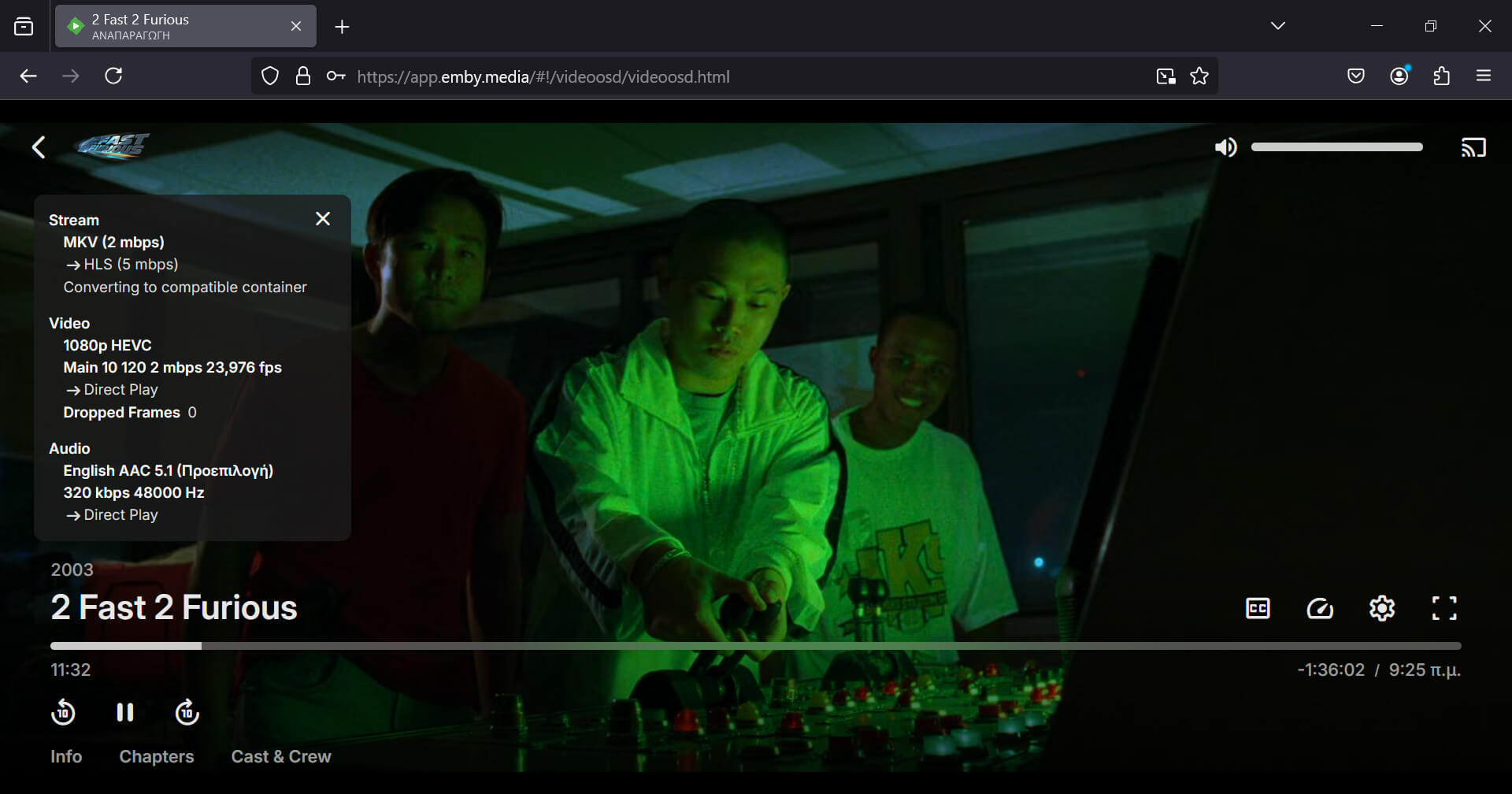
Firefox 132 released and it includes the fixes. Warning.... I think the stable release has "media.wmf.hevc.enabled" set to 2. Make sure you have "media.wmf.hevc.enabled" set to 1 and "media.wmf.media-engine.enabled" to 2. The result... Emby direct plays HEVC. The screenshot is from Firefox 132 stable which just released.
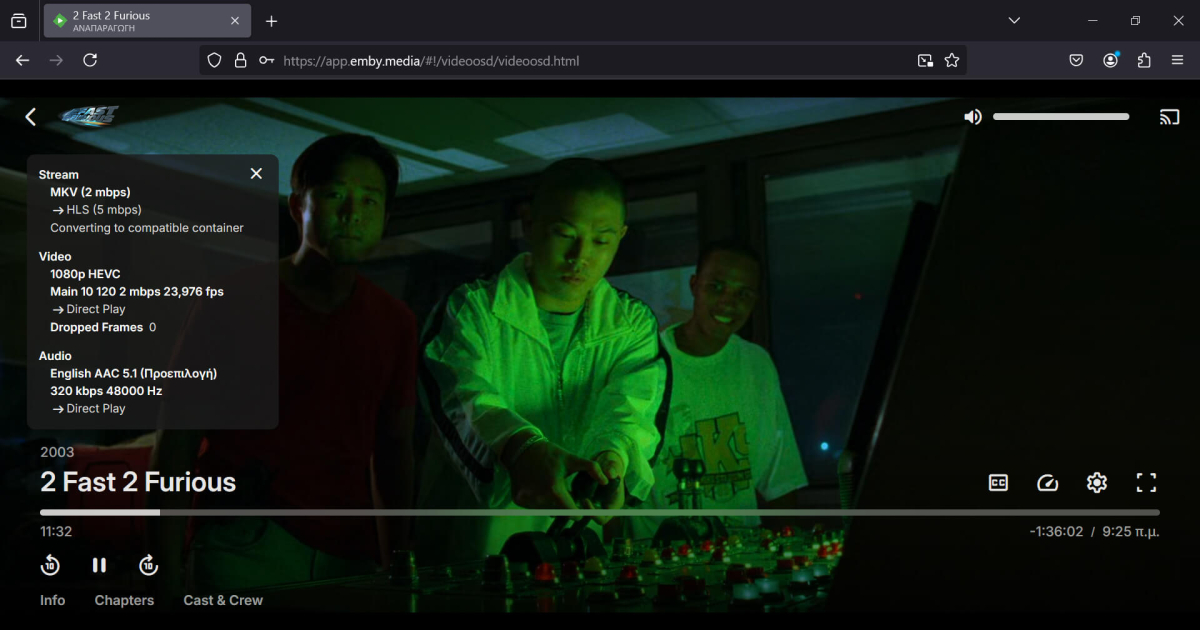 1 point
 -
@DragoMagIt's available now in this thread. I probably wouldn't call it done but it's a relief to get it out there.1 point
-
I just added a workaround to my plugin for this issue. It was already keeping track of the PositionTicks for each user reported through TimeUpdate events. I noticed that when the web client's video player stalls at the end of the video in this manner, it will continue to send TimeUpdate events, but the position will no longer change. So I'm using a play request or stop request from the server to forcibly play the next video in the queue/stop playing if there are no more videos, if two TimeUpdate events are received with the exact same position for the same user, and that position is within 5s of the end of the video (could probably be even tighter but I figured this was a nice comfortable margin). I haven't tested it too many times yet but it seems to work, despite the delay of up to 10 seconds at the end of the video. Perhaps the vanilla server can use a similar strategy, or the client itself (which would allow for a shorter delay). At this point I can confirm that this problem is easy to reproduce with specific videos, but the exact point where the video stops *as reported by the UI* seems to change a little each time.1 point
-
Latest Release - Updated to latest Whisper - Support for all languages that Whisper supports translating to English. You will need to update the runtime for this release. Run SubtitleCreator -languagelist to get a list of the supported languages.1 point
-
The visibiliy is tied to the access permissions of the selected Emby library user. The idea was to select from multiple folders that where added as paths to the home videos & photos libraries. You can't within one single channel.1 point
-
I have a shovel you can borrow. Let me know if you need it.1 point
-
Exactly. Personally, I would pay in a heartbeat for a music "module" (lifetime payment) that includes a native app on devices (smarthphone / TV). Even Plex realized that "decoupling" major media types into their own dedicated apps it's way better and provides a future for such cool stuff down the road. They did a cool job with Plexamp, now they are decoupling Photos and provide the Plex Photos app as standalone, while keeping the main Plex app video-centric. They get it ! It's simple: You can't really throw everything and the kitchen sink into an app and provide the same level of focus, cool media-type specific features compared to a dedicated focused experience. The problem is Emby doesn't have the courage (my 2 cents, no offense intended) to just be lean and just throw away excess "baggage" that are done poorly. I get, you try to compete with Plex / Jellyfin but you can be better than both of them, by focusing on just 2 things and doing them AMAZING well. For the things I mention below, yes, some people will throw a tantrum and scream .... until they realize there are better "self-hosted" solutions out there : 1. Throw away Audiobooks - Emby it's light years behind Audiobookshelf and audiobooks needs also a special treatment similar to Music. No, you can't put them in the same bowl again. 2. Throw away Books - Any hardcore books fan out there who needs a server, needs also a book management platform with E-Reader integration / sync supporting all the major e-reader brands out there (Kindle, Kobo etc.). If Emby can't provide a proper book management platform with E-Readers integration ... why support books at all ? 3. Throw away Photos / Home Videos - There is Immich, look at what these guys are doing. Everything from the object / faces recognition with AI to the huge effort invested in the server, dedicated app etc. Emby will be playing catch-up forever and simply can't match their level of features and user experience. What Emby can be the best at ? A. Movies / TV Shows / Live TV - It's your golden expertise that you are doing exceptionally well. Not much to say. B. Music - Server side the potential is there. UI/UX is cool, multi-artists are cool etc. - Music is the next best thing, implemented pretty well server-side I would love to have a "lean" media server with just these 2 areas of expertise done exceptionally well. Let others do the "bloating" poorly. There is so much that can be done with music: - music dedicated Home Screen with music-centric suggestions and immersion pulling you further into personal library: artists, albums, songs, moods ... music played today last year, recommendations ... so much can be done - multi-room: use the dedicated smartphone app to control and play music on various endpoints thru the house. - proper offline sync / download ...... I could continue a lot. Anyway. I hope Emby will become more aware, lean and courageous. Cheers !1 point
-
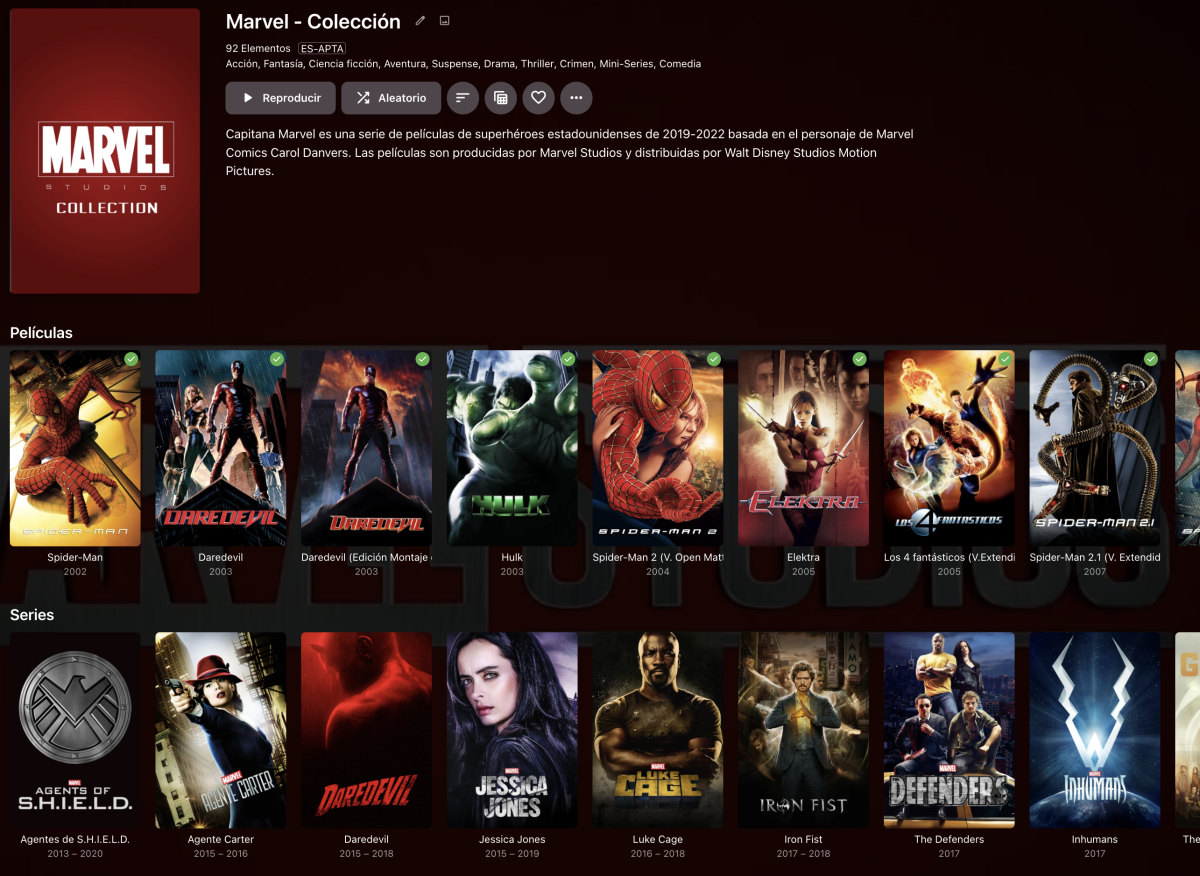
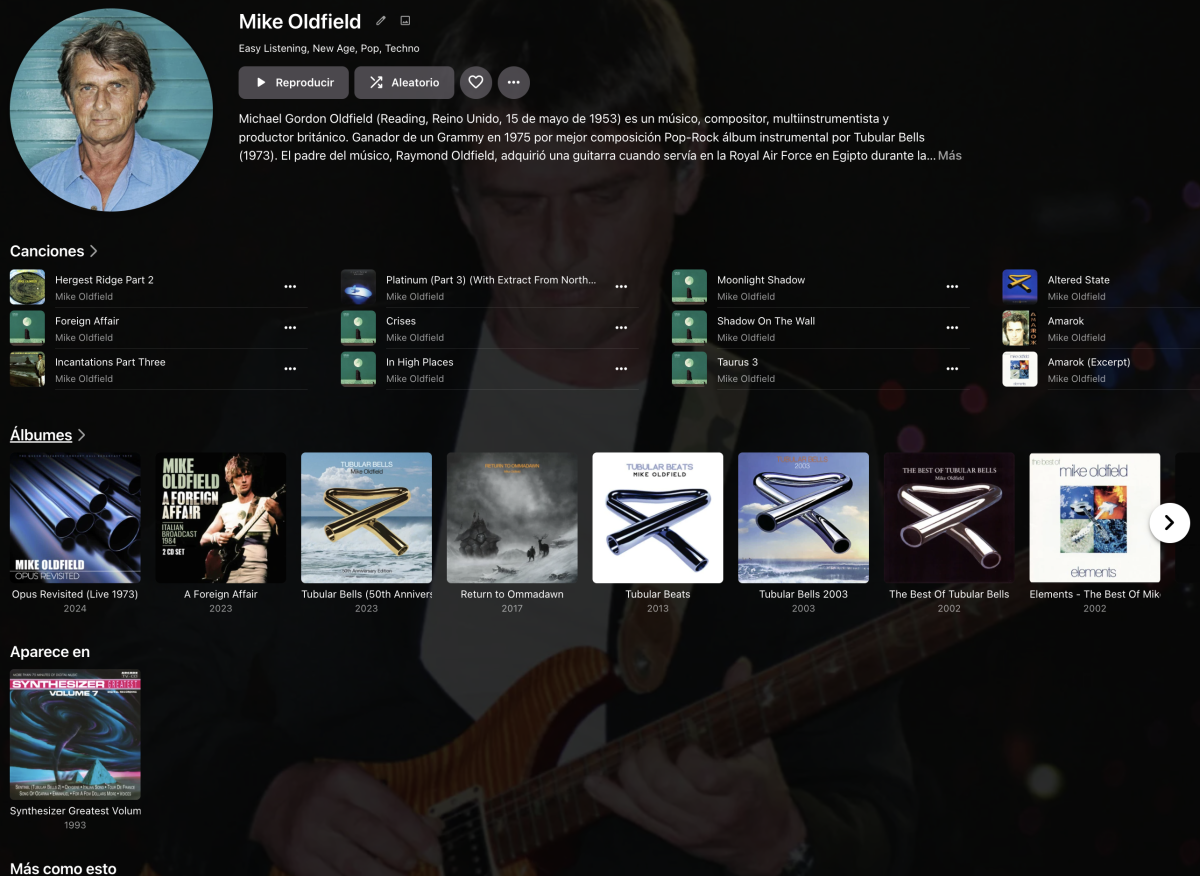
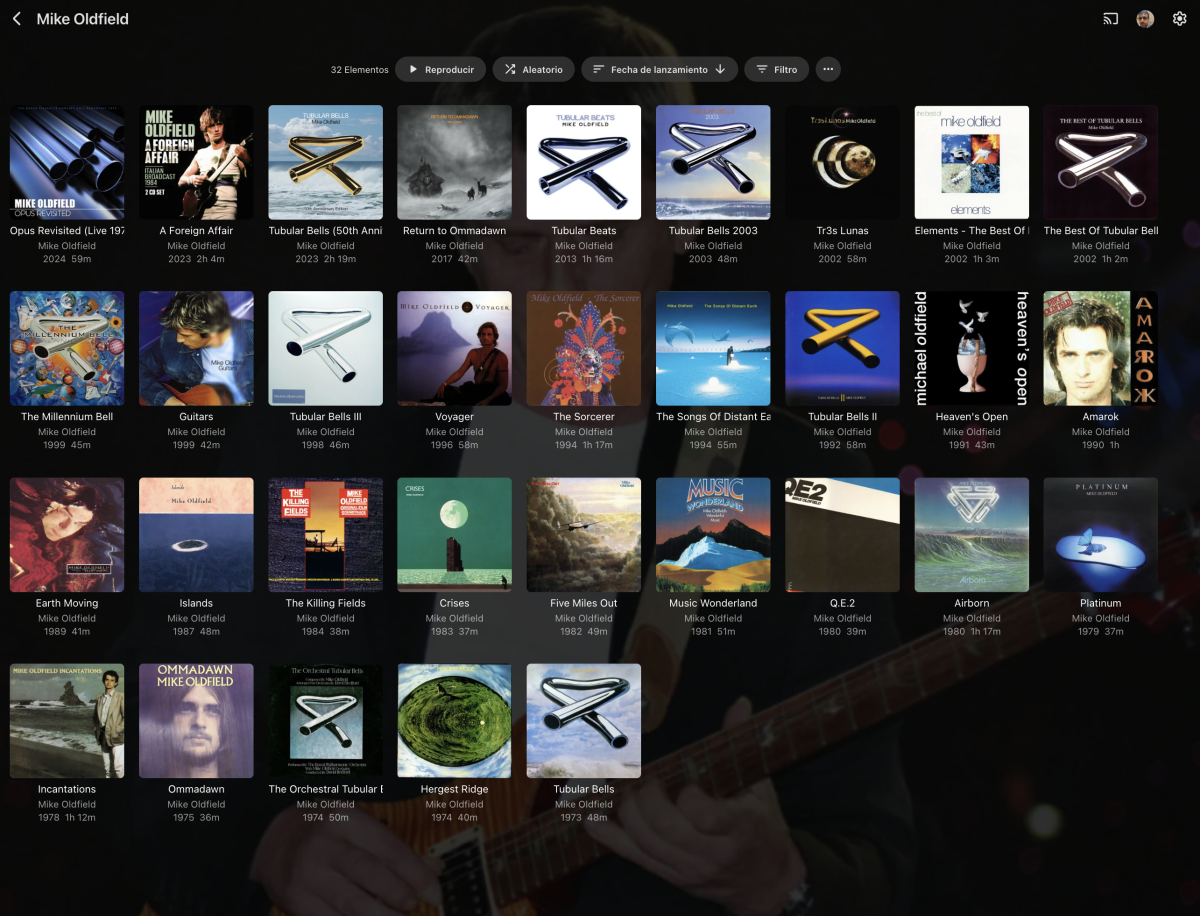
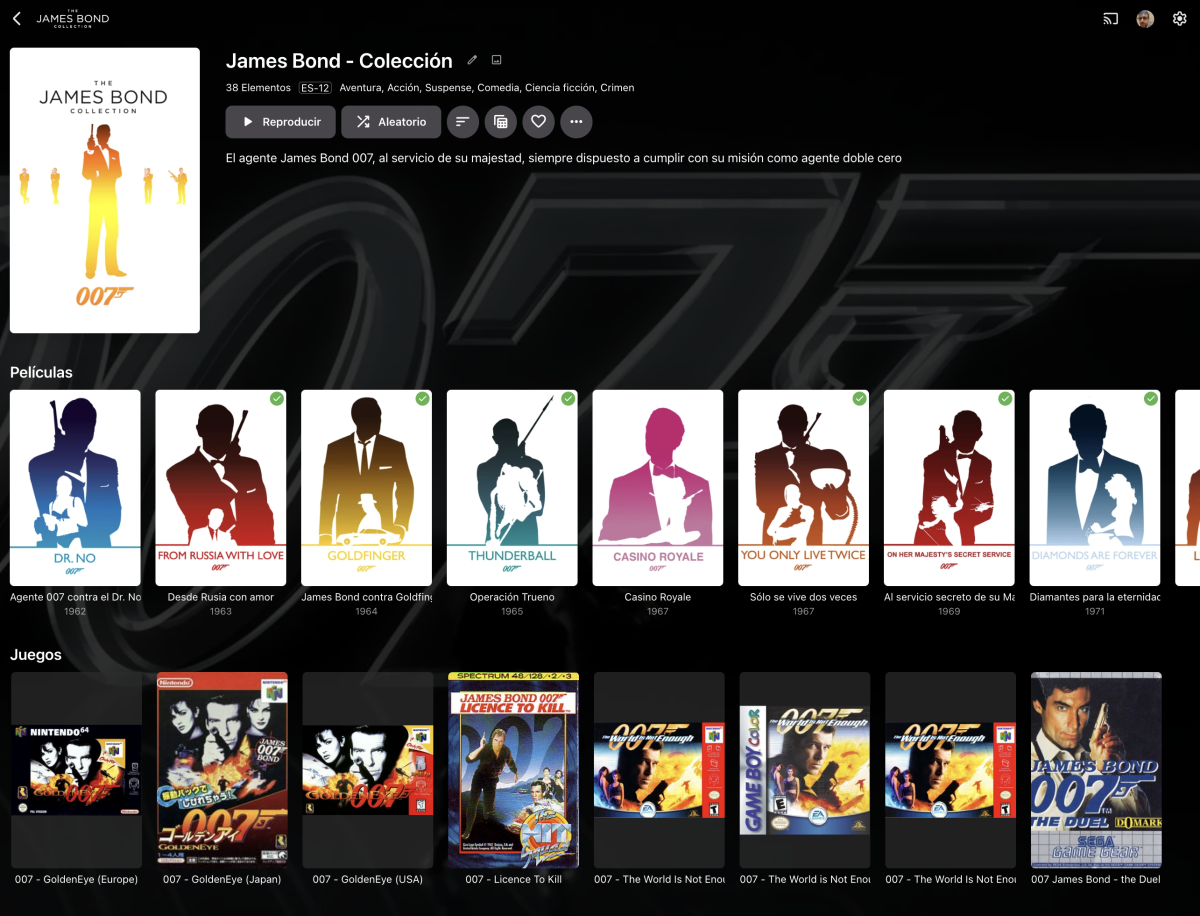
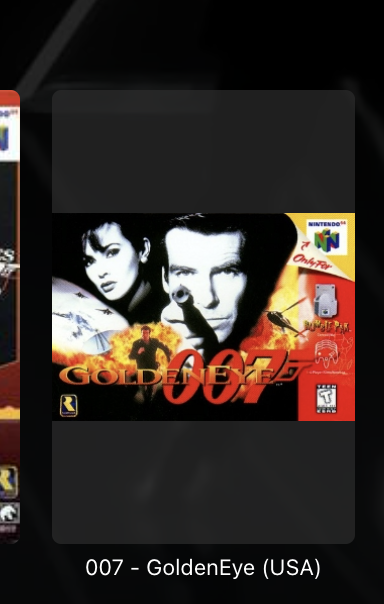
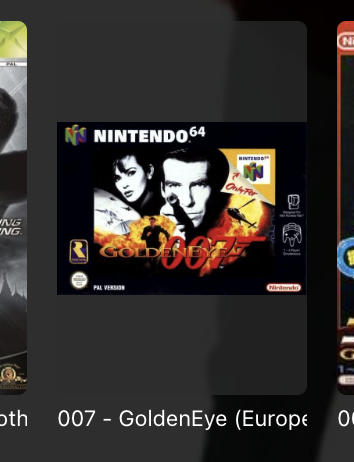
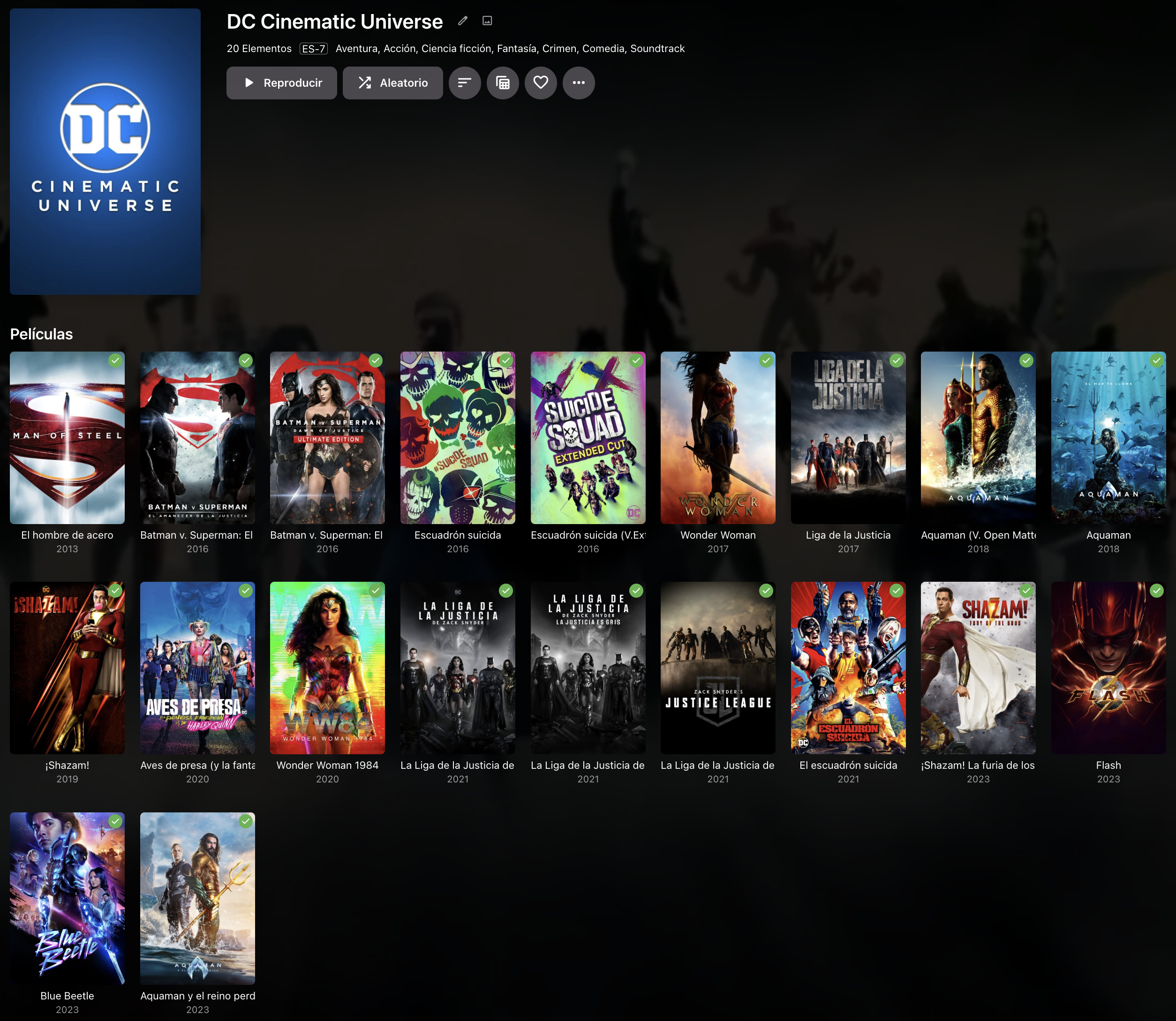
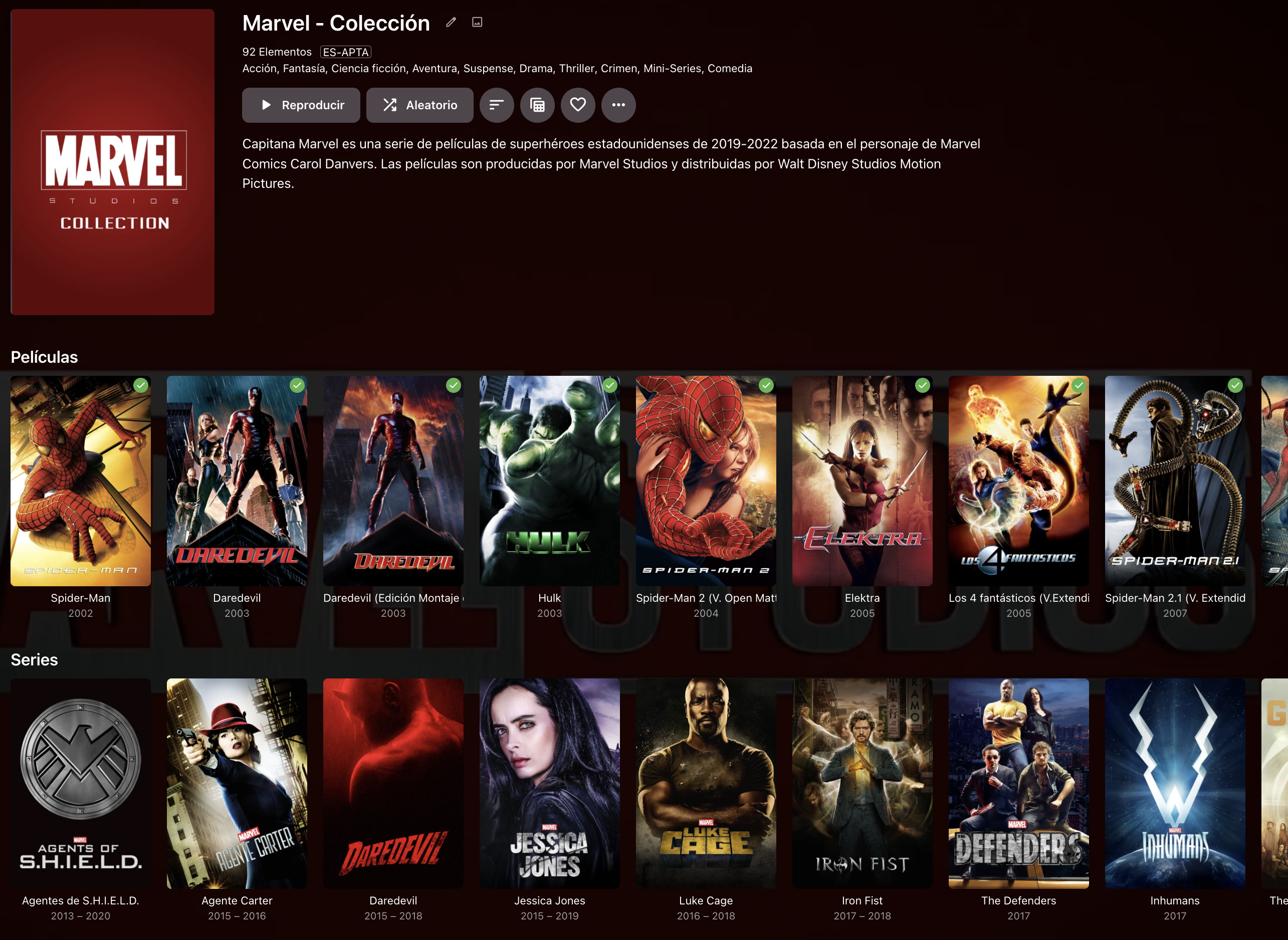
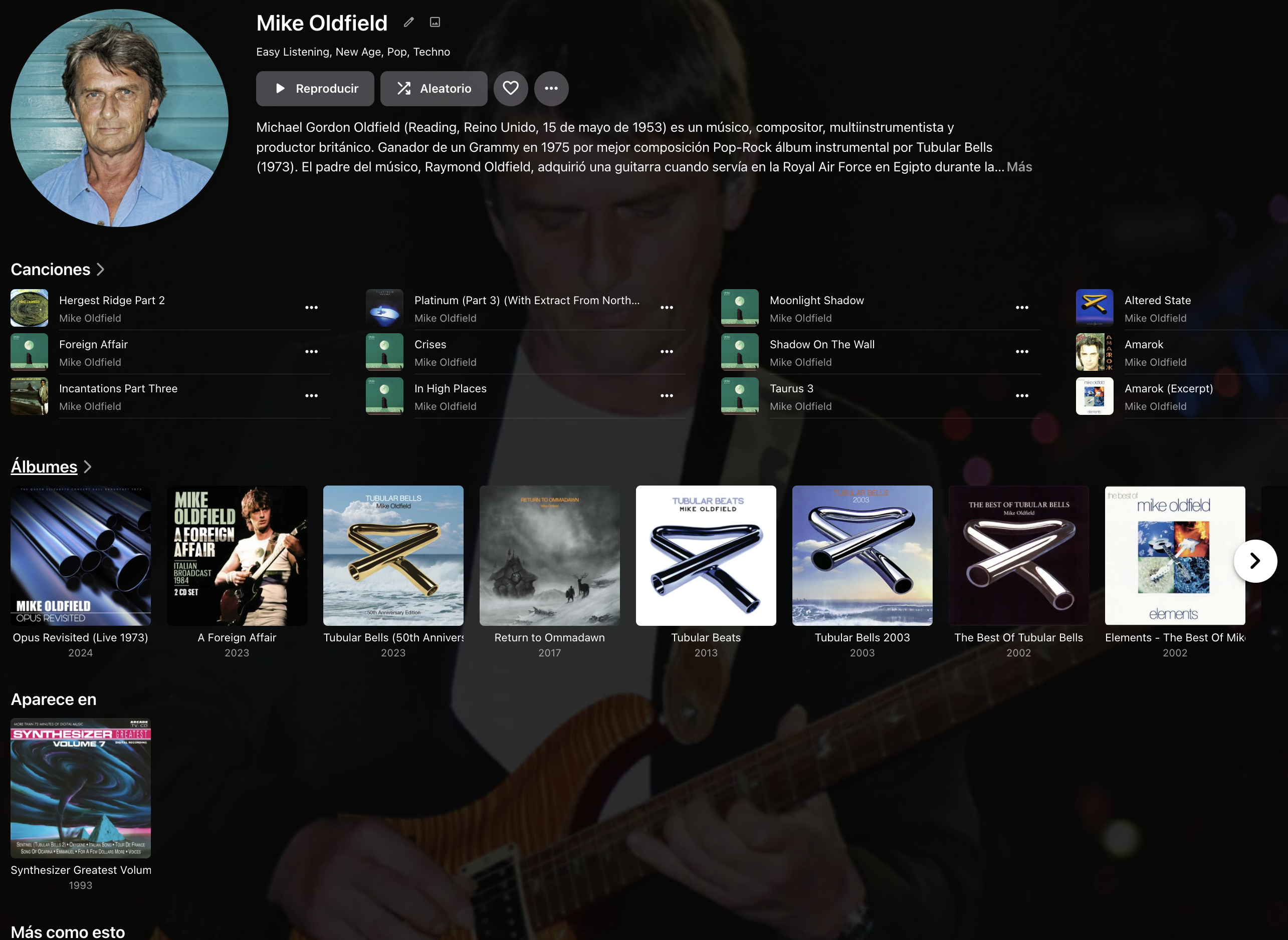
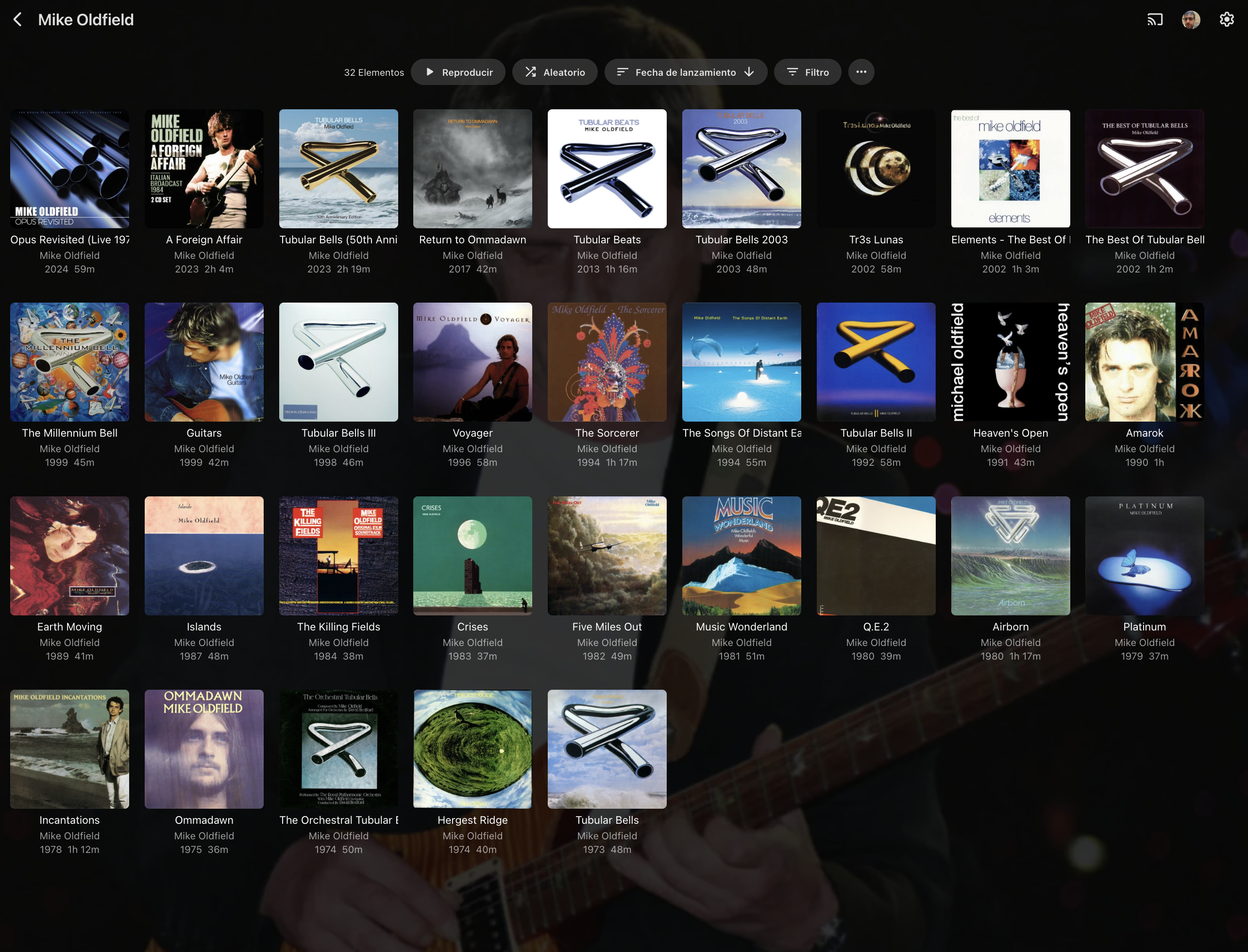
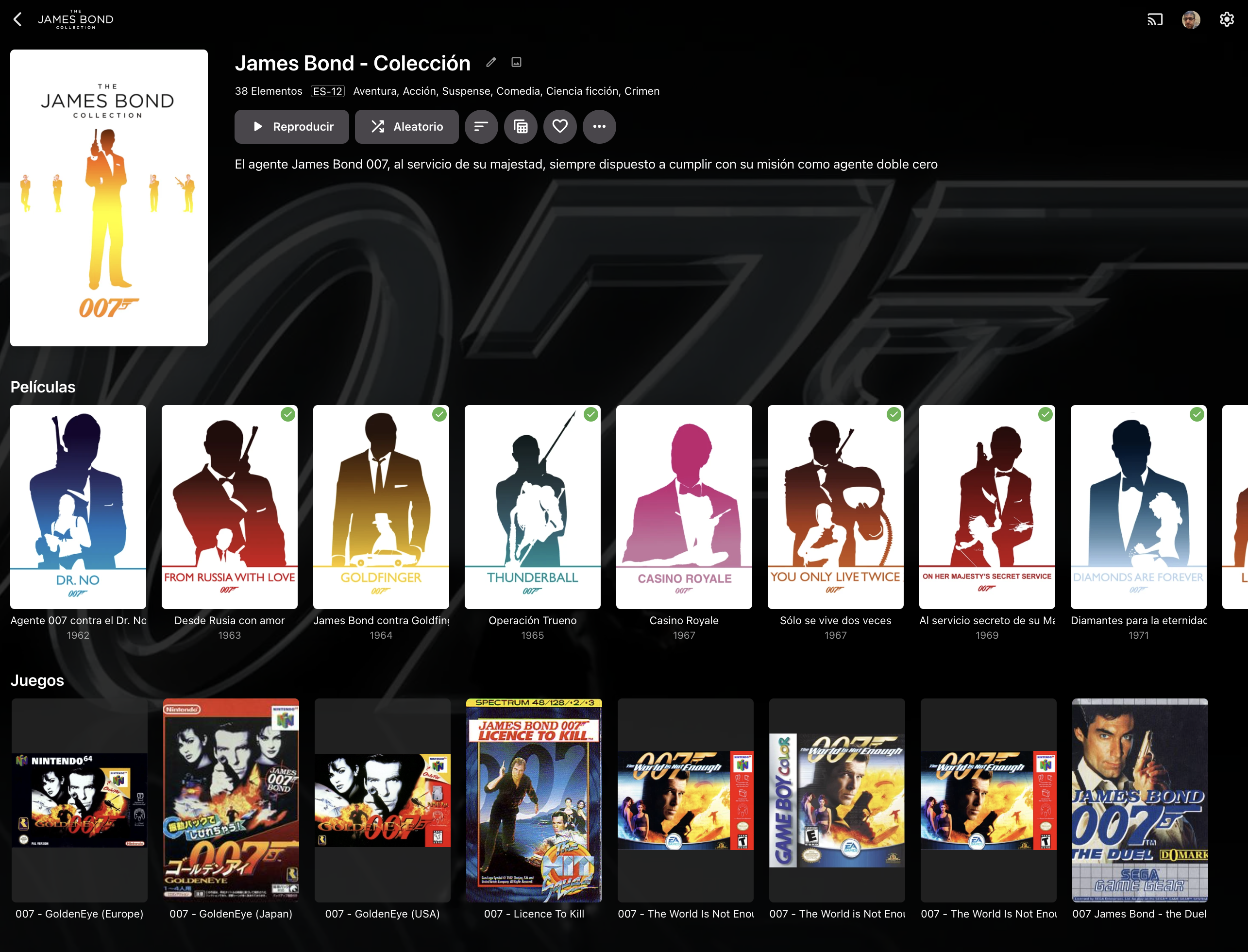
Hi Emby Team. Today when a collection has only one media type (EJ. Movies), is presented in a "multi-line" view: This view is clear, and in most cases is capable to show an entire collection item type in a single screen. When the collection has multiple types of media (EJ. Movies and Shows), the collection is presented showing one line per item type: This forces the user to scroll to the right to navigate the collection, something that feels unnatural and it's not practical, specially if the collection has more than 20 items. I would like to be able to: 1st.- Have "multi-line" on multi-type collections 2nd.- Be able to click the media type (Movies, TVShows, etc) and see a screen that only shows this type of media for this collection, similar to what's done in music with artists when you click on albums: . >>>>>>>> Additionally, and I know probably this is the most tricky thing, some media, specially videogames but not only videogames, does not have always the same type of picture size and now it's presented making all of them same size and adding a semi-transparent square for the ones that are smaller: I understand that it's complex to present different size items on the same row but maybe if instead of presenting a semi-transparent square: If the square is fully-transparent, will solve the issue, this will be desirable to be applied to all type of media, because some Music CD covers are not CD Size: . And Videogames, where usually japanese editions are the oposite boxing than rest of the world editions: . . Japanese Europe USA Finally, would be good that you can order every type of media in collections by it's own criteria. Meanwhile in Movies and TVShows has a lot of sense doing it by release date, other media that's usually not matched with any metadata provider (Videogames, books, comics), and has sense that other ordering a part of release date can be considered inside collections like: - Console System for Videogames - Author for Books and Comics Thanks in advance.
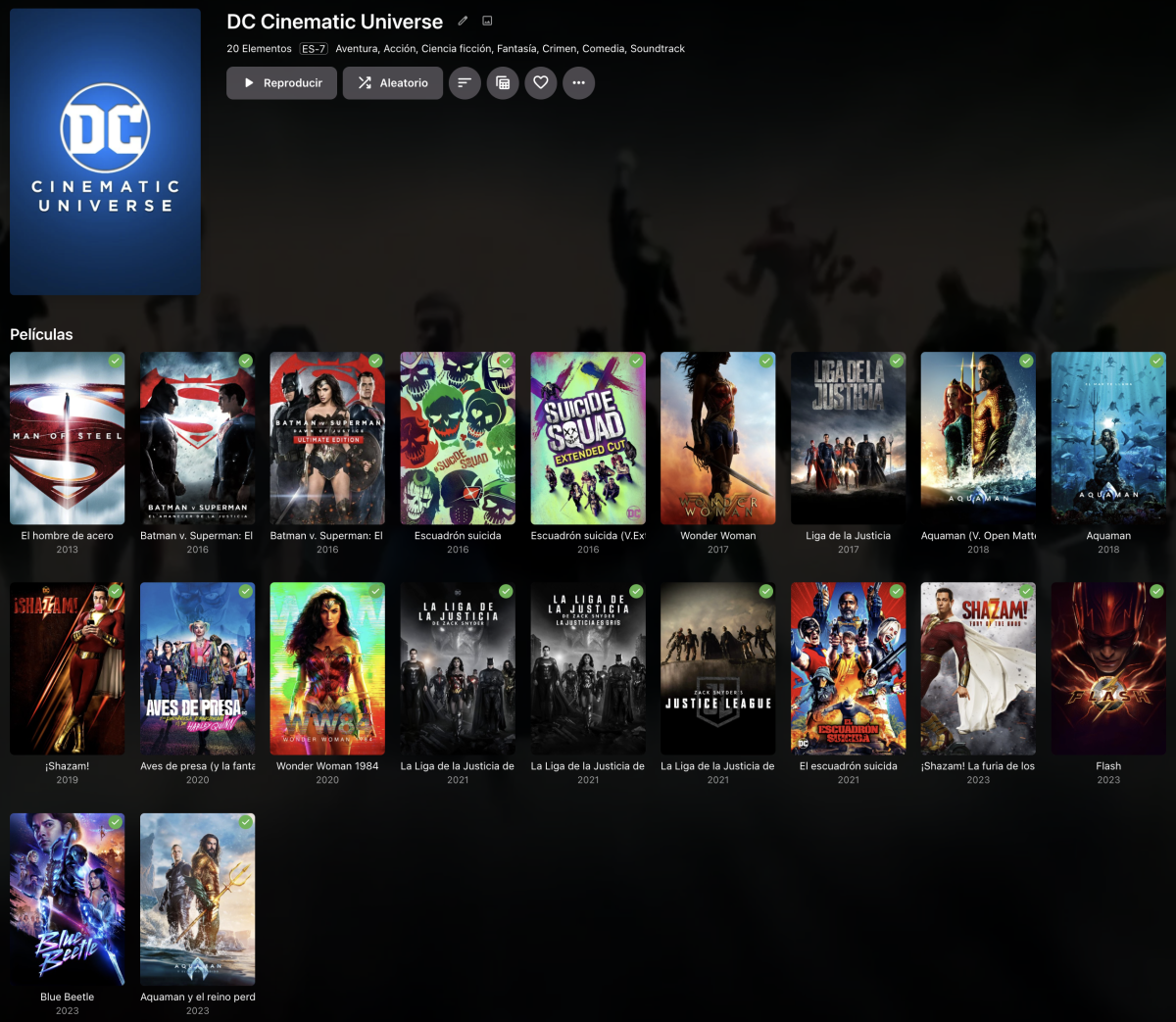





 1 point
 -
Hi ,yes this will be coming. Thanks !1 point
-
I would go for the i3-12100T & UHD730 IGPU for server. Better GPU and more power efficient CPU1 point
-
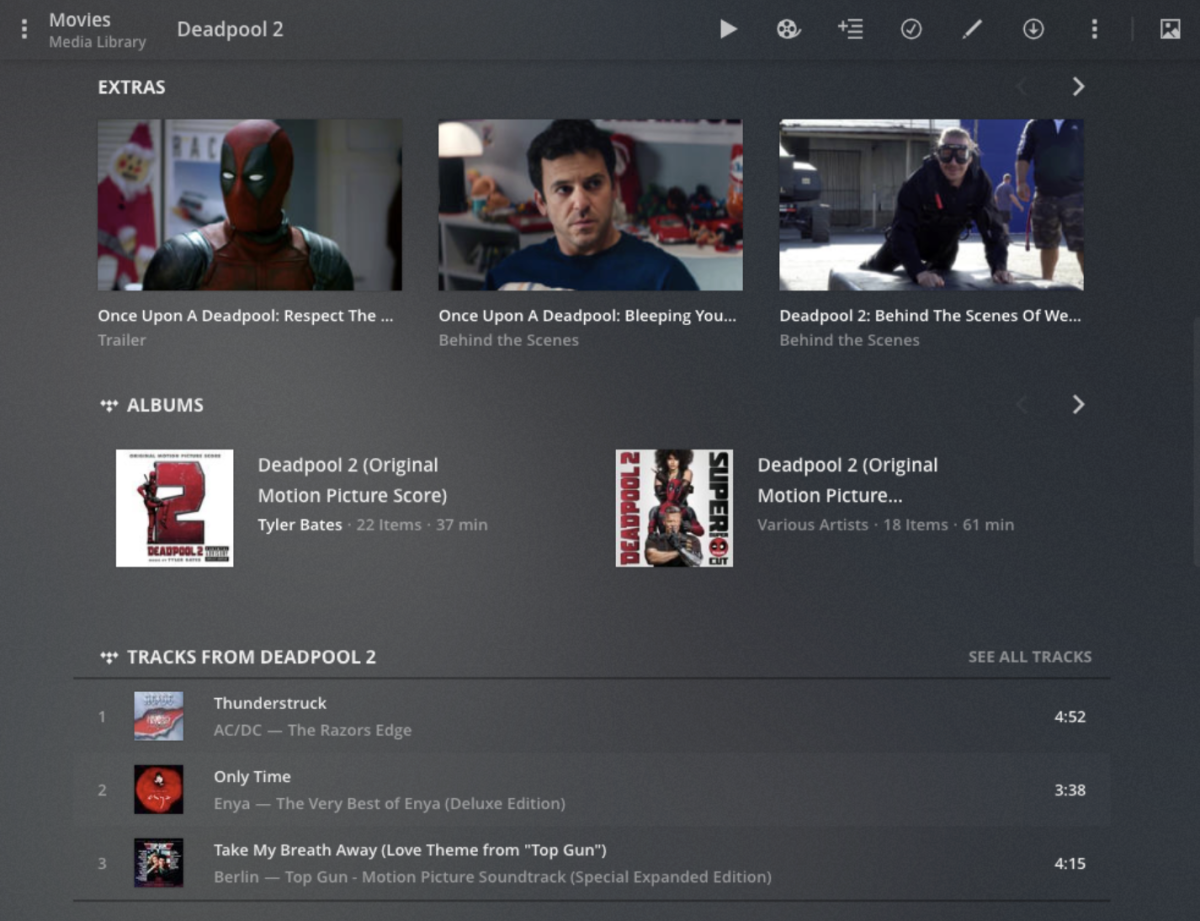
Hi Emby Team. Would be great if a music album can be linked to a movie or TV Show without creating a collection. I mean if I have 4000 movies and I have the 4000 Soundtracks for those movies I don't want to create 4000 collections just for linking them. Is that possible ? Just an option on contextual menu that allows to link with other media - a pop up screen to select library type to link and then being able to link to one of those items. Thanks PS: Other solutions are capable to auto-identify soundtracks and link it to the movies/tvshows ...
 1 point
 -
Hi, there's already an open request for this or something functionally equivalent. Please join in and contribute to the existing discussion at:1 point
-
@jeepnheelthe ones in red have never been supported. Episode images need to be prefixed with the filename. The others we'll take a look at. Thanks !1 point
-
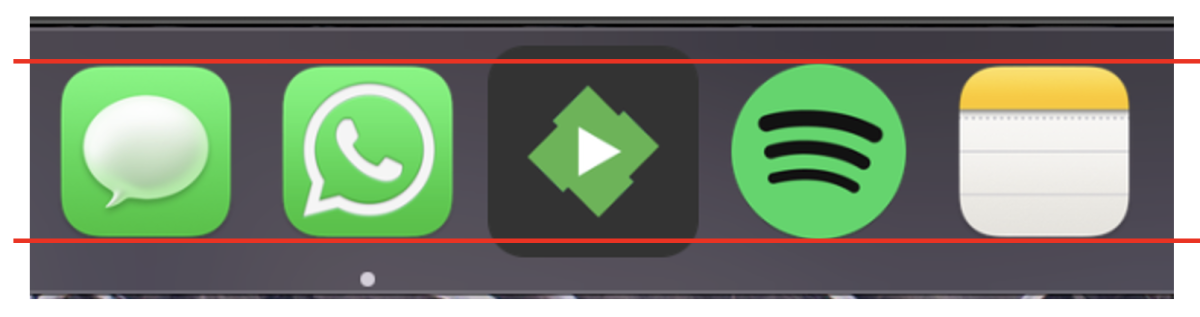
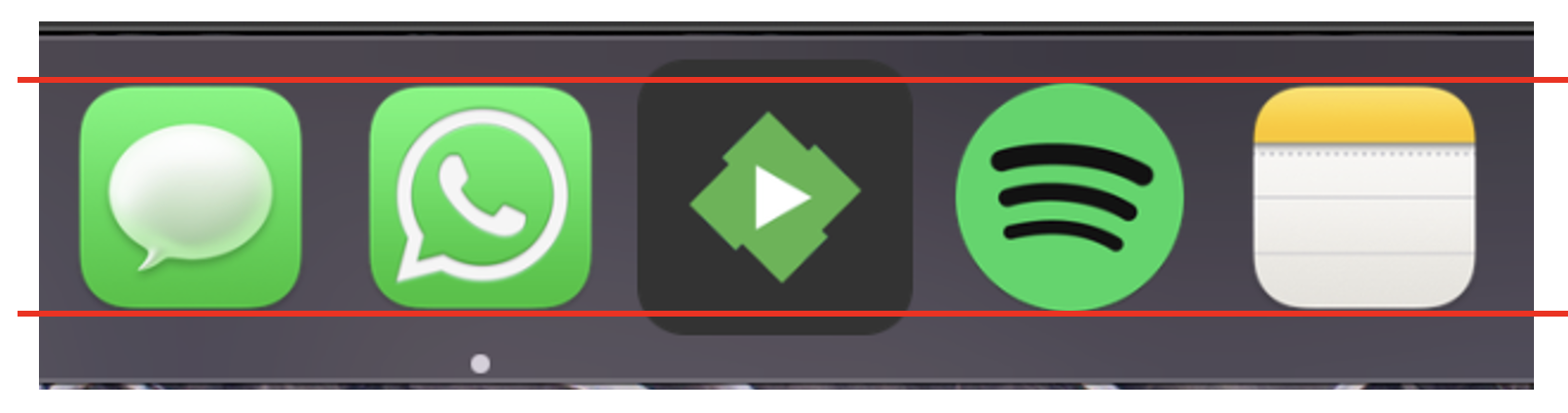
Is it possible to review the MacOS Emby app icon please? For some reason it's bigger than every other icon in the dock? Thank you
 1 point
 -
Hi, yes we're looking into it. Thanks.1 point
-
That's correct. My feature request is specifically regarding the Android TV client and presumably other TV clients.1 point
-
Sometimes friends will share their server but can't be arsed to set up the trakt plugin or they are still on an old version and dont want to add peoples trakt manually. also some people prefer to use simkl which is another service like trakt. trakt or simkl being part of the player or webapp would take away those issues. also would be nice to have an integrated watchlist using either of those1 point
-
Guys give it up. Physical media will no longer exist shortly, and supporting it is far too difficult. Rip your media and hoard your ISO files. This is NOT going to go the way you like, and we know all you'll do is complain and complain. The rest of us have moved on. It is time you do as well.1 point
-
Out of curiosity: Why isn't there support for DVD Menus anyway? Players like VLC can easily play the ISOs.1 point
-
Cool! Here you are Version 1.0.0.1 Added Expired Device ability. DeviceEditor_v1.0.0.1.zip1 point
-
Version 1.1 Fixes: Playback on the Alexa enabled device, it should also correctly report playback on your dashboard.1 point

















_svg.thumb.png.85e4ee6291ddd76347269c05175b5dda.png)








.thumb.jpg.1ea4e6b27fd5921ad22171468034b3f4.jpg)