Leaderboard




Popular Content
Showing content with the highest reputation on 10/23/24 in all areas
-
I knew that it was going to take me a minute to understand what FSTAB is about. I was afraid of erasing his drives with all our media on it. That was my hesitation. Both of you provided me with the necessary steps to take and they both worked. I wanted to understand the hierarchy for the users and groups. I checked them both in terminal. getent passwd and getent groups. I had to first create emby which i did already, then I created a group for emby to be in and gave it rw permissions and all. So I used the commands above to give ownership to the drives. Then I looked at the directory structure, I went happy making directory's all over the place and they really were not needed, so I practiced with removing directories I created, that took a few minutes, because I did not add the sudo in front of remove directories. I got permission denied, figured that out then, I watch a 25 min video on fstab, for like 4 hours to truly understand what I was doing and where things were at, and what not to move, and found a lot of advice on make sure to read carefully what you are typing. The i found out how to find the blkid's and got the uuid. The added the one drive to the fstab table and now its mounted permanently. Here is the proof of adding the uuid. UUID=d3d58fa0-c57b-45c4-a163-a93b988b28f5 /media/driveA ext4 defaults 0 0 Now I have 7 drives left to go. Thank you for your patience, Emby Server is very easy to understand for me, to add all the drives, media and music into the server and run on our smart tvs, with the emby app around the house. I'm a some-what happy widow, thanks again. Our precious memories have been saved. Thanks to you both. Q-Droid and Guunter3 points
-
If you're running Emby Media Server to manage and stream your personal media collection, you probably have heard about hardware transcoding. But what exactly is hardware transcoding and why should you enable it on your Emby setup? In this blog post, we'll break down the benefits of hardware transcoding and explain why it’s a game changer for your media streaming experience. Please keep in mind that hardware transcoding is an Emby Premiere feature and can be purchased HERE. What is Transcoding? Transcoding is the process of converting media files from one format to another, optimizing the content to suit the device you're watching on. For example, if you have a high-bitrate 4K movie on your server, but you’re streaming it on a phone or a non 4k TV over a slow internet connection, Emby will transcode the file to a lower resolution or bitrate to ensure smooth playback. By default, this transcoding happens in software, meaning the CPU does all the heavy lifting. But that’s where hardware transcoding comes into play and can be incredibly helpful. What is Hardware Transcoding? Hardware transcoding uses a dedicated component in your computer, such as a GPU or integrated graphics, to handle the transcoding process instead of relying solely on your CPU. This results in faster, more efficient media conversions, and frees up your CPU for other tasks. Below, we will go into detail as to why hardware transcoding is so important for Emby Media Server. Top 5 Benefits of Hardware Transcoding in Emby 1. Faster Transcoding and Smoother Playback Hardware transcoding significantly speeds up the process of converting video files. Since dedicated hardware like GPUs are designed to handle parallel processing, they can manage transcoding tasks much faster than your CPU. This means no more waiting for videos to buffer when streaming to devices that require transcoding. For users streaming in 4K or on multiple devices at once, the speed boost from hardware transcoding can make a huge difference in ensuring uninterrupted, smooth playback across your media library. 2. Lower CPU Usage, More Efficiency When you use hardware transcoding, you’re offloading the intense workload of video conversion from your CPU to your GPU or dedicated hardware. This reduces the strain on your CPU, freeing it up to handle other tasks more effectively. For home servers running on lower-end hardware or even NAS devices, this can be a crucial benefit. With reduced CPU usage, your system can run more efficiently, leading to better performance for other applications and even energy savings in the long run. 3. Better Multi-Stream Performance If you have multiple family members or friends streaming from your Emby server at the same time, hardware transcoding is a must-have if not every file can be direct played on their client devices. Software transcoding is limited by the power of your CPU, which can quickly become overloaded when handling several streams at once. With hardware transcoding, your server can manage multiple transcoding tasks simultaneously without lagging or crashing. Whether you’re streaming on a tablet in one room and a TV in another, or your family is accessing your media library remotely, hardware transcoding ensures a seamless experience. 4. Support for High-Resolution Content (4K and HDR) Streaming 4K HDR content is demanding, and transcoding such high-quality files puts a significant load on your server. Without hardware acceleration, many servers struggle to downscale 4K videos, leading to stutters, buffering, or even failed streams. Hardware transcoding, especially with modern GPUs and iGPUs, is optimized for high-resolution content. It can handle 4K, HEVC, and other high-bitrate formats much more efficiently than software transcoding, providing smoother playback for high-res media. 5. Energy Efficiency and Longevity Since hardware transcoding is faster and more efficient than software transcoding, it uses less power overall. When your server doesn’t have to push its CPU to the limit, it consumes less electricity, which can be a big plus for those concerned about their energy bills. Additionally, since the hardware is doing the heavy lifting, your CPU experiences less wear and tear over time. This can prolong the life of your system, especially if you're running your Emby server 24/7. How to Enable Hardware Transcoding in Emby Enabling hardware transcoding in Emby is straightforward, but it requires compatible hardware. Many Intel CPUs with integrated graphics, as well as dedicated NVIDIA or AMD GPUs, support hardware transcoding. Check Your Hardware: Ensure your CPU or GPU supports hardware transcoding. Intel Quick Sync, NVIDIA NVENC, and AMD VCE are popular options. Install Necessary Drivers: Make sure the correct drivers for your GPU are installed and up to date. Enable Hardware Acceleration in Emby: - Go to Server Dashboard in Emby. - Navigate to Transcoding settings. - Check the option to Enable hardware acceleration when available. - Select your preferred hardware transcoding engine (e.g., Quick Sync, NVENC) under the advanced tab if preferable. Test Your Setup: Start streaming from a device that requires transcoding or force transcoding and monitor your server's CPU and GPU usage to confirm that hardware transcoding is active. If you’re serious about getting the most out of your Emby Media Server, hardware transcoding is a must. By leveraging the power of your GPU or integrated graphics, you can enjoy faster transcoding times, smoother playback, better multi-stream performance, and energy savings. Whether you’re streaming 4K movies or sharing your media library with family, hardware transcoding ensures that your server runs efficiently and delivers the best possible viewing experience. View the full article3 points
-
If the subtitles are graphical (PGS or VobSub) and the client can't play them, they will be burnt in at the server, which requires transcoding, and consequent loss of quality. If you are able to get hold of SRT subtitles, these can normally be played by the client, avoiding this issue. Paul3 points
-
@DoppellhelixUsing the Universal Android app is not a solution to your issue with the Android TV (ATV) app though is it. If you click in the settings in the ATV app, you should see a Switch User option. Use this to switch users rather than logging out.2 points
-
I'm a plex life time member, but I have been using Emby for over six years continuously, but there is a feature which I have always thought is missing in Emby which I would like and encourage the developer to consider including especially in this dispensation where families can social or commingle due to COVID 19. Today, I received a notification from Plex about it new feature titled Watch together you can read about it here https://support.plex.tv/articles/watch-together/ The feature allows friends and families at distance to watch same movies together instantly, you simply invite all your buddy, once they signed to the system which can be seeing in the server then play and pause as needed, this I think is cool feature should be added to emby. Let's here your though if Emby developer should consider adding this feature to our beloved Emby Media https://www.bing.com/news/search?q=Plex+Watch+Together&qpvt=plex+watch+together&FORM=EWRE1 point
-
Similar to this old post, I'm suggesting a tab that would be titled Watchlist and could be placed in between Suggestions and Favorites. The functionality would pretty much be a copy of Favorites, just with a + symbol added next to the heart and other symbols that let you favorite a movie etc. The previous post had mentioned extra functionality such as automatically removing a movie from Watchlist after it has been watched. This would be nice, but is unnecessary because after watching a movie you can simply click the + symbol a second time to remove it from Watchlist. I would imagine this would be very easy to implement as a rebranded copy of Favorites. Adding other features could come later. Edit: added link to old post1 point
-
More items in the Latest row(s) would be nice. I just added a bunch of new TV shows / series and 16 isn't enough. If I click on Latest TV, it goes to Suggestions, which is useless, I would like more Latest TV not Continue Watching or Latest Episodes. I can sort TV by date added but that doesn't show new series added to existing ones (series 5 of The Expanse) for example. Similar for Movies please.1 point
-
I found a topic from like a decade ago that raised the issue but I couldn't find anything explaining why Emby is still having issues using actor metadata from within a movie/show's NFO to populate the actor info while browsing a server. NFOs get populated with the unique identification info automatically now while using software like TinyMediaManager. Actors have unique identifying codes on sites like IMDB, so I'm not sure why Emby Server doesn't just apply unique identifying codes to the actors in a similar manner. Its really quite annoying to have actors mislabeled or connected to the wrong projects etc. and I get complaints about it from time to time from my users who're trying to find movies/shows specific actors are in. So anyway, I'm just wondering what's up with this issue. Is the actor info too deep in the emby code to be mucked around with at this point?1 point
-
OK try this version and see how it goes: Emby.Server.CinemaMode.zip1 point
-
Ok will start with that and try and get you my emby server logs as well. Thank you.1 point
-
With windows Recall being built into Windows Explorer now; I'd rather not own a pc than use Win 11. It was the push I needed to finally purge windows from my systems and go full linux. https://www.tomshardware.com/software/windows/microsoft-confirms-that-windows-11-recall-ai-is-not-optional-a-glitch-made-it-appear-so-in-the-windows-11-24h2-kb5041865-update Microsoft can go fornicate a cactus.1 point
-
So I had created a new thread, but was pointed to this one as it's pretty much the same issue. Original Post: So, I've been going through the forum and there have been a lot of similar requests but I was hoping to just revisit this as I feel that this still isn't addressed. I know some people want to have a collection which has the best (10, 100 or 500) movies in whatever order so that way they can visually look at their list and see what is the #1 rated movie by whatever list. This was never really an issue with me until I wanted to have a collection of the Top 50 Scariest Movies of all time (as study conducted by an initiative called "The Scare Project" ) I've added all the films that I currently have in my Library to my collection and have zero way to Order, rank or view in the specific order that I would love for these to be displayed. Currently, I would like to see the movies in order by how they would appear in the list (which means Sinister would be #1). I'm aware that we have the collection sort order (Collection order referring to the Collection Metadata > Display Order) and then the other parameters that we can sort on. I thought of using Community Rating, but it has data validation that only allows values <= 10 so a top 50 ++ list isn't any good. Could we add another key in the meta data for Top N List or allow users to create their own metadata (maybe limit it to 1 or 2) per media type that they can add to a sort and/or filter list?
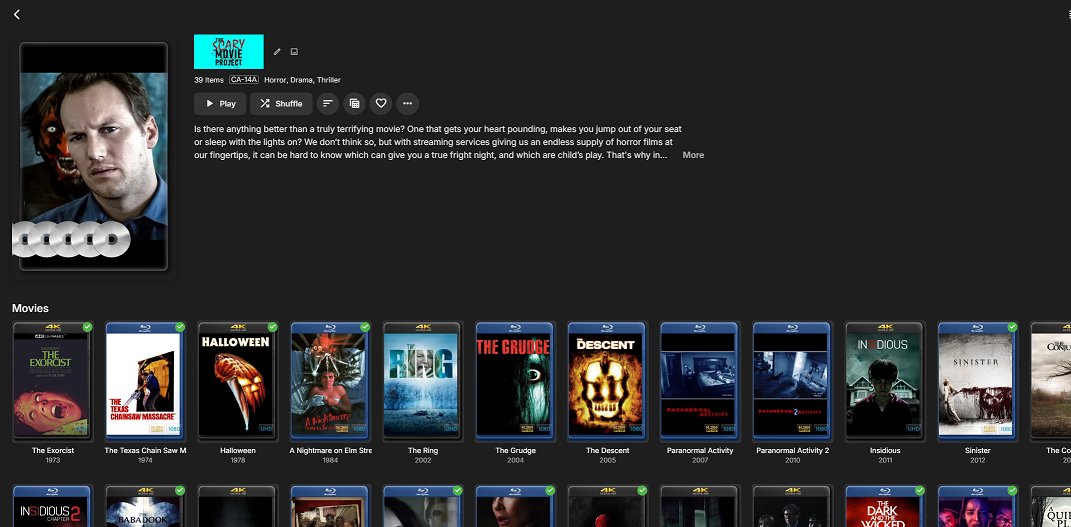
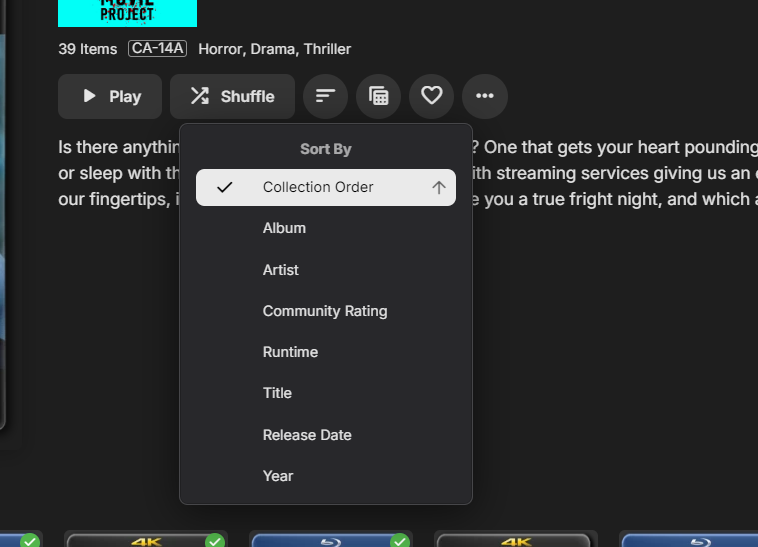 1 point
 -
Normally on albums the 2nd line is the artist. But on that music artists view, which I agree, it seems rather redundant that the 2nd line of text would repeat it. Would need to know when on the music artists page that row needs to render differently. A bit tricky on Roku, but we can make that happen. Reference: Issue #1640: Music Artists page need to show YEAR on 2nd line of the rows rather than repeat the artist name1 point
-
Personally, I use collections at the moment but that and favorites are still work-arounds. A full-featured "watch list" is a feature that I would consider to be table-stakes for any media manager. Hence the feature request. Please like the first post in the Watchlist Feature Request if you haven't already. That is one way the emby team evaluates interest in a feature.1 point
-
@Lukehas mentioned that this type of functionality will be possible with the "Smart Views" feature that was hinted at being in the next major release. ...eagerly waiting on an update/beta to test.1 point
-
Thanks for this, I saw this workaround the other day, but for whatever reason I didn't think this would work. Giving it a go to see if it works.1 point
-
Hello, I was wondering if it would be possible to add a field in the user account for the email (not emby connect) so when the user press "forget password", it send a reset link/password at that email? I have a user that keep forgeting it's password, he's not a local user so cannot access the file generated on the server so he ask me everytime to reset it. Would be great to be able to use the forget password feature. Thank you!1 point
-
Just joining in the chorus here. I had posted a similar request, thinking I may have been missing something. With a large library, and multiple users, it gets very hard keeping track of what I want on my short-list to watch. I've made a 'watch me' playlist, but it does feel a bit hacky this way. For Series, I have to add individual episodes so I don't get a playlist full of every episode from a TV show. I see this was asked for / originally posted back in 2017. 7 years is a long time. Are there any plans for something like this? It doesn't seem like it's a massive change as the frameworks seem to be there.1 point
-
Consider lending your support to the ongoing feature request here: To me, this functionality is the largest gap in emby's feature set.1 point
-
This feature would be useful. I have a situation where a custom Collection keeps being auto-identified, and pulling in movies it shouldn't. I'd like to lock the External ID's so that it stops. If I lock the entire collection, it also seems to filter down and lock all the movies and shows in the collection, which I don't want to happen.1 point
-
Could do like other apps (ombi, sonarr, unraid, etc) a place where you enter information for an SMTP server from which it sends. I have an alternate email called ombi@something.com where all information about request from ombi are sent from. Since it's alternate from my main, I get the reply on my own account. I could do the same on my emby server l. Somewhere in the settings, we set the configuration for an SMTP server/relay and other such kind of information.1 point
-
This brings up an interesting point that I haven't tested. If you activate the "archive" settings, will the trailers tab include local trailers, or only the online trailer even though a local one is available? I would find it very beneficial if the trailers tab had a way to also show local trailers so they could be selected and added to playlists or collections.1 point
-
Hey @Luke Sorry, but I cancelled premiere and uninstalled everything Emby related now. I was looking on the Emby forums and saw a lengthy thread regarding UK freeview, its broadcast formats and how it causes issues. I didn’t see anything close to a resolution and it was acknowledged that there is a lack of UK based SQEP to investigate. Like I say, I really liked Emby, the look and feel, the customisation etc but it appears it just isn’t up to the job for UK DVBT ….yet! I’ll probably have another look in the new year when I have more time. Thanks again.1 point
-
If upgrade to windows 11 fails, convert to linux I guess many will, windows don't believe in reuse off hardware.1 point
-
Appreciate the input on this guys, made me feel better about updating to 7.2.2 when it and its warnings popped up this morning. HW transcoding is working for me as well (from H264 and HEVC).1 point
-
If it happens again I will post a log1 point
-
I found it in the beta testing area. Thank you! https://emby.media/community/applications/core/interface/file/attachment.php?id=203844&key=df4ad338c3c8152014eabc4930c67e441 point
-
Sure, good news some of the examples above which were problematic are working. missing punctuation is not tripping Emby [Album] match up. Numbers (100 vs Hundred) + And (And vs &) perhaps still need a bit of work. if you need numbers then you are sometimes best to spell them out "one zero zero" Disambiguation of album by artist helps to avoid problematic search terms generally. but there seems to be a specific problem with "U2" problem with "play the album Best Of by U2" 2024-10-23 14:09:54.524 Debug Server: http/1.1 GET https://xxx.xxx.xxx:8920/emby/Users/6cc6d0fa039849af8147592f5da46188/Items?SortBy=SortName&IncludeItemTypes=MusicAlbum&Recursive=true&SearchTerm=best of by U2. Source Ip: 54.87.191.77, UserAgent: node-fetch but no problem with "play the album absolutely by ABC" 2024-10-23 14:17:03.809 Debug Server: http/1.1 GET https://xxx.xxx.xxx:8920/emby/Users/6cc6d0fa039849af8147592f5da46188/Items?SortBy=SortName&IncludeItemTypes=MusicAlbum&Recursive=true&SearchTerm=absolutely. Source Ip: 54.87.191.77, UserAgent: node-fetch 2024-10-23 14:17:03.968 Debug Server: http/1.1 Response 200 to 54.87.191.77. Time: 159ms. GET https://xxx.xxx.xxx:8920/emby/Users/6cc6d0fa039849af8147592f5da46188/Items?SortBy=SortName&IncludeItemTypes=MusicAlbum&Recursive=true&SearchTerm=absolutely 2024-10-23 14:17:04.229 Debug Server: http/1.1 GET https://xxx.xxx.xxx:8920/emby/Users/6cc6d0fa039849af8147592f5da46188/Items?SortBy=SortName&IncludeItemTypes=MusicArtist&Recursive=true&SearchTerm=ABC. Source Ip: 54.87.191.77, UserAgent: node-fetch 2024-10-23 14:17:04.587 Debug Server: http/1.1 Response 200 to 54.87.191.77. Time: 358ms. GET https://xxx.xxx.xxx:8920/emby/Users/6cc6d0fa039849af8147592f5da46188/Items?SortBy=SortName&IncludeItemTypes=MusicArtist&Recursive=true&SearchTerm=ABC 2024-10-23 14:17:04.848 Debug Server: http/1.1 GET https://xxx.xxx.xxx:8920/emby/Users/6cc6d0fa039849af8147592f5da46188/Items?SortBy=ParentIndexNumber,IndexNumber,SortName&IncludeItemTypes=Audio&Recursive=true&ArtistIds=254571&ParentId=254572. Source Ip: 54.87.191.77, UserAgent: node-fetch 2024-10-23 14:17:04.905 Debug Server: http/1.1 Response 200 to 54.87.191.77. Time: 58ms. GET https://xxx.xxx.xxx:8920/emby/Users/6cc6d0fa039849af8147592f5da46188/Items?SortBy=ParentIndexNumber,IndexNumber,SortName&IncludeItemTypes=Audio&Recursive=true&ArtistIds=254571&ParentId=254572 "play the album best of by the artist u2" would of worked (in terms of correct searches interpreted from the audio command) 2024-10-23 14:24:20.940 Debug Server: http/1.1 GET https://xxx.xxx.xxx:8920/emby/Users/6cc6d0fa039849af8147592f5da46188/Items?SortBy=SortName&IncludeItemTypes=MusicAlbum&Recursive=true&SearchTerm=best of. Source Ip: 52.90.44.182, UserAgent: node-fetch 2024-10-23 14:24:21.206 Debug Server: http/1.1 Response 200 to 52.90.44.182. Time: 266ms. GET https://xxx.xxx.xxx:8920/emby/Users/6cc6d0fa039849af8147592f5da46188/Items?SortBy=SortName&IncludeItemTypes=MusicAlbum&Recursive=true&SearchTerm=best of 2024-10-23 14:24:21.782 Debug Server: http/1.1 GET https://xxx.xxx.xxx:8920/emby/Users/6cc6d0fa039849af8147592f5da46188/Items?SortBy=SortName&IncludeItemTypes=MusicArtist&Recursive=true&SearchTerm=U2. Source Ip: 52.90.44.182, UserAgent: node-fetch 2024-10-23 14:24:22.128 Debug Server: http/1.1 Response 200 to 52.90.44.182. Time: 345ms. GET https://xxx.xxx.xxx:8920/emby/Users/6cc6d0fa039849af8147592f5da46188/Items?SortBy=SortName&IncludeItemTypes=MusicArtist&Recursive=true&SearchTerm=U2 2024-10-23 14:24:22.440 Debug Server: http/1.1 GET https://xxx.xxx.xxx:8920/emby/Users/6cc6d0fa039849af8147592f5da46188/Items?SortBy=ParentIndexNumber,IndexNumber,SortName&IncludeItemTypes=Audio&Recursive=true&ArtistIds=257579&ParentId=272905. Source Ip: 52.90.44.182, UserAgent: node-fetch 2024-10-23 14:24:22.500 Debug Server: http/1.1 Response 200 to 52.90.44.182. Time: 60ms. GET https://xxx.xxx.xxx:8920/emby/Users/6cc6d0fa039849af8147592f5da46188/Items?SortBy=ParentIndexNumber,IndexNumber,SortName&IncludeItemTypes=Audio&Recursive=true&ArtistIds=257579&ParentId=272905 All the correct searches are performed but 'the requested media is not found in the library'. Could this be a performance/timeout issue as too many matches for Best of....similar to get 1200+ members from a playlist. (searching for album=best of in the swagger api is slow). Could the timeout be relaxed for larger libraries..1 point
-
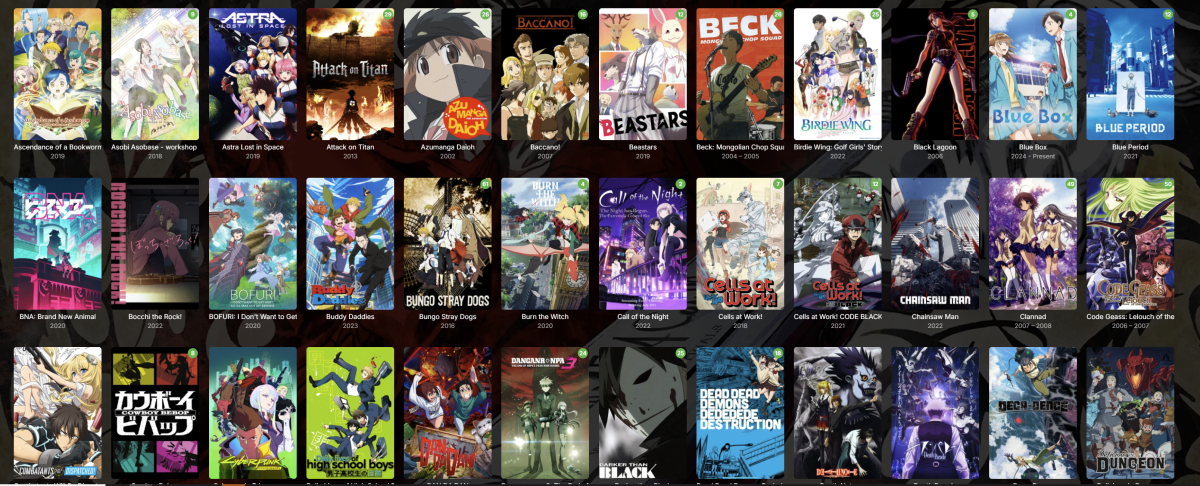
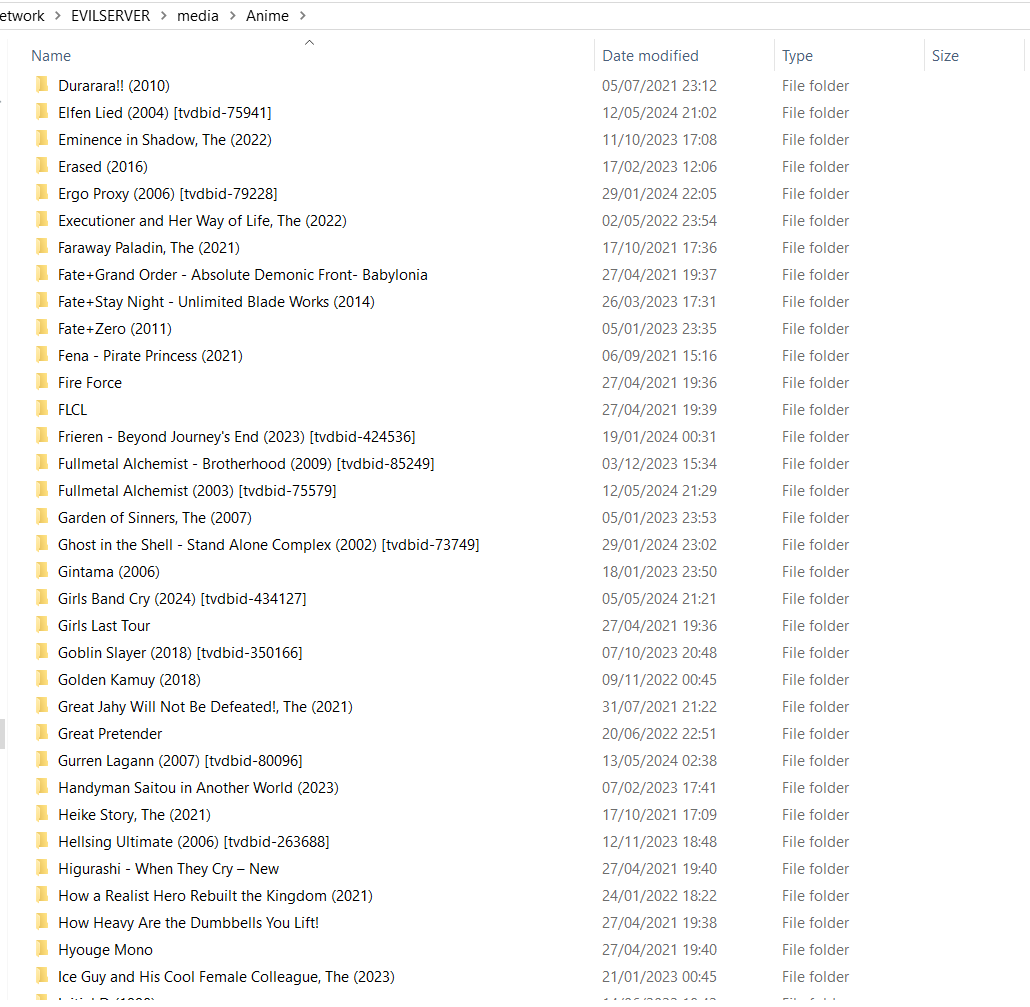
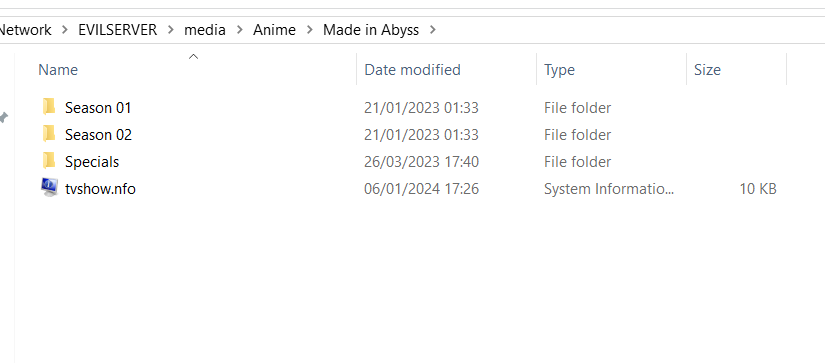
Here's my config and folder structure if it helps
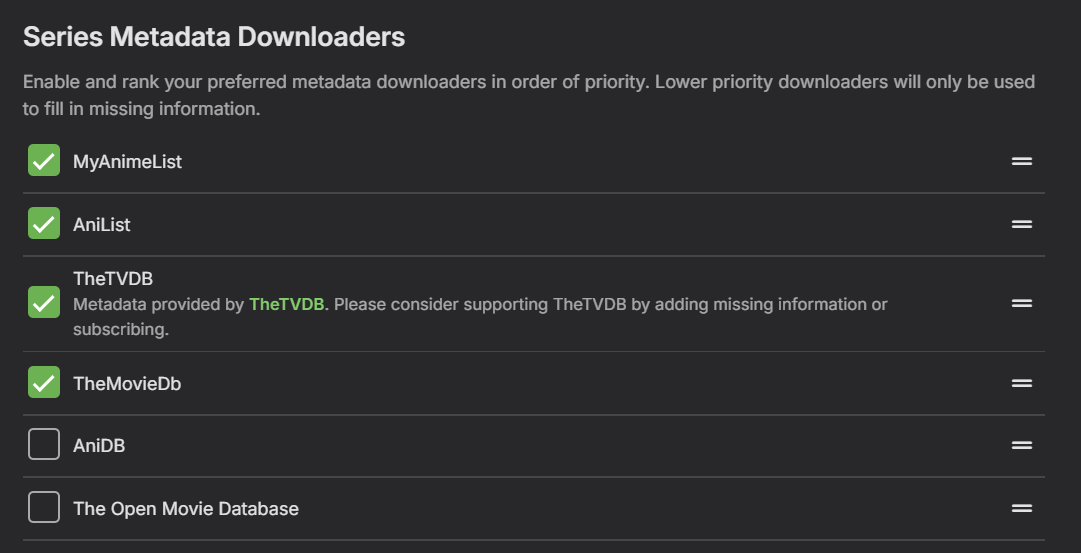
 1 point
 -
I think that there is a bug in documentation, config file should be in: /app/config/config.json1 point
-
I would drop Plex in a heartbeat if this feature was implemented1 point
-
I would use either "Collections" or "Playlists" for large custom music groupings, rather than "Albums", but it should be possible to do what you want and use "Albums". I just created an "80s Mix" album with "Various Artists" as the album artist and successfully made a custom album. Do you have a smaller specific example (perhaps with 5 songs) that you can share that shows the problem? When you say TAG, there are at least 3 possibilities: A custom Emby TAG that will show up under the Tags menu tab A TAG within Emby in the relevant music fields An embedded music TAG that Emby may or may not properly import, depending upon what the field/tag is You may know all this already, and I am not fully understanding the exact scenario. The auto-language translator may also be making it a bit more difficult to understand? Therefore more specific information and example screenshots could be very helpful. Whatever method may work for Movies or TV may not work the same for Music, due to the way Emby uses the embedded music metadata. Do you first tag outside of Emby (e.g. with Mp3tag or Picard) and then import the info, or are you only changing tags within Emby? What do you have for "Album" and "Album Artist"? Sometimes "Album Artist" and "AlbumArtist" embedded tags can cause problems if you don't know the difference With music "Albums" Emby may not update if you rescan from the wrong place. What is your music folder structure? What is it set to in your Emby library? Are you getting Emby to fetch data from MusicBrainz or Discogs? Sorry if this is too many questions. Just trying to help!1 point
-
Sorry, I don't know what is going on. Unfortunately there are no docs on how to use the plugin, there are a few short hints in the first post put apart from that it's trial and error for a user. I don't think many people are using this plugin any longer, or even initially, I wrote it as a way to put a bunch of research I had done arround audio fingerprinting into practice and work on a way to target episodes. Technically I think it is a superior approach to the built-in one however it does require more from a user to set it up. I would say just delete the plugin and move on with your life.1 point
-
Hey, so I am pleased to say on the normal server (not the one I started from scratch) it has completed 100% of the transfer. This was on a different machine (hardwired rather than wifi), but the other one is working and just seems to be taking time. I did notice there was a new client updatre 2 days ago + I am on server version Version 4.9.0.30 beta. So I am happy to report that (for now) the issue has disappeared.. I will therefore stick to the beta channel for now1 point
-
It's a good catch on DTS - I was surprised when I saw it too as I don't believe Apple TV supports DTS. It's possible the App is internally decoding DTS and playing it back as PCM or maybe AAC as it's Apple but is reporting it as Direct Playback as this is a client side decode.1 point
-
DTS audio is maybe part of the issue. I don't use transcoding, so I really don't know info on this. I know that DTS audio cannot play back directly on any Windows browser. I think it may also have issues with Apple OS. It is a licensed audio codec that, I believe, needs payments from software or hardware that uses it. I just convert all DTS to AAC surround at a high bit rate and never put up media with DTS. There might be a way for everything to direct play perfectly, somehow. The only way DTS audio works for me is if the mkv file is burned onto a datadisk blu-ray and then it plays correctly on a high end Panasonic blu-ray player, which sort of surprised me that this was possible. I think Emby transcoding can handle DTS, but I think everything has to be just right for that to happen. I am guessing a copy of the media DTS converted to AAC audio codec would playback better.1 point
-
It's been a long time, but I finally found a solution. I simply used MKVToolNix GUI to re-encode the MKV. I didn't have to exclude any tracks. I just ran that over the existing MKV and it fixed all of the errors and the resulting file works perfectly.1 point
-
Pictures cannot be synced to Kodi. Kodi's picture viewer is basically a filebrowser. When you sync a home video & photos library from Emby, it actually only syncs the videos, not the photos. However, the pictures are still fully accessible via dynamic nodes -> Kodi config -> Addons -> picture addons -> "Emby for Kodi Next Gen (Picture)" -> Open ... browse the dynamic nodes. If you don't see the "Emby for Kodi Next Gen (Picture)" under picture addons, you didn't install the plugin.image.emby-next-gen helper plugin. Each of the dynamic node selection options can be embedded in a custom skin wherever you like.1 point
-
Sorry for the late response, but I'm not using emby at the moment. Maybe someone else with similar hardware can test it. Would be great if it works with newer kernel versions.1 point
-
I've seen aspect ratio changes, bandwidth changes, audio stream changes and others, but I've never seen a DVB stream changing from interlaced to non-interlaced during a broadcast of a program. I guess German broadcasters are too professional to do such things. Also, the provided *.ts snippets were in some way processed by ffmpeg - not original broadcast streams, that's why I was asking about the origin.1 point
-
Please, @Luke , just add the double tap to seek forward/back—not the brightness or volume gestures, just the double tap!1 point
-
The easiest way to do this is with Webhooks. I wrote a tutorial for it here: and here to setup the webhook automation: You just need to make the HA Action toggle a light instead of a notification. Hope it helps.1 point
-
An option is just fine by me! That's what We've been asking for! I just what to see random trailers! I can't not wait for this!!!!!!!!!!1 point
-
Fine by me. I don't mind checking a box to turn it on. I just want it to be available.1 point
-
Hi there. I've read some article here like . Like them, Emby currently is not friendly to animes. Many animes releases several TV seasons, OVAs and Movies. They released, and should be viewed, in order. For example, one anime may release TV Season1, then an OVA, then another Movie, then TV Season2. If we order them using a fake "SeasonNumber", in this example, if the TV Season 2 has a SeasonNumber 4, the info for episodes will be applied wrongly. Currently, because Emby has a FIXED sorting way, always using SeasonNumber over SortTitle, there is no way to have them well. Please consider to add an option in Library level, or even in folder level, to let the admin choose the sorting priority. Thanks a lot.1 point
-
I hope so. Emby requires you to have installed your own Server, or to have been invited to one. Emby provides no media, it is not a streaming service. Here's a good place to learn more about how Emby works: Quick Start1 point
-
Hi, yes this is planned for future updates. Thanks.1 point
-
Nope, you can't select individual fields to show (or not) in AndroidTV app, it's either "Show Label" with predetermined values/layout under posters or not show them, in which case line on top of the screen will contain some additional information. You can't, as said above, you can only show some more information if you opt out/deselect "Show Labels" in library threre-dots menu @Neminemmentioned above. Download Standard/Universal Android app from your store (or sideload from here), you'll have same options as in Web app.1 point
-
it's really sad to see that this gets ignored again and again, at least in terms of real action. would be great to know where the issue lies. is it money? I'm sure there are enough people, if asked, would help fund this feature. is it capability? if so, it's also solvable by money (most of the time). there are requests for this feature going back as early as 2017, here in this same forum. plex introduced it over 4 years ago. what is it? where is the issue?1 point
-
I never said arbitrary either. The order is not random or done in a YOLO way. There is most certainly a defined system to go by. Namely a timeline, but instead of asking Emby to maintain it, we the users don't mind. We just need some sort of mechanism in place to define it. NGL, I thought Emby already had it in place, as I was telling a friend of mine the other day. I thought you already had "Collection Sort Title" and then you had a drop down of current collections to choose from. The custom sort title only applied to that collection chosen, but I must have been high because (as you already know) Emby does not have that. Went looking at Emby's competitors and that's not how they do it either so I must have been smoking something, lmao. I have no idea where that "memory" came from but it is vivid as hell.1 point