
Leaderboard




Popular Content
Showing content with the highest reputation on 10/15/24 in all areas
-
I am trying to add theme music to my movie collection. Where is the collection folder stored? Is there a collection folder at all all? Is this even possible? I got my movies and tv shows to work by following these steps here Emby Theme Songs & Videos : Emby but I can't seem the find directions for the collections.2 points
-
Thanks - The dummy files worked in the end. I had to keep adding dummy series/files until it stopped marking them as watched. I remember what they did now - the show is a partner show to The Great British Bake Off and, on thetvdb, they initially matched the season to the season number of the partner show. Then, they decided that they didn't want to do that and reverted to actual seasons of the show itself. Got there in the end - Many thanks2 points
-
Example of how most of Emby works, this is not exhaustive and there may be exceptions to this. Just about everything has its own library in the db, they are just linked by id's. Movies, People, Trailers, Extras, Studios, Music, Artists, MusicVideo, Photos ,AudioBooks(are Music Type), Books, Authors, Games, GameSystems, Genres, Tags, Collections etc (whatever else i didnt mention) When you search for a movie type internally in the code, it doesnt fetch trailers. You have query the movie then ask the database if the movie id has a trailer (technically a trailer id), and any linked trailers (trailer ids) will be returned as a seperate item list. To display the trailer you then have to query the trailer id. So if you search for a movie and include trailers in the search query, they wont show as linked, that then has to be queried to find the match. Hope this helps.2 points
-
Quite mindblowing how this has been an issue for as long as I can remember. Luckily I rarely use Emby like this but when I did yesterday, the freeze (and having paused) occurred again.2 points
-
@user24 that really helped me out, switching the folder structure.2 points
-
Oh man, your question pointed me in the right direction. I explicitly added the "emby" user there, and gave it all read/write privs in the filestation folder, and that did the trick! Might want to add that to the setup docs somewhere (assuming I didn't just miss it), thanks!2 points
-
Hi guys, I am sharing my server with my parents and my sister. My sister and I would like to have the metadata in English our parents on the other hand need to have a different language as they don't speak English. Have been looking in the settings but couldn't find anything that would allow this. So, is it even possible to set two languages for the metadata and then depending on the users language showing the one or the other language?1 point
-
Feature Request: Have User Groups and all settings applied at the Group Level That way you can just assign users to the appropriate Group and all settings will be inheritated.1 point
-
I realize this has been discussed before but I wanted to add how useful this would be. I ripped my collection of BluRay/DVDAudio music to ISO and I would like to be able to stream with menus. Yes I could start ripping every song from every disc but that would be a ton of work and it wouldn't be easy to navigate. Especially with a blend of audio/video on these music discs. For the time being I'm just using Kodi, which actually works quite well. It even scrapes the artwork for all my discs. But I'd really love to keep everything within the Emby ecosystem. Maybe it doesn't make much sense for regular movies, but for music releases it's a completely different situation. These discs are still being released all the time. Any chance this might be supported at some point? Please?1 point
-
Hi, I was thinking that it would be great if the original movie title would be shown on the main movie page. below the localized one.1 point
-
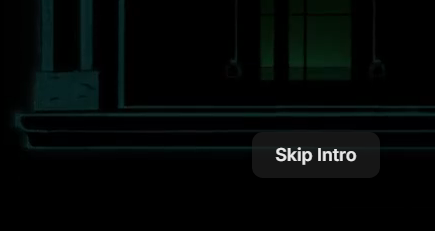
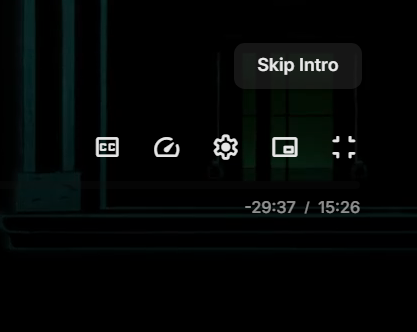
@LukeWhen playing something in the web client, and the Skip Intro option is on screen, when you go to click on it, it moves up above the OSD, as moving the mouse, makes the OSD display. Before moving the mouse: After moving the mouse: Can you either stop the OSD being displayed when you want to click on Skip Intro, or move the Skip Intro icon to a position above the OSD, even when the OSD is not displayed, so that it doesn't move. Thanks.
 1 point
 -
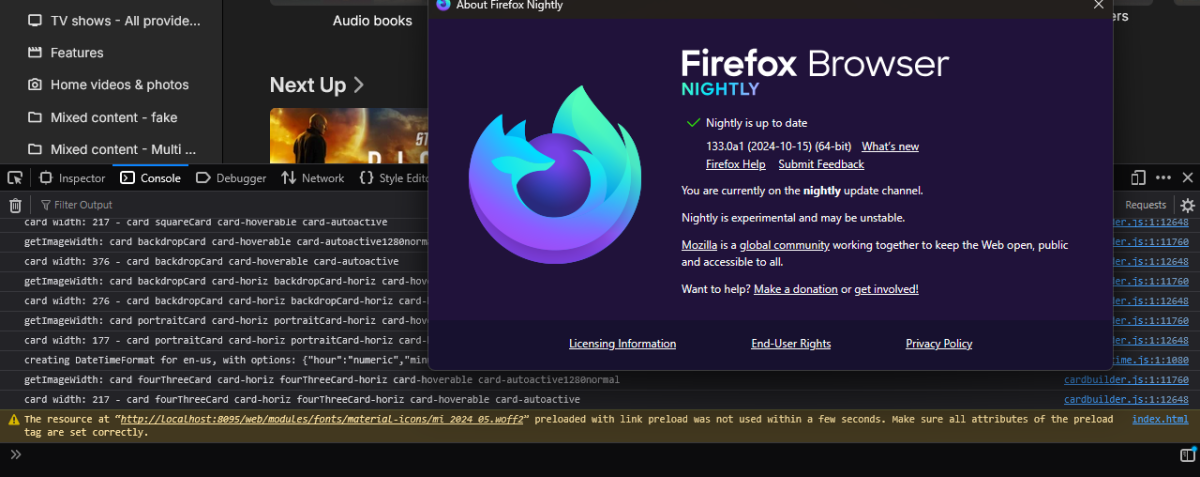
Not seeing any errors in 133
 1 point
 -
You would re-Identify that item as correct movie from the results presented, either from Title search or providerId search.1 point
-
Strange. I don't it in firefox 132 b7. We'll investigate though. Thanks.1 point
-
Thanks for the response! I’ll need to check my network setup...1 point
-
Just to double check, is your NAS' IP 192.168.0.13 and are you going to the default port (8096), for example: http://192.168.0.13:8096 If both are the case, and it is still not working, you might need to do a manual uninstall, as I outlined in a previous post:1 point
-
Hi, when you reassigned it, did you make sure to follow the instructions in the help text underneath the option?1 point
-
Hey Luke, I'm sorry, I should have done more due diligence before reporting this apparently. It looks like the ones I noticed were SD are older episodes that actually are SD on chrome and VLC as well, but when I had checked the RSS feed manually I grabbed stuff from the top which was of course newer and in HD. Please disregard/cancel this post. I apologize again for wasting your time with this one.1 point
-
For the player, I haven't tried the server on Mac1 point
-
Maybe you should clarify this by the field where you can change your server name. I was looking everywhere, why my header won't change en states: Media ServerServer . When I searched for 'emby servername won't change header webpage' I came across this topic. When you rename to anything with Emby, the head will revert back instantaneously. Glad it the solution was this simple.1 point
-
Thanks @mickle026, that's very enlightening. I have always wondered about how trailers are identified. I wonder if a playlist file that contains a Movie Extra stores the ID for that Extra or just a link to the file location? I think it just stores the file location - I will have to look at one closely tonight. The other question would be if VirtualTVExample requires the full ID or just a file location is sufficient for adding content to a channel. I'm a total novice on the code side- but I'm interested in how it all works. Thanks to everyone -all of these plugin efforts by @VicMoorehave been very educational!1 point
-
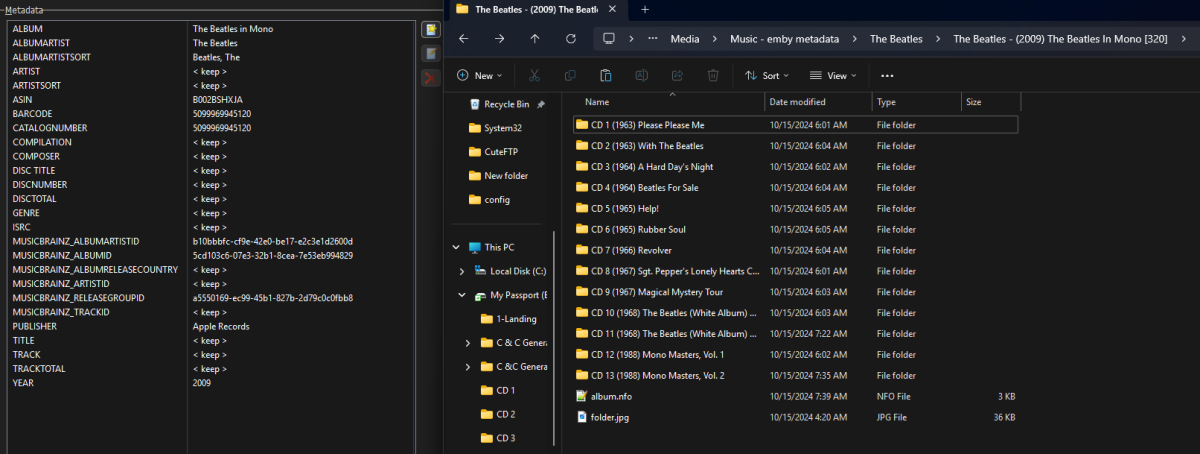
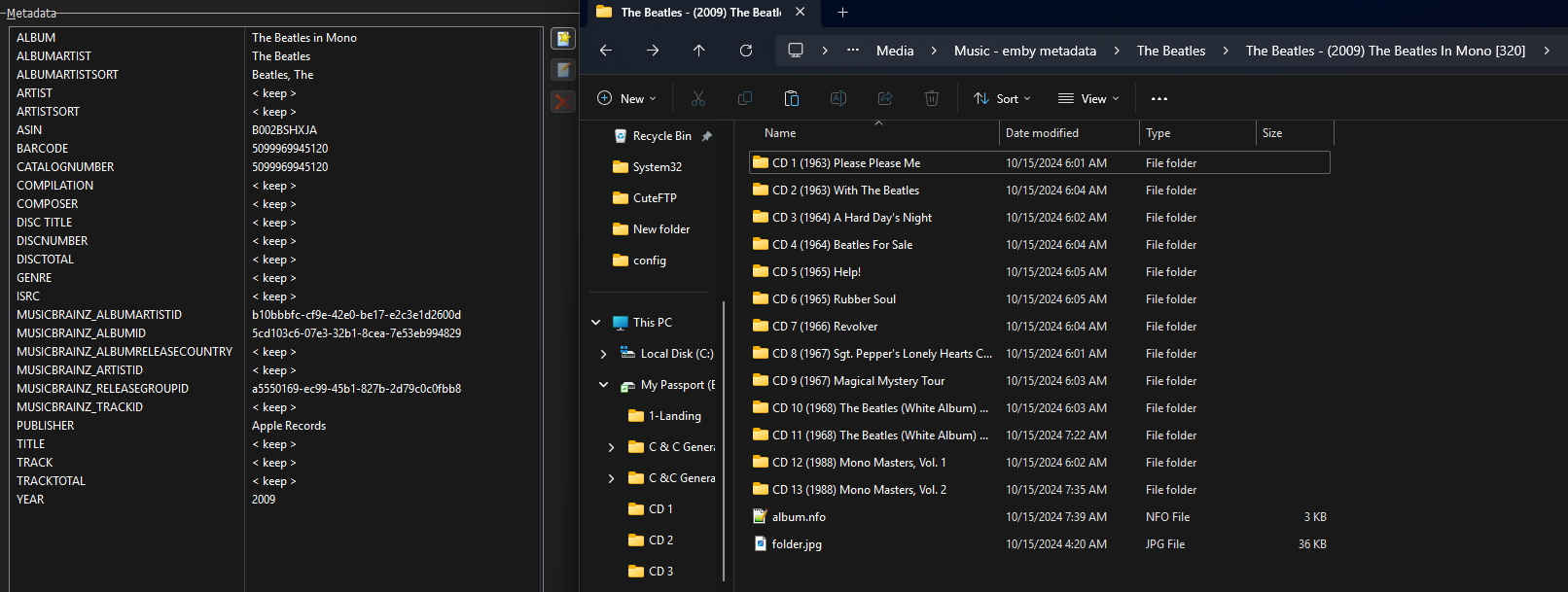
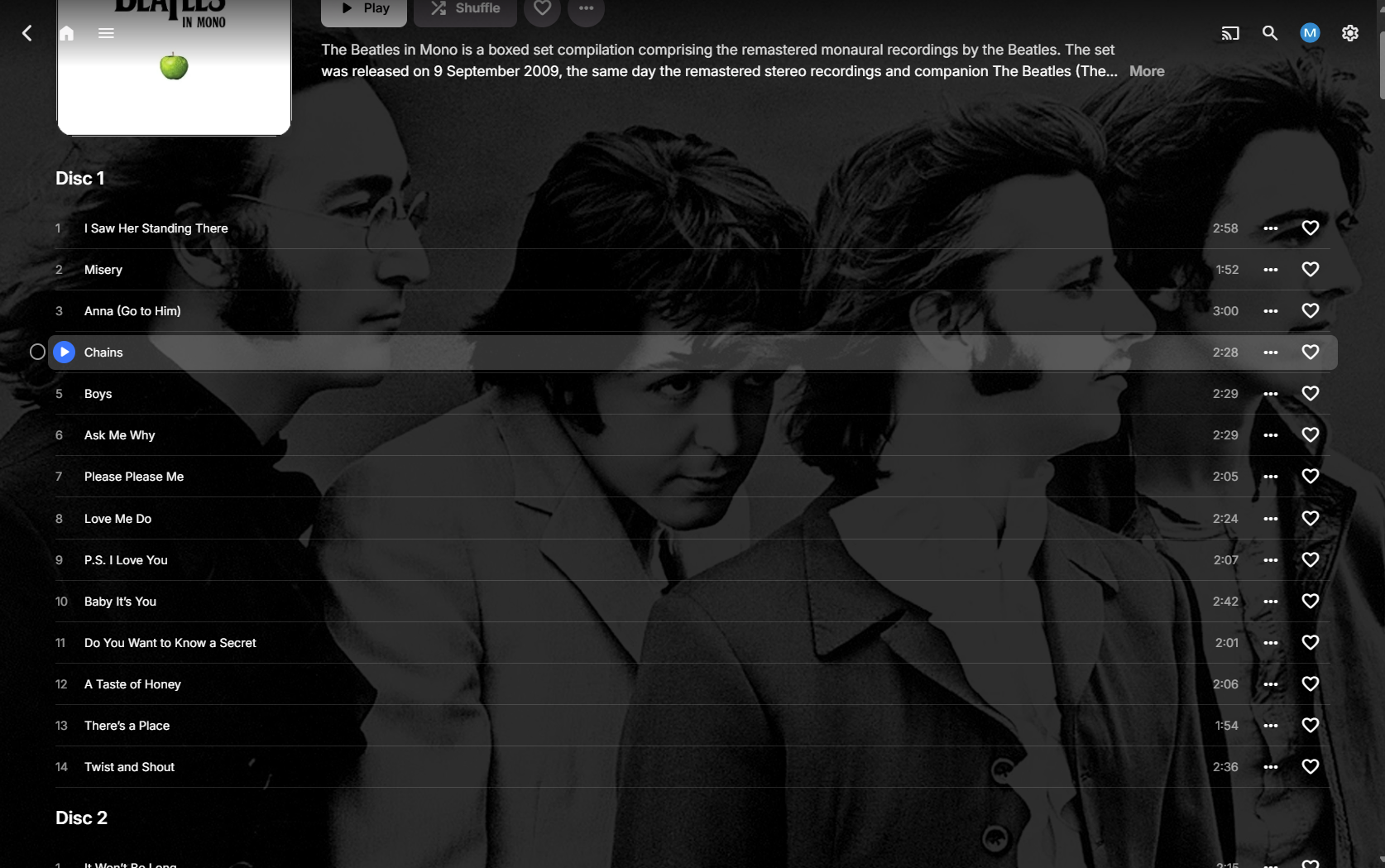
Correct they would be two Boxset per those id so all the albums would be tagged as those boxsets not individual albums. If your albums are tagged per name then yes they will be grouped together as same item no matter how you have them organize. Only one done, might get to the other one later. Listed as one album with 13 discs Hmm never noticed Disc 1 was fixed in 4.8.10.0.
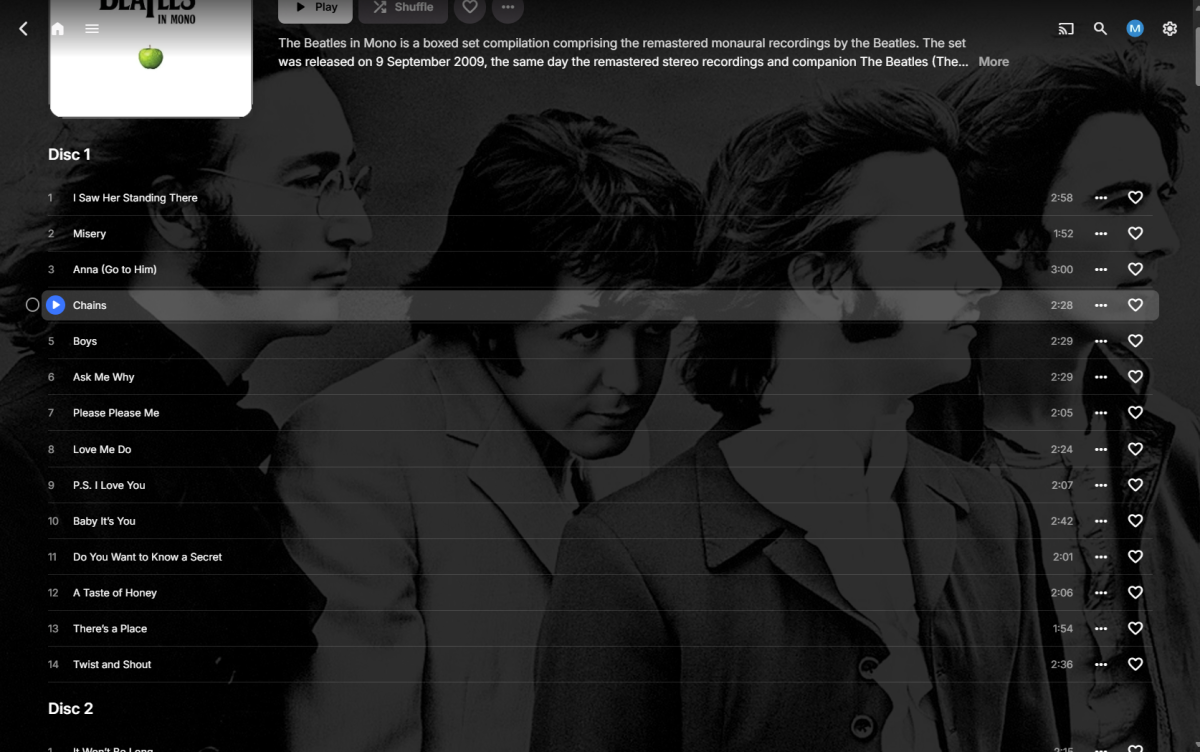 1 point
 -
Ha ha yes that is annoying, I always hit "full screen" or "pip" if I don't wait for the shift.1 point
-
Hi, we are looking into this. Thanks.1 point
-
Looks like TMDB has it as two shows and will guess TVDB combine them both and changed season order. But not quite sure how anything future could be affected. My only guess would as mentioned you can drop these dummy files in Season 11 and see if the show up as watched then mark them unwatched. As I am not quite sure you can really purge a specific show/episodes from usersdata as it could be tedious cross-referencing they tables. dummy files.zip1 point
-
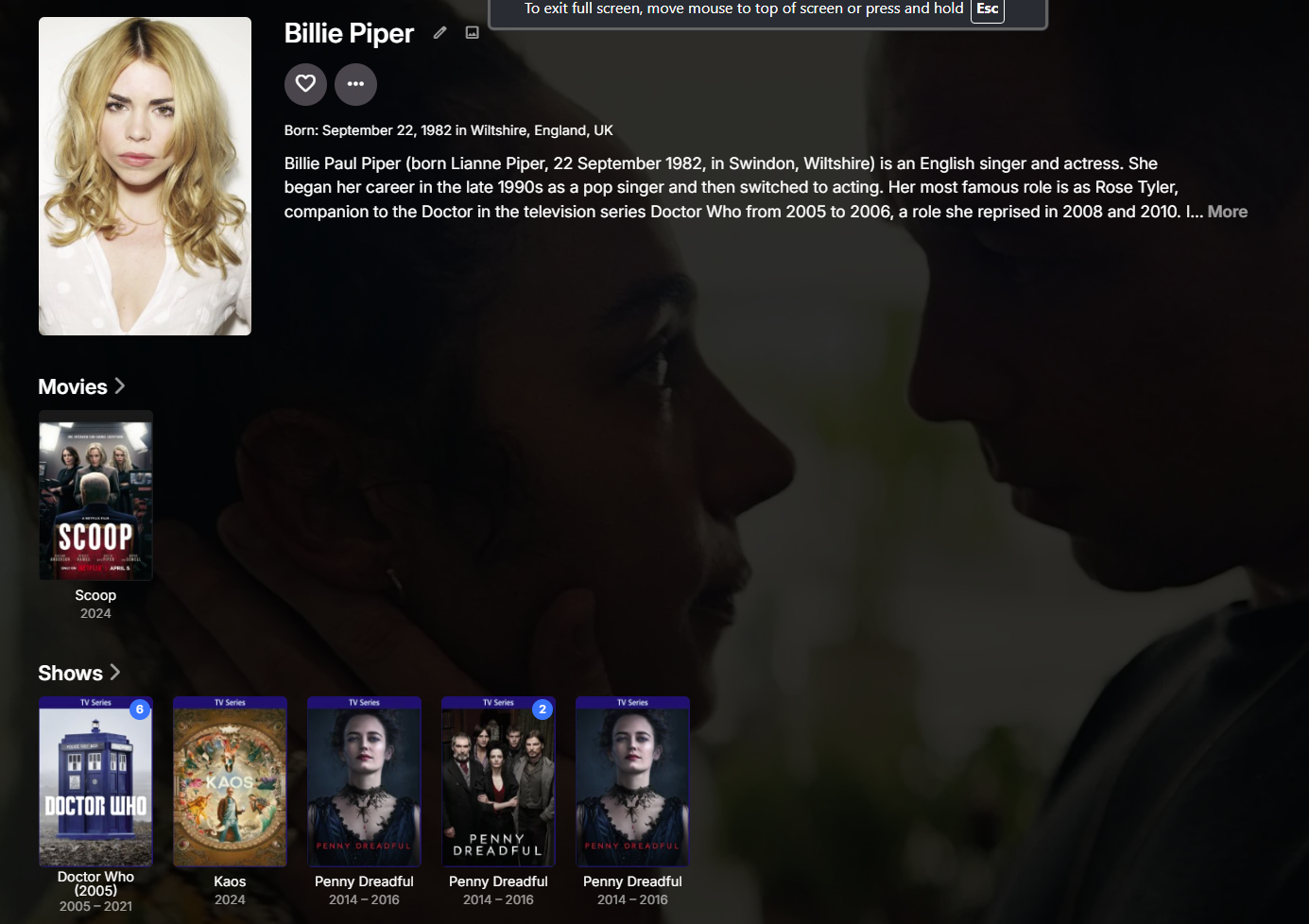
What server version and client as Movies & Shows should not be combined as each content type should have their own row. Also the library metadata order at least for TV as I did not get the cast and crew order you have as Billie Piper is number 19. But sounding like you have a database issue.
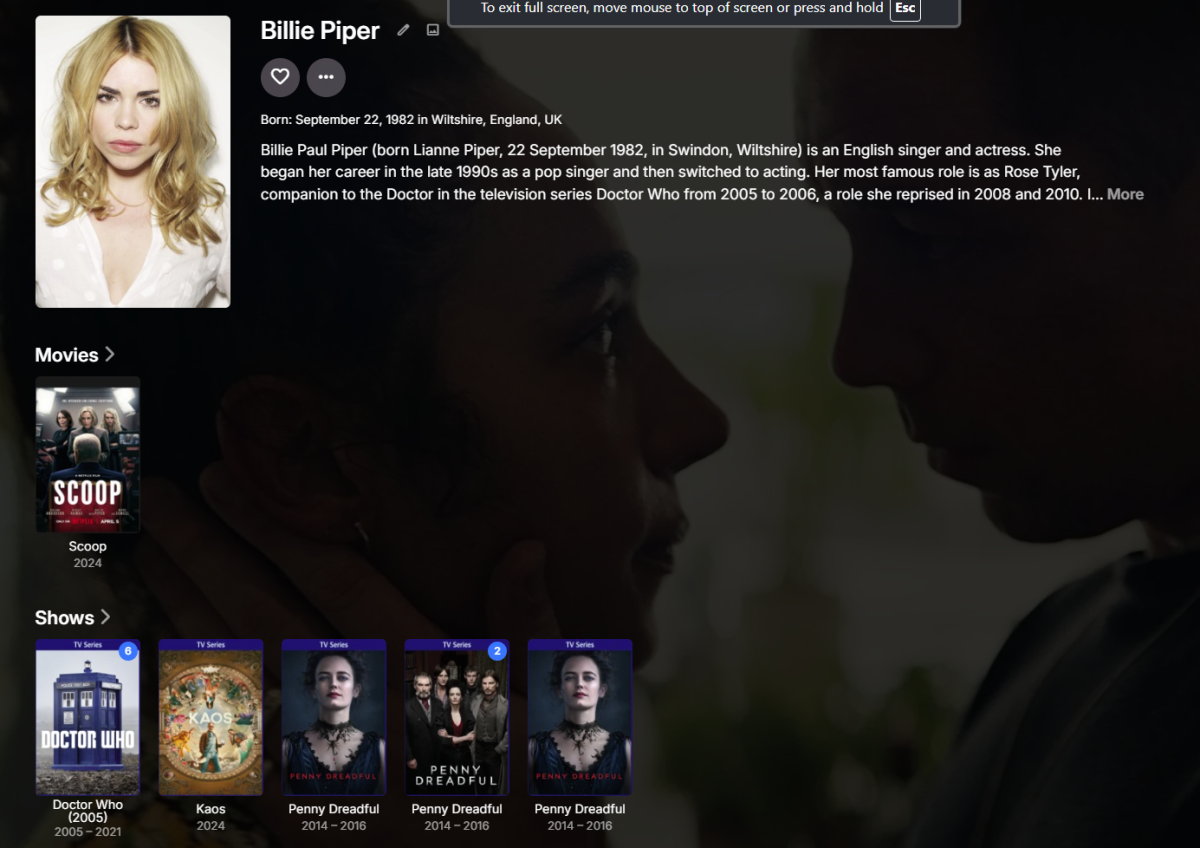
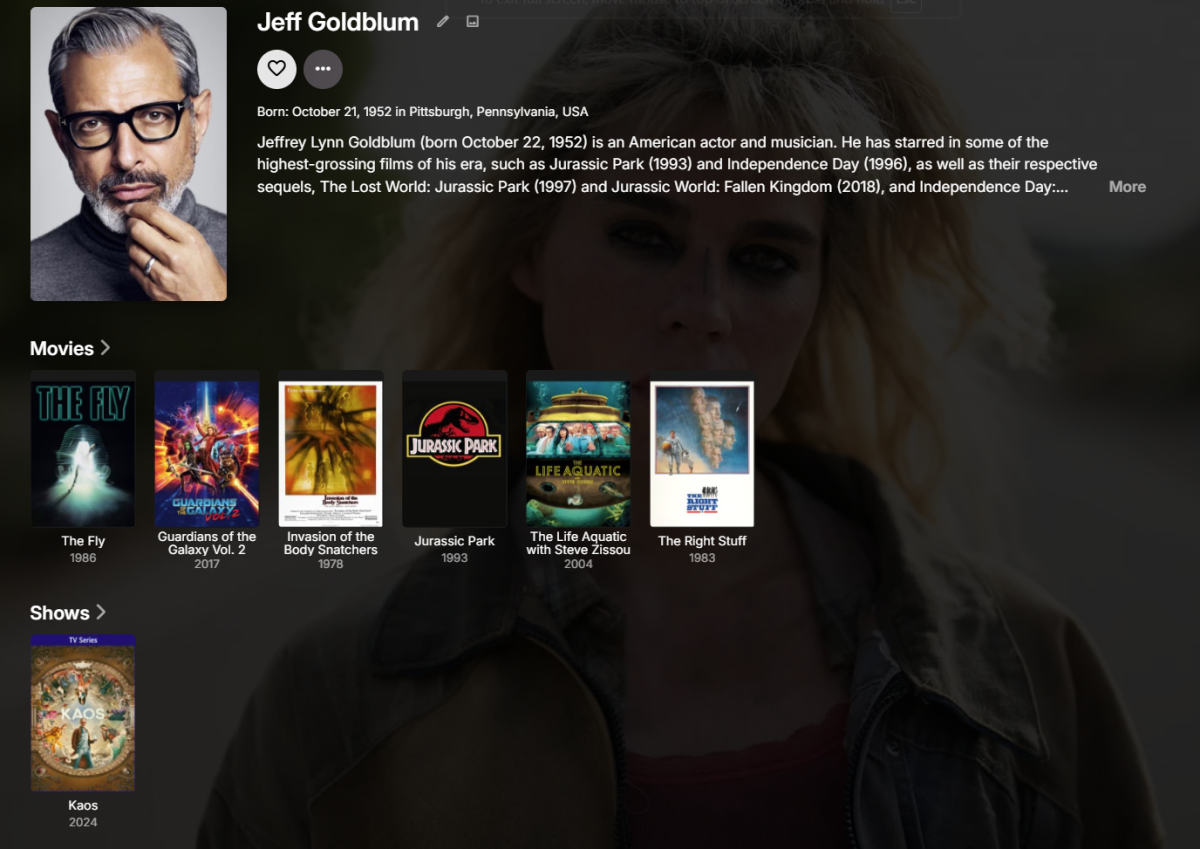 1 point
 -
I can see the workaround working from a OMDB only enabled provider standpoint but then see if failing if you have multiple providers enabled that could have the correct image as automatically falling back to metadata url would prevent going to next provider. But in this specific example TMDB has no image and media does not exist on TVDB so it would work out.1 point
-
Even doing that you get different images in your example. But they have always been hit and miss when it come to images but metadata image usually works. image from metadata image from image.omdbapi.com. Don't know if they do something about language images that cause one to work as your none working example has no English image. from metadata
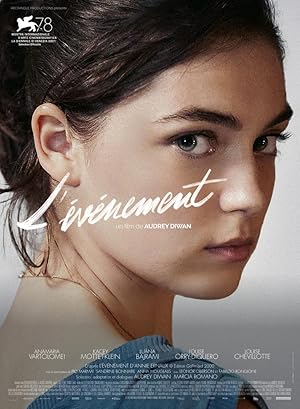

 1 point
 -
Okay, in the end I used strm files. It was the easiest solution with least effort to add to what I already had. I put them in a folder within the plugin folder. For anyone reading, place the address of your remote stream in a .strm plain text file and set the path of the media source info, to the location of the strm. Emby will do the rest.1 point
-
Yes the "download in advance option will apply to media image otherwise the will be gotten on demand via navigation. enable show advances settings per library config.
 1 point
 -
Everyone, I just received the code drop from @TZTZoroand he has again done a great job. The improvements center around adding files to a channel and the new playlist/editor being built (hold the ctrlKey down while clicking the "Save Channels and Update the EPG button") to view the progress being made on this tool. Vic PseudoTV.zip PseudoTV.dll1 point
-
Thanks, Carlo, for your response! I think I can see what happened. "Setting up the DVR" on version 4.8.10 seems to have changed from previous versions. The help page on the web says to "Click DVR in the administrator dashboard under the Live TV menu". This menu item is no longer there, but the things it covered look to be in the Advanced tab on the Live TV menu page. I went to that tab and, without changing anything, clicked Save at the bottom, and scheduled a recording. It showed up under Schedule in the Live TV section of the home page as it should, and started on time, and was removed from under Schedule when it started. However, it did not then show up under Recordings. Reviewing the Live TV Advanced menu page, I suspected that this might be because I left the "Default recording folder" entry blank. I then found that the system had automatically created a Recordings library at the default location, and I set the Default recording folder to this on the Live TV Advanced menu page. At last the recordings did show up under Recordings in the Live TV section of the home page as they should do. I haven't rechecked this, but I don't think I set the DVR up on version 4.3.0. I think it was set up with the default options without me doing this. It seems, though, that version 4.8.10 needs an explicit DVR options set-up. I suggest that the user friendly thing to do would be to revert to the practice of automatically setting up the DVR with the default options, and to revert to having an explicit DVR set-up page rather than putting the DVR options in an Advanced tab, which many users won't look at. I also suggest that the documentation on the web might need some slight revision. Now that this has been sorted out, I'm looking forward to using the system :=)1 point
-
Yes I have a VPN, But I had a split tunnel excluding Emby from passing through the VPN. I thought if included Emby then adding a dedicated IP that it may resolve the issue. However I think I figured it out. I noticed UPNP was enabled on this router which was an oversight on my behalf (I'll pretend I'm not an IT Engineer for my day job). No disconnect in over 24 hours.1 point
-
Ok, thanks Carlo1 point
-
Now its working. After change the <CollapseVideoFolders> to false I need delete and recreate the library again1 point
-
I finally had time to check and in fact I had a different app from Amazon app store. I had Emby for fire TV. I installed the app just named Emby and it doesn't present the problem. It surely solves my problem. Few more details for anyone else with the same problem: "Emby for Fire TV" is still available on the Amazon Store and is listed as developed by Emby. It worked fine until a month ago, and it's also still working fine on 2 other Fire TV I use. Thanks Luke Alessandro1 point
-
Today I was able to resolve the problem by buying an HDMI audio extractor and using an extra audio cable from the extractor to my stereo system. Not all HDMI extractors are working but Tendak 4K x 2K HDMI Audio Extractor Converter works with Chromecast and TV Steamer: https://amzn.asia/d/bCTKfgi I will stay with this setup until the issue is resolved. Thanks anyway for your time.1 point
-
Using Debug Logging I observed errors about failing to save NFO files (metadata saver), 'Access Denied' - there was a permissioning issue with the storage directory I'm using that appears to have affected subtitle detection. Running a full library scan now to be sure, but based on tests I expect my issue has been fixed. If not I'll update this thread then. Subtitle file contents, file naming, and everything else are fine. Thank you.1 point
-
What model do you have? It's not going to be available for all model years as the feature was built using newer rendering features that older models will not have.1 point
-
If you play those files directly on a PC, do they play correctly (right-side up?) Anyway, as someone who has been dealing with random videos from random people for a very long time (one of my jobs is being a mobile DJ, and I am often asked to play videos for birthdays, anniversaries, weddings, reunions, etc. etc.) is that they're often not encoded properly or in a format that is very common and almost universally supported - which means that your results can vary - a LOT! Some videos will be completely unplayable on most hardware, and some will "sort of" work but not well, or do weird things, like playing upside down. As such, I regularly correct these videos by re-encoding them. To do this, I use VidCoder (a free software based on Handbrake), and I typically encode older files, which can use all kinds of crazy formats and CODECs, into .MP4 files using the H.264 (AVC) codec, which is very easy to do with VidCoder. https://vidcoder.net/ And there are options to flip your videos, so if you had some weird video camera that didn't set the orientation flags correctly, or someone clicked the wrong setting when editing the video, you can easily fix this and make a video that will play easily and correctly on any modern hardware without having to just cross your fingers and hope. If you're running an Emby server, having your media files in common, widely-supported formats and codecs will greatly reduce the problems your viewers will have watching videos from their various different devices - and there's a whole lot of 'em out there and each one has different levels of support, but they almost all support the really common formats & codecs. There are, of course, other options besides VidCoder to do this, but none that I've tried are as easy or as reliable - at least for me. It's certainly worth giving it a try, and it won't change your existing files - it will just create a new version. https://mediaarea.net/en/MediaInfo You may also want to install MediaInfo so that you can find detailed information about your original files. For example, knowing the bitrate that your original file was encoded at gives you a good starting point to select the bitrate for your re-encoded video.1 point
-
I agree that the best approach is embedded metadata, however I did a quick test and found the following... You may need to select structured folders in your respective Library Folder Settings to get Emby to import the correct images from your folders. If you have no embedded images and have "Other or unstructured" selected, then no images will be imported (as per your image example). If you have no embedded images and either of the "Perfectly organised" options selected, then your folder images will be imported. I tested this with a music library: Both the structured options work "folder" and "cover" filenames work If you have no embedded images, then It doesn't matter if "Embedded Images" for Song Image Fetchers is selected or not. Perhaps have a look at this setting and see if it helps? Cheers!
 1 point
 -
Any timeline on the new version?1 point
-
Dear Luke, the issue is now over two years old and the only answer that we get continuously is „We are working on it“. I mean, okay, I am working on my pension since 18 years and I have to work another 27 years before I can get it. It’s a long time but it’s at least a proper information regarding how long it will take. Any chance of getting a specific information when we can expect a working CarPlay app?1 point
-
Yeah this is just embarrassing for a music player to not be able to play even one single track, and to let this linger for months...Can I please have my money back because seriously if I have known I wouldn't have made the switch1 point
-
We'll look at improving it. Thanks for the feedback.1 point
-
Understood. Kinda silly that it's such a primitive find-and-replace function. I'm sure many people have "Emby Server" in their server name and wouldn't want it to say "Server Server" in their browser.1 point
-
It's a complex subject and I wanted to respond to some other things first and see whether I'd be still in the mood to explain In fact, the recent couples of posts are covering so many things that I'm not quite sure where to start. Let's go for the ramdisk part first: First of all: Sure! We have all learned that we can improve performance of certain processing tasks by things like using SSDs instead of conventional HDs and ultimately even using RAM disks. What are those "certain tasks" that can be accelerated by such measures? => IO-bound tasks, i.e. tasks where the limiting factor is IO throughput Is this actually a problem that we're having with transcoding that we'd need to solve? => No - not at all. Even with the fastest hw accelerations or even when assuming one that would be infinitely fast - the source data needs to come from somewhere. It doesn't come from RAM - it comes from some disk. The output bandwidth when transcoding is usually much smaller than the input, so what comes from some disk storage (network or local) can easily be saved to another disk storage. Are there any reasons at all, why we would want to accelerate disk IO? Now, let's assume an odd case, like 5 transcodings of videos from 5 different source disks, with the results all landing at our single disk with the transcoding-temp folder. Even in that case, we would need an extremely powerful hardware acceleration to saturate the transcoding-temp disk's, IO capacity. And there, we would have each of those 5 transcodings running at a multiple (e.g. 5x or even 50x) of the required transcoding speed (1x). By default, we are running transcodings "as fast as possible". That's not really a good thing, because this will always cause to max out one of the following resources: CPU processing, system memory IO, disk IO, hwa IO or hwa processing - to its limit, even though that wouldn't be required in any way to improve the user experience. It's often a waste of resources - e.g. when a user stops watching after 5 minutes and we have already transcoded the whole video.. To deal with those things and use resources more wisely, we have introduced throttling - just the opposite of "as fast as possible", for all those cases where transcoding is running much faster than needed. Looking at the other end: None of all those cases where transcoding is too slow, can be accelerated by using a RAM disk. Actually, this has just the opposite effect: it can slow down your transcodings instead of accelerating. And not just that: A ramdisk can even negatively affect Emby server operation in general. The problem with the throttling we have is that it is binary - like a refrigerator: there's just ON or OFF switching over time. While it's on, it still runs with maximum speed. Transcoding itself requires a lot of memory IO - all this IO bandwidth will be taken away and not available for regular Emby operation. And now you want to add a ramdisk on top of this, creating even additional memory IO for writing and reading? Very bad idea! The more shoulders on which we can put these things, the better - the right "shoulder" for transcoding temp is a disk. Even when the CPU does the transfer of memory in either case - it's still totally different: RAM is just not optimized for such access patterns. When you use the RAM in this way, you will permanently flush the memory caches (specifically L3) with other data, and this can in turn very badly affect sw filtering operations where the same memory needs to be accessed repeatedly. Edit: And as mentioned, also Emby Server and all other server operations. In Summary With a RAM disk, you would: Either not accelerate anything or at best, accelerate something that is already running much faster than needed Use memory IO bandwidth and CPU cycles (for memcopy) - which are badly needed for other operations Negatively impact overall server operation1 point
-
Collections are stored under your install-dir\programdata\metadata\collections, but AFAIK theme music won't work there. It's a nice idea, though.1 point
-
Hi, it sounds like you’re looking at lg device settings. We’re talking about settings inside the Emby app. Please let us know if this helps. Thanks.0 points

















.thumb.jpg.1ea4e6b27fd5921ad22171468034b3f4.jpg)

