Leaderboard




Popular Content
Showing content with the highest reputation on 10/13/24 in all areas
-
I'm not entirely sure it will go away. There may still be a place for playlists that are not associated with any specific user. Plugins can still create playlists without a user assigned, and they end up going there.2 points
-
Using Debug Logging I observed errors about failing to save NFO files (metadata saver), 'Access Denied' - there was a permissioning issue with the storage directory I'm using that appears to have affected subtitle detection. Running a full library scan now to be sure, but based on tests I expect my issue has been fixed. If not I'll update this thread then. Subtitle file contents, file naming, and everything else are fine. Thank you.2 points
-
OK let me try with the latest release, maybe this has been fixed since I opened this topic....2 points
-
Hi, yes this is planned for future updates. Thanks.2 points
-
Heads up, I'll be on vacation beginning by next Tuesday for 4 weeks with limited internet access. Current plan is releasing 11.X as beta after I return unless there are showstoppers.2 points
-
It's a problem with the clients as discussed in another thread. Only Emby for Android TV and the FireTV clients run a test once in a while and set bitrate accordingly if set to auto. Would be awesome if all TV clients ran a test once in a while to some google server and sat bitrate according to sat and then server admins could set a max bitrate to what their server can handle. Maybe a popup when installing the client like many other programs like "Are you on wired, wireless or mobile connection?", do a test and set accordingly, if on wireless/mobile then set a bit lower. Or do what the big streaming companies used to do back in the time, If stutter is detected then popup a "is the stream stuttering/buffering? Consider lowering your quality". Another thing that could help would be if changing the quality while watching a video would stick and people didn't have to look for the quality settings in a (for people with little technical knowledge) hidden place. Until it's fixed our graphics cards are just going to be working hard and we have to laugh off that people are watching bottom tier streams on their 4K OLED TVs because they don't know any better.2 points
-
Hi Carlo, Yes, there will be occasions where all 4 tuners will be in use. It's not uncommon for members of the household to be watching one thing and recording another. I also allow another household to use my TV signal from my aerial when their reception is affected by high pressure weather. In different but related news, I've set up the Emby server on the NUC and am using NextPVR successfully. Slight issue with the picture on the Roku Ultra stick upstairs but I think I've sorted that by turning off one of the hardware transcoders. So far so good! Much more stable than having the server and client both on the shield. Thanks for all your help. I'll investigate commercial skipping over the weekend.2 points
-
The Pseudo TV plugin is composed of two parts. The first part is based on a TV Tuner Platform created by @Luke. He called the plugin "VirtualTvExample." The second part is a Javascript program that provides a simple GUI for creating and adding channels to the TV Tuner. The code for both parts is attached below. I created the javascript code and several C# additions to the tuner. @TZTZorocomposed the CSS code. PseudoTV is open source and free for everyone to use. PseudoTv is tested on Chrome and Edge. Other browsers may work. I just don't know. To install PseudoTV, copy the plugin dll below to the EMBY plugin directory and RESTART EMBY. Follow the instructions below to bring up PseudoTV. Next add the TV Source for PseudoTV. If you have an Old PseudoTV Tuner installed, you must delete the old tuner before installing a new one. Select the PseudoTV Tuner to bring up the Channel Management menu. Use this menu to Add channels to the Emby EPG (Electronic Programming Guide). Click the Add Channel button to add a new channel. The two videos below, explain basic channel building. Querry-1.m4v The next video is also about channel building, but instead of using an Emby query, media is selected directly from the Emby libraries. File-1.m4v The remaining videos introduce the PseudoTV tool. The first is called the Library Explorer. With it you can navigate across your Emby libraries and view their contents. Libraryexplorer-1.m4v This video explains the Metadata Editor. Metadataeditor-1.m4v Another useful tool is the Playlist Editor. Playlisteditor1-1.m4v The description of the Playlist Editor is continued below. Playlisteditor2-1.m4v The latest plugin (dll) and the source code (zip file) are attached below: PseudoTV.dll PseudoTV.zip
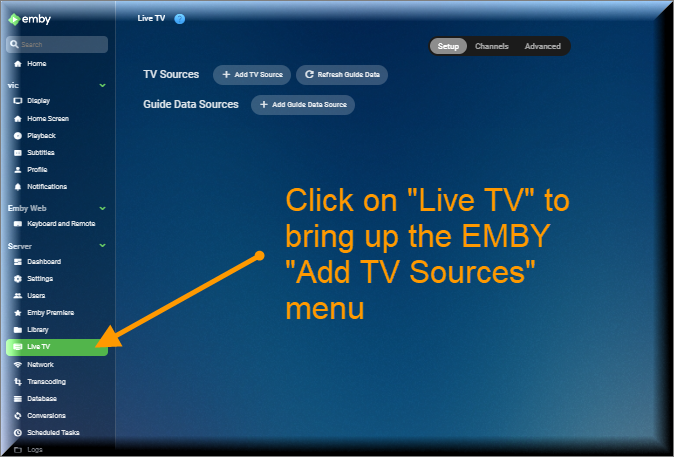
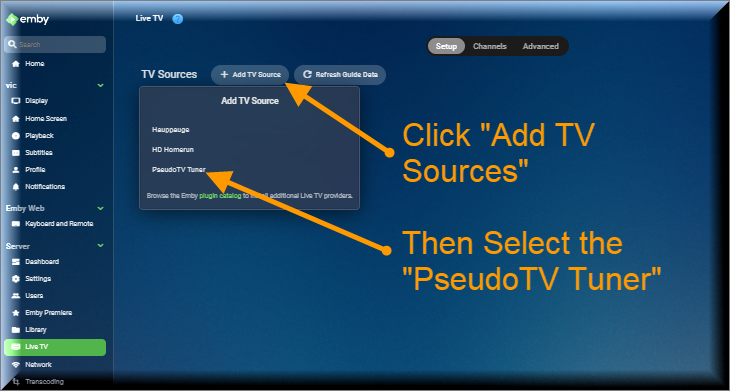
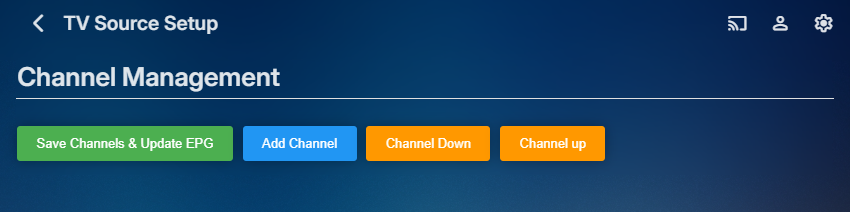 1 point
 -
I favorited a video in my ‘Music’ library, and when I went to my Favorites section, it did not display anywhere. Separately; I did notice that another video from my home movies appeared in my favorite “movies”. Would prefer if this had its own section as well.1 point
-
Request ability to set up different user profiles (wife was born in Scotland, me US) to use different region subs, but don't see the option in the drop-down menu for English. ** Would need to revert to just English subtitles if no region is specified for English subtitles because not all movies and TV shows have both. Many TV shows and even UHD discs though do have English subs for both GB and US. Format of external subtitles trying to use according to format specified in Emby kb: moviename.en-GB.SDH.srt moviename.en-US.SDH.srt Emby kb which mentions using region codes along with the language, though it doesn't appear to recognize English regions. Subtitles | Emby Documentation In Emby only option is English (no region). Other languages like Chinese and Portuguese have region options. Currently using server 4.9 beta Not sure if Emby is default to the setup region, or the first. However, doesn't recognize the region with English subtitles. For internal subtitles MKVToolnix allows you to set both regions for English subs. MKVToolnix Emby doesn't seem to recognize the region for internal English GB subs. MKVToolnix Emby doesn't seem to recognize the region for internal English US subs.


 1 point
 -
Looks like it is hard coded as it is readded with every playlist created right now. As they are global and per user. But in the end only the admin or someone with access can drop a playlist into \programdata\data\playlists. But either way it is transparent when viewing playlist as no one but the admin knows of this. And will have to wait on a future update when it is completely removed. Just want to remove \programdata\data\playlists but is really meaningless right now.1 point
-
I apologize if I offend you. <(_ _)> Just add such a function, no matter where the button is.1 point
-
I will as soon as I get to my computer. I’ll report back.1 point
-
Ok you go to edit metadata at the bottom change language and country and then save. After that update all medata. Should work. If not just identify the media again...1 point
-
Why after watching a show does Emby hang? It doesn’t happen on any other app only EMBY. You have been doing daily updates frequently and have [redacted] everything1 point
-
Hi, we're looking into it. Thanks.1 point
-
Thanks for the response, @Luke! I have now emailed billing support with my question.1 point
-
Movies store their user data based on things like tmdb id, imdb id, etc. That makes easier to retain data when moving to a new server machine. Home videos don't have this and therefore the data is stored based on the raw folder path, which of course is going to change when moving between windows and linux.1 point
-
Hello I want to manually handle my playlists genres As explained in a features request, i would like to sort my music playlists but a few themes only. too much genre ==> you don"t find what you need ; So i would like to restrict the playlist genre to 15 / 20 genres maximum. and i want to set the genres manualy. So it will be perfect if i can lock genre on playlist Regards1 point
-
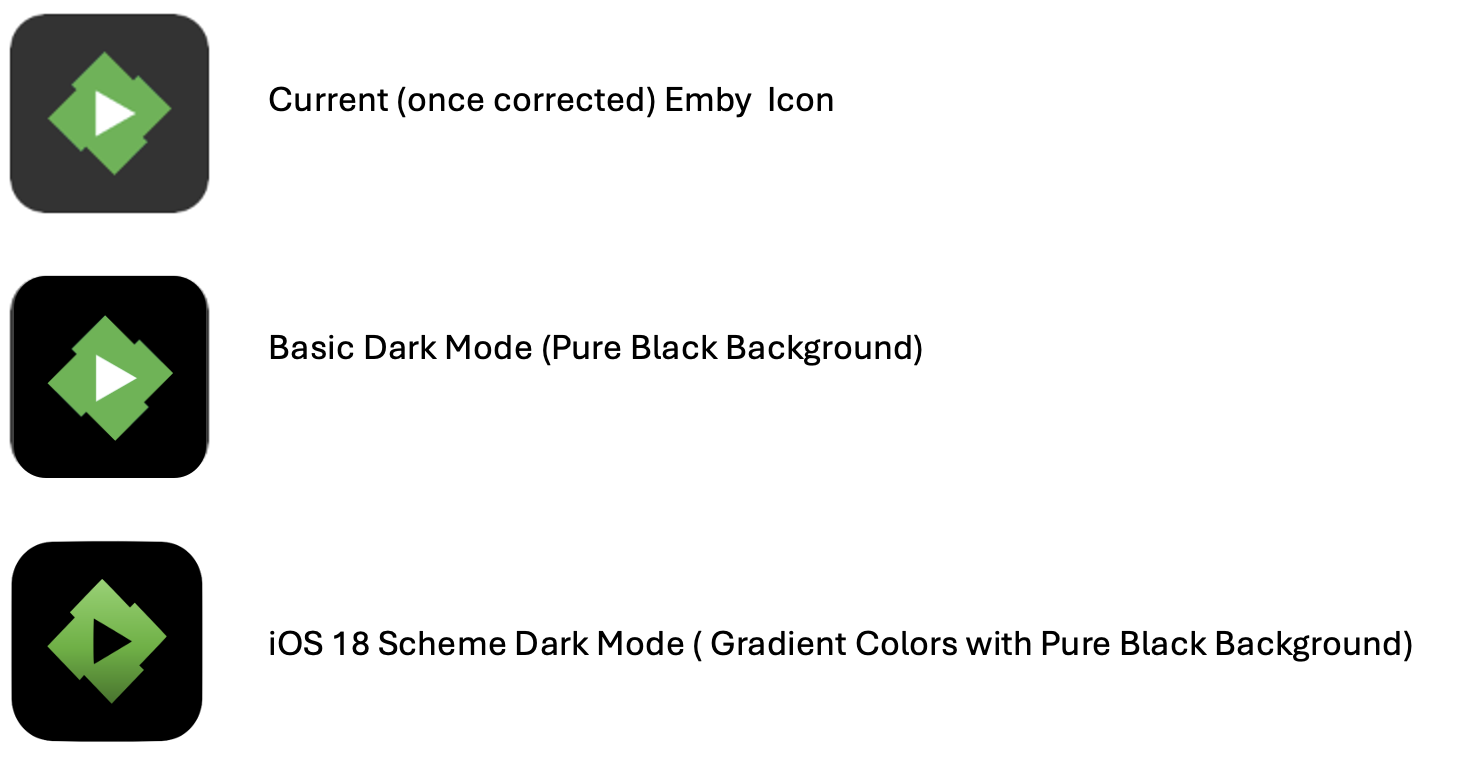
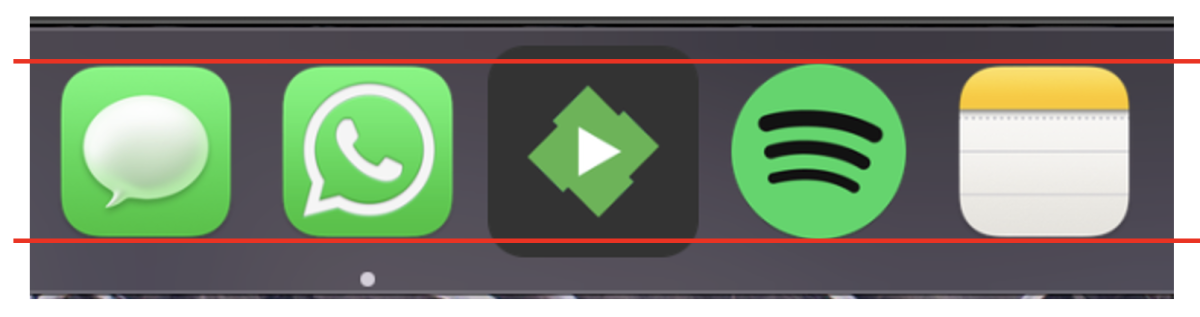
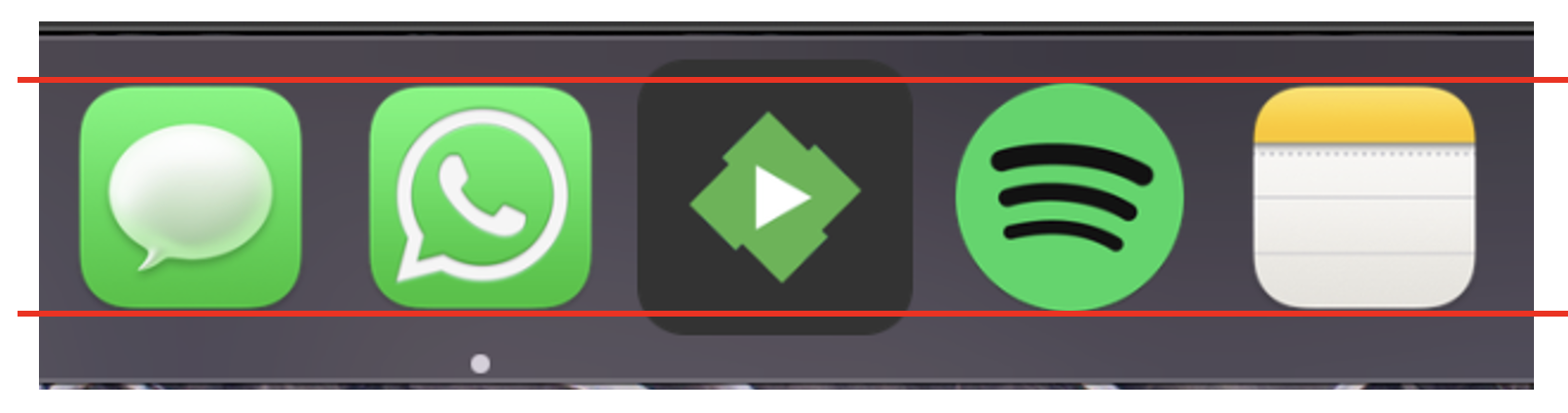
Is it possible to review the MacOS Emby app icon please? For some reason it's bigger than every other icon in the dock? Thank you
 1 point
 -
Great thanks very much1 point
-
Hi, yes we're looking into it. Thanks.1 point
-
Looks to be fixed in the latest TVDB plugin update, thanks.1 point
-
Dev will have to comment here as there is no metadata for playlist except what is extract from item added to the list and it is db only from my understanding.1 point
-
99% of the time it will come back to a Windows issues not a Emby issue as I have many programs that have dumped mapped drives over time and it is not the programs fault Windows is causing the issue. All the devs usually come back with the same as posted above as it is a well-known Windows issue.1 point
-
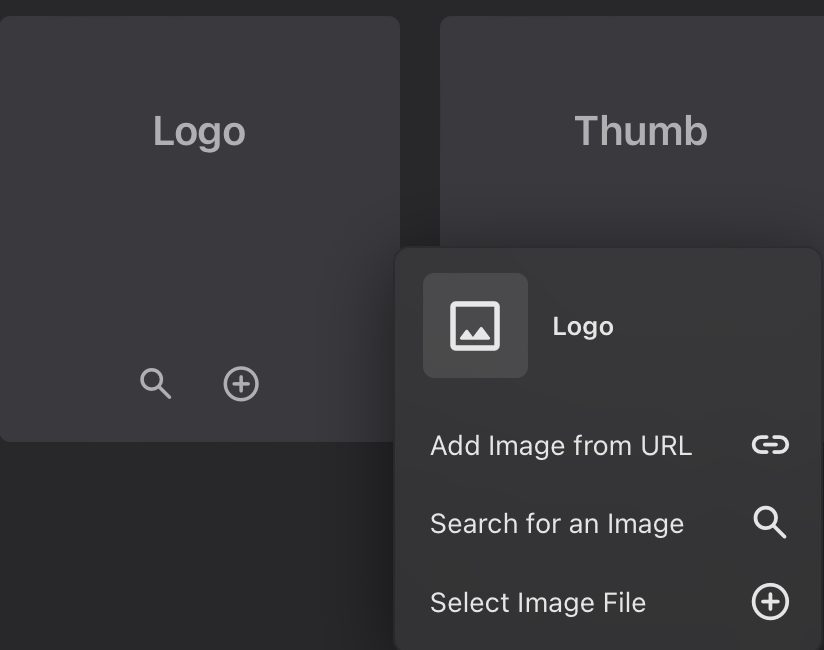
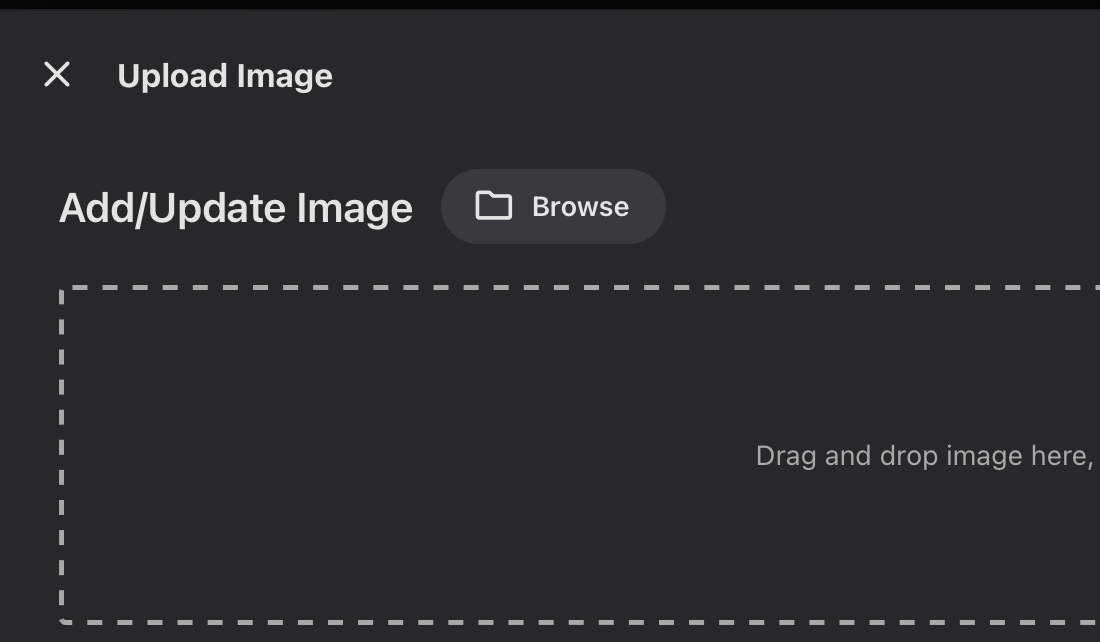
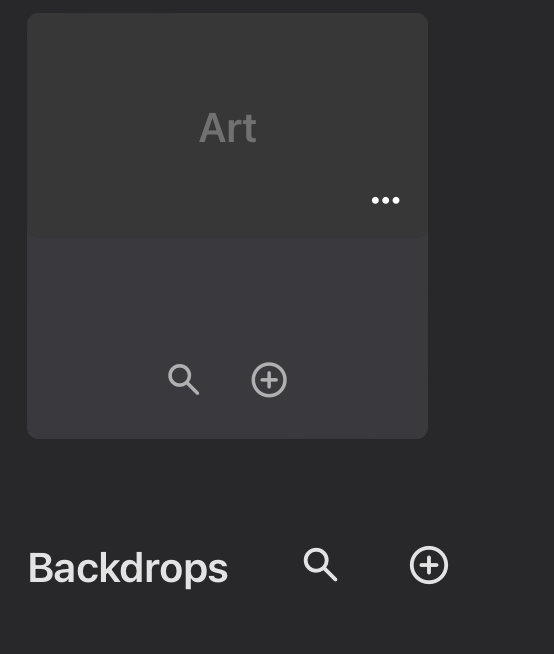
There are several options to add images to items: Upload, search & add from URL (which I find especially helpful). The "Add from URL" option is currently only available for the Primary, Logo, Thumbnail, Banner, Disk & Art images. When you hover the curser over the top of these, they all show an ellipsis (...) which allows access to the URL option. Unfortunately, the Background image does not offer this option - it only has upload & search available (icons with a + in a circle and a magnifying glass). Please consider adding the "add from a link" option to the Backdrop image. Additionally, it seems that there is enough space to have all 4 icons across the bottom of each square (Add, Search, Link & Trash), so the additional step of the ellipsis would not be necessary. However, I imagine that some user with a smaller screen must have asked for it, or you wouldn't have taken the time to program for it in the first place. Maybe, have a step that detects the size of the screen in use & offer either option appropriately?
 1 point
 -
Hi, there's already an open request for this or something functionally equivalent. Please join in and contribute to the existing discussion at:1 point
-
If you can maintain an .ignore file or possibly change it to a folder that begins with a period Emby should ignore it. But yes it it can be configured to outside of any configured library path would be best.1 point
-
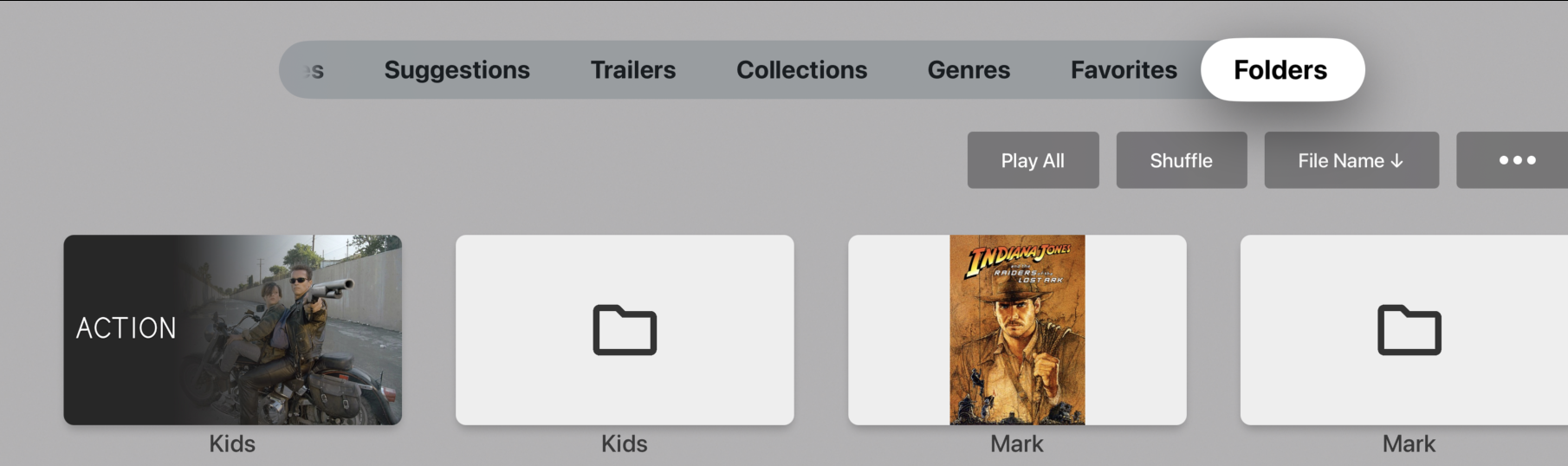
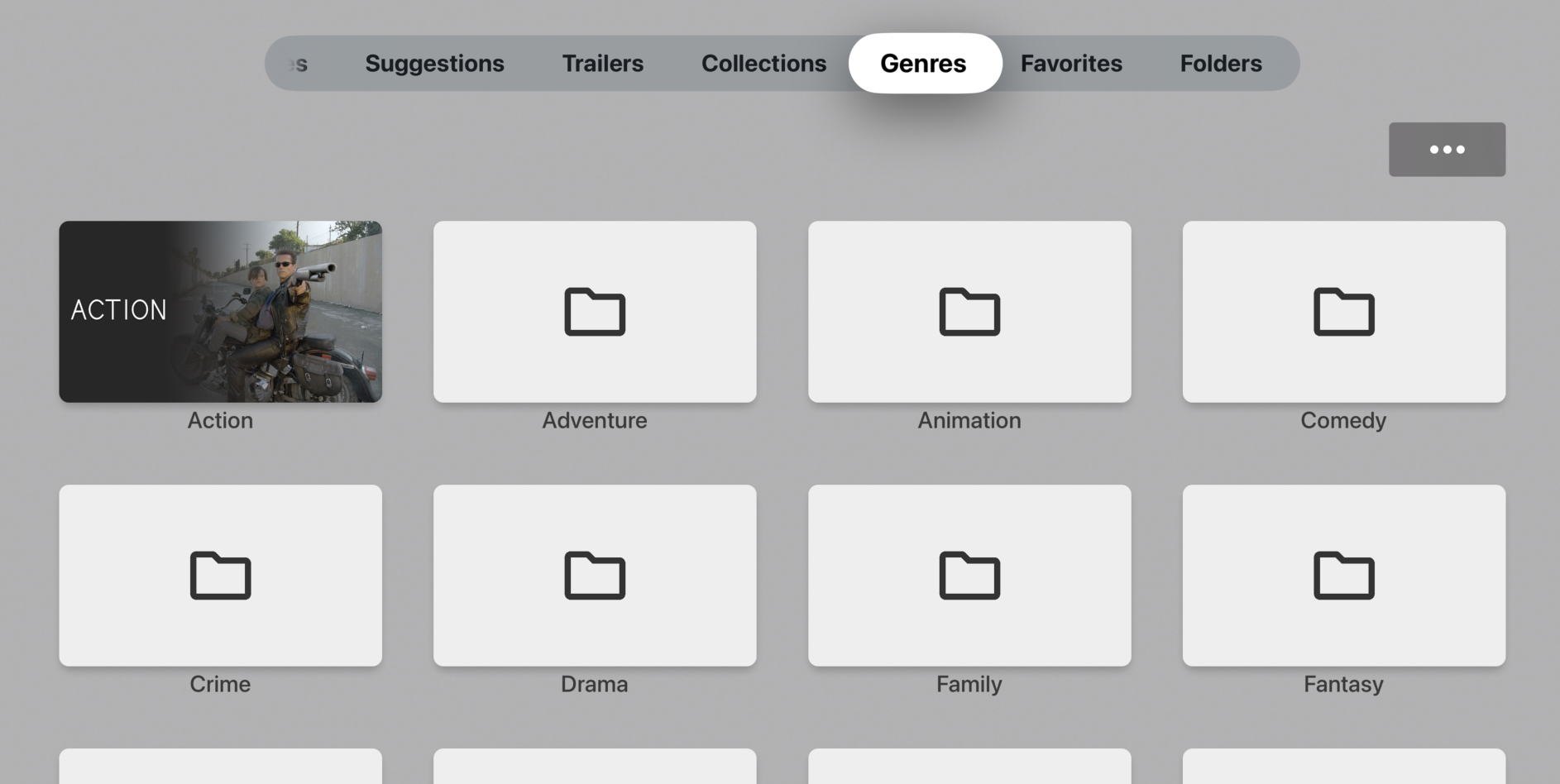
Hi, all of these category examples could be regarded as Genres. If you haven't looked at the Genres options within Emby, then this may be a good starting point..? Emby has a lot of flexibility for music selection and playback with Genres, Tags, Collections and Playlists. Emby will import embedded Genre metadata if you have this in your music files. You can also assign music Genres within Emby itself. You can select and play individual Genres from the Genre menu tab. The Genres menu tab takes you to a dedicated page of Genres which may be exactly what you are requesting? Cheers!
 1 point
 -
Thanks for details but how did it appear just by changing properties of a library ? there is a very serious issue/bug there no ? Well I just deleted the library.db and redid the whole indexation of medias from scratch and will see how it goes... So far it runs perfect and Emby is lot faster than before !1 point
-
I've always used UNC share's - even on local file systems - as they provide the maximum flexibility and are 100% reliable. Using drive letters is outdated and leads to issues when you add drives etc (you need to remap all the drives manually). ie create a share for your m: for example '\\servername\sharename' . The bonus is you can change the actual mount point (if you move to drive pooling, add a bigger drive or whatever) and as long as you keep the UNC sharename the same, then emby won't care and doesn't need to change. To note, any local 'share' will not go through the network stack, as Windows is intelligent enough to know it's local.1 point
-
1 point
-
Your not going crazy. This was originally done via the camera upload on the iphone app. I have other directories that were just normal ones with jpgs in them, nothing was working so I gave this a go to see if the pictures were showing up. Let me reset all the permission and I will try again.1 point
-
@feerlessleadrand @TremasI am working on both of your requests. I am creating a tool for building custom playlists. It lets you add whatever you like to a playlist and then it lets you change the order in which the media is played. To see my current progress install the plugin below and when it comes up press the control key and then click the green "Save Channels and Update the EPG" key. This will bring up the tool. There is still much to be done. I am currently working on the object editor and will soon turn to the playlist. Let me know what you think and any suggestions you might have. On another topic, notice also that I added Audio to the supported media types. You can now create audio channels. For example, you can make your own radio station. I have asked @TZTZoroif he can help me with this project. He does fantastic work. Vic1 point
-
Because the options.xml for libraries is obsolete now, ie the entire /root/default folder is no longer read it is database only and on a new install it will not exist.1 point
-
@Luke, on the standard android app everything works OK, except all programs always start at the beginning. That problem might not yet be fixed. Thanks for the help... Vic1 point
-
Hey, updated to version 1.7. There are no breaking changes from any older versions. You can have seasonal collections now. Optionally specify a period of the year to show a collection for. For example only show a collection during Christmas every year. You can also specify an end date so a collection does not show again after a specific date, useful for something like this years Oscars collection that you don't want to be hanging about forever. A Halloween example in config.cfg: # Example using a list that should only show during a specific period like Halloween. # Example: active_between = 2024-09-30, 2024-12-01 # Where first number sequence is date from and second is date to. # Usually you want to skip the year so that it shows yearly. # Example: active_between = 09-30, 11-01. [Best of Halloween] Source = https://mdblist.com/lists/hdlists/the-top-100-halloween-movies-of-all-time active_between = 09-30, 11-01 Frequency = 100 update_items_sort_names = False1 point
-
You can do it in bulk batches using JMkvpropedit. You may need to do different shows separately if there are multiple subtitles, because the position of the forced and other subtitles varies. Paul1 point
-
Hi, The player on Windows is different than the player used on iOS. Most likely Apple's player doesn't interpret the metadata in the stream the same way. The windows player probably sees some metadata that gives it a clue to flip the video during playback and iOS checks a specific setting which isn't correctly set to invert the video on playback.1 point
-
Thanks both, similar to above so say I'm watching show xxx s2e2 and I get part way through the episode and then hit back on my Google Streamer device. It brings me back to the page about the episode where you should be able to hit "resume" back to the part I'm up to. But instead its just "play" which restarts it. I need to hit back again either to the season view or sometimes the media library (at this point I hear my NAS harddrive grumble) and then jump back to the season/episode for it to update the "resume" up to part. I just realised today too, if I watch say 3 episodes in a row, then I hit back it also shows none of them are watched either and I go "back" to the first episode I played. Unless I do the same jump back to the media library and then go back in. Similar issue if I watched 4 episodes and say paused. My google tv will auto sleep after an hour, but when I switch it back on, I'm on that initial episode I started with nothing "set" as watched or time up to on the new episode. I need to conciously back out into the media library screen (sometimes just the season area) then jump back in and then it will update what I've watched and the resume to time.1 point
-
Once we get through 4.9 we should be able to start moving forward again with the Live TV enhancements Softworkz has made so that should hopefully take care of this stuff.1 point
-
Hi, we’ll take a look at this. Thanks.1 point
-
Hi, this will have nothing to do with the Emby server update. Make sure windows explorer can see those mounts and then you should be good to go. This is actually the very reason that we recommend using the original network paths rather than mapped drives when possible. Windows will often disconnect mapped drives when idle.1 point
-
Try a test demo video that has all the metadata correct and a valid timeline. Also I see that perhaps h.264 inside .mkv is not supported on some LG TV's. What is the video codec for your test file. If you have a mp4 file, maybe you should test with video as h.264. When you test with a .mkv video, then use h.265. I am guessing some older LG TV's just doesn't like mixing codecs with some video wrapper types. Your .mp4 media might be wrapped inside .mkv to allow a lot of multiple subtitles. That's another weak point, that I don't think TV's like to deal with that combination. These are just guesses. You did not include details or an example video. Just find online demo test videos, otherwise you might be running around in circles trying to fix something in your TV settings or thinking it's an Emby issue, when it's your media that has problems. Also playing back on a 3rd party video player is not a good test. VLC and others will fix things on the fly. Playback to TV or browsers are not so forgiving. Hope that helps. https://www.lg.com/us/support/help-library/lg-tv-supported-video-codecs-for-connected-usb-devices--201530959761981 point
-
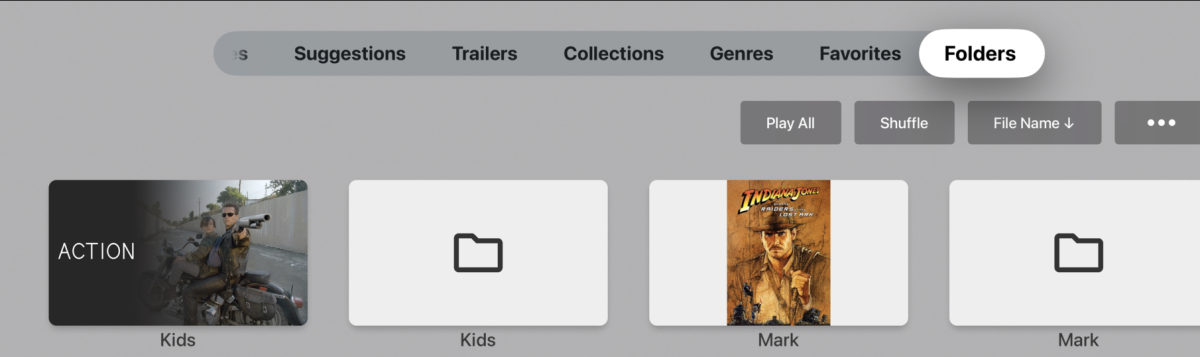
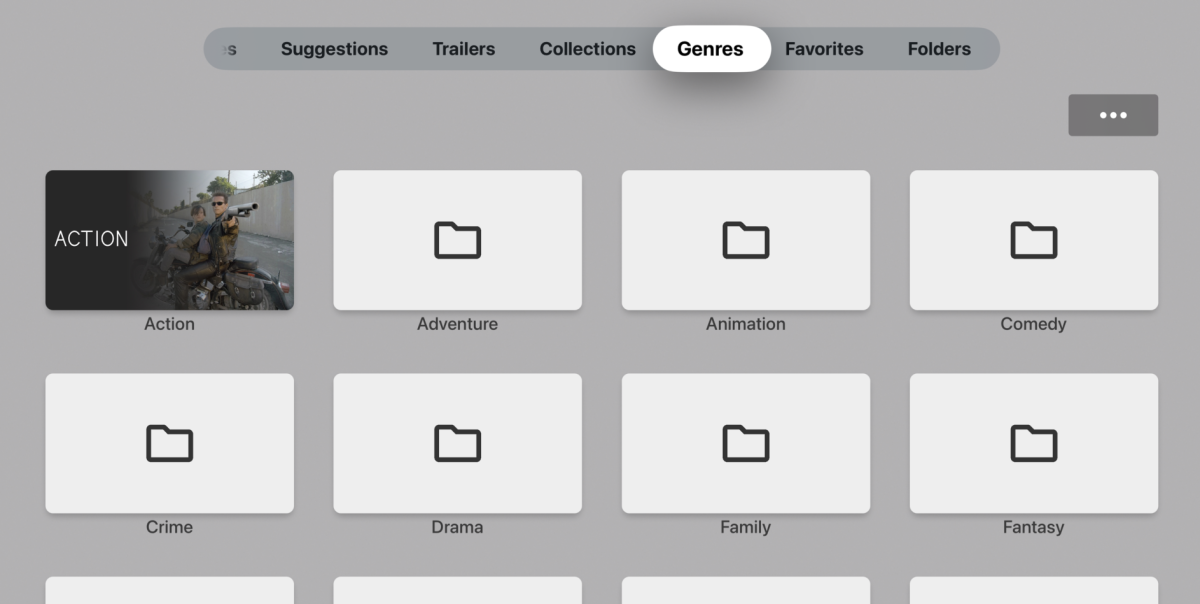
OK, I've worked out what's going on. I had already fixed this last week but it looks like the update you have went out before I had fixed it. It should be fine when you get the next update
 1 point
 -
I noticed that as well yesterday on 1.9.0, not on TestFlight though.1 point
-
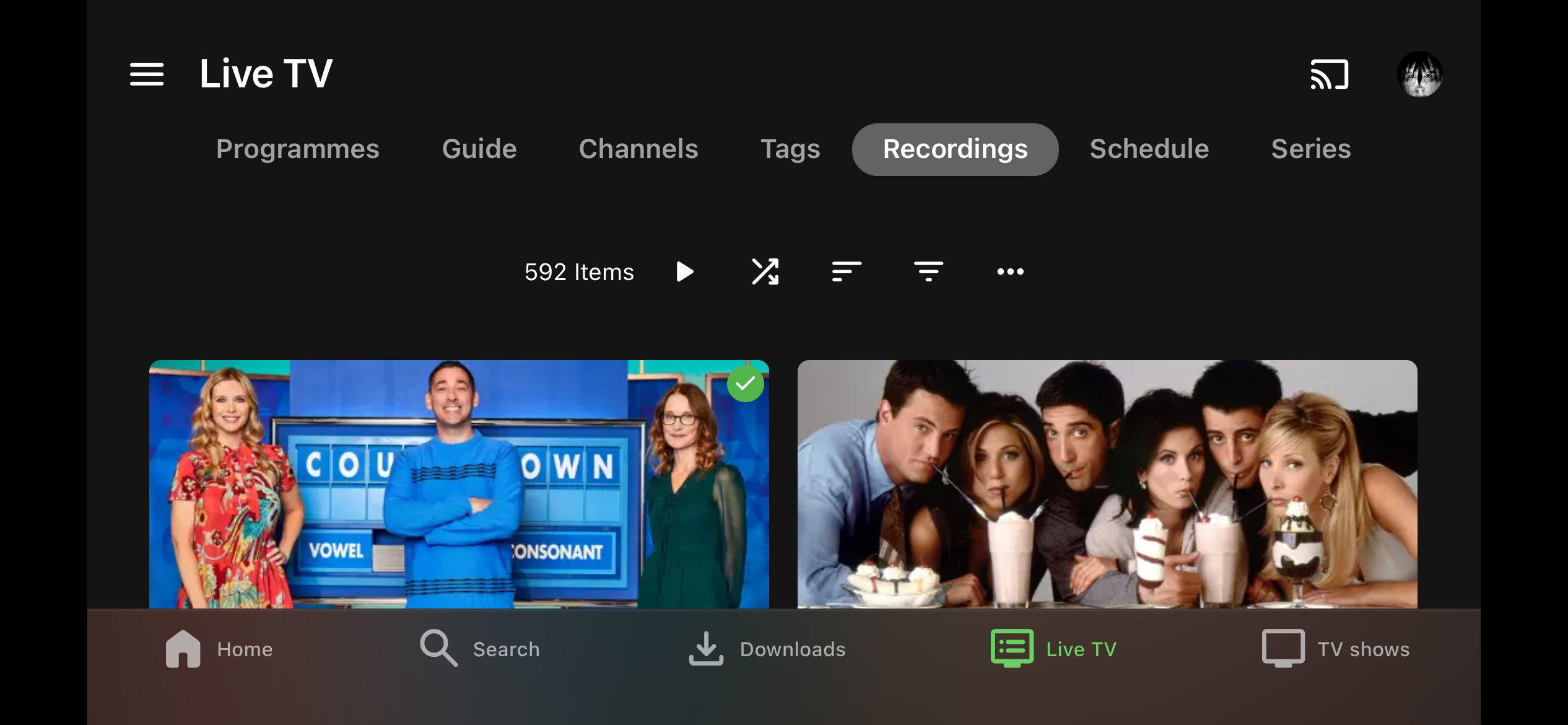
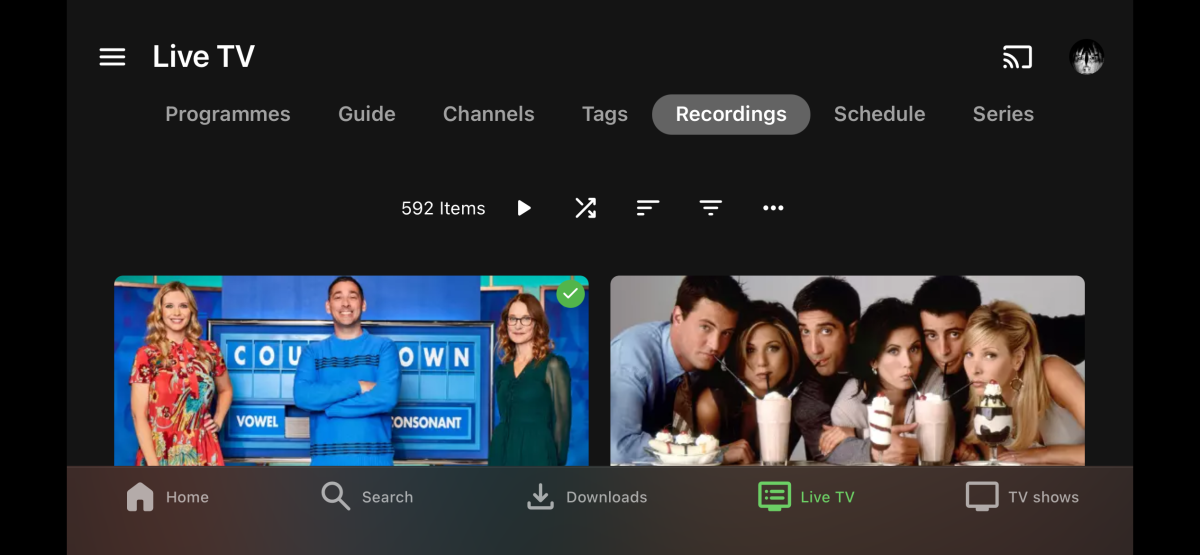
Hi Luke. Thanks for the response. I don’t see the option to create a recording in the app. See screenshot. I found it if I turn my phone to landscape and log into the server through a browser.
 1 point
 -
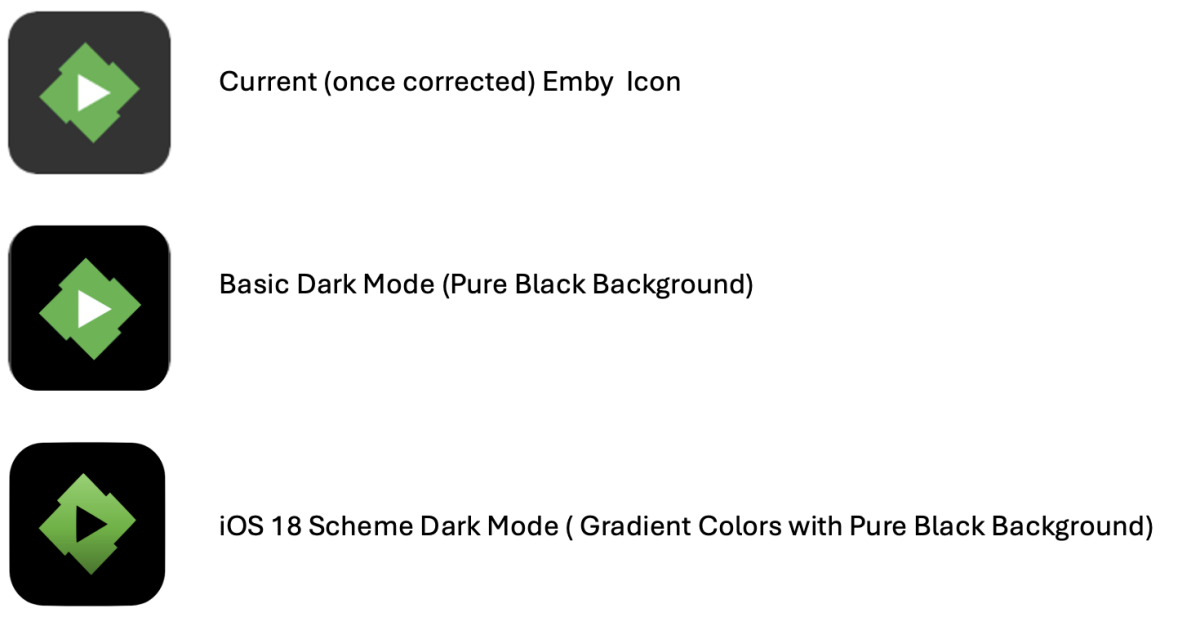
Additionally what about consolidating icons for mac and iOS ? MAC:iOS: And of course, please use the mac (once fixed size) version that's cleaner and follow better the apple iOS icon guidelines. Finally when correcting the icons could be a good moment to implement iOS 18 Dark Mode Icon Support, here my suggestions: The last one follows what Apple recommends and has implemented in their OS: Guideline of Dark Mode implementation is here: https://developer.apple.com/design/human-interface-guidelines/app-icons


 1 point
 -
you should add a prompt of more like this when the movie you just watched finished playing0 points




















.thumb.png.f4cb0545e98b51fd9b00e427622ab761.png)