Leaderboard




Popular Content
Showing content with the highest reputation on 10/10/24 in all areas
-
Make sure you get the Shield Pro and not the Tube version.3 points
-
Puede utilizar la función Exportar del complemento Reports.2 points
-
This is a 2016 model, so the app store version will be very old. Samsung only allow app store updates for the first 5 years, so the most recent app store version you can download will be 3 years old! The USB beta version that you have now installed is your best way forward to keep getting regular updates.2 points
-
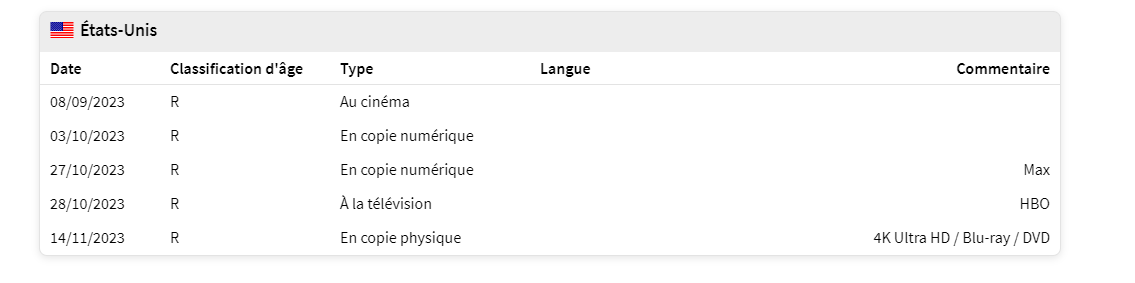
I think it would be nice to change the release date to a physical or digital release date.2 points
-
Another batch has been added2 points
-
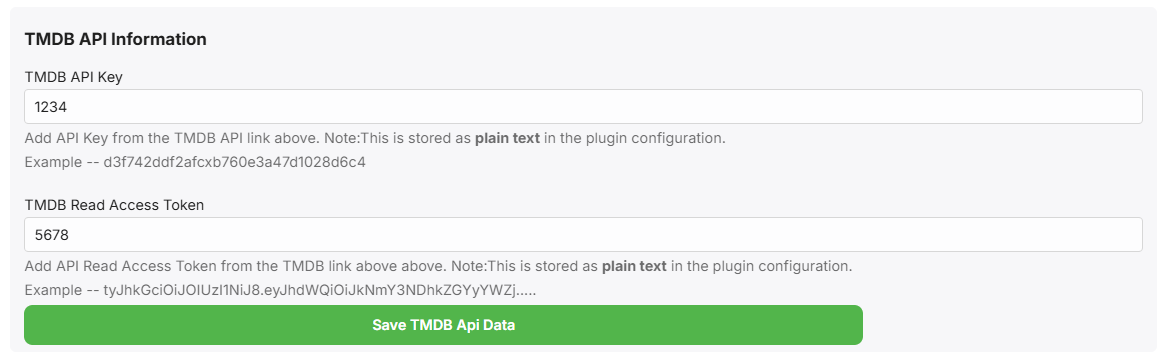
Getting there .. oh how I hate javascript .. Now we have the TMDB API Keys, I can directly query TMDB for the Release dates (using the tmdbid) and use the Digital or Physical release date instead of the Premiere/Theatrical date..
 2 points
 -
Hello, do you think you can add the release date with the physical or digital release date? because the cinema release date is too far away, sorting by release date is not great. Thank you so much
 1 point
 -
Request ability to set up different user profiles (wife was born in Scotland, me US) to use different region subs, but don't see the option in the drop-down menu for English. ** Would need to revert to just English subtitles if no region is specified for English subtitles because not all movies and TV shows have both. Many TV shows and even UHD discs though do have English subs for both GB and US. Format of external subtitles trying to use according to format specified in Emby kb: moviename.en-GB.SDH.srt moviename.en-US.SDH.srt Emby kb which mentions using region codes along with the language, though it doesn't appear to recognize English regions. Subtitles | Emby Documentation In Emby only option is English (no region). Other languages like Chinese and Portuguese have region options. Currently using server 4.9 beta Not sure if Emby is default to the setup region, or the first. However, doesn't recognize the region with English subtitles. For internal subtitles MKVToolnix allows you to set both regions for English subs. MKVToolnix Emby doesn't seem to recognize the region for internal English GB subs. MKVToolnix Emby doesn't seem to recognize the region for internal English US subs.


 1 point
 -
Thanks, I’ll test your image. Maybe the aspect is a little off and it’s confusing the algorithm, but if it works in the web app then it should work here.1 point
-
Just installed the 2k version on a fresh Kodi 21.1 install. Everything looks great except for the playback info at the bottom of the screen. The numbers on both sides of the progress bar are cut off and there may be some info missing (though I can't look at the old Embruary skin to confirm). Any chance of this getting fixed?
 1 point
 -
Probably need to enable debug logging for more info. And what was added? As it is adding this 2024-10-10 07:45:51.740 Info MediaProbeManager: ProcessRun 'ffprobe' Execute: /var/packages/EmbyServer/target/bin/ffprobe -i file:"/volume1/Skynet/Movies/4K Movies/Harold.and.the.Purple.Crayon.2024.Hybrid.2160p.WEB-DL.DV.HDR.DDP5.1.H265-AOC.mkv" -threads 0 -v info -print_format json -show_streams -show_chapters -show_format -show_data 2024-10-10 07:45:52.356 Info TheMovieDb: MovieDbProvider: Finding id for item: Harold.and.the.Purple.Crayon1 point
-
No idea but a quick and dirty fix. div.view-users-user, div.view-transcoding-transcoding, div.view-server-sync-sync, div.view-logs-logs, div.view-librarysetup-librarysetup, div.view-livetvsetup-livetvsetup, div.view-plugins-plugins {left: 7em!important;}1 point
-
If they are still TS files, some players are not going to be able to seek those as they aren't designed to be seekable.1 point
-
1048576 and 40691 point
-
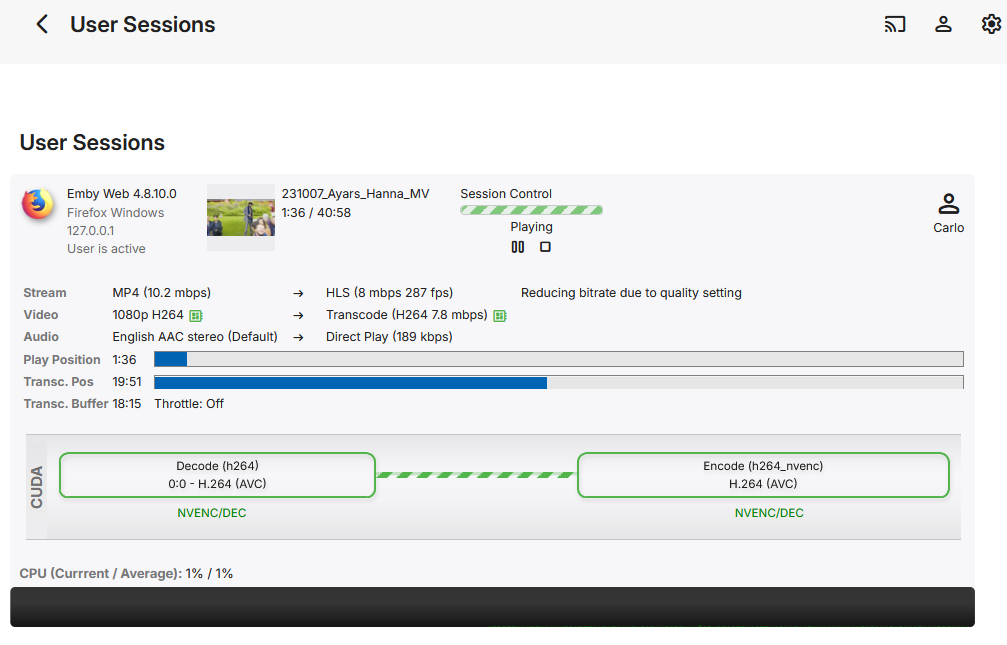
Hi, Are these recordings being transcoded while watching by any chance? If you look at the server dashboard for the user playback of the transcode, is the server having to transcode the file and play catch up to where you FF to? Carlo PS If you install the Diagnostic Plugin from the catalog you will have a new menu option called User Sessions which gives you a nice view of playback information. I'm watching and asking for information I think might be useful to aid the devs, but this is something the devs needs to look at and diagnose/fix. Carlo
 1 point
 -
Because server changed its behavior. Because you must've previously side-loaded them like I suggested you do with the current beta. See problem 1 Correct. I would suggest re-installing the app from the Amazon store or side loading from the APK I linked.1 point
-
Nice write up!1 point
-
Thanks all... will play more with this and come back with any questions or help needed.1 point
-
Following. I too have experienced a similiar issue with watching recordings in progress on a client device (Shield). In my case, when trying to seek the stream will freeze completely or go back to the very first frame of the recording and freeze there. Sometimes if I wait long enough it will restart, other times I have to restart the stream. I've found that if I FF through large chunks of video it happens almost every time whereas if I seek slowly it happens less frequently.1 point
-
Yes, install the portable version. You can install/unzip it where you like. Releases · MediaBrowser/Emby.Releases (github.com) Also Admin(or suitable rights anyway) will be needed for any updates to the Windows firewall but it's not required to run it once installed.1 point
-
OP was already advised in the very first reply on Folder-based access control as alternative solution.1 point
-
Hi, Check out this knowledge base article on Folder Based Access Control. https://emby.media/support/articles/Folder-based-Access-Control.html?q=access Carlo1 point
-
Not sure why you are not seeing the option but try the latest beta Amazon version. beta release of the app1 point
-
Yeah they really are work horses those CPUs and iGPUs.1 point
-
No, this is just the video player downloading pieces of the file at a time. Very normal. One thing that can cause excessive bandwidth usage is users running improperly configured reverse proxies where the whole file gets sent back on every single partial request.1 point
-
you should add a feature where if you hover over a movie or show for a few seconds it shows the tags or the tags show on the right or left hand side for what you are on. This will be useful for language tags and identifying what is in what language without having to click into it.1 point
-
Here's a test video that can be used to experience the subtitle offset on resume issue. It's a mkv containing a trim of A Conversation With Death by Khemmis and soft karaoke subtitles in .ASS format. Custom fonts and weird symbols have been removed (I'm only using Arial). As Khemmis have been kind enough not to copyright claim on youtube, and this is only a partial video (it's only this long to ensure it's resumable on default settings), I'm hoping it's fine to distribute here (but check out the band if you're interested in their music!) Karaoke subtitles on a slow song make it easy to intuitively check the synchronization between the subtitles and audio. At time of writing I still have the vanilla installation I mentioned in another thread, meaning this should be an ideal test environment. I'm on the Windows version, web client and Firefox. I can clearly see a significant offset when I resume the video, with the subtitles coming in ahead. Although, even when not resuming, I see in this test video that the subtitles come in slightly ahead, when compared to a native video player. Note that I'm experiencing a second issue for the first time here; the color wipes (which are a feature of .ASS) seem to overwhelm the subtitle renderer on playback, causing stutters. If you experience this, you can correct it by pausing and unpausing the video (you can seek back to the beginning to observe the beginning without stutters, but it doesn't seem to affect the timing offset between the subtitles and audio, so it's not a significant hindrance). Maybe the default subtitles octopus framerate of 24fps is too optimistic, at least on my setup? In the attached server log, I started the server, played the test video from the beginning, after a few seconds paused and resumed, and after a few more seconds left the video player. Then I resumed the video, noting a significant offset between subtitles and audio; after a few seconds paused and resumed, and a few more seconds later I left the video player. testvideo.mkv embyserver.txt1 point
-
Luckily all you really need is any of the n100 pcs out there. They’re pretty cheap and worth the investment. Do a fair amount of 4k transcodes.1 point
-
Thanks for getting back to me, I shall try and recreate the issue tomorrow and send the logs, and hopefully a video of the issue. Do you need all the logs or do I just send specific files?1 point
-
Thanks @LukeAlso not a criticism at all as I love EMBY but for family videos etc I find it odd that I'm having so many issues so I'm thinking it might be something I'm not doing correctly so would love some advice as these videos are our treasure. Having recent movie from my iphone play upside down seems really odd on the Samsung TV app yet on my IOS Emby they play perfect. I'm wondering if there is some transcoding going on? I'd love to get this all sorted. I await your feedback - thank you all1 point
-
I think the percentages for the resume playback and mark as finished would be better as absolute values of time. This example is extreme, but the difference between an hour movie or a 2 hour movie should be the same for both, I would think. However, I solved my problem, so thank you!1 point
-
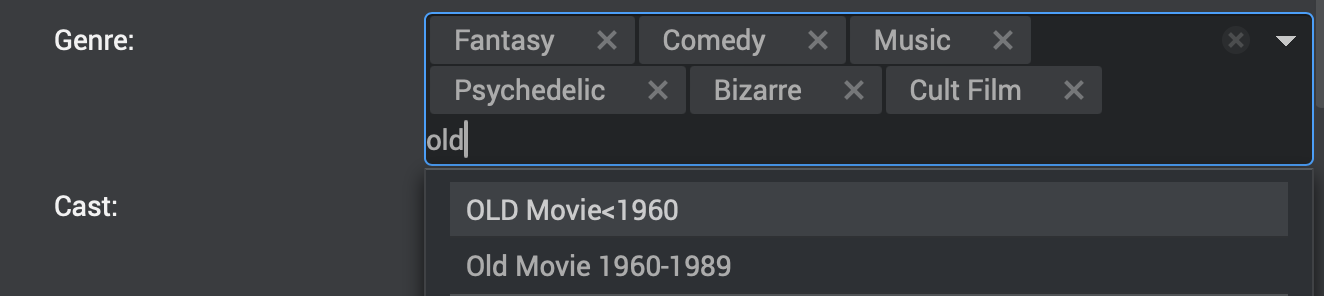
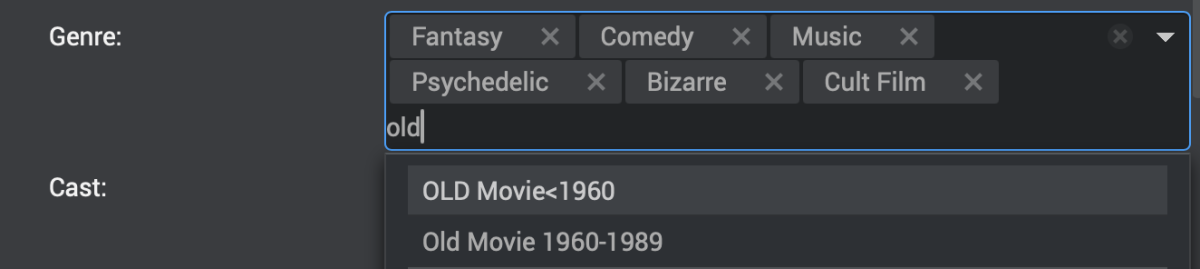
I like to create custom genres for some films (like Film Noir, Historical Fiction, Old Movies 1960-1989, Classic Literature, RomCom, etc). As I am typing a genre name into the field to add one to a film, it would be helpful if existing genres with the same spelling started to pop up in a list that I could scroll down to select from. This would save me from having to type the full genre name I have already entered for other films and keep me from having mis-spelling duplicates that would also lead to mis-categorization errors later. This could also apply to "standard" genres that one might like to add that weren't included with the initial indexing. Perhaps, having a database(DB) of existing standard & added genres for the software to choose from would be helpful. You could include a DB of the standard genres with the initial installation, but make it locally managed, so each server would be capable of adding new genres to its own DB, rather than having to make it available to all Emby Users. Adding to playlists shows a list of already created playlists to choose from below the option to add a new one - this is another possibility. The screenshot shows an example of my suggestion as implemented by another software package I have used. As I type the world "old" into the genre field, the 2 "old movie" options pop up in a list I can select from.
 1 point
 -
C’est bon ! J’avais un reliquat de configuration WireGuard (dans mon omv), qui pointait vers une mauvaise adresse ip. vous pouvez passer en résolu. Merci d’avoir lu! Édit: Je viens de m’apercevoir que j’avais 2 comptes. Seul celui du dessus est utilisé pour mon serveur. Désolé1 point
-
Each to their own. I prefer a device that is a fraction of the price, uses very low power, doesn't need any hacking or drivers to get it to work, plays HDR and DV and HD Audio out the box. Media PC's had their day - 10 years ago, things have moved on imo where you can get 95% video and audio capabilities of the source media from a decent streaming box with a simple plug and play setup.1 point
-
ok think i will go shield way then1 point
-
I picked up one of the new Google streamers for testing and confirmed this issue. It reports support for those HD codecs but does not support them (I get hissing on the TV). With the TV app you can de-select the options to allow passthru on them to solve this.1 point
-
If you are using the Dolby Vision standard option switch over the low latency option, the standard is broken where HDR10 and HDR10+ don't passthrough ever since Android 12 arrived and it appears they will never fix it, perhaps when Android 14 arrives it fixes that up for good.1 point
-
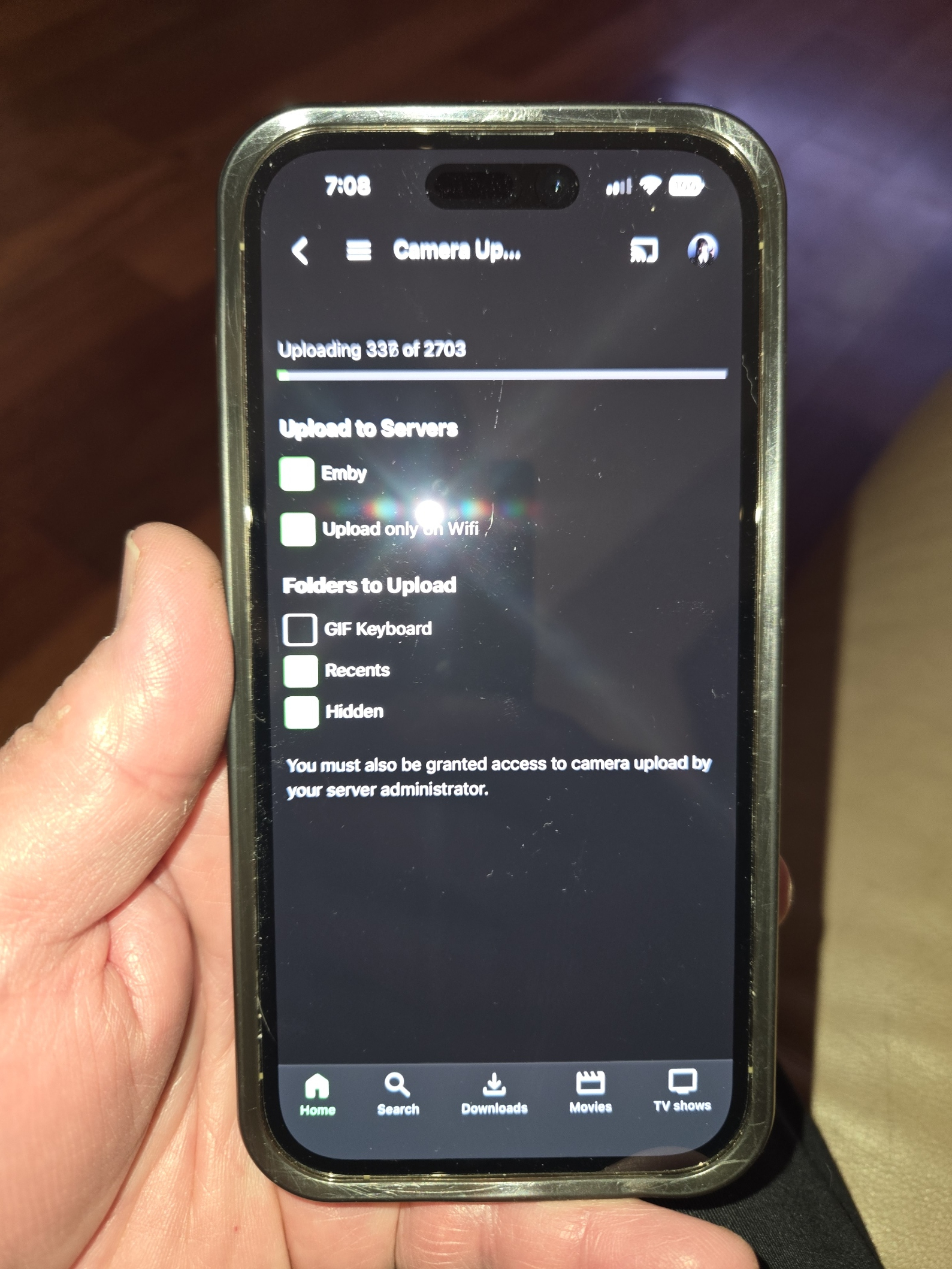
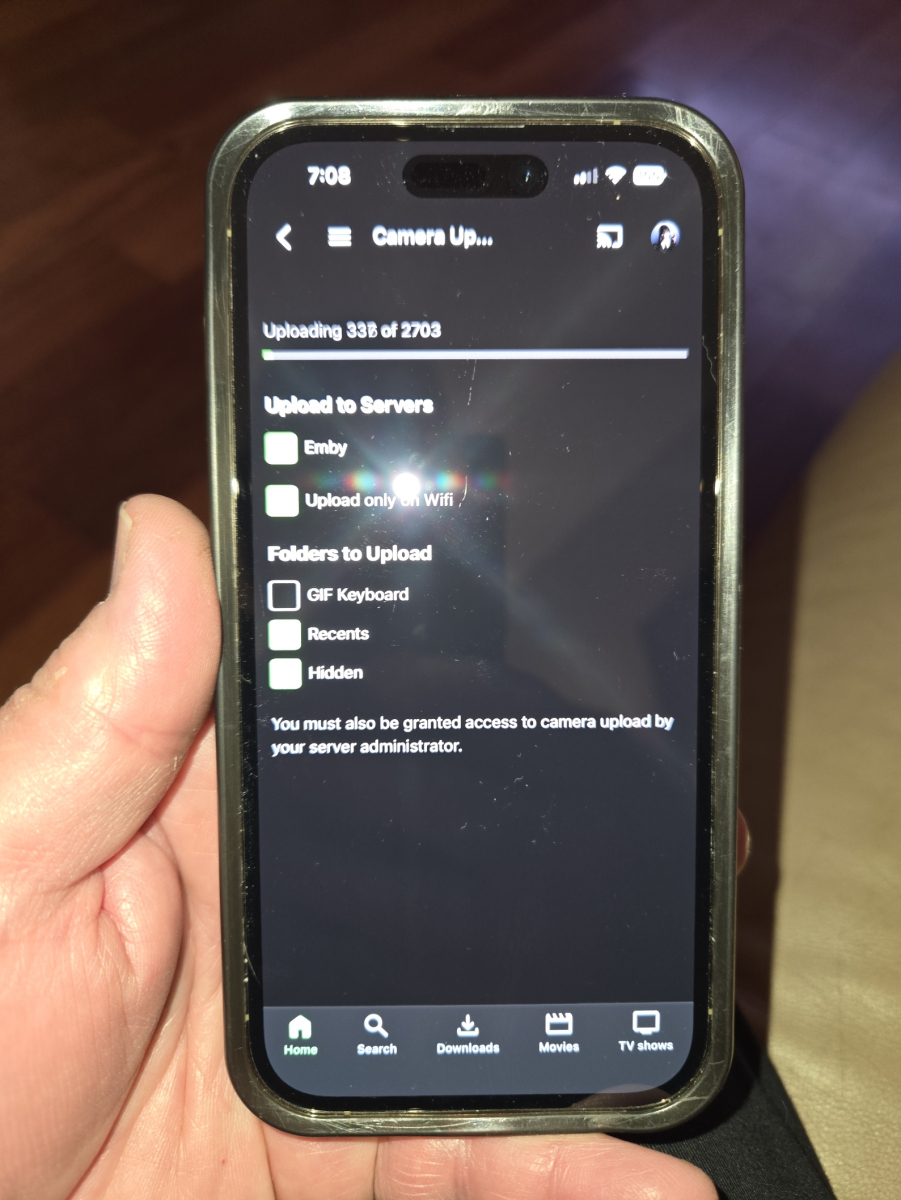
Hi Luke.. I checked on her phone.. it was enabled but as soon as I opened the settings page it started to sync... So it's sync'd now. Not sure yet if it will add new pics automatically or not or wait till i open this page... have to check on that. iphone 14pro (i think)
 1 point
 -
It's just personal preference. Feels smoother and no black blick after you stop playing media.1 point
-
Thats exactly why I jumped ship in 2016 - 2017.1 point
-
@SnorborI don't see any of your comments as wanting to debate. I'm glad to see you are inquiring. Emby is free and is easy to set up, so I'd suggest you just give it a try (they'll run side-by-side). Once you get in and look around, maybe you'll better know what you need to ask about.1 point
-
Singular reason: I don't have to login to Emby Corp to use my Emby server. None who access my Emby server have to login to Emby Corp either. Is that still one reason?1 point