Leaderboard




Popular Content
Showing content with the highest reputation on 10/02/24 in all areas
-
A new beta of the TV only app has been put up. This beta fixes the issue with frame rate switching on the new GStreamer (actually, related to Android 14) but it also implements our new policy of making playback in this app free for normal single-family use. As of this version, playback is free for up to 5 TVs. No other Premiere features are included of course and any use beyond that limit will require a Premiere subscription. Previous unlock purchases are still honored but the unlock is no longer an option going forward. We feel this strategy brings the most value to our common users and makes it more difficult for illegal streamers to get around the device limit. Thanks for your support.3 points
-
Hi. Please take this discussion to an appropriate platform. Thanks.3 points
-
Hi again Sorry but this seemed to just be a temporary bug or something, I checked again just now and the app showed up.2 points
-
It worked. My recordings are showing up as expected now. THANKS!2 points
-
It would really help if you were more specific about which exact movies are those in question, so online databases can be checked. Either way, doesn't sound right, it should be something like: Movie - Part 1 (2021) Movie - Part 2 (2024) or Movie (2021) Movie (2024) if those Part 1 and Part 2 segments are not parts of the official title. Ditto for:2 points
-
Ok. Giving it a try. Thanks.2 points
-
So I believe the issue has been resolved. I first installed the emby for android tv app, which was available natively in the play store for my device. As you expected, this did resolve the sound issue, however I had alot of trouble navigating the UI with the touch screen. At this point, I went back and tried the web interface again, which I had tried before and not been successful. However, this time, I had changed web browsers, from Chrome to Firefox. And lo and behold, it worked flawlessly. So thanks friend, for helping me come to a resolution.2 points
-
Still blows my mind how such a great plugin was sadly bastardized with the loss of so many imo needed functionality to make it actually great. Loved to see the intro for the first episode and skip for the rest along the listed functions we lost with the integration. Would be great to see a feature parity at least.2 points
-
I know this was originally supposed to be a feature added in the 4.8 release but it didn't end up making it. Do we have any updates or an ETA on when this? Would love to be able to host my server on my mac.1 point
-
can reproduce this, it has something to do with the latest Emby Beta, I will look into it.1 point
-
If you have configured the Backup and Restore plugin you may want to check and see if you have a backup that is not corrupted.1 point
-
Emby is unable to save or process requests to the database. SQLiteException: Corrupt: database disk image is malformed1 point
-
in general servers should never sleep. The wear and tear on the computer is actually increased by sleep cycles and the monetary savings in power are very small. I never allow any server of mine to sleep and i configure all my drives so they do not ever sleep either. I see no advantages to allowing my servers to sleep and there are many disadvantages. While the fact that your server awakens and then goes quickly back to sleep points at some kind of problem it gets solved by simply not allowing sleep at all.1 point
-
Hi, one thing you could also try is disabling the intro detection feature on the library and see if that helps.1 point
-
I tried deleting the locks library.db-shm & library.db-wal and restarted Emby but the identify issue is still there. I don't doubt there is some DB corruption as this Emby has been moved between about 6 computers over the past 3 years before settling on the current server. I don't know enough about Unraid and *nix to futz around with SQL DB and possibly break the current library as it's a real chore to rebuild it if something goes wrong and it took about 3 months to finally get it to where I like it. It's only affecting a very small number of media and I can always just update the metadata manually. Maybe it's something I can tackle later. Thanks for the help and at least I have an idea on where to start.1 point
-
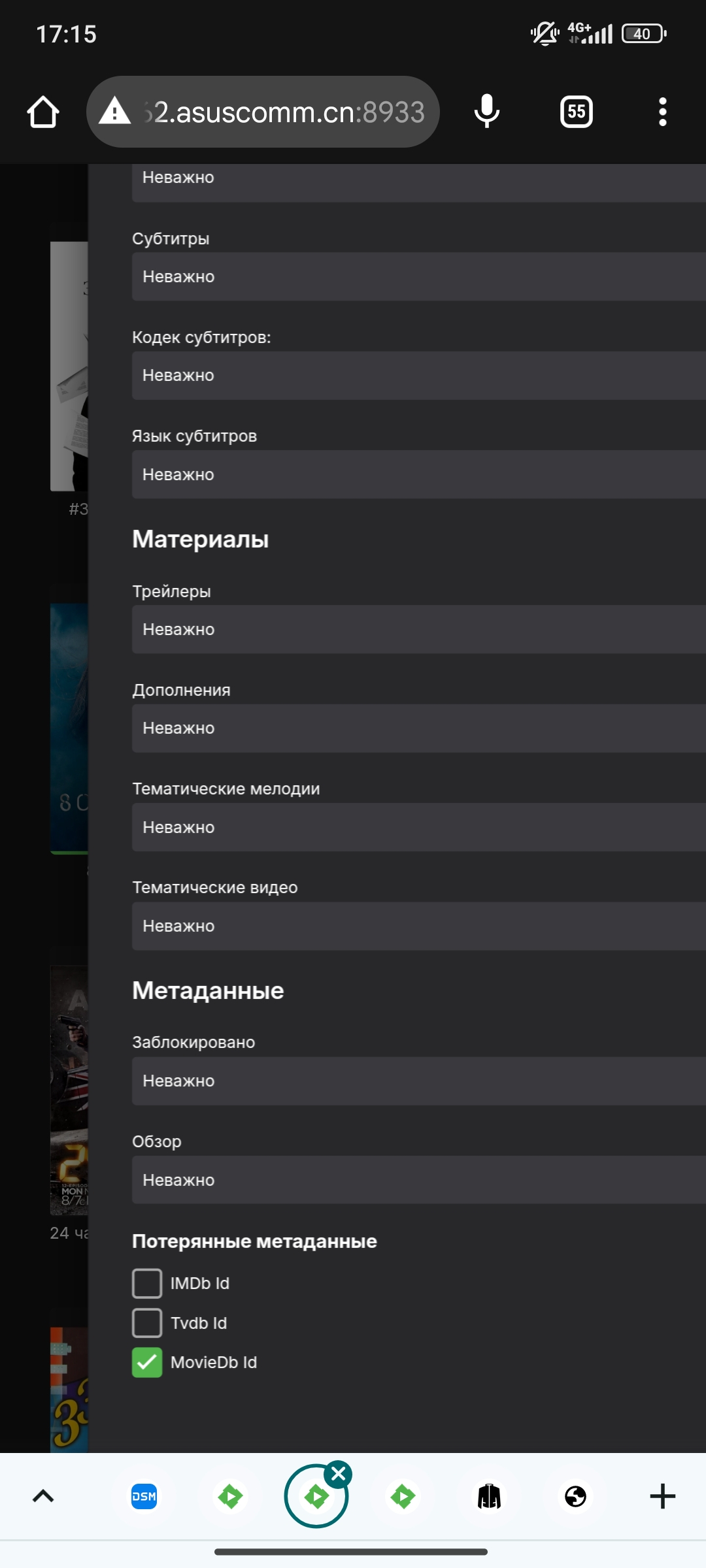
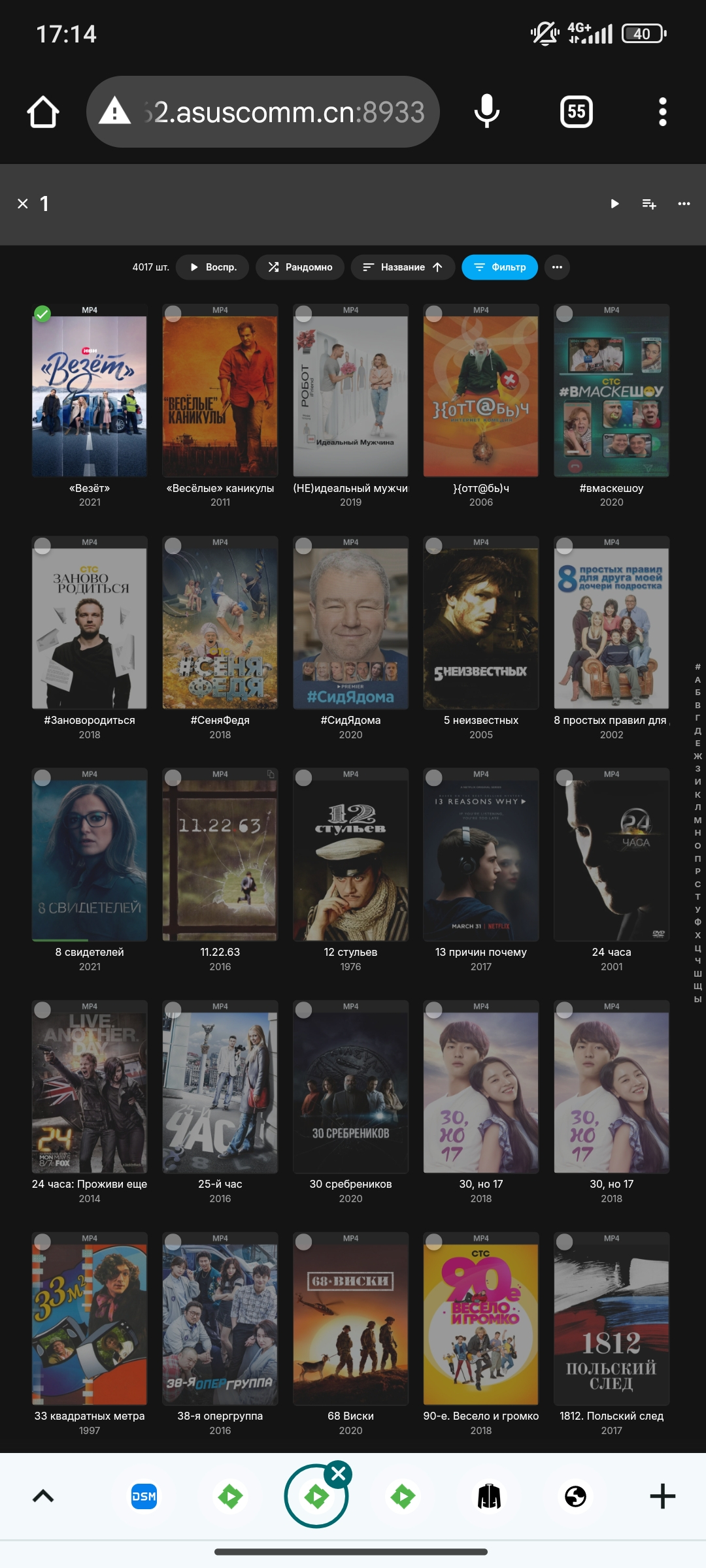
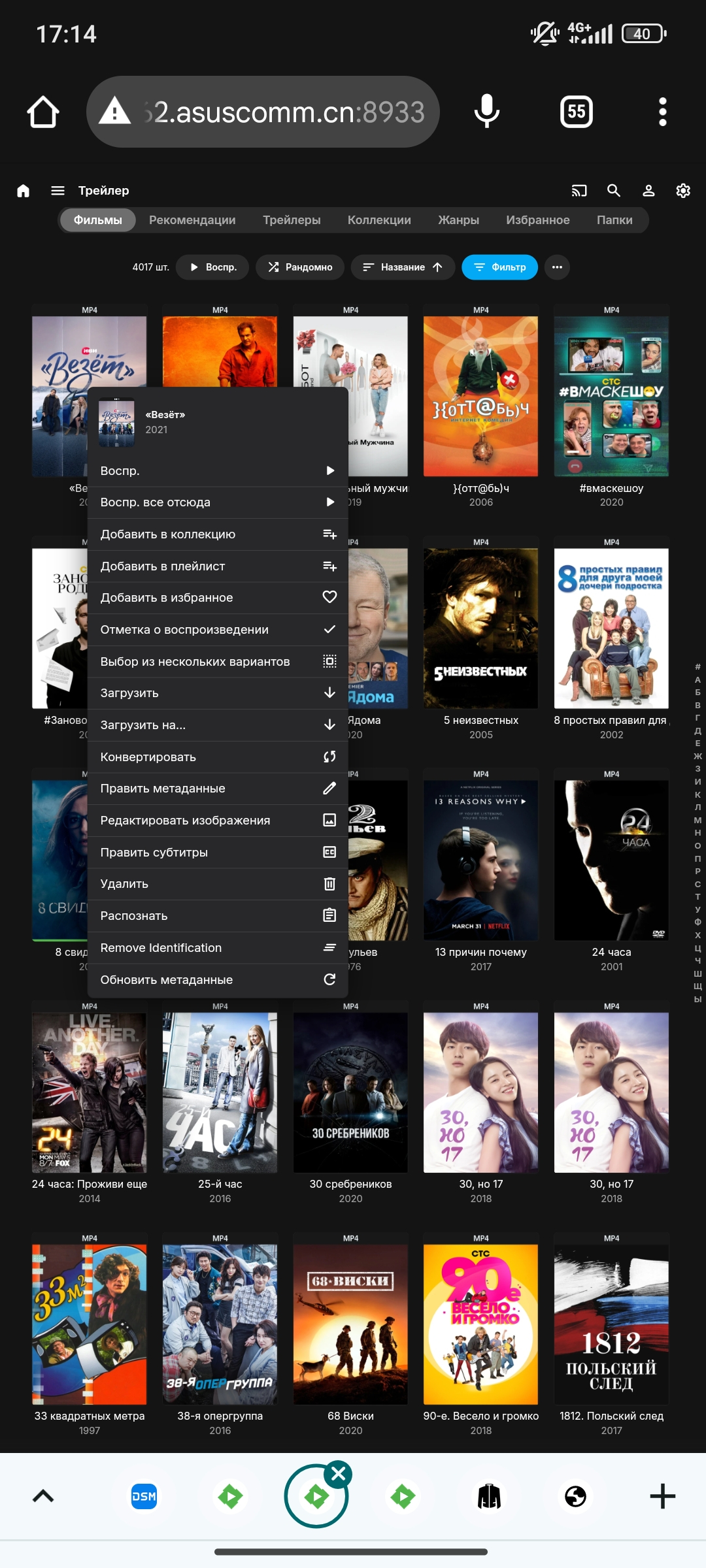
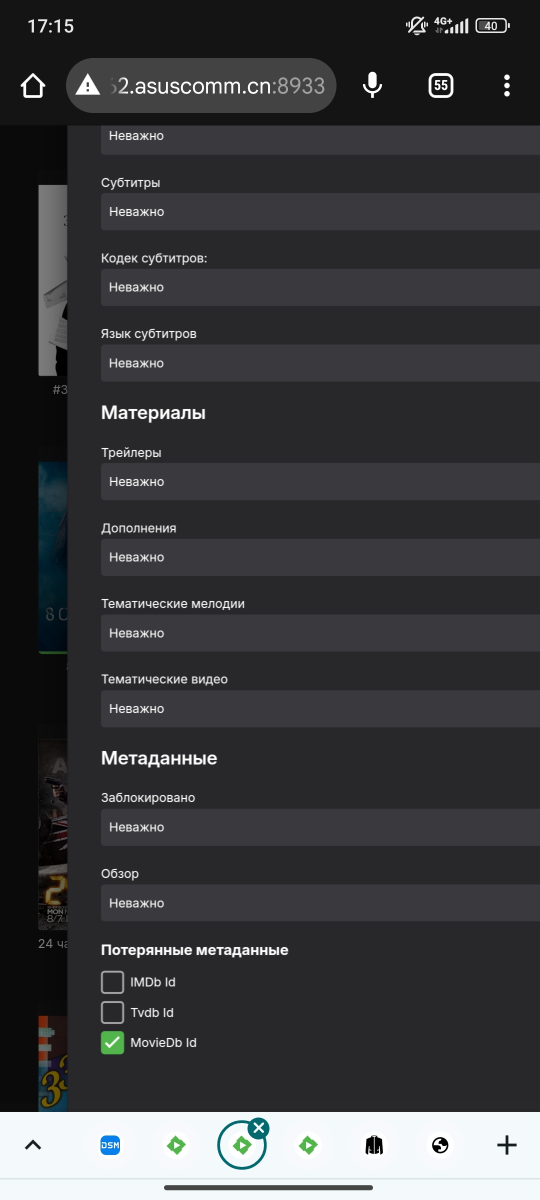
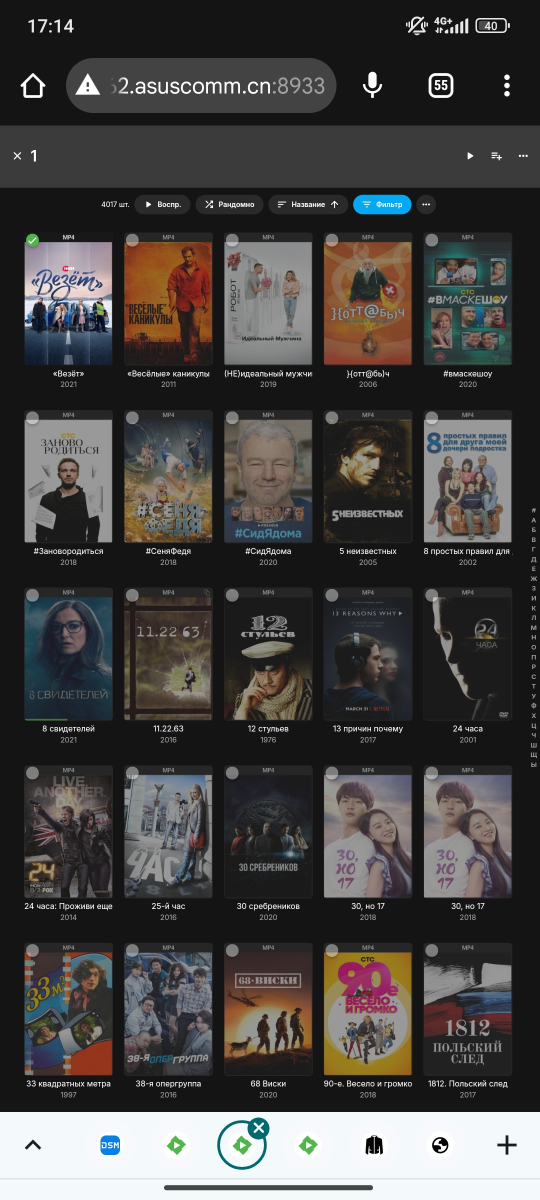
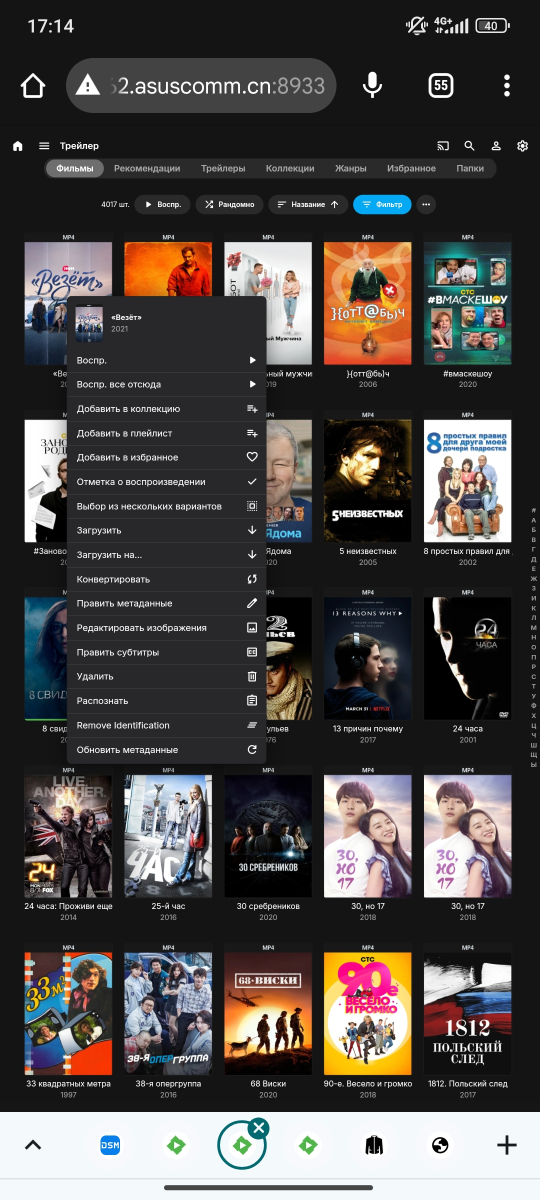
@Luke hi. The select all button is missing. It happens that after scanning not all data is pulled up and you have to update the data, but there is a choice of one file. I have 10,000 films and data from tmdb, IMDb was not pulled up in 4,000 and I need to update them. And choosing one by one is very time-consuming.
 1 point
 -
Do you have pop-ups disabled? You can also click on the avatar and get up the user's profile page, and the Message button is near the top. Paul1 point
-
I hope it can be settled as soon as possible. I can't watch movies now.1 point
-
@Abobader Can you check on @CharlesF's ability to send PM for us? Thanks, Carlo PS I sent you a Private Message. See if you can respond back to me and send the file this way.1 point
-
Hi, please see this and let us know if it helps get you squared away: Corrupt Database1 point
-
@AbobaderCan you check on this for us? Thanks, Carlo1 point
-
I kept getting a docker message that the image I had was the latest. I have since tried again and now I am on the latest of 4.8.10.0.1 point
-
Excellent. Thanks for reporting back.1 point
-
Hi, Please perform another identify and then update your log file as described here. Hi there, let's look at an example. Please attach the information requested in how to report a media playback issue. Thanks! Thanks, Carlo1 point
-
Thanks for the update. I am now using version 4.8.10.01 point
-
So you can enter the key using the Android app and there is no issue? If so, you don't need to do it again anywhere else. Does everything work after validating the key properly in the app? @Lukethe last time (4.2.x) there was a similar CSP problem, something was adjusted in the server to address it, I think...1 point
-
Thanks, I'll review it. Also comes to mind, the issue might be related to the fact, the server you are about to remove is not online/not existent. I never tried that and the "remove" function also de-registers the Kodi client from the server. This will not work when the server is offline and if so, I'll fix it in next version.1 point
-
ok - I'm in btw - I also have an MX partition which uses fluxbox as its DE,/WM if that is any use - dunno how many people still use it1 point
-
I sent you the log1 point
-
It should be in the next ATV update. Thanks.1 point
-
I've triple checked to ensure pop up blockers are off, is there a way to DM you @LukeI'd love to get this resolved being a new Plex convert. I'd post here but the URL contains my IPTV credentials. I think this is why I don't see the popup...while I can type @Lukewhen i click on that i get the following error.
 1 point
 -
if you still need testers love emby and the linux app is the only missing piece for me - keen to help I have another identical set up using Xfce1 point
-
Thank you for the naming rules reference. Because both parts have the same year in the title, that is most likely why they are being grouped together. Since part 2 was released 3 years later, I will try moving the file out of the indexed folder. Rename it with the appropriate year in the file name & move it back again. I will let you know if that works. I will also try that with the other 3 part version to see if that comes up, but the current file names have no year in them. Also, I must say that I am quite impressed and appreciative of your prompt replies!1 point
-
Operating System Version Desktop Environment Window Manager Compositor Graphics Linux Mint (Cinnamon) 21.3 Cinnamon Mutter (Muffin) Muffin HW :~$ sudo wmctrl -m Name: Mutter (Muffin)1 point
-
Hi guys, sorry I was wrong the update is here https://github.com/MediaBrowser/Emby.Releases/releases I just didn't see the expand button to see all 96 servers. So I have picked the correct server for my Synology and installed it and Emby is working beautifully. So thanks again for these updates...much appreciated1 point
-
That doesn't tell us a lot... https://emby.media/support/articles/Quick-Start.html Paul1 point
-
Ok, I spoke too soon, it's still happening … embyserver-63863424000.txt ffmpeg-remux-49b7a24a-39b3-4a45-aae9-c30cb161727c_1.txt1 point
-
Hi, one thing you could perhaps try if you haven't already... When you change the metadata, with a tagging program, on say(?) one Album, then try rescanning the parent Album folder only, via the Folder menu.tab. (Don't try individual rescanning for an Album, via the Album tab, or other non-folder methods, as this may not work.) This is much faster than scanning your whole library and can be quickly checked to see if the updates have worked. The parent folder will of course depend on your specific folder structure. I have a large music library and am scanning at a parent folder level (for Albums and Artists and more) almost daily, when I make changes or add a new Album. It works 99.9% of the time. There are outlier cases that will never work - but that's another topic! Cheers!1 point
-
I do not have server remote connections enabled in network settings as my remote connections are handled by my reverse proxy. This makes sense that the allow remote access option would be hidden. Thanks for the help!1 point
-
OK so I found this post: This was the problem for me as well. Once I selected other categories and then clicked again on the "All" category, the EPG populated again. I'm good now. Please mark as resolved.1 point
-
The Emby (client) app on macOS. I mistakenly posted under the server section so you’ll see I’ve since posted the issue under the client app section - apologies for that. Anyway - I’ve tested on several systems now and all have the issue consistently with all media.1 point
-
Thanks @ebr! Work fine this now!1 point
-
Updated the host to the latest version of 13.0, then updated the jail to 13.2 fixed it. Could also have just been the restart. Currently running 4.8.8.0 with no issues.1 point
-
Looking at DiscUtils that you linked to - in theory the entire source code for this could be embedded into a plugin. However, this can only examine iso files and cannot mount to a local path. Ultimately you need a real path that can be fed into ffmpeg. So what the plugin could do is register an api endpoint with the server. This api could return the contents of files within the .iso file, and then this api url could be the resulting url that ffmpeg streams from. There's a lot of moving parts, but if there is a community member who has the capability of doing the work then I will help them with the emby side of things.1 point
-
This comes directly from the server, it is the list of active sessions, i.e. a client is connected. This data is not stored anywhere, it is just a snapshot of what the server is seeing. For the correct connected clients list you should always use the main Emby Admin Dashboard as this has a bunch of filtering for both client types and session status/age etc.1 point
-
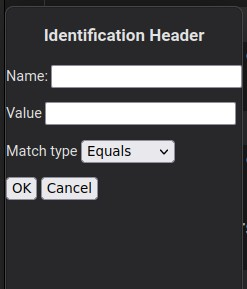
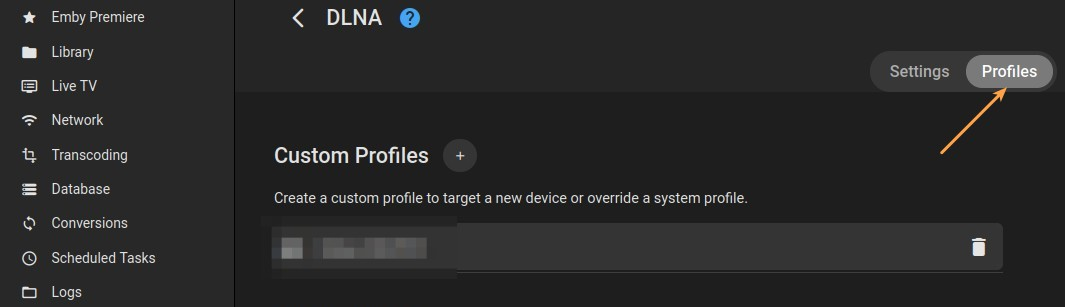
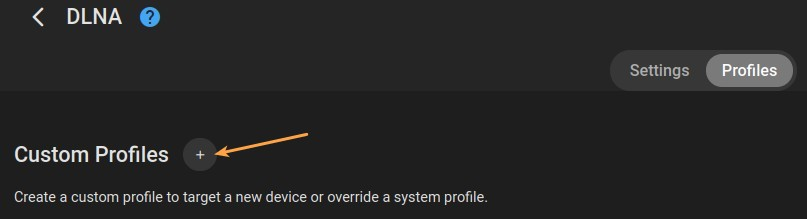
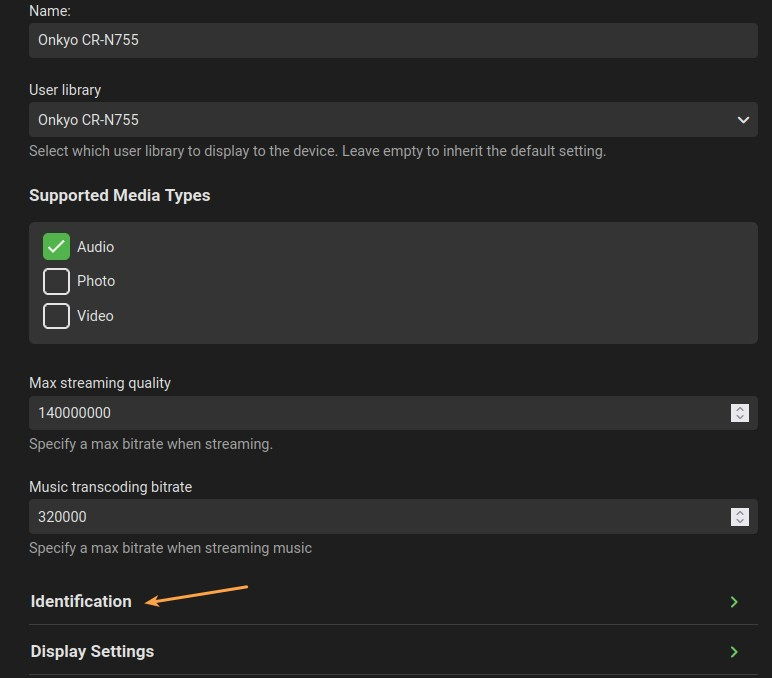
@Luke I wrote down the process I followed to create a custom DLNA profile for my stereo. It occurred to me that it might serve as a starting point for Emby's documentation. Please feel free to use it, with whatever modifications you find necessary, to develop the Help page for this feature: ___________________________________________________________________________________________ Creating a Custom DLNA Profile Emby's debug-level logging can help you identify your DLNA device. The information found here can be used to create a custom profile. Finding detailed device information for DLNA: 1. Enable debug logging on Emby server. 2. Allow your DLNA-capable device to connect to your Emby server. 3. On your Emby server, go to Settings > Logs and open the most recent log. 4. Find the entries in the log file that resemble the following: 5. In the first line of the sample log above, find the "User-Agent," and its value. This will be used to create an HTTP Header in your custom profile (the value is the entire string between "User-Agent=" and the comma preceding the next parameter. In the sample, the "User-Agent" value is "Mediabolic-IMHTTP/1.8.225 UPNP/1.0 DLNADOC/1.50"). The information gathered above can be used to create a custom DLNA profile for the device on your Emby server. Creating a custom DLNA profile: 1. In Settings > DLNA, select the "Profiles" tab. 2. Click the "+" next to "Custom Profiles" to create a new profile. 3. Give the profile a name. 4. Select a library, or leave this field alone to use the default. 5. Expand the "Identification" section. Use the information you found in step 4 to populate these fields. 6. At the bottom of the "Identification" section, click the "+" next to HeaderHttpHeaders. 7. Use the "User-Agent" value that you found in the log file to fill this out. Name = "User-Agent" (without quotation marks) Value = [value from your log] 8. Click "Save." This will create a profile that should allow your DLNA device to successfully connect to your Emby server. The default values of the fields not discussed above should be suitable for most users. It is recommended to only change them if you know what you are doing. Testing the profile: Once you have created your custom profile, you can test it by allowing your device to re-connect to your Emby server. Examine the log file again, as you did at the beginning of this process. If the custom profile is successfully used, instead of seeing "Using default profile for: ..." your device, the log file should say: "Found matching device profile: [name of your device profile]". Be sure to set the "Enable debug logging" back to "No" when you are done.
 1 point
 -
I used this to get my security camera feeds into Emby. I just pointed it to their RTSP streams.1 point