Leaderboard




Popular Content
Showing content with the highest reputation on 09/27/24 in all areas
-
Streaming apps are likely using DD+ as underlying audio format, as opposed to TrueHD which you're trying to play.2 points
-
Even if you ask to play a playlist or entire season? You don't have to do this. For instance, if you hit play from an episode in the "Continue Watching/Next Up" row, it will follow the option as to whether or not subsequent episodes play. However, if you click "Play" on a Season or Series, then that is asking to play the season or series. I guess maybe we need to restore the old button we used to have here which was "Play next up episode" and then also have "Play All" with a sub-menu of whether or not to shuffle.2 points
-
It seems this issue is one that others have as well, so I will share my thoughts. The settings as they exist now presume a perspective that the users prefer to have subsequent episodes play automatically. This is not true of all users. I don't see why this is a challenge to implement, much like many of the other suggestions I see floated on these forums. Having to click into individual episodes is, quite frankly, unnecessary and makes the platform clunky. If the user already said they don't want you to play the next episode, you shouldn't whether I select the season or an individual episode. "Play next episode automatically" should be a GLOBAL setting. If I go through the trouble of unchecking the box, I probably prefer to not have episodes keep playing no matter the circumstance.2 points
-
You are correct. Recent related discussion (starts about here):2 points
-
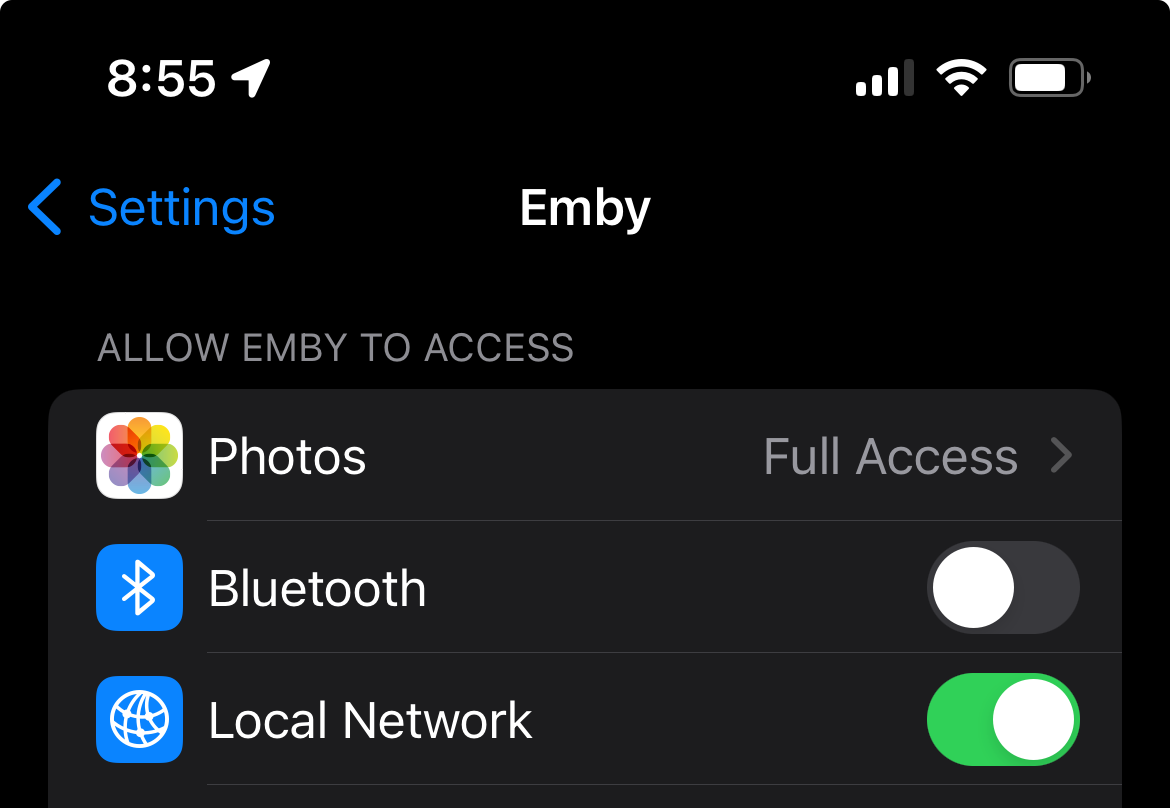
@Mac18@podonnell - this issue may be affecting both iOS and macOS client Emby apps when accessing LAN content whilst on the LAN (but not via a VPN like Tailscale and not when access content in a folder or share on you local computer or phone). @podonnellthe settings I'm taking out are the Apple settings to allow the Emby app to access the Local Network. In iOS 18 these are under the Settings app on your iPhone or iPad (Settings > Apps > Emby > Local Network). Installing iOS 18 required these settings to be re-accepted to allow Network Access (and the iOS app works properly once this is done - but without it the app cannot access media over the local network but can via a VPN etc). In macOS 15 these settings are in the macOS system settings under Settings > Privacy & Security > Local Network > Emby. As per iOS Local Network access needs to be allowed otherwise the macOS Emby app cannot access media over the local network. The trouble with the macOS Emby app is that (1) if the Local Network access permission in macOS is turned off, the app will crash when trying to play network content; and (2) after any reboot you need to toggle this setting off and on again to get it to properly apply (otherwise you get the "no compatible streams" message when trying to play media over the local network (but local / VPN access continue to work without issue).2 points
-
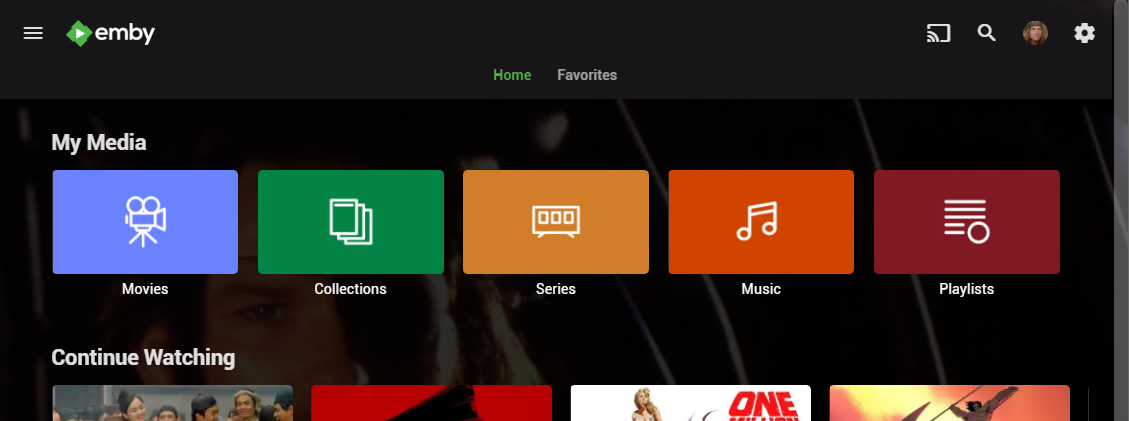
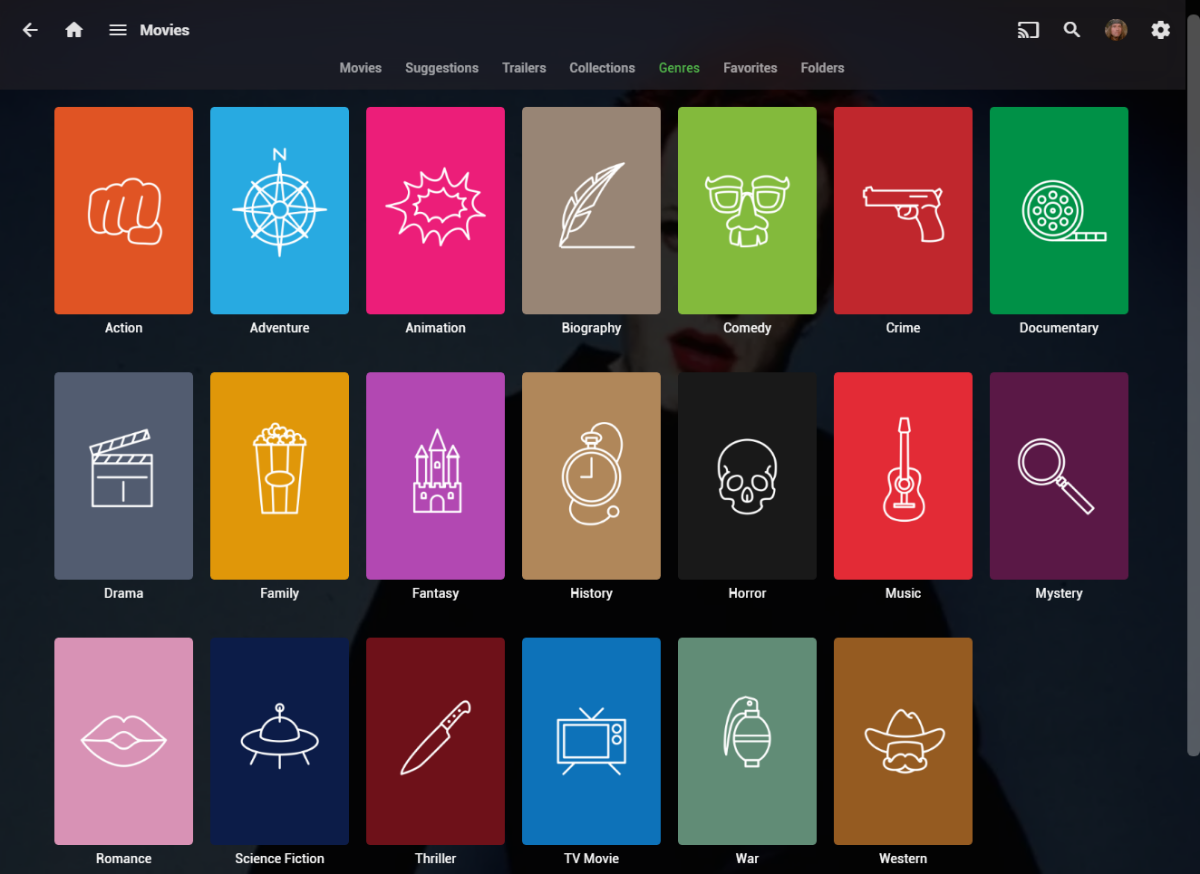
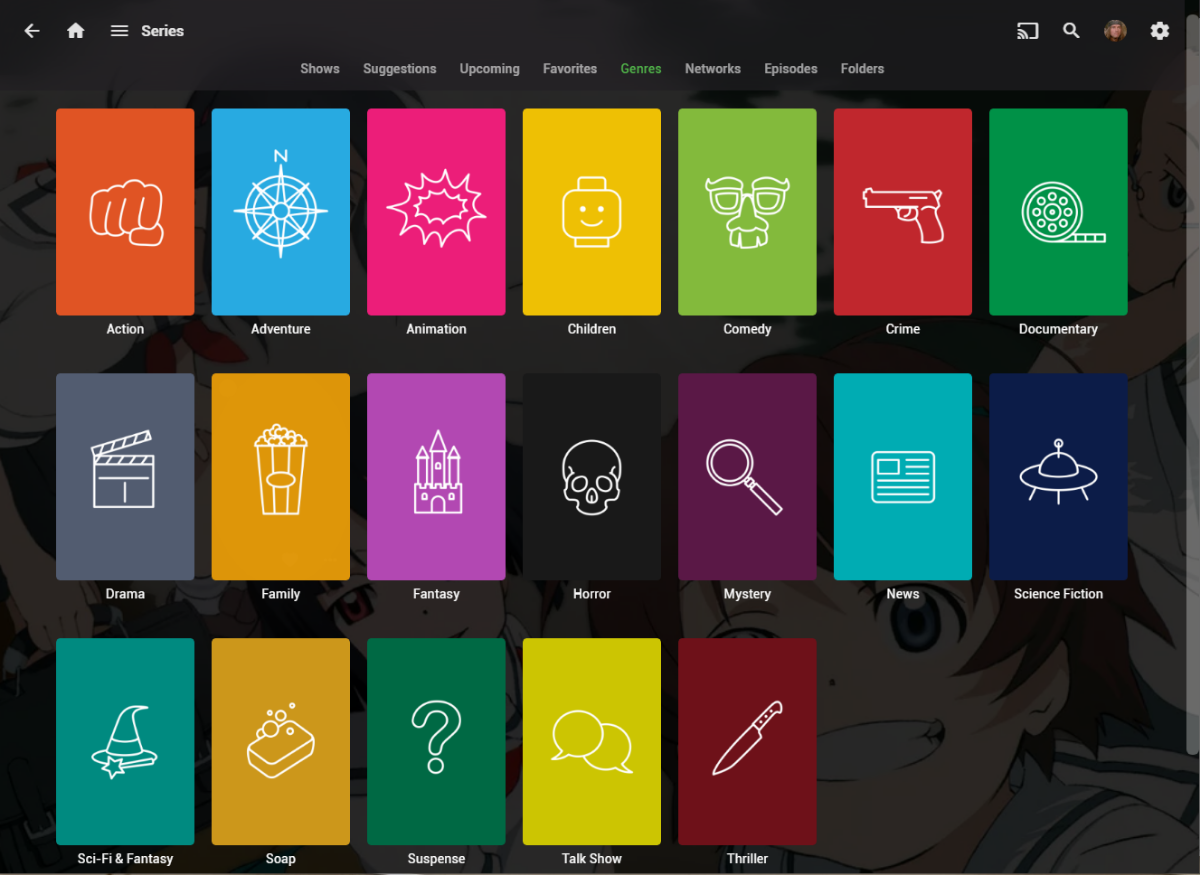
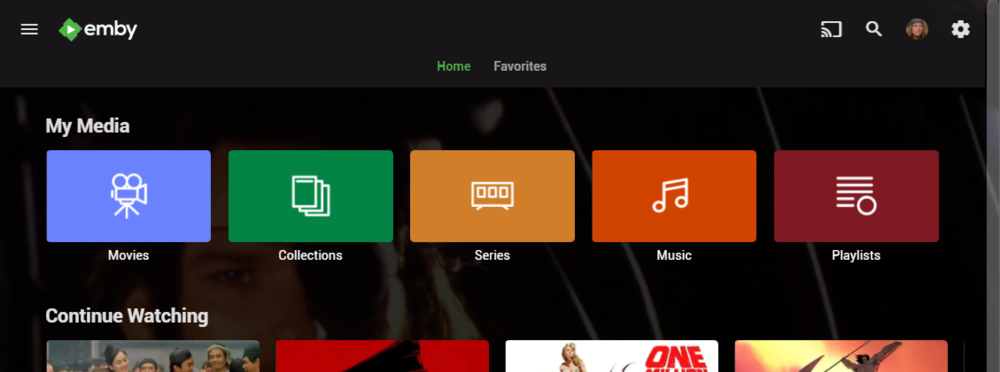
I wanted a colorful, but minimalist set of Library and Genre icons for when I'm using Emby on Roku, and something that stood out dramatically from the movie posters and thumbs. Here's what I did for the My Media set. Here's my Movie Genres: And the Series Genres RAR file attached with the full set as PNGs, and there is some in the archive not shown above (like Sports and Adult). Enjoy! -Mickey EmbyIcons_v4.rar
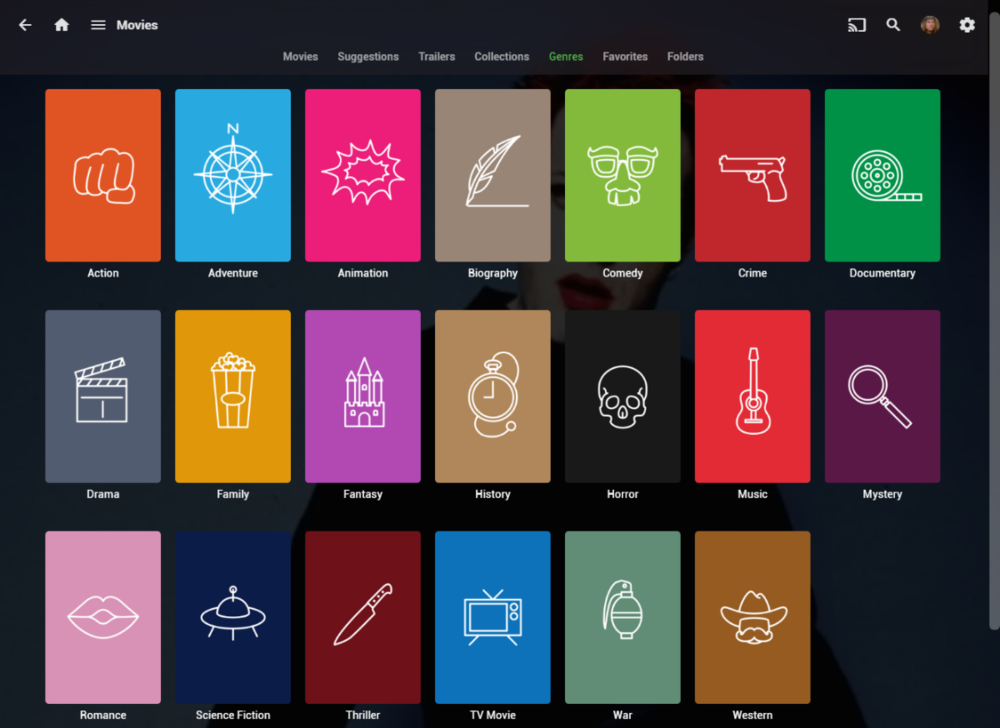
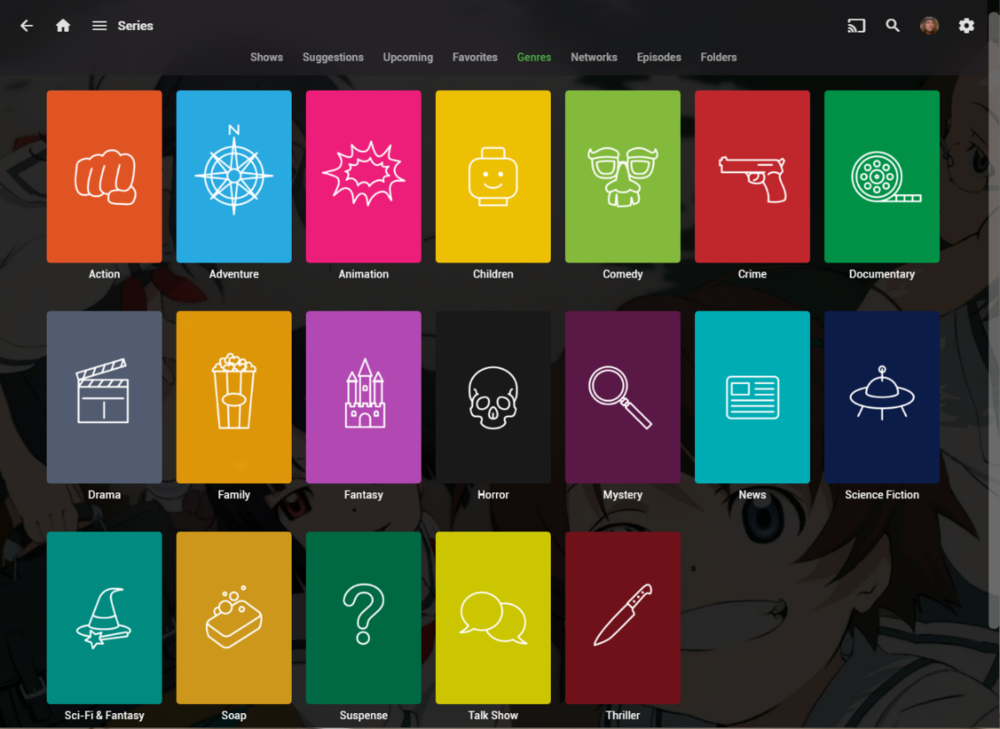 1 point
 -
TheTVDB now supports more alternative orders than just Aired/Absolute/DVD. Can Emby query these additional orders and add them as options? Two examples of shows I've seen this used are Re:Zero which has a "Director's Cut" display order and Money Heist which has a "Netflix" order. https://thetvdb.com/series/re-zero-starting-life-in-another-world https://thetvdb.com/series/la-casa-de-papel1 point
-
It is really cool that Emby has the ability to support multiple versions of the same movie. It would be nice to have a setting on the client side to allow the user to set which version should be selected by default. This could be as simple a user-entered string, or it could be a list of detected strings to choose from. It could allow multiple entries and it would choose them in the order entered. On the Kodi side, it would also be nice to get the "Choose the Best Version for Me" option that the Emby app has.1 point
-
As I mention in a related post, I love the additional subfolders for Movie Extras (eg, Shorts, Scenes, Interviews, etc.)! It would be awesome to extend this functionality to TV Series as well. Specifically to add support for many/all of the same folders supported for Movie Extras, eg, extras specials shorts scenes featurettes behind the scenes deleted scenes interviews trailers As well as any additional folders that get added in the future (eg, hopefully Galleries). Support Placement of "Extras" Folders Within Each Season Folder, Plus A Naming Scheme to Link A Particular Extras Folder with a Specific Episode (eg, "\Season 1\E1 - Deleted Scenes\" for episode 1 deleted scenes): I want to clarify that it would be great if these various "extras" folder types could reside within each Season folder. So for example, within a Season 1 folder we could then have an "Extras" folder, a "Deleted Scenes" folder, a "Featurettes" folder, etc. And furthermore, that we could designate a particular folder to refer to a specific episode (eg, "\Season 1\E1 - Deleted Scenes\" for episode 1 deleted scenes). See more below, particularly why I think this would be so useful: https://emby.media/community/index.php?/topic/55915-emby-server-theater-additional-extrasspecial-folder-types-for-tv-series-similar-to-movies/&do=findComment&comment=587195 Thanks for your consideration! PS - If this is something you might like to see implemented, be sure to "Like" this top/first post (as well as any subsequent posts in this thread that highlight particular aspects of what you are interested in) -- "Liking" the top/first post helps the Devs to know how much interest there is in a given Feature Request.1 point
-
I have the setting turned off to keep playing episodes after one is finished, but noticed that it doesn't seem to work. Then I realized that I need to click into a TV series, click a specific season, then click a specific episode for this setting to apply. Am I correct in understanding that even though I have indicated I don't want TV series to keep playing episodes, the only way to have this happen is to click into the specific episode I want, rather than clicking play on the main screen for the next episode in line?1 point
-
Hello, I have a HD home run to watch live tv on Emby. My grandma likes to watch our local CBS channel 2. The only issue seems to be that the closed captioning will duplicate characters making them hard to read (see attached screenshots). I can get this to occur on my phone (iOS) and her TV (Fire TV Stick). I thought maybe it could have been coming from the HD home run like this so I tested it with playing back on the channels app on my phone from the hd home run and it works fine. I could be wrong but this makes me think it is Emby related. She thinks she has only seen it on our local channel 2 but she rarely goes onto other channels and I don’t watch live tv with closed captioning to notice. Let me know if there are any suggestions you have to try and resolve this or if you need any additional info from me. thanks The screenshot of a commercial with “Bob” was at 18:55, the other of the newscaster in blue was at 19:57. embyserver 2.txt

 1 point
 -
I would love to have the ability to swipe all the way to the left or right, when browsing a library, to then have the option to skip/scroll by letter. Basically, what you can do in Plex. I have a large library and it takes far too long if I want to scroll through them to find a segment of content. Edit: Okay...so apparently it already doesn't something similar. A long series of dots appeared on the right side of my library and allowed me to scroll very quickly. I'm having trouble getting it to consistently appear though.1 point
-
Hi Emby Team Since updated to the last version, when you're playing anything and you quit playing (by pressing back button on apple remote as done always), the audio of the video keeps playing until you try to play another thing (or the same thing again) or you kill the emby app from running on Apple TV. Curiously if you try to play the same video the interface loop back to the previous screen. The video below shows this issue: IMG_1897.mp4 Can u please fix it asap ¿?1 point
-
Ok. I’ll seen when it changes again. That said why again would Emby just randomly place those new channels within the order I curated rather than appending to the end or something?1 point
-
Download Standard/Universal Android app from your store (or sideload from here) and you'll have all the same filters as in Web app.1 point
-
This issue is also present on the new Google Streamer. Not surprising as it uses the same chip.1 point
-
Sounds like you've answered your own question.1 point
-
Oh!!!! This fixed it. I was looking on the server side for some reason when you made your first post. As soon as I switched this on, it let me watch content locally. It was perplexing because I could still play videos from my ‘Music’ library. Nevertheless, this fixed it. TYSM!
 1 point
 -
It's fixed now! Many thanks to devs!1 point
-
@Abobaderwill be able to help you.1 point
-
YA PROBASTE LUCAS? va de maravilla la pagina jajaja1 point
-
You guys wouldn't believe me if I tell you this, but I just figured out if you press space bar and play again, the mouse cursor is gone. I've been watching with a cursor for over a year, posted here and 1 minute later found a solution.1 point
-
thanks ,as i remember, this problem happened through ipados 16-181 point
-
Looks like 1.8.9 worked, everything is fine now.1 point
-
@LukeIt's out and downloadable.1 point
-
This is also happening to me after the update to tvOS 18. I've rebooted multiple times with no effect. (I even cried a little but it was impervious to my tears.)1 point
-
I ordered this one which is powered. I don’t need every channel mainly just the basics 5 9 12 19 are my heavy hitters. https://a.co/d/3Mm6vQ61 point
-
So it could have been the conversion....I converted it once last time and set a new pass and boom all is well I tried using the cert providers online conversion tool and i dont think it liked it....was able to convert it to pk12 again using another method and its working. Thanks for taking the time writing me and assisting!! I appreciate the help!!1 point
-
Long-press Back button.1 point
-
To be honest, I still think you should make something like this to delay the audio. ALL the other players have it. There must be a good reason for them to do it. What is stopping Emby for adding the functionality? Heck, I jumped from Plex to Emby and even paid for the premiere version. Is it that hard to implement, since it seems you don't want to put the effort in.. And it is such great product on all other options settings one have. btw, On my other more expensive JBL headset, which I use on Windows 11..the enhancement is turned off, but still need to adjust the audio delay in VLC as well .1 point
-
I had the same issue, Emby didn't show up when I did text search. It did after I'd done all the app updates -- including an update to the Google Keyboard, so maybe that is what fixes it?1 point
-
OK yes currently this feature is not enabled for the home videos content type, but we can look at enabling it. Thanks.1 point
-
I did not try connecting to the server directly but was able to get the Emby Connect account created by changing the display name and email address. I’m not sure which change resolved the error but it works now. No VPN was used trying to create the account and I did not get the error message stating the display name was taken. The display name was 11 characters and was not anything that would hit any filter list as it was not vulgar or an innuendo. The email did have a ‘.’ In the middle of it (example: ry.lliam0@gmail.com) could that have tripped up a ‘valid email’ check on the back end?1 point
-
Do a ls -l on that directory in terminal to find out the group that owns that folder. Then add the Emby user to the group. sudo usermod -aG groupname emby1 point
-
I'll remove it from the catalog. Thanks.1 point
-
We would like to make a quick announcement that Emby Server 4.8.9 has been released. This is an incremental update over 4.8.8 that had various improvements and fixes. For those that are curious on how to find the release notes, it is as simple as clicking on the server version on your Emby dashboard. This will bring you to the the release notes and you can scroll through the various versions to see the continual work by the Emby team on each subsequent release. View the full article1 point
-
Hi, please let us know if 1.8.9 resolves this. Thanks.1 point
-
CM, Aha, that's different. Not seeing the list at all. This may have to do with your Home video and Photos type of library. Since these types of media have no references online from any dbase source, there may not be a 'Suggestions' or 'More like this' section at all. I have not tried setting up such a library. I am guessing that adding in genres when you are in a Home video or Photos library only creates a genre reference. Click on genre and your choices should be available. I think there is no code for these types of media libraries to make any suggestions. Library types: Movies and TV Shows create suggestions and 'More like this' on my server: 1 ) My Media / Click on a thumbnail for movies, TV shows, / choose Suggestions Tab 2 ) Open any media detail page and scroll down to find 'More like this'1 point
-
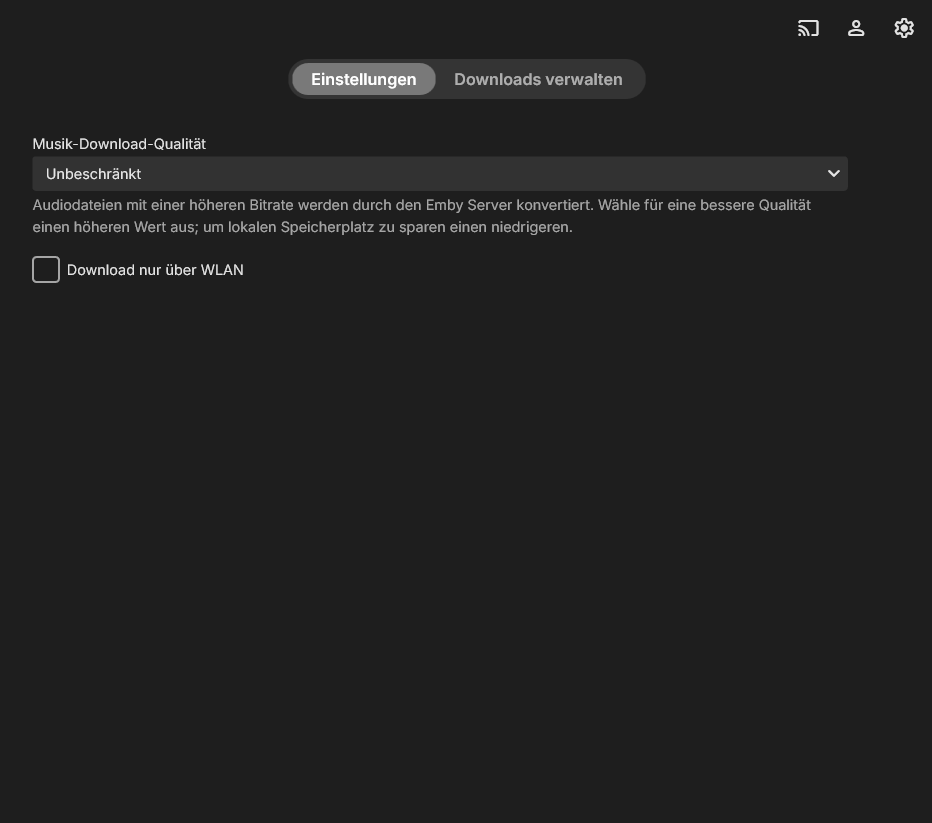
The only settings available in the downloads settings of the app are the "music download quality" and if I only want to download using WLAN. Is there any way to change the download directory? I am on Emby for Windows 1.1.574.0 installed from the windows store. On a Windows 11 System.
 1 point
 -
Managed to stumble on the answer for this one. I had mismatched kernels and the driver had not been installed to the kernel that I booting into. Got rid of the old kernel, removed and reinstalled the driver and I'm in business.1 point
-
@them8os235 @kbx81 @chj915 @janmemby @lexm8 I've merged your posts into this conversation, to have it all in a single place. Please see my conclusion on the subject above. Thanks for providing all the information!1 point
-
HI, we are working on getting Emby for Alexa released in as many countries as possible, so stay tuned.1 point
-
I would love to be able to do the following. For example, say you have a TV Show episode called "The Robbery" from Seinfeld. Any extras for that episode like Commentary, Deleted Scenes, etc.. could be listed with that episode or tied to that episode on a screen for access. Would any of that be possible?1 point
-
Request: Add a Trailer button to Seasons Most series have a new trailer every season. Multiple trailers under series will just play a random trailer from all seasons For instance GoT has 1 or more new trailers per season. I would like to place them under the season folder and be able to play the correct trailer(s) for that season The current format works for movies, but isn't ideal for series Trailers could either be in Season folder or a subfolder under each season called "Trailers" TV Shows \Game of Thrones\Season 1\Trailers \Game of Thrones\Season 2\Trailers etc1 point