Leaderboard




Popular Content
Showing content with the highest reputation on 09/24/24 in all areas
-
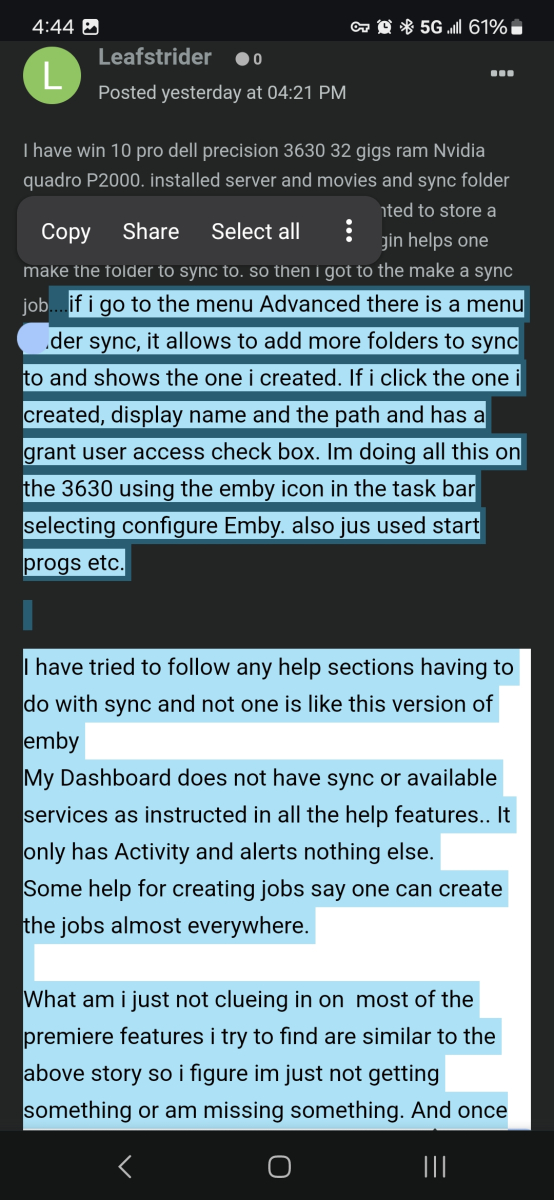
Hey @Abobader, you still looking into this problem? I still quite regularly run into unreadable content on this forum....
 4 points
 -
We sure do not want that, I restore it back. I will think on another way that not effected this. Our goal to make everything work as it should, dark themes are important, so I need time to fix this, thanks all.3 points
-
Good day, The problem with the forum software we used, it use old editor, thing will change with the next major update one. I will high consider your request regarding the editor matters. Thanks. My best3 points
-
I don't think users are deliberately choosing background colours. I think they are being automatically set when copy-pasting text. Background colours should be stripped from posts imo.3 points
-
Can that option be removed?3 points
-
Imagine you like to re-watch episodes of shows you've seen a million times. Say, for instance, Big Bang. And you have this nifty playlist created of all of the comedies that are like this. Let's just say comedies from the 2010s. And then you create a smart playlist to only pull un-watched episodes so you don't get the same episodes popping up over and over when you shuffle play. But you're not really watching these shows sequentially, you're just RE-watching them for fun every so often. It is these shows that I don't EVER want to appear in the continue watching area.2 points
-
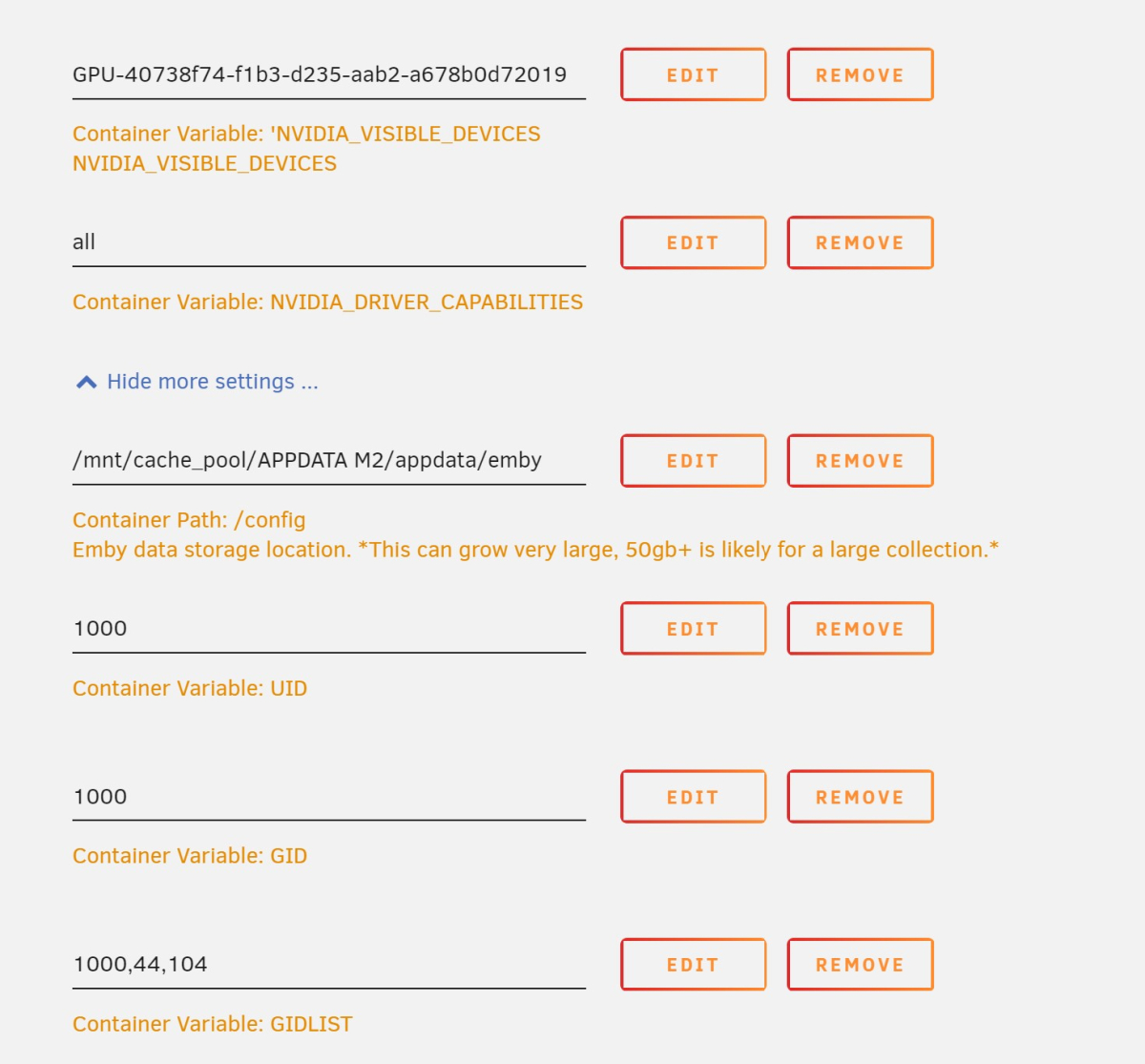
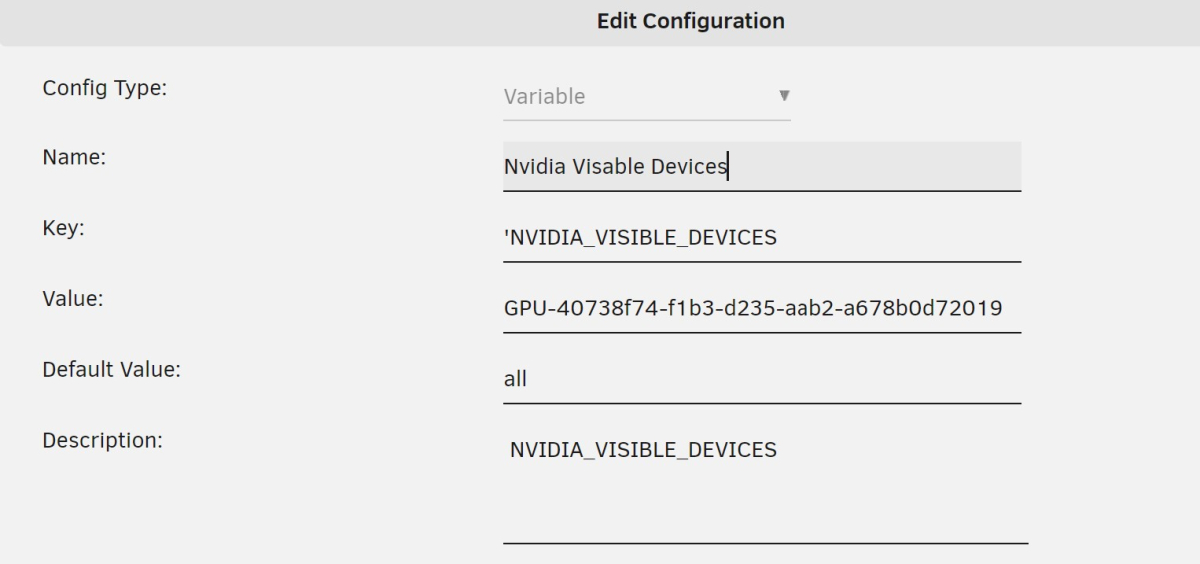
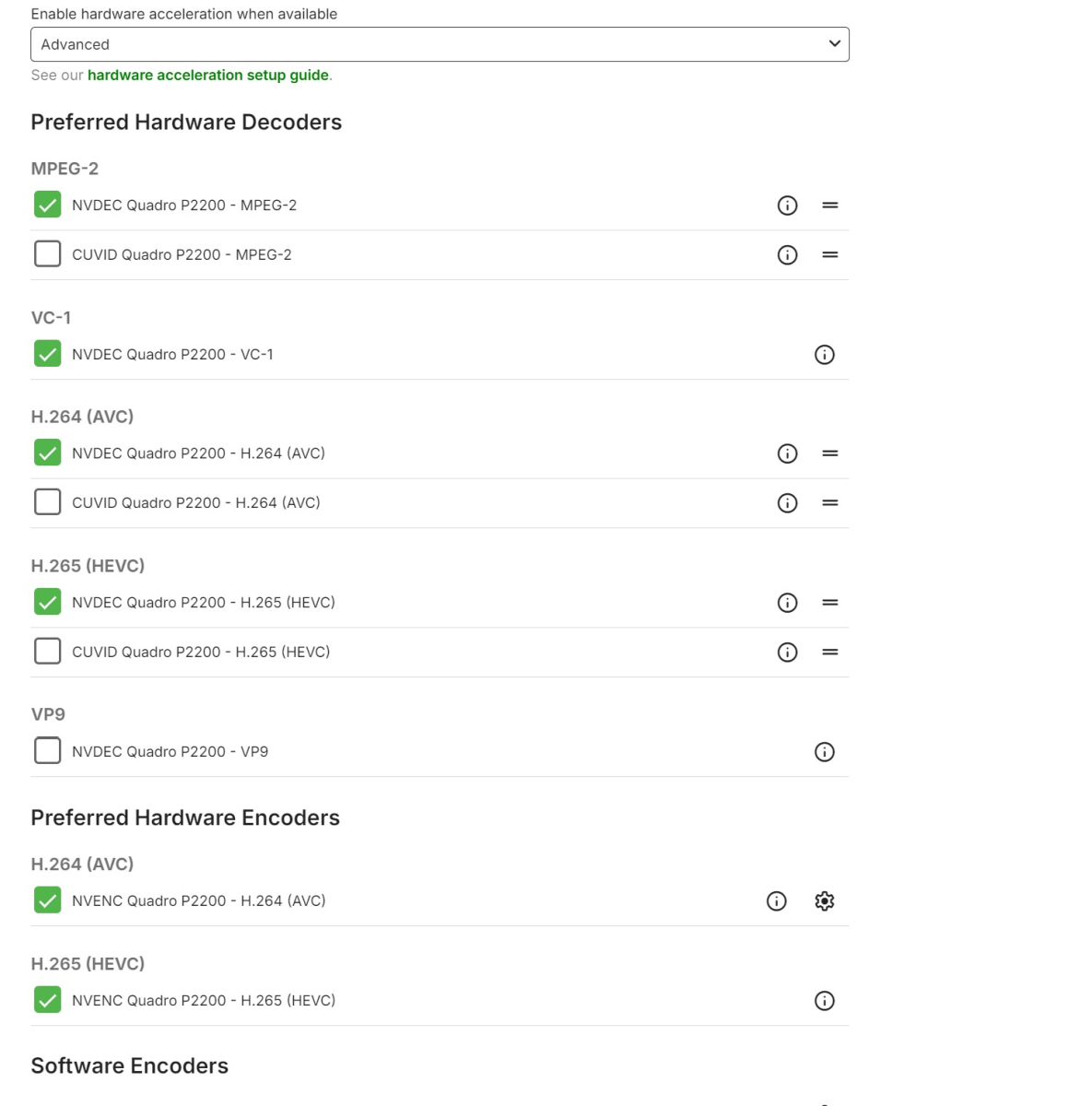
I think I got it guys, I noticed a typo in pic 2 when I was putting them in. I have attached an image. Did it select everything i need? Thanks very very much for the assistance.
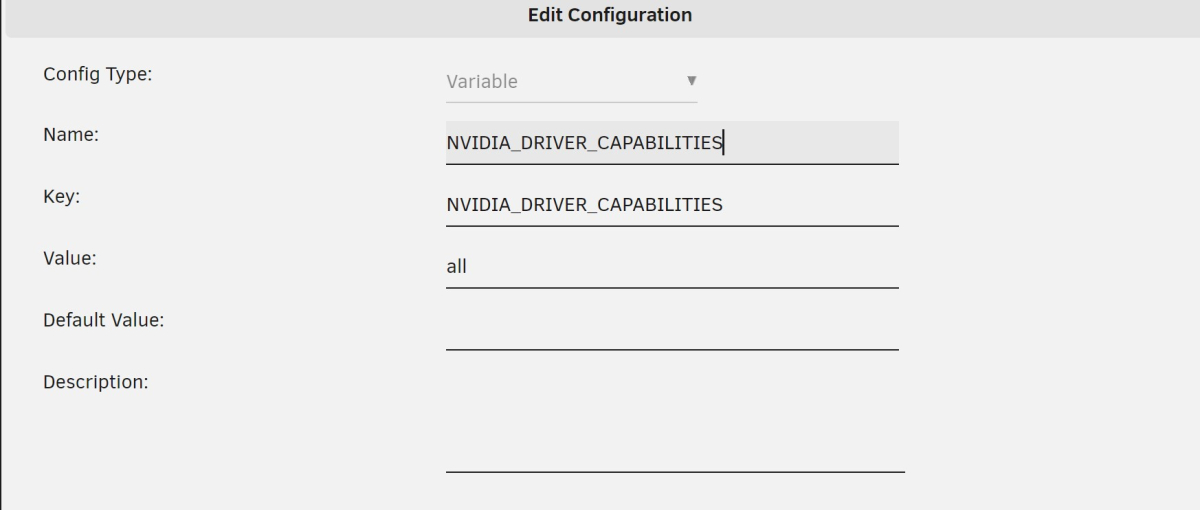
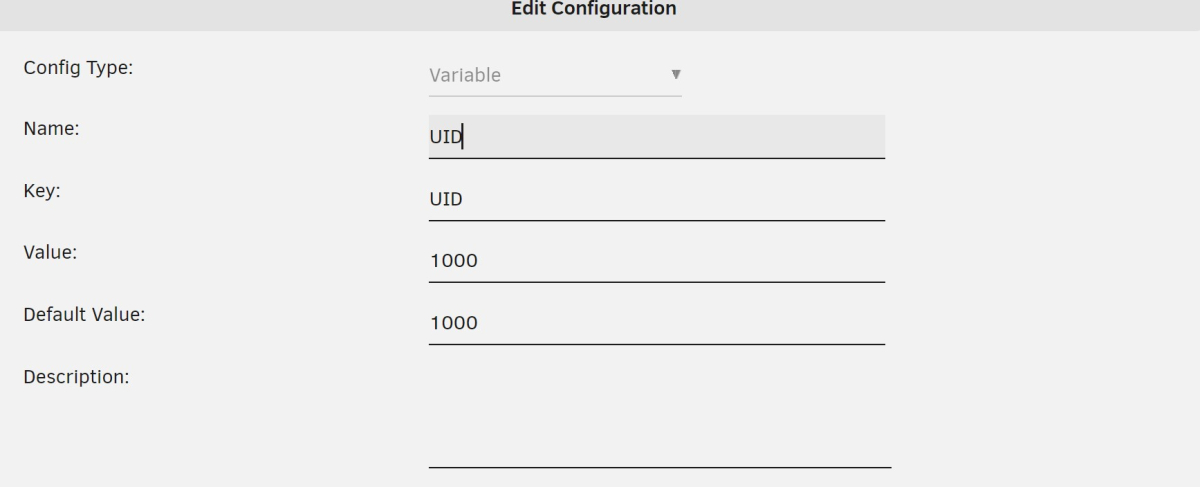
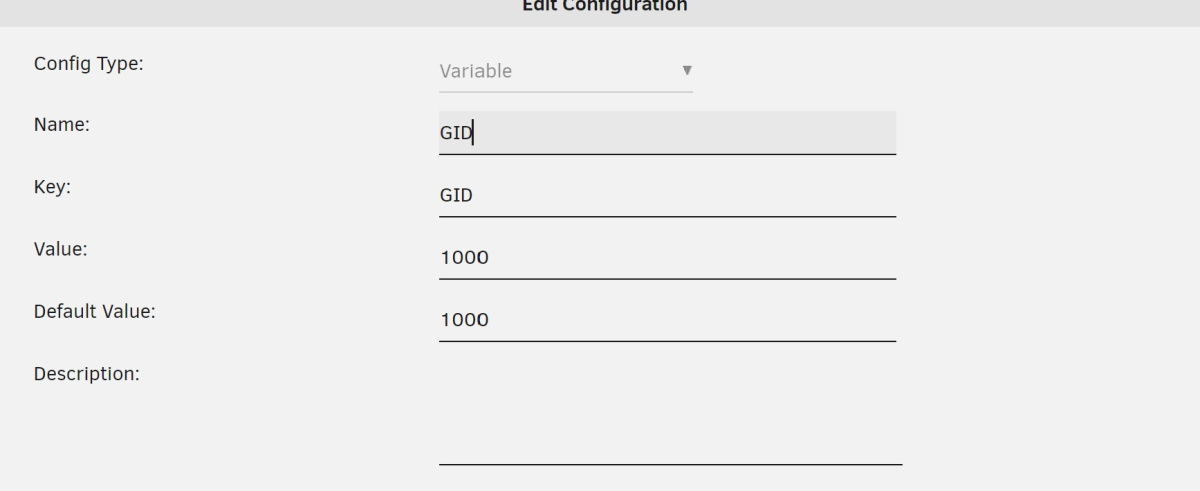
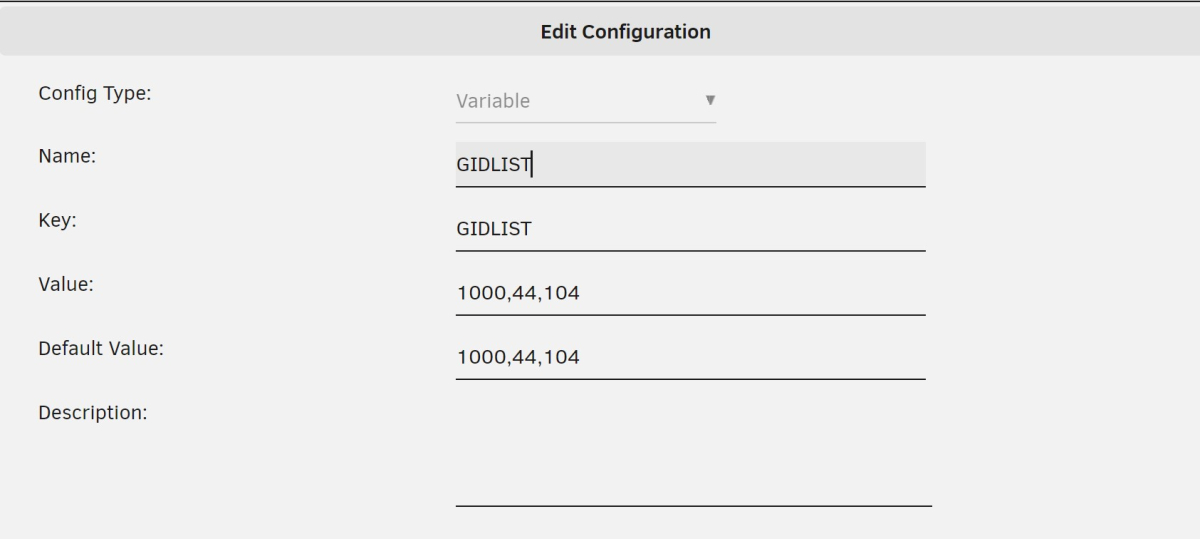
 2 points
 -
Yes please, if ppl paste from a translator or word etc please make sure it inserted as plain text. Plain text inset option is almost always ignored.2 points
-
I developed an alternative to the AutoCollection plugin - the plugin that merged different movies with the same providerID into one. I missed the features in the original plugin - merging by Kinopoisk provider and splitting the movie by providerID. Features of the plugin: runs automatically on movie add (configuration "Run Automatically"). merge movies in separate libraries or between all libraries ("Merge Across Libraries"). ignore locked movies ("Do Not Change Locked Items"). merge can be invoked manually in Scheduled tasks - "Merge Movies" in the "Movie Auto Merge" section. global (all movies in all libraries) split can be invoked manually in Scheduled tasks - "Split Movies" in the "Movie Auto Merge" section. split of a particular movie in the plugin configuration by providerID (search in all libraries). merge by all available Emby metadata providers - IMDB, TMDB, Kinopoisk, etc. complementary merge, e.g. if the first movie has TMDB, the second - has IMDB, TMDB, and the third - has only IMDB, and all those movies are the same, they all will be merged into one movie. site: https://github.com/luzmane/emby.movie.auto.merge/releases/latest/download/MovieAutoMerge.dll1 point
-
I'd like to see a feature where on a piece of content there was a button to report a playback error or such. I have a lot of content that I haven't watched that friends have requested - if there was a simple button they could click that pings me a message letting me know there's an issue with the file that'd be great.1 point
-
I was updating meta data for some of my soundtracks today in Emby and thought it might be interesting if provided a link between the soundtrack and the movie where if you were looking at one you could quickly click to go to the other. I don't know if the current structure would facilitate this seeing as even the metadata for people is separated when it comes to music and movies/series: Its not really a priority item or anything just thought it would be something that could be neat for people that typically keep both the album and the movie (and it might raise the awareness for users of the system that the content is available, say if they just watched interstellar and said "Wow I liked that music quite a bit", oh look the movie soundtrack is already in here).1 point
-
Auto Sync for Subtitles was recently added in Plex: https://support.plex.tv/articles/auto-sync-subtitles/ It uses the voice activity data so doesn't deal with signs etc. like in ASS subtitles, but it is still a significant improvement, especially when downloading subtitles on demand from OpenSubtitles etc.1 point
-
The portable version is in no way lesser; the only difference is that the installer chooses where to install and maybe does a little setting up. Paul1 point
-
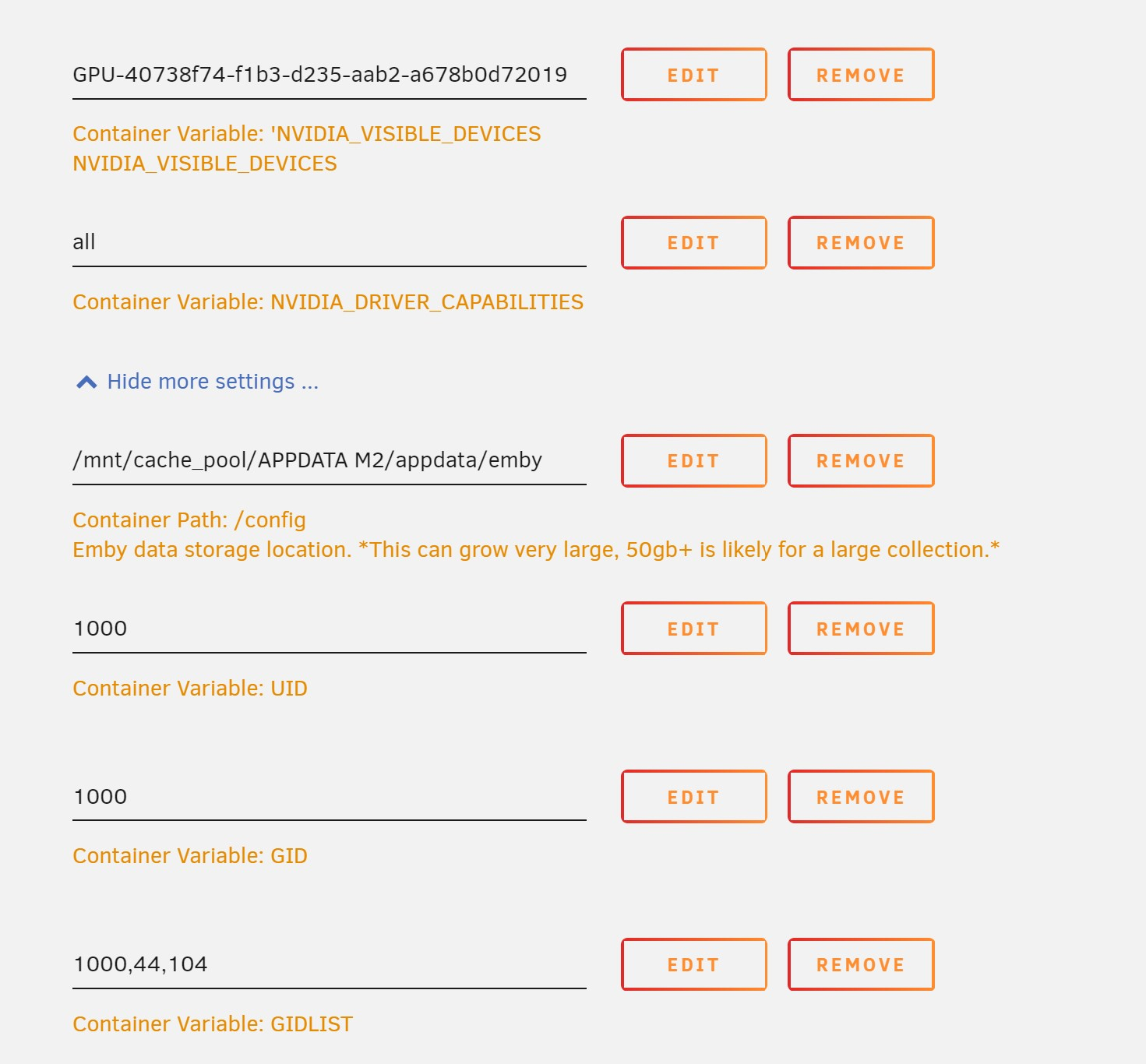
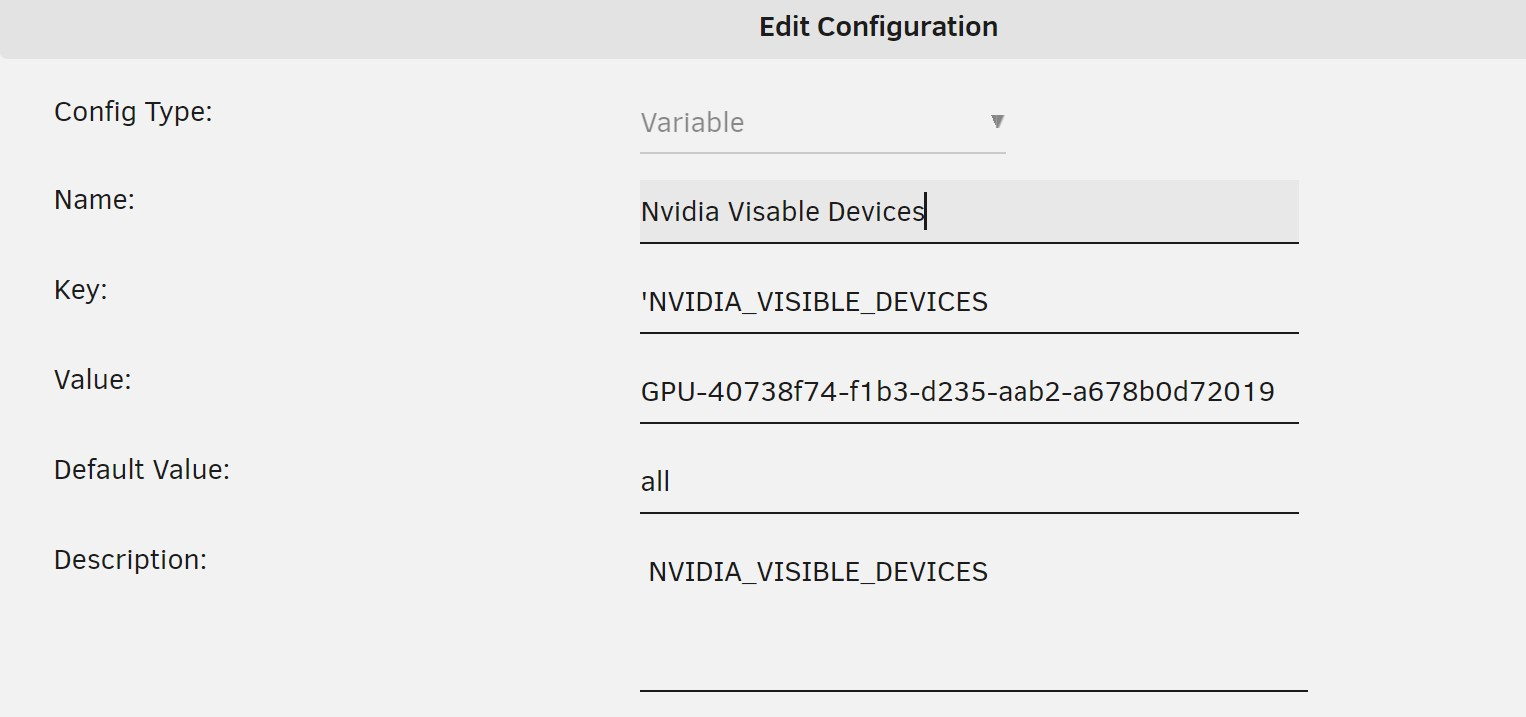
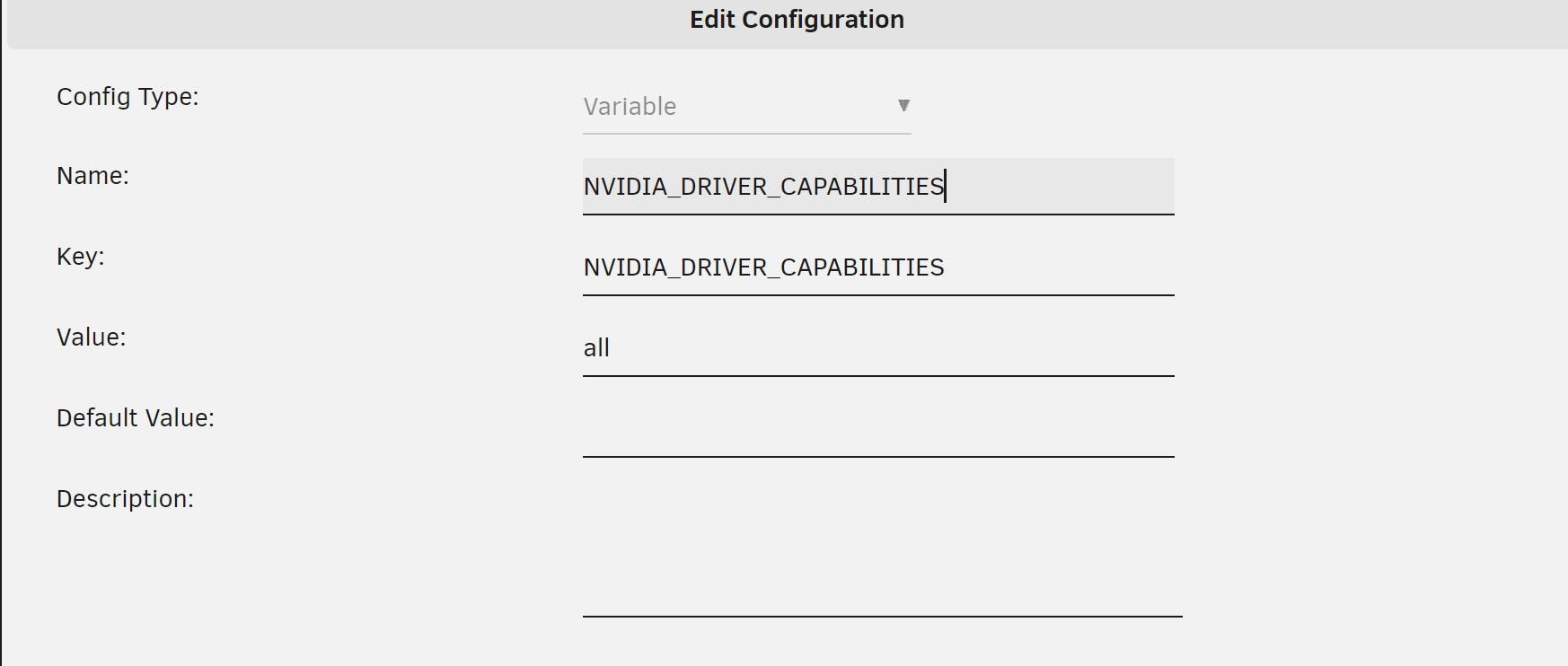
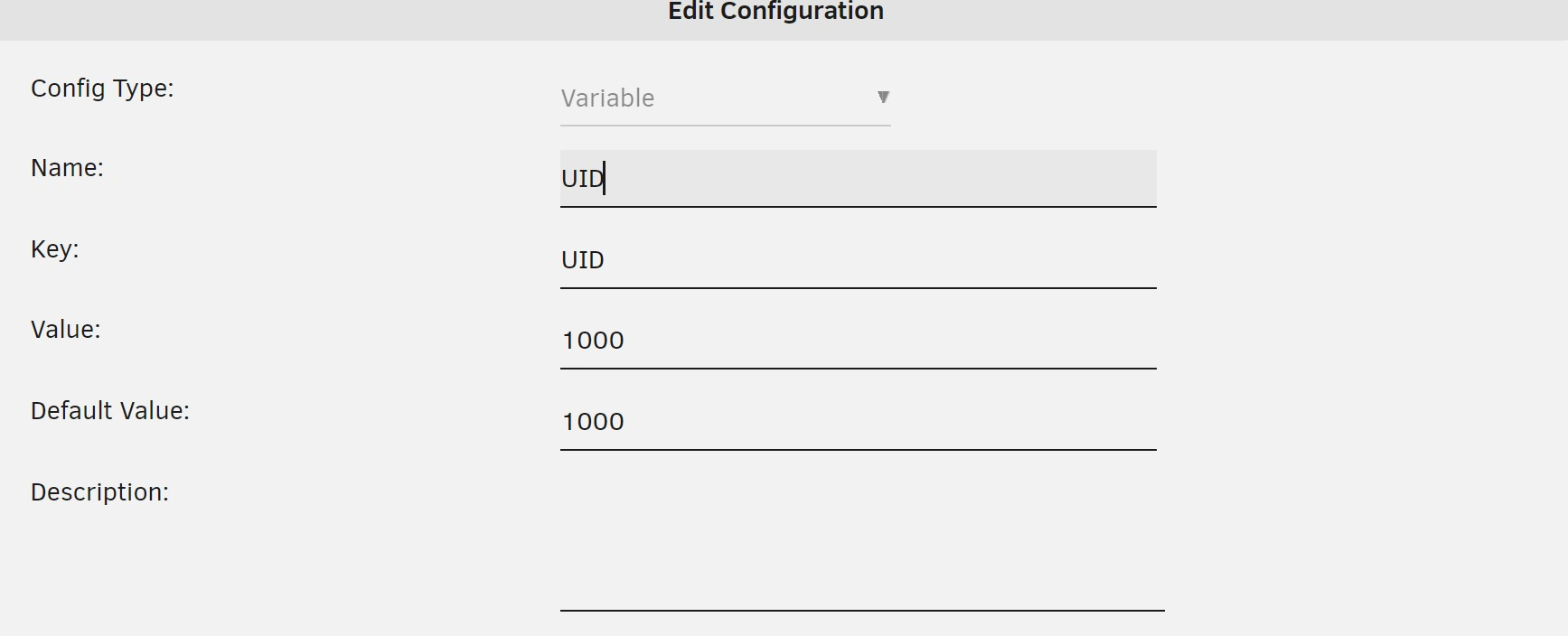
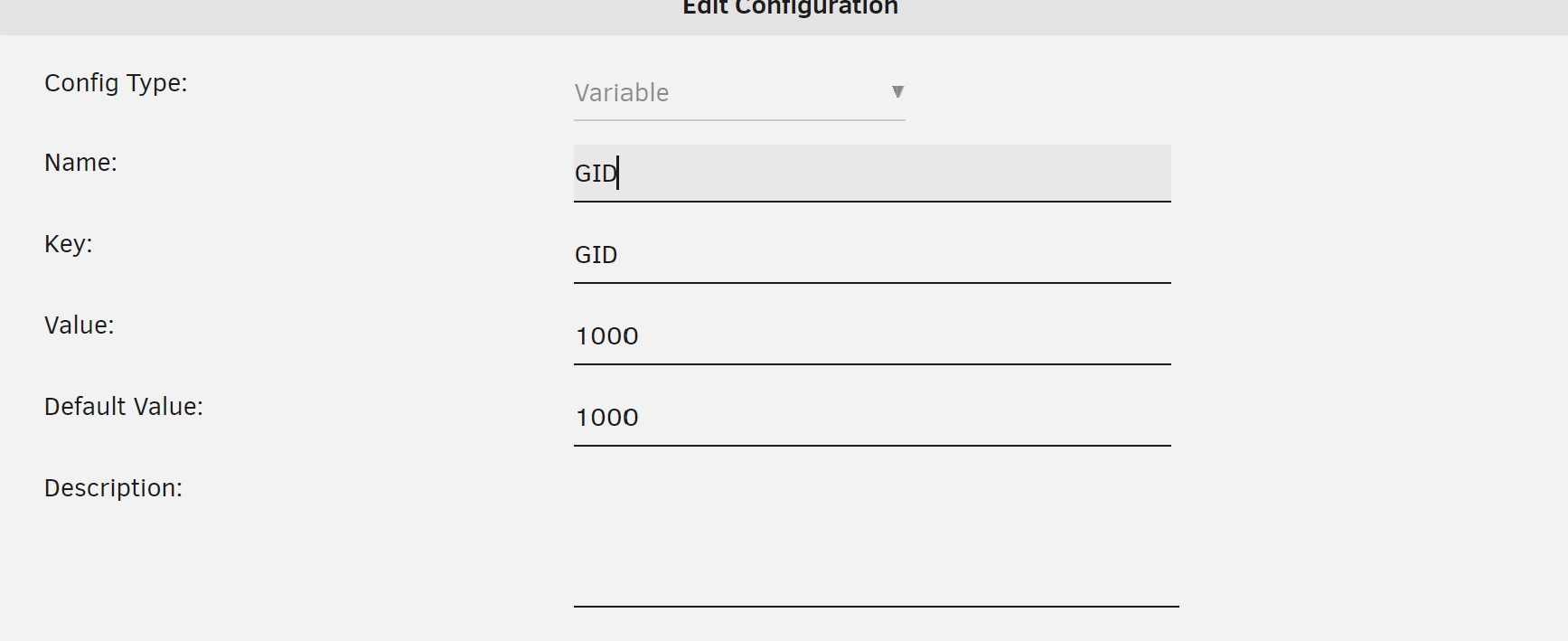
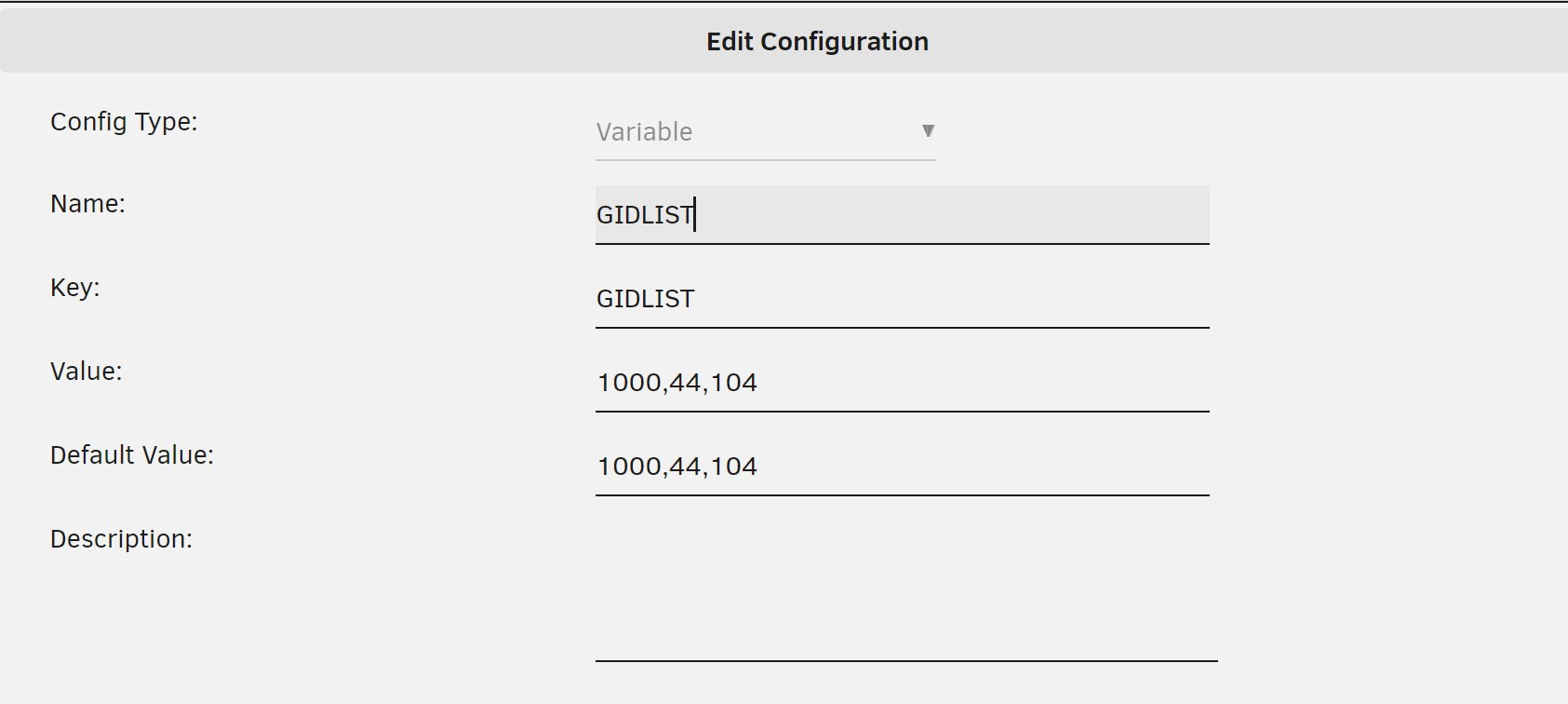
It's always something super easy lol. But i would change it back to 99,100. Unraid was intended to use 99 and 100 (nobody). You don't need the GIDLIST either for passthrough to work on unraid.1 point
-
I'm a complete dummy. SORRY. The guide was filtering ONLY US Local Channels. When I switched it to "ALL" the NFL channels popped up! ***Resolved****1 point
-
@LukePerhaps we can help each other. Vic1 point
-
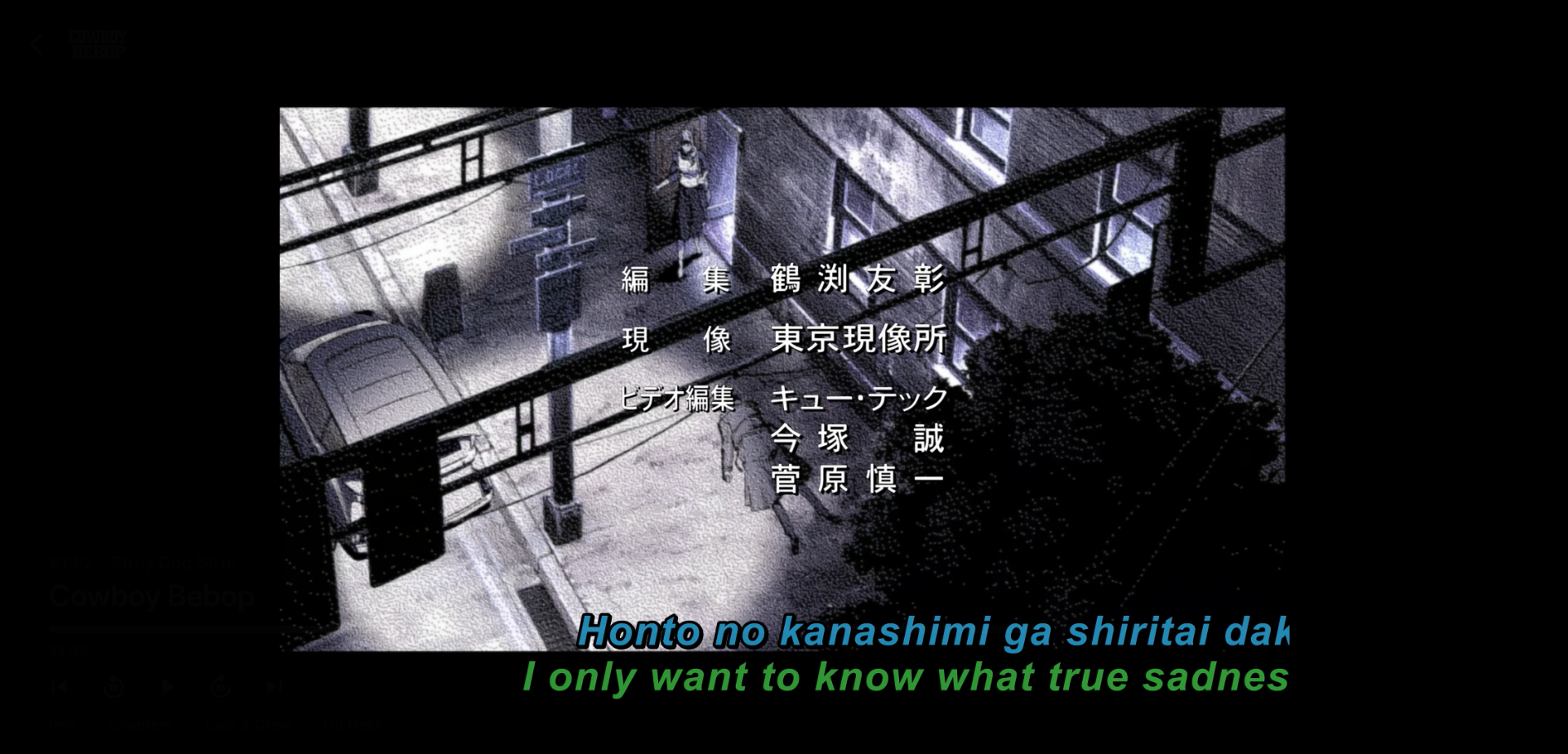
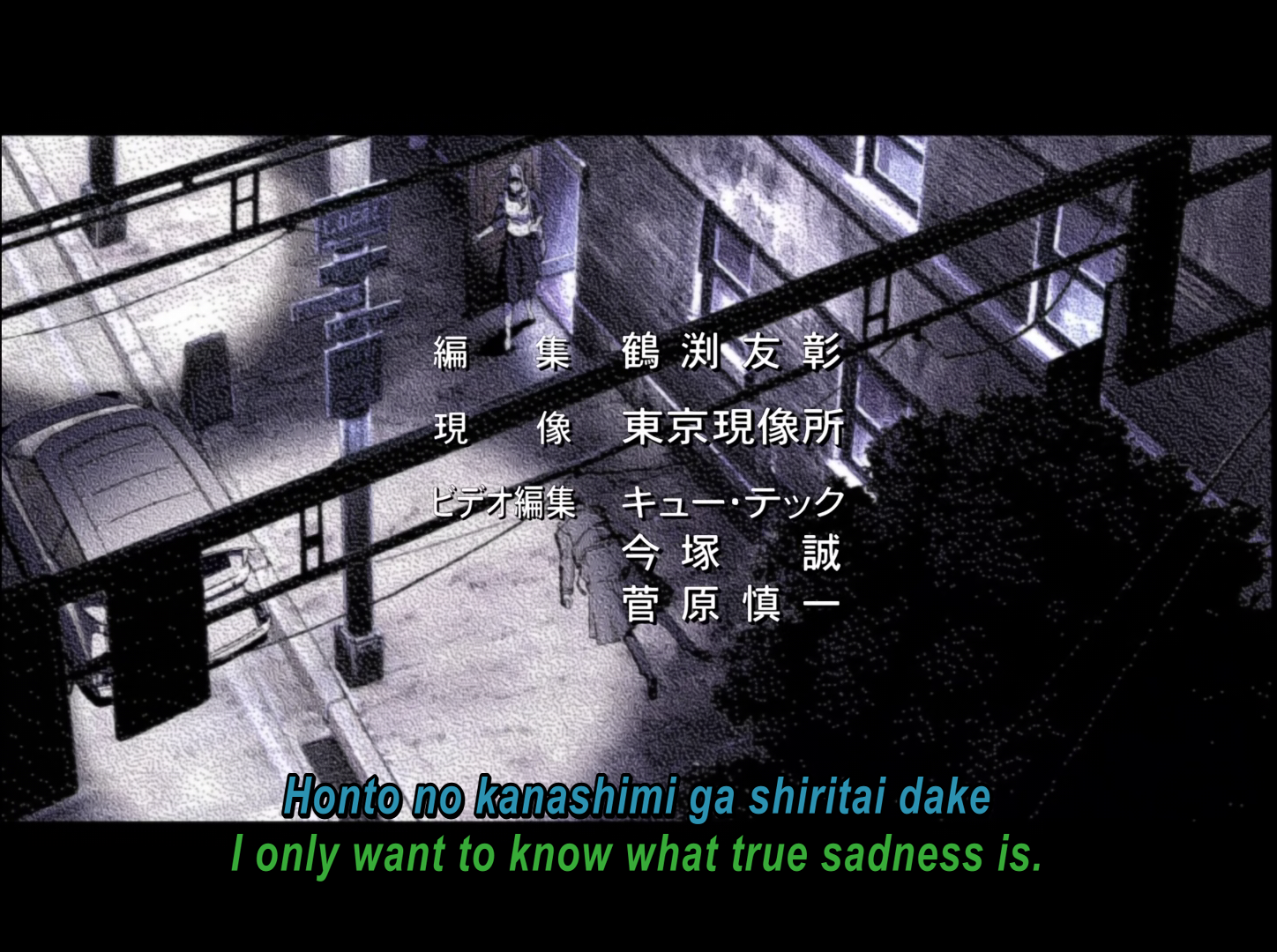
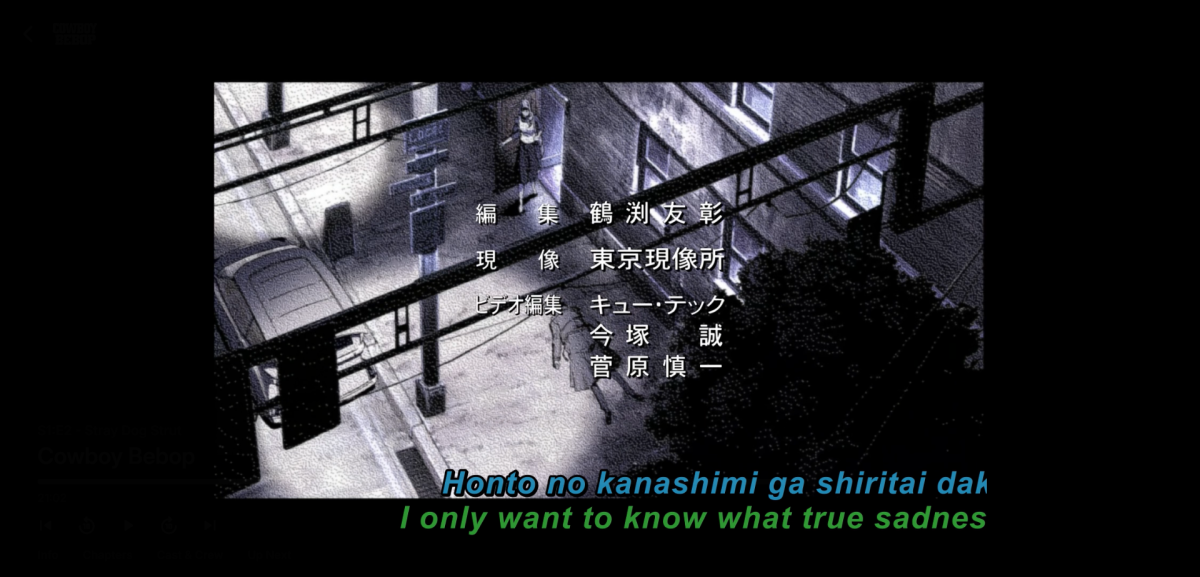
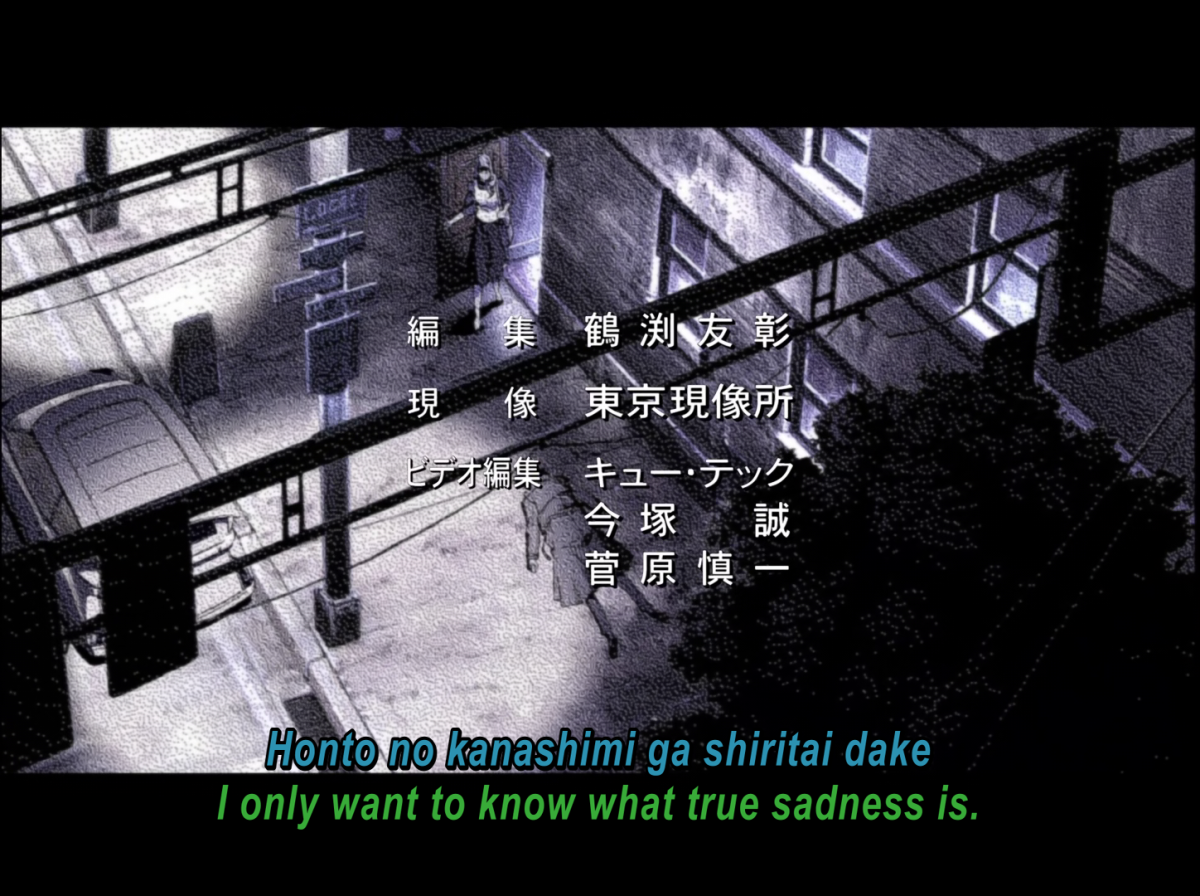
following this up with a screenshot, confusingly this series has the end credits with hard coded black bars top and bottom, so the screenshot looks 16:9 but the show is definitely 4:3 the PGS subs are transcoded into the video by Emby as my TV can't play PGS subs, the subs are not displayed as they should be, they look stretched and are cut off the edge of the video as a result. it looks to me as though the subs have been stretched from 4:3 to 16:9 and then overlaid onto the 4:3 image attached a screenshot showing this, and another taken from VLC showing how they are supposed to look
 1 point
 -
Thanks very much, now just have to wait and see if it works. Don't see why not. Might have to adjust to your numbers maybe. It's progress.1 point
-
Didn't try. It was built for a stable release. You can try and update here. If the plugin will not work, you can reply here with logs, or open an issue in the GitHub with logs.1 point
-
Ah completely missed that bit. Just had a look and that will do exactly what i want. Thank you Will look at going through and setting the strm files. Cheers Chris1 point
-
Create a playlist called 'Report an Issue' - give everyone permissions to use it - when something is broken, I ask they just add it to that playlist - When it's fixed, I remove it from the playlist.. simple but it works ..1 point
-
It does appear this can be set as an env var: https://learn.microsoft.com/en-us/dotnet/fundamentals/networking/ipv6-overview1 point
-
Well, you can never make everyone happy - I, for one, am quite unhappy with font color removal and slightly unhappy with source removal.1 point
-
I don't know how to control a firestick on alexa. When the emby skill is activated on alexa, if I ask "play playlist classic rock" it responds "The requested media is not found in the library"1 point
-
Np, Vic, just shout if you need anything else. Cheers1 point
-
@GrimReaperYou are fantastic... Thank you, Vic1 point
-
1 point
-
It would be great if advanced search was implemented. It would be very convenient for us as well. We are very much waiting. Thank you in advance.1 point
-
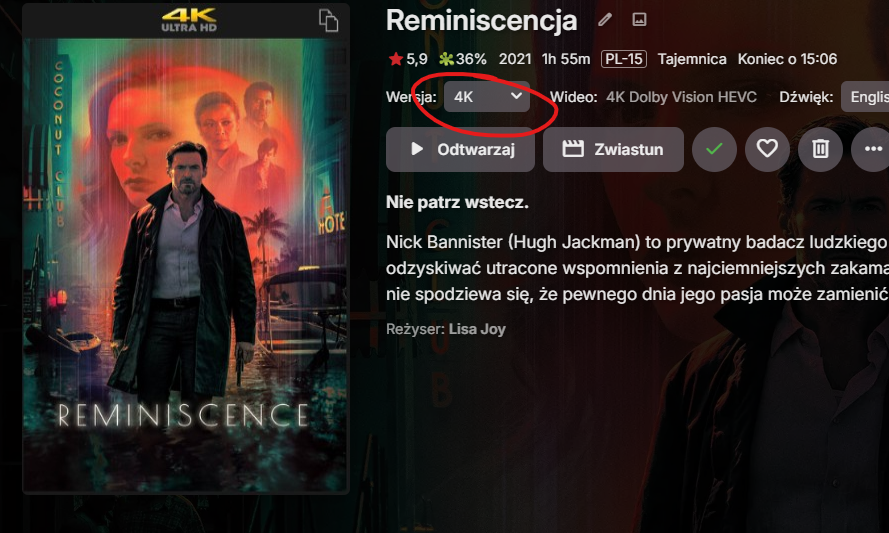
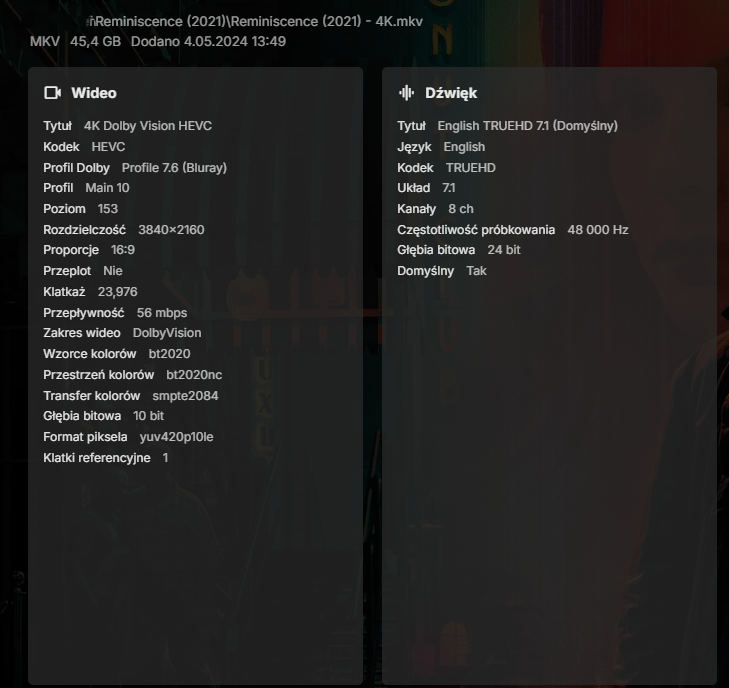
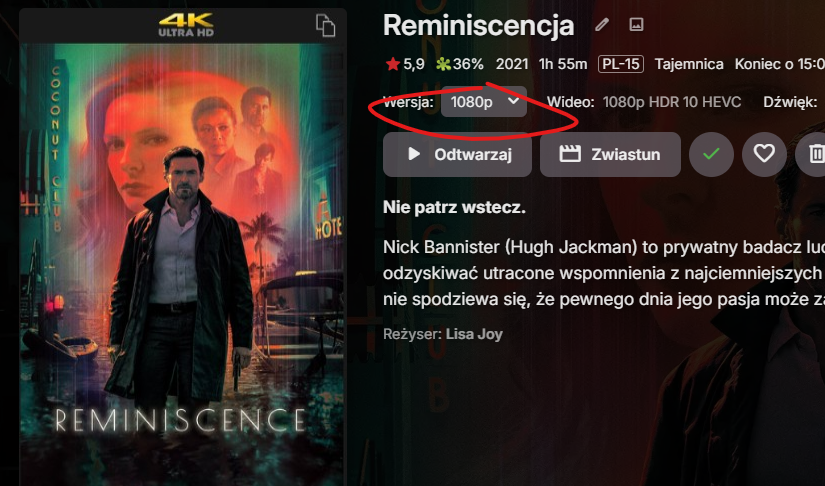
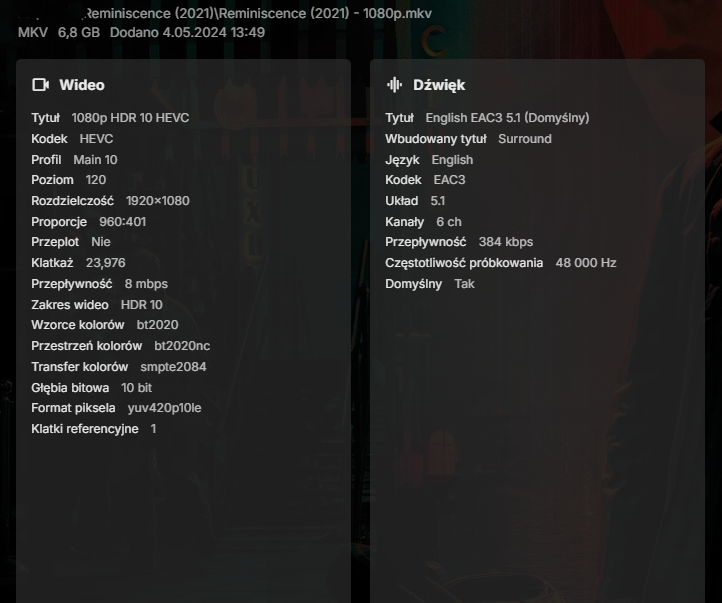
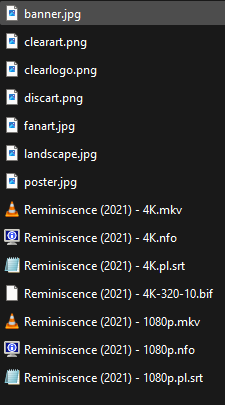
Hi, I had similar problems, after several attempts I gave up transcoding on the fly for remote users. For about a year now, I have been converting each added 4K movie with a higher bitrate (over 15mbps) to an 8mbps version, usually in 1080p, EAC3. Since then, I haven't had any problems with remote playback, the user simply selects the version of the movie they wants to play. I do the conversion with a great free program Handbrake. You just need to follow specific file names for your videos to have option to choose resolution in the description of movie. Examples in the screenshots below.
 1 point
 -
This may be the same issue as reported in my post just now (i.e. is the Settings > Privacy & Security > Local Network > Emby permission off or not properly set which causes the crash)?:1 point
-
He’s talking about the appdata itself. It’s shown in Emby as /config. You need to make it persistent and point it to a folder. Ex. - v /opt/appdata/emby:/config lifes a whole lot easier if you get comfortable with a docker compose stack. They have ones made for emby at hub.docker.com like from Linuxserver.io group1 point
-
I may have figured out my problem... As I was looking through other posts, I came across a reference to this: turns out I did not provide access to the emby internal user... Issue 1 has been addressed. Of course, neither TV or Movies had the read/write access for the emby internal user - so I've added that to both (even though I could already access the TV folder), I've removed the TV shows library in Emby now and re-added both TV and Movies. Currently scanning the TV folder, hopefully we get it to finish! once it looks to either be locked up again or complete, I'll provide an update - and a new log if it's still locked.1 point
-
I can't answer your question but since this thread has been marked "Solved," you might get more attention if you start a new thread.1 point
-
You don't request content here as Emby doesn't provide any/is not content provider and/or streaming service. You need to contact whoever is the owner of the server you're connecting to1 point
-
Thank you so much, Glenn1 point
-
I would understand this request to refer to "origin_country," don't think anyone (or at least maybe only a fraction of userbase) would filter by locations where the movie was shot. Ditto for "original_language". Filtering on anything save those criteria would make those filters practically useless with too many hits.1 point
-
Thank you Luke for your reply. I assume it is an issue of Emby's web player because it happens only there when MFT playback is enabled (happens in all files, H264 and HEVC). I've tested the same files in Jellyfin and Plex web players and they don't have this issue. It doesn't happen in YouTube's player, in Dailymotion's player, in any web player I could think of with MFT playback enabled. I could be wrong, you obviously know way better than me how Emby's web player works. You are right that we should wait until version 132 is released, all these fixes Firefox developers made are fixes made in version 132. HEVC direct playback doesn't work at all in the latest stable release of Firefox (version 130) and in Firefox beta (version 131). It's too soon because we are talking about nightly releases. I am just impatient because I had been waiting for months and months for Firefox developers to make direct HEVC playback to work in media servers:) Thank you again for your reply.1 point
-
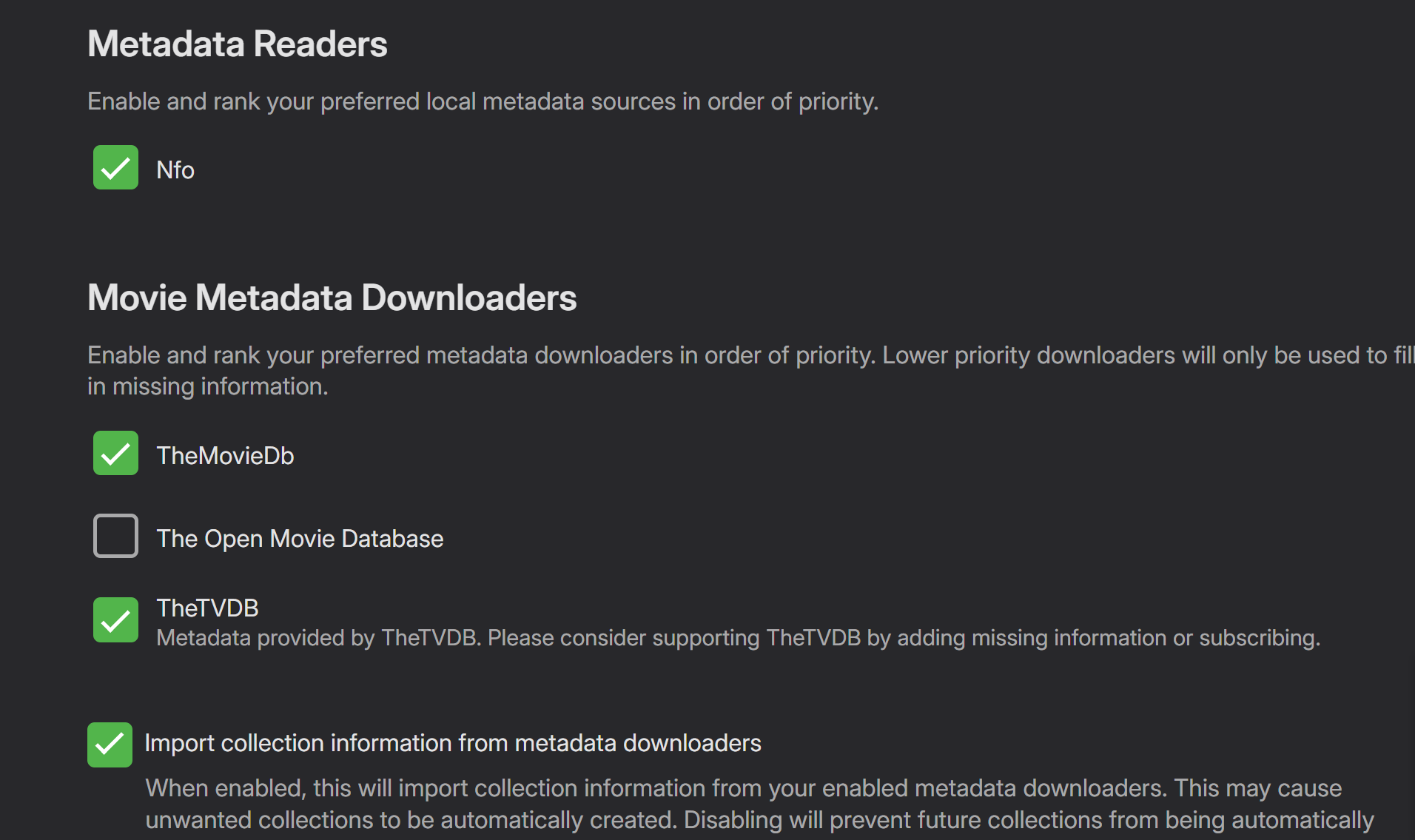
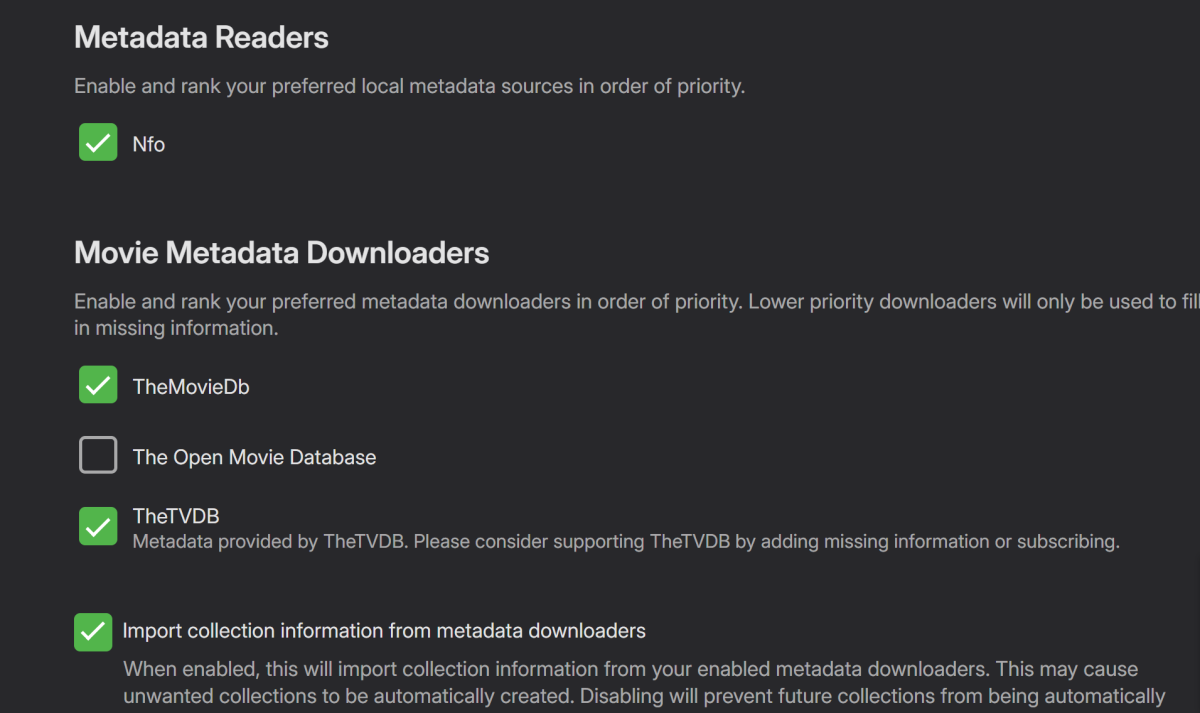
So it looks like the only way you can create collections for movies like "Rocky, Rocky II, Rocky III...etc" is to MANUALLY create a collection and call it "Rocky" and then manually add each movie.. I remember when Emby would AUTOMATICALLY create a collection section and then when you went here it would show your collections of different box sets, but it appears that you can no longer do this...Unless of course I am doing something drastically wrong...because it once worked beautifully but not anymore it seems... Thanks!1 point
-
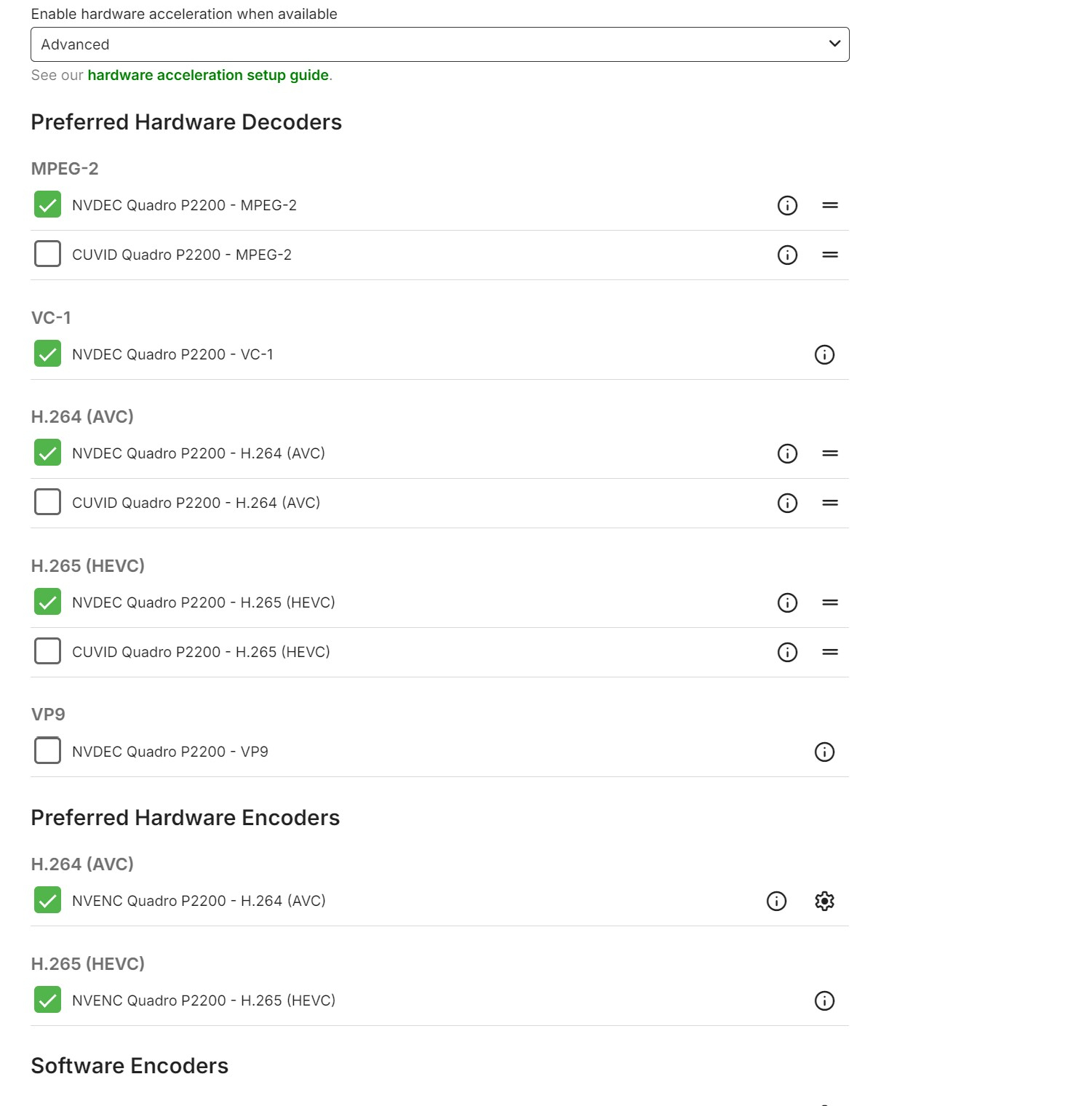
If you're not gaming and want something that is low power and can transcode, just get an Arc A310 or A380. They will run circles around the Nvidia card when it comes to transcode quality and power usage.1 point
-
I have everything I need enabled to allow for there to be collections and it still doesn't work
 1 point
 -
I remember when Emby would just create collections automatically..without having to put the boxsets into their own folder, or anything, it would just create a tab called "Collections" and inside it would have each boxset in their own thing...WITHOUT altering folder structure....I never understand when companies take away good features...1 point