Leaderboard




Popular Content
Showing content with the highest reputation on 09/10/24 in all areas
-
Ok cool, I'll push another release with a 20mb upload limit, give it a few days to roll out, flush out all the bigger themes, reindex and we should be good to go.2 points
-
@SamES Point 2, removing and adding the app back helped. Thank you.
 2 points
 -
Are you using the vertical or horizontal layout for the home screen? Changing sections only relates to the vertical layout, while changing the library order will change the menu order on the horizontal layout.2 points
-
Be able to create playlist based on a certain criteria, like genre and or year, in order to create a dynamic playlist that it refreshes automatically when new content is added. This way you can for example, create a tv comedy playlist from the 90's, or a new sci-fi Movies playlist. Some other criteria for rules could be the rating, watched/unwantched, score, tags, language, audio codec, etc The possibilities could be endless1 point
-
I recently found a need to look up additional information on a director. I was hoping to look at the director's profile and see not only the movies I had in my collection but also a list of other movies that they have directed. This would be displayed below the library's current movies. ex: My movies: Movie 1, Movie 2 Other movies by this person: Movie 3, Movie4 ================ This could help one expand their library and to discover a missing gem.1 point
-
I am switching over from a Win7 box running MBC to Chromecast dongles. With the Win7 box I had a HDMI to Cat6 setup that allowed me to stream to up to 4 displays/TVs simultaneously. It was great while it lasted, but involved stapling cables to the ceiling to run it from room to room - plus it has borked Can there be an option to multi-cast to several receivers at once? i.e. simultaneously play to Chromecast dongles in my office and living room and kitchen simultaneously so i can walk from room to room without stopping and restarting the movie or show all the time? I realize that bandwidth could POTENTIALLY be an issue, but i have a fill gigabit network and a multi-port NAS so that really is the least of my worries... Thank you!1 point
-
I am using a N100 myself and it's running on Ubuntu LTS (still 22.04, need to do the upgrade). No issue so far, transcodes everything I throw at it. Can't compare to Windows though as it never ran on it.1 point
-
@Happy2Play@Luke The Emby player is 1 to 3 words behind in most lines. I notice this delay in the desktop web browser as well as the Android app. As you can see in the LRCGET app, the line changes are either perfect or nearly perfect. Emby LRC Delay.mkv1 point
-
Not sure as I believe either scenario media paths will change so library migrations will be problematic. Unless the shares can/will remain the same as it will be dependent on how they are setup now. But will come back to which ever platform you are the most comfortable with.1 point
-
Hi, yes that's correct.1 point
-
Oh so have something else do the multi view and then stream that instead of the camera directly? Makes more sense1 point
-
HI, Auto on a remote connection will generally result in a lower value, so you may have to bump this on. But auto on the local network will result in a max value. Other than that your plan looks good.1 point
-
Yes, but did you try instead of updating actually deleting the app first and then reinstalling? That certainly fixes some problems in this thread. Paul1 point
-
Thanks for this new icon, very nice of you1 point
-
AAA its snap issue!!!! I remove docker installed with snap and installed normal way and now its working..1 point
-
I don't do live TV like that so it wouldn't affect me. I do have 128GB of ram though and have never seen it close to max. And I host jellyfin,plex, and emby the same way.1 point
-
I'm trying some things out and I noticed that unmounting and mounting the drive with sudo mount -a makes emby able to write to the hard drive. The journalctl logs: ~ » journalctl -xb | grep stuff Sep 10 13:14:32 archlinux systemd[1]: Mounting /mnt/stuff... ░░ Subject: A start job for unit mnt-stuff.mount has begun execution ░░ A start job for unit mnt-stuff.mount has begun execution. Sep 10 13:14:34 archlinux systemd[1]: Mounted /mnt/stuff. ░░ Subject: A start job for unit mnt-stuff.mount has finished successfully ░░ A start job for unit mnt-stuff.mount has finished successfully. Sep 10 13:16:18 archlinux systemd[1]: mnt-stuff.mount: Deactivated successfully. ░░ The unit mnt-stuff.mount has successfully entered the 'dead' state. Sep 10 13:16:18 archlinux systemd[1]: mnt-stuff.mount: Consumed 253ms CPU time, 120.6M memory peak. ░░ The unit mnt-stuff.mount completed and consumed the indicated resources.1 point
-
I got some weird problem with emby server on ubuntu server 24.04 I run emby with portainer and traefic and everything work ok, only have problems with adding folders... If i have volumes: - /media/emby/config:/config - /media/emby/:/media/Movies:rw it works... But if i change to other directory, it wont load files...Permisions are 777.. volumes: - /media/emby/config:/config - /emby/media/:/media/Movies:rw version: "3.7" services: ## Emby Media Server emby: container_name: emby image: emby/embyserver:latest restart: always networks: - traefik-network ports: - "8096:8096" - "8920:8920" volumes: - /media/emby/config:/config - /filmi/test/:/media/Movies:rw environment: - UID=0 - GID=0 labels: - "traefik.enable=true" - "traefik.http.routers.emby-frontend.rule=Host(`blabla.org`)" - "traefik.http.routers.emby-frontend.service=emby-frontend" - "traefik.http.routers.emby-frontend.entrypoints=websecure" - "traefik.http.services.emby-frontend.loadbalancer.server.port=8096" - "traefik.http.routers.emby-frontend.tls=true" - "traefik.http.routers.emby-frontend.tls.certresolver=letsencrypt" - "traefik.http.routers.emby-frontend.middlewares=compresstraefik" - "traefik.http.middlewares.compresstraefik.compress=true" - "traefik.docker.network=traefik-network" networks: traefik-network: external: name: traefik-network1 point
-
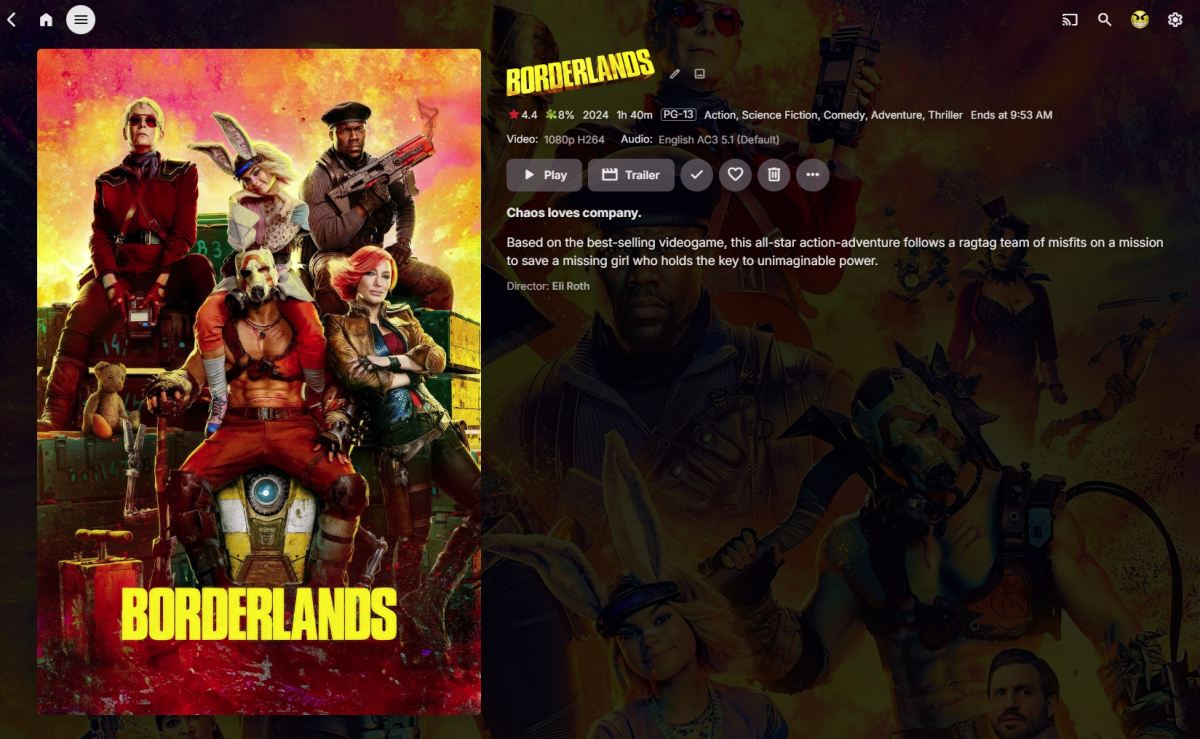
Yep as I just changed the container to width. div.detailImageContainer-main.detailImageContainer-portrait { width: 40%; }
 1 point
 -
@geowill76 @apachelance New release up which handles the MKA file format, limits the file sizes and excludes any other strange formats. I've removed any rogue massive themes from the host so you should be set. Thanks for the understanding and patience in waiting for me to return.1 point
-
The Apple TV client is appalling, and it's very clear that Emby simply doesn't care. This feature really is dead obvious to the point of being a requirement more than a feature. The support for Apple TV is so shitty that if I could get a refund on my premier license, I would switch to Plex. A bot will come along shortly and repeat the mantra that we've been hearing for 6+ years: "We're working on it."1 point
-
So far I am unable to reproduce this with Live TV OTA DVR channels and server maximum number of streams set to 2. Using Emby for iOS 2.29.2 (1) beta for the tests with the server on 4.8.8.1 point
-
Heya all, give the latest version a download, you'll need to manually update from http://www.ballingtons.com/products but it should be good to go. Thanks for your understanding.1 point
-
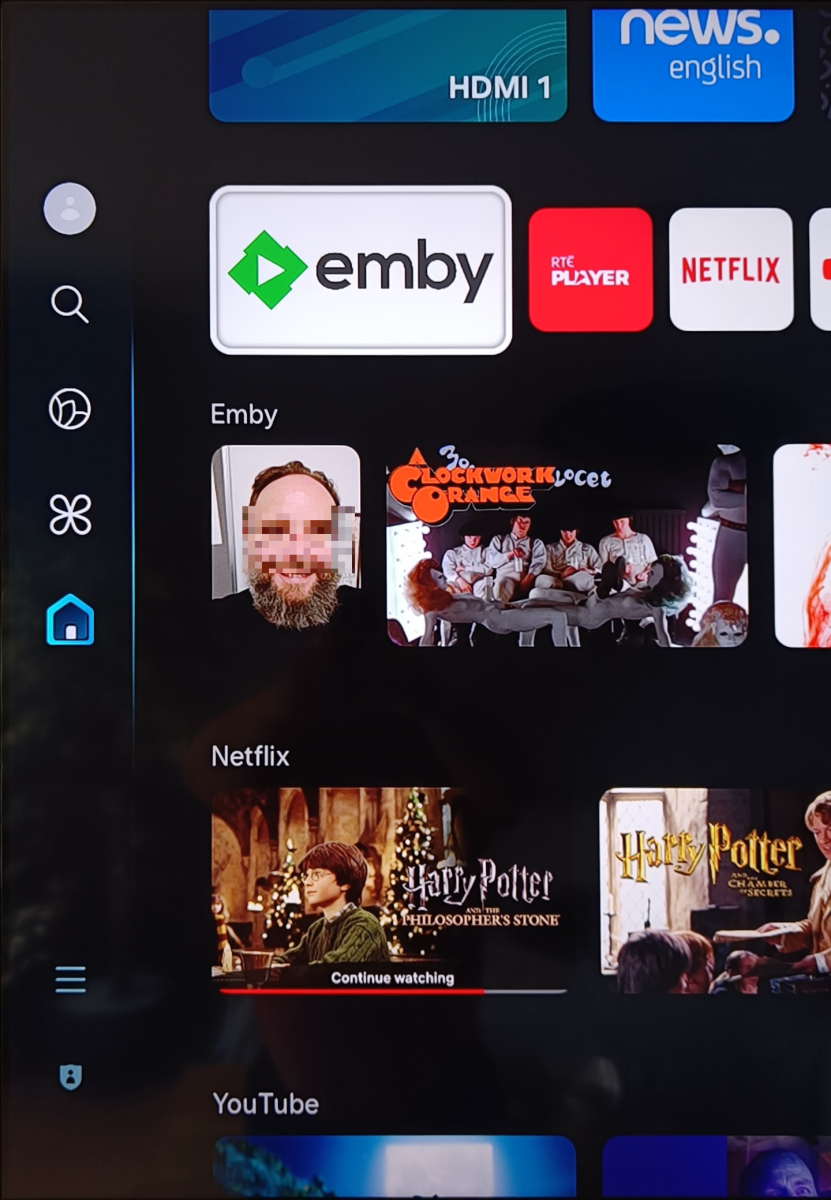
That's weird. Was there a logo on the previous version? Nothing has changed to remove it as far as I know. I can only suggest trying any/all of the following Remove power from the TV, then restart Remove the app from the row, then re add it Completely uninstall then reinstall the app1 point
-
The USB beta update is monthly, so < 4weeks for that version. No eta for the store version at this stage1 point
-
@bmflagg@thekingpin, thanks for the logs. Some models need to force the rotation on the server, I've added your 2021 models to this list. It should be in the next client update. There may still be an issue as there were some server-side improvements needed as well. I can't recall if these are completed and which server version they're in. Please let me know what it looks like after the next client update.1 point
-
This is not a new option, no. What version of Emby Server are you currently running?1 point
-
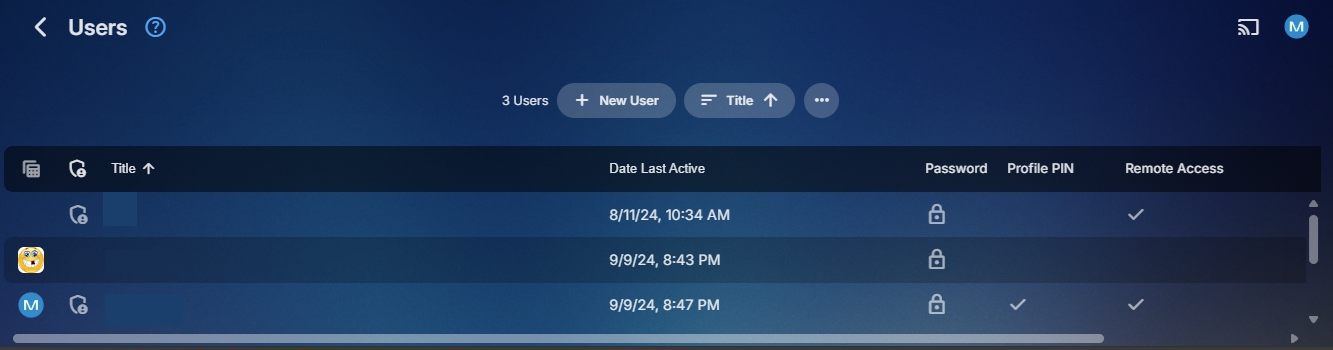
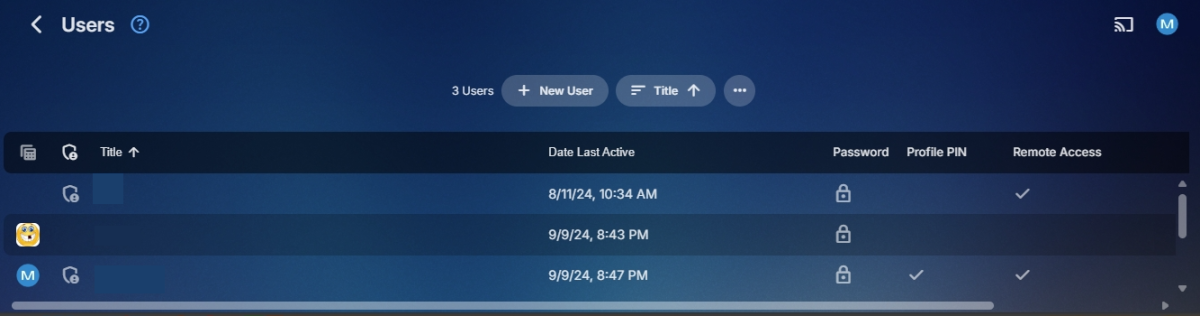
Yes/No depends on the view being used. On the Users page you have to change to Table view.
 1 point
 -
Users currently do not have the ability to create Collections. But an admin can delete/edit any Collection they like via the library/collection but have no idea what you are calling administrator panel.
 1 point
 -
Big search box at the top of every page on this forum. Could you please explain a little more what exactly you are trying to customize? Sections refer to each horizontal row you see on your home screen. 'My Media' libraries are typically the first default row (section) - you can choose to not show these, as well as change the order they are displayed on that row.
 1 point
 -
The text behaves similarly in Kodi as in Emby (at least in the Embuary skin), in other skins similarly, in some skins the text scrolls itself. In any case, there would be plenty of space. You could also completely write out Dolby Vision Profile 7.6 and so on, because there would be significantly more space. Like this, for example: Video: 4K - Dolby Vision Proile 7.6 - HDR10 [53,5 Mbits/s] Audio: Dolby TrueHD Atmos 7.1[4.723 kbits/s] Movie/Episode description, blablablablabla..... In any case, with this media information in the movie/episode description, you would have much more freedom in terms of space. However, the slogan is used rather less in Kodi. But I could be wrong, because I have never really paid attention to it.1 point
-
For some reason the problem has already been resolved, it now plays the files in OpenDrive normally, thank you1 point
-
It would be really nice if the was one of the questions asked on first install. I use Kodi favorites for something totally different than Emby favorites and it is kinda a pain to do a new setup as it is now.1 point
-
I will look into this. There may be some timing issues here. Will see if it relates to how quickly one switches channels1 point
-
Done a little testing from remote devices at different locations. Crappy low powered Android box - 1080 20Mbps Android phone - chooses highest Samsung TV - 1080 - 6Mbps Browsers - choose highest no matter what browse, computer or phone. Don't know if it's of any help but thought I might as well post it here when I had tested it anyway.1 point
-
You can close this topic. It is working now, but emby needs a few minutes to do the library scan. Thank you for your help.1 point
-
You want the gory details of how I cleaned up the .ignore folders? OK. A folder named .ignore has the same effect as a file named .ignore: the directory containing the .ignore-named item is ignored. So putting my conversion scripts and other random stuff in a folder named .ignore was quite a mistake—yes, they got ignored, but so did the video content and other stuff Emby needed to see in the parent folder. So, with PowerShell, in each directory named .ignore, I first created a file named .ignore: Get-ChildItem -Recurse -Directory -Include ".ignore" | ForEach-Object {New-Item -Path (Join-Path $_.FullName ".ignore") -ItemType "file"} I then renamed each .ignore directory to .hidden: Get-ChildItem -Recurse -Directory -Include ".ignore" | ForEach-Object { Rename-Item $_ ".hidden" } And that's that. Anyway, how about this for the KB:1 point
-
The Appears On section definitely needs to be selectable and expandable for music, perhaps like the Songs and Albums sections are now? This would be consistent with the current UI and not negatively impact on anyone not needing the expanded view. In many instances I would have 100+ albums in this row, making it quite difficult to view/browse them all efficiently. Sometimes there are more Albums for a given Artist in the Appears On section than what there are in the Albums section!!! Picking a random example from my library - Chuck Berry: Albums: 6 Appears On : 87 (As Appears On currently combines Artists and Composers the item count can become very large very quickly.) This is NOT an isolated-outlier-use-case for me and I imagine it would be quite common for anyone with a large music library. I've also been customising the Album Artist / Artist / Composer pages (to show some different useful views) and the single row horizontal scrolling of Appears On is a limiting factor with achieving useful functionality. Emby is already very good. Improvements in this area would make Emby so much better!
 1 point
 -
I think I got a way to do it1 point
-
Sure! Updated RAR attached! -M EmbyIcons_v6.1.rar
 1 point
 -
But technically this exact question/request has been asked numerous times. Looks to be at least 5 years now.1 point
-
Can't say. Decided to drop the library and create a new one. It's running since tuesday.1 point
-
Although a post from 2019 mentioned this feature, it still hasn't been implemented after 5 years, so I'd like to bring it up again. I hope to control playback without bringing up the OSD interface, such as by sliding to fast forward, adjust volume, and brightness (at least playback progress). To seek 10 seconds, the current operation requires clicking the screen first. The bulky OSD interface, along with the need for the hand to be in the middle of the screen, greatly affects the experience of watching videos. It would be very convenient to adjust the progress by sliding at any position. Some may disagree, but for most modern players, this is a fundamental feature. On PC players, you can also adjust the progress without bringing up the OSD by clicking the arrow keys. It's similar, isn't it? Even if gesture control is offered as an option that's turned off by default, please consider it.1 point
-
I THINK WE GOT IT! I'm going through a new Emby setup now and setting up new users. I'll update when done!1 point
-
If the file is MKV, the header editor in MKVToolNix; if it's not MKV, then the multiplexer in the same program to convert to MKV and select the required flags. https://mkvtoolnix.download/downloads.html For multiple MKV files, JMKVPropEdit provides a simple batch interface to the MKVToolNix header editor: https://github.com/BrunoReX/jmkvpropedit/releases Paul1 point
-
I would like to be able to mark individual media items or even perhaps entire libraries to be excluded from media scans. If I have retrieved all the metadata and images I want for a particular TV series or Music collection and I know that the files will never change and the metadata should never change, I would like to be able to exclude it from scans to a ) reduce scan time b ) decrease the likelihood of unwanted changes being made c ) reduce network utilization I've noticed that even with series that have not had any new episodes in years (and no changes have been made in my filesystem) there is still information being downloaded from metadata providers. I suppose that is to check to make sure it is current/complete, but it is a waste of my network resources which are not plentiful. Perhaps this could be implemented by adding the option to not rescan media that has been marked as locked.1 point
-
I use the web client via Firefox on windows 7. I was wondering if I can change which tab is the prefered HOME tab within each media type? IE, when I go to the movies tab, instead of having "Latest" being the first to show...having "Suggested" or even go directly to the "Movies" tab... Maybe have the ability to move them around/select which order they are in?1 point